
SAMSUNG
Samsung 870 EVO 500GB SATA SSD – 2.5in, 560MB/s Read, 530MB/s Write
- SKU:
- HDSAM-MZ-77E500B
- UPC:
- 8806090545924
- MPN:
- MZ-77E500B/EU
- Availability:
- Free Click & Collect in Peterborough. UK delivery also available

Description
Samsung 870 EVO 500GB SATA SSD – 2.5-Inch Internal Storage with 560MB/s Read and 530MB/s Write
The Samsung 870 EVO 500GB SATA SSD (MZ-77E500B/EU) is a high-performance 2.5-inch internal solid state drive designed to upgrade compatible desktop PCs, laptops and other SATA-based computing systems. Featuring a SATA III 6Gb/s interface, Samsung 3-bit V-NAND TLC flash memory and an MKX controller, it delivers manufacturer-rated sequential read speeds of up to 560MB/s and sequential write speeds of up to 530MB/s.
Designed for everyday computing, operating system storage, PC gaming and productivity applications, the 870 EVO is a practical replacement for traditional mechanical hard drives or older SATA SSDs. With no moving parts, it offers fast data access, quiet operation and a compact form factor that fits many compatible 2.5-inch drive bays.
The Samsung 870 EVO 500GB includes 512MB LPDDR4 DRAM cache, Intelligent TurboWrite technology and an endurance rating of 300TBW (Terabytes Written). Samsung also provides support for TRIM, S.M.A.R.T. monitoring, automatic garbage collection and compatible hardware-based AES 256-bit encryption.
Backed by a five-year limited manufacturer warranty, subject to the 300TBW endurance threshold, the Samsung 870 EVO provides a dependable option for users looking to extend the useful life of compatible computers without replacing the entire system.
Quick answer: The Samsung 870 EVO 500GB is a 2.5-inch SATA III internal SSD with read speeds up to 560MB/s, write speeds up to 530MB/s, Samsung TLC V-NAND, an MKX controller, 512MB LPDDR4 cache and 300TBW endurance. It is suitable for compatible desktops and laptops with a SATA storage connection. It is not an M.2 or NVMe SSD.
Key Features of the Samsung 870 EVO 500GB SSD
- 500GB storage capacity: Space for an operating system, essential applications, documents, photographs and selected games.
- Up to 560MB/s sequential read: Fast access to supported files and applications.
- Up to 530MB/s sequential write: High-speed SATA writing with Samsung Intelligent TurboWrite technology.
- SATA III 6Gb/s interface: Suitable for compatible SATA desktop and laptop storage connections.
- 2.5-inch form factor: Standard compact internal SSD format measuring 100 x 69.85 x 6.8mm.
- Samsung 3-bit V-NAND: TLC flash technology designed for mainstream computing and storage.
- Samsung MKX controller: Manufacturer-designed SSD controller for drive management and performance.
- 512MB LPDDR4 DRAM cache: Dedicated onboard memory supporting SSD operation.
- Intelligent TurboWrite: Uses a dynamic write buffer to accelerate supported write workloads.
- Up to 98,000 random read IOPS: Manufacturer-rated 4KB performance at queue depth 32.
- Up to 88,000 random write IOPS: Manufacturer-rated 4KB performance at queue depth 32.
- 300TBW endurance: Manufacturer-rated cumulative writing endurance for the 500GB model.
- Five-year limited warranty: Subject to Samsung's warranty terms and TBW limit.
- Hardware encryption: AES 256-bit with supported TCG Opal 2.0 and IEEE 1667 functionality.
- TRIM and S.M.A.R.T.: Supports compatible SSD maintenance and health monitoring features.
- Samsung Magician software: Access supported SSD monitoring, optimisation, firmware and migration tools.
- Quiet solid-state operation: No mechanical spinning disks or moving read/write heads.
- Low-profile 6.8mm design: Suitable for many laptop and desktop 2.5-inch SATA installations.
- Manufacturer part number: MZ-77E500B/EU.
Fast SATA III Performance for Everyday Computing
The Samsung 870 EVO uses the SATA III 6Gb/s interface, providing near-interface-limit sequential performance for a mainstream 2.5-inch SATA SSD.
This makes it a practical upgrade for compatible computers that currently use a traditional hard disk drive or an older, slower storage device.
Up to 560MB/s Sequential Read Speed
Samsung specifies sequential read speeds of up to 560MB/s for the 870 EVO 500GB.
Fast sequential reading is useful when accessing large files, opening applications and transferring information from the drive under suitable conditions.
Compared with a traditional mechanical hard drive, an SSD can also improve responsiveness because it accesses stored data without moving mechanical components.
Actual application loading and system startup times depend on the processor, RAM, operating system, other storage hardware and installed software.
Up to 530MB/s Sequential Write Speed
The 870 EVO 500GB provides Samsung-rated sequential write speeds of up to 530MB/s with Intelligent TurboWrite technology active.
This is useful for compatible file-copying, software installation, document storage and general desktop workloads.
However, the advertised speed is a benchmark maximum rather than a guaranteed continuous writing rate.
What Happens During Very Large File Transfers?
Samsung's Intelligent TurboWrite technology uses a high-speed buffer to accelerate compatible write operations.
When a sustained transfer exceeds the available TurboWrite region, writing performance may decrease.
Samsung's published technical datasheet lists approximately 300MB/s sequential write performance after the TurboWrite region is exhausted for the 500GB model under the manufacturer's test conditions.
Performance clarification: The Samsung 870 EVO 500GB is rated for up to 530MB/s sequential writing, but it should not be advertised as maintaining that speed continuously during every large transfer.
Upgrade a Laptop or Desktop PC from a Hard Drive to an SSD
Replacing an older mechanical hard disk drive with the Samsung 870 EVO can be one of the most practical improvements available for a compatible computer.
Traditional hard drives use spinning disks and moving read/write heads. Solid state drives store information electronically, allowing data to be accessed without mechanical seek operations.
Improve Windows Startup and Application Loading
A compatible PC using an ageing hard drive may experience slow startup, lengthy application loading and delays when accessing files.
Moving Windows and commonly used applications to an SSD can reduce storage-related waiting times and make normal computing feel more responsive.
Actual improvements depend on the computer's existing configuration and whether storage performance is the primary bottleneck.
Extend the Life of a Compatible Older Laptop
Many older laptops use a standard 2.5-inch SATA hard drive.
Where the laptop supports a replaceable 2.5-inch SATA device, the Samsung 870 EVO can provide a practical replacement without requiring an entirely new computer.
Its slim 6.8mm chassis is particularly useful for compatible laptop storage bays designed around 7mm SATA drives.
Compatibility note: Not every laptop has a replaceable 2.5-inch drive. Some modern laptops use M.2 SSDs or soldered storage. Always check the exact laptop model before ordering.
Upgrade an Older Desktop Computer
The 870 EVO is suitable for desktop motherboards with a compatible SATA connection and available power.
When replacing a desktop hard drive, users can install the SSD in a suitable 2.5-inch mounting position or use a compatible 3.5-inch-to-2.5-inch mounting bracket where needed.
A desktop installation generally requires a SATA data cable and an available SATA power connection.
Additional brackets, cables and installation accessories should not be assumed to be included with the SSD.
500GB Storage for Windows, Software and Games
The Samsung 870 EVO provides 500GB of advertised storage capacity, making it a practical option for operating system installations and general-purpose computing.
Primary Windows Storage Drive
The SSD can be used as a primary operating system drive in a compatible computer that supports booting from SATA storage.
This allows Windows, essential applications and commonly used files to be stored on the same internal drive.
A valid operating system licence and suitable installation media are required if installing a new copy of Windows.
PC Game Storage
The 870 EVO can store compatible PC games, game launchers and downloadable content.
Compared with mechanical hard drives, SSD storage can reduce loading delays in games that benefit from faster storage access.
However, a SATA SSD does not automatically increase a game's frames per second, and certain modern games may benefit from faster NVMe storage.
Office Files, Photographs and Personal Media
The 500GB capacity is also suitable for documents, spreadsheets, photographs, downloaded files, music collections and selected video projects.
For users with larger game libraries, extensive 4K video collections or substantial professional projects, a higher-capacity SSD may be more convenient.
Why Does Windows Show Less Than 500GB?
Samsung measures the capacity using decimal units, where 1GB equals one billion bytes.
A 500GB drive contains 500 billion bytes of advertised storage, equivalent to approximately 465.7GiB in binary units before formatting.
Windows may display a value close to 466GB because of the difference in measurement systems. Formatting, partitions and operating system files can further reduce the available space.
This is normal behaviour and does not mean part of the advertised capacity is missing.
Samsung 3-Bit V-NAND TLC Flash Technology
The Samsung 870 EVO uses the manufacturer's 3-bit V-NAND flash memory.
Samsung also describes this technology as 3-bit MLC. In conventional SSD terminology, NAND storing three bits per cell is referred to as TLC (Triple-Level Cell).
What Is TLC NAND?
TLC NAND stores three bits of information in each flash memory cell.
It is widely used in mainstream consumer SSDs and provides a practical balance between storage density, performance and endurance.
The 870 EVO combines TLC flash with Samsung's controller, dedicated DRAM and caching technology.
Samsung 870 EVO vs Samsung 870 QVO
The Samsung 870 EVO and 870 QVO are different SATA SSD product families.
The 870 EVO uses three-bit TLC V-NAND, while the 870 QVO uses four-bit QLC NAND.
TLC and QLC storage have different characteristics, particularly for endurance and sustained writing.
Customers comparing the two should consider storage capacity, price, endurance rating and expected workloads rather than choosing solely on the advertised SATA read speed.
Samsung MKX Controller and 512MB LPDDR4 DRAM Cache
The Samsung 870 EVO 500GB uses an integrated Samsung MKX controller paired with 512MB LPDDR4 DRAM.
The controller is responsible for coordinating operations between the SATA interface, flash memory and the SSD's internal management systems.
What Does the DRAM Cache Do?
Dedicated DRAM helps the SSD manage important internal information associated with locating and organising stored data.
This can support consistent storage operation, particularly during workloads that involve frequent access to many files.
The 870 EVO is therefore different from DRAM-less SSD designs that rely on other caching arrangements.
Intelligent TurboWrite Technology
Samsung's Intelligent TurboWrite technology temporarily accelerates supported write operations using an available high-speed buffer.
The amount of available buffer can vary depending on the storage conditions and workload.
When the buffer is exhausted, sustained writing performance may fall below the maximum advertised 530MB/s figure.
Users regularly working with very large files should consider this behaviour when comparing SSDs.
Random Read and Write Performance
Sequential speeds describe performance when accessing large blocks of data in order.
Everyday computing also involves many small, scattered read and write requests, which are measured using random I/O performance.
Random Read Performance
Samsung specifies up to 98,000 random read IOPS using 4KB operations at queue depth 32.
For 4KB random reads at queue depth 1, the manufacturer's published figure is up to 13,000 IOPS.
Random Write Performance
The 870 EVO 500GB is rated for up to 88,000 random write IOPS at queue depth 32.
Samsung also specifies up to 36,000 random write IOPS at queue depth 1.
Random I/O figures help describe how the SSD performs during suitable small-file workloads, but real application responsiveness depends on the complete computer and software environment.
300TBW Endurance and Five-Year Limited Warranty
The Samsung 870 EVO 500GB has a manufacturer-rated endurance of 300TBW (Terabytes Written).
TBW represents a specified amount of cumulative data that can be written to the drive under the manufacturer's applicable endurance and warranty conditions.
What Does 300TBW Mean?
A 300TBW rating represents 300 terabytes of cumulative host writes.
It does not mean the drive can store 300TB at one time. The storage capacity remains 500GB.
The rating is intended to help customers assess endurance when comparing SSDs and estimating expected writing workloads.
Is 300TBW Suitable for Everyday Computing?
For many home, office and gaming workloads, 300TBW provides a substantial cumulative writing allowance.
Actual drive life depends on write activity, temperature, workload and the condition of the internal flash memory.
Heavy continuous writing workloads may require a drive with a different endurance or performance specification.
Samsung Warranty Terms
Samsung provides a five-year limited manufacturer warranty for the 870 EVO 500GB, subject to its 300TBW endurance limit.
Warranty coverage is subject to the manufacturer's applicable conditions, with the time or endurance threshold taking precedence when reached first.
The warranty does not guarantee recovery of lost files, and customers should maintain separate backups of important information.
Hardware Encryption and SSD Security Features
The 870 EVO supports several manufacturer-listed storage security features.
These include:
- AES 256-bit hardware encryption.
- TCG Opal 2.0.
- IEEE 1667 Encrypted Drive functionality.
What Is AES 256-Bit Encryption?
AES 256-bit is an encryption standard that can be used to help protect stored information when properly configured through compatible software and hardware.
The 870 EVO includes support for hardware-based encryption functionality.
Does the SSD Automatically Encrypt My Files?
No. Support for encryption standards does not mean that every installation automatically has data protection enabled.
Encryption must be appropriately configured using a compatible operating system, firmware and supported security management tools.
Security note: Hardware encryption does not replace secure passwords, system updates or independent backups.
Samsung Magician Software and Data Migration Tools
Samsung provides Samsung Magician, a software suite for managing supported Samsung storage devices.
The software can help users access compatible SSD monitoring, diagnostic, firmware and optimisation features.
Monitor SSD Health
Samsung Magician can display supported drive health information and storage status indicators.
This helps users monitor aspects of their SSD's operation and identify when further maintenance may be appropriate.
Check for SSD Firmware Updates
Samsung periodically provides firmware updates for supported storage products.
Samsung Magician can help users check firmware information and access supported update procedures.
Back up important data before performing firmware updates or other maintenance operations.
Migrate Files from an Existing Drive
Samsung's data migration functionality can help users move a compatible existing storage installation to a Samsung SSD.
Migration support depends on the source drive, available connections, software requirements and storage configuration.
For example, a laptop with only one internal drive bay may require a suitable USB-to-SATA adapter or external SSD enclosure to connect the new drive during migration.
Software note: Samsung's current Magician software integrates data migration features. Supported operating systems and available tools should be confirmed against Samsung's current software documentation.
2.5-Inch SATA Compatibility with Desktop PCs and Laptops
The Samsung 870 EVO is designed for systems equipped with an appropriate SATA storage connection.
Before purchasing, confirm both the available physical drive space and the computer's supported storage interface.
Compatible Desktop Motherboards
The SSD supports a standard SATA 6Gb/s connection and is backwards compatible with SATA 3Gb/s and SATA 1.5Gb/s host interfaces.
When connected to an older SATA interface, the available data transfer performance will be limited by that connection.
The motherboard must also have suitable firmware and storage support for the intended installation.
Compatible Laptops
The drive can be installed in compatible laptops that use a replaceable 2.5-inch SATA HDD or SSD.
The 6.8mm thickness makes it suitable for many 7mm drive bays, provided the laptop manufacturer supports the device and mounting arrangement.
Some laptops may require an existing drive caddy, bracket or proprietary connector.
Can the Samsung 870 EVO Replace a 2.5-Inch Hard Drive?
Yes, in many compatible computers the Samsung 870 EVO can replace a standard 2.5-inch SATA hard drive.
However, the drive must fit the available mounting space and use a compatible SATA connection.
If the original hard drive is 9.5mm thick, an appropriate spacer or mounting solution may be useful in some installations.
Will It Work in an M.2 Slot?
No. The Samsung 870 EVO 500GB uses a standard 2.5-inch SATA enclosure and does not connect directly to an M.2 slot.
It should not be confused with Samsung's M.2 NVMe SSD models.
Is This an NVMe SSD?
No. The Samsung 870 EVO is a SATA SSD.
It does not use the PCIe NVMe interface and cannot deliver the multi-gigabyte-per-second speeds advertised by suitable modern NVMe drives.
Its main advantage is providing solid-state storage for computers and devices that use conventional SATA connections.
Samsung 870 EVO SATA SSD vs NVMe SSD
SATA and NVMe SSDs both use solid-state storage technology but communicate through different interfaces.
Why Choose a SATA SSD?
A 2.5-inch SATA SSD is often useful for upgrading existing systems that do not have a compatible M.2 NVMe slot.
It can also provide additional storage in a desktop PC where SATA ports and mounting space are available.
When Is NVMe a Better Choice?
A compatible PCIe NVMe SSD can deliver much higher sequential transfer speeds than a SATA SSD.
NVMe may be preferable for users building a modern system with appropriate M.2 support, particularly when running applications that benefit from very high storage bandwidth.
Buying advice: Choose the Samsung 870 EVO for a compatible 2.5-inch SATA upgrade. Consider an NVMe SSD if your computer supports it and you require the additional interface performance.
Low Power Consumption and Quiet Solid-State Operation
The Samsung 870 EVO operates without spinning disks or mechanical read/write heads.
This eliminates the mechanical noise associated with traditional hard disk drives.
Samsung specifies average power consumption of approximately 2.2W for the 500GB model under its published measurement conditions, with a maximum burst consumption of approximately 3.5W.
The drive uses a 5V SATA power connection and supports suitable low-power operating modes.
Power note: Actual consumption depends on the workload, host system and power-management configuration. Overall laptop battery life also depends on the other computer components.
Who Is the Samsung 870 EVO 500GB Best For?
- Owners of older laptops: Users replacing a compatible 2.5-inch SATA hard drive.
- Desktop PC users: Customers upgrading Windows storage or adding a secondary internal SSD.
- Home office workers: Users wanting responsive storage for documents and productivity software.
- Students: Customers storing coursework, applications and everyday files.
- Casual PC gamers: Users installing selected games on faster storage than a traditional hard drive.
- Computer repair technicians: Professionals upgrading compatible SATA-based systems.
- Business computer users: Customers improving compatible existing desktop or laptop equipment.
- Content creators: Users requiring dependable mainstream SATA storage for suitable projects.
Who Should Consider a Different SSD?
- Customers needing M.2 NVMe: The 870 EVO is a 2.5-inch SATA drive.
- Users requiring PCIe 4.0 or PCIe 5.0 performance: This drive is limited by SATA interface bandwidth.
- Computers without a suitable SATA connection: A compatible host connection is required.
- Customers requiring more than 500GB: A larger-capacity SSD may be preferable for extensive storage libraries.
- Professional heavy-write applications: Consider sustained writing performance, endurance and workload requirements.
- Users requiring an enterprise SSD: The 870 EVO is a consumer/client storage product, not a specialist enterprise drive.
- Customers expecting an external USB drive: This is an internal SSD and requires a suitable enclosure for external use.
- PS5 M.2 expansion buyers: The PS5's dedicated internal M.2 expansion slot requires a compatible NVMe SSD, not this 2.5-inch SATA model.
Samsung 870 EVO 500GB – Technical Specifications Overview
- Brand: Samsung
- Product Series: 870 EVO
- Model: MZ-77E500
- UK Manufacturer Part Number: MZ-77E500B/EU
- EAN / GTIN: 8806090545924
- Product Type: Internal solid state drive
- Capacity: 500GB
- Form Factor: 2.5 inches
- Interface: SATA III 6Gb/s
- Backwards Compatibility: SATA 3Gb/s and SATA 1.5Gb/s
- NAND Flash: Samsung V-NAND 3-bit MLC (TLC)
- Controller: Samsung MKX
- DRAM Cache: 512MB LPDDR4
- Maximum Sequential Read: Up to 560MB/s
- Maximum Sequential Write: Up to 530MB/s
- Random Read (4KB QD32): Up to 98,000 IOPS
- Random Write (4KB QD32): Up to 88,000 IOPS
- Random Read (4KB QD1): Up to 13,000 IOPS
- Random Write (4KB QD1): Up to 36,000 IOPS
- Caching Technology: Intelligent TurboWrite
- Endurance: 300TBW
- MTBF: 1.5 million hours
- Encryption: AES 256-bit, TCG Opal 2.0 and IEEE 1667
- TRIM: Supported
- S.M.A.R.T.: Supported
- Garbage Collection: Supported
- Device Sleep: Supported
- Operating Voltage: 5V ±5%
- Average Power Consumption: Approximately 2.2W
- Operating Temperature: 0°C to 70°C
- Dimensions: 100 x 69.85 x 6.8mm
- Weight: Approximately 45g
- Colour: Black
- Management Software: Samsung Magician
- Manufacturer Warranty: 5 years limited or 300TBW, whichever occurs first
How to Install the Samsung 870 EVO 500GB SSD
- Check compatibility: Confirm the computer supports a 2.5-inch SATA SSD.
- Back up important files: Save valuable data before removing or modifying an existing storage device.
- Shut down the computer: Disconnect external power and follow the computer manufacturer's service instructions.
- Locate the storage bay: Find the appropriate 2.5-inch SATA mounting position.
- Remove the old drive if required: Carefully disconnect and remove the existing compatible hard drive or SSD.
- Install the Samsung 870 EVO: Fit the SSD into the appropriate mounting tray, caddy or bracket.
- Connect SATA: Attach the compatible SATA data and power connections as required by the computer.
- Secure the installation: Refit the drive mounting components and computer enclosure.
- Check BIOS or UEFI: Confirm that the Samsung SSD is recognised by the computer.
- Migrate or install the operating system: Use a supported migration procedure or a fresh operating system installation where appropriate.
- Initialise secondary storage: If used as an additional drive, partition and format it using supported operating system tools.
- Install Samsung Magician: Use supported Samsung software to monitor the drive and check for relevant updates.
Installation warning: Formatting, partitioning, cloning or installing an operating system can overwrite data. Always verify the source and target drives and create a suitable backup before making changes.
Important Compatibility and Performance Notes
SATA III Is Required for Maximum Rated Speeds
The advertised 560MB/s read and 530MB/s write speeds require suitable SATA 6Gb/s hardware and benchmark conditions. Older SATA interfaces may limit performance.
The 870 EVO Is Not an M.2 NVMe SSD
This product uses a 2.5-inch SATA connection. It cannot be installed directly into an M.2 NVMe slot.
Check the Laptop Drive Bay
Confirm that the laptop supports a replaceable 2.5-inch SATA drive measuring approximately 100 x 69.85 x 6.8mm.
Additional Installation Accessories May Be Needed
Desktop users may need a SATA data cable and mounting bracket. Laptop users may need to reuse their existing drive caddy or connector. A separate installation kit is not supplied as standard.
TurboWrite Performance Can Vary
The maximum 530MB/s sequential write speed uses Intelligent TurboWrite. During sufficiently large sustained writes, speeds can fall once the high-speed buffer is exhausted.
Encryption Requires Proper Configuration
Hardware encryption support does not mean that files are automatically protected through a configured encryption system. Use supported operating system and security tools.
Keep Independent Backups
All SSDs can fail unexpectedly. Important files should be backed up independently. The manufacturer's warranty does not guarantee recovery of stored data.
Why Choose the Samsung 870 EVO 500GB SATA SSD?
The Samsung 870 EVO 500GB SATA III SSD combines the performance advantages of solid-state storage with a widely supported 2.5-inch SATA form factor.
Its Samsung 3-bit V-NAND TLC flash, MKX controller, 512MB LPDDR4 DRAM and Intelligent TurboWrite technology provide a practical storage solution for compatible PCs and laptops.
With up to 560MB/s sequential read performance, 530MB/s sequential write performance, 300TBW endurance and a five-year limited manufacturer warranty, the 870 EVO is a suitable choice for many everyday computing upgrades.
Choose the Samsung 870 EVO 500GB if you want to replace a compatible mechanical hard drive, upgrade an older SATA SSD or add reliable internal SATA storage to an existing desktop or laptop.
Explore more internal SSD drives at Memox to compare SATA and NVMe storage options.
Official Samsung product specifications: Samsung 870 EVO 500GB UK Product Page.
Samsung Magician and Migration Tools: Official Samsung SSD Software Downloads.
Samsung 870 EVO Technical Datasheet: Samsung 870 EVO Technical Datasheet (PDF).
Specifications refer to the Samsung 870 EVO 500GB model MZ-77E500B/EU. Actual transfer speeds, compatibility and software features depend on the host system, workload and configuration. Manufacturer specifications and warranty conditions may change.
Specification
Samsung 870 EVO 500GB SATA III 2.5-Inch SSD – Technical Specifications
The Samsung 870 EVO 500GB SSD (MZ-77E500B/EU) is an internal 2.5-inch SATA solid state drive designed for compatible desktop computers and laptops. Featuring Samsung 3-bit V-NAND TLC flash memory, an MKX controller, 512MB LPDDR4 DRAM cache and Intelligent TurboWrite technology, it delivers sequential read speeds up to 560MB/s and sequential write speeds up to 530MB/s. The 500GB model offers a manufacturer-rated endurance of 300TBW and a five-year limited warranty, subject to Samsung's warranty conditions.
General Information
| Brand | Samsung |
|---|---|
| Manufacturer | Samsung Electronics |
| Product Series | 870 EVO |
| Product Model | MZ-77E500 |
| UK Manufacturer Part Number (MPN) | MZ-77E500B/EU |
| EAN / GTIN | 8806090545924 |
| Product Name | Samsung 870 EVO 500GB SATA III 2.5-Inch Internal SSD |
| Product Type | Internal solid state drive |
| Storage Capacity | 500GB |
| Form Factor | 2.5 inches |
| Interface | SATA III 6Gb/s |
| Storage Technology | Samsung V-NAND flash memory |
| Product Colour | Black |
| Primary Application | Client PCs, compatible desktop computers and laptops |
| Product Category | Internal SATA SSD |
Storage Capacity and NAND Flash
| Advertised Storage Capacity | 500GB |
|---|---|
| Storage Capacity in Bytes | 500,000,000,000 bytes |
| Approximate Binary Capacity | 465.7GiB before formatting and system overhead |
| Storage Medium | Solid state NAND flash |
| NAND Manufacturer | Samsung |
| NAND Flash Technology | Samsung V-NAND |
| Manufacturer NAND Description | 3-bit MLC V-NAND |
| Conventional NAND Classification | TLC (Triple-Level Cell) |
| Bits per NAND Cell | 3 |
| QLC NAND | No |
| Mechanical Moving Parts | None |
Storage Capacity Note: Samsung uses decimal capacity measurements, where 1GB equals one billion bytes. The 500GB drive corresponds to approximately 465.7GiB before formatting. Operating systems may display a lower available capacity because of partitions, formatting and system files.
NAND Technology Note: Samsung describes its flash as 3-bit MLC V-NAND. Since it stores three bits per cell, this is classified as TLC NAND in conventional SSD terminology. It should not be confused with two-bit MLC or four-bit QLC flash.
SATA Interface and Connectivity
| Storage Interface | Serial ATA (SATA) |
|---|---|
| SATA Generation | SATA III / SATA 3.0 |
| Maximum SATA Interface Signalling Rate | 6Gb/s |
| SATA 6Gb/s Compatibility | Supported |
| SATA 3Gb/s Compatibility | Supported, at reduced interface speed |
| SATA 1.5Gb/s Compatibility | Supported, at reduced interface speed |
| Physical Drive Connection | Standard 2.5-inch SATA data and power connectors |
| SATA Data Cable | Required for a typical desktop installation; not supplied as part of a standard installation kit |
| SATA Power Connection | Required from a compatible computer or power supply |
| M.2 Interface | Not supported |
| PCIe Interface | Not supported as a direct host connection |
| NVMe Protocol | Not supported |
| External USB Connection | Requires a compatible SATA-to-USB adapter or enclosure, sold separately |
Important Interface Note: The Samsung 870 EVO is a 2.5-inch SATA SSD, not an M.2 NVMe SSD. It cannot be connected directly to a motherboard's M.2 NVMe slot.
Maximum rated transfer speeds require a suitable SATA 6Gb/s connection. Older SATA interfaces are supported but may limit performance.
Samsung Controller and DRAM Cache
| SSD Controller | Samsung MKX |
|---|---|
| Controller Manufacturer | Samsung |
| Dedicated DRAM Cache | Yes |
| DRAM Capacity | 512MB |
| DRAM Type | LPDDR4 SDRAM |
| Write Acceleration Technology | Samsung Intelligent TurboWrite |
| Automatic Garbage Collection | Supported |
| TRIM Support | Supported with a compatible operating system |
| S.M.A.R.T. Support | Supported |
DRAM Note: The 500GB 870 EVO includes 512MB of dedicated LPDDR4 DRAM. This is the manufacturer-confirmed cache capacity for this model, not the larger DRAM capacities used by some higher-capacity versions.
Sequential Read and Write Performance
| Maximum Sequential Read Speed | Up to 560MB/s |
|---|---|
| Maximum Sequential Write Speed | Up to 530MB/s |
| Sequential Write Acceleration | Intelligent TurboWrite |
| Sequential Write After TurboWrite Exhaustion | Approximately 300MB/s under Samsung's published test conditions |
| Manufacturer Sequential Benchmark | CrystalDiskMark 5.0.2 |
| Interface Used for Maximum Performance | SATA III 6Gb/s |
| Guaranteed Continuous Write Speed | Not specified as a fixed guaranteed value |
| Performance Variation | Depends on hardware, firmware, workload, cache availability and system configuration |
Important Performance Note: Samsung's advertised 560MB/s read and 530MB/s write speeds are maximum benchmark results. Actual performance depends on the computer and test conditions.
TurboWrite Note: Samsung's technical datasheet specifies approximately 300MB/s sequential write performance after the TurboWrite region is exhausted for the 500GB model under its stated test conditions.
Random Read and Write Performance
| Random Read – 4KB QD1 | Up to 13,000 IOPS |
|---|---|
| Random Write – 4KB QD1 | Up to 36,000 IOPS |
| Random Read – 4KB QD32 | Up to 98,000 IOPS |
| Random Write – 4KB QD32 | Up to 88,000 IOPS |
| Random I/O Block Size | 4KB |
| QD1 Meaning | Queue depth of one outstanding operation |
| QD32 Meaning | Queue depth of 32 outstanding operations |
| Manufacturer Random I/O Benchmark | IOmeter 1.1.0 |
Random Performance Note: IOPS figures describe the number of input/output operations completed per second under specified benchmark conditions. Actual application performance can differ depending on queue depth, file sizes, computer hardware and operating conditions.
Intelligent TurboWrite Technology
| Samsung Intelligent TurboWrite | Supported |
|---|---|
| TurboWrite Purpose | Accelerates supported write operations using a high-speed buffer |
| Peak Write Speed with TurboWrite | Up to 530MB/s |
| Published Post-TurboWrite Write Speed | Approximately 300MB/s under Samsung's test conditions |
| Sustained Writing Behaviour | May slow when the available high-speed write buffer is exhausted |
| Performance Conditions | Dependent on drive state, available capacity, workload and host system |
TurboWrite Clarification: The maximum 530MB/s writing speed is not a guaranteed speed for unlimited continuous data transfers. Customers regularly moving very large files should consider sustained writing performance as well as the advertised maximum.
Endurance and Reliability Specifications
| Manufacturer-Rated Endurance | 300TBW |
|---|---|
| Endurance Measurement | Terabytes Written |
| Endurance Test Standard | JESD218 |
| MTBF | 1,500,000 hours |
| Storage Technology | Samsung 3-bit V-NAND TLC flash |
| Drive Health Monitoring | S.M.A.R.T. supported |
| Automatic Garbage Collection | Supported |
| TRIM | Supported with compatible operating system |
| Manufacturer Warranty Period | 5 years limited |
| Warranty Endurance Threshold | 300TBW |
300TBW Clarification: The 870 EVO 500GB has a cumulative write-endurance rating of 300TBW. This does not mean the SSD can store 300TB of data simultaneously. Its advertised capacity remains 500GB.
MTBF Clarification: The manufacturer's 1.5 million-hour MTBF figure is a statistical reliability measurement. It does not guarantee that an individual SSD will operate for that length of time.
Hardware Encryption and Data Security
| Hardware Encryption Support | Yes |
|---|---|
| AES Encryption | AES 256-bit |
| Full Disk Encryption | Supported with compatible security configuration |
| TCG Opal Standard | TCG Opal 2.0 |
| IEEE 1667 | Supported |
| Encrypted Drive Functionality | Supported with compatible host configuration |
| Automatic Encryption Configuration | Must be appropriately configured using supported software and hardware |
| Data Recovery Guarantee | Not provided |
Encryption Note: The Samsung 870 EVO supports AES 256-bit hardware encryption, TCG Opal 2.0 and IEEE 1667. These capabilities require suitable configuration and should not be interpreted as automatic protection of every installed system.
Encryption does not replace maintaining separate backups of important files.
SSD Management and Maintenance Features
| S.M.A.R.T. Monitoring | Supported |
|---|---|
| TRIM Command | Supported |
| Automatic Garbage Collection | Supported |
| World Wide Name (WWN) | Supported |
| Device Sleep Mode (DevSleep) | Supported |
| Samsung Magician | Supported management software |
| Samsung Data Migration | Supported migration functionality, subject to software and system compatibility |
| Firmware Updates | Available through supported Samsung tools where applicable |
| Drive Diagnostic Features | Available through compatible Samsung Magician functions |
Software Note: Samsung Magician provides supported SSD monitoring, diagnostic, management and firmware features. Available functions depend on the operating system, software version and connected drive configuration.
Electrical and Power Specifications
| Operating Voltage | 5V DC ±5% |
|---|---|
| Power Connection | Standard SATA power connector |
| Average Active Read Consumption | Approximately 2.0W |
| Average Active Write Consumption | Approximately 2.2W |
| Manufacturer-Listed Average Power | Approximately 2.2W |
| Maximum Burst Power | Approximately 3.5W |
| Idle Power Consumption with DIPM | Approximately 30mW |
| Device Sleep Power Consumption | Approximately 2.5mW |
| External AC Power Adapter | Not required for a standard compatible internal SATA installation |
Power Consumption Note: Samsung's published electrical figures were measured under specified test conditions. Actual power usage depends on the host computer, SSD activity, firmware and power-management settings.
Physical Dimensions and Weight
| Form Factor | 2.5-inch |
|---|---|
| Length | 100mm |
| Width | 69.85mm |
| Thickness / Height | 6.8mm |
| Overall Dimensions (L x W x H) | 100 x 69.85 x 6.8mm |
| Approximate Weight | 45g |
| Product Colour | Black |
| Internal Storage Type | 2.5-inch SATA SSD |
| Mechanical Moving Parts | No |
| Mechanical Drive Noise | No spinning disks or moving read/write heads |
| Compatible Mounting | Suitable 2.5-inch SATA drive bay or compatible mounting bracket |
| Additional Mounting Bracket | Not included as a standard installation kit |
Physical Compatibility Note: The Samsung 870 EVO 500GB measures 100 x 69.85 x 6.8mm. Check the computer's drive-bay dimensions and connection requirements before purchasing.
Operating and Storage Environment
| Minimum Operating Temperature | 0°C |
|---|---|
| Maximum Operating Temperature | 70°C |
| Operating Temperature Range | 0°C to 70°C |
| Non-Operating Temperature | -40°C to 85°C |
| Humidity Range | 5% to 95%, non-condensing |
| Non-Operating Shock Rating | 1,500G, 0.5ms, three axes |
| Non-Operating Vibration Rating | 20G at 20Hz to 2,000Hz |
| Waterproof Rating | No IP water-resistance rating specified |
| Intended Operating Environment | Compatible internal computer installation |
Environmental Note: Samsung's shock and vibration ratings describe specified non-operating test conditions. They do not mean the SSD or a computer containing it is guaranteed to survive every impact, vibration or accidental drop.
Desktop PC Compatibility
| Desktop Computer Compatibility | Compatible desktops with SATA storage support |
|---|---|
| Required Data Interface | SATA |
| Required Power Connection | Compatible SATA power |
| Preferred Interface for Maximum Speeds | SATA III 6Gb/s |
| Older SATA 3Gb/s Interfaces | Supported at reduced speed |
| Older SATA 1.5Gb/s Interfaces | Supported at reduced speed |
| Intel Desktop Systems | Compatible models with suitable SATA connectivity |
| AMD Desktop Systems | Compatible models with suitable SATA connectivity |
| 2.5-Inch Drive Bay | Preferred |
| 3.5-Inch Drive Bay | May require a suitable 2.5-inch mounting adapter |
| BIOS / UEFI | Must support the intended SATA storage configuration |
| Operating System Boot Drive | Suitable for compatible systems supporting SATA booting |
| Secondary Internal Storage | Suitable where a compatible SATA connection and mounting space are available |
Desktop Installation Note: A standard desktop installation normally requires a SATA data cable, SATA power connection and appropriate drive mounting. Samsung does not include a standard installation kit with the 870 EVO.
Laptop Compatibility
| Laptop Compatibility | Compatible laptops with a replaceable 2.5-inch SATA drive bay |
|---|---|
| Supported Drive Format | 2.5-inch SATA |
| SSD Thickness | 6.8mm |
| Typical 7mm Laptop Drive Bays | Suitable where the laptop supports this drive and mounting arrangement |
| 9.5mm Laptop Drive Bays | May require a compatible spacer or mounting arrangement |
| HP Laptop Compatibility | Compatible models with suitable 2.5-inch SATA storage support |
| Dell Laptop Compatibility | Compatible models with suitable 2.5-inch SATA storage support |
| Lenovo Laptop Compatibility | Compatible models with suitable 2.5-inch SATA storage support |
| Acer Laptop Compatibility | Compatible models with suitable 2.5-inch SATA storage support |
| ASUS Laptop Compatibility | Compatible models with suitable 2.5-inch SATA storage support |
| M.2-Only Laptops | Not directly compatible |
| Soldered-Storage-Only Laptops | Not suitable as an internal replacement without a supported SATA bay |
Important Laptop Compatibility Note: Laptop screen size and brand do not confirm storage compatibility. Before purchasing, check the exact laptop model, existing drive format, SATA connector and available mounting space.
Operating System and Software Compatibility
| Primary Application | Client PC storage |
|---|---|
| Windows System Use | Supported with compatible SATA hardware and operating system |
| Linux System Use | Dependent on supported SATA drivers and host system configuration |
| macOS System Use | Hardware compatibility and supported installation depend on the exact Apple system |
| Samsung Magician Management | Supported on compatible software platforms |
| Samsung Data Migration | Available for supported migration scenarios |
| TRIM Functionality | Requires operating system support |
| Hardware Encryption | Requires compatible software and configuration |
| Operating System Included | No |
Software Compatibility Note: Samsung Magician and migration tools have their own operating system and feature requirements. Confirm the current Samsung software documentation before relying on a specific function.
Typical Applications
| Windows Boot Drive | Suitable for compatible SATA-based PCs |
|---|---|
| Laptop HDD Replacement | Suitable for compatible 2.5-inch SATA drive bays |
| Desktop HDD Replacement | Suitable for compatible SATA systems |
| Secondary Desktop Storage | Supported |
| PC Gaming Storage | Suitable for games supporting SATA SSD storage |
| Office and Productivity Applications | Suitable |
| Personal Documents and Media | Suitable |
| PCIe NVMe Storage Applications | Not applicable – SATA interface |
| PS5 M.2 Expansion Slot | Not compatible |
| Enterprise Storage with Specialised Power-Loss Protection | Not advertised as an enterprise-class SSD |
Package Contents
| SSD Included | 1 x Samsung 870 EVO 500GB 2.5-inch SATA SSD |
|---|---|
| Manufacturer Part Number | MZ-77E500B/EU |
| Storage Capacity | 500GB |
| Drive Quantity | 1 |
| Standard Installation Kit | Not included |
| SATA Data Cable | Not supplied as part of an installation kit |
| 2.5-Inch to 3.5-Inch Mounting Bracket | Not included |
| USB-to-SATA Adapter | Not included |
| External USB Enclosure | Not included |
| Operating System Licence | Not included |
| Desktop PC or Laptop | Not included |
Package Contents Note: Samsung lists the 870 EVO without an installation kit. Depending on the computer, additional SATA cables, mounting hardware or a drive adapter may be needed.
Manufacturer Warranty and Support
| Manufacturer | Samsung Electronics |
|---|---|
| Product Series | 870 EVO |
| UK Manufacturer Part Number | MZ-77E500B/EU |
| Manufacturer Warranty | 5-year limited warranty |
| Warranty Endurance Limit | 300TBW |
| Warranty Limitation | Five years or the 300TBW limit, whichever occurs first |
| Warranty Conditions | Subject to Samsung's applicable warranty terms and exclusions |
| Proof of Purchase | Retain for warranty and retailer support |
| Data Recovery Guarantee | Not included in the published SSD warranty |
| Manufacturer Product Information | Samsung 870 EVO 500GB UK Product Page |
Warranty Note: The Samsung 870 EVO 500GB is covered by a five-year limited manufacturer warranty or 300TBW, whichever occurs first. Warranty coverage is subject to Samsung's applicable conditions and exclusions.
The manufacturer's warranty does not affect customers' statutory consumer rights under UK law.
Important SATA and NVMe Compatibility Note
The Samsung 870 EVO 500GB uses a 2.5-inch SATA III 6Gb/s connection. It is not an NVMe SSD and cannot be installed directly into an M.2 NVMe slot.
Before purchasing, confirm that the computer supports a compatible 2.5-inch SATA drive and has the required data and power connections.
Important NAND Technology Note
Samsung describes the drive's flash memory as 3-bit MLC V-NAND. This is TLC flash memory, storing three bits per NAND cell. It should not be confused with QLC NAND or the flash technology used by Samsung's separate 870 QVO series.
Important Sequential Performance Note
The Samsung 870 EVO 500GB provides maximum manufacturer-rated speeds of up to 560MB/s sequential read and 530MB/s sequential write.
These speeds depend on the system configuration, workload and Intelligent TurboWrite operation. Samsung's datasheet specifies approximately 300MB/s sequential writing after the TurboWrite region is exhausted under its test conditions.
Important Random Performance Note
Random IOPS figures differ according to the benchmark queue depth. Samsung specifies 13,000/36,000 IOPS for 4KB QD1 random read/write and 98,000/88,000 IOPS for 4KB QD32 random read/write.
These figures are maximum benchmark results, not guaranteed performance in every application.
Important Endurance Note
The correct endurance rating for the Samsung 870 EVO 500GB is 300TBW. Do not confuse this with the endurance figures for Samsung's 250GB, 1TB, 2TB, 4TB or 8TB 870 EVO models.
Important Installation Note
Before installing the SSD, shut down the computer and disconnect external power. Follow appropriate anti-static handling precautions and the computer manufacturer's installation instructions.
For a desktop PC, connect the SSD to a compatible SATA data port and SATA power connection. For a laptop, use the appropriate existing SATA connector and mounting arrangement.
After installation, verify that the drive is recognised by the system. If it is a new secondary drive, initialise and format it using appropriate operating system tools.
Data Warning: Formatting, cloning, partitioning or reinstalling an operating system can overwrite existing information. Back up important files before modifying storage devices.
Important Data Protection Note
The Samsung 870 EVO supports S.M.A.R.T. monitoring, TRIM, automatic garbage collection and compatible hardware encryption technologies.
These features do not eliminate the possibility of SSD failure or data loss. Important files should be backed up independently to another storage device or appropriate backup service.
Official Samsung Technical Resources
Samsung UK Product Specifications: Samsung 870 EVO 500GB Official UK Product Page
Samsung Technical Datasheet: Samsung 870 EVO Technical Datasheet (PDF)
Samsung SSD Management Software: Samsung Magician and Data Migration Tools
These specifications are based on Samsung's published 870 EVO technical documentation and the UK 500GB model MZ-77E500B/EU. Maximum performance figures are manufacturer-rated benchmark results. Specifications, software features, supplied packaging and warranty conditions may change. Always confirm SATA compatibility with the computer manufacturer before purchase.
Return
FAQ: Frequenlty Asked Questiosn
Samsung 870 EVO 500GB SATA SSD – Frequently Asked Questions (FAQ)
The Samsung 870 EVO 500GB (MZ-77E500B/EU) is a 2.5-inch SATA III internal SSD with up to 560MB/s read and 530MB/s write speeds, TLC V-NAND, 512MB LPDDR4 DRAM cache and a 300TBW endurance rating. These questions cover laptop and desktop compatibility, Windows upgrades, cloning, gaming, Samsung Magician, firmware, real-world speed, troubleshooting and comparisons.
Quick buying check: This SSD requires a compatible 2.5-inch SATA connection. It is not an M.2 NVMe drive. Check your device before ordering.
Product basics and verified specifications
1. What is the Samsung 870 EVO 500GB SSD?
The Samsung 870 EVO 500GB is a 2.5-inch internal SATA III solid-state drive for compatible PCs and laptops. It is designed for operating systems, applications, games and files, and is especially useful when replacing a mechanical hard drive.
2. What is the exact model number of the Samsung 870 EVO 500GB sold in the UK?
The Samsung UK product reference is MZ-77E500B/EU, within the MZ-77E500 model family. Check the model shown on the Memox product listing and your device requirements before ordering.
3. Is the Samsung 870 EVO 500GB a SATA SSD or an NVMe SSD?
It is a SATA 6Gb/s SSD, not an NVMe or PCIe drive. It connects using a conventional 2.5-inch SATA data and power interface rather than fitting directly into an M.2 NVMe slot.
4. Does the Samsung 870 EVO 500GB use TLC or QLC NAND?
It uses Samsung 3-bit V-NAND, also called TLC. Samsung describes it as 3-bit MLC in some specification tables; that wording refers to its three bits per cell, not two-bit MLC. It is not the QLC-based 870 QVO.
5. Does the 870 EVO 500GB have a DRAM cache?
Yes. Samsung specifies 512MB of LPDDR4 DRAM cache in the 500GB model. Dedicated DRAM supports the controller with internal data management and distinguishes it from many entry-level DRAM-less SATA SSDs.
6. Which controller does the Samsung 870 EVO use?
The 870 EVO uses Samsung’s MKX controller. Its controller, TLC NAND, DRAM and firmware work together to manage storage access, caching and drive health.
7. What are the read and write speeds of the 870 EVO 500GB?
Samsung rates sequential reads at up to 560MB/s and sequential writes at up to 530MB/s with Intelligent TurboWrite active. These are maximum test figures; real speeds depend on the SATA interface, workload and computer.
8. Why does Windows show around 465GB instead of 500GB?
Manufacturers define 500GB using decimal units, while Windows commonly reports capacity in binary units even when the label says GB. Around 465GiB before normal formatting and system overhead is expected and does not indicate missing storage.
9. What size and thickness is the Samsung 870 EVO 500GB?
The 2.5-inch drive measures approximately 100 × 69.85 × 6.8mm and weighs about 45g. Check whether your laptop bay, tray or enclosure accepts a standard 2.5-inch SATA drive of this thickness.
10. How is the Samsung 870 EVO different from an ordinary hard drive?
Unlike an HDD, this SSD has no spinning platters or moving read/write heads. In a suitable system it usually improves startup, application launch and responsiveness while operating silently, although it does not upgrade the processor or memory.
Laptop, desktop and platform compatibility
11. Will the Samsung 870 EVO 500GB fit my laptop?
It can fit a laptop that has a compatible 2.5-inch SATA drive bay, SATA connector and mounting hardware. Many thin modern laptops offer only M.2 storage, so check the exact laptop model or service manual first.
12. Can I install the Samsung 870 EVO in a desktop computer?
Yes, if the desktop has an available SATA data port, a SATA power connector and an appropriate mounting point. A 2.5-inch tray or a 3.5-to-2.5-inch adapter bracket may be useful in some cases.
13. Will the 870 EVO work with SATA II 3Gb/s?
Yes. Samsung specifies backwards compatibility with SATA 3Gb/s. The SSD should work in a compatible SATA II port, but the older interface will cap transfer speeds below the advertised SATA III maximums.
14. Does the Samsung 870 EVO work with SATA I 1.5Gb/s?
Samsung lists backwards compatibility with SATA 1.5Gb/s. Older computer firmware and physical compatibility still need checking, and transfer performance will be limited by the first-generation SATA connection.
15. Can I fit the 870 EVO into an M.2 SSD slot?
No. The 870 EVO 500GB in this listing is a 2.5-inch SATA drive, not an M.2 module. An M.2 SATA slot and a 2.5-inch SATA connector are different physical formats.
16. Can the Samsung 870 EVO replace a 3.5-inch desktop hard drive?
Usually yes, provided a free SATA data and power connection is available. Because the SSD is physically smaller, secure it with a compatible mounting bracket or tray rather than assuming it will fit a 3.5-inch bay directly.
17. Is the Samsung 870 EVO compatible with older Intel or AMD PCs?
Many older Intel and AMD systems with a supported SATA controller can use it, even if they lack M.2 slots. Verify your motherboard’s SATA connection, BIOS support and operating-system requirements before purchase.
18. Can I upgrade an older MacBook with the 870 EVO?
Some older, serviceable MacBook or MacBook Pro models use a standard 2.5-inch SATA drive and may accept the 870 EVO. Many newer MacBooks use proprietary or soldered storage and cannot accept this drive internally; identify the exact Mac model first.
19. Will the Samsung 870 EVO work in a modern MacBook with soldered storage?
No, not as a direct internal replacement where storage is soldered or the computer has no 2.5-inch SATA bay. It may still be usable as external storage with a suitable USB-to-SATA enclosure, subject to macOS and enclosure compatibility.
20. Is the Samsung 870 EVO compatible with Linux or a Chromebook?
Linux distributions with appropriate SATA support can generally use the drive. Some Chromebooks also support SATA storage, but many have non-upgradeable or different internal storage; confirm hardware access and operating-system support before buying.
What is required for installation?
21. Does the Samsung 870 EVO come with a SATA cable?
Samsung’s standard retail box contents list the SSD and warranty statement, not a separate SATA data cable. Desktop users should check whether they already have a suitable cable and SATA power lead.
22. What cables do I need to install the 870 EVO in a desktop?
You normally need a SATA data cable connected to the motherboard and a SATA power connector from the power supply. Both must be attached correctly; a SATA data cable alone does not power the drive.
23. Do I need a special cable to install the SSD in a laptop?
Many laptops use an existing SATA connector or a model-specific ribbon cable, caddy or interposer. Some machines need parts that are not present in configurations supplied without a 2.5-inch drive; check the service manual.
24. Are mounting screws or a 3.5-inch bracket included?
Samsung does not list a general installation kit with this SSD. Check the case, drive tray or laptop caddy for screws and mounting hardware; buy a compatible bracket if your desktop needs one.
25. Does the Samsung 870 EVO 500GB need a heatsink?
A separate heatsink is normally unnecessary for this 2.5-inch SATA SSD in a ventilated compatible computer. Avoid enclosing it near excessive heat, and monitor drive temperature if the system runs hot.
26. How do I install the 870 EVO as a second drive?
Switch off and unplug the PC, mount the SSD, then connect SATA data and power. Start Windows, open Disk Management, initialise the new drive if prompted, create a volume and format it; do not initialise or format a disk containing data you want to keep.
27. Why does a new Samsung 870 EVO not appear in File Explorer?
An uninitialised or unformatted secondary SSD may not have a Windows drive letter yet. Check Disk Management first. If the SSD is absent there too, verify BIOS/UEFI detection, power, the SATA data cable and available ports.
28. What if the 870 EVO does not appear in BIOS or UEFI?
Power down before reseating connections, try a known-working SATA cable and another compatible motherboard port, and inspect the power connection. Some M.2 slot configurations disable particular SATA ports; consult your motherboard manual.
29. Can I use the Samsung 870 EVO as my main boot drive?
Yes, on a compatible computer that supports booting from SATA storage. Install or clone an operating system, ensure the appropriate boot partition exists, then select the correct drive or Windows Boot Manager in the firmware boot settings.
30. Can I keep my existing HDD or NVMe SSD and add the 870 EVO?
Yes, if your system has a spare compatible SATA connection and sufficient space. You can retain the original drive for files and use the 870 EVO for programs or additional storage without replacing the existing boot drive.
Windows installation, cloning and data migration
31. Can I move Windows from my hard drive to the Samsung 870 EVO?
Yes, you can clone a compatible Windows installation or perform a fresh Windows installation on the SSD. Make a verified backup first, because choosing the wrong source or destination during migration can overwrite data.
32. Does Samsung provide free SSD cloning software?
Samsung provides Data Migration functionality through its official SSD software resources for supported configurations. Check current Samsung Magician documentation and the supported source/destination requirements before starting a migration.
33. Can I clone a 1TB HDD to the smaller 500GB 870 EVO?
Possibly, if the data and required partitions fit and your cloning tool supports resizing to a smaller destination. The drive’s nominal capacity is not what matters by itself; used space, partition layout, encryption and boot requirements all affect success.
34. Will cloning transfer my programs, settings and installed games?
A successful full-system clone can transfer supported partitions, applications and settings, but some software licences, recovery partitions or boot settings may need attention. Keep the original drive intact until the cloned system has been tested.
35. Is cloning better than a clean Windows installation?
Cloning is convenient when you want to retain your present environment. A clean installation can be preferable for a fresh setup or when the old system has persistent software problems; both require backups and appropriate installation media or software.
36. Why will Windows not boot after cloning to the 870 EVO?
Possible causes include an incomplete EFI/System Reserved partition, an incorrect boot order, BIOS/UEFI mode mismatch or a failed clone. Check the boot configuration and try booting with the old drive temporarily disconnected, without erasing it.
37. Can I use a SATA-to-USB adapter to clone to the 870 EVO?
Often yes: connect the target drive through a compatible USB-to-SATA adapter or enclosure for cloning, then install it internally. USB bridge compatibility and the cloning tool determine whether the drive can be accessed correctly.
38. Should I suspend BitLocker before cloning the SSD?
If your Windows drive is encrypted, follow your cloning tool’s specific encryption instructions and save the BitLocker recovery key first. Suspending or decrypting may be required in some workflows; do not assume every cloning method handles encrypted volumes.
39. Can I reinstall Windows 11 on the Samsung 870 EVO 500GB?
Yes, provided the computer itself meets Windows 11 requirements and supports SATA boot storage. A faster SSD does not bypass Windows 11 CPU, TPM or other system requirements.
40. Can I reuse my old hard drive after moving Windows to the SSD?
Yes. First confirm the SSD boots and all important files are present. Only then consider wiping and reformatting the old drive for storage, taking care not to delete recovery data or the only remaining backup.
Real-world speed, caches and benchmarks
41. Will the 870 EVO make my PC start faster?
Replacing a mechanical hard drive with the 870 EVO often reduces boot and application loading times noticeably. Results depend on the rest of the system, startup programs, firmware and operating-system health.
42. Is upgrading from an older SATA SSD to an 870 EVO worthwhile?
It may help if your current SATA SSD is slow, nearly full, worn or lacks sufficient capacity. If your existing SATA SSD already performs well, everyday gains are often smaller than the improvement from moving off an HDD.
43. Why are 870 EVO speeds around 550MB/s instead of several thousand MB/s?
The 870 EVO uses SATA III, whose practical data-transfer ceiling is much lower than PCIe NVMe. Samsung’s up-to-560MB/s reading is already near the useful limit of the SATA interface.
44. Why am I not seeing the advertised 560MB/s read and 530MB/s write speeds?
Advertised results are maximum sequential benchmarks, not guaranteed speeds for every file. SATA generation, USB adapters, cable quality, system load, power settings, file sizes, cache state and free space can all influence results.
45. How fast will the Samsung 870 EVO run on a SATA II port?
The 3Gb/s SATA II interface limits sequential throughput to well below the SSD’s full 560MB/s specification, often roughly in the 250–300MB/s range in practical setups. Exact performance depends on the controller and system.
46. Why does copying a large folder sometimes start fast and then slow down?
Copying many small files, scanning files with antivirus and writing beyond the SSD’s fast cache can cause changing transfer rates. Check source-drive speed and workload before deciding that the 870 EVO is faulty.
47. What is Samsung Intelligent TurboWrite?
It is Samsung’s write-acceleration system that uses an available high-speed region to support faster bursts of writing. Once that region is exhausted during prolonged sequential writes, performance can fall to the drive’s underlying sustained rate.
48. Is it normal for the 870 EVO 500GB to fall to around 300MB/s on long writes?
Samsung’s technical data sheet specifies approximately 300MB/s sequential writing for the 500GB model after its TurboWrite region is exhausted under test conditions. A drop during long sustained writes therefore does not automatically indicate a defect; much lower speeds need troubleshooting.
49. What do the 98K read and 88K write IOPS figures mean?
Samsung specifies up to 98,000 random-read and 88,000 random-write IOPS at 4KB queue depth 32. At queue depth 1, its published values are lower: up to 13,000 read and 36,000 write IOPS. Real applications rarely duplicate every benchmark condition.
50. Does the 870 EVO become slower when it is nearly full?
A very full SSD can have less spare workspace for caching and background management, and the operating system also needs free space. Keeping a reasonable amount of space free and allowing normal TRIM operation generally helps maintain consistent usability.
Gaming, PlayStation and Xbox questions
51. Is the Samsung 870 EVO 500GB good for gaming on PC?
Yes. It is suitable for storing and running PC games on SATA-compatible systems, especially when replacing a mechanical HDD. If your motherboard supports NVMe, compare prices and loading performance before deciding which SSD format offers the best value.
52. Will an 870 EVO increase my game FPS?
Usually not directly. Frame rate is mainly determined by the game, CPU, GPU, memory and settings. Moving games from an HDD to the SSD can reduce loading and some storage-related pauses.
53. Will the Samsung 870 EVO reduce game loading times?
It often does when upgrading from a mechanical HDD, particularly for games that load many assets. The improvement over an already capable SATA SSD may be modest and varies from game to game.
54. Is 500GB enough for Windows and modern PC games?
It can be enough for Windows, apps and a selected number of games, but some modern titles are very large and need substantial update space. Check the installed sizes of the games you actually play; a 1TB drive is often more convenient for a large library.
55. Can I install the Samsung 870 EVO inside a PS4?
A standard PS4 supports 2.5-inch SATA replacement drives, so the 870 EVO can be a suitable upgrade if the installation and system-software requirements are followed. Back up game saves and follow Sony’s official drive replacement procedure.
56. Will the Samsung 870 EVO work in a PS4 Pro?
The PS4 Pro also uses a compatible 2.5-inch SATA internal drive arrangement. An SSD can reduce some loading times, although actual improvement depends on the game and console; follow Sony’s software reinstallation instructions.
57. Can the 870 EVO 500GB go into the PS5 internal M.2 expansion slot?
No. The PS5 expansion slot requires a compatible M.2 NVMe SSD; this Samsung 870 EVO is a 2.5-inch SATA drive and cannot be fitted into that slot.
58. Can I use the Samsung 870 EVO as external storage on PS5?
Yes, with a suitable high-speed USB-to-SATA enclosure that meets Sony’s USB extended-storage requirements. You can store PS5 games externally but must transfer them back to internal compatible storage to play; supported PS4 games can run from USB extended storage.
59. Can I use the Samsung 870 EVO with an Xbox One?
It can be used in a compatible USB 3.x enclosure as external game storage if Microsoft’s storage requirements are met. Internal replacement is more involved and is not the same as attaching an ordinary external drive.
60. Can I play Xbox Series X or Series S games from the 870 EVO in a USB enclosure?
Most games optimised for Xbox Series X|S must run from the internal SSD or an officially supported expansion solution. A USB-attached 870 EVO can store many such games and can run certain backward-compatible titles, subject to Microsoft’s rules.
Samsung software, firmware and drive features
61. What is Samsung Magician and do I need it?
Samsung Magician is Samsung’s SSD management software for monitoring, diagnostics, certain optimisations and supported firmware updates. The drive does not require Magician simply to store files, and available features depend on the operating system and connection type.
62. Can I use Samsung Magician on Windows and macOS?
Samsung now publishes Magician software downloads for both Windows and macOS through its support pages. The feature set is not identical across platforms, so confirm current OS requirements and supported drive functions before relying on a particular tool.
63. Is there a firmware update for the Samsung 870 EVO?
Samsung lists 870 EVO firmware on its official SSD tools page, including an integrated SVT04B6Q release dated April 2026. Check the installed firmware and Samsung’s current instructions before updating; never interrupt power or skip a backup.
64. Can I update the 870 EVO firmware through an external USB enclosure?
Do not assume firmware updates work over a USB-to-SATA bridge. Samsung’s SSD firmware guidance warns that updates may not be possible through external USB connections; a compatible direct SATA connection is generally the safer route.
65. Does the Samsung 870 EVO support TRIM?
Yes, Samsung lists TRIM support, provided the operating system and controller path support it. TRIM helps tell the SSD which deleted blocks are no longer needed; it is not a substitute for file backups.
66. What is automatic garbage collection on the 870 EVO?
Garbage collection is background SSD maintenance that helps reorganise data internally and manage reusable flash blocks. Samsung lists an automatic garbage-collection algorithm; its behaviour depends on drive activity and firmware.
67. Can I check the health of the Samsung 870 EVO using S.M.A.R.T.?
Yes. The 870 EVO supports S.M.A.R.T. health information. Use Samsung Magician or a trustworthy compatible diagnostic tool to review temperature, recorded writes and error indicators, and investigate warnings promptly.
68. Does the 870 EVO support Samsung RAPID Mode?
Samsung has listed the 870 EVO among SSDs supported by RAPID Mode in compatible Windows versions of Magician. RAPID Mode uses system memory for caching and has platform and software limitations; benchmark improvements do not necessarily equal faster everyday performance.
69. Can I securely erase the Samsung 870 EVO before selling it?
Samsung provides secure-erase-related functionality for supported configurations. Before using any erase procedure, back up required files, check Samsung’s current instructions and verify the correct physical drive, because the process is intended to destroy accessible data.
70. Does the 870 EVO 500GB support hardware encryption and BitLocker?
Samsung lists AES-256, TCG/Opal and IEEE1667 encrypted-drive support. Whether hardware-based encryption can be used depends on motherboard, firmware and software; standard BitLocker software encryption may be the appropriate choice on many Windows systems.
Endurance, reliability, heat and warranty
71. What is the warranty on the Samsung 870 EVO 500GB?
Samsung specifies a five-year limited manufacturer warranty or 300TBW, whichever occurs first, subject to its terms and exclusions. Keep your proof of purchase and check the applicable regional warranty process.
72. What does 300TBW mean for the 870 EVO 500GB?
TBW stands for terabytes written. Samsung’s 300TBW figure is the warranted total-write endurance threshold for this 500GB model, not the amount of data it can store at once and not a promise of a particular lifespan.
73. How long should a Samsung 870 EVO 500GB last?
Lifespan depends on workload, heat, hardware conditions and individual drive health. For ordinary home use, 300TBW represents substantial writing capacity, but all SSDs can fail unexpectedly; monitor health and maintain independent backups.
74. Is the Samsung 870 EVO generally considered a reliable SSD?
The 870 EVO is a well-specified consumer SATA SSD with TLC NAND, DRAM, S.M.A.R.T. monitoring and a five-year limited warranty. Those features are useful, but no brand or model is failure-proof; do not treat the warranty as a backup plan for lost files.
75. Have users reported early failures or errors on some Samsung 870 EVO drives?
Yes. Some Reddit and specialist-forum users have reported early failures, read errors or disappearing drives, including discussion of earlier production periods. These individual reports cannot establish the failure rate of every 870 EVO; check the specific drive’s S.M.A.R.T. data, firmware and warranty if you encounter symptoms.
76. What operating temperatures does Samsung specify for the 870 EVO?
Samsung specifies an operating range of 0°C to 70°C. Normal temperatures vary with workload and case airflow; persistent overheating or unexpected temperature warnings should be investigated.
77. Does the Samsung 870 EVO make noise or vibrate?
The SSD has no moving storage components, so it does not produce the mechanical spinning or seeking noise of an HDD. Any fan noise or vibration comes from other parts of the computer.
78. Is the Samsung 870 EVO suitable for a NAS or continuous server writes?
It may function in some compatible SATA storage systems, but Samsung positions it as a consumer/client SSD rather than a specialist enterprise or write-intensive NAS model. Check the NAS compatibility list, workload, power-loss requirements and endurance before selecting it for 24/7 duties.
79. Do I still need to back up files stored on an 870 EVO?
Yes. SSDs can suffer controller failure, accidental deletion, ransomware, theft or physical damage. Keep independent backups, ideally including a copy that is not constantly connected to the same computer.
80. How do I make a Samsung 870 EVO warranty claim?
Keep the receipt and note the drive’s model and serial number. Check whether the appropriate route is the retailer or Samsung’s UK support process, and follow the applicable warranty terms. Back up accessible data before returning a drive, because replacement does not mean file recovery.
Common problems reported by owners
81. Why is my Samsung 870 EVO transferring files at only 100MB/s?
A slow source HDD, network transfer, USB adapter or SATA connection can bottleneck copying long before the SSD does. First benchmark the drive locally on a direct SATA III port, check cable condition and compare large-file performance with many-small-file transfers.
82. What should I do if the 870 EVO freezes or causes Windows to hang?
Back up important files immediately if possible. Check S.M.A.R.T. health, Windows Event Viewer storage errors, firmware, SATA cables, power and controller drivers; severe repeated errors may require professional assessment or a warranty claim.
83. Why does my 870 EVO disappear after sleep or a restart?
Possible causes include an unstable SATA cable or power connection, controller settings, power management, firmware or drive failure. Check whether BIOS/UEFI detects it, test a different cable and SATA port, and review diagnostic warnings without repeatedly writing to a suspect drive.
84. What do S.M.A.R.T. warnings or error counters on the 870 EVO mean?
Different attributes track different conditions, and one isolated number does not always diagnose a failure. Increasing uncorrectable errors, read failures or persistent device errors deserve urgent backup and investigation rather than relying only on a general “Good” percentage.
85. Should I worry about 0E or 03 S.M.A.R.T. error reports mentioned online?
Some 870 EVO owner discussions mention hexadecimal S.M.A.R.T. attributes such as 0E or 03. Attribute labels and meanings depend on the diagnostic tool and firmware; if these values rise alongside read errors or disappearing files, protect your data and seek Samsung support rather than assuming every drive is affected.
86. Why is Samsung Magician not detecting the 870 EVO?
Check whether the operating system and BIOS see the SSD first. Refresh Magician’s drive list, review its version and compatibility rules, and consider whether a USB bridge, storage-controller driver, encryption or unsupported mode limits recognition.
87. Why can I see the 870 EVO in BIOS but not format it in Windows?
The drive may be offline, uninitialised, locked, missing a drive letter or affected by a partition problem. Inspect Disk Management and the exact disk identifier carefully; never use “clean” or format commands on a drive containing files you need.
88. What if SSD cloning fails or reports corrupted files?
Stop repeated attempts if the source or destination shows I/O errors. Verify backups, check storage health and cables, and consider a fresh installation or careful recovery workflow; repeatedly cloning a failing disk can make recovery harder.
89. Can a faulty SATA cable cause 870 EVO errors or slow speeds?
Yes. A damaged or poorly seated SATA data cable can contribute to link errors, disconnections and unstable transfers. Check system logs and S.M.A.R.T. interface error counters where available, then test with a known-good cable and port.
90. How can I test whether my Samsung 870 EVO is performing normally?
Confirm the drive runs on SATA III, inspect its health and temperature, and run a modest benchmark such as Samsung Magician’s supported test or CrystalDiskMark. Compare like-for-like test conditions, avoid repeated heavy benchmarking on a suspect drive and keep backups before diagnostics.
Comparisons, use cases and buying advice
91. Samsung 870 EVO vs 870 QVO: which SSD should I choose?
The 870 EVO uses TLC V-NAND and the 500GB model has 300TBW endurance; the 870 QVO family uses QLC NAND. For a frequently used system drive or heavier writes, the EVO is often the more suitable design; compare exact capacities, endurance, pricing and workload rather than treating the two as identical.
92. Samsung 870 EVO vs 860 EVO: is the newer model worth buying?
Both are established 2.5-inch SATA SSD families. The 870 EVO offers an updated controller and performance tuning, but the SATA interface limits the size of real-world gains over a healthy 860 EVO; upgrading may make more sense for space or condition than speed alone.
93. Samsung 870 EVO vs Crucial MX500: which is better?
Both are widely considered premium-style 2.5-inch SATA upgrade options with DRAM and TLC-based designs in their established specifications. Compare the exact capacity, current manufacturer warranty, firmware support, verified seller and price rather than relying on tiny advertised speed differences.
94. Samsung 870 EVO vs NVMe SSD: what is the practical difference?
NVMe drives use PCIe and can offer substantially higher sequential throughput in compatible systems. The 870 EVO instead suits computers with conventional SATA connections or users who need an extra 2.5-inch drive; an NVMe SSD is not a drop-in physical replacement for SATA.
95. Samsung 870 EVO vs Samsung 990 EVO: are they interchangeable?
No. The 870 EVO is a 2.5-inch SATA SSD, while the Samsung 990 EVO family is an M.2 NVMe design for compatible PCIe systems. Choose based on your computer’s supported storage connection first, then consider speed and price.
96. Samsung 870 EVO 500GB vs 1TB: which capacity is best?
Choose 500GB for an affordable OS-and-apps upgrade or modest library if it suits your needs. Choose 1TB if you regularly install large games, keep media files or want more breathing room; Samsung rates the 1TB model at 600TBW versus 300TBW for 500GB.
97. Is 500GB enough for photo editing or video work?
It can work well for operating systems, software and smaller projects, but large RAW libraries, 4K media and scratch files can consume 500GB quickly. Consider a larger drive or separate project storage if you regularly handle large files.
98. Can I use the 870 EVO in an external USB enclosure?
Yes, with a compatible 2.5-inch SATA-to-USB enclosure or adapter. Performance depends on the bridge and USB port, and some Samsung diagnostic or firmware functions may be limited over USB.
99. Who should NOT buy the Samsung 870 EVO 500GB?
Avoid it if your device only accepts M.2 NVMe, if you need a PS5 internal M.2 expansion drive, if 500GB is insufficient, or if your workload requires enterprise features or very high sustained PCIe bandwidth. Confirm your physical connector and use case before purchasing.
100. Is the Samsung 870 EVO 500GB still a good SSD to buy in 2026?
It remains a sensible upgrade for compatible SATA-only machines, especially when replacing an HDD. For a newer PC with a free NVMe slot, compare current NVMe pricing and capacity before buying; the best choice depends on compatibility, total cost and workload.
Important: Confirm physical SATA compatibility, maintain backups before cloning or firmware changes, and follow the computer manufacturer’s installation instructions. Transfer speeds vary by system. Samsung’s limited warranty for the 500GB model is five years or 300TBW, whichever occurs first, subject to its terms.
Official resources: Samsung UK specifications | Samsung Magician | Samsung firmware and tools. Community-reported problems discussed above are not manufacturer-confirmed failure rates.
Related Products
Related Products
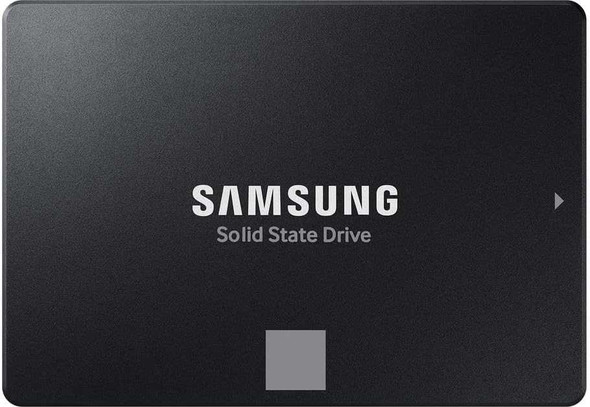

Samsung 870 EVO 1TB 2.5 Inch SSD, Sata 3 Interface, Read 560MB/s, Write 530MB/s, 5 Year Warranty
SAMSUNG
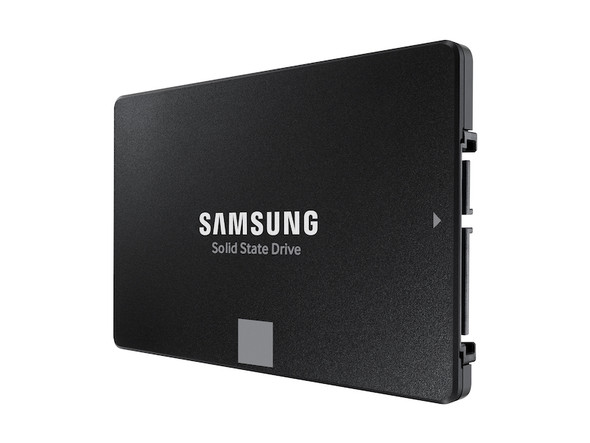
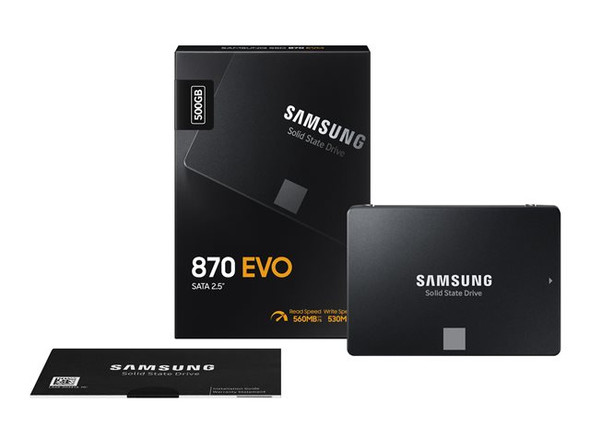
Samsung 870 EVO 500GB 2.5" SATA SSD
SAMSUNG

PNY CS900 1TB 2.5 Inch SSD, Sata 3 Interface, Read 450MB/s, Write 320MB/s, 3 Year Warranty
PNY
Patriot P410 1TB NVMe SSD – PCIe 4.0, 5000MB/s Read, 4500MB/s Write
PATRIOT

TEAMGROUP MP44Q 1TB NVMe SSD – PCIe 4.0, 7000MB/s Read, 5900MB/s Write
TEAM