
PNY
PNY CS900 1TB 2.5 Inch SSD, Sata 3 Interface, Read 450MB/s, Write 320MB/s, 3 Year Warranty
- SKU:
- HDPNY-CS900-1TB
- UPC:
- 751492636412
- MPN:
- SSD7CS900-1TB-RB
- Availability:
- Free Click & Collect in Peterborough. UK delivery also available.

Description
PNY CS900 1TB 2.5-inch SATA III SSD – 535MB/s Read, 515MB/s Write, 3-Year Warranty
The PNY CS900 1TB 2.5-inch SATA III SSD is a practical internal solid state drive upgrade for laptops, desktop PCs, mini PCs and older systems that use standard 2.5-inch SATA storage. With a SATA III 6Gb/s interface, up to 535MB/s sequential read and up to 515MB/s sequential write, it offers a noticeable improvement in boot times, application loading and everyday system responsiveness compared with a traditional hard drive.
This SSD is ideal for customers searching for a PNY CS900 1TB SSD, SSD7CS900-1TB-RB, 1TB SATA SSD, 2.5-inch laptop SSD, desktop SSD upgrade, or a cost-effective hard drive replacement for Windows PCs, older laptops, office systems and general storage upgrades. PNY positions the CS900 as a mainstream SSD upgrade designed for easy and affordable HDD replacement in compatible PC systems.
Key Features of the PNY CS900 1TB SATA SSD
- 1TB storage capacity for Windows, applications, games, photos, videos and everyday files
- 2.5-inch 7mm form factor for compatible laptops, desktops and small-form-factor PCs
- SATA III 6Gb/s interface for broad compatibility with SATA-based systems
- Up to 535MB/s sequential read speed for faster boot and file access
- Up to 515MB/s sequential write speed for quicker saving and transfers
- Backward compatible with SATA II 3Gb/s, with reduced speed on older systems
- No moving parts, making it more durable and quieter than a mechanical hard drive
- TRIM support to help maintain SSD performance over time
- S.M.A.R.T. support for drive health monitoring
- 2 million hours MTBF listed by PNY / reseller specifications
- Low latency response for faster everyday PC use
- 3-year limited warranty or TBW, subject to PNY warranty terms
- Model / MPN: SSD7CS900-1TB-RB
Fast and Affordable Upgrade from a Hard Drive
The PNY CS900 is designed as an easy upgrade from a mechanical hard drive. Replacing an older HDD with a SATA SSD can make a computer feel much faster, especially during Windows startup, software launches, file searches and general multitasking.
Because SSDs have no spinning platters or moving read/write heads, they can access data faster and operate more quietly than traditional hard drives. This makes the CS900 a good option for users who want a simple speed boost without moving to a newer NVMe platform.
Ideal for Older Laptops and Desktop PCs
The 2.5-inch 7mm design makes this SSD suitable for many laptops and desktop PCs that use SATA storage. It can be used as a main boot drive, a replacement for a failing hard drive, or an additional storage drive in compatible systems.
1TB Capacity for Everyday Storage
With 1TB capacity, the PNY CS900 gives useful space for operating systems, productivity software, game libraries, photos, videos, downloads and documents. It is a practical capacity for users who need more room than a 240GB or 500GB SSD while still keeping the cost lower than many premium NVMe drives.
For home users, students and office PCs, 1TB is often enough for Windows, common applications and a large personal file library. For gaming, it can store several large titles, although modern game sizes vary significantly.
SATA III Compatibility for Wide System Support
The CS900 uses a SATA III 6Gb/s interface and is designed for 2.5-inch SATA drive bays. It is also backward compatible with SATA II systems, although maximum speed will be limited by the older interface.
This is important for buyers upgrading older computers because many laptops and desktops do not support M.2 NVMe drives. A 2.5-inch SATA SSD is often the easiest upgrade path for these systems.
Compatibility Checklist Before Buying
- Your laptop or desktop has a 2.5-inch SATA drive bay
- Your system supports SATA SSDs
- You have the correct SATA data and power cables if installing in a desktop PC
- Your laptop may require reuse of the existing drive caddy or mounting bracket
- You have a Windows installer, cloning software or backup plan before replacing your old drive
TRIM, S.M.A.R.T. and Everyday Reliability Features
The PNY CS900 supports TRIM, helping the operating system manage deleted data and maintain SSD performance over time. It also supports S.M.A.R.T., allowing compatible software to monitor drive health and status.
PNY lists the CS900 with a 2 million hours MTBF and describes it as more durable than a traditional hard drive because it uses non-volatile NAND storage with no moving parts. For best data protection, important files should still be backed up regularly to another drive or cloud service.
Who Is the PNY CS900 1TB Best For?
- Users upgrading an old laptop from HDD to SSD
- Desktop PC users replacing a slow or failing hard drive
- Students and office users needing faster everyday performance
- Home PCs used for browsing, documents, photos and media
- Budget gaming PCs needing affordable SATA storage
- Systems that do not support M.2 NVMe SSDs
- Users wanting a simple 2.5-inch SATA SSD upgrade
Who Is This SSD Not For?
This SSD is not the best choice if your system requires an M.2 NVMe SSD, if you need PCIe Gen4 or Gen5 performance, or if you are building a high-end workstation for heavy sustained write workloads. The CS900 is a mainstream SATA SSD designed for everyday upgrades and general storage, not a premium NVMe drive.
Technical Specifications
- Brand: PNY
- Series: CS900
- Model / MPN: SSD7CS900-1TB-RB
- Capacity: 1TB
- Drive Type: Internal Solid State Drive
- Form Factor: 2.5-inch / 7mm
- Interface: SATA III 6Gb/s
- Backward Compatibility: SATA II 3Gb/s, with reduced performance
- Sequential Read Speed: Up to 535MB/s
- Sequential Write Speed: Up to 515MB/s
- MTBF: 2 million hours
- TRIM Support: Yes, operating system dependent
- S.M.A.R.T. Support: Yes
- Moving Parts: No
- Use Case: HDD replacement, boot drive, laptop upgrade, desktop storage upgrade and general PC storage
- Warranty: 3-year limited warranty or TBW, subject to PNY warranty terms
Important Performance Note
Listed speeds are maximum manufacturer or reseller figures and may vary depending on your system, SATA controller, operating system, available cache, firmware, cable quality, workload and drive condition. In older SATA II systems, performance will be lower because the interface is limited to 3Gb/s.
Important Installation Note
Before replacing a drive, back up your important files. If using the CS900 as a main Windows drive, you can either clone your old drive or perform a fresh operating system installation. Desktop PCs normally need SATA data and SATA power cables, while laptops may require reusing the existing drive caddy, spacer or mounting screws.
Why Buy the PNY CS900 1TB SATA SSD?
The PNY CS900 1TB SATA SSD is a good-value upgrade for users who want faster boot times, quicker application loading and more responsive everyday computing without needing a newer NVMe system. With 1TB capacity, 2.5-inch SATA compatibility, TRIM, S.M.A.R.T., no moving parts and a 3-year limited warranty, it is a practical choice for laptop and desktop upgrades.
Choose this SSD if you need an affordable, easy-to-install 1TB SATA drive for a compatible PC or laptop.
Specification
PNY CS900 1TB 2.5-inch SATA III SSD Specifications
The PNY CS900 1TB is a 2.5-inch SATA III internal solid state drive designed as a cost-effective upgrade from a traditional hard drive. It offers 1TB storage capacity, up to 535MB/s read speed, up to 515MB/s write speed, 7mm drive height, TRIM support, S.M.A.R.T. support and broad compatibility with laptops and desktop PCs using SATA storage.
General Information
| Brand | PNY |
| Product Series | CS900 |
| Product Name | PNY CS900 1TB 2.5-inch SATA III SSD |
| Manufacturer Part Number | SSD7CS900-1TB-RB |
| Product Type | Internal Solid State Drive |
| Capacity | 1TB |
| Recommended Use | Laptop upgrades, desktop PC upgrades, boot drives, storage replacement, HDD replacement and everyday SATA storage |
Form Factor and Interface
| Form Factor | 2.5-inch |
| Drive Height | 7mm |
| Interface | SATA III 6Gb/s |
| Backward Compatibility | SATA II 3Gb/s, with reduced performance |
| NVMe Compatible | No, this is a 2.5-inch SATA SSD and does not use M.2 NVMe |
| M.2 Compatible | No, this is not an M.2 SSD |
Performance
| Sequential Read Speed | Up to 535MB/s |
| Sequential Write Speed | Up to 515MB/s |
| Performance Class | Mainstream SATA SSD for PC upgrade and HDD replacement |
| Performance Note | Actual speed may vary depending on system hardware, SATA controller, operating system, firmware, file type, workload and drive condition |
Reliability and Features
| MTBF | 2 million hours, listed by retailer specification data |
| TRIM Support | Yes, operating system dependent |
| S.M.A.R.T. Support | Yes |
| Moving Parts | No |
| Low Power Operation | Yes, designed for cool and quiet operation |
| SSD Toolbox | PNY SSD Toolbox support listed by PNY |
Compatibility
| Laptop Compatibility | Compatible with laptops that support 2.5-inch 7mm SATA SSDs |
| Desktop Compatibility | Compatible with desktops that support SATA drives; a 2.5-inch mounting position or adapter may be required |
| Mac Compatibility | Compatible with supported Mac systems using 2.5-inch SATA storage; formatting or macOS installation may be required |
| PC Compatibility | Compatible with supported Windows and Linux systems using SATA storage |
Installation Requirements
| Laptop Installation | May require reusing the original 2.5-inch drive caddy, spacer, screws or mounting bracket |
| Desktop Installation | Requires SATA data cable and SATA power connector; 2.5-inch to 3.5-inch adapter may be required in some cases |
| Operating System | Requires cloning from an old drive or a fresh operating system installation if used as a boot drive |
Package Contents
| SSD | 1 x PNY CS900 1TB 2.5-inch SATA III SSD |
| SATA Cable | Not normally included |
| Mounting Adapter | Not normally included |
| Screws | Not always included; use case, laptop or mounting bracket screws where applicable |
Warranty
| Warranty | 3-year limited warranty or TBW, subject to PNY warranty terms |
Important Speed Correction
Your current product title lists 450MB/s read and 320MB/s write. PNY's current official specification for SSD7CS900-1TB-RB lists up to 535MB/s read and up to 515MB/s write. I recommend updating the product title and specification data to match the current PNY 1TB CS900 specification.
Important Compatibility Notes
This is a 2.5-inch SATA SSD. It is not an M.2 SSD and it is not an NVMe SSD. Please check that your laptop or desktop supports a 2.5-inch SATA drive before purchase. Older SATA II systems can use the drive, but speeds will be limited by the older interface.
Important Installation Note
Before replacing an old drive, back up your important files. If using this SSD as a main Windows drive, clone your existing drive or perform a fresh operating system installation. Desktop PCs normally require a SATA data cable and SATA power connector, while laptops may require reuse of the original drive bracket or caddy.
Important Performance Note
Listed speeds are maximum manufacturer figures. Real-world performance may vary depending on the host system, SATA port, cable quality, operating system, available free space, file sizes, workload and drive condition.
Return
FAQ: Frequently Asked Questions
PNY CS900 1TB 2.5-inch SATA SSD FAQ
The PNY CS900 1TB 2.5-inch SATA SSD is a cost-effective solid state drive designed for upgrading older laptops, desktop PCs, small form factor systems, and compatible consoles from a traditional hard drive to faster flash storage. Below are the most common questions buyers ask before choosing this PNY CS900 1TB SATA III SSD, including compatibility, speed, cloning, laptop upgrades, desktop installation, PS4 use, SATA vs NVMe, DRAM-less SSD behaviour, Windows setup, and troubleshooting if the SSD is not detected.
1. What is the PNY CS900 1TB SSD?
The PNY CS900 1TB is a 2.5-inch internal SATA solid state drive designed as a cost-effective upgrade from a traditional hard drive. It can improve boot times, application loading, file access, and general system responsiveness in compatible laptops and desktop PCs.
2. Is the PNY CS900 1TB an internal or external SSD?
The PNY CS900 1TB is an internal 2.5-inch SATA SSD. It is designed to be installed inside a laptop, desktop PC, small form factor system, or compatible console. It can also be used externally if placed inside a suitable 2.5-inch SATA USB enclosure or adapter.
3. What form factor does the PNY CS900 1TB use?
The PNY CS900 1TB uses the standard 2.5-inch form factor with a slim 7mm height. This makes it suitable for many laptops and desktop drive bays that accept 2.5-inch SATA drives.
4. What interface does the PNY CS900 1TB use?
The PNY CS900 1TB uses a SATA III 6Gb/s interface. It is also backwards compatible with SATA II 3Gb/s systems, although performance may be limited when connected to an older SATA II port.
5. Is the PNY CS900 1TB an NVMe SSD?
No. The PNY CS900 1TB is a 2.5-inch SATA SSD, not an NVMe SSD. It connects using SATA data and SATA power connectors, not an M.2 NVMe slot.
6. Is the PNY CS900 1TB the same as an M.2 SSD?
No. This model is a 2.5-inch SATA SSD. M.2 SSDs use a different physical format and connect directly to an M.2 slot. If your laptop or motherboard only accepts M.2 drives, this 2.5-inch SATA model will not fit unless the system also has a 2.5-inch SATA bay.
7. What read and write speeds does the PNY CS900 1TB offer?
Speed can vary by listing, region, firmware, and product revision. PNY’s current official CS900 1TB specification lists up to 535MB/s sequential read and up to 515MB/s sequential write, while some retailer or supplier feeds may show lower figures. For best accuracy, use the speed shown in the product specification tab for the exact item being sold.
8. Why does the PNY CS900 not reach the maximum advertised speed?
Maximum speeds are measured under ideal test conditions. Real-world speed can be lower because of SATA II ports, old chipsets, small file transfers, background tasks, nearly full drives, USB adapters, cloning tools, antivirus scans, or sustained writes after the SSD cache is filled.
9. Is the PNY CS900 faster than a hard drive?
Yes. The PNY CS900 is much faster and more responsive than a traditional mechanical hard drive for booting Windows, opening programs, loading files, and general everyday use. It is one of the easiest upgrades for older laptops and desktops that still use HDD storage.
10. Is the PNY CS900 faster than an NVMe SSD?
No. NVMe SSDs are normally much faster than SATA SSDs. The PNY CS900 is limited by the SATA III interface, so it is best for systems that need a 2.5-inch SATA upgrade rather than maximum next-generation storage speed.
11. Is the PNY CS900 1TB good as a Windows boot drive?
Yes. The PNY CS900 1TB is a good budget Windows boot drive for everyday PCs. It can make an older laptop or desktop feel much faster compared with a hard drive, especially for startup, login, app loading, and general responsiveness.
12. Can I install Windows 10 or Windows 11 on the PNY CS900?
Yes. You can install Windows 10 or Windows 11 on the PNY CS900 if your system supports SATA boot drives. During installation, choose the SSD as the installation drive and make sure it is detected in BIOS or UEFI first.
13. Can I clone my old hard drive to the PNY CS900?
Yes. You can clone an existing hard drive or SSD to the PNY CS900 using suitable cloning software. The new SSD must have enough usable capacity for the data being cloned, and it is always recommended to back up important files before starting the cloning process.
14. What do I need to clone my old drive to this SSD?
For a laptop, you usually need a USB-to-SATA adapter or external 2.5-inch SATA enclosure to connect the new SSD while cloning. For a desktop PC, you may be able to connect both drives internally using SATA data and power cables.
15. Will the PNY CS900 fit my laptop?
It will fit many laptops that use a standard 2.5-inch SATA drive bay and support 7mm-height drives. It will not fit laptops that only support M.2 storage or very thin laptops with no 2.5-inch drive bay. Check your laptop manual before buying.
16. Will the PNY CS900 fit my desktop PC?
Yes, if your desktop has a SATA port and SATA power connector. Many desktop cases have 2.5-inch SSD mounts. If your case only has 3.5-inch bays, you may need a 2.5-inch to 3.5-inch mounting adapter or bracket.
17. Does the PNY CS900 come with SATA cables?
Most 2.5-inch SSD retail packages do not include SATA data or power cables. Desktop users may need a SATA data cable, while laptops usually reuse the existing internal SATA connector or drive caddy.
18. Does the PNY CS900 come with a mounting bracket?
Mounting accessories can vary by package and retailer. The SSD itself is a 2.5-inch 7mm drive. If your desktop case does not have a 2.5-inch mount, you may need a separate 2.5-inch to 3.5-inch adapter bracket.
19. Can I use the PNY CS900 in a PS4?
Yes. The PNY CS900 1TB can be used as an internal storage upgrade for a PS4 because the PS4 uses a 2.5-inch SATA drive. You will need to reinstall the PlayStation system software and back up your data before replacing the original drive.
20. Can I use the PNY CS900 in a PS5?
The PNY CS900 can be used in a USB enclosure as external storage for PS4 games on PS5, but it cannot be used as the internal PS5 expansion drive. PS5 internal expansion requires a compatible M.2 NVMe PCIe Gen4 SSD, not a 2.5-inch SATA SSD.
21. Can I use the PNY CS900 with Xbox One?
Yes. It can be used as external storage with a suitable USB 3.0 SATA enclosure, or it may be used internally by experienced users performing a console drive replacement. External use is simpler and avoids opening the console.
22. Can I use the PNY CS900 with Xbox Series X or Series S?
It can be used externally in a USB SATA enclosure for Xbox One games, backward-compatible games, and storage. Xbox Series X/S optimised games generally need to run from the internal SSD or official expansion storage, although they may be stored on an external drive and moved back when needed.
23. Is the PNY CS900 good for gaming?
Yes, it is a good budget SSD for storing and loading games, especially compared with a hard drive. It can reduce game loading times, texture loading delays, and system stutter caused by slow HDD access. For the fastest modern gaming builds, an NVMe SSD is better if your system supports it.
24. Is the PNY CS900 good for video editing?
It can be used for light editing, project storage, and general media files, but it is not the best choice for heavy 4K editing, scratch disk use, or large professional workloads. For demanding creative work, a faster NVMe SSD or higher-end SATA SSD may be better.
25. Is 1TB enough storage?
1TB is a good capacity for Windows, applications, documents, photos, and a selection of games. If you store many large games, videos, virtual machines, or media libraries, you may want a 2TB or larger SSD instead.
26. Why does 1TB show as less than 1TB in Windows?
This is normal. Drive makers use decimal capacity, while Windows reports usable capacity differently. Formatting, partitions, file system overhead, and recovery partitions can also reduce the visible free space.
27. Is the PNY CS900 DRAM-less?
The PNY CS900 is commonly identified as a budget DRAM-less SATA SSD. This is normal for many value SSDs and helps keep the price lower. It is fine for everyday use, but sustained heavy writes can slow down more than on higher-end SSDs with DRAM cache.
28. What does DRAM-less SSD mean?
A DRAM-less SSD does not include a separate DRAM cache chip for mapping and caching. This can make the drive cheaper, but it may reduce performance during heavy multitasking, large sustained transfers, or demanding write workloads compared with premium SSDs that include DRAM.
29. Why does the PNY CS900 slow down during large file transfers?
Like many budget SSDs, the CS900 may use cache to improve short burst write speeds. During very large transfers, the cache can fill, causing write speed to drop. This is more noticeable when copying hundreds of gigabytes or many small files at once.
30. Is the PNY CS900 reliable?
The PNY CS900 is a mainstream budget SSD with no moving parts and a limited warranty. It is suitable for everyday upgrades, but like any storage drive, it should not be the only copy of important files. Keep regular backups, especially for work, photos, documents, and business data.
31. What warranty does the PNY CS900 1TB have?
PNY lists the CS900 family with a 3-year limited warranty or TBW, whichever comes first. Warranty terms can depend on region, usage, and proof of purchase, so keep your invoice and check PNY’s warranty terms if needed.
32. Does the PNY CS900 support TRIM?
Yes. The CS900 supports TRIM when used with a compatible operating system. TRIM helps the SSD manage deleted data and maintain performance over time.
33. Does the PNY CS900 support S.M.A.R.T monitoring?
Yes. S.M.A.R.T monitoring support allows compatible software to check drive health indicators. You can use SSD monitoring tools to check health, temperature, power-on hours, and other useful drive information.
34. Does the PNY CS900 need drivers?
No special driver is normally required. The PNY CS900 uses the standard SATA interface and should work with normal Windows, macOS, or Linux storage drivers. Make sure SATA mode is set correctly in BIOS, usually AHCI for modern systems.
35. Should SATA mode be AHCI or IDE?
For best SSD performance and feature support, AHCI is normally recommended. Very old systems may use IDE mode, but AHCI is preferred for modern Windows installations, TRIM support, and better SATA performance.
36. Why is my PNY CS900 not detected in BIOS?
Common causes include a loose SATA data cable, missing SATA power connection, disabled SATA port, faulty cable, wrong BIOS settings, old motherboard firmware, or a defective drive. Try another SATA cable, another SATA port, and confirm the SSD receives power.
37. Why does Windows not show the PNY CS900 after installation?
If the SSD appears in BIOS but not in File Explorer, it may need to be initialised, partitioned, and formatted in Windows Disk Management. New internal SSDs often do not appear as usable storage until a volume is created.
38. What should I do if the SSD appears as unallocated space?
If it is a new blank SSD, create a new volume in Windows Disk Management and format it. If it contains important data, do not format it until you are sure the data is backed up or recovered.
39. Why does my PC boot from the old drive instead of the PNY CS900?
After cloning or installing Windows, you may need to change the boot order in BIOS/UEFI. Set the PNY CS900 or Windows Boot Manager on the new SSD as the first boot option, then test the system before wiping the old drive.
40. Can I use the PNY CS900 as a secondary storage drive?
Yes. The PNY CS900 can be used as a boot drive or as a secondary storage drive for games, documents, photos, videos, and applications. Make sure your system has an available SATA data port and SATA power connector.
41. Can I use the PNY CS900 in an external USB enclosure?
Yes. The PNY CS900 can be placed in a compatible 2.5-inch SATA USB enclosure or connected with a USB-to-SATA adapter. This is useful for cloning, external storage, backups, or reusing the SSD outside the PC.
42. Is the PNY CS900 silent?
Yes. Because it has no spinning platters or moving parts, the PNY CS900 operates silently. It is also more resistant to vibration than a mechanical hard drive.
43. Does the PNY CS900 use less power than a hard drive?
Yes. SATA SSDs usually use less power than traditional mechanical hard drives, especially during normal laptop use. This can help reduce heat and may slightly improve battery life in some laptops.
44. Is the PNY CS900 good for old laptops?
Yes. The PNY CS900 is a strong upgrade for many older laptops with 2.5-inch SATA hard drives. It can make an older system feel much more responsive, especially if combined with enough RAM and a clean Windows installation.
45. Is the PNY CS900 good for old desktop PCs?
Yes. It is useful for older desktop PCs that still use hard drives or need a low-cost SSD upgrade. Even if the PC only supports SATA II, the SSD can still feel much faster than a mechanical hard drive for everyday tasks.
46. PNY CS900 vs hard drive — which should I choose?
Choose the PNY CS900 if you want faster boot times, quicker application loading, silent operation, and better responsiveness. Choose a hard drive if you need the lowest cost per terabyte for large bulk storage and do not need fast access speeds.
47. PNY CS900 vs NVMe SSD — which should I choose?
Choose the PNY CS900 if your system needs a 2.5-inch SATA drive or you want a simple HDD replacement. Choose an NVMe SSD if your motherboard or laptop has a compatible M.2 NVMe slot and you want much higher performance.
48. PNY CS900 vs higher-end SATA SSD — what is the difference?
The CS900 is a value-focused SATA SSD. Higher-end SATA SSDs may offer better sustained write performance, DRAM cache, stronger endurance ratings, or longer warranties. For everyday upgrades, the CS900 is usually enough; for heavy write workloads, consider a higher-end model.
49. Who is the PNY CS900 1TB best for?
The PNY CS900 1TB is best for users upgrading an older laptop or desktop from a hard drive, building a budget PC, adding affordable game storage, replacing a slow boot drive, or needing a simple 2.5-inch SATA SSD at good value.
50. Who is the PNY CS900 1TB not for?
This SSD is not the best choice if you need NVMe-level speed, PCIe Gen4 performance, heavy workstation write performance, premium DRAM cache behaviour, or a drive for demanding professional editing and scratch disk workloads.
51. What should I check before buying the PNY CS900 1TB?
Before buying, check that your laptop or desktop supports 2.5-inch SATA drives, confirm whether you need SATA cables or a mounting bracket, check your available drive bay, decide whether you will clone or reinstall Windows, and make sure 1TB is enough capacity for your files and applications.
Related Products
Related Products

Kingston A400 (SA400S37/480G) 480GB, 2.5 Inch SSD, SATA 3 Interface, Read 500MB/s, Write 450MB/s, 3 Year Warranty
Kingston
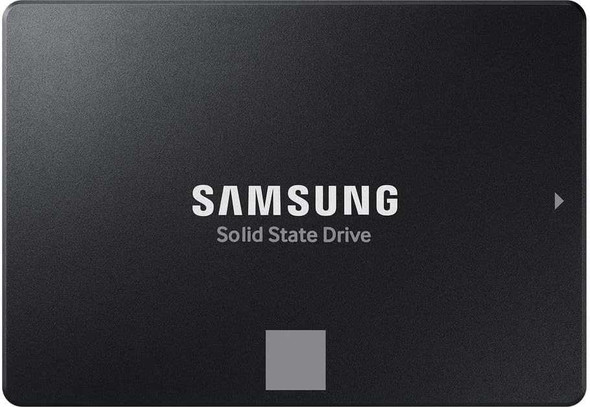

Samsung 870 EVO 1TB 2.5 Inch SSD, Sata 3 Interface, Read 560MB/s, Write 530MB/s, 5 Year Warranty
SAMSUNG
Kingston A400 (SA400S37/240G) 240GB, 2.5 Inch SSD, SATA 3 Interface, Read 500MB/s, Write 350MB/s, 3 Year Warranty
Kingston


Samsung 990 PRO 1TB NVMe SSD, PCIe Gen4, M.2 Interface, 2280, Read 7450 MB/s, Write 6900 MB/s, 5 Year Warranty
SAMSUNG