
TEAM
TEAMGROUP MP44Q 1TB NVMe SSD – PCIe 4.0, 7000MB/s Read, 5900MB/s Write
- SKU:
- TM8FFD001T0C101
- UPC:
- 4711430802824
- MPN:
- TM8FFD001T0C101
- Availability:
- Free Click & Collect in Peterborough. UK delivery also available



Description
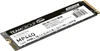
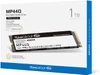
TEAMGROUP MP44Q 1TB NVMe SSD – PCIe 4.0 M.2 2280 Storage with 7,000MB/s Read and 5,900MB/s Write
The TEAMGROUP MP44Q 1TB NVMe SSD (TM8FFD001T0C101) is a high-speed internal solid state drive designed for compatible gaming PCs, desktop computers and laptops. Featuring a PCIe 4.0 x4 interface, NVMe technology, 3D QLC NAND flash and sequential read speeds up to 7,000MB/s, it provides fast, compact storage for Windows, applications, games, digital files and everyday computing.
With manufacturer-rated sequential write speeds up to 5,900MB/s, the TEAMGROUP MP44Q offers a practical upgrade from traditional SATA SSDs and mechanical hard drives. Its M.2 2280 form factor connects directly to a compatible motherboard, eliminating the need for separate SATA data and power cables.
The MP44Q uses 3D QLC NAND technology, SLC caching and a DRAM-less controller design to balance storage capacity, performance and value. An integrated graphene heat-dissipation label helps manage heat during operation, while TEAMGROUP's S.M.A.R.T. monitoring software provides supported tools for checking drive health and status.
With a manufacturer-rated endurance of 500TBW and a five-year limited warranty, subject to the warranty period or TBW limit being reached first, the MP44Q 1TB is designed for mainstream storage upgrades, operating systems, gaming libraries and general-purpose PC applications.
Quick answer: The TEAMGROUP MP44Q 1TB is a PCIe Gen4 x4 NVMe SSD in the M.2 2280 format. It uses 3D QLC NAND, provides sequential read speeds up to 7,000MB/s and write speeds up to 5,900MB/s, features a graphene cooling label and has a 500TBW endurance rating. It is suitable for compatible desktops and laptops that support M.2 NVMe storage, especially for games, everyday applications and fast file access.
Key Features of the TEAMGROUP MP44Q 1TB PCIe 4.0 SSD
- 1TB storage capacity: Provides space for Windows, installed games, productivity applications, photographs, videos and everyday files.
- PCIe Gen4 x4 interface: High-bandwidth NVMe storage connectivity for compatible motherboards and laptops.
- Up to 7,000MB/s sequential read: Manufacturer-rated performance for supported high-speed data transfers.
- Up to 5,900MB/s sequential write: High-speed writing under suitable benchmark conditions.
- M.2 2280 form factor: Compact 80mm-long internal SSD for compatible M.2 NVMe slots.
- 3D QLC NAND flash: High-density flash storage technology designed to balance capacity and value.
- SLC caching: Supports fast burst-write performance during suitable workloads.
- DRAM-less design: Operates without a dedicated onboard DRAM cache.
- Graphene heat-dissipation label: Thin cooling material designed to assist heat transfer.
- 500TBW endurance rating: Manufacturer-rated total written-data endurance for the 1TB model.
- 1.6 million-hour MTBF: Manufacturer-specified mean time between failures.
- TEAMGROUP S.M.A.R.T. software: Supports compatible SSD monitoring and health information.
- Low-profile construction: Compact M.2 design without a large pre-attached metal heatsink.
- Intel and AMD platform support: Compatible with suitable systems featuring PCIe NVMe M.2 storage.
- Five-year limited warranty: Subject to TEAMGROUP warranty conditions and the 500TBW endurance limit.
- Manufacturer part number: TM8FFD001T0C101.
PCIe 4.0 NVMe Performance for Faster Computing
The TEAMGROUP MP44Q uses a PCI Express 4.0 x4 connection with the NVMe storage protocol, providing substantially more interface bandwidth than older SATA storage technologies.
For users upgrading a compatible computer, this can support faster access to large files and improved storage responsiveness when the existing drive is a performance bottleneck.
Up to 7,000MB/s Sequential Read Speed
TEAMGROUP specifies maximum sequential read speeds of up to 7,000MB/s for the 1TB MP44Q.
High sequential read performance is useful when accessing large files, transferring data from suitable storage devices and loading applications that can benefit from high-bandwidth storage.
Actual game loading and application startup improvements depend on the processor, RAM, game design, operating system and other components.
Up to 5,900MB/s Sequential Write Speed
The manufacturer specifies sequential write performance of up to 5,900MB/s under supported benchmark conditions.
This can benefit suitable file-copying, software installation and everyday data-writing workloads, particularly when the drive has sufficient free space and its SLC caching resources are available.
Important: These figures are maximum sequential benchmark ratings, not guaranteed continuous transfer speeds. Performance can decrease during sustained large writes, when the SLC cache becomes full, or when the drive is hot or nearly full.
What Is the Difference Between Read and Write Speed?
Read speed describes how quickly data can be retrieved from the SSD. Write speed describes how quickly new data can be recorded.
Read performance is relevant to accessing installed software and stored files, while write performance is relevant to installing applications, saving large files and copying data onto the SSD.
Real-world performance also depends on random access, file sizes, queue depth and the capabilities of the rest of the computer.
1TB NVMe Storage for Windows, Games and Applications
The MP44Q provides 1TB of manufacturer-rated storage capacity, making it suitable as a primary operating system drive or additional storage in a compatible computer.
Install Windows and Everyday Applications
The SSD can be used as a Windows system drive in compatible desktop computers or laptops.
Compared with older mechanical hard drives, NVMe solid-state storage can help reduce storage-related delays when launching applications and accessing files.
The SSD's performance advantage is most noticeable when the previous storage device was limiting system responsiveness.
Storage for Modern PC Games
Modern PC games can require significant storage capacity, particularly when downloading large game libraries, updates and downloadable content.
The 1TB MP44Q provides convenient internal storage for installed games and compatible game launchers.
NVMe storage can benefit games designed to take advantage of fast SSD access, although game loading performance depends on the title and system configuration.
Everyday Documents, Photos and Videos
The drive can also hold office documents, photographs, downloaded files, application data and video collections.
Its compact internal design makes it useful for customers who want to increase storage capacity without adding another external drive to their desk.
Why Does a 1TB SSD Show Less Available Space?
TEAMGROUP measures storage capacity using decimal units, with 1TB representing one trillion bytes.
Some operating systems display storage using binary measurements. A 1TB drive therefore corresponds to approximately 931GiB before formatting and system overhead.
This difference is normal and does not mean that the SSD is missing part of its advertised capacity.
3D QLC NAND Flash – Understanding the Storage Technology
The TEAMGROUP MP44Q uses 3D QLC NAND, or Quad-Level Cell flash memory.
QLC NAND stores four bits of data per memory cell, enabling manufacturers to achieve high storage density.
What Are the Benefits of QLC NAND?
QLC technology can provide a practical balance between storage capacity, manufacturing efficiency and affordability.
For everyday PC users, this makes QLC SSDs attractive for applications such as operating system storage, installing games, accessing documents and storing media collections.
QLC vs TLC SSD – Which Is Better?
TLC NAND stores three bits per cell, while QLC stores four.
Many TLC SSDs are better suited to demanding sustained-write workloads because they may maintain higher writing speeds after their temporary write cache is exhausted.
The MP44Q's QLC design is intended primarily for mainstream storage applications where high read speeds and convenient capacity are more important than sustained professional writing performance.
Recommendation: For normal gaming, general computing and everyday file storage, the MP44Q is a practical option. Users regularly recording extremely large video files, performing continuous heavy writes or running demanding production workloads should also consider a suitable higher-endurance TLC or enterprise SSD.
SLC Caching for Responsive Data Transfers
TEAMGROUP uses SLC caching technology to help the MP44Q achieve its advertised high sequential write performance.
SLC caching temporarily uses part of the available NAND flash in a faster operating mode to improve write speeds during supported workloads.
How Does SLC Caching Help?
During normal desktop activity, applications often write data in short bursts rather than continuously filling the drive.
SLC caching can accelerate these bursts, helping the SSD respond quickly when installing applications, saving documents and transferring files.
What Happens During Very Large Transfers?
When a large write exceeds the available SLC cache, the SSD may need to write directly to QLC storage or reorganise cached data.
As a result, sustained write performance can be significantly lower than the advertised 5,900MB/s maximum.
The amount of available cache can also change depending on how much free space remains on the SSD.
Performance clarification: The MP44Q is not guaranteed to maintain 5,900MB/s for a continuous transfer of hundreds of gigabytes. Customers who regularly perform very large sustained writes should consider this limitation when selecting storage.
DRAM-Less NVMe SSD Design
The TEAMGROUP MP44Q uses a DRAM-less controller configuration, meaning it does not include a separate onboard DRAM cache.
This helps simplify the design while allowing the drive to provide high PCIe 4.0 sequential performance.
Does DRAM-Less Mean the SSD Is Slow?
No. A DRAM-less NVMe SSD can still deliver high transfer speeds, particularly for suitable sequential workloads.
The MP44Q's manufacturer-rated 7,000MB/s read and 5,900MB/s write speeds demonstrate its high sequential performance under specified test conditions.
However, random access behaviour, sustained writing and performance under heavy workloads may differ from premium SSDs that include dedicated DRAM.
Is the MP44Q Suitable as a Boot Drive?
Yes. The MP44Q can be used as a primary boot drive in a compatible computer supporting NVMe SSD booting.
Windows and other supported operating systems can be installed on the drive using the appropriate installation procedure.
For older computers, confirm NVMe boot support in the motherboard firmware before purchasing.
Graphene Heat-Dissipation Label for Thermal Management
The TEAMGROUP MP44Q features a patented graphene heat-dissipation label designed to help transfer heat away from components during operation.
The label is thin, allowing the drive to fit into many compatible M.2 installations without the bulk of a large pre-installed metal heatsink.
Why Does an NVMe SSD Need Cooling?
High-speed NVMe SSDs generate heat when processing data.
If an SSD becomes too hot, its controller may reduce performance to protect internal components. This behaviour is commonly known as thermal throttling.
Suitable cooling helps maintain more consistent performance under demanding workloads.
Can I Use the Motherboard's M.2 Heatsink?
TEAMGROUP describes the graphene label as suitable for use alongside a compatible motherboard M.2 heatsink.
Where the motherboard provides an M.2 heatsink, follow the motherboard manufacturer's installation instructions and use the supplied thermal interface materials correctly.
Important: The graphene label is a thin heat-dissipation layer, not a substantial standalone metal heatsink. Additional cooling may be appropriate depending on the case airflow and sustained SSD workload.
M.2 2280 Form Factor for Desktop PCs and Laptops
The MP44Q is built in the M.2 2280 form factor, measuring 80mm long and 22mm wide.
This format is commonly supported by desktop motherboards and many laptops designed for replaceable NVMe storage.
Desktop Motherboard Compatibility
The SSD requires a compatible M.2 slot supporting PCIe NVMe storage.
It can be used with supported Intel and AMD desktop platforms, provided the motherboard and firmware recognise the device.
For full PCIe 4.0 performance, the processor, motherboard and M.2 slot must support PCIe Gen4 x4 operation.
Laptop Compatibility
The MP44Q may also be suitable for laptops with a compatible M.2 2280 NVMe SSD slot.
Before purchasing, confirm the laptop's supported interface, available slot length, SSD thickness, cooling arrangement and BIOS compatibility.
Not every laptop with an M.2 connector supports every NVMe SSD.
Can the MP44Q Work in a PCIe 3.0 Slot?
PCIe 4.0 NVMe SSDs can generally negotiate a lower PCIe generation when installed in a compatible backwards-compatible PCIe 3.0 NVMe slot.
However, the SSD will be limited by the lower available interface bandwidth and cannot achieve its full PCIe 4.0 rated transfer speed.
Compatibility with older systems depends on the exact motherboard, slot wiring and firmware.
Will It Work in an M.2 SATA Slot?
No. The MP44Q is an NVMe SSD, not an M.2 SATA SSD.
An M.2 slot that supports SATA-only storage cannot operate this drive, even if the physical connector appears similar.
Always check whether the M.2 slot supports PCIe NVMe before ordering.
Is the TEAMGROUP MP44Q 1TB Compatible with PS5?
The MP44Q's PCIe 4.0 x4 interface, M.2 2280 size and advertised read speed exceed Sony's recommended 5,500MB/s sequential read specification for PS5 storage expansion.
However, satisfying these basic specifications does not guarantee complete console compatibility.
PS5 Cooling Requirements
Sony requires an effective heat-dissipation solution for an installed PS5 M.2 SSD.
The MP44Q includes a thin graphene heat-dissipation label, but customers should not assume that this alone provides sufficient cooling for every PS5 installation.
A compatible additional cooling solution may be required, and the combined dimensions must fit Sony's M.2 expansion-bay limits.
Check Console Compatibility Before Buying
Before using the MP44Q as PS5 expansion storage, confirm the SSD's physical dimensions, cooling solution, console requirements and the manufacturer's latest compatibility guidance.
Important: TEAMGROUP does not provide an explicit PS5 compatibility guarantee on the checked MP44Q 1TB product specification. For customers wanting a straightforward PS5 storage upgrade, a drive sold and verified specifically for PS5 with an appropriate heatsink may be a more convenient choice.
500TBW Endurance Rating for the 1TB MP44Q
The MP44Q 1TB is rated for 500TBW (Terabytes Written) according to TEAMGROUP's official specifications.
TBW indicates a manufacturer-defined cumulative host-write endurance rating for the SSD.
What Does 500TBW Mean?
A 500TBW rating means that the manufacturer specifies an endurance threshold of 500 terabytes of cumulative written data under its applicable testing and warranty conditions.
This is an endurance specification, not the maximum amount of information the SSD can store at one time.
The drive can be repeatedly written to and erased during normal use, with total written data accumulating over its operating life.
Is 500TBW Enough for Everyday Use?
For many home, office and gaming workloads, 500TBW provides substantial cumulative write capacity.
Actual SSD longevity depends on write activity, temperature, usage patterns and the condition of the flash memory.
Users performing intensive continuous writing should evaluate endurance and sustained-write performance alongside capacity and advertised peak speeds.
TEAMGROUP S.M.A.R.T. Monitoring and SSD Health
TEAMGROUP provides proprietary SSD monitoring software designed to help users check supported drive information.
S.M.A.R.T., or Self-Monitoring, Analysis and Reporting Technology, provides diagnostic information that may help users assess storage-device status.
Monitor SSD Health and Drive Information
With supported software, users can inspect available SSD status information and monitor aspects of drive operation.
This can be useful for identifying potential issues and understanding the condition of an installed SSD.
Is S.M.A.R.T. Monitoring a Backup?
No. SSD monitoring tools can provide useful diagnostic information but cannot prevent every type of unexpected failure or data loss.
Important photographs, documents, game saves and business files should be backed up independently.
Data protection note: Maintain a separate backup of important information. Neither the endurance rating nor the manufacturer's warranty guarantees recovery of lost data.
TEAMGROUP MP44Q vs MP44 – What's the Difference?
The MP44Q and MP44 belong to different TEAMGROUP SSD models and should not be treated as identical products.
MP44Q – 3D QLC NAND
The MP44Q uses 3D QLC NAND and a DRAM-less design. It offers high advertised sequential read and write speeds while focusing on practical capacity and mainstream storage requirements.
It is a suitable candidate for customers prioritising game storage, general computing and high-speed file access.
MP44 – TLC NAND
The standard TEAMGROUP MP44 uses TLC NAND according to its manufacturer product family specifications.
Different NAND technology, endurance ratings and sustained-write performance can make the MP44 better suited to some demanding workloads.
Buying advice: Compare the exact SSD model, capacity, NAND type, endurance and current price rather than choosing solely on the advertised maximum read speed.
Who Is the TEAMGROUP MP44Q 1TB Best For?
- PC gamers: Customers upgrading from an older SSD or expanding their PC game library.
- Desktop PC builders: Users assembling a compatible PCIe 4.0 computer.
- Home computer users: People wanting fast storage for Windows, applications and documents.
- Students: Users storing coursework, applications, files and media on compatible laptops or PCs.
- Office professionals: Customers needing responsive internal storage for everyday productivity.
- Laptop upgrade customers: Users with a compatible M.2 2280 NVMe storage slot.
- Content consumers: Customers storing photographs, videos, downloaded content and game files.
- Budget-conscious system builders: Customers comparing mainstream Gen4 NVMe storage options.
Who Should Consider a Different SSD?
The MP44Q is designed for mainstream PCIe 4.0 storage rather than every professional or specialist workload.
- Users requiring an M.2 SATA SSD: This is a PCIe NVMe device, not SATA.
- Laptops without an M.2 2280 NVMe slot: Check the computer's physical and electrical requirements.
- Professional heavy-write workloads: A suitable TLC or enterprise SSD may provide better sustained-write performance and endurance.
- Server workloads requiring enterprise storage: Choose SSDs designed for the server's endurance, power-loss protection and reliability requirements.
- Customers requiring onboard DRAM: The MP44Q is DRAM-less.
- Users needing PCIe 5.0 performance: The MP44Q is a PCIe 4.0 SSD.
- PS5 buyers wanting guaranteed compatibility: Choose a verified console-compatible SSD with an appropriately sized cooling solution.
- Customers requiring an external USB SSD: This is an internal M.2 SSD and needs compatible host hardware or a suitable NVMe enclosure.
TEAMGROUP MP44Q 1TB NVMe SSD – Technical Overview
- Brand: TEAMGROUP
- Product Series: MP44Q
- Manufacturer Part Number: TM8FFD001T0C101
- Product Type: Internal solid state drive
- Storage Capacity: 1TB
- Form Factor: M.2 2280
- Interface: PCIe Gen4 x4
- Storage Protocol: NVMe
- NAND Flash: 3D QLC
- Maximum Sequential Read: Up to 7,000MB/s
- Maximum Sequential Write: Up to 5,900MB/s
- DRAM Cache: No
- Write Acceleration: SLC caching technology
- Endurance Rating: 500TBW
- MTBF: 1,600,000 hours
- Operating Voltage: DC 3.3V
- Operating Temperature: 0°C to 70°C
- Storage Temperature: -40°C to 85°C
- Dimensions: 80 x 22 x 3.7mm
- Weight: Approximately 7g
- Heat Dissipation: Graphene cooling label
- SSD Monitoring: TEAMGROUP S.M.A.R.T. software support
- Shock Rating: 1,500G / 0.5ms
- Vibration Rating: 20G at 80Hz to 2,000Hz
- Primary Compatibility: Supported desktop and laptop M.2 NVMe slots
- Manufacturer Warranty: 5 years limited, or 500TBW reached first
How to Install the TEAMGROUP MP44Q M.2 NVMe SSD
- Confirm compatibility: Check that the motherboard or laptop supports an M.2 2280 PCIe NVMe SSD.
- Back up important data: Save important files before opening the computer or replacing an existing drive.
- Switch off the computer: Shut down the system completely and disconnect external power.
- Follow anti-static precautions: Handle the SSD carefully by its edges and avoid touching exposed electrical contacts.
- Locate the M.2 slot: Refer to the motherboard or laptop manual to identify the correct SSD installation location.
- Insert the SSD: Align the M.2 connector correctly and insert the drive at the angle recommended by the computer manufacturer.
- Secure the drive: Use the motherboard's M.2 retention screw or approved locking mechanism.
- Install cooling where appropriate: Refit the compatible motherboard heatsink and thermal interface according to the manufacturer's instructions.
- Start the computer: Check BIOS/UEFI to confirm that the SSD is detected.
- Configure storage: Initialise and format the new drive if using it as secondary storage, or install the operating system if using it as a boot drive.
- Check operation: Verify that the SSD appears in the operating system and is operating normally.
Installation note: Initialising, formatting or reinstalling an operating system can erase existing data. Use the correct installation procedure and ensure that valuable files are backed up.
Important Compatibility and Performance Notes
PCIe 4.0 Performance Requires a Compatible System
Maximum manufacturer-rated transfer speeds require suitable PCIe 4.0 x4 hardware. Older PCIe interfaces may limit performance, and certain older systems may not recognise the SSD.
Check M.2 NVMe Support
An M.2 connector does not automatically guarantee NVMe compatibility. Confirm that the motherboard or laptop supports PCIe NVMe storage rather than SATA-only M.2 devices.
QLC NAND and Sustained Writing
The MP44Q uses QLC NAND with SLC caching. Write performance can decrease during very large, continuous transfers after the available cache becomes exhausted.
Cooling and Airflow
The graphene heat-dissipation label helps with thermal management, but sustained high-speed operation may benefit from an appropriate motherboard heatsink and suitable system airflow.
PS5 Compatibility Is Not Guaranteed
The SSD meets several basic PS5 expansion-storage specifications, but an effective, dimensionally compatible heat-dissipation solution is required. Confirm Sony's latest requirements before using the drive in a console.
Warranty and Endurance
TEAMGROUP provides a five-year limited warranty for the MP44Q 1TB, with a manufacturer-rated endurance of 500TBW. Warranty coverage is subject to the first applicable limit being reached and the manufacturer's terms.
Maintain Independent Backups
All storage devices can fail. Regularly back up important files to another drive, NAS or suitable backup service. A manufacturer warranty does not guarantee data recovery.
Why Choose the TEAMGROUP MP44Q 1TB PCIe 4.0 NVMe SSD?
The TEAMGROUP MP44Q 1TB M.2 NVMe SSD combines high-speed PCIe Gen4 connectivity, 1TB storage capacity, 3D QLC NAND and a compact M.2 2280 design for compatible desktop and laptop computers.
Its manufacturer-rated read speed of up to 7,000MB/s and write speed of up to 5,900MB/s provide strong sequential performance for supported workloads, while SLC caching helps accelerate everyday data writing.
The graphene heat-dissipation label, TEAMGROUP S.M.A.R.T. monitoring support, 500TBW endurance rating and five-year limited warranty provide additional features for users seeking a practical internal storage upgrade.
Choose the TEAMGROUP MP44Q 1TB if you need a PCIe 4.0 NVMe SSD for Windows, everyday applications, PC gaming and general file storage, and your motherboard or laptop supports M.2 2280 NVMe devices.
Official manufacturer information: TEAMGROUP MP44Q 1TB product specifications.
Technical datasheet: TEAMGROUP MP44Q official technical datasheet.
Specification
TEAMGROUP MP44Q 1TB NVMe SSD – PCIe 4.0 M.2 2280 Technical Specifications
The TEAMGROUP MP44Q 1TB NVMe SSD (TM8FFD001T0C101) is an internal PCIe 4.0 x4 solid state drive designed for compatible desktop computers and laptops. It features 3D QLC NAND flash, SLC caching, a DRAM-less design and a graphene heat-dissipation label. TEAMGROUP specifies sequential read speeds of up to 7,000MB/s, write speeds of up to 5,900MB/s, and an endurance rating of 500TBW for this 1TB model.
General Information
| Brand | TEAMGROUP |
|---|---|
| Manufacturer | Team Group Inc. |
| Product Series | MP44Q |
| Product Name | TEAMGROUP MP44Q 1TB M.2 PCIe 4.0 NVMe SSD |
| Manufacturer Part Number (MPN) | TM8FFD001T0C101 |
| Product Type | Internal solid state drive (SSD) |
| Storage Technology | NAND flash solid state storage |
| Storage Capacity | 1TB |
| Form Factor | M.2 2280 |
| Interface | PCI Express 4.0 x4 |
| Storage Protocol | NVMe |
| NAND Flash Type | 3D QLC NAND |
| Drive Configuration | Internal, non-removable installation |
| Recommended Use | Compatible desktop PCs, laptops, PC gaming systems and general-purpose storage upgrades |
Storage Capacity and NAND Technology
| Advertised Capacity | 1TB |
|---|---|
| Capacity in Decimal Gigabytes | 1,000GB |
| Capacity in Bytes | 1,000,000,000,000 bytes |
| Approximate Binary Capacity | 931GiB before formatting and system overhead |
| Flash Memory Technology | 3D NAND |
| NAND Cell Type | QLC (Quad-Level Cell) |
| Bits Stored per QLC Cell | 4 |
| SLC Caching | Yes |
| Dedicated DRAM Cache | No |
| Memory Controller Model | Not specified in TEAMGROUP's published product datasheet |
| NAND Manufacturer | Not specified for the exact production revision |
Storage Capacity Note: TEAMGROUP uses decimal storage measurements. Windows and other operating systems may show approximately 931GiB rather than 1,000GB before formatting and system overhead. This is normal and does not indicate missing storage capacity.
QLC NAND Note: The MP44Q uses 3D QLC NAND, not TLC NAND. QLC provides high storage density, while sustained writing speeds may decrease during large transfers after the available SLC cache is exhausted.
Interface and Connectivity
| Internal SSD Interface | PCI Express |
|---|---|
| PCIe Generation | PCIe 4.0 / Gen4 |
| PCIe Lane Configuration | x4 |
| Storage Protocol | NVMe |
| Physical SSD Format | M.2 card |
| M.2 Size | 2280 (22mm wide, 80mm long) |
| Connection Requirement | Compatible M.2 PCIe NVMe slot |
| PCIe 4.0 x4 Performance | Requires a suitable PCIe 4.0 x4 host connection |
| PCIe 3.0 Host Operation | Generally possible with a backward-compatible NVMe slot, at reduced interface bandwidth |
| M.2 SATA-Only Slot | Not compatible |
| 2.5-Inch SATA Drive Interface | Not compatible without a suitable separate NVMe storage solution |
| USB Interface | Not built in; requires a compatible NVMe-to-USB enclosure for external use |
| Separate SATA Data Cable | Not required |
| Separate SATA Power Cable | Not required |
Interface Compatibility Note: This is a PCIe NVMe SSD, not an M.2 SATA SSD. An M.2 connector alone does not guarantee compatibility. Check the motherboard or laptop specification to confirm support for PCIe NVMe storage.
Sequential Read and Write Performance
| Manufacturer-Rated Sequential Read | Up to 7,000MB/s |
|---|---|
| Manufacturer-Rated Sequential Write | Up to 5,900MB/s |
| Performance Test Reference | CrystalDiskMark |
| Performance Interface | PCIe 4.0 x4 NVMe |
| Read Performance Type | Maximum sequential benchmark result |
| Write Performance Type | Maximum sequential benchmark result |
| Random Read IOPS | Not published for this exact 1TB model in TEAMGROUP's checked datasheet |
| Random Write IOPS | Not published for this exact 1TB model in TEAMGROUP's checked datasheet |
| Sustained Write Speed After Cache Exhaustion | Not specified by TEAMGROUP |
| Actual Transfer Performance | Depends on system hardware, software, workload, free capacity and operating conditions |
Performance Note: The advertised 7,000MB/s read and 5,900MB/s write speeds are maximum manufacturer-tested sequential benchmark results. They are not guaranteed continuous transfer speeds.
TEAMGROUP states that actual performance varies with the processor, motherboard, BIOS, software and storage workload. QLC NAND and SLC caching behaviour may also affect sustained write performance during very large file transfers.
Cache and Storage Management Features
| SLC Cache Technology | Supported |
|---|---|
| Dedicated Onboard DRAM | Not included |
| S.M.A.R.T. Monitoring | Supported |
| TEAMGROUP S.M.A.R.T. Software | Manufacturer-provided monitoring software |
| Wear Levelling | Listed by TEAMGROUP as a drive feature |
| Garbage Collection | Listed by TEAMGROUP as a drive feature |
| End-to-End Data Protection | Listed by TEAMGROUP as a drive feature |
| Hardware Encryption Standard | Not specified in the checked manufacturer datasheet |
| TCG Opal Certification | Not specified by TEAMGROUP for this model |
| Power-Loss Protection Capacitors | Not specified as an included feature |
Cache Note: SLC caching can improve short-burst write performance. Once the available cache is exhausted, write performance can decrease. TEAMGROUP does not publish a guaranteed minimum sustained write speed for this 1TB model.
Security Note: General data-protection features should not be confused with hardware encryption or enterprise power-loss protection. These are not confirmed features of the MP44Q 1TB.
Endurance and Reliability
| Endurance Rating | 500TBW |
|---|---|
| Endurance Meaning | 500 terabytes written, cumulative host writes |
| Endurance Test Reference | JEDEC-based TBW definition |
| Mean Time Between Failures (MTBF) | 1,600,000 hours |
| NAND Flash Type | 3D QLC |
| Drive Health Monitoring | S.M.A.R.T. support |
| Shock Rating | 1,500G / 0.5ms |
| Vibration Rating | 20G at 80Hz to 2,000Hz |
| Manufacturer Warranty | 5-year limited warranty or 500TBW, whichever is reached first |
500TBW Clarification: The 500TBW specification describes cumulative writing endurance, not the amount of data the SSD can hold at one time. The storage capacity is 1TB.
MTBF Clarification: The manufacturer's 1,600,000-hour MTBF figure is a statistical reliability measurement. It does not mean an individual SSD is expected or guaranteed to operate for that many hours.
Shock and Vibration Note: These are manufacturer laboratory ratings. They do not mean the SSD or a computer containing it is guaranteed to survive every drop, impact or vibration condition.
Electrical and Power Specifications
| Rated Operating Voltage | DC +3.3V |
|---|---|
| Power Connection | Through the compatible M.2 motherboard or laptop slot |
| External Power Adapter Required | No |
| SATA Power Cable Required | No |
| Typical Active Power Consumption | Not specified in TEAMGROUP's published datasheet |
| Maximum Power Consumption | Not specified in TEAMGROUP's published datasheet |
| Idle Power Consumption | Not specified in TEAMGROUP's published datasheet |
Physical Dimensions and Weight
| SSD Form Factor | M.2 2280 |
|---|---|
| Length | 80mm |
| Width | 22mm |
| Height / Thickness | 3.7mm |
| Dimensions (L x W x H) | 80 x 22 x 3.7mm |
| Manufacturer-Listed Weight | 7g |
| Integrated Cooling Material | Graphene heat-dissipation label |
| Large Pre-Attached Metal Heatsink | Not included as part of the standard design |
| PCB Component Arrangement | May vary by production revision; confirm physical clearance before installation |
| Physical Installation | Compatible internal M.2 2280 mounting position |
Physical Clearance Note: The drive measures 3.7mm in height according to TEAMGROUP. This is particularly important when upgrading laptops, compact computers or systems with limited SSD clearance.
Graphene Heat-Dissipation and Cooling
| Cooling Technology | TEAMGROUP graphene heat-dissipation label |
|---|---|
| Graphene Label | Factory-applied |
| Label Thickness | Less than 1mm, according to TEAMGROUP |
| Cooling Design | Low-profile passive heat dissipation |
| Motherboard M.2 Heatsink | May be used where physically and thermally compatible |
| Dedicated Active Cooling Fan | Not included |
| Thermal Throttling | Performance may vary with SSD temperature and system cooling |
| Recommended Installation | Follow the motherboard or laptop manufacturer's cooling and clearance instructions |
Cooling Note: The graphene label helps dissipate heat but is not the same as a substantial metal heatsink. High sustained workloads may benefit from an appropriate motherboard heatsink and adequate system airflow.
Do not remove or damage the factory label unless the manufacturer specifically instructs you to do so.
Operating and Storage Environment
| Operating Temperature | 0°C to 70°C |
|---|---|
| Storage Temperature | -40°C to 85°C |
| Operating Humidity | 90% relative humidity at temperatures below 40°C, as specified by TEAMGROUP |
| Shock Tolerance | 1,500G / 0.5ms |
| Vibration Tolerance | 20G, 80Hz to 2,000Hz |
| Liquid Resistance Rating | No IP water-resistance rating published |
| Outdoor or Exposed Installation | Not designed for unprotected outdoor use |
Environmental Note: The operating temperature specification applies to the SSD itself. The complete computer must also remain within the temperature and environmental limits specified by its manufacturer.
Desktop PC and Motherboard Compatibility
| Primary Compatibility | Desktop PCs with compatible M.2 PCIe NVMe storage slots |
|---|---|
| Intel Desktop Platforms | Compatible systems with supported PCIe NVMe M.2 interfaces |
| AMD Desktop Platforms | Compatible systems with supported PCIe NVMe M.2 interfaces |
| PCIe 4.0 Motherboards | Supported where an appropriate PCIe 4.0 x4 M.2 slot is available |
| PCIe 3.0 Motherboards | May work through backward-compatible NVMe interfaces, with reduced performance |
| M.2 SATA-Only Slots | Not compatible |
| Motherboard BIOS/UEFI | Must support the intended NVMe storage configuration |
| NVMe Boot Support | Required when used as an operating system boot drive |
| M.2 Mounting Length | Motherboard must support 80mm M.2 SSD installation |
| Cooling Clearance | Must accommodate the 3.7mm drive thickness and selected cooling arrangement |
Motherboard Compatibility Note: Check the exact motherboard model, CPU, BIOS version and M.2 slot specifications. Some M.2 slots share PCIe resources with other connectors or support only certain drive types.
Laptop and Compact PC Compatibility
| Laptop Compatibility | Compatible laptops with M.2 2280 PCIe NVMe support |
|---|---|
| Mini PC Compatibility | Compatible systems with suitable M.2 2280 NVMe slots |
| Required Drive Length | 80mm |
| Required Drive Width | 22mm |
| SSD Thickness | 3.7mm |
| M.2 2230-Only Slots | Not suitable without a specifically supported installation arrangement |
| M.2 2242-Only Slots | Not suitable without a specifically supported installation arrangement |
| SATA-Only M.2 Laptop Slots | Not compatible |
| Laptop BIOS Compatibility | Must support the SSD's NVMe interface and storage capacity |
Laptop Compatibility Note: Before ordering, check the laptop manufacturer's supported M.2 length, interface, SSD thickness and cooling arrangement. An M.2 connector does not guarantee that every NVMe SSD will fit or operate.
Operating System Compatibility
| Windows 11 | Listed as supported by TEAMGROUP on compatible hardware |
|---|---|
| Windows 10 | Listed as supported by TEAMGROUP on compatible hardware |
| Older Windows Versions | Windows 8.1, 8, 7 and Vista appear in manufacturer documentation; appropriate drivers and NVMe support are required |
| Linux | Kernel 2.6.33 or later, according to TEAMGROUP |
| Intel Platform Support | Supported where the system provides compatible NVMe storage |
| AMD Platform Support | Supported where the system provides compatible NVMe storage |
| macOS Compatibility | Not specifically guaranteed in TEAMGROUP's checked datasheet |
| Operating System Installation | Requires compatible hardware, firmware and installation media |
Operating System Note: TEAMGROUP lists several older Windows versions in its compatibility information. This is not a recommendation to use an unsupported operating system. Modern Windows or Linux installations are preferable where supported by the computer.
PS5 and Gaming Console Considerations
| SSD Interface | PCIe 4.0 x4 NVMe |
|---|---|
| SSD Form Factor | M.2 2280 |
| Advertised Sequential Read | Up to 7,000MB/s |
| Official PS5 Compatibility Guarantee | Not confirmed in TEAMGROUP's checked MP44Q 1TB datasheet |
| PS5 Heat-Dissipation Requirement | An effective, correctly sized cooling solution is required |
| PS5 Installation | Subject to Sony's current SSD expansion requirements and physical clearance limits |
| Other Console Compatibility | Not guaranteed; depends on console-specific storage requirements |
PS5 Compatibility Note: The MP44Q meets several basic interface and performance specifications associated with PS5 M.2 expansion, but complete console compatibility is not guaranteed. The factory graphene label must not automatically be assumed sufficient to meet Sony's cooling requirements.
Software and Monitoring Features
| SSD Health Monitoring | S.M.A.R.T. |
|---|---|
| Manufacturer Monitoring Software | TEAMGROUP S.M.A.R.T. monitoring software |
| Drive Status Monitoring | Available through supported monitoring tools |
| TBW Monitoring | Supported through compatible TEAMGROUP software |
| Warranty TBW Verification | TEAMGROUP may rely on TEAM SMART TOOL readings under its warranty policy |
| Windows System Monitoring | Depends on available software and permissions |
| Data Backup Software | Not specified as included with the SSD |
| Data Recovery Guarantee | Not provided |
Environmental and Product Features
| Recyclable Packaging | Listed by TEAMGROUP |
|---|---|
| RoHS | Manufacturer lists environmental compliance |
| REACH | Referenced by TEAMGROUP in its environmental information |
| Graphene Cooling Label | Patented TEAMGROUP technology |
| S.M.A.R.T. Software | Patented TEAMGROUP monitoring technology |
| Mechanical Moving Parts | None in normal SSD operation |
Package Contents
| Internal SSD | 1 x TEAMGROUP MP44Q 1TB M.2 PCIe 4.0 NVMe SSD |
|---|---|
| Total SSD Capacity Supplied | 1TB |
| Manufacturer Part Number | TM8FFD001T0C101 |
| Graphene Heat-Dissipation Label | Factory-applied to the SSD |
| Packaging | TEAMGROUP retail packaging, subject to supplied stock version |
| Motherboard | Not included |
| Large Metal SSD Heatsink | Not specified as included |
| M.2 Mounting Screw | Not confirmed as included; normally supplied with a compatible motherboard or computer |
| External NVMe Enclosure | Not included |
| Operating System Licence | Not included |
Manufacturer Warranty and Support
| Manufacturer | TEAMGROUP / Team Group Inc. |
|---|---|
| Series | MP44Q |
| Model Capacity | 1TB |
| Manufacturer Part Number | TM8FFD001T0C101 |
| Limited Warranty Period | 5 years |
| Endurance Warranty Limit | 500TBW |
| Warranty Expiry Condition | Five years or the 500TBW threshold, whichever is reached first |
| Warranty Terms | Subject to TEAMGROUP's applicable warranty policy and exclusions |
| Data Recovery Included | No manufacturer data-recovery guarantee stated |
| Manufacturer Website | www.teamgroupinc.com |
| Official Product Page | TEAMGROUP MP44Q 1TB |
Warranty Note: TEAMGROUP provides a five-year limited warranty for the MP44Q 1TB, subject to a 500TBW endurance threshold. The applicable warranty limit is whichever occurs first. Customers should retain their proof of purchase and follow the manufacturer's warranty conditions.
Important SSD Compatibility Notes
M.2 NVMe Requirement: The SSD requires a compatible M.2 PCIe NVMe slot. It cannot operate in SATA-only M.2 slots.
PCIe 4.0 Performance: Full rated speeds require a compatible PCIe 4.0 x4 connection. A suitable PCIe 3.0 system may operate the drive at a lower transfer speed.
Laptop Size: The drive measures 80 x 22 x 3.7mm. Check the available M.2 mounting length and internal clearance before installation.
Cooling: The factory-applied graphene label assists heat dissipation. Additional compatible cooling may be useful for demanding workloads or restricted-airflow systems.
QLC NAND: This drive uses 3D QLC flash. Sustained write speeds may fall below the advertised maximum when SLC caching resources are exhausted.
DRAM-Less Design: The MP44Q does not contain a dedicated onboard DRAM cache. This is part of its manufacturer-specified design and should not be confused with the specifications of other MP44-series models.
Important Performance Notes
Sequential Speeds: Up to 7,000MB/s read and 5,900MB/s write are manufacturer-rated maximum sequential speeds. Performance varies with hardware, software, thermal conditions and workload.
Random Performance: TEAMGROUP does not publish a confirmed random read/write IOPS rating for the 1TB model in the checked product datasheet. No unverified IOPS values have been added.
Storage Capacity: The drive provides 1TB of manufacturer-rated decimal capacity. The usable space displayed by an operating system may be lower because of binary capacity reporting, formatting and system files.
Data Protection: A manufacturer's endurance or MTBF specification does not guarantee that a drive will never fail. Important information should be backed up separately.
Important Installation Notes
Before installing the SSD, shut down the computer, disconnect external power and follow appropriate anti-static handling procedures.
Install the drive only in a suitable M.2 PCIe NVMe slot. Align the connector correctly and secure the SSD using the motherboard or laptop manufacturer's approved mounting mechanism.
If using a motherboard M.2 heatsink, follow its installation instructions and ensure the thermal material makes suitable contact without damaging the SSD.
After installation, check BIOS/UEFI detection. If using the SSD as additional storage, initialise and format it using the operating system's storage-management tools.
Important: Initialising, formatting or reinstalling an operating system can erase data. Back up valuable files before making changes to an existing storage installation.
Official TEAMGROUP Technical Resources
Product Specifications: TEAMGROUP MP44Q 1TB Official Product Page
Manufacturer Datasheet: TEAMGROUP MP44Q Technical Datasheet (PDF)
Warranty Policy: TEAMGROUP Official Warranty Information
Specifications are based on TEAMGROUP's published information for the MP44Q 1TB, manufacturer part number TM8FFD001T0C101. Product revisions and manufacturer documentation may change. Confirm compatibility with the computer manufacturer before purchase.
Return
FAQ: Frequenlty Asked Questions
TEAMGROUP MP44Q 1TB NVMe SSD FAQ
The TEAMGROUP MP44Q 1TB (TM8FFD001T0C101) is an M.2 2280 PCIe 4.0 x4 NVMe SSD designed for compatible desktop PCs and laptops. TEAMGROUP currently rates the 1TB model for up to 7,000MB/s sequential read and 5,900MB/s sequential write performance, with 3D QLC NAND, SLC caching, no dedicated DRAM, a graphene heat-dissipation label, 500TBW endurance and a five-year limited warranty.
Below are answers to the most common questions about TEAMGROUP MP44Q 1TB compatibility, QLC vs TLC NAND, DRAM-less and HMB SSDs, PCIe Gen4 vs Gen3, M.2 2280 installation, 7,000MB/s performance, SLC cache slowdown, 500TBW endurance, graphene cooling, Windows 11, gaming, PS5 compatibility, laptops, SSD health, controller revisions, cloning, BIOS detection, MP44Q vs MP44L and MP44Q vs MP44.
1. What is the TEAMGROUP MP44Q 1TB?
The TEAMGROUP MP44Q 1TB is an internal M.2 2280 PCIe 4.0 x4 NVMe SSD designed for compatible desktop PCs, laptops and other systems with an NVMe-capable M.2 slot. TEAMGROUP currently rates the 1TB model for up to 7,000MB/s sequential read and 5,900MB/s sequential write performance.
2. What is the exact model number?
The exact TEAMGROUP manufacturer part number is TM8FFD001T0C101.
3. What is the EAN / GTIN for the MP44Q 1TB?
The EAN / GTIN for TM8FFD001T0C101 is 4711430802824.
4. What storage capacity does the MP44Q provide?
The advertised capacity is 1TB. TEAMGROUP measures 1TB as 1,000,000,000,000 bytes.
5. Why does a 1TB SSD show around 931GB or 931GiB in Windows?
This is normal. Storage manufacturers use decimal units, while operating systems may display capacity using binary calculations. Formatting and system metadata also use a small amount of space.
6. What form factor is the MP44Q 1TB?
It uses the M.2 2280 form factor, measuring approximately 80mm long and 22mm wide.
7. What are the physical dimensions?
TEAMGROUP specifies approximately 80 x 22 x 3.7mm.
8. How much does the MP44Q 1TB weigh?
TEAMGROUP lists the SSD at approximately 7g.
9. Is the MP44Q NVMe or SATA?
It is a PCIe NVMe SSD. It is not an M.2 SATA drive.
10. What PCIe interface does it use?
The MP44Q uses PCIe Gen4 x4 through an NVMe M.2 connection.
11. Will the MP44Q work in any M.2 slot?
No. The M.2 slot must support PCIe/NVMe storage and the 2280 length. SATA-only M.2 slots are not compatible.
12. Will it work in a PCIe 3.0 M.2 slot?
Generally yes if the slot is backward-compatible with NVMe drives, but the SSD will be limited by PCIe 3.0 bandwidth and will not reach its full Gen4 performance.
13. Will it work in a PCIe 5.0 M.2 slot?
Yes in a backward-compatible PCIe 5.0 NVMe slot. The MP44Q will operate at its own PCIe Gen4 capability.
14. Can it work through a PCIe adapter card?
Potentially yes if the adapter, motherboard and BIOS support NVMe operation and provide the required PCIe lanes. Booting from an adapter can depend on motherboard firmware support.
15. What are the current official sequential read and write speeds?
TEAMGROUP currently rates the 1TB MP44Q at up to 7,000MB/s sequential read and 5,900MB/s sequential write.
16. Why do older listings show 7,400MB/s read or 6,500MB/s write?
TEAMGROUP's original launch material and some older distributor feeds used higher figures for the MP44Q family. The current official 1TB product page and current specification sheet list 7,000MB/s read and 5,900MB/s write, so those are the safer figures for a current product page.
17. Will I always get 7,000MB/s read speed?
No. These are maximum benchmark figures under specified conditions. Actual speed depends on the CPU, motherboard, PCIe lane width, BIOS, SSD temperature, workload, free space and benchmark method.
18. Why is my MP44Q slower than advertised?
Check that the SSD is installed in a PCIe 4.0 x4 NVMe slot, confirm the slot is not sharing or reducing lanes, update the motherboard BIOS if appropriate, and check SSD temperature, free space and background activity.
19. Does the MP44Q use QLC NAND?
Yes. TEAMGROUP currently specifies 3D QLC NAND for the MP44Q series.
20. What does QLC mean?
QLC stands for Quad-Level Cell. It stores four bits of data per flash-memory cell, allowing high storage density but generally providing weaker native sustained-write performance than comparable TLC NAND after temporary cache is exhausted.
21. Is QLC bad for everyday use?
Not necessarily. QLC can be a practical choice for Windows, gaming, applications and general file storage where most activity is reads or short bursts of writes. Heavy sustained-write workloads are better suited to a strong TLC or professional SSD.
22. Is the MP44Q suitable as a Windows boot drive?
Yes. It can be used as a primary Windows boot drive in a compatible system that supports NVMe booting.
23. Is the MP44Q suitable for Windows 11?
Yes. Windows 11 includes native NVMe support, and TEAMGROUP lists Windows 11 among the supported operating systems.
24. Does the MP44Q support Linux?
Yes. TEAMGROUP lists Linux kernel 2.6.33 or later among its supported operating-system requirements.
25. Does the MP44Q have dedicated DRAM?
No. TEAMGROUP explicitly lists the MP44Q 1TB as having no dedicated DRAM cache.
26. Does the MP44Q use HMB or Host Memory Buffer?
Reviews of sampled MP44Q drives have identified Host Memory Buffer operation, where a small amount of system RAM is used to assist SSD metadata management. TEAMGROUP guarantees the drive as DRAM-less but does not publish a fixed HMB allocation for every production revision.
27. Is a DRAM-less SSD slow?
Not automatically. Modern DRAM-less NVMe drives can deliver excellent everyday and sequential performance. Dedicated-DRAM SSDs can still be preferable for heavy sustained writes, databases and demanding professional workloads.
28. What is SLC caching?
SLC caching temporarily operates part of the QLC flash in a faster single-bit mode to accelerate writes. The MP44Q uses SLC caching to help reach its high burst-write performance.
29. What happens when the SLC cache fills up?
Write speed can fall sharply because the SSD must write directly to QLC flash or reorganise cached data. This is normal behaviour for many QLC SSDs and mainly matters during very large sustained transfers.
30. Does the MP44Q maintain 5,900MB/s during a 500GB file transfer?
No such guarantee is made. The 5,900MB/s figure is an up-to benchmark result, not a guaranteed continuous write speed for hundreds of gigabytes.
31. Why can write speed drop dramatically during very large transfers?
Once the available SLC cache is exhausted, native QLC write speed is much lower than cached write speed. The effect can become more noticeable as the drive becomes fuller and available dynamic cache space decreases.
32. How large is the SLC cache on the 1TB MP44Q?
TEAMGROUP does not publish a fixed guaranteed SLC-cache size for the 1TB model. A 2026 third-party test of one 1TB sample measured roughly 194GB of pseudo-SLC cache, but cache behaviour can vary with firmware, free space and hardware revision.
33. Does the SSD slow down when it is nearly full?
It can. With less free flash available, the controller has less room for dynamic SLC caching, garbage collection and wear levelling. Keeping reasonable free space can help maintain more consistent write performance.
34. What endurance rating does the 1TB MP44Q have?
TEAMGROUP's current specification lists the 1TB MP44Q at 500TBW.
35. What does 500TBW mean?
500TBW means 500 terabytes written and is a cumulative host-write endurance figure used as part of the warranty conditions. It is not the storage capacity and does not mean the SSD immediately fails after exactly 500TB of writes.
36. How much daily writing is 500TBW over five years?
Spread evenly over five years, 500TBW is roughly 274GB of writes per day. Typical gaming and home-PC use is usually far below that level.
37. Why do some older reviews show 512TBW for the MP44Q?
Some earlier data sources and reviewed revisions listed approximately 512TBW. TEAMGROUP's current official 1TB product page and current TBW documentation list 500TBW, so 500TBW should be used for current product-page accuracy.
38. What warranty does the MP44Q 1TB have?
TEAMGROUP provides a five-year limited warranty, subject to its warranty terms and the applicable 500TBW limit.
39. Does the warranty end when 500TBW is reached?
TEAMGROUP states that SSD warranty coverage is governed by whichever condition is reached first: the limited warranty period or the specified TBW limit.
40. What is the MTBF rating?
TEAMGROUP specifies an MTBF of approximately 1,600,000 hours. MTBF is a statistical reliability figure across a population of drives and is not a prediction that one individual SSD will operate for that many hours.
41. Does the MP44Q have a graphene heat-dissipation label?
Yes. TEAMGROUP uses a patented thin graphene heat-dissipation label to help spread heat while maintaining a low-profile M.2 design.
42. Is the graphene label the same as a full metal heatsink?
No. It is a thin heat-spreading label rather than a substantial finned or solid-metal heatsink.
43. Should I remove the graphene label before using my motherboard heatsink?
No. TEAMGROUP designs the label to work alongside compatible motherboard M.2 heatsinks. Do not peel it off unless the manufacturer specifically instructs you to do so.
44. Does the MP44Q need an additional heatsink?
Not always, but sustained Gen4 workloads can benefit from a suitable motherboard M.2 heatsink and good case airflow. In restricted-airflow systems, monitoring temperature is recommended.
45. What is the operating temperature range?
TEAMGROUP specifies an operating temperature range of 0°C to 70°C.
46. What is the storage temperature range?
TEAMGROUP specifies a storage temperature range of -40°C to 85°C.
47. Can the MP44Q thermal throttle?
Like other high-speed NVMe SSDs, performance can decrease if the controller or NAND becomes too hot. Adequate airflow and a compatible heatsink can help during sustained workloads.
48. Does the MP44Q support S.M.A.R.T. health monitoring?
Yes. TEAMGROUP provides S.M.A.R.T. monitoring support and its own SSD monitoring software for checking drive status and health information.
49. Can I check TBW with TEAMGROUP software?
Yes. TEAMGROUP provides its S.M.A.R.T. Tool and states that its own tool is the reference for warranty TBW determination if third-party utilities report different values.
50. Does the MP44Q support TRIM?
Modern NVMe SSD operation and supported operating systems use TRIM/deallocate functions to help manage unused flash blocks efficiently. Windows normally handles SSD optimisation automatically.
51. Should I defragment the MP44Q?
No traditional hard-drive defragmentation is needed. Windows uses SSD-aware optimisation such as TRIM instead.
52. Does the MP44Q support wear levelling?
Yes. TEAMGROUP lists wear-levelling technology among the drive's supported reliability features.
53. Does it support garbage collection?
Yes. TEAMGROUP lists garbage collection as a supported SSD management feature.
54. Does it support end-to-end data protection?
TEAMGROUP lists end-to-end data protection as part of the MP44Q feature set.
55. Does the MP44Q have enterprise power-loss protection?
TEAMGROUP does not specify enterprise-grade capacitor-backed power-loss protection for the MP44Q. Important data should always be protected by an independent backup.
56. Does the MP44Q support hardware encryption such as TCG Opal?
TEAMGROUP does not publish TCG Opal hardware-encryption certification as a guaranteed feature of the MP44Q 1TB. Use operating-system or software encryption if encryption is required.
57. Can I use BitLocker with the MP44Q?
Yes. Windows BitLocker can encrypt data stored on a normal NVMe SSD when the Windows edition and platform support BitLocker.
58. Is the MP44Q good for gaming?
Yes. Its high read speed, low NVMe latency and 1TB capacity make it suitable for PC game storage and general gaming use.
59. Will the MP44Q increase FPS?
Usually not. SSD performance mainly affects boot times, loading, installations and asset streaming. Average frame rate is normally determined by the CPU and GPU.
60. Is 1TB enough for gaming?
It is enough for Windows and several modern games, but large AAA titles can exceed 100GB each. Users with large game libraries may prefer 2TB or 4TB.
61. Does the MP44Q support Microsoft DirectStorage?
It is an NVMe SSD and can be used in a DirectStorage-capable Windows system when the operating system, GPU, game and other requirements are met.
62. Is the MP44Q good for photo editing?
Yes. It is suitable for general photo editing, catalogues and project storage, provided 1TB is sufficient for the user's files.
63. Is the MP44Q good for video editing?
It can be suitable for light-to-moderate video editing, but users who regularly perform very large sustained writes, high-bitrate multicam work or heavy scratch-disk workloads may prefer a strong TLC SSD with better sustained-write behaviour.
64. Is the MP44Q good for coding and software development?
Yes. It is suitable for operating-system files, IDEs, source code, build tools and general development workloads. Very large build caches or write-heavy datasets may benefit from a higher-endurance TLC drive.
65. Is the MP44Q good as a secondary game drive?
Yes. This is one of its strongest use cases because game libraries are generally read-heavy once installed.
66. Is the MP44Q suitable for heavy workstation use?
It can work, but its QLC NAND and cache-dependent write behaviour make it less ideal for repeated large sustained writes, database workloads, heavy content creation or professional scratch-disk use.
67. Can I use the MP44Q in a NAS?
Only if the NAS explicitly supports consumer M.2 NVMe drives. The MP44Q is a client SSD and does not offer the same validation, power-loss protection or workload characteristics as a dedicated enterprise or NAS SSD.
68. Can I use it in RAID?
Potentially yes if the motherboard or controller supports NVMe RAID. Check PCIe-lane sharing, cooling and the platform's RAID implementation before building an array.
69. Can I install the MP44Q in a laptop?
Yes if the laptop has an M.2 2280 PCIe NVMe slot with sufficient physical clearance and cooling.
70. Will it fit in a thin laptop?
The drive is approximately 3.7mm thick according to TEAMGROUP. Check the laptop service manual because some compact systems have stricter SSD height or component-clearance requirements.
71. Can I install the MP44Q in a desktop motherboard?
Yes. A compatible M.2 2280 PCIe NVMe slot is required.
72. Can installing the MP44Q disable SATA ports or another PCIe slot?
On some motherboards, yes. M.2 sockets can share CPU or chipset lanes with SATA ports or expansion slots. Check the motherboard's lane-sharing table.
73. Why is the SSD not detected in BIOS?
Confirm that the M.2 slot supports PCIe NVMe rather than SATA only, reseat the SSD, check BIOS settings and lane-sharing rules, and update BIOS if appropriate. Testing another compatible M.2 slot can help isolate the issue.
74. Why is the new SSD not showing in Windows File Explorer?
A new SSD may be detected but not yet initialised. Open Disk Management, initialise the drive, create a volume, assign a drive letter and format it.
75. Should I initialise the MP44Q as GPT or MBR?
GPT is generally the best choice for modern UEFI Windows systems. MBR is mainly useful for specific legacy requirements.
76. Which Windows file system should I use?
NTFS is the normal choice for an internal Windows boot, application or gaming drive.
77. Can I clone my old Windows SSD to the MP44Q?
Yes. Use reputable cloning software, make sure the used data fits on the new drive, back up important files first and verify the correct boot device after cloning.
78. Why did my PC stop booting after I added the MP44Q as a second SSD?
The BIOS may have changed the boot order or storage configuration. Enter UEFI/BIOS and confirm that the existing Windows Boot Manager or intended system drive remains first.
79. Does the MP44Q need a special Windows driver?
Normally no. Windows 10 and Windows 11 include native NVMe support.
80. Does the MP44Q need firmware updates?
Only use firmware that TEAMGROUP specifically provides for the exact SSD or hardware revision. Do not flash firmware intended for another drive simply because the product name is similar.
81. Why can two MP44Q 1TB drives show different controllers?
TEAMGROUP can revise internal components while keeping the same retail model when the drive continues to meet the guaranteed product specification. Third-party tests have documented different MP44Q controller revisions, which is why a specific controller should not be promised on a retail product page.
82. What controller does the MP44Q 1TB use?
TEAMGROUP's current official specification does not guarantee a specific controller model. A 2026 third-party test of one 1TB sample found a Phison PS5029-E29T, while earlier MP44Q reviews documented Maxio-based variants.
83. What NAND manufacturer does the MP44Q use?
TEAMGROUP guarantees 3D QLC NAND but does not guarantee a specific NAND manufacturer for every production revision. The exact flash supplier can vary.
84. Is the MP44Q single-sided?
Some reviewed MP44Q capacities and revisions have been single-sided, but TEAMGROUP's current official 1TB specification does not guarantee PCB component placement. Check the supplied revision if single-sided construction is essential for a particular device.
85. Can I use the MP44Q in a USB NVMe enclosure?
Yes if the enclosure supports M.2 2280 PCIe NVMe SSDs and can physically accommodate the drive.
86. Will it reach 7,000MB/s in a USB enclosure?
No in typical USB enclosures. USB bandwidth and protocol overhead usually limit speed far below native PCIe 4.0 x4 performance.
87. Can I install the MP44Q in a PlayStation 5?
The MP44Q 1TB meets several core PS5 M.2 categories: PCIe Gen4 x4 NVMe, M.2 2280, 1TB capacity and a 7,000MB/s rated read speed, above Sony's 5,500MB/s recommendation. Sony also requires effective heat dissipation, so a suitable PS5-compatible heatsink or cooling structure should be used rather than assuming the thin factory graphene label alone is sufficient.
88. Does the PS5 support HMB on an SSD?
Sony states that PS5 does not allocate host memory to HMB-supported M.2 SSDs. This matters for DRAM-less SSD designs that may use HMB on PCs.
89. Is the MP44Q an ideal PS5 SSD?
It can satisfy the main interface, capacity and read-speed categories, but users should add an effective PS5-compatible heatsink and understand that the MP44Q is a DRAM-less QLC drive. A PS5-focused TLC SSD with a supplied heatsink can be a simpler premium choice.
90. Can I use it as Xbox Series X or Series S internal expansion?
No. Xbox Series X and Series S use supported expansion-card solutions for native high-speed internal expansion. A generic M.2 NVMe SSD cannot be installed directly into the console's expansion-card slot.
91. Will it fit inside a Steam Deck?
No as the normal internal replacement. Steam Deck uses the shorter M.2 2230 format, while the MP44Q is M.2 2280.
92. How should I install the MP44Q?
Power down the computer, locate a compatible M.2 2280 NVMe slot, insert the SSD at a slight angle, press it down and secure it using the motherboard's screw or tool-less latch. Reinstall any compatible M.2 heatsink correctly.
93. Does the SSD include an M.2 mounting screw?
TEAMGROUP does not list a motherboard mounting screw as a guaranteed accessory. The screw or latch is normally supplied with the motherboard, laptop or enclosure.
94. How can I benchmark the MP44Q correctly?
Use a recognised SSD benchmark such as CrystalDiskMark, make sure the drive is in a PCIe 4.0 x4 slot, leave sufficient free space, minimise background tasks and compare against the current 1TB specification rather than an older review.
95. Why can a benchmark show slightly above 7,000MB/s?
Benchmark variation, test settings, host caching and hardware differences can produce results slightly above or below the official rating. The manufacturer's figure should still be treated as an up-to specification.
96. Why does Task Manager show 100% disk usage at low MB/s?
100% active time measures how busy the SSD is, not only bandwidth. Heavy small-file I/O, paging, antivirus scans, thermal issues, filesystem problems or a failing drive can create high active time with modest transfer speed.
97. What should I do if the MP44Q becomes extremely slow or high-latency?
Check S.M.A.R.T. health, temperature, available free space, motherboard BIOS and chipset drivers, reseat the SSD and test another compatible slot if possible. Back up important data immediately if the behaviour is persistent or worsening.
98. TEAMGROUP MP44Q 1TB vs MP44L 1TB – which should I choose?
The current MP44Q 1TB is rated up to 7,000/5,900MB/s with 500TBW and 3D QLC NAND. The current MP44L 1TB is rated up to 5,000/4,500MB/s with 320TBW and no dedicated DRAM. Choose MP44Q for higher sequential performance and stronger current TBW; choose between them based on price, workload and the exact NAND/performance characteristics you value.
99. TEAMGROUP MP44Q 1TB vs MP44 1TB – which should I choose?
The current MP44Q 1TB is rated at 7,000/5,900MB/s with 3D QLC NAND and 500TBW. The current MP44 1TB is rated at 7,000/6,000MB/s with 500TBW and no dedicated DRAM. TEAMGROUP does not currently specify the NAND type for every MP44 production revision, so compare current price and workload requirements rather than assuming all internal components remain fixed.
100. MP44Q vs a premium TLC Gen4 SSD – which is better?
The MP44Q is attractive for gaming, applications and mainstream storage because it combines high burst performance with QLC capacity. A premium TLC Gen4 SSD is usually the stronger choice for sustained large writes, demanding creative work and users who prioritise consistent performance under heavy load.
101. MP44Q vs a SATA SSD – which is faster?
The MP44Q offers much higher sequential bandwidth than a typical SATA SSD, which is usually limited to around 500–550MB/s by the SATA interface. Everyday responsiveness differences can be smaller than the headline bandwidth gap.
102. Who is the TEAMGROUP MP44Q 1TB NOT suitable for?
It is not the best choice for SATA-only M.2 systems, devices requiring 2230 or 2242 SSDs, users who demand dedicated DRAM, enterprise power-loss protection, or workloads involving frequent very large sustained writes where a strong TLC or enterprise SSD is more appropriate.
103. What is included with the TEAMGROUP MP44Q 1TB?
The product is one TEAMGROUP MP44Q 1TB M.2 2280 PCIe 4.0 NVMe SSD with its factory graphene heat-dissipation label. A motherboard M.2 screw, large metal heatsink, operating-system licence and cloning adapter are not listed as included.
Related Products
Related Products


TEAMGROUP MP44L 500GB NVMe SSD – PCIe 4.0, 5000MB/s Read, Graphene Cooling
TEAM


Kingston NV3 1TB NVMe SSD – M.2 2280 PCIe 4.0 Gen4, 6000MB/s Read
Kingston