
PATRIOT
Patriot P410 1TB NVMe SSD – PCIe 4.0, 5000MB/s Read, 4500MB/s Write
- SKU:
- HDPAT-P410P1TB
- UPC:
- 4711378431056
- MPN:
- P410P1TBM28H
- Availability:
- Free Click & Collect in Peterborough. UK delivery also available


Description
Patriot P410 1TB PCIe 4.0 NVMe SSD – Fast Gen4 Storage for PCs, Laptops & Compatible Handhelds
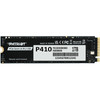
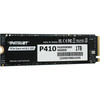
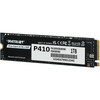
The Patriot P410 1TB NVMe SSD is a high-speed PCIe 4.0 x4 M.2 2280 solid state drive designed for users who want faster system startup, quicker application loading, responsive multitasking and high-speed storage in a compact format.
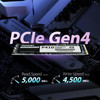
With sequential read speeds of up to 5,000MB/s and sequential write speeds of up to 4,500MB/s, the Patriot P410 provides a substantial storage performance upgrade for compatible desktops, laptops and compact systems. The 1TB model combines Gen4 NVMe performance with a slim single-sided design, efficient thermal management and a 320TBW endurance rating.
The exact model supplied on this page is Patriot P410P1TBM28H, a 1TB PCIe Gen4 x4 NVMe 1.4 M.2 SSD backed by a 5-year limited manufacturer warranty.
Key Features of the Patriot P410 1TB NVMe SSD
- 1TB storage capacity for Windows, applications, games, documents and media
- PCIe Gen4 x4 interface for high-speed NVMe storage performance
- Up to 5,000MB/s sequential read speed
- Up to 4,500MB/s sequential write speed
- M.2 2280 form factor for compatible desktops, laptops and compact systems
- NVMe 1.4 compliant
- Host Memory Buffer (HMB) support
- SmartECC technology to support data integrity
- Ultra-slim graphene heat spreader to assist heat dissipation
- Thermal management technology designed to help control operating temperature
- Single-sided design suitable for many space-constrained systems
- 320TBW endurance rating for the 1TB model
- 0°C to 70°C operating temperature
- 5-year limited Patriot warranty
- Manufacturer part number: P410P1TBM28H
- EAN / UPC: 4711378431056
PCIe Gen4 Performance up to 5,000MB/s
The Patriot P410 uses a PCIe Gen4 x4 NVMe interface and delivers sequential read speeds of up to 5,000MB/s and sequential write speeds of up to 4,500MB/s on the 1TB model.
This level of performance can reduce operating system boot times, improve application responsiveness and shorten the time required to access or transfer large files when compared with slower storage technologies.
What Can the Patriot P410 1TB Be Used For?
The P410 is suitable for a wide range of everyday and performance-focused workloads, including:
- Upgrading a compatible desktop PC from SATA SSD or older storage
- Increasing laptop storage capacity and responsiveness
- Installing Windows and frequently used applications
- Storing and loading PC games
- Everyday office and productivity workloads
- Photo, video and creative project storage
- Large file transfers and general multitasking
- Compatible compact PCs and handheld gaming systems using M.2 2280 NVMe storage
1TB Capacity for Games, Applications and Everyday Storage
With 1TB of storage capacity, the Patriot P410 provides enough space for an operating system, frequently used programs, games, documents, photos and other files while maintaining the speed advantages of NVMe storage.
The 1TB capacity makes the P410 a practical choice as a main system drive, an upgrade from a smaller SSD, or additional internal storage in a compatible desktop or laptop.
M.2 2280 NVMe Form Factor
The Patriot P410 uses the widely adopted M.2 2280 form factor, measuring approximately 80mm long × 22mm wide. Its slim, single-sided construction is designed to fit a wide range of compatible systems where internal space may be limited.
Check Compatibility Before Ordering
Your computer or device must have an M.2 slot that supports PCIe NVMe storage and the 2280 form factor. An M.2 slot does not automatically guarantee NVMe compatibility, as some systems may support SATA M.2 drives only.
For the best available performance, use the Patriot P410 with a compatible PCIe 4.0 x4 M.2 NVMe slot. Actual transfer speeds depend on the motherboard or device, processor/platform, BIOS configuration, operating system, workload and other system conditions.
Graphene Heat Spreader for Efficient Thermal Management
High-speed NVMe SSDs can generate heat during sustained workloads. The Patriot P410 incorporates an ultra-slim graphene heat spreader designed to assist heat dissipation without adding the bulk of a traditional SSD heatsink.
Its slim thermal design is particularly useful for laptops, compact PCs and other systems where clearance around the M.2 slot may be limited.
Host Memory Buffer and SmartECC Technology
Host Memory Buffer (HMB)
The Patriot P410 supports Host Memory Buffer technology, allowing the SSD to use a small portion of system memory to support efficient storage operations. This helps the drive deliver responsive NVMe performance while maintaining a compact and power-efficient design.
SmartECC Data Integrity
Patriot also equips the P410 with SmartECC technology, which is designed to support data integrity and reliable SSD operation during normal use.
Designed for Efficient Laptop and Compact-System Storage
The P410 is designed with power efficiency and thermal performance in mind. Patriot positions the drive for laptops, desktop PCs, compact systems and compatible handheld devices, where storage performance, power consumption and physical size can all be important considerations.
Its single-sided M.2 2280 design helps make it suitable for systems where a thicker double-sided SSD may have limited clearance. Always confirm your device's M.2 dimensions and interface support before purchasing.
320TBW Endurance on the Patriot P410 1TB
The 1TB Patriot P410P1TBM28H is rated for 320TBW (Terabytes Written). TBW is a measure of the total amount of data the manufacturer rates the SSD to be written over its supported service life.
This capacity-specific figure is important because endurance varies across the P410 range. The 1TB version on this page is rated at 320TBW.
Who Is the Patriot P410 1TB Best For?
- PC users upgrading from a SATA SSD or hard drive
- Laptop owners needing faster or larger internal storage
- Gamers looking for fast game and application loading
- Home and office users wanting a responsive main system drive
- Students and professionals working with large applications or files
- Content creators needing fast internal project storage
- Users building compact PCs with an M.2 2280 PCIe NVMe slot
Patriot P410 1TB Technical Specifications
| Brand | Patriot |
| Product Series | P410 |
| Manufacturer Part Number | P410P1TBM28H |
| Capacity | 1TB / 1000GB |
| Product Type | Internal NVMe Solid State Drive |
| Form Factor | M.2 2280 |
| Interface | PCIe Gen4 x4 |
| NVMe Standard | NVMe 1.4 |
| Sequential Read Speed | Up to 5,000MB/s |
| Sequential Write Speed | Up to 4,500MB/s |
| Endurance | 320TBW |
| Host Memory Buffer | Supported |
| Error Correction | SmartECC Technology |
| Thermal Design | Ultra-slim graphene heat spreader |
| Operating Temperature | 0°C to 70°C |
| Dimensions | 80 × 22 × 3.8mm approximately |
| Weight | Approximately 11g |
| Supported Operating Systems | Windows 7, 8, 8.1, 10 and 11; older Windows versions may require drivers |
| EAN / UPC | 4711378431056 |
| Manufacturer Warranty | 5-year limited warranty, subject to Patriot warranty terms and TBW limits |
Is the Patriot P410 1TB a Good SSD Upgrade?
The Patriot P410 1TB is a strong option for users who want a balance of PCIe Gen4 performance, 1TB capacity, compact M.2 2280 dimensions and everyday reliability. With speeds of up to 5,000MB/s read and 4,500MB/s write, it provides significantly faster storage performance than traditional hard drives and SATA-based storage when used in a suitable PCIe NVMe system.
Its combination of NVMe 1.4, HMB support, SmartECC technology, graphene thermal management, 320TBW endurance and a five-year limited warranty makes it suitable for PC upgrades, gaming systems, laptops, productivity computers and compatible compact devices.
Important Performance and Compatibility Information
Advertised speeds are maximum sequential performance figures. Actual SSD performance can vary according to system hardware, available PCIe lanes, motherboard or device design, BIOS settings, operating system, workload, drive capacity, thermal conditions and available free space.
Before ordering, check that your desktop, laptop or handheld device supports a PCIe NVMe M.2 2280 SSD. Do not rely on the presence of an M.2 slot alone, as M.2 slots can support different storage interfaces.
Why Buy the Patriot P410 1TB NVMe SSD?
Choose the Patriot P410 1TB PCIe 4.0 NVMe SSD if you need a compact internal storage upgrade with fast Gen4 performance, 1TB capacity and broad suitability for compatible PCs and laptops. The P410P1TBM28H delivers up to 5,000MB/s read and 4,500MB/s write, while its slim graphene heat spreader, SmartECC technology and HMB support help provide efficient everyday operation.
With a 320TBW endurance rating and 5-year limited Patriot warranty, the P410 1TB is designed to provide a useful balance of performance, capacity, efficiency and reliability for everyday computing, gaming and storage upgrades.
Specification
Patriot P410 1TB PCIe 4.0 NVMe M.2 SSD – Technical Specifications
The Patriot P410 1TB NVMe SSD (P410P1TBM28H) is a high-speed internal solid state drive designed for compatible desktop PCs, laptops and compact computing systems. It features a PCIe Gen4 x4 interface, NVMe 1.4 protocol, M.2 2280 single-sided form factor and sequential read speeds up to 5,000MB/s. With sequential write speeds up to 4,500MB/s, Host Memory Buffer support, SmartECC data-integrity technology and an ultra-slim graphene heat spreader, the P410 provides modern storage for gaming, operating systems and everyday computing.
General Information
| Brand | Patriot |
|---|---|
| Manufacturer | Patriot Memory, Inc. |
| Product Series | P410 |
| Product Model | P410 1TB |
| Manufacturer Part Number (MPN) | P410P1TBM28H |
| EAN / GTIN | 4711378431056 |
| Product Name | Patriot P410 1TB PCIe Gen4 x4 NVMe M.2 2280 SSD |
| Product Type | Internal Solid State Drive (SSD) |
| Storage Technology | NAND flash-based solid state storage |
| Storage Capacity | 1TB / 1,000GB |
| Form Factor | M.2 2280 |
| Interface | PCIe 4.0 x4 |
| NVMe Protocol | NVMe 1.4 |
| PCB Design | Single-sided |
| Primary Use | Compatible desktop PCs, laptops, gaming systems and compact computers |
Storage Capacity and Flash Technology
| Advertised Capacity | 1TB |
|---|---|
| Decimal Capacity | 1,000GB |
| Capacity in Bytes | 1,000,000,000,000 bytes |
| Approximate Binary Capacity | 931GiB before formatting and system overhead |
| Storage Medium | Solid state NAND flash memory |
| NAND Cell Type | Not identified in Patriot's published 1TB datasheet |
| NAND Manufacturer | Not specified |
| SSD Controller Model | Not specified |
| Host Memory Buffer (HMB) | Supported |
| Dedicated DRAM Capacity | Not explicitly specified by Patriot |
| SmartECC Technology | Supported |
Storage Capacity Note: A 1TB SSD contains one trillion bytes of advertised storage capacity. An operating system may display approximately 931GiB before formatting because decimal and binary units are different. Available space will be lower after formatting and storing system files.
NAND Technology Note: Patriot's checked P410 1TB product sheet does not identify the specific NAND cell type. Some third-party listings disagree about TLC and QLC, so no unverified NAND classification has been included.
Interface and NVMe Specifications
| Bus Interface | PCI Express |
|---|---|
| PCIe Generation | Gen4 / PCIe 4.0 |
| PCIe Lane Configuration | x4 |
| NVMe Version | 1.4 |
| Physical Interface | M.2 PCIe NVMe |
| Form Factor | M.2 2280 |
| Host Connection | Compatible motherboard or laptop M.2 NVMe slot |
| PCIe 4.0 Support | Yes |
| PCIe 3.0 Compatibility | Generally supported through compatible backward-compatible NVMe slots, with reduced bandwidth |
| M.2 SATA Interface | Not supported |
| 2.5-Inch SATA Connection | Not supported directly |
| SATA Data Cable | Not required |
| SATA Power Cable | Not required |
| NVMe Boot Support | Requires compatible motherboard firmware and operating system |
Important Interface Note: The Patriot P410 is an M.2 PCIe NVMe SSD. It does not operate in SATA-only M.2 slots. An M.2 connector alone does not guarantee compatibility; the host must support PCIe NVMe storage.
Sequential Performance Specifications
| Maximum Sequential Read | Up to 5,000MB/s |
|---|---|
| Maximum Sequential Write | Up to 4,500MB/s |
| Manufacturer Benchmark Reference | CrystalDiskMark (CDM) |
| Performance Interface | PCIe Gen4 x4 |
| NVMe Protocol | NVMe 1.4 |
| Random Read IOPS | Not confirmed by Patriot's published 1TB datasheet |
| Random Write IOPS | Not confirmed by Patriot's published 1TB datasheet |
| Guaranteed Sustained Write Speed | Not specified |
| Performance Variation | Depends on connected hardware, software, workload and SSD operating conditions |
Performance Note: The advertised 5,000MB/s read and 4,500MB/s write figures are maximum sequential benchmark speeds measured under specified conditions. Actual results may be lower depending on the motherboard, PCIe connection, operating system, file sizes, temperature and available drive capacity.
Important: Sequential transfer speeds should not be confused with random-access performance or guaranteed continuous write speeds. Patriot does not publish confirmed random read/write IOPS values for this 1TB model in the checked SKU sheet.
SSD Cache and Data Management Features
| Host Memory Buffer (HMB) | Supported |
|---|---|
| HMB Technology | Allows the SSD controller to use supported host system memory for selected functions |
| Advanced Caching Architecture | Listed by Patriot |
| SmartECC | Integrated data-integrity technology |
| Thermal Throttling Technology | Supported |
| Dedicated DRAM Size | Not specified by Patriot |
| SSD Controller Manufacturer | Not specified in the official 1TB technical sheet |
| Hardware Encryption Standard | Not confirmed in the official 1TB technical sheet |
| Enterprise Power-Loss Protection | Not advertised as an included feature |
HMB Note: Host Memory Buffer is an NVMe feature that allows a compatible SSD controller to use an allocated portion of the computer's system RAM. HMB support should not be confused with having a specific amount of dedicated DRAM on the SSD.
SmartECC Note: Patriot's SmartECC feature is designed to support data integrity within the drive. It does not replace independent backups or guarantee that stored information cannot be lost.
Endurance and Reliability Specifications
| Manufacturer-Rated Endurance | 320TBW |
|---|---|
| Endurance Unit | Terabytes Written |
| Endurance Rating for This Capacity | 320 terabytes of cumulative writes |
| SSD Capacity | 1TB |
| Manufacturer Warranty Period | 5 years limited |
| Warranty Endurance Limit | 320TBW |
| Warranty Expiration Rule | Five years or exceeding the published 320TBW limit, whichever occurs first |
| MTBF | Not specified in Patriot's checked technical documentation |
| Shock Resistance Rating | Not specified in Patriot's checked technical documentation |
| Vibration Resistance Rating | Not specified in Patriot's checked technical documentation |
Important 320TBW Note: The correct endurance rating for the Patriot P410 1TB is 320TBW. Higher capacities in the same product family have different endurance limits, including 640TBW for 2TB and 1,280TBW for 4TB.
The 1,280TBW figure shown in some general P410 marketing material is not the endurance specification for this 1TB product.
Physical Dimensions and Weight
| Form Factor | M.2 2280 |
|---|---|
| SSD Length | 80mm |
| SSD Width | 22mm |
| SSD Thickness | 3.8mm |
| Dimensions (L x W x H) | 80 x 22 x 3.8mm |
| Dimensions in Centimetres | 8 x 2.2 x 0.38cm |
| Manufacturer-Listed Weight | Approximately 11g |
| Component Layout | Single-sided, according to Patriot's product description |
| Cooling Material | Factory-applied ultra-slim graphene heat spreader |
| External SSD Enclosure | Not included |
| Large Metal Heatsink | Not included as part of the standard design |
Physical Compatibility Note: The P410 requires an M.2 2280 mounting position, meaning an 80mm-long SSD slot. Its published thickness is 3.8mm. Check the available clearance before installing it in a laptop, mini PC or other compact device.
Graphene Cooling and Temperature Management
| Integrated Cooling Feature | Graphene heat spreader |
|---|---|
| Cooling Design | Ultra-slim passive heat spreader |
| Thermal Throttling Technology | Supported |
| Dedicated SSD Cooling Fan | Not included |
| Large Factory-Fitted Metal Heatsink | Not included |
| Operating Temperature Range | 0°C to 70°C |
| Additional Motherboard Cooling | Use where physically compatible and recommended by the system manufacturer |
Cooling Note: Patriot equips the P410 with a slim graphene heat spreader and thermal throttling technology. The graphene layer is not equivalent to a large metal heatsink.
For demanding sustained workloads, suitable system airflow or a compatible motherboard M.2 heatsink may help maintain appropriate temperatures. Follow the motherboard manufacturer's instructions and avoid damaging the SSD's factory-applied material.
Operating Environment
| Minimum Operating Temperature | 0°C |
|---|---|
| Maximum Operating Temperature | 70°C |
| Operating Temperature Range | 0°C to 70°C |
| Storage Temperature | Not specified in the checked 1TB datasheet |
| Operating Humidity | Not specified in the checked 1TB datasheet |
| Water Resistance | No IP water-resistance rating published |
| Installation Environment | Compatible internal computer storage location |
Desktop PC Compatibility
| Desktop Computer Support | Compatible systems with M.2 PCIe NVMe storage |
|---|---|
| Intel Platform Support | Supported where motherboard and firmware provide compatible PCIe NVMe operation |
| AMD Platform Support | Supported where motherboard and firmware provide compatible PCIe NVMe operation |
| Required M.2 Length | 2280 / 80mm |
| PCIe Gen4 x4 Support | Required for the full rated interface capability |
| PCIe Gen3 Operation | Generally possible in compatible backward-compatible NVMe slots at reduced bandwidth |
| M.2 SATA-Only Motherboard Slots | Not compatible |
| BIOS / UEFI | Must support the intended NVMe installation and boot configuration |
| Operating System Boot Drive | Supported with compatible system firmware and operating system |
| Secondary Storage Drive | Supported with a compatible unused NVMe slot |
Desktop Compatibility Note: Check the motherboard manual for its supported M.2 connection type, PCIe generation, slot length and any shared PCIe lane restrictions. The P410 cannot operate in an M.2 slot that supports SATA storage only.
Laptop and Compact System Compatibility
| Laptop Compatibility | Compatible laptops with M.2 2280 NVMe support |
|---|---|
| Mini PC Compatibility | Supported where the host provides a suitable M.2 2280 NVMe slot |
| Compact System Design | Single-sided M.2 2280 |
| SSD Dimensions | 80 x 22 x 3.8mm |
| M.2 2230-Only Slots | Not directly compatible |
| M.2 2242-Only Slots | Not directly compatible |
| SATA-Only Laptop M.2 Slots | Not compatible |
| Laptop Cooling Compatibility | Depends on available clearance and the computer manufacturer's design |
| Laptop BIOS Compatibility | Must support the drive's NVMe storage interface |
Laptop Compatibility Note: Not every laptop supports an 80mm-long M.2 NVMe SSD. Before ordering, check the computer's storage specification and physical clearance, particularly when replacing an existing shorter SSD.
Operating System Compatibility
| Windows 11 | Listed by Patriot for compatible systems |
|---|---|
| Windows 10 | Listed by Patriot for compatible systems |
| Windows 8.1 | Listed by Patriot; additional drivers may be required |
| Windows 8 | Listed by Patriot; additional drivers may be required |
| Windows 7 | Listed by Patriot; additional drivers may be required |
| Linux | Dependent on kernel, NVMe driver and host compatibility; not explicitly listed in the checked Patriot SKU sheet |
| macOS | Not guaranteed by Patriot's published compatibility list |
| NVMe Driver Requirement | Depends on the operating system and hardware configuration |
Operating System Note: Patriot lists older Windows versions in its product documentation, but those listings do not mean the operating systems still receive security updates. Use a currently supported operating system where possible.
Gaming Console and External Storage Considerations
| Primary Intended Use | Internal PC and compatible handheld storage |
|---|---|
| ROG Xbox Ally Compatibility | Listed by Patriot for compatible configurations |
| PS5 Compatibility | Not confirmed as suitable by Patriot's checked 1TB documentation |
| PS5 Recommended Sequential Read Speed | Sony recommends 5,500MB/s or faster; the P410 is rated up to 5,000MB/s |
| Xbox Series Console Expansion Slot | Not directly compatible with the proprietary expansion card slot |
| External USB Storage | Requires a compatible M.2 NVMe-to-USB enclosure, sold separately |
| Other Handheld Devices | Compatibility depends on supported M.2 size and NVMe interface |
Gaming Console Note: The P410's advertised maximum read speed is 5,000MB/s, below Sony's recommended 5,500MB/s specification for PS5 M.2 expansion. It should not be advertised as a fully verified PS5 storage upgrade.
Handheld devices differ in their supported SSD sizes and cooling arrangements. Confirm the exact device's storage specifications before purchasing.
Product Certifications and Compliance
| CE | Listed by Patriot |
|---|---|
| FCC | Listed by Patriot |
| UKCA | Listed by Patriot |
| BSMI | Listed by Patriot |
| RoHS | Listed as compliant by Patriot |
Package Contents
| SSD Included | 1 x Patriot P410 1TB M.2 PCIe Gen4 NVMe SSD |
|---|---|
| Manufacturer Part Number | P410P1TBM28H |
| Advertised Storage Capacity | 1TB |
| Graphene Heat Spreader | Factory-applied |
| Retail Package Type | Manufacturer hang-card packaging, according to the 1TB SKU sheet |
| M.2 Mounting Screw | Not confirmed as included |
| Large Metal Heatsink | Not included |
| USB NVMe Enclosure | Not included |
| Operating System Licence | Not included |
| Computer or Laptop | Not included |
Package Contents Note: The standard product is one internal M.2 SSD. A computer, external enclosure, operating system and additional heatsink are not included. Verify the presence of any mounting screw against the supplied packaging and computer manufacturer's accessories.
Manufacturer Warranty and Support
| Manufacturer | Patriot Memory, Inc. |
|---|---|
| Series | P410 |
| Model | P410P1TBM28H |
| Manufacturer Limited Warranty | 5 years |
| TBW Warranty Threshold | 320TBW |
| Warranty Expiry | Five years from original purchase or exceeding 320TBW, whichever occurs first |
| Proof of Purchase | Required under the manufacturer's warranty process |
| Warranty Coverage | Subject to Patriot's warranty terms and exclusions |
| Data Recovery Coverage | Not guaranteed |
| Manufacturer Website | Patriot Memory |
Warranty Note: Patriot provides a five-year limited manufacturer warranty for the P410 1TB, subject to the 320TBW endurance limit. The manufacturer's warranty ends at the first applicable threshold and does not cover every type of damage or data loss.
Customers should retain their proof of purchase. The manufacturer's warranty does not affect applicable UK statutory consumer rights.
Important Capacity and Endurance Notes
1TB Capacity: The drive provides 1,000GB of advertised decimal storage capacity. The operating system may display approximately 931GiB before formatting.
320TBW Endurance: This is the correct cumulative write-endurance rating for P410P1TBM28H.
Do Not Use 1,280TBW: The 1,280TBW specification applies to the 4TB P410 model, not the 1TB version.
Important Performance Notes
Maximum Read Speed: Up to 5,000MB/s under manufacturer benchmark conditions.
Maximum Write Speed: Up to 4,500MB/s under manufacturer benchmark conditions.
System Requirements: Full Gen4 performance requires a compatible PCIe 4.0 x4 storage connection.
Real-World Performance: Actual data transfer speeds vary with hardware, software, workload, free capacity and SSD temperatures.
Important Compatibility Notes
PCIe NVMe Requirement: This drive requires an M.2 PCIe NVMe interface and does not support SATA-only M.2 connections.
M.2 Size: The SSD measures 80 x 22 x 3.8mm. Check that the computer accommodates the 2280 form factor.
PCIe 3.0 Systems: Operation may be possible on suitable backward-compatible NVMe systems, but transfer speeds will be limited by the host connection.
PS5: The P410 does not meet Sony's recommended 5,500MB/s sequential read rating and should not be presented as a verified PS5 expansion SSD.
Important Cooling and Data Protection Notes
Graphene Cooling: The slim graphene heat spreader assists heat dissipation. Its performance is not equivalent to a large metal heatsink.
Thermal Management: The SSD supports thermal throttling technology. Sustained workloads and poor airflow can reduce available performance.
Data Protection: SmartECC technology supports drive data integrity, but all storage devices can fail. Important files should be backed up to a separate drive or backup service.
Installation Guidance
Before installing the Patriot P410, back up important files and shut down the computer completely. Disconnect the power supply and follow appropriate anti-static handling precautions.
Locate a compatible M.2 PCIe NVMe slot, insert the SSD according to the motherboard or laptop manufacturer's instructions and secure it using the approved mounting mechanism.
After installation, verify that the drive is recognised by the system BIOS/UEFI. If using it for secondary storage, initialise and format the SSD using the operating system's disk management tools.
Important: Formatting, repartitioning or reinstalling an operating system may erase data. Take appropriate backups before modifying existing storage devices.
Official Patriot Product Specifications and Support
Manufacturer Product Page: Patriot P410 PCIe Gen4 x4 M.2 SSD Official Specifications
1TB Technical Sheet: Patriot P410 1TB Model-Specific Datasheet (PDF)
Official Warranty Information: Patriot Memory Manufacturer Warranty Policy
These specifications are based on Patriot Memory's published information for the P410 1TB, manufacturer part number P410P1TBM28H. Maximum benchmark speeds are not guaranteed sustained transfer speeds. Product components, packaging and documentation may change with manufacturer revisions. Always confirm host compatibility before purchase.
Return
FAQ: Frequenlty Asked Questions
Patriot P410 1TB PCIe 4.0 NVMe SSD – Frequently Asked Questions
The Patriot P410 1TB (P410P1TBM28H) is an M.2 2280 PCIe 4.0 x4 NVMe SSD rated at up to 5,000MB/s sequential read and 4,500MB/s sequential write, with 320TBW endurance and a five-year limited manufacturer warranty. These 80 FAQs cover SSD specifications, gaming and laptop compatibility, actual performance, questions raised by PC users about large downloads and disk stalls, upgrading, installation, reliability and choosing the right drive.
1. What is the Patriot P410 1TB SSD?
The Patriot P410 1TB (part number P410P1TBM28H) is an internal M.2 2280 NVMe solid-state drive using a PCIe 4.0 x4 interface and NVMe 1.4. It is intended for compatible laptops, desktops and selected handheld PCs, offering up to 5,000MB/s sequential read and 4,500MB/s sequential write speeds.
2. What are the main specifications of the Patriot P410 1TB?
The 1TB model offers PCIe Gen4 x4, NVMe 1.4, an M.2 2280 single-sided design, up to 5,000MB/s read and 4,500MB/s write, 320TB total bytes written (TBW), Host Memory Buffer (HMB) support, a thin graphene heat spreader and a five-year limited manufacturer warranty. The manufacturer operating temperature range is 0–70°C.
3. Does the Patriot P410 really reach 5,000MB/s read and 4,500MB/s write?
These are maximum sequential benchmark figures under suitable conditions, not guaranteed speeds for every file transfer. Actual results depend on the motherboard, PCIe generation and lane configuration, workload, available cache, drive temperature and free space. Small-file operations and long sustained writes can be much slower.
4. Will the Patriot P410 work in a PCIe 3.0 M.2 slot?
Yes, provided the slot supports PCIe NVMe SSDs and the M.2 2280 length. PCIe is backward-compatible, so the P410 can operate at PCIe 3.0 speeds, but it will not reach its full advertised PCIe 4.0 performance. Check your motherboard or laptop manual for slot support.
5. Is the Patriot P410 an NVMe SSD or an M.2 SATA SSD?
It is an NVMe SSD using PCIe 4.0 x4, not a SATA drive. The M.2 name refers to its physical form factor, while NVMe describes its storage protocol. An M.2 slot that supports only SATA SSDs cannot use the P410.
6. Is the Patriot P410 1TB compatible with my laptop?
It can fit a laptop with an M.2 2280 slot that supports PCIe NVMe storage, subject to the laptop manufacturer’s storage, clearance and capacity requirements. Its slim, single-sided design helps in compact systems, but laptops requiring shorter M.2 2230 or 2242 drives are not a direct fit.
7. Can I install the Patriot P410 in a desktop gaming PC?
Yes, if the motherboard has a compatible M.2 PCIe NVMe slot and a mounting position for 2280-length drives. For the best available speed, use a PCIe 4.0 x4-capable slot connected at the supported lane width. Consult the motherboard manual because some M.2 slots share lanes with other devices.
8. What does M.2 2280 and single-sided mean?
M.2 2280 means the drive is approximately 22mm wide and 80mm long. Single-sided means the main components are located on one side of the board, which can improve physical compatibility in slim laptops and compact PCs. It does not mean the SSD fits every M.2 slot.
9. Why does a 1TB Patriot P410 show about 931GB in Windows?
This is normal. SSD makers label 1TB as 1,000,000,000,000 bytes, while Windows commonly displays that amount as roughly 931GiB (often labelled GB). Formatting and system partitions can reduce the space shown as usable slightly further.
10. Is the Patriot P410 1TB good for gaming?
It can be a useful game-library SSD for compatible PCs, offering faster loading and installation than a mechanical hard drive in many situations. However, the quoted 5,000MB/s is a sequential speed, not a guarantee of faster frame rates. Large game downloads, updates and unpacking can place heavier demands on its write cache.
11. Can I use the Patriot P410 as a Windows 11 boot drive?
Yes. A compatible PC can install and boot Windows 11 from the P410. For everyday browsing, office tasks and gaming it can work as a system drive, although buyers regularly handling very large files or simultaneous heavy disk activity may prefer a higher-end SSD with stronger sustained-write performance.
12. Does the Patriot P410 1TB have DRAM cache or HMB?
The P410 is commonly listed as a DRAM-less NVMe SSD and Patriot confirms support for Host Memory Buffer (HMB). HMB lets the SSD use a small amount of host-system RAM for management tasks on supported systems. HMB is not the same as a dedicated DRAM chip on the drive.
13. Does the Patriot P410 use TLC or QLC NAND flash?
The Patriot product page and 1TB specification sheet checked for this FAQ do not state a verified TLC or QLC NAND type. Some online discussions claim QLC, but those comments alone are not reliable confirmation of the hardware in every production batch. If NAND type is a deciding factor, request written confirmation from Patriot for part number P410P1TBM28H before ordering.
14. Why can the Patriot P410 slow down during large file copies or extraction?
Like many cache-assisted SSDs, its maximum burst write rate may not continue throughout a long transfer. Once the fast write cache is exhausted, or when the drive is hot or nearly full, sustained writing may slow considerably. This is particularly relevant to large archives, video files, game installation and repeated bulk transfers.
15. What should I do if my Patriot P410 shows 100% disk usage and the PC freezes?
Check Task Manager for the processes using the drive, then inspect SSD temperature, available free space, Windows Event Viewer errors and SMART health information. Update Windows, motherboard BIOS and storage/chipset drivers where appropriate, and back up important files. Some P410 owners have reported high active time and stalls, but a forum report cannot diagnose your drive. If freezes persist, contact Patriot support or your retailer.
16. Does the Patriot P410 need an extra heatsink?
It includes an ultra-slim graphene heat spreader, not a large metal heatsink. A separate motherboard M.2 heatsink may help with cooling in a desktop, provided it fits and is installed according to the motherboard and SSD instructions. In laptops, check clearance before adding any cooling hardware.
17. What is the operating temperature of the Patriot P410?
Patriot specifies a 0–70°C operating temperature range. The P410 also uses thermal throttling technology, which can lower performance to manage heat. Good airflow, correct mounting and a suitable heatsink or thermal solution may help prevent excessive temperatures under sustained workloads.
18. Is the Patriot P410 1TB suitable for a PS5 storage upgrade?
It is not the preferred choice for PS5 expansion. Although the PCIe 4.0 x4 interface and 2280 size match supported categories, Sony recommends sequential reads of 5,500MB/s or faster; the P410 is rated up to 5,000MB/s. A suitable heat-dissipation structure is required, and PS5 does not support allocating host RAM to HMB SSDs. Choose a drive marketed and verified for PS5 compatibility instead.
19. Will the Patriot P410 fit a Steam Deck or the original ROG Ally?
No, not as a direct replacement in their standard internal SSD slots. The Steam Deck and original ROG Ally use shorter M.2 2230 storage, while this P410 is M.2 2280 (80mm long). Always verify the exact handheld model rather than assuming all gaming handhelds use the same size.
20. Is the Patriot P410 compatible with the 2025 ROG Xbox Ally and Xbox Ally X?
Patriot lists the P410 as compatible with ROG Xbox Ally, and ASUS specifies M.2 2280 PCIe 4.0 NVMe storage in the 2025 ROG Xbox Ally family. Confirm your precise model and follow ASUS guidance for opening the handheld, preparing recovery media and replacing the SSD.
21. Can I use the Patriot P410 in an external USB NVMe enclosure?
Yes, with an enclosure that supports M.2 2280 NVMe drives, not an M.2 SATA-only enclosure. Transfer speeds will be limited by the USB or Thunderbolt connection and enclosure controller. HMB support may be unavailable through some external bridge chips, making internal use the more predictable option.
22. How do I install the Patriot P410 M.2 SSD?
Power off the computer, disconnect power, follow anti-static precautions and locate the supported M.2 NVMe slot. Insert the P410 at the angle recommended by the motherboard or laptop maker, secure it with the correct screw or latch, and refit any approved thermal cover. Check your device manual before opening a laptop or handheld.
23. Why is my new Patriot P410 not showing in Windows?
First check whether the SSD appears in BIOS/UEFI. If it does but is absent from File Explorer, open Disk Management and see whether it needs to be initialised, partitioned and formatted. If BIOS cannot detect it, recheck slot compatibility, installation and firmware settings. Initialising or formatting erases existing data, so do not do this to a drive containing files you need.
24. Can I clone Windows and my files from an old SSD to the P410?
Usually yes, using suitable disk-cloning software and a compatible way to connect both drives. Back up essential files first, confirm the destination has enough capacity and use a method that copies the required EFI and recovery partitions. After cloning, set the correct boot drive in UEFI and verify that Windows starts before wiping the old disk.
25. What does the Patriot P410 1TB endurance rating of 320TBW mean?
320TBW means the 1TB version is rated for 320 terabytes of cumulative writes over its specified endurance life. As an illustration, writing 50GB every day would take roughly 17.5 years to reach 320TB, although real-world lifespan is not guaranteed by that calculation. The 320TBW figure applies to the 1TB model, not the 4TB version.
26. What warranty comes with the Patriot P410 1TB?
Patriot provides a five-year limited manufacturer warranty. According to Patriot, coverage is determined by the warranty term or the rated total bytes written, whichever is reached first. Keep proof of purchase and check Patriot’s current warranty conditions for exclusions and the claims procedure.
27. Does SmartECC protect my files or replace a backup?
The P410 includes Patriot SmartECC data-integrity technology, but no SSD feature makes stored files immune to hardware failure, accidental deletion, ransomware or corruption. Keep a separate backup of important files; do not rely on the manufacturer warranty to recover your data.
28. Patriot P410 1TB vs Patriot P400 Lite: which should I choose?
The P410 offers higher advertised sequential speeds of up to 5,000MB/s read and 4,500MB/s write. Patriot lists the P400 Lite family at up to 3,500MB/s read and 2,700MB/s write, with exact performance depending on capacity. Both use PCIe 4.0 NVMe and M.2 2280. Choose based on price, actual capacity-specific specifications and workload; peak speeds alone do not establish which handles long writes better.
29. Should I buy the Patriot P410 1TB or 2TB version?
Choose 1TB if your operating system, applications and game library comfortably fit with free space left over. The 2TB model offers more room and Patriot lists 640TBW endurance versus 320TBW for the 1TB model. Check the current price per terabyte and back up essential data whichever capacity you select.
30. Is the Patriot P410 suitable for professional 4K video editing or constant large transfers?
It can store footage and handle light editing, but a higher-tier SSD with verified strong sustained-write performance may suit demanding 4K/8K editing, scratch disks, regular large exports, virtual machines and continuous write-heavy work better. The P410’s maximum sequential figures do not describe performance after its cache is filled.
31. Who should NOT choose the Patriot P410 1TB?
Avoid it if your device requires a 2230 drive or an M.2 SATA-only SSD, if you need a clearly PS5-recommended 5,500MB/s-plus expansion drive, or if sustained heavy writes and consistent low latency are critical. Buyers who require a confirmed TLC NAND type or dedicated onboard DRAM should verify those requirements and consider alternatives before ordering.
32. Which operating systems support the Patriot P410?
Patriot lists Windows 7, 8, 8.1, 10 and 11, with older systems potentially requiring suitable drivers. Modern Linux systems with NVMe support may also recognise it, but Linux compatibility should be checked for the particular hardware and distribution. Operating-system support does not override the need for a compatible PCIe NVMe M.2 slot.
33. Why is my Patriot P410 benchmark result lower than 5,000MB/s?
The 5,000MB/s read and 4,500MB/s write figures are 'up to' sequential test results under suitable conditions. A PCIe 3.0 or reduced-lane slot, thermal throttling, background activity, small test sizes, cache behaviour and the benchmark method can all affect results. Check the negotiated PCIe link speed and test with an appropriate tool before assuming the SSD is faulty.
34. What does PCIe 4.0 x4 mean on the Patriot P410?
PCIe 4.0 identifies the interface generation, while x4 means the SSD is designed to use four PCIe lanes. For its full advertised interface bandwidth, the computer must provide a suitable PCIe 4.0 x4 NVMe connection. Some laptops or secondary M.2 slots provide fewer lanes or a slower generation.
35. What is NVMe 1.4 and why does it matter?
NVMe is the storage protocol designed for SSDs connected over PCIe. The P410 complies with NVMe 1.4. This does not make it compatible with every M.2 socket: the host still needs a PCIe NVMe-capable slot, suitable firmware and space for a 2280-length module.
36. Can the Patriot P410 work in a PCIe 5.0 M.2 slot?
Generally yes. PCIe 5.0 host slots normally support older PCIe generations, so a suitable PCIe 5.0 M.2 NVMe slot can run the PCIe 4.0 P410. It will operate as a Gen4 device rather than acquiring Gen5 speeds. Check the motherboard's slot and lane-sharing rules.
37. Is PCIe 4.0 noticeably faster than PCIe 3.0 for everyday tasks?
PCIe 4.0 provides more interface bandwidth than PCIe 3.0, which can improve large sequential transfers when the SSD and workload can use it. Everyday browsing and application launches may feel much closer, because latency, CPU performance and small-file access also matter. The P410 works in a compatible Gen3 NVMe slot at reduced maximum speeds.
38. Will the Patriot P410 work in an M.2 slot wired for only two PCIe lanes?
It may operate if the slot supports PCIe NVMe and negotiates a compatible x2 link, but bandwidth will be lower than with four lanes. Some systems restrict supported drive types or slot configurations, so confirm the motherboard or laptop manual rather than assuming any physically fitting slot will work.
39. What is the difference between sequential and random SSD performance?
Sequential performance describes reading or writing large blocks of data in order; this is what the advertised 5,000/4,500MB/s ratings emphasise. Random performance concerns many small files or scattered operations and is important for operating-system responsiveness and multitasking. Sequential figures alone are not a complete measure of how an SSD feels.
40. Does the 5,000MB/s rating mean every game and file loads at that speed?
No. It is a maximum sequential read benchmark specification, not a promise for every operation. Game load times depend on the game engine, CPU, file sizes, decompression and other hardware. Transfers are also limited by the source drive or network connection, not just by the P410.
41. Why does Task Manager show 100% disk usage while Steam is updating games?
Game updates often combine downloads, decompression, file verification and sustained writing. Task Manager's 100% active time does not mean the SSD is transferring at its rated maximum. If the PC becomes unresponsive, check disk response times, temperatures, free space and background processes; P410 users have separately reported stalls during some heavy update workloads.
42. How can I reduce freezing when extracting large ZIP or RAR archives on the P410?
Try extracting fewer large archives at once, pause other disk-heavy tasks, keep reasonable free space and check drive temperature and SMART warnings. Ensure the source and destination drives are healthy. If repeated freezes occur even after software and hardware checks, back up your data and seek diagnostic or warranty support; a longer-term solution for frequent heavy writes may be a higher-end SSD.
43. Will installing the Patriot P410 make my internet downloads faster?
No, it cannot increase your broadband connection speed. It may shorten the time needed to save, unpack, verify or install downloaded data compared with a slow storage drive, but network speed, download-server limits, antivirus scanning and game-launcher processing still affect the overall experience.
44. Does the Patriot P410 slow down when it is almost full?
Available free space can affect caching and background housekeeping on many consumer SSDs. The P410's burst write speeds should not be treated as guaranteed with the drive almost full or during repeated long writes. If performance has fallen, check free capacity, temperatures, SSD health and competing workloads.
45. How much free space should I leave on a 1TB Patriot P410?
There is no Patriot-specific free-space percentage in the verified specification sheet. As a practical rule, try to leave some spare capacity for Windows updates, games, temporary files and SSD housekeeping instead of filling the drive to its limit. The amount needed depends on your workloads; a larger-capacity SSD may be a better choice if you regularly run out of room.
46. What is an SLC write cache, and how can it affect P410 performance?
Many consumer SSDs temporarily write data to a faster cache area before reorganising it in the background. Cache-assisted burst speeds can be much higher than long-running write speeds once that temporary area is used up. Patriot describes advanced caching in the P410, but the public 1TB sheet does not specify a guaranteed sustained-write rate or cache size.
47. Why does a large file copy start fast and then become slow?
At first, a file transfer may benefit from cache and short-term burst performance. During a prolonged write, the drive may need to move data internally or limit heat, so the displayed speed can drop. The source drive, USB connection, antivirus scanning and many-small-file copies can also create bottlenecks. A falling transfer rate alone does not prove a defect.
48. How is SSD health different from an SSD endurance rating?
SSD health tools inspect available NVMe or SMART information such as percentage used, media errors, temperature and total writes. The 320TBW rating is Patriot's published endurance figure for the 1TB model; it is not a live health measurement or a guaranteed failure point. Keep backups even if the reported health is good.
49. Will replacing an old hard drive with the P410 make Windows start faster?
Often yes, if the system supports an M.2 PCIe NVMe drive. Moving from a mechanical hard drive to an SSD can significantly improve booting, opening applications and general responsiveness. The exact gain depends on your computer, operating-system condition and other components; replacing an existing fast NVMe SSD may produce a smaller visible change.
50. Will the Patriot P410 increase FPS in PC games?
An SSD generally affects game installation, texture streaming and loading rather than raw frame rate. A P410 upgrade may reduce waiting or disk-related stutter in some situations, but it will not automatically increase FPS where the graphics card, processor or game settings are the limiting factors.
51. How many PC games can I install on the Patriot P410 1TB?
That depends on game sizes and the space reserved for Windows, applications and updates. A 1TB drive offers roughly 931GiB before system partitions and other formatting overhead. Large modern games can consume tens or hundreds of gigabytes, so check the requirements of your own library and leave room for patches.
52. Can I install Steam, Epic Games and PC Game Pass games on the P410?
Yes. Once the drive is recognised and formatted, compatible Windows game launchers can use it as a game installation location. Set the correct library folder or installation drive in each launcher. Some games may have extra requirements, and download and update speeds depend on more than the SSD.
53. Can the Patriot P410 be used for Windows DirectStorage games?
It is an NVMe SSD, making it potentially suitable for PC games that use DirectStorage on a properly supported Windows system. The benefit depends on the game, Windows version, GPU and other requirements, not just on the SSD model. DirectStorage support does not mean every game will load noticeably faster.
54. Is the Patriot P410 1TB good for Photoshop, Lightroom and photo libraries?
It can serve as a fast storage location for photographs, editing applications and ordinary creative projects in a compatible PC. Large catalogues, frequent cache writes and professional high-volume workflows may benefit from comparing independent sustained-write and latency tests with higher-end drives. Always maintain a separate backup of your photos.
55. Is the Patriot P410 suitable for music production and sample libraries?
For storing audio projects and reading sample libraries, it can be suitable in a compatible system. Very large recording sessions, frequent archive extraction and running many disk-intensive tasks at once place more demand on sustained performance. Music professionals should consider their actual track count, project size and reliability requirements.
56. Can I use the Patriot P410 for programming and software development?
Yes. It can store coding projects, development tools, repositories and build outputs on a compatible PC. Build performance also depends heavily on CPU, RAM and the mix of small files. For heavy continuous builds, containers and multiple simultaneous virtual machines, a drive with independently verified steady performance may be more appropriate.
57. Is the Patriot P410 suitable for virtual machines and Docker storage?
It may be adequate for occasional virtual machines or container use, but running several operating systems or databases at once can produce sustained random reads and writes. The P410's advertised sequential speeds do not measure these workloads. If low latency and sustained mixed I/O are critical, look for specialised benchmark results and a higher-tier SSD.
58. Should I use the Patriot P410 for a NAS, CCTV recorder or 24/7 write-heavy system?
The P410 is marketed as a consumer SSD for laptops, PCs and selected handhelds, not as a purpose-built NAS or surveillance drive. Some NAS devices can use compatible M.2 NVMe storage, but continuous recording, high write volumes and power-loss requirements call for checking the NAS maker's compatibility list and considering a drive intended for that workload.
59. Does the Patriot P410 work with Intel Core and AMD Ryzen computers?
It can work with either Intel or AMD systems; the processor brand is not the deciding factor. Compatibility depends on the motherboard or laptop providing a suitable M.2 2280 PCIe NVMe slot, firmware and lane configuration. Use the device documentation to verify the supported M.2 drive type and length.
60. Can I use the Patriot P410 with B450, B550, B650 or Intel Z-series motherboards?
Potentially, yes, but compatibility and maximum speed vary by exact board. Many such boards offer NVMe M.2 slots, while older models may operate at PCIe 3.0 and different M.2 sockets may have different lane limits. Check your motherboard's manual and BIOS information, not chipset branding alone.
61. Can I use the P410 in a laptop that has only an M.2 SATA slot?
No. An M.2 SATA-only slot does not provide the PCIe NVMe interface required by the P410, even when the socket looks similar. You would need a compatible SATA-format SSD or a different computer with an M.2 PCIe NVMe slot.
62. Can I install the P410 as a second SSD rather than replacing my current drive?
Yes, if your desktop or laptop has an available compatible M.2 PCIe NVMe slot. You can keep the existing Windows drive and initialise the P410 as separate storage. Check whether using the additional slot disables any SATA ports or changes PCIe lane allocations on your motherboard.
63. Can I use the P410 with an M.2-to-PCIe adapter card?
Often yes in a compatible desktop PCIe slot using an adapter made for M-key NVMe drives. Actual speed depends on the adapter and motherboard PCIe lanes. Booting an operating system from the adapter also requires suitable motherboard firmware support; a drive being usable for files does not guarantee it can serve as the boot drive.
64. Can installing the P410 disable SATA ports or reduce other PCIe lane availability?
On some motherboards, certain M.2 sockets share bandwidth or resources with SATA ports or PCIe expansion slots. This behaviour is determined by the motherboard, not the P410 itself. Read the board manual's M.2 population and lane-sharing notes before installation, especially if you already have multiple drives.
65. Does the Patriot P410 package include an M.2 mounting screw?
Do not assume a mounting screw or standoff is supplied with the SSD. M.2 mounting hardware normally comes with the motherboard or system, and some newer boards use tool-free catches. Check the contents supplied with your particular product and use the correct hardware for the 2280 mounting point.
66. Does the Patriot P410 need SATA data cables or a separate power connector?
No. In an appropriate internal M.2 NVMe slot, the P410 receives data and power directly through the M.2 edge connector. It does not use a 2.5-inch SATA data cable or separate SATA power lead. An external enclosure or adapter may have its own connection requirements.
67. Can I replace a 256GB or 512GB laptop SSD with the 1TB P410?
Usually, if the current laptop supports PCIe NVMe M.2 2280 storage and has no relevant capacity or clearance restriction. Before ordering, check the existing drive's length, the laptop service manual, warranty implications and how you will migrate or reinstall the operating system.
68. Can I perform a fresh Windows 11 installation on the Patriot P410?
Yes, on a compatible Windows 11 PC. Create official Windows installation media, back up any existing files, make the P410 the intended destination and follow Microsoft's installation process. Make sure you choose the correct disk because deleting or formatting partitions can permanently remove data.
69. Why does Windows 11 Setup not detect the Patriot P410?
First confirm that BIOS/UEFI can see the drive and that the M.2 slot supports NVMe. On some Intel systems, storage-controller modes such as VMD/RST require a matching driver during Windows setup. Check the PC maker's instructions before changing controller settings, as changing them on an existing Windows installation can prevent it from booting.
70. Can I create separate Windows partitions on the P410?
Yes. Windows Disk Management can create separate volumes, subject to available capacity and existing partitions. This can be useful for organising files, but two partitions on one physical SSD are not two independent backups. Take care not to delete EFI or recovery partitions if the drive contains a bootable Windows installation.
71. Should I format the Patriot P410 as NTFS or exFAT?
For a typical internal Windows installation or game library, NTFS is the normal choice. exFAT can be useful for some portable external-drive workflows where cross-platform file sharing matters. The correct file system depends on your operating system, applications and whether the drive is internal or installed in an enclosure.
72. Does Windows TRIM work with the Patriot P410?
Modern Windows versions generally support TRIM for compatible SSDs, helping the operating system tell the drive which data blocks are no longer needed. Leave Windows storage optimisation enabled and avoid third-party 'SSD boost' claims without evidence. TRIM is not a substitute for free space, backups or good cooling.
73. Should I manually defragment the Patriot P410?
Do not treat an NVMe SSD like an old mechanical hard drive. Modern Windows 'Optimise Drives' is SSD-aware and typically uses suitable maintenance operations such as retrim when appropriate. There is normally no reason to run traditional repeated manual defragmentation utilities to improve P410 performance.
74. How do I check the Patriot P410's SMART health and total data written?
Use a reputable storage-information tool or your operating system's NVMe health reporting to inspect temperature, percentage used, media errors and data written where available. For example, CrystalDiskInfo can report many NVMe health fields in Windows. Back up important data and investigate persistent error or warning indicators rather than relying on a single percentage.
75. How can I monitor the P410 temperature while gaming or copying files?
An NVMe-compatible monitoring tool such as HWiNFO or CrystalDiskInfo may display drive temperature, depending on your hardware and software. Compare readings while idle and during sustained activity. Patriot specifies a 0–70°C operating temperature range; high temperatures may contribute to thermal throttling.
76. Is a Patriot P410 firmware update required after installation?
Not necessarily. The SSD should normally operate with its supplied firmware in a compatible system. If you suspect a firmware problem, check Patriot's official support and download pages for a utility or update specifically compatible with P410P1TBM28H. Do not install third-party or other-model firmware files, and always back up before attempting an update.
77. Can I enable Windows BitLocker encryption on the Patriot P410?
Yes, in a Windows edition and computer configuration that supports BitLocker or device encryption, the P410 can store an encrypted volume. This is generally software-managed by Windows; the checked Patriot specification does not establish dedicated hardware self-encrypting-drive features. Save your recovery key securely before relying on encryption.
78. Should I peel off the P410's graphene heat-spreader label to fit a motherboard heatsink?
Do not remove the manufacturer's graphene heat spreader or labels unless Patriot's official instructions specifically direct you to do so. Check motherboard heatsink clearance and thermal-pad placement, and follow the equipment instructions. Removing or damaging labels may complicate warranty identification.
79. Will the Patriot P410 fit the ASUS ROG Ally X (2024)?
The ASUS ROG Ally X (2024) uses an M.2 2280 PCIe 4.0 NVMe SSD, which matches the P410's basic form factor and interface. This differs from the original ROG Ally, which uses M.2 2230. Verify the exact device variant, physical clearance and ASUS installation instructions before upgrading.
80. Patriot P410 1TB vs P410 500GB: which version should I buy?
Both use the M.2 2280 PCIe 4.0 NVMe interface, but the manufacturer's published figures differ by capacity. The 1TB model is rated up to 5,000MB/s read, 4,500MB/s write and 320TBW; the 500GB model is rated up to 5,000MB/s read, 2,300MB/s write and 160TBW. Choose 1TB when you need more space, a higher published write ceiling and greater rated endurance; consider 500GB if your storage needs and budget are smaller.
Related Products
Related Products

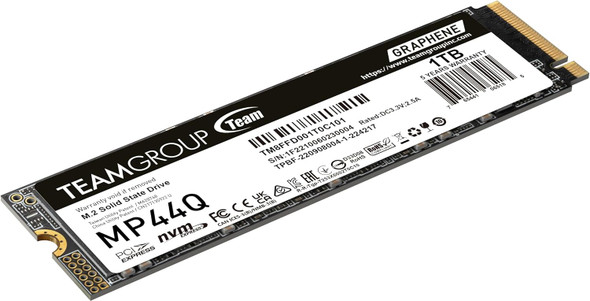
TEAMGROUP MP44Q 1TB NVMe SSD – PCIe 4.0, 7000MB/s Read, 5900MB/s Write
TEAM


TEAMGROUP MP44L 500GB NVMe SSD – PCIe 4.0, 5000MB/s Read, Graphene Cooling
TEAM


Kingston NV3 1TB NVMe SSD – M.2 2280 PCIe 4.0 Gen4, 6000MB/s Read
Kingston
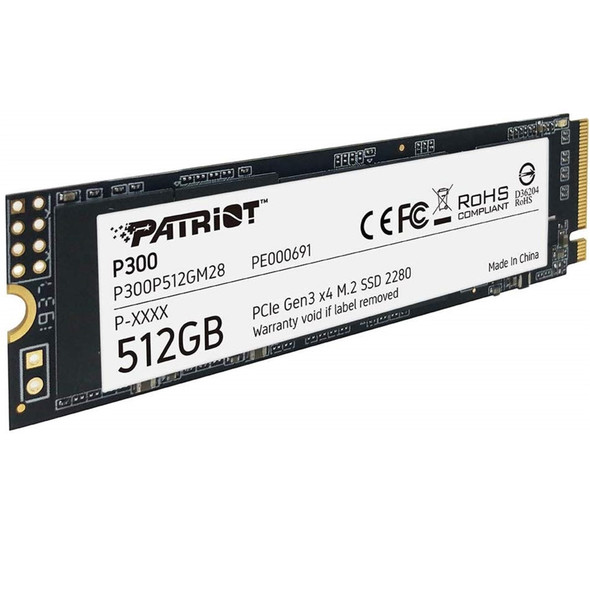
Patriot P300 512GB NVMe SSD – M.2 2280 PCIe Gen3, 1700MB/s Read
PATRIOT