
PATRIOT
Patriot P300 512GB NVMe SSD – M.2 2280 PCIe Gen3, 1700MB/s Read
- SKU:
- HDPAT-P300512GM2
- UPC:
- 0814914026557
- MPN:
- P300P512GM28
- Availability:
- Free Click & Collect in Peterborough. UK delivery also available

Description
Patriot P300 512GB NVMe SSD – Fast M.2 PCIe Gen3 Storage for PCs and Laptops
The Patriot P300 512GB NVMe SSD (P300P512GM28) is an internal M.2 2280 solid state drive designed to improve computer start-up times, application loading, file transfers and everyday system responsiveness. Featuring a PCIe Gen3 x4 interface, NVMe 1.3 technology, sequential read speeds up to 1,700MB/s and write speeds up to 1,100MB/s, it provides a practical storage upgrade for compatible desktop PCs and laptops.
With 512GB of storage capacity and a compact 22mm x 80mm design, the Patriot P300 is suitable for installing Windows, frequently used applications, games, documents and personal files. Its solid state design eliminates the moving mechanical components found in traditional hard disk drives, offering quiet operation and faster access to stored data.
Quick answer: The Patriot P300 512GB is a PCIe 3.0 NVMe M.2 SSD intended for computers with compatible M.2 NVMe slots. It delivers up to 1,700MB/s sequential reading and 1,100MB/s sequential writing, making it a useful upgrade from a traditional hard drive or an older SATA storage solution.
Key Features of the Patriot P300 512GB SSD
- 512GB storage capacity: Space for Windows, applications, games and everyday files.
- Up to 1,700MB/s sequential read: Helps accelerate file reading, programme loading and data access.
- Up to 1,100MB/s sequential write: Supports faster transfers and saving of larger files.
- PCIe Gen3 x4 interface: Uses four PCI Express lanes for high-speed NVMe storage communication.
- NVMe 1.3 protocol: Optimised for solid state storage with efficient communication between the SSD and computer.
- M.2 2280 form factor: Compact 80mm x 22mm internal SSD suitable for compatible desktops and laptops.
- SmartECC technology: Supports error correction and data integrity.
- End-to-end data path protection: Helps protect data integrity during internal transfers.
- Thermal throttling technology: Helps manage drive temperature during demanding workloads.
- Low-power design: Designed for efficient everyday operation in compatible systems.
- 3-year warranty: As advertised for this Memox product listing.
- Manufacturer part number: P300P512GM28.
Faster Boot Times, Application Loading and Everyday Computing
Replacing a traditional mechanical hard drive with an NVMe SSD can make a noticeable difference to everyday computer performance. The Patriot P300 uses flash memory rather than spinning disks, allowing the system to retrieve stored information with less mechanical delay.
Improve Windows Start-Up and System Responsiveness
Installing a supported operating system on the Patriot P300 can help reduce boot times compared with a traditional HDD. It can also improve the responsiveness of everyday tasks such as opening applications, launching a web browser, searching files and loading software.
This makes the P300 an upgrade option for home computers, student laptops, office workstations and older desktop PCs that support NVMe storage.
Faster Application Loading and File Transfers
With sequential read speeds up to 1,700MB/s and write speeds up to 1,100MB/s, the Patriot P300 offers substantially higher rated transfer speeds than typical SATA SSDs, which are limited by the SATA interface.
Whether you are copying documents, opening photo libraries, accessing project files or installing applications, NVMe storage helps reduce storage-related waiting times.
Actual speeds depend on the computer configuration, available PCIe lanes, file sizes, workload, drive temperature and available free capacity.
Patriot P300 512GB SSD for Gaming and Everyday Entertainment
The Patriot P300 is suitable for users building or upgrading a compatible gaming PC who want fast solid state storage without needing a higher-end PCIe Gen4 or Gen5 drive.
Faster Game Loading and Installation
Installing supported PC games on an NVMe SSD can reduce loading times compared with a mechanical hard drive. The P300 can store your operating system, game launchers and a selection of frequently played titles while helping reduce delays when loading game files and levels.
Although an SSD can improve storage loading performance, it does not directly increase your graphics card's rendering capability or guarantee higher in-game FPS.
Practical Storage for Students, Home Users and Office PCs
Beyond gaming, the P300 is a practical choice for document editing, web browsing, email, online learning, video conferencing and general productivity software.
Its 512GB capacity provides a balance between storage space and everyday computing requirements, particularly when upgrading a PC previously equipped with a smaller system drive.
512GB Storage Capacity for Windows, Software and Personal Files
The Patriot P300 provides 512GB of manufacturer-rated storage capacity, making it suitable for a typical Windows installation, productivity programmes, selected games, photographs, downloads and documents.
After formatting, the available capacity shown by Windows will be lower because of differences in storage measurement and space used by system and file-management information.
If you mainly store documents, everyday applications and a modest game library, a 512GB SSD may be sufficient. Users storing large modern game libraries, extensive 4K video projects or substantial media collections may benefit from choosing a higher-capacity SSD.
Compact M.2 2280 Design for Compatible Desktop PCs and Laptops
The Patriot P300 measures approximately 80mm long and 22mm wide, following the widely used M.2 2280 form factor. It connects directly to a compatible motherboard M.2 slot without requiring a traditional SATA data cable or separate SATA power connector.
Its compact construction makes it suitable for compatible desktop motherboards, gaming computers, small-form-factor PCs and laptops with sufficient internal space.
Check M.2 NVMe Compatibility Before Buying
Before purchasing the Patriot P300, confirm that your desktop motherboard or laptop supports an M.2 2280 PCIe NVMe SSD.
- The system must support PCIe NVMe storage rather than only M.2 SATA.
- The M.2 slot must accommodate an 80mm-long 2280 drive.
- The motherboard firmware or laptop BIOS must support the intended NVMe configuration.
- If used as a boot drive, confirm that the system supports booting from NVMe storage.
- Check the manufacturer's manual for any shared PCIe lanes or disabled ports.
Important: An M.2 SATA-only slot is not compatible with this NVMe SSD. The M.2 connector shape alone does not guarantee compatibility.
Can the Patriot P300 Work in a PCIe Gen4 or Gen5 Slot?
Yes, a PCIe Gen3 SSD can generally operate in a newer PCIe Gen4 or Gen5 M.2 slot, provided the slot supports NVMe storage and the correct form factor.
However, the Patriot P300 remains a PCIe Gen3 drive. Installing it in a newer slot does not increase its advertised maximum read or write speeds.
Reliable Data Storage with SmartECC and Thermal Management
The Patriot P300 incorporates storage-management technologies designed to support data integrity and dependable everyday operation.
SmartECC and End-to-End Data Path Protection
Patriot's SmartECC error-correction technology helps detect and correct data errors during storage operations. End-to-end data path protection provides additional safeguards while data moves through the SSD's internal processing path.
These features support reliability during ordinary computing activities, including operating system use, document storage, software installations and regular file transfers.
Thermal Throttling and Temperature Management
The P300 includes thermal management technology that can reduce drive performance when necessary to help control excessive operating temperatures.
Patriot specifies an operating temperature range of 0°C to 70°C. Proper airflow and following your PC manufacturer's SSD installation guidance can help maintain suitable operating conditions.
As with any SSD, important files should still be backed up regularly. Error-correction technology is not a substitute for a separate data backup.
Who Is the Patriot P300 512GB SSD Best For?
- Desktop PC owners upgrading from a traditional mechanical hard drive.
- Laptop users replacing an older compatible M.2 NVMe SSD.
- Home and office users looking for faster system start-up and programme loading.
- Students needing fast internal storage for applications, coursework and documents.
- PC builders assembling an affordable general-purpose computer.
- Casual gamers wanting faster storage loading compared with HDDs.
- Users adding a secondary internal SSD to a compatible PC.
Who Should Consider a Different SSD?
The Patriot P300 is not suitable for computers that only accept 2.5-inch SATA drives or have M.2 SATA-only slots. It is also unsuitable for devices requiring shorter M.2 2230 or 2242 drives where there is no support for 2280 modules.
Users requiring very high sustained write performance, extremely large storage capacities or maximum PCIe Gen4/Gen5 transfer speeds may benefit from a higher-performance SSD.
How to Install the Patriot P300 M.2 NVMe SSD
Installation is relatively straightforward in a compatible computer, although the procedure depends on the motherboard or laptop design.
- Check compatibility: Confirm that your computer has an M.2 slot supporting a PCIe NVMe 2280 SSD.
- Back up important data: Save existing files before replacing or migrating your storage drive.
- Switch off the computer: Disconnect mains power and follow the manufacturer's internal servicing instructions.
- Locate the M.2 slot: Refer to your motherboard or laptop manual.
- Insert the SSD: Align the connector notch, insert the drive gently and secure it using the appropriate mounting screw or retention mechanism.
- Check detection: Restart the system and confirm that the SSD is recognised in the BIOS or UEFI.
- Prepare the drive: Initialise and format the SSD through Windows Disk Management if it is being used as secondary storage, or install or migrate your operating system if it is replacing the main drive.
Installation note: Formatting a drive erases its existing data. If you intend to move Windows from another SSD or hard drive, ensure that your system migration or cloning procedure is completed correctly before changing the boot configuration.
Why Choose the Patriot P300 512GB NVMe SSD?
The Patriot P300 512GB PCIe Gen3 x4 NVMe SSD combines fast read and write performance, compact M.2 2280 construction and storage-management features in a practical internal storage solution.
With up to 1,700MB/s read speeds, 1,100MB/s write speeds and 512GB of capacity, it is a suitable choice for improving everyday performance on compatible desktop PCs and laptops, especially when upgrading from a conventional hard disk drive.
Choose the Patriot P300 if your computer supports M.2 2280 PCIe NVMe storage and you want a straightforward SSD upgrade for Windows, productivity applications, file storage and everyday gaming.
Explore more internal SSD drives at Memox to compare storage capacities, form factors and PCIe generations.
Specification
The Patriot P300 512GB NVMe SSD is a compact M.2 2280 internal solid state drive designed for compatible desktop PCs and laptops. It features a PCIe Gen3 x4 interface, NVMe 1.3 protocol, sequential read speeds up to 1,700MB/s and write speeds up to 1,100MB/s.
General Information
| Brand | Patriot Memory |
|---|---|
| Product Series | Patriot P300 |
| Product Name | Patriot P300 512GB M.2 2280 PCIe Gen3 x4 NVMe SSD |
| Manufacturer Part Number (Memox Listing) | P300P512GM28 |
| UPC-Matched Regional Model | P300P512GM28US (US-region part number associated with the barcode listed below; check supplied packaging) |
| Memox SKU | HDPAT-P300512GM2 |
| Listed UPC / Barcode | 0814914026557 |
| Product Type | Internal Solid State Drive (SSD) |
| Storage Capacity | 512GB |
| Primary Use | Internal storage for compatible desktop PCs and laptops |
Storage Interface & Form Factor
| Drive Form Factor | M.2 2280 |
|---|---|
| Interface | PCI Express 3.0 x4 (PCIe Gen3 x4) |
| Storage Protocol | NVMe 1.3 (Non-Volatile Memory Express) |
| Drive Installation | Internal motherboard or laptop M.2 NVMe slot |
| Physical Length | 80mm |
| Physical Width | 22mm |
| SATA Interface | No – this is a PCIe NVMe SSD, not an M.2 SATA SSD |
| Required Connection | Compatible M.2 slot supporting PCIe NVMe storage |
Performance Specifications
| Maximum Sequential Read Speed | Up to 1,700MB/s |
|---|---|
| Maximum Sequential Write Speed | Up to 1,100MB/s |
| Sequential Read (ATTO) | Up to 1,700MB/s |
| Sequential Write (ATTO) | Up to 1,100MB/s |
| Sequential Read (CrystalDiskMark) | Up to 1,700MB/s |
| Sequential Write (CrystalDiskMark) | Up to 1,100MB/s |
| 4K Random Read Performance | Up to 290,000 IOPS |
| 4K Random Write Performance | Up to 260,000 IOPS |
| PCIe Lane Configuration | 4 lanes (x4) |
| Performance Measurement | Manufacturer-rated maximum performance under benchmark conditions |
Reliability & Data Protection
| Error Correction Technology | SmartECC technology |
|---|---|
| Data Path Protection | End-to-end data path protection |
| Thermal Management | Thermal throttling technology |
| Wear Management | Advanced wear-leveling features |
| Endurance (UPC-Matched US Version) | 160TBW (160 terabytes written), according to Patriot's US-version product sheet |
| Storage Construction | Solid state flash storage with no mechanical moving parts |
Power & Environmental Specifications
| Active Power Consumption | 2.07W (manufacturer-listed full-operation figure) |
|---|---|
| Idle Power Consumption | 0.37W (manufacturer-listed idle figure) |
| Operating Temperature | 0°C to 70°C |
| Cooling Technology | Built-in thermal throttling management |
| Power Connection | Power supplied through the compatible M.2 connection |
| External Power Adapter Required | No |
Physical Specifications
| Form Factor | M.2 2280 |
|---|---|
| Drive Length | 80mm (8cm) |
| Drive Width | 22mm (2.2cm) |
| Drive Height | Approximately 3.8mm (0.38cm), manufacturer-listed |
| Dimensions (L × W × H) | 80 × 22 × 3.8mm |
| Drive Weight | Approximately 9g |
| Drive Type | Internal M.2 circuit board SSD |
| Packaging Format | Retail hang-card packaging, according to Patriot's UPC-matched product sheet |
Desktop & Laptop Compatibility
| Compatible Device Types | Desktop computers, laptops and compact PCs supporting M.2 2280 NVMe SSDs |
|---|---|
| Required M.2 Slot | PCIe NVMe-compatible M.2 slot with 2280 mounting support |
| PCIe Gen3 Compatibility | Yes, with compatible PCIe Gen3 NVMe slots |
| PCIe Gen4 / Gen5 Slot Compatibility | Generally supported in backwards-compatible NVMe slots; the drive continues to operate at its PCIe Gen3 capability |
| M.2 SATA-Only Slot Compatibility | No |
| 2.5-Inch SATA Bay Compatibility | No direct fit; this is an M.2 internal SSD |
| Operating Systems Listed by Patriot (US Datasheet) | Windows 7*, Windows 8.0*, Windows 8.1 and Windows 10 |
| Windows 11 | Suitable for use in compatible Windows 11 systems with supported NVMe storage; subject to host hardware and firmware compatibility |
| Driver Requirements | Older operating systems may require an NVMe driver, as noted by Patriot |
| Boot Drive Support | Possible where the motherboard BIOS/UEFI supports NVMe booting |
Package Contents
| Product Included | 1 × Patriot P300 512GB M.2 NVMe SSD |
|---|---|
| Product Quantity | 1 SSD |
| Retail Packaging | Hang-card retail pack (UPC-matched manufacturer specification) |
| Installation Screw | Not confirmed as included; check your motherboard or laptop mounting hardware |
| Operating System Included | No |
Warranty & Certifications
| Brand / Manufacturer | Patriot Memory |
|---|---|
| Manufacturer Warranty (UPC-Matched Variant) | 3 years |
| Certifications Listed by Patriot | CE, FCC and RoHS |
| Product Condition | New retail product |
Important Installation Note
Switch off and disconnect your computer from mains power before installing the Patriot P300. Insert the SSD into a compatible M.2 NVMe slot and secure it using the mounting mechanism specified by the computer manufacturer.
If replacing your existing system drive, back up important files before installation and ensure that your operating system is installed or migrated correctly. A newly installed secondary SSD may need to be initialised and formatted before it appears in File Explorer.
Important Storage & Data Protection Note
The Patriot P300 incorporates error-correction, data path protection and thermal management features. However, no SSD can guarantee protection against every type of data loss. Regular backups of important files are recommended.
Manufacturer specifications are subject to change. Performance and compatibility can vary with computer hardware, firmware and usage conditions.
Return
30 Days Return
FAQ: Frequenlty Asked Questions
Patriot P300 512GB NVMe SSD FAQ
The Patriot P300 512GB P300P512GM28 is a compact M.2 2280 PCIe Gen3 x4 NVMe SSD designed for compatible desktops, laptops and small-form-factor PCs. The Memox-listed version is rated for up to 1700MB/s sequential read and 1100MB/s sequential write performance, offering a significant upgrade over traditional hard drives and higher sequential bandwidth than SATA SSDs.
Below are answers to the most common questions about Patriot P300 512GB compatibility, M.2 2280 installation, PCIe Gen3 x4, NVMe 1.3, 1700MB/s performance, gaming, Windows 11, laptops, DRAM vs HMB, SSD temperatures, thermal throttling, endurance, cloning, BIOS detection, 100% disk usage, TRIM, PS5 compatibility and P300 vs SATA / Gen4 SSDs.
1. What is the Patriot P300 512GB P300P512GM28?
The Patriot P300 512GB is a compact M.2 2280 NVMe solid-state drive designed for desktops, laptops and other compatible systems. It uses a PCIe Gen3 x4 interface and NVMe 1.3, with the Memox-listed model rated for up to 1700MB/s sequential read and 1100MB/s sequential write performance.
2. What is the exact Patriot model number?
The manufacturer part number is P300P512GM28. The Memox listing uses the 512GB P300 M.2 2280 PCIe Gen3 x4 NVMe model.
3. What barcode is listed for the Memox P300 512GB?
The current Memox listing shows UPC/EAN 0814914026557. Patriot has also published a later global P300 512GB revision under barcode 0814914026526, so specifications from the two published SKU sheets should not be mixed without checking the exact unit.
4. What capacity does this SSD provide?
The advertised capacity is 512GB. Windows will display less than 512GB because SSD manufacturers use decimal gigabytes while operating systems often report capacity using binary units, and formatting also uses a small amount of space.
5. Why does a 512GB SSD show about 476GB in Windows?
This is normal. 512 billion bytes equals roughly 476.8GiB when measured using binary units, which Windows commonly labels as GB. Formatting and filesystem metadata can reduce the visible free capacity slightly further.
6. What form factor is the Patriot P300 512GB?
It is an M.2 2280 SSD, meaning the module is approximately 22mm wide and 80mm long.
7. Is the Patriot P300 a 2.5-inch SSD?
No. The P300 P300P512GM28 is an M.2 2280 NVMe module, not a 2.5-inch SATA SSD. It installs directly into a compatible M.2 slot on the motherboard or device.
8. What interface does the P300 512GB use?
The drive uses PCIe Gen3 x4 through an M.2 NVMe interface and supports the NVMe 1.3 protocol.
9. Is the Patriot P300 NVMe or SATA?
It is an NVMe PCIe SSD. It is not an M.2 SATA SSD, even though both types can have a similar-looking M.2 form factor.
10. Will the P300 work in any M.2 slot?
No. The M.2 slot must support PCIe/NVMe storage and the 2280 length. Some M.2 slots support SATA only, while others share PCIe lanes or disable certain SATA ports, so check the motherboard or laptop manual.
11. Will the P300 work in a PCIe Gen4 M.2 slot?
Yes, in a backward-compatible PCIe Gen4 slot that supports NVMe. The drive will still operate at its own PCIe Gen3 capability rather than becoming a Gen4-speed SSD.
12. Will the P300 work in a PCIe Gen5 M.2 slot?
Generally yes if the slot supports backward-compatible NVMe devices. The P300 will operate as a PCIe Gen3 x4 SSD and will not gain Gen5 performance.
13. What are the maximum sequential speeds of the Memox P300 512GB?
The Memox-listed version is rated for up to 1700MB/s sequential read and 1100MB/s sequential write performance.
14. What random performance does the P300 512GB support?
Patriot's published P300 512GB SKU documentation lists up to approximately 290K 4K random read IOPS and 260K 4K random write IOPS under its test conditions.
15. Will I always get exactly 1700MB/s read and 1100MB/s write?
No. These are maximum rated figures under test conditions. Actual speed depends on the M.2 slot, PCIe lane allocation, processor, operating system, drive temperature, free space, benchmark method and background activity.
16. Why is my Patriot P300 slower than the advertised speed?
Check that the SSD is installed in a PCIe x4 NVMe-capable slot, that the slot is not running at fewer lanes or an older PCIe generation, and that the drive is not nearly full or overheating. Background Windows tasks and benchmark settings can also affect results.
17. Can the P300 benchmark faster than 1700MB/s?
Occasional benchmark results can be slightly above a published rating because of measurement variance, host caching, firmware revisions and test methodology. The advertised figure should be treated as an up-to rating rather than a hard speed limiter.
18. Is the P300 faster than a SATA SSD?
Yes for sequential transfers. A typical SATA SSD is limited to roughly 500–550MB/s by the SATA interface, while the P300 512GB is rated up to 1700MB/s read. Everyday application and game-load differences can be smaller than the headline bandwidth difference suggests.
19. Is the P300 faster than a hard drive?
Yes. It has no mechanical heads or spinning platters, so access latency, application loading, boot time and file responsiveness are dramatically better than a traditional hard disk drive.
20. Is the Patriot P300 a good Windows boot drive?
Yes for a compatible system. Its NVMe interface, low access latency and 512GB capacity make it suitable for Windows, applications and everyday files, provided 512GB is enough storage for your needs.
21. Can I install Windows 11 on the Patriot P300?
Yes. Windows 11 includes native NVMe support and can be installed on the P300 when the PC firmware and platform meet Windows 11 requirements.
22. Does the P300 need a special NVMe driver in Windows 10 or Windows 11?
Normally no. Patriot states that modern operating systems such as Windows 10 and Windows 11 include native NVMe drivers that work well. Use a model-specific firmware or driver only if Patriot publishes one for the exact drive revision.
23. Is the P300 suitable for a laptop?
Yes if the laptop has an available M.2 2280 slot that supports PCIe NVMe. Check the laptop service manual because some models accept only specific M.2 lengths or SATA M.2 drives.
24. Is the P300 suitable for a desktop PC?
Yes. A desktop motherboard with a compatible M.2 2280 PCIe NVMe slot can use the P300 as a boot drive, application drive, game drive or secondary storage drive.
25. Does the Patriot P300 need a heatsink?
A heatsink is not normally mandatory for this low-power PCIe Gen3 SSD, but good airflow is still important. If the motherboard includes an M.2 heatsink, it can be used as long as the thermal pad is installed correctly.
26. What is the operating temperature range?
Patriot specifies an operating temperature range of 0°C to 70°C.
27. Does the P300 have thermal throttling?
Patriot's P300 documentation lists thermal-throttling technology. If the controller becomes too hot, performance can be reduced to help keep the drive within a safer operating range.
28. What temperature is too hot for the P300?
Patriot specifies operation up to 70°C. If the drive is repeatedly reaching or exceeding that figure during normal use, check airflow, heatsink contact, motherboard placement and whether another hot component such as the graphics card is heating the M.2 area.
29. Why is my P300 getting very hot during file transfers?
Long transfers can keep an NVMe controller busy and raise its temperature. Check the SMART temperature reading, case airflow and M.2 heatsink contact. If temperatures remain unusually high or the drive becomes unstable, test it in another compatible slot or system.
30. Does the Patriot P300 have DRAM?
Patriot does not market the P300 512GB as having a dedicated on-drive DRAM cache. P300 family documentation has referenced Host Memory Buffer technology, which allows an NVMe SSD to use a small amount of system memory for metadata rather than relying on a dedicated DRAM chip.
31. What is HMB or Host Memory Buffer?
HMB is an NVMe feature that lets a compatible SSD borrow a small amount of the computer's system RAM to help manage flash-mapping information. It can improve the efficiency of a DRAM-less NVMe design without adding a dedicated DRAM chip to the SSD.
32. Is a DRAM-less NVMe SSD bad?
Not necessarily. For normal Windows use, gaming and secondary storage, a well-designed HMB-based NVMe SSD can perform well. Higher-end SSDs with dedicated DRAM are generally better suited to heavy sustained writes, workstation workloads and consistently high queue-depth activity.
33. What NAND flash type does the P300 use?
Patriot's current public P300 product sheet does not guarantee a specific NAND type for every shipping revision. Some third-party listings identify TLC, but component claims should not be treated as guaranteed unless they are stated on Patriot documentation for the exact revision being supplied.
34. Does the P300 always use a Phison S11 controller?
Older reseller feeds have published a Phison S11 controller claim, but Patriot's current P300 documentation does not guarantee that controller model for every shipping revision. For accuracy, compatibility should be based on the official interface, capacity and performance specifications rather than an assumed controller.
35. What is the endurance rating of the Memox-listed P300 512GB?
The Patriot regional SKU documentation matching the Memox-listed barcode 0814914026557 publishes a 160TBW endurance rating for that revision.
36. What does 160TBW mean?
160TBW means the warranty endurance specification allows for up to 160 terabytes of host writes under the stated warranty conditions. It is not a prediction that the SSD will fail immediately when that figure is reached.
37. How much daily writing is 160TBW over three years?
Spread evenly across three years, 160TBW is roughly 146GB of writes per day. Typical home and gaming systems usually write far less than this, although professional scratch-disk or heavy content-creation workloads can be much more demanding.
38. Why do some P300 512GB listings show 240TBW and a 5-year warranty?
Patriot has published multiple P300 512GB SKU revisions. The Memox-listed barcode 0814914026557 matches a Patriot sheet showing 160TBW and a 3-year warranty, while a later global P300P512GM28 sheet for barcode 0814914026526 shows 240TBW and a 5-year warranty. Always use the specification and warranty that match the exact barcode or packaging being purchased.
39. What warranty applies to the Memox-listed Patriot P300 512GB?
The current Memox listing provides a 3-year warranty, which matches Patriot documentation for the regional 0814914026557 SKU. Warranty terms can vary by P300 revision, so do not apply the later 5-year specification from a different barcode automatically.
40. Can the P300 be used as a gaming SSD?
Yes. It is suitable for storing and running PC games and should provide much faster access than a mechanical hard drive. More expensive Gen4 SSDs can offer higher benchmark throughput, but game-loading differences are often much smaller than the raw sequential-speed figures suggest.
41. Will the P300 increase FPS in games?
Usually not significantly. An SSD mainly improves boot times, game loading, level streaming and asset access. Frame rate is normally determined more by the CPU, GPU and memory unless storage was causing severe stutter or asset-loading delays.
42. Is 512GB enough for gaming?
It depends on the games you play. 512GB is suitable for Windows plus several applications and games, but modern AAA games can exceed 100GB each, so users with large libraries may prefer 1TB or more.
43. Is the P300 good for video editing?
It can be useful for light-to-moderate editing, project files and general media work. Heavy professional workflows involving large sustained writes, very high-bitrate multicam media or intensive scratch-disk use may benefit from a faster SSD with dedicated DRAM and higher endurance.
44. Can I use the P300 as a secondary storage drive?
Yes. It is a good fit for applications, games, documents and general high-speed secondary storage in a system that has another boot drive.
45. Does the P300 have power-loss protection?
Patriot does not list enterprise-grade hardware power-loss protection for the P300. Important data should therefore be protected with normal backups, and systems should be shut down correctly.
46. Is the P300 compatible with Microsoft DirectStorage?
It is an NVMe SSD, so it can participate in systems using DirectStorage when the operating system, GPU, game and other requirements are met. The P300 is an entry-level Gen3 drive, so it should not be confused with newer high-end Gen4 storage.
47. Can I install the Patriot P300 in a PlayStation 5?
No for the PS5's internal M.2 expansion slot. Sony requires a PCIe Gen4 x4 NVMe SSD for internal expansion, while the Patriot P300 is PCIe Gen3 x4 and is far below the recommended PS5 expansion-drive performance level.
48. Can I use the P300 as Xbox Series X or Series S internal expansion storage?
No. Xbox Series X and Series S use their own supported expansion-card format for native internal expansion. A generic M.2 NVMe drive cannot be installed directly as the console's internal expansion device.
49. Will the P300 fit inside a Steam Deck?
No as a normal internal replacement. Steam Deck models use the much shorter M.2 2230 form factor, while the Patriot P300 is an M.2 2280 drive.
50. How do I install the Patriot P300 in a desktop or laptop?
Power down the computer, locate a compatible M.2 2280 PCIe NVMe slot, insert the SSD at a slight angle, press it down onto the 2280 standoff and secure it with the M.2 screw or tool-less latch. Reinstall any motherboard heatsink and thermal pad correctly.
51. Is an M.2 mounting screw included with the SSD?
The M.2 retaining screw is normally supplied with the motherboard, laptop or M.2 slot rather than guaranteed as an SSD accessory. Check the device accessories before installation.
52. Why is my new P300 not showing in Windows File Explorer?
A new SSD can be physically detected but still be uninitialised. Open Windows Disk Management, initialise the drive, create a new volume, assign a drive letter and format it before expecting it to appear in File Explorer.
53. Why does BIOS not detect the Patriot P300?
Check that the M.2 slot supports PCIe NVMe rather than SATA only, reseat the SSD, verify that the slot is enabled, check lane-sharing rules and update the motherboard BIOS if appropriate. Testing another compatible M.2 slot or another computer can help isolate the cause.
54. Can installing the P300 disable SATA ports or other PCIe slots?
On some motherboards, yes. M.2 sockets can share PCIe lanes or chipset resources with SATA ports or expansion slots. The exact behaviour is motherboard-specific, so check the storage and lane-sharing table in the motherboard manual.
55. Why did my PC stop booting after I added a second SSD?
The BIOS may have changed the boot order and tried to start from the new empty drive. Enter BIOS/UEFI and make sure the existing Windows Boot Manager or correct system SSD remains first in the boot priority.
56. Can I clone my old Windows drive to the P300?
Yes. Patriot recommends drive-cloning software such as Clonezilla when users need to move an existing installation. Back up important data first and make sure the target SSD has enough capacity for the used data on the old drive.
57. Is a clean Windows installation better than cloning?
A clean installation can avoid carrying old drivers, partitions and software problems to the new SSD, while cloning is faster when you want to preserve an existing setup. Both approaches can work when performed correctly.
58. Do I need to update the P300 firmware?
Not routinely unless Patriot publishes a firmware update for the exact model or revision that addresses a relevant issue. Patriot recommends backing up data and connecting an SSD directly to a native NVMe slot before performing a firmware update.
59. What should I do if the P300 suddenly disappears from BIOS or Windows?
Shut the system down fully, reseat the drive, test another compatible M.2 slot if available, check temperatures, BIOS updates and power-management settings, and test the SSD in another system. Back up important data immediately if the drive becomes accessible again.
60. Why does Task Manager show 100% disk usage even at low MB/s?
100% active time measures how busy the drive is, not just transfer bandwidth. High latency from background tasks, paging, filesystem problems, very low free space, thermal throttling or drive errors can produce 100% active time even when only a small number of megabytes per second are being transferred.
61. Can low free space make the P300 slower?
Yes. SSDs need spare flash capacity for wear levelling, garbage collection and efficient writes. Patriot recommends avoiding constantly filling an SSD to its maximum capacity, so leaving reasonable free space can help maintain performance.
62. Should I defragment the Patriot P300?
No traditional scheduled hard-drive defragmentation is required. Modern operating systems use SSD-aware optimisation such as TRIM. Windows normally detects SSDs and handles this automatically.
63. What is TRIM and should it be enabled?
TRIM lets the operating system tell the SSD which data blocks are no longer needed so the drive can prepare them for future writes. Patriot recommends keeping TRIM enabled, which modern Windows installations normally do automatically.
64. Why can sustained write speed drop during a very large file transfer?
Consumer SSD write performance can vary during long transfers because flash management, garbage collection, thermal conditions and available free space change during the workload. Short benchmark figures should not be assumed to represent unlimited sustained-write performance.
65. How can I test the P300's speed correctly?
Use a recognised SSD benchmark with no heavy background tasks, confirm the drive has enough free space and check that it is connected through a PCIe Gen3 x4-capable NVMe slot. Compare results with the correct 512GB specification, not another P300 capacity.
66. How can I check the health of the P300?
Use SMART-capable storage software to check temperature, health indicators, error counts and written data. Windows and third-party utilities can read standard NVMe SMART information even when no proprietary management application is installed.
67. Does BitLocker work with the P300?
Yes. Windows BitLocker can encrypt data stored on a normal NVMe SSD such as the P300 when the Windows edition and platform support BitLocker. This is operating-system encryption rather than a claim of built-in hardware encryption on the P300.
68. Patriot P300 512GB vs a PCIe Gen4 NVMe SSD – which should I choose?
Choose the P300 when you have a Gen3 system, want a value-focused NVMe upgrade or do not need multi-gigabyte-per-second transfers. Choose a faster Gen4 SSD when your platform supports it and you regularly move large files, use demanding creative workloads or want higher storage performance headroom.
69. Patriot P300 512GB vs a SATA SSD – which should I choose?
Choose the P300 when the computer has a compatible NVMe M.2 slot and you want higher bandwidth with no SATA data or power cables. Choose a 2.5-inch SATA SSD when the computer lacks NVMe support or when you need to preserve limited M.2 slots.
70. Patriot P300 512GB vs P300 1TB – which should I choose?
Choose 512GB for a lower-cost Windows, application or secondary drive when capacity needs are modest. The 1TB model provides much more room for modern games and media and may have different performance and endurance specifications, so compare the exact capacity-specific data sheet.
71. Who is the Patriot P300 512GB NOT suitable for?
It is not the best choice for PS5 internal expansion, systems that only support M.2 SATA, handhelds requiring M.2 2230, users needing enterprise power-loss protection, or heavy workstation workloads that benefit from a faster high-end Gen4/Gen5 SSD with dedicated DRAM and greater endurance.
72. What is included with the Patriot P300 512GB?
The product is the Patriot P300 512GB M.2 2280 NVMe SSD. Motherboard M.2 screws, heatsinks, USB enclosures, cloning adapters and operating-system licences are not included unless separately stated by the seller.
Related Products
Related Products
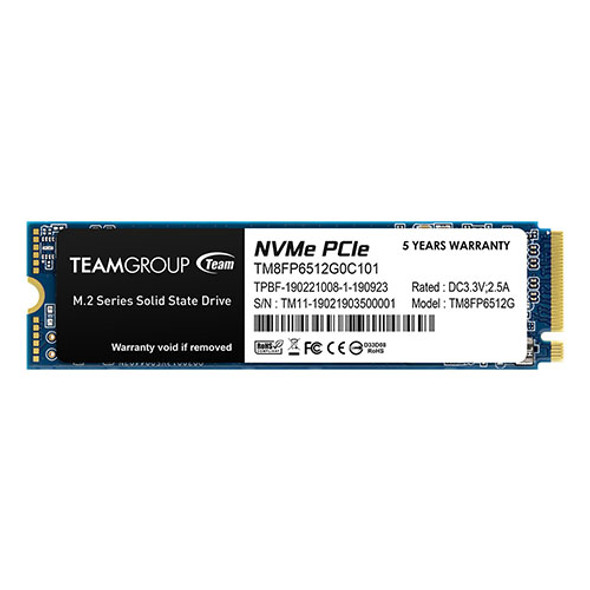
Team 512GB MP33 M.2 NVMe Gen3 SSD, M.2 2280, PCIe3, R/W 1700/1400 MB/s
TEAM


Kingston NV3 1TB NVMe SSD – M.2 2280 PCIe 4.0 Gen4, 6000MB/s Read
Kingston
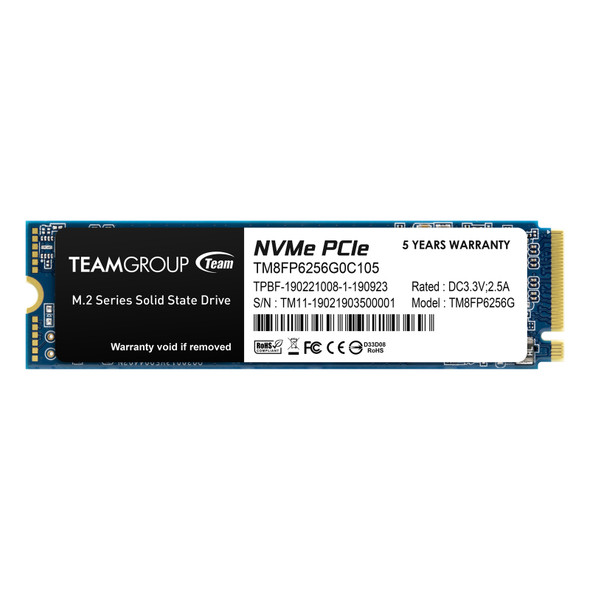
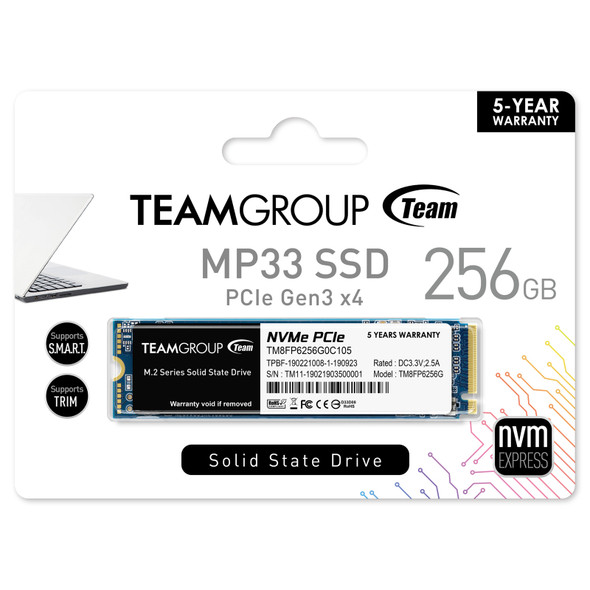
Team 256GB MP33 M.2 NVMe Gen3 SSD, M.2 2280, PCIe3, R/W 1600/1000 MB/s
TEAM