
GIGABYTE
Gigabyte B760M Gaming X DDR4 Gen5 LGA1700 Motherboard – PCIe 5.0, 2.5GbE & Dual M.2
- SKU:
- MBGIG-B760MG45
- UPC:
- 4719331874087
- MPN:
- B760M GAMING X DDR4 GEN5
- Availability:
- Free Click & Collect in Peterborough. UK delivery also available


Description
Gigabyte B760M Gaming X DDR4 Gen5 LGA1700 Motherboard – PCIe 5.0, 2.5GbE & Dual M.2
The Gigabyte B760M Gaming X DDR4 Gen5 is a performance-focused Micro-ATX motherboard for modern Intel desktop PCs and gaming systems. Built around the Intel B760 chipset and LGA1700 socket, it supports compatible 14th, 13th and 12th Generation Intel Core processors together with selected Pentium Gold and Celeron CPUs.
This DDR4 Gen5 version combines a PCI Express 5.0 x16 graphics slot, four DDR4 memory slots, two PCIe 4.0 M.2 NVMe SSD sockets, 2.5 Gigabit Ethernet, front USB-C 10Gbps connectivity, HDMI and DisplayPort outputs, an 8+1+1 phase hybrid digital VRM, advanced VRM cooling, M.2 Thermal Guard, Smart Fan 6 and Q-Flash Plus.
Quick answer: The Gigabyte B760M Gaming X DDR4 Gen5 is a Micro-ATX Intel B760 motherboard designed for LGA1700 gaming and desktop PCs. It supports 12th, 13th and 14th Gen Intel processors, up to 128GB DDR4 memory, PCIe 5.0 x16 graphics, two PCIe 4.0 M.2 SSDs, 2.5GbE networking and front USB-C connectivity.
Key Features of the Gigabyte B760M Gaming X DDR4 Gen5
- Intel B760 Express chipset
- LGA1700 CPU socket
- Supports compatible 14th, 13th and 12th Generation Intel Core processors
- Also supports compatible Intel Pentium Gold and Celeron LGA1700 processors
- Micro-ATX form factor – 24.4 × 24.4cm
- 4 × DDR4 DIMM slots
- Up to 128GB DDR4 system memory
- Dual-channel DDR4 architecture
- Intel XMP memory profile support
- DDR4 speeds up to 5333 MT/s (OC) with compatible hardware
- PCIe 5.0 x16 primary expansion slot
- Reinforced PCIe UD Slot for graphics-card support
- PCIe EZ-Latch graphics-card release mechanism
- 2 × PCIe 4.0 x4 M.2 NVMe SSD slots
- M.2 Thermal Guard heatsink
- 4 × SATA 6Gb/s ports
- Realtek 2.5GbE Ethernet
- Front USB 3.2 Gen 2 Type-C 10Gbps header
- HDMI and DisplayPort motherboard video outputs
- 8+1+1 phase Hybrid Digital VRM
- 60A DrMOS VCORE power stages
- VRM Thermal Armor Advanced
- 6-layer PCB construction
- Smart Fan 6 cooling management
- RGB Fusion lighting support
- Q-Flash Plus BIOS updating without CPU, memory or graphics card installed
Intel B760 Motherboard for 12th, 13th and 14th Gen CPUs
The Gigabyte B760M Gaming X DDR4 Gen5 uses the Intel LGA1700 socket and B760 chipset, making it suitable for a broad range of compatible Intel desktop processors.
Supported processor families include:
- 14th Generation Intel Core processors
- 13th Generation Intel Core processors
- 12th Generation Intel Core processors
- Compatible Intel Pentium Gold processors
- Compatible Intel Celeron processors
This gives PC builders considerable flexibility when creating anything from a cost-effective home or office computer to a powerful Intel gaming PC.
Check CPU and BIOS Compatibility Before Installation
Processor compatibility can depend on the motherboard BIOS version. When installing a particular CPU, especially when pairing a newer processor generation with a motherboard that may have been manufactured earlier, check Gigabyte's current CPU support list and the required BIOS version.
The motherboard includes Q-Flash Plus, which can make BIOS updating easier because a BIOS update can be performed without having the processor, memory or graphics card installed.
PCIe 5.0 x16 Graphics Card Support
One of the major features of the B760M Gaming X DDR4 Gen5 is its CPU-connected primary PCI Express 5.0 x16 slot.
PCIe 5.0 provides twice the theoretical data rate per lane of PCIe 4.0, helping provide a high-bandwidth expansion platform for current and future compatible devices.
Reinforced PCIe UD Slot for Heavy Graphics Cards
Gigabyte reinforces the primary PCIe 5.0 slot using its PCIe UD Slot design. The stainless-steel reinforcement helps strengthen the slot and provides additional mechanical support for large and heavy graphics cards.
This is particularly useful in gaming systems using large multi-slot GPUs where the weight of the graphics card can place extra mechanical stress on a conventional motherboard slot.
PCIe EZ-Latch Makes GPU Removal Easier
The primary graphics slot also incorporates Gigabyte's PCIe EZ-Latch. This provides easier access to the PCIe retention mechanism when removing a graphics card, especially in systems where a large GPU or CPU cooler makes the standard latch difficult to reach.
Important: PCIe 5.0 Graphics but PCIe 4.0 M.2 Storage
The PCIe 5.0 specification applies to the primary x16 expansion slot. The motherboard's two M.2 NVMe SSD sockets operate at up to PCIe 4.0 x4.
This distinction is important when selecting storage:
- Primary graphics slot: PCIe 5.0 x16
- First M.2 SSD socket: PCIe 4.0 x4/x2
- Second M.2 SSD socket: PCIe 4.0 x4/x2
The motherboard therefore does not provide a PCIe 5.0 M.2 SSD socket. Users specifically looking to achieve PCIe Gen5 NVMe SSD speeds should take this into account.
Dual PCIe 4.0 M.2 NVMe SSD Support
The Gigabyte B760M Gaming X DDR4 Gen5 provides two M.2 Socket 3 connectors for high-speed PCIe NVMe solid-state storage.
CPU-Connected M.2 Slot
The first M.2 slot is connected through the CPU and supports:
- M.2 Socket 3
- M-Key NVMe SSDs
- Type 2280 drives
- PCIe 4.0 x4/x2 operation
Chipset-Connected M.2 Slot
The second M.2 connector operates through the Intel B760 chipset and supports:
- M.2 Socket 3
- M-Key NVMe SSDs
- Type 2280 and 22110 drives
- PCIe 4.0 x4/x2 operation
This dual-M.2 arrangement allows users to install separate NVMe drives for Windows, applications, games, creative projects or general storage without relying entirely on SATA drives.
M.2 Thermal Guard for NVMe SSD Cooling
Gigabyte equips the board with an M.2 Thermal Guard to help transfer heat away from a high-performance NVMe SSD.
High-speed M.2 drives can generate considerable heat during sustained workloads. By helping dissipate heat from the SSD, the thermal guard is designed to reduce the likelihood of performance being limited by excessive SSD temperatures.
4 SATA 6Gb/s Ports for SSDs and Hard Drives
In addition to its two M.2 connectors, the motherboard provides four SATA 6Gb/s ports for compatible SATA SSDs, hard drives and other SATA storage devices.
SATA storage support includes:
- RAID 0
- RAID 1
- RAID 5
- RAID 10
This allows the B760M Gaming X DDR4 Gen5 to support a mixture of modern NVMe storage and traditional SATA SSDs or high-capacity hard drives.
4 DDR4 Slots with Up to 128GB Memory
The motherboard includes four DDR4 DIMM slots supporting dual-channel memory architecture and up to 128GB total system memory.
Using four DIMM sockets provides greater upgrade flexibility than motherboards with only two memory slots. A PC can initially be configured with two compatible modules while keeping additional slots available for future expansion.
DDR4 XMP Memory Support up to 5333 MT/s OC
Gigabyte officially lists DDR4 memory speeds ranging from standard JEDEC frequencies through to DDR4-5333 MT/s when overclocked with compatible memory and hardware.
The board supports Intel Extreme Memory Profile (XMP), allowing compatible memory kits to load manufacturer-tested performance profiles through the BIOS.
Maximum memory frequency depends on the installed CPU, memory modules, number of DIMMs, memory controller and system configuration, so Gigabyte's memory support list should be checked when targeting very high DDR4 speeds.
This Is a DDR4 Motherboard – Not DDR5
The B760M Gaming X DDR4 Gen5 uses DDR4 memory only. DDR5 DIMMs are physically and electrically different and cannot be installed in the DDR4 slots.
The term GEN5 in this motherboard's product name refers primarily to its PCIe Gen5 capability and should not be confused with DDR5 memory support.
8+1+1 Phase Hybrid Digital VRM
The motherboard uses Gigabyte's 8+1+1 phase Hybrid Digital power design to provide stable power delivery to the CPU and supporting components.
The design includes:
- 8 VCORE phases using 60A DrMOS for CPU core power
- 1 VCCGT phase using 50A DrMOS for integrated graphics power
- 1 VCCAUX phase for supporting CPU PCIe and memory-controller functions
An 8-pin ATX12V CPU power connector with Gigabyte UD solid-pin construction works alongside the standard 24-pin ATX motherboard power connector.
VRM Thermal Armor Advanced
CPU power-delivery components can generate significant heat during demanding workloads. Gigabyte uses its VRM Thermal Armor Advanced design with enlarged MOSFET heatsinks to improve heat transfer and airflow around the motherboard power stages.
The heatsink design is paired with a 5 W/mK thermal pad to help transfer heat from the power components to the cooling assembly.
6-Layer PCB Construction
The B760M Gaming X DDR4 Gen5 uses a 6-layer PCB as part of its electrical and signal-integrity design. Gigabyte combines this with PCIe 5.0-ready routing and shielded memory routing to support high-speed component communication.
2.5 Gigabit Ethernet for Fast Wired Networking
Networking is handled by a Realtek 2.5GbE LAN controller supporting:
- 2.5Gbps Ethernet
- 1Gbps Gigabit Ethernet
- 100Mbps Ethernet
When connected to compatible 2.5GbE network equipment, the higher network bandwidth can be useful for large local file transfers, NAS access, game downloads and other network-intensive workloads.
Does the B760M Gaming X DDR4 Gen5 Have Wi-Fi?
No. This particular B760M Gaming X DDR4 Gen5 model does not include built-in Wi-Fi. Wired networking is provided through the Realtek 2.5GbE Ethernet connection.
If wireless networking or Bluetooth is required, a compatible PCIe or USB wireless adapter can be added separately. Buyers requiring integrated wireless connectivity should ensure they select a Gigabyte model specifically identified as a Wi-Fi or WiFi 6/6E version.
Front USB-C 10Gbps Connectivity
The motherboard includes an internal USB Type-C header supporting USB 3.2 Gen 2 at up to 10Gbps. This allows a compatible PC case with a front-panel USB-C connector to provide high-speed Type-C connectivity.
Important USB-C Compatibility Note
The USB-C connection is provided through an internal front-panel header. It is not a rear-panel USB-C port. Your computer case must provide a compatible front USB-C cable and connector to use this feature.
Rear USB Connectivity
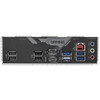
The motherboard provides eight USB Type-A connections on the rear I/O panel:
- 3 × USB 3.2 Gen 1 ports
- 5 × USB 2.0/1.1 ports
Additional USB connectivity is available through the internal motherboard headers for compatible PC case front panels and expansion accessories.
HDMI and DisplayPort Integrated Graphics Outputs
For compatible Intel processors with integrated graphics, the motherboard provides both HDMI and DisplayPort video outputs.
- HDMI: up to 4096 × 2160 at 60Hz
- DisplayPort: up to 4096 × 2304 at 60Hz
- HDCP 2.3 support
Motherboard Video Outputs Require a CPU with Integrated Graphics
The HDMI and DisplayPort connections rely on graphics built into the installed processor. If an Intel processor without integrated graphics is installed, such as many models carrying an F suffix, the motherboard's HDMI and DisplayPort connections will not provide a video signal.
Systems using a dedicated graphics card should normally connect the monitor directly to the graphics card's own display outputs.
Realtek 7.1-Channel HD Audio
The motherboard uses a Realtek High Definition Audio CODEC and supports 2-channel, 4-channel, 5.1-channel and 7.1-channel audio configurations through the appropriate software settings.
Gigabyte also uses high-quality audio capacitors and an audio noise guard design to help separate sensitive analogue audio circuitry from potential electrical interference on the PCB.
An internal S/PDIF Out header is also provided for compatible hardware.
Smart Fan 6 Cooling Control
Gigabyte Smart Fan 6 provides advanced control over CPU, system and compatible pump cooling devices.
The motherboard includes:
- 1 × CPU fan header
- 3 × system fan headers
- Support for PWM fans
- Support for DC-controlled fans
- Support for compatible water-cooling pumps
- Up to 24W / 2A per supported fan header
- Multiple temperature monitoring points
- Customisable fan curves
- Fan Stop functionality
Fan Stop for Quiet PC Builds
Fan Stop allows compatible fans to stop when temperatures are sufficiently low and restart when additional cooling is required. This can help reduce unnecessary fan noise during idle or low-load operation.
RGB Fusion Lighting Support
For users building an illuminated gaming PC, the motherboard includes:
- 3 × addressable RGB LED headers
- 1 × conventional RGB LED header
Compatible lighting can be controlled using supported Gigabyte RGB Fusion functionality through Gigabyte Control Center.
Q-Flash Plus for Easier BIOS Updates
Q-Flash Plus allows the motherboard BIOS to be updated using a compatible USB flash drive without requiring the CPU, system memory or graphics card to be installed.
This can be particularly useful when:
- Installing a processor that requires a newer BIOS
- Building a PC using a newly released supported CPU
- Recovering or updating the BIOS before completing a system build
Always follow Gigabyte's Q-Flash Plus instructions carefully and use the correct BIOS file for the exact motherboard model.
Micro-ATX Form Factor
The Gigabyte B760M Gaming X DDR4 Gen5 measures 24.4 × 24.4cm and uses the Micro-ATX motherboard form factor.
It can be installed in compatible:
- Micro-ATX PC cases
- ATX PC cases that support Micro-ATX mounting
- Many compact gaming PC cases designed for mATX motherboards
Always check your case specifications before purchase to confirm Micro-ATX motherboard support and clearance for your chosen CPU cooler, graphics card, storage devices and power supply.
Expansion Slot Configuration
The motherboard provides two full-length physical PCI Express expansion slots:
- 1 × CPU-connected PCIe 5.0 x16 slot operating at x16
- 1 × chipset-connected PCIe 3.0 x16-length slot operating electrically at x4
The second slot can therefore accept compatible expansion cards, but it should not be confused with a second x16-bandwidth graphics slot.
Internal Connectivity for PC Builders
The B760M Gaming X DDR4 Gen5 includes a comprehensive range of internal connections:
- 1 × 24-pin ATX motherboard power connector
- 1 × 8-pin ATX12V CPU power connector
- 1 × CPU fan header
- 3 × system fan headers
- 3 × addressable LED headers
- 1 × RGB LED header
- 2 × M.2 Socket 3 connectors
- 4 × SATA 6Gb/s connectors
- 1 × front-panel connector
- 1 × front-panel audio header
- 1 × S/PDIF Out header
- 1 × front USB-C USB 3.2 Gen 2 header
- 1 × USB 3.2 Gen 1 header
- 2 × USB 2.0/1.1 headers
- 2 × Thunderbolt add-in-card connectors
- 1 × TPM header for compatible Gigabyte TPM modules
- 1 × serial port header
- 1 × Q-Flash Plus button
- 1 × Clear CMOS jumper
Who Is the Gigabyte B760M Gaming X DDR4 Gen5 Best For?
- Users building a 12th, 13th or 14th Gen Intel gaming PC
- PC builders wanting to reuse existing DDR4 memory
- Users who want PCIe 5.0 graphics-card expansion
- Gaming systems using one powerful dedicated GPU
- Users requiring dual PCIe 4.0 NVMe SSD support
- PCs requiring 2.5GbE wired networking
- Micro-ATX gaming builds
- Home and business desktop PCs
- Users wanting front USB-C 10Gbps connectivity
- Builders who value Q-Flash Plus and easier BIOS updating
Who Is This Motherboard Not For?
This motherboard may not be the best choice if you specifically require:
- DDR5 memory – this model uses DDR4 only
- PCIe 5.0 M.2 storage – both M.2 slots are PCIe 4.0
- Built-in Wi-Fi or Bluetooth – this model uses wired 2.5GbE networking
- A full-size ATX motherboard with additional expansion slots
- An AMD processor – this is an Intel LGA1700 motherboard
Gigabyte B760M Gaming X DDR4 Gen5 Technical Overview
- Brand: Gigabyte
- Model: B760M GAMING X DDR4 GEN5
- EAN / GTIN: 4719331874087
- Chipset: Intel B760 Express
- CPU Socket: LGA1700
- CPU Support: Intel Core 14th / 13th / 12th Gen, compatible Pentium Gold and Celeron
- Memory Type: DDR4
- Memory Slots: 4
- Maximum Memory: 128GB
- Memory Architecture: Dual Channel
- XMP Support: Yes
- Maximum Listed DDR4 Speed: 5333 MT/s OC
- Primary Expansion Slot: PCIe 5.0 x16
- Secondary Expansion Slot: PCIe 3.0 x16 physical / x4 electrical
- M.2 Slots: 2
- M.2 Interface: PCIe 4.0 x4/x2
- SATA Ports: 4 × SATA 6Gb/s
- LAN: Realtek 2.5GbE
- Wi-Fi: No integrated Wi-Fi
- Audio: Realtek High Definition Audio
- Audio Channels: Up to 7.1-channel
- HDMI: 1
- DisplayPort: 1
- Rear USB: 3 × USB 3.2 Gen 1 + 5 × USB 2.0/1.1
- Front USB-C: USB 3.2 Gen 2 10Gbps header
- VRM: 8+1+1 Hybrid Digital Power Design
- VCORE: 8 × 60A DrMOS phases
- PCB: 6-Layer
- M.2 Cooling: M.2 Thermal Guard
- BIOS: AMI UEFI, 256Mbit Flash
- Q-Flash Plus: Yes
- Operating System Support: Windows 11 64-bit / Windows 10 64-bit
- Form Factor: Micro-ATX
- Dimensions: 24.4 × 24.4cm
Important Compatibility Checks Before Buying
Before purchasing the Gigabyte B760M Gaming X DDR4 Gen5, check the following:
- Your processor uses the Intel LGA1700 socket and appears on Gigabyte's CPU support list.
- Your memory is DDR4 rather than DDR5.
- Your PC case supports a Micro-ATX motherboard measuring 24.4 × 24.4cm.
- Your CPU BIOS requirement is compatible with the BIOS installed on the motherboard.
- Your chosen M.2 SSD is suitable for the board's PCIe 4.0 M.2 interface.
- You have a separate Wi-Fi adapter if wireless networking is required.
- Your PC case has a compatible front USB-C connector if you want to use the motherboard's USB-C 10Gbps header.
Important DDR4 vs DDR5 Note
DDR5 RAM cannot be installed in this motherboard. This is the DDR4 version of the B760M Gaming X Gen5 and should be paired with compatible DDR4 desktop DIMMs.
Important PCIe Gen5 Note
The motherboard provides PCIe 5.0 x16 for the main expansion slot. Its two M.2 NVMe storage slots operate at up to PCIe 4.0 x4. This product should therefore not be described as providing PCIe 5.0 M.2 SSD storage.
Important Integrated Graphics Note
The rear HDMI and DisplayPort outputs require an installed processor with integrated Intel graphics. If your processor does not contain an integrated GPU, use the display connections on a dedicated graphics card instead.
Why Choose the Gigabyte B760M Gaming X DDR4 Gen5?
The Gigabyte B760M Gaming X DDR4 Gen5 is a strong choice for users building an Intel LGA1700 gaming or productivity PC who want to combine affordable DDR4 memory with more modern platform features.
Its combination of a PCIe 5.0 x16 graphics slot, dual PCIe 4.0 M.2 storage, 2.5GbE networking, four DDR4 DIMM slots, 8+1+1 phase power delivery, advanced VRM cooling, M.2 Thermal Guard, front USB-C and Q-Flash Plus provides a well-balanced feature set in a compact Micro-ATX format.
Choose the B760M Gaming X DDR4 Gen5 if you need an LGA1700 Micro-ATX motherboard for a compatible 12th, 13th or 14th Gen Intel CPU, want to continue using DDR4 memory, and want PCIe Gen5 graphics expansion without moving to a more expensive DDR5 platform.
Specification
Gigabyte B760M Gaming X DDR4 Gen5 Motherboard Specifications
The Gigabyte B760M GAMING X DDR4 GEN5 is a Micro-ATX Intel B760 motherboard designed for compatible 14th, 13th and 12th Generation Intel processors using the LGA1700 socket. It combines four DDR4 DIMM slots, PCIe 5.0 x16 graphics expansion, dual PCIe 4.0 M.2 storage, 2.5GbE networking, front USB-C 10Gbps connectivity and Q-Flash Plus.
General Information
| Brand | Gigabyte |
| Product Name | Gigabyte B760M GAMING X DDR4 GEN5 |
| Manufacturer Part Number / MPN | B760M GAMING X DDR4 GEN5 |
| Memox SKU | MBGIG-B760MG45 |
| EAN / GTIN-13 | 4719331874087 |
| Product Type | Desktop PC Motherboard |
| Form Factor | Micro-ATX |
| Dimensions | 24.4 × 24.4cm |
CPU and Chipset Specifications
| CPU Socket | Intel LGA1700 |
| Chipset | Intel B760 Express |
| 14th Gen Intel Core Support | Yes |
| 13th Gen Intel Core Support | Yes |
| 12th Gen Intel Core Support | Yes |
| Other Supported CPU Families | Compatible Intel Pentium Gold and Celeron LGA1700 processors |
| CPU Cache | L3 cache varies according to installed processor |
Memory Specifications
| Memory Type | DDR4 |
| DDR5 Support | No |
| Memory Slots | 4 × DDR4 DIMM |
| Maximum Memory Capacity | 128GB |
| Maximum Capacity per DIMM | 32GB |
| Memory Architecture | Dual Channel |
| Maximum Listed Memory Speed | DDR4-5333 MT/s (OC) |
| Standard DDR4 Speeds | 3200 / 3000 / 2933 / 2666 / 2400 / 2133 MT/s |
| Overclocked DDR4 Speeds | 3300 / 3333 / 3400 / 3466 / 3600 / 3666 / 3733 / 3800 / 3866 / 4000 / 4133 / 4266 / 4300 / 4400 / 4500 / 4600 / 4700 / 4800 / 4933 / 5000 / 5133 / 5333 MT/s |
| Intel XMP Support | Yes |
| ECC Memory Support | ECC Un-buffered 1Rx8 / 2Rx8 DIMMs supported in non-ECC mode |
| Non-ECC Memory Support | Non-ECC Un-buffered 1Rx8 / 2Rx8 / 1Rx16 DIMMs |
PCI Express Expansion Slots
| Primary PCIe Slot | 1 × PCI Express 5.0 x16 |
| Primary Slot Electrical Speed | x16 |
| Primary Slot Connection | CPU |
| Secondary PCIe Slot | 1 × PCI Express 3.0 x16 physical slot |
| Secondary Slot Electrical Speed | x4 |
| Secondary Slot Connection | Intel B760 Chipset |
| PCIe EZ-Latch | Yes – primary PCIe slot |
| PCIe UD Slot Reinforcement | Yes – reinforced primary PCIe 5.0 x16 slot |
M.2 and Storage Specifications
| Total M.2 Slots | 2 |
| M2A_CPU Slot | M.2 Socket 3, M-Key, Type 2280, PCIe 4.0 x4/x2 |
| M2A_CPU Connection | CPU |
| M2P_SB Slot | M.2 Socket 3, M-Key, Type 22110 / 2280, PCIe 4.0 x4/x2 |
| M2P_SB Connection | Intel B760 Chipset |
| PCIe 5.0 M.2 Support | No – both onboard M.2 slots operate at up to PCIe 4.0 x4 |
| M.2 Thermal Guard | Yes |
| SATA Ports | 4 × SATA 6Gb/s |
| SATA RAID Support | RAID 0 / RAID 1 / RAID 5 / RAID 10 |
Networking Specifications
| Ethernet Controller | Realtek 2.5GbE LAN |
| Ethernet Speeds | 2.5Gbps / 1Gbps / 100Mbps |
| RJ-45 Ethernet Port | 1 |
| Integrated Wi-Fi | No |
| Integrated Bluetooth | No |
| Wireless Adapter Required | Yes, if Wi-Fi or Bluetooth connectivity is required |
Onboard Graphics and Display Outputs
| Graphics Source | Integrated graphics provided by a compatible Intel processor |
| HDMI Ports | 1 |
| HDMI Version | HDMI 2.1 with HDCP 2.3 |
| Maximum HDMI Resolution | 4096 × 2160 at 60Hz |
| DisplayPort | 1 |
| DisplayPort Version | DisplayPort 1.2 with HDCP 2.3 |
| Maximum DisplayPort Resolution | 4096 × 2304 at 60Hz |
Audio Specifications
| Audio Controller | Realtek Audio CODEC |
| Audio Standard | High Definition Audio |
| Supported Audio Channels | 2 / 4 / 5.1 / 7.1 Channel |
| Rear Audio Jacks | 3 |
| S/PDIF Support | Yes – internal S/PDIF Out header |
| Audio Features | High-end audio capacitors and Audio Noise Guard design |
Rear USB and I/O Connections
| USB 3.2 Gen 1 Type-A | 3 × rear ports |
| USB 2.0 / 1.1 | 5 × rear ports |
| Rear USB Type-C | No |
| HDMI | 1 |
| DisplayPort | 1 |
| RJ-45 2.5GbE LAN | 1 |
| Audio Jacks | 3 |
Internal USB Connectivity
| Front USB Type-C Header | 1 × USB 3.2 Gen 2 |
| Front USB-C Maximum Speed | Up to 10Gbps |
| USB 3.2 Gen 1 Header | 1 header supporting up to 2 additional USB ports |
| USB 2.0 / 1.1 Headers | 2 headers supporting up to 4 additional USB ports |
Internal I/O Connectors
| 24-Pin ATX Main Power | 1 |
| 8-Pin ATX12V CPU Power | 1 |
| CPU Fan Header | 1 |
| System Fan Headers | 3 |
| Addressable RGB LED Headers | 3 |
| RGB LED Header | 1 |
| M.2 Socket 3 Connectors | 2 |
| SATA 6Gb/s Connectors | 4 |
| Front Panel Header | 1 |
| Front Panel Audio Header | 1 |
| S/PDIF Out Header | 1 |
| USB Type-C Header | 1 × USB 3.2 Gen 2 |
| USB 3.2 Gen 1 Header | 1 |
| USB 2.0 / 1.1 Headers | 2 |
| Thunderbolt Add-In Card Connectors | 2 |
| TPM Header | 1 – supports compatible Gigabyte GC-TPM2.0 SPI V2 module |
| Serial Port Header | 1 |
| Q-Flash Plus Button | 1 |
| Reset Jumper | 1 |
| Clear CMOS Jumper | 1 |
Power Delivery and Thermal Features
| VRM Design | 8+1+1 Phase Hybrid Digital Power Design |
| CPU VCORE Power Stages | 8 × 60A DrMOS |
| VCCGT Power Stage | 1 × 50A DrMOS |
| VCCAUX Phase | 1 |
| VRM Cooling | VRM Thermal Armor Advanced |
| VRM Thermal Pad | 5 W/mK |
| M.2 Cooling | M.2 Thermal Guard |
| PCB | 6-Layer PCB |
| Smart Fan 6 | Yes |
| PWM Fan Support | Yes |
| DC Fan Support | Yes |
| Water-Cooling Pump Support | Supported through compatible fan headers |
| Maximum Fan Header Output | Up to 24W / 2A per supported header |
| Fan Stop | Yes |
Hardware Monitoring
| Voltage Detection | Yes |
| Temperature Detection | Yes |
| Fan Speed Detection | Yes |
| Water-Cooling Flow Rate Detection | Yes |
| Fan Fail Warning | Yes |
| Fan Speed Control | Yes, subject to installed fan support |
BIOS and Software
| BIOS Flash | 1 × 256Mbit Flash |
| BIOS Type | Licensed AMI UEFI BIOS |
| BIOS Standards | PnP 1.0a, DMI 2.7, WfM 2.0, SMBIOS 2.7, ACPI 5.0 |
| Q-Flash | Yes |
| Q-Flash Plus | Yes – BIOS can be updated without CPU, RAM or GPU installed |
| Gigabyte Control Center | Supported |
| Smart Backup | Supported |
RGB Lighting Support
| Addressable LED Headers | 3 |
| RGB LED Header | 1 |
| RGB Control | Gigabyte RGB Fusion / Gigabyte Control Center compatible |
Operating System Support
| Windows 11 | Windows 11 64-bit |
| Windows 10 | Windows 10 64-bit |
Package Contents
| Motherboard | 1 × Gigabyte B760M GAMING X DDR4 GEN5 |
| User Manual | Included |
| SATA Cables | 2 |
| M.2 Screw | 1 |
| M.2 Rubber Pads | 1 pack of thick / thin M.2 rubber pads |
| Wi-Fi Antenna | Not included with this non-Wi-Fi model |
Important CPU Compatibility Note
The motherboard supports compatible 14th, 13th and 12th Generation Intel Core, Pentium Gold and Celeron LGA1700 processors. CPU support can depend on the installed BIOS version, so check Gigabyte's current CPU support list before installing a particular processor.
Q-Flash Plus allows the BIOS to be updated without installing the CPU, memory or graphics card, which can be useful when preparing the motherboard for a processor requiring a newer BIOS revision.
Important DDR4 Compatibility Note
This is the DDR4 version of the B760M GAMING X GEN5 motherboard. It accepts compatible DDR4 desktop DIMMs and does not support DDR5 memory. DDR4 and DDR5 modules are not interchangeable.
Maximum achievable memory speed depends on the processor, memory kit, number of installed DIMMs and memory configuration. DDR4-5333 is an overclocked specification and requires compatible memory and hardware.
Important PCIe Gen5 and M.2 Note
The motherboard's main expansion slot supports PCI Express 5.0 x16. However, the two onboard M.2 SSD sockets support up to PCI Express 4.0 x4.
Therefore, this motherboard should not be advertised as having a PCIe 5.0 M.2 SSD slot. The Gen5 specification applies to the primary PCIe x16 expansion slot.
Important Graphics Output Note
The rear HDMI and DisplayPort connections require a processor with supported integrated Intel graphics. Intel processors without integrated graphics, including many models with an F suffix, will not provide a video signal through the motherboard's HDMI or DisplayPort outputs.
Important Wi-Fi and Bluetooth Note
The B760M GAMING X DDR4 GEN5 does not include integrated Wi-Fi or Bluetooth. It provides wired networking through the Realtek 2.5GbE LAN controller. Users requiring wireless networking must install a compatible PCIe or USB Wi-Fi/Bluetooth adapter.
Do not confuse this model with the separately available B760M GAMING X WIFI6E DDR4 GEN5, which includes an Intel Wi-Fi 6E wireless module and Bluetooth.
Important Model Identification Note
These specifications apply specifically to the Gigabyte B760M GAMING X DDR4 GEN5, EAN 4719331874087. They should not be mixed with specifications for the B760M GAMING X WIFI6E DDR4 GEN5, older B760M GAMING X DDR4 models or DDR5 versions.
Return
FAQ: Frequenlty Asked Questions
GIGABYTE B760M GAMING X DDR4 GEN5 Motherboard FAQ
The GIGABYTE B760M GAMING X DDR4 GEN5 is an Intel B760 Micro-ATX motherboard for LGA1700 gaming and productivity PCs. It supports compatible 12th, 13th and 14th Generation Intel Core processors, DDR4 memory, a PCIe 5.0 x16 graphics slot, dual PCIe 4.0 M.2 storage, 2.5GbE LAN, front USB-C, Smart Fan 6, RGB/ARGB lighting and Q-Flash Plus.
Below are answers to the most common questions buyers ask about the B760M GAMING X DDR4 GEN5, including CPU and BIOS compatibility, DDR4 and XMP, PCIe 5.0 graphics, NVMe SSDs, 2.5GbE, Wi-Fi, USB-C, troubleshooting, Q-Flash Plus and whether this motherboard is the right choice for your PC build.
1. What is the GIGABYTE B760M GAMING X DDR4 GEN5 motherboard?
The GIGABYTE B760M GAMING X DDR4 GEN5 is a Micro-ATX Intel B760 motherboard for LGA1700 processors. It supports 12th, 13th and 14th Generation Intel Core processors, DDR4 memory, a PCIe 5.0 x16 graphics slot, two PCIe 4.0 x4 M.2 SSD slots, 2.5GbE LAN, front USB-C, RGB/ARGB headers, Smart Fan 6 and Q-Flash Plus.
2. Is this the GEN5 version of the B760M GAMING X DDR4?
Yes. This listing is specifically for the B760M GAMING X DDR4 GEN5. It should not be confused with the earlier B760M GAMING X DDR4 Rev. 1.0, whose main graphics slot is PCIe 4.0. The GEN5 model on this page provides a CPU-connected PCIe 5.0 x16 slot.
3. What form factor is the B760M GAMING X DDR4 GEN5?
It is a Micro-ATX motherboard measuring approximately 24.4 cm x 24.4 cm. It fits cases that support Micro-ATX motherboards and also normally fits larger ATX-compatible cases.
4. Which chipset does this motherboard use?
It uses the Intel B760 Express chipset. B760 is designed for mainstream Intel LGA1700 systems and provides modern storage, USB, networking and memory features without the CPU multiplier overclocking focus of Intel Z-series chipsets.
5. Which Intel processors are supported?
GIGABYTE lists support for 12th, 13th and 14th Generation Intel Core processors as well as compatible Pentium Gold and Celeron LGA1700 processors. Always check GIGABYTE's latest CPU support list for the exact processor and required BIOS version before installation.
6. Does the B760M GAMING X DDR4 GEN5 support 14th Gen Intel Core CPUs?
Yes. GIGABYTE lists 14th Generation Intel Core processors as supported on this GEN5 board. Always check GIGABYTE's latest CPU support list for the exact processor and BIOS guidance. If a BIOS update is ever required, Q-Flash Plus can update the BIOS without installing a CPU, RAM or graphics card.
7. Does it support 12th and 13th Gen Intel processors?
Yes. The LGA1700 socket supports compatible 12th and 13th Generation Intel Core processors in addition to supported 14th Gen models. Check the exact CPU support list if you are using an unusual or OEM processor.
8. Does this motherboard support Intel Core Ultra 200S desktop processors?
No. Intel Core Ultra 200S desktop processors use the newer LGA1851 platform, while the B760M GAMING X DDR4 GEN5 uses LGA1700. Core Ultra 200S CPUs are therefore not compatible with this motherboard.
9. Can I use an Intel K or KF processor such as the i5-14600K or i5-14600KF?
Yes, compatible LGA1700 K and KF processors can be used. A KF processor requires a discrete graphics card because it has no integrated graphics. Remember that the B760 chipset does not provide the same unlocked CPU multiplier overclocking capability as a Z790/Z690 motherboard.
10. Can I overclock the CPU on this B760 motherboard?
B760 does not support traditional unlocked CPU multiplier overclocking in the same way as Intel Z-series motherboards. You can still use supported K/KF CPUs, XMP memory profiles and GIGABYTE performance or power-management features, but buyers specifically wanting manual CPU multiplier overclocking should choose a compatible Z-series board.
11. Is this motherboard a good match for the Intel Core i5-14600K or i5-14600KF?
Yes, it can be a good non-CPU-overclocking match. The board uses an 8+1+1 hybrid digital power design with 60A DrMOS stages on VCORE and substantial VRM heatsinking. Use an appropriate CPU cooler, good case airflow and a current BIOS.
12. Can this motherboard run Core i7 and Core i9 LGA1700 processors?
Supported Core i7 and Core i9 models can be installed if they appear on GIGABYTE's CPU support list. For high-power processors and sustained heavy workloads, use strong CPU cooling, good case airflow and suitable BIOS power settings because power and thermal requirements rise significantly at the top end of the CPU range.
13. Does the B760M GAMING X DDR4 GEN5 use DDR4 or DDR5 RAM?
This model uses DDR4 memory only. It has four DDR4 DIMM slots and cannot accept DDR5 modules because DDR4 and DDR5 use different electrical and physical interfaces.
14. What is the maximum RAM capacity?
GIGABYTE specifies four DDR4 DIMM slots supporting up to 128GB total, using up to 32GB per DIMM. Dual-channel memory architecture is supported.
15. What DDR4 memory speeds does the motherboard support?
GIGABYTE lists standard DDR4 speeds including 3200, 3000, 2933, 2666, 2400 and 2133 MT/s, with overclocked/XMP speeds extending up to DDR4-5333 (O.C.). Achievable speed depends on the CPU, memory kit, number of DIMMs and memory controller quality.
16. Does this motherboard support Intel XMP memory profiles?
Yes. GIGABYTE lists support for Extreme Memory Profile (XMP) modules. Enabling XMP can allow a compatible DDR4 kit to run at its rated profile instead of a lower default JEDEC speed, but XMP is an overclocked memory setting and is not guaranteed with every CPU and RAM combination.
17. Which RAM slots should I use for two memory modules?
For a two-DIMM dual-channel kit, GIGABYTE's recommended configuration uses DDR4_A2 and DDR4_B2, which are normally the second and fourth slots away from the CPU. Using the recommended slots can improve memory training and XMP stability.
18. Why does the PC fail to boot after enabling XMP?
XMP instability can be caused by an unsupported memory profile, incorrect DIMM placement, four-DIMM loading, BIOS version, CPU memory-controller limits or an aggressive memory speed. Start with the modules in A2/B2, update the BIOS, verify the memory support list, test at default settings and, if necessary, enable XMP but reduce the memory speed.
19. Can I use all four DDR4 slots at the same time?
Yes, the board supports four DIMMs. However, running four memory modules places a heavier electrical load on the CPU memory controller, so the highest XMP speeds may be harder to achieve than with two matched modules. For best stability, use a validated matched kit rather than mixing unrelated RAM kits.
20. Does this motherboard support ECC memory?
GIGABYTE lists support for ECC unbuffered 1Rx8/2Rx8 DDR4 modules, but they operate in non-ECC mode on this platform. In other words, installing an ECC-capable UDIMM does not give you active ECC error-correction functionality.
21. Does the B760M GAMING X DDR4 GEN5 have PCIe 5.0?
Yes. The primary CPU-connected full-length PCIe slot supports PCIe 5.0 x16. This is one of the main differences between the GEN5 model and the earlier non-GEN5 B760M GAMING X DDR4.
22. Will a PCIe 5.0 graphics card work at full x16 bandwidth?
A compatible PCIe 5.0 graphics card can use the primary CPU-connected slot at up to PCIe 5.0 x16. Actual performance and link speed also depend on the CPU and graphics card. Install a single graphics card in the reinforced primary PCIEX16 slot.
23. Can I use a PCIe 4.0 or PCIe 3.0 graphics card?
Yes. PCI Express is designed to be backward compatible, so PCIe 4.0 and PCIe 3.0 graphics cards can be used in the primary PCIe 5.0 x16 slot. The card will operate at the highest mutually supported PCIe generation.
24. What is the second full-length PCIe slot used for?
The second full-length physical x16 slot is connected through the B760 chipset and operates at PCIe 3.0 x4. It can be useful for compatible expansion cards, capture cards, storage adapters or other add-in devices, but it does not provide the same bandwidth as the primary PCIe 5.0 x16 graphics slot.
25. How many M.2 NVMe SSDs can I install?
The motherboard has two M.2 Socket 3 connectors for PCIe NVMe SSDs. One is CPU-connected and the other is chipset-connected, giving you two high-speed M.2 storage positions.
26. Are the M.2 slots PCIe Gen5?
No. The motherboard's GEN5 branding refers primarily to the PCIe 5.0 x16 expansion slot. Both onboard M.2 SSD connectors are specified for PCIe 4.0 x4/x2 operation, not PCIe 5.0 M.2 storage speeds.
27. Can I install a PCIe 5.0 NVMe SSD in this motherboard?
A PCIe 5.0 NVMe drive may be backward compatible and operate in a PCIe 4.0 M.2 slot, but it will be limited to the slot's PCIe 4.0 capability. Check the SSD manufacturer's backward-compatibility information before purchase. For full Gen5 SSD performance, a motherboard with a PCIe 5.0 M.2 slot is required.
28. Do the M.2 slots support SATA M.2 SSDs?
No. GIGABYTE's documentation specifies the M.2 connectors for PCIe SSDs. M.2 SATA SSDs are not listed as supported in these M.2 slots. Standard 2.5-inch SATA SSDs can instead connect through the motherboard's SATA 6Gb/s ports.
29. What M.2 SSD sizes are supported?
The CPU-connected M2A_CPU slot supports a type 2280 PCIe 4.0 x4/x2 SSD. The chipset-connected M2P_SB slot supports type 2280 and 22110 PCIe 4.0 x4/x2 SSDs.
30. Does the motherboard include an M.2 heatsink?
Yes. GIGABYTE includes an M.2 Thermal Guard on the board to help dissipate heat from a high-speed M.2 SSD and reduce the likelihood of thermal throttling. Check which slot is covered by the supplied heatsink when planning your SSD installation.
31. How many SATA drives can I connect?
The motherboard provides four SATA 6Gb/s ports for compatible 2.5-inch SATA SSDs, 3.5-inch hard drives and other SATA devices.
32. Does it support RAID?
Yes. GIGABYTE specifies RAID 0, RAID 1, RAID 5 and RAID 10 support for SATA storage devices. RAID configuration requirements depend on the drives, BIOS settings and operating system.
33. Does the motherboard have 2.5 Gigabit Ethernet?
Yes. It uses a Realtek 2.5GbE LAN controller supporting 2.5Gbps, 1Gbps and 100Mbps Ethernet. To achieve speeds above 1Gbps, the router/switch, cabling and other network equipment must also support the faster link rate.
34. Does the B760M GAMING X DDR4 GEN5 have built-in Wi-Fi?
No. This specific non-Wi-Fi B760M GAMING X DDR4 GEN5 model does not include a wireless LAN module. GIGABYTE sells separate Wi-Fi-equipped variants, so check the exact model name if built-in wireless networking is required.
35. Does this motherboard have built-in Bluetooth?
No. The non-Wi-Fi B760M GAMING X DDR4 GEN5 does not include an onboard Bluetooth module. Bluetooth can be added using a compatible PCIe or USB adapter.
36. Can I add Wi-Fi and Bluetooth later?
Yes. You can add wireless connectivity with a suitable PCIe Wi-Fi/Bluetooth adapter or USB adapter. A PCIe Wi-Fi card may also require connection to an internal USB header for its Bluetooth function, depending on the card design.
37. Does this motherboard have HDMI and DisplayPort outputs?
Yes. The rear I/O provides one HDMI output and one DisplayPort output. These motherboard display outputs only work when the installed processor provides integrated graphics.
38. Why do HDMI and DisplayPort show no picture with an Intel F or KF processor?
Intel desktop processors with an F or KF suffix normally do not include an integrated GPU. With one of these CPUs, connect the monitor to the discrete graphics card rather than the motherboard's HDMI or DisplayPort outputs.
39. What display resolutions do the onboard HDMI and DisplayPort support?
GIGABYTE specifies HDMI output up to 4096 x 2160 at 60Hz and DisplayPort output up to 4096 x 2304 at 60Hz, subject to the capabilities of the installed CPU's integrated graphics.
40. Does the motherboard have USB-C?
Yes, but the USB-C connection is provided through an internal front-panel header rather than as a rear USB-C port. The header supports USB 3.2 Gen 2 speeds up to 10Gbps when connected to a compatible case front USB-C port.
41. How many rear USB ports are available?
The rear panel provides eight USB Type-A ports in total: three USB 3.2 Gen 1 ports and five USB 2.0/1.1 ports. Additional USB ports can be provided through the motherboard's internal headers and a compatible case.
42. What audio does the B760M GAMING X DDR4 GEN5 provide?
It uses a Realtek high-definition audio codec and supports 2, 4, 5.1 and 7.1-channel audio configurations. GIGABYTE also highlights high-end audio capacitors, an audio noise guard and support for S/PDIF output through an internal header.
43. How many fan headers does the motherboard have?
The board provides one CPU fan header and three system fan headers. GIGABYTE Smart Fan 6 supports compatible PWM and DC fans, customizable fan curves, temperature-based control and Fan Stop operation.
44. Does the motherboard support RGB and ARGB lighting?
Yes. It provides three addressable RGB/ARGB LED strip headers and one conventional RGB LED strip header. Lighting can be managed through compatible GIGABYTE RGB Fusion/GIGABYTE Control Center features.
45. What is Q-Flash Plus and can I update the BIOS without a CPU?
Q-Flash Plus allows a BIOS update without installing the CPU, memory or graphics card. Connect the motherboard's 24-pin and 8-pin power cables, place the correct BIOS file renamed to gigabyte.bin on a FAT32 USB drive, insert it into the designated Q-Flash Plus USB port and use the Q-Flash Plus button according to GIGABYTE's instructions.
46. Should I update the BIOS for a 13th or 14th Gen Intel Core processor?
Keeping the BIOS current is recommended when it addresses CPU stability, compatibility or security for your processor. GIGABYTE has released BIOS updates for this GEN5 board containing newer Intel CPU microcode, including updates intended to improve conditions associated with 13th/14th Gen desktop CPU Vmin Shift instability. Use only the BIOS for the exact B760M GAMING X DDR4 GEN5 model and follow GIGABYTE's update instructions carefully.
47. Why do I get a BIOS ID error when updating this motherboard?
A BIOS ID error commonly occurs when the downloaded BIOS file does not match the exact motherboard model or revision. Make sure you download BIOS files specifically for the B760M GAMING X DDR4 GEN5 rather than the older B760M GAMING X DDR4, an AX/Wi-Fi model or a different revision. Never force a BIOS file intended for another board.
48. What do the CPU, DRAM, VGA and BOOT status LEDs mean?
The onboard status LEDs help identify where a startup problem may be occurring. A lit CPU, DRAM or VGA LED indicates that the corresponding component is not operating normally during POST, while a BOOT LED indicates that the system has not entered the operating system.
49. What should I check if a new build powers on but does not POST?
Check the 24-pin motherboard and 8-pin CPU power cables, confirm the CPU is supported, reseat the RAM and test one module in A2, reseat the graphics card, connect the display to the correct GPU output, inspect the CPU socket for damage, check the status LEDs and clear CMOS. If CPU compatibility may depend on BIOS, use Q-Flash Plus with the correct GEN5 BIOS.
50. How do I clear the CMOS on this motherboard?
The board includes a Clear CMOS jumper. With the PC shut down and disconnected from mains power, follow GIGABYTE's manual procedure for shorting the CLR_CMOS pins. Clearing CMOS returns BIOS settings to defaults and can help recover from unstable XMP or other incorrect BIOS settings.
51. Does the B760M GAMING X DDR4 GEN5 support Windows 11 and TPM 2.0?
GIGABYTE lists support for Windows 11 64-bit and Windows 10 64-bit. The board also has a TPM header for compatible GIGABYTE TPM modules, while supported Intel platforms can also provide firmware-based TPM functionality through BIOS settings for Windows 11 requirements.
52. What power connectors are required for the motherboard?
The board uses one standard 24-pin ATX main power connector and one 8-pin ATX 12V CPU power connector. Connect both from a suitable power supply before first boot, especially when using a higher-power Intel processor.
53. What VRM design does the B760M GAMING X DDR4 GEN5 use?
GIGABYTE specifies an 8+1+1 hybrid digital VRM design, including eight 60A DrMOS VCORE phases, a VCCGT phase and an auxiliary phase. The board also uses substantial VRM heatsinking to help maintain power-delivery temperatures under load.
54. Does it have an integrated I/O shield and PCIe EZ-Latch?
Yes. The board is designed with an integrated rear I/O shield and GIGABYTE's PCIe EZ-Latch, which makes releasing a graphics card from the reinforced primary slot easier during upgrades or maintenance.
55. Does it support Thunderbolt add-in cards?
The motherboard provides two internal Thunderbolt add-in card connectors. Actual Thunderbolt functionality requires a compatible GIGABYTE add-in card and the appropriate system, BIOS, cabling and operating-system support.
56. Who is the GIGABYTE B760M GAMING X DDR4 GEN5 best for, and who should choose something else?
It is well suited to builders who want to reuse or buy DDR4 memory while building an Intel 12th, 13th or 14th Gen LGA1700 gaming or productivity PC with PCIe 5.0 graphics support, dual Gen4 M.2 storage and 2.5GbE. Choose another board if you need DDR5, built-in Wi-Fi/Bluetooth, PCIe 5.0 M.2 storage, Intel Core Ultra 200S/LGA1851 support or Z-series CPU multiplier overclocking.
Related Products
Related Products

Gigabyte B760M D3HP DDR4 LGA1700 Micro-ATX Motherboard – Dual M.2 & PCIe 4.0
GIGABYTE


Gigabyte B550 EAGLE AM4 ATX Motherboard – DDR4, Dual M.2, PCIe 4.0 & HDMI
GIGABYTE

ASRock B550M Pro4 AM4 Micro-ATX Motherboard – DDR4, Dual M.2 & PCIe 4.0
ASROCK

Gigabyte B550 EAGLE WIFI6 AM4 ATX Motherboard – Wi-Fi 6, DDR4 & Dual M.2
GIGABYTE

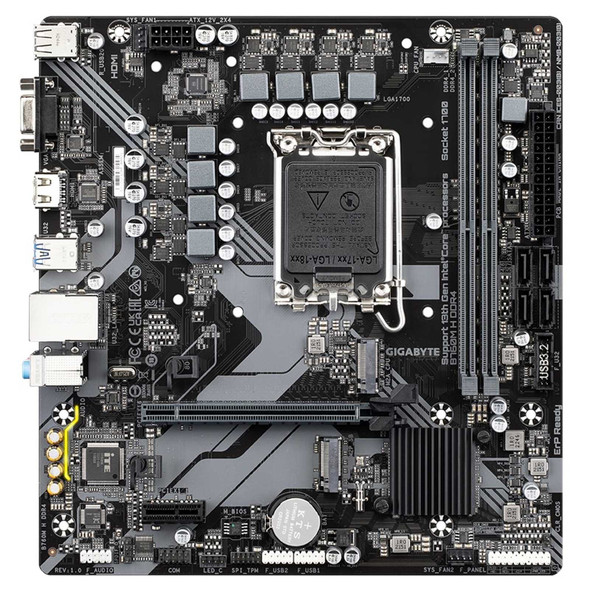
Gigabyte B760M H DDR4 Ultra Durable Intel 1700 Socket Motherboard, Micro-ATX, 2x DDR4 Slots, 2x M.2 Sockets, GbE LAN, 1x D-Sub / 1x HDMI Port
GIGABYTE