
GIGABYTE
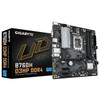
Gigabyte B760M D3HP DDR4 LGA1700 Micro-ATX Motherboard – Dual M.2 & PCIe 4.0
- SKU:
- MBGIG-B760MD3HPD
- UPC:
- 4719331862848
- MPN:
- B760M D3HP DDR4
- Availability:
- Free Click & Collect in Peterborough. UK delivery also available.




Description
GIGABYTE B760M D3HP DDR4 LGA1700 Micro-ATX Motherboard – Dual PCIe 4.0 M.2, DDR4, HDMI & USB-C
The GIGABYTE B760M D3HP DDR4 is a compact Intel B760 Micro-ATX motherboard designed for gaming PCs, home computers, office systems and productivity builds using compatible 12th, 13th and 14th Generation Intel Core processors. Built around the LGA1700 socket, it combines four DDR4 memory slots, PCIe 4.0 graphics, dual PCIe 4.0 M.2 NVMe storage, four SATA 6Gb/s ports, Gigabit Ethernet, triple-display connectivity and front-panel USB-C support.
The motherboard supports up to 128GB of dual-channel DDR4 memory across four DIMM sockets, with GIGABYTE listing memory speeds up to DDR4-5333 MT/s overclocked when using a suitable processor, memory kit and XMP configuration.
Storage flexibility is provided by two M.2 2280 PCIe 4.0 x4/x2 sockets plus four SATA 6Gb/s connectors. The primary full-length expansion slot runs at PCIe 4.0 x16, making the board suitable for modern PCIe graphics cards while maintaining compatibility with many earlier PCIe-generation GPUs.
For systems using an Intel processor with integrated graphics, the rear panel includes HDMI 2.1, DisplayPort 1.2 and D-Sub/VGA, with support for up to three displays simultaneously. A Realtek Gigabit Ethernet controller provides wired networking, while Realtek High Definition Audio supports up to 7.1-channel sound.
The exact model sold here is GIGABYTE B760M D3HP DDR4, Memox SKU MBGIG-B760MD3HPD, EAN 4719331862848. It is an excellent choice for users looking for an affordable Intel B760 DDR4 motherboard with LGA1700 processor support, dual PCIe 4.0 NVMe storage, four RAM slots and a compact Micro-ATX design.
Key Features of the GIGABYTE B760M D3HP DDR4
- Intel LGA1700 CPU socket
- Intel B760 Express chipset
- Supports compatible 14th Gen Intel Core processors
- Supports compatible 13th Gen Intel Core processors
- Supports compatible 12th Gen Intel Core processors
- Supports compatible Intel Pentium Gold and Celeron processors
- Micro-ATX form factor – 24.4 × 24.4cm
- 4+1+1 phase Hybrid Digital VRM design
- 8-pin CPU power connector
- 4 × DDR4 DIMM sockets
- Up to 128GB DDR4 memory
- Dual-channel memory architecture
- Intel XMP memory profile support
- DDR4 speeds up to 5333 MT/s OC
- 1 × PCIe 4.0 x16 graphics slot
- PCIe EZ-Latch
- 2 × PCIe 3.0 x1 expansion slots
- 2 × PCIe 4.0 x4/x2 M.2 NVMe sockets
- 4 × SATA 6Gb/s ports
- RAID 0, 1, 5 and 10 support for SATA storage
- Realtek 1GbE Gigabit Ethernet
- Realtek 7.1-channel High Definition Audio
- High-end audio capacitors
- Audio Noise Guard
- HDMI 2.1
- DisplayPort 1.2
- D-Sub / VGA
- Triple-display support with compatible CPU integrated graphics
- Front USB-C 5Gbps support
- Smart Fan 6
- 1 × CPU fan + 3 × system fan headers
- PWM, DC fan and water-pump support
- Fan Stop functionality
- 1 × addressable RGB header
- 1 × conventional RGB header
- GIGABYTE RGB Fusion support
- Q-Flash
- Q-Flash Plus
- GIGABYTE Control Center support
- Windows 10 and Windows 11 64-bit support
- 3-year GIGABYTE UK limited motherboard warranty
Intel LGA1700 Motherboard for 12th, 13th and 14th Gen Core CPUs
The B760M D3HP DDR4 uses the Intel LGA1700 socket and supports compatible processors from several Intel desktop generations.
GIGABYTE currently lists support for:
- 14th Generation Intel Core desktop processors
- 13th Generation Intel Core desktop processors
- 12th Generation Intel Core desktop processors
- Compatible Intel Pentium Gold processors
- Compatible Intel Celeron processors
Always Check the Exact CPU Support List
Socket compatibility alone does not guarantee that every LGA1700 processor will work with every motherboard BIOS version.
Before ordering or upgrading, check:
- The exact Intel processor model
- GIGABYTE's B760M D3HP DDR4 CPU Support List
- The minimum BIOS version required
- The BIOS version currently installed on the motherboard where known
This is particularly important when installing processors released after the motherboard's original production date.
Q-Flash Plus Makes BIOS Updating Easier
The B760M D3HP DDR4 includes GIGABYTE Q-Flash Plus, one of the motherboard's most useful upgrade features.
Q-Flash Plus allows a compatible BIOS to be updated without installing the CPU, memory or graphics card.
Why Q-Flash Plus Is Useful
This can be particularly valuable when:
- Installing a newer-generation processor
- The installed BIOS is too old for the chosen CPU
- Building a PC for the first time
- Recovering or updating motherboard firmware before full assembly
Basic Q-Flash Plus Process
GIGABYTE's documented process involves:
- Connecting the motherboard's 24-pin and 8-pin power connections.
- Downloading the correct BIOS for the B760M D3HP DDR4.
- Renaming the BIOS file as instructed by GIGABYTE.
- Placing it on a suitably formatted USB flash drive.
- Connecting the USB drive to the designated Q-Flash Plus USB port.
- Pressing the onboard Q-Flash Plus button.
Always follow the current GIGABYTE BIOS instructions carefully and do not interrupt power while a firmware update is in progress.
Intel B760 Express Chipset
The Intel B760 Express chipset provides a modern platform for Intel LGA1700 desktop systems while retaining support for DDR4 memory on this specific motherboard.
This makes the B760M D3HP DDR4 particularly attractive for users who already own a good DDR4 memory kit or want to build an LGA1700 computer without moving to DDR5.
DDR4 Version – Not DDR5
This product is specifically the B760M D3HP DDR4.
It only accepts DDR4 desktop memory and should not be confused with the separate B760M D3HP DDR5 motherboard.
DDR5 memory will not fit and is not compatible with this DDR4 model.
Four DDR4 DIMM Slots – Up to 128GB RAM
The motherboard has four DDR4 DIMM sockets supporting a maximum manufacturer-listed system memory capacity of 128GB.
It operates using a dual-channel memory architecture.
Supported DDR4 Speeds
GIGABYTE lists support for a broad selection of memory speeds ranging from standard DDR4-2133 through DDR4-3200 and higher overclocked frequencies up to DDR4-5333 MT/s OC.
Supported speeds include manufacturer-listed frequencies such as:
- DDR4-2133
- DDR4-2400
- DDR4-2666
- DDR4-2933
- DDR4-3000
- DDR4-3200
- DDR4-3600 OC
- DDR4-4000 OC
- DDR4-4266 OC
- DDR4-4600 OC
- DDR4-4800 OC
- DDR4-5000 OC
- Up to DDR4-5333 OC
Memory Speed Depends on CPU and RAM Configuration
The highest memory speed is not guaranteed with every processor or memory kit.
Actual stable frequency depends on:
- Installed Intel processor
- Processor memory controller
- RAM module design
- Number of DIMMs installed
- Memory rank configuration
- XMP profile
- Motherboard BIOS
For high-frequency DDR4 configurations, consult GIGABYTE's current Memory Support List.
Intel XMP Memory Overclocking
The B760M D3HP DDR4 supports Intel Extreme Memory Profile / XMP memory modules.
A compatible XMP memory kit can load its programmed frequency, voltage and timing profile through the motherboard BIOS instead of requiring every memory setting to be entered manually.
B760 Supports Memory Overclocking
Intel's B760 chipset supports memory overclocking, which is why XMP memory profiles and frequencies above standard JEDEC specifications can be used with suitable CPU and RAM combinations.
However, B760 should not be confused with an Intel Z-series chipset designed for full CPU IA/BCLK overclocking. If conventional unlocked-CPU overclocking is a primary requirement, check the capabilities of an appropriate Z-series motherboard instead.
ECC DIMMs Operate in Non-ECC Mode
GIGABYTE lists support for compatible ECC unbuffered DDR4 DIMMs, but specifies that these modules operate in non-ECC mode.
The board should therefore not be purchased as an error-correcting workstation platform if active ECC functionality is required.
PCIe 4.0 x16 Graphics Slot
The primary full-length expansion slot connects through the processor and supports PCI Express 4.0 x16.
This provides a high-bandwidth interface for compatible graphics cards.
PCIe 4.0 Is Backward Compatible
Many PCIe 3.0 graphics cards can also operate in the PCIe 4.0 slot because PCI Express supports backward compatibility between generations.
The final negotiated PCIe generation depends on the processor, motherboard and connected device.
No PCIe 5.0 Graphics Slot
The B760M D3HP DDR4's primary graphics slot is specified as PCIe 4.0 x16, not PCIe 5.0.
This distinction is worth checking when comparing it with more expensive Intel motherboards.
GIGABYTE PCIe EZ-Latch
The primary PCIe slot includes GIGABYTE EZ-Latch.
This is designed to make releasing the graphics-card retention latch easier when removing a large GPU from the motherboard.
It can be especially useful where a large graphics-card cooler leaves limited space to reach the conventional PCIe retention mechanism.
Two Additional PCIe 3.0 x1 Slots
The Intel B760 chipset provides two PCIe 3.0 x1 expansion slots on the motherboard.
These can be used with compatible devices such as:
- Sound cards
- WiFi adapters
- Bluetooth/WiFi combination cards
- USB expansion cards
- Selected capture cards
- Network adapters
- Other PCIe x1 expansion hardware
Dual PCIe 4.0 M.2 NVMe Storage
The B760M D3HP DDR4 includes two M.2 Socket 3 M-Key storage connectors.
Both support M.2 2280 PCIe SSDs with up to PCIe 4.0 x4/x2 connectivity.
M2A_CPU – CPU-Connected M.2
The first M.2 socket is connected to the processor and supports:
- M.2 2280 SSDs
- PCIe 4.0 x4/x2 NVMe operation
M2P_SB – B760 Chipset M.2
The second M.2 socket connects through the Intel B760 chipset and also supports:
- M.2 2280 SSDs
- PCIe 4.0 x4/x2 NVMe operation
PCIe 4.0 x4 Bandwidth
A PCIe 4.0 x4 interface provides up to approximately 64Gbps of theoretical raw interface bandwidth.
Actual SSD read and write performance depends on the SSD controller, NAND flash, temperature, workload and other system factors.
Important M.2 SATA SSD Information
GIGABYTE's current specification lists both M.2 sockets for PCIe SSD support.
It does not list SATA-mode M.2 SSD support for these two sockets.
Customers buying an M.2 drive for the B760M D3HP DDR4 should therefore choose a compatible PCIe NVMe M.2 2280 SSD rather than assuming an M.2 SATA SSD will work.
Four SATA 6Gb/s Ports
The motherboard has four SATA 6Gb/s connectors for conventional SATA storage devices.
These can be used with compatible:
- 2.5-inch SATA SSDs
- 3.5-inch SATA hard drives
- SATA optical drives
- Other SATA storage devices
Four SATA Ports – Not Six
The exact B760M D3HP DDR4 provides four SATA ports.
This is important when comparing it with other B760 boards that may include six SATA connectors.
RAID 0, RAID 1, RAID 5 and RAID 10
GIGABYTE lists SATA RAID support for:
- RAID 0
- RAID 1
- RAID 5
- RAID 10
RAID Does Not Replace a Backup
Even redundant RAID configurations should not be treated as a substitute for an independent backup.
Important files should still be stored in at least one separate location.
HDMI 2.1, DisplayPort and VGA
When a compatible Intel processor with integrated graphics is installed, the motherboard provides three physical video outputs:
- 1 × HDMI 2.1
- 1 × DisplayPort 1.2
- 1 × D-Sub / VGA
HDMI 2.1 Resolution
GIGABYTE lists a maximum HDMI resolution of:
- 4096 × 2160 at 60Hz
The HDMI output supports HDCP 2.3 and is described by GIGABYTE as a native HDMI 2.1 TMDS-compatible port.
DisplayPort Resolution
The DisplayPort 1.2 connection supports up to:
- 4096 × 2304 at 60Hz
DisplayPort also supports HDCP 2.3.
VGA Resolution
The D-Sub analogue display output supports up to:
- 1920 × 1200 at 60Hz
This can be useful for older monitors, projectors and commercial displays that still use VGA.
Triple-Monitor Support
GIGABYTE lists support for up to three displays simultaneously when the installed processor provides compatible integrated graphics.
This can make the motherboard suitable for office, productivity, monitoring and multi-display home-computing systems without requiring a separate graphics card.
Important Intel F-Series CPU Display Information
The motherboard's HDMI, DisplayPort and VGA sockets rely on graphics hardware built into the installed Intel processor.
Intel desktop CPUs carrying an F suffix, such as many Core i5-F, Core i7-F and Core i9-F models, do not provide integrated graphics.
With an F-series processor, the motherboard display outputs will not produce an image and a dedicated graphics card is required.
Connect the Monitor to the Graphics Card When Using an F CPU
If you install a dedicated graphics card with a processor that has no integrated graphics, connect the monitor to the HDMI or DisplayPort socket on the graphics card rather than to the motherboard.
Realtek Gigabit Ethernet
The B760M D3HP DDR4 uses a Realtek Gigabit Ethernet controller supporting:
- 10Mb/s
- 100Mb/s
- 1000Mb/s / 1Gbps
1GbE – Not 2.5GbE
The network controller on this exact model is 1 Gigabit Ethernet.
It should not be advertised as a 2.5GbE motherboard.
A faster compatible PCIe network adapter can be added separately if 2.5GbE or faster networking is required.
LAN Bandwidth Management
GIGABYTE provides LAN bandwidth-management software intended to help prioritise network traffic and improve responsiveness when multiple applications are competing for available bandwidth.
Actual internet performance remains dependent on the router, local network, broadband service and remote server.
Realtek 7.1-Channel HD Audio
Onboard sound is provided by a Realtek High Definition Audio codec.
GIGABYTE lists support for:
- 2-channel audio
- 4-channel audio
- 5.1-channel audio
- 7.1-channel audio
High-End Audio Capacitors
GIGABYTE uses high-quality audio capacitors in the motherboard's audio section to support clean and detailed sound reproduction.
Audio Noise Guard
The analogue audio section is separated at PCB level through GIGABYTE's Audio Noise Guard design to help reduce interference from other motherboard circuitry.
Three Rear Audio Jacks
The rear panel has three analogue audio jacks.
The functionality of the audio jacks can be reassigned through the appropriate Realtek audio software when configuring supported multi-channel audio.
S/PDIF Output Header
The motherboard provides an internal S/PDIF Out header.
It should not be confused with a built-in optical S/PDIF socket on the rear I/O panel.
Front USB-C 5Gbps Connectivity
The B760M D3HP DDR4 includes an internal USB Type-C front-panel header supporting USB 3.2 Gen 1.
This provides a theoretical interface rate of up to:
- 5Gbps
When connected to a compatible PC case with a front USB-C cable and socket, it allows convenient front-panel USB-C access.
Important: USB-C Is Not on the Rear I/O
The USB-C capability on this motherboard is provided through an internal front-panel header.
The motherboard does not have a USB-C socket directly on its rear I/O panel.
USB-C Does Not Mean Thunderbolt
The front USB-C header is specified as USB 3.2 Gen 1.
GIGABYTE does not list it as a Thunderbolt connection or DisplayPort video output, so those functions should not be assumed simply because the connector is USB-C.
Rear USB Connectivity
The motherboard rear I/O provides:
- 3 × USB 3.2 Gen 1 Type-A ports
- 2 × USB 2.0 / 1.1 Type-A ports
Internal USB Expansion
Internal headers can additionally provide:
- 1 × front USB-C USB 3.2 Gen 1 connection
- 2 × additional USB 3.2 Gen 1 ports through one conventional header
- Up to 4 × USB 2.0 / 1.1 ports through two internal headers
The number of front ports actually available depends on the PC case and its cables.
Smart Fan 6 Cooling Control
The GIGABYTE B760M D3HP DDR4 includes Smart Fan 6 cooling controls for balancing temperature, fan speed and acoustic noise.
The motherboard provides:
- 1 × CPU fan header
- 3 × system fan headers
PWM and DC Fan Support
Smart Fan 6 supports compatible PWM and DC fans, allowing the motherboard to control a wide range of PC cooling hardware.
Water-Pump Support
GIGABYTE specifies its Smart Fan 6 hybrid headers for compatible fans and water-cooling pumps, with up to 24W / 12V 2A per applicable fan header and over-current protection.
Fan Stop
Fan Stop can completely stop a compatible fan below a user-selected temperature threshold.
This can reduce system noise during low-load use where active airflow from that fan is not required.
Custom Fan Curves
Smart Fan 6 provides configurable fan curves with multiple control points and slope or stair-style operating modes.
Custom fan-curve profiles can be stored in BIOS.
RGB Fusion Lighting Support
The motherboard includes lighting headers compatible with GIGABYTE RGB Fusion functionality.
It provides:
- 1 × addressable LED strip header
- 1 × conventional RGB LED strip header
Addressable RGB and Standard RGB Are Different
Always connect lighting equipment to the correct header type and voltage.
Addressable RGB and conventional RGB connections use different electrical standards and should not be interchanged.
4+1+1 Phase Hybrid Digital VRM
The B760M D3HP DDR4 uses a 4+1+1 phase Hybrid Digital VRM design with digital PWM control and low-RDS(on) MOSFETs.
GIGABYTE also highlights premium chokes and capacitors within the board's Ultra Durable design.
8-Pin CPU Power Connector
Processor power is supplied through an 8-pin ATX12V CPU power connector.
The power supply used for the PC must therefore provide the appropriate 8-pin CPU/EPS connection as well as the normal motherboard power connector.
24-Pin ATX Motherboard Power
The motherboard uses a standard 24-pin ATX main power connection.
The required total PSU wattage depends mainly on:
- Processor model
- Graphics card
- Storage drives
- Cooling hardware
- Expansion cards
- Other connected equipment
GIGABYTE Control Center
The B760M D3HP DDR4 supports GIGABYTE Control Center / GCC.
GCC provides a unified software environment for supported GIGABYTE motherboard functions, with available modules depending on the hardware and installed software version.
GIGABYTE UC BIOS
GIGABYTE's user-centred UEFI BIOS provides an interface for configuring hardware including:
- Memory and XMP settings
- Fan curves
- Boot devices
- Storage configuration
- Integrated peripherals
- Security settings
- CPU power and performance options
Quick Access
GIGABYTE's UC BIOS includes configurable Quick Access options in Easy Mode to make commonly used settings easier to reach.
GIGABYTE PerfDrive
PerfDrive provides predefined motherboard BIOS behaviour intended to balance Intel processor performance, power and cooling characteristics.
Available settings and behaviour depend on the installed processor, BIOS revision and cooling configuration.
TPM Header and Windows 11
The motherboard includes a header for compatible GIGABYTE TPM modules.
Modern Intel platforms can also provide firmware-based platform security features depending on the processor, firmware and operating-system configuration.
GIGABYTE currently lists support for:
- Windows 11 64-bit
- Windows 10 64-bit
Micro-ATX 24.4 × 24.4cm Form Factor
The motherboard uses the Micro-ATX form factor and measures approximately:
- 24.4 × 24.4cm
This makes it suitable for many compact Micro-ATX cases as well as larger ATX-compatible cases.
Check Your PC Case Before Ordering
The case must support Micro-ATX motherboards or a larger motherboard form factor that also accepts Micro-ATX.
A Mini-ITX-only chassis will normally be too small.
Suitable for Gaming PCs
The B760M D3HP DDR4 provides the key connectivity needed for many modern Intel gaming systems, including:
- 12th, 13th or 14th Gen Intel Core CPU support
- PCIe 4.0 x16 graphics
- Dual PCIe 4.0 NVMe SSDs
- Up to 128GB DDR4
- Gigabit Ethernet
- 7.1-channel HD Audio
- Smart Fan 6 cooling
Reuse Existing DDR4 Memory
For users upgrading from an older DDR4-based system, this motherboard may allow compatible DDR4 memory to be reused rather than requiring a completely new DDR5 kit.
Always check the memory type, capacity, speed and GIGABYTE compatibility information before reusing RAM from another system.
Suitable for Office and Productivity PCs
The combination of integrated display outputs, four DDR4 slots and multiple storage connections also makes the B760M D3HP DDR4 suitable for:
- Home-office computers
- Business desktops
- Student PCs
- Programming systems
- General productivity PCs
- Multi-monitor workstations
A dedicated graphics card is not necessarily required when using a compatible Intel processor with integrated graphics.
Does the GIGABYTE B760M D3HP DDR4 Support 14th Gen Intel CPUs?
Yes. GIGABYTE currently lists compatible 14th Generation Intel Core processors for the B760M D3HP DDR4.
Check the CPU Support List and BIOS requirements for the exact processor before installation.
Does It Support 13th Gen Intel CPUs?
Yes. Compatible 13th Generation Intel Core desktop processors are supported.
Does It Support 12th Gen Intel CPUs?
Yes. Compatible 12th Generation Intel Core processors are supported through the same LGA1700 socket.
Does It Support Intel Core i9, i7, i5 and i3?
The motherboard supports a broad range of compatible Intel Core processors across its supported generations, including various Core i9, Core i7, Core i5 and Core i3 models.
The exact CPU should always be confirmed on GIGABYTE's current CPU Support List.
Can I Use an Intel K-Series Processor?
A compatible LGA1700 K-series CPU can be installed if it appears on the motherboard's CPU Support List.
However, Intel B760 primarily supports memory overclocking rather than the full IA/BCLK CPU overclocking capabilities available on suitable Z-series chipsets.
Users buying an unlocked K-series CPU specifically for conventional CPU overclocking should consider whether a Z790-class motherboard better matches their requirements.
Does the Motherboard Support DDR5?
No. This is the B760M D3HP DDR4 version.
It accepts DDR4 DIMMs only. DDR5 modules are physically and electrically different and cannot be installed.
Does It Have WiFi?
No integrated WiFi is listed for the standard B760M D3HP DDR4.
Wireless networking can be added using a compatible PCIe or USB WiFi adapter.
Does It Have Bluetooth?
No built-in Bluetooth is listed for this model.
Bluetooth can be added through a suitable expansion card or USB adapter.
Does It Have 2.5Gb Ethernet?
No. The standard B760M D3HP DDR4 uses a Realtek 1GbE LAN controller.
A PCIe network adapter can be added if faster wired networking is required.
Does It Have USB-C?
Yes, through an internal USB 3.2 Gen 1 front-panel Type-C header.
A compatible PC case with a front USB-C connector is required to make use of this header.
There is no rear USB-C socket on the standard motherboard I/O panel.
Does It Support PCIe 4.0 NVMe SSDs?
Yes. The board provides two M.2 2280 sockets supporting PCIe 4.0 x4/x2 SSDs.
For best results, use compatible PCIe NVMe M.2 drives.
Does It Support M.2 SATA SSDs?
GIGABYTE's current specification lists the two M.2 sockets for PCIe SSDs and does not list SATA-mode M.2 support.
Use a compatible NVMe PCIe M.2 SSD rather than assuming a SATA M.2 drive will work.
How Many SATA Ports Does It Have?
The motherboard has four SATA 6Gb/s ports.
Can I Use the HDMI Port Without a Graphics Card?
Yes, but only when the installed Intel processor includes compatible integrated graphics.
If the processor is an F-series model without integrated graphics, a dedicated GPU is required.
GIGABYTE B760M D3HP DDR4 Technical Specifications
- Brand: GIGABYTE
- Model: B760M D3HP DDR4
- MPN: B760M D3HP DDR4
- Memox SKU: MBGIG-B760MD3HPD
- EAN: 4719331862848
- CPU Socket: LGA1700
- Chipset: Intel B760 Express
- Supported CPU Generations: Compatible 14th, 13th and 12th Gen Intel Core
- Additional CPUs: Compatible Intel Pentium Gold and Celeron
- VRM: Hybrid 4+1+1 phase Digital VRM
- Memory Type: DDR4
- Memory Slots: 4
- Maximum Memory: 128GB
- Maximum DIMM Capacity in Current Specification: 32GB
- Memory Architecture: Dual channel
- XMP: Supported
- Maximum Published Memory OC: DDR4-5333 MT/s OC
- ECC DIMM Support: Compatible ECC unbuffered DIMMs operate in non-ECC mode
- Primary Expansion Slot: 1 × PCIe 4.0 x16
- Additional Expansion: 2 × PCIe 3.0 x1
- PCIe EZ-Latch: Yes
- M.2 Slots: 2
- M2A_CPU: M.2 2280 PCIe 4.0 x4/x2
- M2P_SB: M.2 2280 PCIe 4.0 x4/x2
- SATA Ports: 4 × SATA 6Gb/s
- SATA RAID: RAID 0 / 1 / 5 / 10
- Ethernet: Realtek 1GbE
- WiFi: No built-in WiFi
- Bluetooth: No built-in Bluetooth
- Audio: Realtek High Definition Audio
- Audio Channels: Up to 7.1-channel
- Rear Audio Jacks: 3
- S/PDIF: Internal S/PDIF Out header
- HDMI: HDMI 2.1, up to 4096 × 2160 at 60Hz with compatible CPU graphics
- DisplayPort: DisplayPort 1.2, up to 4096 × 2304 at 60Hz
- D-Sub: Up to 1920 × 1200 at 60Hz
- Triple Display: Supported with compatible integrated graphics
- Rear USB 3.2 Gen 1: 3
- Rear USB 2.0: 2
- Front USB-C: USB 3.2 Gen 1 / 5Gbps through internal header
- Additional Front USB 3.2 Gen 1: Up to 2 ports
- Additional Front USB 2.0: Up to 4 ports
- CPU Fan Headers: 1
- System Fan Headers: 3
- Smart Fan 6: Supported
- Fan Stop: Supported
- Addressable RGB Header: 1
- RGB Header: 1
- Q-Flash: Supported
- Q-Flash Plus: Supported
- BIOS: 128Mbit AMI UEFI
- Main Power: 24-pin ATX
- CPU Power: 8-pin ATX12V
- Operating Systems: Windows 10 64-bit / Windows 11 64-bit
- Form Factor: Micro-ATX
- Dimensions: 24.4 × 24.4cm
- Warranty: 3-year GIGABYTE UK limited local motherboard warranty, subject to applicable terms
Important CPU and BIOS Compatibility Information
Check the exact processor against GIGABYTE's B760M D3HP DDR4 CPU Support List before installation.
A BIOS update may be required for certain processors or CPU revisions. Q-Flash Plus allows supported firmware updates without installing the CPU, RAM or graphics card.
Important Intel 13th and 14th Gen BIOS Information
GIGABYTE continues to provide BIOS and CPU microcode updates for this motherboard. For Intel 13th and 14th Generation desktop processors, use an appropriate current stable BIOS and follow Intel/GIGABYTE recommended processor settings.
Because BIOS releases change over time, check GIGABYTE's support page for the current recommended firmware rather than relying on a permanently printed BIOS-version number in a product listing.
Important DDR4 Information
This motherboard uses DDR4 only.
DDR5 memory is not physically compatible. DDR4 speeds above standard processor specifications are overclocked settings and depend on the CPU, memory kit and BIOS configuration.
Important PCIe Information
The primary graphics slot is PCIe 4.0 x16. It is not advertised as PCIe 5.0.
GIGABYTE additionally states that the primary PCIEX16 slot is intended for a graphics card or an NVMe SSD configuration.
Important M.2 Information
Both M.2 sockets support M.2 2280 PCIe NVMe SSDs with PCIe 4.0 x4/x2 connectivity.
GIGABYTE does not list SATA-mode M.2 support for these sockets, so choose PCIe NVMe storage for M.2 installation.
Important SATA Information
The exact B760M D3HP DDR4 has four SATA 6Gb/s ports, not six.
SATA RAID 0, RAID 1, RAID 5 and RAID 10 are listed for supported storage configurations.
Important Integrated Graphics Information
The rear HDMI, DisplayPort and D-Sub connectors require a processor with integrated Intel graphics.
An Intel F-series CPU without integrated graphics requires a separate graphics card and the monitor should be connected to the graphics card.
Important USB-C Information
USB-C on the B760M D3HP DDR4 is provided through a front-panel internal USB 3.2 Gen 1 header.
The rear I/O panel does not include a USB-C connector. A compatible PC case with a front Type-C socket and internal cable is required to use the motherboard's USB-C header.
Important Network Information
The onboard Realtek Ethernet controller provides 1GbE / Gigabit Ethernet.
This motherboard does not have built-in 2.5GbE, WiFi or Bluetooth.
Important Audio Information
The Realtek audio solution supports up to 7.1-channel HD Audio. The rear panel has three analogue audio jacks, with jack functions configurable through appropriate audio software.
S/PDIF is provided as an internal motherboard header rather than as a built-in rear optical connector.
Important Fan and Pump Information
The board provides one CPU fan header and three system fan headers. Smart Fan 6 supports compatible PWM/DC fans and water-cooling pumps, with GIGABYTE listing up to 24W / 2A on applicable hybrid fan headers.
Always check the electrical requirements of a pump or high-current fan before connecting it directly to a motherboard header.
3-Year GIGABYTE UK Motherboard Warranty
GIGABYTE UK's current consumer motherboard warranty policy lists a 3-year limited local warranty, subject to regional terms, proof of purchase and applicable warranty conditions.
Why Choose the GIGABYTE B760M D3HP DDR4?
The GIGABYTE B760M D3HP DDR4 provides a practical route into Intel's LGA1700 platform without forcing users to replace existing DDR4 memory with DDR5.
Support for compatible 12th, 13th and 14th Gen Intel processors provides a wide range of CPU options, while four DIMM sockets and up to 128GB of memory give the board substantially more upgrade flexibility than two-slot entry-level motherboards.
Two PCIe 4.0 M.2 sockets allow high-speed NVMe SSD storage, while four SATA ports provide additional capacity for conventional SSDs and hard drives. The PCIe 4.0 x16 slot supports modern graphics cards and includes GIGABYTE's EZ-Latch mechanism for easier GPU removal.
For systems using a processor with integrated graphics, HDMI 2.1, DisplayPort 1.2 and VGA provide flexible multi-monitor connectivity, including support for up to three simultaneous displays.
Realtek Gigabit Ethernet, 7.1-channel HD Audio, front USB-C 5Gbps connectivity, Smart Fan 6, RGB Fusion, GIGABYTE Control Center and Q-Flash Plus provide a useful balance of connectivity, cooling control and system-management features for gaming, home and productivity PCs.
Choose the GIGABYTE B760M D3HP DDR4 when you need a compact Intel B760 Micro-ATX motherboard with LGA1700 support, four DDR4 slots, dual PCIe 4.0 M.2 storage, PCIe 4.0 graphics, Gigabit LAN, front USB-C and Q-Flash Plus.
Specification
GIGABYTE B760M D3HP DDR4 LGA1700 Micro-ATX Motherboard Specifications
The GIGABYTE B760M D3HP DDR4 is a Micro-ATX Intel B760 motherboard designed for compatible 14th, 13th and 12th Generation Intel Core processors using the LGA1700 socket. It combines four DDR4 DIMM slots, PCIe 4.0 graphics connectivity, dual PCIe 4.0 NVMe M.2 storage, four SATA ports, Gigabit Ethernet, HDMI, DisplayPort, VGA and front-panel USB-C support.
The exact model supplied by Memox is GIGABYTE B760M D3HP DDR4, Memox SKU MBGIG-B760MD3HPD, EAN / UPC 4719331862848.
General Information
| Brand | GIGABYTE |
|---|---|
| Product Name | GIGABYTE B760M D3HP DDR4 |
| Manufacturer Part Number | B760M D3HP DDR4 |
| Memox SKU | MBGIG-B760MD3HPD |
| EAN / UPC | 4719331862848 |
| Product Type | Desktop PC motherboard |
| Form Factor | Micro-ATX |
| CPU Socket | Intel LGA1700 |
| Chipset | Intel B760 Express |
Processor Compatibility
| 14th Generation Intel Core | Supported – check exact processor against GIGABYTE's current CPU Support List |
|---|---|
| 13th Generation Intel Core | Supported |
| 12th Generation Intel Core | Supported |
| Intel Pentium Gold | Supported for compatible LGA1700 models listed by GIGABYTE |
| Intel Celeron | Supported for compatible LGA1700 models listed by GIGABYTE |
| L3 Cache | Varies according to the installed processor |
| CPU Support List Recommended | Yes – exact CPU and required BIOS revision should be checked before installation |
Power Delivery
| VRM Design | Hybrid 4+1+1 Phase Digital VRM Solution |
|---|---|
| Digital PWM | Yes |
| MOSFET Design | Low RDS(on) MOSFET design |
| Power Components | Premium choke and capacitor design |
| CPU Power Connector | 1 × 8-pin ATX12V |
| CPU Power Connector Design | Solid Pin CPU power connector |
| Main Motherboard Power | 1 × 24-pin ATX |
Memory Specifications
| Memory Type | DDR4 |
|---|---|
| DDR5 Compatibility | No |
| DIMM Slots | 4 × DDR4 DIMM |
| Maximum System Memory | 128GB |
| Maximum Capacity per DIMM | 32GB according to GIGABYTE's current specification |
| Memory Architecture | Dual channel |
| XMP Support | Yes – Intel Extreme Memory Profile modules supported |
| ECC Unbuffered DIMMs | Supported but operate in non-ECC mode |
| Non-ECC Unbuffered DIMMs | Supported |
Supported DDR4 Memory Speeds
| Maximum Published Memory Speed | Up to DDR4-5333 MT/s (OC) |
|---|---|
| DDR4-5333 | Supported as overclocked / XMP configuration |
| DDR4-5133 | Supported as overclocked configuration |
| DDR4-5000 | Supported as overclocked configuration |
| DDR4-4933 | Supported as overclocked configuration |
| DDR4-4800 | Supported as overclocked configuration |
| DDR4-4700 | Supported as overclocked configuration |
| DDR4-4600 | Supported as overclocked configuration |
| DDR4-4500 | Supported as overclocked configuration |
| DDR4-4400 | Supported as overclocked configuration |
| DDR4-4300 / 4266 / 4133 / 4000 | Supported as overclocked configurations |
| DDR4-3866 / 3800 / 3733 / 3666 / 3600 | Supported as overclocked configurations |
| DDR4-3466 / 3400 / 3333 / 3300 | Supported as overclocked configurations |
| DDR4-3200 / 3000 / 2933 / 2666 / 2400 / 2133 | Supported subject to CPU and memory configuration |
| Maximum Speed Guaranteed | No – CPU, memory kit, DIMM configuration and BIOS affect achievable frequency |
Primary PCIe Expansion Slot
| Primary Expansion Slot | 1 × PCI Express x16 |
|---|---|
| PCIe Generation | PCIe 4.0 |
| Lane Width | x16 |
| Connection | CPU-connected |
| Graphics Card Support | Yes |
| NVMe SSD via Compatible PCIe Adapter | GIGABYTE states the PCIEX16 slot can support a graphics card or NVMe SSD |
| PCIe EZ-Latch | Yes |
| PCIe 5.0 x16 | No – primary graphics slot is specified as PCIe 4.0 x16 |
Additional PCIe Expansion
| PCIe x1 Slots | 2 |
|---|---|
| PCIe x1 Generation | PCIe 3.0 |
| PCIe x1 Lane Width | x1 |
| Lane Source | Intel B760 chipset |
M.2 Storage Overview
| Total Storage M.2 Sockets | 2 |
|---|---|
| M.2 Key Type | Socket 3, M-Key |
| Supported M.2 Size | Type 2280 |
| PCIe NVMe SSD Support | Yes |
| PCIe Generation | PCIe 4.0 |
| Maximum Lane Width | x4 |
| SATA M.2 SSD Support | Not listed by GIGABYTE for either M.2 socket |
M2A_CPU – CPU-Connected M.2 Slot
| Socket Name | M2A_CPU |
|---|---|
| Connection | CPU-connected |
| Module Type | M.2 2280 PCIe NVMe SSD |
| Interface | PCIe 4.0 x4/x2 |
| Maximum PCIe 4.0 x4 Interface Bandwidth | Approximately 64Gb/s theoretical raw interface bandwidth |
| SATA Mode | Not listed |
M2P_SB – Chipset-Connected M.2 Slot
| Socket Name | M2P_SB |
|---|---|
| Connection | Intel B760 chipset |
| Module Type | M.2 2280 PCIe NVMe SSD |
| Interface | PCIe 4.0 x4/x2 |
| Maximum PCIe 4.0 x4 Interface Bandwidth | Approximately 64Gb/s theoretical raw interface bandwidth |
| SATA Mode | Not listed |
SATA Storage
| SATA Connectors | 4 × SATA 6Gb/s |
|---|---|
| SATA Interface | SATA 6Gb/s |
| 2.5-inch SATA SSD Support | Yes |
| 3.5-inch SATA HDD Support | Yes |
| SATA Optical Drive Support | Yes |
| Six SATA Ports | No – this motherboard has four SATA connectors |
SATA RAID Support
| RAID 0 | Supported |
|---|---|
| RAID 1 | Supported |
| RAID 5 | Supported |
| RAID 10 | Supported |
| RAID Applies to | SATA storage devices according to GIGABYTE's current specification |
| RAID Replaces Backup | No |
Integrated Graphics Outputs
| Graphics Source | Integrated graphics provided by a compatible Intel processor |
|---|---|
| Motherboard Contains Dedicated GPU | No |
| D-Sub / VGA | 1 |
| HDMI | 1 |
| DisplayPort | 1 |
| Maximum Simultaneous Displays | Up to 3, subject to CPU graphics support |
HDMI Specifications
| HDMI Version | HDMI 2.1 |
|---|---|
| Maximum HDMI Resolution | 4096 × 2160 at 60Hz |
| HDCP | HDCP 2.3 |
| HDMI Implementation | Native HDMI 2.1 TMDS-compatible port according to GIGABYTE |
| CPU Graphics Required | Yes |
DisplayPort Specifications
| DisplayPort Version | DisplayPort 1.2 |
|---|---|
| Maximum DisplayPort Resolution | 4096 × 2304 at 60Hz |
| HDCP | HDCP 2.3 |
| CPU Graphics Required | Yes |
D-Sub / VGA Specifications
| D-Sub Port | 1 |
|---|---|
| Maximum Resolution | 1920 × 1200 at 60Hz |
| Signal Type | Analogue VGA |
| CPU Graphics Required | Yes |
Wired Networking
| LAN Controller | Realtek GbE LAN chip |
|---|---|
| Maximum Ethernet Speed | 1Gbps |
| Supported Ethernet Rates | 10 / 100 / 1000Mbps |
| RJ45 Ports | 1 |
| 2.5GbE | No – onboard networking is 1GbE |
| LAN Bandwidth Management Software | Supported / bundled according to GIGABYTE |
Wireless Connectivity
| Built-In WiFi | No built-in wireless LAN is listed for the standard B760M D3HP DDR4 |
|---|---|
| Built-In Bluetooth | No built-in Bluetooth is listed for this model |
| WiFi Upgrade | Possible using a compatible PCIe or USB wireless adapter |
| Bluetooth Upgrade | Possible using compatible expansion hardware |
Onboard Audio
| Audio Codec | Realtek High Definition Audio CODEC |
|---|---|
| Exact Codec Model | Not specified on GIGABYTE's current official product specification |
| Audio Channels | 2 / 4 / 5.1 / 7.1-channel |
| High Definition Audio | Yes |
| High-End Audio Capacitors | Yes |
| Audio Noise Guard | Yes |
| Rear Analogue Audio Jacks | 3 |
| S/PDIF Output | Supported through an internal S/PDIF Out header |
| Rear Optical S/PDIF Port | No |
USB Connectivity Overview
| Rear USB 3.2 Gen 1 Type-A | 3 |
|---|---|
| Rear USB 2.0 / 1.1 Type-A | 2 |
| Total Rear USB Ports | 5 |
| Rear USB-C | No |
| Front USB-C Support | Yes – through internal USB 3.2 Gen 1 Type-C header |
Front USB-C
| Internal USB Type-C Header | 1 |
|---|---|
| USB Standard | USB 3.2 Gen 1 |
| Maximum Theoretical Interface Rate | 5Gbps |
| Compatible PC Case Required | Yes – the case must provide a suitable front USB-C socket and internal cable |
| Thunderbolt | Not listed |
| DisplayPort Alt Mode via USB-C | Not listed |
Additional Internal USB Headers
| USB 3.2 Gen 1 Header | 1 header supporting up to 2 additional ports |
|---|---|
| USB 2.0 / 1.1 Headers | 2 |
| Maximum Internal USB 2.0 Ports | Up to 4 |
| USB 3.2 Gen 1 Type-C Header | 1 |
Rear I/O Connections
| PS/2 Keyboard / Mouse Port | 1 |
|---|---|
| D-Sub / VGA | 1 |
| DisplayPort | 1 |
| HDMI | 1 |
| USB 3.2 Gen 1 Type-A | 3 |
| USB 2.0 / 1.1 Type-A | 2 |
| RJ45 Gigabit LAN | 1 |
| Analogue Audio Jacks | 3 |
| Rear USB-C | No |
Cooling and Fan Headers
| CPU Fan Headers | 1 |
|---|---|
| System Fan Headers | 3 |
| Total Listed Fan Headers | 4 |
| PWM Fan Support | Yes |
| DC Fan Support | Yes |
| Water-Cooling Pump Support | Yes on applicable Smart Fan 6 hybrid headers |
| Maximum Header Output | Up to 24W / 12V 2A per fan header according to GIGABYTE Smart Fan 6 specifications |
| Over-Current Protection | Yes |
Smart Fan 6
| Smart Fan 6 | Supported |
|---|---|
| Fan Stop | Supported |
| Temperature Monitoring | Supported |
| Fan Speed Monitoring | Supported |
| Water-Cooling Flow Rate Detection | Supported |
| Fan Fail Warning | Supported |
| Fan Speed Control | Supported with compatible fans |
| Fan Curve Control | Multiple control points with Slope and Stair modes |
| Fan Curve Profiles | Can be stored in BIOS |
RGB Lighting
| RGB Fusion | Supported |
|---|---|
| Addressable LED Header | 1 |
| Conventional RGB LED Header | 1 |
| RGB Lighting Included | No integrated decorative lighting is specifically listed as part of the standard motherboard feature set |
Internal I/O Connectors
| 24-Pin ATX Main Power | 1 |
|---|---|
| 8-Pin ATX12V CPU Power | 1 |
| CPU Fan Header | 1 |
| System Fan Headers | 3 |
| Addressable LED Header | 1 |
| RGB LED Header | 1 |
| M.2 Socket 3 Connectors | 2 |
| SATA 6Gb/s Connectors | 4 |
| Front Panel Header | 1 |
| Front Panel Audio Header | 1 |
| USB Type-C Header | 1 × USB 3.2 Gen 1 |
| USB 3.2 Gen 1 Header | 1 |
| USB 2.0 / 1.1 Headers | 2 |
| TPM Header | 1 |
| Serial Port Header | 1 |
| Parallel Port Header | 1 |
| S/PDIF Out Header | 1 |
| Q-Flash Plus Button | 1 |
| Reset Jumper | 1 |
| Clear CMOS Jumper | 1 |
TPM Support
| TPM Header | Yes |
|---|---|
| Compatible GIGABYTE Modules Listed | GC-TPM2.0 SPI / GC-TPM2.0 SPI 2.0 / GC-TPM2.0 SPI V2 |
| Physical TPM Module Included | No |
Q-Flash and BIOS Updating
| GIGABYTE Q-Flash | Supported |
|---|---|
| GIGABYTE Q-Flash Plus | Supported |
| CPU Required for Q-Flash Plus | No |
| Memory Required for Q-Flash Plus | No |
| Graphics Card Required for Q-Flash Plus | No |
| Power Required | 24-pin motherboard power and 8-pin CPU power connections |
| USB File System for GIGABYTE's Q-Flash Plus Procedure | FAT32 |
| BIOS Filename for Q-Flash Plus Procedure | gigabyte.bin |
| Q-Flash Plus Button Location | Onboard motherboard button |
BIOS
| BIOS Flash | 1 × 128Mbit flash |
|---|---|
| BIOS Type | Licensed AMI UEFI BIOS |
| PnP | PnP 1.0a |
| DMI | DMI 2.7 |
| WfM | WfM 2.0 |
| SMBIOS | SM BIOS 2.7 |
| ACPI | ACPI 5.0 |
Hardware Monitoring
| Voltage Detection | Supported |
|---|---|
| Temperature Detection | Supported |
| Fan Speed Detection | Supported |
| Water-Cooling Flow Rate Detection | Supported |
| Fan Fail Warning | Supported |
| Fan Speed Control | Supported; functionality depends on the installed fan |
I/O Controller
| I/O Controller | iTE I/O Controller Chip |
|---|
GIGABYTE Software and Utilities
| GIGABYTE Control Center | Supported |
|---|---|
| Available GCC Functions | Depend on motherboard model, software version and hardware configuration |
| Norton Internet Security | OEM version listed as bundled software by GIGABYTE |
| LAN Bandwidth Management Software | Listed as bundled software |
Operating System Support
| Windows 11 | 64-bit supported |
|---|---|
| Windows 10 | 64-bit supported |
Physical Specifications
| Form Factor | Micro-ATX |
|---|---|
| Width | 24.4cm |
| Height / Length | 24.4cm |
| Overall Dimensions | 24.4 × 24.4cm |
| PC Case Requirement | Case must support Micro-ATX motherboards or a larger compatible form factor |
| Product Weight | Not published in GIGABYTE's current official specification |
Package Contents
| Motherboard | 1 × GIGABYTE B760M D3HP DDR4 |
|---|---|
| User Manual | Listed in GIGABYTE's standard package documentation |
| Rear I/O Shield | Included for the B760M D3HP DDR4 according to GIGABYTE's family manual |
| SATA Cables | 2 × SATA cables listed |
| WiFi Antenna | Not included with the non-WiFi B760M D3HP DDR4 model |
| CPU | Not included |
| CPU Cooler | Not included |
| DDR4 Memory | Not included |
| Graphics Card | Not included |
| M.2 SSD | Not included |
| Operating System | Not included |
Warranty
| GIGABYTE UK Motherboard Warranty | 3 years limited local warranty |
|---|---|
| Regional Differences | May apply according to GIGABYTE warranty terms |
| Original Purchase Location | GIGABYTE advises customers to contact the location where the original order was placed |
| Proof of Purchase | May be required for warranty service |
| UK Statutory Rights | Manufacturer warranty is additional to applicable UK consumer statutory rights |
Important CPU and BIOS Compatibility Note
The B760M D3HP DDR4 uses the Intel LGA1700 socket and supports compatible 14th, 13th and 12th Generation Intel Core processors, but socket compatibility alone does not guarantee that every processor will operate with every BIOS revision.
Check the exact CPU against GIGABYTE's current CPU Support List before installation. A BIOS update may be required for some processors.
Important Q-Flash Plus Note
Q-Flash Plus allows a compatible BIOS update to be performed without installing the CPU, DDR4 memory or graphics card.
GIGABYTE's current procedure requires motherboard power, the correct BIOS file renamed to gigabyte.bin, a FAT32-formatted USB drive and the designated Q-Flash Plus USB connection.
Always download the BIOS for the exact motherboard model and follow GIGABYTE's current instructions. Do not interrupt power during a BIOS update.
Important DDR4 / DDR5 Compatibility Note
This motherboard is specifically the B760M D3HP DDR4 version.
It accepts DDR4 desktop DIMMs. DDR5 memory is physically and electrically different and cannot be installed in these DDR4 sockets.
Important Memory Speed Note
DDR4-5333 MT/s is an overclocked / XMP memory specification and is not guaranteed with every CPU or memory kit.
Actual memory speed depends on the processor's integrated memory controller, memory module design, DIMM count, rank configuration, XMP profile and BIOS version.
Important ECC Memory Note
GIGABYTE lists compatible ECC unbuffered DDR4 DIMMs, but specifies that they operate in non-ECC mode.
The motherboard should therefore not be treated as providing active error-correcting ECC memory functionality.
Important PCIe 4.0 Note
The primary graphics-card slot is specified as PCIe 4.0 x16.
It should not be advertised as a PCIe 5.0 graphics slot. Earlier-generation compatible PCIe graphics cards can normally negotiate an appropriate lower PCIe generation.
Important M.2 Compatibility Note
Both M.2 sockets are specified for M.2 2280 PCIe NVMe SSDs using PCIe 4.0 x4/x2 connectivity.
GIGABYTE's current official specification does not list SATA-mode M.2 SSD support for M2A_CPU or M2P_SB. A customer buying storage for these sockets should therefore choose a compatible PCIe NVMe M.2 SSD rather than assuming an M.2 SATA drive is supported.
Important M.2 Speed Note
PCIe 4.0 x4 provides approximately 64Gb/s of theoretical raw interface bandwidth, but this is not a guaranteed SSD transfer speed.
Actual NVMe read and write performance depends on the installed SSD, controller, NAND flash, cooling, workload and system configuration.
Important SATA Port Note
The exact B760M D3HP DDR4 provides four SATA 6Gb/s connectors.
It should not be confused with other motherboard models that provide six SATA ports.
Important Display Output Note
The motherboard's HDMI, DisplayPort and D-Sub outputs rely on integrated graphics provided by a compatible Intel processor.
If the installed CPU does not contain integrated graphics, the motherboard video outputs cannot provide a display signal and a compatible dedicated graphics card is required.
Important HDMI Note
GIGABYTE specifies HDMI 2.1 with a maximum resolution of 4096 × 2160 at 60Hz and describes the connection as a native HDMI 2.1 TMDS-compatible port.
Actual available resolutions and refresh rates depend on the installed CPU graphics, monitor and cable.
Important Networking Note
The onboard Realtek network controller is 1GbE / Gigabit Ethernet supporting 10/100/1000Mbps.
The motherboard should not be advertised as having 2.5Gb Ethernet. Integrated WiFi and Bluetooth are also not listed for this standard non-WiFi model.
Important USB-C Note
The B760M D3HP DDR4 supports front-panel USB-C at USB 3.2 Gen 1 / 5Gbps through an internal motherboard header.
There is no USB-C connector on the rear I/O panel. A compatible PC case with a front USB-C port and suitable internal cable is required.
Important Rear USB Note
The rear I/O panel provides five USB ports in total: three USB 3.2 Gen 1 Type-A ports and two USB 2.0 / 1.1 Type-A ports.
Additional USB connections are available through internal motherboard headers.
Important USB-C Functionality Note
The internal USB-C connection is specified as USB 3.2 Gen 1 for data connectivity.
GIGABYTE does not list Thunderbolt or DisplayPort Alt Mode functionality for this connection, so those features should not be assumed merely because the connector type is USB-C.
Important Audio Note
GIGABYTE officially identifies the onboard sound solution as a Realtek High Definition Audio CODEC supporting up to 7.1-channel audio, but does not publish a specific Realtek codec model in the current official specification.
A particular ALC codec number should therefore not be added to the product page unless confirmed for the exact motherboard hardware revision.
Important S/PDIF Note
S/PDIF Out is supported through an internal motherboard header.
The rear I/O panel does not include a built-in optical S/PDIF socket.
Important Smart Fan 6 Note
The motherboard provides one CPU fan header and three system fan headers. GIGABYTE's current Smart Fan 6 information states that each fan header supports compatible PWM fans, DC fans and water-cooling pumps up to 24W / 12V 2A with over-current protection.
Always check the electrical requirements of a pump, fan hub or high-current fan before connecting it directly to a motherboard header.
Important Warranty Note
GIGABYTE UK's current motherboard warranty policy specifies a 3-year limited local warranty.
Regional conditions may apply and customers may be directed to the original place of purchase for warranty service.
Return
FAQ: Frequenlty Asked Questions
GIGABYTE B760M D3HP DDR4 Motherboard FAQ
The GIGABYTE B760M D3HP DDR4 is a Micro-ATX Intel B760 motherboard for LGA1700 desktop PC builds. It supports compatible Intel Core 14th, 13th and 12th Generation processors, four DDR4 DIMM slots up to 128GB, two PCIe 4.0 x4 M.2 NVMe sockets, four SATA 6Gb/s ports, one PCIe 4.0 x16 graphics slot, Realtek Gigabit Ethernet, front-panel USB-C 5Gb/s, Smart Fan 6, RGB Fusion and Q-Flash Plus BIOS updating.
Below are the most common questions buyers ask before choosing the B760M D3HP DDR4, including Intel 12th/13th/14th Gen CPU compatibility, i5/i7/i9 power considerations, DDR4 XMP stability, 128GB memory support, M.2 and SATA configuration, front USB-C, Q-Flash Plus, 13th/14th Gen Intel microcode updates, graphics outputs, Wi-Fi upgrades, RGB/fan headers, troubleshooting and comparisons with the B760M DS3H DDR4, DDR5 boards, H610 and Z790.
1. What is the GIGABYTE B760M D3HP DDR4?
The GIGABYTE B760M D3HP DDR4 is a Micro-ATX Intel B760 motherboard for LGA1700 processors. It supports Intel Core 14th, 13th and 12th Gen CPUs, four DDR4 memory slots, dual PCIe 4.0 x4 M.2 storage, a PCIe 4.0 x16 graphics slot, four SATA ports, Gigabit Ethernet, front-panel USB-C and Q-Flash Plus.
2. What is the exact model number?
The exact model is GIGABYTE B760M D3HP DDR4.
3. What is the Memox SKU?
The Memox SKU is MBGIG-B760MD3HPD.
4. What is the EAN / UPC?
The Memox product page lists EAN/UPC 4719331862848.
5. What form factor is the motherboard?
It is Micro-ATX and measures approximately 24.4 x 24.4cm.
6. What chipset does it use?
It uses the Intel B760 Express chipset.
7. What CPU socket does it use?
It uses the Intel LGA1700 socket.
8. Which Intel processor generations are supported?
GIGABYTE lists support for Intel Core 14th, 13th and 12th Generation processors, plus compatible Pentium Gold and Celeron LGA1700 processors.
9. Does it support Intel 14th Gen processors?
Yes. GIGABYTE officially lists Intel Core 14th Gen support.
10. Does it support Intel 13th Gen processors?
Yes.
11. Does it support Intel 12th Gen processors?
Yes.
12. Does it support Intel Core Ultra 200 desktop processors?
No. Core Ultra 200 desktop processors use the newer LGA1851 platform, while this board uses LGA1700.
13. Does it support the Core i5-12400F?
Yes. The i5-12400F is a 12th Gen LGA1700 processor and is compatible with the board.
14. Does it support the Core i5-12600K?
Yes. It can run the i5-12600K, but B760 does not provide the same CPU multiplier-overclocking capability as a Z-series chipset.
15. Does it support the Core i7-12700K?
Yes. The processor is compatible, although sustained high-power workloads benefit from good case airflow because this board uses a value-oriented 4+1+1 phase VRM design.
16. Does it support the Core i9-12900K?
The LGA1700 platform supports 12th Gen processors including the i9-12900K. For long, power-heavy all-core workloads, a higher-tier motherboard with a stronger VRM can be a better match.
17. Does it support the Core i5-13400F?
Yes.
18. Does it support the Core i5-13500?
Yes.
19. Does it support the Core i5-13600K?
Yes. It can run the processor at supported stock/turbo behaviour, while CPU multiplier overclocking is a Z-series feature.
20. Does it support the Core i7-13700K?
Yes from a socket and CPU-support standpoint. For sustained unrestricted high-power use, consider whether a stronger VRM motherboard is more appropriate.
21. Does it support the Core i9-13900K?
The board supports 13th Gen Core processors, but an i9-13900K can draw very high sustained power. This value-oriented 4+1+1 VRM board is better suited to more moderate CPU power levels than an enthusiast Z790 board.
22. Does it support the Core i3-14100?
Yes.
23. Does it support the Core i5-14400F?
Yes.
24. Does it support the Core i5-14500?
Yes.
25. Does it support the Core i5-14600K?
Yes. The 14600K is supported as a 14th Gen LGA1700 processor.
26. Does it support the Core i7-14700K?
Yes, but sustained heavy workloads can place significantly more demand on the motherboard power delivery than mainstream i5 CPUs.
27. Does it support the Core i9-14900K?
GIGABYTE lists 14th Gen Core support, so the i9-14900K is within the supported processor family. For unrestricted long-duration i9 workloads, a higher-tier board with a stronger VRM is generally a better pairing.
28. Does it support the Core i9-14900KS?
Yes. GIGABYTE BIOS F2 specifically included processor support and optimisation for the i9-14900KS.
29. Is this motherboard best suited to Core i3, i5, i7 or i9?
It is especially well suited to i3 and i5 builds and can support compatible i7/i9 processors. High-power i7/i9 workloads may benefit from a stronger motherboard VRM and cooling design.
30. Can I use a K-series CPU on B760?
Yes. K-series CPUs work on B760, but the chipset is not intended for traditional unlocked CPU multiplier overclocking like Z790.
31. Can I use a KF-series CPU?
Yes. KF processors work, but the F suffix means there is no usable integrated graphics, so a discrete graphics card is required for display output.
32. Can I use an F-series CPU?
Yes. F-series processors are supported when the CPU itself is on the LGA1700 support list, but they require a discrete graphics card.
33. Does the board support CPU overclocking?
B760 does not provide the full unlocked CPU multiplier-overclocking features of Z-series chipsets. Memory XMP and supported power/performance tuning options are still available.
34. Can I enable Intel Turbo Boost on this board?
Yes. Compatible Intel CPUs use their normal turbo behaviour subject to BIOS power limits, temperatures and Intel/GIGABYTE settings.
35. What is GIGABYTE PerfDrive?
PerfDrive is GIGABYTE's BIOS performance-profile system for balancing CPU performance, power and cooling behaviour. Available options depend on processor and BIOS version.
36. Why might a Core i5-14600K show a 65W power limit?
BIOS power profiles and Intel Default Settings can determine PL1/PL2 behaviour. GIGABYTE has updated B760 BIOS power-management settings over time, so check the current BIOS and the CPU's official power specifications before changing limits.
37. Can I remove CPU power limits?
Some BIOS settings may allow higher limits, but doing so can substantially increase CPU temperature, VRM load and power consumption. Use a suitable motherboard, cooler and PSU rather than assuming unlimited power is always beneficial.
38. Does this board have a strong VRM?
It uses a 4+1+1 phase hybrid digital VRM with low-RDS(on) MOSFETs. It is a value-oriented power design rather than the heavier VRM used on higher-tier B760/Z790 boards.
39. Does the board have an 8-pin CPU power connector?
Yes. It has one 8-pin ATX12V CPU power connector.
40. Does it need an additional 4-pin CPU power connector?
No additional CPU power connector is listed; the board uses one 8-pin EPS/ATX12V connector.
41. What BIOS should I use in August 2026?
GIGABYTE currently lists F10a dated 31 July 2026 and F9 dated 12 June 2026. F10a specifically improves DDR4 memory compatibility, while F9 is the latest listed release without a letter suffix.
42. What does BIOS F10a improve?
GIGABYTE says F10a fixes VccSA option visibility for 12th Gen Intel Core processors and improves DDR4 memory compatibility.
43. What does BIOS F9 improve?
GIGABYTE describes F9 as improving system security and stability.
44. What did BIOS F8 change?
F8 enabled Secure Boot by default, updated support for a KingBank 3200 memory module and included platform-security changes.
45. What did BIOS F7 add?
F7 enhanced security defaults, updated Intel CSME, added support for Intel 120/120F processors and added support for GIGABYTE AI TOP Utility v4.1.1.
46. What did BIOS F6 add?
F6 introduced Intel CPU microcode updates including 0x12F and additional security/stability updates for 13th and 14th Gen desktop processors.
47. What did BIOS F4 change?
F4 introduced Intel Default Settings and microcode 0x12B as part of mitigation for 13th/14th Gen Vmin Shift instability.
48. Why are BIOS updates important for 13th and 14th Gen Intel CPUs?
Intel released microcode updates intended to reduce conditions that can contribute to Vmin Shift instability on affected 13th and 14th Gen desktop processors. GIGABYTE incorporated those microcodes into later BIOS releases.
49. Should I update BIOS if I have a 13th or 14th Gen desktop CPU?
Using a current stable BIOS is advisable for current microcode, security and compatibility updates. Follow GIGABYTE's instructions and do not interrupt the update.
50. Should I back up BitLocker recovery information before BIOS changes?
Yes. Firmware, Secure Boot and TPM changes can trigger BitLocker recovery, so keep the recovery key available before updating or changing security settings.
51. Does the B760M D3HP DDR4 support Q-Flash Plus?
Yes. Q-Flash Plus can update the BIOS without installing the CPU, memory or graphics card.
52. Can I update BIOS without a CPU?
Yes, using Q-Flash Plus.
53. Can I update BIOS without RAM?
Yes, using Q-Flash Plus.
54. Can I update BIOS without a graphics card?
Yes, using Q-Flash Plus.
55. How do I use Q-Flash Plus?
Connect the 24-pin and 8-pin PSU cables, download the correct B760M D3HP DDR4 BIOS, rename the BIOS file to gigabyte.bin, place it on a FAT32 USB drive, insert it into the dedicated Q-Flash Plus USB port and press the Q-Flash Plus button.
56. Does the Q-Flash Plus USB drive need FAT32?
GIGABYTE's Q-Flash Plus instructions specify a FAT32-formatted USB flash drive.
57. What should the BIOS file be renamed to?
GIGABYTE specifies the filename gigabyte.bin for Q-Flash Plus.
58. Why can Q-Flash Plus be confusing on this motherboard?
Owners sometimes look for a particular USB-port colour. Use the exact Q-Flash Plus port identified by the board/manual labelling rather than assuming it must be white.
59. Can I interrupt a Q-Flash Plus update?
No. Do not remove power or the USB drive while the BIOS update is in progress.
60. What is normal Q-Flash compared with Q-Flash Plus?
Q-Flash is the BIOS update utility used from a working UEFI environment. Q-Flash Plus can flash the board with only power connected and does not require CPU, RAM or GPU.
61. Can Q-Flash Plus recover from bad BIOS settings?
It can reflash the firmware, but first try Clear CMOS if the problem is only a bad BIOS setting such as an incorrect Secure Boot configuration.
62. How do I clear CMOS?
Shut the system down, disconnect mains power and use the Clear CMOS jumper according to the manual. Removing the CMOS battery temporarily is another common method.
63. Will clearing CMOS erase Windows?
No. It resets motherboard firmware settings, not files on the SSD.
64. Will clearing CMOS disable XMP?
Yes. Memory profiles and other custom BIOS settings return to defaults.
65. Does the board support Secure Boot?
Yes.
66. Does it support TPM 2.0?
The platform supports Intel firmware TPM/PTT through UEFI and also includes a header for specific GIGABYTE SPI TPM modules.
67. Does it support Windows 11?
Yes. GIGABYTE lists Windows 11 64-bit support.
68. Does it support Windows 10?
Yes. GIGABYTE also lists Windows 10 64-bit support.
69. Can it run Linux?
Yes with a distribution/kernel that supports Intel B760 and the onboard Realtek devices. GIGABYTE notes that Linux driver support depends on chipset/device vendors.
70. How much RAM does the motherboard support?
GIGABYTE specifies up to 128GB of DDR4 memory.
71. How many DDR4 slots are there?
There are four DDR4 DIMM slots.
72. Does it use DDR4 or DDR5?
This specific B760M D3HP DDR4 model uses DDR4 only.
73. Can I install DDR5 memory?
No. DDR4 and DDR5 use different slots and electrical specifications.
74. Does it support dual-channel memory?
Yes.
75. What is the maximum standard DDR4 speed?
GIGABYTE lists DDR4-3200 as a standard supported speed, with many higher speeds available through memory overclocking/XMP.
76. What is the maximum advertised XMP speed?
GIGABYTE lists DDR4 speeds up to 5333 MT/s OC and markets XMP support up to 5333MHz and beyond depending on the memory module.
77. Does it support DDR4-3600?
Yes as an overclocked/XMP speed when the CPU, memory kit and BIOS are stable.
78. Does it support DDR4-4000?
Yes as an OC/XMP setting, subject to CPU memory-controller and DIMM compatibility.
79. Does it support XMP?
Yes. GIGABYTE officially lists Extreme Memory Profile support.
80. Why is my 3200MHz RAM running at 2133 or 2666?
The board may be using the DIMM's default SPD profile. Enable XMP in BIOS if the memory kit supports it.
81. Why can enabling XMP cause crashes?
XMP is a memory overclocking profile. Stability depends on the CPU's memory controller, DIMM kit, number of modules, BIOS and memory settings.
82. What should I do if XMP 3200 will not boot?
Update to a current BIOS, confirm the RAM is installed in the recommended slots, test one module at a time and try a lower memory speed before assuming the board is faulty.
83. Can BIOS F10a help memory compatibility?
GIGABYTE specifically says F10a improves DDR4 memory compatibility.
84. Are four RAM sticks harder to run at high XMP speeds?
They can be. Four DIMMs place more electrical load on the CPU memory controller than two DIMMs.
85. Which RAM slots should I use for two sticks?
Use the two-channel recommended slots shown in the GIGABYTE installation guide, normally the second and fourth slots from the CPU on four-DIMM Intel boards.
86. Can I use 2x16GB for 32GB?
Yes.
87. Can I use 4x8GB for 32GB?
Yes, though high XMP speeds can be more difficult with four modules.
88. Can I use 2x32GB for 64GB?
Yes.
89. Can I use 4x32GB for 128GB?
Yes, within the board's 128GB maximum and subject to memory compatibility.
90. Can I mix 16GB and 8GB modules?
It may work, but mixed modules can reduce stability or force lower timings/speeds. A matched memory kit is preferable.
91. Can I mix different RAM brands?
It is possible, but using one matched kit gives the best chance of stable XMP operation.
92. Does ECC memory work?
The board accepts specified ECC unbuffered DDR4 modules but operates them in non-ECC mode.
93. Does it support registered server RDIMMs?
No. It is designed for unbuffered desktop DDR4.
94. What is the GIGABYTE memory support list?
It is the QVL of memory modules validated by GIGABYTE with particular processors and configurations.
95. Does RAM have to be on the QVL?
No, but a validated kit provides additional compatibility confidence.
96. Can I tune memory manually instead of XMP?
Yes, UEFI provides memory tuning options, but manual settings require stability testing.
97. Does the motherboard have two M.2 slots?
Yes. It has two M-Key M.2 2280 slots.
98. Are both M.2 slots PCIe 4.0?
Yes. GIGABYTE specifies PCIe 4.0 x4/x2 support for both M2A_CPU and M2P_SB.
99. What is M2A_CPU?
M2A_CPU is the CPU-connected M.2 2280 slot supporting PCIe 4.0 x4/x2 NVMe SSDs.
100. What is M2P_SB?
M2P_SB is the B760-chipset-connected M.2 2280 slot supporting PCIe 4.0 x4/x2 NVMe SSDs.
101. Which M.2 slot should I use for my boot SSD?
Either can be bootable, but M2A_CPU is the direct CPU-connected slot and is usually the preferred position for the main high-performance SSD.
102. Can I install two Gen4 NVMe SSDs?
Yes. Both M.2 sockets support PCIe 4.0 NVMe drives.
103. Can I install a Gen5 NVMe SSD?
A backward-compatible Gen5 SSD can operate, but the motherboard M.2 slots are PCIe 4.0, so it will not run at Gen5 speed.
104. Does it support SATA M.2 SSDs?
The official storage specification lists both M.2 sockets for PCIe SSDs, not SATA-mode M.2 drives.
105. What M.2 length is supported?
Both storage slots are specified for type 2280 M.2 SSDs.
106. Does it support M.2 22110 SSDs?
GIGABYTE lists type 2280 for these sockets, so 22110 is not an advertised fit.
107. Does installing an M.2 SSD disable any SATA ports?
GIGABYTE's current storage specification does not list any SATA-sharing restriction for these PCIe-only M.2 sockets.
108. Can I use both M.2 slots and all four SATA ports together?
Yes according to the current storage specification, which lists two PCIe M.2 sockets and four SATA connectors without a lane-sharing disablement note.
109. How many SATA ports are there?
There are four SATA 6Gb/s ports.
110. Does it support SATA RAID?
Yes. GIGABYTE lists RAID 0, RAID 1, RAID 5 and RAID 10 for SATA storage devices.
111. Can I install four SATA drives and two NVMe drives?
Yes, according to the published storage configuration.
112. Can I use an M.2 SATA SSD from an older laptop?
Do not assume so. The board's M.2 storage sockets are specified for PCIe NVMe SSDs, not SATA M.2.
113. Does the motherboard include an M.2 heatsink?
GIGABYTE's B760M D3HP DDR4 feature list does not advertise an M.2 Thermal Guard heatsink. Higher-tier B760M DS3H models do advertise one.
114. Should I buy an SSD with a heatsink?
A heatsink can help sustained high-performance NVMe drives, but check physical clearance. Many mainstream SSDs work without a large heatsink.
115. How do I secure an M.2 SSD?
Insert the SSD at an angle, lower it to the standoff and use the board's supplied retaining method. Some owners encounter a plastic retaining clip rather than a traditional screw, so follow the board's exact installation diagram.
116. Why is the M.2 retaining clip confusing?
The plastic latch design is different from a normal screw and owners have specifically asked how to release it. Do not force the clip; rotate or release it according to the board's installation guide.
117. Can I install Windows 11 on an NVMe SSD?
Yes.
118. Can I boot from either NVMe slot?
Yes, provided the SSD is recognised and the BIOS boot mode is configured correctly.
119. Does the board support Intel Rapid Storage Technology?
GIGABYTE provides Intel Rapid Storage Technology drivers for the motherboard.
120. Can I create RAID 5 with SATA drives?
Yes. GIGABYTE lists SATA RAID 5 support.
121. What is the main PCIe graphics slot?
The CPU-connected PCIEX16 slot supports PCIe 4.0 and runs at x16.
122. Is the graphics slot PCIe 5.0?
No. It is PCIe 4.0 x16.
123. Can I use a PCIe 5.0 graphics card?
Yes. PCIe graphics cards are backward compatible and will operate at the highest link speed supported by both card and motherboard.
124. Will an RTX 5090 work?
From a PCIe-slot standpoint, yes. Check CPU pairing, PSU capacity, case clearance and GPU power requirements.
125. Will an RTX 4090 work?
Yes from the motherboard interface standpoint.
126. Will an RTX 5070 or 5080 work?
Yes, subject to normal PSU and case requirements.
127. Will Radeon RX 9070 / 9070 XT work?
Yes from a PCIe compatibility standpoint.
128. Does the PCIe slot have an EZ-Latch?
GIGABYTE advertises PCIe EZ-Latch to simplify releasing the graphics-card retention clip.
129. Why is EZ-Latch useful?
Large graphics cards can make the normal PCIe retention tab difficult to reach. EZ-Latch helps release the GPU more easily.
130. How many PCIe x1 slots are there?
There are two PCIe 3.0 x1 slots.
131. Can I install a sound card?
Yes, using a compatible x1 slot.
132. Can I install a capture card?
Yes if the capture card uses PCIe x1 and physically fits.
133. Can I add Wi-Fi with a PCIe card?
Yes.
134. Can I add 2.5Gb Ethernet with a PCIe card?
Yes.
135. Can I add a 10GbE network card?
Many 10GbE cards require more than an x1 link, while this board only has one full x16 graphics slot plus two x1 slots. Check the adapter's lane requirement carefully.
136. Does the board have built-in Wi-Fi?
No.
137. Does it have built-in Bluetooth?
No.
138. Can I add Wi-Fi 6?
Yes with a suitable PCIe or USB Wi-Fi adapter.
139. Can I add Wi-Fi 6E or Wi-Fi 7?
Yes with a compatible add-in adapter and appropriate drivers/antennas.
140. What wired Ethernet speed does it support?
It has Realtek Gigabit Ethernet: 10/100/1000Mb/s.
141. Does it have 2.5GbE?
No. The onboard LAN is 1GbE.
142. Is 1GbE enough for normal broadband and gaming?
Yes for internet connections up to around 1Gbps and typical gaming. Faster local NAS transfers can benefit from 2.5GbE or faster networking.
143. Can I upgrade the network speed later?
Yes with a compatible PCIe or USB network adapter.
144. Does the motherboard have HDMI?
Yes.
145. What is the maximum HDMI resolution?
GIGABYTE lists up to 4096 x 2160 at 60Hz when the installed CPU provides compatible integrated graphics.
146. Does it have DisplayPort?
Yes.
147. What is the maximum DisplayPort resolution?
GIGABYTE lists up to 4096 x 2304 at 60Hz and DisplayPort 1.2 support.
148. Does it have VGA / D-Sub?
Yes. The D-Sub output supports up to 1920 x 1200 at 60Hz.
149. Can it support three monitors from the motherboard outputs?
GIGABYTE lists support for up to triple-display at the same time when a compatible processor with integrated graphics is installed.
150. Will motherboard HDMI work with a Core i5-12400F?
No. The F suffix means there is no usable integrated graphics, so connect the monitor to a discrete graphics card.
151. Will motherboard HDMI work with a Core i5-13400F?
No.
152. Will motherboard HDMI work with a Core i5-14400F?
No.
153. Will HDMI work with a Core i5-12400?
Yes, because the non-F i5-12400 includes integrated Intel graphics.
154. Will HDMI work with a Core i5-13600K?
Yes. The 13600K includes integrated graphics.
155. Will HDMI work with a Core i5-14600KF?
No. KF processors require a discrete GPU for display.
156. Why does my new PC power on but show no image?
Check whether the CPU is an F/KF model, connect the monitor to the discrete GPU when required, verify GPU and CPU power, reseat RAM and clear CMOS if necessary.
157. Can I use motherboard graphics for troubleshooting if I have an F-series CPU?
No. F-series processors do not provide usable integrated graphics.
158. Can I use integrated graphics and a discrete GPU together?
With a non-F CPU that includes Intel graphics, multi-display configurations may be possible depending on BIOS and Windows settings.
159. What audio codec does the board use?
GIGABYTE identifies a Realtek High Definition Audio codec without specifying the exact codec model in the current main specification.
160. Does it support 7.1-channel audio?
Yes. GIGABYTE lists 2/4/5.1/7.1-channel HD Audio support.
161. Does it support S/PDIF?
Yes. The board includes an internal S/PDIF output header.
162. How many rear audio jacks are there?
There are three rear audio jacks.
163. Does the motherboard have audio isolation?
Yes. GIGABYTE advertises Audio Noise Guard and high-end audio capacitors.
164. Does it have rear USB-C?
No rear USB-C connector is listed.
165. Does it support front-panel USB-C?
Yes. It has an internal USB Type-C header with USB 3.2 Gen 1 5Gb/s support.
166. How fast is the front USB-C header?
Up to 5Gb/s, which is USB 3.2 Gen 1.
167. Can I connect my case's front USB-C port?
Yes if the case uses the compatible front-panel Type-C cable/header standard.
168. Why is front USB-C a useful feature on this board?
It lets a compatible case provide a convenient front Type-C port even though the rear I/O has no USB-C connector.
169. How many rear USB 3.2 Gen 1 ports are there?
Three rear USB 3.2 Gen 1 Type-A ports.
170. How many rear USB 2.0 ports are there?
Two.
171. How many additional front USB 3.2 Gen 1 Type-A ports can be connected?
The internal USB 3.2 Gen 1 header supports two additional ports.
172. How many internal USB 2.0 ports can be added?
Two internal USB 2.0 headers support up to four front/internal USB 2.0 ports.
173. Can the front USB-C port output video?
No display-output capability is advertised for the front USB-C header; it is a 5Gb/s USB data connection.
174. Does the USB-C header support Thunderbolt?
No.
175. Does it support USB Power Delivery laptop charging?
No high-power USB-PD laptop-charging feature is listed.
176. Does the motherboard have a PS/2 port?
Yes. There is one combined PS/2 keyboard/mouse port.
177. Does it have a serial COM header?
Yes.
178. Does it have a parallel LPT header?
Yes.
179. Why would I want a COM or parallel header?
They can be useful for older industrial, business or specialist peripherals.
180. How many fan headers are there?
There is one CPU fan header and three system fan headers.
181. Can the fan headers control PWM fans?
Yes. Smart Fan 6 supports PWM and DC fan control.
182. Can the fan headers control 3-pin DC fans?
Yes.
183. Can I connect a water-cooling pump?
GIGABYTE states that the fan headers support water-cooling pumps.
184. What is the maximum output per fan header?
GIGABYTE states up to 24W, equivalent to 12V at 2A, with over-current protection.
185. Does Smart Fan 6 support Fan Stop?
Yes. Compatible fans can stop below a user-defined temperature.
186. Can I set custom fan curves?
Yes. Smart Fan 6 provides multiple control points and Slope/Stair fan-curve modes.
187. Can I save fan profiles in BIOS?
Yes. GIGABYTE states that customised fan-curve profiles can be saved in BIOS ROM.
188. Can I use fan splitters?
Yes if the combined current remains within the header limit. A powered fan hub is preferable for many fans.
189. Does the motherboard have RGB headers?
Yes. It has one addressable LED header and one standard RGB LED header.
190. What voltage is the addressable RGB header?
Addressable PC RGB headers are the 5V digital type; confirm the connector markings before installation.
191. What voltage is the standard RGB header?
The standard four-pin RGB header is the 12V type.
192. Can I connect a 5V ARGB device to a 12V RGB header?
No. Using the wrong voltage can damage the LEDs.
193. Does it support RGB Fusion?
Yes. GIGABYTE advertises RGB Fusion support.
194. Can I control RGB through GIGABYTE Control Center?
Supported GIGABYTE lighting functions can be managed through GIGABYTE Control Center and RGB Fusion components.
195. What is GIGABYTE Control Center?
GCC is GIGABYTE's Windows utility platform for supported motherboard functions such as drivers, monitoring and RGB features.
196. Does the board have diagnostic LEDs?
The current main specification does not advertise a four-LED POST diagnostic block like some higher-tier boards. Troubleshooting is therefore based on boot behaviour, beeps if a speaker is installed, display output and component isolation.
197. Does the board have a Clear CMOS jumper?
Yes.
198. Does it have a reset jumper?
Yes.
199. Does the board have a TPM header?
Yes, for specified GIGABYTE SPI TPM modules.
200. Does Windows 11 require a separate TPM module?
Usually no. Intel Platform Trust Technology/firmware TPM can satisfy Windows 11 TPM requirements on supported systems when enabled.
201. What should I check if the system will not POST?
Verify the 24-pin and 8-pin power cables, CPU orientation/socket condition, RAM seating, GPU power, monitor connection and BIOS. Test with one RAM stick and minimal hardware.
202. What should I check if fans spin but the screen stays black?
Confirm the monitor is connected to the correct GPU/motherboard output for the installed CPU, reseat RAM and GPU, clear CMOS and verify CPU support.
203. What should I check if there is no power at all?
Check the wall socket, PSU switch, 24-pin motherboard connector, 8-pin CPU connector and case power-switch header wiring.
204. Can an incorrectly connected front-panel cable stop the power button working?
Yes. Make sure the case power-switch lead is connected to the correct F_PANEL pins.
205. Can bent LGA1700 socket pins cause memory or boot problems?
Yes. LGA1700 socket contacts connect CPU power, memory and PCIe functions, so bent pins can cause missing RAM channels, no POST or instability.
206. Should I inspect the socket before installing the CPU?
Yes. Check for bent or contaminated pins without touching them.
207. Can overtightening the CPU cooler cause problems?
Excessive mounting pressure can sometimes contribute to contact or memory issues on LGA sockets. Install the cooler evenly to the manufacturer's instructions.
208. Why does the PC reboot after enabling XMP?
The selected memory profile may be unstable for the CPU/kit combination. Clear CMOS and test a lower memory speed.
209. Why does Windows crash after enabling XMP?
Memory instability can cause application crashes, BSODs and data errors. Test memory at default settings and update BIOS before assuming another component is faulty.
210. Can I use MemTest86 to test RAM?
Yes. A bootable memory test can help identify unstable memory settings or faulty modules.
211. Can Windows Memory Diagnostic test RAM?
Yes, although longer dedicated memory tests can be more thorough.
212. Why might four sticks work only at 3200 instead of 3600?
Four DIMMs create more electrical load on the CPU memory controller and may need a lower frequency.
213. Can I use DDR4 from an older Intel or AMD PC?
Potentially, if it is standard desktop unbuffered DDR4 and compatible with the board. Check capacity, voltage and module type.
214. Can I use laptop SO-DIMM memory?
No. The motherboard uses full-size desktop DDR4 DIMMs.
215. Does it support DDR4 ECC as true ECC?
No. GIGABYTE states that supported ECC unbuffered DIMMs operate in non-ECC mode.
216. Can I use an AIO liquid cooler?
Yes. The motherboard provides fan/pump-capable headers, while radiator size depends on the case.
217. Can I use a 240mm or 360mm AIO?
Yes from the motherboard-control perspective. The case determines radiator fit.
218. Does CPU cooler mounting need LGA1700 support?
Yes. Use a cooler with an LGA1700 mounting kit.
219. Can I reuse an older LGA1200 cooler?
Only if the cooler manufacturer provides a compatible LGA1700 mounting kit.
220. Does the board include Wi-Fi antennas?
No, because it has no onboard Wi-Fi.
221. Does it have M.2 Key E for Wi-Fi?
No dedicated M.2 Key E wireless socket is listed on the DDR4 model.
222. Can I add Bluetooth with a USB dongle?
Yes.
223. Can I add Wi-Fi and Bluetooth with one PCIe card?
Yes, using a compatible PCIe wireless adapter. Bluetooth often also requires an internal USB header connection.
224. Can I use this motherboard for a gaming PC?
Yes. It provides a PCIe 4.0 x16 GPU slot, DDR4 XMP and dual Gen4 NVMe storage.
225. Is it good for an i5-12400F gaming build?
Yes. The i5-12400F is a sensible match for this value-oriented B760 DDR4 board.
226. Is it good for an i5-13400F gaming build?
Yes.
227. Is it good for an i5-14400F gaming build?
Yes.
228. Is it good for an i5-14600K gaming build?
It is compatible, though the 14600K can draw considerably more power under heavy workloads than lower-power i5 models. Good cooling and sensible Intel power settings are important.
229. Is it a good choice for an i7-14700K workstation?
It is compatible, but the board's 4+1+1 phase VRM is value-oriented. A stronger motherboard is preferable for sustained unrestricted high-power workstation loads.
230. Is it a good choice for an i9-14900K workstation?
It is supported at the platform level, but for long all-core i9 workloads a higher-tier B760 or Z790 board with stronger power delivery and cooling is the better pairing.
231. Can it run an i9 at stock Intel Default Settings?
Compatible i9 processors can operate subject to BIOS power limits and cooling. Actual sustained performance can depend on motherboard power delivery and temperature.
232. Does a more expensive motherboard increase gaming FPS?
Not automatically. A stronger board mainly adds power delivery, networking, expansion, cooling and connectivity. FPS differences are small when the CPU is operating within its intended limits.
233. Can VRM temperature affect CPU performance?
Yes. If motherboard power components become too hot, firmware can reduce CPU power or frequency to protect the system.
234. How can I improve VRM cooling?
Use a case with front-to-back airflow and a CPU cooler/fan arrangement that moves air around the socket area.
235. Is the motherboard suitable for office PCs?
Yes. It is well suited to business/home desktops, especially with a non-F Intel CPU if motherboard video outputs are needed.
236. Is it suitable for a home server?
It can be used for a small home server with four SATA ports, two NVMe slots and Gigabit Ethernet. Users needing many drives, ECC operation or faster networking may prefer a server-focused board.
237. Can I use all four SATA ports in a home server?
Yes.
238. Can I use two NVMe SSDs plus four SATA drives in a home server?
Yes according to the current storage specification.
239. Can I use it for virtual machines?
Yes. Compatible Intel CPUs support hardware virtualisation, and the board supports up to 128GB RAM.
240. Does it support Intel VT-x / VT-d?
Supported Intel CPUs and the B760 platform provide hardware virtualisation features, configurable in UEFI.
241. Can I use it for video editing?
Yes with an appropriate CPU, GPU, RAM and storage configuration.
242. Can I use it for streaming?
Yes.
243. Is it suitable for Adobe Premiere Pro or DaVinci Resolve?
Yes when paired with a suitable Intel CPU, GPU and sufficient RAM. Motherboard limitations are mainly networking, VRM tier and expansion rather than software compatibility.
244. Can I use integrated Intel Quick Sync video?
Yes when the installed non-F Intel processor includes an iGPU and it is enabled in BIOS/Windows.
245. Why might a non-F Intel CPU be useful even with a graphics card?
Its integrated graphics can provide Quick Sync media acceleration and a backup display path for troubleshooting.
246. B760M D3HP DDR4 vs B760M DS3H DDR4: which is better?
The DS3H DDR4 is the higher-spec board in several areas: GIGABYTE lists a 6+2+1 VRM, 2.5GbE, M.2 Thermal Guard and rear USB-C 10Gb/s. The D3HP DDR4 uses 4+1+1 VRM and 1GbE but offers a front-panel USB-C 5Gb/s header and can be a good value when priced lower.
247. Which is better for a high-power i7: D3HP DDR4 or DS3H DDR4?
The DS3H DDR4's stronger 6+2+1 power design makes it the more appropriate of the two for sustained higher-power CPU workloads.
248. Which is better for 2.5Gb networking?
The DS3H DDR4 because it includes 2.5GbE, while the D3HP DDR4 has 1GbE.
249. Which has front USB-C?
The D3HP DDR4 specifically advertises a front USB-C 5Gb/s header.
250. Does B760M D3HP DDR4 have an M.2 heatsink like DS3H DDR4?
GIGABYTE does not advertise M.2 Thermal Guard on the D3HP DDR4, while the DS3H DDR4 explicitly includes it.
251. B760M D3HP DDR4 vs B760M D3HP DDR5: what is the difference?
The major difference is memory type. This DDR4 version uses DDR4 DIMMs, while the similarly named B760M D3HP uses DDR5. DDR4 and DDR5 modules are not interchangeable.
252. Should I choose DDR4 or DDR5 in 2026?
DDR4 can reduce build cost and lets you reuse existing memory. DDR5 provides a newer memory platform and can offer higher bandwidth, but it requires DDR5 modules and a DDR5 motherboard.
253. Can I convert this DDR4 motherboard to DDR5 later?
No. Changing memory generation requires a different motherboard.
254. B760 vs H610: why choose B760?
B760 generally provides more chipset connectivity, more high-speed storage/USB options and stronger memory-tuning support than entry-level H610 boards.
255. B760 vs Z790: what is the main difference?
Z790 is the enthusiast chipset with CPU overclocking support and generally more PCIe/USB expansion. B760 is aimed at mainstream systems that do not require unlocked CPU multiplier overclocking.
256. Should I buy B760 or Z790 for a Core i5-14400F?
B760 is usually the more cost-effective choice because the 14400F is not an unlocked overclocking CPU.
257. Should I buy B760 or Z790 for a Core i9-14900K?
A stronger Z790 board is often a better match if you want sustained high-power operation, extensive expansion or CPU tuning.
258. Does the motherboard support PCIe 5.0?
The main graphics slot and M.2 sockets are specified as PCIe 4.0, not PCIe 5.0.
259. Will PCIe 4.0 x16 bottleneck most current GPUs?
For most current graphics cards, PCIe 4.0 x16 provides very high bandwidth. Exact impact depends on the GPU and workload.
260. Does the board have an integrated I/O shield?
The current main specification does not advertise a pre-installed integrated I/O shield, so check the package and install the supplied rear shield if separate.
261. What should I install before mounting the motherboard in the case?
It is often easier to install the CPU, cooler mounting hardware, RAM and M.2 SSDs before placing the board in the case.
262. Should I install the M.2 SSD before the graphics card?
Yes if possible, because a large GPU can make the M.2 area harder to access.
263. Can a large graphics card block the PCIe x1 slots?
Yes. Thick GPUs can physically cover one or both x1 slots on a Micro-ATX board.
264. Can I use this motherboard in a full-size ATX case?
Yes. ATX cases normally support Micro-ATX boards.
265. Can I use it in a Micro-ATX case?
Yes.
266. Can I use it in a Mini-ITX-only case?
No. A Micro-ATX board is larger than Mini-ITX.
267. Does the board fit standard Micro-ATX standoff layouts?
Yes. Use the standoffs matching the 24.4 x 24.4cm Micro-ATX mounting holes.
268. Can incorrect case standoffs short the motherboard?
Yes. Remove any standoff that does not align with a motherboard mounting hole.
269. Does the motherboard come with a CPU?
No. The processor is purchased separately.
270. Does it come with RAM?
No.
271. Does it come with an M.2 SSD?
No.
272. Does it come with Windows?
No. Windows or another operating system is purchased/installed separately.
273. Does it include a three-year warranty at Memox?
The current Memox product page lists a 3-year warranty.
274. What should I check before buying this motherboard?
Confirm your CPU is LGA1700 and from the supported 12th/13th/14th Gen families, you need DDR4 rather than DDR5, your case supports Micro-ATX, 1GbE is sufficient and your case's front USB-C cable matches the internal 5Gb/s header.
275. Who is the B760M D3HP DDR4 best for?
It is best for cost-conscious Intel LGA1700 builds using DDR4, especially Core i3/i5 systems that need dual Gen4 NVMe storage, front USB-C, Q-Flash Plus and Micro-ATX size.
276. Who is the B760M D3HP DDR4 not ideal for?
It is not ideal for users who need built-in Wi-Fi, 2.5GbE, rear USB-C, PCIe 5.0, DDR5, heavy CPU overclocking or a premium VRM for unrestricted high-power Core i9 workloads.
277. What are the strongest features of the B760M D3HP DDR4?
Key strengths include support for three Intel Core generations, four DDR4 slots, dual PCIe 4.0 x4 M.2, front USB-C 5Gb/s, Q-Flash Plus, PCIe EZ-Latch, Smart Fan 6 and a compact Micro-ATX layout.
278. What are the main limitations?
The main limitations are 1GbE networking, no onboard Wi-Fi/Bluetooth, no rear USB-C, no PCIe 5.0, no advertised M.2 heatsink and a modest 4+1+1 phase VRM.
279. Is the GIGABYTE B760M D3HP DDR4 still a good motherboard in 2026?
Yes for a value LGA1700 DDR4 build, especially when reusing DDR4 memory or pairing the board with a mainstream 12th, 13th or 14th Gen Intel CPU. Newer platforms provide a longer future upgrade path, but this board remains practical for cost-focused builds.
Related Products
Related Products


Gigabyte B550 EAGLE AM4 ATX Motherboard – DDR4, Dual M.2, PCIe 4.0 & HDMI
GIGABYTE

ASRock B550M Pro4 AM4 Micro-ATX Motherboard – DDR4, Dual M.2 & PCIe 4.0
ASROCK

Gigabyte B550 EAGLE WIFI6 AM4 ATX Motherboard – Wi-Fi 6, DDR4 & Dual M.2
GIGABYTE

ASRock H610M-HDV/M.2+ D5 Intel LGA1700 DDR5 Micro-ATX Motherboard
ASROCK