
GIGABYTE
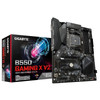
Gigabyte B550 Gaming X V2 AM4 ATX Motherboard – DDR4, Dual M.2 & PCIe 4.0
- SKU:
- MBGIG-GAB55GMX
- UPC:
- 4719331810702
- MPN:
- B550 GAMING X V2
- Availability:
- Free Click & Collect in Peterborough. UK delivery also available



Description
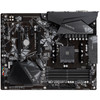
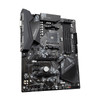
Gigabyte B550 GAMING X V2 AM4 ATX Motherboard – DDR4, Dual M.2, PCIe 4.0 & Ryzen 5000 Support
The Gigabyte B550 GAMING X V2 is a full-size ATX gaming motherboard built around the AMD B550 chipset and AM4 processor socket. Designed for AMD Ryzen gaming PCs, upgrades and performance desktop systems, it combines support for Ryzen 5000-series processors, four DDR4 memory slots, PCIe 4.0 graphics connectivity, dual M.2 SSD sockets, Gigabit Ethernet, USB 3.2, RGB lighting control and Gigabyte Q-Flash Plus.
With a compatible AMD Ryzen 5000-series or Ryzen 3000-series processor, the primary PCIe x16 graphics slot can operate at PCIe 4.0 x16 and the CPU-connected M.2 socket can support PCIe 4.0 x4 NVMe SSDs. A second chipset-connected M.2 socket provides PCIe 3.0 x4 storage, giving builders room for two high-speed M.2 SSDs alongside four SATA 6Gb/s connections.
The motherboard also features a 10+3 phase Digital Twin power design, enlarged VRM heatsinks, a 5 W/mK thermal pad, Smart Fan 5 cooling control, Realtek Gigabit Ethernet, high-definition 7.1-channel audio, RGB Fusion 2.0 and a pre-installed rear I/O shield.
Quick answer: The Gigabyte B550 GAMING X V2 is an ATX AM4 motherboard designed for compatible AMD Ryzen 5000, 5000G, 4000G, 3000 and 3000G processors. It supports up to 128GB DDR4, PCIe 4.0 graphics with compatible CPUs, two M.2 SSDs, four SATA drives, Gigabit Ethernet, front USB-C, HDMI and DVI-D with an APU, RGB lighting and BIOS updates through Q-Flash Plus.
Key Features of the Gigabyte B550 GAMING X V2
- AMD AM4 processor socket
- AMD B550 chipset
- Supports compatible AMD Ryzen 5000 Series processors
- Supports Ryzen 5000 G-Series processors
- Supports Ryzen 4000 G-Series processors
- Supports Ryzen 3000 Series processors
- Supports Ryzen 3000 G-Series processors
- 4 × DDR4 DIMM slots
- Up to 128GB DDR4 memory
- DDR4 speeds up to 4733MHz OC depending on CPU and memory configuration
- Dual-channel memory architecture
- XMP memory profile support
- ECC and non-ECC unbuffered DDR4 support depending on processor
- 10+3 phase Digital Twin power design
- Low RDS(on) MOSFET design
- Enlarged VRM heatsinks
- 5 W/mK thermal conductivity pad
- PCIe 4.0 x16 graphics slot with compatible Ryzen CPUs
- Second physical PCIe x16 slot operating at PCIe 3.0 x2
- 3 × PCIe 3.0 x1 expansion slots
- 2 × M.2 Socket 3 connectors
- Primary M.2 supports PCIe 4.0 x4 with compatible CPUs
- Secondary M.2 supports PCIe 3.0 x4
- Both M.2 sockets support compatible SATA M.2 SSDs
- 4 × SATA 6Gb/s connectors
- RAID 0 / 1 / 10 support
- Realtek Gigabit Ethernet
- Bandwidth-management support
- High Definition Audio
- Up to 7.1-channel audio
- High-quality audio capacitors
- Audio Noise Guard
- Front USB 3.2 Gen 1 Type-C header
- Rear USB 3.2 Gen 2 Type-A
- Rear USB 3.2 Gen 1
- HDMI 2.1 and DVI-D display outputs with a compatible CPU featuring integrated graphics
- RGB Fusion 2.0
- Addressable RGB and conventional RGB headers
- Smart Fan 5
- 5 fan / water-pump headers
- 6 temperature sensors
- Fan Stop support
- Q-Flash Plus
- BIOS can be updated without installing CPU, memory or graphics card
- 256Mbit AMI UEFI BIOS
- Anti-Sulfur resistor design
- Pre-installed rear I/O shield
- Windows 11 64-bit support
- Windows 10 64-bit support
- ATX form factor – 305 × 244mm
AMD AM4 Motherboard for Ryzen 5000 and Ryzen 3000
The Gigabyte B550 GAMING X V2 uses the established AMD Socket AM4 platform and the B550 chipset.
Gigabyte officially lists support for compatible processors from the following families:
- AMD Ryzen 5000 Series
- AMD Ryzen 5000 G-Series
- AMD Ryzen 4000 G-Series
- AMD Ryzen 3000 Series
- AMD Ryzen 3000 G-Series
Check the CPU Support List and BIOS Version
Processor support can depend on the motherboard revision and installed BIOS version. Before installing a particular AMD Ryzen processor, check the Gigabyte CPU support list for the exact CPU model and required BIOS revision.
This is especially important when combining an older motherboard manufacturing batch with a processor released later in the AM4 platform lifecycle.
Q-Flash Plus Makes BIOS Updates Easier
The B550 GAMING X V2 includes Gigabyte Q-Flash Plus, one of the motherboard's most useful upgrade features.
Q-Flash Plus allows a compatible BIOS file to be written to the motherboard without first installing:
- CPU
- DDR4 memory
- Graphics card
This can be particularly useful if a newer supported Ryzen CPU requires a BIOS version newer than the one originally installed on the motherboard.
Dedicated Rear Q-Flash Plus Button
A dedicated Q-Flash Plus button is located on the rear I/O panel, allowing the BIOS-update process to be initiated without entering the normal BIOS interface.
Always follow Gigabyte's official Q-Flash Plus procedure and use a BIOS file intended for the exact motherboard revision printed on the PCB.
10+3 Phase Digital Twin Power Design
The B550 GAMING X V2 uses a 10+3 phase Digital Twin power design with Low RDS(on) MOSFETs.
The CPU power-delivery system is designed to supply stable power to compatible Ryzen processors under gaming and sustained system workloads.
Enlarged VRM Heatsinks
Gigabyte uses enlarged heatsinks over the motherboard's primary power-delivery components to increase heat-dissipation area.
The thermal design also uses a 5 W/mK thermal conductivity pad between key components and the heatsink.
Good case airflow remains important, particularly when using higher-power Ryzen processors or sustained workloads.
Solid-Pin CPU Power Connection
The motherboard provides:
- 1 × 24-pin ATX motherboard power connector
- 1 × 8-pin ATX 12V CPU power connector
Gigabyte's solid-pin power-connector design increases the contact area between the motherboard and power-supply connection compared with conventional hollow-pin implementations.
Four DDR4 DIMM Slots
The B550 GAMING X V2 provides four DDR4 DIMM sockets operating in a dual-channel memory architecture.
Gigabyte officially specifies up to 128GB of system memory, using up to 32GB per DIMM on the official specification for this motherboard revision.
DDR4 Memory Speeds Up to 4733MHz OC
Supported memory frequencies include standard JEDEC speeds and overclocked DDR4 speeds up to approximately 4733MHz OC.
Gigabyte lists support for DDR4 speeds including:
- 4733MHz OC
- 4600MHz OC
- 4400MHz OC
- 4266MHz OC
- 4133MHz OC
- 4000MHz OC
- 3866MHz OC
- 3733MHz OC
- 3600MHz OC
- 3466MHz OC
- 3400MHz OC
- 3200MHz
- 2933MHz
- 2667MHz
- 2400MHz
- 2133MHz
The achievable memory speed depends on the CPU's memory controller, DIMM configuration, memory kit and BIOS settings.
XMP Memory Profile Support
The motherboard supports Extreme Memory Profile (XMP) memory modules.
With a compatible DDR4 kit, XMP can simplify the process of applying the memory manufacturer's intended performance profile instead of manually configuring every memory timing.
Memory Overclocking Is Configuration Dependent
An advertised DDR4 kit speed is not automatically guaranteed in every four-DIMM or high-capacity configuration. Check Gigabyte's memory-support list and the memory manufacturer's specifications when high memory frequencies are important.
ECC and Non-ECC DDR4 Support
The motherboard supports compatible ECC unbuffered and non-ECC unbuffered DDR4 modules.
Actual ECC operating mode depends on the installed AMD processor. Gigabyte specifically notes that ECC-mode support varies according to CPU.
PCIe 4.0 x16 Graphics Card Slot
The primary full-length PCI Express slot connects directly to the processor.
With compatible Ryzen 5000 Series and Ryzen 3000 Series CPUs, it can operate at:
PCI Express 4.0 x16
This provides a high-bandwidth connection for modern dedicated graphics cards.
Ryzen G-Series Uses PCIe 3.0
There is an important CPU-dependent difference.
Gigabyte specifies that compatible Ryzen 5000 G-Series and Ryzen 4000 G-Series processors operate the primary graphics slot at PCIe 3.0 x16 rather than PCIe 4.0.
Therefore, buying a PCIe 4.0 motherboard does not guarantee PCIe 4.0 operation if the selected CPU itself does not provide PCIe 4.0 lanes.
Additional PCI Express Expansion Slots
In addition to the primary graphics slot, the motherboard provides:
- 1 × physical PCIe x16 slot operating at PCIe 3.0 x2
- 3 × PCIe 3.0 x1 slots
These can be used for compatible expansion hardware such as:
- Network adapters
- Sound cards
- Capture cards
- USB expansion cards
- Storage controllers
- Other PCI Express accessories
Dual M.2 SSD Slots
The Gigabyte B550 GAMING X V2 provides two M.2 Socket 3 connectors for compatible M-key solid-state drives.
Both sockets support M.2 drive lengths including:
- 2242
- 2260
- 2280
- 22110
Primary CPU-Connected M.2 Slot
The primary M2A_CPU socket connects directly to the processor.
With compatible Ryzen 5000 Series and Ryzen 3000 Series processors, it supports:
- PCIe 4.0 x4 / x2 NVMe SSDs
- SATA M.2 SSDs
This allows compatible PCIe 4.0 NVMe drives to access up to approximately 64Gb/s theoretical interface bandwidth.
Primary M.2 with Ryzen G-Series
With compatible Ryzen 5000 G-Series or Ryzen 4000 G-Series processors, the same CPU-connected M.2 socket operates at up to:
PCIe 3.0 x4 / x2
because the processor itself provides PCIe 3.0 connectivity.
Secondary Chipset-Connected M.2 Slot
The second M2B_SB socket connects through the AMD B550 chipset and supports:
- PCIe 3.0 x4 / x2 NVMe SSDs
- SATA M.2 SSDs
This gives users a practical way to install two high-speed M.2 drives without relying only on 2.5-inch SATA SSDs.
Four SATA 6Gb/s Connections
The motherboard also provides four SATA 6Gb/s connectors for compatible:
- 2.5-inch SATA SSDs
- 3.5-inch hard drives
- Optical drives
- Other SATA devices
RAID 0, RAID 1 and RAID 10
Gigabyte officially lists support for:
- RAID 0
- RAID 1
- RAID 10
when using suitable supported storage configurations.
Realtek Gigabit Ethernet
The integrated Realtek Gigabit LAN controller supports:
- 10Mbps Ethernet
- 100Mbps Fast Ethernet
- 1000Mbps / 1Gbps Gigabit Ethernet
Gigabyte also provides LAN bandwidth-management software designed to help prioritise selected network traffic.
Does the B550 GAMING X V2 Have 2.5GbE?
No. This motherboard uses 1Gbps Gigabit Ethernet, not 2.5GbE.
Users specifically requiring a 2.5Gbps wired LAN connection would need a suitable PCI Express network adapter or a different motherboard with native 2.5GbE.
No Built-In Wi-Fi or Bluetooth
The standard Gigabyte B550 GAMING X V2 does not include integrated Wi-Fi or Bluetooth.
Wired networking is provided through the rear Gigabit Ethernet connection.
If wireless networking is required, a compatible PCIe Wi-Fi adapter or USB wireless adapter can be added separately.
Front USB Type-C Support
The motherboard provides an internal USB 3.2 Gen 1 Type-C header for connection to the front USB-C port of a compatible PC case.
This provides up to 5Gbps-class USB 3.2 Gen 1 connectivity to the appropriate front-panel USB-C connector.
Important: No Rear USB-C Port
The USB Type-C connection is provided through an internal front-panel header.
This motherboard does not have a USB Type-C connector directly on the rear I/O panel.
Your PC case must therefore have a compatible front USB-C cable and connector if you want to use this feature.
Rear USB 3.2 Gen 2 Connectivity
The rear I/O includes:
- 1 × USB 3.2 Gen 2 Type-A port
- 3 × USB 3.2 Gen 1 Type-A ports
- 2 × USB 2.0 / 1.1 ports
The USB 3.2 Gen 2 Type-A connection provides up to 10Gbps theoretical interface bandwidth for suitable compatible peripherals.
Additional Front USB Connectivity
Internal headers provide support for additional case connections including:
- 1 × USB 3.2 Gen 1 Type-C front-panel connection
- 2 × USB 3.2 Gen 1 Type-A front-panel ports through one header
- Up to 4 × USB 2.0 / 1.1 ports through two internal headers
HDMI 2.1 and DVI-D Display Outputs
The rear I/O provides both:
- 1 × HDMI
- 1 × DVI-D
Gigabyte specifies HDMI support up to 4096 × 2160 at 60Hz with HDMI 2.1, HDCP 2.3 and HDR support.
The DVI-D output supports up to 1920 × 1200 at 60Hz.
Display Outputs Require a Ryzen CPU with Integrated Graphics
The motherboard does not contain its own graphics processor.
The HDMI and DVI-D connections only provide video when the installed AMD processor includes integrated Radeon graphics.
This generally means using a compatible Ryzen G-Series processor or another officially supported AMD processor with integrated graphics.
If you install a standard Ryzen processor without integrated graphics, connect your monitor to a dedicated graphics card instead of the motherboard video outputs.
High Definition 7.1-Channel Audio
The motherboard uses a Realtek High Definition Audio codec supporting:
- 2-channel audio
- 4-channel audio
- 5.1-channel audio
- 7.1-channel audio
Gigabyte combines the audio system with high-quality audio capacitors and Audio Noise Guard PCB separation.
Three Rear Audio Jacks
The rear panel provides three audio jacks. Multi-channel configurations are selected through the Realtek audio software as appropriate.
RGB Fusion 2.0 Lighting Support
The B550 GAMING X V2 supports Gigabyte RGB Fusion 2.0, allowing compatible lighting components to be synchronised and customised.
The motherboard provides:
- 2 × addressable LED strip headers
- 2 × RGB LED strip headers
- 1 × CPU cooler LED / RGB LED header
ARGB and RGB Are Different
Always connect lighting hardware to the correct header type. Addressable 5V ARGB devices should not be connected to incompatible 12V RGB headers.
Check the voltage and pin arrangement of the lighting product before installation.
Smart Fan 5 Cooling Control
Gigabyte Smart Fan 5 provides extensive motherboard-based cooling control.
The board includes five fan and water-pump headers:
- 1 × CPU fan header
- 1 × water-cooling CPU fan / pump header
- 3 × system fan headers
Hybrid Fan Headers
The fan headers support compatible PWM and voltage-controlled fans, allowing users to create customised cooling configurations.
Gigabyte specifies support for high-performance fans and pumps up to 2A / 12V / 24W per compatible header.
Six Temperature Sensors
The motherboard platform provides multiple temperature-monitoring points, with Gigabyte advertising six temperature sensors as part of Smart Fan 5.
Fan curves can be configured so selected system fans respond to different temperature readings rather than running at one fixed speed.
Fan Stop for Quieter Operation
Fan Stop allows compatible fans to stop when system temperatures fall below a user-defined threshold.
This can help reduce system noise during idle or light workloads while allowing the fans to automatically restart when cooling demand increases.
Advanced Hardware Monitoring
The motherboard can monitor:
- System voltages
- Temperatures
- Fan speeds
- Water-cooling flow rate
It can also provide overheating and fan-failure warnings when appropriately configured.
Ultra Durable PCIe Slot
The primary graphics slot uses Gigabyte's Ultra Durable PCIe design and is engineered for PCIe 4.0 operation with compatible processors.
This slot should be used for the primary graphics card when installing a single dedicated GPU.
Anti-Sulfur Resistor Design
Gigabyte uses Anti-Sulfur resistors on the motherboard to improve durability in environments where airborne sulphur compounds could otherwise contribute to corrosion or electrical failure over extended periods.
Pre-Installed Rear I/O Shield
The B550 GAMING X V2 features a pre-installed rear I/O shield.
This simplifies PC assembly because there is no separate loose I/O shield that needs to be inserted into the case before the motherboard is installed.
Rear I/O Connections
The rear panel provides:
- 1 × PS/2 keyboard/mouse port
- 1 × DVI-D
- 1 × HDMI
- 2 × USB 2.0 / 1.1
- 3 × USB 3.2 Gen 1 Type-A
- 1 × USB 3.2 Gen 2 Type-A
- 1 × Gigabit RJ45 Ethernet
- 3 × audio jacks
- 1 × Q-Flash Plus button
TPM Header and Windows 11 Support
The motherboard provides a dedicated TPM header for Gigabyte's compatible GC-TPM2.0_S module.
Gigabyte also officially lists support for Windows 11 64-bit and Windows 10 64-bit.
Windows 11 compatibility still depends on the complete system meeting Microsoft's processor, TPM, Secure Boot and other requirements.
ATX Motherboard Form Factor
The B550 GAMING X V2 uses the standard ATX form factor and measures:
- Width: 24.4cm / 244mm
- Length: 30.5cm / 305mm
Before purchase, make sure the PC case supports a full-size ATX motherboard.
Ideal for Ryzen Gaming PC Builds
The B550 GAMING X V2 is particularly well suited to users building or upgrading an AM4 gaming PC who want modern storage and graphics connectivity without moving to the newer AM5/DDR5 platform.
Potential build uses include:
- AMD Ryzen gaming PCs
- Esports systems
- Home desktops
- Streaming PCs
- Content-creation systems
- AM4 workstation-style builds
- Ryzen 5000 upgrades
- DDR4 gaming-system upgrades
Is the B550 GAMING X V2 Good for a Ryzen 5000 Upgrade?
Yes. Gigabyte officially supports compatible Ryzen 5000-series processors, making the B550 GAMING X V2 a practical motherboard for users who want to build around AMD's mature AM4 platform and DDR4 memory.
Always check the exact CPU against Gigabyte's CPU-support list and required BIOS version before installation.
PCIe 4.0 Makes It Suitable for Modern Graphics Cards and NVMe SSDs
With a compatible Ryzen 5000 or Ryzen 3000 CPU, PCIe 4.0 support is available to both the primary graphics slot and CPU-connected M.2 socket.
This provides compatibility with modern PCIe graphics cards and PCIe 4.0 NVMe SSDs while remaining backward compatible with suitable older PCI Express devices.
Can You Use a PCIe 3.0 Graphics Card?
Yes. PCI Express is designed with backward compatibility in mind, so compatible PCIe 3.0 graphics cards can be installed in the primary PCIe x16 slot.
The connection operates according to the capabilities of the graphics card, processor and motherboard.
Can You Use a PCIe 4.0 SSD?
Yes. A PCIe 4.0 NVMe SSD can be installed in the CPU-connected M2A_CPU slot.
To operate at PCIe 4.0 speeds, the installed CPU must also provide PCIe 4.0 support. With compatible Ryzen G-Series processors limited to PCIe 3.0, the drive will operate at the lower supported interface speed.
Who Is the Gigabyte B550 GAMING X V2 Best For?
- AMD Ryzen 5000 gaming-PC builders
- Users upgrading an older AM4 motherboard
- Builders who want to reuse DDR4 memory
- Users wanting PCIe 4.0 GPU support with a compatible CPU
- Users installing one or two M.2 SSDs
- Gaming PCs requiring multiple PCIe expansion slots
- Users wanting RGB Fusion lighting support
- Systems needing multiple fan and water-pump headers
- Builders who value Q-Flash Plus BIOS updates
- ATX desktop PC builds
Who Should Consider a Different Motherboard?
A different motherboard may be more suitable if you specifically require:
- AMD AM5 processor support
- DDR5 memory
- Built-in Wi-Fi
- Built-in Bluetooth
- 2.5GbE or faster onboard LAN
- Rear USB Type-C
- PCIe 5.0 graphics or storage
- More than 128GB of officially listed memory capacity for this revision
- More than two M.2 storage slots
Gigabyte B550 GAMING X V2 Technical Overview
- Brand: Gigabyte
- Model: B550 GAMING X V2
- Chipset: AMD B550
- CPU Socket: AMD AM4
- Form Factor: ATX
- Dimensions: 305 × 244mm
- Memory Type: DDR4
- Memory Slots: 4
- Maximum Official Memory: 128GB
- Maximum Listed Memory Speed: DDR4-4733 OC
- Memory Channels: Dual Channel
- XMP: Supported
- ECC: Supported with compatible CPU / memory configuration
- Primary PCIe Slot: PCIe 4.0 x16 with compatible Ryzen 5000 / 3000 CPU
- G-Series Primary PCIe Mode: PCIe 3.0 x16
- Secondary Full-Length Slot: PCIe 3.0 x2
- PCIe x1 Slots: 3 × PCIe 3.0 x1
- M.2 Slots: 2
- Primary M.2: PCIe 4.0 x4/x2 or SATA with compatible CPU
- Secondary M.2: PCIe 3.0 x4/x2 or SATA
- M.2 Sizes: 2242 / 2260 / 2280 / 22110
- SATA: 4 × SATA 6Gb/s
- RAID: RAID 0 / 1 / 10
- LAN: Realtek 10/100/1000 Gigabit Ethernet
- Wi-Fi: No
- Bluetooth: No
- Audio: Realtek High Definition Audio
- Audio Channels: Up to 7.1
- HDMI: 1
- DVI-D: 1
- Rear USB 3.2 Gen 2 Type-A: 1
- Rear USB 3.2 Gen 1: 3
- Rear USB 2.0: 2
- Front USB-C Header: USB 3.2 Gen 1
- Rear USB-C: No
- Fan / Pump Headers: 5
- Temperature Sensors: 6
- RGB: RGB Fusion 2.0
- Q-Flash Plus: Yes
- BIOS: 256Mbit AMI UEFI
- Windows 11 64-bit: Supported
- Windows 10 64-bit: Supported
- Pre-Installed I/O Shield: Yes
- Power: 24-pin ATX + 8-pin ATX 12V CPU
- Warranty: 3-Year Gigabyte Limited Local Motherboard Warranty, subject to regional terms
Important Compatibility Checks Before Buying
- Check that your CPU uses the AM4 socket.
- Check the exact processor against Gigabyte's CPU Support List.
- Confirm that the installed BIOS version supports your chosen CPU.
- Use a compatible Ryzen 5000/3000 CPU if PCIe 4.0 operation is required.
- Remember that Ryzen 5000G/4000G CPUs operate the main graphics slot and CPU M.2 interface at PCIe 3.0.
- Use DDR4 memory rather than DDR5.
- Make sure your case supports a 305 × 244mm ATX motherboard.
- Use a separate graphics card if your CPU does not include integrated Radeon graphics.
- Use a suitable Wi-Fi/Bluetooth adapter if wireless connectivity is required.
- Your case needs a compatible internal USB-C cable to use the front USB Type-C header.
Important CPU Graphics Note
The rear HDMI and DVI-D ports only provide video output when the installed AMD processor includes compatible integrated graphics. A conventional Ryzen processor without an integrated GPU requires a separate graphics card for monitor output.
Important PCIe 4.0 Note
PCIe 4.0 availability depends on the processor. Compatible Ryzen 5000 Series and Ryzen 3000 Series CPUs can provide PCIe 4.0 x16 graphics and PCIe 4.0 x4 storage through the CPU-connected M.2 socket. Ryzen 5000 G-Series and Ryzen 4000 G-Series processors use PCIe 3.0 for these CPU-connected interfaces.
Important Front USB-C Note
The motherboard provides an internal USB 3.2 Gen 1 Type-C header for a compatible case front panel. There is no rear USB Type-C port on this model.
Important Memory Note
Gigabyte officially lists up to 128GB DDR4 and memory speeds up to DDR4-4733 OC for this motherboard revision. Maximum achievable memory frequency depends on the installed CPU, number of DIMMs, memory kit and BIOS configuration.
Important BIOS Revision Note
Gigabyte has produced the B550 GAMING X V2 in multiple hardware revisions including Rev. 1.0/1.1/1.2, Rev. 1.3 and Rev. 1.4. Always download BIOS files and motherboard utilities for the exact revision printed on the physical motherboard.
Important Wireless Connectivity Note
The B550 GAMING X V2 does not include built-in Wi-Fi or Bluetooth. Wireless connectivity can be added using a suitable PCIe or USB adapter.
Model Identification Note
These specifications apply to the Gigabyte B550 GAMING X V2 associated with EAN 4719331810702 and manufacturer model B550 GAMING X V2. The barcode is commonly associated in distribution with the earlier Rev. 1.0 product family, while Gigabyte publishes one specification page covering Rev. 1.0, 1.1 and 1.2.
Why Choose the Gigabyte B550 GAMING X V2?
The Gigabyte B550 GAMING X V2 provides a well-balanced foundation for an AMD AM4 gaming or performance PC, particularly for users who want to combine Ryzen 5000 processors with affordable DDR4 memory and PCIe 4.0 storage and graphics connectivity.
Its four DDR4 slots, dual M.2 sockets, four SATA ports and five PCI Express expansion slots provide plenty of room for memory, storage and add-in card upgrades.
The 10+3 phase Digital Twin power design, enlarged VRM heatsinks, 5 W/mK thermal pad and Smart Fan 5 cooling controls provide a solid platform for sustained Ryzen workloads, while five hybrid fan/pump headers allow flexible air- or liquid-cooling configurations.
Connectivity includes Gigabit Ethernet, front USB Type-C, USB 3.2 Gen 2, HDMI, DVI-D and 7.1-channel audio, while RGB Fusion 2.0 provides lighting control for compatible RGB and addressable RGB components.
Q-Flash Plus is particularly useful for AM4 upgrades because it allows the motherboard BIOS to be updated without installing the CPU, memory or graphics card first.
Choose the Gigabyte B550 GAMING X V2 if you need a full-size AM4 ATX motherboard with Ryzen 5000 support, DDR4 memory, PCIe 4.0 graphics, dual M.2 storage, strong cooling controls and flexible upgrade options for a modern AMD gaming PC.
Specification
Gigabyte B550 GAMING X V2 AM4 ATX Motherboard Specifications
The Gigabyte B550 GAMING X V2 is a full-size ATX motherboard based on the AMD B550 chipset and AM4 socket. It supports compatible AMD Ryzen 5000, Ryzen 5000 G-Series, Ryzen 4000 G-Series, Ryzen 3000 and Ryzen 3000 G-Series processors, together with DDR4 memory, PCIe 4.0 graphics and storage on compatible CPUs, dual M.2 SSDs, Gigabit Ethernet, USB 3.2 and Q-Flash Plus BIOS updating.
General Information
| Brand | Gigabyte |
| Model | B550 GAMING X V2 |
| Manufacturer Part Number / MPN | B550 GAMING X V2 |
| Memox SKU | MBGIG-GAB55GMX |
| EAN / GTIN-13 | 4719331810702 |
| Product Type | Desktop PC Motherboard |
| Chipset | AMD B550 |
| CPU Socket | AMD AM4 |
| Form Factor | ATX |
| Motherboard Dimensions | 305 × 244mm / 30.5 × 24.4cm |
Hardware Revision
| Official Specification Used | Gigabyte B550 GAMING X V2 Rev. 1.0 / 1.1 / 1.2 |
| Other Revisions Exist | Yes – Rev. 1.3 and Rev. 1.4 also exist |
| Revision Identification | Check the revision number printed on the physical motherboard PCB |
Processor Compatibility
| AMD Ryzen 5000 Series | Supported |
| AMD Ryzen 5000 G-Series | Supported |
| AMD Ryzen 4000 G-Series | Supported |
| AMD Ryzen 3000 Series | Supported |
| AMD Ryzen 3000 G-Series | Supported |
| Socket | AM4 |
| BIOS Requirement | Exact processor compatibility can depend on installed BIOS version |
Memory Specifications
| Memory Type | DDR4 |
| DIMM Slots | 4 |
| Maximum Memory Capacity | 128GB |
| Maximum Per-DIMM Capacity | 32GB |
| Memory Architecture | Dual Channel |
| XMP Support | Yes |
| ECC Unbuffered Memory | Supported – ECC operating mode depends on CPU |
| Non-ECC Unbuffered Memory | Supported |
Supported DDR4 Memory Speeds
| DDR4-4733 | OC |
| DDR4-4600 | OC |
| DDR4-4400 | OC |
| DDR4-4266 | OC |
| DDR4-4133 | OC |
| DDR4-4000 | OC |
| DDR4-3866 | OC |
| DDR4-3733 | OC |
| DDR4-3600 | OC |
| DDR4-3466 | OC |
| DDR4-3400 | OC |
| Standard Supported Speeds | 3200 / 2933 / 2667 / 2400 / 2133MHz |
Primary PCI Express Graphics Slot
| Primary Slot | 1 × PCI Express x16 |
| Slot Source | CPU |
| Ryzen 5000 / Ryzen 3000 Mode | PCIe 4.0 x16 |
| Ryzen 5000G / Ryzen 4000G Mode | PCIe 3.0 x16 |
| Recommended GPU Slot | PCIEX16 primary slot |
Additional PCI Express Slots
| Secondary Physical x16 Slot | 1 |
| Secondary x16 Electrical Mode | PCIe 3.0 x2 |
| PCIe x1 Slots | 3 |
| PCIe x1 Version | PCIe 3.0 x1 |
| Total Physical PCIe Slots | 5 |
M.2 Storage – M2A_CPU
| M.2 Socket | M2A_CPU |
| Connection Source | CPU |
| Key Type | M-Key / Socket 3 |
| Supported M.2 Lengths | 2242 / 2260 / 2280 / 22110 |
| Ryzen 5000 / Ryzen 3000 | PCIe 4.0 x4/x2 or SATA M.2 |
| Ryzen 5000G / Ryzen 4000G | PCIe 3.0 x4/x2 or SATA M.2 |
M.2 Storage – M2B_SB
| M.2 Socket | M2B_SB |
| Connection Source | AMD B550 Chipset |
| Key Type | M-Key / Socket 3 |
| Supported M.2 Lengths | 2242 / 2260 / 2280 / 22110 |
| PCIe Support | PCIe 3.0 x4/x2 |
| SATA M.2 Support | Yes |
SATA Storage
| SATA Connectors | 4 × SATA 6Gb/s |
| SATA SSD Support | Yes |
| SATA HDD Support | Yes |
| RAID 0 | Supported |
| RAID 1 | Supported |
| RAID 10 | Supported |
Onboard Graphics Outputs
| HDMI | 1 |
| HDMI Version | HDMI 2.1 |
| HDMI Maximum Resolution | 4096 × 2160 at 60Hz |
| HDCP | HDCP 2.3 |
| HDR | Supported |
| DVI-D | 1 |
| DVI-D Maximum Resolution | 1920 × 1200 at 60Hz |
| Maximum Shared Graphics Memory | 16GB |
| Integrated Graphics Requirement | Requires a compatible AMD processor with integrated graphics |
Networking
| LAN Controller | Realtek Gigabit Ethernet |
| Ethernet Speed | 10 / 100 / 1000Mbps |
| Maximum Wired LAN Speed | 1Gbps |
| RJ45 Ports | 1 |
| LAN Bandwidth Management | Supported |
| Integrated Wi-Fi | No |
| Integrated Bluetooth | No |
Audio
| Audio Codec | Realtek High Definition Audio Codec |
| Audio Channels | 2 / 4 / 5.1 / 7.1 Channel |
| High Definition Audio | Yes |
| High-Quality Audio Capacitors | Yes |
| Audio Noise Guard | Yes |
| Rear Audio Jacks | 3 |
Rear USB Ports
| USB 3.2 Gen 2 Type-A | 1 |
| USB 3.2 Gen 1 Type-A | 3 |
| USB 2.0 / 1.1 | 2 |
| Rear USB Type-C | No |
Internal USB Connectivity
| Front USB Type-C Header | 1 × USB 3.2 Gen 1 |
| USB 3.2 Gen 1 Header | 1 – supports 2 front Type-A ports |
| USB 2.0 / 1.1 Headers | 2 – supports up to 4 additional ports |
Rear I/O Connections
| PS/2 Keyboard / Mouse | 1 |
| DVI-D | 1 |
| HDMI | 1 |
| USB 2.0 / 1.1 | 2 |
| USB 3.2 Gen 1 | 3 |
| USB 3.2 Gen 2 Type-A | 1 – red |
| Gigabit Ethernet RJ45 | 1 |
| Audio Jacks | 3 |
| Q-Flash Plus Button | 1 |
Internal Power Connectors
| Main Motherboard Power | 1 × 24-Pin ATX |
| CPU Power | 1 × 8-Pin ATX 12V |
Cooling and Fan Headers
| CPU Fan Header | 1 |
| CPU Water-Cooling / Pump Header | 1 |
| System Fan Headers | 3 |
| Total Fan / Pump Headers | 5 |
| Maximum Supported Output Per Compatible Header | Up to 2A / 12V / 24W |
| Fan Speed Monitoring | Yes |
| Temperature Monitoring | Yes |
| Water-Cooling Flow Detection | Yes |
| Fan Failure Warning | Yes |
| Overheating Warning | Yes |
RGB and ARGB Connectivity
| RGB Fusion 2.0 | Supported |
| Addressable LED Headers | 2 |
| RGB LED Headers | 2 |
| CPU Cooler LED / RGB Header | 1 |
| ARGB Lighting Support | Yes – through compatible addressable LED headers |
Other Internal Connectors
| M.2 Socket 3 | 2 |
| SATA 6Gb/s | 4 |
| Front Panel Header | 1 |
| Front Audio Header | 1 |
| TPM Header | 1 × 2x6-Pin for compatible GC-TPM2.0_S module |
| Clear CMOS Jumper | 1 |
Power Delivery and Thermal Design
| CPU Power Design | 10+3 Phase Digital Twin Power Design |
| MOSFET Type | Low RDS(on) |
| VRM Heatsink | Enlarged Surface Heatsink |
| VRM Thermal Pad | 5 W/mK |
| Solid-Pin Power Connectors | Yes |
| Anti-Sulfur Resistors | Yes |
BIOS
| BIOS Flash | 1 × 256Mbit Flash |
| BIOS Type | Licensed AMI UEFI BIOS |
| Q-Flash | Supported |
| Q-Flash Plus | Supported |
| CPU Required for Q-Flash Plus | No |
| Memory Required for Q-Flash Plus | No |
| Graphics Card Required for Q-Flash Plus | No |
Hardware Monitoring
| Voltage Detection | Yes |
| Temperature Detection | Yes |
| Fan Speed Detection | Yes |
| Water-Cooling Flow Rate Detection | Yes |
| Overheating Warning | Yes |
| Fan Failure Warning | Yes |
| Fan Speed Control | Yes – cooler dependent |
Unique Gigabyte Features
| Q-Flash Plus | Yes |
| Q-Flash | Yes |
| RGB Fusion | Supported |
| EasyTune | Supported |
| Fast Boot | Supported |
| ON/OFF Charge | Supported |
| System Information Viewer | Supported |
| Smart Backup | Supported |
| Xpress Install | Supported |
Operating System Support
| Windows 11 64-Bit | Supported |
| Windows 10 64-Bit | Supported |
Physical Specifications
| Form Factor | ATX |
| Length | 305mm / 30.5cm |
| Width | 244mm / 24.4cm |
| Overall Motherboard Size | 305 × 244mm |
| Pre-Installed Rear I/O Shield | Yes |
Package Contents
| Motherboard | 1 × Gigabyte B550 GAMING X V2 |
| SATA Cables | 2 |
| User Manual | Included according to Gigabyte motherboard manual |
| Rear I/O Shield | Pre-installed on motherboard – no separate loose shield required |
| Other Package Contents | May vary by production batch and region |
Product Identification
| Manufacturer | Gigabyte |
| Model | B550 GAMING X V2 |
| MPN | B550 GAMING X V2 |
| Memox SKU | MBGIG-GAB55GMX |
| EAN / GTIN-13 | 4719331810702 |
Warranty
| Gigabyte UK Motherboard Warranty | 3-Year Limited Local Warranty |
| Warranty Conditions | Subject to Gigabyte regional warranty terms and valid proof of purchase |
Important CPU Compatibility Note
The B550 GAMING X V2 uses the AMD AM4 socket. Processor support can depend on the motherboard hardware revision and installed BIOS version.
Always check the exact CPU against Gigabyte's CPU Support List for the revision printed on your motherboard before installation.
Important PCIe 4.0 Note
PCIe 4.0 operation depends on the installed processor. Compatible Ryzen 5000 Series and Ryzen 3000 Series processors can provide PCIe 4.0 x16 to the main graphics slot and PCIe 4.0 x4/x2 to the M2A_CPU storage socket.
Compatible Ryzen 5000 G-Series and Ryzen 4000 G-Series processors use PCIe 3.0 for these CPU-connected interfaces.
Important Secondary PCIe Slot Note
The second full-length physical PCIe x16 slot is electrically wired for PCIe 3.0 x2. It should not be described as an x4 or x16 electrical connection.
Important M.2 Compatibility Note
The motherboard has two M.2 sockets, but their maximum PCIe generation differs:
- M2A_CPU: up to PCIe 4.0 x4 with compatible Ryzen 5000 / 3000 CPUs
- M2B_SB: PCIe 3.0 x4 through the B550 chipset
Both sockets also support compatible SATA M.2 SSDs according to Gigabyte's specification.
Important Integrated Graphics Note
The motherboard's HDMI and DVI-D ports only work when the installed AMD processor provides compatible integrated graphics.
If the CPU does not contain integrated graphics, a dedicated graphics card is required and the monitor should be connected to the graphics card rather than the motherboard video outputs.
Important Front USB-C Note
The B550 GAMING X V2 provides an internal USB 3.2 Gen 1 Type-C header for a compatible PC case front-panel USB-C connection.
There is no USB Type-C port on the rear I/O panel.
Important Network Note
The onboard Realtek LAN controller provides 10/100/1000Mbps Gigabit Ethernet. This motherboard does not include native 2.5GbE, Wi-Fi or Bluetooth.
Important Memory Note
Gigabyte officially lists up to 128GB DDR4 for the Rev. 1.0/1.1/1.2 specification, with speeds up to DDR4-4733 OC.
Actual supported frequency depends on the processor memory controller, memory kit, DIMM population and BIOS settings.
Important ECC Memory Note
ECC unbuffered DDR4 modules are supported, but whether they operate in true ECC mode depends on the installed AMD processor.
Important BIOS Revision Note
Gigabyte has produced several B550 GAMING X V2 hardware revisions. BIOS files are revision-specific.
Never flash a BIOS intended for a different motherboard revision. Check the revision number printed on the PCB before downloading BIOS firmware from Gigabyte.
Important Package Contents Note
Gigabyte's motherboard manual lists the motherboard, user manual and two SATA cables as standard box contents. Gigabyte also states that package contents may change without notice and can vary by production batch or region.
Model Identification Note
These specifications are based on the official Gigabyte B550 GAMING X V2 Rev. 1.0 / 1.1 / 1.2 specification and the product identified on this Memox listing as MPN B550 GAMING X V2, SKU MBGIG-GAB55GMX and EAN 4719331810702.
If the physical motherboard supplied is Rev. 1.3 or Rev. 1.4, some detailed CPU, USB or BIOS specifications may differ slightly. Always use the support page for the revision printed on the motherboard when downloading BIOS or drivers.
Return
FAQ: Frequenlty Asked Questions
GIGABYTE B550 GAMING X V2 AM4 Motherboard FAQ
The GIGABYTE B550 GAMING X V2 is a full-size ATX AMD B550 motherboard designed for Ryzen AM4 gaming and productivity PCs. It supports compatible AMD Ryzen 3000, 4000G and 5000-series processors, up to 128GB of DDR4 memory, PCIe 4.0 graphics, dual M.2 SSDs, Gigabit Ethernet, front USB Type-C, RGB Fusion 2.0, Smart Fan 5 and Q-Flash Plus BIOS updating.
Below are answers to the most common questions buyers ask about the GIGABYTE B550 GAMING X V2, including Ryzen 5 5600, Ryzen 7 5700X3D and 5800X3D compatibility, BIOS revisions, Q-Flash Plus, DDR4/XMP, PCIe 4.0, NVMe SSDs, Wi-Fi upgrades, Windows 11, TPM, Secure Boot, USB-C, RGB, fan connections and troubleshooting.
1. What is the GIGABYTE B550 GAMING X V2?
The GIGABYTE B550 GAMING X V2 is a full-size ATX AMD B550 motherboard for compatible Socket AM4 Ryzen processors. It combines DDR4 memory support, PCIe 4.0 graphics, dual M.2 storage, Gigabit Ethernet, RGB headers, extensive fan control and Q-Flash Plus BIOS updating.
2. What is the exact model sold on this Memox product page?
This product is the GIGABYTE B550 GAMING X V2, Memox SKU MBGIG-GAB55GMX, MPN B550 GAMING X V2 and UPC/EAN 4719331810702.
3. What size motherboard is the B550 GAMING X V2?
It uses the standard ATX form factor and measures approximately 30.5 × 24.4cm. Your PC case therefore needs to support a full-size ATX motherboard.
4. Which AMD processors does the B550 GAMING X V2 support?
GIGABYTE officially lists support for compatible AMD Ryzen 5000 Series, Ryzen 5000 G-Series, Ryzen 4000 G-Series, Ryzen 3000 Series and Ryzen 3000 G-Series processors. Exact CPU support can depend on motherboard revision and BIOS version, so check GIGABYTE's CPU Support List when installing a later CPU.
5. Does the B550 GAMING X V2 support Ryzen 5000 processors?
Yes. Ryzen 5000 is officially supported. Depending on the motherboard's factory BIOS and hardware revision, a BIOS update may be required for certain CPUs, especially processors released later in the AM4 lifecycle.
6. Does the B550 GAMING X V2 support the Ryzen 7 5700X3D?
Yes, the B550 GAMING X V2 is commonly used with the Ryzen 7 5700X3D, but because the 5700X3D was released well after the original motherboard, make sure the installed BIOS supports the processor. Q-Flash Plus allows the BIOS to be updated even if the current CPU cannot boot.
7. Does the B550 GAMING X V2 support the Ryzen 7 5800X3D?
Yes. GIGABYTE added specific BIOS support and later performance optimisation for the Ryzen 7 5800X3D. Update to a suitable BIOS for your exact motherboard revision before installing the CPU if the current firmware is old.
8. Can I use a Ryzen 9 5900X or Ryzen 9 5950X with this motherboard?
Yes. Ryzen 9 5900X and 5950X processors are part of the supported Ryzen 5000 platform. Good case airflow and a suitable CPU cooler are recommended when using high-core-count Ryzen processors under sustained workloads.
9. Is the B550 GAMING X V2 compatible with a Ryzen 5 5600 or 5600X?
Yes. The Ryzen 5 5600 and 5600X are compatible Ryzen 5000 processors. Older-stock motherboards may require a BIOS update, while boards manufactured later normally ship with newer firmware.
10. Does the B550 GAMING X V2 support Ryzen 5 5600G and Ryzen 7 5700G processors?
Yes. Ryzen 5000 G-Series processors are officially supported. These processors include integrated Radeon graphics and can therefore use the motherboard's HDMI and DVI-D video outputs.
11. Can I use Ryzen 7000, 8000 or 9000 processors on this motherboard?
No. The B550 GAMING X V2 uses the AM4 socket and DDR4 memory. Ryzen 7000, most Ryzen 8000 desktop APUs and Ryzen 9000 desktop processors use the newer AM5 platform and require a compatible AM5 motherboard.
12. Does the B550 GAMING X V2 support Ryzen 1000 or Ryzen 2000 processors?
GIGABYTE does not list Ryzen 1000 or standard Ryzen 2000 processors in the official support specification for this motherboard. Use a CPU specifically included in the GIGABYTE CPU Support List for your board revision.
13. Why does the B550 GAMING X V2 have different motherboard revisions?
GIGABYTE has released several hardware revisions under the same B550 GAMING X V2 model name, including Rev. 1.0/1.1/1.2, Rev. 1.3 and Rev. 1.4. Core features are very similar, but BIOS files and some low-level hardware details can differ.
14. How do I find the revision number of my B550 GAMING X V2?
Look for the REV number printed directly on the motherboard PCB, normally near an edge or corner of the board. Check this physical revision before downloading BIOS files because a BIOS intended for another revision should not be used.
15. Why are there different BIOS downloads for Rev. 1.0, 1.3 and 1.4?
Different hardware revisions use separate BIOS branches. Even though they share the B550 GAMING X V2 name, you must select the GIGABYTE support page matching the REV number printed on your specific motherboard.
16. Does the B550 GAMING X V2 have Q-Flash Plus?
Yes. Q-Flash Plus allows the BIOS to be updated without installing a working CPU, memory or graphics card. This is particularly useful when fitting a newer AM4 processor that requires a newer BIOS than the motherboard currently has.
17. Can I update the BIOS without a CPU or display installed?
Yes. Q-Flash Plus is specifically designed for this situation. The motherboard needs suitable PSU power connections, the correct BIOS file on a compatible USB drive and the dedicated Q-Flash Plus USB port/button.
18. How do I use Q-Flash Plus on the B550 GAMING X V2?
First download the BIOS that matches the exact motherboard revision. Extract the BIOS file, rename the required BIOS file to GIGABYTE.bin, place it on a FAT32-formatted USB drive, connect the motherboard's 24-pin and 8-pin power cables, insert the USB drive into the dedicated Q-Flash Plus/BIOS USB port and press the Q-Flash Plus button. Do not remove power while the BIOS indicator is flashing.
19. Do I need to update the BIOS before installing a Ryzen 5000 or X3D CPU?
It depends on the BIOS already installed. Many later-manufactured boards already contain Ryzen 5000 support, but later CPUs such as the 5700X3D or 5800X3D may benefit from or require newer firmware. Check the CPU Support List and BIOS history for your exact motherboard revision.
20. Should I update the BIOS just because a newer version exists?
Not necessarily. BIOS updates can add CPU support, security fixes and stability improvements, but firmware flashing always carries some risk. Read GIGABYTE's release notes and update when the newer firmware provides a benefit relevant to your system.
21. Does the B550 GAMING X V2 support Windows 11?
Yes. GIGABYTE officially lists Windows 11 64-bit support. A compatible CPU and suitable TPM 2.0, UEFI and Secure Boot configuration are also required to meet Microsoft's Windows 11 requirements.
22. Do I need to buy a separate TPM 2.0 module for Windows 11?
Usually not. Compatible AMD Ryzen processors provide firmware TPM functionality known as AMD CPU fTPM. On a suitable BIOS, this can satisfy the TPM 2.0 requirement without installing a separate physical TPM module.
23. Does the B550 GAMING X V2 support Secure Boot?
Yes. Secure Boot is available through the UEFI BIOS. If a game or Windows security feature says Secure Boot is disabled, check that the system is running in UEFI mode and that the appropriate Secure Boot and TPM settings are enabled.
24. How do I clear the CMOS if the PC will not boot after changing BIOS settings?
The motherboard provides a Clear CMOS jumper. Shut down the PC, disconnect mains power and follow the motherboard manual to clear CMOS. This restores BIOS settings to defaults and can help after unstable memory, overclocking or Secure Boot configuration changes.
25. What should I check if a new B550 GAMING X V2 build powers on but does not POST?
Check the 24-pin motherboard and 8-pin CPU power connectors, CPU compatibility and BIOS version, GPU power cables, monitor connection and RAM installation. For initial troubleshooting, try one known-good memory module in the recommended A2 slot and clear CMOS if necessary. If the CPU requires newer firmware, use Q-Flash Plus.
26. What type of RAM does the B550 GAMING X V2 use?
The motherboard uses standard desktop DDR4 UDIMM memory. DDR5 modules are physically and electrically incompatible and cannot be installed.
27. How much RAM can the B550 GAMING X V2 support?
GIGABYTE specifies four DDR4 DIMM slots with up to 128GB total memory on the commonly supplied revisions, using up to 32GB per DIMM.
28. What DDR4 memory speeds does the B550 GAMING X V2 support?
Standard speeds include DDR4-3200 and lower, while GIGABYTE lists higher overclocked memory frequencies reaching approximately DDR4-4733 O.C. on applicable revisions. Actual achievable speed depends on the CPU's memory controller, DIMM configuration, BIOS and memory kit.
29. Does the motherboard support XMP memory profiles?
Yes. GIGABYTE lists support for Extreme Memory Profile (XMP) memory modules. Enabling XMP allows a compatible memory kit to use its rated overclocked frequency, timings and voltage instead of the basic default speed.
30. Why is my 3200MHz or 3600MHz RAM running at 2133MHz or 2666MHz?
DDR4 commonly starts at a conservative JEDEC default speed. Enter the BIOS and enable the appropriate XMP profile for your memory kit. If the system becomes unstable, check memory compatibility and consider a lower frequency or updated BIOS.
31. Which RAM slots should I use for two memory sticks?
For a typical two-DIMM dual-channel configuration, use the motherboard manual's recommended slots, normally A2 and B2, which are the second and fourth DIMM slots away from the CPU socket.
32. Can I use all four RAM slots?
Yes. All four DDR4 slots can be populated. However, running four DIMMs can place more electrical load on the CPU's memory controller, so very high XMP frequencies may be harder to achieve than with two modules.
33. Why does XMP cause my B550 GAMING X V2 to stop booting?
XMP is technically a memory overclock and stability depends on the RAM kit, CPU memory controller, BIOS and number of DIMMs. If enabling XMP causes boot problems, clear CMOS, confirm the DIMMs are in the recommended slots, update the BIOS if appropriate and test a lower memory frequency.
34. Does the B550 GAMING X V2 support ECC memory?
GIGABYTE lists support for ECC unbuffered DDR4 DIMMs, but whether ECC actually operates in ECC mode depends on the installed AMD processor. Registered or server-style RDIMM memory is not the same as supported ECC UDIMM memory.
35. Does the main graphics-card slot support PCIe 4.0?
Yes. With a suitable Ryzen 3000 or Ryzen 5000 processor, the main CPU-connected PCIe x16 slot can operate at PCIe 4.0 x16. Ryzen 4000G and 5000G APUs operate that main slot at PCIe 3.0 according to GIGABYTE's specification.
36. Does the B550 GAMING X V2 support PCIe 5.0?
No. PCIe 4.0 is the fastest PCI Express generation officially supported by this AM4 B550 motherboard. PCIe 5.0 requires a newer platform.
37. Can I use a modern RTX 40, RTX 50 or Radeon RX graphics card with this motherboard?
Yes. Modern PCIe graphics cards are designed to be backward compatible with earlier PCIe generations. A compatible RTX or Radeon GPU can therefore operate in the main PCIe x16 slot, subject to the graphics card's physical size, PSU wattage and power-connector requirements.
38. Does the motherboard support Resizable BAR and AMD Smart Access Memory?
Yes, with compatible BIOS, CPU and graphics hardware. GIGABYTE added Resizable BAR support for AMD Smart Access Memory through BIOS updates. The exact benefit depends on the CPU, graphics card, BIOS and game/application.
39. What additional PCIe expansion slots are available?
In addition to the main PCIe x16 graphics slot, commonly supplied revisions provide a second physical x16-length slot operating electrically at PCIe 3.0 x2 plus three PCIe 3.0 x1 slots for compatible expansion cards.
40. How many M.2 SSD slots does the B550 GAMING X V2 have?
The motherboard provides two M.2 Socket 3 M-key connectors for compatible NVMe PCIe and SATA-format M.2 SSDs.
41. Which M.2 slot supports PCIe 4.0?
The upper M2A_CPU slot is connected to the CPU. With suitable Ryzen 3000 or Ryzen 5000 processors it supports PCIe 4.0 x4/x2 NVMe SSDs. With Ryzen 4000G or 5000G processors it operates at PCIe 3.0.
42. What speed is the second M.2 slot?
The lower M2B_SB slot is connected through the B550 chipset and supports up to PCIe 3.0 x4/x2 for compatible NVMe SSDs.
43. What happens if I install a PCIe 4.0 NVMe SSD in the second M.2 slot?
A backward-compatible PCIe 4.0 SSD can normally operate in the second slot, but it will be limited to the slot's PCIe 3.0 x4 capability rather than reaching full Gen4 performance.
44. Can I install a PCIe 5.0 NVMe SSD on this motherboard?
A PCIe 5.0 NVMe SSD that supports backward compatibility may operate, but it will negotiate down to the maximum speed supported by the selected M.2 slot—PCIe 4.0 on the CPU-connected slot with a suitable CPU or PCIe 3.0 on the chipset-connected slot.
45. Do the M.2 slots support SATA M.2 SSDs as well as NVMe?
Yes. GIGABYTE specifies both M.2 connectors as supporting compatible SATA-mode and PCIe NVMe M.2 SSDs.
46. Which M.2 SSD sizes fit the B550 GAMING X V2?
The M.2 connectors support common SSD lengths including 2242, 2260, 2280 and 22110. Most consumer NVMe SSDs use the 2280 format.
47. How many SATA drives can I connect?
The motherboard provides four SATA 6Gb/s connectors for compatible 2.5-inch SATA SSDs, 3.5-inch hard drives and other SATA devices.
48. Does the B550 GAMING X V2 support RAID?
Yes. GIGABYTE lists RAID 0, RAID 1 and RAID 10 support for the chipset SATA interfaces. RAID configuration requires suitable drives, BIOS settings and AMD RAID drivers where applicable.
49. Does the GIGABYTE B550 GAMING X V2 have built-in Wi-Fi?
No. The standard B550 GAMING X V2 does not include onboard Wi-Fi. Internet/network connectivity is provided through the wired Gigabit Ethernet port unless you add a separate wireless adapter.
50. Can I add Wi-Fi 6, Wi-Fi 6E or Wi-Fi 7 to this motherboard?
Yes. A compatible PCIe Wi-Fi expansion card can be installed in an available PCIe slot. USB Wi-Fi adapters can also be used. For Bluetooth functionality on many PCIe Wi-Fi cards, the card's internal USB cable must also be connected to a motherboard USB 2.0 header.
51. Does the B550 GAMING X V2 have built-in Bluetooth?
No. Bluetooth is not built into the standard motherboard. It can be added through a compatible PCIe Wi-Fi/Bluetooth card or USB Bluetooth adapter.
52. Does the motherboard have 2.5Gb Ethernet?
No. The board uses a Gigabit Ethernet controller supporting 10/100/1000Mbps. If you require 2.5GbE or 10GbE, a compatible PCIe network adapter can be installed.
53. Can I use the motherboard HDMI or DVI-D ports without a graphics card?
Only if the installed processor has integrated Radeon graphics, such as a compatible Ryzen G-Series APU. Standard CPUs such as the Ryzen 5 5600X, Ryzen 7 5700X3D, 5800X3D, 5900X and 5950X do not provide integrated graphics, so the monitor must be connected to a discrete graphics card.
54. What resolution does the motherboard HDMI output support?
With a compatible integrated-graphics processor, GIGABYTE specifies the HDMI connection for up to approximately 4096 × 2160 at 60Hz, with HDMI 2.1-version functionality, HDCP 2.3 and HDR support subject to the installed APU.
55. What rear USB ports are provided?
Common B550 GAMING X V2 revisions provide one USB 3.2 Gen 2 Type-A port, three USB 3.2 Gen 1 Type-A ports and two USB 2.0 ports on the rear panel, along with HDMI, DVI-D, Gigabit Ethernet, PS/2 and audio connections.
56. Does the B550 GAMING X V2 have front USB-C support?
Yes. The motherboard has an internal USB Type-C header supporting USB 3.2 Gen 1. If your PC case has a compatible front USB-C cable, it can connect directly to this motherboard header.
57. Does the motherboard have a USB-C port on the rear I/O panel?
No rear USB Type-C connector is listed on the standard B550 GAMING X V2. USB-C support is provided through the internal front-panel USB-C header.
58. Can the front USB-C connection output video to a monitor?
No DisplayPort Alt Mode video functionality is specified for the internal USB-C header. It is intended as a USB 3.2 Gen 1 data connection, so do not treat it as a USB-C monitor or Thunderbolt display output.
59. What audio does the B550 GAMING X V2 provide?
The motherboard uses a Realtek High Definition Audio codec and supports 2-channel, 4-channel, 5.1-channel and 7.1-channel audio configurations. GIGABYTE also uses dedicated audio components and an audio noise guard.
60. How many fan and pump headers does the motherboard have?
Common revisions provide one CPU fan header, one water-cooling CPU/pump header and three system-fan headers. GIGABYTE specifies support for high-current fans and pumps up to 2A / 12V / 24W per supported header.
61. Who is the GIGABYTE B550 GAMING X V2 best for, and who should choose another motherboard?
The B550 GAMING X V2 is especially suitable for AM4 gaming upgrades, Ryzen 5 5600 builds, Ryzen 7 5700X3D/5800X3D gaming PCs and users reusing DDR4 memory. Its PCIe 4.0 graphics, dual M.2 storage, ATX layout and Q-Flash Plus make it a strong mature AM4 platform. Choose another motherboard if you need Ryzen 7000/8000/9000 support, DDR5, PCIe 5.0, built-in Wi-Fi/Bluetooth, onboard 2.5GbE or a longer-term AM5 CPU-upgrade path.
Related Products
Related Products


Gigabyte B550 EAGLE AM4 ATX Motherboard – DDR4, Dual M.2, PCIe 4.0 & HDMI
GIGABYTE

Gigabyte B550 EAGLE WIFI6 AM4 ATX Motherboard – Wi-Fi 6, DDR4 & Dual M.2
GIGABYTE

ASRock B550M Pro4 AM4 Micro-ATX Motherboard – DDR4, Dual M.2 & PCIe 4.0
ASROCK

Gigabyte B760M D3HP DDR4 LGA1700 Micro-ATX Motherboard – Dual M.2 & PCIe 4.0
GIGABYTE