
GIGABYTE
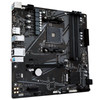
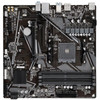
Gigabyte A520M DS3H V2 AM4 Micro-ATX Motherboard – DDR4, M.2 & HDMI
- SKU:
- MBGIG-GAA52MS3H
- UPC:
- 4719331854690
- MPN:
- A520M DS3H V2
- Availability:
- Free Click & Collect in Peterborough. UK delivery also available


Description
Gigabyte A520M DS3H V2 AM4 Micro-ATX Motherboard – Ryzen 5000, DDR4, M.2, HDMI & DisplayPort
The Gigabyte A520M DS3H V2 is a compact Micro-ATX motherboard built around the AMD A520 chipset and Socket AM4. Designed for affordable AMD Ryzen gaming PCs, home computers, office systems and AM4 upgrades, it supports compatible Ryzen 5000, Ryzen 5000 G-Series, Ryzen 4000 G-Series, Ryzen 3000 and Ryzen 3000 G-Series processors.
The board combines four DDR4 DIMM slots supporting up to 128GB memory, a PCIe 3.0 x16 graphics slot, one PCIe 3.0 x4 M.2 socket, four SATA 6Gb/s connections, Gigabit Ethernet, USB 3.2 Gen 1 and high-definition 7.1-channel audio in a compact 244 × 244mm motherboard.
For systems using a compatible AMD Ryzen processor with integrated Radeon graphics, the rear I/O provides both DisplayPort 1.4 and HDMI 2.1, including support for up to 5K resolution through DisplayPort and 4K 60Hz through HDMI.
Quick answer: The Gigabyte A520M DS3H V2 is a Micro-ATX AM4 motherboard for compatible AMD Ryzen 5000, 5000G, 4000G, 3000 and 3000G processors. It supports up to 128GB DDR4, one PCIe 3.0 x16 graphics card, one PCIe 3.0 x4 M.2 SSD, four SATA drives, Gigabit Ethernet, HDMI 2.1, DisplayPort 1.4, Smart Fan 5 and Windows 11.
Key Features of the Gigabyte A520M DS3H V2
- AMD Socket AM4
- AMD A520 chipset
- Supports compatible AMD Ryzen 5000 Series processors
- Supports Ryzen 5000 G-Series processors
- Supports Ryzen 4000 G-Series processors
- Supports Ryzen 3000 Series processors
- Supports Ryzen 3000 G-Series processors
- Micro-ATX 244 × 244mm form factor
- 4 × DDR4 DIMM slots
- Up to 128GB DDR4 memory
- DDR4 speeds up to 4733MHz OC
- Dual-channel memory architecture
- XMP memory profile support
- ECC and non-ECC unbuffered DDR4 support depending on configuration
- 1 × PCIe 3.0 x16 slot
- 1 × PCIe 3.0 x1 expansion slot
- 1 × M.2 Socket 3
- M.2 supports PCIe 3.0 x4/x2 NVMe SSDs
- M.2 also supports SATA SSDs
- M.2 drive size: 2280
- 4 × SATA 6Gb/s connectors
- RAID 0 / RAID 1 / RAID 10 support
- Realtek Gigabit Ethernet
- LAN bandwidth-management software support
- DisplayPort 1.4
- HDMI 2.1
- Up to 5120 × 2880 at 60Hz through DisplayPort with compatible integrated graphics
- Up to 4096 × 2160 at 60Hz through HDMI with compatible integrated graphics
- HDCP 2.3 and HDR support
- Realtek High Definition Audio
- Up to 7.1-channel audio
- High-quality audio capacitors
- Audio Noise Guard
- 4 × rear USB 3.2 Gen 1 Type-A ports
- 2 × rear USB 2.0 ports
- Internal USB 3.2 Gen 1 header supporting 2 additional ports
- Internal USB 2.0 header supporting 2 additional ports
- Smart Fan 5
- 2 hybrid fan headers
- 5 temperature sensors
- Fan Stop support
- Digital PWM power design with Low RDS(on) MOSFETs
- Solid-pin 8-pin CPU power connector
- Anti-Sulfur resistor design
- Humidity-resistant glass-fabric PCB design
- Surge and ESD protection features
- TPM header
- Q-Flash BIOS update support
- 128Mbit AMI UEFI BIOS
- Windows 11 64-bit support
- Windows 10 64-bit support
Affordable AM4 Motherboard for AMD Ryzen 5000
The A520M DS3H V2 uses the mature AMD AM4 socket, making it a practical choice for users building an affordable Ryzen desktop or upgrading an existing AM4-based PC.
Gigabyte officially lists support for compatible processors from the following families:
- AMD Ryzen 5000 Series
- AMD Ryzen 5000 G-Series
- AMD Ryzen 4000 G-Series
- AMD Ryzen 3000 Series
- AMD Ryzen 3000 G-Series
Check CPU and BIOS Compatibility Before Installation
Processor support can depend on the motherboard revision and installed BIOS version. Before purchasing or installing a CPU, check the exact processor against Gigabyte's CPU Support List for the motherboard revision printed on the PCB.
This is particularly important where the CPU was released after the motherboard's original production date.
Micro-ATX Design for Compact PC Builds
The A520M DS3H V2 uses the Micro-ATX form factor and measures approximately 244 × 244mm.
This makes it smaller than a conventional full-size ATX motherboard while still providing four memory slots, a full-length graphics-card slot, M.2 storage and multiple SATA connections.
Suitable for Micro-ATX and Many ATX Cases
The motherboard is designed for cases that support Micro-ATX motherboards. Most standard ATX cases also support Micro-ATX boards, but always check the PC case specification before installation.
Four DDR4 Memory Slots
The Gigabyte A520M DS3H V2 provides four DDR4 DIMM sockets, giving it greater memory expansion flexibility than many entry-level Micro-ATX motherboards that provide only two slots.
Gigabyte officially specifies:
- Maximum capacity: 128GB
- Maximum per DIMM: 32GB
- Memory architecture: Dual Channel
DDR4 Memory Speeds Up to 4733MHz OC
Gigabyte lists support for memory speeds up to DDR4-4733 OC, depending on the CPU, memory modules, number of installed DIMMs and BIOS configuration.
Supported frequencies include:
- 4733MHz OC
- 4600MHz OC
- 4400MHz OC
- 4266MHz OC
- 4133MHz OC
- 4000MHz OC
- 3866MHz OC
- 3733MHz OC
- 3600MHz OC
- 3466MHz OC
- 3400MHz OC
- 3200MHz
- 2933MHz
- 2667MHz
- 2400MHz
- 2133MHz
XMP Memory Profile Support
The motherboard supports Extreme Memory Profile (XMP) memory modules.
With a compatible DDR4 kit, an XMP profile can simplify memory configuration by applying the manufacturer's intended frequency and timings instead of requiring every parameter to be entered manually.
High Memory Speeds Are Not Guaranteed in Every Configuration
The maximum achievable DDR4 frequency depends on the memory controller inside the CPU, DIMM configuration, BIOS version and individual memory kit.
When high-frequency memory operation is important, check Gigabyte's memory-support list for the exact CPU and memory combination.
ECC and Non-ECC DDR4 Compatibility
Gigabyte lists support for compatible ECC unbuffered and non-ECC unbuffered DDR4 modules.
Actual ECC functionality depends on the installed processor and memory configuration, so users requiring error-correcting operation should confirm CPU support before purchase.
PCIe 3.0 x16 Graphics Card Slot
The motherboard provides one CPU-connected PCI Express 3.0 x16 slot for a dedicated graphics card.
This slot can accept compatible AMD Radeon, NVIDIA GeForce and other standard PCI Express graphics cards.
Important: This Motherboard Does Not Support PCIe 4.0
The A520M DS3H V2 operates its primary graphics slot at PCIe 3.0 x16.
This remains the case even when a Ryzen processor that supports PCIe 4.0 is installed.
A PCIe 4.0 graphics card can normally still be used because PCI Express is backward compatible, but the connection will operate at the PCIe 3.0 capability of the motherboard.
Additional PCIe x1 Expansion Slot
A second PCIe 3.0 x1 slot is provided through the AMD A520 chipset.
This can accommodate compatible expansion hardware such as:
- Wi-Fi adapters
- Bluetooth/Wi-Fi combination cards
- Sound cards
- USB expansion cards
- Network adapters
- Capture cards
- Other PCIe x1 devices
PCIe 3.0 x4 M.2 NVMe SSD Support
The A520M DS3H V2 provides one CPU-connected M.2 Socket 3, M-Key connector for a compatible 2280-format SSD.
The M.2 socket supports:
- PCIe 3.0 x4 NVMe SSDs
- PCIe 3.0 x2 SSDs
- SATA M.2 SSDs
Up to PCIe Gen3 x4 Storage Bandwidth
A compatible PCIe 3.0 x4 NVMe SSD can use substantially more bandwidth than a conventional SATA SSD, making the M.2 slot useful for:
- Windows system drives
- Gaming storage
- Application storage
- Fast file access
Important M.2 Size Note
Gigabyte's official specification lists the M.2 socket for type 2280 SSDs. Do not assume support for 2242, 2260 or 22110 drives on this particular V2 model unless Gigabyte specifically confirms them.
Four SATA 6Gb/s Ports
Alongside its M.2 slot, the motherboard provides four SATA 6Gb/s connectors.
These can be used for compatible:
- 2.5-inch SATA SSDs
- 3.5-inch hard drives
- Optical drives
- Other SATA storage devices
RAID 0, RAID 1 and RAID 10
Gigabyte officially lists storage RAID support for:
- RAID 0
- RAID 1
- RAID 10
with suitable supported SATA configurations.
DisplayPort 1.4 for Up to 5K Display Output
The rear I/O includes a DisplayPort 1.4 connection supporting a maximum listed resolution of:
5120 × 2880 at 60Hz
with compatible integrated Radeon graphics.
Gigabyte also lists support for HDCP 2.3 and HDR.
HDMI 2.1 with 4K 60Hz Support
The rear HDMI 2.1 output supports up to:
4096 × 2160 at 60Hz
with a compatible AMD Ryzen processor containing integrated Radeon graphics.
HDCP 2.3 and HDR are also supported.
HDMI and DisplayPort Require Integrated CPU Graphics
The motherboard itself does not contain a graphics processor.
Its HDMI and DisplayPort connections only function when the installed AMD CPU provides compatible integrated Radeon graphics.
For example, many Ryzen G-Series processors include integrated graphics.
If you use a Ryzen processor without an integrated GPU, you will need a dedicated graphics card and should connect the monitor to the graphics card instead.
Multi-Display Support with a Compatible Ryzen APU
Gigabyte advertises rear DisplayPort + HDMI multi-display support when a compatible AMD Ryzen processor with Radeon graphics is installed.
This can make the motherboard useful for office, productivity and home-computing systems that require multiple monitors without a dedicated graphics card.
Realtek Gigabit Ethernet
The motherboard includes a Realtek Gigabit Ethernet controller supporting:
- 10Mbps Ethernet
- 100Mbps Fast Ethernet
- 1000Mbps / 1Gbps Gigabit Ethernet
LAN Bandwidth Management
Gigabyte provides compatible LAN bandwidth-management software designed to help prioritise network traffic and improve responsiveness where several applications compete for available bandwidth.
No Built-In Wi-Fi or Bluetooth
The standard A520M DS3H V2 does not include integrated Wi-Fi or Bluetooth.
Wireless connectivity can be added separately using a compatible:
- PCIe Wi-Fi card
- USB Wi-Fi adapter
- USB Bluetooth adapter
- Combination Wi-Fi/Bluetooth PCIe card
Realtek 7.1-Channel High Definition Audio
The motherboard uses a Realtek High Definition Audio codec and supports:
- 2-channel audio
- 4-channel audio
- 5.1-channel audio
- 7.1-channel audio
The rear I/O provides three configurable 3.5mm audio jacks.
High-Quality Audio Capacitors
Gigabyte uses dedicated high-quality audio capacitors designed to provide clean and detailed analogue audio output.
Audio Noise Guard
The PCB incorporates an Audio Noise Guard that separates sensitive analogue audio components from other motherboard circuitry to help reduce electrical interference.
Four Rear USB 3.2 Gen 1 Ports
The rear I/O includes four USB 3.2 Gen 1 Type-A ports, provided through the processor.
USB 3.2 Gen 1 offers theoretical transfer speeds up to approximately 5Gbps for compatible devices.
Suitable peripherals include:
- External SSDs
- USB hard drives
- Flash drives
- Keyboards and mice
- Webcams
- Headsets
- Printers
- Other USB accessories
Additional Front USB Connectivity
An internal USB 3.2 Gen 1 header can provide two additional front-panel USB 3.2 Gen 1 ports when connected to a compatible PC case.
The chipset also provides USB 2.0 connectivity through the rear panel and internal header.
Total USB Connectivity
The official specification provides support for:
- 4 × rear USB 3.2 Gen 1
- 2 × additional USB 3.2 Gen 1 through an internal header
- 4 × rear USB 2.0/1.1 capability from the chipset, with two physically exposed on the rear panel for this layout
- 2 × additional USB 2.0/1.1 through the internal header
The actual rear I/O panel physically provides 4 × USB 3.2 Gen 1 and 2 × USB 2.0 ports.
No USB Type-C Port
The A520M DS3H V2 does not provide a USB Type-C port or dedicated front-panel USB-C header in Gigabyte's official specification.
If USB-C connectivity is essential, a compatible PCI Express expansion card or different motherboard may be more suitable.
Smart Fan 5 Cooling Control
The motherboard incorporates Gigabyte Smart Fan 5 for temperature monitoring and fan control.
Gigabyte specifies:
- 2 hybrid fan headers
- 5 internal temperature sensors
- Fan Stop support
- PWM fan support
- Voltage-mode fan support
Hybrid Fan Headers
Gigabyte's hybrid fan headers can automatically work with compatible PWM or voltage-controlled cooling devices.
This allows the fan-speed curve to be adjusted according to motherboard temperature readings.
Fan Stop for Quieter Operation
Fan Stop allows compatible system fans to stop when temperatures fall below a configured threshold.
This can reduce fan noise during idle or low-load operation.
Only Two Fan Headers
The A520M DS3H V2 provides:
- 1 × CPU fan header
- 1 × system fan header
If your PC case contains several individual fans, a suitable fan splitter or powered fan hub may therefore be required.
Digital PWM Power Design
Gigabyte uses a digital PWM power-delivery design with Low RDS(on) MOSFETs to provide stable power to the processor and motherboard components.
Low RDS(on) MOSFETs are designed to reduce unnecessary heat losses and improve electrical efficiency.
Solid-Pin 8-Pin CPU Power Connector
The motherboard includes:
- 1 × 24-pin ATX motherboard power connector
- 1 × solid-pin 8-pin ATX 12V CPU power connector
Gigabyte's solid-pin design increases contact area and metal content compared with conventional hollow power-connector pins.
Ultra Durable PCIe Slot
The primary PCIe x16 interface uses Gigabyte's Ultra Durable PCIe slot design and provides a PCI Express 3.0 x16 connection to a compatible graphics card.
Anti-Sulfur Resistor Design
The A520M DS3H V2 incorporates Anti-Sulfur resistors designed to improve durability in environments where airborne sulphur compounds could otherwise affect conventional resistor contacts over time.
Humidity Protection Glass-Fabric PCB
Gigabyte uses a glass-fabric PCB design intended to reduce moisture penetration between PCB fibres.
This forms part of Gigabyte's Ultra Durable design approach for improving motherboard reliability in humid environments.
ESD and Surge Protection
The motherboard incorporates protection technologies intended to help defend LAN and motherboard circuitry against certain electrostatic discharge and power-surge events.
These features do not replace the need for a properly installed power supply and appropriate mains surge protection where required.
TPM Header for Security Hardware
An internal 2 × 6-pin TPM header is provided for Gigabyte's compatible GC-TPM2.0_S module.
A separate physical TPM module is not necessarily required for every Windows 11 system because supported AMD processors may provide firmware-based TPM functionality, depending on BIOS configuration.
Windows 11 and Windows 10 Support
Gigabyte officially lists support for:
- Windows 11 64-bit
- Windows 10 64-bit
Windows 11 compatibility also depends on the complete system meeting Microsoft's supported processor, TPM, Secure Boot and other requirements.
128Mbit AMI UEFI BIOS
The A520M DS3H V2 uses a 128Mbit flash ROM with licensed AMI UEFI BIOS.
Gigabyte supports its standard Q-Flash BIOS update utility on this motherboard.
Important: Q-Flash Is Not Q-Flash Plus
This model officially supports Q-Flash, but Gigabyte does not list Q-Flash Plus for the A520M DS3H V2 Rev. 1.0 or Rev. 1.1.
This distinction matters because normal Q-Flash and Q-Flash Plus are different BIOS-update functions.
Do not assume that this motherboard can update its BIOS without a supported CPU installed unless Gigabyte specifically confirms that functionality for the exact hardware revision.
Rear I/O Connections
The rear panel provides:
- 1 × PS/2 keyboard/mouse combination port
- 1 × DisplayPort 1.4
- 1 × HDMI 2.1
- 4 × USB 3.2 Gen 1 Type-A
- 2 × USB 2.0 / 1.1
- 1 × Gigabit Ethernet RJ45
- 3 × 3.5mm audio jacks
Internal Connections
Internal motherboard connectivity includes:
- 1 × 24-pin ATX main power connector
- 1 × 8-pin ATX 12V CPU power connector
- 1 × CPU fan header
- 1 × system fan header
- 1 × M.2 Socket 3 connector
- 4 × SATA 6Gb/s connectors
- 1 × front-panel header
- 1 × front-panel audio header
- 1 × USB 3.2 Gen 1 header
- 1 × USB 2.0 / 1.1 header
- 1 × TPM header
- 1 × Clear CMOS jumper
Who Is the Gigabyte A520M DS3H V2 Best For?
- Budget AMD Ryzen 5000 PC builds
- Affordable AM4 gaming PCs
- Ryzen G-Series systems using integrated Radeon graphics
- Home and office computers
- Micro-ATX PC builds
- Users who want four DDR4 memory slots
- Users installing one NVMe M.2 SSD
- Systems needing HDMI and DisplayPort outputs
- AM4 upgrades using existing DDR4 memory
- Users who do not require PCIe 4.0
Who Should Consider a Different Motherboard?
A different motherboard may be more appropriate if you specifically require:
- AMD AM5 processor support
- DDR5 memory
- PCIe 4.0 graphics connectivity
- PCIe 4.0 NVMe storage
- Two or more M.2 SSD slots
- Built-in Wi-Fi
- Built-in Bluetooth
- 2.5GbE Ethernet
- USB Type-C
- Multiple additional PCIe expansion slots
- More than two onboard fan headers
- Q-Flash Plus CPU-less BIOS flashing
A520M DS3H V2 vs B550 Motherboard
The A520M DS3H V2 is designed as a more affordable AM4 motherboard than many B550 models.
Key differences typically include:
- A520M DS3H V2: PCIe 3.0 graphics and storage
- B550: selected CPU-connected PCIe 4.0 functionality on suitable boards and processors
- A520M DS3H V2: one M.2 socket
- Many B550 boards: two or more M.2 sockets
- A520M DS3H V2: compact Micro-ATX design
For users who do not require PCIe 4.0 or multiple NVMe drives, the A520 platform can provide a cost-effective way to build around compatible Ryzen 3000–5000 processors and DDR4 memory.
Is the Gigabyte A520M DS3H V2 Good for Gaming?
Yes, it can form the basis of a capable gaming PC when combined with a suitable AMD Ryzen processor, graphics card, DDR4 memory and storage.
The PCIe 3.0 x16 interface is compatible with a wide range of modern dedicated GPUs. A graphics card that supports PCIe 4.0 can still operate in the PCIe 3.0 slot through PCI Express backward compatibility.
Users building higher-end systems that require multiple NVMe SSDs, additional PCIe slots, faster onboard networking or PCIe 4.0 may prefer a B550-class motherboard instead.
Is the A520M DS3H V2 Suitable for Ryzen 5 5600?
The motherboard supports compatible Ryzen 5000-series processors, but the exact Ryzen 5 model should always be checked against Gigabyte's CPU Support List together with its minimum required BIOS version.
This is particularly important when pairing a newer processor with motherboard stock manufactured before the relevant BIOS release.
Is the A520M DS3H V2 Suitable for a Ryzen G-Series APU?
Yes. Gigabyte officially supports compatible Ryzen 5000 G-Series, Ryzen 4000 G-Series and Ryzen 3000 G-Series processors.
Using a processor with integrated Radeon graphics also enables the motherboard's DisplayPort and HDMI outputs, allowing a PC to be built without a separate graphics card where the integrated GPU provides sufficient performance.
Gigabyte A520M DS3H V2 Technical Overview
- Brand: Gigabyte
- Model: A520M DS3H V2
- Chipset: AMD A520
- CPU Socket: AMD AM4
- Form Factor: Micro-ATX
- Dimensions: 244 × 244mm
- Memory Type: DDR4
- Memory Slots: 4
- Maximum Memory: 128GB
- Maximum Listed Memory Speed: DDR4-4733 OC
- Memory Channels: Dual Channel
- XMP: Supported
- ECC: Compatible unbuffered ECC memory supported; operation depends on CPU
- Primary PCIe Slot: PCIe 3.0 x16
- Additional PCIe Slot: 1 × PCIe 3.0 x1
- M.2 Slots: 1
- M.2 Size: 2280
- M.2 PCIe: PCIe 3.0 x4/x2
- M.2 SATA: Supported
- SATA: 4 × SATA 6Gb/s
- RAID: RAID 0 / 1 / 10
- LAN: Realtek Gigabit Ethernet
- Wi-Fi: No
- Bluetooth: No
- Audio: Realtek High Definition Audio
- Audio Channels: Up to 7.1
- DisplayPort: DisplayPort 1.4
- Maximum DisplayPort Resolution: 5120 × 2880 at 60Hz
- HDMI: HDMI 2.1
- Maximum HDMI Resolution: 4096 × 2160 at 60Hz
- Rear USB 3.2 Gen 1: 4
- Rear USB 2.0: 2
- Internal USB 3.2 Gen 1 Header: 1, supporting 2 ports
- Internal USB 2.0 Header: 1, supporting 2 ports
- USB Type-C: No
- CPU Fan Header: 1
- System Fan Header: 1
- Temperature Sensors: 5
- Smart Fan 5: Yes
- Fan Stop: Yes
- BIOS: 128Mbit AMI UEFI
- Q-Flash: Yes
- Q-Flash Plus: Not listed
- TPM Header: Yes
- Windows 11 64-bit: Supported
- Windows 10 64-bit: Supported
- EAN / GTIN-13: 4719331854690
- UPC-12: 889523037119
- Manufacturer Warranty: 3-Year Limited Local Warranty in the UK, subject to terms
Important Compatibility Checks Before Buying
- Confirm your processor uses the AMD AM4 socket.
- Check the CPU against Gigabyte's CPU Support List.
- Confirm the required BIOS version for your CPU.
- Use DDR4 rather than DDR5 memory.
- Remember that the motherboard provides PCIe 3.0 rather than PCIe 4.0.
- The board has one M.2 socket, not two.
- The M.2 slot officially supports type 2280 SSDs.
- Use a CPU with integrated Radeon graphics if you want to use the rear HDMI or DisplayPort outputs without a graphics card.
- Add a separate wireless adapter if Wi-Fi or Bluetooth is required.
- Check that your PC case supports a 244 × 244mm Micro-ATX motherboard.
- Consider a fan hub or splitter if your build requires more than the two onboard fan headers.
Important PCIe 4.0 Note
The A520M DS3H V2 does not provide PCIe 4.0 operation. The main graphics slot operates at PCIe 3.0 x16 and the M.2 socket supports up to PCIe 3.0 x4.
Important M.2 Note
This motherboard provides one M.2 Socket 3 connector supporting type 2280 SATA and PCIe 3.0 x4/x2 SSDs.
Important Graphics Output Note
DisplayPort and HDMI output depend on the installed AMD processor providing integrated Radeon graphics. Standard Ryzen processors without an integrated GPU require a dedicated graphics card.
Important Q-Flash Note
The official A520M DS3H V2 Rev. 1.0 and Rev. 1.1 specifications list Q-Flash, but do not list Q-Flash Plus. Q-Flash Plus functionality should therefore not be advertised for this model unless Gigabyte specifically confirms it for the exact revision supplied.
Important Revision Note
Gigabyte publishes separate support pages for Rev. 1.0 and Rev. 1.1. Core specifications are extremely similar, but BIOS files are revision-specific. Always check the revision number printed on the physical motherboard before downloading BIOS firmware.
Model Identification Note
These specifications apply to the Gigabyte A520M DS3H V2, associated with EAN 4719331854690, UPC 889523037119 and manufacturer model A520M DS3H V2.
Why Choose the Gigabyte A520M DS3H V2?
The Gigabyte A520M DS3H V2 provides a practical foundation for an affordable AMD Ryzen AM4 system without sacrificing useful expansion features such as four DDR4 memory slots, NVMe M.2 storage and Gigabit Ethernet.
Its support for compatible Ryzen 5000, 5000G, 4000G, 3000 and 3000G processors gives builders access to a wide range of CPUs across the mature AM4 platform, while four DDR4 sockets provide up to 128GB of memory capacity.
The PCIe 3.0 x16 graphics slot and PCIe 3.0 x4 M.2 socket provide suitable connectivity for many gaming and everyday desktop systems, while four additional SATA ports allow SSDs and hard drives to be added as storage requirements grow.
For systems built around a Ryzen processor with integrated Radeon graphics, DisplayPort 1.4 and HDMI 2.1 allow high-resolution monitor output without the cost or power consumption of a dedicated graphics card.
Smart Fan 5, five temperature sensors, Fan Stop, Gigabit Ethernet, high-definition audio and Gigabyte Ultra Durable technologies add useful reliability and control features to this compact Micro-ATX platform.
Choose the Gigabyte A520M DS3H V2 if you need an affordable AM4 Micro-ATX motherboard with Ryzen 5000 support, four DDR4 slots, PCIe 3.0 M.2 storage, Gigabit Ethernet and modern HDMI/DisplayPort connectivity.
Specification
Gigabyte A520M DS3H V2 AM4 Micro-ATX Motherboard Specifications
The Gigabyte A520M DS3H V2 is a Micro-ATX AMD AM4 motherboard based on the A520 chipset. It supports compatible Ryzen 5000, Ryzen 5000 G-Series, Ryzen 4000 G-Series, Ryzen 3000 and Ryzen 3000 G-Series processors, with four DDR4 DIMM slots, PCIe 3.0 graphics, PCIe 3.0 x4 M.2 storage, four SATA ports, Gigabit Ethernet, HDMI and DisplayPort connectivity.
General Information
| Brand | Gigabyte |
| Model | A520M DS3H V2 |
| Manufacturer Part Number / MPN | A520M DS3H V2 |
| Memox SKU | MBGIG-GAA52MS3H |
| EAN / GTIN-13 | 4719331854690 |
| UPC-12 | 889523037119 |
| Product Type | Desktop PC Motherboard |
| Chipset | AMD A520 |
| CPU Socket | AMD AM4 |
| Form Factor | Micro-ATX |
| Dimensions | 244 × 244mm / 24.4 × 24.4cm |
Hardware Revision
| Known Revisions | Rev. 1.0 / Rev. 1.1 |
| Revision Identification | Printed on the physical motherboard PCB |
| BIOS Files | Revision-specific – always use the BIOS for the exact PCB revision |
Processor Compatibility
| AMD Ryzen 5000 Series | Supported |
| AMD Ryzen 5000 G-Series | Supported |
| AMD Ryzen 4000 G-Series | Supported |
| AMD Ryzen 3000 Series | Supported |
| AMD Ryzen 3000 G-Series | Supported according to current Gigabyte specification |
| CPU Socket | AM4 |
| CPU Support Requirement | Exact processor compatibility may depend on BIOS version |
Memory Specifications
| Memory Type | DDR4 |
| DIMM Slots | 4 |
| Maximum Memory Capacity | 128GB |
| Maximum Per DIMM | 32GB |
| Memory Channels | Dual Channel |
| XMP Support | Yes |
| ECC Unbuffered DDR4 | Supported – ECC operation depends on CPU |
| Non-ECC Unbuffered DDR4 | Supported |
| ECC DIMM Rank Support | 1Rx8 / 2Rx8 |
| Non-ECC DIMM Rank Support | 1Rx8 / 2Rx8 / 1Rx16 |
Supported DDR4 Speeds
| Maximum Listed Memory Speed | DDR4-4733 OC |
| Overclocked Speeds | 4733 / 4600 / 4400 / 4266 / 4133 / 4000 / 3866 / 3733 / 3600 / 3466 / 3400MHz OC |
| Standard Listed Speeds | 3200 / 2933 / 2667 / 2400 / 2133MHz |
| Actual Maximum Speed | Depends on CPU, memory kit, DIMM population and BIOS settings |
PCI Express Expansion Slots
| Primary PCIe Slot | 1 × PCI Express x16 |
| Primary Slot Source | CPU |
| Primary Slot Mode | PCIe 3.0 x16 |
| Additional PCIe Slot | 1 × PCI Express x1 |
| Additional Slot Source | AMD A520 Chipset |
| Additional Slot Mode | PCIe 3.0 x1 |
| PCIe 4.0 Support | No – motherboard interfaces operate at PCIe 3.0 |
M.2 Storage
| M.2 Sockets | 1 |
| M.2 Socket Name | M2A_CPU |
| Connection Source | CPU |
| Socket Type | Socket 3, M-Key |
| Supported Drive Size | 2280 |
| NVMe Support | PCIe 3.0 x4/x2 |
| SATA M.2 Support | Yes |
| PCIe 4.0 M.2 Operation | No – maximum motherboard interface is PCIe 3.0 x4 |
SATA Storage
| SATA Connectors | 4 × SATA 6Gb/s |
| SATA Controller | AMD A520 Chipset |
| 2.5-Inch SATA SSD Support | Yes |
| 3.5-Inch SATA HDD Support | Yes |
| RAID 0 | Supported |
| RAID 1 | Supported |
| RAID 10 | Supported |
Onboard Display Outputs
| DisplayPort | 1 |
| DisplayPort Version | DisplayPort 1.4 |
| Maximum DisplayPort Resolution | 5120 × 2880 at 60Hz |
| HDMI | 1 |
| HDMI Version | HDMI 2.1 |
| Maximum HDMI Resolution | 4096 × 2160 at 60Hz |
| HDCP | HDCP 2.3 |
| HDR | Supported |
| Maximum Shared Graphics Memory | 16GB |
| Integrated Graphics Requirement | Requires a compatible AMD processor with integrated Radeon graphics |
Networking
| LAN Controller | Realtek Gigabit Ethernet |
| Ethernet Interface | 10 / 100 / 1000Mbps Gigabit Ethernet |
| Maximum LAN Speed | 1Gbps |
| RJ45 Ports | 1 |
| LAN Bandwidth Management | Supported |
| 2.5GbE | No |
| Integrated Wi-Fi | No |
| Integrated Bluetooth | No |
Audio
| Audio Codec | Realtek High Definition Audio CODEC |
| High Definition Audio | Yes |
| Audio Channels | 2 / 4 / 5.1 / 7.1 Channel |
| Rear Audio Jacks | 3 |
| High-Quality Audio Capacitors | Yes |
| Audio Noise Guard | Yes |
USB Connectivity
| Rear USB 3.2 Gen 1 Type-A | 4 |
| Internal USB 3.2 Gen 1 Header | 1 – supports 2 additional ports |
| Rear USB 2.0 / 1.1 | 4 – see manufacturer USB note below |
| Internal USB 2.0 / 1.1 Header | 1 – supports 2 additional ports |
| Total USB 3.2 Gen 1 Support | 6 ports |
| Total USB 2.0 / 1.1 Support | 6 ports |
| USB Type-C | No |
| Front USB Type-C Header | No |
Rear I/O Connections
| PS/2 Keyboard / Mouse Port | 1 |
| DisplayPort | 1 |
| HDMI | 1 |
| USB 3.2 Gen 1 Type-A | 4 |
| USB 2.0 / 1.1 | 4 – based on Gigabyte USB specification and feature overview |
| Gigabit Ethernet RJ45 | 1 |
| 3.5mm Audio Jacks | 3 |
Internal I/O Connectors
| 24-Pin ATX Main Power | 1 |
| 8-Pin ATX 12V CPU Power | 1 |
| CPU Fan Header | 1 |
| System Fan Header | 1 |
| M.2 Socket 3 | 1 |
| SATA 6Gb/s | 4 |
| Front Panel Header | 1 |
| Front Audio Header | 1 |
| USB 3.2 Gen 1 Header | 1 |
| USB 2.0 / 1.1 Header | 1 |
| TPM Header | 1 × 2x6-Pin |
| Compatible TPM Module | Gigabyte GC-TPM2.0_S |
| Clear CMOS Jumper | 1 |
Cooling and Smart Fan 5
| Smart Fan 5 | Supported |
| Total Fan Headers | 2 |
| CPU Fan Header | 1 |
| System Fan Header | 1 |
| Temperature Sensors | 5 |
| Hybrid Fan Headers | Yes |
| PWM Fan Control | Yes – compatible fan dependent |
| Voltage Fan Control | Yes – compatible fan dependent |
| Fan Stop | Supported |
Hardware Monitoring
| Voltage Detection | Yes |
| Temperature Detection | Yes |
| Fan Speed Detection | Yes |
| Fan Failure Warning | Yes |
| Fan Speed Control | Yes – cooler/fan dependent |
Power Delivery and Durability
| CPU Power Design | Digital PWM Design |
| MOSFET Type | Low RDS(on) MOSFETs |
| CPU Power Connector | Solid-Pin 8-Pin ATX 12V |
| Main Power Connector | 24-Pin ATX |
| Ultra Durable PCIe Slot | Yes |
| Anti-Sulfur Resistors | Yes |
| Humidity-Resistant PCB Design | Glass-Fabric PCB |
BIOS
| BIOS Flash | 1 × 128Mbit Flash |
| BIOS Type | Licensed AMI UEFI BIOS |
| Q-Flash | Supported |
| Q-Flash Plus | Not listed by Gigabyte for Rev. 1.0 / 1.1 |
| @BIOS | Supported through compatible Gigabyte software |
Gigabyte Software and Features
| APP Center | Supported |
| @BIOS | Supported |
| EasyTune | Supported |
| Smart Backup | Supported |
| System Information Viewer | Supported |
| Q-Flash | Supported |
| LAN Bandwidth Management Software | Supported |
Operating System Support
| Windows 11 64-Bit | Supported |
| Windows 10 64-Bit | Supported |
Physical Specifications
| Form Factor | Micro-ATX |
| Width | 244mm / 24.4cm |
| Length | 244mm / 24.4cm |
| Overall Size | 244 × 244mm |
Typical Package Contents
| Motherboard | 1 × Gigabyte A520M DS3H V2 |
| SATA Cables | 2 |
| I/O Shield | Included as separate rear I/O shield |
| Documentation / Manual | Included / availability may vary by production batch |
| Package Contents | May vary by region and production batch |
Product Identification
| Manufacturer | Gigabyte |
| Model | A520M DS3H V2 |
| MPN | A520M DS3H V2 |
| Memox SKU | MBGIG-GAA52MS3H |
| EAN / GTIN-13 | 4719331854690 |
| UPC-12 | 889523037119 |
Warranty
| Gigabyte Motherboard Warranty | 3-Year Limited Local Warranty |
| Warranty Conditions | Subject to Gigabyte regional warranty terms and valid proof of purchase |
Important PCIe 4.0 Compatibility Note
The A520M DS3H V2 is a PCIe 3.0 motherboard. The primary graphics-card slot operates at PCIe 3.0 x16 and the M.2 SSD socket operates at up to PCIe 3.0 x4.
A PCIe 4.0 graphics card or NVMe SSD may be physically compatible where the interface is backward compatible, but it will operate at the maximum PCIe generation supported by this motherboard.
Important M.2 Compatibility Note
The motherboard has one M.2 Socket 3 connector supporting M-Key type 2280 SATA and PCIe 3.0 x4/x2 SSDs.
Gigabyte's official specification for this V2 model lists 2280 as the supported M.2 length. Do not advertise 2242, 2260 or 22110 support unless separately confirmed for the exact revision.
Important M.2 RAID Note
The M.2 socket can participate in supported RAID configurations, but Gigabyte's motherboard documentation notes that a PCIe M.2 SSD cannot be combined with SATA drives in the same RAID array. Check Gigabyte's RAID configuration instructions before building a mixed-drive RAID setup.
Important Display Output Note
The HDMI and DisplayPort connectors require a compatible AMD processor with integrated Radeon graphics. The motherboard does not contain an independent graphics processor.
If your Ryzen CPU has no integrated graphics, install a dedicated graphics card and connect the monitor to the graphics card instead.
Important USB Specification Note
Gigabyte's current A520M DS3H V2 product information contains an internal inconsistency regarding rear USB 2.0 port count.
The manufacturer's USB specification states 6 × USB 2.0/1.1 ports in total, comprising 4 rear ports and 2 ports through the internal USB header. Gigabyte's product feature overview also labels the rear I/O as USB 2.0 ×4.
A separate Back Panel Connectors table on the same Gigabyte page lists only two USB 2.0 ports. Because the USB controller specification and Gigabyte's visual feature overview both independently indicate four rear ports, 4 × rear USB 2.0/1.1 is used in this specification tab.
Important Q-Flash Note
Gigabyte officially lists Q-Flash support for the A520M DS3H V2. It does not list Q-Flash Plus for Rev. 1.0 or Rev. 1.1.
Do not describe this motherboard as supporting CPU-less Q-Flash Plus BIOS updating unless Gigabyte confirms that feature for the exact hardware revision supplied.
Important CPU Compatibility Note
Although the A520M DS3H V2 supports several Ryzen processor families, the exact CPU and minimum BIOS requirement should always be checked against Gigabyte's CPU Support List before installation.
Important Memory Compatibility Note
Gigabyte officially lists up to 128GB DDR4 and speeds up to DDR4-4733 OC. Achievable frequency depends on the installed processor, memory modules, DIMM population and BIOS configuration.
Important Fan Header Note
The motherboard has only two onboard fan headers: one CPU fan header and one system fan header. Builds containing several independent case fans may require a compatible fan splitter or powered fan hub.
Important Wireless Connectivity Note
The A520M DS3H V2 does not include built-in Wi-Fi or Bluetooth. Wireless connectivity requires a separate compatible PCIe or USB adapter.
Important Revision Note
Gigabyte provides separate support pages for Rev. 1.0 and Rev. 1.1. The core specifications are substantially the same, but BIOS files are revision-specific.
Always check the revision printed directly on the motherboard PCB before downloading or installing BIOS firmware.
Model Identification Note
These specifications apply specifically to the Gigabyte A520M DS3H V2, associated with EAN 4719331854690, UPC 889523037119, MPN A520M DS3H V2 and Memox SKU MBGIG-GAA52MS3H.
Return
FAQ: Frequenlty Asked Questions
GIGABYTE A520M DS3H V2 AM4 Motherboard FAQ
The GIGABYTE A520M DS3H V2 is a compact Micro-ATX AMD A520 motherboard designed for affordable AM4 gaming, office and home PC builds. It supports compatible Ryzen 3000, 4000G, 5000 and 5000G processors, four DDR4 memory slots, a PCIe 3.0 x16 graphics slot, PCIe 3.0 NVMe M.2 storage, four SATA drives, Gigabit Ethernet, HDMI and DisplayPort video output with compatible Ryzen APUs, and GIGABYTE Smart Fan 5.
Below are answers to the most common questions buyers ask about the GIGABYTE A520M DS3H V2, including Ryzen 5 5500/5600/5600G compatibility, Ryzen 7 5700X3D and 5800X3D upgrades, BIOS revisions, Q-Flash, DDR4/XMP, PCIe 3.0 graphics, M.2 SSD compatibility, onboard graphics, Wi-Fi, Windows 11, TPM, fan control and A520 versus B550.
1. What is the GIGABYTE A520M DS3H V2?
The GIGABYTE A520M DS3H V2 is a Micro-ATX Socket AM4 motherboard based on AMD's A520 chipset. It is designed as an affordable platform for compatible Ryzen processors and provides four DDR4 slots, PCIe 3.0 graphics, M.2 storage, Gigabit Ethernet and modern HDMI/DisplayPort connectivity when used with an AMD processor that includes integrated graphics.
2. What is the exact model and product code sold by Memox?
This product is the GIGABYTE A520M DS3H V2, Memox SKU MBGIG-GAA52MS3H, MPN A520M DS3H V2 and UPC/EAN 4719331854690.
3. What are the main specifications of the A520M DS3H V2?
Key specifications include an AMD AM4 socket, A520 chipset, four DDR4 DIMM slots supporting up to 128GB, DDR4 speeds up to 4733MHz O.C., one PCIe 3.0 x16 slot, one PCIe 3.0 x1 slot, one PCIe 3.0 x4 M.2 slot, four SATA 6Gb/s ports, Gigabit Ethernet, HDMI, DisplayPort, Realtek HD Audio and Smart Fan 5.
4. What size is the GIGABYTE A520M DS3H V2?
It uses the Micro-ATX / mATX form factor and measures approximately 24.4 × 24.4cm. It fits PC cases that support Micro-ATX motherboards and also fits most larger ATX cases.
5. Which processors does the A520M DS3H V2 support?
GIGABYTE officially lists support for compatible AMD Ryzen 5000 Series, Ryzen 5000 G-Series, Ryzen 4000 G-Series, Ryzen 3000 Series and Ryzen 3000 G-Series processors. Always check the CPU Support List for the exact motherboard revision and BIOS when planning an upgrade.
6. Is the A520M DS3H V2 compatible with the Ryzen 5 5500?
Yes. The Ryzen 5 5500 is an AM4 Ryzen 5000-series processor and is compatible with the A520M DS3H V2 with suitable BIOS support. Remember that the Ryzen 5 5500 does not contain integrated graphics, so a separate graphics card is required for display output.
7. Is the A520M DS3H V2 compatible with the Ryzen 5 5600 and 5600X?
Yes. The Ryzen 5 5600 and 5600X are supported AM4 Ryzen 5000 processors. Both require a separate graphics card because they do not provide integrated Radeon graphics.
8. Does the A520M DS3H V2 work with the Ryzen 5 5600G?
Yes. The Ryzen 5 5600G is a supported Ryzen 5000 G-Series processor and includes integrated Radeon graphics. This means a system using a 5600G can use the motherboard's HDMI or DisplayPort connections without installing a separate graphics card.
9. Does it support the Ryzen 5 5600GT?
The 5600GT is part of AMD's later AM4 Ryzen family and can be used when supported by the motherboard's current CPU Support List and BIOS. Because later AM4 processors were released after the original board, checking the exact BIOS before upgrading is recommended.
10. Can I use a Ryzen 7 5700X with the A520M DS3H V2?
Yes. The Ryzen 7 5700X is an AM4 Ryzen 5000-series processor and is compatible with the platform. It has no integrated graphics, so connect your monitor to a dedicated graphics card rather than the motherboard HDMI or DisplayPort.
11. Does the A520M DS3H V2 support the Ryzen 7 5700X3D?
Yes, the AM4 platform can support the Ryzen 7 5700X3D with appropriate BIOS support. Because the 5700X3D was released later than the motherboard, verify the CPU Support List and update the BIOS beforehand if required. The 5700X3D does not include integrated graphics.
12. Does the A520M DS3H V2 support the Ryzen 7 5800X3D?
Yes. GIGABYTE's BIOS history specifically includes an update described as optimising performance for the Ryzen 7 5800X3D. A suitable BIOS is therefore recommended when using this processor.
13. Can the A520M DS3H V2 run a Ryzen 9 5900X or 5950X?
These processors are included within the supported Ryzen 5000 platform. However, the 5900X and 5950X are high-core-count 105W processors. For prolonged heavy rendering, workstation workloads or maximum sustained performance, a higher-tier B550/X570 motherboard with more substantial VRM cooling may be a better long-term match.
14. Can I use Ryzen 7000, 8000 or 9000 processors?
No. This is an AM4 motherboard using DDR4 memory. Desktop Ryzen 7000, most Ryzen 8000 APUs and Ryzen 9000 processors use the newer AM5 socket and require an AM5 motherboard and DDR5 memory.
15. Does the A520M DS3H V2 support Ryzen 1000 or Ryzen 2000 CPUs?
These older processors are not included in GIGABYTE's official CPU-family specification for this motherboard. Use a processor listed on GIGABYTE's exact CPU Support List rather than assuming every AM4 processor will work.
16. What is the difference between A520M DS3H V2 Rev. 1.0 and Rev. 1.1?
GIGABYTE has released at least Rev. 1.0 and Rev. 1.1 under the A520M DS3H V2 name. Their main specifications are very similar, but the BIOS branches are different. Always identify the revision printed on the motherboard PCB before downloading firmware.
17. How do I find my A520M DS3H V2 revision number?
The motherboard revision is printed directly on the PCB and normally appears as text such as REV: 1.0 or REV: 1.1. Use this printed revision rather than the product-box name when selecting BIOS downloads.
18. Why do Rev. 1.0 and Rev. 1.1 use different BIOS version names?
The two hardware revisions use separate firmware branches. For example, Rev. 1.0 BIOS releases use version names such as F1, F2 and F7-series releases, while Rev. 1.1 uses names such as FA, FB, FF and FG-series releases. Never flash a BIOS intended for the wrong revision.
19. Does the A520M DS3H V2 have Q-Flash?
Yes. GIGABYTE officially lists support for Q-Flash, allowing BIOS updates from within the motherboard's UEFI BIOS without requiring a Windows-based flashing utility.
20. Does the A520M DS3H V2 have Q-Flash Plus or BIOS Flashback?
No. The A520M DS3H V2 supports regular Q-Flash but GIGABYTE does not list Q-Flash Plus. This means there is no dedicated CPU-less BIOS Flashback button on the V2. Do not confuse it with other GIGABYTE A520 boards that include Q-Flash Plus.
21. Can I update the BIOS without a working CPU?
Not using a Q-Flash Plus button, because the A520M DS3H V2 does not have that feature. Standard Q-Flash normally requires the system to boot into the BIOS. If a future CPU requires firmware newer than the installed BIOS and the system cannot POST, a compatible processor or professional BIOS programming service may be required.
22. Should I update the BIOS on the A520M DS3H V2?
Update when a newer BIOS provides CPU support, security fixes or stability improvements relevant to your system. GIGABYTE has continued publishing AM4 AGESA and security updates through 2026. Always download firmware for the exact motherboard revision and follow GIGABYTE's flashing instructions.
23. Why does my A520M DS3H V2 power on but show no display?
Check the 24-pin motherboard and 8-pin CPU power connectors, RAM seating, graphics-card installation and monitor cable first. A very common mistake is connecting the monitor to the motherboard HDMI when using a CPU such as the Ryzen 5 5500, 5600, 5600X, 5700X or 5900X, which does not have integrated graphics. In that situation the monitor must connect to a graphics card.
24. Why does my Ryzen 5 5500 or Ryzen 5 5600 give no picture from the motherboard HDMI?
The motherboard HDMI and DisplayPort are only functional when the installed processor includes an integrated GPU. Ryzen 5 5500 and Ryzen 5 5600 CPUs do not include integrated Radeon graphics, so motherboard video outputs remain inactive. A discrete graphics card is required.
25. Which Ryzen processors can use the motherboard HDMI and DisplayPort?
Use a compatible processor with integrated Radeon graphics, typically an AMD Ryzen G-Series APU such as a Ryzen 5 5600G or Ryzen 7 5700G. GIGABYTE specifically notes that display output requires a Ryzen processor with Radeon graphics.
26. What resolutions do the HDMI and DisplayPort outputs support?
With a compatible integrated-graphics processor, GIGABYTE specifies DisplayPort up to 5120 × 2880 at 60Hz and HDMI up to 4096 × 2160 at 60Hz. Actual capabilities also depend on the processor, monitor and cable.
27. Can I use two monitors from the motherboard?
Yes, with a compatible Ryzen processor containing integrated Radeon graphics. The board provides both HDMI and DisplayPort and GIGABYTE advertises multi-display support. Exact simultaneous resolution support depends on the installed APU.
28. What type of RAM does the A520M DS3H V2 use?
The motherboard uses standard desktop DDR4 UDIMM memory. DDR5 memory cannot be installed.
29. How much RAM can the A520M DS3H V2 support?
It has four DDR4 DIMM slots supporting up to 128GB of system memory, using up to 32GB per DIMM according to GIGABYTE's current specification.
30. What DDR4 speeds does the A520M DS3H V2 support?
GIGABYTE lists standard DDR4 speeds including 2133, 2400, 2667, 2933 and 3200MHz plus overclocked memory frequencies reaching approximately DDR4-4733 O.C.. Actual stable speed depends on the CPU memory controller, DIMMs and BIOS.
31. Does the A520M DS3H V2 support XMP?
Yes. GIGABYTE officially lists support for Extreme Memory Profile (XMP) memory modules. This allows compatible DDR4 kits to use their programmed performance profile rather than the basic default JEDEC speed.
32. Why is my 3200MHz or 3600MHz RAM running slower?
Many DDR4 kits initially boot at a conservative JEDEC speed such as 2133MHz or 2666MHz. Enter the BIOS and enable the appropriate XMP profile. If XMP causes instability, try updating BIOS, checking RAM compatibility or selecting a slightly lower speed.
33. Which RAM slots should I use with two memory modules?
For two modules, follow the GIGABYTE manual's recommended dual-channel population arrangement, typically A2 and B2. Correct slot placement can improve memory compatibility and ensure dual-channel operation.
34. Is dual-channel RAM important with a Ryzen 5600G or 5700G?
Yes, especially when using integrated Radeon graphics. An APU shares system memory with its GPU, so using a matched pair of DIMMs in dual-channel mode can provide considerably more memory bandwidth than a single module and can improve integrated-graphics performance.
35. Can I use all four DDR4 slots?
Yes. All four slots can be populated up to the supported 128GB total. Very high XMP frequencies can sometimes be harder to achieve with four DIMMs than with two because of the additional load on the CPU memory controller.
36. Does the A520M DS3H V2 support ECC RAM?
GIGABYTE lists support for ECC unbuffered DDR4 DIMMs, but actual ECC operating functionality depends on the installed AMD processor. Registered server RDIMMs are not the same as supported unbuffered ECC memory.
37. Does the A520M DS3H V2 support CPU overclocking?
The AMD A520 chipset is positioned as a budget platform and does not provide the traditional unlocked CPU overclocking features associated with B550/X570 boards. Memory XMP and certain BIOS tuning options can still be available. Buyers specifically interested in CPU overclocking should choose a suitable B-series or X-series motherboard.
38. Does the A520M DS3H V2 support PCIe 4.0?
No. The primary graphics slot and M.2 storage interface operate at PCIe 3.0 speeds on this motherboard, even when a Ryzen processor capable of PCIe 4.0 is installed.
39. What speed is the main graphics-card slot?
The primary graphics slot operates at PCIe 3.0 x16. It is CPU-connected and can accept modern PCIe graphics cards because PCI Express is designed to be backward compatible.
40. Can I use an RTX 4060, RTX 5060, RTX 5070 or modern Radeon card?
Yes. Modern NVIDIA GeForce and AMD Radeon graphics cards can operate in the PCIe 3.0 x16 slot. The card will negotiate the PCIe mode supported by the motherboard. Check your case clearance and PSU requirements separately.
41. Will PCIe 3.0 significantly reduce gaming performance?
For many graphics cards that use a full x16 PCIe interface, the difference between PCIe 3.0 and newer generations is relatively small in typical gaming. Cards that use fewer PCIe lanes, such as some x4 or x8 designs, can be more sensitive to PCIe-generation bandwidth. Check benchmarks for the exact GPU if maximum performance matters.
42. How many M.2 SSD slots does the A520M DS3H V2 have?
The board has one M.2 Socket 3 M-key slot. Buyers needing two or more motherboard-mounted M.2 SSDs may prefer a B550 motherboard with additional M.2 connectors.
43. What speed is the M.2 slot?
The CPU-connected M.2 slot supports up to PCIe 3.0 x4/x2 operation with compatible NVMe SSDs.
44. What M.2 SSD size does the motherboard support?
GIGABYTE officially specifies the M.2 connector for Type 2280 SSDs, the most common physical size used by consumer NVMe drives.
45. Does the M.2 slot support both NVMe and SATA M.2 SSDs?
Yes. The M.2 slot supports both PCIe 3.0 NVMe and SATA-mode M.2 SSDs, provided the drive uses the supported M.2 format.
46. Can I install a PCIe 4.0 or PCIe 5.0 NVMe SSD?
A backward-compatible Gen4 or Gen5 NVMe SSD can normally operate, but it will be limited to the motherboard's maximum PCIe 3.0 x4 interface speed. Buying a more expensive Gen5 SSD therefore provides no Gen5 speed advantage on this board.
47. How many SATA drives can I connect?
The A520M DS3H V2 provides four SATA 6Gb/s ports for compatible SATA SSDs, hard drives and optical drives.
48. Does the motherboard support RAID?
Yes. GIGABYTE lists RAID 0, RAID 1 and RAID 10 support for the four SATA interfaces.
49. Does the A520M DS3H V2 have built-in Wi-Fi?
No. The standard A520M DS3H V2 has wired Gigabit Ethernet but no integrated Wi-Fi radio or antennas.
50. How can I add Wi-Fi or Bluetooth?
You can add wireless connectivity using a compatible PCIe x1 Wi-Fi/Bluetooth expansion card or USB Wi-Fi/Bluetooth adapter. The motherboard has one PCIe 3.0 x1 slot, although a very thick graphics card can affect access to nearby expansion slots.
51. Does the motherboard have Gigabit Ethernet?
Yes. It includes a Realtek Gigabit Ethernet controller supporting up to 1Gbps wired LAN connectivity. It does not have onboard 2.5GbE.
52. Does the A520M DS3H V2 support Windows 11 and TPM 2.0?
Yes. GIGABYTE officially lists Windows 11 64-bit support. Compatible AMD Ryzen processors can use firmware TPM functionality, and the motherboard also includes a physical TPM header for the supported GIGABYTE TPM module. GIGABYTE has continued releasing TPM-related BIOS security updates for this board.
53. How many fan headers does the A520M DS3H V2 have?
The motherboard provides two hybrid fan headers: one CPU fan header and one system fan header. GIGABYTE Smart Fan 5 supports fan-speed monitoring, PWM/voltage control and Fan Stop. If your case has several fans, a suitable fan splitter or powered hub may be useful.
54. Does the A520M DS3H V2 have RGB or ARGB headers?
GIGABYTE's official internal-connector specification for the A520M DS3H V2 does not list onboard RGB or 5V ARGB lighting headers. If your case includes ARGB fans, use their supplied standalone controller or a separate compatible RGB/ARGB controller rather than assuming they can connect directly to the motherboard.
55. A520M DS3H V2 vs B550M DS3H – which should I choose, and who is the A520M DS3H V2 best for?
Choose the A520M DS3H V2 for an affordable AM4 build where four DDR4 slots, one M.2 SSD, Gigabit LAN and PCIe 3.0 are sufficient. It is especially suitable for Ryzen 5 5500/5600/5600G systems, office PCs, budget gaming PCs and AM4 upgrades where CPU overclocking is not required.
A B550M DS3H or another B550 board is usually the better choice if you want PCIe 4.0, additional M.2 expansion, CPU overclocking support, stronger upgrade flexibility, more fan/RGB connectivity or a more appropriate platform for heavily loaded Ryzen 9 systems. Buyers who need DDR5 or future AM5 processor upgrades should move to an AM5 motherboard instead.
Related Products
Related Products


Asrock A520M-HVS, AMD A520, AM4, Micro ATX, 2 DDR4, VGA, HDMI, M.2
ASROCK


Gigabyte B550 EAGLE AM4 ATX Motherboard – DDR4, Dual M.2, PCIe 4.0 & HDMI
GIGABYTE

Asrock A520M-HDV, AMD A520, AM4, Micro ATX, 2 DDR4, VGA, DVI, HDMI, M.2
ASROCK
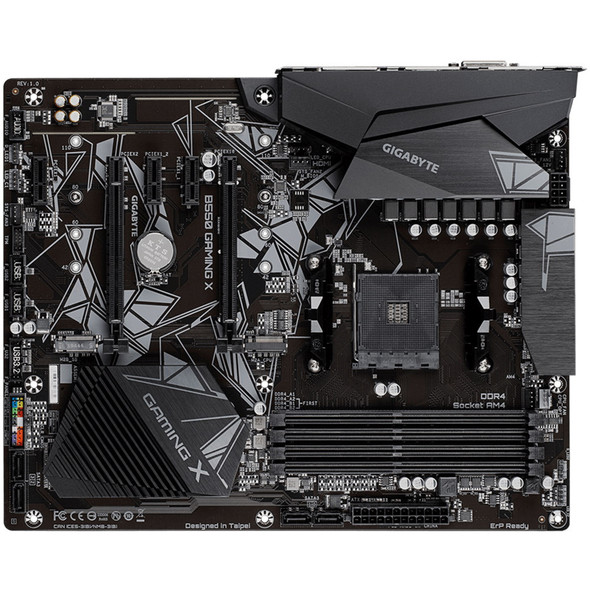
Gigabyte B550 Gaming X V2 AM4 ATX Motherboard – DDR4, Dual M.2 & PCIe 4.0
GIGABYTE