
ASROCK
Asrock A520M-HVS, AMD A520, AM4, Micro ATX, 2 DDR4, VGA, HDMI, M.2
- SKU:
- A520M-HVS
- UPC:
- 4710483932311
- MPN:
- A520M-HVS
- Availability:
- Free Click & Collect in Peterborough. UK delivery also available.


Description
ASRock A520M-HVS Micro-ATX AM4 Motherboard – DDR4, M.2, HDMI and VGA
The ASRock A520M-HVS is a value-focused micro-ATX AM4 motherboard designed for practical AMD desktop builds. Based on the AMD A520 chipset, it is a strong option for users building an affordable home PC, office desktop, student computer, or entry-level gaming system with a compatible AMD Ryzen processor.
With support for DDR4 memory, an Ultra M.2 slot, HDMI and VGA display outputs, and a compact micro-ATX layout, the A520M-HVS offers the core features many buyers need for a modern AM4 system without paying for unnecessary extras.
Key Features of the ASRock A520M-HVS
- AMD A520 chipset
- Socket AM4
- Micro-ATX form factor
- 2 x DDR4 DIMM slots
- Supports up to 64GB DDR4 memory
- 1 x Ultra M.2 slot
- Ultra M.2 supports PCIe Gen3 x4 and SATA3 M.2 modules
- HDMI and D-Sub (VGA) graphics outputs
- 1 x PCIe 3.0 x16 slot
- 1 x PCIe 3.0 x1 slot
- Realtek Gigabit LAN
- ASRock Full Spike Protection
Designed for Affordable AMD AM4 Builds
The ASRock A520M-HVS is built for users who want a straightforward motherboard for everyday computing, office work, web browsing, media playback, and budget-conscious PC building. It is especially well suited to builders who want a reliable AM4 motherboard with M.2 storage support and modern connectivity in a smaller chassis.
This board is a good fit for buyers searching for a budget AM4 motherboard, a micro-ATX Ryzen motherboard, or an A520 motherboard for home or office use.
Good for Home, Office and Entry-Level PC Builds
If you are building a practical desktop rather than a high-end enthusiast machine, the A520M-HVS covers the essentials well. Its compact size, simple feature set, and M.2 SSD support make it a sensible option for everyday systems.
AM4 CPU Support and DDR4 Memory
ASRock’s product materials position the board for Socket AM4 Ryzen processors, while reseller listings commonly state support across Ryzen 5000, 4000 and 3000 families, depending on CPU model and BIOS support. The board includes 2 DDR4 DIMM slots and is widely listed with support for up to 64GB of memory.
Modern Platform for Cost-Effective Builds
For buyers who want to stay on the AM4 platform, the A520M-HVS offers a cost-effective route to a compact Ryzen system with modern SSD storage and DDR4 memory support.
Ultra M.2 Storage and SATA Expansion
One of the key features of this motherboard is its Ultra M.2 slot. ASRock states that it supports both PCIe Gen3 x4 and SATA3 M.2 modules, with transfer speeds up to 32Gb/s for supported PCIe drives. The board also provides 4 SATA3 ports for additional SSD or hard drive storage.
Useful for NVMe and SATA SSD Upgrades
This makes the board especially attractive for users searching for a budget motherboard with M.2, or for anyone who wants to combine fast SSD boot storage with extra SATA drives for larger file storage.
Display Outputs and Everyday Connectivity
The A520M-HVS includes HDMI and D-Sub (VGA) outputs, giving users flexibility when pairing the board with a compatible Ryzen APU or other processor with supported integrated graphics. ASRock also highlights HDMI 4K at 60Hz support, which is useful for modern monitors and sharper desktop output.
Good for Legacy and Modern Monitor Setups
Having both HDMI and VGA can be useful for office and business environments where older screens may still be in use alongside newer displays.
Core Expansion and Networking
The motherboard includes a PCIe 3.0 x16 slot for a graphics card and a PCIe 3.0 x1 slot for other expansion devices. Networking is handled through Realtek Gigabit LAN, making it suitable for standard wired home and office networking needs.
Practical Layout for Everyday Systems
This combination gives the board enough flexibility for a dedicated GPU build or a simpler office PC, while keeping the layout compact and cost-effective.
Technical Specifications
- Brand: ASRock
- Model: A520M-HVS
- Chipset: AMD A520
- Socket: AM4
- Form factor: Micro-ATX
- Memory slots: 2 x DDR4 DIMM
- Maximum memory: up to 64GB
- Expansion slots: 1 x PCIe 3.0 x16, 1 x PCIe 3.0 x1
- M.2: 1 x Ultra M.2 (PCIe Gen3 x4 & SATA3)
- SATA: 4 x SATA3
- Graphics outputs: HDMI, D-Sub (VGA)
- LAN: Realtek Gigabit LAN
- Audio: 7.1-channel HD audio
Why Buy the ASRock A520M-HVS?
This motherboard is a good choice for buyers looking for a budget Ryzen motherboard, an AM4 board with M.2 support, or a compact micro-ATX AMD motherboard for a practical desktop build. It delivers the key essentials most users need for an affordable modern PC.
Buying Advice
Before ordering, make sure your processor is compatible with the AM4 socket and that your case supports the micro-ATX form factor. If you plan to use the motherboard’s display outputs, confirm that your chosen processor supports integrated graphics output, since not all Ryzen CPUs do.
Specification
Graphics specifications may vary between CPU types
1 x HDMI
1 x PCIe 3.0 x1
1 x M.2 (2242/2260/2280) - SATA & PCIe
6 x USB 2.0 (2 at back, 4 at mid-board)
1 x D-Sub
1 x HDMI
2 x USB 2.0
4 x USB 3.2 Gen1
1 x RJ-45 LAN
HD Audio Jacks
1 x COM Port
1 x Chassis Intrusion and Speaker
1 x CPU Fan
2 x Chassis Fan
1 x 24 pin ATX
1 x 4 pin 12V
1 x Front Audio
2 x USB 2.0
1 x USB 3.2 Gen1
1 x Screw for M.2 Socket
FAQ: Frequently Asked Questions
ASRock A520M-HVS FAQ
The ASRock A520M-HVS is an affordable AMD AM4 Micro ATX motherboard designed for budget gaming PCs, home computers, office desktops and Ryzen upgrade builds. Below are the most common questions buyers ask before choosing this AMD A520 motherboard, including Ryzen CPU compatibility, BIOS support, DDR4 memory, M.2 SSD support, HDMI/VGA display output, graphics card compatibility, Windows 11 support and upgrade advice.
1. What is the ASRock A520M-HVS motherboard?
The ASRock A520M-HVS is a Micro ATX motherboard for AMD AM4 desktop processors. It uses the AMD A520 chipset and is designed for affordable everyday PC builds, office systems, home computers and budget gaming PCs.
2. What CPUs are compatible with the ASRock A520M-HVS?
The ASRock A520M-HVS supports AMD AM4 Socket Ryzen 3000, 3000 G-Series, 4000 G-Series, 5000 and 5000 G-Series desktop processors, subject to the motherboard CPU support list and BIOS version.
3. Does the ASRock A520M-HVS support Ryzen 5000 processors?
Yes. ASRock lists support for Ryzen 5000 and Ryzen 5000 G-Series desktop processors on the A520M-HVS. Always check the CPU support list and BIOS version before installing a specific CPU such as Ryzen 5 5500, Ryzen 5 5600, Ryzen 5 5600G or Ryzen 7 5700X.
4. Does the ASRock A520M-HVS support Ryzen 5 5600?
Yes, the ASRock A520M-HVS can support Ryzen 5000 series CPUs such as the Ryzen 5 5600, provided the board has a compatible BIOS version. If the system does not boot, the BIOS version should be checked against ASRock's CPU support list.
5. Does the ASRock A520M-HVS support Ryzen 5 5600G?
Yes. The A520M-HVS supports Ryzen 5000 G-Series APUs such as the Ryzen 5 5600G, depending on BIOS support. A Ryzen G-Series APU is also useful if you want to use the motherboard HDMI or VGA display outputs without a separate graphics card.
6. Does the ASRock A520M-HVS support Ryzen 7 5700X or 5800X?
The A520M-HVS may support many Ryzen 5000 desktop processors, including higher-end models depending on the CPU support list and BIOS version. However, for very high-power CPUs or heavy workloads, a stronger B550 motherboard with better VRM cooling may be a better long-term choice.
7. Does the ASRock A520M-HVS support older Ryzen 1000 or 2000 CPUs?
The A520M-HVS is mainly listed for Ryzen 3000, 3000 G-Series, 4000 G-Series, 5000 and 5000 G-Series processors. Older Ryzen 1000 or 2000 CPUs may not be supported, so check ASRock's CPU support list before buying.
8. What socket does the ASRock A520M-HVS use?
The ASRock A520M-HVS uses the AMD AM4 socket. It is not compatible with AMD AM5 processors such as Ryzen 7000, Ryzen 8000 or Ryzen 9000 series CPUs.
9. Is the ASRock A520M-HVS an AM4 or AM5 motherboard?
The ASRock A520M-HVS is an AM4 motherboard. It uses DDR4 memory and supports selected AMD Ryzen AM4 processors. It is not an AM5 motherboard and does not support DDR5 memory.
10. Does the ASRock A520M-HVS need a BIOS update?
It may need a BIOS update depending on the processor you install and the BIOS version already on the board. Before buying, compare your CPU model with the ASRock CPU support list and the required BIOS version.
11. Can the ASRock A520M-HVS update BIOS without a CPU?
The ASRock A520M-HVS does not typically offer a BIOS flashback button for updating without a compatible CPU. If a BIOS update is required, you may need a supported CPU installed first or help from the seller, system builder or local repair shop.
12. What RAM does the ASRock A520M-HVS support?
The ASRock A520M-HVS supports DDR4 desktop memory using two DDR4 DIMM slots. ASRock lists support for dual-channel DDR4 memory and up to 64GB total capacity.
13. How many RAM slots does the ASRock A520M-HVS have?
The ASRock A520M-HVS has two DDR4 DIMM slots. For best performance, use a matched two-stick memory kit so the system can run in dual-channel mode.
14. What is the maximum RAM capacity of the ASRock A520M-HVS?
The ASRock A520M-HVS supports up to 64GB of system memory, typically using 2 x 32GB DDR4 modules, depending on memory compatibility and CPU support.
15. Does the ASRock A520M-HVS support DDR5 RAM?
No. The ASRock A520M-HVS supports DDR4 memory only. It does not support DDR5 RAM.
16. Does the ASRock A520M-HVS support 3200MHz RAM?
Yes. The ASRock A520M-HVS supports DDR4 speeds including 3200MHz with compatible Ryzen processors and memory modules. Higher speeds may be possible using memory overclocking, depending on the CPU, RAM kit and BIOS settings.
17. Does the ASRock A520M-HVS support XMP?
Yes. ASRock lists support for Extreme Memory Profile, also known as XMP, memory modules. XMP can help compatible DDR4 memory run at its rated speed, but stability depends on the CPU memory controller, motherboard BIOS and RAM kit.
18. Is 16GB RAM enough for the ASRock A520M-HVS?
Yes. 16GB RAM is enough for many office PCs, home computers and budget gaming systems. For modern gaming, multitasking or keeping the system useful for longer, 32GB is often a better upgrade.
19. Can I install 32GB RAM on the ASRock A520M-HVS?
Yes. You can install 32GB RAM on the ASRock A520M-HVS, commonly as 2 x 16GB DDR4 modules. This is a good choice for gaming, multitasking, school work and everyday productivity.
20. Does the ASRock A520M-HVS have an M.2 slot?
Yes. The ASRock A520M-HVS has one Ultra M.2 socket that supports type 2242, 2260 and 2280 M.2 drives. It supports both SATA3 M.2 and PCIe Gen3 x4 NVMe SSD modes, depending on the drive and CPU.
21. Does the ASRock A520M-HVS support NVMe SSDs?
Yes. The ASRock A520M-HVS supports NVMe SSDs as boot drives through its Ultra M.2 slot, but ASRock notes that NVMe SSD support is not available with AMD Athlon 3000G processors.
22. Does the ASRock A520M-HVS support SATA M.2 SSDs?
Yes. The Ultra M.2 slot supports SATA3 6Gb/s M.2 modules as well as PCIe Gen3 x4 NVMe M.2 modules, depending on the installed processor and drive type.
23. How many SATA ports does the ASRock A520M-HVS have?
The ASRock A520M-HVS has four SATA3 6Gb/s connectors for SATA SSDs and hard drives. It also supports RAID 0, RAID 1 and RAID 10 for SATA storage devices.
24. Can I use both M.2 and SATA drives on the ASRock A520M-HVS?
Yes. You can use an M.2 drive and SATA drives on the ASRock A520M-HVS, subject to the motherboard storage configuration and your case space. This makes it suitable for a fast NVMe boot drive plus extra SATA storage.
25. Does the ASRock A520M-HVS support PCIe 4.0?
No. The ASRock A520M-HVS is an AMD A520 motherboard with PCIe 3.0 expansion support. It has one PCIe 3.0 x16 slot for a graphics card and one PCIe 3.0 x1 slot for expansion cards.
26. Can I use a PCIe 4.0 graphics card on the ASRock A520M-HVS?
Yes. Most PCIe 4.0 graphics cards are backward compatible with PCIe 3.0 slots. They should work in the A520M-HVS PCIe 3.0 x16 slot, although the card will run at PCIe 3.0 speed.
27. Can I use an RTX 3060, RTX 4060 or RTX 4070 with the ASRock A520M-HVS?
Yes. You can use many modern graphics cards such as RTX 3060, RTX 4060 or RTX 4070 in the PCIe x16 slot, provided your case has enough space and your power supply has enough wattage and the correct PCIe power connectors.
28. Does the ASRock A520M-HVS have built-in Wi-Fi?
No. The ASRock A520M-HVS does not include built-in Wi-Fi. For wireless internet, you can use a USB Wi-Fi adapter or a PCIe Wi-Fi card, depending on your graphics card clearance and available slots.
29. Does the ASRock A520M-HVS have Bluetooth?
No. Bluetooth is not built into the ASRock A520M-HVS. You can add Bluetooth using a USB Bluetooth adapter or a Wi-Fi/Bluetooth expansion card.
30. Does the ASRock A520M-HVS have HDMI?
Yes. The ASRock A520M-HVS has an HDMI port. However, the HDMI port only works when the installed AMD processor has integrated graphics, such as a compatible Ryzen G-Series APU.
31. Does the ASRock A520M-HVS have VGA?
Yes. The board has a D-Sub VGA output. Like HDMI, the VGA output only works when using a processor with integrated graphics.
32. Why is the HDMI or VGA not working on the ASRock A520M-HVS?
The HDMI and VGA ports only work with a Ryzen processor that includes integrated graphics. If you install a CPU without integrated graphics, such as many standard Ryzen desktop CPUs, you need a dedicated graphics card and must connect the monitor to the graphics card.
33. Can I use the ASRock A520M-HVS without a graphics card?
Yes, but only if the installed CPU has integrated graphics, such as a compatible Ryzen G-Series APU. If the CPU does not have integrated graphics, you need a separate graphics card for display output.
34. Does the ASRock A520M-HVS support dual monitors?
Yes, dual display output can be possible using HDMI and D-Sub when a compatible Ryzen APU with integrated graphics is installed. If you use a dedicated graphics card, monitor support depends on the graphics card outputs.
35. Does the ASRock A520M-HVS support 4K output?
Yes. ASRock lists HDMI support up to 4K x 2K at 60Hz, but actual support may vary by CPU and display. This applies to the motherboard HDMI output when using a compatible APU with integrated graphics.
36. Is the ASRock A520M-HVS good for gaming?
Yes, the ASRock A520M-HVS can be used for budget and mid-range gaming PCs when paired with a suitable Ryzen CPU, DDR4 RAM, NVMe SSD and dedicated graphics card. It is best for value-focused builds rather than high-end overclocking systems.
37. Is the ASRock A520M-HVS good for office and home PCs?
Yes. The A520M-HVS is a practical motherboard for office PCs, home computers, web browsing, online learning, light photo editing and general productivity. It has the essential features most everyday users need.
38. Is the ASRock A520M-HVS good for a Ryzen 5 5600G office PC?
Yes. A Ryzen 5 5600G paired with the A520M-HVS can make a good office or home PC because the 5600G includes integrated graphics, allowing the motherboard HDMI or VGA output to be used without a dedicated GPU.
39. Can I overclock the CPU on the ASRock A520M-HVS?
The AMD A520 chipset is not designed for traditional CPU overclocking like higher-end chipsets. You can still use normal BIOS settings, memory profiles and fan controls, but users who want more tuning features should consider a B550 motherboard.
40. Can I overclock RAM on the ASRock A520M-HVS?
Yes. ASRock lists DDR4 memory overclocking support up to high OC speeds depending on the processor and memory kit. For most users, enabling XMP on a compatible kit is the simplest option.
41. What form factor is the ASRock A520M-HVS?
The ASRock A520M-HVS is a Micro ATX motherboard measuring 23.0 cm x 20.1 cm. It fits many Micro ATX and ATX cases that support the Micro ATX form factor.
42. Will the ASRock A520M-HVS fit in a standard PC case?
Yes, it will fit in most cases that support Micro ATX motherboards. It can also fit in many larger ATX cases. Always check the case motherboard support before buying.
43. What power connectors does the ASRock A520M-HVS need?
The ASRock A520M-HVS uses one 24-pin ATX power connector and one 4-pin 12V CPU power connector. Make sure your power supply has these connectors.
44. How many fan headers does the ASRock A520M-HVS have?
The ASRock A520M-HVS has one 4-pin CPU fan connector and two 4-pin chassis fan connectors. The chassis fan headers support smart fan speed control.
45. Does the ASRock A520M-HVS support Windows 11?
Yes. ASRock lists support for Microsoft Windows 10 64-bit and Windows 11 64-bit. Windows 11 also requires compatible CPU support, TPM/firmware TPM settings and Secure Boot configuration.
46. Does the ASRock A520M-HVS support TPM for Windows 11?
The board includes a SPI TPM header and AMD systems can commonly use firmware TPM through BIOS settings depending on CPU and BIOS support. For Windows 11, check that TPM and Secure Boot are enabled correctly in the BIOS.
47. What rear USB ports does the ASRock A520M-HVS have?
The rear I/O includes four USB 3.2 Gen1 ports and two USB 2.0 ports, along with HDMI, D-Sub, RJ-45 LAN, audio jacks and a PS/2 keyboard/mouse port.
48. What accessories are included with the ASRock A520M-HVS?
ASRock lists the accessories as an I/O shield, two SATA data cables and one screw for the M.2 socket. Package contents can vary by seller or region, so check the product listing.
49. Who should NOT buy the ASRock A520M-HVS?
The ASRock A520M-HVS is not ideal for users who need built-in Wi-Fi, many expansion slots, multiple M.2 slots, PCIe 4.0, strong CPU overclocking features or a premium motherboard for high-end Ryzen 9 workloads. It is better suited to affordable AM4 builds.
50. Why buy the ASRock A520M-HVS from Memox?
Buying the ASRock A520M-HVS from Memox is a practical choice if you want an affordable AMD AM4 Micro ATX motherboard for a home PC, office system, budget gaming build or Ryzen upgrade. Memox offers computer components, memory, storage and PC parts for UK customers.

Related Products
Related Products
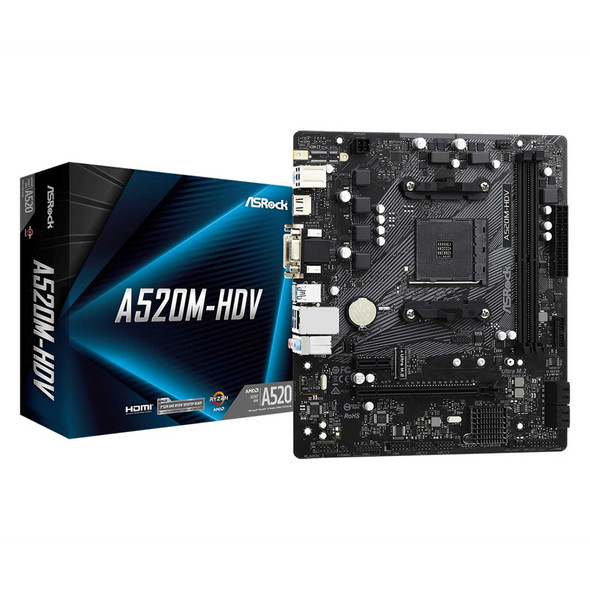

Asrock A520M-HDV, AMD A520, AM4, Micro ATX, 2 DDR4, VGA, DVI, HDMI, M.2
ASROCK