
UBIQUITI
Ubiquiti UniFi U7 In-Wall WiFi 7 Access Point – 2.5GbE PoE Switch
- SKU:
- NPUBI-U7-IW
- UPC:
- 0810084698754
- MPN:
- U7-IW
- Availability:
- Free Click & Collect in Peterborough. UK delivery also available


Description
Ubiquiti UniFi U7 In-Wall WiFi 7 Access Point – 2.5GbE PoE Switch, 4-Stream Dual-Band WiFi
The Ubiquiti UniFi U7 In-Wall (U7-IW) is a compact wall-mounted WiFi 7 access point with an integrated 2.5 Gigabit Ethernet switch, designed for hotels, apartments, offices, bedrooms, meeting rooms, student accommodation and other locations where both high-speed wireless connectivity and local wired Ethernet connections are required.
Unlike a conventional access point that provides WiFi alone, the U7 In-Wall combines dual-band WiFi 7, three 2.5GbE RJ45 interfaces, PoE-powered installation and a downstream PoE output in a low-profile wall-mounted design.
The access point provides four spatial streams across its 2.4GHz and 5GHz radios, with 2×2 MU-MIMO on each band. Ubiquiti specifies maximum theoretical wireless data rates of up to 4.3Gbps on 5GHz using WiFi 7 and up to 688Mbps on 2.4GHz.
Ubiquiti rates the U7-IW for coverage of up to approximately 115m² / 1,250ft² and more than 200 connected clients, although real-world coverage and throughput depend on building construction, interference, channel configuration, client hardware and access-point placement.
The exact product supplied by Memox is the Ubiquiti UniFi U7 In-Wall, model U7-IW, Memox SKU NPUBI-U7-IW, UPC 0810084698754.
Key Features of the Ubiquiti UniFi U7 In-Wall
- WiFi 7 / IEEE 802.11be wireless access point
- Dual-band 2.4GHz + 5GHz operation
- 4 spatial streams
- 2×2 DL/UL MU-MIMO on 5GHz
- 2×2 DL/UL MU-MIMO on 2.4GHz
- Up to 4.3Gbps theoretical 5GHz data rate
- Up to 688Mbps theoretical 2.4GHz data rate
- Up to 240MHz WiFi 7 channel bandwidth on 5GHz
- Integrated 2.5GbE Ethernet switch
- 3 × 2.5GbE RJ45 interfaces in total
- 2.5GbE wired uplink
- PoE powered
- PoE+ input enables the single downstream PoE output
- Up to approximately 115m² / 1,250ft² manufacturer-rated coverage
- 200+ maximum connected clients
- 8 BSSIDs per radio
- Wireless meshing
- Band steering
- 802.11r Fast Roaming
- 802.11k Radio Resource Management
- 802.11v BSS Transition Management
- Passpoint / Hotspot 2.0 support
- Captive guest portal functionality
- Guest network isolation
- Private Pre-Shared Key / PPSK support
- Dynamic RADIUS-assigned VLAN support
- RADIUS over TLS / RadSec support
- WiFi speed limiting
- Wall mounting with metal mount included
- Maximum AP power consumption of 13W excluding PoE output
- Compact 137 × 98.7 × 30.2mm enclosure
- 400g weight
- Managed through the UniFi Network platform
What Is the UniFi U7 In-Wall?
The U7 In-Wall is a wall-mounted WiFi 7 wireless access point and multi-gigabit Ethernet switch in one compact device.
It is designed to replace the traditional arrangement where a room may require both:
- A separate wireless access point
- A separate Ethernet switch
Instead, one Ethernet connection can provide the U7-IW with network connectivity and Power over Ethernet, while the unit distributes WiFi and also provides local wired Ethernet connectivity.
Ideal for Room-by-Room Networking
This design is especially useful in environments such as:
- Hotels
- Guest rooms
- Student accommodation
- Apartment buildings
- Bedrooms
- Home offices
- Business offices
- Meeting rooms
- Conference facilities
- Small commercial rooms
Ubiquiti specifically describes the U7 In-Wall as being designed for hospitality environments.
WiFi 7 Wireless Technology
The U7 In-Wall supports the latest-generation IEEE 802.11be / WiFi 7 wireless standard.
WiFi 7 introduces improvements designed to provide higher wireless throughput, more efficient spectrum utilisation and improved performance for compatible modern client devices.
WiFi Standards Supported
The U7-IW supports multiple generations of WiFi technology, including:
- 802.11be – WiFi 7
- 802.11ax – WiFi 6
- 802.11ac – WiFi 5
- 802.11n – WiFi 4
This backward compatibility allows modern WiFi 7 hardware and many existing older wireless clients to use the same access point.
Important: The U7 In-Wall Does Not Have a 6GHz Radio
The U7-IW is a dual-band WiFi 7 access point operating on 2.4GHz and 5GHz.
It does not include a 6GHz wireless radio.
WiFi 7 Does Not Automatically Mean 6GHz
WiFi 7 features can operate across supported wireless bands, and a WiFi 7 access point does not necessarily need a 6GHz radio.
The U7 In-Wall provides WiFi 7 performance using:
- 2.4GHz
- 5GHz
If 6GHz WiFi is an essential requirement, consider a UniFi access point specifically specified with a 6GHz radio, such as an appropriate U7 Pro-class model.
Four Spatial Streams
The U7 In-Wall provides a total of four spatial streams.
These are divided between its two wireless radios:
- 2 × 2.4GHz spatial streams
- 2 × 5GHz spatial streams
2×2 MU-MIMO on Both Bands
Ubiquiti specifies 2×2 downlink and uplink MU-MIMO on both 2.4GHz and 5GHz.
MU-MIMO allows an access point to communicate more efficiently with compatible wireless devices in multi-client environments.
Up to 4.3Gbps on 5GHz
The 5GHz WiFi 7 radio has a maximum manufacturer-specified theoretical PHY data rate of up to 4.3Gbps.
This maximum uses WiFi 7 / 802.11be and channel widths extending to 240MHz.
Supported WiFi 7 Channel Widths
The U7 In-Wall supports WiFi 7 EHT channel widths of:
- 20MHz
- 40MHz
- 80MHz
- 160MHz
- 240MHz
No 320MHz Channel Support
The U7 In-Wall specification does not include the 320MHz channels used by certain 6GHz WiFi 7 access points.
The maximum EHT bandwidth specified for the U7-IW is 240MHz.
Up to 688Mbps on 2.4GHz
The 2.4GHz radio provides a maximum theoretical PHY data rate of up to 688Mbps using compatible WiFi 7 hardware and 40MHz channel width.
The 2.4GHz band remains particularly valuable for:
- IoT equipment
- Smart-home devices
- Older WiFi clients
- Devices prioritising range over maximum throughput
Theoretical WiFi Speed vs Real-World Speed
The quoted 4.3Gbps and 688Mbps figures are theoretical wireless PHY data rates.
They should not be interpreted as guaranteed internet-download speeds or guaranteed single-client throughput.
Actual speeds depend on:
- Client WiFi capability
- Number of spatial streams supported by the client
- Channel width
- Radio interference
- Distance from the AP
- Walls and building materials
- Network congestion
- Ethernet uplink speed
- Router and gateway performance
- Internet connection speed
2.5 Gigabit Ethernet Uplink
The U7-IW uses a 2.5GbE wired uplink.
A multi-gigabit uplink is useful because WiFi 7 can deliver aggregate wireless performance beyond the practical limits of a conventional 1GbE connection.
Why 2.5GbE Matters
A conventional Gigabit Ethernet connection has a nominal line rate of 1Gbps.
Using a 2.5GbE network connection increases the available wired bandwidth between the access point and the rest of the network.
This can be useful when multiple wireless clients are simultaneously:
- Downloading large files
- Streaming high-resolution video
- Accessing a NAS
- Using cloud applications
- Performing backups
- Using business applications
Three 2.5GbE RJ45 Interfaces
Ubiquiti specifies a total of three 2.5 Gigabit Ethernet RJ45 interfaces on the U7 In-Wall.
This allows the device to act as both a WiFi access point and a small multi-gigabit wired network switch.
Integrated 2.5GbE Switch
The built-in switch makes it possible to connect compatible wired devices directly at the room location without installing a separate desktop Ethernet switch.
Potential wired devices include:
- Desktop PCs
- Laptops and docks
- Smart TVs
- IP phones
- Games consoles
- Streaming devices
- Printers
- Network appliances
Can the U7 In-Wall Power Another PoE Device?
Yes. The integrated switch includes a single downstream PoE output.
However, Ubiquiti specifically states that the U7 In-Wall itself must receive PoE+ input for its downstream PoE output to be available.
PoE+ Is Required for PoE Passthrough
The important distinction is:
- PoE input: can power the U7-IW itself
- PoE+ input: required if the downstream PoE output will also be used
The upstream PoE source must therefore have sufficient PoE capacity if another powered device will be connected through the U7-IW.
Check the Downstream Device's PoE Requirements
Before powering another device through the U7-IW, verify:
- The downstream device's PoE requirement
- The upstream switch or injector's power budget
- The U7-IW's current Ubiquiti PoE configuration requirements
Do not assume that the downstream output can power every type of PoE device.
PoE-Powered Installation
The U7 In-Wall is powered over its Ethernet connection using Power over Ethernet.
This means a separate mains socket and local AC power adapter are not required beside the access point when a suitable PoE network connection is available.
Supported Voltage Range
Ubiquiti specifies a supported input range of:
- 42.5–57V DC
Maximum AP Power Consumption
The U7-IW itself has a manufacturer-specified maximum consumption of approximately:
- 13W excluding downstream PoE output
If the PoE output is used, the upstream PoE power budget must also account for the downstream powered device.
PoE Injector or PoE Switch Required
The U7 In-Wall requires a compatible PoE source.
This can typically be provided by:
- A compatible UniFi PoE switch
- Another standards-compatible PoE switch
- A compatible Ubiquiti PoE injector
Ubiquiti lists its 2.5G PoE+ Adapter as a compatible accessory where a suitable PoE switch is not available.
Up to 115m² / 1,250ft² Coverage
Ubiquiti rates the U7 In-Wall for a coverage area of up to approximately:
- 115m²
- 1,250ft²
Coverage Is an Estimate, Not a Guarantee
Real-world WiFi coverage varies considerably between installations.
Factors affecting range include:
- Brick walls
- Concrete
- Metal structures
- Foil-backed insulation
- Mirrors
- Furniture
- Neighbouring WiFi networks
- Access-point mounting position
- Client antenna quality
A professional deployment should therefore be planned around the actual building rather than relying solely on the manufacturer's maximum coverage figure.
Supports More Than 200 Connected Clients
Ubiquiti specifies support for 200+ connected client devices.
200+ Clients Does Not Mean 200 Heavy Users at Full Speed
The maximum client count indicates how many devices the AP is designed to support at the association level.
Real usable network capacity depends on how those clients use the network.
Two hundred mostly idle smartphones represent a very different workload from two hundred devices simultaneously performing large downloads or high-bitrate streaming.
5GHz Antenna Performance
Ubiquiti specifies the 5GHz radio with:
- 8dBi antenna gain
- Up to 24dBm transmit power
Actual permitted transmit power and available channels can depend on regulatory region and configuration.
2.4GHz Antenna Performance
The 2.4GHz radio is specified with:
- 4dBi antenna gain
- Up to 23dBm transmit power
Eight BSSIDs per Radio
The U7 In-Wall supports up to 8 BSSIDs per radio.
This provides flexibility when separating different wireless networks, for example:
- Employee WiFi
- Guest WiFi
- IoT devices
- Management devices
- Hotel guests
- Business departments
Network design should still avoid creating unnecessary SSIDs because each additional wireless network introduces management overhead.
Wireless Meshing
The U7-IW supports UniFi wireless meshing.
This allows compatible UniFi access points to establish wireless uplinks in appropriate deployments.
Wired Ethernet Is Preferred Where Available
Although wireless meshing is useful when Ethernet cannot reach a location, a wired Ethernet uplink normally provides more predictable capacity and reduces the radio resources consumed by wireless backhaul.
For a new permanent installation, wired 2.5GbE backhaul is therefore preferable where practical.
WiFi 7 Multi-Link Operation
UniFi WiFi 7 deployments can support Multi-Link Operation / MLO with compatible client hardware and suitable UniFi software and firmware.
MLO allows compatible WiFi 7 clients to maintain links across more than one available radio band.
Potential Benefits of MLO
Depending on the client and network configuration, MLO can help provide:
- Improved connection reliability
- Lower latency
- More efficient use of available bands
- Potential throughput improvements
Full MLO behaviour is client-dependent and requires compatible WiFi 7 hardware.
Band Steering
The U7-IW supports band steering.
This can encourage compatible dual-band clients to use the higher-performance 5GHz band when appropriate instead of remaining unnecessarily on 2.4GHz.
Fast Roaming for Multi-AP Networks
The U7 In-Wall supports several technologies useful in multi-access-point deployments:
- 802.11r Fast Roaming
- 802.11k Radio Resource Management
- 802.11v BSS Transition Management
Why Roaming Matters
In a hotel, office or larger home, users may move between several access points.
Roaming technologies help compatible clients transition between access points more efficiently as signal conditions change.
Designed for Hospitality WiFi
Ubiquiti specifically positions the U7-IW for hospitality environments.
Its combination of:
- Compact wall mounting
- WiFi 7
- Local 2.5GbE ports
- PoE input
- PoE output
- Guest portal features
makes it particularly useful for room-by-room network deployment.
Ideal for Hotels
A hotel can install a U7 In-Wall in individual rooms or selected areas to provide both WiFi coverage and wired network connections from one compact device.
Potential hotel-room connections include:
- Guest WiFi
- Smart TV
- IP telephone
- Streaming device
- Other networked room equipment
Ideal for Student Accommodation
Student accommodation often needs strong room-level WiFi plus wired connectivity for desktops, games consoles and study equipment.
The U7-IW provides both functions from one wall-mounted access point.
Ideal for Apartments and Bedrooms
The compact design can also suit residential installations where a network cable already terminates at a wall location.
Instead of placing a separate access point and switch on furniture, the U7-IW can provide a cleaner integrated installation.
Ideal for Offices and Meeting Rooms
In business environments, the U7-IW can provide WiFi coverage alongside local Ethernet for equipment such as:
- PCs
- VoIP phones
- Video conferencing systems
- Printers
- Presentation equipment
Guest Hotspot and Captive Portal Features
The U7-IW supports UniFi guest-network and captive-portal functionality.
Supported features listed by Ubiquiti include:
- Custom branded landing pages
- Voucher authentication
- Payment-based authentication
- External portal server support
- Password authentication
- Guest network isolation
Useful for Hotels and Public WiFi
These capabilities allow organisations to create a more controlled guest-access experience than simply sharing the primary business WiFi password.
Private Pre-Shared Keys
The U7-IW supports Private Pre-Shared Key / PPSK functionality within UniFi Network.
PPSK can be useful when different users or device groups need separate credentials while remaining within a centrally managed wireless environment.
Dynamic VLAN Assignment
The access point supports dynamic RADIUS-assigned VLANs.
This allows compatible enterprise network configurations to assign users or devices to different VLANs based on authentication policies.
RADIUS over TLS / RadSec
The U7-IW also supports RADIUS over TLS / RadSec, allowing encrypted communication with compatible RADIUS infrastructure.
Client Device Isolation
UniFi client isolation can prevent connected wireless devices from communicating directly with one another where network policy requires it.
This can be particularly useful on:
- Guest WiFi
- Hotel networks
- Public access networks
- Shared accommodation networks
WiFi Speed Limiting
The U7-IW supports WiFi speed limiting through the UniFi platform.
Administrators can use this functionality where bandwidth needs to be controlled for particular users or network groups.
WiFi Scheduling
UniFi WiFi schedules are supported, allowing administrators to configure wireless availability according to operational requirements.
This can be useful for:
- Business opening hours
- Guest networks
- Temporary networks
- Controlled access environments
Managed Through UniFi Network
The U7 In-Wall is part of the Ubiquiti UniFi ecosystem and is centrally configured through UniFi Network.
Ubiquiti currently specifies:
- UniFi Network 9.0.114 or later
UniFi Network Provides Centralised Management
Depending on the overall UniFi deployment, administrators can manage:
- Access points
- SSIDs
- Clients
- VLANs
- Guest networks
- Roaming
- WiFi channels
- Transmit power
- Bandwidth policies
- Firmware
UniFi Mobile App Support
Ubiquiti also supports device management through current versions of the UniFi mobile application.
At the time of the current manufacturer specification, minimum listed application versions are:
- iOS 10.20.2 or later
- Android 10.21.7 or later
Software requirements may increase over time as UniFi Network is updated.
Is the U7 In-Wall a Router?
No.
The U7-IW is primarily a wireless access point with an integrated Ethernet switch.
It does not replace the internet router or gateway responsible for functions such as:
- Internet routing
- WAN connectivity
- Firewalling
- DHCP in a typical UniFi architecture
A suitable router or UniFi gateway is normally required as part of the complete network.
Does the U7 In-Wall Need a UniFi Gateway?
A UniFi Cloud Gateway provides the most integrated UniFi experience, but the essential requirement is access to a compatible UniFi Network application for adoption and management.
Network architecture can vary depending on whether UniFi Network is hosted on a UniFi console, gateway or another supported platform.
Can It Work with a Non-Ubiquiti Router?
The access point connects to an Ethernet network and can be deployed in networks using third-party routing equipment, provided a compatible UniFi Network management environment is available.
However, using a complete UniFi environment can provide more integrated visibility and management.
Does the U7 In-Wall Include a 2.5GbE Switch?
Yes.
Ubiquiti describes the product as having an integrated 2.5GbE PoE switch.
The hardware specification lists three 2.5GbE RJ45 network interfaces in total.
Can I Connect a Games Console by Ethernet?
Yes.
A compatible Ethernet device can be connected to an available wired port on the integrated switch.
The actual negotiated Ethernet rate depends on the connected device.
For example, a games console with a 1GbE interface will operate at its own supported Ethernet speed rather than automatically becoming a 2.5GbE device.
Can I Connect a Smart TV?
Yes.
A compatible smart TV can connect either:
- Wirelessly over WiFi
- Through an available Ethernet connection
This flexibility is particularly useful in hotel and bedroom installations.
Can I Connect an IP Phone?
A compatible IP phone can use one of the integrated Ethernet connections.
If the phone requires PoE, check its exact power requirements and the U7-IW's upstream PoE+ power availability before relying on the downstream PoE output.
Can I Connect Another Access Point?
Ethernet connectivity may be used for compatible network devices, but network topology and PoE requirements should be planned carefully.
For larger installations, connecting access points individually to a managed PoE switch is generally easier to monitor and power-budget than building long chains of powered devices.
Maximum 8dBi 5GHz Antenna Gain
The U7-IW's relatively strong 5GHz antenna specification is useful for a wall-mounted AP designed to direct useful signal into a room or coverage area.
However, antenna gain alone does not determine real-world range.
Placement and building materials remain critical.
Wall-Mounted Low-Profile Design
The U7 In-Wall measures only approximately:
- 137mm × 98.7mm × 30.2mm
This compact format allows the device to sit neatly against a wall rather than hanging from the ceiling or occupying desk space.
Metal Wall Mount Included
Ubiquiti specifies a metal wall mount as included with the access point.
The mount is manufactured from aluminium alloy.
400g Lightweight Design
The U7-IW weighs approximately:
- 400g / 14.1oz
Enclosure Materials
Ubiquiti specifies a combination of:
- Polycarbonate
- Aluminium alloy
for the enclosure, with an aluminium-alloy wall mount.
System Status LED
The access point includes a system status LED using:
- White
- Blue
indications for device status.
Operating Temperature
Ubiquiti specifies an ambient operating-temperature range of:
- -30°C to 40°C
- -22°F to 104°F
Operating Humidity
The supported ambient humidity range is:
- 5% to 95% non-condensing
Indoor Installation
The U7 In-Wall is designed primarily as a wall-mounted indoor access point.
Ubiquiti does not publish an outdoor IP weatherproof rating for the U7-IW in its current technical specification.
It should therefore not be treated as an outdoor weatherproof access point.
NDAA Compliant
Ubiquiti currently lists the U7-IW as NDAA compliant.
This can be relevant to organisations with procurement requirements relating to network infrastructure.
Regulatory Certifications
Current Ubiquiti technical data lists certifications including:
- CE
- FCC
- IC
- SRRC
- Anatel
Applicable certification and available radio settings can vary according to regional product version and regulatory domain.
U7 In-Wall vs U7 Pro Wall
The similarly named U7 In-Wall and U7 Pro Wall are designed for different priorities.
U7 In-Wall
- Dual-band 2.4GHz + 5GHz
- 4 spatial streams
- Up to 4.3Gbps on 5GHz
- Integrated 2.5GbE switch
- Three 2.5GbE RJ45 interfaces
- Single downstream PoE output
- 115m² manufacturer-rated coverage
- 200+ clients
- Designed particularly for hospitality and room-level deployment
U7 Pro Wall
- Includes a 6GHz radio
- 6 spatial streams
- Higher wireless radio capacity
- Designed as a dedicated high-performance wall-mounted access point
Choose the U7 In-Wall when local multi-gigabit Ethernet switching and PoE passthrough are important.
Consider a U7 Pro Wall-class access point when 6GHz WiFi is the greater priority.
U7 In-Wall vs a Separate Access Point and Switch
The U7-IW's main advantage is integration.
Separate AP and Switch
A conventional setup may require:
- One access point
- One Ethernet switch
- Additional power arrangements
- More cables
- More physical installation space
U7 In-Wall
The U7-IW combines wireless access and local Ethernet switching into one wall-mounted unit.
This can reduce installation clutter in hotel rooms, bedrooms, apartments and offices.
Is a 2.5GbE Switch Required?
A 2.5GbE upstream network connection is recommended if you want to take full advantage of the U7-IW's multi-gigabit Ethernet capability.
The device may negotiate lower Ethernet rates with compatible equipment, but an upstream network limited to 1Gbps becomes a potential bottleneck for aggregate WiFi traffic.
Do I Need Cat6 Ethernet Cable?
Cabling suitability depends on cable category, installation quality, run length and network environment.
For new multi-gigabit installations, correctly installed Cat6 or better cabling is commonly preferred.
Existing cabling should be tested rather than assuming multi-gigabit performance solely from the category printed on the cable.
Is 200+ Client Support Useful at Home?
A home installation is unlikely to require 200 active users, but modern households can accumulate many connected devices including:
- Phones
- Tablets
- Laptops
- TVs
- Speakers
- Cameras
- Smart switches
- IoT sensors
- Games consoles
The high client ceiling therefore provides useful capacity even outside hospitality environments.
Does WiFi 7 Improve Older Devices?
An older WiFi 5 or WiFi 6 device will not become a WiFi 7 client simply because it connects to a WiFi 7 access point.
However, a modern access point can still improve overall network design through:
- Improved radio management
- Higher-capacity infrastructure
- 2.5GbE backhaul
- Modern roaming features
- Centralised management
Each client operates according to the wireless standards it supports.
Does the U7-IW Provide Internet?
The U7 In-Wall distributes network connectivity but does not create an internet service by itself.
A complete network normally also requires:
- Internet service
- Modem or ONT where required
- Router or gateway
- Network switching
- PoE power
- UniFi Network management
What Is Required to Install the U7 In-Wall?
A typical installation requires:
- Ubiquiti U7-IW access point
- Suitable Ethernet cabling
- Compatible PoE source
- Network router or gateway
- UniFi Network management environment
- Suitable wall mounting location
If downstream PoE output is required, the access point must receive PoE+ input.
Basic Installation Process
1. Prepare the Ethernet Connection
Run the network cable to the planned wall-mounting location.
2. Install the Metal Wall Mount
Secure the included mounting hardware appropriately for the wall construction.
3. Connect the PoE Ethernet Cable
Connect the Ethernet uplink from a suitable PoE source.
4. Attach the U7-IW
Secure the access point to its wall mount according to Ubiquiti's installation guide.
5. Adopt the Device
Open UniFi Network and adopt the new U7-IW into the appropriate site.
6. Configure WiFi and Network Policies
Configure SSIDs, VLANs, guest policies and radio settings according to the network design.
7. Test Coverage and Throughput
Test the finished installation from actual client locations rather than relying only on theoretical coverage figures.
Who Is the U7 In-Wall Best For?
- Hotels
- Hospitality businesses
- Student accommodation
- Apartment developments
- Home builders
- Home offices
- Bedrooms
- Meeting rooms
- Business offices
- Users wanting WiFi and local Ethernet from one device
- Users upgrading a network to 2.5GbE
- UniFi Network installations
Who May Need a Different Access Point?
Consider another UniFi access point if you specifically require:
- 6GHz WiFi
- 320MHz WiFi 7 channels
- More than four spatial streams
- 10GbE uplink
- Outdoor weatherproofing
- Very large-area single-AP coverage
- A ceiling-mounted design
Ubiquiti UniFi U7 In-Wall Technical Summary
- Brand: Ubiquiti
- Product Family: UniFi
- Model: U7 In-Wall
- MPN: U7-IW
- Memox SKU: NPUBI-U7-IW
- UPC: 0810084698754
- Device Type: Wall-mounted wireless access point with integrated Ethernet switch
- WiFi Standard: WiFi 7 / IEEE 802.11be
- Wireless Bands: 2.4GHz + 5GHz
- 6GHz Radio: No
- Total Spatial Streams: 4
- 5GHz MIMO: 2×2 DL/UL MU-MIMO
- 2.4GHz MIMO: 2×2 DL/UL MU-MIMO
- Maximum 5GHz Data Rate: Up to 4.3Gbps at BW240
- Maximum 2.4GHz Data Rate: Up to 688Mbps at BW40
- Maximum WiFi 7 Channel Width: 240MHz
- 5GHz Antenna Gain: 8dBi
- 2.4GHz Antenna Gain: 4dBi
- Maximum 5GHz TX Power: 24dBm
- Maximum 2.4GHz TX Power: 23dBm
- Maximum BSSIDs: 8 per radio
- Coverage: Up to approximately 115m² / 1,250ft²
- Maximum Client Count: 200+
- Networking Interfaces: 3 × 2.5GbE RJ45
- Uplink: 2.5GbE
- Built-In Switch: Yes
- PoE Input: Yes
- PoE+ Input: Required when using downstream PoE output
- PoE Output: 1 × downstream PoE output
- Maximum AP Power Consumption: 13W excluding PoE output
- Supported Voltage: 42.5–57V DC
- Wireless Meshing: Yes
- Band Steering: Yes
- 802.11r Fast Roaming: Yes
- 802.11k RRM: Yes
- 802.11v BSS Transition: Yes
- Passpoint / Hotspot 2.0: Yes
- Guest Network Isolation: Yes
- PPSK: Yes
- RADIUS over TLS / RadSec: Yes
- Dynamic RADIUS VLAN: Yes
- Dimensions: 137 × 98.7 × 30.2mm
- Weight: 400g
- Enclosure: Polycarbonate and aluminium alloy
- Mount: Aluminium-alloy metal wall mount included
- Operating Temperature: -30°C to 40°C
- Operating Humidity: 5–95% non-condensing
- NDAA Compliant: Yes
- UniFi Network Requirement: Version 9.0.114 or later at current manufacturer specification
Important Dual-Band WiFi 7 Note
The U7 In-Wall supports WiFi 7 on 2.4GHz and 5GHz but does not include a 6GHz radio.
Do not describe the U7-IW as a tri-band or 6GHz access point.
Important 4.3Gbps Speed Note
The advertised maximum 4.3Gbps figure is a theoretical 5GHz WiFi PHY data rate using compatible WiFi 7 hardware and the appropriate channel configuration.
It is not a guaranteed internet speed or guaranteed single-device transfer rate.
Important 240MHz Channel Note
The U7-IW supports WiFi 7 EHT channels up to 240MHz.
It does not provide the 320MHz 6GHz channel configuration available on certain tri-band WiFi 7 access points.
Important 2.5GbE Port Note
The U7 In-Wall has three 2.5GbE RJ45 network interfaces in total.
Actual Ethernet speed is negotiated with the connected device, so equipment supporting only 1GbE will continue to operate at its own maximum supported rate.
Important PoE Output Note
The U7-IW can itself operate from PoE, but PoE+ input is required if its downstream PoE output is to be used.
The upstream PoE switch or injector must have sufficient power budget for both the U7-IW and any downstream powered device.
Important Power Consumption Note
Ubiquiti specifies maximum U7-IW consumption of 13W excluding downstream PoE output.
If another device is powered through the U7-IW, additional PoE budget will be required.
Important Coverage Note
The manufacturer-rated coverage figure of approximately 115m² / 1,250ft² is a planning reference rather than a guaranteed coverage radius.
Walls, building materials, interference, mounting position and client hardware can significantly change real-world performance.
Important Client Count Note
The 200+ maximum client figure should not be interpreted as guaranteeing full-speed simultaneous service to more than 200 heavy-data users.
Actual network capacity depends on traffic patterns, radio conditions, channel availability and the wider network infrastructure.
Important UniFi Management Note
The U7-IW is designed to be adopted and managed through UniFi Network.
Ubiquiti currently specifies UniFi Network version 9.0.114 or later. Software requirements can change over the life of the product, so keeping the UniFi environment updated is recommended.
Important Router Note
The U7 In-Wall is not an internet router or standalone modem.
A suitable network gateway/router and internet connection are required for normal internet access.
Important Outdoor Use Note
The U7-IW does not have a manufacturer-listed outdoor weatherproof IP rating.
It should not be treated as an outdoor access point. For exposed outdoor installation, use a UniFi model specifically designed and rated for outdoor conditions.
Why Choose the Ubiquiti UniFi U7 In-Wall?
The Ubiquiti UniFi U7 In-Wall combines next-generation WiFi 7 with multi-gigabit wired networking in an unusually compact wall-mounted package.
Its dual-band 2.4GHz and 5GHz radios provide four spatial streams and up to 4.3Gbps theoretical 5GHz WiFi 7 performance, while the 2.5GbE uplink helps prevent a conventional 1GbE connection from becoming an unnecessary bottleneck.
The integrated 2.5GbE switch is a major advantage for rooms that need both wireless and wired connectivity. PCs, smart TVs, games consoles, IP phones and other Ethernet devices can connect locally without installing a separate desktop switch.
PoE-powered installation reduces cabling and removes the need for a local mains adapter beside the AP, while PoE+ input can additionally enable the U7-IW's single downstream PoE output for a compatible powered device.
Manufacturer-rated coverage of up to 115m² and support for more than 200 connected clients make the U7-IW suitable for demanding room-level deployments, while wireless meshing, band steering, fast roaming, guest-network isolation, captive portals, PPSK and RADIUS-based VLAN assignment provide advanced UniFi management capabilities.
Its compact 137 × 98.7 × 30.2mm wall-mounted enclosure is particularly well suited to hotels, apartments, student accommodation, offices and high-specification homes where clean installation is important.
Choose the Ubiquiti UniFi U7 In-Wall U7-IW when you need a dual-band WiFi 7 access point with a 2.5GbE uplink, integrated multi-gigabit Ethernet switch, PoE passthrough capability, 4 spatial streams, room-level wall mounting and centralised UniFi Network management.
Specification
Ubiquiti UniFi U7 In-Wall WiFi 7 Access Point Specifications
The Ubiquiti UniFi U7 In-Wall (U7-IW) is a wall-mounted dual-band WiFi 7 access point with four spatial streams, a 2.5GbE uplink and an integrated multi-gigabit Ethernet switch. Designed particularly for hospitality, apartments, offices and room-level installations, it combines high-speed wireless connectivity with local 2.5GbE wired networking and PoE passthrough capability.
The exact product supplied by Memox is model U7-IW, Memox SKU NPUBI-U7-IW, UPC 0810084698754.
General Information
| Brand | Ubiquiti |
|---|---|
| Product Family | UniFi |
| Product Name | UniFi U7 In-Wall |
| Model | U7-IW |
| Manufacturer Part Number | U7-IW |
| Memox SKU | NPUBI-U7-IW |
| UPC | 0810084698754 |
| Product Type | Wall-mounted wireless access point with integrated Ethernet switch |
| Primary Deployment | Indoor wall-mounted WiFi and wired networking |
| Ubiquiti Positioning | Designed particularly for hospitality and room-level deployments |
WiFi Standard
| Primary WiFi Standard | WiFi 7 / IEEE 802.11be |
|---|---|
| WiFi 6 / 802.11ax | Supported |
| WiFi 5 / 802.11ac | Supported |
| WiFi 4 / 802.11n | Supported |
| Total Spatial Streams | 4 |
Wireless Frequency Bands
| 2.4GHz Radio | Yes |
|---|---|
| 5GHz Radio | Yes |
| 6GHz Radio | No |
| Radio Configuration | Dual-band 2.4GHz + 5GHz |
| Tri-Band WiFi | No |
Spatial Streams and MIMO
| Total Spatial Streams | 4 |
|---|---|
| 5GHz MIMO | 2 × 2 DL/UL MU-MIMO |
| 2.4GHz MIMO | 2 × 2 DL/UL MU-MIMO |
| 5GHz Spatial Streams | 2 |
| 2.4GHz Spatial Streams | 2 |
Maximum Wireless Data Rates
| Maximum 5GHz Data Rate | Up to 4.3Gbps at BW240 |
|---|---|
| Maximum 2.4GHz Data Rate | Up to 688Mbps at BW40 |
| 4.3Gbps Guaranteed Client Throughput | No – this is a theoretical maximum PHY data rate |
| Actual Throughput | Depends on client capability, signal quality, interference, channel width, network load and uplink performance |
WiFi 7 / 802.11be Performance
| Standard | 802.11be / WiFi 7 |
|---|---|
| Supported Data Rate Range | 7.3Mbps to 4.3Gbps |
| Modulation Coding Range | MCS0–MCS13 |
| Spatial Streams | NSS1 / NSS2 per radio |
| EHT Channel Widths | 20 / 40 / 80 / 160 / 240MHz |
WiFi 6 / 802.11ax Performance
| Standard | 802.11ax / WiFi 6 |
|---|---|
| Supported Data Rate Range | 7.3Mbps to 2.4Gbps |
| Modulation Coding Range | MCS0–MCS11 |
| HE Channel Widths | 20 / 40 / 80 / 160MHz |
WiFi 5 / 802.11ac Performance
| Standard | 802.11ac / WiFi 5 |
|---|---|
| Supported Data Rate Range | 6.5Mbps to 1.7Gbps |
| Modulation Coding Range | MCS0–MCS9 |
| VHT Channel Widths | 20 / 40 / 80 / 160MHz |
WiFi 4 / 802.11n Performance
| Standard | 802.11n / WiFi 4 |
|---|---|
| Supported Data Rate Range | 6.5Mbps to 300Mbps |
| HT Channel Widths | 20 / 40MHz |
Channel Bandwidth
| HT | 20 / 40MHz |
|---|---|
| VHT | 20 / 40 / 80 / 160MHz |
| HE | 20 / 40 / 80 / 160MHz |
| EHT / WiFi 7 | 20 / 40 / 80 / 160 / 240MHz |
| Maximum Channel Width | 240MHz |
| 320MHz Support | No – 320MHz is not listed for the U7-IW |
Antenna Specifications
| 5GHz Antenna Gain | 8dBi |
|---|---|
| 2.4GHz Antenna Gain | 4dBi |
| Integrated Antennas | Yes |
| External Antenna Connectors | Not specified / not provided as an external-antenna model |
Transmit Power
| Maximum 5GHz TX Power | 24dBm |
|---|---|
| Maximum 2.4GHz TX Power | 23dBm |
| Regulatory Limits | Available transmit power and channels depend on country and regulatory configuration |
Wireless Coverage
| Manufacturer-Rated Coverage Area | Up to approximately 115m² / 1,250ft² |
|---|---|
| Coverage Type | Indoor room / local-area coverage |
| Coverage Guaranteed | No – real-world coverage depends on building construction, interference, installation position and client hardware |
Client Capacity
| Maximum Client Count | 200+ |
|---|---|
| 200+ Simultaneous Full-Speed Users Guaranteed | No |
| Practical Capacity Depends On | Traffic type, airtime use, interference, channel configuration, wired network capacity and client hardware |
BSSID Support
| Maximum BSSIDs | 8 per radio |
|---|---|
| Multiple SSIDs | Supported through UniFi Network |
| Guest / Corporate / IoT Network Separation | Supported through appropriate UniFi network configuration |
Ethernet Networking
| Total Networking Interfaces | 3 × 2.5GbE RJ45 ports |
|---|---|
| Maximum Ethernet Speed | 2.5Gbps per compatible interface |
| Primary Uplink | 2.5GbE |
| Integrated Ethernet Switch | Yes |
| 1GbE Device Compatibility | Yes – connected equipment operates at its negotiated supported speed |
Integrated 2.5GbE Switch
| Built-In Switch | Yes |
|---|---|
| Networking Interfaces | 3 × 2.5GbE RJ45 |
| PoE Input | 1 × PoE+ capable input |
| PoE Output | 1 × downstream PoE output |
| Local Wired Device Connectivity | Yes |
Power over Ethernet Input
| Power Method | PoE |
|---|---|
| PoE+ Supported | Yes |
| PoE+ Required to Operate AP Only | No – Ubiquiti lists PoE as a supported power method |
| PoE+ Required for Downstream PoE Output | Yes |
| External Local DC Power Adapter Required | No when powered from a compatible PoE source |
PoE Output
| Downstream PoE Output | Yes – 1 port |
|---|---|
| Upstream Requirement | PoE+ input required |
| PoE Output Available from Standard PoE Input | No – Ubiquiti requires PoE+ input for PoE output functionality |
| Suitable for Every PoE Device | No – check downstream device requirements and the upstream PoE budget |
Power Specifications
| Supported Voltage Range | 42.5–57V DC |
|---|---|
| Maximum AP Power Consumption | 13W excluding downstream PoE output |
| Downstream PoE Device Power Included in 13W Figure | No |
| Additional PoE Budget Required for PoE Output Device | Yes |
Compatible PoE Power Sources
| Compatible PoE Switch | Required if no separate compatible PoE injector is used |
|---|---|
| Ubiquiti 2.5G PoE+ Adapter | Available separately as a compatible accessory |
| PoE Injector Included | Not listed as included with the standard U7-IW |
| PoE+ Recommended for Full PoE Passthrough Functionality | Yes |
Wireless Meshing
| Wireless Meshing | Yes |
|---|---|
| Wireless Uplink Capability | Supported within compatible UniFi deployments |
| Wired 2.5GbE Backhaul Recommended Where Available | Yes – wired backhaul generally preserves more wireless capacity |
Roaming and Radio Management
| Band Steering | Yes |
|---|---|
| 802.11r Fast Roaming | Yes |
| 802.11k Radio Resource Management | Yes |
| 802.11v BSS Transition Management | Yes |
| Advanced Radio Management | Yes |
Guest Network and Hotspot Features
| Passpoint / Hotspot 2.0 | Yes |
|---|---|
| Captive Hotspot Portal | Yes |
| Custom Branded Landing Page | Yes |
| Voucher Authentication | Yes |
| Payment-Based Authentication | Yes |
| External Portal Server Support | Yes |
| Password Authentication | Yes |
| Guest Network Isolation | Yes |
Network Access and Segmentation Features
| Private Pre-Shared Key / PPSK | Yes |
|---|---|
| Client Device Isolation | Yes |
| WiFi Speed Limiting | Yes |
| WiFi Schedules | Yes |
| Dynamic RADIUS-Assigned VLAN | Yes |
| RADIUS over TLS / RadSec | Yes |
UniFi Network Management
| Management Platform | UniFi Network |
|---|---|
| Management Interface | Ethernet |
| Current Minimum UniFi Network Version | 9.0.114 or later |
| Centralised Device Management | Yes |
| UniFi Adoption Required for Full Management | Yes |
UniFi Mobile App Requirements
| iOS UniFi App | Version 10.20.2 or later according to current Ubiquiti specification |
|---|---|
| Android UniFi App | Version 10.21.7 or later according to current Ubiquiti specification |
| Software Requirements May Change | Yes – current versions should be checked when installing |
Router and Gateway Requirements
| Built-In Internet Router | No |
|---|---|
| Built-In Modem / ONT | No |
| Wireless Access Point | Yes |
| Integrated Ethernet Switch | Yes |
| Separate Router / Gateway Normally Required | Yes |
| Must Router Be Ubiquiti | No, provided the network architecture supports the required UniFi management environment |
Hospitality Deployment
| Designed for Hospitality | Yes |
|---|---|
| Hotel Rooms | Suitable |
| Student Accommodation | Suitable |
| Apartments | Suitable |
| Meeting Rooms | Suitable |
| Office Rooms | Suitable |
Typical Wired Device Connectivity
| Desktop PCs | Supported through available Ethernet interfaces |
|---|---|
| Laptop Docks | Supported |
| Smart TVs | Supported |
| Games Consoles | Supported |
| IP Phones | Supported subject to network and PoE requirements |
| Printers / Network Appliances | Supported |
Physical Specifications
| Width | 98.7mm / 3.9in |
|---|---|
| Height / Longest Dimension | 137mm / 5.4in |
| Depth | 30.2mm / 1.2in |
| Manufacturer Dimensions | 137 × 98.7 × 30.2mm |
| Weight | 400g / 14.1oz |
| Mounting Orientation | Wall |
Enclosure and Mount Materials
| Enclosure Material | Polycarbonate and aluminium alloy |
|---|---|
| Mount Material | Aluminium alloy |
| Metal Wall Mount | Included |
Status Indicators
| System LED | Yes |
|---|---|
| LED Colours | White / Blue |
Operating Environment
| Ambient Operating Temperature | -30°C to 40°C / -22°F to 104°F |
|---|---|
| Ambient Operating Humidity | 5% to 95% |
| Humidity Condition | Non-condensing |
| Indoor Use | Yes |
| Outdoor Weatherproof Rating | Not listed by Ubiquiti for U7-IW |
Compliance and Certifications
| NDAA Compliant | Yes |
|---|---|
| CE | Yes |
| FCC | Yes |
| IC | Yes |
| SRRC | Listed by Ubiquiti |
| Anatel | 03909-25-08356 |
| Available Channels / Power | Region dependent |
Package Contents
| Ubiquiti UniFi U7 In-Wall U7-IW | 1 |
|---|---|
| Metal Wall Mount | Included |
| PoE Injector | Not listed as included |
| 2.5G PoE+ Adapter | Sold separately |
| Other Installation Hardware | Refer to the supplied Ubiquiti package / installation documentation |
Warranty
| Ubiquiti Limited Product Warranty | Yes, subject to Ubiquiti warranty terms and purchase channel |
|---|---|
| Direct Ubiquiti Webstore Purchase | Ubiquiti's current policy states 2 years from delivery |
| Authorised Distributor / Reseller Purchase | Ubiquiti's current manufacturer warranty period is defined separately for reseller/distributor purchases |
| UK Statutory Rights | Applicable UK consumer statutory rights remain separate from the manufacturer's limited warranty |
Important Dual-Band WiFi 7 Note
The U7 In-Wall is a dual-band WiFi 7 access point operating on 2.4GHz and 5GHz.
It does not contain a 6GHz radio and should therefore not be described as tri-band, 6GHz or WiFi 7 6GHz capable.
Customers specifically requiring 6GHz should choose a UniFi model that explicitly includes a 6GHz radio, such as an appropriate U7 Pro-series access point.
Important 4.3Gbps Speed Note
The advertised up to 4.3Gbps 5GHz figure is a theoretical WiFi PHY data rate under compatible WiFi 7 conditions.
It does not mean that one client will receive 4.3Gbps internet throughput.
Actual wireless performance depends on the client device, spatial-stream capability, channel width, signal strength, interference, Ethernet uplink and wider network performance.
Important 688Mbps 2.4GHz Note
The advertised up to 688Mbps 2.4GHz figure is also a theoretical PHY data rate using compatible WiFi 7 equipment and 40MHz channel width.
Many existing IoT and legacy devices will connect using older standards and lower negotiated speeds.
Important 240MHz Channel Note
The maximum WiFi 7 EHT channel width officially listed for the U7-IW is 240MHz.
Do not advertise 320MHz channel support for this model. 320MHz operation is associated with appropriate 6GHz-capable WiFi 7 hardware, whereas the U7-IW does not include a 6GHz radio.
Important 2.5GbE Port Note
Ubiquiti specifies three 2.5GbE RJ45 network interfaces in total.
One connection provides the network/power input to the unit, while the integrated switch provides local wired networking including a downstream PoE-capable output.
Do not describe the device as having three additional downstream LAN ports; the manufacturer figure is three networking interfaces in total.
Important PoE / PoE+ Note
The access point itself supports PoE power.
However, Ubiquiti explicitly states that PoE+ input is required when the U7-IW's downstream PoE output is to be used.
This distinction is important: PoE can power the AP, while PoE+ is required to make use of the downstream PoE output.
Important PoE Power Budget Note
The U7-IW has a maximum manufacturer-rated consumption of 13W excluding the downstream PoE output.
If another device is powered through the U7-IW, the upstream PoE switch or injector must provide sufficient additional power for the downstream device.
Do not calculate the complete installation power budget using the 13W AP figure alone when PoE passthrough is in use.
Important PoE Output Compatibility Note
The presence of a PoE output does not guarantee compatibility with every PoE-powered device.
Always check the downstream device's PoE standard and power requirement and confirm that the upstream PoE source has enough available power budget.
Important Coverage Note
Ubiquiti's 115m² / 1,250ft² coverage figure is a manufacturer planning estimate rather than a guaranteed coverage area.
Brick, concrete, metal, foil-backed insulation, mirrors, furniture, neighbouring WiFi networks and the mounting position can all reduce real-world coverage.
Important Client Count Note
The 200+ client count describes the access point's supported client scale and should not be interpreted as guaranteeing full-speed simultaneous service to more than 200 high-bandwidth users.
Actual capacity depends on traffic patterns, airtime utilisation, interference, channel configuration and the performance of the wider network.
Important 6GHz Note
Do not confuse the U7-IW with models such as the U7 Pro Wall.
The U7 Pro Wall is a different product with six spatial streams and 6GHz capability. The U7 In-Wall is optimised around dual-band WiFi 7 plus an integrated 2.5GbE PoE switch.
Important Ethernet Speed Note
Although the U7-IW supports 2.5GbE, attached devices operate at their own negotiated Ethernet speed.
A smart TV, games console or other device with a 1GbE interface will continue to operate at up to its supported Gigabit Ethernet rate rather than becoming a 2.5GbE device.
Important Wired Backhaul Note
Wireless meshing is supported, but a wired Ethernet uplink is normally preferable where practical.
A wired 2.5GbE backhaul avoids consuming wireless airtime for the AP uplink and generally provides more predictable network capacity.
Important Router Note
The U7-IW is not a modem or internet router.
It provides wireless access and local Ethernet switching. A suitable router or network gateway is still required to provide normal internet routing, firewall and WAN functionality.
Important UniFi Management Note
The U7-IW is designed to be adopted and managed through UniFi Network.
Ubiquiti currently specifies UniFi Network 9.0.114 or later.
Software requirements can change as UniFi is updated, so the latest supported version should be checked during installation.
Important Guest Portal Note
Features such as captive portals, voucher authentication, payment authentication, PPSK, dynamic RADIUS VLAN assignment and RadSec depend on appropriate UniFi Network configuration and the wider network environment.
The presence of these capabilities on the AP does not automatically configure them without administrator setup.
Important Indoor Installation Note
The U7-IW does not have a manufacturer-listed outdoor IP weatherproof rating.
It should therefore be treated as an indoor wall-mounted access point rather than an exposed outdoor AP.
For outdoor installations, choose a UniFi access point specifically designed and rated for outdoor environmental exposure.
Important Operating Temperature Note
Ubiquiti specifies an operating range of -30°C to 40°C and 5–95% non-condensing relative humidity.
These environmental limits do not constitute an outdoor weatherproof rating.
Important Wall Mount Note
A metal wall mount is included according to Ubiquiti's current technical specification.
The mounting surface and fixing method must still be appropriate for the wall construction and installation environment.
Important Package Contents Note
A PoE injector is not listed as included with the standard U7-IW package.
If the existing network switch does not provide compatible PoE, an appropriate PoE injector or PoE switch will be required separately.
Important Warranty Note
Ubiquiti's manufacturer warranty varies according to purchase channel.
Ubiquiti currently states that products purchased directly from its official webstores receive a two-year manufacturer warranty, while products purchased through authorised distributors or resellers operate under the separate reseller/distributor warranty terms in Ubiquiti's policy.
These manufacturer terms do not remove applicable UK statutory consumer rights.
Return
FAQ: Frequenlty Asked Questions
Ubiquiti UniFi U7 In-Wall WiFi 7 Access Point FAQ
The Ubiquiti UniFi U7 In-Wall (U7-IW) is a wall-mounted WiFi 7 access point for room-level residential, hospitality and business deployments. It combines four spatial streams across 2.4GHz and 5GHz, a 2.5GbE uplink, two downstream 2.5GbE switch ports, one downstream PoE output when powered by PoE+, up to 115m² / 1,250ft² quoted coverage and support for 200+ wireless clients. Unlike U7 Pro Wall, the U7-IW does not include a 6GHz radio.
Below are the most common questions buyers ask before choosing the U7-IW, including WiFi 7 without 6GHz, MLO, 240MHz channels, 2.5GbE performance, PoE vs PoE+, PoE passthrough, the two-port integrated switch, VLANs, roaming, standalone vs UniFi-managed setup, wall placement, hospitality/home-office use, adoption, cabling, heat, firmware, troubleshooting and comparisons with U6 In-Wall, U6 Enterprise In-Wall, U7 Lite, U7 Pro Wall and U7 Pro XG Wall.
1. What is the Ubiquiti UniFi U7 In-Wall?
The Ubiquiti UniFi U7 In-Wall (U7-IW) is a wall-mounted WiFi 7 access point with four spatial streams, a 2.5GbE uplink and an integrated two-port 2.5GbE switch. It is designed for room-level home, office and hospitality deployments where WiFi and local wired Ethernet are both needed.
2. What is the exact model number?
The exact manufacturer model is U7-IW.
3. What is the Memox SKU?
The Memox SKU is NPUBI-U7-IW.
4. What is the UPC / EAN?
The UPC/EAN is 0810084698754.
5. Is U7-IW a WiFi 7 access point?
Yes. It supports IEEE 802.11be WiFi 7 and remains backward compatible with supported WiFi 6, WiFi 5 and older clients.
6. Does U7-IW have 6GHz?
No. U7-IW is a dual-band WiFi 7 access point using 2.4GHz and 5GHz only.
7. How can it be WiFi 7 without 6GHz?
WiFi 7 can operate on 2.4GHz and 5GHz as well as 6GHz. A 6GHz radio is not mandatory for WiFi 7 operation.
8. Which wireless bands does it use?
2.4GHz and 5GHz.
9. Does it support 320MHz channels?
No. U7-IW supports WiFi 7 EHT channel widths up to 240MHz on 5GHz. 320MHz requires a 6GHz-capable WiFi 7 AP.
10. What is the maximum 5GHz channel width?
Up to 240MHz under suitable regulatory and RF conditions.
11. What is the maximum 5GHz data rate?
Ubiquiti lists up to 4.3Gbps PHY rate on 5GHz with WiFi 7 and 240MHz channel width.
12. What is the maximum 2.4GHz data rate?
Ubiquiti lists up to 688Mbps PHY rate on 2.4GHz.
13. Will I actually get 4.3Gbps internet speed?
No guarantee should be made. 4.3Gbps is a theoretical wireless PHY rate; real throughput is lower and also limited by the 2.5GbE uplink, client capability, signal, interference and your internet connection.
14. How many spatial streams does it have?
Four in total: 2x2 MU-MIMO on 5GHz plus 2x2 MU-MIMO on 2.4GHz.
15. Is the 5GHz radio 4x4?
No. The 5GHz radio is 2x2.
16. Is the 2.4GHz radio 2x2?
Yes.
17. Does it support MU-MIMO?
Yes, on both 2.4GHz and 5GHz.
18. Does U7-IW support MLO?
Yes with compatible UniFi software/firmware and an MLO-capable WiFi 7 client. Because U7-IW is dual-band, its MLO links use the bands it actually has: 2.4GHz and 5GHz.
19. What is MLO?
Multi-Link Operation lets compatible WiFi 7 clients maintain links across multiple supported bands, which can improve reliability, latency and sometimes throughput.
20. Does MLO require WPA3?
In UniFi, enabling MLO also enables WPA3, so very old clients may need a separate non-MLO SSID.
21. Can WiFi 6 devices connect?
Yes.
22. Can WiFi 5 devices connect?
Yes.
23. Can older 2.4GHz IoT devices connect?
Usually yes if they support compatible security and WiFi standards, though some older IoT devices work better on a dedicated 2.4GHz WPA2 SSID.
24. Does it support band steering?
Yes.
25. Does it support fast roaming?
Yes. Ubiquiti lists 802.11r, 802.11k and 802.11v roaming-related features.
26. Does standalone mode support seamless 802.11r/k/v roaming?
No. Ubiquiti states that standalone AP mode does not provide seamless/quick roaming between multiple independently configured APs.
27. What coverage area does Ubiquiti quote?
Approximately 115m² / 1,250ft².
28. Is 1,250ft² coverage guaranteed?
No. It is a planning figure. Wall material, AP height, furniture, interference and client radios can significantly change real coverage.
29. How many clients can it support?
Ubiquiti lists 200+ wireless clients.
30. Does 200+ clients mean 200 users can all stream at full speed?
No. Client-count capacity is not the same as per-client throughput. Airtime and the 2.5GbE uplink are shared resources.
31. Is U7-IW intended for one-room coverage?
Its design is especially well suited to private rooms, offices, hotel rooms and multi-unit spaces, though it can cover beyond one room in favourable construction.
32. Can I use it in a normal house?
Yes. It is particularly useful where an Ethernet wall outlet already exists and you want both room WiFi and wired ports.
33. Is it suitable for hotels?
Yes. Ubiquiti specifically positions it for hospitality environments.
34. Is it suitable for home offices?
Yes. A PC, dock, phone or console can use the local wired ports while the AP provides room WiFi.
35. Is it useful in thick-brick or concrete buildings?
Yes as a distributed per-room/per-zone design. Thick masonry and reinforced concrete weaken WiFi, so multiple local APs can be more effective than one central AP.
36. Can I mount it behind a TV?
It can work, but a TV and metal mounting hardware can obstruct the radio pattern. A clearer wall position is better for WiFi performance.
37. Can I mount it low on the wall?
Yes. It is designed for wall mounting, though avoid placing large furniture directly in front of it.
38. Can I ceiling-mount U7-IW?
It is characterised and supplied as a wall-mounted AP. For ceiling installation, use a ceiling-oriented UniFi model such as U7 Lite or U7 Pro.
39. Is the metal wall mount included?
Yes.
40. What are the dimensions?
Approximately 137 x 98.7 x 30.2mm.
41. How much does it weigh?
Approximately 400g.
42. What is the enclosure made from?
Polycarbonate and aluminium alloy.
43. What colour is the status LED?
White/blue.
44. What does a solid white LED generally mean?
Ubiquiti setup guidance uses solid white to indicate an AP is powered and ready for setup/adoption.
45. What does a solid blue LED generally mean?
It generally indicates the device has already been set up/adopted.
46. How many Ethernet ports does U7-IW have?
Three 2.5GbE RJ45 interfaces in total: one uplink/PoE input and two downstream switched ports.
47. Does it have a 3-port downstream switch?
No. It has two downstream switched ports; the third RJ45 is the uplink/PoE-input connection.
48. Does it have a 4-port switch like U6 In-Wall?
No. U6-IW has four downstream GbE ports; U7-IW has two downstream 2.5GbE ports.
49. Are the two downstream ports 2.5GbE?
Yes.
50. Is the uplink 2.5GbE?
Yes.
51. Can I connect a PC to a bottom port?
Yes.
52. Can I connect a games console?
Yes.
53. Can I connect a smart TV?
Yes.
54. Can I connect a laptop dock at 2.5GbE?
Yes if the dock supports 2.5GbE.
55. Can I use both bottom ports at once?
Yes.
56. Can both bottom ports each send 2.5Gbps to the internet at the same time?
Not through the same uplink at full rate. Their aggregate upstream traffic shares the single 2.5GbE uplink.
57. Can I connect a switch to one bottom port?
Yes. A downstream switch is a practical way to add more wired ports.
58. Which bottom port provides PoE output?
One downstream port provides PoE output; the other is data only.
59. Do I need PoE+ for PoE output?
Yes. Ubiquiti specifically states PoE+ input is required to enable the single downstream PoE output.
60. Can standard PoE power the AP itself?
Yes. Ubiquiti lists PoE and PoE+ as supported power methods, but PoE+ is required for downstream PoE output.
61. Can I use a PoE+ injector?
Yes.
62. Should the injector support 2.5GbE?
Yes if you want to preserve the AP's 2.5GbE uplink. A 1GbE injector can become a network bottleneck.
63. Is a PoE injector included?
Ubiquiti sells its 2.5G PoE+ adapter as a separate accessory, so do not assume an injector is included.
64. What is the maximum AP power consumption?
13W, excluding any downstream PoE output.
65. Does the 13W figure include the device powered from PoE-out?
No.
66. What voltage range is supported?
42.5–57V DC via PoE.
67. Can I power a VoIP phone from the PoE-out port?
Yes if its PoE requirement fits the available passthrough capability and U7-IW is powered by PoE+.
68. Can I power a camera from PoE-out?
Potentially, if its PoE requirement fits the available output. Check the exact camera before relying on passthrough.
69. Can I power another high-power access point from PoE-out?
Do not assume so. High-power APs may exceed the available passthrough budget; use a properly sized PoE switch instead.
70. Why is my PoE-out port not powering a device?
Confirm the U7-IW itself is receiving PoE+, use the correct downstream PoE-out port and check the connected device's PoE power requirement.
71. Does PoE++ damage U7-IW?
A standards-compliant PoE source negotiates with the device. A higher-capability PoE switch can normally power a lower-class device safely.
72. What Ethernet cable should I use?
Good Cat5e can support 2.5GbE, while Cat6 is a sensible choice for new PoE/multi-gig installations.
73. Do I need Cat6A?
No for normal 2.5GbE runs. Cat5e/Cat6 is commonly sufficient when installed correctly.
74. Why does my uplink drop from 2.5GbE to 1GbE?
Check cable quality, terminations, patch leads, wall jacks and the upstream switch/injector. Marginal cabling can fail to hold a 2.5GbE link.
75. Can old telephone cabling cause problems?
Yes. Improvised or non-standard cable runs can cause link-speed changes, packet errors or unstable PoE.
76. Should I test with a short known-good cable?
Yes. It is one of the best ways to separate an AP problem from a building-cabling problem.
77. Does it require a UniFi switch?
No. A standards-compatible third-party PoE switch can power it and carry data.
78. Does it require a UniFi router?
No. It can operate behind a third-party router/gateway.
79. Does U7-IW replace my router?
No. It is an access point plus Layer-2 switch, not an internet router/gateway.
80. Does it include a modem?
No.
81. What UniFi Network version is required?
Ubiquiti currently specifies UniFi Network 9.0.114 or later.
82. Can I use a CloudKey?
Yes if it can run a current compatible UniFi Network version.
83. Can I self-host UniFi Network?
Yes.
84. Can I use U7-IW in standalone mode?
Yes, using the UniFi Mobile App for local standalone AP configuration.
85. What are the main standalone-mode limitations?
Each AP is configured individually, there is no web or remote management, and seamless 802.11r/k/v roaming between standalone APs is not supported.
86. How do I adopt U7-IW?
Connect it to PoE and your LAN, then adopt the discovered device in UniFi Network or the UniFi Mobile App. A UniFi Cloud Gateway normally makes discovery straightforward.
87. Why does the AP not appear for adoption?
Check PoE, Ethernet, DHCP, VLAN/firewall settings and UniFi Network version. Test with a known-good cable and factory-reset only after basic checks.
88. What is the fallback IP address?
Ubiquiti uses 192.168.1.20 as a fallback when a UniFi device cannot obtain a normal address.
89. Can I adopt it across VLANs/subnets?
Yes with Layer-3 adoption and the required routing/firewall communication to the UniFi host.
90. Does it support VLANs?
Yes.
91. Can each downstream Ethernet port be assigned to a different VLAN?
Yes in a managed UniFi deployment with current per-port network/VLAN controls.
92. Can the WiFi SSID use a different VLAN from the AP management network?
Yes.
93. Can I create a guest VLAN?
Yes.
94. Can I create an IoT VLAN?
Yes.
95. Can I put a games console on a dedicated wired VLAN?
Yes by assigning the relevant downstream port to that VLAN.
96. Does it support dynamic RADIUS-assigned VLANs?
Yes.
97. Does it support RadSec?
Yes. Ubiquiti lists RADIUS over TLS support.
98. Does it support PPSK?
Yes.
99. What is PPSK?
Private Pre-Shared Keys let different passwords on one SSID map users/devices to different network policies or VLANs.
100. Does it support a captive portal?
Yes.
101. Can I use guest vouchers?
Yes.
102. Can I create paid hotspot access?
Ubiquiti lists payment-based authentication support.
103. Can I isolate guest clients?
Yes.
104. Can I limit WiFi speeds?
Yes.
105. Can I schedule WiFi?
Yes.
106. Does it support Passpoint / Hotspot 2.0?
Yes.
107. Does it support wireless meshing?
Yes in a managed UniFi deployment.
108. Is wired backhaul better than mesh?
Yes. Ubiquiti warns wireless meshing is substantially less performant than wired backhaul.
109. Can I use mesh with no Ethernet data uplink?
Yes in a managed UniFi mesh topology, but the AP still needs PoE power.
110. Does standalone mode support wireless meshing?
No.
111. Does it support 160MHz channels?
Yes.
112. Should I use 240MHz on 5GHz?
Only if the regulatory domain, client and RF environment allow it. 240MHz consumes a very large amount of 5GHz spectrum.
113. Is 80MHz often a better choice in busy areas?
Yes. 80MHz can be more stable and easier to coordinate when neighbouring WiFi is dense.
114. Should I use 40MHz on 2.4GHz?
Usually not in crowded areas. Ubiquiti generally recommends 20MHz on 2.4GHz.
115. Which 2.4GHz channels should I use?
Channels 1, 6 and 11 are the normal non-overlapping planning choices.
116. Does maximum transmit power always improve WiFi?
No. Excessive AP power can worsen roaming and create asymmetry because client devices usually transmit at lower power.
117. What signal strength is good for high speed?
Ubiquiti recommends roughly -50dBm or better for maximum performance, with -60dBm as a useful minimum target.
118. Can WiFiman help with placement?
Yes.
119. Can UniFi Design Center help plan coverage?
Yes.
120. Is coverage weaker behind an in-wall AP?
It can be. The wall and mount behind the AP affect propagation, so U7-IW is best treated as serving the room/area in front of its intended wall position.
121. Can too many U7-IWs make WiFi worse?
Yes. Excessive overlapping APs on the same channels can increase contention. Dense deployments need planned channel reuse and transmit power.
122. What is the 5GHz antenna gain?
8dBi.
123. What is the 2.4GHz antenna gain?
4dBi.
124. What is the maximum 5GHz transmit power?
Up to 24dBm, subject to regional rules.
125. What is the maximum 2.4GHz transmit power?
Up to 23dBm, subject to regional rules.
126. Does UK regulation affect channels and power?
Yes. Actual channels, power and wide-channel availability depend on the configured regulatory country and local rules.
127. Can firmware add 6GHz later?
No. 6GHz requires radio hardware that U7-IW does not contain.
128. When is 6GHz useful?
It can be valuable for nearby WiFi 6E/7 clients in crowded 5GHz environments because it provides additional cleaner spectrum.
129. Why can 6GHz have shorter range?
Higher-frequency signals generally attenuate more through distance and walls, so 6GHz is strongest for nearby high-speed clients.
130. Is U7 Pro Wall better if I need 6GHz?
Yes. U7 Pro Wall adds 6GHz, six spatial streams and up to 320MHz channels, but it lacks U7-IW's two local downstream switch ports.
131. U7-IW vs U7 Pro Wall: which should I choose?
Choose U7-IW for two local 2.5GbE ports and room-level wall deployment. Choose U7 Pro Wall for 6GHz, higher client/coverage specifications and 320MHz WiFi 7 when local switch ports are not required.
132. U7-IW vs U7 Pro XG Wall: which should I choose?
Choose U7-IW for value and local switched 2.5GbE ports. Choose U7 Pro XG Wall when you need 6GHz and a 10GbE uplink.
133. U7-IW vs U7 Lite: which should I choose?
Both are four-stream dual-band WiFi 7 APs with 2.5GbE uplinks. Choose U7-IW for wall mounting plus two local 2.5GbE ports; choose U7 Lite for a simpler ceiling AP.
134. U7-IW vs U7 Pro: which should I choose?
Choose U7-IW for local Ethernet ports and wall placement; choose U7 Pro for ceiling placement, 6GHz and six spatial streams.
135. U7-IW vs U6 In-Wall: which is newer?
U7-IW is the newer WiFi 7 model; U6-IW is WiFi 6.
136. U7-IW vs U6 In-Wall: which has more Ethernet ports?
U6-IW has four downstream 1GbE ports; U7-IW has two downstream 2.5GbE ports.
137. U7-IW vs U6 In-Wall: which has the faster uplink?
U7-IW has 2.5GbE; U6-IW has 1GbE.
138. U7-IW vs U6 In-Wall: which has more spatial streams?
U6-IW has six streams, including 4x4 on 5GHz. U7-IW has four streams, 2x2 per band.
139. Can U6-IW outperform U7-IW at range in some rooms?
Yes. Different radio/antenna designs and the U6-IW 4x4 5GHz radio mean WiFi generation alone does not guarantee better range in every environment.
140. U7-IW vs U6 Enterprise In-Wall: which has 6GHz?
U6 Enterprise In-Wall has 6GHz; U7-IW does not.
141. U7-IW vs U6 Enterprise In-Wall: which has more ports?
U6 Enterprise In-Wall has four downstream GbE ports; U7-IW has two downstream 2.5GbE ports.
142. Can I mix U7-IW and U7 Pro Wall?
Yes.
143. Can I mix U7-IW and U6 access points?
Yes.
144. Will roaming work between mixed UniFi AP models?
Yes in a properly managed UniFi deployment, though the client still decides when to roam.
145. What happens to a 6GHz client when it roams onto U7-IW?
It must use 5GHz or 2.4GHz because U7-IW has no 6GHz radio.
146. Is U7-IW good beside a desk?
Yes. This is one of its strongest use cases because you get WiFi plus two wired ports at the same location.
147. Can I connect a PC and PS5 at the same time?
Yes, one to each downstream port.
148. Can I connect a PC and a small downstream switch?
Yes.
149. Can I replace a wall Ethernet socket with U7-IW?
It is designed for this kind of installation, turning one upstream cable into WiFi plus two local Ethernet connections.
150. Will it fit every UK wall box?
Do not assume universal fit. Check the installation guide, screw spacing and your wall/back box before a retrofit.
151. Is it suitable outdoors?
No outdoor/weatherproof rating is listed. Use an outdoor-rated UniFi AP for exposed locations.
152. What is the operating temperature range?
Approximately -30°C to 40°C.
153. What is the operating humidity range?
5–95% non-condensing.
154. Does it get warm?
It can become warm during normal operation, especially with high WiFi load and PoE passthrough.
155. Does it have a cooling fan?
No fan is listed in the hardware specification; it is passively cooled.
156. What should I do if WiFi speed is poor?
Check signal strength, client capability, 5GHz use, channel width, RF interference, uplink negotiation, cable quality and firmware.
157. Why is WiFi capped near 940Mbps?
A 1GbE switch port, injector or negotiated cable link somewhere upstream can cap practical throughput near Gigabit speeds.
158. Why does 2.4GHz show stronger signal?
2.4GHz generally penetrates walls and travels farther than 5GHz, while 5GHz provides more bandwidth at shorter range.
159. Why does a WiFi 7 client connect as WiFi 6?
Check client drivers, SSID security, channel settings and firmware. The client and AP negotiate the highest mutually usable mode.
160. Why does MLO not appear?
Check current UniFi Network, AP firmware, WPA3/MLO SSID settings and whether the client actually supports MLO.
161. Can MLO make older IoT devices fail to join?
Yes indirectly because UniFi MLO enables WPA3. Keep older IoT clients on a separate compatible SSID if necessary.
162. Why can advanced port VLAN controls differ between mobile app and web UI?
Feature exposure can vary by UniFi application version. For advanced switch-port settings, use current UniFi Network and check the web interface if the mobile app lacks an option.
163. What should I do if UniFi says the item cannot be edited?
Update UniFi Network, mobile app and AP firmware, confirm full adoption and management connectivity, then retry from the web interface.
164. Why does the AP show as isolated?
It normally means the AP cannot reach its UniFi host or expected network path. Check VLANs, routing, firewalls and uplink connectivity.
165. Should I factory-reset if adoption fails?
Only after checking power, cabling, DHCP and controller reachability. Ubiquiti treats reset/re-adopt as a last-resort step.
166. Can I run an RF scan?
Yes. UniFi provides RF/airtime scanning tools on supported firmware.
167. Can an RF scan interrupt clients?
A full scan can temporarily interrupt active clients on the radio being scanned.
168. Can I assign the two bottom ports to different VLANs?
Yes.
169. Can one bottom port be a Gaming VLAN and the other an IoT VLAN?
Yes.
170. Can the PoE-out port also be assigned to a VLAN?
Yes. PoE delivery and Ethernet VLAN assignment are separate functions.
171. Can a downstream managed switch receive a VLAN trunk?
Yes if the U7-IW downstream port and upstream path are configured to carry the required tagged VLANs.
172. Can an unmanaged downstream switch use one access VLAN?
Yes. Assign the U7-IW port to that untagged/native network.
173. Can connecting both bottom ports back into the same network create a loop?
Yes. Avoid redundant Layer-2 cabling unless it is intentionally designed and protected by appropriate switching controls.
174. Can I connect Sonos, Chromecast or AirPlay devices?
Yes, but discovery across VLANs can require appropriate mDNS/multicast configuration on the gateway.
175. Can I use the PoE-out port for a voice VLAN phone?
Yes if the phone's PoE requirement and the port/VLAN configuration are compatible.
176. Can I use it in a hotel room with a TV and VoIP phone?
Yes. That is a strong use case for its two local ports and single-port PoE output.
177. Does 2.5GbE matter if my internet is 1Gbps?
It can still help local NAS/server transfers and future internet upgrades, though internet speed remains capped by the ISP plan.
178. Can WiFi clients exceed 1Gbps through U7-IW?
Yes in suitable conditions because the AP has a 2.5GbE uplink, but real throughput depends on the client and RF environment.
179. Can one client get the full 2.5Gbps?
It may approach multi-gigabit throughput under excellent conditions, but a fixed 2.5Gbps WiFi result should not be guaranteed.
180. Does 240MHz require WiFi 7?
Yes. 240MHz EHT operation is a WiFi 7 feature and the client must support it.
181. Can WiFi 6 clients use 160MHz?
Yes if the client supports 160MHz.
182. Can I create a 5GHz-only performance SSID?
Yes.
183. Can I disable 2.4GHz on a specific SSID?
Yes.
184. Should I disable 2.4GHz everywhere?
Usually not if you have IoT or long-range devices. Separate SSIDs or AP-group choices are often better.
185. Can I use RADIUS enterprise authentication?
Yes.
186. Can I use MAC filtering?
UniFi Network supports WiFi client MAC allow/deny controls.
187. Can randomised MAC addresses affect MAC filtering?
Yes. A client using a private/random MAC will not match a rule created for its hardware MAC.
188. Can I keep WiFi on one VLAN and wired ports on another?
Yes.
189. Does VLAN tagging reduce 2.5GbE speed significantly?
VLAN tagging adds little overhead; routed/firewall performance elsewhere is more likely to become the bottleneck.
190. Is U7-IW a router-on-a-stick?
No. It carries VLAN traffic, but inter-VLAN routing is performed by the gateway.
191. Can I connect the uplink to a VLAN trunk port?
Yes.
192. Can a wrong management VLAN make the AP disappear?
Yes. The AP must retain a working path to DHCP/gateway and the UniFi host.
193. Should I update UniFi Network before installing?
Yes. Current U7-IW specifications require 9.0.114 or later.
194. Should I update AP firmware after adoption?
Yes, using a supported stable release.
195. Should I always use Early Access firmware?
No. Stable releases are preferable for production unless you specifically need to test a fix or feature.
196. Can firmware affect MLO and switch behaviour?
Yes. WiFi 7, MLO, PoE and switch-port features can receive software fixes and improvements.
197. Does it have external antenna connectors?
No external antenna connectors are listed.
198. Can I put U7-IW inside a metal cabinet?
No. Metal can severely attenuate WiFi and trap heat.
199. Can I use it in a garage?
Yes if the area is dry and stays within the published temperature/humidity range.
200. Can I use it on an offshore platform or metal building?
Indoors it can be useful as a per-cabin/per-room AP because metal walls block WiFi strongly, but the environment and network design still need professional assessment.
201. Can one bottom port feed a 2.5GbE switch?
Yes.
202. Can several downstream 2.5GbE devices share that switch?
Yes, but their upstream traffic shares the U7-IW's single 2.5GbE uplink.
203. Can I connect a NAS directly to U7-IW?
Yes if a 2.5GbE local connection fits your topology.
204. Does it have SFP or SFP+?
No.
205. Can I connect it directly to fibre?
No. Use a switch or media converter that presents copper Ethernet and provide PoE separately.
206. Will WiFi still work if the UniFi controller is temporarily offline?
Yes. Once provisioned, normal AP forwarding continues even if the UniFi Network application is temporarily unavailable.
207. Can I manage a standalone U7-IW remotely?
No. Standalone management is local through the mobile app.
208. Can I use the same SSID/password as my old router?
Yes, though roaming and client behaviour can differ.
209. Can I force a device to use WiFi 7?
No. The client and AP negotiate the best mutually supported mode.
210. Why is a client using 80MHz instead of 240MHz?
The client may only support 80MHz, the AP may be configured narrower, regulations may restrict the channel or the RF environment may favour a narrower width.
211. How should I test WiFi performance?
Use a capable local 2.5GbE server, strong client signal and a clean channel. Test local throughput separately from internet speed.
212. Can iPerf help?
Yes. It is useful for separating local WiFi/LAN performance from ISP limitations.
213. Does client driver version matter?
Yes. WiFi 7 and MLO behaviour can improve with current client drivers and OS updates.
214. Can I broadcast a 6GHz SSID from U7-IW?
No.
215. Can mixed APs broadcast one SSID where some APs have 6GHz and U7-IW does not?
Yes. U7-IW will broadcast only its 2.4/5GHz radios while 6GHz-capable APs can add 6GHz.
216. Is U7-IW best for whole-house central coverage?
Not always. A centrally mounted ceiling AP can provide more balanced whole-floor coverage. U7-IW excels at room-level deployment with local Ethernet.
217. How many U7-IWs do I need?
There is no universal number. Plan around floor area, walls, client density and channel reuse rather than dividing total square footage by 1,250.
218. Can I combine one central U7 Pro with U7-IWs in rooms?
Yes. This can be a very effective mixed deployment.
219. Does U7-IW support hotel voucher portals?
Yes.
220. Can hotel guests be isolated?
Yes.
221. Can I limit hotel guest bandwidth?
Yes.
222. Can rooms use different PPSK passwords?
Yes, PPSK can map different passwords to different policies/VLANs.
223. Is U7-IW NDAA compliant?
Yes. Ubiquiti currently lists it as NDAA compliant.
224. Can I use it in the UK?
Yes. It is sold in Ubiquiti's UK channel and should be configured for the correct UK regulatory domain.
225. Does U7-IW have Bluetooth management?
Current U7-IW technical data lists Ethernet management rather than Bluetooth.
226. Does it have a dedicated spectral-scanning radio?
No dedicated spectral-scanning radio is listed.
227. Is setup harder than a consumer mesh router?
Usually. UniFi offers more professional networking controls, and you still need a separate router/gateway and PoE power.
228. Does U7-IW provide DHCP?
No. DHCP normally comes from your router/gateway.
229. Does U7-IW perform NAT?
No. NAT/routing is handled by the gateway.
230. Can I connect it to an ISP router?
Yes through a suitable PoE switch/injector connected to the ISP router's LAN.
231. Can I leave ISP-router WiFi enabled?
Yes, but overlapping unmanaged WiFi can complicate roaming and channel planning.
232. Can I connect U7-IW to a 10GbE switch port?
Yes if that port negotiates down to 2.5GbE and compatible PoE is available.
233. Will a 10GbE switch make U7-IW link at 10GbE?
No. U7-IW's uplink is limited to 2.5GbE.
234. Does it support 10GbE clients on the bottom ports?
No. The ports are 2.5GbE.
235. Why did U7-IW have fewer ports than U6-IW?
Ubiquiti has not published a simple buyer-facing reason. In practical terms U7-IW trades four 1GbE downstream ports for two faster 2.5GbE downstream ports and a 2.5GbE uplink.
236. Can I add a Flex Mini if I need more ports?
Yes.
237. Does rebooting U7-IW interrupt downstream wired devices?
Yes. The integrated switch and any PoE passthrough go offline while the AP reboots or updates.
238. Should critical wired devices use a dedicated switch?
Yes if you cannot tolerate their connection dropping whenever the AP reboots for maintenance.
239. Can I set a static management IP?
Yes through suitable UniFi IP/network settings, although DHCP reservation is often simpler.
240. Can I manually choose channels and transmit power?
Yes.
241. Should 2.4GHz transmit power often be lower than 5GHz?
Often yes in multi-AP designs, but the correct setting depends on the building and client mix.
242. Can DFS channels be used on 5GHz?
Where permitted and supported. Radar detection can force an AP to vacate a DFS channel.
243. Why is 240MHz hard to use in crowded areas?
It occupies a very wide slice of 5GHz spectrum, making clean channel placement difficult.
244. Can a WiFi 6E client connect to U7-IW?
Yes, but only on 2.4/5GHz because U7-IW has no 6GHz radio.
245. Is U7-IW a good upgrade from an AC In-Wall?
Yes if you want modern WiFi 7 features and 2.5GbE connectivity.
246. Should I upgrade U6-IW only for WiFi 7?
Only if your clients/network can benefit. If four local ports and current WiFi 6 performance already meet your needs, the practical gain may be limited.
247. Can U7-IW support a 2Gbps fibre service?
Yes with a 2.5GbE gateway/switch path and capable clients.
248. Can it support a 2.5Gbps fibre service?
Yes, though a single real WiFi client may not reach the full service rate.
249. Can it fully use a 5Gbps internet plan?
No. One U7-IW has a 2.5GbE uplink, so it cannot pass more than that through its own wired path.
250. Does four spatial streams mean one client gets 4x4 WiFi?
No. U7-IW has two 2x2 radios; the four streams are the total across both radios.
251. Is wired Ethernet still better for gaming?
Usually yes for consistent latency and avoiding RF interference.
252. Can I connect a PoE phone and a PC simultaneously?
Yes, using the PoE-output port for the compatible phone and the other downstream port for the PC.
253. Can I isolate wired and wireless clients from each other?
Yes with VLANs and gateway firewall/isolation rules.
254. Can I use a third-party DHCP/DNS server?
Yes.
255. Can I use Pi-hole or AdGuard Home?
Yes. DNS is configured at the gateway/DHCP layer.
256. Can I use IPv6?
Yes when the gateway and network are configured for IPv6; the AP bridges client traffic.
257. Does U7-IW terminate VPNs?
No. VPN functions are normally handled by the gateway or client.
258. Can I hide the SSID?
Yes, although hiding an SSID is not a meaningful security measure and can create client issues.
259. Can I set minimum RSSI?
UniFi provides advanced client/radio controls, but aggressive minimum-RSSI settings can cause unnecessary disconnects.
260. Can I force a client to 5GHz?
You can use a 5GHz-only SSID or band steering, but the client ultimately controls association.
261. Does U7-IW have a battery backup?
No.
262. Can I keep it running during a power cut?
Yes if the upstream PoE switch/injector and network infrastructure are powered by a suitable UPS.
263. Can I use several U7-IWs from one PoE switch?
Yes. Size the switch PoE budget for each AP's maximum 13W plus any downstream PoE loads and leave headroom.
264. Who is U7-IW best for?
It is best for bedrooms, hotel rooms, home offices, apartments and small-business rooms where one Ethernet run needs to provide modern WiFi plus two fast wired connections.
265. Who is U7-IW NOT ideal for?
It is not ideal for buyers who specifically need 6GHz/320MHz WiFi 7, four or more built-in wired ports, 10GbE uplink, outdoor weather resistance or centrally mounted whole-floor coverage.
266. What are the main strengths?
WiFi 7 on 2.4/5GHz, 2.5GbE uplink, two downstream 2.5GbE ports, one PoE-output port, VLAN/hotspot features, compact wall mounting and strong room-level deployment flexibility.
267. What are the main limitations?
No 6GHz radio, only two downstream ports, a 2.5GbE rather than 10GbE uplink, PoE+ required for PoE passthrough and room-oriented coverage rather than a guaranteed whole-floor pattern.
268. What should I check before buying?
Confirm you have a compatible PoE source, enough switch PoE budget, 2.5GbE upstream equipment if you want multi-gig speeds, only two local wired-port requirements and no need for 6GHz.
269. What is the safest one-sentence buying advice?
Choose U7-IW when you want dual-band WiFi 7 plus two local 2.5GbE ports in a clean wall-mounted unit; choose a U7 Pro Wall/XG Wall if 6GHz matters more than built-in switch ports.
270. Can the non-PoE bottom port still run 2.5GbE?
Yes. Both downstream data ports are 2.5GbE; only one adds PoE output.
271. Can I remotely power-cycle a device on PoE-out?
Where the current UniFi port controls expose PoE toggling, turning PoE off/on can power-cycle the connected device.
272. Can I disable the bottom ports?
Managed UniFi port controls can disable ports on supported current software.
273. Can I use one bottom port as a trunk and the other as access?
Yes when the current UniFi port profile/network controls are configured appropriately.
274. Can I use a 1GbE upstream switch temporarily?
Yes. The AP will work, but upstream throughput is capped by the 1GbE link.
275. Can I use a 100Mbps upstream switch?
It may negotiate at 100Mbps if supported, but that would severely limit WiFi and wired performance and is not recommended.
276. Why does my AP say insufficient power even though it only draws under 13W?
PoE negotiation is based on supported power classes and available budget, not only the current instantaneous watt reading. Use a proper compatible PoE/PoE+ source.
277. Can a long cable run reduce PoE reliability?
Yes. Longer runs and poor copper/terminations increase resistance and voltage drop.
278. Should I avoid CCA cable?
Yes. Use standards-compliant solid-copper Ethernet cable for reliable PoE and multi-gig networking.
279. Can I use U7-IW with Dream Machine SE?
Yes, using a compatible PoE-capable network path and PoE+ if you want passthrough.
280. Can I use it with Cloud Gateway Ultra?
Yes, but Cloud Gateway Ultra does not remove the need for a separate PoE source.
281. Can I use it with Cloud Gateway Max?
Yes, with suitable PoE supplied by a switch or injector.
282. Can I use it with a third-party firewall such as pfSense or OPNsense?
Yes. UniFi can provide the AP/switch layer while a third-party gateway handles routing, DHCP, VLANs and firewall policy.
283. Can I use different SSIDs on different U7-IWs?
Yes.
284. Can I use the same SSID across all U7-IWs?
Yes, and that is normal for managed roaming deployments.
285. Can I create an SSID only on one room's U7-IW?
Yes by assigning the SSID to specific APs or an AP group.
286. Can I use a separate 2.4GHz SSID for smart-home devices?
Yes.
287. Can I use WPA2 for IoT and WPA3/MLO for newer devices?
Yes by using separate SSIDs with suitable security settings.
288. Does MLO always double WiFi speed?
No. Some clients use multiple links for reliability/latency rather than simultaneous throughput, and gains vary by implementation.
289. Can U7-IW use 2.4GHz and 5GHz simultaneously for MLO?
Yes on compatible MLO clients and current UniFi software/firmware.
290. Does no 6GHz mean MLO is pointless?
No. MLO can still use the 2.4GHz and 5GHz links, though it lacks the additional 6GHz link available on tri-band APs.
291. Can 5GHz WiFi 7 be faster than WiFi 6 even without 6GHz?
Yes. WiFi 7 adds newer modulation/scheduling and wider supported 5GHz EHT modes, though the improvement depends on the client and RF conditions.
292. Does U7-IW support 4096-QAM?
WiFi 7 802.11be uses higher-order modulation including 4096-QAM in suitable conditions, but clients need excellent signal and compatibility to benefit.
293. Will 4096-QAM work through several walls?
Usually not at its highest rates. High-order modulation requires strong, clean signal and falls back as conditions worsen.
294. Can I use it in a crowded apartment block?
Yes, but careful channel width and channel selection matter. A 240MHz channel may be impractical in dense 5GHz spectrum.
295. Would a 6GHz model be better in a very congested apartment?
Potentially, if your clients support 6GHz and are close enough to benefit from the cleaner spectrum.
296. Is U7-IW better than a WiFi extender?
For a wired Ethernet location, yes in most cases because it uses wired backhaul and adds managed WiFi plus local Ethernet rather than repeating wireless traffic.
297. Can I use it as a consumer repeater?
Not in the simple plug-in extender sense. UniFi wireless meshing requires a managed UniFi setup and PoE power.
298. Will an AP firmware update disconnect a phone powered from PoE-out?
Yes. The integrated switch/PoE output can be interrupted while the U7-IW reboots.
299. Should hotel deployments schedule firmware updates?
Yes. Scheduling avoids unexpectedly dropping room WiFi and downstream wired/PoE devices during occupied periods.
300. Can I keep a spare U7-IW and swap it quickly?
Yes. In managed UniFi environments, replacement/adoption workflows can restore a room more quickly, though the replacement still needs provisioning.
301. Can I use the U7-IW as a simple 2.5GbE switch with WiFi turned off?
It is possible to stop broadcasting WiFi on that AP, but a dedicated switch is a better choice if you do not need wireless service.
302. Can I aggregate the two bottom ports with LACP?
No LACP/link aggregation is advertised for the integrated switch; use a dedicated managed switch for link aggregation.
303. Does U7-IW have a redundant second uplink?
No. It has one 2.5GbE uplink.
304. Can a bottom port be used as a second uplink for redundancy?
It is designed as a downstream switched port, not a documented redundant uplink.
305. Can local traffic between the two bottom ports stay inside the device?
Same-VLAN Layer-2 traffic can be switched locally, while routed traffic between networks goes through the gateway.
306. Can I connect a 2.5GbE NAS and PC to the two bottom ports?
Yes. They can use local 2.5GbE interfaces, subject to the integrated switch's shared architecture and your network design.
307. Can a NAS behind U7-IW be accessed from the rest of the LAN?
Yes. Its upstream traffic traverses the 2.5GbE uplink.
308. Can I run a security camera VLAN and normal LAN simultaneously?
Yes using VLANs on the PoE-out/data ports and SSIDs.
309. Can I use the PoE-out port for a UniFi Protect camera?
Potentially if the camera's PoE requirement is compatible with the available passthrough power.
310. Can I power a Flex Mini 2.5G from PoE-out?
Potentially if that exact switch model accepts the available PoE input; confirm its power specification and use PoE+ input on U7-IW.
311. Does using a downstream switch reduce WiFi speed?
Not inherently, but all upstream traffic shares the 2.5GbE uplink and a busy downstream switch can consume part of that capacity.
312. Can I use U7-IW for a 2.5GbE desktop and WiFi 7 laptop in the same room?
Yes. This is an ideal example of its combined wired/wireless use case.
313. Can I use it for a gaming PC plus VR headset?
Yes, with the PC wired and the headset on WiFi where supported; performance depends on headset/client WiFi capability and RF conditions.
314. Can I use it for WiFi calling?
Yes. Strong local signal, roaming configuration and internet quality are the main factors.
315. Does MLO help WiFi calling?
It can improve link reliability/latency on compatible WiFi 7 clients, but call quality also depends on the handset and internet path.
316. Can I use it for a guest network with a captive portal and a wired staff VLAN?
Yes.
317. Can I use one U7-IW per hotel room with central VLAN management?
Yes. That is a natural UniFi hospitality design when the switching, PoE and RF plan are sized correctly.
318. Should every hotel room use the same 5GHz channel?
No. Dense room deployments need channel reuse planning to reduce co-channel interference.
319. Should every U7-IW use maximum transmit power?
No. In dense deployments, lower power often creates cleaner cells and better roaming.
320. Can I use 240MHz in a hotel corridor deployment?
Usually that would consume too much 5GHz spectrum for dense multi-AP channel reuse; narrower channels are generally easier to coordinate.
321. Is U7-IW suitable for a single large open office?
It can work, but ceiling-oriented higher-capacity APs may provide more balanced coverage in large open spaces.
322. Is U7-IW suitable for individual offices around a corridor?
Yes. One AP per selected room/zone can provide predictable local coverage and wired access.
323. Can I place it in a hallway to cover rooms on both sides?
You can, but its wall-oriented pattern and room construction may make per-room or better-positioned APs more effective.
324. Does the metal mounting bracket hurt WiFi?
The AP antenna design is engineered around its intended mount. Use the supplied mount rather than improvised metal enclosures.
325. Can I cover the AP with furniture?
Avoid it. Large objects can reduce signal and trap heat.
326. Can I paint over the status LED?
Do not modify the device in ways that cover vents or affect the enclosure/warranty; use software LED controls instead.
327. Can I turn the LED off for a bedroom?
UniFi device settings support disabling status LEDs on supported software.
328. Is U7-IW silent enough for a bedroom?
No cooling fan is listed, so there is no normal fan noise. It is appropriate for quiet indoor spaces from an acoustic standpoint.
329. Does it make electrical buzzing noise?
No audible buzzing is an advertised characteristic. Unusual noise should be investigated rather than assumed normal.
330. Can a hot PoE switch cause U7-IW issues?
Potentially. Upstream PoE equipment must also operate within its own temperature and power limits.
331. Can an overloaded PoE switch reboot several APs?
Yes. If the switch exceeds its PoE budget or experiences a power fault, downstream APs can lose power.
332. Should I leave PoE budget headroom?
Yes. Size the switch above the sum of AP maximum consumption plus expected downstream PoE loads.
333. Can a UPS keep hotel room WiFi online?
Yes if the central PoE switch, gateway and internet edge are on UPS backup.
334. Can I use U7-IW with 10GbE NAS infrastructure?
Yes. The AP links at 2.5GbE to the multi-gig network; the NAS can sit on a faster core switch.
335. Will a 10GbE NAS make wireless clients faster than 2.5Gbps?
No. U7-IW's uplink remains 2.5GbE, so that is its maximum wired upstream path.
336. Is 2.5GbE enough for a 2x2 WiFi 7 AP?
It is a sensible match for most real client throughput on this model, though the radio's theoretical PHY rate can be higher.
337. Can several wireless clients together saturate the 2.5GbE uplink?
Yes under heavy local traffic, which is why the uplink is an aggregate resource.
338. Does a speed test to the internet measure AP capacity accurately?
Not necessarily. The ISP, gateway and remote server can bottleneck the test. Use local testing too.
339. Should I test wired 2.5GbE first when troubleshooting WiFi?
Yes. Confirm the AP's wired path before tuning wireless settings.
340. Can a 1GbE client connected to a bottom port slow the other 2.5GbE port?
Not simply by being 1GbE. Heavy traffic still shares the uplink, but each port negotiates independently.
341. Can I connect a printer to a bottom port?
Yes.
342. Can I connect a smart-home hub?
Yes.
343. Can I connect a TV on one VLAN and WiFi guests on another?
Yes.
344. Can I block a downstream port at night?
Yes using suitable UniFi network/port policies or gateway scheduling.
345. Can I rate-limit a wired client on the bottom port?
Traffic-policy options depend on your UniFi gateway/switching setup; network-level QoS or rules can limit the client even though the physical port is 2.5GbE.
346. Does U7-IW itself provide advanced routing QoS?
No. Advanced routing/QoS is primarily handled by the UniFi gateway.
347. Can I use UniFi traffic rules with clients connected through U7-IW?
Yes when a compatible UniFi gateway enforces those policies.
348. Can I see which AP a roaming client is using?
Yes in UniFi Network client details/topology.
349. Can I see whether the uplink negotiated at 2.5GbE?
Yes in device/uplink information.
350. Can I see 2.4GHz vs 5GHz client band?
Yes.
351. Can I see client PHY rates?
Yes. UniFi shows client connection/PHY information.
352. Can I see MLO links?
On current software with compatible MLO clients, UniFi can expose multi-link connection information.
353. Does U7-IW support a guest landing page with custom branding?
Yes.
354. Can I use vouchers for temporary contractors?
Yes.
355. Can I use PPSK instead of many SSIDs?
Yes. PPSK can reduce SSID count while mapping different passwords to different networks.
356. Does creating many SSIDs reduce airtime efficiency?
Yes. Each SSID adds beacon/management overhead, so avoid unnecessary SSIDs.
357. How many BSSIDs are supported?
Up to eight per radio.
358. Can I use all eight BSSIDs for eight SSIDs?
The platform can support multiple logical WLANs, but practical design should minimise needless SSID overhead.
359. Is U7-IW a good small-business AP in 2026?
Yes when dual-band WiFi 7, 2.5GbE wired ports and central UniFi management fit the site.
360. Is U7-IW still a good buy if I do not own WiFi 7 devices yet?
Yes if you value the 2.5GbE switch and future client support, though existing WiFi 6/5 clients will not gain every WiFi 7 feature.
361. Is U7-IW future-proof?
It provides modern WiFi 7 and multi-gig Ethernet, but it does not include 6GHz or 10GbE, so buyers needing those features should choose a higher-tier model.
Related Products
Related Products


Ubiquiti UX7 UniFi Express 7 Ultra Compact Mesh Scalable Combined Router, WiFi 7 Access Point and Gateway
UBIQUITI
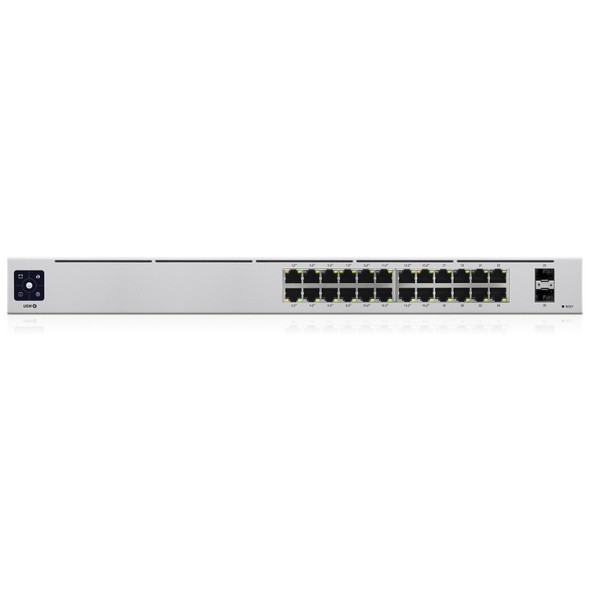
Ubiquiti UniFi USW-24 24-Port Gigabit Switch – Non-PoE, 2 SFP, Fanless
UBIQUITI

Ubiquiti USW-FLEX-2.5G-8 UniFi Flex 2.5G Ultra Compact 8 Port POE/USB-C Powered Managed Switch
UBIQUITI

Ubiquiti UniFi G5 Turret Ultra PoE Camera – 2K 4MP, 30m Night Vision
UBIQUITI