
UBIQUITI
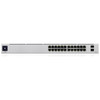
Ubiquiti UniFi USW-24 24-Port Gigabit Switch – Non-PoE, 2 SFP, Fanless
- SKU:
- NPUBI-USW24
- UPC:
- 810010071385
- MPN:
- USW-24
- Availability:
- Free Click & Collect in Peterborough. UK delivery also available



Description
Ubiquiti UniFi USW-24 24-Port Gigabit Managed Switch – 2 SFP, Fanless, 1U Rackmount
The Ubiquiti UniFi USW-24 Standard 24 is a managed Layer 2 network switch designed for homes, offices, schools, retail environments, small businesses and professional UniFi network installations that need a large number of reliable Gigabit Ethernet connections without Power over Ethernet.
It provides 24 × 10/100/1000Mbps Gigabit Ethernet RJ45 ports for computers, servers, NAS devices, printers, access points with separate power, smart TVs, network recorders and other Ethernet equipment. Two additional 1Gbps SFP ports can be used for fibre or compatible copper uplinks using separately purchased SFP modules.
The USW-24 delivers a 52Gbps switching capacity, 26Gbps total non-blocking throughput and a forwarding rate of approximately 39 million packets per second, allowing traffic to move efficiently between multiple connected devices.
A completely fanless cooling system allows the switch to operate without cooling-fan noise, while the compact 1U rackmount chassis measures only approximately 200mm deep. A front-mounted 1.3-inch touchscreen provides switch status information and helps administrators identify and diagnose the device quickly.
The switch integrates with the UniFi Network management platform, providing centralised configuration of VLANs, port profiles, LACP link aggregation, STP/RSTP, IGMP snooping, 802.1X, port isolation, port mirroring, storm control, rate limits, Voice VLANs and other business-oriented Layer 2 networking features.
The exact model is USW-24, with Memox SKU NPUBI-USW24 and UPC 810010071385. This is the non-PoE USW-24 and should not be confused with the separately available USW-24-POE model.
Key Features of the Ubiquiti UniFi USW-24
- 24 × Gigabit Ethernet RJ45 ports
- 10/100/1000Mbps auto-negotiating Ethernet
- 2 × 1Gbps SFP uplink ports
- 26 total network interfaces when the RJ45 and SFP ports are combined
- 52Gbps switching capacity
- 26Gbps total non-blocking throughput
- Approximately 39Mpps forwarding rate
- Layer 2 managed switching
- Supports up to 1,000 VLANs
- 8,000-entry MAC address table
- 0.5MB packet buffer
- LACP link aggregation
- STP and RSTP loop-management support
- IGMP snooping and advanced multicast controls
- 802.1X network access control
- MAC and IP-based ACL support
- DHCP snooping and guarding
- Port isolation and device isolation
- Port mirroring
- Jumbo Frames
- LLDP-MED and Voice VLAN support
- Storm control and rate limiting
- Fanless passive cooling for silent operation
- 1.3-inch front touchscreen display
- 1U 19-inch rackmount form factor
- SGCC steel enclosure
- Maximum switch consumption of only 25W
- Universal 100–240V AC input
- NDAA compliant
- Managed through UniFi Network
24 Gigabit Ethernet Ports for Wired Network Expansion
The USW-24 provides 24 standard RJ45 Gigabit Ethernet ports, each supporting 10Mbps, 100Mbps and 1000Mbps network speeds.
This makes it suitable for expanding a wired network with devices such as:
- Desktop computers
- Laptops and docking stations
- Network-attached storage systems
- File servers
- Printers and multifunction devices
- Smart televisions
- Media players
- VoIP equipment with separate power
- Network video recorders
- Security cameras with their own power source
- Wireless access points powered separately
- Other managed or unmanaged switches
Automatic 10/100/1000Mbps Negotiation
Each RJ45 port automatically negotiates a supported Ethernet speed with the connected device.
Compatible Gigabit devices can communicate at up to 1Gbps, while older 10Mbps and 100Mbps devices can remain connected without requiring a separate legacy switch.
What Does Gigabit Ethernet Mean?
A Gigabit Ethernet port supports a theoretical link speed of up to 1,000Mbps or 1Gbps.
This is the physical Ethernet link rate. Actual file-transfer or internet performance can be lower because of protocol overhead, storage speed, server performance, cable quality, network congestion and the capabilities of the connected devices.
Two 1Gbps SFP Uplink Ports
In addition to the 24 copper Ethernet connections, the USW-24 provides two hot-swappable 1Gbps SFP slots.
SFP ports can be particularly useful for uplinking the switch to:
- Another network switch
- A core network switch
- A remote communications cabinet
- A fibre distribution link
- A compatible router or gateway interface
- A copper Ethernet connection using an appropriate SFP-to-RJ45 module
Fibre Connectivity
A compatible optical SFP transceiver can provide fibre connectivity between the USW-24 and another device with a compatible SFP interface.
The achievable fibre distance depends on the selected SFP modules, fibre type, wavelength and cabling. Both ends of a fibre link must use mutually compatible transceivers.
SFP Modules Are Sold Separately
The standard USW-24 package does not include SFP transceiver modules.
Select the appropriate 1G SFP module for the intended fibre type and distance. Ubiquiti also offers compatible SFP-to-RJ45 adapters for selected copper Ethernet applications.
These Are 1G SFP Ports – Not 10G SFP+
The two uplink slots support 1Gbps SFP. They are not 10Gbps SFP+ ports.
Customers requiring 10Gbps or faster uplinks should choose a UniFi switch specifically equipped with SFP+ or another multi-gigabit uplink interface.
52Gbps Switching Capacity
The USW-24 has a manufacturer-specified switching capacity of 52Gbps.
This figure represents the switch's aggregate full-duplex switching capability across its 26 one-gigabit interfaces.
26Gbps Non-Blocking Throughput
Ubiquiti specifies 26Gbps total non-blocking throughput. This means the switch architecture is designed to support simultaneous traffic across its available interfaces without a lower internal shared throughput limit becoming the primary bottleneck.
39 Million Packets Per Second
The current Ubiquiti specification lists a forwarding rate of approximately 39 million packets per second.
This helps the switch handle high volumes of network packets across busy office, business and multi-device environments.
Managed Layer 2 UniFi Switch
The USW-24 is a managed Layer 2 switch. Unlike a basic unmanaged Ethernet switch, individual ports, VLAN assignments and network behaviours can be configured through UniFi Network.
This gives network administrators significantly more control over how devices communicate.
Layer 2 Does Not Mean Router
The USW-24 should not be treated as a replacement for an internet router, firewall or UniFi Gateway.
Routing between networks, internet access, NAT, VPN services and firewall policies generally require a suitable gateway or routing device.
The switch can enforce supported VLAN, ACL and isolation behaviour, but its principal role is managed Ethernet switching.
Support for up to 1,000 VLANs
The current Ubiquiti specification lists support for up to 1,000 VLANs.
Virtual LANs allow administrators to separate devices logically even when they are connected to the same physical switch infrastructure.
Example VLAN Uses
A business could create separate networks for:
- Company computers
- Guest devices
- CCTV equipment
- VoIP telephones
- Servers
- Printers
- Internet of Things devices
- Building-management equipment
A suitable gateway or Layer 3 routing device is normally required when traffic must move between different VLANs.
LACP Link Aggregation
The USW-24 supports LACP port aggregation, allowing compatible Ethernet ports to be grouped into a logical link.
This can increase total available bandwidth between compatible network devices and can provide link redundancy depending on the configuration.
Typical LACP Uses
- Connecting compatible NAS systems
- Uplinking to another managed switch
- Connecting compatible servers
- Creating redundant Ethernet links
Both devices at each end of an aggregated connection must support and be configured for compatible link aggregation.
A two-port LACP connection does not automatically make a single file transfer operate at 2Gbps. Individual client sessions can still be limited by the capabilities of one physical link depending on how traffic is distributed.
STP and RSTP Loop Protection
The USW-24 supports both Spanning Tree Protocol and Rapid Spanning Tree Protocol.
These technologies help prevent switching loops when multiple network paths exist between Ethernet switches.
Why Network Loops Are a Problem
An accidental Ethernet loop can cause broadcast traffic to circulate continuously around a network, potentially resulting in:
- Severe network slowdown
- High packet loss
- Unreachable network devices
- Switch instability
STP and RSTP help identify redundant paths and block appropriate links until they are required.
IGMP Snooping and Advanced Multicast Controls
The USW-24 supports IGMP snooping together with advanced multicast functions such as IGMP Querier, Fast Leave and configurable multicast router ports.
Multicast optimisation can be useful for networks carrying:
- IPTV
- Multicast video
- Professional AV traffic
- Streaming systems
- Selected discovery and broadcast services
Correct multicast configuration can reduce unnecessary traffic being forwarded to devices that do not need to receive it.
802.1X Network Access Control
The USW-24 supports 802.1X control, allowing compatible networks to authenticate users or devices before granting normal network access.
This is particularly useful in managed business, education and enterprise environments using an appropriate authentication infrastructure.
DHCP Snooping and DHCP Guarding
DHCP snooping and guarding can help protect a managed network against unauthorised DHCP servers.
An accidental or malicious DHCP server can distribute incorrect addresses, gateways or DNS settings and disrupt network connectivity.
DHCP guarding allows trusted DHCP infrastructure to be defined so that unwanted DHCP responses can be restricted.
Access Control Lists and Device Isolation
The current UniFi specification provides support for both MAC-based and IPv4 access-control lists.
- IPv4 ACL capacity: up to 128 entries
- MAC ACL capacity: up to 128 entries
ACLs can be used to control traffic at the switch level and help isolate selected clients or network segments.
Port and Client Isolation
Port isolation can prevent devices connected to selected switch ports from communicating directly with other ports even when they are within the same network.
This can be useful for:
- Guest networks
- IoT equipment
- Public Ethernet connections
- Security-sensitive client devices
Port Mirroring for Network Diagnostics
The USW-24 supports port mirroring. Traffic from one switch port can be mirrored to another compatible port for inspection by monitoring or troubleshooting equipment.
This is useful for administrators using packet-analysis software to investigate:
- Network performance
- Connection problems
- Unexpected traffic
- Security incidents
Storm Control and Traffic Rate Limiting
Storm control helps limit excessive broadcast, multicast or other traffic that could otherwise consume switch resources and disrupt the network.
The switch also supports egress rate limiting, allowing administrators to restrict outgoing bandwidth on selected ports where appropriate.
Jumbo Frame Support
The USW-24 supports Jumbo Frames through UniFi Network.
Larger Ethernet frames can reduce packet-processing overhead in certain environments, particularly high-throughput storage networks.
Jumbo Frames should only be enabled when every relevant device in the network path is correctly configured to support the same frame size.
Voice VLAN and LLDP-MED
The switch supports LLDP-MED and Voice VLAN functionality for compatible VoIP deployments.
Voice VLAN functionality can help assign supported IP telephones to a dedicated voice network while other traffic on the same switch infrastructure remains assigned to its normal VLAN.
1.3-Inch Touchscreen Display
A 1.3-inch front-mounted LCM touchscreen provides local status information without requiring an administrator to immediately open the UniFi management interface.
The display can assist with:
- Viewing switch status
- Identifying the device in a rack
- Checking adoption state
- Viewing basic operational information
- Rapid troubleshooting
Device Identification in a Rack
UniFi's Locate functionality can help identify a selected switch when several UniFi devices are installed in the same communications rack.
The display behaviour and available information can vary according to the installed UniFi Network and switch firmware versions.
Silent Fanless Cooling
The USW-24 uses a fanless passive cooling system. There is no internal cooling fan generating continuous fan noise during normal operation.
This makes it particularly suitable for environments where acoustic noise matters, including:
- Home offices
- Small offices
- Studios
- Classrooms
- Meeting rooms
- Quiet communications cabinets
Fanless Does Not Mean Heat-Free
The switch still generates heat during operation and requires adequate ventilation.
Do not obstruct the ventilation openings or install the switch where heat from other equipment cannot escape. The rack or cabinet should remain within the specified operating-temperature range.
Maximum Power Consumption of Only 25W
The current Ubiquiti specification lists a maximum switch power consumption of 25W.
This is significantly different from the 120W figure sometimes associated with the PoE version of the switch. The non-PoE USW-24 does not contain a large PoE power budget because it does not provide power to connected network devices.
Internal 36W Power Supply
The switch contains an internal 36W AC/DC power supply and connects directly to mains power through the rear AC input.
No external DC power brick is required.
Universal AC Input
The power supply supports:
- 100–240V AC input
- 50/60Hz frequency
Use the correct regional power cable and a properly grounded electrical supply.
This Is a Non-PoE Switch
The USW-24 does not provide Power over Ethernet on any of its 24 RJ45 ports.
This is an important distinction from the separately available USW-24-POE.
What Does Non-PoE Mean?
The Ethernet ports carry network data but do not provide electrical power to devices such as:
- PoE security cameras
- UniFi wireless access points
- PoE VoIP telephones
- PoE door-access devices
Any device requiring PoE will need a separate compatible PoE injector, another PoE switch or its own supported power supply.
When Is a Non-PoE Switch a Better Choice?
A non-PoE model can be a good choice when:
- Most connected devices already have their own power supplies
- PoE is provided by another switch
- Only a few PoE devices exist and individual injectors are used
- A lower switch power consumption is preferred
- A silent fanless switch is required
USW-24 vs USW-24-POE
The two models share a similar physical format but are intended for different network requirements.
USW-24
- 24 × Gigabit Ethernet ports
- 2 × 1G SFP
- No PoE output
- 25W maximum switch consumption
- 36W internal power supply
- Fanless cooling
USW-24-POE
- 24 × Gigabit Ethernet ports
- Selected ports provide PoE+
- 2 × 1G SFP
- Higher-capacity internal power supply
- Designed to power compatible PoE equipment
Choose the non-PoE USW-24 when connected equipment does not require power from the switch.
1U Rackmount Design
The USW-24 uses a standard 1U rackmount form factor suitable for compatible 19-inch network racks and data cabinets.
Its compact dimensions are approximately:
- Width: 442mm
- Depth: 200mm
- Height: 44mm
The shallow 200mm chassis can make the switch easier to install in compact communications cabinets than deeper enterprise switches.
Supported Rack Depth
Ubiquiti currently lists support for compatible rack depths from approximately 400mm to 1200mm.
The rack must also provide sufficient room for the rear power cable, front network cabling and appropriate ventilation.
Strong SGCC Steel Construction
The switch enclosure and mounting hardware use SGCC steel, providing a durable chassis suitable for permanent rack installation.
- Weight without rack brackets: approximately 2.7kg
- Weight with rack brackets: approximately 2.8kg
Designed for UniFi Network Management
The USW-24 is centrally managed through the UniFi Network application.
The current Ubiquiti specification lists UniFi Network version 7.2.94 or later as the minimum application requirement.
Using a current supported UniFi Network release is recommended for security updates, firmware management and access to newer configuration features.
Easy Adoption into an Existing UniFi Network
When connected to a network containing a compatible UniFi host, the switch can normally be discovered and adopted through UniFi Network.
After adoption, administrators can configure and monitor the switch through the same interface used to manage compatible UniFi gateways and wireless access points.
UniFi Cloud Gateway or Controller Options
UniFi Network can be hosted on various supported UniFi platforms or through an appropriate self-hosted configuration.
A UniFi-branded router is not physically required for the switch to pass Ethernet traffic, but a suitable UniFi Network host is required to take advantage of centralised UniFi management and configuration.
Useful UniFi Port Management
Individual ports can be configured for different purposes through UniFi Network.
Depending on the current software version and network configuration, administrators can manage settings such as:
- Port enable or disable state
- Native VLAN
- Tagged VLANs
- Port profiles
- Link speed
- Flow control
- Port isolation
- Storm control
- Loop protection
- Rate limits
- STP settings
- LLDP-MED
- Voice VLAN
8,000-Entry MAC Address Table
The USW-24 provides an 8,000-entry MAC address table.
A switch uses its MAC address table to learn which devices are located behind each Ethernet port and direct Ethernet frames towards the appropriate destination rather than unnecessarily transmitting them to every port.
0.5MB Packet Buffer
The current specification lists a 0.5MB packet buffer. The buffer temporarily holds network packets when traffic arrives faster than a destination interface can immediately transmit it.
Network performance still depends on the complete topology, connected device speeds and traffic patterns.
NDAA-Compliant Network Switch
Ubiquiti lists the USW-24 as NDAA compliant.
This may be relevant for organisations with procurement rules related to the US National Defense Authorization Act. Buyers with formal government or industry compliance requirements should confirm that the entire proposed network solution meets their organisation's current policy.
Who Is the UniFi USW-24 Best For?
- Businesses needing more Gigabit Ethernet ports
- Existing UniFi Network installations
- Home networks with many wired devices
- Small offices and professional workspaces
- Schools and educational environments
- Retail and hospitality networks
- Networks where connected devices have separate power
- NAS and server environments using Gigabit Ethernet
- Installations requiring VLANs and managed Layer 2 features
- Quiet environments that benefit from fanless operation
- 19-inch rack installations
- Networks needing 1G SFP fibre uplinks
Who May Need a Different Network Switch?
The USW-24 may not be suitable for users who require:
- PoE or PoE+ output from the switch
- 2.5GbE Ethernet ports
- 5GbE or 10GbE copper ports
- 10Gbps SFP+ uplinks
- 25Gbps SFP28 uplinks
- A dedicated Layer 3 core switch
- A built-in internet router or firewall
- A compact five-port or eight-port desktop switch
- Dedicated hardware network-stacking ports
Can the USW-24 Power UniFi Access Points or Cameras?
No. The USW-24 is the non-PoE version of the UniFi Standard 24 switch.
A UniFi access point, PoE camera or other powered device can still connect to one of the Ethernet ports, but that device must receive power from:
- A compatible PoE injector
- A separate PoE switch
- Its own supported power adapter
Can the USW-24 Be Used with Non-Ubiquiti Devices?
Yes. The RJ45 ports use standard Ethernet connectivity and can be used with compatible network equipment from many manufacturers.
The switch can connect to PCs, servers, NAS systems, printers, routers and other standards-based Ethernet devices regardless of brand.
UniFi Network management features apply to the UniFi switch itself; third-party devices may not expose the same detailed management information as UniFi equipment.
Can It Be Used Without a UniFi Gateway?
The switch does not need a UniFi Gateway merely to forward normal Ethernet traffic.
However, full UniFi configuration and monitoring require a compatible UniFi Network application host, and functions such as internet routing, NAT, VPN and firewall control require an appropriate router or gateway.
Can the SFP Ports Be Used at 10Gbps?
No. The USW-24 provides 1Gbps SFP slots, not SFP+.
For networks requiring a 10Gbps uplink to a server, NAS or core switch, select a UniFi model that specifically provides SFP+ or 10GbE connectivity.
How to Check Compatibility Before Ordering
- Confirm that 24 Gigabit RJ45 ports are sufficient for the planned network.
- Remember that none of the ports provide PoE.
- Check whether connected access points, cameras or phones require separate power.
- Confirm that 1Gbps Ethernet is sufficient for all connected devices.
- Check whether the two 1G SFP ports meet the required uplink speed.
- Purchase compatible SFP modules separately if fibre connectivity is required.
- Confirm that a suitable UniFi Network management platform is available.
- Check that the rack supports a standard 1U 19-inch device approximately 200mm deep.
- Allow sufficient ventilation around the fanless switch.
Basic Installation Guide
- Install the supplied rack brackets on the sides of the switch if rack mounting.
- Secure the switch into a compatible 19-inch rack using suitable rack hardware.
- Connect the supplied AC power cable.
- Connect the upstream router, gateway or switch using an Ethernet or compatible SFP connection.
- Connect wired client devices to the required RJ45 ports.
- Power on the switch.
- Open the UniFi Network application.
- Adopt the USW-24 into the UniFi network.
- Install the latest appropriate switch firmware.
- Configure VLANs, port profiles, aggregation and security options as required.
- Confirm link speeds and network connectivity before completing the installation.
Ethernet Cabling Recommendations
Use suitable Category 5e or better Ethernet cabling for Gigabit Ethernet connections.
For permanent installations, correctly terminated Cat5e or Cat6 cable is generally recommended. The cable category alone does not guarantee performance—termination quality, cable length, interference and physical damage can also affect the connection.
Operating Environment
Ubiquiti's current technical specification lists:
- Operating temperature: -5°C to 45°C
- Operating humidity: 10% to 90%, non-condensing
- Maximum heat dissipation: approximately 85.3 BTU/hr
The switch is intended for a suitable indoor rack, cabinet or workspace and should be protected from water, condensation, excessive dust and temperatures outside the specified range.
Ubiquiti UniFi USW-24 Technical Specifications
- Brand: Ubiquiti
- Product Family: UniFi
- Current Product Name: UniFi Standard 24
- Model / MPN: USW-24
- Memox SKU: NPUBI-USW24
- UPC: 810010071385
- Product Type: Managed Layer 2 Ethernet switch
- Form Factor: 1U rackmount
- RJ45 Ports: 24
- RJ45 Speeds: 10/100/1000Mbps
- SFP Ports: 2
- SFP Speed: 1Gbps
- SFP+ 10Gbps Support: No
- Total Physical Network Interfaces: 26
- PoE Output: No
- PoE+ Output: No
- Switching Capacity: 52Gbps
- Total Non-Blocking Throughput: 26Gbps
- Forwarding Rate: Approximately 39Mpps
- Supported VLANs: Up to 1,000
- MAC Address Table: 8,000 entries
- Packet Buffer: 0.5MB
- IPv4 ACL Capacity: 128
- MAC ACL Capacity: 128
- LACP Port Aggregation: Yes
- STP / RSTP: Yes
- IGMP Snooping: Yes
- Advanced IGMP Configuration: Yes
- 802.1X Control: Yes
- DHCP Snooping / Guarding: Yes
- Flow Control: Yes
- Storm Control: Yes
- Multicast / Broadcast Rate Limiting: Yes
- Port Isolation: Yes
- Port Mirroring: Yes
- Jumbo Frames: Yes
- LLDP-MED: Yes
- Voice VLAN: Yes
- Loop Protection: Yes
- Virtual Network Override: Yes
- Cooling: Passive / fanless
- Touchscreen: 1.3-inch LCM touchscreen
- Maximum Power Consumption: 25W
- Internal Power Supply: 36W AC/DC
- Power Input: 100–240V AC, 50/60Hz
- Heat Dissipation: 85.3 BTU/hr
- Enclosure Material: SGCC steel
- Mount Material: SGCC steel
- Dimensions: Approximately 442 × 200 × 44mm
- Weight Without Mounting Brackets: Approximately 2.7kg
- Weight With Mounting Brackets: Approximately 2.8kg
- Supported Rack Depth: Approximately 400–1200mm
- Operating Temperature: -5°C to 45°C
- Operating Humidity: 10–90% non-condensing
- NDAA Compliant: Yes
- Certifications: CE, FCC, IC and Anatel 17193-20-08356
- Management: UniFi Network
- Current Minimum UniFi Network Version Listed: 7.2.94 or later
What Is Included?
- 1 × Ubiquiti UniFi USW-24 switch
- 2 × Rack-mount brackets
- 8 × Rack-bracket screws
- 4 × Rack mounting screws
- 4 × Cage nuts
- 1 × AC power cord
Ethernet cables, SFP transceivers, SFP-to-RJ45 adapters, PoE injectors, router, UniFi Gateway and UniFi management host are not included unless specifically stated elsewhere in the offer.
Important Non-PoE Information
This is the USW-24 non-PoE model. None of the 24 Gigabit Ethernet ports provide electrical power.
Do not purchase this model expecting it to directly power PoE cameras, wireless access points or VoIP phones. For integrated PoE output, consider a compatible UniFi PoE switch instead.
Important SFP Information
The two SFP slots operate at up to 1Gbps and should not be confused with 10Gbps SFP+ ports.
SFP modules are sold separately. Check the transceiver type, fibre standard, wavelength and distance requirements at both ends of the link before ordering.
Important Power-Consumption Correction
The official maximum power consumption for the non-PoE USW-24 is 25W. A 120W figure belongs to other PoE-equipped hardware and should not be used for this model.
Important Layer 2 Information
The USW-24 is a managed Layer 2 switch. It provides advanced VLAN, ACL, aggregation, isolation and traffic-management features but should not be described as a replacement for a dedicated internet router, firewall or full Layer 3 core switch.
Important Network Stacking Information
The USW-24 should not be advertised as a hardware network-stacking switch. It does not provide dedicated stacking ports that combine multiple units into one logical chassis in the way specialised stackable enterprise switches do.
Multiple USW-24 switches can, however, be installed and centrally managed within the same UniFi Network deployment and interconnected through suitable Ethernet or SFP links.
Why Choose the Ubiquiti UniFi USW-24?
The Ubiquiti UniFi USW-24 provides a practical balance of port density, managed networking features, quiet operation and compact rackmount design for networks that do not require PoE from the switch.
Its 24 Gigabit Ethernet ports provide ample wired connectivity for PCs, servers, NAS devices, printers and other network equipment, while the two 1Gbps SFP slots offer flexible fibre or compatible copper uplink options.
A 52Gbps switching capacity and 26Gbps non-blocking throughput allow the switch to handle traffic efficiently across all of its network interfaces, while advanced UniFi features such as VLANs, LACP, STP/RSTP, IGMP snooping, ACLs, port isolation, DHCP guarding and port mirroring provide greater control than an unmanaged switch.
The fanless cooling system makes the USW-24 particularly suitable for quiet offices and home environments, while the 1.3-inch touchscreen, steel 1U chassis and UniFi Network integration make it equally appropriate for organised professional rack installations.
Choose the USW-24 when you need a 24-port UniFi managed Gigabit switch with two 1G SFP uplinks, fanless cooling and advanced Layer 2 management, and your connected devices do not require PoE power directly from the switch.
Specification
Ubiquiti UniFi USW-24 24-Port Gigabit Switch Specifications
The Ubiquiti UniFi USW-24 Standard 24 is a fanless, managed Layer 2 network switch featuring 24 Gigabit Ethernet RJ45 ports, two 1Gbps SFP uplink ports and centralised management through the UniFi Network platform.
It provides a 52Gbps switching capacity, 26Gbps total non-blocking throughput and approximately 39Mpps forwarding performance. This is the non-PoE USW-24 model; its Ethernet ports carry network data but do not supply electrical power to connected PoE devices.
General Information
| Brand | Ubiquiti |
|---|---|
| Product Family | UniFi |
| Current Product Name | UniFi Standard 24 |
| Model | USW-24 |
| Manufacturer Part Number | USW-24 |
| Memox SKU | NPUBI-USW24 |
| UPC | 810010071385 |
| Product Type | Managed Layer 2 Gigabit Ethernet switch |
| Form Factor | 1U rackmount |
| Cooling Design | Fanless / passive cooling |
| PoE Model | No – this is the non-PoE USW-24 |
RJ45 Ethernet Ports
| RJ45 Ethernet Ports | 24 |
|---|---|
| Ethernet Port Type | Gigabit Ethernet |
| Supported RJ45 Speeds | 10 / 100 / 1000Mbps |
| Auto-Negotiation | Supported for compatible Ethernet connections |
| 10GbE RJ45 | No |
| 2.5GbE RJ45 | No |
| 5GbE RJ45 | No |
SFP Uplink Ports
| SFP Ports | 2 |
|---|---|
| SFP Speed | 1Gbps |
| SFP Ports Hot-Swappable | Yes |
| SFP+ 10Gbps Support | No |
| SFP Transceivers Included | No |
| Fibre Connectivity | Supported using suitable 1Gbps SFP modules purchased separately |
| Copper SFP Connectivity | Possible using a compatible 1G SFP-to-RJ45 module purchased separately |
Switching Performance
| Switching Capacity | 52Gbps |
|---|---|
| Total Non-Blocking Throughput | 26Gbps |
| Forwarding Rate | Approximately 39Mpps |
| MAC Address Table | 8,000 entries |
| Packet Buffer | 0.5MB |
| Maximum Supported VLANs | 1,000 |
Layer 2 Management Features
| Managed Switch | Yes |
|---|---|
| Switching Layer | Layer 2 |
| LACP Port Aggregation | Yes |
| STP – Spanning Tree Protocol | Yes |
| RSTP – Rapid Spanning Tree Protocol | Yes |
| IGMP Snooping | Yes |
| Advanced IGMP Configuration | Yes – Querier, Fast Leave and Router Port controls |
| 802.1X Control | Yes |
| Flow Control | Yes |
| Storm Control | Yes |
| Loop Protection | Yes |
| Jumbo Frames | Yes |
| LLDP-MED | Yes |
| Voice VLAN | Yes |
| Virtual Network Override | Yes |
Traffic Control and Security Features
| DHCP Snooping | Yes |
|---|---|
| DHCP Guarding | Yes |
| MAC Address Blocking | Yes |
| MAC-Based ACLs | Yes |
| IP-Based ACLs | Yes, IPv4 |
| IPv4 ACL Capacity | 128 |
| MAC ACL Capacity | 128 |
| Network Isolation | Yes |
| Device Isolation | Yes |
| Port Isolation | Yes |
| MAC-Based Port Restriction | Yes |
| Port Mirroring | Yes |
| Egress Rate Limiting | Yes |
| Multicast / Broadcast Rate Limiting | Yes |
Power over Ethernet
| Power over Ethernet Output | No |
|---|---|
| PoE+ Output | No |
| PoE++ Output | No |
| Powered RJ45 Ports | None |
| Can Directly Power UniFi Access Points? | No – a separate compatible PoE injector or PoE switch is required |
| Can Directly Power PoE Cameras? | No – a separate compatible PoE injector or PoE switch is required |
| Can Directly Power PoE Phones? | No – separate compatible power is required |
Power Specifications
| Power Method | Universal AC input |
|---|---|
| AC Input Voltage | 100–240V AC |
| AC Input Frequency | 50/60Hz |
| Power Input Method | AC input |
| Power Supply | Internal AC/DC power supply |
| Internal Power-Supply Rating | 36W |
| Maximum Switch Power Consumption | 25W |
| External Power Adapter Required | No |
| Power Cord Included | Yes |
| Maximum Heat Dissipation | 85.3 BTU/hr |
Cooling and Acoustic Specifications
| Cooling Method | Passive |
|---|---|
| Internal Cooling Fan | No |
| Fanless Design | Yes |
| Normal Fan Noise | None – no cooling fan is fitted |
| Ventilation Required | Yes – ventilation openings must remain unobstructed |
Touchscreen and Status Indicators
| Front Display | Yes |
|---|---|
| Display Type | LCM touchscreen |
| Display Size | 1.3 inches |
| RJ45 Port LEDs | Speed / Link / Activity |
| RJ45 LED – Green | 1Gbps link; flashing indicates activity |
| RJ45 LED – Amber | 10/100Mbps link; flashing indicates activity |
| SFP LEDs | Link / Activity |
| Locate Function | Supported through UniFi Network for easier device identification |
Management and Software
| Management Platform | UniFi Network |
|---|---|
| Management Interface | Ethernet / in-band network management through UniFi Network |
| Current Minimum UniFi Network Version Listed | 7.2.94 or later |
| Centralised UniFi Management | Yes |
| Remote Management | Available when the UniFi Network deployment is configured for remote access |
| Firmware Management | Supported through UniFi Network |
Layer 3 and Routing Information
| Primary Switch Layer | Layer 2 |
|---|---|
| Internet Router | No |
| NAT Gateway | No |
| Internet Firewall Replacement | No |
| Dedicated Layer 3 Core Switch | No – select an appropriate Layer 3 UniFi model where advanced routing is required |
Hardware Stacking
| Dedicated Hardware Stacking Ports | Not listed |
|---|---|
| Hardware Stacking | Not specified as a feature of the USW-24 |
| Multiple UniFi Switch Management | Yes – multiple switches can be centrally managed within the same UniFi Network deployment |
| Switch-to-Switch Connections | Supported through compatible Ethernet or SFP network links |
Physical Specifications
| Width | Approximately 442mm |
|---|---|
| Depth | 200mm |
| Height | Approximately 44mm |
| Official Detailed Dimensions | 442.4 × 200 × 43.7mm |
| Form Factor | 1U |
| Rack Width | Standard 19-inch rack |
| Supported Rack Depth | Approximately 400–1200mm |
| Weight Without Rack Brackets | Approximately 2.7kg |
| Weight With Rack Brackets | Approximately 2.8kg / 2.79kg in the detailed installation specification |
Construction
| Enclosure Material | SGCC steel |
|---|---|
| Mounting-Bracket Material | SGCC steel |
| Product Colour | Silver / metallic finish |
| Rack-Mount Brackets Included | Yes |
Environmental Specifications
| Minimum Operating Temperature | -5°C / 23°F |
|---|---|
| Maximum Operating Temperature | 45°C / 113°F |
| Operating Humidity | 10% to 90%, non-condensing |
| Indoor Installation | Yes |
| Outdoor Switch Installation | No – the switch itself should be installed in a suitable protected indoor enclosure |
| Outdoor Ethernet Cabling | Use suitable shielded and grounded outdoor-rated cabling where cables are routed outdoors |
Electrical Protection and Standards
| ESD Air Protection | ±16kV |
|---|---|
| ESD Contact Protection | ±12kV |
| Shock and Vibration Standard | ETSI300-019-1.4 listed in Ubiquiti installation documentation |
Compliance and Certifications
| NDAA Compliant | Yes |
|---|---|
| CE | Yes |
| FCC | Yes |
| IC | Yes |
| Anatel | 17193-20-08356 |
Package Contents
| UniFi Switch | 1 × Ubiquiti UniFi USW-24 |
|---|---|
| Rack-Mount Brackets | 2 |
| Rack-Bracket Screws | 8 |
| Rack Mounting Screws | 4 |
| Cage Nuts | 4 |
| AC Power Cord | Included |
| Ethernet Cables | Not included |
| SFP Modules | Not included |
| PoE Injectors | Not included |
| UniFi Gateway / Router | Not included |
| Separate UniFi Network Host | Not included unless specifically stated elsewhere in the offer |
Ubiquiti Limited Warranty Information
| Manufacturer | Ubiquiti |
|---|---|
| Direct Ubiquiti Webstore Purchase | Ubiquiti currently states 2 years from delivery for qualifying products purchased directly from an official Ubiquiti Webstore |
| Authorised Distributor / Reseller Route | Ubiquiti's published limited warranty currently states 1 year from shipment to the authorised distributor or reseller |
| Memox Customer Coverage | Subject to the warranty or guarantee advertised by Memox and applicable UK consumer statutory rights |
| Proof of Purchase | May be required for warranty or return service |
Important Non-PoE Note
The USW-24 is a non-PoE network switch. None of its 24 RJ45 Ethernet ports provide electrical power to connected equipment.
A PoE camera, wireless access point, VoIP telephone or other powered network device can use the USW-24 for network connectivity, but it will require a compatible external PoE injector, a separate PoE switch or another supported power source.
Important Power-Consumption Note
Ubiquiti's current official maximum power consumption for the USW-24 is 25W. The internal AC/DC power supply is rated at 36W.
A 120W power figure applies to different PoE-equipped hardware and should not be used as the power-consumption specification for this non-PoE USW-24.
Important SFP Compatibility Note
The USW-24 has two 1Gbps SFP ports. They are not 10Gbps SFP+ ports.
SFP modules are purchased separately. When building a fibre link, confirm that the transceivers at both ends use compatible speed, wavelength, fibre type and transmission distance.
Important Ethernet Speed Note
The 24 RJ45 interfaces operate at up to 1Gbps. They do not provide 2.5GbE, 5GbE or 10GbE connectivity.
Customers requiring multi-gigabit client connections or 10Gbps uplinks should select a UniFi switch specifically equipped with those interfaces.
Important Layer 2 Note
The USW-24 is primarily a managed Layer 2 switch. It should not be treated as a replacement for an internet router, NAT gateway, firewall or advanced Layer 3 core switch.
Inter-VLAN routing, WAN connectivity, VPN services, firewall policies and other gateway functions generally require an appropriate router or UniFi Gateway.
Important Hardware Stacking Note
Ubiquiti does not list dedicated hardware stacking ports or traditional chassis-style switch stacking as a USW-24 feature.
Multiple USW-24 switches can still be installed in the same network, connected through suitable Ethernet or SFP links and centrally managed through the same UniFi Network deployment.
Important UniFi Network Note
Advanced configuration and centralised management are provided through UniFi Network. Ubiquiti's current technical specification lists UniFi Network version 7.2.94 or later as the application requirement.
Using a currently supported software and firmware release is recommended rather than deliberately installing the minimum listed version.
Important Rack and Ventilation Note
The USW-24 is a standard 1U rackmount switch approximately 442.4mm wide, 200mm deep and 43.7mm high.
Although the switch is fanless, it still generates heat. Keep its ventilation openings unobstructed and ensure that the rack or cabinet remains within the specified -5°C to 45°C operating range.
Important Outdoor-Cabling Note
The USW-24 itself is intended to remain in a protected indoor environment. If Ethernet cabling leaves the building or runs outdoors, use correctly installed shielded outdoor-rated network cable and appropriate grounding and surge protection for the installation.
Return
FAQ: Frequenlty Asked Questions
Ubiquiti UniFi USW-24 24-Port Gigabit Switch FAQ
The Ubiquiti UniFi USW-24 is a managed Layer 2, 1U rackmount switch with 24 Gigabit Ethernet RJ45 ports, two 1Gbps SFP uplink ports, a 1.3-inch touchscreen and silent fanless cooling. It is designed for UniFi Network deployments that need reliable Gigabit switching, VLAN segmentation, LACP, STP/RSTP, IGMP controls, port security and central management without Power over Ethernet.
Below are the most common questions buyers ask before choosing the UniFi Standard 24, including PoE limitations, SFP versus SFP+, VLANs, controller requirements, fibre and DAC compatibility, LACP, rack installation, power use, fanless operation, NAS and Wi-Fi use, troubleshooting and comparisons with the USW-24-PoE, USW-Pro-24 and older US-24.
1. What is the Ubiquiti UniFi USW-24?
The Ubiquiti UniFi USW-24 is a managed Layer 2 network switch with 24 Gigabit Ethernet RJ45 ports and two 1Gbps SFP uplink ports. It is designed for UniFi Network environments and uses a silent fanless 1U rackmount design with a 1.3-inch touchscreen for status information.
2. What is the exact model number of this switch?
The manufacturer model number is USW-24. This identifies the current UniFi Standard 24 non-PoE switch and helps distinguish it from the older US-24, the USW-24-POE and the higher-specification USW-Pro-24.
3. What is the EAN or UPC for the USW-24 sold on this page?
The product listing identifies UPC 810010071385. When comparing listings, also confirm the manufacturer model USW-24 because similarly named UniFi 24-port switches have different PoE, uplink and Layer 3 capabilities.
4. How many Ethernet ports does the USW-24 have?
It has 24 RJ45 Ethernet ports. Each copper port supports 10, 100 and 1000Mbps Ethernet with automatic negotiation when connected to compatible equipment.
5. How many SFP ports does the USW-24 have?
It has two SFP ports in addition to the 24 RJ45 ports. These SFP ports operate at 1Gbps and are commonly used for fibre uplinks, compatible copper SFP modules or short switch-to-switch links.
6. Are the SFP ports 1Gbps or 10Gbps?
They are 1Gbps SFP ports. They are not 10Gbps SFP+ ports, so the maximum link speed of each SFP port on the USW-24 is 1Gbps.
7. Does the USW-24 support 10 Gigabit Ethernet?
No. The 24 RJ45 ports are Gigabit Ethernet and the two SFP ports are also limited to 1Gbps. Buyers needing 10Gbps uplinks should compare a model such as the UniFi Pro 24, which has 10G SFP+ uplinks.
8. Does the USW-24 support 2.5GbE or 5GbE?
No. Its RJ45 ports support 10/100/1000Mbps and its SFP ports are 1Gbps. A multi-gig SFP module cannot make the switch port operate above the 1Gbps hardware limit.
9. Is the USW-24 a PoE switch?
No. The USW-24 is the non-PoE Standard 24 model and does not supply Power over Ethernet on its RJ45 ports.
10. Can the USW-24 power UniFi access points?
Not directly. UniFi access points can use the switch for network data, but each AP that requires PoE must be powered by a compatible PoE injector, a separate PoE switch or another suitable power source.
11. Can the USW-24 power UniFi Protect cameras?
No. The switch carries Ethernet data but does not provide PoE. A PoE camera must receive power from a compatible injector or PoE-capable switch.
12. Can I use PoE injectors with the USW-24?
Yes. Connect the USW-24 to the injector's LAN or data input and connect the injector's PoE output to the compatible powered device. Make sure the injector standard and voltage match the device being powered.
13. What is the switching capacity of the USW-24?
Ubiquiti specifies a 52Gbps switching capacity. This represents the aggregate internal switching bandwidth available across the switch.
14. What is the total non-blocking throughput?
The USW-24 is rated for 26Gbps total non-blocking throughput, matching the combined full-duplex traffic potential of its 26 one-gigabit network interfaces.
15. What is the forwarding rate?
Ubiquiti specifies a forwarding rate of approximately 39 million packets per second.
16. Can all 24 Ethernet ports run at 1Gbps at the same time?
Yes, the hardware is designed as a non-blocking Gigabit switch. Actual end-to-end throughput still depends on the connected devices, uplink design, cabling, protocol overhead and traffic pattern.
17. Does one 1Gbps uplink limit traffic from all 24 ports?
It can. If many devices are simultaneously sending traffic through one 1Gbps uplink to another switch or router, that uplink becomes the shared bottleneck. Local traffic between ports on the same USW-24 can remain switched internally without crossing that uplink.
18. Can I use both SFP ports at the same time?
Yes. The two 1Gbps SFP ports are independent interfaces and can both be used for suitable uplinks, device connections or an LACP aggregate.
19. Can I aggregate the two SFP ports for a 2Gbps uplink?
Yes, the USW-24 supports LACP and the two sequential SFP ports can be used as an aggregate when the device at the other end also supports compatible LACP. Multiple traffic flows can share the aggregate, but a single flow normally remains limited to one 1Gbps member link.
20. Does LACP make one file transfer run at 2Gbps?
Usually no. LACP distributes separate traffic flows across member links, so one TCP or UDP flow is normally assigned to one 1Gbps link. The benefit is higher combined bandwidth for multiple clients or flows plus potential link redundancy.
21. Does the USW-24 support LACP port aggregation?
Yes. Ubiquiti lists LACP port aggregation as a supported Layer 2 feature. UniFi requires aggregation members to be sequential ports, and the device on the other end must be configured for compatible LACP.
22. Does the USW-24 support static link aggregation?
UniFi's current aggregation guidance supports LACP rather than static LAG configuration. Use 802.3ad/LACP on the connected server or switch.
23. Can I create more than one LACP group?
Yes, multiple LACP groups can be configured when suitable sequential ports are available and each connected device supports LACP. Plan the groups carefully so ports are not assigned to overlapping configurations.
24. Does the USW-24 support VLANs?
Yes. Ubiquiti specifies support for up to 1,000 VLANs, making the switch suitable for segmented home, office, VoIP, camera, guest and IoT networks.
25. What is an access port on the USW-24?
An access-style port carries one native untagged VLAN to an ordinary endpoint such as a desktop PC, printer or camera. In UniFi Network, this is configured by assigning the required native network and not allowing additional tagged VLANs.
26. What is a trunk port on the USW-24?
A trunk-style port carries a native VLAN plus one or more tagged VLANs. This is commonly used between switches, to VLAN-aware servers or to wireless access points that broadcast multiple SSIDs mapped to different VLANs.
27. Can I carry several VLANs to a UniFi access point?
Yes. Configure the AP's switch port with the correct native management VLAN and allow the tagged VLANs used by the wireless networks. The AP still needs a separate PoE power source because this USW-24 does not provide PoE.
28. Can I use the USW-24 for an IoT VLAN?
Yes. You can place IoT devices on a dedicated VLAN and use port profiles, isolation and gateway firewall rules to separate them from trusted devices. Inter-VLAN routing policy is normally enforced by the router or gateway.
29. Can I create a separate CCTV VLAN?
Yes. The switch can place cameras, NVRs or other surveillance equipment on a dedicated VLAN. Remember that the non-PoE USW-24 cannot power cameras by itself.
30. Does the USW-24 route traffic between VLANs?
The USW-24 is a Layer 2 switch and is not the model to choose for general inter-VLAN routing. A router, firewall or UniFi gateway should normally perform routing between VLANs and to the internet.
31. Is the USW-24 a router or firewall?
No. It is a managed Layer 2 Ethernet switch. It does not replace an internet router, gateway or firewall.
32. Does the USW-24 provide DHCP to devices?
No. DHCP addresses are normally provided by your router, firewall or server. The switch can enforce DHCP guarding and related Layer 2 controls, but it is not the network's DHCP router.
33. Does the USW-24 support DHCP snooping and guarding?
Yes. Ubiquiti lists DHCP snooping and guarding, which can help block unauthorised DHCP servers and protect clients from accidental or malicious DHCP responses.
34. Does the USW-24 support 802.1X authentication?
Yes. 802.1X control is supported for networks that authenticate devices or users before granting switch-port access, provided the rest of the authentication infrastructure is configured correctly.
35. Does the USW-24 support port isolation?
Yes. Port isolation can prevent a selected client port from communicating directly with other isolated ports on the same switch while still allowing the traffic paths you configure.
36. Does the switch support device isolation and ACLs?
Yes. The official feature list includes MAC-based ACLs, device isolation, IP-based ACLs, network isolation and MAC-based port restriction. Use gateway firewall rules as well when policy must control routed traffic between networks or to the internet.
37. Does the USW-24 support port mirroring?
Yes. Port mirroring can copy traffic from a selected port to another port for packet capture, troubleshooting or security analysis.
38. Does it support jumbo frames?
Yes. Jumbo Frames are supported. Enable them only when all devices and network paths involved support the same larger MTU, otherwise connectivity or performance problems can occur.
39. Does the USW-24 support flow control?
Yes. Flow control is supported and can temporarily pause traffic to reduce congestion in specific scenarios. It should be enabled based on the requirements of the connected network rather than automatically everywhere.
40. Does it support storm control?
Yes. Storm control can limit broadcast, multicast or unicast packet rates to reduce the impact of traffic storms or misbehaving devices.
41. Does it support multicast and broadcast rate limiting?
Yes. Ubiquiti lists multicast and broadcast rate limiting among the supported Layer 2 features.
42. Does the USW-24 support IGMP snooping?
Yes. IGMP snooping helps the switch forward multicast streams only to ports that have requested them instead of flooding multicast traffic across every port.
43. Does it support an IGMP querier and Fast Leave?
Yes. The official specification lists advanced IGMP configuration including Querier, Fast Leave and Router Port options. These can be useful for IPTV, multicast AV and other multicast-heavy networks.
44. Is the USW-24 suitable for Sonos or multicast devices?
It can be, because it supports IGMP snooping, advanced IGMP controls, STP/RSTP and loop protection. Sonos and similar systems can create complex multicast or redundant paths, so configuration should follow UniFi's current network-loop and multicast guidance.
45. Does the USW-24 support STP and RSTP?
Yes. Spanning Tree Protocol and Rapid Spanning Tree Protocol are supported. UniFi enables RSTP by default to help prevent Layer 2 loops.
46. What does STP do on this switch?
STP or RSTP detects redundant Layer 2 paths and blocks selected links so Ethernet frames cannot circulate endlessly. This helps prevent broadcast storms and network-wide outages caused by loops.
47. Does the switch support loop protection?
Yes. Loop Protection is listed as a supported feature and can disable a port when loop behaviour is detected, complementing STP/RSTP in suitable configurations.
48. Why might a port show as blocked by STP?
A blocked port normally means RSTP has detected a redundant path and is preventing a network loop. Check switch topology, redundant cables, mesh links, unmanaged switches and STP priorities before manually changing the setting.
49. Can I set the USW-24 as my root switch?
Yes. You can set its STP/RSTP bridge priority in UniFi Network. In a hierarchical network, administrators commonly give the intended core switch a lower priority value than downstream switches.
50. Does the USW-24 support a Voice VLAN?
Yes. Voice VLAN and LLDP-MED are supported, allowing compatible VoIP phones to learn voice-network information while other devices on the same physical port can use the native VLAN as configured.
51. Does the USW-24 support LLDP-MED?
Yes. LLDP-MED is supported and is particularly useful with compatible VoIP phones and other network endpoints that use LLDP information for network policy or discovery.
52. Can I limit the bandwidth of a switch port?
Yes. Egress rate limiting is supported. This can cap outbound bandwidth on selected ports when required for a specific network policy.
53. Can I block a device by MAC address?
Yes. Ubiquiti lists MAC address blocking and MAC-based port restriction. MAC controls can help with local policy but should not be treated as a substitute for strong authentication or firewall security.
54. What is the MAC address table size?
The USW-24 supports an 8,000-entry MAC address table, which is more than sufficient for typical home and small-to-medium business deployments.
55. What is the packet buffer size?
Ubiquiti specifies a 0.5MB packet buffer. The Standard 24 is designed for normal Gigabit access switching rather than specialised high-buffer data-centre workloads.
56. How many VLANs can the USW-24 support?
Ubiquiti currently specifies up to 1,000 supported VLANs on the USW-24.
57. Does the switch support a management VLAN?
Yes. UniFi Network allows a Network Override so the switch can use a selected management VLAN. Configure the upstream VLAN path correctly before changing this setting, because a mistake can make the switch temporarily unreachable.
58. Can I give the USW-24 a static management IP address?
Yes. The switch can use DHCP or a manually configured management IP in UniFi Network. A static management address can make administration and monitoring easier in structured networks.
59. What software is required to manage the USW-24?
Ubiquiti's current technical specification lists UniFi Network version 7.2.94 or later. Newer current versions are recommended where supported so the switch receives current features, fixes and security updates.
60. Does the USW-24 have a built-in UniFi controller?
No. The switch does not host the UniFi Network application itself. It is adopted into UniFi Network running on a compatible UniFi Cloud Gateway, CloudKey, self-hosted UniFi server or another supported UniFi host.
61. Do I need a Dream Machine to use the USW-24?
No. A Dream Machine is one convenient way to host UniFi Network, but the switch can also be managed by other compatible UniFi hosts or a self-hosted UniFi Network server.
62. Can I self-host the UniFi Network application?
Yes. Ubiquiti supports self-hosting UniFi Network on suitable Windows, macOS or Linux systems, while recommending a dedicated UniFi Console for the simplest continuously available management experience.
63. Does the UniFi controller need to run 24/7?
No for basic switching. Once adopted and configured, the switch continues forwarding traffic with its saved configuration if the UniFi Network application goes offline. Keeping the controller available is still recommended for statistics, alerts, configuration changes and easier administration.
64. Can I use the USW-24 without adopting it?
At factory defaults it can pass ordinary Ethernet traffic like a basic switch, but the value of the USW-24 comes from UniFi management. VLANs, port profiles, monitoring and most advanced features require adoption into UniFi Network.
65. Can I use the USW-24 with a non-Ubiquiti router?
Yes. The router or firewall does not need to be Ubiquiti. The switch can coexist with routers from other manufacturers while being managed separately through UniFi Network.
66. Can I use the USW-24 with non-Ubiquiti access points?
Yes. Standard Ethernet access points from other brands can connect to the switch. If they require PoE, use their compatible injector or a separate PoE source.
67. Can I use the USW-24 in a completely non-UniFi network?
Yes, but you will still need UniFi Network when you want to configure or monitor its managed features. For a network that will never use management features, a simpler unmanaged switch may be more economical.
68. Does the USW-24 require internet access to keep switching traffic?
No. Local Ethernet switching continues without internet access. UniFi also supports local management, although cloud-based remote access and online updates require internet connectivity.
69. Can I manage the switch remotely?
Yes. When the UniFi host is configured for remote management, authorised administrators can manage the site remotely through UniFi Site Manager or the UniFi mobile applications.
70. Does the USW-24 have a web interface of its own?
The normal management method is the UniFi Network application rather than treating the switch as a traditional standalone web-managed switch. Use UniFi Network for port settings, VLANs, statistics and firmware management.
71. What is the 1.3-inch touchscreen used for?
The front 1.3-inch LCM touchscreen displays switch status and diagnostic information. UniFi Network can also control display options such as brightness and night mode on supported software versions.
72. Can the touchscreen replace the UniFi controller?
No. The display is for local status and diagnostics, not full switch configuration. Managed features are configured through UniFi Network.
73. Is the USW-24 fanless?
Yes. Ubiquiti describes the Standard 24 as a silent fanless switch. There is no cooling fan to create normal fan noise or collect dust through forced airflow.
74. Is the USW-24 completely silent?
It has no fan, so it avoids fan noise. As with most electronic equipment, extremely faint electrical noise can occasionally be audible at very close range, but there is no normal fan operation.
75. Does a fanless USW-24 get warm?
Yes. The steel chassis dissipates heat passively and may feel warm during operation. This is expected provided the switch remains within its operating temperature range and has adequate airflow around the chassis.
76. What is the maximum power consumption?
Ubiquiti specifies a maximum power consumption of 25W for the USW-24. The internal AC/DC power supply is rated at 36W.
77. Does the USW-24 really consume 120W?
No. Ubiquiti's official specification for the non-PoE USW-24 lists 25W maximum power consumption. A 120W figure belongs to other hardware contexts and should not be used for this non-PoE model.
78. What mains voltage does the USW-24 support?
It uses a universal 100-240V AC, 50/60Hz input with an internal power supply, so it is suitable for standard UK mains when used with the correct approved power lead.
79. Does the USW-24 use an external power brick?
No. The switch has an internal AC/DC power supply. A mains power cable connects directly to the switch.
80. What is the heat dissipation rating?
Ubiquiti lists approximately 85.3 BTU per hour maximum heat dissipation. Good rack ventilation is still recommended even though the switch itself is fanless.
81. What are the dimensions of the USW-24?
The current USW-24 measures approximately 442 x 200 x 44mm, making it a compact 1U rackmount switch with a relatively shallow 200mm chassis depth.
82. How much does the USW-24 weigh?
It weighs approximately 2.7kg without mounting brackets and about 2.8kg with the rackmount brackets installed.
83. Is the USW-24 a 1U rackmount switch?
Yes. It is designed for a standard 19-inch rack and occupies one rack unit of vertical space.
84. Are rackmount brackets included?
The USW-24 is supplied as a rackmount product and the product listing specifies the rackmount kit as included. Use the supplied hardware and support the switch correctly in the rack.
85. Can I place the USW-24 on a shelf instead of a rack?
It can physically operate on a stable ventilated shelf, but its official form factor is 1U rackmount. Do not block the chassis ventilation and keep cables from placing strain on the ports.
86. What operating temperature does the USW-24 support?
Ubiquiti currently specifies an ambient operating range of approximately -5°C to 45°C.
87. What humidity range is supported?
The official specification lists 10% to 90% non-condensing operating humidity.
88. Is the USW-24 suitable for outdoor installation?
The switch itself should be installed indoors or inside a properly designed protective enclosure. Ubiquiti's installation guidance states that outdoor Ethernet runs should use suitable shielded cabling and grounding, while the switch remains protected.
89. What cable should I use for Gigabit Ethernet?
Cat5e or better twisted-pair Ethernet cable is suitable for 1Gbps links when correctly terminated and within normal Ethernet distance limits. Cat6 is also fully compatible.
90. Why is a device connecting at only 100Mbps instead of 1Gbps?
The most common causes are a damaged or incorrectly terminated cable, a two-pair cable, a 100Mbps network adapter, a bad wall jack or a manually forced port speed. Test with a known-good short Cat5e or Cat6 cable and leave auto-negotiation enabled unless troubleshooting requires otherwise.
91. Can I manually set port speed and duplex?
Yes. UniFi switch settings allow supported ports to use auto-negotiation or a manually selected link speed and duplex mode. Auto-negotiation is normally the best default.
92. Can I connect a 100Mbps printer or IoT device?
Yes. The RJ45 ports support 10/100/1000Mbps, so older Fast Ethernet devices can connect and negotiate at their supported speed.
93. Can I connect a 2.5GbE computer to the switch?
Yes, but the link will negotiate down to a supported speed, normally 1Gbps if the network adapter supports 1GbE fallback. The USW-24 cannot provide a 2.5Gbps link.
94. Is the USW-24 suitable for a 2Gbps or faster internet connection?
Not if you need a single client or uplink to receive more than 1Gbps. Every port on the USW-24 is limited to 1Gbps, so multi-gig internet plans are better matched with a 2.5GbE or 10GbE switch.
95. Is the USW-24 suitable for gaming?
Yes for ordinary Gigabit gaming networks. A managed switch does not inherently increase internet speed or lower ISP latency, but a correctly configured wired Gigabit connection can provide stable low-latency local networking.
96. Is the USW-24 suitable for a NAS?
Yes for a NAS using one or more 1GbE interfaces. A single connection is limited to 1Gbps, while a NAS that supports compatible LACP can use multiple sequential switch ports to increase combined bandwidth for multiple clients.
97. Can the USW-24 provide 2Gbps to a NAS using LACP?
It can provide around 2Gbps of aggregate link capacity across two 1Gbps members to multiple simultaneous flows, but one individual transfer normally remains on one member link and therefore close to the 1Gbps limit.
98. Is the USW-24 suitable for Wi-Fi 6 access points?
Yes for Wi-Fi 6 access points whose wired uplink requirement is 1Gbps, but the AP needs separate PoE. High-end Wi-Fi 6 or Wi-Fi 7 access points with 2.5GbE uplinks will be limited to 1Gbps on this switch.
99. Is the USW-24 a good switch for a home network?
Yes when you need many wired Gigabit ports, silent operation and UniFi VLAN or monitoring features but do not need PoE or multi-gigabit networking.
100. Is the USW-24 suitable for a small business?
Yes. Its 24 Gigabit ports, VLANs, 802.1X, ACLs, LACP, STP/RSTP, IGMP controls and rackmount design suit many small-office and branch networks where PoE and 10Gb uplinks are not required.
101. Can I use the switch for IP phones?
Yes for Ethernet data and Voice VLAN features, but phones that require PoE need separate power or a PoE injector because the switch does not provide PoE.
102. Can I use the USW-24 for IPTV or multicast video?
Yes. IGMP snooping and advanced IGMP controls can help manage multicast video efficiently when the router, clients and overall network are configured correctly.
103. What SFP modules can I use?
Use compatible 1Gbps SFP fibre or copper modules suitable for the required cable type and distance. Ubiquiti states that its own compatible SFP modules and DAC cables are guaranteed to work with UniFi devices.
104. Can I use an SFP-to-RJ45 copper module?
Yes. A compatible 1Gbps copper SFP module can provide an additional RJ45-style uplink or connection. The SFP slot itself remains limited to 1Gbps.
105. Can I use multimode fibre with the USW-24?
Yes. Install compatible 1Gbps multimode SFP transceivers at both ends and use the fibre type and connector specified by those modules.
106. Can I use single-mode fibre with the USW-24?
Yes. Compatible 1Gbps single-mode SFP modules can be used for longer fibre links. Match wavelength, connector type and fibre specification at both ends.
107. Can I use a DAC cable with the USW-24?
Yes, a compatible dual-rate SFP+/SFP DAC can operate at 1Gbps in the USW-24 SFP slot. The device on the other end must also support the cable and a 1Gbps link.
108. Can I connect the USW-24 to a UDM Pro or UDM SE using SFP?
Yes. The UDM Pro and UDM SE use SFP+ ports that can operate at lower compatible speeds with suitable modules or DACs. The USW-24 side remains limited to 1Gbps; if negotiation fails, manually setting the SFP+ side to 1Gbps can help.
109. Will a 10Gbps DAC make the USW-24 uplink run at 10Gbps?
No. A dual-rate DAC may be physically compatible, but the USW-24 SFP port operates at 1Gbps. The link will therefore be 1Gbps when correctly negotiated or manually configured.
110. Why is my SFP link not coming up?
Check that both modules support the same speed, fibre type and wavelength, verify transmit and receive fibre polarity, confirm the DAC or transceiver is compatible and try manually setting a 1Gbps link on a connected SFP+ device if auto-negotiation does not succeed.
111. Do the SFP ports share bandwidth with RJ45 ports?
No. The two SFP interfaces are additional independent switch ports rather than combo ports that disable specific RJ45 sockets.
112. Can I connect two USW-24 switches together by SFP?
Yes. Use compatible 1Gbps SFP modules and fibre or a suitable DAC connection. For additional combined bandwidth and redundancy, both SFP ports can be configured as an LACP aggregate when appropriate.
113. Can I connect the USW-24 to a 10G aggregation switch?
Yes, if the aggregation switch's SFP+ port supports a 1Gbps connection and the module or DAC is compatible. The link to the USW-24 will still operate at only 1Gbps per SFP port.
114. What should I check if UniFi Network cannot find the switch?
Confirm the switch is powered and connected to the LAN, place the UniFi host and unadopted switch on reachable networks, check firewall rules and discovery traffic, and verify that the switch is not still adopted to another controller. A factory reset can return it to adoption-ready state when appropriate.
115. What does adoption mean in UniFi?
Adoption links the switch to a UniFi Network application so that its firmware, ports, VLANs, statistics and advanced settings can be centrally managed.
116. What happens if the switch was previously adopted elsewhere?
A switch still associated with another UniFi host may not adopt normally. Remove it from the old site when possible or factory reset it before adopting it into the new UniFi Network environment.
117. Can I factory reset the USW-24?
Yes. The switch includes a reset procedure for returning it to factory defaults. Resetting removes its adopted configuration, so only do this when you are prepared to readopt and reconfigure the device.
118. Why did I lose contact with the switch after changing the management VLAN?
The upstream port may no longer be carrying the new management VLAN correctly. Check the native and tagged VLAN configuration along the entire path. If the management network cannot be restored, a physical reset may be necessary.
119. Why does the network go down when I connect a second cable between switches?
You may have created a Layer 2 loop. Use LACP when intentionally combining links and keep RSTP enabled. Two ordinary parallel Ethernet links between the same switches can trigger STP blocking or, if loop protection is misconfigured, a broadcast storm.
120. Why is a switch port disabled by loop protection?
UniFi may disable a port after detecting traffic that indicates a network loop. Find and remove the redundant or incorrectly wired path before re-enabling the port.
121. Can a bad Ethernet cable cause adoption or STP problems?
Yes. Damaged cables can cause repeated link renegotiation, packet loss and topology changes that look like switch or STP faults. Testing with a known-good cable is an important troubleshooting step.
122. Should I update the USW-24 firmware?
Yes. Keep the switch and UniFi Network application on stable supported releases to receive security fixes, compatibility improvements and current features. Back up important UniFi configuration before major controller changes.
123. Does updating UniFi Network stop the switch from forwarding traffic?
An adopted switch normally continues forwarding traffic with its saved configuration while a self-hosted UniFi Network application is stopped or updated. A switch firmware upgrade itself requires the switch to reboot and briefly interrupts connected devices.
124. Does the USW-24 have redundant power supplies?
No. The Standard 24 uses one internal AC power supply and does not provide the dedicated USP RPS DC backup input found on higher-end Pro models.
125. Can I use a UPS with the USW-24?
Yes. A correctly sized UPS can keep the switch, router and other network equipment running through short mains outages. Include the complete network load when sizing the UPS.
126. Is the USW-24 physically stackable?
It can be installed with other switches in the same rack and managed together in UniFi, but it does not have a dedicated hardware stacking backplane or stacking ports. Do not interpret 'stackable' database wording as chassis stacking.
127. USW-24 vs USW-24-PoE: what is the difference?
Both provide 24 Gigabit RJ45 ports, two 1Gbps SFP ports, a 1.3-inch touchscreen, 52Gbps switching capacity and a fanless 1U design. The USW-24-POE additionally supplies PoE+ on 16 RJ45 ports with a 95W total PoE budget, while the standard USW-24 provides no PoE.
128. USW-24 vs USW-Pro-24: which should I choose?
Choose the USW-24 when 24 Gigabit access ports, 1Gbps SFP uplinks and Layer 2 management are sufficient. The USW-Pro-24 adds two 10G SFP+ uplinks, Layer 3 features, a larger MAC table and higher switching throughput, making it better for faster inter-switch or server uplinks.
129. USW-24 vs older US-24 Gen1: what changed?
The current USW-24 is a newer Standard 24 design with a 1.3-inch touchscreen and a shallower approximately 200mm chassis. The older US-24 Gen1 is a different model with a deeper chassis and no equivalent current-generation touchscreen design. Check the exact model before comparing accessories or software requirements.
130. Should I choose a 2.5GbE switch instead of the USW-24?
Choose a multi-gig switch if your internet connection, NAS, workstation or Wi-Fi access points need more than 1Gbps per port. Choose the USW-24 when port count, quiet operation and managed Gigabit networking matter more than multi-gig speed.
131. Who is the USW-24 best for?
It is best for home labs, offices and structured networks that need 24 reliable managed Gigabit ports, VLANs, LACP, multicast controls, rack mounting and silent fanless operation without paying for PoE that will not be used.
132. Who is the USW-24 not suitable for?
It is not the right choice if you need PoE for access points or cameras, 2.5GbE or 10GbE client ports, 10G SFP+ uplinks, dedicated hardware stacking, redundant power input or a switch that performs full Layer 3 routing between VLANs.
133. What are the most important things to check before buying the USW-24?
Confirm that 24 one-gigabit copper ports are enough, that you do not need PoE, that 1Gbps SFP uplinks meet your requirements, that you have a UniFi Network host for management and that your rack or shelf has room for a 442 x 200 x 44mm 1U switch.