
UBIQUITI
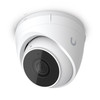
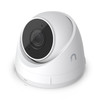
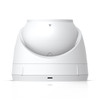
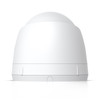
Ubiquiti UniFi G5 Turret Ultra PoE Camera – 2K 4MP, 30m Night Vision
- SKU:
- W128853810
- UPC:
- 810084693575
- MPN:
- UVC-G5-Turret-Ultra
- Availability:
- Free Click & Collect in Peterborough. UK delivery also available



Description
Ubiquiti UniFi G5 Turret Ultra PoE Camera – 2K 4MP, 30m Night Vision and AI Detection
The Ubiquiti UniFi G5 Turret Ultra PoE Camera is a compact, weather-resistant IP surveillance camera designed for homes, offices, shops, warehouses, entrances, driveways and other indoor or outdoor security installations using the UniFi Protect platform.
It records detailed 2K 4MP video at up to 2688 × 1512 pixels and 30 frames per second, while its wide 120.6-degree diagonal field of view helps monitor a broad area from a single camera position. Built-in infrared illumination provides night vision up to approximately 30 metres / 98 feet, making the camera suitable for monitoring larger outdoor spaces after dark.
Smart AI detection can distinguish people, vehicles and animals, helping UniFi Protect users find relevant events and configure more useful security alerts. A built-in microphone also allows compatible recordings to include audio.
The G5 Turret Ultra connects through a standard RJ45 Ethernet network connection and receives both network connectivity and electrical power through Power over Ethernet (PoE). This allows a single Ethernet cable to provide both data and power when connected to a compatible PoE switch or injector.
With an IP66 weather-resistance rating, IK04 impact resistance and an operating temperature range of -30°C to 50°C, the camera is designed for exposed outdoor installations as well as indoor surveillance. Its compact turret housing can be mounted to a wall or ceiling using the supplied mounting hardware.
The exact model is UVC-G5-Turret-Ultra, with Memox SKU NPUBI-UVCG5TURUL and UPC 810084693575. It is an excellent choice for customers searching for a UniFi PoE security camera, 2K outdoor CCTV camera, Ubiquiti turret camera, 30m night-vision camera or an AI detection camera for UniFi Protect.
Key Features of the Ubiquiti UniFi G5 Turret Ultra
- 2K 4MP video resolution at up to 2688 × 1512 pixels
- Maximum 30fps recording for smooth surveillance video
- 1/2.4-inch CMOS image sensor
- Wide 120.6° diagonal field of view
- 102.4° horizontal viewing angle
- 54.9° vertical viewing angle
- Fixed focal-length lens
- Built-in infrared night vision up to 30m / 98ft
- Automatic IR-cut filter for day and night monitoring
- Smart detection for people, vehicles and animals
- Built-in microphone for supported audio recording
- Power over Ethernet for power and network connectivity through one cable
- 10/100Mbps Ethernet RJ45 interface
- Maximum power consumption of only 4W
- IP66 weather-resistant enclosure for exposed outdoor installations
- IK04 impact-resistance rating
- Aluminium-alloy and UV-stabilised polycarbonate construction
- Wall and ceiling mounting hardware included
- Optional junction-box and arm mounting accessories available separately
- Compatible with the UniFi Protect surveillance platform
- Local video storage through a compatible UniFi Protect console or NVR
- No recurring per-camera UniFi Protect licence required
- NDAA compliant
2K 4MP Security Video at 2688 × 1512
The UniFi G5 Turret Ultra records video at a maximum resolution of 2688 × 1512 pixels. This provides approximately four megapixels of recorded image information in a 16:9 widescreen format.
The 2K resolution provides significantly more detail than conventional 1080p Full HD video while requiring less storage and network bandwidth than a 4K surveillance camera.
Maximum 30fps Recording
The camera can record at up to 30 frames per second. A higher frame rate helps movement appear smoother when reviewing people walking, vehicles moving through a driveway or other activity within the camera view.
Actual recording quality and storage requirements depend on the selected UniFi Protect settings, scene complexity, available network bandwidth and storage configuration.
What Can Affect Security-Camera Image Quality?
Recorded detail can be influenced by several factors:
- Distance between the camera and subject
- Daylight and artificial lighting conditions
- Camera mounting height and angle
- Rain, fog, snow or airborne dust
- Movement speed
- Lens cleanliness
- Recording bitrate and video configuration
- Network performance
No surveillance camera can guarantee facial identification, vehicle-registration recognition or identification of every object at every distance or under every lighting condition.
Wide 120.6-Degree Field of View
The G5 Turret Ultra provides a broad viewing area suitable for entrances, gardens, driveways, offices and open commercial spaces.
- Horizontal field of view: 102.4°
- Vertical field of view: 54.9°
- Diagonal field of view: 120.6°
The wide-angle lens helps cover a larger area without requiring a motorised pan-and-tilt mechanism.
Fixed Lens Design
The camera uses a fixed focal-length lens. It does not contain motorised optical zoom, pan or tilt.
The required viewing angle should therefore be established during installation by physically positioning the turret in the appropriate direction.
30-Metre Infrared Night Vision
One of the major advantages of the G5 Turret Ultra is its long-range infrared system. Integrated IR LEDs provide manufacturer-rated night vision up to approximately 30 metres or 98 feet.
This makes the camera suitable for monitoring:
- Driveways
- Gardens
- Building entrances
- Warehouse exteriors
- Car parks
- Paths and walkways
- Loading areas
- Commercial premises
Automatic IR-Cut Filter
An integrated IR-cut filter allows the camera to switch between normal daytime imaging and infrared night monitoring.
During daylight, the filter helps maintain normal colour reproduction. When lighting becomes insufficient, infrared illumination allows the camera to continue monitoring the scene in monochrome night mode.
What Can Affect the 30m Night-Vision Range?
The quoted 30m range is a maximum manufacturer specification. Actual night-time detail can vary depending on:
- Subject size and distance
- Nearby walls and reflective surfaces
- Rain, fog or moisture
- Other surrounding lighting
- Camera position
- Objects blocking the infrared illumination
A person standing at the maximum IR range will normally show less fine detail than someone positioned closer to the camera.
Smart Detection for People, Vehicles and Animals
The G5 Turret Ultra includes smart object detection designed to distinguish important activity from basic movement.
Supported Smart Detection Categories
- People
- Vehicles
- Animals
Smart detections can make it easier to search recorded footage and configure more relevant alerts within UniFi Protect.
Instead of reviewing every motion event, users can concentrate on events involving categories that matter to the security of the property.
Useful Smart Detection Examples
Smart detection can help when monitoring:
- A person approaching a front entrance
- A vehicle entering a driveway or car park
- People entering a restricted area
- Animals moving through a garden or outdoor space
- Activity around a warehouse or loading area
Detection accuracy depends on lighting, object size, distance, obstruction, camera position and environmental conditions.
Motion, Smart Detection and Privacy Zones
Compatible UniFi Protect installations allow users to define different monitoring areas within the camera image.
Motion Zones
Motion zones define areas where movement should generate motion events. This allows less-important sections of the image to be excluded.
Smart Detection Zones
Smart detection zones can concentrate AI object detection on areas such as:
- Doors
- Gates
- Driveways
- Car parks
- Loading bays
- Restricted entrances
Exclusion Zones
Areas containing frequent irrelevant movement can be excluded from smart detection. Examples might include a busy public road, moving trees or another area outside the main security zone.
Privacy Zones
Privacy zones block selected areas from recorded footage. They may be useful when the camera view includes neighbouring windows, private areas or other locations that should not be monitored.
Built-In Microphone for Audio Recording
The G5 Turret Ultra contains an integrated microphone, allowing compatible UniFi Protect recordings to include sound where audio recording is enabled.
Audio can provide additional context when reviewing a security event, such as voices, impacts, alarms or activity occurring outside the camera's visual frame.
No Built-In Speaker or Two-Way Audio
The G5 Turret Ultra does not have a built-in speaker and should not be advertised as supporting two-way audio.
It supports microphone-based audio recording only. Customers requiring live two-way communication should choose a UniFi camera that specifically lists two-way audio.
Audio Recording and Privacy
Audio recording may be subject to additional privacy, workplace-monitoring and data-protection requirements. The camera owner is responsible for ensuring that video and audio use complies with applicable regulations.
Power over Ethernet – Power and Data Through One Cable
The G5 Turret Ultra uses Power over Ethernet. A compatible Ethernet cable can provide both electrical power and network connectivity between the camera and an appropriate PoE switch or injector.
This avoids the need for a separate electrical socket beside the camera.
Benefits of PoE Security Cameras
- One cable carries both power and network data
- No separate power adapter required at the camera location
- More stable connection than WiFi in many installations
- Centralised power through a network switch
- Easier integration with UPS backup power
- Suitable for professional multi-camera installations
PoE Power Requirements
Ubiquiti specifies:
- Power method: PoE
- Supported voltage range: 37–57V DC
- Maximum camera consumption: 4W
A compatible PoE switch or injector is required unless PoE power is already provided by the network infrastructure.
10/100Mbps Ethernet Network Connection
The camera connects through a standard RJ45 Ethernet interface supporting 10/100Mbps networking.
A Gigabit Ethernet port is not required because the camera's 2K video stream does not need Gigabit bandwidth.
Choosing an Ethernet Cable
For reliable operation, use good-quality network cabling suitable for the installation environment.
- Use suitable Cat5e, Cat6 or better cabling
- Use outdoor-rated Ethernet cable for exposed outdoor cable routes
- Protect outdoor network connections from water ingress
- Avoid running low-voltage network cables immediately beside mains wiring where installation regulations prohibit it
- Consider Ethernet surge protection for vulnerable outdoor cable routes
Designed for UniFi Protect
The G5 Turret Ultra is designed to operate as part of the UniFi Protect video-surveillance ecosystem.
A compatible UniFi Console or Network Video Recorder running the UniFi Protect application is required for normal camera adoption, recording, playback and management.
Examples of Compatible UniFi Protect Hosts
Depending on the size and requirements of the installation, a Protect system may use compatible hardware such as:
- UniFi CloudKey+ models supporting Protect
- Compatible UniFi Dream Machine or Cloud Gateway models
- UniFi Network Video Recorder
- UniFi Network Video Recorder Pro
- Other current UniFi consoles officially supporting Protect
Always check the exact console's current camera-capacity and storage specifications before adding additional cameras.
Local Video Storage with UniFi Protect
UniFi Protect is designed around locally controlled recording. Footage is stored on the storage available to the compatible UniFi Console or NVR rather than being uploaded continuously to a compulsory third-party cloud-storage service.
This gives the system owner greater control over:
- Recorded video
- Retention period
- Storage capacity
- User access
- Camera permissions
- Recording schedules
No microSD Card Slot in the Camera
The G5 Turret Ultra does not provide an onboard microSD card slot for normal footage retention.
Customers should therefore not purchase a microSD card for installation directly inside this camera. Recording is handled by the compatible UniFi Protect storage system.
No Per-Camera Protect Licence Fee
UniFi Protect does not require a recurring software licence for each UniFi camera added to a compatible Protect deployment.
The hardware, storage capacity and internet or network infrastructure required to operate the system are separate considerations.
Flexible Recording Options
UniFi Protect can provide flexible recording and event-management options depending on the current software version and system configuration.
Typical options can include:
- Continuous recording
- Motion-based event recording
- Smart detection events
- Scheduled recording
- Recording retention controls
- Clip export
- Remote playback
How Long Can UniFi Protect Store Recordings?
There is no single recording duration for the G5 Turret Ultra. Retention depends on:
- Installed storage capacity
- Number of cameras
- Camera resolution
- Video bitrate
- Continuous or event-based recording
- Amount of activity in each scene
- Retention settings
- NVR storage configuration
IP66 Weather-Resistant Construction
The camera carries an IP66 ingress-protection rating, making it suitable for exposed outdoor surveillance installations when fitted correctly.
IP66 indicates a high degree of protection against dust and powerful water jets under the relevant test conditions.
Suitable Outdoor Locations
The G5 Turret Ultra can be suitable for:
- External walls
- Building entrances
- Driveways
- Gardens
- Car parks
- Warehouses
- Loading areas
- Covered or exposed commercial entrances
IP66 Does Not Mean Submersible
The camera should not be submerged or installed where standing water can remain around the network connection.
Outdoor cable joints and connectors should be installed according to Ubiquiti's instructions and protected from water ingress.
IK04 Impact Resistance
The G5 Turret Ultra also carries an IK04 impact-resistance rating.
This provides protection against limited mechanical impact but does not make the camera vandal-proof.
For areas with a high risk of deliberate physical attack, consider a camera specifically designed with a stronger anti-vandal enclosure and higher IK rating.
Durable Aluminium and Polycarbonate Housing
The enclosure combines aluminium alloy with UV-stabilised polycarbonate. The mount uses polycarbonate construction.
UV stabilisation is useful for outdoor equipment exposed to sunlight because it helps reduce material degradation caused by ultraviolet radiation.
Compact Turret Camera Design
The G5 Turret Ultra has a compact enclosure measuring approximately:
- Diameter: 90mm
- Height: 71.2mm
- Weight: 330g
The compact dimensions allow the camera to be installed less obtrusively than many conventional large bullet cameras.
Why Choose a Turret-Style Camera?
A turret enclosure can provide several practical installation benefits:
- Compact appearance
- Easy manual direction adjustment
- Suitable for wall or ceiling installation
- Less visually dominant than many large bullet cameras
- Good suitability for entrances and perimeter monitoring
Wall and Ceiling Mounting Included
Ubiquiti lists both wall mounting and ceiling mounting as standard installation options.
The camera should be positioned carefully before final tightening to ensure that the field of view covers the intended monitoring area.
Optional Mounting Accessories
Additional Ubiquiti mounting accessories are available separately for more specialised installations, including compatible:
- Camera junction boxes
- Arm mounts
- Gang-box mounting plates
Check accessory compatibility with the G5 Turret Ultra before ordering.
30cm Integrated Ethernet Lead
The camera includes an approximately 30cm / 1ft network lead terminating in an RJ45 connection.
The protective cable-jacket assembly helps protect the network connection when fitted according to the installation instructions.
Outdoor Ethernet Protection
When installing the camera outside:
- Use outdoor-rated cable where exposed
- Avoid leaving the RJ45 junction open to water
- Maintain the camera's weather-sealing arrangement
- Use a drip loop where appropriate
- Consider a weatherproof junction box where the installation requires it
- Consider Ethernet surge protection for long exposed cable runs
Low Maximum Power Consumption of 4W
The G5 Turret Ultra has a maximum power consumption of only 4 watts.
This relatively low power requirement can be particularly useful in installations containing multiple PoE cameras because each camera places only a small demand on the PoE switch's total power budget.
Check the PoE Switch Budget
When installing several PoE devices, calculate the combined maximum power requirement of all connected cameras, access points, telephones and other PoE equipment.
The switch should have sufficient total PoE capacity with additional headroom rather than operating permanently at its absolute maximum budget.
Wide Operating Temperature Range
The camera is designed to operate between approximately:
- -30°C minimum
- 50°C maximum
Ubiquiti also specifies an operating-humidity range of 0% to 90% non-condensing.
These environmental specifications make the camera suitable for many UK indoor and outdoor environments when installed correctly.
UniFi Protect Image Controls
The G5 Turret Ultra supports several image adjustments within UniFi Protect, including:
- Colour
- Brightness
- Sharpness
- Contrast
- White balance
- Exposure control
- 2D noise reduction
- 3D noise reduction
- Motion-based noise reduction
- Image masking
- Text overlay
These settings can help optimise the picture for different installation locations and lighting conditions.
Local AI Processing and Video Privacy
UniFi Protect is designed around locally controlled surveillance. Compatible G5 cameras perform core person and vehicle detection locally, while recordings remain stored on the user's UniFi Protect system rather than being automatically uploaded to Ubiquiti for storage.
This approach can be attractive to businesses and home users who want greater ownership of security-camera recordings.
Remote Viewing
Authorised users can still remotely access their UniFi Protect system through compatible UniFi applications and services.
Remote access should be protected using strong account credentials, appropriate user permissions and available account-security features.
NDAA-Compliant Camera
Ubiquiti lists the G5 Turret Ultra as NDAA compliant. This may be relevant to organisations that have procurement requirements relating to the US National Defense Authorization Act.
NDAA compliance does not automatically mean that the camera satisfies every security, public-sector or industry-specific procurement policy. Buyers with formal compliance requirements should check their organisation's current rules.
Suitable for Home Security
The compact design, wide field of view and 30m infrared illumination make the G5 Turret Ultra suitable for monitoring areas around a home.
Typical Residential Uses
- Front entrances
- Driveways
- Rear gardens
- Side entrances
- Garages
- Outbuildings
- Shared access paths
Suitable for Business and Commercial CCTV
The G5 Turret Ultra can also form part of a scalable UniFi Protect surveillance system for businesses.
Typical Commercial Uses
- Retail entrances
- Stockrooms
- Warehouses
- Car parks
- Loading bays
- Office entrances
- Reception areas
- Service corridors
- External building perimeters
Multiple UniFi cameras can be managed through the same compatible Protect installation, subject to the camera and storage capacity of the chosen console or NVR.
Who Is the UniFi G5 Turret Ultra Best For?
- Existing UniFi Protect users expanding their CCTV system
- Homeowners wanting a compact outdoor PoE camera
- Businesses requiring local surveillance recording
- Users wanting smart person, vehicle and animal detections
- Installations requiring up to 30m infrared night vision
- Users preferring wired Ethernet rather than WiFi cameras
- Outdoor installations requiring IP66 weather resistance
- Users wanting a wall- or ceiling-mounted turret camera
- Multi-camera installations where low PoE consumption is useful
- Customers who prefer locally controlled UniFi Protect storage
Who May Need a Different Security Camera?
The G5 Turret Ultra may not be suitable for customers who require:
- A completely standalone camera without UniFi Protect
- WiFi connectivity
- Battery operation
- Built-in microSD storage
- Two-way audio
- A built-in speaker
- Motorised pan and tilt
- Optical zoom
- 4K video resolution
- Built-in face recognition without additional compatible AI hardware
- Built-in licence-plate recognition without additional compatible AI hardware
- A higher vandal-resistance rating than IK04
How to Check Compatibility Before Ordering
- Confirm that you have or plan to install a compatible UniFi Protect console or NVR.
- Check that the Protect host has capacity for another 2K camera.
- Confirm that sufficient recording storage is available.
- Check that a compatible PoE switch or injector is available.
- Verify that an Ethernet cable can be routed to the installation point.
- Confirm that the 120.6° diagonal viewing angle suits the intended area.
- Check that 30m infrared night vision is suitable for the required coverage.
- Select wall or ceiling mounting, or purchase an appropriate optional mount.
- Use appropriate outdoor-rated cabling and connection protection for exposed installations.
Basic Installation Overview
- Install and configure a compatible UniFi Protect console or NVR.
- Run an appropriate Ethernet cable to the camera location.
- Connect the cable to a compatible PoE switch or injector.
- Attach the mounting base securely to the wall or ceiling.
- Connect the camera's RJ45 network connection.
- Protect the outdoor connection using the supplied weather-sealing components.
- Position the turret towards the intended monitoring area.
- Adopt the camera in UniFi Protect.
- Install any available firmware update.
- Configure recording, motion zones, smart detections and privacy zones.
- Test daytime video, night vision and audio before completing the installation.
Installation requirements vary according to the building, cable route and network design. Use an experienced network or CCTV installer where appropriate.
Privacy and Responsible CCTV Installation
Position the G5 Turret Ultra so that it monitors only the areas reasonably required for security.
Avoid unnecessarily recording neighbouring properties, private gardens, windows or public areas. UniFi Protect privacy zones can be used to obscure sensitive sections of the image.
Businesses and employers should also consider applicable UK GDPR, Data Protection Act, workplace-monitoring and CCTV signage requirements.
Ubiquiti UniFi G5 Turret Ultra Technical Specifications
- Brand: Ubiquiti
- Product Family: UniFi Protect
- Product Name: G5 Turret Ultra
- Model / MPN: UVC-G5-Turret-Ultra
- Memox SKU: NPUBI-UVCG5TURUL
- UPC: 810084693575
- Product Type: PoE IP security camera
- Camera Style: Turret
- Image Sensor: 1/2.4-inch CMOS
- Maximum Resolution: 4MP, 2688 × 1512 pixels
- Resolution Class: 2K
- Video Aspect Ratio: 16:9
- Maximum Frame Rate: 30fps
- Lens: Fixed focal length
- Horizontal Field of View: 102.4°
- Vertical Field of View: 54.9°
- Diagonal Field of View: 120.6°
- Night Vision: Built-in infrared LED illumination
- Maximum IR Night-Vision Range: 30m / 98ft
- IR-Cut Filter: Yes
- Smart Detections: People, vehicles and animals
- Built-In Microphone: Yes
- Built-In Speaker: No
- Two-Way Audio: No
- Network Interface: 10/100Mbps Ethernet RJ45
- WiFi: No
- Power Method: PoE
- Supported Voltage Range: 37–57V DC
- Maximum Power Consumption: 4W
- Processor: Dual-core Arm Cortex-A7-based processor
- Weather Resistance: IP66
- Impact Resistance: IK04
- Enclosure Material: Aluminium alloy and UV-stabilised polycarbonate
- Mount Material: Polycarbonate
- Standard Mounting: Wall or ceiling
- Optional Mounting: Compatible junction-box and arm mounts
- Dimensions: Ø90 × 71.2mm
- Weight: 330g
- Integrated Cable Length: Approximately 30cm / 1ft
- Cable Connector: RJ45
- Operating Temperature: -30°C to 50°C
- Operating Humidity: 0–90% non-condensing
- NDAA Compliant: Yes
- Certifications: CE, FCC and IC
What Is Included?
- 1 × Ubiquiti UniFi G5 Turret Ultra camera
- Wall / ceiling mounting hardware
- Weather-protection components for the network connection
- Installation and safety documentation
A PoE switch, PoE injector, Ethernet network cable, UniFi Protect console, NVR and recording storage drive are not included unless specifically stated elsewhere in the offer.
Important UniFi Protect Requirement
The G5 Turret Ultra is designed for use with the UniFi Protect platform. A compatible UniFi Console or NVR running UniFi Protect is required for normal camera management and recording.
The camera itself does not contain a microSD card slot for normal local recording.
Important Audio Information
The camera includes an integrated microphone for supported audio recording but does not contain a built-in speaker. It therefore does not provide two-way audio.
Important PoE Information
The G5 Turret Ultra requires PoE power. Confirm that a compatible PoE switch or injector is available and that its remaining PoE power budget can support the camera.
The camera consumes up to approximately 4W, making it relatively economical within a multi-camera PoE installation.
Important Night-Vision Information
The quoted 30m infrared range is a manufacturer maximum under suitable conditions. Actual identifiable detail at night depends on distance, lighting, weather, camera angle and the characteristics of the monitored subject.
Why Choose the Ubiquiti UniFi G5 Turret Ultra?
The Ubiquiti UniFi G5 Turret Ultra combines detailed 2K 4MP video, an ultra-wide 120.6-degree field of view and long-range 30-metre infrared night vision in a compact turret enclosure designed for UniFi Protect.
Smart detection for people, vehicles and animals helps users locate relevant activity more efficiently, while the built-in microphone can add audio context to recorded events. UniFi Protect provides centralised monitoring, local video storage, configurable recording modes, detection zones and privacy controls without requiring a recurring per-camera software licence.
PoE connectivity delivers power and network access through a single Ethernet cable, while IP66 weather resistance, IK04 impact resistance and operation from -30°C to 50°C make the camera suitable for a wide range of indoor and outdoor installations.
Choose the G5 Turret Ultra when you need a compact 2K PoE security camera with 30m night vision, smart AI detection and UniFi Protect integration, and you already have or plan to install a compatible UniFi Protect recording system.
Specification
Ubiquiti UniFi G5 Turret Ultra PoE Camera Specifications
The Ubiquiti UniFi G5 Turret Ultra UVC-G5-Turret-Ultra is a compact 2K PoE security camera designed for the UniFi Protect surveillance platform. It records at up to 4MP 2688 × 1512 resolution and 30fps, provides infrared night vision up to 30 metres and supports smart detection of people, vehicles and animals.
The camera uses a wired 10/100Mbps Ethernet connection with Power over Ethernet, allowing network data and electrical power to travel through one compatible Ethernet cable. Its IP66 weather-resistant and IK04 impact-resistant enclosure supports both indoor and exposed outdoor installation.
General Information
| Brand | Ubiquiti |
|---|---|
| Product Range | UniFi Protect |
| Product Name | Ubiquiti UniFi G5 Turret Ultra |
| Model | G5 Turret Ultra |
| Manufacturer Part Number | UVC-G5-Turret-Ultra |
| Memox SKU | NPUBI-UVCG5TURUL |
| UPC | 810084693575 |
| Product Type | PoE IP security camera |
| Camera Style | Turret |
| Management Platform | UniFi Protect |
| Product Colour | White |
Video Specifications
| Maximum Resolution | 2688 × 1512 pixels |
|---|---|
| Megapixel Resolution | 4MP |
| Resolution Class | 2K |
| Video Aspect Ratio | 16:9 |
| Maximum Frame Rate | 30fps |
| 4K Recording | No |
| Motorised Pan / Tilt | No |
| Optical Zoom | No; fixed-lens design |
Image Sensor and Lens
| Image Sensor | 1/2.4-inch CMOS |
|---|---|
| Lens Type | Fixed focal-length lens |
| Horizontal Field of View | 102.4° |
| Vertical Field of View | 54.9° |
| Diagonal Field of View | 120.6° |
| Manual Camera Direction Adjustment | Yes, by physically positioning the turret during installation |
Night-Vision Specifications
| Infrared Night Vision | Yes |
|---|---|
| IR Illumination | Built-in infrared LEDs |
| Maximum IR Range | Up to 30 metres / 98 feet |
| IR-Cut Filter | Yes |
| Colour Night Vision | Not listed as a dedicated feature |
| Built-In Spotlight | Not listed |
Smart Detection Features
| Smart Detection | Yes |
|---|---|
| Person Detection | Yes |
| Vehicle Detection | Yes |
| Animal Detection | Yes |
| Motion Detection | Supported through UniFi Protect |
| Smart Detection Zones | Supported through UniFi Protect |
| Motion Zones | Supported through UniFi Protect |
| Privacy Zones / Masking | Supported |
| Face Recognition | Not listed as a native G5 Turret Ultra camera feature |
| Licence-Plate Recognition | Not listed as a native G5 Turret Ultra camera feature |
Image Adjustment Features
| Colour Adjustment | Supported |
|---|---|
| Brightness Adjustment | Supported |
| Sharpness Adjustment | Supported |
| Contrast Adjustment | Supported |
| White Balance | Supported |
| Exposure Control | Supported |
| 2D Noise Reduction | Supported |
| 3D Noise Reduction | Supported |
| Motion-Based Noise Reduction | Supported |
| Image Masking | Supported |
| Text Overlay | Supported |
| HDR | Not listed in Ubiquiti's current G5 Turret Ultra image-settings specification |
Audio Specifications
| Built-In Microphone | Yes |
|---|---|
| Audio Recording | Supported when enabled through UniFi Protect |
| Built-In Speaker | Not listed |
| Two-Way Audio | Not listed for this model |
| Siren | Not listed |
Network Specifications
| Network Connection | Wired Ethernet |
|---|---|
| Network Interface | 10/100Mbps Ethernet |
| Connector | RJ45 |
| Gigabit Ethernet | No; 10/100Mbps Ethernet is specified |
| WiFi | No |
| Bluetooth | Not listed |
Power over Ethernet Specifications
| Power Method | Power over Ethernet – PoE |
|---|---|
| Supported Voltage Range | 37–57V DC |
| Maximum Power Consumption | 4W |
| Separate Camera Power Adapter Required | No, when connected to a compatible PoE source |
| PoE Switch Required | A compatible PoE switch or PoE injector is required to provide power |
| PoE Switch Included | No |
| PoE Injector Included | Not listed as included with the standard camera package |
Processor and Hardware
| Processor | Dual-core Arm Cortex-A7-based chip |
|---|---|
| Factory Reset Button | 1 |
| Enclosure Material | Aluminium alloy and UV-stabilised polycarbonate |
| Mount Material | Polycarbonate |
Integrated Network Cable
| Integrated Cable Connector | RJ45 |
|---|---|
| Integrated Cable Length | 30cm / 1ft |
| Cable Diameter | 5mm / 0.2 inches |
| Cable Jacket Material | Polycarbonate |
| Cable Jacket Enclosure Dimensions | Ø20 × 70.6mm |
| Cable Jacket Enclosure Materials | Thermoplastic elastomer, polycarbonate and silicone rubber |
Weather and Impact Resistance
| Ingress Protection Rating | IP66 |
|---|---|
| Dust Protection | Dust-tight under the applicable IP66 test conditions |
| Water Protection | Protected against powerful water jets under the applicable IP66 test conditions |
| Outdoor Installation | Yes |
| Submersible | No |
| Impact-Resistance Rating | IK04 |
| Vandal-Proof Rating | No; IK04 provides limited impact resistance and is not a high-vandal-resistance rating |
Environmental Specifications
| Minimum Operating Temperature | -30°C / -22°F |
|---|---|
| Maximum Operating Temperature | 50°C / 122°F |
| Operating Humidity | 0% to 90%, non-condensing |
| Condensing Environment | Not supported |
Dimensions and Weight
| Camera Diameter | 90mm / 3.5 inches |
|---|---|
| Camera Height | 71.2mm / 2.8 inches |
| Overall Camera Dimensions | Ø90 × 71.2mm |
| Camera Weight | 330g / 11.6oz |
Mounting Specifications
| Wall Mounting | Supported – standard mount included |
|---|---|
| Ceiling Mounting | Supported – standard mount included |
| Standard Mount | Included |
| Junction Box | Optional accessory, sold separately |
| Camera Arm Mount | Optional accessory, sold separately |
| Gang Box Mounting Plate | Compatible optional accessory, sold separately |
UniFi Protect Requirements
| Management Application | UniFi Protect |
|---|---|
| Compatible Protect Host Required | Yes |
| Typical Compatible Host Types | Compatible UniFi Console, CloudKey or Network Video Recorder capable of running UniFi Protect |
| UniFi Network Application Alone Sufficient | No; UniFi Protect is required for normal surveillance management and recording |
| Per-Camera UniFi Protect Licence Fee | No recurring per-camera Protect software licence is required |
| Remote Management | Supported through a correctly configured UniFi Protect system |
Recording and Storage
| On-Camera microSD Card Slot | No onboard microSD storage is listed for the G5 Turret Ultra |
|---|---|
| Normal Recording Location | Local storage provided by the compatible UniFi Protect console or NVR |
| Continuous Recording | Supported through UniFi Protect when configured with suitable storage |
| Detection-Only Recording | Supported through UniFi Protect |
| Recording Schedules | Supported through UniFi Protect |
| Recording Retention Controls | Supported through UniFi Protect |
| Recording Duration | Depends on storage capacity, camera quantity, bitrate, recording mode, activity and retention settings |
| Default Cloud Video Storage | No; UniFi Protect stores recordings locally on the user's compatible UniFi system |
Security and Data Management
| Local Recording Architecture | Yes, recordings are stored locally on the compatible UniFi Protect system |
|---|---|
| Local Smart Detection Processing | Supported |
| Remote Video Access | Available to authorised users through the configured UniFi Protect system |
| Privacy Masking | Supported |
Compliance and Certifications
| NDAA Compliant | Yes |
|---|---|
| CE Certification | Yes |
| FCC Certification | Yes |
| IC Certification | Yes |
Package Contents
| Security Camera | 1 × Ubiquiti UniFi G5 Turret Ultra UVC-G5-Turret-Ultra |
|---|---|
| Standard Mount | Included for wall or ceiling installation |
| Mounting Hardware | Included with the standard mounting assembly |
| Integrated RJ45 Camera Lead | Included / permanently attached, approximately 30cm |
| PoE Switch | Not included |
| PoE Injector | Not listed as included |
| External Ethernet Cable | Not included |
| UniFi Protect Console / NVR | Not included |
| Recording Storage Drive | Not included |
| Junction Box | Not included – optional accessory |
| Arm Mount | Not included – optional accessory |
Ubiquiti Limited Warranty Information
| Warranty Terms | Subject to Ubiquiti's applicable limited-warranty terms and the original purchase channel |
|---|---|
| Official Ubiquiti Webstore Purchases | Ubiquiti currently states 2 years from delivery for qualifying direct Webstore purchases |
| Authorised Distributor / Reseller Route | Ubiquiti's published manufacturer warranty currently states 1 year from shipment to the authorised distributor or reseller |
| Proof of Purchase | May be required for warranty service |
| Customer Statutory Rights | Manufacturer warranty terms do not replace applicable UK consumer statutory rights |
Important Field-of-View Note
The camera's 102.4° specification is the horizontal field of view. The complete manufacturer-listed field of view is 102.4° horizontal, 54.9° vertical and 120.6° diagonal.
The camera uses a fixed lens and does not provide motorised pan, tilt or optical zoom. Position the turret carefully during installation to cover the required area.
Important Audio Note
The G5 Turret Ultra includes an integrated microphone for supported audio recording. Ubiquiti does not list an integrated speaker or two-way-audio capability for this model.
Customers requiring live voice communication should choose a UniFi camera specifically offering a built-in speaker and two-way audio.
Important PoE Compatibility Note
The camera requires a compatible PoE power source. A PoE-capable network switch or appropriate PoE injector must provide power within the camera's supported 37–57V DC range.
The camera consumes up to approximately 4W, but when installing multiple PoE devices, always check the total available PoE budget of the network switch.
Important UniFi Protect Note
A compatible UniFi Console, CloudKey or NVR running UniFi Protect is required for normal recording, playback and camera management.
The number of cameras that can be supported depends on the exact UniFi console, video resolution, storage configuration and overall system workload.
Important Storage Note
The G5 Turret Ultra does not provide onboard microSD storage for normal surveillance recordings. Footage is stored locally on the compatible UniFi Protect host.
Recording duration is therefore determined by the storage installed in the console or NVR, the number of cameras, recording resolution, selected recording mode and retention settings.
Important Night-Vision Note
The manufacturer lists infrared night vision up to 30 metres / 98 feet. This is a maximum range under suitable conditions and does not mean that the same level of identifying detail will be available throughout the full 30-metre distance.
Night-time image quality depends on subject distance, surrounding light, weather, reflective surfaces, camera angle and installation environment.
Important Outdoor-Installation Note
The IP66 rating makes the camera suitable for exposed outdoor use when installed correctly. IP66 does not mean that the camera or RJ45 connection can be submerged.
Use suitable outdoor-rated Ethernet cabling where exposed and maintain the supplied connection protection. A weatherproof junction box and Ethernet surge protection may also be appropriate depending on the installation.
Important Impact-Resistance Note
The IK04 rating provides a defined level of resistance against minor physical impact. It should not be interpreted as a high-vandal-resistance or vandal-proof rating.
For publicly accessible areas with a significant risk of deliberate attack, consider a UniFi camera with a higher IK rating.
Important Privacy and CCTV Note
The system owner is responsible for ensuring that camera positioning, audio recording, footage retention and remote access comply with applicable privacy, CCTV, workplace-monitoring and data-protection requirements.
Use UniFi Protect privacy masking and detection zones where appropriate to avoid recording areas that are not necessary for the security purpose.
Return
FAQ: Frequenlty Asked Questions
Ubiquiti UniFi G5 Turret Ultra PoE Camera FAQ
The Ubiquiti UniFi G5 Turret Ultra (UVC-G5-Turret-Ultra) is a compact wired PoE security camera for UniFi Protect. It records 2K 4MP video at up to 30FPS, provides a wide 102.4° horizontal field of view, includes up to 30m infrared night vision, an integrated microphone, IP66 outdoor weather resistance and smart detections for people, vehicles and animals.
Below are the most common questions buyers ask before choosing the G5 Turret Ultra, including UniFi Protect requirements, PoE compatibility, Cloud Gateway and NVR support, local recording, storage, night vision, outdoor installation, masonry and junction-box mounting, AI detections, Home Assistant, RTSP/RTSPS, troubleshooting and comparisons with the G5 Dome Ultra, G5 Bullet and G6 Turret.
1. What is the Ubiquiti UniFi G5 Turret Ultra?
The Ubiquiti UniFi G5 Turret Ultra, model UVC-G5-Turret-Ultra, is a compact wired PoE security camera for UniFi Protect. It records 2K 4MP video at up to 30 frames per second, includes long-range infrared night vision, a built-in microphone and smart detections for people, vehicles and animals.
2. What is the exact model number of the G5 Turret Ultra?
The manufacturer model number is UVC-G5-Turret-Ultra. Checking the exact model number helps avoid confusing it with the G5 Dome Ultra, G5 Bullet, G6 Turret or other UniFi Protect cameras.
3. What video resolution does the G5 Turret Ultra record?
The camera records at up to 2688 x 1512 pixels in a 16:9 aspect ratio. Ubiquiti describes this as 2K resolution and the stream contains approximately 4 megapixels.
4. Is the G5 Turret Ultra a 4MP camera?
Yes. Its maximum recorded resolution is 2688 x 1512, which is approximately 4MP. This provides more detail than standard 1080p while using less storage and bandwidth than a 4K camera.
5. What is the maximum frame rate?
The G5 Turret Ultra records at up to 30 FPS. The actual frame rate used can depend on camera settings and the UniFi Protect configuration.
6. What sensor does the G5 Turret Ultra use?
Ubiquiti specifies a 1/2.4-inch CMOS image sensor. It is paired with a fixed-focal-length lens designed to provide a wide field of view.
7. What is the field of view?
The official field of view is approximately 102.4 degrees horizontal, 54.9 degrees vertical and 120.6 degrees diagonal. This makes the camera suitable for entrances, gardens, driveways, corridors and general perimeter coverage.
8. Is the lens adjustable or optical zoom?
No. The camera uses a fixed-focal-length lens and does not provide motorised optical zoom. You can digitally zoom in during live view or playback, but digital zoom cannot create detail that was not captured in the original 4MP image.
9. How far does the infrared night vision reach?
Ubiquiti rates the built-in infrared night vision for up to 30 metres or 98 feet under suitable conditions. Real-world identification distance depends on ambient light, mounting angle, reflective surfaces, weather and how large the subject appears in the frame.
10. Does the G5 Turret Ultra have colour night vision?
The camera uses built-in infrared LEDs and an IR-cut filter for night mode. In very low light it normally switches to infrared monochrome video. External visible lighting can allow the camera to remain in colour when enough light is available.
11. Why might night vision look worse than the 30m rating suggests?
The 30m specification describes the maximum IR illumination range, not guaranteed identification detail at 30m. Walls, soffits, gutters, spider webs, rain, fog and nearby reflective objects can bounce infrared light back into the lens and reduce distant visibility.
12. How can I improve G5 Turret Ultra night vision?
Aim the camera away from nearby reflective walls or roof edges, keep the lens and front surface clean, remove spider webs, avoid pointing through glass and adjust exposure or infrared settings in Protect if necessary. Additional outdoor lighting can also improve detail.
13. Can the G5 Turret Ultra be used outdoors?
Yes. Ubiquiti rates it IP66 for outdoor exposed installations when installed correctly. The enclosure is made from aluminium alloy and UV-stabilised polycarbonate.
14. What does IP66 weatherproofing mean?
IP66 means the enclosure is designed to resist dust ingress and powerful water jets under the relevant test standard. It does not mean the camera should be submerged, installed underwater or mounted with unprotected cable joints.
15. Can the camera be mounted where it is directly exposed to rain?
Yes, the camera is designed for exposed outdoor use. The Ethernet connection and cable entry must still be installed and sealed correctly, and a junction box can be useful where the connection would otherwise be exposed or difficult to protect.
16. Is the G5 Turret Ultra waterproof?
It is weather-resistant to IP66 rather than waterproof for immersion. Do not install it underwater or in locations where standing water can enter the connector or mounting surface.
17. What is the IK04 rating?
IK04 is an impact-resistance rating. It provides modest protection against accidental knocks, but it is not a vandal-proof rating for high-impact public installations.
18. What temperatures can the camera operate in?
Ubiquiti specifies an operating temperature range from -30°C to 50°C, with 0 to 90 percent non-condensing humidity.
19. Can I use the G5 Turret Ultra in the UK winter?
Yes. Its rated minimum operating temperature of -30°C is well below normal UK winter temperatures. Correct weather sealing, suitable outdoor Ethernet cable and protected network equipment remain important.
20. Can I mount the G5 Turret Ultra on a wall?
Yes. Wall mounting is officially supported and the required standard wall or ceiling mounting hardware is supplied with the camera.
21. Can I mount it on a ceiling or soffit?
Yes. Ceiling and soffit installation is a common use for the turret design. Position the camera so the lens has a clear view and the cable connection remains protected from water ingress.
22. Can I mount the camera on brick or masonry?
Yes, but masonry installation requires suitable drill bits and fixings for the wall type. Many installers use a compatible weatherproof junction box so the RJ45 connection can be protected without creating an unnecessarily large cavity in solid masonry.
23. Do I need to drill a large hole for the camera cable?
The camera has a short attached cable ending in a weatherproof RJ45 enclosure, so the required opening can be larger than the bare Ethernet cable. Ubiquiti's installation guide should be used as the reference, and a junction box is often easier for solid walls.
24. Can I drill a smaller hole and terminate the Ethernet cable afterwards?
A common approach is to run an unterminated Cat5e or Cat6 cable through a smaller wall opening, terminate it inside a compatible junction box and connect it to the camera's short lead. Do not cut or modify the camera's factory cable because that can compromise reliability and warranty coverage.
25. Which Ubiquiti junction boxes are compatible?
Ubiquiti lists the Camera Compact Junction Box and Camera Junction Box among compatible mounting accessories for the G5 Turret Ultra. A suitable junction box can provide space for the RJ45 connection and make surface-mounted cable runs cleaner.
26. Can the G5 Turret Ultra be pole mounted?
The standard camera mount is intended for wall or ceiling installation. Optional Ubiquiti mounting accessories such as compatible junction or dual-mount systems can support other mounting arrangements. Check the accessory compatibility list before ordering.
27. What are the camera dimensions?
The camera body measures approximately 90mm in diameter by 71.2mm high, making it relatively compact for an outdoor PoE security camera.
28. How much does the camera weigh?
Ubiquiti lists the camera at approximately 330g.
29. What material is the enclosure made from?
The enclosure uses aluminium alloy and UV-stabilised polycarbonate, while the mounting component is polycarbonate.
30. How is the G5 Turret Ultra powered?
It is powered by standard Power over Ethernet through its RJ45 network connection. One Ethernet cable carries both network data and electrical power.
31. Does the camera need a separate power adapter?
No, not when connected to a compatible PoE switch or PoE injector. Power is supplied through the Ethernet cable.
32. What PoE voltage does the camera support?
Ubiquiti specifies a supported input range of 37 to 57V DC through PoE.
33. How much power does the G5 Turret Ultra use?
Maximum power consumption is only 4W, making it relatively easy to accommodate within the PoE budget of a compatible switch.
34. Do I need PoE+ or PoE++ for the camera?
The G5 Turret Ultra has a very low 4W maximum power draw and uses standard PoE. A PoE+ or PoE++ switch can also power it because those standards are backward compatible when the switch is compliant.
35. Can I power it with a PoE injector?
Yes. A standards-compliant PoE injector that supplies the required voltage and power can be used when the network switch does not provide PoE.
36. Will any Ethernet switch work with the G5 Turret Ultra?
A non-PoE switch can carry network data but cannot power the camera by itself. Use a PoE-capable switch or add a compatible PoE injector between the switch and camera.
37. Do I need a Ubiquiti PoE switch?
No. The camera can be powered from a compatible standards-based PoE switch from another manufacturer. However, a UniFi switch can provide easier monitoring and management when the rest of the network is also UniFi.
38. What Ethernet speed does the camera use?
The network interface is 10/100 MbE through RJ45. Fast Ethernet is more than sufficient for the camera's 2K video stream, so a Gigabit camera port is not required.
39. Can I use Cat5e cable?
Yes. Correctly terminated Cat5e is suitable for 100Mb Ethernet and standard PoE within normal Ethernet distance limits. Outdoor installations should use cable rated for the environment.
40. Can I use Cat6 cable?
Yes. Cat6 is fully suitable and is often chosen for new installations. Make sure the cable and RJ45 terminations are suitable for PoE and any outdoor exposure.
41. What is the maximum Ethernet cable length?
Standard Ethernet runs are normally designed for up to 100 metres total channel length. Long runs, poor cable quality, damaged copper conductors or undersized conductors can cause voltage drop or unstable PoE.
42. Does the G5 Turret Ultra use Wi-Fi?
No. It is a wired Ethernet camera. The same Ethernet connection carries the network connection and PoE power.
43. Is wired PoE better than Wi-Fi for security cameras?
For fixed cameras, PoE generally provides more predictable connectivity and avoids dependence on wireless signal quality. It also allows the camera and network switch to be backed up centrally with a UPS.
44. Does the G5 Turret Ultra require UniFi Protect?
Yes. It is designed as a UniFi Protect camera and should be adopted by a compatible UniFi Console or NVR running the Protect application.
45. Can the camera work as a normal standalone IP camera?
It is primarily designed for UniFi Protect rather than standalone consumer-camera operation. For the supported feature set, recording, detections, playback and management, use a compatible Protect host.
46. Which devices can run UniFi Protect for this camera?
Compatible options include devices such as CloudKey+, Cloud Gateway Max, Dream Machine Pro, Dream Machine SE, Dream Machine Pro Max, Dream Wall, supported Dream Router models and UniFi Network Video Recorder models. Capacity and storage options vary by console.
47. Will the Cloud Gateway Ultra run UniFi Protect?
No. The Cloud Gateway Ultra does not provide the Protect application. Pair the network with a separate Protect-capable console such as CloudKey+ or a UniFi NVR if you want to use this camera.
48. Will the Cloud Gateway Max work with the G5 Turret Ultra?
Yes. Cloud Gateway Max supports UniFi Protect and can manage multiple 2K cameras when configured with suitable storage.
49. Will a Dream Machine Pro work with this camera?
Yes. The Dream Machine Pro can run UniFi Protect and supports local video storage when a compatible drive is installed.
50. Will a Dream Machine SE work with the G5 Turret Ultra?
Yes. The Dream Machine Special Edition can run UniFi Protect and includes PoE-capable switch ports, although the total PoE budget and port configuration should be checked for the full installation.
51. Can I use a CloudKey+ with this camera?
Yes. CloudKey+, also known as CloudKey Gen2 Plus, is a compatible UniFi Protect console for smaller camera deployments.
52. Can I use a UNVR or UNVR Pro?
Yes. UniFi Network Video Recorder models are designed for larger Protect deployments and offer significantly more camera and storage capacity than compact consoles.
53. How many G5 Turret Ultra cameras can my Protect console support?
The limit depends on the console model, resolution mix, active users and storage health. Ubiquiti currently lists recommended 2K camera capacities ranging from a few cameras on smaller consoles to dozens on UNVR-class hardware. Use the Protect capacity indicator or Ubiquiti Resource Calculator for your exact design.
54. Does the camera record to a microSD card?
No. The G5 Turret Ultra does not have a user microSD recording slot. Video is normally recorded to storage attached to the UniFi Protect console or NVR.
55. Where are recordings stored?
Recordings are stored locally on the Protect host, such as a CloudKey+, Cloud Gateway Max, Dream Machine Pro or UniFi NVR, depending on the system.
56. Do I need a monthly subscription for recording?
UniFi Protect is designed around local recording and does not require a per-camera cloud-recording licence for normal Protect operation. Optional third-party or cloud services may have their own costs.
57. Can it record continuously 24/7?
Yes. UniFi Protect supports an Always recording mode for continuous recording, provided the Protect host has suitable storage capacity.
58. Can it record only when motion or a person is detected?
Yes. Protect supports Detection Only recording as well as continuous recording. Detection-only mode can significantly increase retention when the monitored area is inactive for much of the day.
59. Can I schedule recordings for certain times?
Yes. UniFi Protect supports recording schedules, allowing cameras to record only during selected hours or according to the configured schedule.
60. How much storage do I need?
Storage requirement depends on the number of cameras, bitrate, resolution, compression settings, recording mode and desired retention period. Continuous 2K recording uses substantially more storage than detection-only recording, so use the Protect retention estimate for the complete system.
61. Can the camera keep recording if the internet goes down?
Yes, provided the local network, PoE power, Protect console and storage remain operational. Protect records locally, so an internet outage does not inherently stop local recording.
62. Can I still view the camera locally without internet?
Yes. UniFi supports local management while you are connected to the same local network as the Protect console. Remote cloud-mediated access will normally be unavailable during the internet outage.
63. Can I view the camera remotely from my phone?
Yes. After the Protect system is configured for remote management, you can use the UniFi Protect mobile app to view live video, playback recordings and receive alerts according to your permissions.
64. Does Ubiquiti store my camera recordings in the cloud?
By default, Protect recordings remain on your local UniFi console or NVR. Ubiquiti states that it does not store or view your video streams as part of normal Protect remote access.
65. Can I export video clips?
Yes. UniFi Protect allows users with appropriate permissions to export recordings and incident clips for sharing, evidence or archiving.
66. Does the G5 Turret Ultra have motion detection?
Yes. UniFi Protect can create motion events and recording zones, and the camera also supports smart detections for specific object categories.
67. What smart detections does the G5 Turret Ultra support natively?
Ubiquiti officially lists smart detections for people, vehicles and animals. Current Protect software also supports additional detection workflows such as line crossing and audio recognition on compatible G5 cameras.
68. Can the camera detect people?
Yes. Native person detection can be used for event searching, recording and notifications.
69. Can the camera detect vehicles?
Yes. Native vehicle detection is supported in UniFi Protect.
70. Can the camera detect animals?
Yes. Animal smart detection is officially supported.
71. Does it support facial recognition?
Not natively on the G5 Turret Ultra. Ubiquiti's current Protect feature matrix lists facial recognition for G5/G4 cameras when used with a compatible AI Port.
72. Can it read number plates?
The camera does not natively provide licence-plate recognition. Ubiquiti's current Protect feature matrix lists LPR for G5/G4 cameras when paired with a compatible AI Port, although reliable plate capture still depends heavily on distance, angle, lighting and motion.
73. Can an AI Port add advanced detections to the G5 Turret Ultra?
Yes. Ubiquiti lists G4 and G5 cameras as compatible with AI Port enhancement. Depending on the Protect version and configuration, this can add features such as face recognition, licence-plate recognition, vehicle colour and vehicle type.
74. Can an AI Key improve the camera's AI features?
Yes. Current UniFi Protect documentation lists AI Key enhancements for G5/G4 cameras, including richer object attributes, speech-to-text, natural-language search and advanced AI alarms. Exact features depend on Protect and AI Key software versions.
75. Does it support line-crossing detection?
Yes. Ubiquiti's current detection matrix lists line-crossing detection for G5/G4 cameras. It can be useful for entrances, gates and boundaries where you want an event when a subject crosses a defined line.
76. Does the G5 Turret Ultra support audio detection?
Yes. Because the camera has a microphone, current UniFi Protect software can support audio recognition on compatible G5 cameras. Available sound categories can change with Protect updates.
77. Can smart detections produce false positives?
Yes. No camera AI is perfect. Moving shadows, birds, reflections, weather or unusual objects can occasionally be misclassified. Adjust smart-detection zones, sensitivity and alert conditions to reduce unwanted events.
78. How can I reduce false motion alerts?
Create specific motion or smart-detection zones, exclude trees and roads where possible, lower sensitivity carefully and notify only for the object types you actually need. Protect's Alarm Manager can also combine triggers and schedules to reduce notification noise.
79. Can I create privacy zones?
Yes. UniFi Protect provides privacy zones and detection zones so you can exclude sensitive parts of the image or limit where events are generated.
80. Can I create motion zones?
Yes. Motion zones let you define which parts of the camera view should trigger motion events.
81. Can I create smart-detection zones?
Yes. Smart Detection Zones can limit AI object detections to selected areas of the image, which is useful for driveways, gates and property boundaries.
82. Does the camera have a microphone?
Yes. It includes an integrated microphone for recording audio with video.
83. Can the microphone be disabled?
Yes. The microphone can be disabled in the camera settings when audio recording is not wanted or is inappropriate for the installation.
84. Does the G5 Turret Ultra have a speaker?
No speaker is listed in the official specification. The camera records audio through its microphone but does not support two-way talk.
85. Does it support two-way audio?
No. Two-way audio requires both a microphone and speaker. The G5 Turret Ultra has a microphone but no integrated speaker.
86. Can I use the camera with Home Assistant?
Yes, indirectly through a UniFi Protect system. Home Assistant provides an official UniFi Protect integration that can retrieve camera feeds and sensor or detection data from a compatible Protect console.
87. Does Home Assistant connect directly to the camera?
The recommended Home Assistant integration connects to the UniFi Protect console rather than treating the G5 Turret Ultra as a generic standalone camera. Current Home Assistant Protect support uses the Protect public API and RTSPS camera streams.
88. Does UniFi Protect provide RTSP or RTSPS streams?
Yes. UniFi Protect can provide outgoing RTSP or secure RTSPS streams for supported cameras. These streams originate through the Protect system and are commonly used for third-party viewing or integrations.
89. Is the G5 Turret Ultra an ONVIF camera for any third-party NVR?
It is designed primarily as a native UniFi Protect camera. Ubiquiti's ONVIF documentation is focused on bringing third-party ONVIF cameras into Protect, so buyers who require a camera to operate directly with an arbitrary ONVIF NVR should not assume full standalone ONVIF interoperability.
90. Can I use it with Synology Surveillance Station?
The supported and most reliable deployment is through UniFi Protect. It may be possible to consume a Protect-generated RTSP or RTSPS stream in third-party software, but this is different from adopting the camera directly as a fully featured generic ONVIF device.
91. Can I use VLC to view an RTSP stream?
A stream generated by UniFi Protect can be opened in compatible RTSP or RTSPS software when the stream is enabled and the correct URL and credentials are used. Protect remains the management and recording platform for the camera.
92. What image settings can I adjust?
Ubiquiti lists controls for colour, brightness, sharpness, contrast, white balance, exposure, 2D noise reduction, 3D noise reduction, motion-based noise reduction, masking and text overlay.
93. Can I add a camera name or text overlay?
Yes. Text overlay is included among the official image settings, allowing useful identification information to be displayed on the stream.
94. Does the camera support HDR?
HDR is not listed in Ubiquiti's official G5 Turret Ultra image-settings specification. If HDR is important, compare newer models such as the G6 Turret, which officially lists HDR.
95. Can the camera see clearly through a window at night?
It is not recommended to use built-in infrared through glass. IR light can reflect from the window back into the lens and cause glare. For viewing through glass, disable IR and provide suitable external visible lighting.
96. Can spider webs affect night vision?
Yes. Webs close to the lens can reflect infrared strongly and create bright streaks or false motion events. Regular cleaning around the camera is useful for outdoor installations.
97. Can rain, fog or snow affect the image?
Yes. Water droplets, fog, snow and airborne moisture can scatter infrared light and reduce contrast or trigger motion events. This is normal behaviour for outdoor infrared cameras.
98. What should I do if the camera keeps disconnecting?
Check PoE power, cable quality, RJ45 terminations, switch-port errors and Protect console health. Try a known-good short Ethernet cable and a different PoE port to separate camera issues from cabling or power problems.
99. What should I check if the camera will not power on?
Confirm the switch or injector actually provides compatible PoE, check the PoE budget, inspect the Ethernet cable and connectors, and test another PoE port. The camera's maximum draw is only 4W, so a healthy standards-compliant PoE source should have ample capacity.
100. What should I do if Protect cannot adopt the camera?
Make sure the camera and Protect host have network connectivity, update the console and Protect application, check VLAN or firewall rules and confirm the device is not still adopted to another console. If necessary, factory reset the camera and retry adoption.
101. How do I factory reset the G5 Turret Ultra?
The camera includes a physical factory-reset button. With the camera powered, follow Ubiquiti's current reset procedure and then allow the device to restart before attempting adoption again.
102. Can the camera be installed on a separate VLAN?
Yes, advanced UniFi networks can place cameras on dedicated VLANs. Required communication between the camera and Protect console must be allowed, and incorrect firewall rules can break adoption or streaming.
103. Can I block the camera from internet access?
Protect cameras can operate primarily on the local network, but blocking internet access may affect firmware updates or certain remote services. Local recording can continue as long as the camera can communicate with its Protect console.
104. Can I back up the camera system with a UPS?
Yes. Powering the PoE switch and Protect console from a suitable UPS can keep the camera and local recording system operating during short mains outages, subject to UPS capacity and network design.
105. G5 Turret Ultra vs G5 Dome Ultra: which is better outdoors?
The G5 Turret Ultra is the stronger general outdoor choice because it is officially IP66 and has 30m IR night vision. The G5 Dome Ultra has the same 2K resolution and wide field of view but is more compact and has 20m IR. Choose based on mounting environment and form factor.
106. G5 Turret Ultra vs G5 Bullet: what are the main differences?
Both record 2K 4MP video at up to 30FPS and provide person, vehicle and animal detections. The Turret Ultra has a wider 102.4-degree horizontal field of view, 30m IR and IP66 weatherproofing, while the G5 Bullet has an 84.4-degree horizontal view, 9m IR and IP55 rating.
107. G5 Turret Ultra vs G6 Turret: which should I choose?
The G5 Turret Ultra is a compact and lower-power 2K 4MP option with 30m IR. The G6 Turret records 4K 8MP video, has a wider field of view, HDR and native face and licence-plate recognition, but is larger, uses more PoE power and normally costs more.
108. Is the G6 Turret much sharper than the G5 Turret Ultra?
Yes. The G6 Turret records 8MP 4K video compared with the G5 Turret Ultra's 4MP 2K output, so it can retain more detail when digitally zooming. Whether the extra detail is worth the additional cost and storage depends on the installation.
109. Is the G5 Turret Ultra better value than a 4K camera?
It can be when wide coverage, 30m infrared, compact size and lower storage demand are more important than maximum digital-zoom detail. A 4K model is preferable when identifying small details at greater distances is a priority.
110. Is 4MP enough for a driveway?
For many residential driveways, 4MP is sufficient for general monitoring and recognising people or vehicles at sensible distances. If reliable face or number-plate detail is required at long range, camera placement and pixel density are more important than resolution alone.
111. Can it identify a number plate at 30 metres?
Do not assume so. The 30m specification refers to infrared illumination, not guaranteed licence-plate identification distance. Plate capture depends on lens angle, pixel density, vehicle speed, exposure, lighting and plate reflectivity.
112. What mounting height is best?
There is no single ideal height. Mount high enough to resist casual tampering but low enough to retain useful facial detail. For homes, many installers choose a position under the eaves or around first-floor level while keeping the main subject area within the central field of view.
113. Should I point the camera straight down from a high wall?
Usually not if identifying faces is important. A steep downward angle shows more of the top of a person's head. A lower or shallower angle can improve facial detail while still covering the required area.
114. Can I install it above a front door?
Yes. The wide field of view can cover entrances well, provided the camera is positioned so visitors' faces are not too close to the top or edge of the frame and nearby walls do not reflect infrared into the lens.
115. Is it suitable for a garden or back yard?
Yes. The wide field of view, IP66 enclosure and 30m infrared illumination make it well suited to gardens and back-yard coverage.
116. Is it suitable for a shop, warehouse or office?
Yes, when the premises uses or plans to use UniFi Protect. The PoE connection, local recording and detection zones are particularly useful for fixed commercial surveillance.
117. Is it NDAA compliant?
Yes. Ubiquiti lists the G5 Turret Ultra as NDAA compliant.
118. What certifications does the camera have?
Ubiquiti lists CE, FCC and IC certifications for the G5 Turret Ultra.
119. Does the product include a wall or ceiling mount?
Yes. Ubiquiti lists wall and ceiling mounting as included. Optional junction-box and arm-mount accessories are sold separately.
120. Does it include a PoE injector?
A PoE injector is not part of the camera specification. Plan to use a compatible PoE switch or purchase a suitable injector separately if your switch does not provide PoE.
121. Does it include an Ethernet cable?
The camera has a short attached 30cm cable ending in an RJ45 connection, but the long network cable from the camera location back to the switch or injector must normally be supplied separately.
122. What is the attached cable length?
Ubiquiti specifies the attached camera cable at approximately 30cm or 1 foot.
123. How large is the weatherproof RJ45 enclosure?
Ubiquiti lists the cable-jacket enclosure at approximately 20mm in diameter and 70.6mm long. This is important when planning holes through walls or deciding whether to use a junction box.
124. Can I cut off the attached RJ45 lead to make installation easier?
It is not recommended. Modifying the factory cable can compromise weather sealing, reliability and warranty support. A junction box or correctly sized cable route is a safer installation method.
125. Why is a junction box useful with this camera?
A junction box provides space for the camera's relatively bulky RJ45 weatherproof connector, protects the connection and can simplify surface-mounted conduit or masonry installations.
126. Who is the G5 Turret Ultra best for?
It is best for buyers who want a compact outdoor PoE camera with wide 2K coverage, long-range IR, local UniFi Protect recording, smart person, vehicle and animal detections and low 4W power consumption.
127. Who is the G5 Turret Ultra not for?
It is not the best choice for buyers who need Wi-Fi, battery power, two-way audio, onboard microSD recording, native 4K video, optical zoom, built-in facial recognition or a completely standalone camera that does not use UniFi Protect.
128. Is the G5 Turret Ultra still a good choice compared with newer G6 cameras?
Yes for many installations. Newer G6 models add higher resolution and more advanced native AI, but the G5 Turret Ultra remains attractive when 2K detail, 30m IR, compact size, IP66 weather resistance and lower system cost meet the requirement.
129. What should I check before buying the G5 Turret Ultra?
Confirm that you have a Protect-capable UniFi console or NVR, sufficient recording storage, a compatible PoE switch or injector, an Ethernet route to the camera position and enough mounting space for the RJ45 connector or an optional junction box.
130. What are the most important installation mistakes to avoid?
Do not assume a non-PoE switch will power the camera, do not expose an unsealed RJ45 connection to weather, do not cut the factory camera lead, avoid aiming IR at nearby reflective surfaces and verify that the Protect console has sufficient capacity and storage before installing multiple cameras.
Related Products
Related Products
Ubiquiti UniFi G4 Instant WiFi Security Camera – 2K 4MP Video, 5MP Sensor, Two-Way Audio
UBIQUITI

Ubiquiti USW-FLEX-2.5G-8 UniFi Flex 2.5G Ultra Compact 8 Port POE/USB-C Powered Managed Switch
UBIQUITI


Ubiquiti UX7 UniFi Express 7 Ultra Compact Mesh Scalable Combined Router, WiFi 7 Access Point and Gateway
UBIQUITI