
TEAM
TEAMGROUP X1 MAX 512GB USB 3.2 Gen 2 Flash Drive 1000MB/s USB-C/A
- SKU:
- TX1MAX3512GB01
- UPC:
- 4711430803623
- MPN:
- TX1MAX3512GB01
- Availability:
- Free Click & Collect in Peterborough. UK delivery also available.





Description
TEAMGROUP X1 MAX 512GB USB 3.2 Gen2 Flash Drive – 1000MB/s USB-C and USB-A Dual Drive
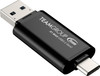
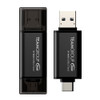
The TEAMGROUP X1 MAX 512GB USB 3.2 Gen2 Flash Drive is a high-speed dual-interface storage drive designed for fast file transfers across desktops, laptops, tablets and compatible mobile devices. With both USB Type-C and USB Type-A connectors, a compact cable-free design and transfer speeds of up to 1000MB/s read and 900MB/s write, it is a powerful portable storage solution for work files, photos, videos, presentations, backups and everyday data transfer.
This TEAMGROUP X1 MAX 512GB USB-C and USB-A flash drive is ideal for customers searching for a 512GB USB 3.2 Gen2 flash drive, USB-C USB-A dual flash drive, 1000MB/s USB drive, high-speed portable USB storage, TEAMGROUP X1 MAX 512GB, USB 3.2 Gen2 memory stick, or a compact SSD-style flash drive for compatible PCs, laptops, tablets and smartphones.
Key Features of the TEAMGROUP X1 MAX 512GB Flash Drive
- 512GB storage capacity for documents, videos, photos, work files and backups
- USB 3.2 Gen2 interface for high-speed transfer performance
- Dual USB Type-C and USB Type-A connectors for wide device compatibility
- Sequential read speed up to 1000MB/s for fast file access
- Sequential write speed up to 900MB/s for the 512GB model
- Aluminium alloy cooling design to help dissipate heat during heavy transfers
- Compact 63mm body for convenient everyday carry
- Cable-free plug-and-play design with no extra cable required
- Snap-design protective caps for both Type-C and Type-A connectors
- Compatible with Windows, Mac, Linux, iOS Type-C and iPadOS Type-C devices
- 5-year manufacturer warranty for long-term confidence
High-Speed USB 3.2 Gen2 Performance
The TEAMGROUP X1 MAX 512GB is built for users who need much faster transfer speeds than a standard USB memory stick. With up to 1000MB/s read and up to 900MB/s write performance, it can help reduce waiting time when moving large files, videos, photo libraries, presentations and project folders.
Fast Transfers for Large Files
The X1 MAX is suitable for business users, students, content creators and everyday users who regularly move large files between devices. It is especially useful for transferring high-capacity folders, video clips, design files, documents and backups between compatible USB 3.2 Gen2 systems.
USB-C and USB-A Dual Interface
One of the main advantages of the X1 MAX is its 2-in-1 dual drive design. The USB Type-C connector works with many modern laptops, tablets, phones and USB-C PCs, while the USB Type-A connector supports traditional desktop and laptop USB ports.
No Adapter or Cable Needed
Because the drive includes both USB-C and USB-A connectors, users can transfer files between older and newer devices without carrying a separate adapter or cable. This makes it practical for office work, travel, mobile file transfers and mixed-device environments.
512GB Portable Storage for Work and Media
The 512GB capacity provides useful space for large documents, photos, videos, music, installation files, project folders and portable backups. It is a strong option for users who want compact storage with more speed and flexibility than a basic USB stick.
Good for PCs, Laptops, Tablets and Compatible Phones
TEAMGROUP lists broad compatibility across desktops, laptops, tablets and mobile devices. For mobile device use, the device must support USB Type-C storage access and a compatible file system such as exFAT.
Aluminium Alloy Cooling Design
The X1 MAX uses an aluminium alloy exterior designed to help dissipate heat during high-speed transfers. This is important because fast USB 3.2 Gen2 storage can become warm when moving large files continuously.
Stylish Black Sandblasted Finish
The compact black sandblasted aluminium alloy body gives the drive a professional look while keeping it small enough for a bag, laptop sleeve, desk drawer or travel pouch.
Snap-Design Protective Caps
The TEAMGROUP X1 MAX includes protective snap caps for the USB Type-C and Type-A connectors. This helps protect the connectors when the drive is being carried between devices or stored with other accessories.
Compact Cable-Free Design
Measuring only 63 × 20 × 8mm and weighing just 12g, the X1 MAX is easy to carry while still offering high-speed storage performance and dual-connector flexibility.
Operating System Compatibility
TEAMGROUP lists support for Windows XP or later, Mac OS 10.6 or later, Linux 2.6 or later, iOS 17 or later with Type-C and iPadOS with Type-C. Compatibility depends on the device, USB port, operating system, file system and power support.
Recommended File Format for Mobile Devices
TEAMGROUP notes that exFAT is recommended for mobile device compatibility. This can help when moving large files between Windows, Mac, iPadOS and compatible USB-C mobile devices.
Who Is the TEAMGROUP X1 MAX 512GB Best For?
- Users needing fast portable storage for large files
- Students moving files between laptops, desktops and tablets
- Business users carrying presentations, documents and project folders
- Content creators transferring photos, videos and media files
- USB-C laptop and tablet users who also need USB-A compatibility
- People upgrading from slower USB flash drives
- Users wanting compact cable-free storage with a 5-year warranty
TEAMGROUP X1 MAX 512GB USB 3.2 Gen2 Specifications
- Brand: TEAMGROUP
- Series: X1 MAX
- Model / Part Number: TX1MAX3512GB01
- Product Type: USB 3.2 Gen2 dual-interface flash drive
- Capacity: 512GB
- Interface: USB 3.2 Gen2
- Connectors: USB Type-C and USB Type-A
- Sequential Read Speed: Up to 1000MB/s
- Sequential Write Speed: Up to 900MB/s
- Voltage: DC +5V
- Operating Temperature: 0°C to 70°C
- Storage Temperature: -20°C to 85°C
- Dimensions: 63 × 20 × 8mm
- Weight: 12g
- Design: Black sandblasted aluminium alloy body with snap-design protective caps
- Operating System Support: Windows XP or later, Mac OS 10.6 or later, Linux 2.6 or later, iOS 17 or later with Type-C, and iPadOS with Type-C
- Warranty: 5-year warranty
Buying Advice
Before ordering, please check that your device supports USB 3.2 Gen2 if you want to reach the highest transfer speeds. The drive can be used with USB-C and USB-A ports, but actual performance depends on the host device, USB port version, file size, operating system, formatting, device temperature and workload. For mobile phones and tablets, check that the device supports USB external storage access.
Why Buy the TEAMGROUP X1 MAX 512GB USB-C and USB-A Flash Drive?
The TEAMGROUP X1 MAX 512GB USB 3.2 Gen2 Flash Drive is a strong choice for users who need fast, compact and flexible portable storage. With 512GB capacity, up to 1000MB/s read speed, up to 900MB/s write speed, USB-C and USB-A connectors, aluminium alloy cooling, snap-design protective caps, broad OS support and a 5-year warranty, it is ideal for fast file transfers between modern and traditional devices.
Specification
TEAMGROUP X1 MAX 512GB USB 3.2 Gen2 Flash Drive Specifications
| Product Type | High-Speed USB Flash Drive / Portable USB Storage |
| Brand | TEAMGROUP |
| Series | X1 MAX |
| Model / Part Number | TX1MAX3512GB01 |
| Capacity | 512GB |
| Interface | USB 3.2 Gen2 |
| Connector Type | Dual Interface: USB Type-C and USB Type-A |
| Sequential Read Speed | Up to 1000MB/s |
| Sequential Write Speed | Up to 900MB/s |
| Body Material | Black Sandblasted Aluminium Alloy Exterior |
| Cooling Design | Aluminium Alloy Cooling for Heat Dissipation During High-Speed Transfers |
| Protective Cap Design | Snap-Design Protective Caps for Type-C and Type-A Connectors |
| Plug and Play | Yes, Cable-Free Plug-and-Play Use |
| Recommended File Format | exFAT Recommended for Mobile Device Compatibility |
| Operating Voltage | DC +5V |
| Operating Temperature | 0°C to 70°C |
| Storage Temperature | -20°C to 85°C |
| Dimensions | 63 × 20 × 8mm |
| Weight | 12g |
| Operating System Support | Windows XP or Later, Mac OS 10.6 or Later, Linux 2.6 or Later, iOS 17 or Later with Type-C, and iPadOS with Type-C |
| Recommended Use | Fast File Transfers, Photos, Videos, Documents, Presentations, Portable Backups and Cross-Device Storage |
| Warranty | 5-Year Manufacturer Warranty |
512GB Speed Notice
This specification is for the 512GB TEAMGROUP X1 MAX. TEAMGROUP lists this capacity at up to 1000MB/s read and up to 900MB/s write. Smaller 128GB and 256GB versions are listed with lower write speeds, so the 900MB/s write figure applies to this exact 512GB model.
USB Port Compatibility Notice
To achieve the highest transfer speeds, your device should support USB 3.2 Gen2. The drive can connect through USB Type-C or USB Type-A, but actual performance may be lower on USB 3.2 Gen1, USB 3.0, USB 2.0 or older ports.
Mobile Device Notice
For phone and tablet use, the device must support external USB storage through USB Type-C. TEAMGROUP recommends exFAT format for mobile device compatibility.
Capacity Notice
Displayed usable capacity may be lower than 512GB after formatting and system functions. This is normal for storage devices and may vary depending on the operating system calculation method.
Performance Notice
Listed speeds are based on manufacturer internal testing. Real-world transfer speed depends on host device, USB port version, file size, workload, formatting, temperature and system conditions.
Return
FAQ: Frequenlty Asked Questions
TEAMGROUP X1 MAX 512GB USB 3.2 Gen 2 Flash Drive FAQ
The TEAMGROUP X1 MAX 512GB USB 3.2 Gen 2 Flash Drive is a high-speed dual-interface USB storage drive designed for fast file transfers between compatible desktops, laptops, tablets, USB-C phones and other devices. It features both USB Type-C and USB Type-A connectors, a compact cable-free design, 512GB capacity, transfer speeds up to 1000MB/s read and 900MB/s write, an aluminium alloy body for heat dissipation, and a 5-year warranty. Below are the most common questions buyers ask before choosing this TEAMGROUP X1 MAX 512GB USB-C and USB-A flash drive, including compatibility, real-world speed, USB 3.2 Gen 2 requirements, phone and tablet use, Mac and Windows support, exFAT formatting, gaming console storage, overheating, large file transfers, and who this flash drive is best suited for.
1. What is the TEAMGROUP X1 MAX 512GB USB flash drive?
The TEAMGROUP X1 MAX 512GB is a high-speed USB 3.2 Gen 2 flash drive with both USB Type-C and USB Type-A connectors. It is designed for fast storage, backup and file transfer between compatible computers, phones, tablets and other devices.
2. What is this TEAMGROUP X1 MAX 512GB drive best used for?
This drive is best used for moving large files, backing up documents, photos and videos, transferring files between USB-C and USB-A devices, carrying work files, storing media, and using as fast portable storage for compatible computers and mobile devices.
3. What capacity is this TEAMGROUP X1 MAX model?
This product has a capacity of 512GB. Actual usable capacity shown by a device may be lower because of formatting, system files and the way different operating systems calculate storage.
4. Does the TEAMGROUP X1 MAX 512GB have USB-C?
Yes. The TEAMGROUP X1 MAX includes a USB Type-C connector, making it suitable for many modern laptops, tablets, phones and desktops with USB-C ports.
5. Does the TEAMGROUP X1 MAX 512GB have USB-A?
Yes. It also includes a USB Type-A connector, so it can be used with many traditional desktop PCs, laptops, USB hubs and older devices that still use standard USB-A ports.
6. Why is the dual USB-C and USB-A design useful?
The dual-interface design makes it easier to move files between older USB-A devices and newer USB-C devices without carrying a separate adapter or cable.
7. What USB standard does the TEAMGROUP X1 MAX use?
The TEAMGROUP X1 MAX uses USB 3.2 Gen 2. This is a high-speed USB standard capable of much faster transfer rates than older USB 2.0 and USB 3.0 devices when connected to a compatible port.
8. Is USB 3.2 Gen 2 the same as 10Gbps USB?
Yes. USB 3.2 Gen 2 is commonly associated with 10Gbps USB performance. Actual file transfer speed depends on the host device, port, file type, storage workload and drive condition.
9. What read speed does the TEAMGROUP X1 MAX 512GB offer?
TEAMGROUP lists the 512GB X1 MAX with sequential read speeds up to 1000MB/s. Actual performance may vary depending on the device, USB port, file size and test conditions.
10. What write speed does the TEAMGROUP X1 MAX 512GB offer?
TEAMGROUP lists the 512GB X1 MAX with sequential write speeds up to 900MB/s. Real-world write speed can vary, especially during very large sustained transfers.
11. Will I always get 1000MB/s speed?
No. The listed speed is a maximum reference figure under ideal test conditions. Actual speed depends on your USB port, computer, phone, file type, drive temperature, remaining capacity and whether the transfer is short or sustained.
12. Why is my TEAMGROUP X1 MAX slower than expected?
Common reasons include using a slower USB port, using a USB hub, transferring many small files, using the wrong file system, thermal throttling, a nearly full drive, or copying from a slower source drive.
13. Do I need a USB 3.2 Gen 2 port for full speed?
Yes. To get close to the advertised performance, the device should be connected to a USB 3.2 Gen 2 port or another compatible high-speed USB port. Older USB ports will limit the speed.
14. Will this flash drive work in a USB 3.0 port?
Yes. It can work in USB 3.0 or USB 3.2 Gen 1 ports, but speed will be limited by the slower port capability.
15. Will this flash drive work in a USB 2.0 port?
Yes, it should work in most USB 2.0 ports, but transfer speeds will be much slower. USB 2.0 is not recommended if you want fast file transfers.
16. Is the TEAMGROUP X1 MAX plug and play?
Yes. The drive is designed for plug-and-play use on compatible systems. In most cases, no extra driver is needed for normal file storage and transfer.
17. Does this drive need a cable?
No. The X1 MAX has built-in USB-C and USB-A connectors, so no cable is normally needed. This makes it convenient for travel, work and quick file transfers.
18. Does the TEAMGROUP X1 MAX have protective caps?
Yes. The X1 MAX uses protective caps for the connectors. These help protect the USB-C and USB-A ends when the drive is carried in a bag, pocket or case.
19. What material is the TEAMGROUP X1 MAX made from?
The X1 MAX uses a black sandblasted aluminium alloy exterior. This gives the drive a premium feel and helps with heat dissipation during high-speed transfers.
20. Does the TEAMGROUP X1 MAX get hot?
It can become warm during high-speed transfers, especially with large files. This is normal for compact high-speed USB storage, but avoid covering the drive while transferring large amounts of data.
21. Is heat normal for a fast USB flash drive?
Yes. Fast USB 3.2 Gen 2 drives can become warm because the controller and flash memory are working at high speed in a compact body. The aluminium alloy casing helps dissipate heat.
22. Is the TEAMGROUP X1 MAX good for large file transfers?
Yes, it is suitable for large file transfers, but very large sustained writes may be slower than the maximum advertised speed. For constant heavy workloads, a dedicated portable SSD may be more suitable.
23. Is the TEAMGROUP X1 MAX better than a normal USB flash drive?
Yes. Compared with many standard USB flash drives, the X1 MAX offers much faster transfer speeds, dual USB-C and USB-A connectors, and a more premium aluminium alloy design.
24. Is the TEAMGROUP X1 MAX the same as a portable SSD?
It is a very fast flash drive with SSD-like speed for many tasks, but it is still a compact USB flash drive. For heavy sustained transfers, professional video editing or constant large backups, a dedicated portable SSD may be better.
25. Should I buy this flash drive or a portable SSD?
Choose the X1 MAX if you want compact size, dual USB-C and USB-A connectors, fast everyday transfers and easy portability. Choose a portable SSD if you need stronger sustained performance, larger capacities or heavy professional workloads.
26. Can I use the TEAMGROUP X1 MAX with Windows?
Yes. TEAMGROUP lists support for Windows XP or later. For best performance, use a modern Windows PC with a high-speed USB port.
27. Can I use the TEAMGROUP X1 MAX with Mac?
Yes. TEAMGROUP lists support for Mac OS 10.6 or later. You may need to format the drive depending on whether you want to use it only with Mac or across both Mac and Windows devices.
28. Can I use the TEAMGROUP X1 MAX with Linux?
Yes. TEAMGROUP lists support for Linux 2.6 or later. The drive should work as removable storage on compatible Linux systems.
29. Can I use the TEAMGROUP X1 MAX with an iPhone 15 or newer?
Yes, it can be used with compatible USB-C iPhones running iOS 17 or later, subject to device file system support and app compatibility.
30. Can I use the TEAMGROUP X1 MAX with iPad?
Yes. TEAMGROUP lists iPadOS support with Type-C devices. It can be used with compatible USB-C iPads for file transfer and external storage tasks.
31. Can I use the TEAMGROUP X1 MAX with Android phones?
Yes, many Android phones with USB-C and OTG support can use the drive. The phone must support external USB storage, and the drive may need to be formatted in a compatible file system.
32. What file format is best for phones and tablets?
TEAMGROUP recommends exFAT for mobile device compatibility. exFAT is commonly used when you need the drive to work across Windows, Mac, Android, iPadOS and other modern devices.
33. Should I format the TEAMGROUP X1 MAX before use?
If the drive already works with your device, formatting is not always required. If you need cross-device compatibility, large file support or phone/tablet use, exFAT is usually a good choice.
34. Why does the drive show less than 512GB?
This is normal. Storage manufacturers use decimal capacity, while operating systems may display capacity differently. Formatting and system files can also reduce the usable space shown.
35. Can I store 4K videos on this drive?
Yes. The 512GB capacity and high-speed interface make it suitable for storing 4K videos. For editing directly from the drive, performance depends on file bitrate, device speed and sustained transfer requirements.
36. Can I edit videos directly from the TEAMGROUP X1 MAX?
Light editing may be possible, but for heavy 4K editing or professional timelines, a dedicated portable SSD is usually more consistent. The X1 MAX is better for fast transfer and portable storage than heavy editing workloads.
37. Can I use the TEAMGROUP X1 MAX for photo backups?
Yes. It is suitable for backing up photos from compatible phones, tablets, laptops and desktop PCs. Always keep at least one extra backup of important files.
38. Can I use the TEAMGROUP X1 MAX for work documents?
Yes. The drive is suitable for storing and transferring documents, presentations, spreadsheets, PDFs, project files and business data between compatible devices.
39. Is the TEAMGROUP X1 MAX good for students?
Yes. It is useful for students who need portable storage for coursework, presentations, photos, videos, software files and backups across USB-C and USB-A devices.
40. Is the TEAMGROUP X1 MAX good for business users?
Yes. It is useful for business users who regularly move files between laptops, desktops, meeting rooms, tablets and USB-C devices. For sensitive files, consider using encryption software or an encrypted drive.
41. Does the TEAMGROUP X1 MAX include hardware encryption?
No hardware encryption is normally listed for this model. If you need secure encrypted storage, use trusted encryption software or choose a dedicated encrypted USB drive.
42. Can I use the TEAMGROUP X1 MAX with PS5?
It may be used as external USB storage for supported media files or PS4 game storage depending on console requirements, but it cannot be used as internal PS5 game expansion storage. PS5 game expansion requires a compatible M.2 NVMe SSD.
43. Can I use the TEAMGROUP X1 MAX with Xbox Series X or Series S?
It may be used for media storage or some backward-compatible game storage, depending on Xbox requirements. Optimised Xbox Series X/S games normally require the internal SSD or official expansion storage to play directly.
44. Can I use the TEAMGROUP X1 MAX with smart TVs?
It may work with some smart TVs for media playback if the TV supports USB storage and the drive file format. Very large drives or certain file systems may not be supported by all TVs.
45. Can I use the TEAMGROUP X1 MAX as a boot drive?
It may be possible to boot some operating systems from the drive if the computer supports USB booting, but it is primarily designed as portable storage rather than a permanent operating system drive.
46. What are the dimensions of the TEAMGROUP X1 MAX?
TEAMGROUP lists the X1 MAX dimensions as 63mm long, 20mm wide and 8mm high. Its compact size makes it easy to carry in a pocket, laptop bag or accessory case.
47. How much does the TEAMGROUP X1 MAX weigh?
TEAMGROUP lists the weight as approximately 12g. This makes it lightweight and portable for everyday carry.
48. What warranty does the TEAMGROUP X1 MAX have?
TEAMGROUP lists the X1 MAX with a 5-year warranty. Warranty terms can vary by region and do not replace the need to keep backups of important files.
49. Who should NOT buy the TEAMGROUP X1 MAX 512GB?
This drive is not ideal for users who need hardware encryption, rugged waterproof storage, constant heavy sustained writes, professional editing directly from the drive, PS5 internal expansion, or the strongest portable SSD performance. It is best for users who want a compact dual USB-C and USB-A flash drive with very fast everyday transfer speeds.
50. Why buy the TEAMGROUP X1 MAX 512GB from Memox?
Buying the TEAMGROUP X1 MAX 512GB USB 3.2 Gen 2 Flash Drive from Memox is a practical choice if you need fast, portable storage with both USB-C and USB-A connectors. Memox offers USB drives, memory cards, SSDs, RAM, storage products, networking equipment, PC components and computer accessories for UK customers.
Related Products
Related Products

Kingston DataTraveler Exodia S DTXS/512GB USB Flash Drive, 512GB, USB 3.2, Black/Yellow, Swivel Cap Design
Kingston

Kingston DataTraveler microDuo 3C 256GB OTG Dual USB-A to USB-C USB 3.2 Gen 1 Flash Drive, Purple
Kingston
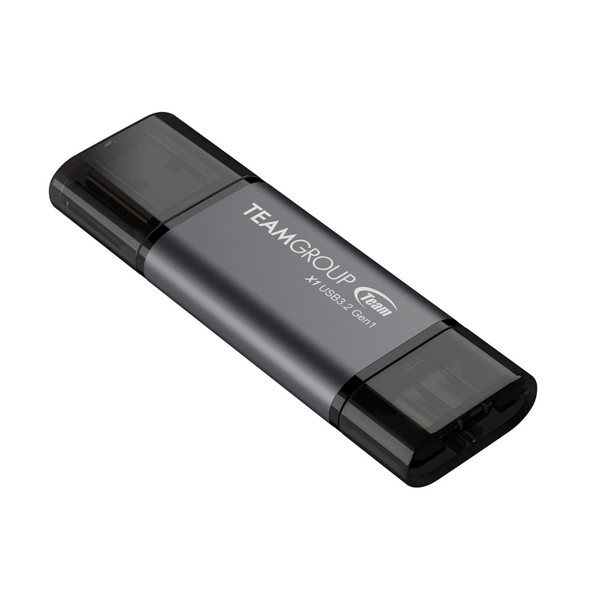
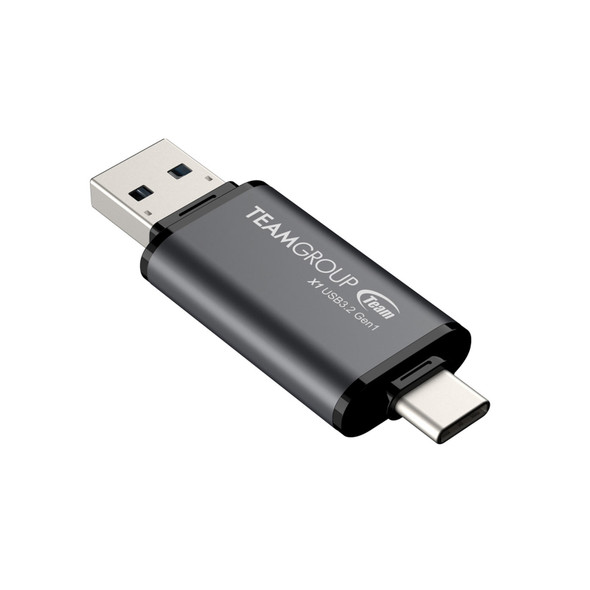
Team 2 in 1 Dual OTG 128GB Flash Drive, X1 USB 3.2 Gen1, Type C & A, Plug and Play
TEAM

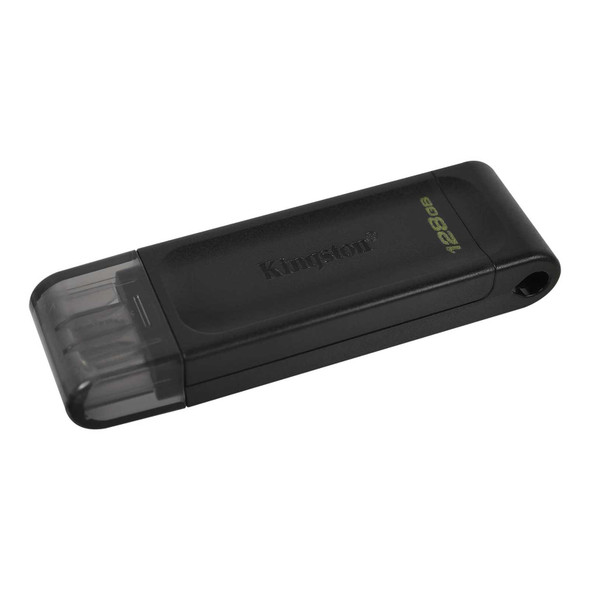
Kingston DT70/128GB DataTraveler 128GB USB Flash Drive, USB 3.2, USB-C, Gen1, 80MB/s, Cap Design, Black, Retail.
Kingston

Kingston DataTraveler Kyson 128GB USB 3.2 Capless Metal USB Flash Drive
Kingston