
TEAM
Team 2 in 1 Dual OTG 128GB Flash Drive, X1 USB 3.2 Gen1, Type C & A, Plug and Play
- SKU:
- TX13128GC01
- UPC:
- 4711430803746
- MPN:
- TX13128GC01
- Availability:
- Free Click & Collect in Peterborough. UK delivery also available.



Description
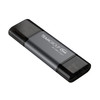
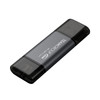
TEAMGROUP X1 128GB 2-in-1 Dual OTG Flash Drive – USB 3.2 Gen 1 Type-C and Type-A Memory Stick
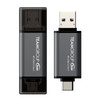
The TEAMGROUP X1 128GB 2-in-1 Dual OTG Flash Drive is a compact and versatile USB memory stick designed for fast file storage, transfer and backup across modern and traditional devices. With both USB Type-C and USB Type-A connectors, this dual-interface flash drive works with compatible desktops, laptops, tablets, smartphones and other USB-supported devices without needing extra cables.
This TEAMGROUP X1 128GB USB 3.2 Gen 1 flash drive is ideal for customers searching for a 128GB USB-C flash drive, dual USB Type-C and Type-A memory stick, OTG flash drive for phone and laptop, USB 3.2 Gen 1 pen drive, or a plug-and-play storage drive for documents, photos, videos, music, work files and travel backups.
Key Features of the TEAMGROUP X1 128GB Flash Drive
- 128GB storage capacity for documents, photos, videos, music and everyday files
- 2-in-1 dual-interface design with USB Type-C and USB Type-A connectors
- USB 3.2 Gen 1 interface with up to 5Gbps interface bandwidth
- Read speed up to 100MB/s, depending on device and system conditions
- USB OTG support for compatible smartphones, tablets and mobile devices
- Plug-and-play convenience with no cable required
- Compact 63mm body for easy everyday carrying
- Lightweight 12g design for pocket, bag or key pouch storage
- Aluminium alloy body with a low-key matte grey finish
- Snap-design dual caps help protect the USB Type-C and Type-A connectors
2-in-1 USB-C and USB-A Storage for Modern Devices
The TEAMGROUP X1 Dual OTG flash drive is designed for users who move files between older and newer devices. The USB Type-A connector works with many desktop PCs, laptops, TVs, car audio systems and standard USB ports, while the USB Type-C connector is useful for compatible modern laptops, tablets and smartphones.
Easy File Transfers Between Phone, Tablet and PC
With its dual connector design and OTG support, the TEAMGROUP X1 can help transfer files between compatible mobile devices and computers. It is useful for moving photos from a phone to a laptop, carrying work documents, backing up travel photos, transferring videos, or keeping important files available without relying only on cloud storage.
USB 3.2 Gen 1 Performance for Everyday File Storage
The X1 uses a USB 3.2 Gen 1 interface and is listed with a read speed of up to 100MB/s. This makes it suitable for everyday storage and file transfer tasks such as copying documents, presentations, photos, videos, music and software installers. Actual speed can vary depending on the USB port, device, operating system, file size and available storage space.
Backward Compatible with USB 2.0
The TEAMGROUP X1 is backward compatible with USB 2.0 devices, making it flexible for older systems as well as newer USB 3.x ports. When connected to USB 2.0, transfer speeds will be lower than USB 3.2 Gen 1 performance.
Compact Travel-Friendly Flash Drive
With a body size of 63 × 20 × 8mm and a lightweight 12g design, this flash drive is easy to carry in a pocket, laptop bag, travel pouch or desk drawer. It is a practical option for students, office users, home workers, travellers and anyone who needs portable offline storage.
Low-Key Metal Art Craft Design
The aluminium alloy body gives the X1 a simple matte grey appearance while helping provide a practical and durable feel for everyday use. The snap-design caps help protect both connectors when the drive is not in use.
Useful for Work, Study, Travel and Daily Backups
The TEAMGROUP X1 128GB USB-C and USB-A flash drive is suitable for storing and moving common files between different devices. It is helpful for school work, university assignments, business documents, invoices, product photos, media files, backup folders, presentations and portable software tools.
Who Is the TEAMGROUP X1 128GB Best For?
- Users needing one flash drive for both USB-C and USB-A devices
- Students carrying coursework, presentations and study files
- Office users transferring documents between computers
- Mobile users backing up photos and videos from compatible phones or tablets
- Travellers needing lightweight portable storage
- Home users wanting a simple plug-and-play USB memory stick
- Customers looking for a 128GB OTG flash drive for everyday file transfers
TEAMGROUP X1 128GB Flash Drive Specifications
- Brand: TEAMGROUP
- Model: X1
- Part Number: TX13128GC01
- Product Type: 2-in-1 Dual OTG USB Flash Drive
- Capacity: 128GB
- Interface: USB 3.2 Gen 1
- Connectors: USB Type-C and USB Type-A
- OTG Support: Yes, with compatible devices
- Maximum Interface Bandwidth: Up to 5Gbps
- Read Speed: Up to 100MB/s
- Voltage: DC +5V
- Operating Temperature: 0°C to 70°C
- Storage Temperature: -20°C to 85°C
- Material: Aluminium alloy
- Dimensions: 63 × 20 × 8mm
- Weight: 12g
- Operating System Support: Windows XP or later, macOS 10.6 or later, Linux 2.6 or later, iOS 17 or later with Type-C, and iPadOS with Type-C
Buying Advice
Before ordering, please check that your phone, tablet, laptop or desktop supports external USB storage through either USB Type-C or USB Type-A. For mobile devices, OTG support, file manager access and device power compatibility may be required. Some phones or tablets may need storage permissions or formatting before use.
Why Buy the TEAMGROUP X1 128GB Dual OTG Flash Drive?
The TEAMGROUP X1 128GB 2-in-1 Dual OTG Flash Drive is a practical portable storage option for users who need one USB drive for both modern Type-C devices and traditional Type-A ports. With USB 3.2 Gen 1 performance, up to 100MB/s read speed, 128GB capacity, plug-and-play use, OTG support and a compact aluminium alloy body, it is a convenient choice for everyday file transfers, backups, work, study and travel.
Specification
TEAMGROUP X1 128GB Dual OTG Flash Drive Specifications
| Product Type | 2-in-1 Dual OTG USB Flash Drive |
| Brand | TEAMGROUP |
| Model | X1 |
| Part Number | TX13128GC01 |
| Capacity | 128GB |
| Interface | USB 3.2 Gen 1 |
| Connectors | USB Type-C + USB Type-A |
| OTG Support | Yes, with compatible OTG-supported devices |
| Maximum Interface Bandwidth | Up to 5Gbps |
| Read Speed | Up to 100MB/s |
| Write Speed | Not specified by TeamGroup |
| Backward Compatibility | Backward Compatible with USB 2.0 |
| Plug and Play | Yes |
| Voltage | DC +5V |
| Operating Temperature | 0°C to 70°C |
| Storage Temperature | -20°C to 85°C |
| Material | Aluminium Alloy Body |
| Connector Protection | Snap-Design Cover Caps |
| Design | Low-Key Metal Art Craft Design |
| Dimensions | 63 × 20 × 8mm |
| Weight | 12g |
| Compatible Operating Systems | Windows XP or later, macOS 10.6 or later, Linux 2.6 or later, iOS 17 or later with Type-C, iPadOS with Type-C |
| Warranty | Lifetime Warranty, subject to TeamGroup warranty terms |
OTG Compatibility Notice
The TEAMGROUP X1 supports USB OTG, but your phone, tablet or mobile device must also support OTG and external USB storage. Some devices may require storage permissions, compatible file formatting or a file manager app before the drive can be used.
USB-C and USB-A Notice
This flash drive includes both USB Type-C and USB Type-A connectors. It is designed for compatible USB-C and standard USB-A devices, but it is not a Lightning connector drive for older iPhones or iPads without USB-C.
Performance Notice
The listed read speed of up to 100MB/s is a manufacturer maximum figure. Actual transfer speed can vary depending on USB port generation, device hardware, file size, operating system, available storage space and test method.
Capacity Notice
Advertised capacity is based on decimal measurement. The usable capacity shown in Windows, macOS, Linux, iOS or iPadOS may be lower after formatting and system calculation differences.
Return
FAQ: Frequenlty Asked Questions
TeamGroup 2-in-1 Dual OTG 128GB Flash Drive X1 FAQ
The TeamGroup 2-in-1 Dual OTG 128GB Flash Drive X1 is a compact USB 3.2 Gen1 Type-C and Type-A flash drive designed for moving files between smartphones, tablets, laptops, desktop PCs and other compatible devices. It supports USB OTG, plug-and-play use, USB-C and USB-A connections, and is ideal for photos, videos, documents, music, backups and everyday file transfer. Below are the most common questions buyers ask before choosing this TeamGroup X1 128GB dual USB-C USB-A flash drive, including Android phone compatibility, laptop and PC support, Mac use, file formats, OTG setup, speed, storage capacity, troubleshooting and who this drive is best suited for.
1. What is the TeamGroup X1 128GB 2-in-1 Dual OTG Flash Drive?
The TeamGroup X1 128GB is a dual-interface USB flash drive with both USB Type-C and USB Type-A connectors. It is designed to transfer files between USB-C phones, tablets, laptops, desktop PCs and standard USB-A devices without needing a separate adapter in many cases.
2. What is the TeamGroup X1 128GB best used for?
The TeamGroup X1 128GB is best used for moving photos, videos, documents, music, work files, school files and backups between phones, tablets, laptops and PCs. It is also useful for freeing space on compatible Android phones and transferring files between USB-C and USB-A devices.
3. What does 2-in-1 dual OTG mean?
2-in-1 means the drive has two connector types: USB Type-C and USB Type-A. Dual OTG means it can work with compatible OTG-enabled smartphones and tablets, allowing those devices to read or write files directly to the flash drive.
4. Does the TeamGroup X1 have both USB-C and USB-A?
Yes. The TeamGroup X1 has a USB Type-C connector for modern phones, tablets and laptops, and a USB Type-A connector for standard USB ports on desktops, laptops, TVs, car stereos and other compatible devices.
5. Is the TeamGroup X1 128GB plug and play?
Yes. The TeamGroup X1 128GB is designed for plug-and-play use on compatible devices. In most cases, you can connect it to a USB-C or USB-A port and access files without installing extra software.
6. Does the TeamGroup X1 need drivers?
No special drivers are normally required. Windows, macOS, ChromeOS and many Android devices can detect standard USB storage automatically, although phone compatibility depends on OTG support and file system support.
7. What capacity is this TeamGroup X1 flash drive?
This product is the 128GB version of the TeamGroup X1. It is suitable for storing documents, photos, videos, music, school work, office files and general backups.
8. Why does 128GB show less storage on my device?
This is normal. Storage manufacturers use decimal capacity, while operating systems display capacity differently. After formatting, a 128GB flash drive may show less usable space in Windows, macOS or Android.
9. What USB version does the TeamGroup X1 128GB use?
The TeamGroup X1 128GB uses USB 3.2 Gen1. This USB standard supports a transfer bandwidth up to 5Gbps, although real file transfer speeds depend on the device, port, file size and workload.
10. Is USB 3.2 Gen1 the same as USB 3.0?
USB 3.2 Gen1 is the current naming for the 5Gbps USB speed class that was previously commonly called USB 3.0 or USB 3.1 Gen1. It is much faster than USB 2.0 in supported devices.
11. What speed does the TeamGroup X1 128GB offer?
The TeamGroup X1 128GB is listed with USB 3.2 Gen1 5Gbps interface support, and some retailer listings mention read speeds up to 100MB/s. Actual speed can vary depending on the USB port, device, file type, temperature and available free space.
12. Is the TeamGroup X1 faster than a USB 2.0 flash drive?
Yes. When used with a USB 3.2 Gen1 or compatible USB 3.x port, the TeamGroup X1 can be faster than a USB 2.0 flash drive. It is especially useful for moving photos, videos and larger files more quickly.
13. Is the TeamGroup X1 backward compatible with USB 2.0?
Yes. TeamGroup lists the X1 as backward compatible with USB 2.0. If you connect it to a USB 2.0 port, it should still work, but transfer speed will be limited by the older port.
14. Does the TeamGroup X1 work with Windows PCs?
Yes. The TeamGroup X1 works with Windows desktops and laptops through USB-C or USB-A, depending on the available port. It can be used for file transfer, backups, document storage and moving data between devices.
15. Does the TeamGroup X1 work with Windows 11?
Yes. The TeamGroup X1 should work with Windows 11 as a standard USB flash drive. If it does not appear in File Explorer, check Disk Management, try another USB port or test the drive on another computer.
16. Does the TeamGroup X1 work with Windows 10?
Yes. The TeamGroup X1 is suitable for Windows 10 computers with compatible USB ports. It can be used for everyday file storage, backups and transfers between USB-C and USB-A systems.
17. Does the TeamGroup X1 work with MacBook or Mac?
Yes. It can work with MacBook and Mac systems that support USB storage. USB-C MacBooks can use the Type-C connector directly, while older Macs may use the USB-A connector. File format may affect whether you can read and write files on both Mac and Windows.
18. Does the TeamGroup X1 work with Chromebooks?
Yes. The TeamGroup X1 can work with many Chromebooks as external USB storage. USB-C Chromebooks can use the Type-C connector, while models with USB-A can use the standard USB-A side.
19. Does the TeamGroup X1 work with Android phones?
Yes, it can work with Android phones that support USB OTG and external USB storage. Most modern USB-C Android phones support OTG, but compatibility can still depend on the phone model, Android version and drive file format.
20. What is USB OTG on Android?
USB OTG, or USB On-The-Go, allows a compatible phone or tablet to act as a host device and read external USB accessories such as flash drives, keyboards, mice and card readers. This lets you move files directly between your phone and the USB drive.
21. How do I use the TeamGroup X1 with an Android phone?
Plug the USB-C side of the TeamGroup X1 into your Android phone, open the phone’s file manager or notification prompt, and choose the USB storage option. You can then copy, move, view or back up supported files, depending on your phone’s file manager.
22. Why is my Android phone not recognising the TeamGroup X1?
If your phone does not recognise the drive, check that the phone supports USB OTG, the drive is fully inserted, the file format is supported, the phone case is not blocking the connector, and the phone’s USB settings allow file transfer or external storage access.
23. Does the TeamGroup X1 work with Samsung Galaxy phones?
It should work with many Samsung Galaxy phones that support USB-C OTG. Use the Samsung My Files app or another file manager to access the drive. Compatibility can vary by phone model, Android version and drive formatting.
24. Does the TeamGroup X1 work with Google Pixel phones?
It may work with Google Pixel phones that support USB-C external storage, but Pixel users sometimes report issues with certain file systems or USB drives. If the drive is not detected, try formatting it to a more compatible file system and test it on another device first.
25. Does the TeamGroup X1 work with Android tablets?
Yes, it can work with Android tablets that support USB-C OTG and external USB storage. Use the tablet’s file manager to browse, copy and move files.
26. Does the TeamGroup X1 work with iPhone?
It may work with newer USB-C iPhone models for file access through the Files app, depending on formatting and power requirements. It will not plug directly into older Lightning iPhones without an adapter, and compatibility is not as simple as with many Android USB-C phones.
27. Does the TeamGroup X1 work with iPad?
It can work with many USB-C iPad models using the Files app if the drive is formatted in a supported file system. Older Lightning iPads may require an Apple adapter and compatibility can vary.
28. What file format should I use for Android, Windows and Mac?
exFAT is often the best choice for sharing larger files between Windows, macOS and many modern Android devices because it supports files larger than 4GB. FAT32 is widely compatible but cannot store single files larger than 4GB. Some Android devices may behave differently, so test before storing important files.
29. Should I use FAT32 or exFAT on this flash drive?
Use exFAT if you need to store large videos, backups or files over 4GB and want compatibility with modern Windows and Mac systems. Use FAT32 only if you need older device compatibility and do not need to store files larger than 4GB.
30. Why can I not copy a file larger than 4GB to the drive?
The drive may be formatted as FAT32. FAT32 has a 4GB single-file limit. To store larger files, back up the drive first and reformat it as exFAT, if your devices support exFAT.
31. Will formatting erase the TeamGroup X1?
Yes. Formatting the flash drive will erase the data on it. Always copy important files to another location before formatting the drive to FAT32, exFAT, NTFS or another file system.
32. Can I use the TeamGroup X1 for photos and videos?
Yes. The 128GB capacity is useful for transferring and storing photos, videos, screenshots, phone media, camera files and social media content. For important memories, keep another backup on a computer, cloud storage or second drive.
33. Can I back up my phone photos to the TeamGroup X1?
Yes, if your phone supports USB OTG and file transfer to external storage. Connect the USB-C side to your phone, open the file manager, select your photos or videos and copy them to the flash drive.
34. Can I record video directly to the TeamGroup X1?
Some devices and camera apps may allow saving directly to external USB storage, but many phones record first to internal storage. For best reliability, record to the phone first and then copy the video to the flash drive afterwards.
35. Can I use the TeamGroup X1 with a smart TV?
Yes, it may work with smart TVs that support USB media playback. Use the USB-A connector and make sure the video, photo or music format is supported by the TV. Some TVs may require FAT32 or exFAT formatting.
36. Can I use the TeamGroup X1 in a car stereo?
It may work with car stereos that support USB flash drives. Most car stereos use USB-A, so use the USB-A connector. Check the car stereo manual for supported file formats, drive capacity and music file types.
37. Can I use the TeamGroup X1 with games consoles?
It may work with some consoles for media playback, screenshots, save transfer or system update files, depending on the console. It is not designed as a high-performance external game drive for modern consoles.
38. Can I use the TeamGroup X1 for Windows installation media?
Yes. The 128GB capacity is more than enough for creating Windows installation media using Microsoft’s Media Creation Tool. Formatting during setup may erase the drive, so back up any files first.
39. Can I use the TeamGroup X1 for BIOS updates?
Yes. You can use it to store BIOS update files for many motherboards, as long as the drive is formatted in the file system required by the motherboard, often FAT32. Always follow the motherboard manufacturer’s BIOS update instructions.
40. Is the TeamGroup X1 good for work and school?
Yes. It is useful for students, office workers and home users who need to carry documents, presentations, coursework, PDFs, spreadsheets and project files between phones, laptops and PCs.
41. Is the TeamGroup X1 good for travel?
Yes. TeamGroup highlights the compact design, and the drive is around 6.3cm long, making it easy to carry in a bag, laptop sleeve or tech pouch. It is useful for travel documents, media files, backups and moving files between devices.
42. What material is the TeamGroup X1 made from?
Retailer listings describe the TeamGroup X1 as having an aluminium alloy housing. This gives the drive a more durable and premium feel than many basic plastic flash drives.
43. Does the TeamGroup X1 have a cap?
Yes. Listings mention a snap-design cover cap. The cap helps protect the connector when the drive is not in use, but it should be kept safely because small caps can be misplaced.
44. Is the TeamGroup X1 waterproof?
No waterproof rating is normally listed for this product. Keep the drive away from water, moisture and liquids. If it becomes wet, do not plug it in until it has been properly dried and checked.
45. Is the TeamGroup X1 encrypted?
The TeamGroup X1 is a standard USB flash drive and is not mainly sold as a hardware-encrypted security drive. For sensitive files, use trusted encryption software or choose a dedicated encrypted USB drive.
46. Why is the TeamGroup X1 getting warm?
It is normal for small USB flash drives to become warm during file transfers, especially when moving large files or using USB 3.x speeds. If it becomes extremely hot, stop using it and test it on another USB port or device.
47. Why is file transfer slower than expected?
Speed can be lower if you use a USB 2.0 port, copy many small files, use an older phone, transfer through a slow adapter, fill the drive almost completely, or copy from a slow source device. Use a USB 3.x port and copy larger files for better speed.
48. How should I safely remove the TeamGroup X1?
On Windows, use “Safely Remove Hardware” before unplugging. On Mac, eject the drive first. On Android, use the storage eject or unmount option if available. This helps reduce the risk of file corruption.
49. Who should NOT buy the TeamGroup X1 128GB?
The TeamGroup X1 128GB is not ideal for users who need hardware encryption, waterproof protection, very high SSD-level transfer speeds, huge 1TB+ storage capacity, or guaranteed compatibility with every phone, tablet, TV or console. It is best for everyday dual USB-C and USB-A file transfer.
50. Why buy the TeamGroup 2-in-1 Dual OTG 128GB Flash Drive X1 from Memox?
Buying the TeamGroup 2-in-1 Dual OTG 128GB Flash Drive X1 from Memox is a practical choice if you want a compact USB-C and USB-A flash drive for Android phones, tablets, laptops, desktops, photos, videos, documents and everyday file transfer. Memox offers USB drives, SSDs, memory cards, storage upgrades and computer accessories for UK customers.
Related Products
Related Products

Kingston DataTraveler DTDUO3CG3/128GB 128GB MicroDuo USB OTG Flash Drive, 3C, USB-C and Type A
Kingston

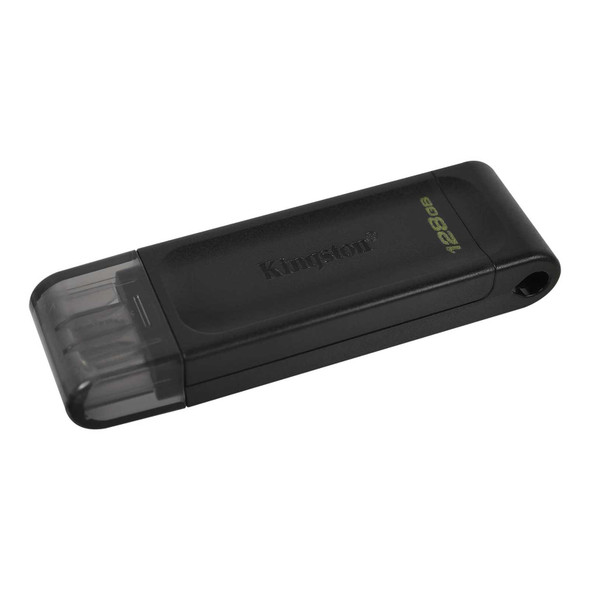
Kingston DT70/128GB DataTraveler 128GB USB Flash Drive, USB 3.2, USB-C, Gen1, 80MB/s, Cap Design, Black, Retail.
Kingston

Kingston DataTraveler microDuo 3C 256GB OTG Dual USB-A to USB-C USB 3.2 Gen 1 Flash Drive, Purple
Kingston

Kingston DataTraveler Kyson 128GB USB 3.2 Capless Metal USB Flash Drive
Kingston