
Kingston
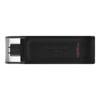
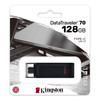
Kingston DT70/128GB DataTraveler 128GB USB Flash Drive, USB 3.2, USB-C, Gen1, 80MB/s, Cap Design, Black, Retail.
- SKU:
- DT70/128GB
- UPC:
- 740617305418
- MPN:
- DT70/128GB
- Availability:
- Free Click & Collect in Peterborough. UK delivery also available.




Description
Kingston DataTraveler 70 128GB USB-C Flash Drive – USB 3.2 Gen 1 Portable Storage
The Kingston DataTraveler 70 128GB USB-C Flash Drive is a compact and lightweight portable storage device designed for compatible USB-C laptops, notebooks, tablets, phones and desktop PCs. With a modern USB Type-C connector, USB 3.2 Gen 1 compliance and 128GB capacity, it is a practical choice for storing, moving and sharing documents, photos, videos, music, presentations and everyday files.
This flash drive is ideal for customers searching for a Kingston DT70 128GB, DataTraveler 70 USB-C flash drive, 128GB USB-C memory stick, USB 3.2 Gen 1 flash drive, or a simple portable storage solution for newer devices that use USB-C ports. Kingston describes the DataTraveler 70 as a portable, lightweight USB-C flash drive designed for everyday storage expansion and file sharing.
Key Features of the Kingston DataTraveler 70 128GB
- 128GB storage capacity for documents, photos, videos, music, school files and work data
- USB-C connector for compatible laptops, tablets, phones and desktop PCs
- USB 3.2 Gen 1 compliant for easy file transfers and everyday storage use
- Compact and lightweight design, weighing only 7g
- Protective cap design helps protect the USB-C connector when not in use
- Black finish for a simple professional look
- Designed for USB-C devices such as notebooks, laptops, tablets and smartphones
- Compatible with Windows, macOS, Linux and Chrome OS, subject to device support
- 5-year warranty with free Kingston technical support
USB-C Storage for Modern Devices
The Kingston DataTraveler 70 uses a USB Type-C connector, making it suitable for many modern devices that no longer include traditional USB-A ports. It is useful for moving files between USB-C laptops, tablets, phones and compatible desktop systems without needing a separate adapter.
For users with USB-C devices, the DT70 provides an easy way to expand storage, transfer files, back up important documents or carry media between home, work, school and travel locations.
Good for Laptops, Tablets and Phones
The DT70 is designed for compatible USB-C devices, including notebooks, laptops, tablets and phones. Phone and tablet support depends on the device’s USB-C port, operating system and file-management support, so always check your device can read external USB storage before purchase.
128GB Capacity for Everyday Files
With 128GB capacity, this Kingston USB-C flash drive gives useful space for everyday storage. It can hold work documents, school projects, photos, videos, music folders, software installers and backup copies of important files.
Actual usable capacity may be lower than the stated 128GB because some storage is used for formatting and because operating systems calculate capacity differently.
USB 3.2 Gen 1 Compliance
The Kingston DataTraveler 70 is USB 3.2 Gen 1 compliant. This means it is designed for modern USB storage connectivity and is suitable for everyday transfers, backups and file sharing. Kingston’s official specification page lists the interface standard but does not publish a guaranteed write-speed figure for this model.
Real-world transfer speed can vary depending on the host device, USB port, file size, operating system, available free space and the type of files being copied. Large single files often transfer more consistently than many small files.
Important Speed Note
If your current title says 80MB/s, I would keep this only if it comes from your supplier feed or packaging. Kingston’s official visible specification page for the DataTraveler 70 confirms USB 3.2 Gen 1 but does not show a fixed 80MB/s speed guarantee. Avoid adding a write-speed claim unless you have verified supplier data.
Portable Cap Design
The DataTraveler 70 has a simple cap-style design that helps protect the USB-C connector when carried in a bag, drawer, laptop case or pocket. Its small size and 7g weight make it easy to keep with everyday tech accessories.
The compact design makes it useful for students, office workers, home users, technicians and anyone who needs an easy USB-C memory stick for file movement and backup.
Who Is the Kingston DataTraveler 70 128GB Best For?
- Users with USB-C laptops, tablets or phones
- Students saving coursework, PDFs and presentations
- Office users moving files between computers
- Home users backing up photos and documents
- Customers needing a compact USB-C flash drive for everyday storage
- Users who want a simple Kingston drive with a 5-year warranty
Who Is This USB Flash Drive Not For?
This flash drive is not the best choice if you need USB-A connectivity without an adapter, SSD-level transfer speeds, hardware encryption, rugged waterproof protection, or heavy continuous write workloads. It is designed as a simple everyday USB-C flash drive for file storage and sharing.
Technical Specifications
- Brand: Kingston
- Series: DataTraveler 70
- Capacity: 128GB
- Product Type: USB flash drive
- Connector: USB Type-C
- USB Standard: USB 3.2 Gen 1
- Colour: Black
- Design: Cap design
- Dimensions: 59.00 x 18.50 x 9.00mm
- Weight: 7g
- Operating Temperature: 0°C to 60°C
- Storage Temperature: -20°C to 85°C
- Compatible Operating Systems: Windows 11 / 10, macOS 12.7.6 or later, Linux 4.4.x or later and Chrome OS
- Warranty: 5-year warranty with free Kingston technical support
Important Compatibility Note
This is a USB-C flash drive. It will not plug directly into a traditional USB-A port unless you use a compatible USB-C to USB-A adapter. Phone and tablet compatibility depends on whether the device supports external USB storage through its USB-C port.
Important Performance Note
USB 3.2 Gen 1 is the interface standard, not a guaranteed fixed transfer speed. Actual read and write speeds can vary depending on the device, USB port, operating system, file size, available free space and workload. For very large frequent transfers or high-speed editing, an external SSD may be more suitable.
Why Buy the Kingston DataTraveler 70 128GB USB-C Flash Drive?
The Kingston DataTraveler 70 128GB is a simple and practical USB-C flash drive for everyday storage, backup and file sharing. It offers a compact lightweight design, USB 3.2 Gen 1 compliance, compatibility with modern USB-C devices and a 5-year Kingston warranty.
Choose this drive if you need an affordable 128GB USB-C memory stick for documents, media files, study, office work and general portable storage.
Specification
Kingston DataTraveler 70 128GB USB-C Flash Drive Specifications
The Kingston DataTraveler 70 128GB is a compact USB-C flash drive designed for everyday storage, file transfer and backup use with compatible USB-C laptops, tablets, phones and desktop PCs. It uses a USB Type-C connector, supports USB 3.2 Gen 1, and is backed by Kingston's 5-year warranty with free technical support.
General Information
| Brand | Kingston |
| Product Series | DataTraveler 70 |
| Product Name | Kingston DataTraveler 70 128GB USB-C Flash Drive |
| Common Part Number | DT70/128GB |
| Product Type | USB flash drive / USB memory stick |
| Capacity | 128GB |
| Recommended Use | Everyday file storage, document transfer, photos, videos, school files, office files, USB-C laptops, tablets, phones and desktop PCs |
Interface and Connector
| Connector | USB Type-C |
| USB Standard | USB 3.2 Gen 1 |
| USB-A Compatible | No, not directly. A compatible USB-C to USB-A adapter is required for USB-A ports. |
| OTG / Phone Compatibility | Compatible with phones and tablets that support external USB-C storage |
| Speed Note | Kingston confirms USB 3.2 Gen 1 compliance; Kingston's official page does not publish a guaranteed 80MB/s read or write speed for this model |
Design and Physical Specifications
| Product Colour | Black |
| Design | Portable cap design |
| Cap Included | Yes |
| Dimensions | 59.00 x 18.50 x 9.00mm |
| Length | 59.00mm |
| Width | 18.50mm |
| Height | 9.00mm |
| Weight | 7g |
System Compatibility
| Windows Support | Windows 11 and Windows 10 |
| macOS Support | macOS 12.7.6 or later |
| Linux Support | Linux 4.4.x or later |
| Chrome OS Support | Chrome OS supported |
| Mobile Device Support | Compatible with supported USB-C tablets and phones that allow external USB storage |
Operating Conditions
| Operating Temperature | 0°C to 60°C |
| Storage Temperature | -20°C to 85°C |
Package Contents
| USB Flash Drive | 1 x Kingston DataTraveler 70 128GB USB-C Flash Drive |
| Protective Cap | Included |
| USB-C to USB-A Adapter | Not included |
Warranty and Support
| Warranty | 5-year warranty |
| Technical Support | Free Kingston technical support |
Important Compatibility Notes
This is a USB-C flash drive. It will not plug directly into older USB-A ports unless a compatible USB-C to USB-A adapter is used. Phone and tablet compatibility depends on whether the device supports external USB storage through its USB-C port.
Important Speed Note
Kingston lists the DataTraveler 70 as USB 3.2 Gen 1 compliant, but Kingston's official product page does not publish a guaranteed fixed read or write speed for the 128GB model. If your supplier or packaging states 80MB/s, you can keep it as supplier-provided information, but avoid presenting it as a Kingston guaranteed speed unless verified from the retail packaging.
Important Capacity Note
Actual usable capacity may be lower than 128GB because some capacity is used for formatting and because operating systems calculate storage capacity differently.
Important Performance Note
USB 3.2 Gen 1 is the interface standard, not a fixed speed guarantee. Real-world transfer speeds vary depending on device, USB port, file size, file type, operating system, available space and workload. For very large frequent transfers or editing directly from storage, an external SSD may be more suitable.
Return
FAQ: Frequenlty Asked Questions
Kingston DataTraveler 70 128GB USB-C Flash Drive FAQ
The Kingston DataTraveler 70 128GB USB-C Flash Drive is a portable USB-C memory stick designed for everyday file storage, transfers, backups, photos, videos, documents, school files, work files, and compatible USB-C laptops, tablets and phones. Below are the most common questions buyers ask before choosing this Kingston DT70 128GB USB 3.2 Gen 1 USB-C flash drive, including compatibility, speed, Android OTG, Mac/Windows use, formatting, car/TV support, phone file transfer, and troubleshooting if the drive is not detected.
1. What is the Kingston DataTraveler 70 128GB?
The Kingston DataTraveler 70 128GB is a portable USB-C flash drive designed for storing and transferring files between compatible USB-C devices such as laptops, notebooks, tablets and phones. It is useful for documents, photos, videos, music, school files, work files and everyday backups.
2. What connector does the Kingston DT70 use?
The Kingston DT70 uses a USB-C connector. It is designed for devices with USB-C ports, including many modern laptops, tablets, Android phones, MacBooks, Chromebooks and desktop PCs with USB-C.
3. Is the Kingston DT70 a USB-A or USB-C flash drive?
The Kingston DataTraveler 70 is a USB-C flash drive. It does not have a standard USB-A connector built in. If you want to use it with an older USB-A port, you may need a suitable USB-C to USB-A adapter.
4. What capacity is this Kingston DataTraveler 70 model?
This model is the 128GB version. It gives useful storage space for photos, videos, documents, music, installers, backups and file transfers, although the usable capacity shown by your device may appear slightly lower after formatting.
5. Why does 128GB show as less space on my computer?
This is normal. Storage manufacturers use decimal capacity, while operating systems often display capacity differently. Formatting, file system structure and system files can also reduce the visible usable space slightly.
6. What USB standard does the Kingston DT70 support?
The Kingston DataTraveler 70 is USB 3.2 Gen 1 compliant. USB 3.2 Gen 1 is also commonly associated with 5Gbps USB signalling, although actual flash drive speed depends on the drive, device, file type and workload.
7. Is USB 3.2 Gen 1 the same as USB 3.0?
USB naming has changed over time. USB 3.2 Gen 1 is commonly equivalent to the older USB 3.0 / USB 3.1 Gen 1 speed class. It is much faster than USB 2.0 when used with compatible ports and devices.
8. What speed should I expect from the Kingston DT70 128GB?
Your product title lists up to 80MB/s. Real-world speed can vary depending on the USB port, computer or phone, file size, formatting, free space, and whether you are reading from or writing to the flash drive. Large single files usually transfer faster than many small files.
9. Why is the Kingston DT70 slower than the USB 3.2 Gen 1 maximum speed?
USB 3.2 Gen 1 describes the interface standard, not the guaranteed speed of every flash drive. Flash memory performance, controller design, small file transfers, USB adapters, older ports, phone limitations and background activity can all reduce real-world transfer speeds.
10. Is the Kingston DT70 faster than USB 2.0 flash drives?
Yes, when used with a compatible USB 3.x USB-C port, the Kingston DT70 can offer faster everyday file transfers than older USB 2.0 flash drives. If connected through a USB 2.0 adapter or older port, performance will be limited by that slower connection.
11. Can I use the Kingston DT70 with a Windows laptop or PC?
Yes. The Kingston DT70 is compatible with Windows systems that have a USB-C port or a suitable adapter. Kingston lists compatibility with Windows 11 and Windows 10.
12. Can I use the Kingston DT70 with a MacBook or iMac?
Yes. The Kingston DT70 can be used with compatible macOS devices that have USB-C or Thunderbolt ports. For sharing files between Mac and Windows, exFAT is usually the most convenient file system.
13. Can I use the Kingston DT70 with a Chromebook?
Yes. Kingston lists Chrome OS compatibility for the DataTraveler 70. It can be used for moving files, storing documents, backing up downloads, and transferring media on compatible Chromebooks with USB-C.
14. Can I use the Kingston DT70 with Linux?
Yes. Kingston lists Linux compatibility for the DataTraveler 70. For best results, use a common file system such as exFAT or FAT32 if you need cross-platform compatibility with Windows, Mac and Linux.
15. Can I use the Kingston DT70 with an Android phone?
Yes, if your Android phone supports USB-C storage and USB OTG/host mode. Many modern Android phones can read USB-C flash drives, but compatibility can depend on the phone model, Android version, file manager app, USB settings and file system format.
16. What is USB OTG and why does it matter?
USB OTG allows a phone or tablet to act as a host for USB accessories such as flash drives. If your phone does not support USB OTG or external USB storage, it may not detect the Kingston DT70 even though the connector fits.
17. Why is my phone not detecting the Kingston DT70?
Common causes include no USB OTG support, unsupported file system, the phone’s USB settings not set for file transfer, a case blocking the connector, a dirty USB-C port, power limitations, or a file manager issue. Try another phone, tablet or computer to confirm whether the drive itself works.
18. What should I do if Android does not recognise the USB-C drive?
Try opening the phone’s file manager, checking USB preferences, restarting the phone, testing another file system such as exFAT, using the phone’s own formatting option if offered, and testing the drive on a computer. Do not format the drive if it contains files you need to keep.
19. Can I use the Kingston DT70 with an iPhone 15 or newer USB-C iPhone?
It may work with USB-C iPhones that support external storage, but compatibility can depend on iOS version, file system and power requirements. For best results, use the Files app and format the drive in a compatible file system such as exFAT if you need large file support.
20. Can I use the Kingston DT70 with an iPad USB-C model?
Yes, many USB-C iPad models can access external USB storage through the Files app. Use a compatible file system such as exFAT for large files and cross-platform sharing between iPad, Mac and Windows.
21. What file system should I use for Windows only?
For Windows-only use, NTFS is a common choice because it supports large files and Windows permissions. However, NTFS may be read-only or less convenient on some phones, TVs, car stereos and Mac systems.
22. What file system should I use for Mac and Windows?
For sharing files between Mac and Windows, exFAT is usually the best option. It supports large files and is widely compatible with modern operating systems. Formatting will erase the drive, so back up any files first.
23. Should I use FAT32 or exFAT on the Kingston DT70?
Use exFAT for most modern computers, tablets and phones, especially if you need to store files larger than 4GB. Use FAT32 only if you need compatibility with older TVs, car stereos, printers or devices that do not support exFAT.
24. Why will my TV or car not read the Kingston DT70?
Many TVs and car stereos only support specific file systems, folder structures, file formats or smaller partitions. Some also prefer USB-A drives rather than USB-C. If the device does not detect the drive, check whether it requires FAT32, a specific media format, or a USB-A adapter.
25. Can I use the Kingston DT70 for music in a car?
Yes, if your car’s infotainment system supports USB-C storage and the correct audio formats. Some cars only support USB-A or FAT32, so you may need a USB-C to USB-A adapter or a different file system depending on the vehicle.
26. Can I use the Kingston DT70 with a smart TV?
Yes, if the TV supports USB-C storage or if you use a suitable adapter. Check your TV manual for supported file systems and video formats. Some TVs may not recognise exFAT or NTFS depending on model and firmware.
27. Can I use the Kingston DT70 for photos and videos from my phone?
Yes. On compatible phones, the Kingston DT70 can be used to copy photos, videos, documents and downloads. This is useful when your phone storage is nearly full or when you want to move files without using cloud storage.
28. Can I record video directly to the Kingston DT70?
Some devices may allow direct recording to external USB storage, but this depends on the phone, camera app, operating system and required write speed. For high-bitrate video recording, a faster external SSD may be more reliable than a basic USB flash drive.
29. Is the Kingston DT70 good for backups?
Yes, it is useful for quick backups of documents, photos, work files and school files. For important data, do not rely on one USB stick as the only copy. Keep another backup on a second drive, computer, NAS or cloud storage.
30. Is the Kingston DT70 good for long-term storage?
It can be used for storage, but USB flash drives are best for portable transfer and short-to-medium-term backup, not as the only long-term archive. Important files should be backed up in more than one place and checked periodically.
31. Can I use the Kingston DT70 as a Windows recovery drive?
Yes. The 128GB capacity is more than enough for many Windows recovery drive or installation media tasks. Creating recovery media may erase the drive, so copy any existing files elsewhere first.
32. Can I use the Kingston DT70 to install Windows?
Yes. You can use it to create bootable Windows installation media using Microsoft’s Media Creation Tool or another trusted method. The target computer must support booting from USB-C or from the adapter/port used.
33. Can I make the Kingston DT70 bootable?
Yes. You can make it bootable for Windows installers, Linux installers, recovery tools or diagnostic utilities using suitable software. Creating a bootable USB usually erases the drive, so back up files first.
34. Can I use the Kingston DT70 with a USB-C to USB-A adapter?
Yes. A suitable USB-C female to USB-A male adapter can let you use the DT70 with older USB-A ports. Speed may depend on the adapter and port. For best results, use a USB 3.x adapter and USB 3.x port.
35. Can I use the Kingston DT70 with a USB hub?
Yes, it can work through many USB-C hubs, but direct connection is usually more reliable. If the drive is not detected or transfers fail, plug it directly into the device or try a powered hub.
36. Does the Kingston DT70 need external power?
No. The Kingston DT70 is powered by the USB-C port. It does not need a separate power adapter. If a phone or tablet cannot provide enough power or does not support USB storage, the drive may not appear.
37. Does the Kingston DT70 have a cap?
Yes. The Kingston DT70 has a cap-style design to help protect the USB-C connector when it is not in use. Keep the cap fitted during storage or transport to reduce dust and connector damage.
38. Is the Kingston DT70 waterproof?
No. The Kingston DT70 is not advertised as waterproof. Keep it away from water, moisture and extreme conditions. If you need rugged waterproof storage, choose a rugged external drive or USB drive specifically rated for water resistance.
39. Is the Kingston DT70 encrypted?
No. The DataTraveler 70 is a standard USB-C flash drive and is not advertised as hardware-encrypted. If you need encrypted storage for sensitive business or personal files, use encryption software or choose a hardware-encrypted USB drive.
40. Can I password-protect files on the Kingston DT70?
You can use software encryption or password-protected archives, depending on your operating system and security needs. For business-critical or sensitive data, a dedicated encrypted USB drive is usually a better option.
41. Why is the Kingston DT70 not showing in Windows?
Try another USB-C port, restart the PC, check Disk Management, test another computer, and confirm the drive has a drive letter. If it appears as unallocated, it may need formatting. If it contains important files, do not format it until your data is backed up or recovered.
42. Why does my USB-C flash drive disconnect during transfer?
Possible causes include a loose USB-C connection, faulty adapter, unstable hub, power-saving settings, overheating, file system errors, or a problem with the USB port. Try a direct connection, another port, another device, and safely eject the drive after use.
43. Should I safely eject the Kingston DT70?
Yes. Always safely eject the flash drive before unplugging it, especially after copying, deleting or moving files. Removing it during activity can cause file corruption or data loss.
44. Can I leave the Kingston DT70 plugged in all the time?
You can, but it is better to remove it when not in use. Leaving a USB drive permanently connected increases the risk of accidental deletion, physical damage, data corruption, malware exposure, or loss if the device is moved.
45. Can I use the Kingston DT70 for school or university?
Yes. The 128GB capacity is useful for coursework, presentations, PDFs, photos, videos and project files. It is also small and lightweight, making it easy to carry with a laptop, tablet or Chromebook.
46. Can I use the Kingston DT70 for business files?
Yes, it is useful for everyday business files, presentations, documents and transfers. For confidential business data, consider encryption and keep a backup elsewhere in case the drive is lost or damaged.
47. Kingston DT70 vs USB-A flash drive — which should I choose?
Choose the Kingston DT70 if your main devices use USB-C. Choose a USB-A flash drive if your computers, TVs, car stereo or older devices mainly have traditional USB-A ports. If you use both, consider a dual-interface USB-C and USB-A drive.
48. Kingston DT70 vs external SSD — which is better?
Choose the Kingston DT70 for simple, compact and affordable file transfer. Choose an external SSD if you need much faster speeds, heavy video work, frequent large backups, game storage, or more durable storage with no typical flash drive speed limitations.
49. Is the Kingston DT70 good for moving files between phone and laptop?
Yes, this is one of its best uses. If both devices support USB-C storage and a compatible file system, you can copy photos, videos, documents and downloads between a phone, tablet, laptop or desktop without using cloud storage.
50. What warranty does the Kingston DT70 have?
Kingston lists the DataTraveler 70 with a 5-year warranty and free technical support. Keep your purchase invoice and packaging details in case warranty support is needed.
51. Who is the Kingston DataTraveler 70 128GB best for?
The Kingston DT70 128GB is best for users who want a simple USB-C flash drive for laptops, tablets, phones, Chromebooks, file transfers, documents, photos, videos, school work, office use and everyday portable storage.
52. Who is the Kingston DT70 not for?
This drive is not the best choice if you need a USB-A connector without an adapter, hardware encryption, waterproof rugged protection, external SSD speeds, or guaranteed compatibility with older TVs, cars or devices that only support FAT32/USB-A storage.
53. What should I check before buying the Kingston DT70 128GB?
Before buying, check that your device has USB-C or that you have the correct adapter, confirm your phone supports USB OTG/external storage, choose the right file system for your devices, and remember that real-world speed depends on the device, port, file type and format used.
Related Products
Related Products
Kingston DataTraveler Exodia S DTXS/128GB USB Flash Drive, 128GB, USB 3.2, Black/Green, Swivel Cap Design
Kingston

Kingston DataTraveler Exodia M 128GB USB-A Flash Drive - Black & Red
Kingston

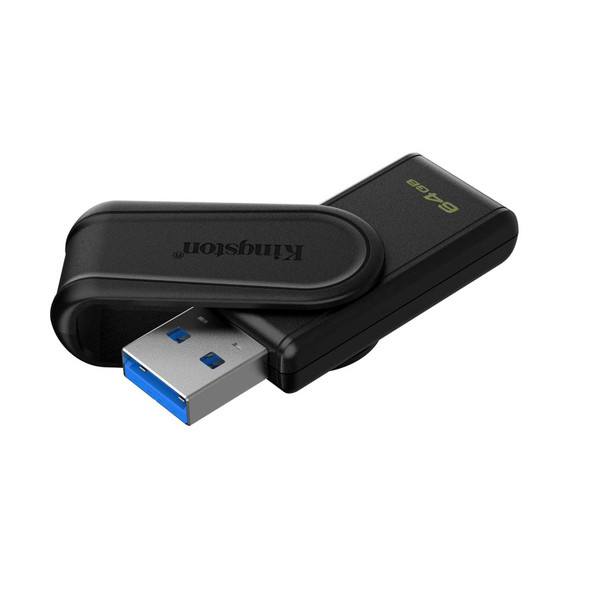
Kingston DataTraveler Exodia S DTXS/64GB USB Flash Drive, 64GB, USB 3.2, Black, Swivel Cap Design
Kingston