
MARVO
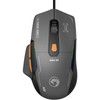
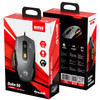
Marvo Duke 50 M368 Wired Gaming Mouse – 12800 DPI, 1000Hz, 68g RGB
- SKU:
- MIMAR-M368
- UPC:
- 6932391940860
- MPN:
- M368
- Availability:
- Free Click & Collect in Peterborough. UK delivery also available.




Description
Marvo Duke 50 M368 Wired Gaming Mouse – 12,800 DPI, 1000Hz and RGB
The Marvo Duke 50 M368 Wired Gaming Mouse is a lightweight, responsive USB gaming mouse designed for fast cursor movement, precise aiming and comfortable everyday gameplay. It combines a high-performance optical sensor, six adjustable DPI levels, a fast 1000Hz polling rate, six programmable buttons and 13-mode RGB lighting in a compact ergonomic design.
With sensitivity settings ranging from 800 to 12,800 DPI, the Duke 50 can be adjusted for precise aiming in FPS games, rapid camera movement, strategy gaming, general PC use and different monitor resolutions. Its wired USB-A connection provides consistent performance without batteries, charging or wireless signal interference.
This gaming mouse is suitable for customers searching for a Marvo M368 mouse, lightweight wired gaming mouse, 12,800 DPI gaming mouse, 1000Hz polling rate mouse, programmable RGB mouse or an affordable gaming mouse for Windows PCs and laptops.
Key Features of the Marvo Duke 50 M368
- High-performance optical sensor for accurate and responsive cursor tracking
- Six adjustable DPI levels: 800, 1600, 2400, 3200, 6400 and 12,800 DPI
- 1000Hz polling rate for fast communication between the mouse and computer
- Six programmable buttons for customised controls and frequently used commands
- Macro programming support through compatible Marvo software
- 13 RGB lighting modes for a personalised gaming setup
- Lightweight construction designed for quick movement and reduced hand fatigue
- Mechanical left and right switches rated for up to 10 million clicks
- Ergonomic gaming shape measuring approximately 125 × 65 × 39mm
- 1.5-metre USB-A cable for stable wired connectivity
- TPE mouse feet designed for smooth movement across suitable surfaces
- Windows compatibility with manufacturer software listed for Windows 7 and later
Adjustable 800–12,800 DPI Optical Sensor
The Marvo Duke 50 uses an optical gaming sensor with six selectable sensitivity levels. DPI controls how far the cursor moves in response to physical mouse movement. A lower DPI setting provides slower, more controlled movement, while a higher DPI setting allows the cursor or in-game camera to move more quickly.
Six Available DPI Settings
- 800 DPI: useful for controlled aiming and precise cursor movement
- 1600 DPI: suitable for everyday gaming and general computer use
- 2400 DPI: offers a balance between speed and accuracy
- 3200 DPI: useful for faster movement and higher-resolution displays
- 6400 DPI: designed for rapid cursor and camera movement
- 12,800 DPI: provides the mouse's highest available sensitivity
The ideal DPI setting depends on the game, screen resolution, available desk space and personal preference. FPS players may prefer a lower sensitivity for more controlled aiming, while MOBA, RTS or fast-paced players may choose a higher setting for quicker movement.
Fast 1000Hz Polling Rate
A mouse polling rate measures how frequently the mouse reports its position to the computer. The Duke 50 supports a 1000Hz polling rate, meaning it can report movement information up to 1,000 times per second under supported conditions.
This rapid communication helps provide smooth cursor tracking and responsive control during fast gameplay. It can be particularly useful in games where quick reactions, aiming adjustments and repeated movements are important.
Actual gaming responsiveness will also depend on the computer, USB connection, monitor refresh rate, game settings, frame rate and operating system configuration.
Lightweight Design for Faster Movement
The Duke 50 has a lightweight body designed to make repeated mouse movements easier. Manufacturer and supplier listings describe the mouse as approximately 63–68g without the cable, depending on the listed measurement.
A lightweight gaming mouse can be useful for players who frequently lift, reposition or flick the mouse during gameplay. The lower weight may also help reduce fatigue compared with heavier mice during longer gaming or work sessions.
Compact Ergonomic Shape
With approximate dimensions of 125 × 65 × 39mm, the Duke 50 offers a compact gaming shape intended to support comfortable hand positioning. Mouse comfort varies between users and will depend on hand size, grip style and personal preference.
The design may suit common palm, claw or fingertip-style grips, although individual comfort should be considered when selecting any gaming mouse.
Six Programmable Gaming Buttons
The Marvo M368 includes six programmable buttons, allowing compatible controls to be reassigned through Marvo's Windows software. Programmable buttons can provide faster access to common commands without requiring every action to be performed through the keyboard.
Possible Button Uses
- Weapon or equipment selection in action games
- Push-to-talk or communication controls
- Ability shortcuts in MOBA and role-playing games
- Browser forward and back navigation
- Media and productivity commands
- Custom macros for supported games and applications
Software functions can vary depending on the installed Marvo driver, Windows version and application. Some online games may restrict automated macros, so users should follow the rules and terms of the game being played.
Macro Programming and Software Customisation
Compatible Marvo software is available for the Duke 50 M368 and can be used to configure supported mouse functions. This may include button reassignment, macro creation and other available performance or lighting settings.
Standard mouse movement and basic button operation use a wired USB connection. The manufacturer software is primarily intended for users who want access to advanced customisation features.
Operating System Compatibility
The manufacturer lists the Duke 50 software as compatible with Windows 7 and later Windows systems. Basic mouse functions may operate on other systems that support standard USB mice, but advanced programming, macros and lighting customisation outside Windows are not confirmed by the manufacturer.
13-Mode RGB Gaming Lighting
The Marvo Duke 50 features RGB backlighting with 13 lighting modes. The lighting adds colour and movement to the mouse, helping it complement RGB keyboards, PC cases, mouse mats and other illuminated gaming accessories.
Available lighting effects can be used to personalise the appearance of a gaming desk or match the mouse with the rest of a PC setup. The exact appearance of colours may vary depending on ambient lighting and the selected effect.
Durable 10-Million-Click Switches
The mechanical left and right mouse switches are rated for up to 10 million clicks. This durability rating is designed to support repeated gaming, browsing, studying and everyday computer use.
Switch lifespan is a manufacturer laboratory rating rather than a guaranteed number of clicks. Actual longevity will depend on usage, click pressure, operating environment, accidental damage and general care.
Reliable Wired USB Connection
The Duke 50 connects through a 1.5-metre USB-A cable. A wired connection provides consistent communication with the computer and removes the need to charge the mouse or replace batteries.
Wired connectivity can also avoid problems associated with low battery levels, Bluetooth pairing or crowded wireless environments. Connect the mouse to an available USB-A port on a compatible Windows desktop PC, gaming computer or laptop.
No Battery or Charging Required
Because the M368 receives power directly through its USB connection, it is ready to use whenever the computer is switched on. This makes it a practical option for gaming desks, home computers, student setups and shared PCs where simple, dependable operation is important.
Smooth TPE Mouse Feet
The underside of the mouse uses TPE feet, also known as mouse skates, to help the mouse move smoothly across a suitable mouse pad or desk surface. For the best tracking and movement, use the mouse on a clean, flat and non-reflective surface.
A dedicated gaming mouse pad can help provide more consistent sensor tracking while also protecting the mouse feet and desk surface from unnecessary wear.
What Games Is the Marvo Duke 50 Suitable For?
The adjustable sensitivity, programmable controls and lightweight construction make the Duke 50 suitable for a variety of PC game genres.
- FPS games: lower DPI settings can support controlled aiming and tracking
- Battle royale games: lightweight movement can help with rapid aiming adjustments
- MOBA games: programmable buttons can provide quicker access to selected commands
- RTS games: adjustable sensitivity can support fast movement across maps and menus
- Role-playing games: additional buttons may be assigned to commonly used actions
- Casual gaming: suitable for everyday PC games and general home use
- Productivity: programmable controls may also help with browsing and supported applications
The mouse does not require a particular type of game. It can also be used as a standard wired mouse for web browsing, office applications, studying, photo organisation and general PC navigation.
Who Is the Marvo M368 Best For?
- PC gamers looking for an affordable wired gaming mouse
- Players who prefer a lightweight mouse for quick movement
- Users who want adjustable sensitivity up to 12,800 DPI
- Gamers looking for a fast 1000Hz polling rate
- Users who want programmable buttons and macro support
- Customers building a budget RGB gaming setup
- Home, student and office users who also play PC games
- Users who prefer not to charge or replace mouse batteries
Who May Need a Different Mouse?
The Duke 50 is a wired USB gaming mouse and may not be suitable for customers who specifically require wireless, Bluetooth or rechargeable connectivity. It may also not be the best choice for users who need a left-handed-specific shape, a large number of MMO side buttons or confirmed configuration software for macOS, ChromeOS or Linux.
Before ordering, check that the computer has an available USB-A port. Devices equipped only with USB-C ports will require a suitable USB-C to USB-A adapter or hub.
Marvo Duke 50 M368 Technical Specifications
| Brand | Marvo |
|---|---|
| Product Name | Marvo Duke 50 |
| Model | M368 |
| Product Type | Wired gaming mouse |
| Sensor Type | Optical |
| Maximum Resolution | 12,800 DPI |
| DPI Settings | 800 / 1600 / 2400 / 3200 / 6400 / 12,800 DPI |
| Polling Rate | Up to 1000Hz |
| Number of Buttons | 6 programmable buttons |
| Macro Support | Yes, through compatible Marvo software |
| Left and Right Switch Type | Mechanical |
| Switch Lifespan | Rated for up to 10 million clicks |
| Lighting | RGB backlighting |
| Lighting Modes | 13 RGB modes |
| Connection | Wired USB-A |
| Cable Length | 1.5 metres |
| Mouse Feet | TPE |
| Dimensions | Approximately 125 × 65 × 39mm |
| Mouse Weight | Approximately 63–68g without cable; manufacturer listings vary |
| Colour | Black / dark grey |
| Compatible Operating System | Windows 7 or later for manufacturer software |
| Software Available | Yes |
| EAN | 6932391940860 |
| Manufacturer Part Number | M368 |
What Is Included?
- 1 × Marvo Duke 50 M368 wired gaming mouse
- Attached 1.5-metre USB-A connection cable
- User documentation
A computer, mouse pad and USB adapter are not included unless separately stated in the product listing.
Important Software and Compatibility Information
The mouse can be connected to a compatible computer through an available USB-A port. Marvo software is required for supported advanced features such as button programming and macro configuration.
Software availability, functions and operating-system support can change. Users should download software only from an official Marvo support source and check that the selected software specifically identifies the Duke 50 M368.
Why Choose the Marvo Duke 50 M368?
The Marvo Duke 50 M368 combines the key features many PC gamers look for in an affordable wired mouse: adjustable sensitivity up to 12,800 DPI, a responsive 1000Hz polling rate, six programmable buttons, macro support, RGB lighting and a lightweight ergonomic design.
It is a practical choice for FPS, MOBA, RTS, role-playing and casual PC gaming, while remaining suitable for ordinary browsing, studying and everyday computer use. Its wired USB connection also provides dependable operation without charging, batteries or wireless pairing.
Choose the Marvo Duke 50 if you need a lightweight, customisable and responsive RGB gaming mouse for a compatible Windows gaming PC or laptop.
Specification
Marvo Duke 50 M368 Wired Gaming Mouse Specifications
The Marvo Duke 50 M368 is a lightweight wired USB gaming mouse featuring an optical sensor, six adjustable DPI levels up to 12,800 DPI, a 1000Hz polling rate, six programmable buttons and RGB backlighting with 13 lighting modes.
General Information
| Brand | Marvo |
|---|---|
| Product Name | Marvo Duke 50 Wired Gaming Mouse |
| Model | M368 |
| Manufacturer Part Number | M368 |
| Memox / Supplier SKU | MIMAR-M368 |
| EAN / UPC | 6932391940860 |
| Product Type | Wired gaming mouse |
| Product Colour | Black |
| Recommended Use | PC gaming, general computer use and programmable shortcut control |
Sensor and Performance
| Sensor Type | Optical |
|---|---|
| Maximum Resolution | 12,800 DPI |
| Number of DPI Levels | 6 |
| Selectable DPI Settings | 800 / 1600 / 2400 / 3200 / 6400 / 12,800 DPI |
| Maximum Polling Rate | 1000Hz |
| Polling Interval | Up to 1ms at 1000Hz |
| Tracking Technology | Optical motion detection |
Buttons and Switches
| Number of Buttons | 6 |
|---|---|
| Programmable Buttons | Yes, all 6 buttons are listed as programmable |
| Macro Programming | Yes, through compatible Marvo software |
| Left and Right Switch Type | Mechanical |
| Switch Lifespan | Rated for up to 10 million clicks |
| Scroll Wheel | Yes |
RGB Lighting
| Backlighting | RGB |
|---|---|
| Number of Lighting Modes | 13 RGB lighting modes |
| Lighting Customisation | Supported through the mouse controls and compatible Marvo software |
Connection and Cable
| Connection Type | Wired |
|---|---|
| Interface | USB |
| Connector Type | USB-A |
| Cable Length | 1.5 metres |
| Battery Required | No |
| Wireless Connection | No |
Physical Specifications
| Product Dimensions | 125 × 65 × 39mm |
|---|---|
| Length | 125mm |
| Width | 65mm |
| Height | 39mm |
| Weight Without Cable | Approximately 63–68g; Marvo's detailed table lists 63g, while its promotional specification and UK supplier listing state 68g |
| Mouse Feet / Skates | TPE |
| Design | Lightweight ergonomic gaming design |
Software and System Compatibility
| Configuration Software | Yes, Marvo Duke 50 M368 software is available |
|---|---|
| Supported Software Features | Button programming, macro configuration and supported mouse customisation |
| Officially Listed Operating Systems | Windows 7 or later |
| Basic Connection | Plug the mouse into an available USB-A port |
| USB-C Device Compatibility | A suitable USB-C to USB-A adapter or hub is required when the computer has no USB-A port |
Package Contents
| Gaming Mouse Included | 1 × Marvo Duke 50 M368 wired gaming mouse |
|---|---|
| Connection Cable | Attached 1.5m USB-A cable |
| Documentation | User manual |
| Mouse Mat Included | No |
| USB-C Adapter Included | Not listed |
Important Specification Notes
Weight: Marvo's official Duke 50 product description states that the mouse weighs 68g without its cable, while the technical specification table on the same manufacturer page states 63g without the cable. This listing therefore describes the mouse as approximately 63–68g to reflect both official figures.
DPI: The mouse provides six fixed DPI stages: 800, 1600, 2400, 3200, 6400 and 12,800 DPI. The maximum DPI setting does not mean that every user or game should be operated at 12,800 DPI.
Polling rate: The maximum listed polling rate is 1000Hz. Actual reported performance can depend on the selected software settings, USB connection, computer configuration and operating system.
Software compatibility: Marvo officially lists Windows 7 and later for its Duke 50 configuration software. Advanced programming and lighting features on other operating systems are not confirmed by the manufacturer.
Return
FAQ: Frequenlty Asked Questions
MARVO Duke 50 M368 Wired Gaming Mouse FAQ
The MARVO Duke 50 M368 is a lightweight wired USB gaming mouse with six adjustable DPI levels up to 12,800 DPI, a 1000Hz polling rate, six programmable buttons, 13 RGB lighting modes and Windows configuration software. Below are the most useful questions buyers ask about performance, DPI, weight, compatibility, software, RGB lighting, grip suitability, button programming and the difference between the M368 and M368W.
1. What is the MARVO Duke 50 M368?
The MARVO Duke 50 M368 is a lightweight wired USB gaming mouse with an optical sensor, six adjustable DPI stages up to 12,800 DPI, a 1000Hz polling rate, six programmable buttons, RGB lighting and Windows configuration software. It is designed for responsive PC gaming as well as everyday desktop use.
2. Who is the MARVO Duke 50 M368 best for?
It is best suited to PC gamers who want a lightweight, responsive and affordable wired mouse for FPS, battle royale, MOBA, strategy and general gaming. It is also a practical choice for users who prefer a stable USB connection and do not want to charge batteries.
3. Who is this gaming mouse not for?
It may not be the best choice for users who specifically need wireless or Bluetooth connectivity, a large MMO-style button grid, silent switches, an officially supported macOS configuration app, or a heavy mouse. Buyers who need those features should choose a model designed for that purpose.
4. Is the MARVO M368 wired or wireless?
The M368 is the wired version of the Duke 50. It connects through a USB-A cable and does not use Bluetooth, a wireless receiver or a rechargeable battery. MARVO also offers the separate M368W Duke 50W for buyers who want wireless connectivity.
5. What connection and cable does the mouse use?
It uses a wired USB-A connection and has a cable approximately 1.5 metres long. The wired design provides a consistent connection without pairing, charging or wireless signal interference.
6. Is the MARVO Duke 50 plug and play?
Yes. Basic cursor movement, clicking, scrolling and DPI switching should work after connecting the mouse to a compatible Windows computer. Install the MARVO software when you want to remap supported buttons, create macros or customise available settings.
7. Which operating systems are officially supported?
MARVO lists the Duke 50 M368 as compatible with Windows 7 and later Windows systems. For the most complete access to button programming, macros and lighting controls, use the official M368 Windows software.
8. Will the MARVO M368 work on macOS or Linux?
Basic USB mouse functions may work because standard mouse input is widely supported, but MARVO officially lists Windows 7 or later for this model and does not list dedicated macOS or Linux software. Advanced programming and RGB control should therefore be treated as Windows-only features.
9. How many buttons does the MARVO Duke 50 have?
The mouse has six programmable buttons. This provides the usual left click, right click and scroll-wheel functions together with additional controls that can be assigned through the supported software.
10. Can I program the buttons and create macros?
Yes. MARVO lists the six buttons as programmable and confirms support for macro programming and button customisation. Available commands depend on the software, and macros should always be used in accordance with the rules of the game or platform.
11. Where can I download the MARVO Duke 50 M368 software?
The official Mouse Marvo Duke 50 M368 software is available from the Duke 50 product or download section on MARVO's official support website. Choose the software specifically labelled for the wired M368, not the separate M368W wireless model.
12. What DPI settings are available?
The six listed DPI stages are 800, 1600, 2400, 3200, 6400 and 12,800 DPI. These settings let you switch between slower precision control and faster cursor movement.
13. Which DPI setting should I use for gaming?
There is no single best DPI for every player. Many FPS players start at 800 or 1600 DPI and then adjust the in-game sensitivity, while higher stages can be useful for fast desktop movement, high-resolution monitors or players who prefer a more sensitive cursor. Choose the setting that gives you consistent control.
14. Does 12,800 DPI make the mouse more accurate?
12,800 DPI is the maximum sensitivity setting, not a guarantee that it will improve aim. Very high DPI moves the cursor a long distance with a small hand movement. For accurate aiming, a lower or medium DPI combined with a comfortable in-game sensitivity is often easier to control.
15. Can I change DPI while playing?
Yes. The mouse provides multiple DPI stages for on-the-fly sensitivity changes. This can be useful when moving between precise aiming, fast turning, general navigation and different game genres.
16. What does the 1000Hz polling rate mean?
A 1000Hz polling rate means the mouse can report its position to the computer up to 1000 times per second, approximately once every millisecond. This supports smooth tracking and responsive input when the computer and game are operating correctly.
17. Is 1000Hz good enough for competitive gaming?
Yes. A properly implemented 1000Hz polling rate is a widely used responsive standard for competitive PC gaming. Higher polling rates exist, but they can require more processing power and the practical difference may be small for many players.
18. How much does the MARVO Duke 50 weigh?
MARVO markets the Duke 50 as an approximately 68g lightweight mouse without the cable. Its low weight is intended to make rapid movements easier and reduce hand fatigue during longer sessions. Small specification differences may occur between product tables and regional distributor data.
19. What are the dimensions of the mouse?
The listed dimensions are approximately 125 × 65 × 39mm. This is a compact-to-medium gaming-mouse size, but comfort depends on hand size and whether you use a palm, claw or fingertip grip.
20. Is the MARVO M368 suitable for FPS games?
Yes. Its lightweight body, 1000Hz polling rate, adjustable DPI and wired connection make it suitable for FPS and battle-royale games. Actual aiming performance will also depend on your grip, mouse pad, in-game sensitivity, frame rate and practice.
21. Is it suitable for MOBA, RPG and strategy games?
Yes. The programmable buttons can be assigned to useful actions or shortcuts for MOBA, RPG, real-time strategy and general PC games. However, it has six buttons rather than the large side-button grid found on dedicated MMO mice.
22. Can I use this mouse for work and everyday browsing?
Yes. It can be used for normal browsing, office work, study, editing and general desktop navigation as well as gaming. Users who need silent clicks or specialised productivity controls may prefer a dedicated office mouse.
23. How many RGB lighting modes does it have?
The wired Duke 50 M368 is listed with 13 RGB lighting modes. These effects add lighting around the mouse and can be adjusted using the controls provided by the model and its software.
24. Can the RGB lighting be changed or switched off?
The mouse supports RGB customisation through its software, although the exact controls can vary with the installed software version. Open the lighting section of the official M368 application to view the available effects, brightness options and any lighting-off setting.
25. How durable are the mouse switches?
The main mechanical switches are rated for up to 10 million clicks. This is a laboratory-style durability rating rather than a guaranteed number of years, because real lifespan also depends on usage, force, environment and normal wear.
26. Is the MARVO Duke 50 designed for drag clicking or butterfly clicking?
MARVO does not specifically advertise the M368 as a drag-clicking mouse or list adjustable debounce settings. Clicking techniques and results can vary, and repeated or automated clicking may be restricted in some games. Choose it for conventional gaming use rather than buying it solely for a particular click technique.
27. Will it work with PlayStation or Xbox consoles?
A console may recognise basic USB mouse input, but mouse support is controlled by each console, game and menu. MARVO officially lists Windows compatibility for the M368, so console operation, button programming and RGB software support are not guaranteed.
28. Do I need a gaming mouse pad?
The mouse can work on many suitable flat surfaces, but a clean cloth or hard mouse pad normally gives more consistent tracking and protects the TPE feet from rough desks. Avoid glass, mirrored, highly reflective or uneven surfaces.
29. What should I do if the mouse is not detected?
Try another USB port, avoid an unpowered USB hub, restart the computer and check Windows Device Manager. If basic functions work but programming does not, remove any incorrect MARVO software and install the application specifically for the wired Duke 50 M368. Test the mouse on another computer if the problem continues.
30. What should I do if the cursor skips or feels inaccurate?
Clean the optical sensor carefully, use a suitable mouse pad, reconnect the USB cable and test a lower DPI setting. Also close conflicting mouse software, disable unusual acceleration settings if appropriate and try another USB port. Tracking problems on only one surface usually indicate a surface issue rather than a faulty mouse.
31. What is included in the box?
MARVO lists the package contents as the Duke 50 M368 wired mouse, its attached USB cable and a user manual. A wireless receiver, battery and charging cable are not required because this is the wired model.
32. MARVO Duke 50 M368 vs M368W: which should I choose?
Choose the M368 when you want the lightest option, a stable wired USB connection, 13 RGB modes and no battery charging. Choose the separate M368W Duke 50W when you need 2.4GHz wireless, Bluetooth and wired modes across more devices. The M368W is heavier and includes a rechargeable battery, while the M368 is the simpler wired gaming model.
Related Products
Related Products

Marvo Scorpion CM310 Loot 30 3 in 1 RGB Wired Gaming UK Layout TKL Keyboard, Mouse and Mat Bundle (Black)
MARVO
Marvo Scorpion CM310 Loot 30 3 in 1 RGB Wired Gaming UK Layout TKL Keyboard, Mouse and Mat Bundle (White)
MARVO


Marvo Scorpion M292 Capo 20 USB RGB Programmable Gaming Mouse (Black)
MARVO
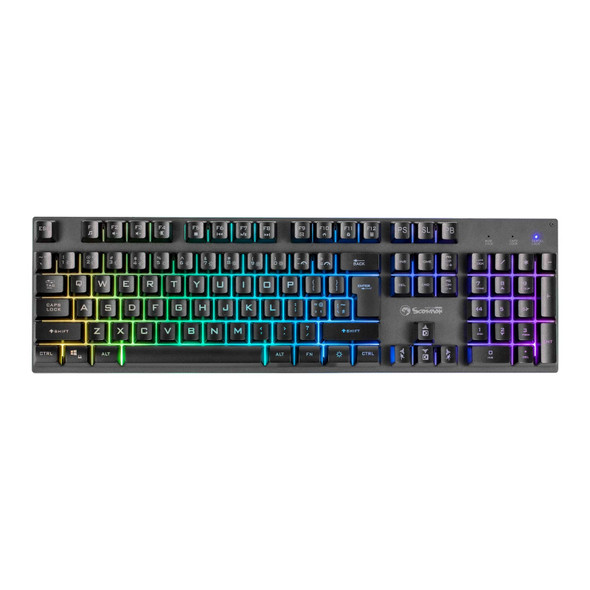

Marvo Scorpion K604 Soldat 20 Wired RGB Multimedia UK Layout Gaming Keyboard
MARVO