
MARVO
Marvo Scorpion CM310 Loot 30 3 in 1 RGB Wired Gaming UK Layout TKL Keyboard, Mouse and Mat Bundle (Black)
- SKU:
- KEMAR-CM310-BK
- UPC:
- 6932391925102
- MPN:
- CM310-BK
- Availability:
- Free Click & Collect in Peterborough. UK delivery also available.


Description
Marvo Scorpion CM310 LOOT30 3-in-1 RGB Gaming Bundle – UK TKL Keyboard, Gaming Mouse and Mouse Mat
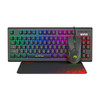
The Marvo Scorpion CM310 LOOT30 3-in-1 RGB Gaming Bundle (CM310-BK) is a wired PC gaming accessory set designed for gamers who want a compact keyboard, adjustable gaming mouse and mouse mat in one coordinated package. Featuring a UK-layout tenkeyless (TKL) membrane keyboard, seven-button RGB gaming mouse and non-slip gaming mouse mat, the bundle provides practical peripherals for gaming, everyday computing and home desktop setups.
The included keyboard has a manufacturer-listed 87-key TKL design, double-shot keycaps, 25-key anti-ghosting support and three rainbow backlight modes. The wired gaming mouse offers four adjustable DPI settings from 800 to 3200 DPI, seven programmable buttons, seven RGB lighting modes and a 1000Hz polling rate. A 280 x 230mm mouse mat with a smooth fabric surface and anti-slip rubber base completes the set.
Designed primarily for compatible desktop PCs and laptops, the Marvo CM310 LOOT30 is a convenient option for building an affordable gaming setup without purchasing each accessory separately. Its wired USB connectivity eliminates wireless pairing and battery charging, while the compact TKL keyboard layout provides additional desk space for mouse movement.
Quick answer: The Marvo CM310 LOOT30 is a black 3-in-1 wired PC gaming bundle containing a UK-layout TKL membrane keyboard, a seven-button gaming mouse with adjustable sensitivity up to 3200 DPI, and a 280 x 230 x 2mm mouse mat. The keyboard offers 25-key anti-ghosting and rainbow backlighting, while the mouse features a 1000Hz polling rate and seven RGB lighting modes. A headset is not included.
Key Features of the Marvo CM310 LOOT30 Gaming Bundle
- Complete 3-in-1 gaming setup: Includes a wired gaming keyboard, wired gaming mouse and matching mouse mat.
- UK keyboard layout: Designed for customers who prefer a British keyboard arrangement.
- Compact tenkeyless design: 87-key TKL keyboard removes the separate number pad to provide more room for mouse movement.
- Membrane keyboard switches: Familiar key operation suited to gaming, typing and everyday use.
- Double-shot keycaps: Designed to help maintain clear and durable key legends.
- 25-key anti-ghosting: Helps recognise supported simultaneous key combinations during gaming.
- Three rainbow backlight modes: Illuminated keyboard styling for a gaming desktop.
- Multimedia functions: F1 to F12 multimedia shortcuts for supported controls.
- Keyboard durability: Manufacturer-rated lifespan of up to 10 million key presses.
- Seven-button gaming mouse: Programmable buttons for supported functions using compatible software.
- Adjustable DPI: Four settings: 800, 1200, 2400 and 3200 DPI.
- 1000Hz mouse polling rate: Manufacturer-rated reporting frequency for responsive input.
- Seven RGB mouse lighting modes: Customisable illuminated mouse appearance.
- Ambidextrous mouse design: Symmetrical shape intended to suit a range of grip preferences.
- Mouse switch durability: Manufacturer-rated lifespan of three million clicks.
- Non-slip gaming mouse mat: High-density fabric surface with rubber base and stitched edges.
- Mouse mat dimensions: 280 x 230 x 2mm.
- Wired USB connection: No batteries or wireless pairing required.
- Black colour: Matching accessories for a coordinated gaming desk.
- Manufacturer part number: CM310-BK.
Three Gaming Essentials in One Convenient Bundle
The Marvo LOOT30 combines three useful PC accessories that work together to create a practical gaming environment.
The keyboard provides the primary controls for gaming and typing, the mouse enables precise pointer movement and adjustable sensitivity, and the mouse mat offers a consistent surface for everyday mouse tracking.
What Is Included in the Marvo CM310 Box?
- 1 x Marvo TKL membrane gaming keyboard.
- 1 x Marvo wired RGB gaming mouse.
- 1 x Marvo gaming mouse mat.
- 1 x user manual.
These are the manufacturer-listed package contents for the CM310 LOOT30 gaming combo.
Important: A gaming headset, microphone, monitor and computer are not included. Customers requiring a headset should choose a separate compatible headset or a gaming bundle that specifically includes one.
Ideal for a First Gaming PC
Choosing gaming peripherals individually can be time-consuming, especially for beginners who are unfamiliar with keyboard layouts, mouse sensitivity and connection types.
The CM310 LOOT30 provides a straightforward starting point, supplying the essential keyboard, mouse and mouse mat together.
It is particularly useful for entry-level gaming desktops, student setups and home computers that need gaming-style accessories without premium peripheral pricing.
Compact UK Layout TKL Gaming Keyboard
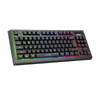
The Marvo CM310 keyboard uses a tenkeyless (TKL) layout, which removes the separate numerical keypad found on conventional full-size desktop keyboards.
The manufacturer specifies an 87-key design, making it more compact than a standard full-size gaming keyboard.
What Is a Tenkeyless Gaming Keyboard?
A tenkeyless keyboard retains the main letter keys, number row, function keys and navigation controls while omitting the separate number pad.
This reduces the keyboard's overall width, creating additional room for mouse movement and helping users arrange accessories on smaller desks.
TKL keyboards are popular with gamers who prefer the mouse closer to the keyboard or want more usable space for broad mouse movements.
UK Keyboard Layout for British Users
This listing is for the UK-layout version of the Marvo CM310 LOOT30.
It is designed for customers who prefer familiar UK keyboard key placement for everyday typing, gaming commands, passwords and general computer use.
The operating system's selected keyboard language and layout should also match the physical keyboard to ensure characters appear as expected.
Keyboard Dimensions and Desk Space
Marvo specifies keyboard dimensions of 372 x 151 x 37mm, making it suitable for many home computer desks and gaming stations.
The keyboard weighs approximately 580g and includes a 1.6-metre USB cable.
Layout note: Because this is a TKL keyboard, it does not have a dedicated number pad. Customers who frequently enter large amounts of numerical data may prefer a full-size keyboard.
Membrane Switches with Double-Shot Keycaps
The CM310 LOOT30 keyboard features a membrane switch mechanism and double-shot keycaps.
Membrane keyboard technology is commonly found in mainstream PC peripherals and provides familiar typing operation for gaming and everyday computing.
Is the Marvo CM310 a Mechanical Keyboard?
No. The Marvo CM310 uses membrane switches rather than individual mechanical key switches.
This makes it a value-focused keyboard for customers who want a compact gaming layout and illuminated styling without investing in specialist mechanical keyboard equipment.
Mechanical switch replacement, hot-swappable sockets and mechanical switch specifications are not features advertised for this model.
Double-Shot Keycap Construction
The keyboard features double-shot keycaps, a construction method designed to provide durable key legends.
This helps distinguish the keyboard from basic printed-keycap designs and supports long-term legibility during normal usage.
10 Million Key Presses Rated Lifespan
Marvo specifies a keyboard switch lifespan of approximately 10 million key presses.
This is a manufacturer laboratory durability rating rather than a guarantee that every key will last for a particular number of years.
25-Key Anti-Ghosting for Gaming Controls
The Marvo CM310 keyboard includes 25-key anti-ghosting support, designed to improve recognition of supported multiple key presses.
Games often require users to press several buttons at the same time, such as movement keys, sprint, crouch and action commands.
What Does 25-Key Anti-Ghosting Mean?
Anti-ghosting helps a keyboard distinguish certain simultaneous key combinations and reduces the risk of unintended or missed inputs.
Marvo specifies 25 anti-ghosting keys for the CM310 keyboard.
This feature can be useful for supported gaming control combinations, particularly when several keys are held during movement or other actions.
Important clarification: The 25-key anti-ghosting specification does not mean the keyboard has unlimited N-key rollover or that every possible combination of 25 keys is guaranteed to register.
Multimedia Shortcuts with F1–F12
The CM310 keyboard also provides multimedia functions associated with the F1 to F12 keys.
These shortcuts can make certain supported system or media functions more convenient to access.
Actual shortcut behaviour depends on the keyboard's function combinations and the connected operating system.
Three Rainbow Keyboard Backlight Modes
The Marvo CM310 features three rainbow backlight modes, giving the compact keyboard an illuminated gaming appearance.
Backlighting can make the keyboard easier to identify in dim environments while complementing the mouse's RGB lighting.
RGB Gaming Style for Your Desktop
The illuminated keyboard creates a more distinctive desktop appearance than an unlit basic office keyboard.
Combined with the included RGB mouse, the LOOT30 provides a coordinated look for casual gaming setups, student bedrooms and home PC desks.
Lighting note: Marvo specifies three rainbow backlight modes for the keyboard. Individually addressable per-key RGB lighting or full software-controlled keyboard lighting is not confirmed for this model.
Seven-Button RGB Gaming Mouse with Adjustable DPI
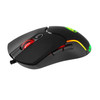
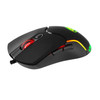
The CM310 gaming mouse is designed to provide adjustable sensitivity, additional buttons and RGB lighting for supported PC gaming and general computing tasks.
Marvo specifies a seven-button design, 1000Hz polling rate, 10G acceleration rating and four selectable DPI settings.
Four Adjustable DPI Levels – Up to 3200 DPI
The mouse offers the following manufacturer-specified sensitivity settings:
- 800 DPI: Lower sensitivity for controlled mouse movements and users who prefer greater physical movement.
- 1200 DPI: Moderate sensitivity suitable for many everyday computing tasks.
- 2400 DPI: Higher pointer sensitivity for users who prefer quicker movement across the screen.
- 3200 DPI: The maximum manufacturer-listed sensitivity for the CM310 mouse.
DPI means dots per inch and describes mouse sensitivity. The ideal setting depends on the game, screen resolution, operating system settings and the user's preference.
DPI clarification: The correct maximum for this model is 3200 DPI, not 7200 DPI or 8000 DPI. Higher DPI settings do not automatically produce more accurate gaming performance.
Seven Programmable Mouse Buttons
Marvo advertises seven programmable buttons for the CM310 gaming mouse.
With supported driver software, users can configure available button functions to suit their applications or gaming requirements.
Additional mouse buttons may also provide convenient access to navigation functions in compatible software.
Advanced button programming depends on the appropriate Marvo software and operating system support.
Ambidextrous Mouse Shape
The mouse features a manufacturer-described ambidextrous design, offering a symmetrical shape suitable for different grip preferences.
However, button accessibility and comfort may differ between left-handed and right-handed users.
1000Hz Polling Rate and 10G Acceleration
The Marvo CM310 mouse has a manufacturer-listed 1000Hz polling rate.
Polling rate refers to how frequently the mouse reports information to the connected computer.
What Does a 1000Hz Polling Rate Mean?
A 1000Hz polling rate corresponds to a nominal report interval of one millisecond under supported conditions.
This can support responsive mouse input, although overall click latency and gaming responsiveness also depend on the sensor, computer, operating system, display and game engine.
10G Rated Acceleration
Marvo lists a 10G acceleration specification for the mouse sensor.
This is a manufacturer sensor performance rating, rather than a guarantee of aiming precision or improved gaming results.
90g Mouse with 1.6m Cable
The mouse weighs approximately 90g and measures 127 x 66 x 39mm.
Its 1.6-metre wired cable includes a magnetic ring, as listed by the manufacturer.
Marvo also specifies a switch lifespan of approximately three million clicks.
Seven RGB Lighting Modes on the Gaming Mouse
The Marvo CM310 gaming mouse features seven RGB lighting modes, allowing users to choose from the supported illuminated effects.
This creates a visual match with the keyboard's rainbow lighting and gives the desktop a gaming-themed appearance.
Optional Marvo Mouse Configuration Software
Marvo provides CM310 software through its official product support resources and lists driver support for the mouse.
Compatible software can be used for supported configuration functions, including programmable mouse button features.
Availability and functionality depend on the operating system and the specific software version.
Important: Basic USB mouse movement and advanced software programming are separate functions. Do not assume that every programming feature is available without the appropriate manufacturer driver.
High-Density Fabric Gaming Mouse Mat
The third accessory included in the Marvo LOOT30 is a 280 x 230 x 2mm gaming mouse mat, designed to provide a dedicated tracking surface for the bundled gaming mouse.
Marvo specifies a high-density, smooth fabric surface, anti-slip rubber base and durable stitched edging.
Smooth Surface for Consistent Mouse Movement
A suitable mouse mat can provide a more predictable surface for optical mouse tracking than some glossy or uneven desks.
The smooth fabric finish is designed for comfortable everyday movement during gaming, browsing and other computer tasks.
Anti-Slip Rubber Base
The rubber base is designed to reduce unwanted movement during mouse operation.
This can help keep the mat in position while the user adjusts sensitivity or makes repeated movements during gameplay.
Durable Stitched Edges
The mouse mat features stitched edging intended to help protect the fabric border against everyday wear.
Marvo also describes the mat surface as water-resistant and easy to clean.
Important: Water resistance applies to the mouse mat material and does not mean that the keyboard or mouse is waterproof.
Compact Mouse Mat Size
Measuring 280mm wide and 230mm deep, the mat provides a practical surface for the mouse while fitting easily alongside the TKL keyboard.
This is a conventional mouse mat rather than a full-width extended desk mat.
Wired USB Connectivity for Compatible PCs and Laptops
The Marvo CM310 gaming bundle uses wired USB connections for the keyboard and mouse.
The keyboard has a USB 2.0 interface and a 1.6-metre cable, while the mouse also includes a 1.6-metre wired connection.
Windows Gaming Desktop Compatibility
The keyboard and mouse are designed primarily for compatible Windows desktop PCs and gaming systems with suitable USB ports.
Normal typing and pointer movement use standard keyboard and mouse input functionality, while advanced button programming may require Marvo's supported driver software.
Gaming Laptop Compatibility
The LOOT30 can also be a useful option for laptop users who prefer an external gaming keyboard and mouse.
A TKL keyboard can provide a more comfortable desk arrangement for some users than relying on the laptop's built-in keyboard.
Ensure the laptop has enough suitable USB ports. A compatible USB hub may be needed if other peripherals are already connected.
USB-C-Only Computers
The supplied keyboard and mouse use conventional wired USB connectivity.
Computers without suitable USB Type-A ports may require an appropriate USB-C adapter or USB hub.
Adapters and hubs are not specified as included in the bundle.
Does the Marvo CM310 Work with PS5 or Xbox?
The CM310 LOOT30 is primarily sold as a PC gaming keyboard, mouse and mouse mat set.
Some gaming consoles support selected USB keyboards and mice, but compatibility varies by console, game and supported input functions.
For example, a keyboard may work for certain system menus without being supported for gameplay in every title.
Recommendation: If purchasing specifically for PlayStation, Xbox or another console, check the console manufacturer's supported USB peripherals and the intended game's keyboard and mouse requirements. Full console compatibility is not guaranteed.
Marvo CM310 LOOT30 vs Marvo CM416 LOOT40
Marvo offers different multi-accessory gaming bundles for customers with different desk setups and peripheral requirements.
CM310 LOOT30 – Compact Three-Piece Setup
The CM310 LOOT30 includes an 87-key TKL keyboard, seven-button gaming mouse and mouse mat.
Its compact keyboard design is particularly useful for users who want more desk space for mouse movement.
The mouse provides up to 3200 DPI with four selectable sensitivity settings.
CM416 LOOT40 – Full-Size Four-Piece Setup
The CM416 LOOT40 provides a full-size UK keyboard, gaming mouse, headset and mouse mat.
Its keyboard includes a number pad, and its mouse supports up to 8000 DPI according to the manufacturer's specifications.
Which should you choose? Select the CM310 if you prefer a compact TKL keyboard and already have a suitable headset. Consider the CM416 if you want a full-size keyboard and a headset included in the same package.
Who Is the Marvo CM310 LOOT30 Best For?
- Beginner PC gamers: Customers creating their first gaming setup using affordable wired peripherals.
- TKL keyboard enthusiasts: Users who prefer a smaller keyboard without a number pad.
- Students: Customers needing an external keyboard and mouse for supported home study and gaming tasks.
- Small gaming desks: Users wanting more space for mouse movement.
- Casual gamers: People playing supported PC games without requiring premium professional peripherals.
- Home computer users: Customers replacing an older keyboard, mouse and mouse mat.
- Gaming laptop owners: Users creating a desktop-style gaming setup around a compatible laptop.
- Budget-conscious PC builders: Customers wanting the main input accessories together in one package.
Who Should Consider a Different Gaming Bundle?
The Marvo CM310 LOOT30 is designed as a value-focused gaming accessory set and may not suit every gaming requirement.
- Users requiring a headset: This is a three-piece bundle and does not include headphones or a microphone.
- Full-size keyboard users: The TKL keyboard has no dedicated number pad.
- Mechanical keyboard enthusiasts: The keyboard uses membrane switches.
- Wireless gaming setups: The keyboard and mouse use wired USB connections.
- Users requiring more than 3200 DPI: The included mouse's maximum manufacturer-listed sensitivity is 3200 DPI.
- Professional competitive gamers: Specialist gaming peripherals may offer more advanced sensors, switches or software.
- Customers wanting per-key RGB: The keyboard's manufacturer-listed lighting consists of three rainbow modes.
- Users requiring a full-desk mouse mat: The included 280 x 230mm mat is not an extended desk pad.
Marvo Scorpion CM310 LOOT30 Technical Overview
- Brand: Marvo Scorpion
- Model: CM310 LOOT30
- Manufacturer Part Number: CM310-BK
- EAN / GTIN: 6932391925102
- Colour: Black
- Bundle Type: 3-in-1 wired gaming peripherals
- Package Contents: Keyboard, mouse, mouse mat and user manual
- Keyboard Layout: UK TKL
- Keyboard Key Count: 87, manufacturer-listed
- Keyboard Switch Type: Membrane
- Keyboard Keycaps: Double-shot
- Keyboard Anti-Ghosting: 25 keys
- Keyboard Backlight: 3 rainbow modes
- Keyboard Multimedia Functions: F1–F12
- Keyboard Interface: USB 2.0
- Keyboard Cable Length: 1.6m
- Keyboard Dimensions: 372 x 151 x 37mm
- Keyboard Weight: Approximately 580g
- Keyboard Switch Lifespan: 10 million key presses
- Mouse Buttons: 7 programmable buttons
- Mouse DPI: 800 / 1200 / 2400 / 3200
- Maximum Mouse DPI: 3200
- Mouse Polling Rate: 1000Hz
- Mouse Acceleration: 10G
- Mouse Lighting: 7 RGB modes
- Mouse Design: Manufacturer-described ambidextrous shape
- Mouse Cable: 1.6m with magnetic ring
- Mouse Dimensions: 127 x 66 x 39mm
- Mouse Weight: Approximately 90g
- Mouse Switch Lifespan: 3 million clicks
- Mouse Software: Manufacturer-provided CM310 driver/software
- Mouse Mat Material: High-density smooth fabric
- Mouse Mat Base: Anti-slip rubber
- Mouse Mat Edge: Stitched
- Mouse Mat Dimensions: 280 x 230 x 2mm
- Primary Use: Compatible desktop and laptop PC gaming
- Wireless Connectivity: No
- Headset Included: No
How to Set Up the Marvo CM310 Gaming Bundle
- Unpack the accessories: Check that the TKL keyboard, mouse, mouse mat and user manual are present.
- Position the keyboard: Place the compact keyboard in a comfortable position on the desk.
- Position the mouse mat: Place the 280 x 230mm mouse mat alongside the keyboard on a clean, stable surface.
- Connect the keyboard: Plug its wired USB connector into a compatible USB port on the computer.
- Connect the gaming mouse: Connect the mouse to another suitable USB port.
- Check keyboard operation: Confirm that typing and the expected UK layout work correctly.
- Test mouse movement: Verify that the pointer and buttons respond normally.
- Select mouse sensitivity: Choose a suitable DPI setting from 800, 1200, 2400 or 3200.
- Choose lighting modes: Adjust the keyboard and mouse illumination using the supported controls and instructions.
- Install supported software if needed: Visit Marvo's official support resources for CM310 mouse configuration software when using programmable features.
Important Compatibility and Buying Notes
UK Layout and TKL Keyboard Size
This product is the black CM310-BK bundle with a UK-layout TKL keyboard. It does not include a separate numerical keypad.
Maximum Mouse DPI Is 3200
Marvo specifies four sensitivity settings: 800, 1200, 2400 and 3200 DPI. Claims of 7200 DPI or 8000 DPI do not apply to this model.
Membrane, Not Mechanical
The keyboard uses membrane switches and double-shot keycaps. It is not advertised as a mechanical or hot-swappable keyboard.
Anti-Ghosting Applies to Supported Keys
The 25-key anti-ghosting feature supports selected simultaneous key combinations. It is not a claim of unlimited keyboard rollover.
Headset Is Not Included
The LOOT30 contains a keyboard, mouse and mouse mat. A headset, speaker system and other gaming accessories must be purchased separately.
Check Computer and Console Compatibility
The keyboard and mouse require compatible wired USB connections. Full compatibility with every operating system, gaming console or game is not guaranteed.
Why Choose the Marvo Scorpion CM310 LOOT30 Gaming Bundle?
The Marvo Scorpion CM310 LOOT30 3-in-1 RGB Gaming Bundle combines a compact UK TKL keyboard, programmable RGB gaming mouse and smooth non-slip mouse mat in one convenient wired package.
Its 87-key membrane keyboard provides a space-saving design, 25-key anti-ghosting and three rainbow lighting modes, while the gaming mouse offers seven buttons, four DPI settings up to 3200 and a 1000Hz polling rate.
The included mouse mat provides a dedicated tracking surface with anti-slip rubber backing and stitched edges, completing a practical setup for everyday PC gaming and computing.
Choose the Marvo CM310-BK LOOT30 if you want an affordable black gaming keyboard, mouse and mat set with UK layout, compact TKL design and wired USB connectivity.
Explore more keyboard and mouse kits at Memox or browse our gaming peripheral bundles to compare accessories for your PC setup.
Official manufacturer reference: Marvo CM310 LOOT30 official product specifications.
Specification
Marvo Scorpion CM310 LOOT30 3-in-1 RGB Gaming Bundle – Technical Specifications
The Marvo Scorpion CM310 LOOT30 Black (CM310-BK) is a three-piece wired gaming peripheral bundle featuring a UK-layout 87-key tenkeyless membrane keyboard, a seven-button RGB gaming mouse and a high-density fabric mouse mat. The keyboard includes 25-key anti-ghosting and three rainbow backlight modes, while the mouse features four sensitivity settings up to 3200 DPI, a 1000Hz polling rate and seven RGB lighting modes.
General Information
| Brand | Marvo Scorpion |
|---|---|
| Manufacturer | Marvo |
| Product Series | LOOT30 |
| Product Model | CM310 |
| Manufacturer Part Number | CM310-BK |
| Memox SKU | KEMAR-CM310-BK |
| Product Name | Marvo Scorpion CM310 LOOT30 3-in-1 RGB Wired Gaming Keyboard, Mouse and Mouse Mat Bundle |
| Product Type | Wired gaming peripheral bundle |
| Number of Products | 3 gaming accessories |
| Product Colour | Black |
| Keyboard Layout | UK QWERTY, tenkeyless (TKL) |
| Connectivity | Wired USB |
| Primary Application | Compatible desktop PC and laptop gaming |
| Packaging Type | Retail packaging |
Bundle Contents Overview
| Gaming Keyboard | 1 x wired UK-layout TKL membrane keyboard |
|---|---|
| Gaming Mouse | 1 x wired RGB gaming mouse |
| Gaming Mouse Mat | 1 x high-density fabric mouse mat |
| Keyboard Included | Yes |
| Mouse Included | Yes |
| Mouse Mat Included | Yes |
| Gaming Headset Included | No |
| Wireless Receiver Included | Not required – the keyboard and mouse are wired |
| User Manual | Included |
| Computer Included | No |
Gaming Keyboard – General Specifications
| Keyboard Type | Wired gaming keyboard |
|---|---|
| Keyboard Form Factor | Tenkeyless (TKL) |
| Keyboard Layout | UK QWERTY |
| Manufacturer-Listed Number of Keys | 87 |
| Dedicated Number Pad | No |
| Switch Technology | Membrane |
| Mechanical Switches | No |
| Keycap Construction | Double-shot keycaps |
| Anti-Ghosting | 25-key anti-ghosting support |
| Multimedia Functions | F1–F12 multimedia shortcuts |
| Keyboard Interface | USB 2.0 |
| Connection Type | Wired |
| Keyboard Colour | Black |
Gaming Keyboard – Backlighting and Durability
| Keyboard Backlighting | Yes |
|---|---|
| Backlight Style | Rainbow |
| Backlight Modes | 3 |
| Backlight Description | Three manufacturer-specified rainbow backlight modes |
| Per-Key Addressable RGB | Not specified by Marvo |
| Anti-Ghosting Key Support | 25 keys |
| Full N-Key Rollover | Not specified by Marvo |
| Manufacturer-Rated Switch Lifespan | 10 million key presses |
| Keyboard Switch Type | Membrane |
| Hot-Swappable Mechanical Switches | Not supported as an advertised feature |
Keyboard Lighting Note: The keyboard has three rainbow backlight modes. Marvo does not specify individually addressable per-key RGB or full software-controlled lighting for this model.
Anti-Ghosting Note: The 25-key anti-ghosting rating refers to supported key combinations. It does not guarantee unlimited simultaneous key registration.
Gaming Keyboard – Physical Specifications
| Keyboard Dimensions | 372 x 151 x 37mm |
|---|---|
| Keyboard Width | 372mm |
| Keyboard Depth | 151mm |
| Keyboard Height | 37mm |
| Manufacturer-Listed Weight | 580g |
| Cable Length | 1.6 metres |
| Cable Connection | USB 2.0 |
| Keyboard Layout Design | Space-saving TKL design without separate number pad |
Gaming Mouse – General Specifications
| Mouse Type | Wired RGB gaming mouse |
|---|---|
| Mouse Design | Manufacturer-described ambidextrous design |
| Total Mouse Buttons | 7 |
| Programmable Buttons | 7, with supported software |
| Sensitivity Adjustment | Four selectable DPI levels |
| Minimum Listed DPI | 800 |
| Maximum Listed DPI | 3200 |
| DPI Setting 1 | 800 DPI |
| DPI Setting 2 | 1200 DPI |
| DPI Setting 3 | 2400 DPI |
| DPI Setting 4 | 3200 DPI |
| Polling Rate | 1000Hz |
| Manufacturer-Rated Acceleration | 10G |
| Mouse Connection | Wired USB |
| Mouse Colour | Black |
Mouse DPI Note: Marvo officially specifies 800, 1200, 2400 and 3200 DPI for the CM310. The maximum sensitivity is 3200 DPI. Figures such as 7200 DPI or 8000 DPI do not apply to this bundle.
Gaming Mouse – Lighting and Performance
| RGB Lighting | Yes |
|---|---|
| RGB Lighting Modes | 7 |
| Mouse Polling Rate | 1000Hz |
| Nominal Reporting Interval at 1000Hz | 1ms |
| Acceleration Rating | 10G |
| Button Switch Lifespan | 3 million clicks |
| Mouse Driver / Configuration Software | Available from Marvo for supported functions |
| Programmable Controls | Supported through compatible manufacturer software |
| Wireless Connectivity | No |
| Battery Charging Required | No |
Polling Rate Note: The manufacturer-listed 1000Hz polling rate describes the mouse reporting frequency. It does not guarantee a complete one-millisecond click response time or identical performance on every computer.
Gaming Mouse – Physical Specifications
| Mouse Dimensions | 127 x 66 x 39mm |
|---|---|
| Mouse Length | 127mm |
| Mouse Width | 66mm |
| Mouse Height | 39mm |
| Manufacturer-Listed Weight | 90g |
| Cable Length | 1.6 metres |
| Cable Feature | Magnetic ring fitted to cable |
| Physical Colour | Black |
| Mouse Shape | Ambidextrous-style body |
Gaming Mouse Mat – Specifications
| Mouse Mat Included | Yes |
|---|---|
| Mouse Mat Type | Gaming mouse pad |
| Surface Material | High-density, ultra-smooth fabric |
| Base Material | Anti-slip rubber |
| Edge Construction | Durable stitched edges |
| Surface Water Resistance | Manufacturer-described water-resistant surface |
| Mouse Mat Width | 280mm |
| Mouse Mat Depth | 230mm |
| Mouse Mat Thickness | 2mm |
| Overall Dimensions | 280 x 230 x 2mm |
| Mouse Mat Colour | Coordinated gaming design |
| Extended Desk Mat Format | No – standard mouse pad size |
Mouse Mat Note: The water-resistance description applies to the mouse mat's surface. The keyboard and mouse are not advertised as waterproof.
USB Connectivity and Power
| Keyboard Connectivity | Wired USB |
|---|---|
| Keyboard USB Interface | USB 2.0 |
| Mouse Connectivity | Wired USB |
| USB Ports Required | Two suitable USB connections for keyboard and mouse |
| External Power Adapter | Not required |
| Replaceable Batteries | Not required |
| Rechargeable Battery | Not applicable |
| Bluetooth Connectivity | No |
| 2.4GHz Wireless Receiver | No |
| USB-C-Only Computers | Appropriate USB adapters or hub may be required |
PC and Device Compatibility
| Primary Device Category | Desktop PCs and laptops |
|---|---|
| Windows Gaming PCs | Suitable for compatible systems supporting standard USB input devices |
| Gaming Laptops | Suitable where compatible USB ports are available |
| Home and Office PCs | Suitable for compatible USB keyboard and mouse operation |
| macOS Basic Input | May operate where standard USB keyboard and mouse support is available; advanced features not guaranteed |
| Linux Basic Input | May operate where standard USB keyboard and mouse support is available; advanced features not guaranteed |
| PlayStation Compatibility | Device- and game-dependent; full compatibility not guaranteed |
| Xbox Compatibility | Device- and game-dependent; full compatibility not guaranteed |
| Mouse Programming Software | Requires a supported operating system and compatible Marvo software |
| Headset Audio Connection | Not applicable – headset not included |
Compatibility Note: The CM310 LOOT30 is primarily intended for compatible PC gaming setups. Basic USB keyboard and mouse support may be available on other devices, but advanced features and compatibility with specific games or consoles are not guaranteed.
Keyboard and Mouse Lighting Comparison
| Keyboard Lighting | Rainbow backlighting |
|---|---|
| Keyboard Lighting Modes | 3 |
| Mouse Lighting | RGB lighting |
| Mouse Lighting Modes | 7 |
| Keyboard Per-Key RGB | Not specified |
| Mouse Lighting Configuration | Manufacturer-listed RGB modes |
| RGB Lighting on Mouse Mat | Not specified – standard fabric mouse mat |
Suitable Applications
| Casual PC Gaming | Suitable |
|---|---|
| Starter Gaming Setups | Suitable |
| Compact Gaming Desks | Suitable due to the TKL keyboard design |
| Everyday Typing | Suitable |
| Schoolwork and Study | Suitable with compatible computers |
| Home Office Use | Suitable for standard keyboard and mouse tasks |
| Mechanical Keyboard Gaming | Not applicable – membrane switches |
| Wireless Gaming | Not supported |
Retail Package Contents
| Gaming Keyboard | 1 x Marvo wired TKL membrane gaming keyboard |
|---|---|
| Gaming Mouse | 1 x Marvo wired RGB gaming mouse |
| Gaming Mouse Mat | 1 x Marvo gaming mouse pad |
| User Manual | 1 |
| Total Gaming Accessories | 3 |
| Keyboard and Mouse USB Cables | Integrated with the respective wired accessories |
| Gaming Headset | Not included |
| USB-C Adapter | Not specified as included |
| Desktop PC or Laptop | Not included |
| Retail Packaging | Manufacturer retail bundle packaging |
Warranty and Product Support
| Brand | Marvo |
|---|---|
| Model | CM310 LOOT30 Black |
| Manufacturer Part Number | CM310-BK |
| UK Distributor-Listed Warranty | 2 years, return-to-base |
| Warranty Conditions | Subject to applicable supplier and retailer warranty terms |
| Mouse Configuration Software | Available through Marvo's official CM310 product resources |
| Manufacturer Product Support | Marvo official website and support resources |
Warranty Note: A UK distributor lists a two-year return-to-base warranty for CM310-BK. The warranty handling and applicable terms for purchases from Memox should be confirmed against the supplier agreement and Memox's own published warranty information. This does not affect customers' statutory rights.
Important Keyboard Compatibility Note
The included keyboard is a UK-layout tenkeyless membrane keyboard with 87 manufacturer-listed keys. It does not feature a separate number pad and is not a mechanical or hot-swappable keyboard.
Important Mouse DPI Note
The CM310 mouse has four manufacturer-specified DPI settings: 800, 1200, 2400 and 3200. The maximum is 3200 DPI. Higher figures sometimes found in retailer descriptions should not be applied to this model.
Important Anti-Ghosting Note
The keyboard includes 25-key anti-ghosting support for selected simultaneous key combinations. This should not be confused with unlimited N-key rollover.
Important Lighting Note
The keyboard offers three rainbow backlight modes, while the mouse offers seven RGB lighting modes. Full per-key RGB customisation is not specified for the keyboard.
Important USB Compatibility Note
The keyboard and mouse use wired USB connections and normally require two available compatible USB ports. A suitable adapter or hub may be required for computers equipped only with USB-C connections.
Important Gaming Console Note
The bundle is primarily designed for PC use. Some consoles support selected USB keyboards and mice, but support varies between devices and games. Full PlayStation or Xbox compatibility is not guaranteed.
Important Package Contents Note
The CM310 LOOT30 is a 3-in-1 bundle containing a keyboard, mouse and mouse mat. A headset, microphone, gaming computer and display are not included.
Official Marvo Specifications
For the manufacturer's technical information, visit the official Marvo CM310 LOOT30 product page.
The manufacturer's product page also provides access to the CM310 mouse software for supported configuration functions.
These technical specifications are based on Marvo's published CM310 LOOT30 Black specifications and corroborating UK distributor information for part number CM310-BK. Packaging, software and product revisions may change. The retail barcode should be checked against the supplied stock before publication.
Return
FAQ: Frequently Asked Questions
MARVO Scorpion CM310 Loot 30 3-in-1 Gaming Bundle FAQ
The MARVO Scorpion CM310 Loot 30 Black (CM310-BK) is a value-focused 3-in-1 wired gaming bundle combining an 87-key UK-layout tenkeyless membrane keyboard, a 7-button RGB gaming mouse and a compact fabric gaming mouse mat. The keyboard features double-shot keycaps, 25-key anti-ghosting and three rainbow backlight modes, while the mouse offers 800 / 1200 / 2400 / 3200 DPI settings, a 1000Hz polling rate and seven RGB lighting modes.
Below are answers to the most common questions about MARVO CM310 compatibility, UK TKL keyboard layout, membrane vs mechanical switches, 25-key anti-ghosting, RGB lighting, 3200 DPI mouse settings, 1000Hz polling, programmable mouse buttons, CM310 software, Windows 11, laptop and console use, mouse-mat size, troubleshooting, CM310 vs CM416 Loot 40 and who this gaming bundle is best suited for.
1. What is the MARVO Scorpion CM310 Loot 30?
The MARVO Scorpion CM310 Loot 30 is a 3-in-1 wired gaming bundle containing an 87-key UK-layout tenkeyless membrane keyboard, a 7-button RGB gaming mouse and a compact fabric gaming mouse mat. The black version is model CM310-BK.
2. What is the exact model number for the black bundle?
The manufacturer part number for the black MARVO Loot 30 bundle is CM310-BK.
3. What is the EAN / GTIN for CM310-BK?
The EAN / GTIN for the black CM310-BK bundle is 6932391925102.
4. What is included in the box?
The bundle includes one wired 87-key membrane gaming keyboard, one wired RGB gaming mouse, one gaming mouse mat and one user manual. A headset, speakers, USB-C adapter and computer are not included.
5. Is the CM310 keyboard UK layout?
Yes. The CM310-BK sold by Memox uses a UK QWERTY keyboard layout.
6. Is the keyboard tenkeyless or full size?
It is tenkeyless (TKL). It keeps the main typing area, function row, arrow keys and navigation keys but removes the separate numerical keypad.
7. How many keys does the keyboard have?
MARVO specifies 87 keys for the CM310 keyboard.
8. Does the CM310 have a number pad?
No. The TKL layout does not include a dedicated numeric keypad. Users who frequently enter numbers may prefer a full-size keyboard or a separate USB number pad.
9. Why choose a TKL keyboard for gaming?
A TKL keyboard takes up less desk width, leaving more room for mouse movement and allowing the mouse to sit closer to the user's natural shoulder position.
10. Is the CM310 keyboard mechanical?
No. The CM310 uses membrane switches rather than mechanical switches.
11. Is the CM310 keyboard hot-swappable?
No. MARVO does not advertise hot-swappable mechanical switch sockets on this model.
12. Are membrane switches good for gaming?
They can be suitable for casual and entry-level gaming. Membrane keyboards generally offer a softer, quieter feel than many mechanical boards, although competitive players may prefer mechanical, optical or magnetic switches with more advanced rollover or actuation features.
13. Are the keycaps double-shot?
Yes. MARVO lists double-shot keycaps for the CM310 keyboard.
14. What is the rated keyboard switch lifespan?
MARVO rates the keyboard switches for approximately 10 million key presses. This is a manufacturer durability rating rather than a guarantee of a particular number of years.
15. Does the keyboard have anti-ghosting?
Yes. MARVO specifies 25-key anti-ghosting support.
16. Does 25-key anti-ghosting mean full N-key rollover?
No. MARVO specifies 25 supported anti-ghosting keys, but it does not claim full N-key rollover. The feature is designed to improve recognition of common multi-key gaming combinations, not guarantee every possible 25-key combination.
17. Why is anti-ghosting useful for gaming?
Games can require several simultaneous inputs such as movement, sprint, crouch, jump and action keys. Anti-ghosting helps reduce missed or unintended inputs when supported combinations are pressed together.
18. Does the keyboard have RGB lighting?
The keyboard has illuminated gaming backlighting, but MARVO specifically describes three rainbow backlight modes. It should not be presented as individually addressable per-key RGB.
19. How many keyboard lighting modes are available?
MARVO specifies three rainbow backlight modes for the keyboard.
20. Can the keyboard lighting be customised per key?
MARVO does not advertise per-key addressable RGB for the CM310 keyboard. The keyboard uses preset rainbow lighting modes.
21. Does the keyboard have multimedia shortcuts?
Yes. MARVO lists multimedia functions across the F1 to F12 keys.
22. Can the keyboard control volume and media playback?
The CM310 provides supported Fn multimedia shortcuts for functions such as volume and media control. Exact shortcut behaviour can depend on the connected operating system.
23. How does the keyboard connect?
The keyboard uses a wired USB 2.0 connection.
24. How long is the keyboard cable?
MARVO specifies a 1.6-metre keyboard cable.
25. What are the keyboard dimensions?
The keyboard measures approximately 372 x 151 x 37mm.
26. How much does the keyboard weigh?
MARVO lists the keyboard at approximately 580g.
27. Does the keyboard need a driver for normal typing and gaming?
No special driver is normally required for basic keyboard operation. It connects by USB and functions as a standard wired keyboard.
28. What mouse is included in the CM310 bundle?
The bundle includes MARVO's wired RGB gaming mouse for the CM310 set, with seven buttons, adjustable DPI up to 3200, a 1000Hz polling rate and seven RGB lighting modes.
29. How many buttons does the included mouse have?
MARVO specifies seven mouse buttons.
30. Are the mouse buttons programmable?
Yes. MARVO describes the mouse as having seven programmable buttons and provides CM310 configuration software through its official support resources.
31. Does mouse programming require software?
Advanced functions such as supported button programming require the official MARVO CM310 mouse software. Basic pointer and button functions can work without installing the configuration software.
32. Where can I download the CM310 mouse software?
MARVO lists the CM310 Loot 30 in the Downloads area of its official website. Use the exact CM310 model when searching for the current driver or software package.
33. What DPI settings does the mouse support?
MARVO specifies four DPI levels: 800, 1200, 2400 and 3200 DPI.
34. What is the maximum mouse DPI?
The maximum manufacturer-listed sensitivity is 3200 DPI.
35. Why do some listings show a different DPI figure?
Specifications for other MARVO bundles and mice can be mixed into retailer listings. For CM310-BK, MARVO's official CM310 page specifies 800, 1200, 2400 and 3200 DPI, with 3200 DPI as the maximum.
36. How do I change the mouse DPI?
The mouse has a DPI control that cycles through the supported sensitivity levels. The available manufacturer-listed settings are 800, 1200, 2400 and 3200 DPI.
37. Is 3200 DPI enough for gaming?
Yes for many casual and mainstream PC gaming setups. Many players actually use lower DPI settings such as 800 or 1200 and adjust in-game sensitivity to suit their preferred aiming style.
38. What polling rate does the mouse use?
MARVO specifies a 1000Hz polling rate.
39. What does 1000Hz polling rate mean?
A 1000Hz polling rate means the mouse can report its position to the computer up to 1000 times per second, corresponding to a nominal 1ms polling interval under suitable conditions.
40. What maximum acceleration is specified?
MARVO lists a maximum acceleration figure of 10G for the included mouse.
41. Is the mouse optical?
Yes. The CM310 bundle uses a wired optical gaming mouse.
42. Is the mouse ambidextrous?
MARVO describes the mouse shape as ambidextrous. The actual comfort of side-button placement can still differ between right- and left-handed users.
43. How much does the mouse weigh?
MARVO lists the mouse at approximately 90g.
44. What are the mouse dimensions?
The mouse measures approximately 127 x 66 x 39mm.
45. How long is the mouse cable?
The mouse cable is approximately 1.6 metres long.
46. What is the magnetic ring on the mouse cable?
MARVO lists a magnetic ring on the mouse cable. This is a ferrite-style interference-suppression component rather than a detachable cable feature.
47. What is the rated mouse-button lifespan?
MARVO rates the mouse switches for approximately 3 million clicks.
48. Does the mouse have RGB lighting?
Yes. MARVO specifies RGB lighting with seven lighting modes on the mouse.
49. Can the mouse lighting be changed?
Yes. The mouse supports seven manufacturer-listed RGB lighting modes. Additional configuration options can depend on the official CM310 software version.
50. Is the mouse wireless?
No. The included mouse is wired.
51. Is the keyboard wireless?
No. The included keyboard is wired.
52. How many USB ports do I need?
For direct connection, the keyboard and mouse each use their own USB connection, so two suitable USB ports are required.
53. Can I use the bundle with a laptop?
Yes, provided the laptop has suitable USB ports. USB-C-only laptops will need a compatible USB-C hub or adapter because the keyboard and mouse use standard USB connections.
54. Can I use the CM310 with Windows 11?
Yes. The bundle is designed primarily for Windows PC use, and basic keyboard and mouse functions use standard USB HID operation. MARVO also provides CM310 mouse configuration software through its support resources.
55. Can I use the keyboard and mouse without the MARVO software?
Yes for basic typing, pointer movement and normal button functions. The software is mainly relevant to supported mouse customisation such as programmable buttons and other advanced settings.
56. Can I use the CM310 on macOS?
Basic USB keyboard and mouse functions may work as standard input devices, but the physical keyboard is UK Windows-style and MARVO does not advertise equivalent macOS configuration software for the CM310. Advanced mouse programming should therefore be treated as Windows-focused.
57. Can I use the CM310 on Linux?
Basic USB keyboard and mouse functions may work through standard HID support on many Linux systems, but MARVO does not advertise Linux configuration software for the advanced mouse features.
58. Can I use the CM310 on a PlayStation 5?
A PS5 can recognise USB keyboards and mice for supported system functions and games, but game-by-game keyboard/mouse support varies. MARVO does not market the CM310 as a dedicated PS5 bundle, so compatibility with a specific title should be checked separately.
59. Can I use the CM310 on Xbox Series X or Series S?
Xbox consoles can support USB keyboards and mice in compatible games and functions, but support depends on the game. The CM310 is primarily marketed as a PC gaming bundle rather than an Xbox-specific accessory.
60. Does the bundle include a headset?
No. Loot 30 is a 3-in-1 bundle containing a keyboard, mouse and mouse mat. A headset is not included.
61. What size is the included mouse mat?
The mouse mat measures approximately 280 x 230 x 2mm.
62. Is the mouse mat an extended desk mat?
No. At 280 x 230mm, it is a compact dedicated mouse mat rather than a full-desk extended mat.
63. What material is the mouse mat made from?
MARVO describes a high-density, ultra-smooth fabric surface with an anti-slip rubber base.
64. Does the mouse mat have stitched edges?
Yes. MARVO lists durable stitched edges.
65. Is the mouse mat water-resistant?
MARVO describes the mouse-mat surface as water-resistant and easy to clean. This does not mean the keyboard or mouse should be exposed to water.
66. Does the mouse mat have RGB lighting?
No RGB lighting is specified for the mouse mat. It is a standard fabric gaming mat.
67. Is the CM310 good for FPS games?
It can be a good starter bundle for casual FPS gaming because the mouse offers selectable DPI up to 3200 and 1000Hz polling, while the TKL keyboard leaves extra mouse space. Competitive players may prefer higher-end sensors and keyboards with full rollover or faster switch technologies.
68. Is the CM310 good for Fortnite, Minecraft, Roblox or similar games?
Yes for normal PC use in compatible games. Its wired keyboard and mouse, adjustable DPI and anti-ghosting support make it suitable for many casual and entry-level gaming setups.
69. Is the CM310 suitable for competitive esports?
It can be used, but it is primarily a value-oriented starter bundle. Competitive players who require advanced sensors, very low-latency switch technology, full N-key rollover, lightweight mice or extensive software tuning may prefer specialist peripherals.
70. Is the CM310 good for everyday typing and schoolwork?
Yes. The keyboard can be used for ordinary typing, web browsing, study and home-office tasks as well as gaming. Users who rely heavily on numerical entry should remember that the TKL layout has no dedicated number pad.
71. Is a membrane keyboard quieter than a mechanical keyboard?
Membrane keyboards are often quieter and softer than many mechanical keyboards, although actual sound depends on typing force, desk surface and individual switch design.
72. Does the CM310 have dedicated macro keys?
MARVO does not advertise a separate bank of dedicated keyboard macro keys on this model. Supported programmable functions relate primarily to the included mouse and its software.
73. Can I replace the keyboard switches?
No user-replaceable or hot-swappable switch system is advertised. This is a membrane keyboard rather than a hot-swap mechanical model.
74. Can I replace the keycaps?
The keyboard uses double-shot keycaps, but MARVO does not advertise the CM310 as a standard mechanical MX-stem keycap platform. Universal mechanical keycap sets should not be assumed compatible.
75. Can I turn the keyboard lighting off?
The keyboard includes lighting controls through its supported key combinations and modes. Refer to the supplied user manual for the exact lighting shortcut on the current revision.
76. Can I adjust keyboard brightness?
The CM310 supports keyboard lighting controls through Fn shortcuts. Exact steps can vary by revision, so use the included manual for the current key combination.
77. What should I do if the keyboard is not detected?
Try another USB port, reconnect the keyboard directly to the PC, restart the system and check Device Manager if using Windows. Avoid an unreliable hub while troubleshooting and test the keyboard on another computer if possible.
78. What should I do if the mouse is not detected?
Reconnect the mouse, try a different USB port and test it without a hub. If basic pointer movement works but programming does not, reinstall the current CM310 software from MARVO's official download page.
79. Why are my mouse settings not saving?
Make sure you are using the correct CM310 software, apply or save the profile if the software provides that option, and avoid using software intended for a different MARVO mouse. Reinstall the current driver if settings behave unexpectedly.
80. Why do some simultaneous keyboard presses not register?
The CM310 has 25-key anti-ghosting on supported combinations, not full N-key rollover. If a particular unusual combination does not register, it may fall outside the keyboard's anti-ghosting matrix.
81. CM310 Loot 30 vs CM416 Loot 40 – which should I choose?
Choose the CM310 Loot 30 if you want a compact 87-key TKL keyboard, mouse and mouse mat and you already have a headset. Choose the larger CM416 Loot 40 if you prefer a full-size keyboard with number pad and want a four-piece bundle that also includes a headset.
82. CM310 vs a mechanical keyboard bundle – which is better?
The CM310 is aimed at buyers who want an affordable, coordinated keyboard/mouse/mat package with a softer membrane keyboard. A mechanical bundle may offer more distinct switch feel, higher rollover and upgrade options but usually costs more.
83. Who is the MARVO CM310 Loot 30 NOT suitable for?
It is not ideal for users who require a dedicated number pad, wireless peripherals, a mechanical or hot-swappable keyboard, full N-key rollover, per-key addressable RGB, a full-desk mouse mat, a headset in the box or a mouse rated above 3200 DPI.
84. Is the CM310 a good first gaming-peripheral bundle?
Yes. It combines the three basic desk peripherals a new PC gamer needs—a TKL keyboard, gaming mouse and mouse mat—without requiring separate purchases, while still providing anti-ghosting, adjustable DPI and illuminated styling.
85. What warranty is listed for CM310-BK?
A UK distributor currently lists a two-year return-to-base warranty for CM310-BK. Warranty handling for a Memox purchase remains subject to Memox and supplier terms and does not affect statutory consumer rights.
Related Products
Related Products
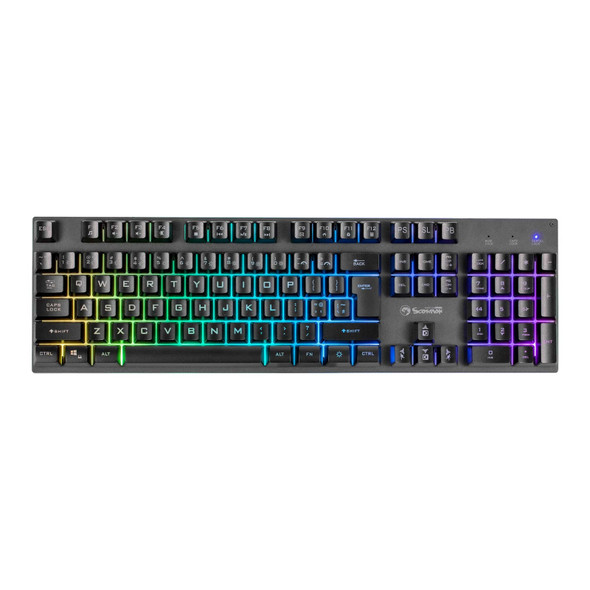

Marvo Scorpion K604 Soldat 20 Wired RGB Multimedia UK Layout Gaming Keyboard
MARVO


Marvo Scorpion M292 Capo 20 USB RGB Programmable Gaming Mouse (Black)
MARVO
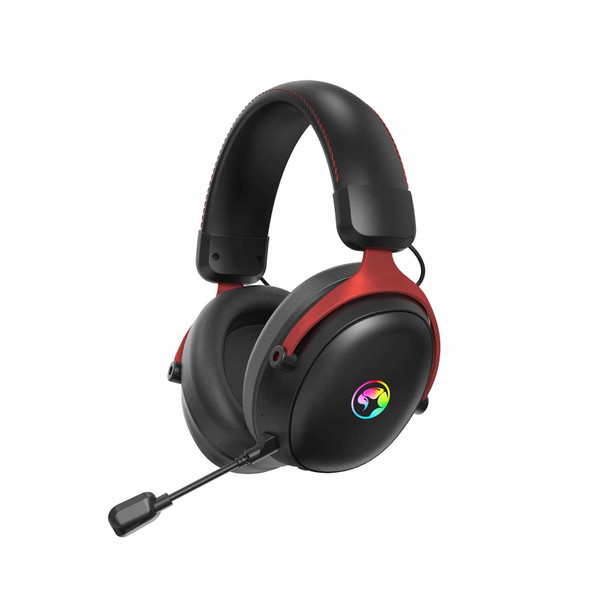

Marvo Scorpion HG9076W Tactic X Pro Wireless Bluetooth / USB-C RGB Gaming Headset (Black)
MARVO