
MARVO
Marvo Scorpion M292 Capo 20 USB RGB Programmable Gaming Mouse (Black)
- SKU:
- MIMAR-M292-BK
- UPC:
- 6932391934531
- MPN:
- M292-BK
- Availability:
- Free Click & Collect in Peterborough. UK delivery also available.


Description
Marvo Scorpion M292 Capo 20 USB RGB Programmable Gaming Mouse Black – 7 Buttons, Optical Sensor, Up to 8000 DPI
The Marvo Scorpion M292 Capo 20 is a value-focused wired RGB gaming mouse designed for players who want responsive control, adjustable sensitivity, and a comfortable shape for everyday gaming. With a high-precision optical sensor, 7 programmable buttons, and a lightweight ergonomic design, this USB gaming mouse is a practical choice for PC gamers looking for reliable performance without overspending.
This model is ideal for buyers searching for a budget gaming mouse, a programmable RGB mouse, a wired gaming mouse for PC, or an optical gaming mouse with adjustable DPI. The M292 Capo 20 combines gaming-style looks with useful everyday features, making it well suited to casual gaming, starter setups, home PCs, and entry-level esports play.
Key Features of the Marvo Scorpion M292 Capo 20
- Wired USB gaming mouse with ergonomic shape
- High-precision optical sensor for responsive tracking
- Up to 8000 DPI sensitivity for fast or precise control
- 7 programmable buttons for custom commands and shortcuts
- 7-colour RGB-style LED lighting for a gaming setup look
- 125Hz polling rate for smooth everyday gaming response
- Durable braided cable for extra strength and flexibility
- Comfortable size for long gaming sessions
- Compatible with Windows 7 and above
Designed for Everyday Gaming Performance
The Marvo Scorpion M292 Capo 20 is built for users who want a dependable gaming mouse for PC with simple plug-and-play use and responsive control. Its optical sensor is designed to deliver accurate movement and stable tracking for a wide range of games, from shooters and MOBAs to general desktop use and casual play.
For gamers upgrading from a basic office mouse, the M292 offers a more gaming-focused design with faster sensitivity adjustment, extra side controls, and a shape intended to feel more secure in the hand during extended sessions.
Adjustable DPI for Faster or More Precise Control
One of the main advantages of the M292 Capo 20 is its adjustable DPI range, allowing users to change cursor sensitivity to suit different game types and play styles. Lower DPI settings can help with steadier aiming and better control, while higher settings are useful for faster movement and quick reactions in action-heavy games.
This flexibility makes the mouse a good match for players who want one affordable mouse for both gaming and general computer use.
7 Programmable Buttons for Better Control
With 7 buttons, the Marvo Scorpion M292 Capo 20 gives users more control than a standard three-button mouse. The additional buttons can help with quicker access to common actions, in-game functions, or repeated commands, which is useful for gaming, multitasking, and general productivity.
This makes the mouse especially appealing to buyers looking for a programmable gaming mouse that adds extra functionality without moving into a much higher price bracket.
A Practical Choice for Entry-Level Gaming Setups
If you are building a budget gaming setup, the M292 Capo 20 offers many of the features buyers expect from a modern gaming mouse, including adjustable sensitivity, gaming styling, RGB lighting, extra buttons, and a wired USB connection. It is a practical option for students, casual gamers, first-time PC builders, and anyone putting together a lower-cost desktop gaming system.
RGB Lighting and Gaming Style
The Marvo Scorpion M292 Capo 20 adds visual flair to your desk with 7-colour lighting effects, helping it stand out from plain everyday mice. This gives it a more gaming-focused appearance and makes it a suitable match for RGB keyboards, mouse mats, and other illuminated accessories.
For many buyers, this is a simple and affordable way to add a more modern gaming look to a PC setup without paying premium-brand prices.
Comfortable Ergonomic Shape
The mouse is designed with an ergonomic profile intended to fit comfortably in the hand during longer sessions. This helps make it suitable not only for gaming, but also for browsing, schoolwork, office tasks, and general daily use.
Durable Wired USB Connection
The M292 Capo 20 uses a wired USB connection, giving users a stable and straightforward setup without batteries or wireless charging concerns. The 1.5m braided cable adds durability and helps the mouse feel better suited to regular use in gaming or home office environments.
For many buyers, a wired mouse is still the most practical choice for value, simplicity, and uninterrupted use.
Why Buy the Marvo Scorpion M292 Capo 20?
The Marvo Scorpion M292 Capo 20 USB RGB Programmable Gaming Mouse is a strong choice for users who want an affordable gaming mouse with more features than a basic everyday mouse. With its optical sensor, adjustable DPI, 7 programmable buttons, wired USB connection, and colourful lighting, it offers a smart balance of value, functionality, and gaming style for PC users on a budget.
Specification
- Model: Marvo Scorpion M292 Capo 20
- Model code: M292-BK
- Colour: Black
- Connection: USB wired
- Sensor type: Optical
- Buttons: 7
- Programmable buttons: Yes
- DPI levels: Adjustable, up to 8000 DPI
- Polling rate: 125Hz
- Lighting: 7-colour LED lighting
- Cable length: 1.5m braided cable
- Product dimensions: 127 x 68 x 40 mm
- Weight: 78g
- Compatible operating systems: Windows 7 and above
- Use case: Gaming, general desktop use, home and office
Specification
Marvo Scorpion M292 Capo 20 Specifications
The Marvo Scorpion M292 Capo 20 is a wired USB gaming mouse designed for responsive everyday gaming, general desktop use, and budget PC setups. It combines a high-precision optical sensor, 7 buttons, 7-colour lighting, and a lightweight ergonomic design, making it a practical choice for users who want gaming-focused features at an affordable price.
Model Identification
- Brand: Marvo
- Series: Scorpion
- Model: M292 Capo 20
- MPN / Part Number: M292-BK
- EAN: 6932391934531
- Colour: Black
- Product type: Wired gaming mouse
Sensor and Performance
- Sensor type: Optical
- Chipset: 603FP / 603EF
- DPI range: Adjustable up to 8000 DPI
- Polling rate: 125 Hz
- Tracking style: Responsive optical tracking for gaming and everyday use
Buttons and Controls
- Total buttons: 7
- Scroll wheel: Yes
- DPI adjustment: Yes
- Button layout: Left, right, scroll wheel, DPI controls, side buttons
Lighting and Design
- Lighting effect: 7-colour LED lighting
- Design: Ergonomic gaming shape
- Orientation: Right-handed design
- Finish: Black
Connection and Cable
- Connection: USB wired
- Interface: USB 2.0
- Cable length: 1.5 m braided cable
Physical Specifications
- Product dimensions: 127 x 68 x 40 mm
- Weight: 78 g
- Feet / skates: TPE
Compatibility
- Compatible operating systems: Windows 7 and above
- Software support: No dedicated software listed on official specification page
Durability
- Switch type: Mechanical
- Switch lifespan: Up to 3 million clicks
In the Box
- Marvo Scorpion M292 Capo 20 gaming mouse
- USB cable
- User manual
Return
FAQ: Frequently Asked Questions
Marvo Scorpion M292 Capo 20 FAQ
The Marvo Scorpion M292 Capo 20 is a wired RGB gaming mouse designed for everyday gaming, home use, and budget PC setups. Below are the most common questions buyers ask before choosing this Marvo gaming mouse.
1. What is the Marvo Scorpion M292 Capo 20?
The Marvo Scorpion M292 Capo 20 is a wired USB gaming mouse with RGB-style lighting, an optical sensor, and 7 buttons. It is designed for players who want an affordable gaming mouse for everyday use and general PC gaming.
2. Is the Marvo M292 Capo 20 a wired or wireless mouse?
This is a wired gaming mouse. It connects by USB and uses a cable rather than Bluetooth or 2.4GHz wireless.
3. How many buttons does the Marvo M292 have?
The Marvo M292 is listed as a 7-button gaming mouse, which makes it suitable for general gaming, browsing, shortcuts, and everyday desktop use.
4. What DPI settings does the Marvo M292 Capo 20 offer?
Official Marvo information lists multiple DPI steps including 1200, 1800, 2400, 3200, 4800, and 7200 DPI. This gives users several sensitivity options for different game styles and desktop tasks.
5. Is the Marvo M292 good for gaming?
Yes. It is a sensible option for budget gaming, casual competitive play, and everyday PC use. Buyers looking for a lower-cost mouse often choose this type of model for games, schoolwork, and normal desktop use in one device.
6. Is the Marvo M292 better for casual gaming or esports-level gaming?
This mouse is better suited to budget and casual gaming than to premium esports use. It offers useful gaming features at a low-cost level, but buyers focused on very high polling rates and higher-end sensors often compare it with more expensive mice.
7. What sensor does the Marvo M292 use?
Marvo lists the mouse as using an optical sensor. Different Marvo pages mention the 603EF or 603FP chipset naming, but both official listings describe it as an optical gaming sensor for everyday precision and responsiveness.
8. What polling rate does the Marvo M292 Capo 20 have?
Marvo lists a 125Hz polling rate for the M292 Capo 20.
9. Does the Marvo M292 have RGB lighting?
The mouse is marketed with lighting, and Marvo’s official pages describe it as having 7-color lighting effects rather than fully customizable per-zone RGB software lighting.
10. Is the lighting on the Marvo M292 fully programmable?
Official Marvo information focuses on 7-color lighting effects. Buyers looking for advanced software-driven RGB control should note that this model is positioned more as a budget lighting mouse than a premium customization mouse.
11. Does the Marvo M292 need software?
Official Marvo product information lists software support as “No”, so this mouse is better understood as a plug-and-play wired gaming mouse rather than a software-heavy model.
12. Is the Marvo M292 plug and play?
Yes. Because it is a wired USB mouse and the official product page lists no software requirement, it is suited to straightforward plug-and-play use on supported Windows systems.
13. What operating systems does the Marvo M292 support?
Marvo lists compatibility with Windows 7 and newer versions of Windows.
14. How long is the cable on the Marvo M292 Capo 20?
The official cable length is 1.5 metres. Marvo also describes it as a braided cable for added durability.
15. How much does the Marvo M292 weigh?
Marvo lists the mouse at 78 g without the cable, which makes it relatively lightweight for a budget wired gaming mouse.
16. What size is the Marvo M292 Capo 20?
The official dimensions are 127 × 68 × 40 mm. This gives buyers a better idea of hand fit before ordering.
17. Is the Marvo M292 comfortable for longer sessions?
It is designed as a compact gaming mouse for everyday comfort. Buyers comparing shape and fit usually look at its moderate size and lightweight design for general use and longer sessions.
18. How durable is the Marvo M292?
Marvo lists switch lifespan up to 3 million clicks, which is in line with its budget gaming position.
19. Is the Marvo M292 good for school, work, and everyday use too?
Yes. Although it is sold as a gaming mouse, it also suits everyday browsing, office work, and homework for users who want side buttons, adjustable DPI, and a wired USB connection.
20. Who is the Marvo Scorpion M292 Capo 20 best for?
This mouse is best for buyers who want a low-cost wired gaming mouse with 7 buttons, adjustable DPI, lighting effects, and a lightweight design for casual gaming, home use, and general PC setups.
Related Products
Related Products


Marvo Scorpion MIC-01 RGB USB Powered Flexible Gaming and Streaming Microphone
MARVO
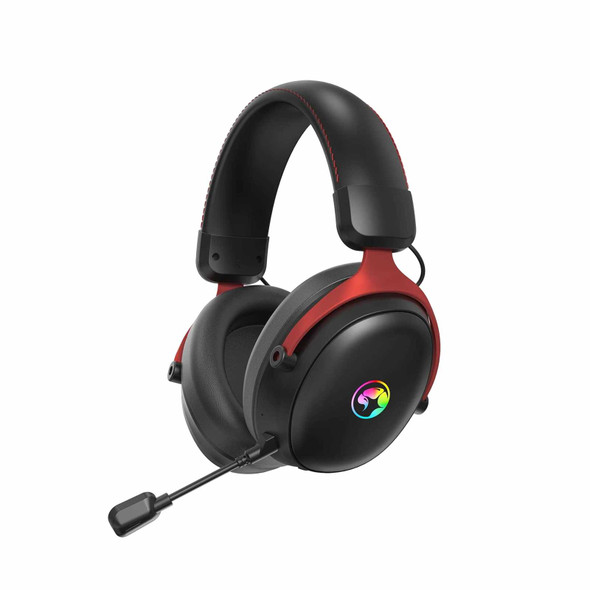

Marvo Scorpion HG9076W Tactic X Pro Wireless Bluetooth / USB-C RGB Gaming Headset (Black)
MARVO

Marvo Scorpion CM310 Loot 30 3 in 1 RGB Wired Gaming UK Layout TKL Keyboard, Mouse and Mat Bundle (Black)
MARVO
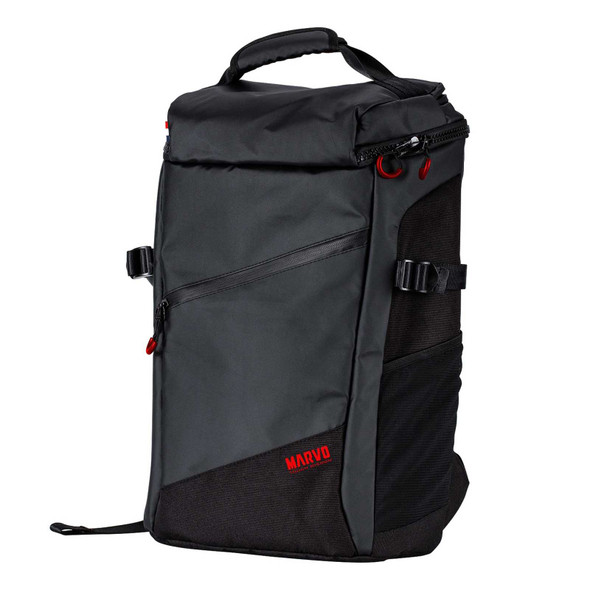

Marvo Scorpion BA-002 Ranger 600G Waterproof 15.6 Inch Gaming Laptop Backpack (Black)
MARVO