
AMD
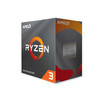
AMD Ryzen 3 4100 4 Core AM4 Processor, 8 Threads, 3.8GHz up to 4.0GHz Boost, 6MB Cache, 65W, with Wraith Stealth Cooler, No Graphics
- SKU:
- PRAMD-4100
- UPC:
- 730143314060
- MPN:
- 100-100000510BOX
- Availability:
- Free Click & Collect in Peterborough. UK delivery also available.



Description
AMD Ryzen 3 4100 AM4 Processor – 4 Cores, 8 Threads, 3.8GHz to 4.0GHz Boost, Wraith Stealth Cooler
The AMD Ryzen 3 4100 is a budget-friendly AM4 desktop processor designed for everyday PCs, entry-level gaming builds, office systems, student computers and affordable upgrade projects. With 4 cores and 8 threads, a 3.8GHz base clock, up to 4.0GHz max boost and a 65W TDP, it gives users a practical CPU option for responsive multitasking, web browsing, productivity, media use and light gaming when paired with a dedicated graphics card.
This processor is ideal for customers searching for an AMD Ryzen 3 4100 processor, AM4 budget CPU, 4-core 8-thread Ryzen CPU, Ryzen 3 processor with cooler, or an affordable CPU upgrade for compatible AM4 motherboards. The boxed version includes an AMD Wraith Stealth cooler, helping reduce the need to buy a separate basic CPU cooler for standard builds.
Key Features of the AMD Ryzen 3 4100
- 4 cores and 8 threads for everyday multitasking and responsive PC performance
- 3.8GHz base clock with up to 4.0GHz max boost clock
- Socket AM4 compatibility for supported AMD motherboards
- 65W default TDP for efficient mainstream desktop builds
- Wraith Stealth cooler included with the boxed processor
- DDR4 memory support up to 3200MT/s
- PCIe 3.0 support for compatible graphics cards and storage devices
- Unlocked processor for users with compatible motherboards and cooling
- 7nm Zen 2 architecture for efficient everyday performance
- 6MB total cache, including 2MB L2 cache and 4MB L3 cache
- No integrated graphics – a dedicated graphics card is required
- AMD StoreMI support for compatible storage acceleration setups
- Product OPN: 100-100000510BOX
Affordable AM4 CPU for Everyday Desktop PCs
The AMD Ryzen 3 4100 is designed for users who want a capable processor without paying for a high-end CPU. Its 4-core, 8-thread design gives it enough processing power for daily tasks such as web browsing, email, office software, online learning, video streaming, light photo editing and general home computing.
For budget desktop builds, it can be a strong match with a compatible AM4 motherboard, DDR4 memory, an NVMe or SATA SSD, and a dedicated graphics card. It is also a useful replacement option for older AM4 systems where the motherboard BIOS supports Ryzen 4000 Series desktop processors.
Good for Entry-Level Gaming with a Dedicated GPU
The Ryzen 3 4100 can be used in entry-level gaming PCs when paired with a suitable dedicated graphics card. It is best suited to esports titles, older games, lighter modern games and budget 1080p gaming builds where GPU choice, RAM and storage also affect performance.
Important: Dedicated Graphics Card Required
The AMD Ryzen 3 4100 does not include integrated Radeon graphics. This means the display ports on your motherboard will not output a picture unless your system also has a compatible dedicated graphics card installed.
If you need a processor with built-in graphics, consider an AMD Ryzen processor with a G suffix, such as a Ryzen APU model. For this Ryzen 3 4100, a separate graphics card is required for display output, gaming and GPU-accelerated tasks.
Buyer Compatibility Check
- Your motherboard must have an AM4 socket
- Your motherboard BIOS must support the AMD Ryzen 3 4100
- Your system must include a dedicated graphics card
- Your memory should be compatible DDR4
- Your case must have enough airflow for the CPU and GPU
Wraith Stealth Cooler Included
The boxed AMD Ryzen 3 4100 includes the AMD Wraith Stealth cooler. This cooler is suitable for standard use at stock settings and helps make the processor easier to use in budget builds where a separate aftermarket cooler may not be required.
For heavy workloads, overclocking, compact cases or warmer environments, users may still prefer a larger aftermarket cooler. However, for many everyday systems, the included Wraith Stealth cooler provides a practical starting point.
AM4 Platform and DDR4 Memory Support
The Ryzen 3 4100 uses the popular AMD AM4 platform, giving it compatibility with many AMD 400-series and 500-series motherboards when the correct BIOS support is available. It supports dual-channel DDR4 memory, with AMD listing DDR4 support up to 3200MT/s.
For best performance, use a matched pair of DDR4 memory modules in dual-channel mode. An SSD is also strongly recommended because storage speed can make a noticeable difference to boot times, loading times and general responsiveness.
PCIe 3.0 and Storage Support
The AMD Ryzen 3 4100 supports PCIe 3.0. This is suitable for many graphics cards, NVMe SSDs, SATA controllers and general desktop expansion devices. It does not offer PCIe 4.0 from the CPU, so users specifically building a high-end PCIe Gen4 storage system should consider a different Ryzen processor and compatible motherboard platform.
Who Is the AMD Ryzen 3 4100 Best For?
- Budget desktop PC builders
- Entry-level gaming PCs with a dedicated graphics card
- Office and student systems
- Home computers for browsing, email and streaming
- Users upgrading an older compatible AM4 system
- PC repair shops needing an affordable AM4 boxed CPU
- Customers who want a CPU with a cooler included
Who Is This Processor Not For?
This processor is not the best choice if you need integrated graphics, high-end gaming performance, heavy video editing, professional rendering, large workstation workloads, or PCIe Gen4 support. It also should not be used in a system without a dedicated graphics card, because it has no built-in GPU.
Technical Specifications
- Brand: AMD
- Series: Ryzen 3
- Model: Ryzen 3 4100
- Boxed OPN: 100-100000510BOX
- CPU Architecture: Zen 2
- Manufacturing Process: 7nm
- Socket: AM4
- CPU Cores: 4
- Threads: 8
- Base Clock: 3.8GHz
- Max Boost Clock: Up to 4.0GHz
- L2 Cache: 2MB
- L3 Cache: 4MB
- Total Cache: 6MB
- Unlocked: Yes
- Default TDP: 65W
- Maximum Operating Temperature: 95°C
- PCI Express Version: PCIe 3.0
- Native PCIe Lanes: 24 total / 20 usable
- Memory Type: DDR4
- Memory Channels: 2
- Maximum Memory Speed: Up to 3200MT/s
- Maximum Memory Capacity: 128GB
- ECC Support: No
- Integrated Graphics: No
- Graphics Requirement: Dedicated graphics card required
- Included Cooler: AMD Wraith Stealth
- Operating System Support: Windows 11 64-bit, Windows 10 64-bit, supported Linux distributions
- Warranty: 3-year limited manufacturer warranty for boxed processor
Important Motherboard Compatibility Note
Although the Ryzen 3 4100 uses the AM4 socket, not every AM4 motherboard will support it out of the box. Some motherboards may require a BIOS update before installation. Always check your motherboard manufacturer’s CPU support list before ordering, especially when using older A320, B350, X370, B450 or X470 motherboards.
Important No Graphics Note
The Ryzen 3 4100 has no integrated graphics. A dedicated graphics card is required for display output. If you connect a monitor to the motherboard HDMI or DisplayPort without a dedicated GPU installed, the system will not display an image.
Why Buy the AMD Ryzen 3 4100?
The AMD Ryzen 3 4100 is a practical and affordable AM4 processor for everyday desktop PCs and entry-level gaming systems. It offers 4 cores, 8 threads, a 3.8GHz base clock, up to 4.0GHz boost, DDR4 support, PCIe 3.0, a 65W TDP and an included Wraith Stealth cooler.
Choose this CPU if you want a low-cost AM4 processor for a compatible system and already have, or plan to use, a dedicated graphics card.
Specification
AMD Ryzen 3 4100 AM4 Processor Specifications
The AMD Ryzen 3 4100 is a budget-friendly Socket AM4 desktop processor with 4 cores, 8 threads, a 3.8GHz base clock and up to 4.0GHz max boost clock. It includes an AMD Wraith Stealth cooler and is designed for everyday desktop PCs, entry-level gaming systems and affordable AM4 upgrades when paired with a dedicated graphics card.
General Information
| Brand | AMD |
| Product Family | AMD Ryzen |
| Series | Ryzen 3 |
| Model | Ryzen 3 4100 |
| Boxed OPN | 100-100000510BOX |
| Tray OPN | 100-000000510 |
| Product Type | Desktop Processor / CPU |
| Recommended Use | Budget desktop PCs, home computers, office systems, student PCs, entry-level gaming builds and compatible AM4 upgrades |
CPU Specifications
| CPU Cores | 4 |
| Threads | 8 |
| Base Clock | 3.8GHz |
| Max Boost Clock | Up to 4.0GHz |
| L2 Cache | 2MB |
| L3 Cache | 4MB |
| Total Cache | 6MB |
| Unlocked for Overclocking | Yes |
| Default TDP | 65W |
| Maximum Operating Temperature | 95°C |
Architecture and Platform
| CPU Architecture | AMD Zen 2 Core Architecture |
| Manufacturing Process | 7nm |
| CPU Socket | AM4 |
| PCI Express Version | PCIe 3.0 |
| Native PCIe Lanes | 24 total / 20 usable |
| Supported Technologies | AMD StoreMI Technology, AMD Zen 2 Core Architecture, AMD Ryzen VR-Ready Premium |
Memory Support
| Memory Type | DDR4 |
| Memory Channels | 2 |
| Maximum Memory | 128GB |
| Memory Subtype | UDIMM |
| Official Memory Specification | Up to 3200MT/s |
| Max Memory Speed - 2x1R | DDR4-3200 |
| Max Memory Speed - 2x2R | DDR4-3200 |
| Max Memory Speed - 4x1R | DDR4-2933 |
| Max Memory Speed - 4x2R | DDR4-2667 |
| ECC Support | No |
Graphics Capabilities
| Integrated Graphics | No |
| Graphics Model | Discrete graphics card required |
| Motherboard Display Output | Will not provide display output unless a compatible dedicated graphics card is installed |
Included Cooling
| Cooler Included | Yes |
| Thermal Solution | AMD Wraith Stealth |
| Cooler Suitability | Suitable for standard stock operation in compatible systems with good case airflow |
Connectivity and Native I/O Support
| Native USB 3.2 Gen 2 | 4 ports, 10Gbps platform support |
| Native USB 3.2 Gen 1 | 0 |
| Native USB 2.0 | 0 |
| Native SATA Ports | 2 |
| NVMe Support | Boot, RAID0, RAID1, RAID10 |
Operating System Support
| Windows Support | Windows 11 64-bit, Windows 10 64-bit |
| Linux Support | Supported Linux distributions |
Package Contents
| Processor | 1 x AMD Ryzen 3 4100 CPU |
| CPU Cooler | AMD Wraith Stealth cooler included |
| Graphics Card | Not included and required for display output |
Warranty
| Manufacturer Warranty | 3-year limited manufacturer warranty for boxed processor |
Important Motherboard Compatibility Notes
Please check your motherboard CPU support list before purchase. Although the Ryzen 3 4100 uses the AM4 socket, some older AM4 motherboards may require a BIOS update before this processor will boot. This is especially important for older A320, B350, X370, B450 and X470 motherboards.
Important No Graphics Note
The AMD Ryzen 3 4100 has no integrated graphics. A dedicated graphics card is required for display output. Motherboard HDMI, DisplayPort or VGA ports will not output a signal unless a compatible graphics card or processor with integrated graphics is installed.
Important Performance Note
Processor performance will vary depending on motherboard BIOS, memory speed, cooling, graphics card, storage, operating system and workload. For best results, use dual-channel DDR4 memory, an SSD and a compatible dedicated graphics card.
Return
FAQ: Frequenlty Asked Questions
AMD Ryzen 3 4100 AM4 Processor FAQ
The AMD Ryzen 3 4100 is a budget-friendly AM4 desktop processor with 4 cores, 8 threads, a 3.8GHz base clock, up to 4.0GHz boost, 65W TDP, and an included AMD Wraith Stealth cooler. It is designed for affordable gaming PCs, office systems, student PCs, home desktops, and entry-level upgrade builds. Below are the most common questions buyers ask before choosing this AMD Ryzen 3 4100 4-core AM4 CPU, including motherboard compatibility, BIOS updates, gaming performance, graphics card requirements, RAM support, cooler compatibility, and upgrade comparisons.
1. What is the AMD Ryzen 3 4100?
The AMD Ryzen 3 4100 is an entry-level desktop processor for the AM4 platform. It has 4 CPU cores, 8 processing threads, a 3.8GHz base clock, up to 4.0GHz boost clock, and a 65W TDP. It is designed for affordable desktop PCs, budget gaming builds, office systems, and everyday multitasking.
2. How many cores and threads does the Ryzen 3 4100 have?
The Ryzen 3 4100 has 4 cores and 8 threads. The 8-thread design helps it handle everyday multitasking better than older 4-core/4-thread processors.
3. What socket does the Ryzen 3 4100 use?
The Ryzen 3 4100 uses the AMD AM4 socket. It is compatible with many AM4 motherboards, but BIOS support must be checked before installation.
4. Does the Ryzen 3 4100 have integrated graphics?
No. The Ryzen 3 4100 has no integrated graphics. You must use a separate dedicated graphics card to get display output. The monitor should be connected to the graphics card, not the motherboard video ports.
5. Will my PC show a display without a graphics card?
No. Because the Ryzen 3 4100 requires a discrete graphics card, a system using this CPU will not display an image unless a compatible GPU is installed. Motherboard HDMI, DisplayPort, DVI, or VGA outputs will not work with this CPU unless the processor has integrated graphics, which the Ryzen 3 4100 does not.
6. Does the Ryzen 3 4100 come with a cooler?
Yes. The boxed Ryzen 3 4100 includes the AMD Wraith Stealth cooler. This cooler is suitable for normal stock-speed use when installed correctly with good case airflow.
7. Is the Wraith Stealth cooler good enough for the Ryzen 3 4100?
Yes, for normal everyday use and stock settings, the included Wraith Stealth cooler is usually enough. For quieter operation, warmer rooms, long gaming sessions, or overclocking, an aftermarket AM4 cooler may be a better choice.
8. Does the Ryzen 3 4100 include thermal paste?
The included AMD Wraith Stealth cooler is normally supplied with thermal compound pre-applied. Avoid touching the paste before installation, and replace it with fresh thermal paste if the cooler has already been installed and removed.
9. Is the Ryzen 3 4100 good for gaming?
Yes, the Ryzen 3 4100 can be good for budget gaming when paired with a suitable dedicated graphics card. It is best for entry-level and mid-range gaming, esports titles, and 1080p gaming. For high-end GPUs, high-refresh competitive gaming, or CPU-heavy games, a stronger Ryzen 5 may be a better match.
10. What graphics card should I pair with the Ryzen 3 4100?
The Ryzen 3 4100 pairs well with budget and mid-range graphics cards for 1080p gaming. Good matches include lower-power cards such as GTX, RX, RTX 3050/3060-class, RTX 4060-class, or similar GPUs depending on budget and power supply. Very high-end GPUs may be limited by the CPU in some games.
11. Is the Ryzen 3 4100 suitable for office work?
Yes. The Ryzen 3 4100 is suitable for office tasks such as web browsing, email, Microsoft Office, spreadsheets, online learning, video calls, and general home or business use. Remember that a dedicated GPU is still required for display output.
12. Is the Ryzen 3 4100 good for student PCs?
Yes. It can be a good option for a student PC used for browsing, documents, online classes, light creative work, and budget gaming. A dedicated graphics card is required, so it may not be the cheapest option if you do not already have a GPU.
13. Is the Ryzen 3 4100 good for streaming?
It can handle light streaming, especially if the graphics card supports hardware encoding. However, for gaming and streaming at the same time, a 6-core or 8-core CPU such as a Ryzen 5 or Ryzen 7 will usually give smoother performance.
14. Is the Ryzen 3 4100 good for video editing?
It can handle light video editing and basic content creation, but it is not ideal for heavy editing, 4K projects, rendering, or professional workloads. For regular creative work, a Ryzen 5 or Ryzen 7 with more cores and cache is a better choice.
15. What motherboard chipsets support the Ryzen 3 4100?
AMD lists support for AM4 chipsets including X570, X470, B550, B450, B350, A520, and A320. However, the exact motherboard must have BIOS support for the Ryzen 3 4100, so always check the motherboard manufacturer’s CPU support list before buying.
16. Will the Ryzen 3 4100 work with a B450 motherboard?
Yes, many B450 motherboards can support the Ryzen 3 4100, but they may need a BIOS update. Check your exact motherboard model on the manufacturer’s CPU support page and confirm the minimum BIOS version required for Ryzen 3 4100 support.
17. Will the Ryzen 3 4100 work with a B550 motherboard?
Yes. Many B550 motherboards support the Ryzen 3 4100, but you should still check the motherboard CPU support list and BIOS version. Newer B550 boards are more likely to support it out of the box, but this is not guaranteed for every board and stock batch.
18. Will the Ryzen 3 4100 work with an A520 motherboard?
Yes, many A520 motherboards support the Ryzen 3 4100 and can make a good budget pairing. Check the motherboard support list first, especially if the board is old stock or second-hand.
19. Will the Ryzen 3 4100 work with an A320 motherboard?
Some A320 motherboards can support the Ryzen 3 4100 after a BIOS update, but compatibility varies by motherboard model. Always check the exact CPU support list before ordering, because older boards may not support it without the correct firmware.
20. Do I need a BIOS update for the Ryzen 3 4100?
You may need a BIOS update, especially on older AM4 motherboards such as B350, A320, X370, X470, or B450 boards. If the motherboard BIOS is too old, the system may not POST with the Ryzen 3 4100 installed.
21. What happens if the motherboard BIOS does not support the Ryzen 3 4100?
If the BIOS does not support the Ryzen 3 4100, the system may power on but fail to boot, show no display, or get stuck during POST. You may need to update the BIOS using a supported older CPU or a motherboard with BIOS flashback support.
22. How do I check motherboard compatibility before buying?
Find the exact motherboard model, go to the motherboard manufacturer’s CPU support page, search for “Ryzen 3 4100”, and check the required BIOS version. Also confirm that the board has an AM4 socket and supports DDR4 memory.
23. Can I update BIOS without an older CPU?
Only some motherboards support USB BIOS Flashback or similar features that allow BIOS updates without a CPU installed. If your motherboard does not have this feature and the current BIOS is too old, you may need a compatible older CPU or help from a computer repair shop.
24. Why does my Ryzen 3 4100 build turn on but show no display?
Common causes include no dedicated graphics card installed, monitor connected to the motherboard instead of the GPU, unsupported BIOS version, RAM not seated properly, GPU not seated properly, missing CPU power cable, or incompatible parts. Because this CPU has no integrated graphics, a working GPU is essential.
25. What RAM does the Ryzen 3 4100 support?
The Ryzen 3 4100 supports DDR4 memory. AMD lists memory support up to DDR4-3200, depending on memory configuration and motherboard support.
26. How much RAM should I use with the Ryzen 3 4100?
For most budget gaming and everyday PCs, 16GB DDR4 is the best starting point. For basic office use, 8GB can work, but 16GB gives better multitasking and gaming performance. For heavier workloads, consider 32GB if the motherboard supports it.
27. Is dual-channel RAM important with the Ryzen 3 4100?
Yes. Using two matching RAM sticks, such as 2 x 8GB, allows dual-channel memory operation and can improve performance compared with a single stick. This is especially useful for gaming and general system responsiveness.
28. Does the Ryzen 3 4100 support DDR5?
No. The Ryzen 3 4100 is an AM4 processor and supports DDR4 memory only. DDR5 memory is used on newer platforms such as AMD AM5, not AM4.
29. Does the Ryzen 3 4100 support PCIe 4.0?
No. The Ryzen 3 4100 supports PCIe 3.0. Even if installed in a B550 or X570 motherboard, devices connected through the CPU lanes will be limited by the CPU’s PCIe 3.0 capability.
30. Can I use a PCIe 4.0 SSD with the Ryzen 3 4100?
Yes, many PCIe 4.0 NVMe SSDs are backward compatible and can work at PCIe 3.0 speeds. You will not get full PCIe 4.0 SSD performance with the Ryzen 3 4100, but the drive can still be fast for everyday use.
31. Can I use a PCIe 4.0 graphics card with the Ryzen 3 4100?
Yes. PCIe 4.0 graphics cards are generally backward compatible with PCIe 3.0 slots and CPUs. The GPU will run at PCIe 3.0 speeds, which is usually fine for many budget and mid-range graphics cards.
32. Is the Ryzen 3 4100 unlocked for overclocking?
Yes. AMD lists the Ryzen 3 4100 as unlocked for overclocking. Overclocking depends on motherboard support, cooling, BIOS settings, power delivery, and user experience. Overclocking can increase heat and may affect stability if not configured correctly.
33. Should I overclock the Ryzen 3 4100?
Most users should run it at stock settings or use normal Precision Boost behaviour. Manual overclocking can add heat and may not give a large real-world gain. If you overclock, use a good cooler, monitor temperatures, and test stability carefully.
34. What is the TDP of the Ryzen 3 4100?
The Ryzen 3 4100 has a default 65W TDP. This makes it suitable for budget systems with modest cooling and standard power supplies, provided the full system power requirement is considered.
35. What power supply do I need for the Ryzen 3 4100?
The CPU itself is 65W, but total PSU requirement depends mainly on the graphics card. A basic office build with a low-power GPU can use a modest PSU, while a gaming build with a dedicated graphics card may need 450W, 550W, or more depending on GPU requirements.
36. What temperatures are normal for the Ryzen 3 4100?
Temperatures depend on cooler, case airflow, room temperature, fan curve, and workload. AMD lists a maximum operating temperature of 95°C, but for everyday use and gaming, lower temperatures are preferable for quieter and more consistent performance.
37. Does the Ryzen 3 4100 support Windows 11?
Yes. AMD lists Windows 11 64-bit support for the Ryzen 3 4100. You still need a compatible motherboard, TPM/fTPM support, UEFI settings, and other Windows 11 system requirements.
38. Does the Ryzen 3 4100 support Windows 10?
Yes. AMD lists Windows 10 64-bit support for the Ryzen 3 4100. It is also listed with support for Linux distributions such as Ubuntu and RHEL 64-bit, depending on system configuration.
39. Is the Ryzen 3 4100 good for Linux?
Yes. The Ryzen 3 4100 can work well with Linux on compatible AM4 motherboards. Make sure the motherboard BIOS is updated, use a compatible graphics card, and choose a Linux distribution with good hardware support.
40. Ryzen 3 4100 vs Ryzen 3 3200G — which should I choose?
Choose the Ryzen 3 4100 if you have a dedicated graphics card and want 4 cores with 8 threads. Choose the Ryzen 3 3200G only if you need integrated graphics and do not plan to use a dedicated GPU. The Ryzen 3 4100 will not display anything without a graphics card.
41. Ryzen 3 4100 vs Ryzen 5 4500 — which is better?
The Ryzen 5 4500 is generally the stronger CPU because it has 6 cores and 12 threads, making it better for multitasking, gaming with heavier background tasks, and productivity. The Ryzen 3 4100 can still be a good lower-cost option for basic and budget gaming builds.
42. Ryzen 3 4100 vs Ryzen 5 5500 — which should I buy?
The Ryzen 5 5500 is usually the better choice for gaming and longer-term use because it has more cores and stronger overall performance. Choose the Ryzen 3 4100 when budget is the priority and your workload is lighter.
43. Ryzen 3 4100 vs Ryzen 5 5600 — is the 5600 worth it?
For gaming and productivity, the Ryzen 5 5600 is a much stronger AM4 upgrade because it offers more cores, more cache, and better performance. The Ryzen 3 4100 is best when you need a cheaper CPU for a simple AM4 build.
44. Is the Ryzen 3 4100 better than older Ryzen 3 CPUs?
It can be better than older 4-core/4-thread Ryzen 3 CPUs because it has 8 threads. However, performance depends on the exact older CPU, clock speeds, cache, memory, motherboard, and graphics card pairing.
45. Is the Ryzen 3 4100 good for upgrading an old AM4 PC?
Yes, it can be a cost-effective upgrade for some older AM4 systems, especially if you are moving from an older dual-core or 4-thread CPU. Check BIOS support first. If your budget allows, a Ryzen 5 may provide a more noticeable upgrade.
46. Can I use the Ryzen 3 4100 for a home server?
Yes, it can work for a light home server, file server, media server, or basic lab system, especially because it has 4 cores and 8 threads. However, it has no integrated graphics, so you may need a GPU for setup or troubleshooting unless your motherboard supports headless operation properly.
47. Can I use the Ryzen 3 4100 for virtual machines?
It can handle light virtual machine use, but 4 cores and 8 threads can become limiting if you run several VMs. For heavier virtualisation, a Ryzen 5, Ryzen 7, or more RAM may be a better choice.
48. Does the Ryzen 3 4100 support NVMe SSDs?
Yes. AMD lists NVMe support including boot support, but the motherboard must have an M.2 NVMe slot or suitable PCIe adapter support. With the Ryzen 3 4100, NVMe storage operates within PCIe 3.0 platform limits.
49. Why is my motherboard HDMI port not working with the Ryzen 3 4100?
The motherboard HDMI port only works when the installed CPU has integrated graphics. The Ryzen 3 4100 does not have integrated graphics, so you must install a dedicated graphics card and connect your monitor to the GPU output ports.
50. Does the Ryzen 3 4100 support ECC memory?
AMD lists ECC support as No for the Ryzen 3 4100. If ECC memory support is important for a server or workstation build, choose a platform and CPU with confirmed ECC support.
51. Who is the Ryzen 3 4100 best for?
The Ryzen 3 4100 is best for budget PC builders who already have or plan to buy a dedicated graphics card and want an affordable AM4 CPU for gaming, office work, student use, browsing, media, and general everyday computing.
52. Who is the Ryzen 3 4100 not for?
The Ryzen 3 4100 is not the best choice if you do not have a graphics card, need integrated graphics, want PCIe 4.0 support, do heavy content creation, run many virtual machines, use a high-end GPU, or want the best long-term gaming performance from the AM4 platform.
53. What should I check before buying the Ryzen 3 4100?
Before buying, check that your motherboard supports AM4 Ryzen 4000 Series CPUs, confirm the required BIOS version, make sure you have DDR4 RAM, check that your CPU cooler/case is compatible, and remember that you need a dedicated graphics card because this CPU has no integrated graphics.
Related Products
Related Products
AMD Ryzen 5 4500 6 Core AM4 Processor, 12 Threads, 3.6GHz up to 4.1GHz Boost, 11MB Cache, 65W, with Wraith Stealth Cooler, No Graphics
AMD
AMD Ryzen 7 5800X 3.8GHz 8 Core AM4 Processor, 16 Threads, 3.8GHz up to 4.7GHz Boost, 36MB Cache, 105W, No Fan, No Graphics
AMD
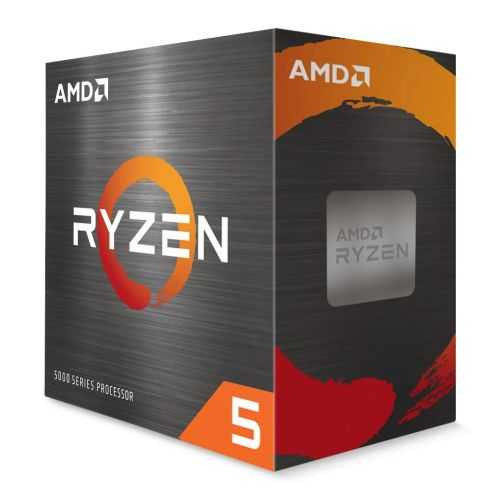
AMD Ryzen 5 5600X CPU with Wraith Stealth Cooler, AM4, 3.7GHz (4.6 Turbo), 6-Core, 65W, 35MB Cache, 7nm, 5th Gen, No Graphics
AMD


AMD Ryzen 5 5600 CPU with Wraith Stealth Cooler, AM4, 3.5GHz (4.4 Turbo), 6-Core, 65W, 35MB Cache, 7nm, 5th Gen, No Graphics
AMD