
AMD
AMD Ryzen 7 5800X 3.8GHz 8 Core AM4 Processor, 16 Threads, 3.8GHz up to 4.7GHz Boost, 36MB Cache, 105W, No Fan, No Graphics
- SKU:
- PRAMD-5800X
- UPC:
- 0730143312714
- MPN:
- 100-100000063WOF
- Availability:
- Free Click & Collect in Peterborough. UK delivery also available.

Description
AMD Ryzen 7 5800X AM4 Processor – 8 Cores, 16 Threads, Up to 4.7GHz
The AMD Ryzen 7 5800X Desktop Processor is a powerful 8-core, 16-thread CPU designed for high-performance gaming, content creation, streaming, productivity and demanding everyday computing. Built on AMD's Zen 3 architecture, it combines a 3.8GHz base clock with a maximum boost frequency of up to 4.7GHz, helping deliver responsive performance across both lightly threaded and multi-threaded workloads.
Designed for compatible AMD Socket AM4 motherboards, the Ryzen 7 5800X supports DDR4 memory up to 3200 MT/s and PCI Express 4.0 when paired with a suitable motherboard and components. Its eight physical processing cores and sixteen threads make it suitable for gaming while running background applications, recording gameplay, editing video, processing photographs, compiling software and completing other processor-intensive tasks.
This boxed processor has manufacturer part number 100-100000063WOF. The “WOF” version is supplied without a heatsink or cooling fan, so a compatible AM4 CPU cooler must be purchased separately. It also has no integrated graphics, meaning a separate compatible graphics card is required for display output.
The Ryzen 7 5800X is suitable for customers searching for an AMD Ryzen 7 AM4 processor, 8-core 16-thread gaming CPU, Zen 3 desktop processor, PCIe 4.0 AM4 CPU or a performance upgrade for a compatible DDR4-based AMD desktop PC.
Key Features of the AMD Ryzen 7 5800X
- 8 physical CPU cores for gaming, creation and demanding multitasking
- 16 processing threads using simultaneous multithreading
- 3.8GHz base clock for strong sustained processor performance
- Up to 4.7GHz maximum boost clock under suitable operating conditions
- AMD Zen 3 architecture for the Ryzen 5000 desktop platform
- 36MB combined L2 and L3 cache, comprising 4MB L2 and 32MB L3
- AMD Socket AM4 for compatible motherboards with the required BIOS support
- DDR4 memory support up to 3200 MT/s
- PCI Express 4.0 support when used with compatible motherboard hardware
- Unlocked processor multiplier for supported performance tuning
- 105W default TDP
- TSMC 7nm FinFET CPU-core technology
- Maximum operating temperature of 90°C
- Premium air cooling recommended by AMD for optimal performance
- No cooler included
- No integrated graphics – a discrete graphics card is required
- AMD Ryzen Master Utility support
- AMD StoreMI Technology support
- AMD Ryzen VR-Ready Premium
Eight Zen 3 Cores and Sixteen Processing Threads
The Ryzen 7 5800X contains eight physical CPU cores and sixteen processing threads. This configuration provides a balance between strong gaming performance and the ability to handle multiple demanding applications at the same time.
Modern games can use several processor cores for game logic, physics, artificial intelligence, audio, networking and background asset processing. Additional threads can also help when the computer is simultaneously running streaming software, voice chat, web browsers, game launchers, monitoring utilities or recording applications.
Suitable Workloads
The processor can be used for a broad range of desktop workloads, including:
- PC gaming at a range of resolutions and quality settings
- Gameplay recording and live streaming
- Video editing, encoding and media export
- Photo editing and batch image processing
- Music production and digital audio workstations
- 3D modelling and CPU-based rendering
- Software development and code compilation
- Office productivity and large spreadsheets
- Running several applications simultaneously
- Selected virtual-machine and development workloads
Actual application performance depends on the complete system, including the graphics card, memory capacity and speed, storage device, cooling, motherboard, power supply, operating system and software configuration.
3.8GHz Base Clock and Up to 4.7GHz Boost
The AMD Ryzen 7 5800X has a 3.8GHz base clock and a maximum boost clock of up to 4.7GHz. The processor automatically adjusts its operating frequency according to workload, temperature, electrical limits, motherboard configuration and available cooling.
What Does “Up to 4.7GHz” Mean?
The 4.7GHz figure is the processor's maximum advertised boost frequency rather than a fixed speed that all cores will maintain continuously. Maximum boost is generally associated with a single core running a suitable burst-type workload under favourable operating conditions.
The frequency observed during use may be higher or lower depending on:
- The number of active processor cores
- The type and duration of the workload
- CPU temperature and cooler performance
- Motherboard power delivery and BIOS configuration
- Case airflow and ambient room temperature
- Windows power settings and background activity
- AMD chipset-driver and BIOS versions
Maximum boost frequency is therefore not the same as a guaranteed all-core operating speed.
36MB Combined L2 and L3 Cache
The Ryzen 7 5800X provides 4MB of L2 cache and 32MB of L3 cache, giving 36MB of combined L2 and L3 cache. Processor cache stores frequently accessed data close to the CPU cores, helping reduce the time required to retrieve information from system memory.
This cache design can support responsive performance in games and applications that frequently reuse instructions or data. Actual benefits vary between programs because different software uses processor cache in different ways.
AMD Zen 3 Processor Architecture
The Ryzen 7 5800X belongs to AMD's Ryzen 5000 desktop processor family and uses the Zen 3 core architecture, with the former codename Vermeer. Its CPU cores are manufactured using a TSMC 7nm FinFET process.
Zen 3 is designed to deliver strong instructions-per-clock performance and low-latency access to shared cache, helping the processor handle gaming, productivity and creative applications efficiently.
Ryzen 5000 Series AM4 Platform
The 5800X provides an upgrade path for many compatible AMD AM4 desktop systems using DDR4 memory. However, processor compatibility depends on the exact motherboard model and installed BIOS version.
A motherboard having an AM4 socket does not automatically guarantee support for this processor. Always check the motherboard manufacturer's official CPU-support list before ordering or installing the Ryzen 7 5800X.
AMD Socket AM4 Motherboard Compatibility
The Ryzen 7 5800X uses the AMD AM4 processor socket. It can work with suitable AM4 motherboards that have an appropriate chipset, sufficient CPU power delivery and a BIOS version supporting the Ryzen 7 5800X.
Check the Motherboard CPU-Support List
Before ordering, locate the exact motherboard model and check its official online CPU-support page. Confirm that:
- AMD Ryzen 7 5800X is listed as a supported processor
- The motherboard has the correct AM4 socket
- The required BIOS version is installed
- The board's power-delivery system is suitable for a 105W processor
- A compatible AM4 CPU cooler can be fitted
- The computer case provides enough cooler clearance and airflow
Motherboards based on AMD X570 and B550 chipsets are commonly associated with Ryzen 5000 desktop systems. Selected A520, X470, B450 and other AM4 motherboards may also support the Ryzen 7 5800X, but exact support depends on the motherboard manufacturer, model, revision and BIOS.
A BIOS Update May Be Required
Some compatible AM4 motherboards were manufactured before Ryzen 5000 processors were released and may require a BIOS update before the Ryzen 7 5800X will boot.
If the existing BIOS does not recognise the processor, the system may power on without completing the Power-On Self-Test or displaying an image. Where possible, update the BIOS before removing the existing processor.
Some motherboards include a USB BIOS Flashback feature that may allow the BIOS to be updated without a supported processor installed. This feature and its procedure vary by manufacturer, so follow the motherboard manual carefully.
DDR4 Memory Support up to 3200 MT/s
The Ryzen 7 5800X supports DDR4 system memory with an official specification of up to 3200 MT/s. The selected memory must also be compatible with the motherboard.
Memory performance and supported settings can depend on:
- The motherboard model and BIOS version
- The number and capacity of installed memory modules
- The memory module layout and rank configuration
- The selected XMP or manual memory settings
- The capability of the processor's memory controller
DDR5 Memory Is Not Compatible
The Ryzen 7 5800X is an AM4 processor designed for DDR4 memory. It cannot be installed in an AM5 motherboard and does not support DDR5 memory.
DDR4 and DDR5 modules have different electrical and physical designs and cannot be used interchangeably.
PCI Express 4.0 Support
The processor supports PCI Express 4.0. When paired with a compatible motherboard, BIOS and PCIe device, this can provide high-bandwidth connectivity for graphics cards and NVMe solid-state drives.
PCIe is backwards compatible, so many PCIe 3.0 graphics cards and storage devices can also be used in a suitable system. They will operate according to the capabilities of the connected hardware and motherboard slot.
PCIe 4.0 Requires Compatible System Hardware
Installing a Ryzen 7 5800X does not automatically make every motherboard slot operate at PCIe 4.0. Available PCIe generation and lane configuration depend on the motherboard chipset, board design, slot used, installed devices and BIOS configuration.
Check the motherboard manual for its graphics-card and M.2 storage specifications.
No Integrated Graphics – A Graphics Card Is Required
The Ryzen 7 5800X does not include integrated Radeon graphics. A compatible discrete graphics card is required to display an image on a monitor.
Even when the motherboard has HDMI, DisplayPort, DVI or VGA connectors, those display outputs normally require a processor with integrated graphics. They will not provide video output when used with the Ryzen 7 5800X unless the motherboard documentation specifically states otherwise.
Do Not Troubleshoot Through the Motherboard Video Port
When building a system with this processor:
- Install a compatible discrete graphics card
- Connect the required PCIe power cables to the graphics card
- Connect the monitor cable directly to the graphics card
- Do not connect the monitor only to the motherboard display output
If no compatible graphics card is installed, the system may power on but will not provide a usable display output.
No CPU Cooler Included
The boxed Ryzen 7 5800X is supplied without an AMD Wraith heatsink or cooling fan. A suitable AM4-compatible CPU cooler must be purchased separately.
AMD recommends a premium air cooler for optimal performance. A suitable liquid cooler may also be used when it supports Socket AM4 and fits the case and motherboard correctly.
Choosing a Suitable Cooler
When selecting a CPU cooler, check:
- AMD Socket AM4 mounting compatibility
- Cooling capacity suitable for a 105W processor
- Cooler height or radiator clearance inside the case
- Memory-module and motherboard-component clearance
- Fan and pump connectors required by the motherboard
- Whether thermal compound is included with the cooler
Insufficient cooling can cause higher temperatures, increased fan noise and reduced boost performance. The processor should never be operated without a correctly installed heatsink and thermal interface material.
105W Default TDP and Thermal Requirements
The Ryzen 7 5800X has a 105W default thermal design power rating. TDP is a processor thermal-design specification and should not be treated as an exact maximum measurement of total system power consumption.
The processor's actual electrical use and heat output depend on workload, boost behaviour, BIOS settings, cooling and performance-tuning configuration.
Maximum Operating Temperature
AMD specifies a maximum operating temperature, or Tjmax, of 90°C. The processor automatically manages frequency and voltage according to its operating conditions, but suitable cooling and case airflow remain essential.
For dependable operation:
- Install the CPU cooler evenly and securely
- Use a suitable amount of thermal compound
- Connect the cooler fan to the correct CPU fan header
- Ensure the case has clear intake and exhaust airflow
- Remove dust from filters, fans and heatsinks periodically
- Monitor temperatures after installation
Unlocked for Supported Performance Tuning
The Ryzen 7 5800X has an unlocked processor multiplier. Compatible motherboards and AMD software may provide controls for processor monitoring, memory configuration and supported performance tuning.
Results are not guaranteed and depend on the individual processor, motherboard, power delivery, memory, cooling and BIOS. Increasing processor frequency or voltage can raise temperature and power consumption, so changes should only be made by users who understand the associated risks.
AMD Ryzen Master Utility
The processor supports the AMD Ryzen Master Utility for compatible Windows systems. Available controls can include processor monitoring and supported tuning options, depending on the installed hardware and software version.
Users who do not wish to adjust advanced settings can operate the processor using the motherboard's default automatic configuration.
AMD StoreMI Technology Support
The Ryzen 7 5800X supports AMD StoreMI Technology on compatible systems. StoreMI is designed to help combine the responsiveness of faster storage with the capacity of a larger drive through supported software configuration.
Compatibility, functions and installation requirements depend on the motherboard chipset, operating system and current AMD software support. Review AMD's current StoreMI documentation before configuring storage.
Gaming Performance and System Balance
The Ryzen 7 5800X is designed for performance-focused gaming PCs. Its eight Zen 3 cores, sixteen threads, high boost frequency and 32MB L3 cache provide a strong processor foundation for gaming with a suitable graphics card.
Game performance is not determined by the processor alone. Results will vary according to:
- The installed graphics card
- Game resolution and graphics-quality settings
- System memory capacity, speed and configuration
- Storage performance
- CPU and graphics-card cooling
- Game engine and software optimisation
- Background applications
- Operating-system, BIOS and driver versions
Suitable for High-Refresh-Rate Gaming Systems
When combined with an appropriately matched graphics card and monitor, the processor can form part of a high-refresh-rate gaming system. The achievable frame rate will vary by game and complete system configuration.
For graphically intensive 1440p and 4K gaming, graphics-card performance frequently has a major influence on the final frame rate.
Streaming and Content Creation
Sixteen processing threads allow the Ryzen 7 5800X to handle workloads beyond gaming. It can be suitable for creators who edit video, process photographs, stream gameplay, produce music or work with 3D applications.
Video Editing and Encoding
Video-editing and encoding applications can use multiple processor threads when decoding, applying effects, rendering previews and exporting media. Performance will depend on the application, codec, project complexity, graphics-card acceleration and storage speed.
Photo and Design Work
The processor can also support image-editing, design and creative applications that combine lightly threaded interface tasks with multi-threaded filters, previews and exports.
Software Development
Developers may benefit from the eight-core, sixteen-thread configuration when compiling code, running development tools and operating selected virtualised test environments.
Operating-System Support
AMD officially lists support for the following operating-system families:
- Windows 11 64-bit Edition
- Windows 10 64-bit Edition
- RHEL x86 64-bit
- Ubuntu x86 64-bit
Operating-system support can vary according to the motherboard manufacturer, chipset, BIOS, graphics card and other installed components. Install the latest appropriate AMD chipset drivers and device drivers for the completed system.
Who Is the AMD Ryzen 7 5800X Best For?
- Gamers building a performance-focused AM4 desktop PC
- Users upgrading a compatible Ryzen-based DDR4 system
- Streamers who game and run broadcast software simultaneously
- Video editors and content creators
- Photographers processing high-resolution images
- Developers compiling software or running demanding tools
- Users who need eight cores and sixteen threads for multitasking
- PC builders who already own a suitable graphics card
- Users prepared to install a separate high-quality CPU cooler
Who May Need a Different Processor?
The Ryzen 7 5800X may not be suitable for customers who require:
- Integrated graphics without purchasing a separate graphics card
- An included CPU cooler
- Compatibility with an Intel motherboard
- Compatibility with an AMD AM5 motherboard
- DDR5 memory support
- A low-power CPU intended for basic office use
- A processor for a laptop or all-in-one computer
- A guaranteed upgrade without checking the motherboard BIOS
How to Check Compatibility Before Ordering
Confirm the following before purchasing the Ryzen 7 5800X:
- Identify the exact motherboard manufacturer and model.
- Open the manufacturer's official CPU-support page.
- Confirm that AMD Ryzen 7 5800X is specifically listed.
- Check the minimum BIOS version required.
- Confirm that the motherboard uses Socket AM4.
- Check that compatible DDR4 memory is installed.
- Ensure a suitable discrete graphics card is available.
- Select an AM4 cooler suitable for a 105W processor.
- Check cooler and graphics-card clearance inside the case.
- Confirm that the power supply has sufficient capacity and connectors.
Basic Processor Installation Guidance
Processor installation should be carried out carefully to avoid damaging the CPU pins, motherboard socket or other components.
- Switch off the computer and disconnect it from mains power.
- Use appropriate anti-static precautions.
- Open the AM4 socket retention arm.
- Align the processor's corner marker with the matching socket marker.
- Lower the processor into the socket without force.
- Close the socket retention arm.
- Apply suitable thermal compound if it is not pre-applied to the cooler.
- Install the compatible AM4 CPU cooler evenly.
- Connect the cooler fan to the motherboard CPU-fan header.
- Install the discrete graphics card and connect the monitor to it.
- Check temperatures and system stability after the first startup.
AM4 processors have exposed pins on the underside. Never press, twist or force the processor into the socket. Bent pins may prevent installation or cause system faults.
If you are not experienced with PC assembly or BIOS updates, professional installation is recommended.
AMD Ryzen 7 5800X Technical Specifications
- Brand: AMD
- Product Family: AMD Ryzen
- Series: Ryzen 5000 Series
- Processor Model: AMD Ryzen 7 5800X
- Former Codename: Vermeer
- Manufacturer Part Number: 100-100000063WOF
- Tray Product ID: 100-000000063
- EAN: 0730143312714
- Product Type: Boxed desktop processor
- Processor Architecture: AMD Zen 3
- CPU Socket: AMD Socket AM4
- Number of CPU Cores: 8
- Number of Threads: 16
- Base Clock: 3.8GHz
- Maximum Boost Clock: Up to 4.7GHz
- L2 Cache: 4MB
- L3 Cache: 32MB
- Combined L2 and L3 Cache: 36MB
- Default TDP: 105W
- CPU-Core Manufacturing Technology: TSMC 7nm FinFET
- Maximum Operating Temperature: 90°C Tjmax
- Unlocked for Overclocking: Yes
- System Memory Type: DDR4
- Official Memory Specification: Up to 3200 MT/s
- PCI Express Version: PCIe 4.0
- Integrated Graphics: No
- Graphics Requirement: Discrete graphics card required
- Thermal Solution: Not included
- AMD-Recommended Cooling: Premium air cooler recommended for optimal performance
- Supported Technologies: AMD StoreMI, AMD Zen 3 Core Architecture, AMD Ryzen Master Utility and AMD Ryzen VR-Ready Premium
- Officially Listed Operating Systems: Windows 11 64-bit, Windows 10 64-bit, RHEL x86 64-bit and Ubuntu x86 64-bit
- Original Launch Date: 5 November 2020
What Is Included?
- 1 × AMD Ryzen 7 5800X AM4 desktop processor
- Retail processor packaging
A CPU heatsink, cooling fan, liquid cooler, graphics card, motherboard, memory and other PC components are not included.
Important Compatibility Information
This processor requires a compatible AMD Socket AM4 motherboard with a BIOS version that supports the Ryzen 7 5800X. Socket type alone is not enough to confirm compatibility.
The processor uses DDR4 memory and is not compatible with AM5 motherboards or DDR5 memory. It has no integrated graphics, so a compatible discrete graphics card is required.
Important Cooling Information
No CPU cooler is supplied with the Ryzen 7 5800X. A compatible AM4 cooling solution must be installed before the computer is switched on. AMD recommends a premium air cooler for optimal performance.
Do not operate the processor without a correctly mounted heatsink and appropriate thermal interface material.
Why Choose the AMD Ryzen 7 5800X?
The AMD Ryzen 7 5800X combines eight Zen 3 processor cores, sixteen threads, a 3.8GHz base clock and boost performance of up to 4.7GHz. Its 36MB combined L2 and L3 cache, PCIe 4.0 support and DDR4-3200 compatibility make it a strong processor option for a suitable performance-focused AM4 desktop system.
It can support demanding gaming, streaming, video editing, creative applications, software development and general multitasking when paired with an appropriate motherboard, graphics card, memory, storage, cooling solution and power supply.
Choose the Ryzen 7 5800X when you need a high-performance 8-core, 16-thread AM4 processor, already have or plan to purchase a discrete graphics card, and have confirmed that your motherboard BIOS supports model 100-100000063WOF.
Specification
AMD Ryzen 7 5800X AM4 Processor Specifications
The AMD Ryzen 7 5800X is an unlocked Ryzen 5000 Series desktop processor based on AMD Zen 3 architecture. It features 8 CPU cores, 16 processing threads, a 3.8GHz base clock, boost speeds of up to 4.7GHz and 36MB of combined L2 and L3 cache.
This boxed processor uses the AMD AM4 socket, supports DDR4 memory up to 3200 MT/s and provides PCI Express 4.0 connectivity when installed in a compatible motherboard. A CPU cooler and integrated graphics are not included.
General Information
| Brand | AMD |
|---|---|
| Product Name | AMD Ryzen 7 5800X Desktop Processor |
| Product Family | AMD Ryzen |
| Processor Series | AMD Ryzen 5000 Series |
| Processor Model | Ryzen 7 5800X |
| Former Codename | Vermeer |
| Product Type | Boxed desktop processor |
| Manufacturer Part Number | 100-100000063WOF |
| AMD Tray Product ID | 100-000000063 |
| Memox SKU | PRAMD-5800X |
| EAN / UPC | 0730143312714 |
| Original Launch Date | 5 November 2020 |
Processor Core Specifications
| Processor Architecture | AMD Zen 3 |
|---|---|
| CPU Cores | 8 |
| Processing Threads | 16 |
| Simultaneous Multithreading | Yes |
| Processor-Core Technology | TSMC 7nm FinFET |
| Unlocked for Overclocking | Yes |
Clock-Speed Specifications
| Base Clock | 3.8GHz |
|---|---|
| Maximum Boost Clock | Up to 4.7GHz |
| Fixed All-Core 4.7GHz Operation | No. The stated 4.7GHz figure is the maximum boost clock, not a guaranteed continuous all-core frequency |
| Automatic Frequency Adjustment | Yes, according to workload, temperature, electrical limits, BIOS configuration and available cooling |
Cache Specifications
| L2 Cache | 4MB |
|---|---|
| L3 Cache | 32MB |
| Combined L2 and L3 Cache | 36MB |
Socket and Motherboard Compatibility
| CPU Socket | AMD Socket AM4 |
|---|---|
| Compatible Motherboard Requirement | Compatible AM4 motherboard with a BIOS version that specifically supports the AMD Ryzen 7 5800X |
| BIOS Update May Be Required | Yes, particularly on motherboards manufactured before Ryzen 5000 Series processors were released |
| AM5 Motherboard Compatibility | No |
| Intel Motherboard Compatibility | No |
| Compatibility Verification | Check the exact motherboard model and its official CPU-support list before ordering |
Memory Specifications
| System Memory Type | DDR4 |
|---|---|
| Official Memory Specification | Up to 3200 MT/s |
| DDR5 Support | No |
| Memory Compatibility | Memory modules must also be supported by the selected motherboard and BIOS |
| Higher Memory Speeds | May require XMP, BIOS configuration or overclocking and are not guaranteed by the processor's official DDR4-3200 specification |
PCI Express Connectivity
| PCI Express Version | PCIe 4.0 |
|---|---|
| PCIe 3.0 Device Compatibility | Yes, subject to motherboard and device compatibility |
| PCIe 4.0 System Requirement | A compatible motherboard, BIOS, expansion slot and PCIe 4.0 device are required |
| Typical PCIe Devices | Compatible graphics cards and NVMe solid-state drives |
Graphics Specifications
| Integrated Graphics | No |
|---|---|
| AMD Radeon Graphics Included | No |
| Discrete Graphics Card Required | Yes |
| Motherboard Display Outputs | Motherboard HDMI, DisplayPort, DVI or VGA outputs will not normally produce an image with this processor |
| Monitor Connection | The monitor should be connected directly to the installed discrete graphics card |
Power and Thermal Specifications
| Default TDP | 105W |
|---|---|
| Maximum Operating Temperature | 90°C Tjmax |
| Thermal Solution Included | No |
| Heatsink Included | No |
| Cooling Fan Included | No |
| AMD Cooling Recommendation | Premium air cooler recommended for optimal performance |
| Compatible Cooler Requirement | AM4-compatible CPU cooler suitable for a 105W-class processor |
| Thermal Compound | Not supplied with the processor; it may be supplied or pre-applied with the separately purchased cooler |
Supported AMD Technologies
| AMD Zen 3 Core Architecture | Supported |
|---|---|
| AMD Ryzen Master Utility | Supported |
| AMD StoreMI Technology | Supported on compatible systems |
| AMD Ryzen VR-Ready Premium | Supported |
| Overclocking Support | Yes, with a compatible motherboard, BIOS and sufficient cooling |
Operating-System Support
| Windows 11 | 64-bit Edition |
|---|---|
| Windows 10 | 64-bit Edition |
| RHEL | x86 64-bit |
| Ubuntu | x86 64-bit |
| Support Dependency | Operating-system compatibility can also depend on the motherboard, chipset, BIOS, graphics card and drivers |
Package Contents
| Processor Included | 1 × AMD Ryzen 7 5800X AM4 desktop processor |
|---|---|
| Retail Box Included | Yes, for the boxed 100-100000063WOF product |
| CPU Cooler Included | No |
| Graphics Card Included | No |
| Motherboard Included | No |
| System Memory Included | No |
| Thermal Compound Included | Not listed as included with the processor |
Warranty Information
| AMD Manufacturer Warranty | 3-year limited warranty for eligible AMD Processor-in-a-Box products |
|---|---|
| Warranty Eligibility | Applies to qualifying genuine retail-boxed processors with a valid AMD-verified serial number, subject to AMD's warranty terms |
| Proof of Purchase Required | Yes, normally required for a manufacturer warranty claim |
| Improper Installation Coverage | No. Damage caused by incorrect installation, unsuitable cooling, electrical problems, misuse or physical damage may not be covered |
Important Motherboard Compatibility Note
An AM4 socket alone does not guarantee compatibility with the Ryzen 7 5800X. The motherboard must have a BIOS version that specifically supports this processor.
Before ordering, check the motherboard manufacturer's official CPU-support list using the exact motherboard model and hardware revision. Some compatible motherboards require a BIOS update before the Ryzen 7 5800X can complete POST or display an image.
Important Graphics Requirement
The Ryzen 7 5800X does not contain integrated graphics. A compatible discrete graphics card is required for monitor output.
Connect the monitor to the graphics card rather than the motherboard display connectors. A system built with this processor and no discrete graphics card will not provide normal video output.
Important Cooling Requirement
No heatsink or fan is included. A suitable AM4-compatible CPU cooler must be correctly installed with appropriate thermal interface material before the computer is switched on.
AMD recommends a premium air cooler for optimal performance. A compatible liquid cooler may also be used if it supports Socket AM4, provides sufficient cooling capacity and fits the motherboard and computer case.
Important Boost-Clock Note
The advertised maximum boost clock of up to 4.7GHz is not a guaranteed continuous all-core frequency. Actual processor frequency depends on workload, temperature, power limits, motherboard settings, BIOS configuration and available cooling.
Important Memory Note
AMD officially specifies DDR4 memory support up to 3200 MT/s. Memory operating above this specification may require XMP, BIOS tuning or overclocking and is not guaranteed to operate at its advertised speed in every system.
Important TDP Note
The 105W TDP is a thermal-design specification. It should not be interpreted as an exact measurement of maximum processor power consumption or total system power consumption.
Important Installation Note
The Ryzen 7 5800X uses exposed pins on the underside of the processor. Handle it only by its edges and do not touch, press or bend the pins.
Align the processor's corner marker with the matching AM4 socket marker and lower it into the socket without force. Incorrect installation, bent pins or unsuitable cooling may damage the processor and may affect warranty coverage.
Return
FAQ: Frequently Asked Questions
AMD Ryzen 7 5800X AM4 Processor FAQ
The AMD Ryzen 7 5800X is an 8-core, 16-thread Ryzen 5000 Series desktop processor based on AMD Zen 3 architecture. It uses the AM4 socket, supports DDR4 memory and PCIe 4.0, runs at a 3.8GHz base clock with boost speeds of up to 4.7GHz, and includes 36MB of combined L2 and L3 cache. It has a 105W TDP and requires both a separate CPU cooler and a discrete graphics card.
Below are the most common questions buyers ask before choosing the Ryzen 7 5800X, including motherboard and BIOS compatibility, B450 and B550 support, DDR4 memory, cooling, temperatures, gaming, streaming, PCIe 4.0, graphics-card requirements, Windows 11, overclocking, Curve Optimizer and comparisons with the Ryzen 7 5700X, 5700X3D, 5800X3D, 5800XT and Ryzen 9 5900X.
1. What is the AMD Ryzen 7 5800X?
The AMD Ryzen 7 5800X is an eight-core, sixteen-thread desktop processor from the Ryzen 5000 Series. It uses AMD's Zen 3 architecture, the AM4 socket and DDR4 memory, and is designed for gaming, streaming, content creation and demanding multitasking when installed in a compatible system.
2. What is the exact manufacturer part number for this processor?
The boxed processor part number is 100-100000063WOF. The WOF suffix indicates that the retail processor is supplied without a cooling solution. Check this code when comparing listings or confirming motherboard support.
3. How many cores and threads does the Ryzen 7 5800X have?
It has 8 CPU cores and 16 processing threads through simultaneous multithreading. This allows it to handle modern games while also supporting background applications, streaming, editing and other multi-threaded workloads.
4. What architecture does the Ryzen 7 5800X use?
It uses AMD's Zen 3 core architecture and was formerly codenamed Vermeer. The CPU cores are manufactured using TSMC's 7nm FinFET process.
5. What are the base and boost clock speeds?
The Ryzen 7 5800X has a 3.8GHz base clock and a maximum boost clock of up to 4.7GHz. Actual operating frequency changes dynamically according to workload, temperature, power limits, motherboard firmware and cooling.
6. Will every core run at 4.7GHz at the same time?
No. The advertised up-to-4.7GHz figure is the maximum boost that may be reached by a core during a suitable burst workload. It is not a guaranteed all-core clock. Sustained all-core frequency is normally lower and varies between systems.
7. How much cache does the Ryzen 7 5800X have?
It has 4MB of L2 cache and 32MB of L3 cache, giving 36MB of combined L2 and L3 cache. Cache helps the processor access frequently used data with lower latency.
8. What does the 105W TDP specification mean?
The processor has a default thermal design power rating of 105W. TDP is a cooling-design classification rather than a guarantee of exact wall-socket power consumption. Actual system power varies with workload, motherboard settings, boost behaviour, graphics card and other components.
9. Which CPU socket does the Ryzen 7 5800X use?
It uses AMD Socket AM4. Socket type alone is not enough to confirm compatibility because the motherboard chipset, board revision and installed BIOS version must also support the Ryzen 7 5800X.
10. Which motherboard chipsets can support the Ryzen 7 5800X?
AMD lists Ryzen 5000 support across suitable X570, B550, A520, X470 and B450 platforms. Selected X370 and B350 boards may also support Ryzen 5000 through a manufacturer-provided beta BIOS. Always check the exact motherboard CPU-support list before ordering.
11. Is the Ryzen 7 5800X compatible with B550 motherboards?
Yes, suitable B550 motherboards can support the Ryzen 7 5800X. Confirm the exact board model and BIOS version on the motherboard manufacturer's CPU-support page, especially when using older stock.
12. Is the Ryzen 7 5800X compatible with X570 motherboards?
Yes, suitable X570 motherboards support Ryzen 5000 processors and can provide PCIe 4.0 connectivity. A BIOS update may still be required on an older board, so check the manufacturer's support list.
13. Will the Ryzen 7 5800X work on a B450 motherboard?
Many B450 motherboards support the Ryzen 7 5800X after a suitable BIOS update. Compatibility is not universal, and some updates may remove support for older processors because of BIOS storage limits. Verify the exact board model, revision and required BIOS before replacing the CPU.
14. Will the Ryzen 7 5800X work on an X470 motherboard?
Many X470 boards can support the Ryzen 7 5800X with the correct manufacturer BIOS. Check the board's CPU-support list and update instructions before removing the existing processor.
15. Can I use the Ryzen 7 5800X with an A520 motherboard?
A suitable A520 motherboard may support the processor, but entry-level boards can differ in power delivery, cooling and firmware options. Confirm the exact CPU-support entry and choose a board capable of handling a 105W Ryzen 7 under sustained workloads.
16. Can the Ryzen 7 5800X work on X370 or B350 motherboards?
Selected X370 and B350 motherboards received beta BIOS support for Ryzen 5000 processors. Support depends entirely on the exact board manufacturer, model and revision. Do not assume that every first-generation AM4 board is compatible.
17. Does the Ryzen 7 5800X work with A320 motherboards?
Some individual A320 boards may have manufacturer BIOS support, but compatibility and power-delivery capability vary significantly. Use the exact motherboard CPU-support list as the deciding source rather than relying only on the AM4 socket.
18. Will I need a BIOS update before installing the Ryzen 7 5800X?
Possibly. B450, X470 and older AM4 boards commonly require a Ryzen 5000-compatible BIOS, while an older-stock B550 or X570 board may also need updating. Install the required BIOS while the currently supported processor is still fitted whenever possible.
19. How do I check whether my motherboard supports the Ryzen 7 5800X?
Find the full motherboard model and hardware revision, visit the manufacturer's support page, open its CPU-support list and search for Ryzen 7 5800X or part number 100-100000063. The list should identify the minimum BIOS version required.
20. Can I update the BIOS without an older compatible CPU?
Only if the motherboard includes a feature such as USB BIOS Flashback, Q-Flash Plus or Flash BIOS Button that can update firmware without a working processor. The name and procedure vary by brand. If the board lacks this feature, an older supported CPU or professional service may be required.
21. Is the Ryzen 7 5800X compatible with AM5 motherboards?
No. The Ryzen 7 5800X is an AM4 processor and cannot be installed in an AM5 socket. AM5 motherboards use a different physical socket and DDR5 memory platform.
22. What type of RAM does the Ryzen 7 5800X use?
It uses DDR4 desktop memory. Choose unbuffered desktop DIMMs that are compatible with the selected motherboard and check the motherboard memory-support list when maximum stability is important.
23. Can the Ryzen 7 5800X use DDR5 memory?
No. The AM4 platform and Ryzen 7 5800X use DDR4 memory only. DDR5 modules are physically and electrically incompatible with DDR4 motherboard slots.
24. What is the official memory speed for the Ryzen 7 5800X?
AMD lists an official system-memory specification of up to DDR4-3200. Faster memory profiles may work as overclocked settings, but successful operation depends on the memory kit, motherboard, BIOS, number of modules and the individual processor's memory controller.
25. Can I use DDR4-3600 memory with the Ryzen 7 5800X?
Many compatible AM4 systems run DDR4-3600 successfully through a memory profile, and it is a popular performance choice. However, speeds above AMD's official DDR4-3200 specification are overclocked settings and are not guaranteed for every CPU, board or four-module configuration.
26. Does the Ryzen 7 5800X support XMP or DOCP memory profiles?
Memory-profile support is provided through the motherboard BIOS. Intel XMP profiles are commonly exposed on AMD boards under names such as XMP, DOCP, A-XMP or EOCP. Enable the profile only after confirming stability, because the setting operates the memory above default safe speeds.
27. Should I use two RAM modules or one?
A matched pair normally enables dual-channel memory operation and provides more bandwidth than one module. For example, two 8GB or two 16GB modules are generally preferable to one module of the same total capacity when performance matters.
28. How much RAM can I install with the Ryzen 7 5800X?
The practical maximum depends on the motherboard's slot count, BIOS and supported DIMM capacities. Check the motherboard specification and qualified-memory list rather than assuming the processor alone determines the limit.
29. Does the Ryzen 7 5800X support PCIe 4.0?
Yes. AMD lists PCIe 4.0 support for the Ryzen 7 5800X. PCIe 4.0 operation also requires a compatible motherboard, BIOS and PCIe 4.0 device.
30. Will the processor work in a PCIe 3.0 motherboard?
Yes, provided the motherboard and BIOS support the CPU. A PCIe 4.0 graphics card or SSD is generally backward compatible but will operate at the PCIe generation and lane configuration supported by the motherboard.
31. Does the Ryzen 7 5800X have integrated graphics?
No. AMD specifies that a discrete graphics card is required. The processor cannot generate a display output by itself.
32. Will the motherboard HDMI or DisplayPort work with this processor?
Normally no. Motherboard video outputs require a processor with integrated graphics. Because the Ryzen 7 5800X has no integrated GPU, connect the monitor to a separately installed graphics card.
33. Do I need a graphics card to set up the Ryzen 7 5800X?
Yes, a compatible discrete graphics card is required for normal display output. Install the card, connect any required PCIe power leads and connect the monitor to the graphics card rather than the motherboard.
34. Is the Ryzen 7 5800X good for gaming?
Yes. Its eight Zen 3 cores, sixteen threads and strong boost performance make it capable of modern gaming when paired with a suitable graphics card, memory and cooling. Actual frame rates depend heavily on the game, resolution, graphics settings and GPU.
35. Is the Ryzen 7 5800X suitable for 1080p, 1440p and 4K gaming?
It can support all three resolutions with an appropriate graphics card. CPU differences are often more visible at high frame rates and lower resolutions, while 4K gaming is commonly more limited by the graphics card.
36. Which graphics card should I pair with the Ryzen 7 5800X?
There is no single required GPU. Select the graphics card according to your games, resolution, target frame rate, power supply and budget. The processor can be used with compatible AMD Radeon, NVIDIA GeForce or professional PCIe graphics cards.
37. Will the Ryzen 7 5800X bottleneck my graphics card?
Every system has a limiting component, and the answer changes by game, resolution and settings. The 5800X remains a capable eight-core CPU, but very high-refresh 1080p gaming can expose CPU limits more readily than GPU-heavy 1440p or 4K gaming.
38. Is the Ryzen 7 5800X good for gaming and streaming at the same time?
Yes. Eight cores and sixteen threads provide useful headroom for playing, streaming and running background software. Stream quality also depends on the encoder, graphics card, platform settings, memory and internet upload speed.
39. Is the Ryzen 7 5800X suitable for video editing?
Yes. It is suitable for timeline editing, encoding and content-creation applications that can use multiple cores. Performance depends on the software, codec, effects, memory capacity, storage speed and graphics-card acceleration.
40. Is it good for photo editing, music production and software development?
Yes. Its single-thread performance and 8-core, 16-thread design suit a wide range of creative and development workloads. Specialist projects may benefit from more memory, faster storage or a processor with additional cores.
41. Does the Ryzen 7 5800X support Windows 11?
Yes. AMD officially lists Windows 11 64-bit support. The complete PC must also satisfy Microsoft's requirements, including suitable UEFI, Secure Boot and TPM or firmware-TPM configuration.
42. Does the Ryzen 7 5800X support Windows 10?
Yes. AMD officially lists Windows 10 64-bit support. Install current AMD chipset drivers and motherboard firmware for the best platform compatibility.
43. Can I use the Ryzen 7 5800X with Linux?
AMD lists support for 64-bit Ubuntu and RHEL environments. Other distributions may also work, but kernel, motherboard, graphics and peripheral support should be checked for the intended installation.
44. Does the Ryzen 7 5800X include a CPU cooler?
No. AMD lists the thermal solution as not included. A compatible AM4 CPU cooler must be purchased separately unless you already own a suitable one.
45. What cooler does AMD recommend for the Ryzen 7 5800X?
AMD recommends a premium air cooler for optimal performance. Choose a cooler rated for a 105W-class Ryzen processor, verify AM4 mounting support and make sure it fits the case and does not conflict with tall memory modules.
46. Can I use a basic AMD Wraith cooler with the Ryzen 7 5800X?
A small cooler from a lower-power Ryzen model is not the recommended choice for sustained 5800X workloads. It may lead to higher temperatures, noise or reduced boost performance. Use a capable tower air cooler or suitable liquid cooler.
47. Is a good air cooler enough for the Ryzen 7 5800X?
Yes. A well-designed premium air cooler with correct mounting and good case airflow can cool the processor effectively. Liquid cooling is optional rather than mandatory.
48. Is a 240mm liquid cooler suitable for the Ryzen 7 5800X?
A quality 240mm AIO is generally an appropriate cooling option when correctly installed in a ventilated case. Cooler quality, pump and fan operation, radiator position, ambient temperature and power settings all affect results.
49. Do I need thermal paste when installing the processor?
Yes. Thermal compound is required between the CPU heat spreader and cooler base. Some coolers include paste or have it pre-applied. Do not add extra paste on top of a pre-applied layer.
50. What temperatures are normal for the Ryzen 7 5800X?
Temperatures vary widely with the cooler, workload, room temperature, case airflow and motherboard settings. Brief temperature jumps are common because Precision Boost reacts quickly to work. Sustained temperatures should remain below AMD's 90°C maximum operating temperature.
51. Why does the Ryzen 7 5800X temperature spike when opening programs?
The processor rapidly raises clock speed and voltage for short tasks, so monitoring software can show sudden temperature increases when applications open or background processes run. Short spikes are not automatically a fault if the system is stable and cooling is correctly installed.
52. What is the maximum operating temperature of the Ryzen 7 5800X?
AMD lists a maximum operating temperature, or Tjmax, of 90°C. Near this limit, the processor can reduce frequency and voltage to control temperature.
53. Is it safe if the Ryzen 7 5800X reaches 90°C?
AMD defines 90°C as the maximum operating temperature, but regularly reaching the limit should prompt a cooling check. Confirm cooler mounting, thermal paste, pump or fan operation, case airflow, dust levels and BIOS power settings.
54. Why is my CPU cooler fan constantly speeding up and slowing down?
Rapid Ryzen temperature changes can cause an aggressive fan curve to react audibly. A smoother BIOS fan curve, a short response delay and a capable cooler can reduce repeated ramping without allowing unsafe temperatures.
55. What size power supply do I need for a Ryzen 7 5800X system?
Power-supply capacity depends mainly on the graphics card and the complete system, not the CPU alone. Use the GPU manufacturer's recommendation, include sufficient headroom and choose a reputable PSU with the correct motherboard and PCIe connectors.
56. Is the Ryzen 7 5800X unlocked for overclocking?
Yes. AMD lists the processor as unlocked for overclocking. Results are not guaranteed, additional heat and power may be produced, and incorrect settings can cause crashes, data corruption or hardware damage.
57. What is Precision Boost Overdrive on the Ryzen 7 5800X?
Precision Boost Overdrive, or PBO, allows a compatible motherboard to raise power and current limits so the processor can boost more aggressively when temperature and electrical headroom permit. It is an overclocking feature rather than the standard factory specification.
58. Can I undervolt the Ryzen 7 5800X with Curve Optimizer?
Ryzen 5000 processors support Curve Optimizer on compatible platforms. A negative curve can improve efficiency or reduce voltage at a given frequency, but every processor is different. Apply small changes and thoroughly test light-load, gaming and all-core stability.
59. Can Eco Mode reduce Ryzen 7 5800X temperature and power use?
A compatible motherboard or Ryzen Master installation may offer Eco Mode or lower power limits. This can reduce heat, fan noise and power use, usually with some reduction in peak multi-core performance. Availability depends on BIOS and software support.
60. Can overclocking or PBO affect the processor warranty?
AMD states that Precision Boost Overdrive operates the processor outside published specifications and can invalidate AMD's product warranty. Motherboard or system-builder warranty terms may also apply. Use tuning features only after understanding the risk.
61. What is AMD Ryzen Master and can I use it with the 5800X?
AMD Ryzen Master is AMD's Windows utility for monitoring and tuning supported Ryzen processors. It can display clocks, temperatures and voltages and may provide PBO, Curve Optimizer and other controls depending on the processor, chipset and software version.
62. Does the Ryzen 7 5800X support Smart Access Memory or Resizable BAR?
The processor can be part of a compatible Smart Access Memory or Resizable BAR system. Support also requires a suitable motherboard BIOS, graphics card, firmware and operating-system configuration. Check both motherboard and GPU requirements.
63. Ryzen 7 5800X vs Ryzen 7 5700X: which should I choose?
Both use Zen 3, AM4, eight cores, sixteen threads and 32MB L3 cache. The 5800X has higher 3.8GHz base and up-to-4.7GHz boost clocks with a 105W TDP, while the 5700X is a lower-power 65W model with 3.4GHz base and up-to-4.6GHz boost. Choose the 5800X for higher stock performance when cooling and price are suitable; choose the 5700X for efficiency and easier cooling.
64. Ryzen 7 5800X vs Ryzen 7 5700X3D: which is better?
The 5700X3D also has 8 cores and 16 threads but adds AMD 3D V-Cache for 100MB total cache and uses lower 3.0GHz base and up-to-4.1GHz boost clocks. The 5700X3D is generally the more gaming-focused option, while the 5800X's higher clocks can suit mixed productivity workloads and may be attractive when priced lower.
65. Ryzen 7 5800X vs Ryzen 7 5800X3D: what is the difference?
The 5800X3D adds 96MB of L3 cache compared with 32MB on the 5800X and is designed specifically to improve gaming performance. The standard 5800X has higher 3.8GHz base and up-to-4.7GHz boost clocks, compared with 3.4GHz and up to 4.5GHz on the 5800X3D, and offers conventional unlocked overclocking.
66. Ryzen 7 5800X vs Ryzen 7 5800XT: which should I buy?
Both are 8-core, 16-thread Zen 3 AM4 processors with a 3.8GHz base clock, 32MB L3 cache and 105W TDP. The 5800XT raises the maximum boost specification from up to 4.7GHz to up to 4.8GHz. Because the difference is small, compare current price, availability, warranty and any included promotion.
67. Ryzen 7 5800X vs Ryzen 9 5900X: which is better?
The 5900X has 12 cores, 24 threads and 64MB L3 cache, making it stronger for heavily multi-threaded rendering, encoding and production workloads. The 5800X has 8 cores and 16 threads and can be the more economical choice for gaming and general use. Both require a graphics card and separate cooler.
68. Is the Ryzen 7 5800X still worth buying in 2026?
It can still be a sensible upgrade for an existing compatible AM4 system, especially when the motherboard and DDR4 memory can be reused. For a completely new build, compare the total cost and future upgrade path against AM5 alternatives and compare gaming-focused AM4 options such as the 5700X3D.
69. Is the Ryzen 7 5800X a good upgrade from an older Ryzen 5 or Ryzen 7?
It can provide a substantial improvement over many older AM4 processors, particularly in CPU-limited games and multi-threaded work. The benefit depends on the current CPU, graphics card, resolution and workload. Confirm BIOS support and cooling before upgrading.
70. Do I need to reinstall Windows after upgrading to the Ryzen 7 5800X?
A CPU-only upgrade on the same motherboard usually does not require reinstalling Windows. Update the BIOS first, load suitable BIOS defaults after installation, install current AMD chipset drivers and confirm activation and device operation. A motherboard replacement can make a clean installation more beneficial.
71. Can I reuse my existing AM4 CPU cooler?
Possibly. The cooler must include the correct AM4 mounting hardware, have sufficient cooling capacity and fit the case. A cooler that was adequate for a low-power Ryzen 3 or Ryzen 5 may be too small or noisy for a 105W Ryzen 7 5800X.
72. Does the motherboard VRM matter for the Ryzen 7 5800X?
Yes. The voltage-regulation system supplies power to the CPU. A quality board with suitable VRM heatsinks and airflow is preferable for sustained heavy loads, PBO or overclocking. Entry-level boards should be checked carefully for CPU support and power-delivery limits.
73. How do I install the Ryzen 7 5800X safely?
Disconnect mains power, use anti-static precautions, raise the AM4 socket arm, align the processor's corner triangle with the socket marker and lower it into place without force. Lock the arm, apply thermal compound if required, install the cooler evenly and connect its fan or pump.
74. Does the Ryzen 7 5800X have pins on the processor?
Yes. AM4 processors have delicate pins on the underside. Hold the CPU by its edges, keep it in protective packaging until installation and never force it into the socket. Bent or contaminated pins can prevent booting or damage the processor.
75. What should I check if the PC does not boot after installing the 5800X?
Confirm the motherboard BIOS supports the CPU, reseat the processor and memory, check the 24-pin and CPU EPS power cables, install a discrete graphics card, connect the monitor to that card, verify the cooler is not overtightened and clear CMOS according to the motherboard manual.
76. Should I install AMD chipset drivers after the CPU upgrade?
Yes. Install current chipset drivers for the motherboard chipset from AMD or the motherboard manufacturer. Chipset drivers support platform power management, PCIe functions and other motherboard components; they are separate from graphics drivers.
77. Does the Ryzen 7 5800X support hardware virtualisation?
Yes. The Zen 3 processor supports AMD-V virtualisation technology. Enable SVM or AMD-V in the motherboard BIOS when required by virtual machines, containers, security features or development tools.
78. What is included in the Ryzen 7 5800X retail box?
The package includes the AMD Ryzen 7 5800X boxed desktop processor and retail packaging. A CPU cooler, thermal solution, graphics card, motherboard, memory and other PC components are not included.
79. Who is the Ryzen 7 5800X best for?
It is best suited to users with a compatible AM4 motherboard who want a strong 8-core, 16-thread upgrade for gaming, streaming, creative work and multitasking, already own or plan to buy a discrete graphics card and can provide appropriate cooling.
80. Who is the Ryzen 7 5800X not suitable for?
It is not suitable for AM5 or Intel motherboards, DDR5-only builds, computers without a discrete graphics card, or buyers expecting a cooler in the box. Pure gaming buyers should also compare X3D AM4 processors, while heavy professional rendering users may benefit from a higher-core Ryzen 9.
Related Products
Related Products


AMD Ryzen 3 4100 4 Core AM4 Processor, 8 Threads, 3.8GHz up to 4.0GHz Boost, 6MB Cache, 65W, with Wraith Stealth Cooler, No Graphics
AMD

AMD Ryzen 7 5700G 3.8GHz 8 Core AM4 Processor, 16 Threads, 3.9GHz up to 4.6GHz Boost, 20MB Cache, 65W, with Wraith Stealth Cooler, Radeon Graphics
AMD
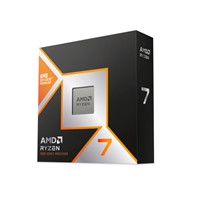
AMD Ryzen 7 9800X3D with Radeon Graphics, 8 Core AM5 Processor, 16 Threads, 4.7GHz up to 5.2GHz Boost, 104MB Cache, 120W, No Fan, Radeon Graphics
AMD

AMD Ryzen 9 7900X with Radeon Graphics, 12 Core Processor, 24 Threads, 4.7GHz up to 5.6GHz Boost, 76MB Cache, 170W, No Fan, Radeon Graphics
AMD
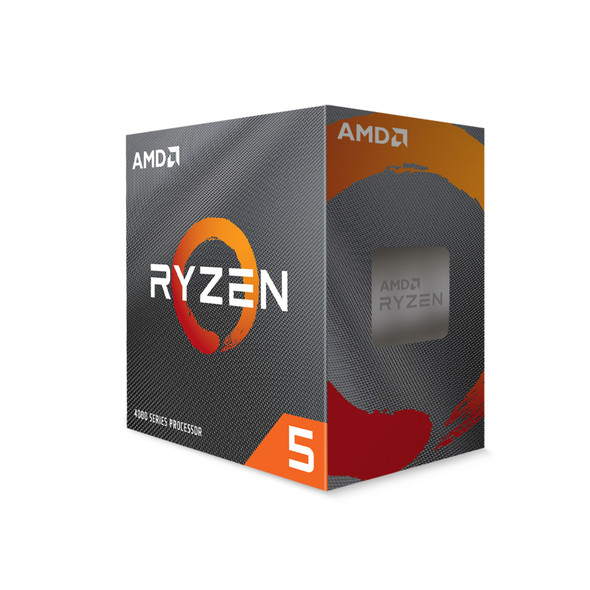
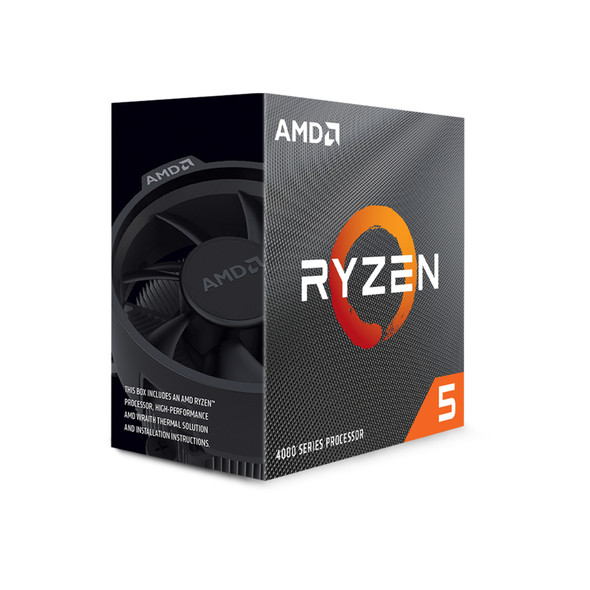
AMD Ryzen 5 4500 6 Core AM4 Processor, 12 Threads, 3.6GHz up to 4.1GHz Boost, 11MB Cache, 65W, with Wraith Stealth Cooler, No Graphics
AMD