
VIDA
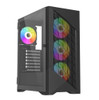
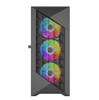
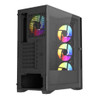
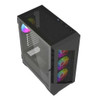
Vida Typhoon Black ARGB Gaming Case w/ Glass Window, ATX, Mesh Front, 4x ARGB Fans
- SKU:
- TYPHOON-BLK
- UPC:
- 5056733100550
- MPN:
- TYPHOON-BLK
- Availability:
- Free Click & Collect in Peterborough. UK delivery also available.



Description
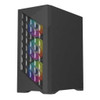
VIDA Typhoon Black ARGB Gaming Case – ATX Mesh Front Case with Tempered Glass and 4 x ARGB Fans
The VIDA Typhoon Black ARGB Gaming Case is an affordable ATX mid-tower gaming PC case designed for builders who want strong airflow, ARGB lighting and a clean tempered-glass showcase look without overspending. With a mesh front panel, full tempered-glass side window and 4 pre-installed 120mm ARGB fans, it gives gamers and PC builders a practical starting point for a cool, colourful desktop build.
This case is ideal for customers searching for a VIDA Typhoon gaming case, black ARGB ATX case, mesh front PC case, tempered glass gaming case, or a budget-friendly chassis with fans already included. It supports ATX, Micro-ATX and Mini-ITX motherboards, graphics cards up to 330mm, CPU coolers up to 160mm, and front radiators up to 360mm.
Key Features of the VIDA Typhoon Black ARGB Gaming Case
- ATX mid-tower gaming case for modern desktop PC builds
- High-airflow mesh front panel to help improve intake cooling
- Tempered glass side panel to show off your components and ARGB lighting
- 4 x 120mm ARGB fans pre-installed – 3 front intake fans and 1 rear exhaust fan
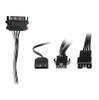
- 3-pin ARGB motherboard sync cable for compatible lighting control
- Supports ATX, Micro-ATX and Mini-ITX motherboards
- Front radiator support up to 360mm for compatible liquid cooling setups
- Rear 120mm radiator support for compact AIO cooler options
- Graphics card clearance up to 330mm
- CPU cooler height up to 160mm
- ATX PSU support up to 200mm
- 2 x 3.5-inch and 2 x 2.5-inch drive bays for HDD and SSD storage
- 7 full-size expansion slots for standard graphics cards and add-in cards
- Front I/O with 1 x USB 3.0, 2 x USB 2.0, HD Audio and HD Mic
- Black SPCC steel body with ABS front bezel
- MPN: TYPHOON-BLK
- UPC / EAN: 5056733100550
Mesh Front Panel for Better Airflow
The VIDA Typhoon is built around airflow. Its mesh front panel allows the three front 120mm ARGB fans to pull fresh air into the system, helping cool your graphics card, CPU cooler, motherboard and storage devices during gaming and everyday use.
This makes it a better choice than many closed-front budget cases where airflow can be restricted. A mesh front is especially useful for gaming PCs, productivity systems and builds using dedicated graphics cards, because cooler internal temperatures can help components maintain stable performance.
4 x 120mm ARGB Fans Included
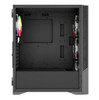
The case includes 3 x 120mm ARGB fans at the front and 1 x 120mm ARGB fan at the rear. This gives a balanced airflow setup out of the box, with front intake airflow and rear exhaust airflow already installed.
The included ARGB lighting also helps create a gaming-style appearance without needing to buy a separate fan kit straight away. For motherboard lighting sync, use a compatible 5V 3-pin ARGB header where supported.
Tempered Glass Side Panel for a Clean Showcase Build
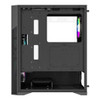
The left side of the VIDA Typhoon features a tempered-glass window, allowing your motherboard, graphics card, cooler, memory and ARGB fans to be visible inside the case. This makes it a strong option for users who want a stylish RGB gaming PC without moving to a more expensive premium chassis.
The black exterior, mesh front and ARGB fans create a clean gaming look suitable for home gaming setups, student PCs, streaming desks and budget performance builds.
Wide Compatibility for ATX Gaming Builds
The VIDA Typhoon supports ATX, Micro-ATX and Mini-ITX motherboards, giving builders flexibility across different PC platforms. Whether you are building a full ATX gaming system or a simpler Micro-ATX budget PC, the case offers standard expansion and cooling support.
Component Clearance
- Maximum GPU length: up to 330mm
- Maximum CPU cooler height: up to 160mm
- Maximum PSU length: up to 200mm
- Expansion slots: 7 full-size slots
Before ordering, always check the exact dimensions of your graphics card, CPU cooler, power supply and radiator, especially if you plan to use a large GPU or front-mounted liquid cooler.
Cooling and Radiator Support
The VIDA Typhoon supports multiple fan positions for flexible airflow planning. In addition to the four included fans, the case supports front, top, rear and PSU cover fan mounting options depending on your chosen build layout.
Fan Mount Support
- Front: 3 x 120mm or 3 x 140mm
- Top: 2 x 120mm or 2 x 140mm
- Rear: 1 x 120mm
- PSU cover: 2 x 120mm
- Side fan mount: none
Radiator Support
- Front: up to 360mm radiator
- Rear: 120mm radiator
This makes the case suitable for many air-cooled builds and selected AIO liquid cooler setups. If using a front radiator, check graphics card clearance because radiator and fan thickness can reduce the available space for longer GPUs.
Storage and Expansion Support
The VIDA Typhoon includes 2 x 3.5-inch drive bays and 2 x 2.5-inch drive bays, giving you space for traditional hard drives and modern SSDs. This is useful for gaming PCs that need a fast SSD for Windows and games, plus a larger hard drive for media, backups or extra storage.
With 7 full-size expansion slots, the case supports standard graphics cards and additional PCIe expansion cards, depending on your motherboard and build configuration.
Front I/O for Everyday Connectivity
The front panel includes 1 x USB 3.0, 2 x USB 2.0, HD Audio and HD Mic. This gives convenient access for USB drives, keyboards, mice, controllers, headsets and other everyday accessories.
Who Is the VIDA Typhoon Black ARGB Case Best For?
- Budget gaming PC builders who want ARGB fans included
- Users looking for a black ATX case with mesh front airflow
- PC builders who want a tempered-glass side panel
- Gamers using ATX, Micro-ATX or Mini-ITX motherboards
- Home and student PC builds with dedicated graphics cards
- Users upgrading from an older closed-front case
- Entry-level and mid-range gaming systems
- Builders wanting front 360mm radiator support at a low price point
Who Is This Case Not For?
This case is not the best option for users who need USB-C front I/O, E-ATX motherboard support, vertical GPU mounting, very large graphics cards over 330mm, CPU air coolers taller than 160mm, or premium cable-management space found in higher-end cases. It is designed as a value-focused airflow and ARGB gaming case.
Technical Specifications
- Brand: VIDA
- Model: Typhoon Black ARGB
- MPN: TYPHOON-BLK
- UPC / EAN: 5056733100550
- Case Type: ATX mid-tower gaming case
- Colour: Black
- Motherboard Support: ATX, Micro-ATX, Mini-ITX
- Power Supply Included: No
- Power Supply Support: ATX PSU, up to 200mm length
- Front Panel: Mesh front
- Side Panel: Tempered glass left panel
- Body Material: SPCC steel
- Front Bezel Material: ABS
- Front I/O: 1 x USB 3.0, 2 x USB 2.0, HD Audio, HD Mic
- Drive Bays: 2 x 3.5-inch, 2 x 2.5-inch
- Expansion Slots: 7 full-size expansion slots
- Included Front Fans: 3 x 120mm ARGB fans
- Included Rear Fan: 1 x 120mm ARGB fan
- Total Included Fans: 4 x 120mm ARGB fans
- ARGB Sync: 3-pin ARGB motherboard sync cable included
- Front Fan Support: 3 x 120mm or 3 x 140mm
- Top Fan Support: 2 x 120mm or 2 x 140mm
- Rear Fan Support: 1 x 120mm
- PSU Cover Fan Support: 2 x 120mm
- Side Fan Support: None
- Front Radiator Support: Up to 360mm
- Rear Radiator Support: 120mm
- Maximum GPU Length: Up to 330mm
- Maximum CPU Cooler Height: Up to 160mm
- Dimensions: 390 x 200 x 449mm / D x W x H
- Dimensions Excluding Fascia / Panels: 350 x 200 x 440mm
- Weight: Approximately 4.82kg
- Warranty: 1 year
Important Build Compatibility Notes
Please check your component sizes before purchase. The VIDA Typhoon supports graphics cards up to 330mm, CPU coolers up to 160mm, and ATX power supplies up to 200mm. If installing a front radiator, the radiator and fan thickness may reduce available GPU clearance.
Important ARGB Lighting Note
The included fans use ARGB lighting and the case includes a 3-pin ARGB motherboard sync cable. For motherboard lighting control, your motherboard should have a compatible 5V 3-pin ARGB header. Do not connect 5V ARGB devices to a 12V 4-pin RGB header, as this can damage the lighting.
Why Buy the VIDA Typhoon Black ARGB Gaming Case?
The VIDA Typhoon Black ARGB Gaming Case offers a strong mix of airflow, lighting, component support and value. With a mesh front panel, tempered-glass side window, four included ARGB fans, ATX motherboard support, 360mm front radiator compatibility and 330mm GPU clearance, it is a practical choice for affordable gaming PC builds.
Choose this case if you want a black ARGB gaming chassis with good airflow and included fans, without paying premium case prices.
Specification
VIDA Typhoon Black ARGB Gaming Case Specifications
The VIDA Typhoon Black ARGB Gaming Case is an ATX mid-tower PC case with a mesh front panel, tempered glass side window and 4 pre-installed 120mm ARGB fans. It supports ATX, Micro-ATX and Mini-ITX motherboards, front 360mm radiator cooling, graphics cards up to 330mm and CPU coolers up to 160mm.
General Information
| Brand | VIDA |
| Model | Typhoon Black ARGB |
| Manufacturer Part Number | TYPHOON-BLK |
| EAN / UPC | 5056733100550 |
| Case Type | ATX mid-tower gaming case |
| Colour | Black |
| Power Supply Included | No |
| Recommended Use | Gaming PCs, budget ARGB builds, airflow-focused desktop systems, ATX builds and tempered-glass showcase PCs |
Case Design and Materials
| Front Panel Design | Mesh front panel for airflow |
| Left Side Panel | Tempered glass side panel |
| Body Material | SPCC steel |
| Front Bezel Material | ABS |
| Windowed Side Panel | Yes |
| ARGB Lighting | Yes, through included ARGB fans |
Motherboard and Component Compatibility
| Motherboard Support | ATX, Micro-ATX, Mini-ITX |
| E-ATX Support | No, not listed for this model |
| Maximum Graphics Card Length | Up to 330mm |
| Maximum CPU Cooler Height | Up to 160mm |
| Power Supply Support | Standard ATX PSU |
| Maximum PSU Length | Up to 200mm |
| Expansion Slots | 7 full-size expansion slots |
Front I/O Ports and Controls
| USB 3.0 Ports | 1 x USB 3.0 |
| USB 2.0 Ports | 2 x USB 2.0 |
| Audio Output | HD Audio |
| Microphone Input | HD Mic |
| USB-C Port | No, not listed for this model |
Included Fans and ARGB Lighting
| Included Front Fans | 3 x 120mm ARGB fans |
| Included Rear Fan | 1 x 120mm ARGB fan |
| Total Included Fans | 4 x 120mm ARGB fans |
| ARGB Sync Cable | 3-pin ARGB motherboard sync cable included |
| Fan Hub Included | Not listed for the Typhoon model |
| ARGB Header Requirement | Compatible 5V 3-pin ARGB motherboard header required for motherboard lighting sync |
Fan Mount Support
| Front Fan Support | 3 x 120mm or 3 x 140mm |
| Top Fan Support | 2 x 120mm or 2 x 140mm |
| Rear Fan Support | 1 x 120mm |
| Side Fan Support | None |
| PSU Cover Fan Support | 2 x 120mm |
Radiator and Liquid Cooling Support
| Front Radiator Support | Up to 360mm |
| Rear Radiator Support | 120mm |
| Top Radiator Support | Not listed in the checked Typhoon specification |
| Radiator Clearance Note | Installing a front radiator may reduce available graphics card clearance depending on radiator and fan thickness |
Drive Bays and Storage Support
| 3.5" Drive Bays | 2 |
| 2.5" Drive Bays | 2 |
| Storage Support | Supports HDD and SSD storage using the listed internal drive bays |
Dimensions and Weight
| Dimensions | 390 x 200 x 449mm / D x W x H |
| Depth | 390mm |
| Width | 200mm |
| Height | 449mm |
| Dimensions Excluding Fascia / Panels | 350 x 200 x 440mm |
| Weight | Approximately 4.82kg |
| Package Weight | Approximately 4.6kg listed by supplier feed |
Package Contents
| PC Case | 1 x VIDA Typhoon Black ARGB Gaming Case |
| Included Fans | 4 x 120mm ARGB fans pre-installed |
| ARGB Cable | 3-pin ARGB motherboard sync cable |
| Power Supply | Not included |
| Accessories | Standard case accessory pack / screws, depending on retail package |
Warranty
| Warranty | 1 year |
Important Build Compatibility Notes
Please check your components before purchase. The VIDA Typhoon supports ATX, Micro-ATX and Mini-ITX motherboards, graphics cards up to 330mm, CPU coolers up to 160mm, and ATX power supplies up to 200mm. If installing a front radiator, the radiator and fan thickness may reduce the available GPU clearance.
Important ARGB Lighting Note
The included fans use ARGB lighting and the case includes a 3-pin ARGB motherboard sync cable. For motherboard lighting sync, use a compatible 5V 3-pin ARGB header. Do not connect 5V ARGB devices to a 12V 4-pin RGB header, as this may damage the lighting.
Important Product Notes
This Typhoon model is listed with 1 x USB 3.0, 2 x USB 2.0, front radiator support up to 360mm, and 4 x 120mm ARGB fans. It is not listed with USB-C, E-ATX support, a fan hub, or top 360mm radiator support in the checked specification.
Return
FAQ: Frequently Asked Questions
Vida Typhoon Black ARGB Gaming Case FAQ
The Vida Typhoon Black ARGB Gaming Case is an ATX mid-tower PC case with a high-airflow mesh front panel, tempered-glass side window, 4 pre-installed 120mm ARGB fans, and support for ATX, Micro-ATX, and Mini-ITX gaming builds. Below are the most common questions buyers ask before choosing this Vida Typhoon ARGB case, including airflow, fan support, ARGB lighting, motherboard compatibility, GPU clearance, radiator support, cable management, and first-build suitability.
1. What is the Vida Typhoon Black ARGB Gaming Case?
The Vida Typhoon Black ARGB is an ATX mid-tower gaming PC case with a mesh front panel, tempered-glass side window, 4 pre-installed ARGB fans, and support for modern gaming components. It is designed for builders who want good airflow, RGB lighting, and a clean gaming PC look without overspending.
2. What motherboard sizes does the Vida Typhoon support?
The Vida Typhoon supports ATX, Micro-ATX, and Mini-ITX motherboards. This makes it suitable for standard gaming PCs, compact Micro-ATX builds, and smaller Mini-ITX systems inside a full-size mid-tower case.
3. Does the Vida Typhoon support E-ATX motherboards?
No. This model is listed for ATX, Micro-ATX, and Mini-ITX motherboards. If you are using an E-ATX motherboard, choose a larger case with confirmed E-ATX support.
4. How many fans come with the Vida Typhoon?
The Vida Typhoon comes with 4 pre-installed 120mm ARGB fans. This includes 3 x 120mm ARGB fans at the front and 1 x 120mm ARGB fan at the rear.
5. Does the Vida Typhoon have good airflow?
Yes. The Vida Typhoon is designed with a mesh front panel and three front intake fans to help pull fresh air into the case. The rear ARGB fan helps exhaust warm air, making it a good airflow-focused option for budget and mid-range gaming builds.
6. What fan mounts are available in the Vida Typhoon?
The case supports 3 x 120mm or 3 x 140mm fans at the front, 2 x 120mm or 2 x 140mm fans at the top, 1 x 120mm fan at the rear, and 2 x 120mm fans on the PSU cover. This gives builders several options for improving airflow.
7. Can I install extra fans in the top of the case?
Yes. The top of the Vida Typhoon supports up to 2 x 120mm or 2 x 140mm fans. Adding top exhaust fans can help remove warm air from the case, especially in gaming builds with a hot CPU or graphics card.
8. Can I install fans on the PSU cover?
Yes. The PSU cover supports 2 x 120mm fans. These can help direct airflow towards the graphics card area, depending on your build layout, power supply cables, and storage configuration.
9. Does the Vida Typhoon support liquid cooling?
Yes. The Vida Typhoon supports liquid cooling with radiator support at the front and rear. It supports a front radiator up to 360mm and a rear radiator up to 120mm.
10. Can I install a 360mm AIO cooler in the Vida Typhoon?
Yes. The Vida Typhoon supports up to a 360mm radiator at the front. Before installing a front radiator, check the thickness of the radiator and fans because this can reduce available graphics card clearance.
11. Can I install a radiator at the top?
The main listed radiator support for this case is front up to 360mm and rear 120mm. The top has fan mounts, but top radiator support is not clearly listed in the confirmed specifications, so front mounting is the safer choice for a 240mm or 360mm AIO.
12. What graphics card length does the Vida Typhoon support?
The Vida Typhoon supports graphics cards up to 330mm long. This is suitable for many modern gaming GPUs, but always check the exact length of your graphics card before ordering, especially if you plan to install a front radiator.
13. Will the Vida Typhoon fit large RTX or Radeon graphics cards?
It can fit many RTX and Radeon graphics cards up to 330mm long. However, some large triple-fan GPUs may be longer than this, so check your GPU’s official length specification before buying the case.
14. What CPU cooler height does the Vida Typhoon support?
The Vida Typhoon supports CPU air coolers up to 160mm tall. This is enough for many popular tower air coolers, but larger dual-tower coolers may be too tall, so check the cooler height before buying.
15. What power supply does the Vida Typhoon support?
The Vida Typhoon supports a standard ATX power supply up to 200mm long. Always allow extra room for cable bends, especially if you are using a modular PSU with thicker cables.
16. Does the Vida Typhoon include a power supply?
No. The Vida Typhoon case does not include a power supply. You will need to buy a suitable ATX PSU separately based on your CPU, graphics card, storage, and overall system power requirements.
17. Does the Vida Typhoon have a tempered-glass side panel?
Yes. The Vida Typhoon has a tempered-glass side panel, allowing you to show off the internal components, ARGB fans, graphics card, CPU cooler, and cable management.
18. Is the front panel mesh or solid?
The Vida Typhoon has a mesh front panel. This helps improve airflow compared with a fully closed front panel and makes the case better suited for gaming systems that need fresh intake air.
19. What front I/O ports does the Vida Typhoon have?
The front I/O includes 1 x USB 3.0, 2 x USB 2.0, HD Audio, and HD Mic. This gives easy access for everyday peripherals such as headsets, USB drives, keyboards, mice, and accessories.
20. Does the Vida Typhoon have USB-C on the front?
No. The listed front I/O includes 1 x USB 3.0, 2 x USB 2.0, HD Audio, and HD Mic. It does not list a front USB-C port. If front USB-C is important, choose a case that clearly includes USB Type-C front I/O.
21. How many storage drives can I install?
The Vida Typhoon supports 2 x 3.5-inch drives and 2 x 2.5-inch drives. This is suitable for builds using SATA SSDs, hard drives, or a mix of motherboard NVMe storage plus extra SATA storage.
22. How many expansion slots does the Vida Typhoon have?
The Vida Typhoon has 7 full-size expansion slots. This supports standard graphics card installation and other PCIe expansion cards such as Wi-Fi cards, capture cards, or sound cards.
23. What are the dimensions of the Vida Typhoon?
The Vida Typhoon measures approximately 390 x 200 x 449mm including the fascia and panels. The chassis body is listed at approximately 350 x 200 x 440mm excluding fascia and panels.
24. How heavy is the Vida Typhoon case?
The Vida Typhoon has a listed weight of approximately 4.82kg. The final PC build will weigh more after adding the power supply, motherboard, graphics card, cooler, storage, and cables.
25. What materials is the Vida Typhoon made from?
The case uses an SPCC steel body, ABS front bezel, and tempered-glass left side panel. This gives it the common construction style used in many affordable gaming PC cases.
26. Does the Vida Typhoon support ARGB motherboard sync?
Yes. The case includes a 3-pin ARGB motherboard sync cable. To use motherboard lighting software, your motherboard normally needs a compatible 5V 3-pin ARGB header.
27. Can I connect the ARGB fans to a 12V RGB header?
No. Do not connect 5V 3-pin ARGB lighting to a 12V 4-pin RGB header. ARGB and RGB use different voltages and connector types. Connecting them incorrectly can damage the lighting components.
28. What is the difference between ARGB and RGB?
ARGB usually uses a 5V 3-pin connector and allows individual LEDs to show different colours and effects. Standard RGB usually uses a 12V 4-pin connector where all LEDs show the same colour. They are not directly interchangeable.
29. What if my motherboard does not have a 5V 3-pin ARGB header?
If your motherboard does not have a 5V 3-pin ARGB header, you may need a separate ARGB controller or hub to control the lighting. Without the correct ARGB header or controller, the fans may spin but the lighting may not be controllable from motherboard RGB software.
30. Why are the fans spinning but the ARGB lights are not working?
Fan motor power and ARGB lighting usually use separate connections. If the fans spin but the lights do not work, check the ARGB cable, 5V 3-pin ARGB header, controller or hub power, LED button connection if used, and whether the ARGB plug is connected the correct way round.
31. Why are the lights working but the fans are not spinning?
If the ARGB lights work but the fan blades do not spin, check the fan power connectors, motherboard fan headers, fan hub or controller power, BIOS fan settings, and whether the fans are connected to fan power rather than only to lighting cables.
32. Can I control the fan colours with ASUS Aura, MSI Mystic Light, Gigabyte RGB Fusion, or ASRock Polychrome?
Yes, if your motherboard has a compatible 5V 3-pin ARGB header and the fans are connected correctly through the ARGB sync cable. Lighting software compatibility depends on your motherboard model, RGB software, and ARGB connection method.
33. Can I control the fan speed from the motherboard?
Fan speed control depends on how the fans are connected and whether they use controllable fan power connections. If connected to motherboard fan headers or a compatible fan hub, you may be able to adjust fan curves in BIOS or motherboard software.
34. Are the included fans PWM fans?
The listing confirms 4 x ARGB fans included, but it does not clearly state PWM control for this Typhoon model. Treat them as included ARGB case fans and check the fan connector type during installation. If you specifically need PWM fans, confirm the fan connector specification before buying extra fans.
35. Does the case include a fan hub?
The Vida Typhoon listing confirms 4 x ARGB fans and a 3-pin ARGB motherboard sync cable, but it does not clearly list a separate fan hub as included. If you need a fan hub for extra fans or easier cable management, check the package contents or add a compatible hub separately.
36. Is the Vida Typhoon good for a first PC build?
Yes. The Vida Typhoon is a good choice for many first PC builds because it supports standard ATX hardware, includes four fans, has a mesh front for airflow, and offers a tempered-glass gaming look. Beginners should take care with ARGB wiring and motherboard header compatibility.
37. Is the Vida Typhoon good for gaming PCs?
Yes. The case is suitable for budget and mid-range gaming PCs thanks to its mesh front, four included ARGB fans, GPU clearance up to 330mm, ATX motherboard support, and space for front liquid cooling.
38. Is the Vida Typhoon suitable for high-end gaming builds?
It can work for some powerful builds, but high-end systems should be checked carefully for GPU length, CPU cooler height, PSU length, radiator thickness, and airflow requirements. Very large GPUs or oversized CPU coolers may need a larger case.
39. Is the Vida Typhoon good for air cooling?
Yes. The mesh front, 3 front fans, 1 rear fan, top fan support, and PSU cover fan support make it a strong value case for air-cooled systems. Adding top exhaust fans can further improve airflow in warmer builds.
40. Is the Vida Typhoon good for liquid cooling?
Yes, especially for front-mounted AIO liquid coolers. The case supports up to a 360mm radiator at the front and a 120mm radiator at the rear, making it suitable for many AIO CPU cooler setups.
41. Should I use a front radiator or extra front fans?
A front radiator can give strong CPU cooling, but it may reduce GPU clearance and warm the intake air entering the case. Keeping the included front fans as intake is usually a simple and effective airflow setup for many gaming PCs.
42. Is the Vida Typhoon quiet?
Noise depends on the fan speed, fan curve, GPU temperature, CPU cooler, and airflow setup. The mesh front helps airflow, which can allow lower fan speeds, but open mesh cases may also let more fan noise escape than closed-front silent cases.
43. Does the Vida Typhoon have dust filters?
The available listings focus on the mesh front, fan support, and tempered-glass panel, but do not clearly detail all dust filter positions. For best long-term cooling, clean the front mesh and internal fans regularly to reduce dust build-up.
44. Can I build a white-themed PC in this case?
This model is black, so it is best suited to black or mixed-colour builds. You can still use white components, white RGB lighting, and white cable extensions, but buyers wanting a full white theme may prefer a white case.
45. Is this case suitable for office PCs?
Yes, but it is more gaming-focused than a basic office case. It can be used for office PCs if you want airflow and RGB styling, but simple office builds may not need four ARGB fans or a tempered-glass gaming design.
46. Can I use this case without turning on the RGB?
Yes. The PC can still run even if the ARGB lighting is not connected or controlled, as long as the fan power connections are connected correctly. The fans and lighting are separate systems, so make sure the fans are powered for cooling.
47. Can I replace the included ARGB fans?
Yes. You can replace the included fans with other compatible 120mm or 140mm fans depending on the mounting position. Make sure replacement fans match your motherboard headers, ARGB controller, and airflow plan.
48. Vida Typhoon vs Vida Aquilon — which should I choose?
Choose the Vida Typhoon if you want a more affordable ATX mesh-front case with 4 ARGB fans and standard gaming build support. Choose a larger case such as the Vida Aquilon if you need E-ATX support, more space, larger GPU clearance, or more advanced fan hub support.
49. Vida Typhoon vs non-RGB case — which is better?
Choose the Vida Typhoon if you want airflow, a gaming look, a glass side panel, and included ARGB fans. Choose a non-RGB case if you prefer a simpler office look, fewer cables, lower lighting complexity, or a more understated build.
50. Who is the Vida Typhoon Black ARGB best for?
The Vida Typhoon is best for PC builders who want a good-value black ATX gaming case with mesh airflow, 4 included ARGB fans, tempered glass, support for standard ATX components, and enough space for many budget and mid-range gaming builds.
51. Who is the Vida Typhoon not for?
This case is not the best choice if you need E-ATX motherboard support, very large GPU clearance above 330mm, very tall CPU cooler support above 160mm, front USB-C, a silent closed-front design, or a premium case with advanced fan hub features included.
52. What should I check before buying the Vida Typhoon?
Before buying, check your motherboard size, GPU length, CPU cooler height, PSU length, radiator size, storage requirements, motherboard ARGB header support, available fan headers, and whether you need front USB-C. This helps avoid compatibility issues during the build.
Related Products
Related Products


Vida Genesis Black ARGB Gaming Case w/ Glass Window, Micro ATX, 2x ARGB Fans, Front ARGB Strip
VIDA