
VIDA
Vida 500W ATX PSU, 80+ Bronze, Fluid Dynamic Ultra-Quiet Fan, PCIe, Flat White Cables, Power Lead Not Included, White
- SKU:
- ATX-500W-WHT
- UPC:
- 5056733100444
- MPN:
- ATX-500W-WHT
- Availability:
- Free Click & Collect in Peterborough. UK delivery also available.


Description
VIDA 500W White ATX PSU – 80 PLUS Bronze, Active PFC, 120mm Quiet Fan & 2× PCIe 6+2-Pin
The VIDA ATX-500W-WHT 500W Power Supply Unit is a white ATX12V desktop PC power supply designed for home computers, office PCs, budget gaming systems and custom white PC builds. It combines a 500W maximum output, 80 PLUS Bronze efficiency certification, Active Power Factor Correction, a quiet 120mm fluid/hydraulic-bearing fan and fully wired flat white power cables.
With a 24-pin motherboard connector, 4+4-pin CPU power, two PCIe 6+2-pin graphics-card connectors, six SATA power connectors, three 4-pin Molex connectors and one legacy floppy power connector, the VIDA 500W PSU provides a broad selection of connections for compatible motherboards, graphics cards, SSDs, hard drives, fans and accessories.
The compact 150 × 140 × 85mm ATX chassis fits standard compatible ATX PSU mounting positions, while the white enclosure and matching flat white cables make the ATX-500W-WHT particularly attractive for white or light-coloured PC builds.
The exact product supplied by Memox is the VIDA ATX-500W-WHT, Memox SKU ATX-500W-WHT, manufacturer part number ATX-500W-WHT, EAN/UPC 5056733100444.
Please note: an AC mains power lead is not included with this product. A suitable compatible mains lead must be supplied separately.
Key Features of the VIDA 500W White ATX Power Supply
- 500W maximum power output
- ATX12V-compatible desktop PC power supply
- 80 PLUS Bronze efficiency certification
- Active Power Factor Correction / Active PFC
- Fully wired / non-modular design
- White PSU enclosure
- Flat white internal power cables
- 120mm ultra-quiet cooling fan
- Fluid / hydraulic fan bearing
- Removable fan dust filter
- 1 × 24-pin motherboard power connector
- 1 × 4+4-pin CPU / EPS power connector
- 2 × PCIe 6+2-pin graphics-card power connectors
- 6 × SATA power connectors
- 3 × 4-pin Molex peripheral connectors
- 1 × FDD / floppy power connector
- 550mm motherboard cable
- 580mm CPU power cable
- 610mm PCIe cable
- Compact 150 × 140 × 85mm dimensions
- Approximately 1.43kg weight
- 2-year VIDA manufacturer warranty
- Power lead not included
What Is the VIDA ATX-500W-WHT?
The VIDA ATX-500W-WHT is a 500W internal ATX computer power supply.
A PC power supply converts mains AC electricity into the regulated DC voltages required by computer components including:
- Motherboard
- Processor / CPU
- Graphics card / GPU
- Solid-state drives
- Hard drives
- Case fans
- Fan controllers
- Optical drives
- Other compatible internal accessories
The 500W rating represents the PSU's maximum rated total output and should be matched carefully to the power requirements of the complete PC.
500W Power for Everyday and Entry-Level PC Builds
A 500W ATX PSU can be a practical choice for many mainstream desktop PCs where the total system requirement remains comfortably within the PSU's rated capacity.
Typical Uses for a 500W PSU
The VIDA ATX-500W-WHT may be suitable for compatible:
- Home desktop PCs
- Office computers
- School and university PCs
- Media PCs
- General-purpose workstations
- Budget gaming PCs
- PC upgrades and repairs
- Custom white computer builds
500W Does Not Mean Every PC Is Compatible
A PSU should always be selected according to the actual hardware installed in the computer.
Before choosing the VIDA 500W PSU, check the recommended PSU capacity for:
- Graphics card
- Processor
- Motherboard
- Storage drives
- Cooling equipment
- USB-powered accessories
- Any additional PCI Express cards
Is 500W Enough for a Gaming PC?
It can be, depending on the hardware.
Many lower-power and mainstream gaming systems can operate within a quality 500W power budget, but higher-performance graphics cards and processors can require significantly more power.
Always Follow the GPU Manufacturer's PSU Recommendation
The graphics-card manufacturer's recommended power-supply capacity should take priority over simply looking at the GPU's normal wattage.
The recommended PSU size can account for:
- GPU power consumption
- Short-duration power spikes
- CPU consumption
- Other system components
- Power-supply headroom
If a graphics card recommends a 650W, 750W or larger PSU, the VIDA 500W should not be substituted merely because the graphics card normally appears to consume less than 500W.
Two PCIe 6+2-Pin Graphics Card Connectors
The ATX-500W-WHT provides 2 × PCI Express 6+2-pin power connectors.
A 6+2-pin connector can normally be configured as either:
- 6-pin PCIe
- 8-pin PCIe
depending on the power connection required by the compatible graphics card.
Suitable for GPUs Using Traditional PCIe Power Connections
The two PCIe 6+2-pin connectors make the PSU suitable for compatible graphics cards requiring one or two traditional 6-pin or 8-pin PCIe power connections, provided that the complete system remains within the PSU's power capability.
No Native 12VHPWR or 12V-2x6 Connector
The manufacturer connector list does not include a native 12VHPWR or 12V-2x6 graphics-card connector.
Some newer high-performance graphics cards use these newer power-connector standards.
Check Modern GPU Requirements Carefully
If your graphics card requires a native 12VHPWR or 12V-2x6 connection, check both:
- The GPU manufacturer's PSU recommendation
- The permitted power-adapter configuration
Do not assume that having two PCIe 6+2-pin connectors automatically makes the PSU suitable for every modern graphics card.
24-Pin Motherboard Power Connector
The PSU provides the standard main motherboard power connection:
- 1 × 24-pin ATX motherboard connector
The manufacturer specifies an approximate cable length of 550mm.
This connector supplies the motherboard with its primary power.
4+4-Pin CPU Power Connector
The VIDA 500W PSU includes:
- 1 × 4+4-pin CPU / EPS connector
The cable is approximately 580mm long.
Why Is the CPU Connector Split 4+4?
The split design provides flexibility for compatible motherboards.
The connector can be joined into an 8-pin CPU power connection where required or used in a compatible 4-pin configuration.
Motherboards Requiring Multiple EPS Connections
Some high-end motherboards provide two CPU/EPS power sockets, such as 8+8-pin arrangements.
The ATX-500W-WHT provides one 4+4-pin CPU connection, so check the exact motherboard requirement before purchase.
Six SATA Power Connectors
The PSU provides a total of 6 × SATA power connectors.
These can be used for compatible:
- 2.5-inch SATA SSDs
- 3.5-inch SATA hard drives
- Optical drives
- Fan hubs
- RGB controllers
- Other SATA-powered PC accessories
SATA Cable Layout
The SATA connections are distributed across two fully wired peripheral cable runs.
VIDA specifies:
- 3 × SATA plus 1 × Molex on one cable run
- 3 × SATA plus 2 × Molex plus 1 × FDD on another cable run
The cable runs extend to approximately 800mm and 1000mm, giving useful reach for storage devices positioned around a compatible PC chassis.
Three 4-Pin Molex Connectors
The PSU includes 3 × traditional 4-pin Molex peripheral power connectors.
Although modern components increasingly use SATA power, Molex remains useful for some:
- Case fans
- Fan controllers
- Pumps
- Legacy drives
- Lighting controllers
- Older PC accessories
Legacy FDD Power Connector
A single FDD / floppy-drive power connector is also provided.
This small legacy connector can still be useful for certain older hardware and specialist PC accessories.
Fully Wired / Non-Modular PSU Design
The VIDA ATX-500W-WHT is a fully wired power supply, also commonly described as non-modular.
All power cables are permanently attached to the PSU.
Advantages of a Fully Wired PSU
- No separate modular PSU cables to lose
- All standard cables are immediately available
- Simple installation
- Lower-cost design compared with many modular alternatives
Difference Between Fully Wired and Modular
A modular PSU allows some or all internal power cables to be disconnected from the power supply.
With the VIDA 500W, unused cables remain attached and should be routed or secured inside the PC case.
Flat White Cables for Cleaner PC Builds
The white version of the VIDA 500W PSU uses flat white internal power cables.
The flat design can make cable routing easier than traditional thick bundled cable looms, particularly behind motherboard trays and around drive cages.
Designed for White PC Builds
The white PSU chassis and white cables make the ATX-500W-WHT a natural match for systems using:
- White PC cases
- White motherboards or heatsinks
- White graphics cards
- White CPU coolers
- White RGB fans
- Minimalist light-coloured builds
This can help reduce the need for separate cosmetic cable extensions in budget white PC builds.
80 PLUS Bronze Certified Efficiency
The VIDA 500W PSU carries an 80 PLUS Bronze certification.
80 PLUS is an efficiency certification programme for computer power supplies.
Higher power-supply efficiency means that a greater proportion of electricity drawn from the wall is converted into useful DC power for the computer, with less energy being lost as heat.
Why PSU Efficiency Matters
Improved efficiency can contribute to:
- Reduced wasted energy
- Lower internal heat generation
- Reduced cooling demand
- More efficient overall PC operation
Independent 80 PLUS Testing
The ATX-500W platform has an official third-party 80 PLUS verification report.
During the published 115V laboratory test, the platform achieved approximately:
- 83.60% efficiency at 20% load
- 86.03% efficiency at 50% load
- 82.50% efficiency at 100% load
The test report classifies the platform as 80 PLUS Bronze.
Efficiency Varies with Load and Input Conditions
The figures above are laboratory results from the stated 115V testing conditions.
Actual efficiency in a real PC can vary according to:
- Input voltage
- PC load
- Temperature
- Power distribution between rails
- Operating conditions
Active Power Factor Correction
The ATX-500W-WHT features Active Power Factor Correction / Active PFC.
Active PFC is used in modern computer power supplies to improve the relationship between the electricity drawn from the mains and the useful power consumed by the PSU.
Why Active PFC Is Useful
Active PFC provides more sophisticated input-power management than older passive or non-PFC power-supply designs.
It also supports the PSU's wide-range mains input design.
Wide AC Input Support
VIDA's current manufacturer specification lists a wide AC input range suitable for standard PC mains environments.
The manufacturer's current product page specifies 115–240V AC, while some exact ATX-500W-WHT distributor datasets list 100–240V AC, 50/60Hz.
For installation, always follow the electrical rating printed on the exact PSU label supplied.
120mm Ultra-Quiet Cooling Fan
The PSU uses a large 120mm cooling fan to move air through the power-supply housing.
A 120mm fan can move useful airflow at lower rotational speeds than very small fans, helping support quieter operation.
Fluid / Hydraulic Fan Bearing
VIDA specifies a fluid / hydraulic bearing for the fan.
This bearing design is intended to provide smooth fan operation and reliable cooling over extended use.
Removable Dust Filter
VIDA also specifies a removable dust filter around the PSU cooling system.
Dust accumulation can restrict airflow and increase internal temperature, so a removable filter can make routine maintenance easier.
Clean the Dust Filter Periodically
The correct cleaning interval depends on the environment.
Computers used in rooms with:
- Carpets
- Pets
- High dust levels
- Smoking
- Restricted airflow
may require more frequent cleaning.
White 120mm Fan on the ATX-500W-WHT
The exact white ATX-500W-WHT retail specification identifies a 120mm white fan matching the white PSU design.
This supports a more consistent appearance when the PSU fan is visible through a case opening or ventilation grille.
Compact Standard ATX Dimensions
The VIDA ATX-500W-WHT measures approximately:
- 150mm wide
- 140mm deep
- 85mm high
Overall dimensions are approximately 150 × 140 × 85mm.
Check Case PSU Clearance
Most cases designed for a standard ATX power supply should accommodate this form factor, but always check the case's PSU dimensions and clearance before purchase.
This is particularly important in:
- Compact PC cases
- Small-form-factor cases
- Cases with drive cages close to the PSU
- Cases with restricted cable-management areas
Approximately 1.43kg Weight
VIDA specifies a PSU weight of approximately 1.43kg.
The power supply should be securely mounted to the chassis using the correct mounting screws and case mounting position.
Is the VIDA 500W Suitable for an ATX Motherboard?
Yes, where the motherboard uses standard compatible ATX power connections.
The PSU provides:
- 24-pin ATX motherboard power
- 4+4-pin CPU power
which are commonly used by modern ATX, Micro-ATX and Mini-ITX desktop motherboards.
PSU Form Factor and Motherboard Size Are Different Things
An ATX PSU can also be used with many Micro-ATX and Mini-ITX motherboards because motherboard size and PSU form factor are separate standards.
The important factors are:
- Case PSU support
- Motherboard power connectors
- Total system power requirement
Can It Power SSDs and Hard Drives?
Yes.
The six SATA power connectors provide ample connectivity for compatible SATA storage devices.
2.5-Inch SATA SSDs
Standard 2.5-inch SATA SSDs normally use SATA power from the PSU plus a SATA data cable connected to the motherboard.
3.5-Inch Hard Drives
Standard desktop SATA hard drives also use a SATA power connector from the PSU.
M.2 SSDs Do Not Use PSU SATA Cables
M.2 SSDs install directly onto a compatible motherboard and normally receive power through the motherboard, so they do not use the PSU's SATA power connectors.
Can It Power Multiple Storage Drives?
The PSU provides six SATA power outputs, allowing multiple compatible drives and SATA-powered accessories to be connected.
However, the number of connectors is not the only consideration.
The complete system must still remain within the overall 500W power rating.
Can I Use PCIe-to-SATA or Molex Adapters?
Adapters should only be used where electrically appropriate and where their quality and ratings are known.
A poor-quality power adapter can introduce unnecessary resistance, heat or connection problems.
Because the VIDA PSU already provides six SATA and three Molex connectors, many builds should not require additional adapters.
Suitable for PC Repairs and Upgrades
The ATX-500W-WHT can be useful when replacing a failed or ageing power supply in a compatible desktop computer.
Before replacement, compare:
- Old PSU wattage
- Motherboard connector
- CPU power connector
- GPU connectors
- SATA connectors
- Physical PSU dimensions
Never Reuse Modular PSU Cables from Another Power Supply
This VIDA model is fully wired, so its power cables are permanently attached.
If replacing a modular PSU, do not reuse the old modular PSU's internal cables with a different power supply unless the manufacturers explicitly confirm electrical compatibility.
PSU-side modular wiring is not universally standardised and incompatible cables can damage computer hardware.
How Much PSU Headroom Should I Leave?
A PC should not normally be designed to operate permanently at the absolute maximum PSU capacity.
Keeping reasonable power headroom can help accommodate:
- Transient CPU loads
- GPU power spikes
- Additional drives
- Additional fans
- USB peripherals
- Future upgrades
Do Not Choose a PSU Based on Wattage Alone
Connector availability and individual component requirements are equally important.
A 500W PSU cannot power a graphics card requiring a connector that the PSU does not provide simply because the wattage calculation appears acceptable.
Is the VIDA 500W an ATX 3.0 or ATX 3.1 PSU?
VIDA currently describes this model as ATX12V compatible but does not identify ATX 3.0 or ATX 3.1 certification in its current manufacturer specification.
For accuracy, this product should therefore not be advertised as an ATX 3.0 or ATX 3.1 power supply unless VIDA publishes an updated certification for this exact model.
Does It Have PCIe 5.0 / 5.1 GPU Power?
The published connector list specifies 2 × PCIe 6+2-pin connectors.
It does not list a native 12VHPWR or 12V-2x6 connector.
If your graphics card requires one of those newer connections, check its exact PSU requirements before purchasing.
Does It Have RGB Lighting?
No RGB or ARGB lighting is specified for the ATX-500W-WHT.
The focus of this model is straightforward white styling, power delivery and quiet cooling rather than integrated lighting.
Power Lead Not Included
The external AC mains power lead is not included with this product.
This is important when:
- Building a completely new PC
- Replacing a PSU where the old mains lead is unavailable
- Supplying the PSU as part of a custom-build project
Ensure that you have a correctly rated compatible mains lead before installation.
Do Not Confuse the Mains Lead with Internal PSU Cables
The internal motherboard, CPU, PCIe, SATA and Molex cables are permanently connected to the power supply.
Only the external AC mains power lead is excluded from this listing.
Installation Guide
1. Switch Off and Disconnect the PC
Turn the computer off and disconnect it completely from the mains before replacing or installing a PSU.
2. Mount the PSU Securely
Install the power supply in the case's supported ATX PSU mounting location and secure it correctly.
3. Connect the 24-Pin Motherboard Cable
Connect the primary 24-pin ATX power connector firmly to the motherboard.
4. Connect CPU Power
Connect the 4+4-pin CPU/EPS connector to the motherboard's compatible CPU power socket.
5. Connect Graphics Card Power
If the graphics card requires external PCIe power, connect the appropriate 6+2-pin connector according to the GPU manufacturer's instructions.
6. Connect SATA and Peripheral Devices
Connect SSDs, hard drives and compatible accessories using the appropriate SATA or Molex connectors.
7. Check Every Connection
Before powering the PC:
- Check that all connectors are fully seated
- Check that cables are not touching fans
- Check that no connectors are forced into incompatible sockets
- Check that the PSU fan airflow is unobstructed
8. Connect a Suitable Mains Lead
Because the mains power lead is not supplied, connect an appropriate compatible lead before switching the system on.
Never Open a PC Power Supply
Do not open the PSU housing.
A computer power supply contains high-voltage components and capacitors that can retain dangerous electrical energy even after the unit is disconnected from mains electricity.
Internal PSU repair should only be undertaken by appropriately qualified personnel.
Who Is the VIDA 500W White PSU Best For?
- Home PC builders
- Office desktop systems
- Budget PC builds
- Entry-level and selected mainstream gaming PCs
- White-themed PC builds
- PC repair technicians
- System integrators
- Users needing multiple SATA power connectors
- Systems using traditional PCIe 6-pin or 8-pin GPU power
Who May Need a Different PSU?
Consider a higher-specification power supply if your system requires:
- More than 500W
- ATX 3.0 or ATX 3.1 certification
- A native 12VHPWR connector
- A native 12V-2x6 connector
- More than one 4+4-pin CPU/EPS connection
- More than two PCIe 6+2-pin connections
- Fully modular cabling
- 80 PLUS Gold, Platinum or Titanium efficiency
- Higher-power workstation or gaming hardware
VIDA ATX-500W-WHT Technical Summary
- Brand: VIDA
- Model: ATX-500W-WHT
- Manufacturer Part Number: ATX-500W-WHT
- Memox SKU: ATX-500W-WHT
- EAN / UPC: 5056733100444
- Product Type: Internal desktop PC power supply
- PSU Form Factor: ATX
- Compatibility: ATX12V
- Maximum Output Power: 500W
- 80 PLUS Certification: Bronze
- PFC: Active PFC
- Modularity: Fully wired / non-modular
- Colour: White
- Cable Style: Flat white cables
- Motherboard Connector: 1 × 24-pin ATX
- Motherboard Cable Length: Approximately 550mm
- CPU Connector: 1 × 4+4-pin
- CPU Cable Length: Approximately 580mm
- PCIe Connectors: 2 × 6+2-pin
- PCIe Cable Length: Approximately 610mm
- SATA Power Connectors: 6
- Molex Power Connectors: 3
- FDD Power Connector: 1
- Peripheral Cable Lengths: Up to approximately 800mm and 1000mm
- Fan Size: 120mm
- Fan Type: Ultra-quiet active cooling fan
- Fan Bearing: Fluid / hydraulic bearing
- Dust Filter: Removable
- Dimensions: 150 × 140 × 85mm
- Weight: Approximately 1.43kg
- Native 12VHPWR: No
- Native 12V-2x6: No
- Power Lead Included: No
- Warranty: 2 years
Important 500W Compatibility Note
The 500W rating should not be used in isolation when deciding whether this PSU is suitable for a PC.
Always check the processor, graphics card and motherboard manufacturers' recommended PSU capacity and connector requirements.
Important PCIe Connector Note
The PSU provides 2 × PCIe 6+2-pin connectors.
It does not provide a manufacturer-listed native 12VHPWR or 12V-2x6 connection. Check newer graphics-card requirements carefully before purchase.
Important CPU Connector Note
The PSU provides one 4+4-pin CPU/EPS connector.
High-end motherboards requiring multiple EPS power cables may therefore require a different PSU.
Important ATX Version Note
VIDA officially describes this PSU as ATX12V compatible.
Do not advertise it as ATX 3.0 or ATX 3.1 unless VIDA publishes confirmation for this exact ATX-500W-WHT model.
Important 80 PLUS Bronze Note
The ATX-500W electrical platform is 80 PLUS Bronze verified.
The published third-party test measured 83.60% efficiency at 20% load, 86.03% at 50% load and 82.50% at full load under the report's 115V / 60Hz laboratory conditions.
Actual efficiency in a UK PC installation may differ according to voltage, system load and operating conditions.
Important AC Input Note
VIDA's current manufacturer webpage specifies an AC input range of 115–240V, while exact ATX-500W-WHT distributor data also appears with a 100–240V range.
For electrical installation, follow the rating printed on the exact power supply supplied rather than relying solely on catalogue wording.
Important Power Lead Note
An external AC mains power lead is not included.
The internal motherboard, CPU, PCIe, SATA, Molex and FDD cables are permanently attached to the PSU and are included as part of the fully wired design.
Important Fan Specification Note
The exact white ATX-500W-WHT product data identifies a 120mm white fluid/hydraulic-bearing fan.
VIDA's shared ATX-500W / ATX-500W-WHT webpage currently uses generic wording referring to a black fan for both colour options. The exact white SKU distributor and retail data identifies the fan as white, matching the white chassis and cables.
Important PSU Safety Note
Never dismantle or open a computer power supply. High-voltage components inside the unit can remain dangerous after mains electricity has been disconnected.
Installation should be carried out only by someone comfortable working safely with PC hardware.
Why Choose the VIDA ATX-500W-WHT 500W White PSU?
The VIDA ATX-500W-WHT offers a useful combination of affordability, efficiency, connectivity and white styling for mainstream PC builds.
Its 500W ATX12V output is suitable for many compatible home, office and budget gaming systems, while 80 PLUS Bronze certification and Active PFC provide a more efficient modern power platform than very basic uncertified supplies.
Two PCIe 6+2-pin connectors provide support for compatible graphics cards using traditional PCIe power, while six SATA and three Molex connectors provide ample connectivity for storage devices, fans and accessories.
The 120mm fluid/hydraulic-bearing fan provides active cooling, and the removable dust filter helps make routine maintenance easier.
Flat white cables and a white PSU enclosure make the unit particularly appealing for white PC cases and colour-coordinated builds, while its compact 150 × 140 × 85mm ATX dimensions make it straightforward to install in many standard desktop cases.
A 2-year VIDA manufacturer warranty provides additional reassurance.
Choose the VIDA ATX-500W-WHT when you need a 500W white ATX PSU with 80 PLUS Bronze certification, Active PFC, two PCIe 6+2-pin connectors, six SATA outputs, flat white cabling and quiet 120mm cooling for a compatible desktop PC.
Specification
VIDA ATX-500W-WHT 500W White ATX PSU Specifications
The VIDA ATX-500W-WHT is a 500W fully wired ATX12V desktop PC power supply with 80 PLUS Bronze certification, Active Power Factor Correction, a 120mm ultra-quiet fluid/hydraulic-bearing cooling fan and flat white internal power cables.
The exact white model supplied by Memox is manufacturer part number ATX-500W-WHT, Memox SKU ATX-500W-WHT, EAN/UPC 5056733100444. It provides one 24-pin motherboard connector, one 4+4-pin CPU connector, two PCIe 6+2-pin GPU connectors, six SATA power connectors, three Molex connectors and one FDD connector.
General Information
| Brand | VIDA |
|---|---|
| Model | ATX-500W-WHT |
| Manufacturer Part Number | ATX-500W-WHT |
| Memox SKU | ATX-500W-WHT |
| EAN / UPC | 5056733100444 |
| Product Type | Internal desktop PC power supply / PSU |
| PSU Form Factor | ATX |
| Compatibility | ATX12V |
| Colour | White |
| Maximum Output Power | 500W |
Power Supply Standard
| Form Factor | ATX |
|---|---|
| Manufacturer Compatibility Specification | ATX12V |
| ATX 3.0 | Not specified by VIDA |
| ATX 3.1 | Not specified by VIDA |
| PCIe 5.0 / 5.1 PSU Specification | Not specified by VIDA for this model |
Power Output
| Rated Wattage | 500W |
|---|---|
| Maximum Total Rated Output | 500W |
| Individual DC Rail Ratings | Not published on VIDA's current public product specification; refer to the rating label on the supplied PSU |
| Suitable System Power | Total PC power requirement must remain within the PSU rating and component manufacturers' recommendations |
AC Input
| Current VIDA AC Input Specification | 115–240V AC |
|---|---|
| Wide-Range AC Input | Yes |
| Power Factor Correction | Active PFC |
| External AC Power Lead Included | No |
80 PLUS Efficiency Certification
| 80 PLUS Certification | 80 PLUS Bronze |
|---|---|
| Certification Level | Bronze |
| Energy Efficiency | 80 PLUS Bronze certified |
| Active PFC | Yes |
| 80 PLUS Gold | No – this model is Bronze certified |
| 80 PLUS Platinum / Titanium | No |
Modularity and Cable Design
| Modularity | Fully Wired / Non-Modular |
|---|---|
| Internal PSU Cables Permanently Attached | Yes |
| Internal Cable Colour | White |
| Cable Style | Flat white cables |
| Detachable Modular Cables | No |
Main Motherboard Power Connector
| Main Motherboard Connector | 1 × 24-pin ATX |
|---|---|
| Manufacturer Cable Length | Approximately 550mm |
| Standard ATX Motherboard Power | Yes |
CPU / EPS Power Connector
| CPU Power Connector | 1 × 4+4-pin CPU / EPS |
|---|---|
| CPU Cable Length | Approximately 580mm |
| 8-Pin CPU Configuration | Yes – 4+4-pin sections combine for compatible 8-pin CPU/EPS sockets |
| Second 4+4-Pin EPS Connector | No – only one is listed by VIDA |
PCI Express Graphics Card Connectors
| PCIe Power Connectors | 2 × 6+2-pin PCIe |
|---|---|
| PCIe Cable Length | Approximately 610mm |
| 6-Pin PCIe Configuration | Supported using the 6-pin portion where compatible |
| 8-Pin PCIe Configuration | Supported using the combined 6+2-pin connector where compatible |
| Native 12VHPWR Connector | Not listed / not provided in VIDA's connector specification |
| Native 12V-2x6 Connector | Not listed / not provided in VIDA's connector specification |
SATA Power Connectors
| Total SATA Power Connectors | 6 |
|---|---|
| First Peripheral Cable | 3 × SATA + 1 × Molex |
| First Peripheral Cable Length | Approximately 800mm overall |
| Second Peripheral Cable | 3 × SATA + 2 × Molex + 1 × FDD |
| Second Peripheral Cable Length | Approximately 1000mm overall |
| 2.5-inch SATA SSD Power | Supported |
| 3.5-inch SATA HDD Power | Supported |
| SATA Optical Drive Power | Supported where compatible |
Molex and Legacy Power Connectors
| 4-Pin Molex Connectors | 3 |
|---|---|
| FDD / Floppy Power Connector | 1 |
| Legacy Peripheral Support | Yes, subject to the connected device's requirements |
Complete Connector Summary
| 24-Pin ATX | 1 |
|---|---|
| 4+4-Pin CPU / EPS | 1 |
| PCIe 6+2-Pin | 2 |
| SATA Power | 6 |
| 4-Pin Molex | 3 |
| FDD Power | 1 |
Cooling System
| Cooling Type | Active air cooling |
|---|---|
| Fan Size | 120mm |
| VIDA Fan Description | Ultra-Quiet 120mm Fan |
| Fan Bearing | Fluid / Hydraulic Bearing |
| Removable Dust Filter | Yes, according to VIDA's current product specification |
| Fan Stop / Zero-RPM Mode | Not specified |
| Fan Speed / RPM | Not published by VIDA |
| Fan Noise Rating | Not separately quantified by VIDA |
Colour and Appearance
| PSU Chassis Colour | White |
|---|---|
| Cable Colour | White |
| Cable Profile | Flat |
| Designed for White-Themed PC Builds | Yes |
| RGB / ARGB Lighting | Not specified |
Physical Specifications
| Manufacturer Dimensions | 150 × 140 × 85mm |
|---|---|
| Approximate Width | 150mm |
| Approximate Depth | 140mm |
| Approximate Height | 85mm |
| Weight | Approximately 1.43kg |
| Form Factor | ATX PSU |
PC Case Compatibility
| Standard ATX PSU Mounting | Compatible with PC cases supporting a standard ATX power supply of the required dimensions |
|---|---|
| ATX Cases | Compatible where PSU clearance is sufficient |
| Micro-ATX Cases | Compatible where the case supports an ATX PSU |
| Mini-ITX Cases | Case dependent – many compact Mini-ITX cases require SFX or another smaller PSU format |
| PSU Clearance Required | At least enough space for the 150 × 140 × 85mm PSU plus attached cable bend clearance |
Motherboard Compatibility
| ATX Motherboards | Compatible where standard 24-pin ATX and supported CPU power connections are used |
|---|---|
| Micro-ATX Motherboards | Compatible where standard PSU connections are used |
| Mini-ITX Motherboards | Compatible where standard PSU connections and case PSU support are available |
| Motherboard Requiring Dual EPS / CPU Connections | Check requirements carefully – this PSU provides one 4+4-pin CPU/EPS connector |
Graphics Card Compatibility
| Graphics Cards Without External Power | Supported subject to overall PC power requirements |
|---|---|
| Graphics Cards Using 6-Pin PCIe | Supported where total system power remains within specification |
| Graphics Cards Using 8-Pin PCIe | Supported via 6+2-pin connectors where overall power requirements are suitable |
| Maximum Traditional PCIe Connectors | 2 × 6+2-pin |
| Graphics Cards Requiring 12VHPWR / 12V-2x6 | No native connector is listed; check the graphics-card manufacturer's exact PSU requirements |
| GPU Manufacturer PSU Recommendation | Must be followed |
Storage Device Compatibility
| 2.5-inch SATA SSD | Supported |
|---|---|
| 3.5-inch SATA HDD | Supported |
| SATA Optical Drive | Supported |
| M.2 SSD Direct PSU Cable Required | No – M.2 drives normally receive power through the motherboard |
| Maximum Available SATA Power Connections | 6 |
Typical Use Cases
| Home Desktop PC | Suitable where system requirements remain within specification |
|---|---|
| Office PC | Suitable |
| Media PC | Suitable where power and connector requirements are compatible |
| Budget Gaming PC | Suitable for compatible lower-power and mainstream configurations |
| High-End Gaming PC | Often requires a higher-capacity and/or newer-specification PSU; check component recommendations |
| White-Themed PC Build | Yes |
Efficiency and Power Management
| 80 PLUS Bronze | Yes |
|---|---|
| Active Power Factor Correction | Yes |
| Passive PFC | No – VIDA specifies Active PFC |
| Fully Wired Design | Yes |
Protection Specifications
| Detailed OVP / UVP / OCP / OPP / SCP Protection List | Not separately published on VIDA's current public ATX-500W product specification |
|---|---|
| Recommended Listing Practice | Do not add specific electrical protection acronyms unless confirmed by VIDA for this exact model |
| 80 PLUS Certification | Bronze |
| Active PFC | Yes |
Package Contents
| VIDA ATX-500W-WHT 500W PSU | 1 |
|---|---|
| Attached Internal Power Cables | Included as part of the fully wired PSU |
| External AC Mains Power Lead | Not included |
| Modular PSU Cables | Not applicable – PSU is fully wired |
| Mounting Screws | Not specifically confirmed in VIDA's current published package specification |
Warranty
| VIDA Manufacturer Warranty | 2 years |
|---|---|
| Warranty Provider | VIDA, subject to applicable manufacturer terms |
| Proof of Purchase | May be required for warranty service |
| UK Statutory Rights | Manufacturer warranty is additional to applicable UK consumer statutory rights |
Important AC Input Correction
VIDA's current manufacturer specification for the ATX-500W / ATX-500W-WHT lists an AC input range of 115–240V AC.
Older Memox and distributor data may show 100–240V AC. For the permanent specification tab, the current VIDA value of 115–240V AC is the recommended figure.
For electrical installation and servicing, the rating label printed on the exact PSU supplied should always take priority.
Important 500W Power Note
The VIDA ATX-500W-WHT is rated at 500W maximum total output.
Do not select a power supply from wattage alone. Processor, graphics-card, motherboard and other component manufacturers' recommended PSU ratings should also be followed.
Keeping appropriate capacity headroom is particularly important for gaming systems because CPU and GPU power consumption can change significantly under load.
Important 80 PLUS Bronze Note
The PSU is 80 PLUS Bronze certified.
80 PLUS is an efficiency certification and should not be interpreted as a measure of maximum output wattage, electrical protection coverage or compatibility with a particular graphics card.
Important Active PFC Note
VIDA specifies Active Power Factor Correction / Active PFC.
This should not be confused with the Passive PFC used on some lower-cost or older power-supply designs.
Important ATX Version Note
VIDA currently specifies the ATX-500W-WHT as ATX12V compatible.
The manufacturer does not currently identify this exact model as ATX 3.0 or ATX 3.1, so those newer ATX-version claims should not be added to the product specification unless VIDA publishes an updated specification.
Important Modern GPU Connector Note
The PSU provides 2 × PCIe 6+2-pin connectors.
VIDA's connector list does not include a native 12VHPWR or 12V-2x6 connector. Modern graphics cards requiring those newer connections should be checked carefully against the GPU manufacturer's PSU and adapter requirements.
Important CPU Power Note
The PSU provides one 4+4-pin CPU/EPS power connector.
Some enthusiast and high-end motherboards provide or require additional EPS connections. Check the motherboard manual before purchase if more than one CPU power connection is required.
Important Fully Wired PSU Note
The ATX-500W-WHT is a fully wired / non-modular PSU.
The motherboard, CPU, PCIe, SATA, Molex and FDD cables are permanently connected to the power supply and cannot be removed.
Unused cables should be routed and secured safely inside the PC case.
Important Flat White Cable Note
The exact ATX-500W-WHT supplied by Memox uses flat white internal power cables, making it particularly suitable for white-themed computer builds.
The flat design can also help with cable routing behind motherboard trays and around drive cages.
Important Fan Bearing Note
VIDA's current specification describes the 120mm fan bearing as Fluid / Hydraulic Bearing.
For the most accurate manufacturer-backed specification, use this wording rather than automatically substituting a more specific bearing term that VIDA does not currently publish.
Important Fan Colour Note
The exact Memox ATX-500W-WHT listing identifies a white 120mm cooling fan, while VIDA's shared manufacturer page currently uses generic wording describing a black fan across both its black and white product variants.
The manufacturer page therefore appears to use shared fan-colour wording. If fan colour is commercially important, confirm it against the physical ATX-500W-WHT stock or retail packaging before making it a permanent compatibility claim.
Important Dust Filter Note
VIDA currently specifies a removable dust filter for the PSU cooling fan.
Periodic cleaning can help maintain airflow. Always switch off the PC and disconnect it from mains electricity before cleaning around the PSU exterior.
Important Dimension Note
VIDA publishes overall dimensions of 150 × 140 × 85mm.
For practical PC-case clearance this corresponds to an approximately 150mm-wide, 140mm-deep and 85mm-high ATX PSU chassis.
Always allow additional space for the permanently attached power cables and their required bend radius.
Important Power Lead Note
An external AC mains power lead is not included with this Memox product.
The internal PC power cables are included because they are permanently attached to the fully wired PSU. Only the external mains lead is excluded.
Important Protection Specification Note
VIDA's current public specification does not separately list individual protection acronyms such as OVP, UVP, OCP, OPP, OTP or SCP for this exact model.
To avoid unsupported specifications, do not add individual protection features to the Memox tab unless VIDA provides documentation confirming them for ATX-500W-WHT.
Important PSU Cable Safety Note
This is a fully wired PSU, so only the cables permanently attached to the unit should be used for internal PC power.
Never attempt to modify PSU wiring or connect incompatible modular PSU cables from another power supply.
Important PSU Safety Note
Never open the PSU enclosure.
Computer power supplies contain high-voltage components and capacitors that can remain dangerous even after the power supply has been disconnected from mains electricity.
Internal PSU repair should only be performed by appropriately qualified personnel.
Return
FAQ: Frequenlty Asked Questions
VIDA ATX-500W-WHT 500W 80 PLUS Bronze White PSU FAQ
The VIDA ATX-500W-WHT is a 500W fully wired ATX power supply designed for mainstream desktop PCs, white-themed builds, office systems and lower-power gaming PCs. It features 80 PLUS Bronze efficiency certification, Active PFC, a 120mm fluid/hydraulic-bearing cooling fan, flat white cables, a 20+4-pin motherboard connector, one 4+4-pin CPU/EPS connector, two 6+2-pin PCIe connectors, six SATA power connectors, three Molex connectors and one legacy FDD connector. A mains power lead is not included.
Below are the most common questions buyers ask before choosing this VIDA 500W PSU, including 500W GPU compatibility, RTX/Radeon power recommendations, 80 PLUS Bronze efficiency, Active PFC, non-modular cabling, white PC builds, CPU/EPS and PCIe wiring, SATA/Molex connectors, case fit, fan noise, power-lead requirements, troubleshooting, ATX 2.x vs ATX 3.x and when to choose a larger 650W/750W/850W PSU instead.
1. What is the VIDA 500W White ATX PSU?
The VIDA ATX-500W-WHT is a 500W fully wired ATX desktop power supply finished in white. It is designed for mainstream PC builds and provides 80 PLUS Bronze efficiency certification, Active PFC, a 120mm fluid/hydraulic-bearing cooling fan, flat white cables, dual 6+2-pin PCIe power connectors and multiple SATA/Molex connections.
2. What is the exact model number?
The exact manufacturer part number is ATX-500W-WHT.
3. What is the Memox SKU?
The Memox SKU is ATX-500W-WHT.
4. What is the EAN / UPC?
The EAN/UPC is 5056733100444.
5. What is the rated power output?
The PSU is rated for 500W total output power.
6. Is this a 500W continuous PC power supply?
It is sold and independently 80 PLUS tested as a 500W ATX power supply. System compatibility still depends on the power requirements of the CPU, graphics card and all other components.
7. What form factor does it use?
It uses the standard ATX PSU form factor.
8. What are the PSU dimensions?
The published dimensions are approximately 150 x 140 x 85mm.
9. How much does the PSU weigh?
The published unit weight is approximately 1.43kg.
10. Is this the white version?
Yes. ATX-500W-WHT is the white version, intended for white or light-coloured PC builds.
11. Are the cables white?
Yes. VIDA and the Memox specification describe this model with flat white cables.
12. Is the cooling fan white?
VIDA's manufacturer page and the Memox specification describe the ATX-500W-WHT with an ultra-quiet 120mm white fan. Some syndicated retailer descriptions contain black-fan wording that appears to be copied from the black model.
13. Does the PSU include RGB lighting?
No RGB or other fan illumination is listed.
14. Is the PSU modular?
No. It is fully wired/non-modular, so all power cables are permanently attached to the PSU.
15. What does fully wired mean?
Fully wired means the motherboard, CPU, PCIe, SATA and peripheral cables are permanently connected rather than detachable.
16. Is fully wired the same as fully modular?
No. Fully wired is the opposite of fully modular: none of the PSU-side cables are removable.
17. What are the advantages of a non-modular PSU?
A fully wired PSU is simple to install, avoids PSU-side cable compatibility mistakes and can offer good value because there are no modular sockets or detachable cable sets.
18. What are the disadvantages of a non-modular PSU?
Unused cables must be stored inside the case, so cable management can be less tidy than with a modular PSU.
19. Does the PSU include a UK mains power lead?
No. The product is specifically supplied without a mains power lead.
20. What mains lead do I need?
Use a good-quality, properly rated UK IEC C13 mains lead for the PSU's standard IEC power inlet.
21. Can I reuse the IEC mains cable from my old desktop PSU?
Usually yes if it is a standard undamaged, correctly rated IEC C13 UK mains lead. Do not use a damaged, loose or underrated cable.
22. Why is the power lead not included?
The model is supplied without a mains lead, which can reduce duplicated cables for system builders and replacement-PC applications where a suitable IEC lead is already available.
23. Does the PSU have a rear on/off switch?
Yes. Technical listings for the exact model specify a rear power switch.
24. Does it have a fan on/off switch?
No dedicated fan on/off switch is listed.
25. Does it have a zero-RPM fan mode?
No zero-RPM or semi-passive mode is specified. Do not assume the fan stops completely at low load.
26. What cooling fan does it use?
It uses one 120mm active cooling fan.
27. What bearing type does the fan use?
VIDA describes the fan as fluid/hydraulic bearing; technical listings also use hydro/Hypro bearing terminology.
28. What is a fluid or hydraulic-bearing fan?
It is a fan bearing design that uses a fluid-based bearing system to reduce friction and support smoother, quieter operation compared with basic sleeve-bearing designs.
29. Is the fan genuinely silent?
VIDA markets it as ultra-quiet, but no exact dBA noise figure is published for this model. Actual noise depends on PSU load, case airflow, temperature and the individual unit.
30. Can the fan become louder during gaming?
Yes. PSU cooling demand can rise as electrical load and internal temperature increase.
31. What should I do if the PSU fan becomes unusually loud?
Check that the case airflow is unobstructed, the PSU intake is not blocked by carpet or dust, and the system is not operating too close to the PSU's capacity. Persistent grinding or rattling can indicate a fan fault.
32. Can dust make the PSU fan noisy?
Yes. Dust can restrict airflow and increase fan workload. Clean the external PSU intake/filter regularly without opening the PSU enclosure.
33. Should I open the PSU to clean the fan?
No. A PSU can retain hazardous electrical charge after being unplugged. Clean external vents with the system powered down and leave internal servicing to qualified technicians.
34. Is the PSU 80 PLUS Bronze certified?
Yes. The ATX-500W platform is independently listed as 80 PLUS Bronze.
35. What does 80 PLUS Bronze mean?
80 PLUS Bronze is an efficiency certification. It indicates that the PSU meets specified efficiency targets at defined loads and test conditions; it is not a guarantee of gaming performance or a complete measure of PSU quality.
36. What efficiency did the linked 80 PLUS report measure at 20% load?
The independent report linked from the product page measured approximately 83.60% efficiency at 20% load under its 115V test conditions.
37. What efficiency did the 80 PLUS report measure at 50% load?
The linked independent report measured approximately 86.03% efficiency at 50% load under its 115V test conditions.
38. What efficiency did the 80 PLUS report measure at full load?
The linked independent report measured approximately 82.50% efficiency at 100% load under its 115V test conditions.
39. Was the 80 PLUS test carried out at UK 230V?
The linked verification report states that its measurements were taken at 115V nominal and 60Hz, so exact efficiency on UK 230V mains can differ.
40. Does 80 PLUS Bronze mean the PSU is always exactly 82–86% efficient?
No. Efficiency changes with load, input voltage, temperature and operating conditions.
41. Is 80 PLUS Bronze a safety certification?
No. 80 PLUS primarily certifies energy efficiency. Safety/compliance markings and electrical design are separate matters.
42. Which compliance certifications are listed?
Technical data for the exact model lists certifications/compliance including CB, CE, FCC, UKCA, CCC and RoHS.
43. What is Active PFC?
Active Power Factor Correction manages the PSU's AC input so current draw more closely follows the mains voltage waveform, improving power factor compared with basic passive or non-PFC designs.
44. Does this PSU use Active PFC?
Yes. Active PFC is listed for ATX-500W-WHT.
45. What input voltage does it support?
The PSU is specified for 100–240V AC input.
46. What input frequency does it support?
The published input-frequency range is 50/60Hz.
47. Does it need a 115V/230V voltage-selection switch?
No manual voltage selector is listed; the 100–240V Active PFC input is designed for automatic wide-range operation.
48. Is it suitable for normal UK 230V mains?
Yes. It is a UK-market ATX PSU with 100–240V input support.
49. Can I permanently use it abroad?
Electrically it supports 100–240V 50/60Hz, but use the correct local mains lead, plug, earthing and regulatory setup for the destination country.
50. What motherboard power connector is included?
It includes a 20+4-pin ATX motherboard power connector.
51. Does the 20+4-pin connector work with modern 24-pin motherboards?
Yes. The 20+4 sections combine to form a standard 24-pin motherboard power connector.
52. Can it work with an older 20-pin ATX motherboard?
Potentially. The detachable 4-pin section allows 20-pin ATX use where the older motherboard and overall system are otherwise compatible.
53. How long is the motherboard power cable?
The published motherboard cable length is approximately 550mm.
54. What CPU power connector is included?
The PSU provides one 4+4-pin CPU/EPS power connector.
55. Can the 4+4 CPU connector form an 8-pin EPS connector?
Yes. The two 4-pin halves clip together for a standard 8-pin CPU/EPS socket.
56. Can I use only one half on a motherboard with a 4-pin CPU socket?
Yes where the motherboard is specifically designed for a 4-pin ATX12V CPU connection.
57. How long is the CPU power cable?
The CPU/EPS cable is approximately 580mm.
58. Does the PSU have a second CPU/EPS connector?
Only one 4+4-pin CPU/EPS connector is specified.
59. What if my motherboard has 8-pin plus an additional 4-pin or 8-pin CPU socket?
Many motherboards use the primary 8-pin EPS socket for normal operation and provide an additional socket for high-power CPUs or overclocking, but requirements vary. Check the motherboard manual; if both CPU connectors are required, choose a PSU with the necessary EPS connectors.
60. Can I use a PCIe 6+2 connector in the CPU/EPS socket?
No. PCIe GPU and CPU/EPS connectors are wired differently even though both can have eight pins. Never force one into the wrong socket.
61. Can I use the CPU 4+4 cable to power a graphics card?
No. Use only the labelled PCIe 6+2 connectors for graphics cards.
62. How many PCIe power connectors are included?
The PSU provides two 6+2-pin PCIe power connectors.
63. Can each 6+2 connector be used as an 8-pin PCIe plug?
Yes. The 6-pin and detachable 2-pin section combine to form an 8-pin PCIe connector.
64. Can the PCIe connector be used as a 6-pin plug?
Yes. Leave the detachable 2-pin section unused when a graphics card requires a 6-pin PCIe connector.
65. How long is the PCIe cable?
The published PCIe power cable length is approximately 610mm.
66. Does having two PCIe connectors mean any two-8-pin graphics card is supported?
No. Connector availability and PSU wattage are separate requirements. A GPU can physically need two 8-pin connectors while its manufacturer recommends a 650W, 750W or larger PSU.
67. Does this PSU include a 12VHPWR connector?
No native 12VHPWR connector is listed.
68. Does this PSU include a 12V-2x6 connector?
No. It uses traditional 6+2-pin PCIe graphics connectors.
69. Is this an ATX 3.0 or ATX 3.1 PSU?
No. Technical listings identify this model with the older ATX 2.03 specification rather than ATX 3.0/3.1.
70. Is it PCIe 5.0 / PCIe 5.1 PSU ready?
It does not provide a native modern 12VHPWR/12V-2x6 connector and should not be marketed as an ATX 3.x PCIe 5.x power supply.
71. Can I use a 12VHPWR adapter with it?
An adapter cannot increase the PSU's 500W capacity or add ATX 3.x transient-performance compliance. If a graphics card requires a modern high-power connector or a PSU above 500W, use an appropriately rated modern PSU instead.
72. How many SATA power connectors are included?
Six SATA power connectors are specified across two cable chains.
73. Can I power six SATA SSDs?
The PSU has six SATA power plugs, so it can physically power up to six compatible SATA devices if total system power and cable loading remain appropriate.
74. Can I power six SATA hard drives?
It has six SATA connectors, but multiple mechanical drives can have higher startup current than SSDs. Check overall system power and drive requirements rather than relying only on connector count.
75. How are the SATA connectors arranged?
The published wiring lists one chain with three SATA plus one Molex at about 800mm and another chain with three SATA, two Molex and one FDD connector extending to about 1000mm.
76. How many Molex connectors are included?
Three 4-pin peripheral/Molex connectors are specified.
77. Does it include a floppy-drive power connector?
Yes. One legacy FDD/floppy power connector is listed.
78. What can Molex connectors still be used for?
They can power compatible older drives, fan hubs, pumps, lighting controllers and other accessories designed for 4-pin peripheral power.
79. Should I use Molex-to-PCIe adapters for a graphics card?
It is better to use the PSU's native PCIe 6+2 connectors. Avoid improvised adapters for a GPU, especially when the system already approaches the PSU's wattage limit.
80. Should I use SATA-to-PCIe adapters for a graphics card?
No. Use the native PCIe connectors or choose a PSU with the correct graphics power outputs.
81. Can I use SATA power splitters?
Use the native six SATA connectors where possible. Splitters add extra contacts and can overload a cable if too many high-draw devices are connected.
82. Does the PSU support NVMe SSDs?
Yes indirectly. M.2 NVMe SSDs are powered through the motherboard, so they do not need a separate PSU cable.
83. Does the PSU support SATA SSDs?
Yes. Six SATA power connectors are provided.
84. Does the PSU support optical drives?
Yes if the optical drive uses standard SATA power and the case has room for it.
85. Can it power RGB/fan hubs?
Yes if the hub uses a compatible SATA or Molex power connection and the total load remains within specification.
86. Will the PSU fit a normal ATX mid-tower case?
Usually yes. Its approximately 150 x 140 x 85mm size is compact for an ATX PSU, but always check the case's PSU form-factor and maximum-depth specification.
87. Will it fit a Micro-ATX case?
Yes if the case accepts a standard ATX power supply and has at least 140mm of PSU depth plus space for the fixed cables.
88. Will it fit a Mini-ITX case?
Only if that Mini-ITX case specifically accepts a standard ATX PSU. Many compact cases require SFX or SFX-L instead.
89. Will it fit a case that only supports SFX power supplies?
No, not without a case-specific solution. This is a full-size ATX PSU, not SFX.
90. Does the 140mm depth help in compact ATX cases?
Yes. A 140mm-deep ATX unit is relatively compact and can leave more room for cable storage than deeper high-wattage PSUs.
91. How should I orient the PSU fan in a bottom-mounted case?
If the case has a filtered bottom PSU vent, the fan is normally aimed downward to draw outside air. If there is no bottom vent, the fan may need to face into the case. Follow the case design.
92. Should I place the PC directly on thick carpet?
Avoid blocking a downward-facing PSU intake. Use a hard surface or a stand that keeps the vent clear.
93. Can poor case airflow reduce PSU life?
Yes. High internal temperature increases cooling demand and can stress components over time.
94. Is 500W enough for an office PC with integrated graphics?
Yes for most conventional office systems using integrated graphics, provided the total system requirements are within 500W.
95. Is 500W enough for a home PC without a dedicated GPU?
Usually yes. Integrated-graphics desktop systems normally consume far less than 500W.
96. Is it suitable for a budget gaming PC?
Yes when paired with a CPU/GPU combination whose manufacturer power recommendation and real system load fit within a 500W PSU.
97. Is 500W enough for every gaming PC?
No. Many current GPUs specify 550W, 600W, 650W or higher minimum system power.
98. How do I know whether 500W is enough for my build?
Check the graphics-card manufacturer's minimum PSU recommendation, estimate the complete system draw, account for CPU boost and GPU transient loads, and leave reasonable upgrade/headroom capacity.
99. Should I choose a PSU based only on PCPartPicker's estimated wattage?
No. An estimated wattage is useful, but GPU manufacturer recommendations, transient loads, PSU quality and future upgrades also matter.
100. Should I run a 500W PSU at almost 500W all the time?
That leaves very little operating or upgrade headroom. A larger PSU is preferable when the system can sustain loads close to 500W.
101. Does a 500W PSU always draw 500W from the wall?
No. The PC draws only the power it needs. The PSU's 500W rating is its output capacity, not constant wall consumption.
102. If my PC uses 250W, does a 500W PSU force 500W into it?
No. Components draw the power they require; the PSU does not push its full rated wattage into the PC.
103. Why can wall power be higher than the DC output?
No PSU is 100% efficient. Some input energy becomes heat during AC-to-DC conversion.
104. At full load, can the wall draw exceed 500W?
Yes. The linked 80 PLUS test measured about 507W DC output while drawing about 615W AC under its 115V full-load test, illustrating the effect of conversion losses.
105. Is a bigger PSU always more energy efficient?
No. Efficiency depends on the PSU design and its operating load. Oversizing only for wattage does not automatically save energy.
106. Is 80 PLUS Gold always better than Bronze?
Gold certification has higher efficiency targets, but efficiency certification alone does not describe every aspect of build quality, noise, connectors or electrical performance.
107. Is 500W enough for an AMD Radeon RX 6400 system?
AMD lists a 350W minimum PSU recommendation for the RX 6400, so this 500W unit is above that baseline when the rest of the system is conventional and compatible.
108. Is 500W enough for an AMD Radeon RX 6500 XT system?
AMD lists a 400W minimum PSU recommendation for RX 6500 XT, so a 500W PSU can be suitable when the complete build remains within specification.
109. Is 500W enough for an AMD Radeon RX 6600 system?
AMD lists a 450W minimum PSU recommendation for RX 6600. A 500W unit can therefore fit AMD's baseline for a normal system, but check the exact graphics-card manufacturer and CPU configuration.
110. Is 500W enough for an AMD Radeon RX 6600 XT?
AMD lists 500W as the minimum PSU recommendation for RX 6600 XT. This model meets that headline minimum, but it leaves less headroom than a 550W or 650W PSU.
111. Is 500W enough for an AMD Radeon RX 6650 XT?
AMD lists a 500W minimum recommendation for RX 6650 XT. It can meet the stated baseline, but extra capacity is sensible for a high-power CPU, factory-overclocked card or future upgrades.
112. Is 500W enough for an AMD Radeon RX 7600?
AMD currently recommends at least a 550W PSU for RX 7600, so this 500W unit is below AMD's official recommendation.
113. Is 500W enough for an AMD Radeon RX 7600 XT?
No according to AMD's published recommendation: RX 7600 XT calls for a 600W or greater PSU.
114. Is 500W enough for an AMD Radeon RX 6700?
No according to AMD's current specification, which recommends at least 600W for RX 6700.
115. Is 500W enough for an AMD Radeon RX 7700 XT?
No. AMD recommends a 700W or greater PSU for RX 7700 XT.
116. Is 500W enough for an AMD Radeon RX 7800 XT?
No. AMD recommends a 700W or greater PSU for RX 7800 XT.
117. Is 500W enough for an NVIDIA GeForce RTX 4060?
NVIDIA's current RTX 4060/4060 Ti guidance uses a 550W minimum system-power figure. This 500W PSU is therefore below NVIDIA's official baseline, even though individual low-power builds may consume less.
118. Is 500W enough for an NVIDIA GeForce RTX 4060 Ti?
NVIDIA lists 550W minimum system power for the RTX 4060 Ti/4060 family guidance, so use a 550W or higher suitable PSU rather than this 500W model.
119. Is 500W enough for an RTX 3060?
NVIDIA's reference RTX 3060 guidance lists 550W required system power, so a 500W PSU is below the official baseline.
120. Is 500W enough for an RTX 5050?
NVIDIA lists 550W required system power for the RTX 5050 reference specification, so this 500W model is below that recommendation.
121. Is 500W enough for an RTX 5060?
NVIDIA lists 550W required system power for RTX 5060, so a 500W PSU is below the reference recommendation.
122. Is 500W enough for an RTX 5060 Ti?
NVIDIA lists 600W required system power for RTX 5060 Ti, so choose a larger PSU.
123. Is this PSU suitable for an RTX 5070, RTX 5080 or RTX 5090?
No. Those high-end GPUs require substantially more system power and modern connector/transient capability than this 500W ATX 2.x PSU is intended to provide.
124. If a GPU only uses one 8-pin connector, does that mean 500W is enough?
No. Connector count does not replace the GPU manufacturer's minimum PSU recommendation.
125. If a GPU uses two 8-pin plugs and this PSU has two, is it automatically compatible?
No. You must still check total wattage, system power recommendation, cable topology and transient requirements.
126. Can I use this PSU with a graphics card that takes no external PCIe power?
Usually yes if the total system power stays within 500W, because slot-powered GPUs place much less demand on PSU auxiliary connectors.
127. Can I use it with a low-power workstation GPU?
Yes where the complete system requirements and GPU manufacturer recommendation fit within 500W and the required connectors are available.
128. Is this PSU suitable for overclocking?
Light tuning on a modest-power system may be possible, but overclocking increases power demand. For substantial CPU/GPU overclocking, choose a PSU with more headroom.
129. Is it suitable for an Intel Core i9 plus high-end GPU?
Generally no. A high-power Core i9 plus a modern high-end GPU is better matched to a substantially larger, modern PSU.
130. Is it suitable for Ryzen 5 plus integrated graphics?
Yes for typical Ryzen 5 integrated-graphics or low-power configurations when motherboard and connector requirements are compatible.
131. Is it suitable for Ryzen 5 plus RX 6600?
It can be: AMD's RX 6600 minimum PSU recommendation is 450W. Check the exact CPU, GPU model and complete system load.
132. Is it suitable for a Core i5 plus low-power GPU?
Potentially. Check the GPU's official PSU recommendation and the CPU's real boost power rather than relying only on the 'i5' name.
133. Does CPU TDP equal the CPU's maximum electrical power?
No. Modern CPUs can boost above their nominal TDP/base-power figures depending on platform settings, so PSU planning should consider real maximum load.
134. Can transient GPU spikes cause shutdowns even if average power looks safe?
Yes. Short power spikes can trigger protection or instability in a system with too little PSU headroom.
135. Why does my PC restart only when I launch a game?
A game increases CPU/GPU load. Possible causes include inadequate PSU capacity, loose GPU power plugs, overheating, unstable overclocking or another hardware fault.
136. Does a random gaming shutdown always mean the PSU is faulty?
No. It can also be caused by GPU drivers, CPU/GPU overheating, RAM instability, motherboard issues or overclocking. Check power connections and system diagnostics methodically.
137. What should I check first if a new PC will not power on?
Check the rear PSU switch, mains lead, wall socket, 24-pin motherboard connector, 4+4 CPU power connector and the case power-switch/front-panel connection.
138. Why do the fans spin but there is no display?
Possible causes include missing CPU EPS power, missing GPU PCIe power, RAM seating, GPU seating, monitor connection or motherboard/BIOS issues.
139. What happens if I forget the CPU 4+4 power cable?
The board may show lights or fans but usually will not complete normal CPU startup/POST.
140. What happens if I forget the GPU PCIe cable?
A graphics card that requires auxiliary power may refuse to boot, display a warning or produce no video.
141. How firmly should the 24-pin connector be inserted?
It should be fully seated with the retention latch engaged. Partially seated ATX connectors can cause intermittent or no power.
142. How firmly should the 8-pin CPU connector be inserted?
Seat it fully until the retention latch engages.
143. Should I force a connector that does not fit?
No. ATX, EPS, PCIe and SATA connectors are keyed. If it does not fit with normal pressure, verify that you are using the correct cable and orientation.
144. Can I test the PSU with a PSU tester?
Yes. A proper ATX PSU tester can confirm basic rail presence, although a simple tester does not reproduce full system load or dynamic transient conditions.
145. Is the paperclip test enough to prove a PSU is good?
No. It only checks that the PSU can start under minimal conditions. It does not prove stable voltage or performance under load and should only be attempted by someone who understands the safety risks.
146. Can I use a multimeter to test PSU voltages?
Yes if you are competent with electrical measurement and know the ATX pinout, but a loaded system test and professional diagnostic equipment provide more meaningful results.
147. Can motherboard monitoring software prove the PSU is healthy?
Not completely. Software sensor readings are useful indicators but are not a substitute for proper electrical testing.
148. Why can a PC shut off immediately after pressing power?
Possible causes include short circuits, wrong CPU/GPU cabling, motherboard standoffs, faulty components or PSU protection activation.
149. What should I do if the PSU smells burnt?
Switch off immediately, disconnect mains power and stop using the unit. Do not reopen or repeatedly test a PSU showing signs of electrical damage.
150. What should I do if I see sparks from the PSU?
Disconnect power immediately and do not reuse it. Inspect the mains outlet and connected equipment safely and seek professional support.
151. Can a PSU produce coil whine?
Electrical components can sometimes produce high-frequency noise under certain loads. Mild coil noise does not always indicate failure, but a new unusually loud unit should be checked.
152. Can coil whine change with game frame rate?
Yes. Electrical load patterns can change with GPU workload, so audible frequency can vary.
153. Can I stop PSU coil whine by opening the PSU?
No. Do not open a PSU. If noise is excessive, troubleshoot system load and seek warranty support.
154. Can a failing PSU cause USB disconnects?
Potentially, but USB disconnects have many other causes. Investigate motherboard drivers, devices and power management as well.
155. Can a failing PSU corrupt files?
Unexpected shutdowns during writes can corrupt data. A PSU fault can therefore indirectly cause file-system problems.
156. Can a weak PSU cause GPU black screens?
It can, but black screens can also be caused by drivers, GPU faults, cabling, overheating or monitor issues.
157. Can a weak PSU cause Windows blue screens?
Power instability can contribute to crashes, but BSODs have many possible causes.
158. Can I use cable extensions with this PSU?
Yes on the component side if they are good-quality ATX/EPS/PCIe extensions with the correct pinout and current rating. Extensions add another connection point, so use them carefully.
159. Do I need white cable extensions?
No. The PSU already uses flat white cables. Extensions are optional for aesthetics or extra reach.
160. Can I replace the fixed cables with custom modular cables?
No. The cables are permanently wired into this non-modular PSU.
161. Can I cut off unused cables?
No. Tie and store unused cables safely inside the case; do not cut or modify PSU wiring.
162. How should I manage unused Molex and FDD connectors?
Fold and secure unused cables in the PSU shroud or rear cable-management area without sharply pinching them.
163. Can cable ties damage PSU cables?
They can if overtightened. Use moderate tension and avoid crushing or sharply bending wires.
164. Are flat cables easier to route?
They can be easier to stack behind the motherboard tray and can help create a cleaner white-themed build.
165. Can flat cables be bent sharply?
Avoid very tight folds close to connectors. Use gradual bends to reduce strain on wires and terminals.
166. Is the 550mm motherboard cable long enough for most cases?
It is suitable for many ATX and Micro-ATX cases, but very large full-tower cases can require extensions depending on routing.
167. Is the 580mm CPU cable long enough for bottom-mounted PSU cases?
It is adequate for many mid-towers, but large cases with long behind-the-tray routing may need a quality EPS extension.
168. Can I use an EPS extension cable?
Yes if it is a correctly wired, suitably rated CPU/EPS extension.
169. Is the PSU suitable for a white PC build?
Yes. The white casing, fan and flat white cables are key reasons to choose this model.
170. Will the white cables be visible in a tempered-glass case?
Usually yes, especially the 24-pin, CPU and GPU power cables, making the unit well suited to white-themed builds.
171. Does the PSU come with black cables despite the white casing?
The exact ATX-500W-WHT specification describes white flat cables. Some syndicated listings reuse black-model wording and should not override the exact white-model information.
172. Does it have enough SATA connectors for a gaming PC?
Yes for most gaming PCs. Six SATA power plugs provide substantial capacity for SSDs, HDDs, fan hubs and lighting accessories.
173. Does it have enough PCIe connectors for a basic gaming PC?
It provides two 6+2-pin PCIe plugs. Whether the PSU itself is suitable depends on the graphics card's official power recommendation.
174. Can I power two graphics cards?
This is not intended as a modern multi-GPU high-power PSU. Two PCIe connectors do not imply sufficient wattage for two discrete GPUs.
175. Can I use it for cryptocurrency mining?
A 500W consumer ATX PSU is not the right choice for a multi-GPU mining rig. Continuous heavy load and connector count must be assessed conservatively.
176. Can I use it in a home server?
Yes for a modest server whose CPU, drives and add-in cards fit comfortably within 500W.
177. Can I use it in a NAS build?
Yes for a DIY NAS with standard ATX PSU support and a sensible number of drives, while accounting for HDD startup current.
178. Is it suitable for a media centre PC?
Yes. The 500W capacity is more than enough for many mainstream media PCs.
179. Is it suitable for an office workstation?
Yes for a mainstream workstation with modest GPU requirements.
180. Can it power a capture card?
Most PCIe capture cards receive power through the motherboard and add relatively modest load, so they can be used when the total system remains within capacity.
181. Can it power a sound card?
Yes. Sound cards normally draw modest power through the PCIe slot.
182. Can it power a Wi-Fi card?
Yes. PCIe Wi-Fi cards draw only a small amount of system power.
183. Can it power several case fans?
Yes. Case fans are low-power devices, but include fan hubs and RGB accessories in the total system load.
184. Can it power an AIO liquid cooler?
Yes if the pump/fan connections use compatible motherboard/SATA power and the total system remains within the PSU rating.
185. Can it power a custom water-cooling pump?
Potentially. Check the pump's power connector and current requirement, and include it in total system load.
186. Does an AIO require a more powerful PSU?
An AIO usually adds only a modest pump/fan load, but total system requirements should still be considered.
187. Can I connect the PSU to a UPS?
Yes if the UPS has sufficient real watt capacity, suitable waveform/output quality and a compatible mains socket for the PC load.
188. Does Active PFC affect UPS choice?
Active PFC PC power supplies generally work best with a UPS designed for modern computer loads; pure sine-wave UPS output provides the broadest compatibility.
189. Can I use the PSU with a generator?
Potentially if the generator supplies stable voltage/frequency and correct earthing. Poor generator power quality can cause Active PFC or PC stability problems.
190. Can I plug the PC into an extension lead?
Use a good-quality properly rated extension if necessary, avoid overloading it and ensure correct earthing. A direct wall connection is preferable where practical.
191. Can I daisy-chain extension leads for the PC?
Avoid daisy-chaining power strips and extensions because it increases connection and overload risk.
192. Does the PSU protect my PC from lightning?
Do not rely on a PC PSU alone for lightning protection. Use appropriate building surge protection and unplug equipment during severe electrical events where practical.
193. Does the PSU replace a surge protector or UPS?
No. The PSU powers the computer; a surge-protection system and UPS provide different layers of power protection.
194. Does the PSU include over-voltage or short-circuit protection?
Some exact-model retail listings describe protections such as over-voltage, overload/over-power and short-circuit protection, but VIDA's publicly indexed product summary does not provide a full protection table. For purchase-critical protection requirements, use the manufacturer's current documentation.
195. Why is it better not to list unverified protection features?
Protection acronyms vary by model and revision. It is safer to publish only protections that can be confirmed for the exact ATX-500W-WHT hardware.
196. What is ATX 2.03?
ATX 2.03 is an older ATX power-supply design-generation specification. It predates the ATX 3.x requirements created for newer high-power PCIe graphics systems.
197. Does older ATX 2.x mean the PSU cannot run any modern PC?
No. Standard 24-pin ATX, 4+4 EPS and 6+2 PCIe connectors remain widely used. It simply means buyers should not assume modern ATX 3.x transient or 12V-2x6 support.
198. When should I specifically choose an ATX 3.1 PSU instead?
Choose ATX 3.1 when your GPU or system calls for a modern 12V-2x6/PCIe 5.x connection, higher transient capability or substantially more than 500W.
199. Is this PSU future-proof for high-end GPU upgrades?
No. It is best viewed as a value 500W PSU for mainstream builds. A 650W–850W or higher modern ATX 3.x PSU provides much more upgrade flexibility.
200. Can I upgrade the GPU later without replacing the PSU?
Yes only if the new GPU's system-power recommendation and connectors remain within this PSU's capabilities.
201. Should I buy 500W if I already plan to upgrade to a 250W+ GPU?
Usually not. Buying enough capacity and the correct modern connector standard now can avoid replacing the PSU again.
202. VIDA 500W vs VIDA Heracles 750W White: which should I choose?
Choose the 500W model for lower-power mainstream builds and the Heracles 750W White when you need significantly more wattage headroom for gaming GPUs, upgrades or higher-power CPUs.
203. What is the visual difference between VIDA 500W White and Heracles 750W White?
Both suit white builds, but the 500W model uses a 120mm fan and compact 500W platform, while the Heracles 750W White is a higher-capacity gaming-oriented unit with a larger 140mm-class fan.
204. VIDA 500W vs VIDA 850W ATX 3.1: which is better for current high-end GPUs?
The 850W ATX 3.1 model is the more appropriate choice for modern high-power GPUs and newer PCIe power requirements. The 500W model is aimed at lower-power systems.
205. VIDA 500W Bronze vs a 500W non-certified PSU: which is better?
The 80 PLUS Bronze certification provides independent efficiency verification, which a non-certified unit may not have.
206. VIDA 500W Bronze vs 550W Bronze: which should I choose?
Choose 550W when the graphics-card maker specifies 550W or when you want extra headroom. Choose 500W for systems whose official requirements comfortably fit within 500W.
207. VIDA 500W Bronze vs 650W Bronze: when is 650W better?
A 650W PSU is better for higher-power GPUs, more demanding CPUs and future upgrades, even when the current system could technically operate on 500W.
208. VIDA 500W Bronze vs 500W Gold: what is the difference?
A comparable Gold PSU targets higher energy efficiency. Other differences can include warranty, acoustics, protection design, modular cabling and platform quality.
209. Is a 500W Bronze PSU cheaper to run than an old inefficient PSU?
It can be, because higher conversion efficiency reduces wasted energy as heat. Actual savings depend on PC load, usage hours and electricity price.
210. Will the PSU reduce my electricity bill compared with a 750W PSU?
Wattage rating alone does not determine consumption. Your PC draws what it needs; efficiency at the actual operating load is what affects conversion losses.
211. Does 500W mean 500W on the +12V rail?
Do not assume that total rated wattage and +12V capacity are identical unless the rail table for the exact unit confirms it. For GPU-critical sizing, use the exact label/manufacturer electrical specification.
212. Why is the +12V rail important for gaming PCs?
Modern CPUs and graphics cards draw most of their power from +12V, so total PSU wattage alone does not tell the full story.
213. Can I calculate +12V watts from amps?
Yes: volts multiplied by amps equals watts. Use only the exact rail current printed on the PSU label or verified documentation.
214. Should I rely on an online listing for +12V amperage?
Use the physical PSU label or authoritative exact-model documentation when rail capacity is purchase-critical, because reseller databases can contain errors.
215. Can I use the PSU for a motherboard with no dedicated GPU?
Yes. The unused PCIe connectors can simply be tied away.
216. Can I leave unused SATA and Molex connectors disconnected?
Yes. Unused fixed connectors do not need to be connected to anything.
217. Can unused power connectors touch the case?
They are insulated, but secure them so they cannot interfere with fans or become damaged.
218. Should the PSU fan face up in a case with a solid floor?
If there is no ventilated bottom intake, facing the fan into the case is usually appropriate. Follow the case manual.
219. Should the PSU fan face down in a case with a filtered floor vent?
Usually yes, so the PSU can draw cool outside air through the filter.
220. How often should I clean the PSU dust filter?
Inspect it regularly; dusty rooms or homes with pets may need cleaning every few weeks or months.
221. Can a blocked PSU filter cause shutdowns?
Severe airflow restriction can increase temperature and contribute to thermal instability.
222. Can I install the PSU while it is connected to mains?
No. Disconnect the mains cable before installing or changing PC components.
223. Should I switch the PSU off before working inside the PC?
Yes. Shut the PC down, turn the PSU off, unplug the mains lead and allow the system to discharge before changing components.
224. Can a PSU retain dangerous charge after unplugging?
Yes. Internal capacitors can retain hazardous voltage, which is why the PSU enclosure should not be opened.
225. Can I repair the PSU myself?
Internal PSU repair is not recommended unless you are qualified to work safely on mains-powered switch-mode power supplies.
226. What warranty does VIDA provide?
VIDA's manufacturer information and the Memox product page list a 2-year warranty for this model.
227. Should I keep my proof of purchase?
Yes. Keep the invoice/order details and model number for any warranty claim.
228. Does modifying cables affect warranty or safety?
It can. Do not cut, splice or internally modify the PSU or its fixed wiring.
229. Can I spray-paint the PSU to change the colour?
Do not paint vents, labels or the internal unit. Paint can block airflow, hide safety information and affect warranty.
230. Can I put stickers over the PSU ventilation holes?
No. Keep all vents clear.
231. Can the PSU be installed upside down?
The mounting orientation depends on case ventilation; the fan must have clear access to air and the screw holes must align correctly.
232. Does the PSU come with mounting screws?
The currently indexed public specification does not clearly confirm the accessory screw pack, so use appropriate standard PSU screws supplied with the case or package.
233. Does it come with installation instructions?
Retail packaging normally provides product documentation, but exact package contents beyond the PSU should be checked if a manual is important to your build.
234. Is it plug-and-play with an ATX motherboard?
For a standard compatible ATX system, connect the 24-pin motherboard lead, CPU 4+4 EPS, any required GPU PCIe leads and storage/accessory power, then connect a suitable mains lead.
235. What is the correct installation order?
Mount the PSU securely, route the fixed cables, connect the motherboard 24-pin and CPU EPS, connect GPU PCIe power if required, then SATA/Molex accessories. Recheck every connector before applying mains power.
236. Should I connect the GPU cable before installing the graphics card?
Either order can work, but in tight cases it can be easier to route the PCIe lead before the GPU blocks access.
237. Should the CPU power cable be routed before installing a large top radiator?
Yes. In many cases the top EPS connector becomes difficult to reach after a radiator is installed.
238. Can this PSU power a motherboard with two M.2 SSDs and several fans?
Yes in most mainstream builds because M.2 SSDs and fans are relatively low-power; the CPU/GPU are usually the dominant loads.
239. Can it power a PC with six SATA drives and a dedicated GPU?
Potentially, but mechanical-drive startup current plus GPU/CPU demand must be included in the total power calculation.
240. Can HDD spin-up cause a temporary load spike?
Yes. Mechanical hard drives draw extra current during spin-up, which matters more in multi-drive systems.
241. Is the FDD connector useful in 2026?
It is rarely needed for modern PCs but can power some legacy accessories and older devices.
242. Can I remove the floppy connector if I do not need it?
No. It is permanently attached as part of the fixed cable harness; simply secure it out of the way.
243. Why does my new PSU make the PC clock reset or BIOS settings disappear?
That is normally a motherboard CMOS-battery issue rather than an ATX PSU problem.
244. Why does the PC stay completely dead after replacing the PSU?
Recheck the rear PSU switch, IEC mains lead, wall socket, motherboard 24-pin, CPU EPS connection and case front-panel power switch.
245. Why does my GPU power warning LED stay on?
Check that the correct 6+2 PCIe plug is fully inserted and that the GPU's official PSU requirements are met.
246. Why does the PC turn off after installing a more powerful graphics card?
The new GPU may exceed the PSU's capacity/recommendation, require additional connectors or create transient loads the previous GPU did not.
247. Can undervolting a GPU make a borderline 500W PSU acceptable?
Undervolting can reduce power use, but it should not be used to ignore the GPU manufacturer's minimum PSU recommendation for a new build.
248. Can lowering GPU power limit reduce shutdowns?
It can reduce demand, but recurring shutdowns indicate the power system should be sized and diagnosed properly.
249. Can I use the two PCIe plugs for a GPU that needs two 8-pin connectors if its maker recommends 750W?
No. The connectors may physically fit, but the PSU would be far below the recommended power capacity.
250. Is a 500W PSU enough for esports PCs?
Yes for many efficient esports builds using lower-power CPUs and GPUs, provided the exact GPU recommendation fits.
251. Is it suitable for a Fortnite/Valorant/CS2 PC?
Game names do not determine PSU size; the installed CPU and GPU do. A modest-power system for those games can be suitable.
252. Is it suitable for a video-editing PC?
Yes for a modest editing workstation, but high-end CPUs and GPUs used for rendering may require a larger PSU.
253. Is it suitable for a photo-editing PC?
Yes for most mainstream photo-editing systems.
254. Is it suitable for a school or student PC?
Yes for standard desktop builds whose component requirements fit within 500W.
255. Is it suitable for a business office PC?
Yes. It is a practical fit for many ATX office desktops and replacement builds.
256. Is it suitable for repairing an older PC?
Yes if the old system uses standard ATX motherboard/CPU power connections and the case accepts an ATX PSU.
257. Can I replace an old 300W ATX PSU with this 500W unit?
Usually yes if the physical size and connectors are compatible. The PC will only draw the power it requires.
258. Can I replace an old 400W PSU with this 500W model?
Yes where the ATX form factor and required connectors match.
259. Can I replace a 550W or 600W PSU with this 500W unit?
Only if the complete system's requirements are genuinely within 500W. Do not downgrade below the GPU or system manufacturer's PSU recommendation.
260. Can I replace an OEM Dell/HP/Lenovo PSU with it?
Only if the PC uses standard ATX mounting and standard 24-pin/EPS electrical connectors. Many OEM desktops use proprietary shapes or pinouts.
261. Can an adapter make a proprietary OEM motherboard compatible?
Adapters exist for some systems, but using the wrong pinout can damage hardware. Verify the exact OEM motherboard and adapter before use.
262. Can I use this PSU in a prebuilt gaming PC?
Yes if the chassis, motherboard and graphics card use standard ATX connectors and the power requirement fits within 500W.
263. Does white colour affect PSU temperature?
No meaningful performance difference should be expected from the casing colour alone.
264. Does a white fan move less air than a black fan?
Fan colour has no inherent effect on airflow. Fan design, speed and bearing are what matter.
265. Is a 120mm fan enough for a 500W PSU?
A 120mm fan is a common cooling solution for compact ATX PSUs and is the design used on this unit.
266. Why does this PSU use a 120mm fan while the Heracles 750W uses 140mm?
Higher-capacity platforms can use larger chassis/fan designs. The 500W ATX unit is more compact and uses a 120mm fan.
267. Does the PSU need software or drivers?
No. A standard ATX PSU has no operating-system driver requirement.
268. Can Windows identify the PSU model?
Not normally. This unit does not provide USB/digital PSU telemetry.
269. Does it support software-controlled fan curves?
No digital fan-control interface is listed.
270. Can the motherboard control the PSU fan?
No. The PSU manages its own internal cooling.
271. Does the PSU have USB monitoring?
No PSU USB monitoring interface is specified.
272. Can I read PSU wattage directly in BIOS?
Most motherboards cannot read total PSU wattage from a conventional analog ATX PSU. You can use a wall power meter to estimate AC input.
273. Can a wall power meter tell me whether 500W is enough?
It helps measure AC input during real workloads, but remember PSU efficiency and short transient spikes when interpreting the result.
274. If the wall meter shows 400W, is the PSU output exactly 400W?
No. Wall input includes conversion losses, so the DC output to components is lower than the AC input.
275. Should I leave wattage headroom for future upgrades?
Yes. Extra headroom can accommodate future GPUs, CPUs, drives and transient loads.
276. Who is the VIDA 500W White PSU best for?
It is best for budget and mainstream ATX builds, white-themed PCs, office/home desktops, integrated-graphics systems and lower-power gaming PCs whose official component requirements fit within 500W.
277. Who is this PSU NOT ideal for?
It is not ideal for current high-end gaming GPUs, systems whose GPU maker specifies 550W or more, ATX 3.x/12V-2x6 requirements, heavy overclocking or users who want modular cables.
278. What are the main advantages?
Key advantages are 500W output, independently verified 80 PLUS Bronze efficiency, Active PFC, a compact ATX size, dual 6+2-pin PCIe connectors, six SATA plugs, three Molex plugs, white flat cabling and a 2-year warranty.
279. What are the main limitations?
The main limitations are its 500W capacity, non-modular fixed cables, no native 12VHPWR/12V-2x6 connector, older ATX 2.x positioning and no included mains lead.
280. What should I check before buying?
Check your case accepts ATX PSUs, your graphics-card manufacturer's minimum PSU recommendation, CPU/motherboard EPS requirements, required PCIe connectors, total power demand and whether you already have a suitable IEC C13 mains lead.
281. What is the most important graphics-card compatibility rule?
Follow the GPU manufacturer's system-power recommendation, not just the number of PCIe plugs on the PSU.
282. What is the most important connector warning?
Never interchange the 4+4-pin CPU/EPS connector with a 6+2-pin PCIe GPU connector.
283. What is the most important installation warning?
Disconnect mains power before installation, fully seat the 24-pin/EPS/GPU connectors and never open the PSU enclosure.
284. What is the most important power-lead warning?
A mains cable is not included, so make sure you have a good-quality correctly rated UK IEC C13 lead before installation.
285. What is the most important 80 PLUS warning?
80 PLUS Bronze is an efficiency certification, not a guarantee that 500W is enough for every graphics card or that every aspect of PSU quality is identical to another Bronze model.
286. What is the safest one-sentence buying advice for this PSU?
Choose the VIDA ATX-500W-WHT for a standard ATX system that comfortably fits within 500W and uses traditional 24-pin/EPS/PCIe connectors; choose a higher-wattage ATX 3.x PSU for newer high-power GPUs or future upgrades.
Related Products
Related Products
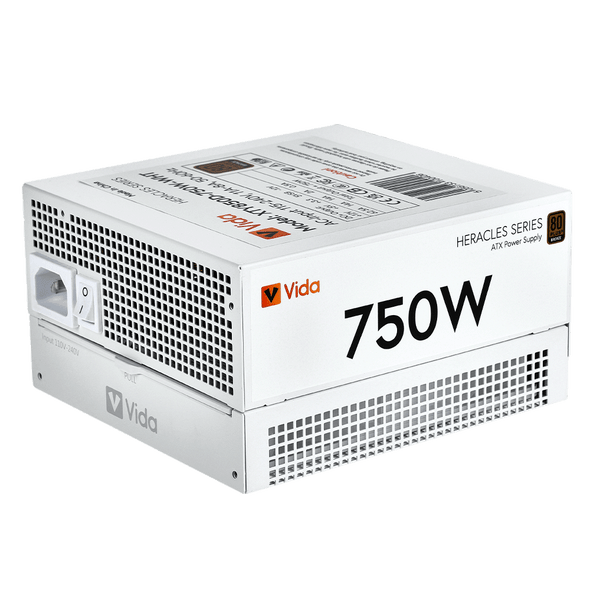

Vida 750W Heracles White ATX Gaming PSU, 80+ Bronze, 140mm Ultra-Quiet FDM Fan, Flat White Cables, Power Lead Not Included
VIDA