
TP-LINK
TP-Link TL-SL2428P 24-Port PoE+ Smart Switch – 250W, 4 Gigabit & 2 SFP
- SKU:
- NPTPL-TLSL2428P
- UPC:
- 6935364030629
- MPN:
- TL-SL2428P
- Availability:
- Free Click & Collect in Peterborough. UK delivery also available


Description
TP-Link TL-SL2428P 24-Port PoE+ Smart Switch – 250W PoE, Gigabit Uplinks & SFP
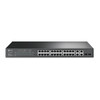
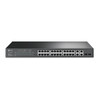
The TP-Link TL-SL2428P is a rackmount JetStream smart managed switch designed for business networks, IP surveillance, VoIP deployments and other installations requiring a large number of Power over Ethernet connections.
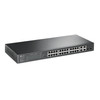
It provides 24 x 10/100Mbps Fast Ethernet PoE+ ports supporting IEEE 802.3af/at devices, with a total 250W PoE power budget. These ports can supply compatible IP cameras, wireless access points, VoIP phones and other powered devices through the same Ethernet cable used for network data.
For uplinks and backbone connectivity, current later-generation TL-SL2428P hardware provides two dedicated Gigabit RJ45 ports plus two combo Gigabit RJ45/SFP interfaces, giving the switch flexible copper or fibre uplink options.
The TL-SL2428P also provides advanced network-management functionality including 802.1Q VLAN, Voice VLAN, QoS, IGMP Snooping, STP/RSTP/MSTP, Link Aggregation, ACLs, DHCP Snooping, port security, static routing and Omada SDN support on compatible current hardware/firmware.
Model: TL-SL2428P | PoE Ports: 24 | PoE Budget: 250W | Access Ports: 10/100Mbps | Switching Capacity: 12.8Gbps
Key Features of the TP-Link TL-SL2428P
- 24 x 10/100Mbps Fast Ethernet PoE+ RJ45 ports
- IEEE 802.3af / 802.3at PoE+ support
- Up to 30W PoE output per supported port
- 250W total PoE power budget
- Designed for IP cameras, VoIP phones, wireless access points and other compatible PoE devices
- Gigabit copper uplink connectivity
- 2 x combo Gigabit RJ45/SFP interfaces on current later-generation hardware
- 1000BASE-X fibre connectivity using compatible SFP transceivers
- 12.8Gbps switching capacity
- Approx. 9.5Mpps packet forwarding rate
- 8K MAC address table
- Up to 9KB / 9216-byte jumbo frames depending on hardware revision documentation
- 802.1Q VLAN
- Voice VLAN
- Protocol VLAN and MAC VLAN on supported revisions
- IEEE 802.1p / DSCP QoS
- 8 priority queues
- Bandwidth control
- Storm Control
- IGMP Snooping
- MLD Snooping
- STP / RSTP / MSTP
- 802.3ad LACP Link Aggregation
- Port mirroring
- Loopback detection
- LLDP / LLDP-MED
- Access Control Lists
- 802.1X authentication
- DHCP Snooping
- IP-MAC binding / source protection features
- Static routing on supported current hardware
- Web-based management
- SNMP network monitoring
- Omada SDN support on compatible later hardware revisions
- 19-inch rackmount design
- 2 cooling fans
- 440 x 180 x 44mm chassis on current later revisions
24 PoE+ Ports for IP Cameras, Phones and Network Devices
The TL-SL2428P provides 24 Power over Ethernet enabled RJ45 ports.
PoE allows compatible devices to receive both network data and electrical power through a single Ethernet cable, reducing the requirement for separate mains adapters at each endpoint.
What Devices Can the TL-SL2428P Power?
Typical compatible devices can include:
- IP surveillance cameras
- PoE security cameras
- VoIP telephones
- Wireless access points
- Intercom systems
- Compatible door-access equipment
- Other IEEE 802.3af / 802.3at powered devices
The connected device must support the appropriate standard and remain within the switch's available PoE power budget.
IEEE 802.3af and 802.3at PoE+ Support
The 24 PoE-enabled access ports support both IEEE 802.3af PoE and IEEE 802.3at PoE+.
IEEE 802.3at allows supported powered devices to request more power than standard 802.3af equipment.
How Much Power Can One PoE Port Supply?
TP-Link specifies support for up to 30W per PoE+ port for compatible IEEE 802.3at devices.
However, the switch also has a 250W total PoE budget, so 30W cannot be supplied simultaneously to all 24 ports.
250W Total PoE Power Budget
The current TL-SL2428P specification provides a total available PoE power budget of up to 250W.
This is one of the most important figures to consider when planning a large PoE installation.
Can All 24 Ports Supply 30W at the Same Time?
No.
Although an individual PoE+ port can support a compatible device requiring up to 30W, the entire switch has a combined power budget of 250W.
The total maximum power requirements of all connected PoE devices must therefore remain within the available switch budget.
How Do I Calculate the Required PoE Budget?
Add the maximum PoE power requirements of the devices you intend to connect.
For example, a network containing multiple cameras drawing relatively modest power can support more devices than a deployment where many endpoints each require close to the maximum PoE+ allowance.
It is sensible to leave some headroom rather than designing the installation at exactly the maximum theoretical budget.
Important: The 24 PoE Ports Are 10/100Mbps, Not Gigabit
The main 24 PoE+ access ports on the TL-SL2428P operate at:
10/100Mbps Fast Ethernet
They are not Gigabit Ethernet ports.
Is the TP-Link TL-SL2428P a 24-Port Gigabit PoE Switch?
No.
The TL-SL2428P is a 24-port Fast Ethernet PoE+ switch with separate Gigabit uplink interfaces.
This distinction is particularly important when comparing it with models such as the TP-Link TL-SG2428P, where the primary access ports are Gigabit Ethernet.
Is 100Mbps Enough for IP Cameras?
For many individual IP surveillance cameras, a 100Mbps network port provides substantially more bandwidth than the camera's compressed video stream requires.
This is one reason Fast Ethernet PoE switches remain useful for larger camera installations where each endpoint has relatively modest bandwidth requirements.
However, actual requirements depend on camera resolution, frame rate, codec, bitrate and other network traffic.
Is 100Mbps Enough for a Modern Wireless Access Point?
It depends on the access point and expected traffic.
A modern Wi-Fi access point capable of delivering hundreds of megabits or more can be restricted by a 100Mbps wired Ethernet connection.
If high-performance Wi-Fi access points require Gigabit or multi-Gigabit wired connectivity, a switch with Gigabit PoE access ports would normally be a better choice.
Gigabit Uplinks for Connection to the Core Network
While the 24 PoE access ports operate at Fast Ethernet speeds, the TL-SL2428P provides separate Gigabit uplink connectivity for connecting the switch to a router, server, NVR, another switch or network backbone.
This allows traffic from multiple Fast Ethernet edge devices to be aggregated onto faster Gigabit links.
Two Dedicated Gigabit RJ45 Ports
Current later-generation TL-SL2428P hardware provides two dedicated 10/100/1000Mbps RJ45 ports.
These can be used for high-speed copper uplinks to compatible network equipment.
Two Combo Gigabit RJ45/SFP Interfaces
The switch also provides two combo Gigabit RJ45/SFP interfaces on current later hardware revisions.
A combo interface allows the administrator to choose either:
- Gigabit copper Ethernet through RJ45
- Gigabit fibre through a compatible SFP transceiver
Can I Use the Combo RJ45 and SFP Connections at the Same Time?
No, not as separate independent ports within the same combo pair.
The RJ45 and SFP socket in a combo interface share the same logical switch interface.
Selecting the SFP fibre connection means that its paired copper interface cannot simultaneously function as an additional independent network port.
Does the TL-SL2428P Have Six Independent Gigabit Uplinks?
No.
The phrase “4 Gigabit ports + 2 SFP” can be misleading because two of the Gigabit copper interfaces are paired with the SFP slots as combo interfaces on current later-generation hardware.
For planning purposes, think of the current layout as:
- 2 dedicated Gigabit RJ45 interfaces
- 2 combo Gigabit RJ45/SFP interfaces
Gigabit Fibre Uplinks with Compatible SFP Modules
The SFP interfaces support 1000BASE-X Gigabit Ethernet over compatible fibre transceivers.
This can be useful when connecting:
- Different floors of a building
- Remote communications cabinets
- Longer network runs
- Areas where electrical isolation through fibre is desirable
- Another compatible fibre-enabled switch
Are SFP Modules Included?
No.
Compatible SFP transceivers and fibre cables must be selected separately according to the required fibre type, connector and transmission distance.
12.8Gbps Switching Capacity
TP-Link specifies a switching capacity of 12.8Gbps.
The switch is designed to handle simultaneous traffic across its combination of Fast Ethernet and Gigabit interfaces while providing managed network features.
Approximately 9.5Mpps Packet Forwarding
Depending on the applicable hardware specification, TP-Link lists an approximate packet forwarding rate of 9.5 to 9.52 million packets per second.
This is a switch-level forwarding specification rather than the maximum speed available through an individual Fast Ethernet port.
8K MAC Address Table
The TL-SL2428P supports an 8,000-entry MAC address table.
The switch uses the MAC address table to learn which devices are connected to which ports and forward Ethernet traffic efficiently through the network.
Jumbo Frame Support
Current TP-Link documentation specifies jumbo-frame support of approximately 9KB / 9216 bytes, depending on the exact hardware revision documentation.
Jumbo frames require compatible configuration throughout the complete network path to provide any practical benefit.
802.1Q VLAN Support
The TL-SL2428P supports IEEE 802.1Q tagged VLANs, allowing administrators to divide one physical switch into multiple logically separated networks.
Why Use VLANs?
VLANs can be useful for separating traffic such as:
- IP cameras
- Office computers
- VoIP phones
- Guest networks
- Wireless access points
- Management devices
- IoT equipment
This can improve organisation, security and traffic control compared with placing every device into one flat network.
Voice VLAN Support
Voice VLAN functionality allows VoIP traffic to be identified and logically separated from ordinary network traffic.
Used together with QoS, this can help prioritise delay-sensitive voice communications.
Advanced Quality of Service
The TL-SL2428P provides extensive Quality of Service (QoS) functionality for prioritising important network traffic.
Supported capabilities include:
- 802.1p CoS priority
- DSCP priority
- 8 priority queues
- Strict Priority scheduling
- Weighted Round Robin scheduling
- Bandwidth control
- Rate limiting
- QoS remarking
Why Is QoS Useful?
QoS can help ensure that delay-sensitive or important traffic receives appropriate priority when the network becomes busy.
Typical examples include:
- VoIP calls
- Video conferencing
- Surveillance video
- Business-critical applications
IGMP Snooping for Multicast Traffic
IGMP Snooping allows the switch to monitor multicast subscriptions and forward multicast traffic only towards ports that actually require it.
This can reduce unnecessary multicast traffic across the network and is particularly useful for applications such as IPTV and multicast video distribution.
MLD Snooping for IPv6 Multicast
Later hardware revisions also support MLD Snooping for IPv6 multicast traffic.
This provides a similar optimisation function for IPv6-based multicast networks.
STP, RSTP and MSTP
The TL-SL2428P supports multiple Spanning Tree technologies:
- IEEE 802.1D STP
- IEEE 802.1w RSTP
- IEEE 802.1s MSTP
What Does Spanning Tree Protect Against?
Spanning Tree protocols help prevent Layer 2 switching loops when redundant links exist between network switches.
Without loop protection, incorrectly connected redundant Ethernet links can create broadcast storms capable of severely disrupting a network.
Link Aggregation and LACP
The TL-SL2428P supports both static Link Aggregation and IEEE 802.3ad LACP.
Current later-generation documentation specifies up to eight aggregation groups with up to eight ports per group, subject to the hardware revision and port configuration.
Does Link Aggregation Make One Device Twice as Fast?
Not necessarily.
Link aggregation combines multiple network interfaces for greater aggregate bandwidth and/or resilience, but the speed of an individual connection or traffic flow depends on the equipment and load-balancing behaviour at both ends.
Static Routing on Current Later Hardware
Later TL-SL2428P hardware revisions provide L2+ static routing features.
TP-Link documentation for current later revisions lists:
- 16 IP interfaces
- IPv4 / IPv6 interfaces
- Up to 32 IPv4 / IPv6 static routes
- DHCP server functionality
- DHCP relay functions
- Static ARP
- Proxy ARP
Is the TL-SL2428P a Full Enterprise Router?
No.
Static routing is an L2+ switching feature intended for basic inter-network routing and segmentation. It does not turn the switch into a replacement for a dedicated security gateway or full-featured business router.
Access Control Lists
The switch supports Access Control Lists (ACLs) that can be used to permit, deny, rate-limit, redirect or otherwise control selected network traffic.
ACL criteria can include MAC addresses, IP addresses, protocols, TCP/UDP ports, VLAN information and other traffic attributes, depending on hardware and firmware revision.
802.1X Network Access Control
IEEE 802.1X authentication can help control which users or devices are permitted to access the network.
Supported security capabilities can include RADIUS authentication, guest VLAN, MAC-based authentication and related network-access controls.
DHCP Snooping and Source Protection
Current managed features include security technologies such as:
- DHCP Snooping
- IP-MAC binding
- IP Source Guard
- IPv6 source protection
- Port Security
- Port Isolation
- DoS defence
- Storm Control
These features can help administrators build a more controlled access network than an unmanaged Ethernet switch can provide.
Storm Control
Storm Control can limit excessive:
- Broadcast traffic
- Multicast traffic
- Unknown-unicast traffic
This can help protect the network from traffic storms caused by configuration errors, loops or malfunctioning devices.
Port Isolation
Port Isolation can restrict direct communication between selected switch ports while still allowing appropriate access to uplink or gateway resources.
This can be useful in surveillance, hospitality, shared-network and other deployments where individual endpoint isolation is desirable.
Port Mirroring
The TL-SL2428P supports Port Mirroring, allowing selected network traffic to be copied to another interface for analysis.
This can assist with troubleshooting, packet capture and security monitoring using suitable network-analysis tools.
Cable Diagnostics
Built-in cable diagnostic functions can assist administrators in identifying certain Ethernet cabling problems without immediately requiring separate cable-test equipment.
Results should still be interpreted together with the physical cabling installation and network conditions.
LLDP and LLDP-MED
The switch supports LLDP and LLDP-MED for network-device discovery and topology information.
LLDP-MED can be especially useful in networks containing compatible VoIP devices.
Omada SDN Management on Compatible Current Hardware
Current later TL-SL2428P hardware revisions are supported within the TP-Link Omada SDN ecosystem.
Omada management can provide functions such as:
- Centralised configuration
- Automatic device discovery
- Batch configuration
- Batch firmware upgrades
- Network monitoring
- Abnormal-event warnings
- Reboot scheduling
Does Every Historical TL-SL2428P Revision Support Exactly the Same Omada Features?
No.
The TL-SL2428P has been produced in several hardware revisions over its lifetime, and management capabilities can differ between revisions and firmware releases.
If a particular Omada Controller feature is essential, check the hardware version printed on the supplied unit against TP-Link's current compatibility and firmware documentation.
Standalone Web Management
The TL-SL2428P can also provide local management through a web-based graphical user interface.
This allows administrators to configure network features without necessarily relying on a permanently deployed cloud-management platform.
SNMP Monitoring
SNMP support allows compatible network-monitoring software to collect switch status and performance information.
TP-Link documentation lists support for:
- SNMP v1
- SNMP v2c
- SNMP v3
- SNMP Trap / Inform
CLI Management
Compatible hardware revisions also provide Command Line Interface management for administrators who prefer command-based network configuration and troubleshooting.
Suitable for IP Surveillance Networks
The combination of 24 PoE+ ports and a 250W total power budget makes the TL-SL2428P particularly useful for multi-camera surveillance installations.
A typical deployment can connect multiple PoE IP cameras to the Fast Ethernet access ports while using one or more Gigabit uplinks towards:
- An NVR
- A server
- A router
- A core switch
- A remote fibre network
Can I Connect an NVR Directly to a Gigabit Uplink?
Yes, where the NVR provides a compatible Gigabit Ethernet interface.
Using a Gigabit uplink for aggregated camera traffic can be more appropriate than connecting the NVR through one of the 100Mbps PoE access ports.
Suitable for VoIP Networks
IEEE 802.3af/at PoE support, Voice VLAN, LLDP-MED and QoS make the TL-SL2428P suitable for compatible business VoIP deployments.
A compatible PoE telephone can receive both network access and power from one Ethernet connection.
Suitable for Small and Medium Business Networks
TP-Link positions the TL-SL2428P as a cost-effective access-edge solution for small and medium-sized business networks.
Its combination of PoE, VLANs, QoS, security controls and centralised management can be useful in environments such as:
- Offices
- Retail premises
- Warehouses
- Schools
- Hospitality networks
- Security installations
- Small commercial sites
19-Inch Rackmount Installation
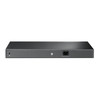
The TL-SL2428P is designed for 19-inch rackmount installation and has a standard 1U-height chassis.
Current later-generation dimensions are approximately:
- Width: 440mm
- Depth: 180mm
- Height: 44mm
Can the TL-SL2428P Be Used on a Desk?
The package also includes rubber feet, so the switch can be placed on a suitable stable surface where appropriate.
Because the unit contains active cooling fans and can handle a substantial PoE load, adequate ventilation must be maintained.
Two Active Cooling Fans
Current TL-SL2428P hardware uses two internal cooling fans.
This means the switch should not be treated as a silent fanless network switch.
Is the TL-SL2428P Silent?
No.
It uses active cooling and is primarily designed for business, communications-cabinet and rack environments rather than silent desktop use beside a workstation or bedroom.
100–240V AC Power Supply
Current hardware supports a wide input range of 100–240V AC, 50/60Hz.
Power consumption depends heavily on the number and power draw of connected PoE devices.
Power Consumption Depends on PoE Load
With little or no PoE equipment attached, electrical consumption is substantially lower than when the switch is supplying its full PoE budget.
Later TL-SL2428P revisions have slightly different published maximum and standby consumption figures, so the exact hardware-version specification should be used where precise power planning is required.
Operating Temperature
Current later-generation TP-Link documentation specifies:
- Operating temperature: 0°C to 50°C
- Storage temperature: -40°C to 70°C
- Operating humidity: 10% to 90% RH, non-condensing
- Storage humidity: 5% to 90% RH, non-condensing
Hardware Revision Matters
The TL-SL2428P has existed in several hardware generations, including earlier T1500-28PCT-branded revisions and newer TL-SL2428P hardware.
Core functionality remains similar, but individual specifications such as:
- PoE budget
- Physical dimensions
- Power consumption
- Omada SDN support
- L2+ functionality
- Firmware availability
can differ between historical hardware versions.
How Do I Identify the Hardware Version?
The hardware revision is printed on the physical TP-Link product label and packaging, normally alongside the model and serial information.
Firmware should always be downloaded for the exact matching hardware revision and regional version.
Important 250W vs 180W PoE Budget Note
The current Memox product should be described with a 250W PoE power budget.
Older T1500-28PCT / TL-SL2428P documentation and some distributor descriptions still show a 180W PoE budget. That figure relates to older hardware documentation and should not be mixed into a current 250W TL-SL2428P listing.
Current TP-Link TL-SL2428P documentation for later revisions specifies:
24 PoE+ ports with a total PoE budget of 250W.
Important Gigabit Port Note
The TL-SL2428P should not be described simply as a “28-port Gigabit switch”.
The 24 main PoE+ access ports are 10/100Mbps Fast Ethernet. Gigabit connectivity is provided through the separate uplink interfaces.
Important Combo SFP Note
Two of the Gigabit interfaces on current later hardware are combo RJ45/SFP interfaces.
A combo RJ45 and SFP socket share the same logical port, so both physical connectors in the same combo pair cannot be treated as simultaneous independent Gigabit ports.
Important PoE Device Compatibility Note
The switch automatically supplies standard IEEE 802.3af/at compatible powered devices according to the applicable PoE negotiation.
Do not assume compatibility with proprietary passive-PoE equipment simply because it uses an Ethernet connector.
Important 24 x 30W PoE Note
The specification “up to 30W per port” does not mean the switch can provide 30W to all 24 ports simultaneously.
The maximum theoretical requirement for 24 devices each requesting 30W would significantly exceed the switch's 250W total PoE budget.
Important Fast Ethernet Bottleneck Note
A device connected to one of the 24 PoE access ports is limited by that port's 100Mbps maximum Ethernet link rate.
This is normally suitable for many IP cameras, VoIP phones and low-bandwidth network devices, but may restrict high-performance wireless access points or other endpoints capable of transferring data above 100Mbps.
Important SFP Module Note
SFP transceivers are not included as standard.
Choose a compatible Gigabit SFP module appropriate for the required:
- Fibre type
- Connector type
- Transmission wavelength
- Maximum distance
- Single-mode or multi-mode installation
Important Warranty Note
TP-Link UK currently categorises the TL-SL2428P / T1500-28PCT within its SMB PoE product range.
TP-Link UK's current warranty policy provides a limited lifetime warranty for eligible SMB products purchased after 15 May 2015, subject to its warranty terms. TP-Link separately states that SMB products declared End of Life can move to a five-year warranty period beginning from the applicable EOL announcement.
Warranty entitlement should therefore be checked against the product's purchase date, regional status and TP-Link UK's current terms rather than relying on an old generic three-year retailer field.
TP-Link TL-SL2428P Technical Highlights
- Brand: TP-Link
- Series: JetStream
- Model / MPN: TL-SL2428P
- Previous / Related Model Name: T1500-28PCT
- Memox SKU: NPTPL-TLSL2428P
- UPC / EAN: 6935364030629
- Main PoE Ports: 24 x 10/100Mbps RJ45
- PoE Standards: IEEE 802.3af / 802.3at
- Maximum Per-Port PoE: Up to 30W
- Total PoE Budget: 250W on current later revisions
- Dedicated Gigabit RJ45: 2 on current V5/V6-style hardware
- Combo Gigabit RJ45/SFP: 2
- Switching Capacity: 12.8Gbps
- Packet Forwarding Rate: Approx. 9.5–9.52Mpps
- MAC Address Table: 8K
- Jumbo Frame: Approx. 9KB / 9216 bytes depending on applicable revision specification
- VLAN: IEEE 802.1Q, Voice VLAN and additional VLAN functions depending on revision
- QoS: 802.1p / DSCP, 8 queues, bandwidth control
- Multicast: IGMP / MLD Snooping on current hardware
- Spanning Tree: STP / RSTP / MSTP
- Link Aggregation: Static + 802.3ad LACP
- Security: ACL, 802.1X, DHCP Snooping, Port Security, Storm Control and more
- L2+: Static routing and DHCP functions on supported later hardware
- Management: Web GUI, SNMP and additional management methods depending on revision
- Omada SDN: Supported by compatible later hardware / firmware
- Fans: 2
- Mounting: 19-inch rackmount
- Height: 1U / approx. 44mm
- Current Later-Revision Dimensions: Approx. 440 x 180 x 44mm
- Power Input: 100–240V AC, 50/60Hz
- Operating Temperature: 0°C to 50°C on current later revisions
- Certification: CE, FCC, RoHS
What's Included?
- 1 x TP-Link TL-SL2428P JetStream PoE+ Smart Switch
- 1 x AC power cord
- 1 x rackmount kit
- Rubber feet
- Installation documentation
SFP transceivers, fibre cables, Ethernet patch leads, PoE-powered devices, Omada hardware controller and rack cabinet are not included unless specifically stated separately.
Why Choose the TP-Link TL-SL2428P?
The TP-Link TL-SL2428P is particularly well suited to networks that need to power a large number of relatively modest-bandwidth Ethernet devices without paying for 24 Gigabit PoE access ports that may not be necessary for the application.
Its 24 IEEE 802.3af/at PoE+ ports and 250W total PoE budget make it a strong fit for multi-camera CCTV installations, business VoIP systems and other PoE deployments.
Separate Gigabit copper and SFP uplink connectivity allows traffic from those Fast Ethernet edge devices to be aggregated towards an NVR, core switch, router or fibre backbone at higher speed.
The TL-SL2428P also goes well beyond an unmanaged PoE switch by providing VLANs, QoS, Voice VLAN, IGMP Snooping, Spanning Tree, Link Aggregation, ACLs, network security functions and centralised management capabilities.
For current compatible hardware, integration with the TP-Link Omada SDN platform can further simplify monitoring and management alongside other Omada network devices.
For businesses and surveillance installers looking for a 24-port PoE+ managed switch with a 250W power budget, Gigabit uplinks, fibre capability and advanced Layer 2/L2+ management, the TL-SL2428P provides a practical access-layer solution while keeping the cost lower than an equivalent all-Gigabit PoE deployment.
Specification
TP-Link TL-SL2428P 24-Port PoE+ Smart Switch Specifications
The TP-Link TL-SL2428P is a JetStream / Omada-managed PoE+ network switch designed for surveillance, VoIP and small-to-medium business networks. It provides 24 x 10/100Mbps Fast Ethernet PoE+ ports, a total 250W PoE power budget, Gigabit copper and SFP uplink connectivity, advanced Layer 2 / L2+ features and centralised Omada SDN management on supported current hardware and firmware.
General Information
| Brand | TP-Link |
| Series | JetStream / Omada Smart Switch |
| Model | TL-SL2428P |
| Manufacturer Part Number | TL-SL2428P |
| Previous / Related Product Name | T1500-28PCT |
| Memox SKU | NPTPL-TLSL2428P |
| EAN / GTIN | 6935364030629 |
| Product Type | Smart managed PoE+ Ethernet switch |
| Colour | Black |
Ethernet Port Configuration
| Fast Ethernet PoE+ Ports | 24 x 10/100Mbps RJ45 |
| Dedicated Gigabit RJ45 Ports | 2 x 10/100/1000Mbps RJ45 |
| Combo Gigabit Uplink Interfaces | 2 x combo Gigabit RJ45 / SFP |
| Total Physical Gigabit RJ45 Connectors | 4 – two dedicated plus two forming combo pairs with the SFP slots |
| Gigabit SFP Slots | 2 – combo with two Gigabit RJ45 interfaces |
| Auto Negotiation | Yes |
| Auto MDI / MDIX | Yes |
Important Combo Port Configuration
| Dedicated Gigabit Copper Interfaces | 2 |
| Combo Copper / Fibre Interfaces | 2 |
| Can RJ45 and SFP of One Combo Pair Operate Independently? | No – each RJ45 / SFP combo pair represents one logical network interface |
Power over Ethernet – PoE
| PoE Support | Yes |
| PoE-Enabled Ports | 24 |
| PoE Port Speed | 10/100Mbps Fast Ethernet |
| PoE Standards | IEEE 802.3af / IEEE 802.3at PoE+ |
| Maximum Power per PoE+ Port | Up to 30W for compatible 802.3at powered devices |
| Total PoE Power Budget | 250W |
| PoE Power Management | Supported |
Network Standards & Protocols
| 10Mbps Ethernet | IEEE 802.3i |
| Fast Ethernet | IEEE 802.3u |
| Gigabit Ethernet | IEEE 802.3ab |
| Gigabit Fibre Ethernet | IEEE 802.3z |
| Link Aggregation | IEEE 802.3ad |
| Flow Control | IEEE 802.3x |
| Energy Efficient Ethernet | IEEE 802.3az |
| VLAN | IEEE 802.1Q |
| Network Authentication | IEEE 802.1X |
| Traffic Priority | IEEE 802.1p |
Supported Network Cabling
| 10BASE-T | UTP Category 3, 4 or 5 – up to 100m |
| 100BASE-TX | UTP Category 5 / 5e or higher – up to 100m |
| 1000BASE-T | UTP Category 5 / 5e or higher – up to 100m |
| 1000BASE-X | Compatible MMF or SMF fibre using an appropriate SFP transceiver |
Switching Performance
| Switching Capacity | 12.8Gbps |
| Packet Forwarding Rate | Approx. 9.5–9.52Mpps depending on TP-Link hardware-revision documentation |
| MAC Address Table | 8K entries |
| Jumbo Frames | Up to 9216 bytes / approximately 9KB |
| Forwarding Method | Store-and-forward switching |
VLAN Features
| IEEE 802.1Q Tagged VLAN | Supported |
| Maximum VLAN Groups | Up to 4K VLAN groups on current Omada-capable hardware |
| Voice VLAN | Supported |
| MAC VLAN | Supported on current later hardware |
| Protocol VLAN | Supported on current later hardware |
| GVRP | Supported |
| QinQ | Supported on compatible later hardware / firmware |
Quality of Service – QoS
| 802.1p CoS Priority | Supported |
| DSCP Priority | Supported |
| Priority Queues | 8 |
| Strict Priority – SP | Supported |
| Weighted Round Robin – WRR | Supported |
| Bandwidth Control | Port / flow-based rate limiting |
| QoS Remarking | Supported |
| Storm Control | Broadcast, multicast and unknown-unicast control |
Layer 2 Switching Features
| Static Link Aggregation | Supported |
| IEEE 802.3ad LACP | Supported |
| Link Aggregation Groups | Up to 8 groups with up to 8 ports per group on current later hardware |
| STP | IEEE 802.1D |
| RSTP | IEEE 802.1w |
| MSTP | IEEE 802.1s |
| Loopback Detection | Supported |
| Port Mirroring | Supported |
| 802.3x Flow Control | Supported |
| LLDP / LLDP-MED | Supported |
| Cable Diagnostics | Supported |
Multicast Features
| IGMP Snooping | IGMP v1 / v2 / v3 |
| IGMP Fast Leave | Supported |
| IGMP Snooping Querier | Supported on current later hardware |
| MLD Snooping | MLD v1 / v2 on current later hardware |
| MVR – Multicast VLAN Registration | Supported |
| Multicast Filtering | Supported |
Layer 2+ / Routing Features
| IPv4 / IPv6 Interfaces | Up to 16 on Omada-capable later hardware |
| Static Routing | Supported on current later hardware |
| Static Route Capacity | Hardware / firmware dependent – TP-Link documentation lists 32 routes on some V4.20 / V5 documentation and up to 48 on newer current product specifications |
| DHCP Server | Supported on compatible later hardware |
| DHCP Relay | Supported |
| Static ARP | Supported |
| Proxy ARP | Supported |
Security Features
| Access Control Lists – ACL | Supported |
| 802.1X Authentication | Supported |
| RADIUS Authentication | Supported |
| MAC-Based Authentication | Supported on current later hardware |
| Guest VLAN | Supported |
| DHCP Snooping | Supported |
| IP / MAC Binding | Supported |
| IP Source Guard | Supported on current later hardware |
| Port Security | Supported |
| Port Isolation | Supported |
| DoS Defence | Supported on current later hardware |
Management
| Web-Based GUI | Supported |
| Command Line Interface – CLI | Supported |
| SNMP | SNMP v1 / v2c / v3 |
| SNMP Trap / Inform | Supported |
| RMON | Supported |
| System Log | Supported |
| Dual Firmware Image / Configuration | Supported on compatible revisions |
Omada SDN Management
| Omada SDN Support | Supported by compatible later TL-SL2428P hardware / firmware |
| Omada Software Controller | Supported |
| Omada Hardware Controller | OC200 / OC300 supported on compatible revisions |
| Omada Cloud-Based Controller | Supported on compatible revisions |
| Omada App | Supported when managed through a compatible Omada Controller |
| Zero-Touch Provisioning | Supported through compatible Omada Cloud-Based Controller configurations |
| Centralised Monitoring | Automatic discovery, batch configuration, firmware upgrades, monitoring and event warnings on supported revisions |
Power Supply
| AC Input | 100–240V AC |
| Input Frequency | 50 / 60Hz |
| Internal Power Supply | Yes |
Power Consumption by Hardware Revision
| Hardware Revision | Maximum / Published Power Consumption |
| V4.2 | 286.7W with 250W PoE load; 18.8W with no powered device connected at 220V / 50Hz |
| V5 | 293.6W with 250W PoE load at 110V / 60Hz; published standby figure approximately 19.4W |
| V6 | 291.6W maximum with 250W PoE load at 110V / 60Hz |
Maximum Heat Dissipation by Hardware Revision
| V4.2 | Up to 977.6 BTU/h with 250W PoE load; 64.1 BTU/h with no powered device connected |
| V5 | Up to approximately 1001.2 BTU/h with 250W PoE load |
| V6 | Up to approximately 995.09 BTU/h with 250W PoE load |
Cooling & Physical Security
| Cooling | Active cooling |
| Fan Quantity | 2 |
| Fanless | No |
| Physical Security Lock | Yes |
Physical Specifications
| Installation | 19-inch rackmount |
| Rack Height | 1U |
| Width | 440mm / 17.3in |
| Depth | 180mm / 7.1in on current later-generation specification |
| Height | 44mm / 1.7in |
| Dimensions | 440 x 180 x 44mm (W x D x H) on current later revisions |
Environmental Specifications
| Operating Temperature | 0°C to 50°C |
| Storage Temperature | -40°C to 70°C |
| Operating Humidity | 10% to 90% RH, non-condensing |
| Storage Humidity | 5% to 90% RH, non-condensing |
Compliance
| CE | Yes |
| FCC | Yes |
| RoHS | Yes |
Package Contents
| TP-Link TL-SL2428P Switch | 1 |
| AC Power Cord | Included |
| Rackmount Kit | Included |
| Rubber Feet | Included |
| Installation Guide | Included |
| SFP Transceivers | Not included |
| Ethernet Patch Cables | Not included unless separately stated |
TP-Link UK Warranty
| Product Category | TP-Link SMB PoE product |
| Standard TP-Link UK SMB Warranty | Limited Lifetime Warranty for eligible SMB products, subject to TP-Link UK terms |
| EOL Product Warranty Rule | TP-Link states that SMB products declared End of Life may move to a five-year warranty period from the applicable EOL announcement |
| Warranty Requirements | Subject to regional TP-Link terms, product registration / proof of purchase and applicable UK consumer rights |
Important 250W PoE Budget Note
The correct current specification for the TL-SL2428P sold on this Memox page is a 250W total PoE power budget.
Older T1500-28PCT / early TL-SL2428P distributor descriptions may still state 180W. That older figure should not be mixed into this current 250W product listing.
Important Per-Port PoE Note
Each PoE+ port can supply up to 30W to a compatible IEEE 802.3at powered device, but the switch has a total PoE budget of 250W.
This means it cannot provide 30W to all 24 PoE ports simultaneously. Always calculate the combined maximum power requirement of all connected powered devices.
Important Fast Ethernet PoE Port Note
The 24 PoE+ access ports are 10/100Mbps Fast Ethernet.
They are not Gigabit Ethernet ports. This makes the TL-SL2428P particularly suitable for applications such as many IP cameras and VoIP phones that do not require a Gigabit link per endpoint.
If every connected PoE device requires Gigabit Ethernet, a Gigabit PoE model such as a suitable TL-SG-series switch should be considered instead.
Important Gigabit Uplink Note
The current later-generation physical layout provides four Gigabit RJ45 connectors, but two of those are part of combo RJ45/SFP interfaces.
The most accurate way to describe the uplink configuration is:
- 2 x dedicated Gigabit RJ45 ports
- 2 x combo Gigabit RJ45/SFP interfaces
The two combo SFP sockets do not create two additional independent interfaces on top of their paired Gigabit RJ45 ports.
Important SFP Note
The two SFP positions support compatible 1000BASE-X Gigabit SFP transceivers.
SFP modules are not included and must be selected separately according to fibre type, connector, wavelength and required transmission distance.
Important Hardware Revision Note
The TL-SL2428P has been produced in several hardware revisions, including older T1500-28PCT-branded units and later Omada-capable TL-SL2428P revisions.
Core specifications such as 24 Fast Ethernet PoE+ ports, 250W PoE budget on the current model, 12.8Gbps switching capacity and Gigabit uplinks are consistent with current hardware, but some detailed specifications can vary by hardware revision.
Examples include:
- Maximum total power consumption
- Maximum heat dissipation
- Static-route capacity
- Specific L2+ functions
- Omada SDN capabilities
- Firmware availability
The exact hardware revision should be checked on the physical product label before installing firmware or relying on a revision-specific management feature.
Important Omada Compatibility Note
Later TL-SL2428P hardware revisions support TP-Link Omada SDN centralised management.
Historical hardware revisions may not offer exactly the same Omada feature set. If a particular Omada Controller feature is essential to the installation, verify the supplied hardware revision before deployment.
Important Power Consumption Note
Power consumption changes substantially according to the amount of PoE power being supplied.
A switch operating with no powered devices connected consumes far less electricity than the same unit supplying close to its full 250W PoE budget.
TP-Link also publishes slightly different consumption figures for V4.2, V5 and V6 hardware, which is why the revision-specific figures are shown separately above rather than presenting one number as universal.
Important Cooling Note
The TL-SL2428P uses two active cooling fans.
It is therefore not a silent fanless switch and is better suited to a rack, network cabinet, communications room or other business installation than to a noise-sensitive desktop environment.
Important Warranty Note
The existing generic “3 Year Warranty” field should not be used as the manufacturer warranty for this switch without qualification.
TP-Link UK's current warranty table specifically lists T1500-28PCT (TL-SL2428P) within its SMB PoE product category. TP-Link states that eligible SMB products receive a Limited Lifetime Warranty, while separate End-of-Life provisions can alter the applicable period.
Return
FAQ: Frequenlty Asked Questions
TP-Link TL-SL2428P / Omada SL2428P 24-Port PoE+ Smart Switch FAQ
The TP-Link TL-SL2428P is a rackmount smart PoE+ switch designed for CCTV surveillance, IP phones, access points and other business network devices. It provides 24 10/100Mbps PoE+ ports, 2 dedicated Gigabit RJ45 ports, 2 combo Gigabit RJ45/SFP uplink ports and a 250W total PoE budget, with managed features including Omada SDN, VLANs, QoS, ACLs, IGMP Snooping, Link Aggregation and static routing.
Below are answers to the most common questions buyers ask about TL-SL2428P PoE capacity, 100Mbps vs Gigabit ports, IP camera and NVR use, Omada compatibility, PoE Auto Recovery, Extend Mode, SFP uplinks, VLANs, LACP, CCTV networks, Wi-Fi access points and TL-SL2428P vs TL-SG2428P.
1. What is the TP-Link TL-SL2428P?
The TP-Link TL-SL2428P, now also listed by TP-Link as the Omada SL2428P on newer hardware, is a rackmount smart PoE+ switch designed for surveillance, VoIP, access points and small-to-medium business networks. It combines 24 Fast Ethernet PoE+ downlink ports with Gigabit uplinks, a 250W PoE budget and managed features including Omada SDN, VLANs, QoS, ACLs, IGMP Snooping and static routing.
2. What is the exact model number?
The Memox product uses manufacturer part number TL-SL2428P. Newer TP-Link/Omada documentation may shorten the name to SL2428P, so always check the hardware version when downloading firmware.
3. What is the EAN/UPC for this Memox TL-SL2428P?
The current Memox listing uses barcode 6935364030629 for TL-SL2428P.
4. How many usable network ports does the TL-SL2428P have?
It provides 24 Fast Ethernet PoE+ RJ45 ports, 2 dedicated Gigabit RJ45 ports and 2 Gigabit combo RJ45/SFP uplink ports. The two combo positions can use either copper RJ45 or SFP at each position, not both interfaces of the same combo port at the same time.
5. Are the 24 PoE+ ports Gigabit Ethernet?
No. Ports 1–24 are 10/100Mbps Fast Ethernet ports. This is the most important limitation to understand before buying the TL-SL2428P.
6. What speed do the 24 PoE ports support?
Each of the 24 PoE+ downlink ports supports 10Mbps or 100Mbps Ethernet with auto-negotiation. They do not support 1Gbps.
7. How many Gigabit RJ45 ports does the switch provide?
It provides 2 dedicated 10/100/1000Mbps RJ45 ports plus 2 additional Gigabit RJ45 interfaces that are part of combo RJ45/SFP uplink ports.
8. What does '2 combo Gigabit RJ45/SFP ports' mean?
Each combo port provides two physical interface choices for one logical switch port: a Gigabit copper RJ45 connection or a Gigabit SFP fibre connection. The RJ45 and SFP side of the same combo port cannot normally operate simultaneously.
9. Can I use four Gigabit RJ45 ports and two SFP ports at the same time?
No. Two of the Gigabit RJ45 interfaces share their logical ports with the two SFP cages. You can use the 2 dedicated Gigabit RJ45 ports plus either RJ45 or SFP on each of the 2 combo ports.
10. What speed are the SFP uplink ports?
The SFP interfaces are Gigabit 1000BASE-X uplinks. They are not 10Gbps SFP+ ports.
11. What PoE standards does the TL-SL2428P support?
The 24 PoE ports support IEEE 802.3af PoE and IEEE 802.3at PoE+ compatible powered devices.
12. How many ports can supply PoE power?
All 24 of the 10/100Mbps downlink RJ45 ports are PoE+ capable.
13. How much PoE power can one port provide?
A compatible 802.3at PoE+ port can provide up to 30W according to TP-Link's current specification, subject to powered-device negotiation and the switch's total PoE budget.
14. What is the total PoE budget of the TL-SL2428P?
The current TP-Link specification gives the TL-SL2428P/SL2428P a total PoE budget of 250W.
15. Can all 24 PoE ports provide 30W at the same time?
No. Twenty-four ports at 30W would require 720W, far above the 250W total PoE budget. The combined negotiated power draw of all connected PoE devices must stay within the switch's available budget.
16. How do I calculate whether 250W is enough for my PoE devices?
Add the maximum expected PoE draw of every connected powered device and leave sensible headroom. For example, twenty 8W cameras would require about 160W, while ten 20W access points would require about 200W before allowing extra margin.
17. Can I connect non-PoE devices such as PCs and printers?
Yes. Standards-based PoE negotiation means ordinary non-PoE Ethernet devices can be connected to the RJ45 ports without the switch intentionally applying PoE power to unsupported equipment.
18. Does the TL-SL2428P support passive PoE devices?
It is designed for IEEE 802.3af/at standards-based PoE. Do not assume compatibility with legacy passive-PoE equipment unless the powered device is specifically designed to accept standard 802.3af/at input.
19. Is the TL-SL2428P good for IP security cameras?
Yes. Surveillance is one of its strongest use cases because most IP cameras need far less than 100Mbps each, while the switch can power up to 24 compatible cameras within the 250W PoE budget.
20. Is 100Mbps enough for a 4K IP camera?
For most compressed 4K IP cameras, 100Mbps per camera is ample because normal camera bitrates are much lower than 100Mbps. Check the camera's maximum configured bitrate, especially with very high frame rates, multiple streams or unusually low compression.
21. Can I connect an NVR to this switch?
Yes. An NVR can be connected through one of the Gigabit uplink ports where possible so aggregated traffic from multiple cameras is not limited to a single 100Mbps downlink.
22. Can the TL-SL2428P power wireless access points?
Yes, if the access point accepts 802.3af or 802.3at PoE and the total power budget is sufficient. However, an AP connected to one of the 24 PoE ports is limited to a 100Mbps wired link.
23. Will the 100Mbps PoE ports bottleneck a Wi-Fi 6 or high-speed access point?
Yes, potentially. Modern Wi-Fi 5, Wi-Fi 6 and Wi-Fi 7 access points can deliver well over 100Mbps, so a Fast Ethernet PoE port can become the wired bottleneck. Use a Gigabit PoE switch such as a suitable Omada SG-series model when high AP throughput is required.
24. Can I use the TL-SL2428P for IP phones?
Yes. It supports PoE+, QoS, LLDP/LLDP-MED and Voice VLAN features that can be useful for VoIP deployments.
25. Can it power door controllers, intercoms and other PoE equipment?
Yes, when those devices use compatible IEEE 802.3af/at PoE and their combined power requirements stay within the 250W total budget.
26. Is the TL-SL2428P suitable for 24/7 surveillance use?
Yes. TP-Link positions this model for surveillance and business networking. Install it in a properly ventilated environment, keep the two cooling fans unobstructed and stay within the specified PoE and temperature limits.
27. Does the TL-SL2428P support PoE Auto Recovery?
Yes on supported hardware/firmware. PoE Auto Recovery can monitor a powered device that stops passing traffic and power-cycle its PoE port automatically, which can be useful for cameras or access points that occasionally stop responding.
28. What should I know before enabling PoE Auto Recovery?
Do not blindly enable it for every device. TP-Link warns that devices which legitimately remain silent for long periods can be repeatedly rebooted, and Auto Recovery should be disabled while a powered device is being firmware-upgraded.
29. Does the TL-SL2428P support long-distance PoE Extend Mode?
Supported TL-SL2428P hardware/firmware provides Extend Mode for long-distance PoE links. TP-Link documents distances of up to about 250m in suitable conditions, but the affected Ethernet link is reduced to 10Mbps and actual range depends on cable quality and device power consumption.
30. Can I use Extend Mode for normal high-speed network devices?
It is mainly intended for surveillance-style long cable runs. Because Extend Mode reduces the port speed to 10Mbps, it is not appropriate when the connected device needs higher network throughput.
31. Is the TL-SL2428P a managed switch?
Yes. It is a smart managed Omada switch with standalone web/CLI/SNMP management and, on supported hardware/firmware, centralised Omada SDN management.
32. Can I use it like an unmanaged plug-and-play switch?
Basic Ethernet forwarding can work without advanced configuration, but this product is intended to be managed. Features such as VLANs, PoE controls, ACLs, monitoring and Omada integration require configuration.
33. Does the TL-SL2428P replace a router?
No. It is primarily an Ethernet switch. Static routing can move traffic between configured internal IP interfaces, but it does not replace a typical internet router/firewall providing WAN connectivity, NAT and security services.
34. Does the TL-SL2428P support static routing?
Yes. Current SL2428P specifications include up to 32 IPv4/IPv6 static routes and up to 16 IP interfaces, providing useful Layer 2+ routing for internal networks.
35. Can the TL-SL2428P act as a DHCP server?
Current SL2428P firmware specifications include DHCP Server as well as DHCP relay functions. Whether you should use the switch as the DHCP server depends on your network design; many installations keep DHCP on the router or gateway.
36. Does the TL-SL2428P support VLANs?
Yes. It supports IEEE 802.1Q tagged VLANs together with MAC VLAN, Protocol VLAN, GVRP and Voice VLAN features.
37. How many VLAN groups does current SL2428P firmware support?
TP-Link's current specification lists support for up to 4K VLAN groups.
38. Can I separate CCTV cameras, office PCs, phones and guest devices into different VLANs?
Yes. 802.1Q VLANs can separate those traffic groups at Layer 2, provided the rest of the network—including the router or gateway—has matching VLAN configuration where inter-VLAN routing or internet access is required.
39. Does it support Voice VLAN for IP phones?
Yes. Voice VLAN and LLDP/LLDP-MED support can help identify and prioritise compatible VoIP devices.
40. Does the TL-SL2428P support port isolation?
Yes. Current firmware lists port isolation, which is useful when connected devices should reach an uplink or gateway without directly communicating with one another.
41. Does the switch support ACLs?
Yes. It supports MAC, IP, IPv6, combined and time-based Access Control Lists, with actions such as permit/deny, mirroring, redirect, rate limiting and QoS remarking.
42. Does it support Quality of Service (QoS)?
Yes. Features include 802.1p CoS/DSCP priority, eight priority queues, SP and WRR scheduling, bandwidth control and storm control.
43. Does the TL-SL2428P support IGMP Snooping?
Yes. IGMP Snooping and related multicast features help keep multicast traffic such as IPTV or video distribution from being unnecessarily flooded to every port.
44. Does it support STP, RSTP and MSTP?
Yes. TP-Link lists Spanning Tree Protocol support, and the platform supports STP/RSTP/MSTP functionality to help prevent Layer 2 switching loops.
45. Does the TL-SL2428P have loop detection?
Yes. Loopback Detection is included in the current feature set and can help identify accidental network loops.
46. Does the TL-SL2428P support LACP link aggregation?
Yes. Link Aggregation is supported, including standards-based LACP on supported firmware. Aggregation requires compatible configuration on the device or switch at the other end.
47. Can link aggregation make one 100Mbps camera port run at 1Gbps?
No. Link aggregation combines multiple physical links for aggregate capacity and redundancy; it does not turn an individual 100Mbps port or a single client connection into a 1Gbps port.
48. Does the switch support port mirroring?
Yes. Port mirroring can copy traffic from one or more source ports to a monitoring port for diagnostics, packet capture or security analysis.
49. Does it support cable diagnostics?
Yes. Current management features include cable diagnostics, which can help troubleshoot certain copper Ethernet cable faults.
50. Does the TL-SL2428P support jumbo frames?
Yes. Current TP-Link specifications list jumbo frames up to 9KB.
51. How large is the MAC address table?
The switch supports an 8K MAC address table.
52. What is the switching capacity?
TP-Link specifies a switching capacity of 12.8Gbps.
53. What is the packet forwarding rate?
TP-Link specifies approximately 9.52 million packets per second on current SL2428P hardware.
54. Does the TL-SL2428P support Omada SDN?
Yes on supported TL-SL2428P hardware/firmware, and current SL2428P versions are sold as Omada switches with centralised controller support. Very old hardware revisions may require a firmware update or may differ, so always match firmware to the exact hardware version.
55. Is T1500-28PCT the same as TL-SL2428P?
T1500-28PCT was an older product name used with TL-SL2428P hardware in earlier generations. Omada compatibility historically varied by hardware revision, so an old T1500-28PCT should not automatically be assumed to have the same controller support as a current SL2428P.
56. Do I need an Omada controller to use the switch?
No. The switch supports standalone management through its own web interface and other management methods. An Omada controller is needed when you want centralised Omada management, cloud access through the controller or coordinated multi-device administration.
57. Which Omada controllers can manage the TL-SL2428P?
Supported versions can be managed through an Omada Hardware Controller, Omada Software Controller or Omada Cloud-Based Controller, subject to controller and switch firmware compatibility.
58. Can I manage it with the Omada mobile app?
Yes when it is adopted by a supported Omada controller. TP-Link states that Omada App management requires an Omada Hardware, Software or Cloud-Based Controller.
59. Does it support cloud management?
Yes through a supported Omada controller. Cloud-based management features depend on the controller type and may have their own service or subscription requirements.
60. Does it support Zero-Touch Provisioning?
Yes on supported current versions, with TP-Link specifying that Zero-Touch Provisioning requires the Omada Cloud-Based Controller.
61. Can the TL-SL2428P be managed without Omada?
Yes. Standalone management includes a web GUI, CLI, SNMP, RMON and other local management features.
62. Does the switch support SNMP?
Yes. It supports SNMP v1, v2c and v3, plus SNMP traps/informs and RMON, making it suitable for third-party network monitoring systems.
63. Why is the hardware version important when updating firmware?
TP-Link has released several hardware revisions of TL-SL2428P/SL2428P. Firmware is hardware-version specific, so check the version printed on the product label and download only firmware intended for that revision and region.
64. Is the TL-SL2428P rackmountable?
Yes. It uses a 19-inch rackmountable metal chassis and is approximately 1U high.
65. What are the dimensions of the TL-SL2428P?
Current versions measure approximately 440 × 180 × 44mm (W × D × H). Some older revisions were deeper, so check the hardware revision if fitting an older unit into a shallow cabinet.
66. Does the TL-SL2428P have cooling fans?
Yes. TP-Link specifies two internal fans. It is not a fanless switch.
67. Is the TL-SL2428P silent enough for a bedroom or very quiet office?
It should not be assumed to be silent because it has two active cooling fans and TP-Link does not publish a universal dBA figure for this model. It is better suited to a comms cupboard, rack or business workspace than a noise-sensitive bedroom.
68. How much electricity does the TL-SL2428P use?
Power use varies with hardware revision and connected PoE load. Current V6 specifications give up to about 291.6W total consumption with a 250W PoE load; older current-compatible revisions list slightly different maximum figures.
69. What is the operating temperature range?
Current TP-Link specifications list an operating range of 0°C to 50°C with 10% to 90% non-condensing humidity.
70. What Ethernet cable should I use?
Cat5e or better is a practical choice for modern installations. TP-Link supports copper Ethernet runs up to 100m under standard Ethernet conditions; long-distance Extend Mode has different speed and installation considerations.
71. Can I connect fibre between this switch and another building or switch?
Yes. The two combo SFP positions can accept suitable Gigabit SFP transceivers for supported multimode or single-mode fibre links. Choose compatible optics and fibre type for the required distance.
72. Can I connect the router to one of the Gigabit ports?
Yes. A Gigabit RJ45 uplink is normally the preferred connection to the router, firewall, NVR, server or another switch because it avoids limiting aggregated traffic to 100Mbps.
73. Will the Gigabit uplink become a bottleneck with 24 cameras?
It depends on camera bitrates. A single 1Gbps uplink can carry far more than 24 typical compressed surveillance streams, but calculate the combined peak bitrate and allow headroom for recording, viewing and management traffic.
74. Is the TL-SL2428P suitable for a high-speed office network with Gigabit PCs?
Not as the main access switch if most clients need Gigabit speeds. The 24 primary access ports are only 100Mbps, so this model is better suited to cameras, phones and other lower-bandwidth PoE devices.
75. What is the difference between TL-SL2428P and TL-SG2428P?
The key difference is access-port speed. TL-SL2428P provides 24 Fast Ethernet 10/100Mbps PoE+ ports, while TL-SG2428P is the better choice when you need 24 Gigabit PoE+ access ports. Exact uplink and feature sets vary by hardware version, so compare the current specifications before buying.
76. Is TL-SL2428P a good choice for modern Wi-Fi access points?
It can power compatible APs, but its 100Mbps PoE ports can severely limit modern wireless throughput. For current Wi-Fi 6/6E/7 AP deployments, a Gigabit or multi-gigabit PoE switch is usually the better choice.
77. Who is the TL-SL2428P best suited for?
It is particularly well suited to cost-conscious CCTV installations, IP phones and other PoE endpoints that do not need more than 100Mbps each, while still providing Gigabit uplinks and advanced Omada/VLAN management.
78. Who is the TL-SL2428P NOT suitable for?
It is not the best choice if you need Gigabit or multi-gigabit speed on all PoE ports, 10Gbps SFP+ uplinks, PoE++ output above 30W per port, a fanless silent design or very high-bandwidth Wi-Fi access points on the 24 PoE downlinks.
79. What is included in the box?
TP-Link's current package list includes the SL2428P switch, power cord, installation guide, rackmount kit and rubber feet.
80. What warranty does the Memox product page currently provide?
The current Memox listing states a 3-year warranty. TP-Link's own UK SMB warranty programmes can have separate eligibility and registration terms, so manufacturer-direct coverage should be checked against the exact hardware and purchase details.
Related Products
Related Products


TP-Link TL-SG1218MP 18-Port Gigabit PoE+ Switch – 250W Rackmount
TP-LINK