
TP-LINK
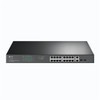
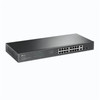
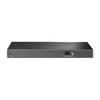
TP-Link TL-SG1218MP 18-Port Gigabit PoE+ Switch – 250W Rackmount
- SKU:
- NPTPL-TLSG1218MP
- UPC:
- 6935364072155
- MPN:
- TL-SG1218MP
- Availability:
- Free Click & Collect in Peterborough. UK delivery also available


Description
TP-Link TL-SG1218MP 18-Port Gigabit PoE+ Switch – 16 PoE+ Ports, 250W, 2 SFP, Rackmount
The TP-Link TL-SG1218MP 18-Port Gigabit PoE+ Switch is a high-power unmanaged network switch designed for IP surveillance systems, wireless access points, VoIP telephones, offices, schools, hospitality environments and small-to-medium business networks that need reliable Gigabit connectivity and centralised Power over Ethernet.
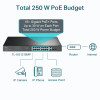
It provides 16 × Gigabit Ethernet PoE+ RJ45 ports capable of supplying both network data and electrical power through a single Ethernet cable. Each PoE+ port can provide up to 30W to a compatible IEEE 802.3af or IEEE 802.3at powered device, while the switch provides a substantial 250W total PoE power budget across ports 1–16.
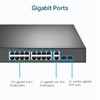
Two additional Gigabit RJ45 interfaces can be used for non-PoE network connections or uplinks. The switch also includes two 1Gbps combo SFP slots for compatible fibre or SFP network links. Because these are combo interfaces, the SFP and corresponding RJ45 interface share the same logical port and cannot be used simultaneously.
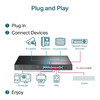
The TL-SG1218MP is designed for simple plug-and-play deployment. It is an unmanaged switch, so normal operation does not require a web interface, controller, software configuration or subscription. Intelligent PoE power management automatically monitors the available 250W PoE budget and helps protect the switch from power overload conditions.
With a 36Gbps switching capacity, approximately 26.78Mpps packet forwarding, 10KB Jumbo Frame support, 802.1p/DSCP Quality of Service and IEEE 802.3x flow control, the switch is suitable for bandwidth-intensive networking, IP camera installations and business environments where multiple Gigabit devices operate simultaneously.
The durable metal chassis measures approximately 440 × 180 × 44mm and supports standard rack installation using the supplied rackmount hardware. Two internal cooling fans support operation across a manufacturer-specified temperature range of 0°C to 50°C.
The exact model is TP-Link TL-SG1218MP, with Memox SKU NPTPL-TLSG1218MP and EAN / UPC 6935364072155. It is suitable for customers searching for a 16-port PoE+ Gigabit switch, 250W PoE switch, 18-port TP-Link network switch, rackmount CCTV PoE switch or Gigabit PoE switch with SFP uplinks.
Key Features of the TP-Link TL-SG1218MP
- 18 active Gigabit Ethernet interfaces
- 16 × 10/100/1000Mbps PoE+ RJ45 ports
- 2 × Gigabit non-PoE RJ45 ports
- 2 × 1Gbps combo SFP slots
- 250W total PoE power budget
- Up to 30W per PoE+ port
- IEEE 802.3af and IEEE 802.3at compatibility
- 36Gbps switching capacity
- Approximately 26.78Mpps packet forwarding rate
- 8K MAC address table
- 4.1Mbit packet buffer
- 10KB Jumbo Frame support
- 802.1p / DSCP Quality of Service
- IEEE 802.3x flow control
- MAC address auto-learning and auto-aging
- Auto-negotiation
- Auto MDI/MDIX
- Intelligent PoE power management
- Plug-and-play unmanaged operation
- Durable metal enclosure
- 2 internal cooling fans
- 0°C to 50°C operating temperature range
- Rackmount installation supported
- Desktop installation supported using supplied rubber feet
- Kensington-style physical security slot
- 100–240V AC universal power input
16 Gigabit PoE+ Ports with a 250W Power Budget
Ports 1–16 support IEEE 802.3af and IEEE 802.3at Power over Ethernet. A compatible network device can therefore receive network data and electrical power through the same Ethernet cable.
This can simplify installation because devices such as IP cameras and wireless access points do not necessarily need a separate electrical socket beside each device.
Up to 30W Per PoE+ Port
Each of the 16 PoE+ interfaces supports up to approximately 30W of PoE power per port for compatible IEEE 802.3at powered devices.
Typical PoE equipment may include:
- IP security cameras
- PTZ cameras within the supported power requirement
- Wireless access points
- VoIP telephones
- Video intercoms
- Door-access equipment
- Other IEEE 802.3af/at powered devices
250W Is the Total Shared PoE Budget
The important distinction is that 30W per port does not mean that all 16 ports can each provide 30W simultaneously.
Sixteen devices each consuming 30W would theoretically require 480W, which is substantially higher than the switch's total 250W PoE budget.
The combined demand of all PoE-powered devices must therefore remain within the available total budget.
Example PoE Budget Calculation
For example:
- 10 cameras × 12W = 120W
- 4 wireless access points × 20W = 80W
- 2 VoIP phones × 5W = 10W
The combined example demand would be approximately 210W, which is within the nominal 250W switch budget.
Actual PoE requirements should always be checked against the maximum power specification of each connected device rather than relying only on typical consumption.
IEEE 802.3af and IEEE 802.3at PoE Compatibility
The TL-SG1218MP automatically detects compatible IEEE 802.3af and 802.3at powered devices and provides appropriate PoE power within the switch's available budget.
IEEE 802.3af PoE
IEEE 802.3af is commonly referred to as standard PoE and is widely used by lower-power network equipment such as:
- Basic IP cameras
- VoIP phones
- Lower-power wireless access points
- Network sensors
IEEE 802.3at PoE+
IEEE 802.3at, commonly known as PoE+, supports higher-powered equipment and allows the TL-SG1218MP to provide up to 30W from an individual PoE+ port.
This can support compatible devices such as higher-performance wireless access points, more advanced cameras and other PoE+ equipment.
PoE++ / IEEE 802.3bt Is Not Listed
The TL-SG1218MP is specified for IEEE 802.3af and IEEE 802.3at. IEEE 802.3bt PoE++ is not listed as a supported power standard.
If a device requires more than 30W or specifically requires 802.3bt / PoE++, choose a compatible PoE++ switch.
Intelligent PoE Power Management
TP-Link's Intelligent Power Management helps protect the switch when the total PoE demand approaches or exceeds the available 250W power budget.
Instead of allowing uncontrolled overload, the switch can remove power from lower-priority PoE ports so that higher-priority equipment can remain powered.
Why PoE Power Management Matters
A professional PoE network may contain devices with different power requirements. Their combined consumption can also change during operation.
Examples include:
- PTZ cameras activating motors
- Infrared cameras switching on night illumination
- Access points operating under heavy wireless load
- Devices rebooting or starting up
Planning sufficient PoE headroom helps minimise situations where the switch must remove power from lower-priority ports.
Ideal for IP CCTV and Surveillance Systems
The TL-SG1218MP is particularly well suited to IP surveillance deployments because one switch can provide Gigabit data connectivity and PoE power for up to 16 compatible cameras.
Typical CCTV Network Layout
A surveillance installation could use:
- Ports 1–16 for PoE IP cameras
- Port 17 for a network video recorder
- Port 18 for a router, gateway or uplink
Alternatively, one or both combo interfaces can use compatible SFP transceivers where fibre connectivity is required.
Why Gigabit Ports Matter for CCTV
Individual IP cameras may not require a full Gigabit of bandwidth, but a switch carrying traffic from many cameras simultaneously can benefit from Gigabit interfaces and adequate internal switching capacity.
The 36Gbps switching fabric provides substantial bandwidth for multiple simultaneous data streams.
Suitable for Wireless Access Points
The 16 PoE+ ports can also power compatible wireless access points, including suitable TP-Link Omada EAP models and compatible access points from other manufacturers that use supported IEEE 802.3af or 802.3at PoE.
PoE allows an access point to be installed in an optimum ceiling or wall location without requiring a separate mains socket nearby.
Check Access Point Power Requirements
Before connecting an access point, confirm:
- Required PoE standard
- Maximum power consumption
- Required Ethernet speed
- Total remaining switch PoE budget
Access points requiring IEEE 802.3bt PoE++ may need a different switch.
Suitable for VoIP Telephones
Compatible VoIP telephones can receive both Ethernet connectivity and power from the PoE+ ports.
This can reduce power-adapter clutter on office desks and can simplify centralised power backup when the PoE switch itself is connected to a suitable UPS.
Using a UPS with a PoE Switch
Connecting the TL-SG1218MP to an appropriately sized UPS can potentially keep connected PoE equipment operating during shorter mains interruptions.
When sizing the UPS, calculate the power consumption of the switch itself plus the total PoE load.
18 Active Gigabit Network Interfaces
The TL-SG1218MP is marketed as an 18-port Gigabit switch.
Its physical interface arrangement consists of:
- 16 × Gigabit PoE+ RJ45 ports
- 2 × Gigabit non-PoE RJ45 ports
- 2 × Gigabit SFP sockets associated with the two non-PoE combo ports
Important Combo SFP Explanation
The two SFP connectors are combo interfaces.
Port 17 RJ45 shares its interface with SFP port 17F, while port 18 RJ45 shares with SFP port 18F.
This means:
- RJ45 port 17 and SFP 17F cannot both be active simultaneously
- RJ45 port 18 and SFP 18F cannot both be active simultaneously
The switch therefore provides a maximum of 18 active Gigabit ports, not 20 independent simultaneous network interfaces.
Two 1Gbps Combo SFP Slots
The two SFP slots support compatible 1000Mbps SFP transceiver modules.
They can be useful for:
- Fibre uplinks between buildings
- Connections between network cabinets
- Uplinks to another network switch
- Long-distance fibre runs
- Electrical isolation between fibre-connected network segments
Multimode and Single-Mode Fibre Support
TP-Link lists support for compatible 1000BASE-X multimode and single-mode fibre connections.
The exact transmission distance depends on the SFP transceivers and fibre type selected.
SFP Modules Are Not Included
SFP transceivers are purchased separately.
Before ordering an SFP module, check:
- 1Gbps SFP compatibility
- Multimode or single-mode fibre requirement
- Connector type
- Wavelength
- Required distance
- Compatibility at both ends of the fibre connection
These Are 1Gbps SFP – Not 10Gbps SFP+
The TL-SG1218MP provides Gigabit SFP interfaces.
They should not be described as 10Gbps SFP+ ports. Customers requiring 10Gbps uplinks should select a switch specifically equipped with SFP+ interfaces.
36Gbps Switching Capacity
TP-Link specifies a 36Gbps switching capacity for the TL-SG1218MP.
This corresponds with its 18 active Gigabit ports operating in full-duplex networking environments.
The internal switching capacity allows traffic to move between multiple ports without the switch fabric becoming an unnecessary bottleneck during normal supported operation.
26.78Mpps Packet Forwarding
The manufacturer datasheet lists a packet forwarding rate of approximately 26.78 million packets per second.
Packet forwarding performance describes how many network packets the switching hardware can process each second.
10KB Jumbo Frame Support
The TL-SG1218MP supports Jumbo Frames up to 10KB.
Jumbo Frames can help reduce processing overhead in certain large-data-transfer environments, including some server and storage applications.
Jumbo Frames Require End-to-End Compatibility
All relevant devices in the network path must support a compatible frame size.
Enabling or relying on Jumbo Frames when one device in the path cannot support them can cause communication problems.
8K MAC Address Table
The switch provides an 8,000-entry MAC address table.
The MAC table allows the switch to learn which network devices are connected through each port and forward Ethernet traffic towards the appropriate destination.
Automatic MAC Learning and Aging
The TL-SG1218MP supports automatic MAC address learning and aging, so normal address-table management does not require manual configuration.
4.1Mbit Packet Buffer
The switch includes a manufacturer-listed 4.1Mbit packet buffer.
The buffer temporarily holds network traffic when data arrives faster than a destination port can immediately transmit it.
802.1p and DSCP Quality of Service
Although the TL-SG1218MP is an unmanaged switch, it supports 802.1p and DSCP Quality of Service traffic prioritisation.
QoS can help prioritise latency-sensitive traffic such as:
- VoIP calls
- Video conferencing
- Real-time video
- Other priority-marked network traffic
No Web Configuration Required
The switch interprets supported traffic-priority markings automatically. There is no conventional web-management interface required to configure basic switch operation.
Plug-and-Play Unmanaged Operation
The TL-SG1218MP is an unmanaged network switch.
For normal use:
- Connect the switch to mains power.
- Connect the router, gateway or network uplink.
- Connect compatible Ethernet and PoE devices.
- The switch automatically establishes suitable Ethernet links.
No Controller or Subscription Required
The TL-SG1218MP does not require:
- Omada Controller adoption
- A cloud-management subscription
- A web-management account
- Manual VLAN configuration for basic operation
This makes it suitable for users who want straightforward PoE expansion without managed-switch complexity.
Unmanaged Does Not Mean Featureless
Although there is no normal management interface, the switch still provides useful automatic networking technologies including:
- 802.1p / DSCP QoS
- IEEE 802.3x flow control
- Auto-negotiation
- Auto MDI/MDIX
- MAC address auto-learning
- MAC address auto-aging
- Intelligent PoE power management
Auto-Negotiation on Gigabit Ethernet Ports
Compatible RJ45 connections automatically negotiate between supported 10Mbps, 100Mbps and 1000Mbps Ethernet speeds.
This allows both modern Gigabit equipment and older Ethernet devices to operate on the same switch.
Auto MDI/MDIX
Auto MDI/MDIX removes the normal need to choose between straight-through and crossover Ethernet cables when connecting compatible devices.
The switch automatically detects the required Ethernet wiring arrangement.
IEEE 802.3x Flow Control
IEEE 802.3x flow control is supported for full-duplex Ethernet operation, with backpressure support for half-duplex operation.
Flow control can help reduce packet loss in situations where a receiving interface temporarily becomes congested.
Compatible with PoE and Non-PoE Equipment
The TL-SG1218MP can be used with both compatible PoE equipment and standard non-PoE Ethernet devices.
PoE Devices
- IP cameras
- Wireless access points
- VoIP telephones
- Network intercoms
- Other IEEE 802.3af/at powered devices
Non-PoE Devices
- Desktop computers
- Printers
- Network video recorders
- NAS systems
- Routers
- Other switches
- IPTV equipment
The PoE circuitry automatically detects compatible powered devices rather than forcing PoE power onto ordinary Ethernet equipment.
250W PoE Budget for Larger Deployments
The relatively high 250W PoE budget makes the TL-SG1218MP suitable for installations where many PoE devices need to operate from one switch.
Potential Small Business Installation
A business might connect:
- 8 × PoE security cameras
- 4 × wireless access points
- 4 × VoIP telephones
The actual suitability depends on the combined maximum PoE requirement of those devices.
PoE Budget Planning
For reliable installation, calculate the PoE budget before connecting all devices.
- Find the maximum PoE wattage of each powered device.
- Add all maximum wattages together.
- Confirm that the total remains below 250W.
- Leave additional headroom where practical.
Why Use Maximum Device Wattage?
A camera may consume relatively little power during daylight but substantially more when infrared LEDs, heaters or motors activate.
Using the maximum specified consumption gives a safer estimate than relying only on normal idle power.
Standard Ethernet Cable Distances
For normal Ethernet operation, TP-Link specifies distances of up to approximately 100 metres using appropriate Ethernet cabling.
Gigabit Ethernet Cable Recommendation
For 1000BASE-T Gigabit Ethernet, TP-Link specifies suitable:
- Category 5
- Category 5e
- Category 6 or better cable
For new Gigabit installations, correctly terminated Cat5e or Cat6 cable is generally the more practical choice.
Cable Quality Matters for PoE
PoE performance can be affected by:
- Cable conductor quality
- Cable length
- Connector quality
- Temperature
- Power demand
- Installation condition
Use full copper Ethernet cable suitable for the installation rather than poor-quality or unsuitable cabling, especially for higher-power or longer PoE runs.
Hardware Revision Dependent Modes
TP-Link has produced multiple hardware revisions of the TL-SG1218MP. Feature availability can therefore differ between revisions.
Later TP-Link documentation, including V5, lists additional hardware-assisted functions such as:
- Extend Mode
- Priority Mode
- Isolation Mode
- PoE Auto Recovery
These functions should only be advertised as included when the hardware version supplied has been confirmed.
Extend Mode on Supported Revisions
On supported revisions, TP-Link lists Extend Mode for ports 1–4 with PoE/data transmission up to approximately 250 metres under suitable conditions.
When Extend Mode is used, the relevant port speed is reduced to 10Mbps. Actual range depends on cable quality, connected equipment and installation conditions.
Priority Mode on Supported Revisions
Supported revisions can prioritise ports 1–4 so that critical devices receive higher power priority when the PoE budget becomes constrained.
Isolation Mode on Supported Revisions
Isolation Mode can separate client traffic between selected ports to improve surveillance-network isolation and reduce unwanted device-to-device communication.
PoE Auto Recovery on Supported Revisions
PoE Auto Recovery can automatically attempt to restart an unresponsive PoE powered device by cycling its PoE power.
Always check the hardware version printed on the switch or packaging before relying on these revision-specific functions.
Durable Metal Rackmount Chassis
The TL-SG1218MP uses a durable metal enclosure designed for professional network installations.
Manufacturer-listed dimensions are approximately:
- Width: 440mm
- Depth: 180mm
- Height: 44mm
The approximately 44mm height is consistent with a compact 1U-style rack installation.
Rackmount or Desktop Installation
A rackmount kit is supplied for installation in a compatible network rack or communications cabinet.
Rubber feet are also included for suitable desktop or shelf installation.
Rack Installation
For rack installation:
- Attach the supplied mounting brackets to the switch.
- Position the switch in a compatible rack.
- Secure it using appropriate rack hardware.
- Allow sufficient ventilation around the chassis.
- Route network and power cables so that they do not obstruct airflow.
Two Internal Cooling Fans
The TL-SG1218MP uses two cooling fans.
This is important for customers comparing it with fanless desktop switches: the TL-SG1218MP should not be described as fanless or silent.
Why Active Cooling Is Used
A 250W PoE switch can generate significant heat when powering many devices. Active airflow helps the switch maintain appropriate operating temperatures under heavier PoE loads.
Install the switch in a ventilated network cabinet or equipment area rather than blocking its ventilation openings.
Wide 0°C to 50°C Operating Temperature
TP-Link specifies an operating range of:
- 0°C to 50°C / 32°F to 122°F
Storage temperature is specified from:
- -40°C to 70°C / -40°F to 158°F
Operating Humidity
Manufacturer limits are:
- Operating humidity: 10–90% RH, non-condensing
- Storage humidity: 5–90% RH, non-condensing
Universal 100–240V AC Power Input
The switch uses an internal mains power supply supporting 100–240V AC at 50/60Hz.
The supplied regional power cord connects directly to the switch, avoiding the need for a large external power adapter.
Power Consumption Depends on PoE Load
The electricity consumed by a PoE switch depends heavily on the equipment it is powering.
A switch with no connected PoE devices uses substantially less power than the same unit supplying close to the full 250W PoE budget.
TP-Link has published different exact maximum-consumption figures for different hardware revisions, so the hardware version should be checked before quoting a revision-specific wattage figure.
Physical Security Slot
The TL-SG1218MP includes a Kensington-style physical security slot.
A compatible security lock can be attached to help deter casual theft when the switch is installed on an accessible desk, shelf or equipment area.
The security lock itself is not included.
Grounding Support
TP-Link's installation documentation provides for equipment grounding through the protective-earth mains connection or appropriate grounding arrangements.
Correct grounding is particularly important in professional networking installations and where Ethernet cabling leaves the building.
Suitable for Small and Medium Businesses
The combination of 16 PoE+ ports, Gigabit networking and a 250W budget makes the TL-SG1218MP suitable for:
- Small offices
- Medium-sized offices
- Retail stores
- Restaurants and hospitality
- Schools and training centres
- Warehouses
- CCTV installations
- Small business WiFi deployments
- VoIP networks
Suitable for CCTV Installers
Professional CCTV installations can benefit from combining 16 PoE+ camera connections with Gigabit uplinks and optional fibre connectivity in one rackmount switch.
The high total PoE budget can accommodate a mixture of ordinary fixed cameras and higher-powered compatible equipment, provided the combined total remains within specification.
Suitable for Mixed PoE Networks
The switch does not need to be dedicated to one device type.
A single installation can combine compatible:
- IP cameras
- Wireless access points
- VoIP phones
- Intercoms
- Non-PoE computers
- Printers
- Network recorders
Who Is the TP-Link TL-SG1218MP Best For?
- Businesses needing up to 16 PoE+ device connections
- CCTV installers deploying multiple IP cameras
- Offices installing PoE wireless access points
- VoIP telephone installations
- Networks requiring a total PoE budget up to 250W
- Users wanting simple unmanaged plug-and-play operation
- Rackmount network installations
- Networks requiring optional 1Gbps fibre uplinks
- Users who do not need advanced managed-switch configuration
Who May Need a Different Switch?
The TL-SG1218MP may not be suitable for users who require:
- Web-based switch management
- Omada SDN controller management
- User-configurable VLANs
- Detailed SNMP monitoring
- 10Gbps SFP+ uplinks
- 2.5GbE client ports
- IEEE 802.3bt PoE++
- More than 250W total PoE capacity
- A completely fanless switch
- More than 16 PoE-powered devices
TL-SG1218MP vs TL-SG1218MPE
The similarly named TL-SG1218MPE is an Easy Smart managed model and should not be confused with the TL-SG1218MP.
TL-SG1218MP
- Unmanaged
- Plug and play
- 16 PoE+ Gigabit ports
- 250W PoE budget
- 2 combo Gigabit SFP interfaces
TL-SG1218MPE
- Easy Smart management functionality
- Supports additional configurable network-management features
- Should be selected when management functionality is required
Choose carefully because the two model numbers differ by only one letter.
Is the TL-SG1218MP Managed?
No. The TL-SG1218MP is an unmanaged switch.
It is designed primarily for straightforward plug-and-play connectivity and PoE deployment rather than detailed administrator configuration.
Does the TL-SG1218MP Work with Non-TP-Link PoE Devices?
Yes, provided the connected powered device uses a compatible IEEE 802.3af or IEEE 802.3at PoE standard and remains within the available power budget.
PoE interoperability is based primarily on the supported standard rather than the equipment brand.
Can It Be Used with UniFi, VIGI or Other IP Cameras?
The switch can provide standard Ethernet connectivity and IEEE 802.3af/at PoE power to compatible cameras from different manufacturers.
Always check the exact camera's PoE standard and maximum wattage before connection.
The TL-SG1218MP itself does not manage or configure third-party cameras; camera management remains the responsibility of the relevant NVR, controller or camera software.
Can It Power 16 Cameras?
Potentially yes, provided all cameras are IEEE 802.3af/at compatible and their combined maximum power requirement remains within the 250W PoE budget.
Sixteen 10W cameras would require about 160W, while sixteen devices drawing close to 30W each would exceed the available budget.
Can the SFP Ports Be Used for Fibre?
Yes. Compatible 1Gbps SFP transceiver modules can be installed for supported fibre connections.
Remember that each SFP slot shares a combo interface with the corresponding RJ45 uplink port.
Can the SFP Ports Run at 10Gbps?
No. They are Gigabit SFP interfaces rather than 10Gbps SFP+.
Can the Switch Be Used on a Desk?
Yes. Although it is designed for rack mounting, TP-Link includes rubber feet for suitable desktop or shelf installation.
Because the switch contains two cooling fans, leave sufficient clearance around its ventilation openings.
How to Check Compatibility Before Ordering
- Count the number of PoE devices you need to connect.
- Confirm that no more than 16 devices require PoE from this switch.
- Check that each powered device supports IEEE 802.3af or 802.3at.
- Find the maximum wattage of each PoE device.
- Add the maximum wattages together.
- Confirm that the total remains within the 250W PoE budget.
- Check that Gigabit Ethernet is sufficient for your network.
- Remember that the SFP slots are 1Gbps rather than 10Gbps.
- Check whether you require managed-switch features.
- Confirm that the switch's two cooling fans are acceptable for the installation environment.
Basic Installation Guide
- Choose a well-ventilated rack, shelf or desktop location.
- Install the rack brackets or supplied rubber feet as appropriate.
- Connect the supplied mains power cable.
- Connect the router, gateway or upstream network connection.
- Connect PoE devices to ports 1–16.
- Connect non-PoE equipment or uplinks to ports 17 and 18 where required.
- Install compatible SFP transceivers if fibre connectivity is needed.
- Remember that SFP 17F shares with RJ45 port 17 and SFP 18F shares with RJ45 port 18.
- Check PoE LEDs and network link indicators.
- Confirm that the total PoE load remains within the available budget.
TP-Link TL-SG1218MP Technical Specifications
- Brand: TP-Link
- Product Family: Business Networking / Unmanaged PoE Switch
- Model: TL-SG1218MP
- Manufacturer Part Number: TL-SG1218MP
- Memox SKU: NPTPL-TLSG1218MP
- EAN / UPC: 6935364072155
- Product Type: Unmanaged Gigabit PoE+ network switch
- Total Active Gigabit Interfaces: 18
- PoE+ RJ45 Ports: 16
- Non-PoE Gigabit RJ45 Ports: 2
- Combo SFP Slots: 2
- SFP Speed: 1Gbps
- PoE Ports: Ports 1–16
- PoE Standards: IEEE 802.3af / IEEE 802.3at
- Maximum PoE per Port: Up to 30W
- Total PoE Budget: Up to 250W
- Switching Capacity: 36Gbps
- Packet Forwarding Rate: Approximately 26.78Mpps
- MAC Address Table: 8K
- Packet Buffer: 4.1Mbit
- Jumbo Frame: 10KB
- QoS: 802.1p / DSCP
- Flow Control: IEEE 802.3x full-duplex flow control and half-duplex backpressure
- MAC Learning: Automatic
- MAC Aging: Automatic
- Auto-Negotiation: Yes
- Auto MDI/MDIX: Yes
- Management Type: Unmanaged / plug and play
- Omada SDN Managed: No
- Power Supply: Internal 100–240V AC, 50/60Hz
- Cooling Fans: 2
- Fanless: No
- Physical Security Slot: Yes
- Enclosure: Metal
- Dimensions: 440 × 180 × 44mm, W × D × H
- Rack Mountable: Yes
- Desktop Installation: Yes, using supplied rubber feet
- Operating Temperature: 0°C to 50°C
- Storage Temperature: -40°C to 70°C
- Operating Humidity: 10–90% RH, non-condensing
- Storage Humidity: 5–90% RH, non-condensing
- Certifications: CE, FCC, RoHS
What Is Included?
- 1 × TP-Link TL-SG1218MP Gigabit PoE+ switch
- 1 × AC power cord
- Rackmount brackets and screws
- Rubber feet for desktop installation
- Installation guide
Ethernet cables, fibre cables, SFP transceiver modules, security lock, router, NVR, IP cameras and other PoE devices are not included unless specifically stated elsewhere in the offer.
Important PoE Budget Information
The switch supports up to 30W on an individual PoE+ port, but the combined PoE budget across ports 1–16 is 250W.
Do not multiply 30W × 16 and assume that 480W is available simultaneously. Calculate the combined maximum power requirement of all connected powered devices.
Important Combo SFP Information
The two SFP slots do not provide two additional independent ports beyond the 18-port switch architecture.
RJ45 port 17 and SFP 17F form one combo interface. RJ45 port 18 and SFP 18F form the second combo interface. Each RJ45/SFP pair cannot operate simultaneously.
Important Unmanaged Switch Information
The TL-SG1218MP is an unmanaged plug-and-play switch. It does not provide the same configurable management functions as the similarly named TL-SG1218MPE Easy Smart model.
Customers requiring configurable VLANs, detailed switch monitoring, web management or controller-based management should choose an appropriate managed or Easy Smart switch.
Important Hardware Revision Information
TP-Link has released several hardware revisions of the TL-SG1218MP, and certain additional physical-switch functions can differ between revisions.
Later documentation lists features such as Extend Mode, Priority Mode, Isolation Mode and PoE Auto Recovery. These functions should only be considered guaranteed when the exact hardware revision supplied is confirmed to support them.
Important Cooling Information
The TL-SG1218MP contains two cooling fans. It is not a fanless switch.
Customers installing networking equipment in bedrooms, recording studios or other noise-sensitive areas should take this into account.
Important SFP Information
The SFP slots support Gigabit SFP connectivity and should not be described as 10Gbps SFP+.
SFP transceivers are purchased separately and must be selected according to the required fibre type, wavelength, connector and transmission distance.
Important Installation and Ventilation Information
Install the switch in a dry, well-ventilated indoor environment. Keep ventilation openings clear and ensure that the surrounding temperature remains within the specified 0°C to 50°C operating range.
When rack mounting, allow adequate airflow around the switch and other heat-generating network equipment.
Why Choose the TP-Link TL-SG1218MP?
The TP-Link TL-SG1218MP combines 16 Gigabit PoE+ connections, a substantial 250W shared power budget and flexible Gigabit uplink options in a straightforward rackmount design.
For surveillance installations, it can provide network connectivity and power to as many as 16 compatible IP cameras from a central switch. For office networks, the same PoE+ ports can power compatible wireless access points, VoIP telephones and other IEEE 802.3af/at devices.
The 36Gbps switching capacity, 26.78Mpps packet forwarding, 10KB Jumbo Frames, automatic QoS and flow control provide strong Gigabit switching performance without requiring administrator configuration.
Two combo Gigabit SFP interfaces provide additional flexibility where fibre uplinks are required, while Intelligent Power Management helps prevent the 250W PoE budget from being overloaded.
Choose the TL-SG1218MP when you need a high-capacity 16-port PoE+ Gigabit switch with a 250W PoE budget, rackmount chassis and optional 1Gbps fibre connectivity, but do not require the configuration complexity of a fully managed network switch.
Specification
TP-Link TL-SG1218MP 18-Port Gigabit PoE+ Switch Specifications
The TP-Link TL-SG1218MP is an unmanaged 18-port Gigabit rackmount PoE+ switch designed for IP cameras, wireless access points, VoIP phones and other compatible network equipment. It provides 16 Gigabit PoE+ RJ45 ports with a shared 250W PoE power budget, plus two Gigabit non-PoE RJ45 ports that operate as combo interfaces with two 1Gbps SFP slots.
The switch supports IEEE 802.3af and IEEE 802.3at powered devices, supplying up to 30W from an individual PoE+ port. It also provides a 36Gbps switching capacity, 26.78Mpps packet-forwarding performance, 8K MAC address table, 10KB Jumbo Frames and rackmount or desktop installation.
General Information
| Brand | TP-Link |
|---|---|
| Product Name | TP-Link TL-SG1218MP 18-Port Gigabit Rackmount PoE Switch with 16 PoE+ |
| Model | TL-SG1218MP |
| Manufacturer Part Number | TL-SG1218MP |
| Memox SKU | NPTPL-TLSG1218MP |
| EAN / GTIN | 6935364072155 |
| Product Type | Unmanaged Gigabit PoE+ Ethernet switch |
| Management Type | Unmanaged / plug and play |
| Primary Applications | IP surveillance, wireless access points, VoIP, office networking and other IEEE 802.3af/at PoE deployments |
| Enclosure | Metal |
Ethernet and SFP Interfaces
| Advertised Active Ports | 18 Gigabit interfaces |
|---|---|
| PoE+ RJ45 Ports | 16 × 10/100/1000Mbps Gigabit RJ45 |
| Non-PoE RJ45 Ports | 2 × 10/100/1000Mbps Gigabit RJ45 |
| SFP Slots | 2 × 1Gbps combo SFP |
| SFP Port Numbers | 17F and 18F |
| Combo RJ45 Port Numbers | 17 and 18 |
| Port 17 / 17F Operation | RJ45 port 17 and SFP 17F share one combo interface and cannot be used simultaneously |
| Port 18 / 18F Operation | RJ45 port 18 and SFP 18F share one combo interface and cannot be used simultaneously |
| Maximum Simultaneously Active Interfaces | 18 |
| SFP+ 10Gbps | No |
| 2.5GbE | No |
| 5GbE | No |
| 10GbE | No |
Power over Ethernet – PoE+
| PoE Supported | Yes |
|---|---|
| PoE Standards | IEEE 802.3af and IEEE 802.3at |
| PoE Type | PoE / PoE+ |
| PoE Ports | Ports 1–16 |
| Number of PoE+ Ports | 16 |
| Maximum Power per PoE+ Port | Up to 30W |
| Total PoE Power Budget | 250W shared across ports 1–16 |
| IEEE 802.3bt PoE++ | Not supported / not listed |
| PoE Device Detection | Automatically detects compatible IEEE 802.3af/at powered devices |
| Non-PoE Device Compatibility | Yes – standard Ethernet devices can be connected without receiving PoE power |
PoE Power Management
| Intelligent Power Management | Yes |
|---|---|
| Power Overload Protection | Yes – lower-priority PoE ports can be disabled when total demand exceeds the available PoE budget |
| PoE Maximum Indicator | Yes |
| PoE Status Indicators | Yes, per supported PoE port |
| 250W Available on Every Port Simultaneously | No – 250W is the total shared PoE power budget |
| 16 × 30W Simultaneously Supported | No – 16 × 30W would exceed the 250W total PoE budget |
Switching Performance
| Switching Capacity | 36Gbps |
|---|---|
| Packet Forwarding Rate | 26.78Mpps |
| MAC Address Table | 8K entries |
| Packet Buffer Memory | 4.1Mbit |
| Jumbo Frame | Up to 10KB |
| MAC Address Auto-Learning | Yes |
| MAC Address Auto-Aging | Yes |
| Switching Architecture | Store-and-forward Ethernet switching |
Quality of Service and Flow Control
| Quality of Service | Yes |
|---|---|
| QoS Standards | 802.1p / DSCP traffic prioritisation |
| Typical QoS Applications | Voice, video and other latency-sensitive traffic |
| IEEE 802.3x Flow Control | Yes, for full-duplex operation |
| Half-Duplex Backpressure | Yes |
Management Features
| Switch Management | Unmanaged |
|---|---|
| Plug and Play | Yes |
| Web Management Interface | No |
| Omada SDN Controller Management | No |
| SNMP Management | Not listed |
| User-Configurable VLAN Management | No conventional managed-switch VLAN configuration interface |
| Subscription Required | No |
| Software Installation Required for Normal Operation | No |
Ethernet Standards and Protocols
| IEEE 802.3 | Supported |
|---|---|
| IEEE 802.3u | Supported |
| IEEE 802.3ab | Supported |
| IEEE 802.3x | Supported |
| IEEE 802.3af | Supported |
| IEEE 802.3at | Supported |
| IEEE 802.1p | Supported |
| IEEE 802.1Q | Listed by TP-Link among supported standards; this unmanaged model does not provide normal user-configurable VLAN management |
Network Media and Cable Requirements
| 10BASE-T | UTP Category 3, 4 or 5 cable up to 100m |
|---|---|
| 100BASE-TX | UTP Category 5 or 5e cable up to 100m |
| 1000BASE-T | UTP Category 5, 5e, 6 or higher cable up to 100m |
| Shielded Ethernet Support | EIA/TIA-568 100Ω STP up to 100m |
| Fibre Media | Compatible 1000BASE-X MMF or SMF through suitable SFP transceivers |
| SFP Modules Included | No |
SFP Fibre Connectivity
| SFP Module Speed | 1000Mbps / 1Gbps |
|---|---|
| Multimode Fibre | Supported with suitable 1G SFP transceiver |
| Single-Mode Fibre | Supported with suitable 1G SFP transceiver |
| Maximum Fibre Distance | Depends on the SFP transceiver and fibre type selected |
| Hot-Swappable SFP Module | Standard SFP module installation supported; follow TP-Link installation guidance |
Power Supply
| Power Supply Type | Internal AC power supply |
|---|---|
| AC Input Voltage | 100–240V AC |
| AC Frequency | 50/60Hz |
| External Power Brick Required | No |
| Power Cord Included | Yes |
| Protective Earth / Grounding | Supported through the AC protective-earth connection and chassis grounding provision |
Power Consumption
| Maximum Consumption with No Powered Device Connected | Approximately 21.4W at 220V / 50Hz |
|---|---|
| Maximum Consumption with 250W PoE Load | Approximately 286.64W at 220V / 50Hz |
| PoE Budget Included in Maximum Loaded Consumption | Yes |
| Actual Consumption | Varies according to connected PoE load and operating conditions |
Heat Dissipation
| Maximum Heat Dissipation with No PD Connected | Approximately 72.97 BTU/hr |
|---|---|
| Maximum Heat Dissipation with 250W PoE Load | Approximately 977.44 BTU/hr |
| Ventilation Required | Yes |
Cooling System
| Cooling Method | Active fan cooling |
|---|---|
| Cooling Fans | 2 |
| Fanless | No |
| Fan Status Monitoring | Fan status indicator provided |
| Suitable for Noise-Sensitive Rooms | Consider fan noise before installation in bedrooms, recording studios or other very quiet environments |
LED Indicators
| Power Indicator | Yes |
|---|---|
| Link / Activity Indicators | Yes |
| PoE Status Indicators | Yes |
| PoE Maximum Indicator | Yes |
| Fan Status Indicator | Yes |
Physical Security and Grounding
| Physical Security Slot | Yes – Kensington-style security slot |
|---|---|
| Security Lock Included | No |
| Grounding Terminal | Yes |
| Protective-Earth Power Cord Grounding | Supported |
Dimensions and Form Factor
| Width | 440mm / 17.3in |
|---|---|
| Depth | 180mm / 7.1in |
| Height | 44mm / 1.73in |
| Overall Dimensions | 440 × 180 × 44mm, W × D × H |
| Rack Form Factor | 19-inch, 1U |
| Rack Mountable | Yes |
| Desktop Installation | Yes, using the supplied rubber feet |
| Product Weight | Not published on TP-Link UK's current specification page |
Environmental Specifications
| Operating Temperature | 0°C to 50°C / 32°F to 122°F |
|---|---|
| Storage Temperature | -40°C to 70°C / -40°F to 158°F |
| Operating Humidity | 10% to 90% RH, non-condensing |
| Storage Humidity | 5% to 90% RH, non-condensing |
| Indoor Installation | Yes |
| Outdoor Installation | No weatherproof outdoor enclosure is specified |
Certifications
| CE | Yes |
|---|---|
| FCC | Yes |
| RoHS | Yes |
Hardware Version Information
| Multiple Hardware Revisions Exist | Yes |
|---|---|
| Current UK Support Listings | TP-Link UK currently lists revisions from V1 through V6-series variants |
| Hardware Version Availability | Varies by region and stock |
| Hardware Version Location | Check the product label or packaging for the exact version supplied |
Revision-Dependent Features
| Extend Mode | Available on certain later hardware revisions; check the exact hardware version supplied |
|---|---|
| Priority Mode | Available on certain later hardware revisions; check the exact hardware version supplied |
| Isolation Mode | Available on certain later hardware revisions; check the exact hardware version supplied |
| PoE Auto Recovery | Available on certain later hardware revisions; check the exact hardware version supplied |
| Advertise Revision-Specific Features as Guaranteed | No, unless the hardware version of the supplied unit has been confirmed |
Extend Mode on Supported Hardware Revisions
| Extended PoE Distance | Up to approximately 250m on supported revisions and ports |
|---|---|
| Port Speed in Extend Mode | Reduced to 10Mbps on the affected port |
| Standard Ethernet Distance | Up to 100m under normal supported Ethernet operation |
| Guaranteed on Every TL-SG1218MP Revision | No – check the hardware revision |
Package Contents
| Gigabit PoE+ Switch | 1 × TP-Link TL-SG1218MP |
|---|---|
| Power Cord | Included |
| Rackmount Kit | Included |
| Rubber Feet | Included |
| Installation Guide | Included |
| Ethernet Cables | Not included |
| SFP Transceivers | Not included |
| Fibre Cables | Not included |
| PoE Devices / Cameras / Access Points | Not included |
| Kensington Security Lock | Not included |
Warranty
| Memox Advertised Warranty | 3 years |
|---|---|
| TP-Link UK Warranty | Manufacturer coverage is subject to the applicable TP-Link UK product category, purchase date and current warranty terms |
| Proof of Purchase | May be required for warranty service |
| UK Statutory Rights | Manufacturer or retailer warranty does not replace applicable UK consumer statutory rights |
Important PoE Budget Note
The TL-SG1218MP provides a total 250W shared PoE power budget across ports 1–16. Each individual PoE+ port can supply up to approximately 30W to a compatible IEEE 802.3at device.
The switch cannot provide 30W simultaneously to all 16 ports because 16 × 30W would require 480W. Add together the maximum PoE requirement of all connected powered devices and keep the total within the available 250W budget.
Important Combo SFP Port Note
The two SFP slots are combo interfaces, not two extra independent ports.
RJ45 port 17 shares its interface with SFP port 17F, while RJ45 port 18 shares with SFP port 18F. The RJ45 and SFP connector within each pair cannot operate simultaneously.
The switch therefore supports a maximum of 18 active network interfaces rather than 20 simultaneous connections.
Important SFP Speed Note
The two SFP interfaces operate at 1Gbps. They are not 10Gbps SFP+ ports.
SFP transceivers are sold separately and should be selected according to the required fibre type, wavelength, connector and transmission distance.
Important Packet Forwarding Rate Note
TP-Link's detailed product datasheet specifies a packet-forwarding rate of 26.78Mpps. Some versions of TP-Link's current web specification incorrectly render the unit as “Mbps”; packet-forwarding rate is correctly expressed in packets per second rather than bits per second.
Important Hardware Version Note
TP-Link has produced multiple hardware revisions of the TL-SG1218MP. Current UK support documentation lists several V1 through V6-series revisions, and TP-Link states that hardware-version availability varies by region.
Functions such as Extend Mode, Priority Mode, Isolation Mode and PoE Auto Recovery are therefore best treated as hardware-revision dependent unless the exact version of the unit being supplied has been confirmed.
Important Unmanaged Switch Note
The TL-SG1218MP is an unmanaged switch intended for plug-and-play deployment. It does not provide the same web-based VLAN, port-management, SNMP or Omada SDN functions as a fully managed or Easy Smart switch.
Customers requiring configurable VLANs, port mirroring, link aggregation, advanced monitoring or controller management should select a suitable managed TP-Link model.
Important Cooling Note
The TL-SG1218MP contains two cooling fans and should not be described as fanless.
Install the switch in a well-ventilated indoor environment and keep its ventilation openings clear, especially when operating near the maximum PoE power budget.
Important Power Consumption Note
TP-Link lists approximately 21.4W maximum switch consumption with no powered devices connected and approximately 286.64W with a full 250W PoE load under the manufacturer's stated test conditions.
Actual electricity consumption varies according to the number and power requirement of the connected PoE devices.
Important PoE Compatibility Note
The switch supports standards-based IEEE 802.3af and IEEE 802.3at powered devices. Equipment requiring IEEE 802.3bt PoE++ or more than 30W from a single port requires a different compatible PoE++ switch or power solution.
Important Installation Note
The switch supports standard 19-inch 1U rack installation and is also supplied with rubber feet for suitable desktop use.
Allow adequate ventilation around the chassis and use an appropriate grounded mains connection. When installing long outdoor Ethernet runs, use cabling, surge protection and grounding appropriate to the installation environment.
Return
FAQ: Frequenlty Asked Questions
TP-Link TL-SG1218MP 18-Port Gigabit PoE+ Switch FAQ
The TP-Link TL-SG1218MP is an 18-port Gigabit unmanaged switch designed for CCTV, wireless access points, VoIP and small-business networking. It provides 16 Gigabit 802.3af/at PoE+ ports with up to 30W per port and a total PoE budget of up to 250W, plus two Gigabit non-PoE RJ45 ports and two 1Gbps combo SFP slots for flexible copper or fibre uplinks.
Below are the most common questions buyers ask before choosing the TL-SG1218MP, including PoE budget calculations, IP-camera compatibility, Extend Mode, PoE Auto Recovery, Isolation and Priority modes, SFP uplinks, 250m long-range PoE, rack mounting, fan noise, cable choice, troubleshooting and comparisons with the TL-SG1218MPE, TL-SG1008MP, TL-SL1218MP and TL-SG1428PE.
1. What is the TP-Link TL-SG1218MP?
The TP-Link TL-SG1218MP is an unmanaged 18-port Gigabit Ethernet switch designed for surveillance, Wi-Fi, VoIP and small-business networks. It provides 16 Gigabit PoE+ RJ45 ports, two Gigabit non-PoE RJ45 ports and two 1Gbps combo SFP slots, with a total PoE power budget of up to 250W.
2. What is the exact model number?
The model number is TL-SG1218MP. TP-Link has released several hardware revisions of this model, so check the version printed on the product label if you need a revision-specific feature or installation guide.
3. How many Ethernet ports does the TL-SG1218MP have?
It has 18 Gigabit RJ45 ports in total. Ports 1-16 support PoE+, while ports 17 and 18 are Gigabit non-PoE RJ45 ports that are paired with the two combo SFP slots.
4. How many PoE ports does the TL-SG1218MP have?
It has 16 PoE+ Gigabit RJ45 ports, numbered 1 through 16.
5. What PoE standards does the TL-SG1218MP support?
The PoE ports support IEEE 802.3af and IEEE 802.3at. This means the switch can automatically negotiate power with compatible standard PoE and PoE+ powered devices.
6. How much power can each PoE port provide?
Each PoE+ port can supply up to 30W at the switch port when used with a compatible IEEE 802.3at powered device. The total power available across all PoE ports is limited by the 250W PoE budget.
7. What is the total PoE power budget?
The TL-SG1218MP has a total PoE power budget of up to 250W across ports 1-16. The sum of all connected PoE devices must stay within that budget.
8. Does 250W mean every port can provide 30W at the same time?
No. Sixteen ports at 30W each would require 480W. The switch can provide up to 30W on an individual port, but the combined PoE draw across all 16 ports must remain within the 250W total budget.
9. How many 15W cameras can I power from this switch?
In theory the 250W budget can support sixteen 15W cameras because their total would be 240W. Real devices can have startup peaks and specifications can vary, so leaving some power headroom is sensible.
10. How many 20W PoE devices can I power?
Twelve 20W devices would total 240W and fit within the nominal 250W budget. Thirteen would total 260W and exceed it. Always use each device's maximum PoE requirement rather than its typical draw.
11. Can it power sixteen 30W PoE+ devices?
No. Sixteen devices each requiring the full 30W would exceed the 250W total budget. You would need a higher-budget PoE switch or additional PoE power sources.
12. What happens if the total PoE load exceeds 250W?
TP-Link's intelligent power management protects the switch by prioritising higher-priority PoE ports and cutting power to lower-priority ports when necessary to prevent overload.
13. Which ports receive PoE priority first?
TP-Link documentation for hardware revisions with Priority Mode gives ports 1-4 higher priority when that mode is enabled. Even without using the physical Priority switch, it is good practice to connect the most critical cameras or access points to lower-numbered ports.
14. Does the TL-SG1218MP support PoE++ or IEEE 802.3bt?
No. The official specification lists IEEE 802.3af and 802.3at only. Devices that require 802.3bt PoE++ or more than 30W from one port need a compatible PoE++ switch or injector.
15. Will it power a device that requires 60W PoE++?
No. A 60W PoE++ device exceeds the TL-SG1218MP's 30W-per-port PoE+ limit.
16. Does the switch support passive 24V PoE?
No standard passive 24V output is specified. Use it with IEEE 802.3af/at devices. A device that only accepts passive PoE may need its own correct injector or another compatible power source.
17. Can I connect a non-PoE device to one of the PoE ports?
Yes. Standard IEEE PoE negotiation allows the switch to detect whether a connected device requests PoE power. A normal PC, printer or other non-PoE Ethernet device can use a PoE port for data without being intentionally powered.
18. Can I connect a PC to ports 1-16?
Yes. Ports 1-16 are normal Gigabit Ethernet ports as well as PoE+ ports. A non-PoE PC can use them for network data.
19. What devices are suitable for the PoE ports?
Typical compatible devices include IEEE 802.3af/at IP cameras, wireless access points, VoIP phones, intercoms and other standards-based PoE or PoE+ equipment.
20. Is the TL-SG1218MP good for CCTV systems?
Yes. The 16 PoE+ ports and 250W total budget make it particularly suitable for small and medium IP-camera installations, provided the cameras use compatible PoE standards and the total power requirement stays within budget.
21. Can it power 4K IP cameras?
Yes, if each camera uses IEEE 802.3af or 802.3at and stays within the 30W-per-port limit. Video resolution does not determine PoE compatibility; the camera's Ethernet speed and power requirement do.
22. Can it power PTZ cameras?
Some PTZ cameras can be powered if they require no more than 30W and support 802.3af/at. Larger PTZ cameras with heaters, strong IR illumination or motors may require 802.3bt PoE++ and will not be suitable.
23. Can I use it with TP-Link VIGI cameras?
Yes, compatible VIGI cameras that use IEEE 802.3af/at PoE can be powered by the TL-SG1218MP. Check the exact camera's maximum wattage when planning the total 250W budget.
24. Can I use it with Ubiquiti UniFi cameras?
Many UniFi cameras use standard 802.3af/at PoE and can work with this switch. Check the exact camera because some higher-power UniFi models use PoE++ and may exceed the switch's per-port capability.
25. Can I use it with Reolink PoE cameras?
Many Reolink PoE cameras use standard 802.3af/at and can work, but you should verify the exact model's PoE standard and maximum power before connecting it.
26. Can I use it with Hikvision cameras?
Many Hikvision IP cameras support IEEE 802.3af or 802.3at and are suitable. Check the model's power requirement, especially for PTZ, heater or long-range IR models.
27. Can I use it with Dahua cameras?
Many Dahua PoE cameras use IEEE 802.3af/at and can work with this switch. Confirm the exact camera's PoE class and wattage before installation.
28. Can I use it with an NVR?
Yes. Connect the NVR's LAN port to a normal switch port. The NVR does not need to be PoE-powered unless its manufacturer specifically supports that. The cameras can connect directly to the TL-SG1218MP.
29. Can I use it with a TP-Link Omada access point?
Yes, if the Omada EAP supports IEEE 802.3af or 802.3at PoE. Some older EAP models may rely on passive PoE, so check the exact access point.
30. Can it power Wi-Fi 6 access points?
Many Wi-Fi 6 access points require 802.3at PoE+ and can be powered by this switch. Check maximum wattage because some high-end or tri-band access points can require PoE++.
31. Can it power Wi-Fi 7 access points?
Only models that can operate within 802.3at and 30W per port are suitable. Many higher-performance Wi-Fi 7 access points require 802.3bt PoE++, so the exact model must be checked.
32. Can it power VoIP phones?
Yes. Most standard PoE VoIP phones use relatively little power and are well suited to the switch's 802.3af/at ports.
33. Can I use the switch for a home network?
Yes. It can be used at home when you need many wired Gigabit connections or several PoE cameras and access points. It is physically larger and louder than small fanless desktop switches, so placement matters.
34. Can I use it in a small business?
Yes. It is designed for applications such as surveillance, offices, dormitories and small-business networks where simple plug-and-play Gigabit PoE is needed.
35. Is the TL-SG1218MP managed or unmanaged?
It is an unmanaged switch. It is designed for plug-and-play operation rather than full web, CLI or Omada Controller management.
36. Does the TL-SG1218MP have a web management interface?
The unmanaged TL-SG1218MP does not provide the Easy Smart web-management feature set of the TL-SG1218MPE. If you need a web GUI, VLAN configuration, port statistics or managed PoE controls, compare the TL-SG1218MPE or an Omada managed switch.
37. Can I manage it with the Omada Controller?
No full Omada SDN controller management is specified for the unmanaged TL-SG1218MP. It can be used physically in an Omada network, but it will not offer the same controller-managed features as an Omada managed switch.
38. Can I turn individual PoE ports on and off remotely?
Not through normal remote management on the unmanaged TL-SG1218MP. If individual software-controlled PoE cycling is required, choose a managed or Easy Smart model that explicitly provides per-port PoE controls.
39. Does it support VLAN configuration?
The unmanaged TL-SG1218MP does not provide user-configurable VLAN management in the way the TL-SG1218MPE does. Some hardware revisions provide a physical Isolation Mode, but that is not the same as configurable 802.1Q VLAN management.
40. Does it support QoS?
Yes. TP-Link specifies 802.1p/DSCP QoS to help prioritise latency-sensitive traffic such as voice and video. Because the switch is unmanaged, you do not get the same detailed QoS configuration available on a managed switch.
41. Does it support IGMP Snooping?
IGMP Snooping is not listed in the current UK TL-SG1218MP specification. If multicast/IPTV management is important, consider the Easy Smart TL-SG1218MPE, which does support IGMP Snooping.
42. Does it support link aggregation or LACP?
LACP or configurable link aggregation is not part of the unmanaged TL-SG1218MP feature set. Choose a managed or Easy Smart switch if link aggregation is required.
43. Does it support STP or RSTP configuration?
User-configurable STP/RSTP is not listed for the unmanaged TL-SG1218MP. Avoid creating physical network loops unless your upstream managed equipment is designed to control them.
44. Does it support port mirroring?
Port mirroring is not listed as a configurable feature on the unmanaged TL-SG1218MP. The TL-SG1218MPE and managed TP-Link switches offer more diagnostic and management options.
45. Does it support SNMP?
SNMP management is not specified for the unmanaged TL-SG1218MP. Use a managed TP-Link switch if SNMP monitoring is required.
46. What is Extend Mode?
On supported TL-SG1218MP hardware revisions, Extend Mode allows ports 1-4 to carry PoE power and data over cable runs up to 250m under suitable conditions. The trade-off is that those ports are reduced to 10Mbps.
47. Which ports support Extend Mode?
TP-Link's V5 documentation specifies Extend Mode on ports 1-4. Hardware features can vary by revision, so check the switches and version label on the unit you receive.
48. Does Extend Mode keep Gigabit speed?
No. TP-Link states that ports in Extend Mode are reduced to 10Mbps. It is intended mainly for long-distance surveillance where a camera does not need high network throughput.
49. Can Extend Mode really reach 250 metres?
TP-Link specifies up to 250m on supported ports, but actual distance depends on cable quality, cable type and the powered device's power consumption. It is not a guaranteed distance for every installation.
50. What cable should I use for long-range PoE?
Use high-quality solid-copper Ethernet cable of an appropriate category and installation rating. Avoid copper-clad aluminium cable, especially on long PoE runs, because its higher resistance can cause voltage drop and instability.
51. Can I use Cat5e cable?
Yes. Cat5e is suitable for standard Gigabit Ethernet runs up to normal Ethernet distance limits when correctly installed. For PoE, use good-quality solid-copper cable.
52. Can I use Cat6 cable?
Yes. Cat6 is suitable for Gigabit Ethernet and PoE and is a good choice for new installations.
53. Can I use Cat6a cable?
Yes. Cat6a can be used, although the switch itself is still limited to Gigabit Ethernet on its RJ45 ports.
54. What is the normal maximum Ethernet cable distance?
For normal 10/100/1000BASE-T operation, TP-Link lists up to 100m. Supported Extend Mode can increase selected PoE ports to up to 250m by reducing their data rate to 10Mbps.
55. Does the switch support PoE over fibre?
No. The SFP slots carry network data only. Standard SFP fibre modules do not deliver PoE power to remote devices.
56. What is Priority Mode?
On supported hardware revisions, Priority Mode gives ports 1-4 higher priority for traffic and/or PoE protection so important surveillance or network devices can be favoured when resources are constrained.
57. What is Isolation Mode?
On supported revisions, Isolation Mode prevents selected downlink ports from directly communicating with one another while still allowing them to communicate with uplink ports. This can improve separation and reduce unnecessary broadcast traffic in surveillance networks.
58. Is Isolation Mode the same as a VLAN?
No. It is a simple physical switch mode that separates groups of downlink ports. It is not a substitute for configurable 802.1Q VLANs, VLAN trunks or inter-VLAN routing.
59. Which ports are isolated in Isolation Mode?
TP-Link V5 documentation lists Isolation Mode across the PoE port groups 1-8 and 9-16. Check the hardware revision because switch layout and supported front-panel modes can vary.
60. What is PoE Auto Recovery?
On supported hardware revisions, PoE Auto Recovery monitors PoE devices and can automatically power-cycle a device that appears to have stopped responding.
61. Which ports support PoE Auto Recovery?
TP-Link documentation for supported TL-SG1218MP revisions lists PoE Auto Recovery on ports 1-16.
62. Can PoE Auto Recovery reboot a frozen IP camera?
Yes, that is its intended use. If the switch judges a powered device to be unresponsive, it can cycle PoE power so the camera or other PD restarts.
63. Should PoE Auto Recovery always be enabled?
Not necessarily. TP-Link warns that it should be disabled during firmware upgrades and for devices that intentionally stop sending packets for long periods, because the switch could otherwise reboot them unnecessarily.
64. Can PoE Auto Recovery cause repeated camera reboots?
It can if a camera enters a sleep state or stops sending traffic for a valid reason. If repeated reboots occur, disable Recovery Mode and troubleshoot the camera, cable and network.
65. Do all TL-SG1218MP hardware versions have Extend, Priority, Isolation and Recovery modes?
Not necessarily. TP-Link currently lists multiple hardware revisions, and regional product pages do not always expose the same feature set. Check the hardware-version label and matching TP-Link manual before relying on a specific physical mode switch.
66. How do I find the hardware version?
Look at the product label on the switch or packaging for a version such as V5, V5.40, V6 or another revision. Use that exact version when downloading TP-Link documentation.
67. Why does TP-Link list several hardware versions?
Manufacturers update components and hardware designs during a product's life while keeping the same model name. Core features can stay the same, while front-panel controls, power figures or supported functions may differ.
68. Does the TL-SG1218MP have SFP ports?
Yes. It has two 1Gbps SFP slots for compatible 1000BASE-X fibre or copper SFP modules.
69. Are the SFP ports 10Gbps SFP+?
No. TP-Link specifies Gigabit SFP at 1000Mbps, not 10Gbps SFP+. A 10G uplink requires a different switch with SFP+ ports.
70. Can I install a 10G SFP+ module in the switch?
The slots are designed for 1Gbps SFP modules. Some dual-rate modules may physically fit, but the switch cannot operate them at 10Gbps. Use a TP-Link-compatible 1Gbps SFP module.
71. What does 'combo SFP' mean?
Ports 17F and 18F share their logical ports with RJ45 ports 17 and 18. Each RJ45/SFP pair is one combo port, so the RJ45 and its associated SFP slot cannot be used at the same time.
72. Can I use RJ45 port 17 and SFP 17F simultaneously?
No. They are one combo pair. Using the SFP side disables the associated RJ45 side for that logical port.
73. Can I use RJ45 port 18 and SFP 18F simultaneously?
No. Port 18 and SFP 18F form the second combo pair and cannot operate simultaneously.
74. Does the switch really have 20 usable network ports?
No. It has 18 logical switch ports. There are 18 RJ45 connectors plus two SFP sockets, but the two SFP sockets share ports 17 and 18 with the corresponding RJ45 connectors.
75. Can I use both SFP slots at the same time?
Yes. You can use both SFP 17F and SFP 18F together, in which case the associated RJ45 ports 17 and 18 are not used.
76. Can I connect the switch to another switch by fibre?
Yes. Install compatible 1Gbps SFP modules at both ends and use the correct multimode or single-mode fibre for those modules.
77. Can I use multimode fibre?
Yes, with compatible 1Gbps multimode SFP modules and matching fibre cabling.
78. Can I use single-mode fibre?
Yes, with compatible 1Gbps single-mode SFP modules and matching fibre.
79. Can I use an RJ45 copper SFP module?
Potentially, if it is compatible with the TP-Link SFP slot and operates at 1Gbps. Because ports 17/18 already provide Gigabit RJ45 connectors, a copper SFP is usually unnecessary.
80. Can I use a DAC cable?
Only if the DAC and the remote device support 1Gbps operation and are compatible with SFP rather than requiring 10Gbps SFP+. Standard 10G-only DACs are not suitable for a 1Gbps SFP slot.
81. Can I connect the TL-SG1218MP to a Ubiquiti switch or router over SFP?
Yes, provided both ends use compatible 1Gbps optical modules or another supported 1Gbps link type. Vendor compatibility and fibre wavelength/type must match.
82. Can I connect it to a TP-Link Omada router?
Yes. Use any normal Gigabit RJ45 port or a compatible 1Gbps SFP link. The switch itself remains unmanaged even when connected to an Omada router.
83. What is the switching capacity?
TP-Link specifies 36Gbps switching capacity, matching full-duplex traffic across 18 Gigabit logical ports.
84. What is the packet forwarding rate?
TP-Link's official datasheet specifies 26.78 Mpps, meaning approximately 26.78 million packets per second. This should not be written as 26.78 Mbps.
85. How large is the MAC address table?
The switch supports an 8K MAC address table.
86. What packet buffer size does it have?
TP-Link specifies 4.1Mbit of packet buffer memory.
87. Does it support Jumbo Frames?
Yes. TP-Link specifies Jumbo Frames up to 10KB.
88. Will Jumbo Frames automatically improve internet speed?
No. Jumbo Frames mainly help certain large local transfers when every device in the path is configured compatibly. Internet traffic normally uses standard Ethernet frame sizes.
89. Does it support Auto MDI/MDIX?
Yes. Supported hardware automatically handles straight-through versus crossover wiring, so special crossover cables are normally unnecessary.
90. Does it support auto-negotiation?
Yes. RJ45 ports automatically negotiate 10, 100 or 1000Mbps according to the connected device and cable quality.
91. Why is a Gigabit device connecting at 100Mbps?
Common causes include a damaged cable, only two wire pairs being terminated, poor connectors or a device limited to 100Mbps. Test with a known-good Cat5e/Cat6 cable and another switch port.
92. Can a PoE camera work at 100Mbps on this Gigabit switch?
Yes. Many IP cameras have 100Mbps Ethernet interfaces because their video bitrate is far below that. The switch will automatically negotiate the lower speed.
93. Does the switch need any configuration before use?
No. Basic switching and standards-based PoE operation are plug and play. Revision-specific physical mode switches can be enabled manually if needed.
94. Does it have a DHCP server?
No. An unmanaged Ethernet switch does not replace a router. DHCP addresses normally come from your router, firewall or server.
95. Does the switch provide internet access by itself?
No. It connects devices within a network. You still need a router or gateway connected to an internet service if you want internet access.
96. Which port should connect to my router?
Any suitable Gigabit port can be used as an uplink. Ports 17/18 are often convenient non-PoE uplinks, but they are not technically required for that purpose.
97. Are ports 17 and 18 dedicated uplink ports?
They are commonly used as uplinks and are non-PoE, but they are normal Gigabit switch ports. They do not have to connect to a router.
98. Can I use a PoE port as the uplink?
Yes. A PoE+ port can carry ordinary Ethernet data to another standard network device. If the connected device does not request IEEE PoE power, the switch should not intentionally power it.
99. Can I connect another PoE switch to it?
Yes for network data. If the second switch needs power, do not assume it can be powered from the TL-SG1218MP unless that switch explicitly supports 802.3af/at PoE input within 30W.
100. Can I daisy-chain switches?
Yes, but each Gigabit uplink becomes a shared path for all traffic behind the downstream switch. Avoid creating loops by connecting multiple paths unless the network equipment supports appropriate loop-control or aggregation features.
101. Is the TL-SG1218MP rack mountable?
Yes. It uses a 1U rackmount metal chassis and includes a rackmount kit.
102. What rack width does it fit?
Its 440mm chassis width is intended for standard 19-inch network racks using the supplied mounting brackets.
103. What are the dimensions?
The current TP-Link UK specification lists approximately 440 x 180 x 44mm, or 17.3 x 7.1 x 1.73 inches.
104. How many rack units does it use?
The 44mm height corresponds to approximately 1U of standard rack space.
105. Can I use it on a desk instead of in a rack?
Yes. TP-Link includes rubber feet for desktop placement. Keep the ventilation areas clear and place the switch on a stable surface.
106. Does the switch have fans?
Yes. The current TP-Link UK specification lists two fans.
107. Is the TL-SG1218MP fanless?
No, not according to the current UK specification, which lists two fans. If a completely silent fanless switch is required, choose a model explicitly specified as fanless.
108. Is the TL-SG1218MP noisy?
It contains active cooling fans, so some fan noise should be expected. Perceived noise depends on hardware revision, fan speed, load and room acoustics; it is better suited to a rack, office or equipment area than a silent bedroom.
109. Can I install it in a bedroom or living room?
Technically yes, but the two fans may be audible in a quiet room. For noise-sensitive locations, a fanless lower-power switch may be more suitable.
110. What is the operating temperature range?
TP-Link specifies 0°C to 50°C operating temperature.
111. What is the storage temperature range?
TP-Link specifies -40°C to 70°C for storage when the unit is not operating.
112. What humidity range does it support?
The current specification lists 10-90% relative humidity, non-condensing, for operation.
113. How much ventilation space should I leave?
TP-Link's rack installation guidance recommends approximately 5-10cm of clearance around the device and adequate airflow.
114. Can I put it in a sealed cupboard?
Avoid a sealed, poorly ventilated enclosure. A 250W PoE load creates substantial heat, and the switch relies on active airflow for cooling.
115. How much power does the switch consume without PoE devices?
The current UK product page lists up to about 21.4W with no powered devices connected. Revision-specific datasheets can differ slightly, so use the documentation matching your hardware version.
116. What is the maximum mains power draw with a full PoE load?
The current TP-Link UK page lists up to approximately 286.64W with 250W of PoE-powered devices. Other hardware-revision datasheets show slightly different figures, so use the matching revision documentation for power planning.
117. Why is the mains power draw higher than the 250W PoE budget?
The 250W figure is power allocated to connected PoE devices. The switch itself also consumes power and loses some energy during conversion, so total AC input can be higher.
118. What mains voltage does the switch support?
TP-Link specifies 100-240V AC at 50/60Hz.
119. Can it be used in the UK?
Yes. The input range supports UK mains voltage. Use the correct supplied or approved UK power cord and a properly earthed socket.
120. Does the switch have a grounding terminal?
Yes. TP-Link documentation lists a grounding terminal and recommends proper grounding, especially for rack and outdoor-cable installations.
121. Why is grounding important for a PoE switch?
Good grounding improves electrical safety and helps the switch's surge-protection design work as intended. Outdoor Ethernet runs can also introduce greater surge risk.
122. Does it have a Kensington security slot?
Yes. TP-Link lists a physical security lock slot on the TL-SG1218MP. The lock itself is not normally included.
123. What comes in the box?
TP-Link lists the TL-SG1218MP switch, installation guide, power cord, rackmount kit and rubber feet.
124. Does it include SFP modules?
No SFP transceivers are listed in the standard package. Fibre modules and fibre patch leads must be selected separately.
125. Does it include Ethernet cables?
No general Ethernet patch cables are listed in the standard package. Network cables for cameras, access points, uplinks and other devices are purchased separately.
126. What should I do if a PoE camera is not powering on?
Confirm the camera supports 802.3af/at, check its maximum wattage, try another PoE port and a known-good short cable, and make sure the total PoE budget is not exhausted. Also check the PoE LED or status indicators.
127. What does a PoE error or abnormal LED indicate?
It can indicate a non-standard powered device, a device exceeding the port power limit or another PoE fault. Disconnect the device and verify its PoE standard before reconnecting.
128. What should I check if a camera keeps dropping offline?
Test the cable and connectors, check PoE budget, disable PoE Auto Recovery temporarily if supported, check the camera firmware and test the camera on another port. Long or poor-quality copper cabling is a common cause.
129. Why might a long cable power the camera but not pass reliable data?
Voltage drop and signal degradation affect long runs differently. Poor copper quality, damaged pairs or incorrect terminations can cause unstable data even if the camera still receives some power.
130. Why might the camera work during the day but fail at night?
Many cameras draw more power when infrared LEDs, heaters or motors activate at night. If the PoE budget or cable voltage margin is tight, the camera may reboot or disconnect when night features turn on.
131. Can PoE budget problems appear only when several cameras switch to night mode?
Yes. Infrared illumination can raise several cameras' power draw at the same time. Plan from each camera's maximum consumption, not only daytime typical usage.
132. What should I do if the switch has no power?
Check the mains outlet, power cord and switch power connection. If other equipment works from the same outlet and the switch remains dead, stop using it and contact the retailer or TP-Link support.
133. What should I do if a port has no network link?
Reseat the cable, try another cable and switch port, verify the connected device is powered and check whether the port is part of a combo pair currently using SFP. Also confirm the cable run is within supported distance.
134. Why is RJ45 port 17 or 18 not working when an SFP module is installed?
Because ports 17/17F and 18/18F are combo pairs. When the SFP side of a pair is in use, the associated RJ45 connector cannot be used simultaneously.
135. Can I connect an outdoor camera directly with an outdoor Ethernet cable?
Yes, with suitable outdoor-rated cable and correct weatherproofing at the camera. For exposed runs, follow electrical and lightning-protection guidance and consider surge protection at building entry points.
136. Should I use CCA Ethernet cable for PoE cameras?
It is better to use solid-copper cable. Copper-clad aluminium has higher resistance and is more prone to voltage drop, especially on long PoE runs.
137. Can I use flat Ethernet cables for PoE?
Short high-quality flat cables may work, but many have smaller conductors and are not ideal for long or high-power PoE runs. Use properly rated solid-copper structured cabling for permanent installations.
138. Can the TL-SG1218MP power cameras 250 metres away at Gigabit speed?
No. On supported revisions, the 250m Extend Mode reduces selected ports to 10Mbps. Standard Gigabit Ethernet is specified for normal runs up to 100m.
139. Is 10Mbps enough for an IP camera in Extend Mode?
Often yes for a single moderate-bitrate surveillance stream, but not always. Check the camera's maximum configured bitrate and allow overhead, especially for high-resolution, high-frame-rate or multiple-stream cameras.
140. Can I use Extend Mode for a Wi-Fi access point?
It is technically possible on supported ports, but the 10Mbps speed limit makes it a poor choice for modern Wi-Fi access points. Extend Mode is mainly useful for low-bandwidth long-distance devices such as cameras.
141. Can I use this switch for IPTV?
Yes for ordinary Ethernet connectivity. TP-Link also lists QoS support, but the unmanaged model does not provide the same multicast configuration options as an Easy Smart or managed switch.
142. Can I use it with a NAS?
Yes. A NAS can connect at up to 1Gbps through an RJ45 port. The switch does not provide 2.5GbE, 10GbE or link aggregation, so high-end multi-gigabit NAS performance will be limited.
143. Does it support 2.5GbE?
No. RJ45 ports negotiate 10/100/1000Mbps only.
144. Does it support 10GbE?
No. Neither the RJ45 ports nor the SFP slots provide 10Gbps connectivity.
145. Will a 2.5GbE device work?
Many 2.5GbE devices are backward compatible with 1GbE and will negotiate at 1Gbps. Check the device's supported link speeds.
146. Will a 10GbE device work?
Only if that device also supports 1GbE on the interface being used. The TL-SG1218MP itself cannot create a 10Gbps link.
147. TL-SG1218MP vs TL-SG1218MPE: what is the difference?
The TL-SG1218MP is the unmanaged plug-and-play model. The TL-SG1218MPE is an Easy Smart model with web/utility management and features such as configurable VLANs, IGMP Snooping, port mirroring, rate limiting, cable diagnostics and link aggregation while retaining 16 PoE+ ports and a high PoE budget.
148. Which should I choose: TL-SG1218MP or TL-SG1218MPE?
Choose the TL-SG1218MP when you want simple plug-and-play PoE with no management. Choose the TL-SG1218MPE when VLANs, monitoring, port controls, multicast features or remote configuration matter.
149. TL-SG1218MP vs TL-SG1008MP: which should I choose?
The TL-SG1218MP provides 16 PoE+ ports and a 250W budget, while the TL-SG1008MP is an eight-port PoE+ switch for smaller installations. Choose based on the number of powered devices, required PoE budget and future expansion.
150. TL-SG1218MP vs TL-SL1218MP: what is the difference?
The TL-SG1218MP provides Gigabit Ethernet on its PoE ports, while TL-SL1218MP variants use 10/100Mbps PoE access ports with Gigabit uplinks. For modern cameras, APs and general network use, Gigabit access ports provide more headroom.
151. TL-SG1218MP vs TL-SG1428PE: which is better?
The TL-SG1218MP is simpler and unmanaged with 16 PoE+ ports. The TL-SG1428PE provides more ports and Easy Smart management features, making it better for larger networks that need VLANs, monitoring and configuration.
152. Is the TL-SG1218MP a good alternative to a managed CCTV switch?
It is a strong option when you only need reliable PoE and Gigabit switching. If you need per-port VLANs, remote PoE control, bandwidth monitoring, SNMP or advanced diagnostics, a managed switch is more suitable.
153. Is the switch suitable for 16 security cameras plus an NVR and router?
Yes in port-count terms: cameras can use ports 1-16 and the NVR/router can use ports 17/18 or SFP uplinks. Confirm the combined camera PoE draw stays within 250W.
154. Can I connect sixteen cameras and still use fibre uplinks?
Yes. The cameras can occupy PoE ports 1-16 while SFP ports 17F/18F provide up to two Gigabit fibre links. Their paired RJ45 ports 17/18 cannot be used at the same time as the corresponding SFP slots.
155. Can I connect sixteen cameras plus both an NVR and router using copper?
Yes. Ports 1-16 can serve the cameras, and non-PoE RJ45 ports 17 and 18 can connect the NVR and router, provided the SFP sides of those combo ports are not in use.
156. How do I calculate the PoE budget for a camera system?
Add the maximum PoE power requirement of every powered camera, access point and phone, then compare the total with 250W. Leave headroom for startup peaks and night-time IR or heater loads.
157. Should I use typical power or maximum power when planning PoE?
Use the manufacturer's maximum power figure. Typical consumption can be much lower and may not include infrared LEDs, heaters, motors or peak radio load.
158. What is a good PoE headroom target?
There is no universal percentage, but planning comfortably below 250W is better than designing a system that depends on the full budget. Extra headroom helps with startup peaks and future devices.
159. Can I power 802.3af and 802.3at devices at the same time?
Yes. The switch automatically negotiates with compatible powered devices, so standard PoE and PoE+ devices can be mixed as long as total power stays within 250W.
160. Can a PoE device draw more power than it needs?
Standards-based PoE negotiation is designed so the powered device requests the appropriate class or power level. The switch does not simply force 30W into every connected device.
161. Does the switch protect non-PoE equipment?
TP-Link states that it detects required PoE power and is designed to protect non-PoE devices from being damaged by standards-based PoE operation.
162. What should I check before buying the TL-SG1218MP?
Confirm that you need no more than 16 PoE+ devices, each device uses 802.3af/at and no more than 30W, total PoE demand stays below 250W, Gigabit rather than multi-gigabit is sufficient, and an unmanaged switch meets your VLAN and monitoring needs.
163. Who is the TL-SG1218MP best for?
It is best for CCTV systems, small offices, schools, shops and home networks that need many reliable Gigabit PoE+ ports, a strong 250W power budget, simple plug-and-play operation and optional 1Gbps fibre uplinks.
164. Who is the TL-SG1218MP not suitable for?
It is not ideal if you need PoE++ above 30W per port, 2.5GbE or 10GbE, SFP+ uplinks, full VLAN management, remote per-port PoE control, SNMP, LACP or a fanless silent design.
165. What are the main reasons to choose this switch?
The strongest reasons are 16 Gigabit PoE+ ports, a large 250W PoE budget, two flexible 1Gbps combo SFP uplinks, rackmount construction, QoS and simple operation without controller or software setup.
166. What is the most important limitation to understand?
The main limitation is that it is an unmanaged Gigabit PoE+ switch. It offers excellent port count and power for straightforward deployments, but it does not provide the advanced configuration, multi-gigabit speeds or PoE++ power available on higher-end managed switches.
167. What warranty does Memox list for this product?
The current Memox product page lists a 3-year warranty. Warranty handling remains subject to the retailer and manufacturer terms in force at the time of the claim.
168. Is the current Memox packet-forwarding specification correct?
The official TP-Link datasheet specifies 26.78 Mpps, not 26.78 Mbps. Mpps means million packets per second and is the correct unit for packet-forwarding rate.
169. Why can power-consumption figures differ between TP-Link documents?
TP-Link has released multiple TL-SG1218MP hardware revisions. Current UK pages and older revision datasheets show slightly different no-load and full-load consumption figures, so use the documentation that matches the hardware version printed on the switch.
170. Why can feature lists differ between regional TP-Link pages?
TP-Link sells several hardware revisions in different regions, and regional pages are not always updated with identical feature detail. Core specifications such as 16 PoE+ ports and a 250W budget remain central, but revision-specific front-panel modes should be checked against the exact version.
171. Can I rely on the product name alone to confirm Extend Mode?
No. Because the TL-SG1218MP has multiple hardware versions, check the physical mode switches and the TP-Link support guide for the exact revision if Extend, Priority, Isolation or Recovery Mode is essential to your installation.
172. Is this switch a good choice for a new 16-camera installation?
Yes when the cameras are standard 802.3af/at models, their combined maximum demand is comfortably below 250W and 1Gbps uplinks are sufficient. For high-power PTZ cameras, multiple 4K streams aggregated to one uplink or advanced VLAN management, consider a higher-specification switch.