
TP-LINK
TP-LINK EAP653 AX3000 Ceiling Mount Wi-Fi 6 Access Point, PoE+, Omada Mesh, Ultra Slim Design
- SKU:
- NPTPL-EAP653
- UPC:
- 4897098685242
- MPN:
- EAP653
- Availability:
- Free Click & Collect in Peterborough. UK delivery also available.


Description
TP-Link Omada EAP653 AX3000 WiFi 6 Ceiling Mount Access Point – PoE+, Mesh and Ultra-Slim Design
The TP-Link Omada EAP653 is an AX3000 ceiling mount WiFi 6 access point designed for homes, offices, shops, cafés, clinics, hotels, classrooms and small business networks that need fast, reliable and centrally managed wireless coverage. With dual-band WiFi 6 speeds of up to 2976Mbps, 802.3at PoE+, Omada Mesh, Seamless Roaming and an ultra-slim ceiling design, it is a strong upgrade from older WiFi 5 access points and basic router-only WiFi setups.
This access point is ideal for customers searching for a TP-Link Omada WiFi 6 access point, EAP653 AX3000 ceiling AP, PoE+ business WiFi access point, Omada Mesh access point, or a professional wireless solution for home offices, small businesses and managed networks. TP-Link lists wireless speeds of up to 2402Mbps on 5GHz and 574Mbps on 2.4GHz, giving a combined AX3000-class wireless rate for compatible devices.
Key Features of the TP-Link Omada EAP653
- AX3000 WiFi 6 performance for faster and more efficient wireless networking
- Up to 2402Mbps on 5GHz and 574Mbps on 2.4GHz
- Dual-band 2.4GHz and 5GHz WiFi for speed and device compatibility
- 160MHz channel support on 5GHz for higher peak speeds with compatible clients
- WiFi 6 technologies including 1024-QAM, OFDMA, MU-MIMO and Beamforming
- Supports 250+ concurrent clients, depending on network conditions and usage
- Coverage up to 140m² / 1,500ft², depending on placement and building layout
- 1 x Gigabit Ethernet RJ45 port with 802.3at PoE support
- 802.3at PoE+ powered for clean installation using one Ethernet cable
- 12V DC power option, with DC adapter sold separately
- Omada Mesh support for flexible wireless expansion when used with an Omada SDN controller
- Seamless Roaming support for smoother movement between Omada access points
- Up to 16 SSIDs, with 8 SSIDs per band
- WPA3 security support for modern wireless protection
- Ceiling, wall and junction box mounting support, with mounting kits included
- Ultra-slim 33.6mm design for discreet professional installation
Fast AX3000 WiFi 6 for Busy Networks
The TP-Link Omada EAP653 uses WiFi 6 / 802.11ax to improve wireless speed, capacity and efficiency compared with older WiFi standards. It is designed for environments where multiple laptops, phones, tablets, card terminals, smart devices, printers and guest users may be connected at the same time.
With 2402Mbps on 5GHz and 574Mbps on 2.4GHz, the EAP653 offers strong performance for streaming, video calls, cloud software, business applications, guest WiFi, file access and everyday internet use. The 5GHz band supports 160MHz channel bandwidth, helping compatible WiFi 6 devices achieve higher peak speeds.
Good for Offices, Shops, Classrooms and Home Networks
The EAP653 is suitable for small and medium-sized indoor areas where reliable managed WiFi is important. It can be used as a single access point or as part of a wider Omada network with multiple APs for larger coverage areas.
Omada SDN Management for Business WiFi
The EAP653 is part of the TP-Link Omada SDN ecosystem, allowing centralised management through an Omada hardware controller, software controller or cloud-based controller. This makes it useful for businesses, installers and advanced home users who want more control than a basic plug-in range extender or router WiFi setup.
With Omada management, users can configure SSIDs, guest networks, VLANs, captive portal access, wireless schedules, bandwidth limits, access control, firmware updates and multiple access points from one platform.
Useful Omada Features
- Centralised cloud, hardware or software controller management
- Omada app support
- Cloud access through Omada controller options
- Omada Mesh support
- Seamless Roaming support
- Captive portal authentication
- Guest network isolation
- SSID to VLAN mapping
- Access control and MAC filtering
- Band steering
- Load balancing
- Airtime fairness
- Rate limiting
- Wireless schedule and reboot schedule
PoE+ Installation with Ultra-Slim Ceiling Design
The TP-Link EAP653 supports 802.3at PoE+, allowing power and data to run through one Ethernet cable when connected to a compatible PoE+ switch or injector. This helps create a clean installation without needing a mains socket close to the access point.
The access point measures only 160 x 160 x 33.6mm, giving it a slim and discreet appearance once mounted. It can be installed on a ceiling, wall or junction box using the included mounting kits, making it suitable for offices, hospitality spaces, retail locations, homes and professional installations.
Important Power Note
The EAP653 supports 802.3at PoE and 12V DC power input, but TP-Link states that the DC adapter is not included and is sold separately. For most installations, use a compatible PoE+ switch or PoE injector.
WiFi 6 Features for Better Capacity and Efficiency
The EAP653 includes key WiFi 6 technologies such as OFDMA, MU-MIMO, 1024-QAM, Beamforming and HE160. These features help improve performance when many compatible devices are connected, reduce congestion and improve overall wireless efficiency.
For busy environments such as offices, cafés, guest networks and classrooms, WiFi 6 can help provide a smoother experience than older WiFi 5 access points, especially when many modern devices are sharing the same wireless network.
Secure Guest WiFi and Business Network Control
The TP-Link Omada EAP653 supports modern wireless security features including WPA3-Personal, WPA3-Enterprise, WPA/WPA2 options, access control, wireless MAC filtering, wireless client isolation, VLAN mapping, rogue AP detection and 802.1X support.
This makes it a good option for businesses that need to separate staff WiFi and guest WiFi, manage access for visitors, or provide controlled wireless access in customer-facing locations.
Who Is the TP-Link Omada EAP653 Best For?
- Small businesses upgrading to managed WiFi 6
- Offices needing ceiling-mounted wireless coverage
- Retail shops, cafés, clinics and reception areas
- Hotels, classrooms and guest WiFi environments
- Home offices with many connected devices
- Installers building TP-Link Omada SDN networks
- Users wanting Omada Mesh and Seamless Roaming features
- Networks with a compatible PoE+ switch or injector
Who Is This Access Point Not For?
The EAP653 is not the best choice if you need WiFi 7, 6GHz WiFi, outdoor weatherproof installation, a built-in router, or a simple plug-and-play consumer mesh kit. It is an indoor ceiling-mount business access point that works best with wired Ethernet backhaul and Omada management.
Technical Specifications
- Brand: TP-Link Omada
- Model: EAP653
- Product Type: Ceiling Mount Wireless Access Point
- WiFi Standard: WiFi 6 / IEEE 802.11ax
- Wireless Standards: IEEE 802.11ax/ac/n/g/b/a
- Wireless Class: AX3000
- Wireless Bands: Dual-band 2.4GHz and 5GHz
- 2.4GHz Speed: Up to 574Mbps
- 5GHz Speed: Up to 2402Mbps
- Combined Wireless Speed: Up to 2976Mbps
- Ethernet Interface: 1 x Gigabit Ethernet RJ45 port
- PoE Support: IEEE 802.3at PoE
- DC Power: 12V DC supported
- Power Adapter: Not included / sold separately
- Maximum Power Consumption: EU version up to 13.5W
- Coverage: Up to 140m² / 1,500ft²
- Concurrent Clients: 250+
- Antennas: Internal omni antennas, 2.4GHz 2 x 4dBi and 5GHz 2 x 5dBi
- Bluetooth: Bluetooth 5.2
- Wireless Features: 1024-QAM, OFDMA, MU-MIMO, HE160, Beamforming, Band Steering, Load Balance, Airtime Fairness, Omada Mesh, Seamless Roaming
- Multiple SSIDs: Up to 16 SSIDs, 8 per band
- Security: WPA/WPA2/WPA3 Personal and Enterprise, captive portal, VLAN mapping, access control, rogue AP detection, 802.1X support
- Management: Omada app, web management, Omada hardware controller, software controller and cloud-based controller support
- Mounting: Ceiling, wall or junction box mounting
- Dimensions: 160 x 160 x 33.6mm
- Operating Temperature: 0°C to 40°C
- Storage Temperature: -40°C to 70°C
- Operating Humidity: 10% to 90% RH, non-condensing
- Storage Humidity: 5% to 90% RH, non-condensing
- Certifications: CE, FCC, RoHS
- Package Contents: EAP653 access point, ceiling/wall mounting kits and installation guide
Important Performance Note
Maximum wireless speeds are theoretical physical rates. Actual speed, range, roaming behaviour and client capacity will vary depending on broadband speed, Ethernet uplink, PoE power, client device capability, channel width, wall materials, interference, AP placement and network traffic. Features such as Omada Mesh, Seamless Roaming and Captive Portal require an Omada SDN controller.
Why Buy the TP-Link Omada EAP653 AX3000 WiFi 6 Access Point?
The TP-Link Omada EAP653 is a strong choice for users who want fast WiFi 6 performance, PoE+ installation, centralised Omada management, guest WiFi control and a discreet ultra-slim ceiling design. It offers AX3000 speeds, 160MHz support, 250+ client capacity, 140m² coverage and business-focused features in a compact indoor access point.
Choose the EAP653 if you need a reliable WiFi 6 ceiling access point for an office, shop, home office, classroom, hospitality space or Omada-managed network.
Specification
TP-Link Omada EAP653 AX3000 WiFi 6 Access Point Specifications
The TP-Link Omada EAP653 is an ultra-slim AX3000 ceiling mount WiFi 6 access point designed for homes, offices, shops, cafés, classrooms, clinics, hospitality spaces and managed Omada networks. It supports dual-band WiFi 6, 802.3at PoE, Omada Mesh, Seamless Roaming, 250+ clients and coverage of up to 140m².
General Information
| Brand | TP-Link |
| Product Family | Omada |
| Model | EAP653 |
| Product Name | TP-Link Omada EAP653 AX3000 Ceiling Mount WiFi 6 Access Point |
| Product Type | Ceiling Mount Wireless Access Point |
| Wireless Class | AX3000 |
| Recommended Use | Homes, offices, small businesses, shops, cafés, clinics, classrooms, hospitality spaces, guest WiFi and Omada managed networks |
Wireless Performance
| WiFi Standard | WiFi 6 / IEEE 802.11ax |
| Supported Wireless Standards | IEEE 802.11ax/ac/n/g/b/a |
| Wireless Bands | Dual-band 2.4GHz and 5GHz |
| 6GHz Band Support | No |
| 2.4GHz Maximum Signal Rate | Up to 574Mbps |
| 5GHz Maximum Signal Rate | Up to 2402Mbps |
| Combined Theoretical Wireless Speed | Up to 2976Mbps |
| Channel Width | Up to 160MHz on 5GHz / HE160 |
| Coverage | Up to 140m² / 1,500ft² |
| Concurrent Clients | 250+ clients |
| Multiple SSIDs | Up to 16 SSIDs, 8 per band |
Antenna and Radio Details
| Antenna Type | Internal omni antennas |
| 2.4GHz Antenna | 2 x 4dBi |
| 5GHz Antenna | 2 x 5dBi |
| 2.4GHz MIMO | 2 x 2 SU/MU-MIMO |
| 5GHz MIMO | 2 x 2 SU/MU-MIMO |
Networking and Power
| Ethernet Interface | 1 x Gigabit Ethernet RJ45 port |
| PoE Support | 802.3at PoE / PoE+ |
| DC Power Input | 12V DC supported |
| EU DC Input | 12V / 1.0A DC |
| Power Supply Method | 802.3at PoE or 12V DC |
| DC Power Adapter Included | No, DC adapter is not included and is sold separately |
| Maximum Power Consumption | EU version: 13.5W |
| Button | Reset button |
WiFi 6 and Wireless Features
| 1024-QAM | Supported |
| OFDMA | Supported |
| MU-MIMO | Supported |
| HE160 / 160MHz Bandwidth | Supported on 5GHz with compatible clients |
| Beamforming | Supported |
| Band Steering | Supported |
| Load Balance | Supported |
| Airtime Fairness | Supported |
| QoS | WMM supported |
| Rate Limit | Supported |
| Automatic Channel Assignment | Supported |
| Transmit Power Control | Supported |
| Wireless Schedule | Supported |
| Reboot Schedule | Supported |
| Wireless Statistics | Supported by SSID, AP and client |
Omada Management Features
| Management Platform | TP-Link Omada SDN |
| Standalone Management | Supported |
| Omada Controller Management | Supported through Omada hardware, software or cloud-based controller |
| Omada App | Supported |
| Centralised Cloud Management | Supported through Omada SDN |
| Omada Mesh | Supported when used with an Omada SDN controller |
| Seamless Roaming | 802.11k/v/r supported when used with an Omada SDN controller and compatible clients |
| Captive Portal | Supported when used with an Omada SDN controller |
Wireless Security
| WiFi Security | WPA-Personal, WPA2-Personal, WPA3-Personal, WPA-Enterprise, WPA2-Enterprise, WPA3-Enterprise |
| Access Control | Supported |
| Wireless MAC Address Filtering | Supported |
| Wireless Isolation Between Clients | Supported |
| SSID to VLAN Mapping | Supported |
| 802.1X Support | Supported |
| RADIUS Accounting | Supported |
| Rogue AP Detection | Supported |
Physical Specifications
| Dimensions | 160 x 160 x 33.6mm / 6.3 x 6.3 x 1.3in |
| Width | 160mm |
| Depth | 160mm |
| Height | 33.6mm |
| Design | Ultra-slim ceiling mount design |
| Mounting | Ceiling, wall or junction box mounting |
| Mounting Kits Included | Yes, ceiling and wall mounting kits included; junction box mounting supported |
Environmental Specifications
| Operating Temperature | 0°C to 40°C |
| Storage Temperature | -40°C to 70°C |
| Operating Humidity | 10% to 90% RH, non-condensing |
| Storage Humidity | 5% to 90% RH, non-condensing |
Certifications and Compliance
| Certifications | CE, FCC, RoHS |
| Indoor / Outdoor Use | Indoor use |
| Weatherproof Rating | Not listed as weatherproof |
Package Contents
| Access Point | 1 x TP-Link Omada EAP653 Access Point |
| Installation Guide | Included |
| Mounting Kits | Ceiling and wall mounting kits included |
| DC Power Adapter | Not included, sold separately |
Important Compatibility Notes
Please check your network equipment before purchase. The TP-Link Omada EAP653 requires 802.3at PoE / PoE+ from a compatible PoE switch or injector, or a compatible 12V DC power adapter. The DC adapter is not included. For Omada Mesh, Seamless Roaming and Captive Portal features, an Omada SDN controller is required.
Important Product Notes
The EAP653 is an indoor dual-band WiFi 6 access point. It is not WiFi 6E, not WiFi 7, does not support 6GHz, does not have a 2.5GbE port, and is not listed as weatherproof. It has 1 x Gigabit Ethernet RJ45 port.
Important Performance Note
Maximum wireless speeds are theoretical physical rates. Actual speed, range, roaming behaviour and client capacity will vary depending on broadband speed, Ethernet uplink, PoE power, client device capability, channel width, wall materials, interference, AP placement and network traffic.
Return
FAQ:Frequenlty Asked Questions
TP-Link Omada EAP653 AX3000 Wi-Fi 6 Access Point FAQ
The TP-Link Omada EAP653 AX3000 Ceiling Mount Wi-Fi 6 Access Point is a slim business-class wireless access point designed for homes, offices, shops, cafés, hotels, classrooms, clinics, and small business networks that need fast, reliable Wi-Fi coverage with Omada management. Below are the most common questions buyers ask before choosing this TP-Link EAP653 Wi-Fi 6 access point, including speed, PoE power, Omada Mesh, seamless roaming, ceiling mounting, controller use, guest Wi-Fi, and real-world performance.
1. What is the TP-Link Omada EAP653?
The TP-Link Omada EAP653 is an AX3000 ceiling mount Wi-Fi 6 access point designed to add fast wireless coverage to an existing wired network. It is part of TP-Link’s Omada SDN range and can be used in homes, offices, shops, cafés, hotels, classrooms, clinics, and small business environments.
2. Is the TP-Link EAP653 a router?
No. The EAP653 is an access point, not a router. It creates Wi-Fi coverage for an existing network, but you still need a router or gateway to handle your internet connection, DHCP, firewall, and routing.
3. What does AX3000 mean on the EAP653?
AX3000 refers to the combined theoretical Wi-Fi 6 speed class. The EAP653 is rated up to 2402Mbps on 5GHz and 574Mbps on 2.4GHz, giving a combined total of up to 2976Mbps. Real-world speeds are normally lower and depend on your device, signal strength, interference, settings, and wired network speed.
4. Does the EAP653 support Wi-Fi 6?
Yes. The TP-Link EAP653 supports Wi-Fi 6, also known as 802.11ax. It includes Wi-Fi 6 features such as OFDMA, 1024-QAM, MU-MIMO, beamforming, band steering, airtime fairness, and 160MHz channel support on compatible devices.
5. Does the EAP653 have Wi-Fi 6E or 6GHz?
No. The EAP653 is a dual-band Wi-Fi 6 access point using 2.4GHz and 5GHz. It does not include a 6GHz Wi-Fi 6E radio. If you specifically need 6GHz, look for a Wi-Fi 6E or tri-band Wi-Fi 7 access point instead.
6. Who is the TP-Link EAP653 best for?
The EAP653 is best for users who want a slim, ceiling-mounted Wi-Fi 6 access point with strong 5GHz performance, PoE+ installation, Omada cloud/local management, guest Wi-Fi, and scalable coverage across one or multiple access points.
7. Who is the TP-Link EAP653 not for?
The EAP653 is not the best choice if you want an all-in-one router, a plug-and-play consumer mesh kit, outdoor weatherproof Wi-Fi, 6GHz Wi-Fi, or a device that works without Ethernet, PoE, or a suitable power source.
8. Does the EAP653 support PoE?
Yes. The TP-Link EAP653 supports 802.3at PoE+, allowing power and data to run through a single Ethernet cable when connected to a compatible PoE+ switch or PoE+ injector.
9. Can I power the EAP653 with normal PoE?
The EAP653 is designed for 802.3at PoE+. A basic 802.3af PoE port may not provide enough power. For reliable operation, use a PoE+ switch or injector with enough power budget.
10. Does the EAP653 include a power adapter?
The EAP653 supports DC power as well as PoE+, but TP-Link commonly lists the DC power adapter as sold separately. For most installations, a compatible 802.3at PoE+ switch or PoE+ injector is the cleanest and most practical power option.
11. What PoE switch should I use with the EAP653?
Use a switch that supports 802.3at PoE+ and has enough total PoE power budget for all connected access points, cameras, phones, or other PoE devices. If you are using several Omada access points, an Omada PoE switch can make management easier.
12. Does the EAP653 have a Gigabit Ethernet port?
Yes. The EAP653 uses a Gigabit Ethernet uplink for network connection and PoE+ power. It does not have a 2.5GbE port, so maximum wired uplink speed is limited by Gigabit Ethernet.
13. Why am I not getting the full AX3000 speed?
AX3000 is a theoretical combined wireless speed rating, not a guaranteed internet speed. Your real speed depends on your broadband speed, router, switch, Ethernet cabling, distance, walls, interference, Wi-Fi client support, channel width, and whether your device supports Wi-Fi 6 and 160MHz channels.
14. Does the EAP653 support 160MHz channels?
Yes. The EAP653 supports 160MHz channel width on 5GHz for compatible devices. This can improve peak wireless speeds, but it may not always be the best option in crowded Wi-Fi areas because wider channels can be more affected by interference and DFS restrictions.
15. What real-world speed can I expect from the EAP653?
Real-world speed varies by environment. A Wi-Fi 6 device close to the access point with 5GHz, 160MHz enabled, low interference, and a fast wired network can see much better speeds than older Wi-Fi 5 devices. However, internet speed tests may still be limited by your broadband package, router, Gigabit uplink, and client device.
16. Does the EAP653 need an Omada controller?
No. The EAP653 can be used in standalone mode for simpler setups. However, an Omada software controller, hardware controller, or cloud controller gives you easier centralised management, multi-AP control, guest portal features, firmware updates, monitoring, mesh, and roaming settings.
17. Can I manage the EAP653 from the cloud?
Yes. When adopted into a compatible Omada controller setup, the EAP653 can be managed locally or through Omada cloud access. This is useful for businesses, installers, landlords, offices, shops, and multi-site networks.
18. Can I use the EAP653 at home?
Yes. Although it is designed as a business-class Omada access point, the EAP653 can work very well in advanced home networks, home offices, larger houses, garden offices, or homes with Ethernet cabling and PoE infrastructure.
19. Is the EAP653 good for small businesses?
Yes. The EAP653 is suitable for small businesses that need reliable Wi-Fi, multiple SSIDs, guest networks, PoE installation, centralised management, VLAN support, and the option to expand with more Omada access points later.
20. Does the EAP653 support Omada Mesh?
Yes. The EAP653 supports Omada Mesh when used with compatible Omada access points and controller configuration. Mesh is useful where running Ethernet is difficult, but wired Ethernet backhaul is usually faster and more stable.
21. Should I use Omada Mesh or wired Ethernet backhaul?
Use wired Ethernet backhaul whenever possible because it normally gives the best speed, stability, and latency. Omada Mesh is useful for extending coverage to hard-to-wire areas, but mesh performance depends on the wireless signal between access points.
22. Why does my EAP653 show as using mesh instead of wired uplink?
This can happen if mesh is enabled, the Ethernet connection is not passing data correctly, the switch port is misconfigured, VLAN settings are wrong, the cable is faulty, or the AP was adopted wirelessly first. Check the Ethernet cable, switch port, VLAN settings, controller uplink status, and consider disabling mesh if every AP should use wired backhaul.
23. Does the EAP653 support seamless roaming?
Yes. The EAP653 supports seamless roaming features such as 802.11k/v/r when used with compatible Omada controller settings and client devices. This helps devices move more smoothly between access points in larger homes, offices, shops, hotels, or schools.
24. Do I need multiple EAP653 access points?
One EAP653 may be enough for a smaller area with open layout and good placement. Larger homes, offices, buildings with thick walls, multiple floors, or high client density may need multiple access points for consistent coverage and roaming.
25. How much coverage does the TP-Link EAP653 provide?
TP-Link lists coverage up to around 140㎡ / 1500ft² under stated conditions. Real-world coverage depends on walls, floors, building materials, ceiling height, interference, transmit power, and where the AP is installed.
26. How many devices can connect to the EAP653?
TP-Link lists support for 250+ concurrent clients. The practical number depends on what those devices are doing. Many light-use phones and laptops are easier to support than many devices streaming, gaming, video calling, or transferring large files at the same time.
27. Can I ceiling mount the TP-Link EAP653?
Yes. The EAP653 is designed as a ceiling mount access point and includes mounting support for ceiling installation. Ceiling placement is normally recommended because it gives a better coverage pattern for rooms and open spaces.
28. Can I wall mount the TP-Link EAP653?
Yes, the EAP653 can be wall mounted, but ceiling mounting is usually the ideal position. Wall mounting can still work well in many homes and offices, but signal coverage may vary depending on height, direction, nearby objects, walls, and room layout.
29. Where should I place the EAP653 for best Wi-Fi?
Place the EAP653 centrally, ideally on the ceiling, away from thick walls, metal objects, large appliances, electrical interference, and corners. For business sites, place access points based on where users actually need strong Wi-Fi and avoid hiding the AP behind furniture or above metal ceiling panels.
30. Is the EAP653 suitable for outdoor use?
No. The EAP653 is an indoor access point. For gardens, yards, outdoor seating, warehouses with exposed areas, or weather-exposed locations, choose a suitable outdoor-rated Omada access point instead.
31. Does the EAP653 support guest Wi-Fi?
Yes. The EAP653 supports guest Wi-Fi and multiple SSIDs. When used with Omada management, it can support advanced guest features such as captive portal, voucher login, SMS-style access options, authentication controls, bandwidth limits, and client isolation depending on controller configuration.
32. How many SSIDs does the EAP653 support?
The EAP653 supports up to 16 SSIDs, with up to 8 SSIDs per band. This is useful for separating staff Wi-Fi, guest Wi-Fi, IoT devices, tills, office devices, and private network access.
33. Does the EAP653 support VLANs?
Yes. In an Omada network, the EAP653 can be used with VLAN-aware SSIDs to separate traffic for guests, staff, IoT devices, card machines, tills, or business equipment. You also need compatible router, switch, and controller settings for VLANs to work correctly.
34. Does the EAP653 support WPA3?
Yes. The EAP653 supports modern Wi-Fi security options including WPA3, depending on configuration and client compatibility. Older devices may need WPA2 or mixed security mode to connect reliably.
35. Does the EAP653 support band steering?
Yes. Band steering can encourage compatible dual-band devices to use the faster and less congested 5GHz band instead of staying on 2.4GHz. This can improve overall Wi-Fi performance when configured correctly.
36. Does the EAP653 support load balancing?
Yes. Load balancing can help distribute clients more effectively across access points in high-density environments. It is most useful in multi-AP networks such as offices, classrooms, shops, hotels, and busy public areas.
37. Is the EAP653 good for VoIP and Wi-Fi calling?
Yes, it can be suitable for VoIP, Wi-Fi calling, and video calls when installed correctly with strong signal, stable wired backhaul, suitable roaming settings, and enough network capacity. For business voice use, wired backhaul and good AP placement are strongly recommended.
38. Is the EAP653 suitable for CCTV, tills, and card machines?
Yes, it can support Wi-Fi devices such as tills, tablets, scanners, card machines, and office devices. For critical systems such as CCTV recorders, servers, main tills, and payment infrastructure, wired Ethernet is still preferred where possible.
39. Can I use the EAP653 with non-TP-Link routers?
Yes. The EAP653 can work with many existing routers because it is an access point. However, Omada features such as centralised management, gateway statistics, VLAN control, and full network visibility work best when used with compatible Omada routers, switches, and controllers.
40. TP-Link EAP653 vs EAP650 — what is the difference?
The EAP653 and EAP650 are very similar AX3000 ceiling mount Wi-Fi 6 access points. The exact differences can depend on hardware version, region, package contents, and product revision. Before buying, compare PoE support, included accessories, dimensions, firmware support, and local TP-Link specifications for your region.
41. TP-Link EAP653 vs Deco mesh — which should I choose?
Choose the EAP653 if you want a business-style access point system with PoE, ceiling mounting, Omada management, VLANs, guest networks, and scalable multi-AP control. Choose Deco if you want a simpler consumer mesh system that is easier for non-technical home users to set up.
42. TP-Link EAP653 vs Wi-Fi 7 access point — should I upgrade?
The EAP653 is a strong Wi-Fi 6 option for many homes and businesses. A Wi-Fi 7 access point may be better if you already have Wi-Fi 7 devices, need 6GHz support, need higher multi-gig speeds, or want the newest wireless standard. For many current networks, Wi-Fi 6 remains a practical and cost-effective choice.
43. Why is my device staying on 2.4GHz instead of 5GHz?
This can happen because of signal strength, client behaviour, band steering settings, SSID configuration, distance, walls, or device compatibility. Enable band steering if suitable, check signal strength, separate SSIDs for testing, and make sure the client supports 5GHz Wi-Fi properly.
44. Why does my device not roam to the nearest EAP653?
Roaming decisions are usually made by the client device, not only the access point. Poor roaming can be caused by APs being too close, transmit power set too high, fast roaming not enabled, weak signal overlap, old client drivers, or incompatible client behaviour. Omada roaming settings can help, but placement and transmit power are also important.
45. Why is my EAP653 not adopting in Omada?
Adoption problems can be caused by controller version, firmware mismatch, wrong network/subnet, firewall rules, VLAN settings, IP address issues, previous controller binding, or the AP needing a factory reset. Make sure the controller and AP firmware are up to date and that the AP can reach the controller on the network.
46. What should I check before buying the TP-Link EAP653?
Before buying, check that you have a router or gateway, Ethernet cabling to the install location, a suitable 802.3at PoE+ switch or injector, an indoor mounting location, and devices that can benefit from Wi-Fi 6. Also check whether you want standalone setup or full Omada controller management.
Related Products
Related Products
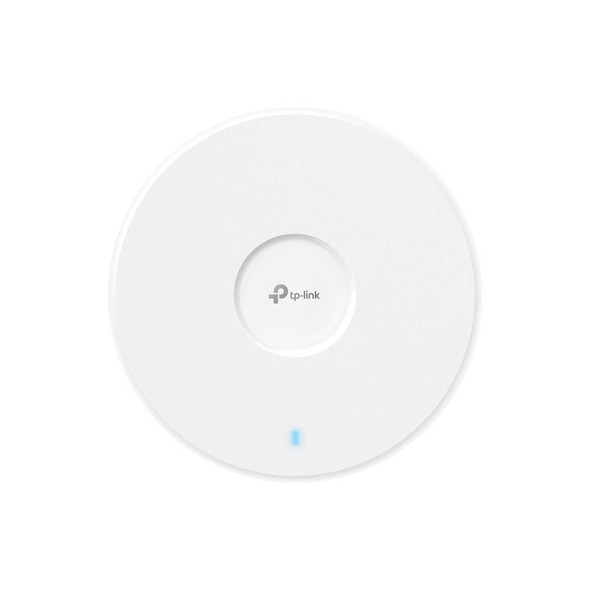

TP-Link Omada EAP723 BE3600 Ceiling Mount Wi-Fi 7 Access Point
TP-LINK
TP-LINK (EAP773) BE9300 Tri-Band Ceiling Mount Wi-Fi 7 Access Point, PoE++, 10GB Port, 160MHz, Omada Mesh, MLO
TP-LINK