
TEAM
Team 256GB MS30 M.2 SATA SSD, M.2 2280, SATA3, R/W 500/400 MB/s
- SKU:
- HDTEA-MS30M2-256
- UPC:
- 765441040960
- MPN:
- TM8PS7256G0C101
- Availability:
- Free Click & Collect in Peterborough. UK delivery also available.


Description
TEAMGROUP MS30 256GB M.2 SATA SSD – M.2 2280, SATA III 6Gb/s, 500MB/s Read
The TEAMGROUP MS30 256GB M.2 SATA SSD is a compact internal solid state drive designed for compatible laptops, desktop PCs, mini PCs and embedded systems that support M.2 2280 SATA SSDs. With a SATA III 6Gb/s interface and speeds of up to 500MB/s read and 400MB/s write, it is a practical upgrade for users who want faster boot times, quicker application loading and more responsive everyday performance compared with a traditional hard drive.
This SSD is a strong choice for customers searching for a 256GB M.2 SATA SSD, TEAMGROUP MS30 256GB SSD, M.2 2280 SATA drive, or an affordable internal SSD upgrade for older laptops and desktops that support SATA-based M.2 storage. It is important to note that this drive is M.2 SATA, not M.2 NVMe, so your device must support M.2 SATA SSDs.
Key Features of the TEAMGROUP MS30 256GB M.2 SATA SSD
- 256GB storage capacity for Windows, applications, documents, photos and everyday files
- M.2 2280 form factor for compatible laptops, desktops and compact PCs
- SATA III 6Gb/s interface for wide compatibility with SATA-based M.2 slots
- Up to 500MB/s sequential read speed for faster boot and loading times
- Up to 400MB/s sequential write speed for everyday file saving and transfers
- 128TBW endurance rating for regular consumer use
- Supports S.M.A.R.T. for drive health monitoring
- Supports TRIM to help maintain SSD performance over time
- Supports Intel Smart Response Technology on compatible systems
- Power-saving technology to support efficient laptop and mobile computing use
- 1,500,000 hours MTBF reliability rating
- 3-year limited warranty with TEAMGROUP technical support
- MPN: TM8PS7256G0C101
Fast Everyday Upgrade from a Hard Drive
The TEAMGROUP MS30 256GB SSD is designed to improve everyday system responsiveness. Compared with a traditional mechanical hard drive, an SSD can help your system boot faster, open programs more quickly, reduce waiting times and make daily tasks feel smoother.
With read speeds of up to 500MB/s and write speeds of up to 400MB/s, this drive is suitable for operating systems, office software, web browsing, study work, light media use and general PC upgrades. It is not designed to compete with NVMe SSDs, but it offers solid SATA SSD performance for systems that use M.2 SATA storage.
Ideal for Older Laptops and SATA-Based M.2 Systems
Many older laptops and compact PCs include an M.2 slot that supports SATA rather than NVMe. For those systems, the MS30 256GB can be a useful storage replacement or upgrade. It gives the convenience of the M.2 form factor while using the SATA III interface that many older devices require.
Important Compatibility Note: M.2 SATA, Not NVMe
This SSD uses the M.2 2280 form factor, but it is a SATA III SSD. M.2 describes the physical shape of the drive, while SATA describes the connection interface. Some M.2 slots support SATA, some support NVMe, and some support both.
Before ordering, check your laptop or motherboard specifications to confirm that the M.2 slot supports M.2 SATA. This drive is not suitable for systems that only support M.2 NVMe PCIe SSDs.
Check Before You Buy
- Your device has an M.2 2280 slot
- The M.2 slot supports SATA SSDs
- Your BIOS/UEFI supports booting from M.2 SATA if using it as the main drive
- Your system supports 256GB SSD capacity
- You do not need a PCIe NVMe SSD for your device
Reliable SSD Features for Daily Use
The MS30 supports useful SSD technologies including S.M.A.R.T., TRIM, garbage collection, wear levelling and power-saving functions. These features help maintain performance, monitor drive health and support long-term everyday reliability.
TEAMGROUP also lists a 1,500,000-hour MTBF rating and a 128TBW endurance rating for the 256GB model, making it suitable for normal home, office and student workloads.
Compact and Lightweight M.2 2280 Design
The M.2 2280 design measures 80 x 22 x 3.5mm and weighs approximately 10g, making it ideal for slim laptops, compact desktops, mini PCs and systems where space is limited. Because it installs directly into the M.2 slot, it avoids the need for traditional 2.5-inch drive cables in compatible systems.
Who Is the TEAMGROUP MS30 256GB Best For?
- Users upgrading from a slow hard drive to an SSD
- Older laptops with M.2 SATA support
- Desktop PCs with SATA-compatible M.2 slots
- Mini PCs and compact systems that require M.2 2280 SATA storage
- Students and office users needing a reliable boot drive
- Budget PC upgrades where NVMe is not supported or not required
- Users needing a small-capacity SSD for Windows and essential programs
Who Is This SSD Not For?
This SSD is not suitable for systems that only support M.2 NVMe PCIe drives. It is also not the best option for users who need very high-speed storage for large video editing projects, professional scratch disks, high-end gaming load libraries, or PlayStation 5 storage expansion. For those uses, a PCIe NVMe SSD is normally the better option.
Technical Specifications
- Brand: TEAMGROUP
- Series: MS30
- Model / MPN: TM8PS7256G0C101
- Capacity: 256GB
- Form Factor: M.2 2280
- Interface: SATA III 6Gb/s
- Sequential Read Speed: Up to 500MB/s
- Sequential Write Speed: Up to 400MB/s
- Endurance: 128TBW
- DRAM Cache: No
- Voltage: DC +3.3V
- Dimensions: 80 x 22 x 3.5mm
- Weight: 10g
- Operating Temperature: 0°C to 70°C
- Storage Temperature: -40°C to 80°C
- Operating Humidity: RH 90% under 40°C
- Vibration Resistance: 80Hz to 2000Hz / 20G
- Shock Resistance: 500G / 2ms
- MTBF: 1,500,000 hours
- Supported Features: S.M.A.R.T., TRIM, garbage collection, wear levelling, power-saving technology
- Operating System Support: Windows 11, Windows 10, Windows 8.1, Windows 8, Windows 7 and Linux 2.6.33 or later
- Warranty: 3-year limited warranty
Performance and Capacity Notes
Actual usable capacity may be lower than the stated 256GB because some capacity is used for formatting and system functions. Displayed capacity can also vary depending on the operating system calculation method.
Listed transfer speeds are manufacturer maximum figures and may vary depending on hardware, software, operating system, BIOS support, workload and test conditions. For best compatibility, update your motherboard or laptop BIOS before installation where recommended by the system manufacturer.
Why Buy the TEAMGROUP MS30 256GB M.2 SATA SSD?
The TEAMGROUP MS30 256GB M.2 SATA SSD is a practical and affordable upgrade for compatible M.2 SATA systems. It offers faster everyday performance than a mechanical hard drive, compact M.2 2280 installation, SATA III 6Gb/s compatibility, useful SSD health and maintenance features, 128TBW endurance and a 3-year limited warranty.
Choose this SSD if you need a reliable 256GB M.2 SATA drive for a laptop, desktop or compact PC that supports SATA-based M.2 storage.
Specification
TEAMGROUP MS30 256GB M.2 SATA SSD Specifications
The TEAMGROUP MS30 256GB M.2 SATA SSD is an internal M.2 2280 SATA III solid state drive designed for compatible laptops, desktops, mini PCs and embedded systems. It uses the SATA III 6Gb/s interface and offers up to 500MB/s read and 400MB/s write performance for everyday boot, application and storage upgrades.
General Information
| Brand | TEAMGROUP |
| Product Series | MS30 |
| Product Name | TEAMGROUP MS30 256GB M.2 2280 SATA SSD |
| Manufacturer Part Number | TM8PS7256G0C101 |
| Product Type | Internal Solid State Drive |
| Capacity | 256GB |
| Recommended Use | Laptop upgrades, desktop PCs, mini PCs, M.2 SATA boot drives, office systems and everyday storage upgrades |
Form Factor and Interface
| Form Factor | M.2 2280 |
| Physical Size | 22 x 80mm |
| Interface | SATA III 6Gb/s |
| Connector Type | M.2 SATA |
| NVMe Compatible | No, this is an M.2 SATA SSD and requires an M.2 slot with SATA support |
| SATA Compatible | Yes, when installed in a compatible M.2 SATA slot |
Performance
| Sequential Read Speed | Up to 500MB/s |
| Sequential Write Speed | Up to 400MB/s |
| DRAM Cache | No |
| Performance Note | Actual speed may vary depending on system hardware, software, operating system, BIOS support and workload |
Reliability and Endurance
| Endurance Rating | 128TBW |
| MTBF | 1,500,000 hours |
| Supported Monitoring | S.M.A.R.T. |
| TRIM Support | Yes |
| Garbage Collection | Supported |
| Wear Levelling | Supported |
| Power Saving Technology | Supported |
| Intel Smart Response Technology | Supported on compatible systems |
Physical Specifications
| Dimensions | 80 x 22 x 3.5mm |
| Length | 80mm |
| Width | 22mm |
| Height | 3.5mm |
| Weight | 10g |
| Voltage | DC +3.3V |
Environmental Specifications
| Operating Temperature | 0°C to 70°C |
| Storage Temperature | -40°C to 80°C |
| Operating Humidity | RH 90% under 40°C |
| Vibration Resistance | 80Hz to 2000Hz / 20G |
| Shock Resistance | 500G / 2ms |
Operating System Support
| Windows Support | Windows 11, Windows 10, Windows 8.1, Windows 8 and Windows 7 |
| Linux Support | Linux 2.6.33 or later |
Package Contents
| SSD | 1 x TEAMGROUP MS30 256GB M.2 2280 SATA SSD |
| Screws / Accessories | Not always included; check your motherboard or laptop accessory pack for the M.2 mounting screw |
Warranty and Support
| Warranty | 3-year limited warranty |
| Warranty Condition | Warranty period may be limited by whichever comes first: warranty period or total bytes written |
| Technical Support | TEAMGROUP technical support |
Important Compatibility Notes
Please check your system before purchase. This drive is an M.2 SATA SSD, not an M.2 NVMe SSD. It requires an M.2 2280 slot with SATA support. Some M.2 slots support only NVMe PCIe drives, some support only SATA drives, and some support both. If your laptop, desktop or mini PC only supports NVMe, this SSD will not be compatible.
Important Performance Note
Listed speeds are maximum manufacturer figures. Actual performance may vary depending on system hardware, operating system, BIOS support, software, drive condition and workload. Usable formatted capacity may be lower than the stated 256GB due to formatting and system calculation differences.
Return
FAQ: Frequenlty Asked Questions
TEAMGROUP MS30 256GB M.2 SATA SSD FAQ
The TEAMGROUP MS30 256GB M.2 SATA SSD is a compact internal solid state drive designed for laptops, desktop PCs, mini PCs, embedded systems, and compatible motherboards that support M.2 2280 SATA SSDs. Below are the most common questions buyers ask before choosing this 256GB M.2 SATA storage upgrade.
1. What is the TEAMGROUP MS30 256GB M.2 SATA SSD?
The TEAMGROUP MS30 256GB is an internal M.2 2280 solid state drive that uses the SATA III 6Gb/s interface. It is designed as a compact storage upgrade for compatible laptops, desktops, mini PCs, and systems that accept M.2 SATA SSDs.
2. Is the TEAMGROUP MS30 256GB an NVMe SSD?
No. This model is an M.2 SATA SSD, not an NVMe SSD. Although it uses the M.2 shape, it communicates through the SATA III interface rather than PCIe NVMe. This is one of the most important compatibility checks before buying.
3. What is the difference between M.2 SATA and M.2 NVMe?
M.2 describes the physical shape of the drive, while SATA and NVMe describe the interface technology. M.2 SATA SSDs such as the TEAMGROUP MS30 are usually limited to SATA speeds, while M.2 NVMe SSDs use PCIe lanes and can be much faster. Your device must support the correct type.
4. Will this SSD work in any M.2 slot?
Not always. This drive requires an M.2 slot that supports SATA M.2 SSDs. Some modern motherboards and laptops have M.2 slots that support NVMe only, and an M.2 SATA drive may not be detected in those slots. Always check your motherboard, laptop, or mini PC specification before ordering.
5. What form factor is this TEAMGROUP MS30 SSD?
This version uses the M.2 2280 form factor. That means it is approximately 22mm wide and 80mm long, making it suitable for systems with a compatible 2280 M.2 SATA slot.
6. What read and write speeds does the TEAMGROUP MS30 256GB offer?
The 256GB TEAMGROUP MS30 M.2 2280 SATA SSD is rated for up to 500MB/s sequential read and up to 400MB/s sequential write. Actual speeds can vary depending on the system, BIOS, chipset, operating system, and workload.
7. Is this SSD faster than a hard drive?
Yes. Compared with a traditional mechanical hard drive, the TEAMGROUP MS30 can make a compatible system feel much faster for booting Windows, opening programs, loading files, and general everyday use.
8. Is the TEAMGROUP MS30 256GB good for a laptop upgrade?
Yes, if the laptop has an M.2 2280 slot that supports SATA SSDs. It can be a practical upgrade for older laptops that originally shipped with a hard drive or smaller SSD, helping improve boot speed and daily responsiveness.
9. Is this SSD suitable for a desktop PC?
Yes, provided the desktop motherboard has an M.2 slot that supports SATA-based M.2 SSDs. It can be used as a boot drive, a secondary storage drive, or a compact SSD upgrade where cable-free installation is preferred.
10. Can I use this SSD as a Windows boot drive?
Yes. The TEAMGROUP MS30 256GB can be used as a Windows boot drive on compatible systems. For best results, check that the drive is detected in BIOS/UEFI, then install Windows or clone your existing drive using suitable SSD cloning software.
11. Can I install Windows 10 or Windows 11 on this SSD?
Yes. TEAMGROUP lists support for Windows 11, Windows 10, Windows 8.1, Windows 8, Windows 7, and Linux 2.6.33 or later. System compatibility still depends on your computer hardware and BIOS support.
12. Why is my TEAMGROUP MS30 not showing in BIOS?
The most common reason is slot compatibility. This is an M.2 SATA SSD, so it may not appear in an NVMe-only M.2 slot. Other things to check include BIOS updates, correct M.2 slot selection, shared SATA port restrictions, secure installation, and whether the motherboard manual confirms M.2 SATA support.
13. Why is the SSD not showing in Windows after installation?
If the SSD appears in BIOS but not in File Explorer, it may need to be initialised, partitioned, and formatted in Windows Disk Management. New internal SSDs often do not appear as a usable drive until this setup step is completed.
14. Does this SSD use SATA III 6Gb/s?
Yes. The TEAMGROUP MS30 256GB M.2 2280 uses the SATA III 6Gb/s interface. It is built for systems that support M.2 SATA rather than PCIe NVMe.
15. Is this SSD good for gaming?
It can be used for games, especially in systems where an M.2 SATA drive is the supported upgrade type. It can reduce game loading times compared with a hard drive, but it will not be as fast as a modern NVMe SSD in systems that support NVMe.
16. Is 256GB enough storage?
256GB is suitable for a Windows installation, everyday software, documents, and light storage. If you plan to store many large games, videos, design projects, or media files, a higher-capacity SSD may be more suitable.
17. Does the TEAMGROUP MS30 256GB have DRAM cache?
No. The 256GB MS30 M.2 2280 SATA SSD is listed by TEAMGROUP as having no DRAM cache. It is best viewed as a value-focused SATA SSD for everyday upgrades rather than a high-end workstation or enthusiast drive.
18. What endurance rating does this SSD have?
The TEAMGROUP MS30 256GB M.2 2280 SATA SSD is listed with a 128TBW endurance rating. TBW stands for Terabytes Written and is one way of estimating the total amount of data the drive is designed to write during its warranty life.
19. Does this SSD support TRIM and S.M.A.R.T.?
Yes. TEAMGROUP lists the MS30 series with support for S.M.A.R.T. and TRIM. These features help the system monitor drive health and maintain SSD performance over time when supported by the operating system.
20. Does the TEAMGROUP MS30 support wear levelling and garbage collection?
Yes. The MS30 series supports wear levelling and garbage collection, which are SSD management technologies designed to help maintain reliability, performance, and drive lifespan during normal use.
21. Is this SSD suitable for PS5?
No. The PlayStation 5 requires a compatible PCIe Gen4 NVMe M.2 SSD for its internal expansion slot. The TEAMGROUP MS30 256GB is an M.2 SATA SSD, so it is not suitable for the PS5 internal M.2 storage slot.
22. Can I use this SSD in an external enclosure?
Yes, but only with an external enclosure that specifically supports M.2 SATA SSDs in the 2280 size. Many M.2 enclosures support NVMe only, so check the enclosure specification carefully before buying.
23. Is this SSD compatible with Linux?
Yes. TEAMGROUP lists Linux 2.6.33 or later as supported. As with any internal drive, compatibility also depends on the host system, BIOS/UEFI support, and whether the M.2 slot supports SATA SSDs.
24. Who is the TEAMGROUP MS30 256GB best for?
This SSD is best for buyers upgrading a compatible older laptop, desktop, mini PC, or embedded system that supports M.2 SATA storage. It is a good choice for everyday computing, boot drive upgrades, office PCs, student laptops, and systems where SATA M.2 compatibility is required.
25. Who is this SSD not for?
This SSD is not the right choice if your device only supports NVMe M.2 drives, if you need very high PCIe Gen3/Gen4/Gen5 speeds, if you are upgrading a PS5 internal SSD slot, or if you need a large-capacity drive for heavy gaming libraries, video editing, or professional workloads.
26. TEAMGROUP MS30 SATA SSD vs NVMe SSD — which should I choose?
Choose the TEAMGROUP MS30 if your system specifically supports M.2 SATA SSDs or if you are upgrading an older compatible laptop or desktop. Choose an NVMe SSD if your system supports NVMe and you want much faster transfer speeds for gaming, large file work, creative software, or modern high-performance builds.
27. What should I check before buying this SSD?
Before ordering, check that your device supports M.2 2280 SATA SSDs, not only M.2 NVMe. Also check your motherboard or laptop manual for M.2 SATA support, shared SATA port rules, BIOS update recommendations, and available mounting screw/standoff support.
Related Products
Related Products
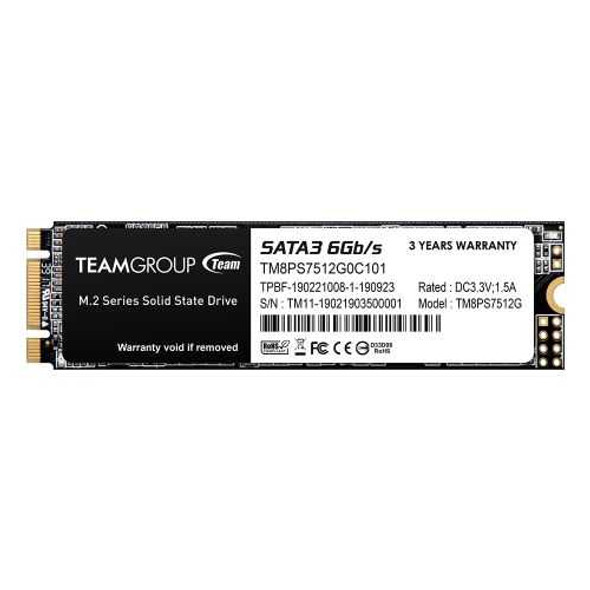
Team 512GB MS30 M.2 SATA SSD, M.2 2280, SATA3, R/W 530/430 MB/s
TEAM
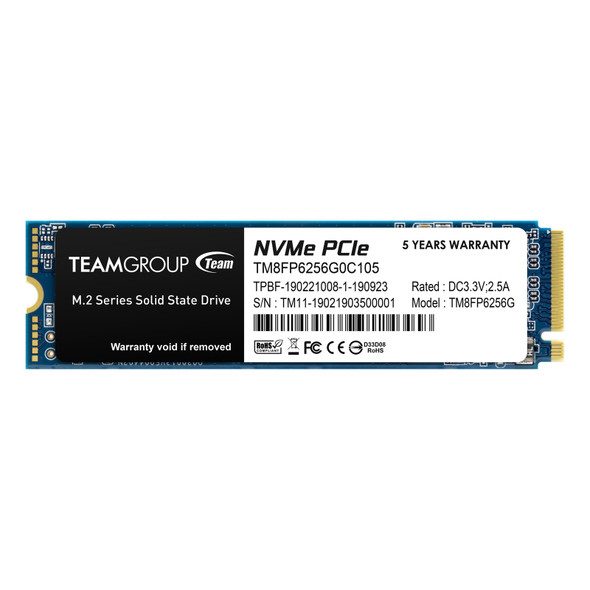
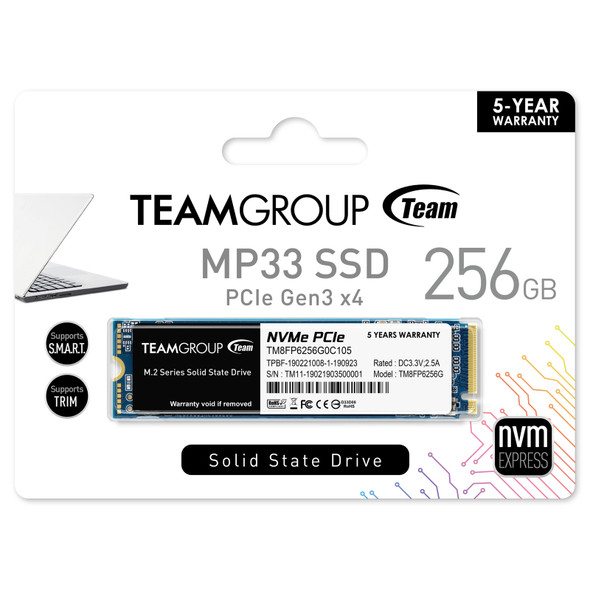
Team 256GB MP33 M.2 NVMe Gen3 SSD, M.2 2280, PCIe3, R/W 1600/1000 MB/s
TEAM