
TEAM
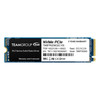
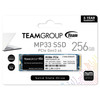
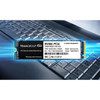
Team 256GB MP33 M.2 NVMe Gen3 SSD, M.2 2280, PCIe3, R/W 1600/1000 MB/s
- SKU:
- TM8FP6256G0C101
- UPC:
- 0765441048096
- MPN:
- TM8FP6256G0C101
- Availability:
- Free Click & Collect in Peterborough. UK delivery also available


Description
TEAMGROUP MP33 256GB M.2 NVMe PCIe Gen3 x4 SSD – High-Speed 3D NAND Storage Upgrade
The TEAMGROUP MP33 256GB M.2 NVMe SSD delivers fast PCIe Gen3 performance, reliable 3D NAND flash memory and excellent value for everyday computing, gaming and system upgrades. Designed with a PCIe Gen3 x4 interface and supporting the NVMe 1.3 protocol, the MP33 offers significantly faster performance than traditional SATA SSDs, helping reduce boot times, application loading times and file transfer delays.
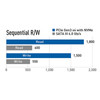
Whether you are upgrading an older PC, building a budget gaming system or improving laptop responsiveness, the TEAMGROUP MP33 256GB SSD provides a cost-effective storage solution with fast sequential read speeds up to 1,600MB/s and write speeds up to 1,000MB/s.
Key Features of the TEAMGROUP MP33 256GB SSD
- 256GB PCIe Gen3 x4 NVMe SSD
- Up to 1,600MB/s sequential read speed
- Up to 1,000MB/s sequential write speed
- M.2 2280 form factor
- NVMe 1.3 protocol support
- High-quality 3D NAND Flash memory
- SLC Caching technology for improved responsiveness
- S.M.A.R.T. monitoring support
- TRIM command support
- Garbage Collection technology
- Suitable for desktops and laptops with NVMe M.2 slots
- 5-year limited manufacturer warranty
Fast PCIe Gen3 NVMe Performance
The MP33 takes advantage of the PCIe Gen3 x4 interface to deliver substantially faster performance than traditional SATA SSDs. Faster data access helps reduce operating system boot times, game loading screens and application launch delays.
Upgrade from SATA SSDs or Hard Drives
If you are currently using a mechanical hard drive or SATA SSD, upgrading to the TEAMGROUP MP33 can provide a noticeable improvement in overall system responsiveness. Everyday tasks feel faster, programs launch quicker and file transfers are completed more efficiently.
Reliable 3D NAND Flash Technology
The TEAMGROUP MP33 uses modern 3D NAND Flash memory technology, delivering improved durability, efficiency and performance compared to older flash memory designs. This helps ensure reliable storage for operating systems, software, documents, games and multimedia files.
Built for Long-Term Stability
3D NAND technology provides enhanced endurance and improved power efficiency while maintaining consistent performance during everyday workloads.
SLC Caching for Faster Everyday Computing
Integrated SLC Caching Technology helps improve system responsiveness by accelerating frequently accessed data and common workloads. This helps maintain smooth performance during operating system use, application launches and file operations.
Responsive User Experience
The combination of PCIe Gen3 bandwidth and intelligent caching allows the MP33 to deliver a responsive computing experience for home, office and educational users.
Advanced Data Management Features
The MP33 incorporates several SSD management technologies designed to improve performance and longevity throughout the drive's lifespan.
- S.M.A.R.T. health monitoring
- TRIM support for optimized performance
- Garbage Collection technology
- Wear-leveling optimisation
- Error management mechanisms
Enhanced Reliability
These technologies work together to help maintain SSD performance while extending operational lifespan and improving long-term stability.
Compatible with Modern Intel and AMD Platforms
The standard M.2 2280 design makes the TEAMGROUP MP33 compatible with a wide range of modern desktop motherboards and laptops that support NVMe PCIe SSDs. Its compact form factor is ideal for both full-size systems and space-saving builds.
Ideal for Desktop and Laptop Upgrades
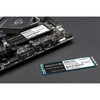
The slim single-sided M.2 design allows installation in many compatible laptops, mini PCs and desktop systems without requiring additional power or data cables.
Ideal Uses for the TEAMGROUP MP33 256GB
- Windows operating system drive
- Office and productivity PCs
- Budget gaming systems
- Student and educational computers
- Small business workstations
- Laptop performance upgrades
- General home computing
TEAMGROUP MP33 256GB Specifications
- Capacity: 256GB
- Interface: PCIe Gen3 x4
- Protocol: NVMe 1.3
- Form Factor: M.2 2280
- Flash Memory: 3D NAND
- Sequential Read Speed: Up to 1,600MB/s
- Sequential Write Speed: Up to 1,000MB/s
- SLC Caching: Yes
- S.M.A.R.T.: Supported
- TRIM: Supported
- Garbage Collection: Supported
- MTBF: 1,500,000 Hours
- Operating Temperature: 0°C to 70°C
- Storage Temperature: -40°C to 85°C
- Dimensions: 80 x 22 x 3.8mm
- Weight: 6g
- Warranty: 5-Year Limited Warranty
Why Choose the TEAMGROUP MP33 256GB SSD?
The TEAMGROUP MP33 256GB offers an excellent balance of speed, reliability and affordability. With PCIe Gen3 NVMe performance, advanced SSD management technologies, compact M.2 2280 compatibility and dependable 3D NAND flash memory, it is an ideal upgrade for users looking to improve system performance without exceeding their budget.
Specification
TEAMGROUP MP33 256GB M.2 NVMe SSD Specifications
| Product Type | Internal Solid State Drive (SSD) |
| Brand | TEAMGROUP |
| Series | MP33 |
| Capacity | 256GB |
| Form Factor | M.2 2280 |
| Interface | PCIe Gen3 x4 |
| Protocol | NVMe 1.3 |
| Flash Memory Type | 3D NAND Flash |
| Sequential Read Speed | Up to 1,600MB/s |
| Sequential Write Speed | Up to 1,000MB/s |
| SLC Caching | Yes |
| S.M.A.R.T. Support | Supported |
| TRIM Support | Supported |
| Garbage Collection | Supported |
| Wear Leveling | Supported |
| LDPC Error Correction | Supported |
| MTBF | 1,500,000 Hours |
| Operating Temperature | 0°C to 70°C |
| Storage Temperature | -40°C to 85°C |
| Dimensions | 80 x 22 x 3.8 mm |
| Weight | 6g |
| Warranty | 5-Year Limited Manufacturer Warranty |
| Compatible Platforms | Desktop PCs, Gaming PCs, Workstations, Mini PCs and Laptops with M.2 PCIe NVMe Support |
| Ideal Use | Operating System Drive, Gaming Storage, Productivity Applications, Laptop Upgrades and Everyday Computing |
Compatibility Notice
This SSD requires an M.2 PCIe NVMe slot. It is not compatible with systems that only support M.2 SATA drives.
Performance Notice
Sequential read and write speeds are manufacturer maximum ratings. Actual performance may vary depending on system configuration, motherboard, processor, operating system and workload.
Installation Notice
Before purchasing, verify that your motherboard or laptop supports M.2 2280 PCIe NVMe SSDs. Some systems may require a BIOS update for NVMe boot support.
Warranty Notice
The TEAMGROUP MP33 is backed by a 5-year limited manufacturer warranty, subject to the manufacturer's warranty terms and endurance limits.
Return
FAQ: Frequenlty Asked Questions
TEAMGROUP MP33 256GB M.2 NVMe PCIe Gen3 SSD FAQ
The TEAMGROUP MP33 256GB M.2 NVMe SSD is a compact PCIe Gen3 x4 solid-state drive designed to provide faster boot times, quicker application loading and improved system responsiveness compared with traditional hard drives and SATA SSDs. Featuring an M.2 2280 form factor, NVMe technology and read speeds up to 1,600MB/s, the MP33 is ideal for compatible gaming PCs, office computers, home systems, laptops and budget workstation builds. Below are the most frequently asked questions about the TEAMGROUP MP33 256GB NVMe SSD, including compatibility, gaming performance, installation, reliability, Windows support, motherboard support, laptop upgrades, DRAM cache, heatsinks, cloning and everyday usage.
1. What is the TEAMGROUP MP33 256GB SSD?
The TEAMGROUP MP33 256GB is an M.2 2280 NVMe PCIe Gen3 x4 solid-state drive designed to provide faster storage performance than traditional SATA SSDs and mechanical hard drives.
2. Is the TEAM MP33 an NVMe SSD?
Yes. The MP33 uses NVMe technology over a PCIe Gen3 x4 interface, providing significantly faster speeds than SATA SSDs.
3. How fast is the TEAM MP33 256GB?
The 256GB version offers sequential read speeds up to 1,600MB/s and write speeds up to 1,000MB/s under ideal conditions.
4. Is the TEAM MP33 faster than a SATA SSD?
Yes. The MP33 is considerably faster than most SATA SSDs, which typically max out around 550MB/s.
5. Is the TEAM MP33 good for gaming?
Yes. The MP33 provides fast game loading times, quicker level transitions and improved system responsiveness for compatible gaming PCs.
6. Can I install Windows on the TEAM MP33?
Yes. The MP33 works very well as a Windows boot drive and can significantly reduce startup times compared with traditional hard drives.
7. Is 256GB enough for Windows and applications?
For Windows, office software and everyday applications, 256GB is often sufficient. Users with large game libraries, media collections or creative files may require additional storage.
8. Does the TEAM MP33 require an M.2 slot?
Yes. Your motherboard or laptop must include a compatible M.2 slot that supports NVMe PCIe SSDs.
9. Will the TEAM MP33 work in a PCIe Gen4 motherboard?
Yes. PCIe is backward and forward compatible, so the MP33 can work in PCIe Gen4 motherboards, but it will operate at PCIe Gen3 speeds.
10. Will the TEAM MP33 work in older motherboards?
If the motherboard supports NVMe M.2 drives, the MP33 should work correctly. Always check motherboard specifications before purchasing.
11. Is the TEAM MP33 DRAM-less?
Yes. The MP33 is a DRAM-less NVMe SSD that uses Host Memory Buffer technology where supported to help improve efficiency.
12. What is Host Memory Buffer on the TEAM MP33?
Host Memory Buffer, also known as HMB, allows the SSD to use a small portion of system memory for caching tasks, helping improve performance on DRAM-less NVMe drives.
13. Is the TEAM MP33 reliable?
Yes. The MP33 is widely used as an affordable NVMe SSD and is designed for everyday computing, gaming and general storage tasks.
14. Does the TEAM MP33 support TRIM?
Yes. The SSD supports TRIM, which helps maintain long-term performance and storage efficiency by allowing the operating system to manage unused data blocks properly.
15. Does the TEAM MP33 support S.M.A.R.T. monitoring?
Yes. S.M.A.R.T. monitoring allows users to check drive health, usage and status through compatible software.
16. Can the TEAM MP33 be used in a laptop?
Yes. As long as your laptop includes a compatible M.2 2280 NVMe slot, the MP33 can be installed.
17. Does the TEAM MP33 need a heatsink?
For normal desktop and laptop use, a heatsink is usually not required. Good system airflow is normally enough for everyday workloads.
18. Is the TEAM MP33 good for office PCs?
Yes. It offers fast application loading, quick boot times and improved productivity for office environments.
19. Can the TEAM MP33 store games?
Yes. It can store and run games while reducing loading times compared with traditional hard drives.
20. Is the TEAM MP33 suitable for content creation?
For light photo editing, office work and basic content creation, the MP33 performs well. Heavy professional workloads may benefit from higher-capacity or faster SSDs.
21. Does the TEAM MP33 work with AMD systems?
Yes. The MP33 is compatible with AMD platforms that support M.2 NVMe PCIe storage.
22. Does the TEAM MP33 work with Intel systems?
Yes. Any compatible Intel motherboard or laptop with NVMe M.2 support can use the MP33.
23. Can I clone my old drive to the MP33?
Yes. Disk cloning software can transfer your operating system and files from an existing drive to the MP33, provided the used space fits within the 256GB capacity.
24. Does the TEAM MP33 improve boot times?
Yes. Users upgrading from a hard drive typically see major improvements in startup speed, application loading and general responsiveness.
25. Is the TEAM MP33 worth buying?
Yes. The MP33 remains a popular budget-friendly NVMe SSD offering good performance, reliability and value for everyday computing and gaming.
26. Does the TEAM MP33 support PCIe Gen3 x4?
Yes. The drive is designed to operate on a PCIe Gen3 x4 interface for NVMe storage performance.
27. Can the TEAM MP33 replace a hard drive?
Yes. Many users upgrade from HDDs to the MP33 to gain much faster boot times, file access and overall system responsiveness.
28. Is the TEAM MP33 suitable for upgrading an older PC?
Yes, if the older PC supports NVMe M.2 drives. If the system only supports SATA, you will need a SATA SSD instead.
29. Does the TEAM MP33 support 24/7 operation?
The SSD is designed for normal continuous everyday use in desktop and laptop environments, but it is not intended as a specialist enterprise server SSD.
30. Is the TEAMGROUP MP33 256GB a good value SSD?
Yes. The TEAMGROUP MP33 256GB offers strong value for users who want affordable NVMe performance for Windows, applications, basic gaming and everyday computing.
31. What form factor is the TEAMGROUP MP33 256GB SSD?
The TEAMGROUP MP33 uses the M.2 2280 form factor, measuring 22mm wide and 80mm long, making it compatible with many modern motherboards and laptops that support M.2 NVMe SSDs.
32. Does the TEAM MP33 support PCIe Gen4?
The MP33 is a PCIe Gen3 SSD. It can be installed in PCIe Gen4 slots, but it will operate at PCIe Gen3 speeds.
33. Is the TEAM MP33 suitable for Windows 11?
Yes. The TEAM MP33 is suitable for Windows 11 and can be used as a primary boot drive or secondary storage drive on compatible systems.
34. Can the TEAM MP33 be used as a gaming SSD?
Yes. The MP33 offers fast loading times and is suitable for storing and launching PC games, although 256GB may fill quickly with larger modern titles.
35. Is the TEAM MP33 faster than a hard drive?
Yes. The MP33 is significantly faster than traditional mechanical hard drives, especially for booting, launching programs and opening files.
36. Can I use the TEAM MP33 for Steam games?
Yes. Steam games can be installed directly onto the MP33, helping reduce loading times compared with older storage devices.
37. Is 256GB enough for gaming?
For Windows plus a few smaller games, 256GB can be sufficient. Gamers with large libraries may want a 500GB, 1TB or larger SSD.
38. Does the TEAM MP33 use NAND flash memory?
Yes. The SSD uses 3D NAND flash memory technology, offering better density, durability and efficiency than older storage designs.
39. Can the TEAM MP33 be used for photo storage?
Yes. The MP33 is suitable for storing photos, documents, videos and other personal files, provided the 256GB capacity is enough for your needs.
40. Can I install multiple operating systems on the MP33?
Yes. Users can create partitions and install multiple operating systems if their motherboard, bootloader and operating systems support it.
41. Is the TEAM MP33 suitable for students?
Yes. The MP33 offers affordable NVMe performance for schoolwork, research, office applications, browsing and general computing.
42. Does the TEAM MP33 improve overall PC responsiveness?
Yes. Applications open faster, files transfer quicker and the system generally feels more responsive compared with older hard drives.
43. Can the TEAM MP33 be used in a workstation PC?
Yes. It is suitable for light workstation tasks, office productivity and general business use. Heavy professional workloads may need a higher-end SSD.
44. Does the TEAM MP33 support power-saving features?
Yes. NVMe SSDs are designed to operate efficiently and typically consume less power than mechanical hard drives, which is useful for laptops and low-power systems.
45. Is the TEAM MP33 suitable for home office computers?
Yes. The SSD is a strong upgrade for home office systems because it improves boot times, application loading and general productivity.
46. Will the TEAM MP33 fit in all M.2 slots?
No. Your M.2 slot must support NVMe PCIe SSDs. Some older M.2 slots only support SATA-based M.2 drives, which are not the same as the MP33.
47. How do I know if my motherboard supports the TEAM MP33?
Check your motherboard specifications for support of M.2 PCIe NVMe SSDs in the M.2 2280 form factor. Also check whether the M.2 slot shares lanes with SATA ports.
48. Does the TEAM MP33 make a good upgrade from a SATA SSD?
Yes. Users may benefit from faster file transfers and improved responsiveness compared with many SATA SSDs, although the upgrade is usually more noticeable when moving from a hard drive.
49. Can I use the TEAM MP33 as secondary storage?
Yes. Many users install the MP33 as a secondary drive for games, documents, media files, project files and backups.
50. Is the TEAM MP33 good for everyday computing?
Yes. Web browsing, office work, media playback, video conferencing and general multitasking all benefit from NVMe SSD performance.
51. Does the TEAM MP33 generate much heat?
The MP33 runs relatively cool during everyday use and generally does not require a dedicated heatsink, although airflow is always helpful in compact systems.
52. Can the TEAM MP33 be used in small form factor PCs?
Yes. Its compact M.2 2280 design makes it suitable for mini PCs, compact desktops and space-limited builds that support NVMe storage.
53. Is the TEAM MP33 suitable for budget gaming builds?
Yes. The MP33 is a popular choice for budget gaming systems because it delivers NVMe performance at an affordable price point.
54. Can the TEAM MP33 improve application launch times?
Yes. Programs such as Microsoft Office, browsers, launchers and productivity applications generally open much faster from an NVMe SSD than from a hard drive.
55. Is the TEAM MP33 suitable for media storage?
Yes. The SSD can store videos, music libraries, photos and other digital content while providing fast access speeds. For large media libraries, a higher-capacity drive may be better.
56. Can I transfer my existing Windows installation to the TEAM MP33?
Yes. Many users use cloning software to migrate Windows, applications and files from an older drive to the MP33.
57. What is the advantage of NVMe over SATA?
NVMe uses the PCIe interface, allowing higher bandwidth and lower latency than SATA SSDs. This can improve boot times, transfers and system responsiveness.
58. Is the TEAM MP33 suitable for first-time PC builders?
Yes. Installation is straightforward on compatible motherboards, making it a popular choice for first-time PC builds and simple upgrades.
59. Who should NOT buy the TEAMGROUP MP33 256GB SSD?
The TEAMGROUP MP33 256GB is not ideal for users who need very large game storage, high-end professional workloads, PCIe Gen4 speeds, PS5 internal expansion, or a premium SSD with DRAM cache. It is best for users who want an affordable NVMe SSD for everyday PC, laptop or gaming upgrades.
60. Why buy the TEAMGROUP MP33 256GB M.2 NVMe SSD from Memox?
Buying the TEAMGROUP MP33 256GB M.2 NVMe SSD from Memox is a practical choice if you want an affordable NVMe storage upgrade for a compatible desktop PC, laptop or gaming system. Memox offers SSDs, hard drives, RAM, processors, motherboards, power supplies, PC cases, networking products and computer accessories for UK customers.
Related Products
Related Products
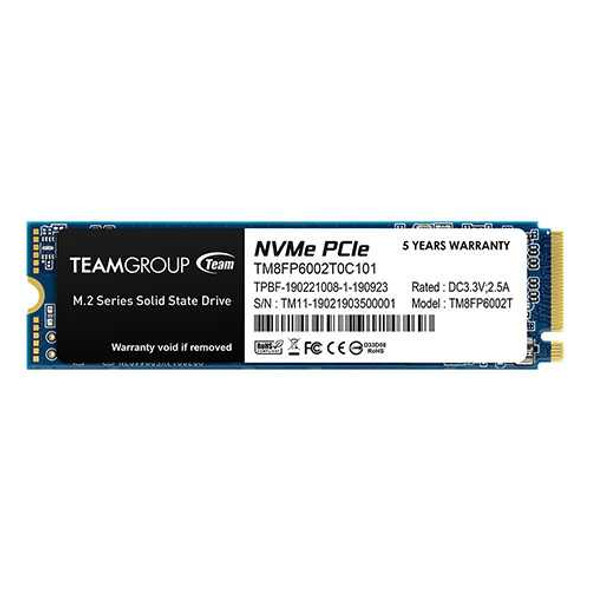
Team 2TB MP33 M.2 NVMe Gen3 SSD, M.2 2280, PCIe3, R/W 1800/1500 MB/s
TEAM
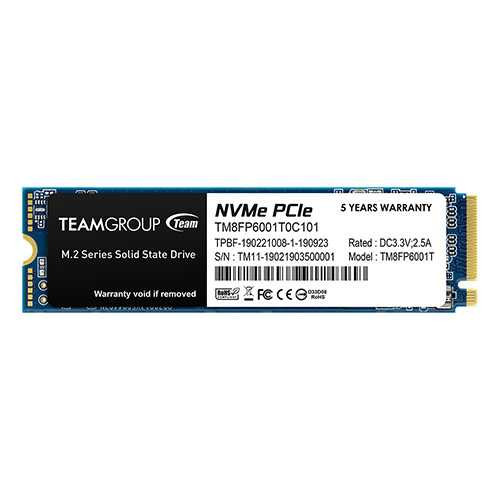
Team 1TB MP33 M.2 NVMe Gen3 SSD, M.2 2280, PCIe3, R/W 1800/1500 MB/s
TEAM
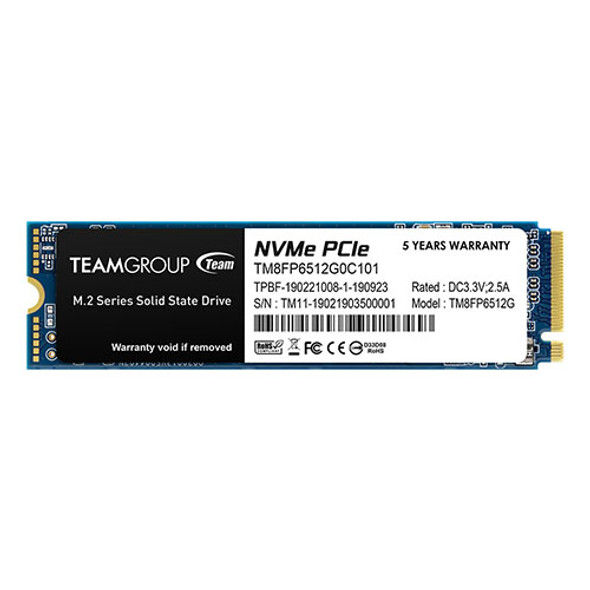
Team 512GB MP33 M.2 NVMe Gen3 SSD, M.2 2280, PCIe3, R/W 1700/1400 MB/s
TEAM