
TEAM
Team 1TB MP33 M.2 NVMe Gen3 SSD, M.2 2280, PCIe3, R/W 1800/1500 MB/s
- SKU:
- HDTEA-TM8F1T0C10
- UPC:
- 765441048003
- MPN:
- TM8FP6001T0C101
- Availability:
- Free Click & Collect in Peterborough. UK delivery also available.


Description
TEAMGROUP MP33 1TB M.2 NVMe Gen3 SSD – PCIe 3.0 x4, M.2 2280, Up to 1,800MB/s Read and 1,500MB/s Write
The TEAMGROUP MP33 1TB M.2 NVMe SSD is a fast and affordable internal solid state drive designed for desktop PCs, gaming systems, laptops and workstation upgrades that support the M.2 2280 PCIe NVMe form factor. With a PCIe 3.0 x4 interface, NVMe 1.3 support, 3D NAND flash and sequential speeds of up to 1,800MB/s read and 1,500MB/s write, it is a practical upgrade from older SATA SSDs and traditional hard drives.
This TEAMGROUP MP33 1TB SSD is ideal for customers searching for a 1TB NVMe SSD, M.2 2280 SSD for laptop, PCIe Gen3 SSD, budget gaming SSD, PC storage upgrade, or a reliable internal SSD for Windows, games, software, photos, videos and everyday file storage.
Key Features of the TEAMGROUP MP33 1TB SSD
- 1TB storage capacity for Windows, applications, games and everyday files
- M.2 2280 form factor for compatible desktops and laptops
- PCIe 3.0 x4 interface with NVMe 1.3 support
- Sequential read speeds up to 1,800MB/s
- Sequential write speeds up to 1,500MB/s
- 3D NAND flash memory for efficient internal storage
- 240TBW endurance rating for the 1TB model
- No DRAM cache, based on TeamGroup’s official specification table
- Compact 80 × 22 × 3.8mm size for M.2 2280 slots
- Lightweight 6g design, suitable for laptop and desktop upgrades
- TEAM P/N: TM8FP6001T0C101
Fast NVMe Storage for PC and Laptop Upgrades
The TEAMGROUP MP33 M.2 PCIe SSD is designed to improve system responsiveness compared with older mechanical hard drives and SATA-based storage. It can help reduce boot times, speed up software loading, improve file transfers and make everyday computing feel smoother when installed in a compatible NVMe M.2 slot.
Up to Three Times Faster Than SATA III
TeamGroup describes the MP33 as offering maximum read/write speeds of 1,800/1,500MB/s, which is up to three times faster than the SATA 6Gb/s interface. This makes it a good value upgrade for users moving from SATA SSDs or older hard drives to an NVMe-based storage platform.
1TB Capacity for Games, Software and Everyday Files
With 1TB of storage capacity, the TEAMGROUP MP33 gives users room for Windows, productivity software, games, documents, media files, downloads and project folders. It is a practical single-drive option for budget gaming PCs and a useful secondary drive for storing games and applications in compatible desktop systems.
Good Choice for Budget Gaming Builds
The MP33 1TB is a sensible option for gaming PC builders who want an affordable NVMe SSD for faster loading times and better system response than older SATA storage. Actual game loading performance depends on the full system, including CPU, memory, motherboard, operating system and game optimisation.
M.2 2280 PCIe Gen3 x4 Compatibility
This SSD uses the M.2 2280 form factor and PCIe Gen3 x4 NVMe interface. It is designed for motherboards and laptops with a compatible M.2 slot that supports PCIe NVMe SSDs. It is not a SATA M.2 SSD, so compatibility should be checked carefully before ordering.
Important M.2 Compatibility Advice
Some M.2 slots support PCIe NVMe drives, some support SATA M.2 drives, and some support both. Before purchasing, check your motherboard or laptop manual to confirm support for M.2 2280 PCIe NVMe SSDs. Also check whether your system uses a heatsink, screw or mounting standoff for the M.2 slot.
Reliable 3D NAND Storage with 240TBW Endurance
The TEAMGROUP MP33 1TB uses 3D NAND flash and has a listed endurance rating of 240TBW. This makes it suitable for everyday home, office, study and gaming use, including operating system storage, software installation and general file storage.
Who Is the TEAMGROUP MP33 1TB Best For?
- Users upgrading from a hard drive to a fast NVMe SSD
- PC builders looking for a budget-friendly 1TB M.2 SSD
- Gamers needing storage for games and applications
- Laptop users with a compatible M.2 2280 PCIe NVMe slot
- Office and home users wanting faster boot and loading times
- Students needing reliable internal storage for study files and software
- Customers needing a PCIe Gen3 SSD for compatible motherboards
TEAMGROUP MP33 1TB SSD Specifications
- Brand: TEAMGROUP
- Model: MP33
- TEAM Part Number: TM8FP6001T0C101
- Product Type: Internal M.2 NVMe SSD
- Capacity: 1TB
- Form Factor: M.2 2280
- Interface: PCIe 3.0 x4 with NVMe 1.3
- NAND Type: 3D NAND
- Sequential Read Speed: Up to 1,800MB/s
- Sequential Write Speed: Up to 1,500MB/s
- Endurance: 240TBW
- DRAM Cache: No
- Voltage: DC +3.3V
- Operating Temperature: 0°C to 70°C
- Dimensions: 80 × 22 × 3.8mm
- Weight: 6g
Buying Advice
Before ordering, please confirm that your desktop PC, laptop or motherboard supports M.2 2280 PCIe NVMe SSDs. This is a PCIe NVMe drive, not a 2.5-inch SATA SSD and not a SATA M.2-only drive. If you are replacing an existing drive, check your device manual for compatible SSD type, supported length, mounting screw requirements and BIOS/storage configuration.
Why Buy the TEAMGROUP MP33 1TB NVMe SSD?
The TEAMGROUP MP33 1TB M.2 NVMe Gen3 SSD is a strong-value storage upgrade for compatible laptops and desktop PCs. With 1TB capacity, PCIe 3.0 x4 NVMe performance, up to 1,800MB/s read and 1,500MB/s write speeds, 3D NAND flash and a compact M.2 2280 design, it is a practical choice for faster boot times, quicker application loading, gaming storage and everyday PC performance improvements.
Specification
TEAMGROUP MP33 1TB M.2 NVMe SSD Specifications
| Product Type | Internal M.2 NVMe SSD |
| Brand | TEAMGROUP |
| Model | MP33 |
| TEAM Part Number | TM8FP6001T0C101 |
| Capacity | 1TB |
| Form Factor | M.2 2280 |
| Interface | PCIe 3.0 x4 with NVMe 1.3 |
| NAND Type | 3D NAND Flash |
| Sequential Read Speed | Up to 1,800MB/s |
| Sequential Write Speed | Up to 1,500MB/s |
| Terabytes Written / Endurance | 240TBW |
| DRAM Cache | No |
| SLC Caching | Yes |
| S.M.A.R.T. Support | Yes |
| TRIM Support | Yes |
| Garbage Collection | Yes |
| LDPC / ECC Support | Yes |
| End-to-End Data Protection | Yes |
| Voltage | DC +3.3V |
| Operating Temperature | 0°C to 70°C |
| Storage Temperature | -40°C to 85°C |
| Operational Humidity | RH 90% under 40°C |
| Vibration Resistance | 80Hz to 2000Hz / 20G |
| Shock Resistance | 1,500G / 0.5ms |
| MTBF | 1,500,000 Hours |
| Compatible Operating Systems | Windows 11 / 10 / 8.1 / 8 / 7 and Linux 2.6.33 or later |
| Dimensions | 80 × 22 × 3.8mm |
| Weight | 6g |
| Warranty | 5-Year Limited Warranty or TBW Limit, whichever comes first |
Compatibility Notice
The TEAMGROUP MP33 1TB is an M.2 2280 PCIe NVMe SSD. Before ordering, please check that your desktop PC, laptop or motherboard supports M.2 2280 PCIe NVMe drives. Some M.2 slots support SATA only, PCIe only, or both, so always check your motherboard or laptop manual before purchasing.
Performance Notice
The listed speeds of up to 1,800MB/s read and 1,500MB/s write are manufacturer maximum figures. Actual performance can vary depending on motherboard, CPU, BIOS version, operating system, SSD capacity used, temperature, workload and testing software.
Capacity Notice
Advertised storage capacity is based on decimal measurement. The usable capacity shown in Windows or another operating system may be lower after formatting and system calculation differences.
Warranty Notice
TEAMGROUP SSD warranty coverage is based on the limited warranty period or the rated TBW endurance limit, whichever comes first. Physical damage, incompatible hardware settings, voltage issues, overheating or incorrect installation may not be covered.
Return
FAQ: Frequenlty Asked Questions
TeamGroup 1TB MP33 M.2 NVMe Gen3 SSD FAQ
The TeamGroup 1TB MP33 M.2 NVMe Gen3 SSD is a compact M.2 2280 PCIe Gen3 x4 NVMe solid state drive designed for faster boot times, quicker game loading, smoother everyday performance and affordable storage upgrades. Below are the most common questions buyers ask before choosing this Team MP33 1TB NVMe SSD, including motherboard compatibility, laptop support, gaming performance, DRAM-less design, Gen3 vs Gen4 use, PS5 compatibility, installation, cloning, heat, lifespan and who this drive is best suited for.
1. What is the TeamGroup 1TB MP33 M.2 NVMe SSD?
The TeamGroup 1TB MP33 is an internal M.2 NVMe SSD designed for desktop PCs and compatible laptops. It uses the PCIe Gen3 x4 interface and M.2 2280 form factor, offering much faster performance than traditional SATA hard drives and many SATA SSDs.
2. What is the TeamGroup MP33 1TB best used for?
The TeamGroup MP33 1TB is best used as a Windows boot drive, gaming storage drive, laptop upgrade, desktop PC upgrade, everyday productivity drive, school or office storage upgrade, and a budget-friendly way to make an older system feel faster.
3. Is the TeamGroup MP33 1TB an NVMe SSD?
Yes. The TeamGroup MP33 1TB is an NVMe SSD. It connects through an M.2 slot using the PCIe Gen3 x4 interface and supports the NVMe protocol, which is faster than older SATA-based storage.
4. What form factor is the TeamGroup MP33 1TB?
The TeamGroup MP33 1TB uses the M.2 2280 form factor. This means it is 22mm wide and 80mm long, which is the most common size for modern M.2 SSDs in desktops and laptops.
5. What interface does the TeamGroup MP33 1TB use?
The TeamGroup MP33 1TB uses PCIe Gen3 x4. It is designed for motherboards and laptops with an M.2 slot that supports PCIe NVMe SSDs.
6. Is the TeamGroup MP33 1TB a SATA SSD?
No. The TeamGroup MP33 1TB is not a SATA SSD. It is an M.2 NVMe PCIe SSD. Although it uses the M.2 shape, it requires an M.2 slot that supports PCIe NVMe, not SATA-only M.2.
7. What read and write speeds does the TeamGroup MP33 1TB offer?
The TeamGroup MP33 1TB is rated for sequential read speeds up to 1,800MB/s and sequential write speeds up to 1,500MB/s. Real-world speed can vary depending on motherboard, laptop, workload, temperature and available free space.
8. Is the TeamGroup MP33 1TB faster than a SATA SSD?
Yes. The TeamGroup MP33 1TB is significantly faster than a typical SATA SSD in sequential read and write performance. It is especially useful for faster boot times, quicker file transfers and smoother loading compared with older SATA drives.
9. Is the TeamGroup MP33 1TB faster than a hard drive?
Yes. The TeamGroup MP33 1TB is much faster than a traditional mechanical hard drive. Upgrading from a hard drive to this NVMe SSD can make Windows startup, app loading, game loading and general system responsiveness much quicker.
10. Is the TeamGroup MP33 1TB good for Windows?
Yes. The TeamGroup MP33 1TB is a good option for installing Windows 10 or Windows 11. It can be used as the main boot drive, helping the system start faster and respond more quickly than a hard drive or older SATA SSD.
11. Is the TeamGroup MP33 1TB good as a boot drive?
Yes. The MP33 1TB is suitable as a boot drive for everyday PCs, gaming desktops and compatible laptops. It offers enough speed for Windows, applications and daily multitasking while giving a useful 1TB storage capacity.
12. Is the TeamGroup MP33 1TB good for gaming?
Yes. The TeamGroup MP33 1TB is good for gaming storage, especially for users upgrading from a hard drive or SATA SSD. Games can load faster, updates can install more smoothly and the 1TB capacity gives space for multiple modern games.
13. Will the TeamGroup MP33 1TB increase FPS in games?
An SSD usually does not directly increase FPS. The main gaming benefits are faster loading screens, quicker game launches, smoother asset loading and less waiting compared with a hard drive. FPS is usually affected more by the CPU, GPU and RAM.
14. Is 1TB enough for gaming?
Yes, 1TB is a practical capacity for many gaming PCs. It can hold Windows, apps and a selection of games. Users with very large game libraries, video files or creative projects may prefer 2TB or add a second drive later.
15. Is the TeamGroup MP33 1TB good for a laptop upgrade?
Yes, the TeamGroup MP33 1TB can be a good laptop upgrade if the laptop has an M.2 2280 slot that supports PCIe NVMe SSDs. Always check your laptop manual or manufacturer support page before buying.
16. Will the TeamGroup MP33 1TB fit my laptop?
It will fit laptops that support M.2 2280 PCIe NVMe SSDs. It will not fit laptops that only support 2.5-inch SATA drives, shorter M.2 sizes, or SATA-only M.2 slots. Check your laptop storage specification before ordering.
17. Will the TeamGroup MP33 1TB fit my desktop motherboard?
It will fit desktop motherboards with an M.2 slot that supports PCIe NVMe SSDs and 2280-length drives. Most modern motherboards support this, but older boards may only support SATA M.2 or may require checking the manual.
18. Does the TeamGroup MP33 1TB work with PCIe Gen4 motherboards?
Yes. The TeamGroup MP33 1TB can work in many PCIe Gen4 M.2 slots because PCIe is backward compatible. The drive will still run at PCIe Gen3 speeds, not Gen4 speeds.
19. Does the TeamGroup MP33 1TB work with PCIe Gen5 motherboards?
Yes, it can work in many PCIe Gen5 M.2 slots if the motherboard supports backward compatibility. The drive will operate as a PCIe Gen3 NVMe SSD, so it will not reach Gen5 or Gen4 performance levels.
20. Can I use the TeamGroup MP33 1TB in a SATA M.2 slot?
No. The MP33 is a PCIe NVMe SSD and requires an M.2 slot that supports PCIe NVMe. A SATA-only M.2 slot will not support this drive.
21. Is the TeamGroup MP33 1TB compatible with PS5?
No, it is not recommended for PS5 internal storage expansion. The PlayStation 5 requires a PCIe Gen4 NVMe SSD with much higher minimum performance than the MP33 provides. This drive is better suited to PCs and compatible laptops.
22. Is the TeamGroup MP33 1TB compatible with PS4?
No, not directly as an internal drive. The PS4 uses a 2.5-inch SATA drive bay, not an M.2 NVMe slot. You would need a 2.5-inch SATA SSD for a normal PS4 internal upgrade.
23. Is the TeamGroup MP33 1TB compatible with Xbox consoles?
The MP33 is not a direct internal upgrade for Xbox Series X, Series S or Xbox One consoles. Xbox storage upgrades have specific requirements, and this PC M.2 NVMe SSD is mainly intended for desktops and laptops.
24. Can I use the TeamGroup MP33 1TB in an external enclosure?
Yes, you can use it in a compatible M.2 NVMe USB enclosure. Make sure the enclosure supports NVMe PCIe M.2 2280 drives, not SATA-only M.2 drives. External speed will depend on the enclosure and USB port.
25. Is the TeamGroup MP33 1TB DRAM-less?
The MP33 is commonly discussed as a DRAM-less entry-level NVMe SSD. DRAM-less drives can still work well for everyday use, gaming and boot drive tasks, but high-end drives with DRAM may perform better in heavy sustained workloads.
26. Is a DRAM-less SSD bad?
No. A DRAM-less SSD is not automatically bad. It can be a good value choice for normal PC use, gaming, boot drives and laptop upgrades. For professional editing, heavy file transfers, databases or workstation workloads, a higher-end SSD with DRAM may be better.
27. Does the TeamGroup MP33 1TB use SLC caching?
Yes. TeamGroup lists SLC caching for the MP33 series. SLC caching helps improve burst write performance for everyday tasks, file copying and normal system use.
28. What happens when the SLC cache fills up?
When the SLC cache fills during very large file transfers, write speed may drop. This is normal for many value NVMe SSDs. For normal Windows use, game loading and everyday file work, most users may not notice this often.
29. Does the TeamGroup MP33 1TB use TLC NAND?
The MP33 is commonly listed and discussed as using 3D NAND, with many buyer discussions identifying it as a TLC-based entry-level NVMe drive. NAND configuration may vary by production batch, so always rely on the current manufacturer specification where available.
30. What is the endurance of the TeamGroup MP33 1TB?
TeamGroup lists the 1TB MP33 with 600TBW endurance. TBW means terabytes written and gives an indication of the amount of data that can be written to the drive under the warranty endurance rating.
31. How long should the TeamGroup MP33 1TB last?
TeamGroup lists the MP33 series with a 1,500,000-hour MTBF and a 5-year limited warranty. Real lifespan depends on usage, temperature, free space, write volume, system shutdown behaviour and general PC conditions.
32. Does the TeamGroup MP33 1TB have a warranty?
Yes. TeamGroup lists a 5-year limited warranty for the MP33 series. Warranty terms may depend on region, seller and the TBW endurance limit, so keep your purchase receipt.
33. Does the TeamGroup MP33 1TB need a heatsink?
For many normal desktop and laptop uses, the MP33 does not require a large heatsink. However, using a motherboard M.2 heatsink can help keep temperatures lower, especially in gaming PCs, compact cases or systems with poor airflow.
34. Does the TeamGroup MP33 1TB run hot?
The MP33 is a PCIe Gen3 SSD, so it usually runs cooler than many faster Gen4 or Gen5 drives. Temperatures still depend on airflow, motherboard position, case cooling and workload. A heatsink can help in warmer systems.
35. Can I install Windows on the TeamGroup MP33 1TB?
Yes. You can install Windows 10 or Windows 11 on the TeamGroup MP33 1TB if your system supports booting from NVMe drives. In the BIOS, make sure the drive is detected and selected as the boot drive after installation.
36. Can I clone my old drive to the TeamGroup MP33 1TB?
Yes. You can clone an old SSD or hard drive to the TeamGroup MP33 1TB using suitable cloning software, as long as the used data fits within the 1TB capacity. After cloning, you may need to choose the MP33 as the boot drive in BIOS.
37. Why is my TeamGroup MP33 1TB not showing in BIOS?
If the drive is not showing in BIOS, check that it is fully seated in the M.2 slot, the screw is installed correctly, the slot supports NVMe PCIe drives, the motherboard BIOS is updated, and the M.2 slot is not disabled by shared lane settings.
38. Why is my TeamGroup MP33 1TB not showing in Windows?
If the SSD appears in BIOS but not in File Explorer, it may need to be initialised, partitioned and formatted in Windows Disk Management. New drives often do not appear as usable storage until this step is completed.
39. Why is my TeamGroup MP33 1TB showing less than 1TB?
This is normal. Drive manufacturers use decimal capacity, while Windows displays usable capacity differently in binary measurement. After formatting, a 1TB drive usually appears as around 931GB in Windows.
40. Why is my TeamGroup MP33 1TB not reaching 1,800MB/s?
Speed can be lower if the drive is installed in a slower M.2 slot, the system is using limited PCIe lanes, the drive is nearly full, the workload is not sequential, or the benchmark settings are different. The rated speed is a maximum sequential figure under suitable conditions.
41. Does the TeamGroup MP33 1TB need special drivers?
No special driver is normally needed for Windows 10 or Windows 11. Most systems use the built-in NVMe driver. You should still keep your motherboard BIOS, chipset drivers and Windows updates current.
42. Is the TeamGroup MP33 1TB good for video editing?
It can be used for light video editing, general media storage and project files. For heavy 4K editing, frequent large exports or professional workloads, a faster higher-end NVMe SSD with stronger sustained write performance may be better.
43. Is the TeamGroup MP33 1TB good for students and office users?
Yes. It is a strong value upgrade for students and office users because it can make booting, opening applications, saving files and multitasking feel much faster than using a hard drive.
44. Is the TeamGroup MP33 1TB good for a budget PC build?
Yes. The MP33 1TB is a good fit for budget and mid-range PC builds where value matters more than top-end benchmark speeds. It offers NVMe performance, 1TB capacity and a common M.2 2280 form factor.
45. Is the TeamGroup MP33 1TB better than a Gen4 SSD?
No, it is not faster than a good PCIe Gen4 SSD. The MP33 is a PCIe Gen3 drive. However, it can still be a better value option for users who do not need Gen4 speeds and simply want a reliable everyday NVMe upgrade.
46. Should I buy a Gen3 or Gen4 SSD?
Choose a Gen3 SSD like the MP33 if you want a cost-effective upgrade for normal PC use, gaming and everyday storage. Choose a Gen4 SSD if your system supports it and you want higher speeds for large file transfers, newer gaming builds or heavier workloads.
47. Is the TeamGroup MP33 1TB better than the Kingston NV2 or NV3?
These drives are all value-focused NVMe options, and the best choice depends on current price, warranty, endurance, controller/NAND variation and your workload. The MP33 is attractive when you want a known PCIe Gen3 value SSD with 1TB capacity and strong everyday performance.
48. Who should NOT buy the TeamGroup MP33 1TB?
The TeamGroup MP33 1TB is not ideal for users who need PS5 internal storage, top-end PCIe Gen4 or Gen5 speeds, heavy professional editing, very large sustained writes, enterprise workloads, or a premium SSD with dedicated DRAM cache.
49. Is the TeamGroup MP33 1TB worth buying?
Yes, the TeamGroup MP33 1TB is worth considering if you want an affordable M.2 NVMe SSD for faster boot times, better everyday performance, gaming storage and laptop or desktop upgrades. It is especially attractive when priced well compared with SATA SSDs and other budget NVMe drives.
50. Why buy the TeamGroup 1TB MP33 M.2 NVMe SSD from Memox?
Buying the TeamGroup 1TB MP33 M.2 NVMe SSD from Memox is a practical choice if you want an affordable internal SSD upgrade for a desktop PC, laptop, gaming system or home office computer. Memox offers SSDs, memory, PC components, storage upgrades and accessories for UK customers.
Related Products
Related Products
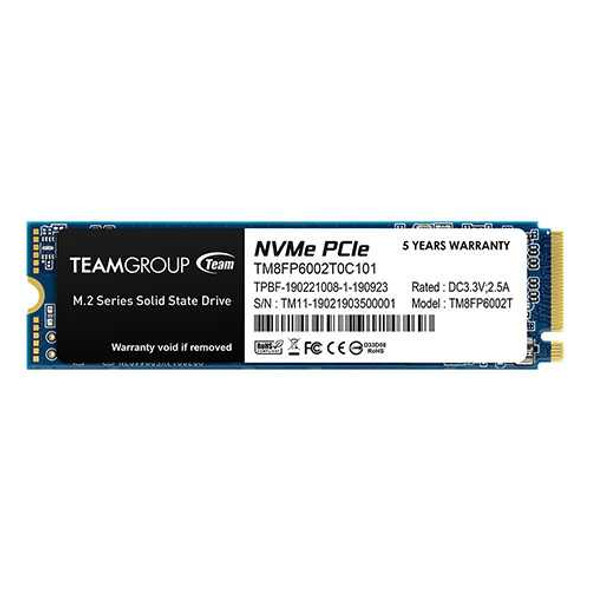
Team 2TB MP33 M.2 NVMe Gen3 SSD, M.2 2280, PCIe3, R/W 1800/1500 MB/s
TEAM
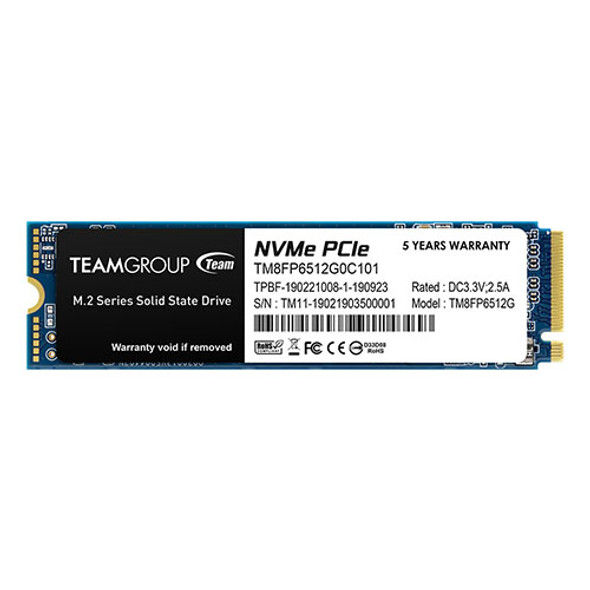
Team 512GB MP33 M.2 NVMe Gen3 SSD, M.2 2280, PCIe3, R/W 1700/1400 MB/s
TEAM
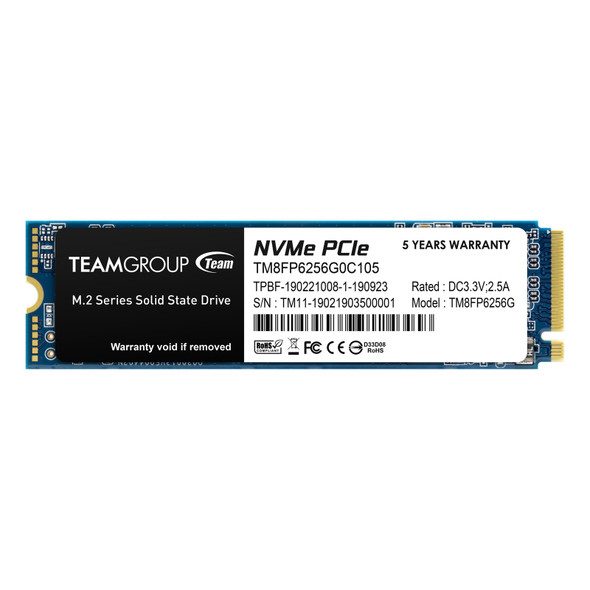
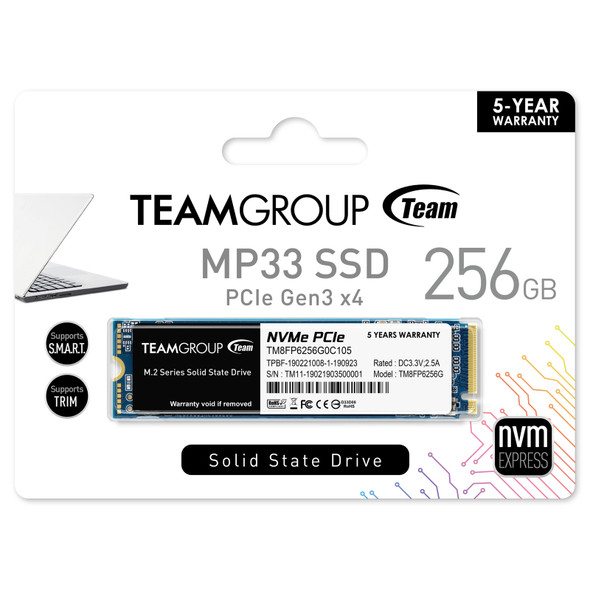
Team 256GB MP33 M.2 NVMe Gen3 SSD, M.2 2280, PCIe3, R/W 1600/1000 MB/s
TEAM


ADATA 1TB Legend 710 M.2 NVMe Gen3 SSD, M.2 2280, PCIe 3.0, 3D NAND, R/W 2400/1800 MB/s
ADATA