
SYNOLOGY
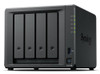
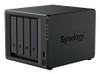
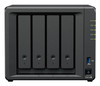
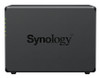
Synology DiskStation DS925+ 4-Bay NAS – Dual 2.5GbE, M.2 NVMe & Expandable to 9 Bays
- SKU:
- 11787892
- UPC:
- 4711174726004
- MPN:
- DS925+
- Availability:
- Free Click & Collect in Peterborough. UK delivery also available


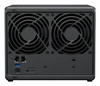
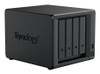
Description
Synology DiskStation DS925+ 4-Bay NAS – Powerful Private Cloud Storage with Dual 2.5GbE and M.2 NVMe
The Synology DiskStation DS925+ 4-Bay Network Attached Storage (NAS) is a high-performance, expandable storage server designed for home offices, small businesses, creative professionals and users who want greater control over their digital files. Featuring an AMD Ryzen V1500B quad-core processor, 4GB DDR4 ECC memory, dual 2.5GbE network ports and two M.2 NVMe SSD slots, it provides a versatile platform for centralised file storage, backup, private cloud access and business applications.
With four internal SATA drive bays and support for the optional Synology DX525 five-bay expansion unit, the DS925+ can grow from four to nine main storage bays as requirements increase. Its two additional M.2 2280 NVMe slots can accommodate compatible solid state drives for SSD caching or dedicated NVMe storage pools.
Powered by Synology DiskStation Manager (DSM), the DS925+ makes it possible to organise, share, synchronise and protect files across compatible Windows, macOS, Linux and mobile devices. Synology's software ecosystem also supports automated backups, private photo libraries, snapshot-based recovery, surveillance recording and selected business applications.
Quick answer: The Synology DS925+ is a four-bay, diskless NAS with an AMD Ryzen V1500B processor, 4GB ECC RAM expandable to 32GB, two 2.5GbE network ports and two M.2 NVMe SSD slots. It supports SATA hard drives or SSDs in its four main bays and expands to nine SATA bays using a separately purchased DX525. It is designed for private cloud storage, file sharing, backup, Synology Photos and business data management.
Key Features of the Synology DiskStation DS925+
- Four SATA drive bays: Install compatible 3.5-inch SATA hard drives or 2.5-inch SATA SSDs to build a flexible storage system.
- Expandable to nine bays: Connect one optional Synology DX525 expansion unit to add five additional SATA drive bays.
- Dual 2.5GbE network connectivity: Two built-in RJ-45 ports provide faster network options than conventional 1GbE NAS connections.
- AMD Ryzen V1500B processor: Four CPU cores and eight threads operating at 2.2GHz support storage and multitasking workloads.
- 4GB DDR4 ECC memory: Pre-installed error-correcting RAM for dependable system operation.
- Memory expansion up to 32GB: Two SO-DIMM slots support approved memory configurations.
- Two M.2 2280 NVMe slots: Supports compatible SSD caching or dedicated NVMe storage pools.
- Synology DSM operating system: Browser-based storage administration and an extensive software ecosystem.
- Synology Hybrid RAID: Flexible storage management with supported data-redundancy configurations.
- Btrfs and ext4 file systems: Choose supported internal file systems to suit storage and application requirements.
- Synology Drive: Centralise, synchronise and share files between authorised users and devices.
- Synology Photos: Organise and privately manage personal or business photo collections.
- Business backup applications: Supports Active Backup for Business, Hyper Backup and Snapshot Replication.
- Surveillance Station: Manage compatible IP cameras, with two default camera licences included.
- Two USB 3.2 Gen 1 ports: Connect compatible external USB storage devices and supported peripherals.
- Three-year hardware warranty: Extendable to five years through eligible Synology warranty options.
Four-Bay NAS Storage for Home and Business Files
The Synology DS925+ features four front-accessible storage bays supporting compatible SATA hard drives and solid state drives.
This gives users flexibility to choose drive capacities and storage arrangements for their own applications, whether creating a family photo archive, shared office file server or dedicated backup destination.
3.5-Inch SATA Hard Drive Support
The four main bays support compatible 3.5-inch SATA HDDs, making the DS925+ suitable for high-capacity network storage.
NAS-oriented hard drives are commonly chosen for systems running for extended periods because they are designed for multi-drive storage environments.
For a suitable configuration, users can store documents, photographs, video files, project data and system backups on the same central storage platform.
2.5-Inch SATA SSD Support
The DS925+ also accepts compatible 2.5-inch SATA SSDs in its main storage bays.
SSD storage can benefit workloads that require faster random data access and lower storage latency than conventional mechanical hard drives.
The appropriate drive type depends on storage capacity, application requirements, budget and Synology's supported drive configurations.
How Much Storage Can the DS925+ Hold?
Synology advertises up to 96TB of raw internal capacity across the four drive bays when using four compatible 24TB drives.
Raw capacity is the combined manufacturer-rated capacity of the installed drives, before RAID redundancy, file system overhead and other storage reservations.
For example, four 8TB drives provide 32TB of raw capacity, but the usable space will be lower if a redundant RAID or Synology Hybrid RAID configuration is used.
Important: The DS925+ is supplied as a diskless NAS enclosure. Hard drives and SSDs are not included in the standard manufacturer package and must be purchased separately.
Expandable to Nine Bays with Synology DX525
Storage requirements can increase as businesses accumulate documents, families build larger photo libraries or creative professionals work with increasingly demanding file collections.
The Synology DS925+ is designed to accommodate this growth through the optional Synology DX525 expansion unit.
Add Five Additional Storage Bays
Connecting one DX525 adds five compatible SATA drive bays, increasing the main storage-bay count from four to nine.
This allows users to expand their storage environment without immediately replacing the NAS with a larger model.
The expansion unit connects using the DS925+'s dedicated expansion interface.
Up to 216TB Raw Storage with Expansion
Synology currently advertises up to 216TB of raw capacity across nine bays when using nine compatible 24TB drives.
Actual usable storage will depend on the installed drives, selected RAID arrangement, storage-pool configuration and DSM limitations.
Large individual volumes may also require a memory upgrade. Synology specifies a standard maximum single-volume size of 108TB, with support for up to 200TB per volume under configurations requiring 32GB of RAM.
Expansion note: The DX525 is sold separately. The advertised nine-bay capacity is not available from the four-bay NAS enclosure alone. The additional M.2 slots do not count towards the nine SATA bays.
Dual 2.5GbE Networking for Faster NAS File Transfers
The DS925+ has two integrated 2.5 Gigabit Ethernet ports, allowing connection to compatible high-speed network switches, computers and other equipment.
Each 2.5GbE connection offers a theoretical network rate of 2.5Gbps, compared with 1Gbps on a conventional Gigabit Ethernet port.
Improved Performance for Large File Transfers
Faster network connectivity can benefit workloads involving large documents, photographs, videos, project files and backups.
For example, a creative professional transferring large project folders to a NAS may benefit from a 2.5GbE network connection when the computer, switch and storage configuration also support the higher speed.
The actual file transfer rate depends on network equipment, drives, RAID, file protocol and system activity.
Link Aggregation and Network Failover
With two network interfaces, the DS925+ supports compatible link aggregation and network failover arrangements through Synology DSM.
Link aggregation can distribute traffic across both Ethernet interfaces, potentially improving aggregate throughput when several users access the NAS simultaneously.
Network failover can also help maintain connectivity if one configured network path becomes unavailable.
Important: Two 2.5GbE ports do not automatically create a single 5Gbps connection for one computer or file transfer. Performance depends on network configuration, connected clients and the selected aggregation mode.
Do You Need a 2.5GbE Network Switch?
A compatible 2.5GbE switch or direct network connection is generally required to benefit from 2.5GbE link speeds.
The DS925+ can also operate on suitable slower Ethernet networks, although transfer performance will be limited by the connection.
To plan a faster network, check the network adapter in your computer, the router or switch and the Ethernet cabling being used.
AMD Ryzen V1500B Quad-Core Processor
The Synology DS925+ is powered by the AMD Ryzen V1500B, a 64-bit processor with four cores, eight threads and a 2.2GHz operating frequency.
This processor supports a range of NAS workloads, including file sharing, backup management, synchronisation, surveillance and selected applications.
Four Cores and Eight Threads
Multiple processor threads help the NAS handle concurrent tasks, such as serving files, processing backups and running supported DSM packages.
This is useful for small businesses or households where several devices may need access to the NAS at the same time.
Hardware Encryption Support
Synology lists a hardware encryption engine for the DS925+ processor.
In combination with supported DSM encryption and access-control features, this helps provide options for protecting selected stored information.
Encryption performance and available features depend on the configured storage, DSM version and encryption method.
4GB DDR4 ECC RAM, Expandable to 32GB
The DS925+ includes 4GB of DDR4 ECC SO-DIMM memory as standard.
ECC, or Error-Correcting Code, memory can detect and correct certain types of memory errors, helping support dependable system operation.
Why ECC Memory Matters in a NAS
A NAS often stores important information and operates for long periods. Memory reliability is therefore an important consideration alongside drive health, backups and storage redundancy.
ECC memory adds a layer of protection against certain memory-related errors, although it does not eliminate all possible failures or guarantee the integrity of every stored file.
Upgrade RAM for More Demanding Applications
The DS925+ has two memory slots and supports up to 32GB DDR4 ECC RAM using a compatible two-module configuration.
Additional memory may benefit users running more applications, heavier indexing tasks, containerised services or other memory-intensive workloads.
Synology recommends approved memory modules and matching modules for multi-DIMM configurations.
Memory compatibility note: The NAS includes one 4GB module. Additional RAM is sold separately. Follow Synology's supported memory configurations, as using unapproved memory may affect manufacturer warranty and technical support.
Two M.2 NVMe SSD Slots for Cache and Storage Pools
The Synology DS925+ includes two integrated M.2 2280 NVMe SSD slots, providing additional storage options without occupying its four primary SATA drive bays.
These slots can be used with compatible NVMe SSDs for cache acceleration or dedicated SSD storage pools, subject to Synology's compatibility requirements.
NVMe SSD Cache Acceleration
SSD caching can improve performance in certain workloads involving frequent access to smaller files or repeated random read and write operations.
This may benefit selected business applications, database workloads and other storage tasks that make repeated use of frequently accessed information.
The benefit depends on the workload, SSD configuration and available cache capacity. Sequential file transfers do not always experience the same improvement as random I/O workloads.
M.2 NVMe Storage Pools
Synology also supports creating dedicated storage pools using approved NVMe SSDs installed in the DS925+'s M.2 slots.
This provides an option for storing selected applications or files on fast solid-state storage while preserving the main SATA bays for other drives.
Synology requires verified compatible M.2 SSDs for supported storage pools and cache configurations. The M.2 slots are not hot-swappable, and the NAS must contain an appropriate non-M.2 drive for DSM installation.
NVMe compatibility note: Not every consumer M.2 NVMe SSD is supported for cache or storage-pool creation. Check the official Synology compatibility list before purchasing an SSD for these slots.
Synology DSM – Your Own Private Cloud Storage
The DS925+ runs Synology DiskStation Manager (DSM), a browser-based operating system designed to simplify NAS configuration, file management and application administration.
DSM allows users to centralise their information in a storage system they control rather than relying entirely on separate computers or third-party cloud accounts.
Synology Drive for File Sharing and Synchronisation
Synology Drive enables authorised users to access, synchronise and share files between compatible computers, mobile devices and the NAS.
This can be useful for maintaining shared business folders, synchronising documents between workstations and allowing team members to work with centrally stored information.
Versioning and suitable recovery settings can also help users restore earlier versions of supported files after accidental changes.
Private Storage for Personal and Business Files
With the correct network and access configuration, the DS925+ can provide a central location for documents, photographs, videos, spreadsheets and project files.
Users can create separate accounts, shared folders and permissions for different people or departments.
This makes it suitable for households sharing digital files or businesses that need controlled access to important information.
Access Files While Away from Home or the Office
Synology offers remote-access features, including QuickConnect and supported secure connection methods, to help users reach their NAS from other locations.
Remote access must be configured correctly, and available functionality depends on network conditions, account permissions and security settings.
For sensitive business information, use strong authentication, current DSM security updates and appropriately restricted access.
Synology Photos for Private Photo and Video Libraries
Synology Photos provides a central application for organising and managing photo collections stored on the NAS.
It can be useful for families, photographers and small businesses that want their images stored on privately managed equipment.
Organise Your Digital Photos
Supported photos and videos can be arranged into albums, browsed through compatible applications and shared with authorised users.
The DS925+ is suitable for maintaining collections of family photographs, holiday images, business product photographs and other digital media.
Mobile Photo Backup
With supported Synology mobile applications and appropriate permissions, users can configure photo backup from compatible mobile devices to the NAS.
This can help consolidate images that would otherwise remain scattered across different smartphones, laptops and computers.
Mobile backup settings, background operation and network conditions may affect when transfers take place.
Automatic Backup for PCs, Servers and Business Data
One of the main reasons to choose the Synology DS925+ is its support for a comprehensive set of backup and recovery tools.
Depending on configuration, the NAS can serve as a central backup location for selected computers, file servers, virtual machines and other data sources.
Active Backup for Business
Synology Active Backup for Business supports centralised backup management for compatible Windows and other supported workloads.
This can reduce the need to manage backup schedules separately on each computer.
Business administrators can configure backup tasks and recovery processes through the appropriate Synology applications.
Hyper Backup
Hyper Backup allows users to create additional backup copies of supported NAS data and configurations.
Backup destinations can include compatible external drives, other servers and supported cloud storage services.
Some cloud destinations, including Synology C2 Storage, require a separate subscription.
Snapshot Replication and File Recovery
With a suitable Btrfs storage configuration, Snapshot Replication can create point-in-time copies of supported shared folders and LUNs.
Snapshots can help recover information after accidental deletion, unwanted changes or certain malicious modifications.
They are an important component of a wider recovery plan but do not replace independent off-site backups.
Is RAID the Same as Backup?
No. RAID redundancy can help maintain data availability when a drive fails, depending on the selected RAID type.
However, RAID does not protect against every form of accidental deletion, ransomware, theft, fire or complete system failure.
For important data, maintain independent backups using an appropriate strategy, including an off-site or otherwise isolated copy where practical.
Synology Hybrid RAID and Flexible Storage Protection
The DS925+ supports a range of storage arrangements through Synology DSM.
Available RAID options include Synology Hybrid RAID (SHR), Basic, JBOD, RAID 0, RAID 1, RAID 5, RAID 6 and RAID 10, subject to the number of drives and configuration.
What Is Synology Hybrid RAID?
Synology Hybrid RAID is a storage management option intended to simplify the process of creating redundant storage pools.
It can provide flexibility when combining supported drive capacities and expanding storage over time.
Depending on configuration, SHR can protect against a drive failure while allowing users to upgrade capacity by replacing drives.
RAID 1, RAID 5, RAID 6 and RAID 10
Alternative RAID arrangements may be suitable for users who prefer conventional storage configurations with particular redundancy and performance characteristics.
For example, RAID 5 can tolerate one drive failure in a suitable configuration, while RAID 6 supports two-drive fault tolerance when correctly configured with enough drives.
The appropriate selection depends on capacity, drive count, recovery requirements and the risks the user needs to manage.
Btrfs File System Support
The DS925+ supports Btrfs and ext4 for internal storage volumes.
Btrfs enables features such as supported snapshots and data-integrity functions, making it a useful option for certain business and personal storage environments.
The file system and RAID configuration should be selected during initial setup according to the intended applications.
Current Hard Drive Compatibility – DSM 7.3 and Later
Before purchasing hard drives or SSDs for the DS925+, it is important to check Synology's current compatibility policy.
Earlier firmware policies for 2025 Plus-series DiskStation models placed significant restrictions on certain unverified third-party drives.
Third-Party SATA HDD and SSD Support
With DSM 7.3 and later, Synology permits greater flexibility for using third-party 3.5-inch SATA hard drives and 2.5-inch SATA SSDs in 2025 DiskStation Plus models.
This includes the ability to create storage pools with many drives not individually listed as verified, although warnings and differences in support may apply.
Drives specifically listed as incompatible remain unsupported for the relevant operations.
M.2 NVMe Compatibility Is More Restrictive
The policy for M.2 NVMe SSDs is different from the policy for SATA HDDs and SSDs.
Synology requires compatible, verified M.2 NVMe SSDs for new cache or SSD storage-pool configurations.
Before buying any drives, check the latest Synology compatibility list for the DS925+ and confirm the DSM version installed on the NAS.
Important purchasing note: Support for a third-party SATA HDD does not automatically mean that a third-party NVMe SSD can be used as a cache or NVMe storage pool.
Synology Surveillance Station for IP Camera Recording
The DS925+ can also function as a network video recorder using Synology Surveillance Station.
With compatible IP cameras, users can configure centralised video recording, monitoring, playback and event management.
Two Camera Licences Included
Synology includes two default Surveillance Station camera licences with the DS925+.
Additional cameras or supported surveillance devices generally require additional purchased licences.
Camera hardware is not included with the NAS.
Support for Larger Surveillance Installations
Synology lists support for up to 40 compatible 1080p camera channels under specified testing conditions.
This is a manufacturer-tested capability, not a statement that 40 camera licences are included.
Actual camera capacity depends on resolution, codec, frame rate, storage performance and the other tasks running on the NAS.
Support for Business Applications and Virtualised Environments
Beyond ordinary file storage, the DS925+ supports a variety of DSM business applications and network services.
Shared Storage for Windows, Mac and Linux
Through supported file-sharing protocols such as SMB and NFS, the NAS can provide shared folders to compatible desktop computers, laptops and servers.
This makes it useful for small teams working with shared documents, design files, media assets and other project data.
iSCSI Storage and Virtualisation
The DS925+ supports iSCSI storage through Synology's SAN Manager and can be integrated with compatible virtualisation platforms.
This may benefit small business environments using supported VMware, Hyper-V or other storage-aware systems.
Actual virtualisation workloads depend on available memory, storage performance and software configuration.
Containerised Applications
Compatible Synology application packages can provide support for container-based services and selected advanced workloads.
Users planning to run multiple applications should evaluate memory requirements and consider an appropriate RAM upgrade.
The DS925+ is primarily a NAS and application server; it should not be assumed to offer the same processing resources as a dedicated high-performance workstation.
Media Libraries and Video Streaming
The DS925+ can store music, photographs and video files and make them accessible to compatible media applications or devices.
It can be useful as a central library for households or creative professionals who want media files stored in one location.
Direct Playback and File Serving
When a playback device supports the video format, files can be streamed directly from NAS storage without requiring the NAS to convert the media.
This is commonly known as direct play and can be a practical use of a network storage server.
Hardware Video Transcoding Limitations
The AMD Ryzen V1500B processor does not include an integrated graphics engine for dedicated hardware-accelerated video transcoding.
Customers who require frequent real-time conversion of demanding video formats, particularly multiple 4K streams, should check the requirements of their intended media software before purchasing.
Media note: The DS925+ is a network storage device and is not designed to connect directly to a television through an HDMI output.
Quiet, Compact NAS Design for Home Offices
The Synology DiskStation DS925+ is designed for desktop placement and small office environments.
Its compact enclosure measures approximately 166 x 199 x 223mm (H x W x D) and weighs around 2.26kg without installed drives.
Two 92mm Cooling Fans
The NAS includes two 92mm system fans and offers selectable cooling modes to balance airflow and operating noise.
Synology lists a noise level of approximately 20.5dB(A) under its specified testing conditions.
Actual noise will vary depending on installed hard drives, fan speed, workload and placement.
Power Consumption
Synology publishes power consumption figures of approximately 37.91W during access and 12.33W during HDD hibernation under its test configuration.
Actual electricity usage depends on the installed drives, active services, system settings and workload.
Scheduled power management, HDD hibernation and Wake on LAN features are available through supported configurations.
Who Is the Synology DiskStation DS925+ Best For?
- Small businesses: Centralised file storage, shared folders and automated backups for a small team.
- Home offices: Private cloud storage and synchronisation between work computers and compatible mobile devices.
- Photographers: Organising image archives, backing up photo libraries and sharing selected work.
- Content creators: Storing large project files and media assets with fast network access.
- Families: Maintaining a private collection of photographs, videos and important documents.
- IT enthusiasts: Managing RAID, network shares, approved SSD caching and supported applications.
- Remote teams: Secure file sharing and synchronisation between authorised users.
- Businesses using IP cameras: Recording footage from compatible surveillance systems with the required licences.
- Users expecting storage growth: Starting with four SATA bays and expanding to nine with a DX525.
Who Should Consider a Different NAS?
The DS925+ is a flexible four-bay NAS, but it may not meet every customer's requirements.
- Customers wanting storage drives included: This is a diskless enclosure, so HDDs or SSDs must be purchased separately.
- Users requiring 10GbE networking: The DS925+ has two built-in 2.5GbE ports rather than a native 10GbE port.
- Customers needing more than nine SATA bays: Consider a larger NAS model with additional expansion options.
- Heavy hardware video transcoding users: Choose equipment with appropriate video-acceleration capabilities.
- Users needing direct HDMI output: This NAS is accessed over a network rather than connected directly to a display.
- Customers expecting unrestricted NVMe compatibility: The M.2 slots require compatible verified drives for cache and storage-pool use.
- Users needing an inexpensive USB external drive: A conventional external HDD or SSD may be more appropriate if network storage and DSM features are unnecessary.
Synology DS925+ – Technical Overview
- Brand: Synology
- Product Name: DiskStation DS925+
- Product Type: Four-bay network attached storage (NAS)
- Storage Drives Included: No – diskless enclosure
- CPU: AMD Ryzen V1500B
- CPU Cores / Threads: 4 cores / 8 threads
- CPU Frequency: 2.2GHz
- Installed Memory: 4GB DDR4 ECC SO-DIMM
- Maximum Memory: 32GB
- Memory Slots: 2
- Internal SATA Bays: 4
- Supported SATA Drive Types: Compatible 3.5-inch HDD or 2.5-inch SSD
- M.2 NVMe Slots: 2 x M.2 2280
- Maximum SATA Bays with Expansion: 9 with Synology DX525
- Maximum Advertised Internal Raw Capacity: 96TB using four 24TB drives
- Maximum Advertised Expanded Raw Capacity: 216TB using nine 24TB drives
- Network Interfaces: 2 x 2.5GbE RJ-45
- USB Ports: 2 x USB 3.2 Gen 1
- Dedicated Expansion Port: 1 x USB Type-C-style expansion connection
- Manufacturer-Rated Sequential Read: Over 522MB/s
- Manufacturer-Rated Sequential Write: Over 565MB/s
- Supported RAID Types: SHR, Basic, JBOD, RAID 0, RAID 1, RAID 5, RAID 6 and RAID 10
- Internal File Systems: Btrfs and ext4
- Operating System: Synology DiskStation Manager (DSM)
- System Cooling: 2 x 92mm fans
- Manufacturer-Rated Noise Level: 20.5dB(A)
- Dimensions: 166 x 199 x 223mm
- Weight: Approximately 2.26kg without drives
- Operating Temperature: 0°C to 40°C
- Warranty: 3-year limited hardware warranty, extendable to five years through eligible Synology services
How to Set Up the Synology DS925+ NAS
- Select compatible drives: Check the latest Synology compatibility information and choose suitable SATA HDDs or SSDs for your requirements.
- Install the drives: Insert the drives into the appropriate trays following the official DS925+ installation manual.
- Connect to your network: Use one of the supplied Ethernet cables to connect the NAS to a compatible router or network switch.
- Connect power: Attach the supplied power adapter and UK-compatible mains power cable provided with the regional package.
- Start the NAS: Switch on the device and allow it to complete the initial startup process.
- Install DSM: Follow Synology's official setup procedure to locate the NAS and initialise DiskStation Manager.
- Create a storage pool: Select an appropriate RAID or SHR configuration based on the installed drives and protection requirements.
- Create a volume: Configure a suitable supported file system and volume arrangement.
- Set up users and shared folders: Configure access permissions and file-sharing settings.
- Configure backups: Establish a backup schedule and, where appropriate, an independent external or off-site backup.
- Secure the NAS: Apply DSM updates, enable suitable authentication controls and restrict unnecessary network access.
- Install optional packages: Configure Synology Drive, Photos, Active Backup for Business or other applications as needed.
Setup warning: Initialising drives and creating storage pools can erase existing information. If reusing hard drives or migrating an existing NAS, follow Synology's specific migration instructions and back up valuable data before proceeding.
Important Compatibility and Purchasing Notes
Hard Drives Are Not Included
The standard DS925+ package is supplied without installed HDDs or SSDs. You must purchase appropriate drives separately before creating normal storage volumes and completing the required DSM setup.
Check DSM and Drive Compatibility
Synology's drive-compatibility rules have changed over time. DSM 7.3 expands third-party SATA drive support on 2025 Plus-series models, while M.2 NVMe restrictions remain more stringent. Check the exact drive models and current DSM requirements before purchase.
RAID Does Not Replace Backup
A redundant storage pool can help protect against certain drive failures but cannot prevent every form of data loss. Maintain a separate backup of important information.
DX525 Is an Optional Accessory
The DS925+ has four main SATA drive bays. Expansion to nine bays requires one compatible DX525 expansion unit, sold separately.
2.5GbE Performance Depends on the Network
Maximum network transfer performance requires suitable Ethernet equipment and drive configurations. Older 1GbE networks will operate at lower speeds.
M.2 SSDs Are Not Hot-Swappable
The two M.2 NVMe slots do not support hot swapping. Follow Synology's official shutdown and installation procedures when adding or replacing these drives.
Surveillance Licensing
Two Surveillance Station device licences are included. Additional supported camera channels generally require extra paid licences.
Why Choose the Synology DiskStation DS925+?
The Synology DiskStation DS925+ 4-Bay NAS combines modern network connectivity, dependable ECC memory, expandable storage and an extensive software ecosystem in a compact desktop enclosure.
Its AMD Ryzen processor and dual 2.5GbE ports provide a useful foundation for file sharing and backup workloads, while the two M.2 NVMe slots offer additional options for SSD caching and compatible fast storage pools.
With support for four SATA drives, expansion to nine bays, Synology Hybrid RAID, Btrfs snapshots, Synology Drive, Synology Photos and business backup tools, it can serve as a central storage platform for homes, offices and growing teams.
Choose the Synology DS925+ if you want a four-bay NAS that provides private cloud storage, flexible drive configurations, 2.5GbE networking and room for future storage expansion.
Explore more NAS storage systems at Memox and browse our internal hard drives to compare storage options. Check Synology's official compatibility requirements before selecting drives for this NAS.
Manufacturer reference: Synology DiskStation DS925+ official product specifications.
Drive compatibility reference: Synology DSM drive compatibility guidance.
Video note: The independent DS925+ review in the Video tab was recorded before Synology updated its 2025 Plus-series drive compatibility policy. With DSM 7.3 and later, third-party SATA HDDs and 2.5-inch SATA SSDs can be used for new storage pools on the DS925+ unless specifically listed as incompatible. M.2 NVMe compatibility remains more restrictive.
Specification
Synology DiskStation DS925+ 4-Bay NAS – Technical Specifications
The Synology DiskStation DS925+ is a four-bay, diskless network attached storage (NAS) system designed for centralised file storage, private cloud services, data backup and business applications. It features an AMD Ryzen V1500B quad-core processor, 4GB DDR4 ECC memory, dual 2.5GbE networking and two M.2 NVMe SSD slots. The four SATA bays can be expanded to nine using one separately purchased Synology DX525 expansion unit.
General Information
| Brand | Synology |
|---|---|
| Manufacturer | Synology Inc. |
| Product Family | DiskStation |
| Product Model | DS925+ |
| Manufacturer Part Number | DS925+ |
| Product Name | Synology DiskStation DS925+ 4-Bay NAS |
| Product Type | Network Attached Storage (NAS) |
| Chassis Type | Desktop NAS enclosure |
| Primary Storage Bays | 4 |
| Maximum SATA Bays with Expansion | 9, using one DX525 expansion unit |
| Drive Configuration | Diskless – hard drives and SSDs sold separately |
| Operating System | Synology DiskStation Manager (DSM) |
| Recommended Applications | Private cloud storage, file sharing, backup, photo management, business applications and surveillance |
Processor Specifications
| Processor Manufacturer | AMD |
|---|---|
| Processor Model | Ryzen V1500B |
| Processor Quantity | 1 |
| Processor Cores | 4 |
| Processor Threads | 8 |
| Processor Frequency | 2.2GHz |
| Processor Architecture | 64-bit |
| Hardware Encryption Engine | Yes |
| Processor Upgrade | Not specified as a user-upgradeable component |
System Memory Specifications
| Installed Memory | 4GB |
|---|---|
| Memory Technology | DDR4 |
| Memory Type | ECC SO-DIMM |
| Pre-Installed Configuration | 1 x 4GB DDR4 ECC SO-DIMM |
| Total Memory Slots | 2 |
| Maximum Supported Memory | 32GB |
| Maximum Memory Configuration | 2 x 16GB DDR4 ECC SO-DIMM |
| Memory Expansion | Supported using compatible memory modules |
| Memory Error Correction | ECC (Error-Correcting Code) |
| Recommended Memory | Synology-approved DDR4 ECC SO-DIMM modules |
| Additional Memory Included | No |
Memory Compatibility Note: Synology recommends approved memory modules for optimal compatibility and reliability. For configurations using two modules, Synology specifies matching modules with identical model numbers. Third-party memory may affect the manufacturer's warranty and technical support.
Internal Drive Bays and Storage Interfaces
| Primary Drive Bays | 4 |
|---|---|
| Supported 3.5-Inch Drives | Compatible SATA HDDs |
| Supported 2.5-Inch Drives | Compatible SATA SSDs |
| Primary Drive Interface | SATA |
| M.2 Slots | 2 |
| M.2 Form Factor | 2280 |
| M.2 Drive Technology | NVMe SSD |
| M.2 SATA SSD Compatibility | Not listed as supported |
| SATA Drive Hot-Swapping | Supported for the main drive bays, subject to the appropriate DSM procedure |
| M.2 NVMe Hot-Swapping | Not supported |
| Hard Drives Included | No |
| Solid State Drives Included | No |
| Drive Compatibility | Depends on the exact drive model, DSM version and Synology compatibility policies |
Drive Compatibility Note: The DS925+ includes four SATA drive bays and two separate M.2 NVMe slots. The M.2 slots do not count as additional SATA drive bays. Storage drives must be purchased separately.
Maximum Storage Capacity
| Maximum Advertised Raw Internal Capacity | 96TB |
|---|---|
| Internal Capacity Example | 4 x 24TB compatible SATA HDDs |
| Maximum Advertised Raw Capacity with Expansion | 216TB |
| Expanded Capacity Example | 9 x 24TB compatible SATA HDDs |
| Maximum Primary SATA Drive Bays | 4 |
| Maximum SATA Drive Bays with Expansion | 9 |
| Expansion Unit Required | Synology DX525 |
| Maximum Supported Expansion Units | 1 x DX525 |
| Expansion Unit Included | No – sold separately |
| Usable Storage Capacity | Depends on installed drives, RAID configuration, file system and storage overhead |
Raw Capacity Clarification: Synology advertises 96TB of internal raw storage using four 24TB drives and 216TB of total raw storage using nine 24TB drives with the DX525. Raw capacity is the combined advertised capacity of the installed drives before RAID redundancy, formatting and other storage reservations.
Important: The advertised 216TB raw capacity does not mean that the DS925+ supports a single 216TB storage volume. Single-volume limits are specified separately below.
Maximum Single Volume Size and Storage Limits
| Standard Maximum Single Volume Size | 108TB |
|---|---|
| Maximum Single Volume Size with 32GB RAM | 200TB |
| Memory Requirement for Volumes Above 108TB | 32GB |
| Maximum Number of Internal Volumes | 32 |
| Maximum Advertised Combined Raw Capacity | 216TB with DX525 expansion |
| Single 216TB Volume Supported | No – maximum supported single-volume size is 200TB with 32GB RAM |
| Multiple Volume Support | Yes, subject to storage-pool capacity and DSM limits |
| Actual Volume Capacity | Depends on RAID, drive sizes, file system and system metadata |
Critical Storage Capacity Note: Synology specifies a standard maximum single-volume size of 108TB. Volumes larger than 108TB require 32GB of RAM, with a maximum single-volume size of 200TB. These volume limits are different from the maximum advertised combined raw capacity of 216TB.
A storage system with more raw capacity than the permitted single-volume size may require multiple volumes, depending on the selected storage-pool and RAID configuration.
Storage Expansion Compatibility
| Storage Expansion Support | Yes |
|---|---|
| Compatible Expansion Unit | Synology DX525 |
| Additional Bays Provided | 5 |
| Maximum Total SATA Bays | 9 |
| Expansion Port Quantity | 1 |
| Expansion Port Connector | USB Type-C form-factor expansion connection |
| Expansion Connection Purpose | Dedicated connection for a compatible Synology expansion unit |
| Additional Capacity | Depends on compatible drives installed in the DX525 |
| DX525 Included | No |
| Expansion Drives Included | No |
Expansion Note: The DS925+ has a dedicated USB Type-C-shaped expansion port for the DX525. This port should not be treated as a standard general-purpose USB-C port for arbitrary USB peripherals or storage accessories.
M.2 NVMe SSD Cache and Storage Pool Support
| M.2 NVMe Slots | 2 |
|---|---|
| M.2 Form Factor | 2280 |
| NVMe SSD Cache | Supported with compatible SSDs |
| NVMe Read/Write Cache | Supported with suitable configurations |
| M.2 SSD Storage Pools | Supported with Synology-verified compatible SSDs |
| M.2 NVMe Hot-Swap | Not supported |
| NVMe SSDs Included | No |
| NVMe Compatibility Requirements | Check Synology's current model-specific compatibility list |
| Use of Unverified NVMe SSDs for New Pools or Cache | Not supported under current Synology compatibility policy |
NVMe Compatibility Note: Synology requires compatible, verified M.2 NVMe SSDs when creating new SSD caches or M.2 storage pools. The broader third-party SATA drive support introduced with DSM 7.3 does not remove this NVMe restriction.
RAID and Storage Management
| RAID Management | Synology DiskStation Manager (DSM) |
|---|---|
| Synology Hybrid RAID (SHR) | Supported |
| Basic Storage | Supported |
| JBOD | Supported |
| RAID 0 | Supported |
| RAID 1 | Supported |
| RAID 5 | Supported |
| RAID 6 | Supported |
| RAID 10 | Supported |
| RAID Migration | Supported for selected RAID types and configurations |
| Storage Pool Expansion | Supported subject to RAID, drive and DSM requirements |
| Global Hot Spare | Supported for selected redundant RAID configurations |
| SSD TRIM | Supported |
| SSD Read/Write Cache | Supported with compatible SSDs |
RAID Note: Available RAID types depend on the number of installed drives and storage configuration. For example, RAID 6 requires at least four drives. RAID redundancy helps with certain drive failures but is not a substitute for independent data backups.
File System Support
| Internal File Systems | Btrfs, ext4 |
|---|---|
| External File Systems | Btrfs, ext4, ext3, FAT32, NTFS, HFS+, exFAT |
| Btrfs Storage | Supported |
| Btrfs Snapshots | Supported with compatible DSM configuration |
| Snapshot Replication | Supported |
| Data Protection and Versioning | Available through supported DSM features and packages |
| External USB Storage | Supported with compatible drives and file systems |
Network Interface Specifications
| Network Interface Type | Ethernet LAN |
|---|---|
| Built-In Network Ports | 2 |
| Network Connector | RJ-45 |
| Maximum Speed Per Port | 2.5Gbps |
| Total Network Interfaces | 2 x 2.5GbE |
| Network Link Aggregation | Supported with compatible configuration |
| Network Failover | Supported |
| 10GbE Network Port | Not built in |
| Wireless LAN | No built-in Wi-Fi |
| Wake on LAN/WAN | Supported |
| Network Switch Requirement | Compatible network equipment required to achieve 2.5GbE speeds |
Networking Note: Each Ethernet port supports up to 2.5Gbps. Link aggregation can improve aggregate throughput or resilience in suitable configurations, but it does not automatically provide a single 5Gbps connection to one computer.
External Ports and Connections
| RJ-45 Ethernet Ports | 2 x 2.5GbE |
|---|---|
| USB 3.2 Gen 1 Ports | 2 |
| USB 3.2 Gen 1 Interface Speed | Up to 5Gbps theoretical bandwidth per compatible connection |
| Front USB Port | 1 x USB 3.2 Gen 1 |
| Rear USB Port | 1 x USB 3.2 Gen 1 |
| Dedicated Expansion Port | 1 |
| Expansion Connector | USB Type-C form factor, dedicated expansion function |
| HDMI Video Output | Not provided |
| Direct Display Connection | Not provided – NAS administration is network-based |
| Kensington Security Slot | Yes |
Synology DSM Operating System and File Services
| Operating System | Synology DiskStation Manager (DSM) |
|---|---|
| Management Interface | Web-based DSM administration |
| SMB File Sharing | Supported |
| NFS File Sharing | Supported |
| AFP File Sharing | Supported |
| FTP | Supported |
| WebDAV | Supported |
| Rsync | Supported |
| iSCSI | Supported |
| Windows File Sharing | Supported through compatible protocols |
| macOS File Sharing | Supported through compatible protocols |
| Linux File Sharing | Supported through compatible protocols |
| Remote Access | Supported through appropriate Synology and network configuration |
DSM User and Shared Folder Limits
| Maximum Local User Accounts | 512 |
|---|---|
| Maximum Local Groups | 128 |
| Maximum Shared Folders | 128 |
| Maximum Shared Folder Sync Tasks | 4 |
| Maximum Hybrid Share Folders | 10 |
| Maximum Internal Volumes | 32 |
DSM Limits Note: These figures are manufacturer software specifications. Actual performance depends on installed memory, drive configuration, software version and the number of simultaneous applications or users.
Backup and Data Protection Applications
| Synology Drive | Supported |
|---|---|
| Synology Photos | Supported |
| Synology Office | Supported |
| Active Backup for Business | Supported |
| Hyper Backup | Supported |
| Snapshot Replication | Supported |
| Synology High Availability | Supported in a compatible configuration |
| Synology SAN Manager | Supported |
| Synology Surveillance Station | Supported |
| Cloud Backup Services | Available through supported packages; third-party subscriptions may apply |
| Container Manager | Available for supported container workloads |
| Virtual Machine Manager | Supported, subject to system resources and application requirements |
Surveillance Station Specifications
| Surveillance Application | Synology Surveillance Station |
|---|---|
| Default Camera Licences Included | 2 |
| Maximum Manufacturer-Tested 1080p Camera Channels | Up to 40 under specified test conditions |
| Additional Camera Licences | Purchased separately |
| IP Camera Compatibility | Supported cameras listed by Synology |
| ONVIF Camera Support | Available for suitable compatible cameras |
| CCTV Recording Storage | Depends on installed drives, available storage and camera settings |
| Cameras Included | No |
Surveillance Licensing Note: Two Surveillance Station camera licences are included with the NAS. The manufacturer-tested maximum of 40 camera channels does not mean that 40 licences are provided. Additional supported cameras generally require additional licences.
Performance Specifications
| Manufacturer-Tested Sequential Read | Approximately 522MB/s |
|---|---|
| Manufacturer-Tested Sequential Write | Approximately 565MB/s |
| Performance Reference | Synology internal testing under specified conditions |
| Network Interfaces Used | Built-in dual 2.5GbE connections |
| Real-World Performance | Depends on installed drives, network configuration, RAID, application and workload |
| Performance Guarantee | Published benchmark figures are not guaranteed transfer speeds |
Performance Note: Synology advertises approximately 522MB/s sequential read and 565MB/s sequential write throughput under its internal test conditions. These are NAS benchmark results, not guaranteed transfer speeds for an individual client over a single Ethernet port.
Physical Dimensions and Weight
| Chassis Type | Desktop NAS |
|---|---|
| Height | 166mm |
| Width | 199mm |
| Depth | 223mm |
| Dimensions (H x W x D) | 166 x 199 x 223mm |
| Dimensions in Centimetres | 16.6 x 19.9 x 22.3cm |
| Manufacturer-Listed Weight | 2.26kg |
| Drive Installation | Four front-accessible SATA drive trays |
| Security Lock Slot | Kensington-compatible security slot |
System Cooling and Acoustic Specifications
| Number of System Fans | 2 |
|---|---|
| Fan Size | 92 x 92mm |
| Cooling Fan Modes | Full-Speed, Cool and Quiet |
| Manufacturer-Tested Noise Level | 20.5dB(A) |
| Fan Control | Managed through supported DSM cooling settings |
| Operating Noise | Varies with installed drives, cooling mode, workload and environment |
Noise Note: Synology's 20.5dB(A) measurement was obtained under controlled test conditions. Actual noise may be higher or lower depending on the installed hard drives, fan settings and operating environment.
Power Specifications
| Power Supply Type | External AC power adapter |
|---|---|
| Manufacturer-Listed Adapter Ratings | 100W / 120W; check the included adapter revision |
| AC Input Voltage | 100V to 240V AC |
| AC Frequency | 50/60Hz, single phase |
| Manufacturer-Tested Access Power | 37.91W |
| Manufacturer-Tested HDD Hibernation Power | 12.33W |
| Power Recovery Function | Supported |
| Scheduled Power On/Off | Supported |
| Wake on LAN/WAN | Supported |
| Power Adapter Included | Yes |
Power Consumption Note: The 37.91W and 12.33W figures are Synology's published test results. Actual power usage depends on installed drives, active packages and operating conditions. The manufacturer's current specifications list both 100W and 120W adapter ratings; check the supplied hardware for the exact version.
Operating Environment
| Operating Temperature | 0°C to 40°C |
|---|---|
| Storage Temperature | -20°C to 60°C |
| Operating Relative Humidity | 8% to 80% RH |
| Storage Relative Humidity | 5% to 95% RH |
| Cooling Requirements | Maintain adequate ventilation around the chassis |
| Indoor Installation | Designed for suitable indoor operating environments |
Certifications and Environmental Compliance
| UKCA | Listed by Synology |
|---|---|
| CE | Listed by Synology |
| FCC | Listed by Synology |
| BSMI | Listed by Synology |
| VCCI | Listed by Synology |
| RCM | Listed by Synology |
| EAC | Listed by Synology |
| RoHS | Compliant |
Package Contents
| NAS Main Unit | 1 x Synology DiskStation DS925+ |
|---|---|
| Accessory Pack | 1 |
| AC Power Adapter | 1 |
| AC Power Cord | 1 |
| RJ-45 LAN Cables | 2 |
| Pre-Installed RAM | 4GB DDR4 ECC SO-DIMM |
| Storage Hard Drives | Not included |
| SATA Solid State Drives | Not included |
| M.2 NVMe SSDs | Not included |
| DX525 Expansion Unit | Not included |
| IP Cameras | Not included |
Package Contents Note: The standard DS925+ is a diskless NAS enclosure. Synology lists the main unit, accessory pack, power adapter, power cord and two Ethernet cables as supplied items. Drives and the optional DX525 expansion unit must be purchased separately.
Compatible Optional Accessories
| Storage Expansion | Synology DX525 |
|---|---|
| Compatible 3.5-Inch HDDs | Selected Synology Plus, Enterprise and supported third-party SATA HDDs |
| Compatible 2.5-Inch SSDs | Selected compatible SATA SSDs |
| Compatible M.2 NVMe SSDs | Synology-verified compatible M.2 2280 NVMe models |
| Memory Expansion | Approved Synology DDR4 ECC SO-DIMM modules |
| Additional Surveillance Licences | Available separately |
| External Backup Storage | Compatible USB storage devices |
Accessory Note: Drive and memory compatibility can change with firmware revisions and manufacturer updates. Check Synology's official compatibility list using the DS925+ model before purchasing additional hardware.
Manufacturer Warranty and Support
| Manufacturer | Synology Inc. |
|---|---|
| Product Model | DiskStation DS925+ |
| Standard Hardware Warranty | 3 years |
| Extended Warranty Availability | Up to 5 years through eligible Synology Extended Warranty Plus coverage |
| Warranty Start Date | Based on the applicable purchase documentation and Synology warranty terms |
| Technical Documentation | Synology Knowledge Center |
| Operating System Support | Synology DSM updates and supported packages |
| Manufacturer Website | Synology UK |
Important Storage Capacity and Volume Limits
96TB Internal Raw Capacity: The advertised internal capacity is based on four 24TB SATA drives.
216TB Expanded Raw Capacity: This requires nine compatible 24TB SATA drives across the DS925+ and an optional DX525 expansion unit.
108TB Single-Volume Limit: This is the standard supported maximum size for an individual volume.
200TB Single-Volume Limit: This requires 32GB of compatible RAM. The maximum single volume does not increase to 216TB.
Usable Capacity: Actual storage space depends on RAID redundancy, file system overhead, system metadata and installed drives.
Important DSM 7.3 Drive Compatibility Note
With DSM 7.3 and later, Synology provides greater flexibility for using third-party SATA hard drives and 2.5-inch SATA SSDs in 2025 DiskStation Plus-series models, including the DS925+.
Drives specifically listed as incompatible remain unsupported, and Synology recommends verified drives for optimal reliability and technical support.
For new M.2 NVMe storage pools and SSD caches, Synology continues to require verified compatible SSDs. Check the current manufacturer compatibility list before purchasing drives.
Important M.2 NVMe Installation Note
The two M.2 NVMe slots can provide supported SSD caching or dedicated SSD storage pools. They are additional to the four SATA drive bays, do not support hot swapping and require compatible NVMe SSDs.
Follow Synology's official installation instructions and power down the NAS appropriately when installing or replacing M.2 SSDs.
Important Network Performance Note
The DS925+ includes two 2.5GbE Ethernet ports. To benefit from higher network speeds, the connected computer, network switch and cabling must support the required connection speed.
Synology's published sequential performance figures are based on internal testing and may not represent transfer speeds achievable by an individual client on a different network configuration.
Important RAID and Backup Note
RAID and Synology Hybrid RAID can provide redundancy against certain drive failures when appropriately configured. However, RAID does not replace backup protection against accidental deletion, ransomware, theft, fire or complete system failure.
Important files should also be backed up to a separate storage device, another location or a suitable cloud backup service.
Important Installation Note
The DS925+ is supplied without storage drives. Select compatible drives, install them according to Synology's instructions and configure DSM using the official setup procedure.
Initialising disks or creating a new storage pool may erase existing information. Back up important files before reusing drives or migrating storage from another NAS.
Official Synology Specifications and Compatibility Resources
Manufacturer Specifications: Synology DiskStation DS925+ Official Technical Specifications
Supported Drives: Synology DS925+ Drive Compatibility List
Drive Compatibility Policy: Synology DSM Drive Compatibility Guidance
Specifications are based on Synology's published DS925+ technical information. Storage capacity, drive compatibility, available DSM features, accessories and warranty conditions may be subject to manufacturer revisions. Confirm hardware and drive requirements against the latest manufacturer documentation before purchase.
Return
FAQ: Frequenlty Asked Questions
Synology DiskStation DS925+ FAQ
The Synology DiskStation DS925+ is a four-bay, diskless network attached storage (NAS) system for home offices, small businesses, creative professionals and advanced home users. It combines an AMD Ryzen V1500B 4-core/8-thread processor, 4GB DDR4 ECC memory expandable to 32GB, dual 2.5GbE networking, two M.2 2280 NVMe slots, Synology DSM and expansion from four to nine SATA bays with the optional DX525.
Below are answers to the most common questions about Synology DS925+ drive compatibility, DSM 7.3 and DSM 7.4 third-party HDD support, WD Red and Seagate IronWolf compatibility, M.2 NVMe restrictions, SHR and RAID, DX525 expansion, dual 2.5GbE, SMB Multichannel, Plex and 4K transcoding, Docker Container Manager, virtual machines, Synology Photos, Active Backup for Business, Surveillance Station, 32GB ECC RAM, SSD cache, Btrfs, 10GbE limitations and DS925+ vs DS923+ / DS425+.
1. What is the Synology DiskStation DS925+?
The Synology DiskStation DS925+ is a four-bay desktop NAS designed for centralised file storage, backup, private cloud services, Synology Photos, surveillance, containers and selected business applications. It uses an AMD Ryzen V1500B processor, 4GB DDR4 ECC memory, dual 2.5GbE networking and two M.2 NVMe slots, and it can expand from four to nine SATA bays with one optional DX525 expansion unit.
2. Does the DS925+ include hard drives?
No. The DS925+ is supplied as a diskless NAS enclosure. SATA hard drives, SATA SSDs and M.2 NVMe SSDs are sold separately unless a retailer explicitly offers a pre-populated bundle.
3. What processor does the DS925+ use?
It uses an AMD Ryzen V1500B 64-bit processor with four CPU cores, eight threads and a 2.2GHz operating frequency.
4. Does the DS925+ have a hardware encryption engine?
Yes. Synology lists a hardware encryption engine, which helps accelerate supported encrypted storage and network workloads.
5. How much RAM is installed?
The DS925+ includes 4GB of DDR4 ECC SO-DIMM memory as one 4GB module.
6. What is the maximum RAM capacity?
Synology officially supports up to 32GB using two 16GB DDR4 ECC SO-DIMM modules.
7. How many memory slots are available?
There are two SO-DIMM memory slots. One slot is occupied by the factory-installed 4GB ECC module.
8. Does the DS925+ use ECC memory?
Yes. The standard DS925+ includes DDR4 ECC memory, which can detect and correct certain memory errors and is useful for a storage server handling important data.
9. Can I install third-party RAM in the DS925+?
Third-party memory may physically work, but Synology recommends its validated memory modules for optimum compatibility and reliability and states that complete warranty or technical support may not be provided when non-Synology memory is used for expansion.
10. Do two RAM modules need to match?
Synology specifies that multi-module memory configurations should use identical modules with the same model number.
11. How many main drive bays does the DS925+ have?
It has four hot-swappable SATA drive bays for compatible 3.5-inch SATA hard drives or 2.5-inch SATA SSDs.
12. Can the DS925+ use 3.5-inch hard drives?
Yes. The four main trays support compatible 3.5-inch SATA hard drives.
13. Can the DS925+ use 2.5-inch SATA SSDs?
Yes. Compatible 2.5-inch SATA SSDs can be installed in the four main drive bays.
14. Does the DS925+ support SAS drives?
No. The internal drive bays are specified for SATA storage, not SAS drives.
15. Are the four SATA bays hot-swappable?
Yes. Synology lists the main SATA drive bays as hot-swappable when the storage configuration and operating procedure support drive replacement.
16. Are the M.2 NVMe slots hot-swappable?
No. Synology specifically states that hot swapping is not supported for the M.2 SSD slots.
17. How many M.2 NVMe slots does the DS925+ have?
It has two built-in M.2 2280 NVMe SSD slots.
18. Can the M.2 slots be used for SSD cache?
Yes. The two M.2 slots support SSD caching with compatible verified M.2 NVMe SSDs.
19. Can the M.2 slots be used as a storage pool?
Yes. The DS925+ supports M.2 NVMe storage pools, but Synology's current policy requires compatible verified M.2 SSDs for new M.2 storage-pool creation.
20. Can I use any third-party NVMe SSD in the DS925+?
Not for a new official M.2 cache or M.2 storage pool unless the SSD is supported under Synology's current compatibility policy. DSM 7.3 and later relaxed third-party SATA drive rules on 2025 Plus models, but unlisted M.2 NVMe SSDs remain restricted for new cache and storage-pool creation.
21. Can I use a Samsung, WD or Kingston NVMe SSD for cache?
Only if the exact model is accepted by Synology for the DS925+ under the current compatibility list or policy. An unlisted third-party M.2 drive should not be assumed to work for a new SSD cache simply because it is physically M.2 2280 NVMe.
22. Why is M.2 compatibility stricter than SATA-drive compatibility?
Synology states that M.2 SSDs used for NAS caching can face sustained random-I/O, endurance and thermal workloads that are more demanding than typical client-SSD usage, so it restricts cache and M.2 pool creation to tested drives.
23. Can I use third-party SATA hard drives in the DS925+?
Yes under DSM 7.3 and later, a 2025 DiskStation Plus model such as the DS925+ can create storage pools with third-party SATA HDDs that are not individually listed as verified, provided they are not on Synology's incompatibility list. Synology can still limit support for problems caused by an unverified drive.
24. Can I use third-party 2.5-inch SATA SSDs?
Yes under Synology's DSM 7.3-and-later policy for 2025 desktop Plus models, unlisted 2.5-inch SATA SSDs can be used for new storage-pool creation and supported cache functions unless specifically incompatible. Drive-related technical support may still be limited.
25. Can I use WD Red or WD Red Plus drives?
Potentially yes. With DSM 7.3 and later, an unlisted third-party SATA HDD can be used in the DS925+ unless it is specifically on Synology's incompatibility list. Check the exact WD model and the current compatibility information before purchase.
26. Can I use Seagate IronWolf or IronWolf Pro drives?
Potentially yes under the current DSM 7.3-and-later Plus-series policy, provided the exact SATA HDD is not listed as incompatible. Synology still recommends verified drives for the fullest support experience.
27. Why do older DS925+ articles say only Synology drives work?
The DS925+ launched during a more restrictive 2025 drive policy. Synology changed the policy with DSM 7.3 in October 2025, restoring more flexibility for third-party SATA HDDs and 2.5-inch SATA SSDs on 2025 DiskStation Plus models. M.2 NVMe restrictions remain more stringent.
28. Does DSM 7.4 keep the more flexible SATA-drive policy?
Synology describes the current compatibility policy as applying to DSM 7.3 and above, so the relaxed third-party SATA rules for 2025 desktop Plus models continue beyond DSM 7.3. Always check the latest Synology policy before buying drives.
29. What RAID types does the DS925+ support?
Synology lists Synology Hybrid RAID, Basic, JBOD, RAID 0, RAID 1, RAID 5, RAID 6 and RAID 10.
30. What is Synology Hybrid RAID or SHR?
SHR is Synology's flexible RAID-management system. It can provide drive-failure redundancy while making mixed-capacity upgrades easier than many traditional RAID layouts, depending on the drives and redundancy level selected.
31. Should I use SHR or RAID 5?
SHR is usually easier for home users and small businesses that expect to upgrade drive sizes over time, while RAID 5 is a conventional one-drive-redundancy layout often preferred for standardised arrays. Both still require an independent backup.
32. Does RAID protect me from losing data?
RAID can protect against certain drive failures, but it does not replace backup. Accidental deletion, ransomware, corruption, theft, fire and multiple failures can still cause data loss, so important files should exist in a separate backup.
33. Can I start with one drive and add more later?
Yes, depending on the initial storage-pool type. Synology supports expansion by adding drives for selected RAID types including SHR, JBOD, RAID 5 and RAID 6 in supported configurations.
34. Can I replace drives with larger ones later?
Yes. Synology supports volume expansion with larger drives for SHR, RAID 1, RAID 5, RAID 6 and RAID 10, subject to the rules of the selected RAID type.
35. What is the maximum raw capacity inside the four-bay DS925+?
Synology's current UK specification advertises up to 96TB of internal raw storage using four 24TB drives. Usable capacity will be lower after RAID, file-system overhead and system metadata.
36. How can the DS925+ expand to nine bays?
Connect one optional Synology DX525 five-bay expansion unit to the dedicated expansion port. This adds five SATA bays to the four internal bays for a total of nine SATA drive positions.
37. Is the DX525 included?
No. The DX525 expansion unit is an optional accessory sold separately.
38. Can I use the older DX517 with the DS925+?
Synology lists the DX525 as the supported expansion unit for the DS925+. Do not assume the older DX517 is compatible just because it served earlier four-bay Plus models.
39. What is the maximum raw capacity with the DX525?
Synology advertises up to 216TB of raw storage across the DS925+ and one DX525 when using nine 24TB drives. Usable storage depends on RAID and file-system overhead.
40. Can I create one volume across the DS925+ and DX525?
The DS925+ and DX525 support volumes that span the two units, but Synology recommends keeping a volume physically located within one NAS or one expansion unit for better performance. Many experienced users also prefer separate pools to reduce the impact of an expansion-link problem.
41. Can the DX525 be used as a separate backup volume?
Yes. Synology specifically promotes the DX525 as a local backup option when configured as a separate volume.
42. Is the DX525 connection just a normal USB-C port?
The expansion connector uses a USB Type-C physical connector, but it is a dedicated Synology expansion connection for the supported DX525. It should not be treated as a general-purpose USB-C storage port.
43. Can a normal USB-C DAS replace the DX525?
No. A generic USB-C enclosure does not become additional internal NAS bays. External USB storage can be used separately for supported backup or file tasks, but official nine-bay expansion requires the DX525.
44. What is the maximum single-volume size?
The normal maximum single-volume size is 108TB. Synology also supports up to a 200TB single volume when the DS925+ is configured with 32GB of compatible memory and the applicable storage requirements are met.
45. Does a 216TB raw system allow one 216TB volume?
No. Raw capacity and maximum single-volume size are different limits. Even if total raw storage reaches 216TB with the DX525, Synology lists a 200TB maximum single volume with 32GB RAM, subject to usable capacity and RAID overhead.
46. What file systems does the DS925+ support internally?
Synology lists Btrfs and ext4 for internal volumes.
47. Should I use Btrfs or ext4?
Btrfs is generally the preferred choice when you want Synology features such as snapshots, advanced data-integrity functions and certain backup applications. ext4 remains available for workloads or migrations where its simpler file system is preferable.
48. Does the DS925+ support snapshots?
Yes. Btrfs volumes can use Synology Snapshot Replication and related snapshot features to create point-in-time recovery versions, subject to package and configuration requirements.
49. Does the DS925+ support SSD TRIM?
Yes. Synology lists SSD TRIM support for applicable SSD configurations.
50. How many network ports does the DS925+ have?
It has two built-in 2.5GbE RJ-45 Ethernet ports.
51. Will each network port run at 2.5Gbps?
Yes when connected to compatible 2.5GbE networking equipment and cabling. Each port can also negotiate lower Ethernet speeds where supported.
52. Do I need a 2.5GbE switch?
No. The DS925+ can connect to 1GbE equipment, but a 2.5GbE switch and compatible client network adapters are needed to benefit from 2.5GbE speeds.
53. Can the two 2.5GbE ports be combined?
Yes. DSM supports Link Aggregation on multi-LAN models for failover and increased total bandwidth across multiple connections. The exact mode may require a compatible managed switch.
54. Does Link Aggregation give one PC a 5Gbps connection?
Not necessarily. Traditional Link Aggregation mainly improves total bandwidth across multiple clients and provides failover; it does not automatically make one ordinary TCP transfer run at 5Gbps.
55. Can SMB Multichannel use both 2.5GbE ports for one client?
Potentially yes. Synology supports SMB3 Multichannel, which can use multiple network connections to increase SMB throughput and resilience when both the NAS and client meet the required network and operating-system conditions.
56. What transfer speeds does Synology advertise?
Synology reports up to approximately 522MB/s sequential read and 565MB/s sequential write in its internal DS925+ testing. Real performance depends on drives, RAID, network configuration, client hardware and workload.
57. Does the DS925+ support 10GbE?
It does not include a 10GbE port. The DS925+ is designed around two built-in 2.5GbE ports.
58. Can I add a 10GbE network card to the DS925+?
Synology does not provide a PCIe or dedicated network-upgrade slot on the DS925+ for the E10G22-T1-Mini or other 10GbE upgrade cards. Users who specifically require a native 10GbE upgrade path should choose a model that supports it.
59. DS925+ vs DS923+ – what are the main differences?
The DS925+ moves to a four-core/eight-thread Ryzen V1500B and includes two built-in 2.5GbE ports, while the older DS923+ uses a dual-core/four-thread Ryzen R1600 and two 1GbE ports. The DS923+ has an optional 10GbE network-upgrade slot, whereas the DS925+ does not. The DS925+ uses the newer DX525 expansion unit instead of the DX517.
60. Is the DS925+ better than the DS923+ for every user?
No. The DS925+ offers more CPU cores and built-in 2.5GbE, but the DS923+ can be upgraded to 10GbE with the E10G22-T1-Mini. Users who already own a DS923+ or require 10GbE may prefer the older model, while users wanting integrated 2.5GbE and a newer platform may prefer the DS925+.
61. DS925+ vs DS425+ – which should I choose?
Choose the DS925+ if you want ECC memory up to 32GB, two 2.5GbE ports, expansion to nine bays and stronger multi-threaded CPU resources. The DS425+ is a simpler four-bay model with less memory expansion and no DX525 expansion path, but its Intel platform can be attractive to users who prioritise hardware video-transcoding capability.
62. Can I run Plex Media Server on the DS925+?
Yes. The DS925+ can serve Plex libraries and is well suited to Direct Play when the playback device supports the stored video, audio and subtitle formats.
63. Does the DS925+ support Plex hardware transcoding?
The DS925+ is not a good choice if your requirement is Intel-style hardware-accelerated Plex transcoding. Its Ryzen V1500B platform does not provide the integrated media engine typically used for that task.
64. Can the DS925+ stream 4K video?
Yes for suitable Direct Play or Direct Stream scenarios when the network and playback device support the media format and bitrate. Real-time conversion of demanding 4K video is a much heavier workload.
65. Is the DS925+ good for 4K Plex transcoding?
It is not the ideal choice for frequent 4K transcoding. Users who expect multiple remote 4K transcodes commonly pair the NAS with a separate Intel mini PC, GPU-equipped server or other media-transcoding device.
66. What is Direct Play in Plex?
Direct Play means the client device can decode the stored video, audio and subtitle formats without the NAS converting them. Direct Play greatly reduces CPU load and is usually the preferred approach with the DS925+.
67. Can I run Jellyfin or other media-server containers?
Yes. Container Manager is officially supported on the DS925+, so containerised media applications can be deployed if they are compatible with the Synology environment. Hardware-transcoding limits still depend on the NAS hardware.
68. Does the DS925+ support Docker containers?
Yes. Synology Container Manager is officially available for the DS925+ and provides Docker-based container management through DSM.
69. Can I run Home Assistant in a container?
Potentially yes through Container Manager if the chosen Home Assistant deployment method is compatible with Synology's container environment. USB hardware, networking modes and privileged access may require additional configuration.
70. Can I run virtual machines on the DS925+?
Yes. Synology Virtual Machine Manager supports the DS925+. More RAM is strongly recommended for serious virtualisation because the factory 4GB is shared between DSM and applications.
71. How many virtual machines can the DS925+ run?
Synology's current sizing guidance lists a recommended maximum of up to eight Virtual Machine Manager instances when the DS925+ is configured with its maximum 32GB of memory. Actual practical capacity depends on VM workload and resource allocation.
72. Can I back up Windows PCs with the DS925+?
Yes. Active Backup for Business is officially supported and can centrally back up supported PCs, physical servers, file servers and virtual machines.
73. Can I back up Macs to the DS925+?
Yes. The NAS can provide SMB-based network storage suitable for supported Mac backup workflows, including Time Machine when configured according to Synology and Apple guidance.
74. Can I back up the DS925+ to another NAS or cloud storage?
Yes. Hyper Backup supports multi-version backups to supported Synology systems, external storage and compatible cloud destinations. Synology C2 services may require a subscription.
75. Does the DS925+ support a 3-2-1 backup strategy?
Yes. A common setup is to keep primary data on the DS925+, maintain another local or NAS copy, and send an additional backup off-site to another Synology NAS or cloud storage. RAID alone should not be counted as a separate backup.
76. Does the DS925+ support Synology Photos?
Yes. Synology Photos is supported and can back up, organise, browse and privately share photos and videos.
77. Does Synology Photos support face and object recognition on the DS925+?
Yes. Synology's current 2026 model list includes the DS925+ among systems supporting face and object recognition features in Synology Photos.
78. Can I use the DS925+ like a private Google Drive or Dropbox?
Yes. Synology Drive can provide private file synchronisation, sharing and browser access across supported computers and mobile devices.
79. Can I access the DS925+ remotely?
Yes. DSM provides supported remote-access options such as QuickConnect and other network configurations. Secure remote access should be configured with strong authentication, current DSM updates and appropriate firewall or VPN practices.
80. Does the DS925+ support Windows, Mac and Linux file sharing?
Yes. DSM supports SMB for Windows and macOS workflows and NFS for compatible Linux/Unix environments, along with additional supported network protocols.
81. Can the DS925+ be used for iSCSI storage?
Yes. Synology SAN Manager supports iSCSI/LUN storage for compatible virtualisation and server environments.
82. Is the DS925+ compatible with VMware and Hyper-V?
Synology lists compatibility with supported VMware vSphere, Microsoft Hyper-V and other virtualisation environments for shared-storage use, subject to exact software versions and deployment requirements.
83. Can the DS925+ be used as a surveillance NVR?
Yes. Synology Surveillance Station can turn the DS925+ into a network video recorder for compatible IP cameras.
84. How many camera licences are included?
Two Surveillance Station device licences are included. Additional camera channels generally require additional licences.
85. How many IP cameras can the DS925+ support?
Synology's published guidance supports up to 40 compatible IP cameras under selected codec, resolution and frame-rate conditions. The practical limit changes with camera resolution, codec, FPS, storage and other NAS workloads.
86. Can it handle 4K surveillance cameras?
Yes. Synology publishes tested 4K camera-channel figures, but the maximum number is lower than the headline 40-camera figure and depends on codec and frame rate.
87. Can I use Reolink, Hikvision or other third-party cameras?
Potentially yes if the exact camera is supported by Surveillance Station or provides a compatible integration such as ONVIF. Check Synology's current camera compatibility list for the exact model and features.
88. Does the DS925+ support a UPS?
Yes. DSM supports compatible UPS devices, including supported USB and network UPS configurations. Check Synology's current compatibility list for the exact UPS before purchase.
89. How many USB ports does the DS925+ have?
It has two USB 3.2 Gen 1 ports.
90. Can I connect an external USB hard drive for backup?
Yes. DSM supports compatible external USB storage and can use it for supported file-transfer and backup tasks.
91. Can I connect a USB printer?
Current DSM specifications state that Plus-series models from the 23-series and later do not support connecting printers through USB, so the DS925+ should not be purchased as a USB print server.
92. Does the DS925+ have HDMI?
No. It is a network-attached storage server and has no HDMI output for direct connection to a television or monitor.
93. How do I manage the DS925+ without a monitor?
Connect the NAS to your network and manage it through Synology DiskStation Manager in a supported web browser or Synology setup tools. Normal administration is performed over the network.
94. Does the DS925+ support Wake on LAN?
Yes. Synology lists Wake on LAN/WAN support.
95. Can the DS925+ power itself on and off on a schedule?
Yes. DSM supports scheduled power on and power off.
96. How noisy is the DS925+?
Synology rates the system at approximately 20.5dB(A) under its specified test conditions. Actual noise depends heavily on the installed drives, fan mode, workload and placement.
97. How many fans are inside the DS925+?
It uses two 92mm system fans.
98. Can I change the fan mode?
Yes. DSM offers Full-Speed, Cool and Quiet fan modes for the DS925+.
99. How much power does it use?
Synology lists approximately 37.91W during access and 12.33W with hard drives hibernating under its test methodology. Actual consumption varies with installed hardware and workload.
100. What are the dimensions and weight?
The enclosure measures approximately 166 x 199 x 223mm and weighs about 2.26kg without user-installed drives.
101. What operating temperature is supported?
Synology specifies an operating temperature range of 0°C to 40°C.
102. What warranty does the DS925+ have?
The DS925+ has a standard three-year limited hardware warranty. Eligible users can extend coverage by two additional years through Synology Extended Warranty Plus, subject to regional availability and purchase conditions.
103. What comes in the DS925+ box?
Synology lists the main NAS unit, accessory pack, AC power adapter, AC power cord and two RJ-45 LAN cables. Storage drives are not included.
104. Is SSD cache worth adding to the DS925+?
It depends on workload. SSD cache can help environments with frequent repeated small-file access, databases, virtualisation or random I/O. For simple sequential backups or media streaming, additional RAM or faster networking may provide more noticeable value.
105. Should I upgrade RAM before adding NVMe cache?
For many mixed workloads, extra RAM can improve DSM responsiveness and caching without adding SSD-cache complexity. Community discussions around the DS925+ frequently recommend assessing memory usage first, then adding verified NVMe cache only when the workload benefits from it.
106. Can I use the M.2 slots for fast application data instead of cache?
Yes. The DS925+ officially supports M.2 storage pools with verified compatible NVMe SSDs, making it possible to place selected applications or data on an NVMe volume.
107. Can I migrate drives from an older Synology NAS into the DS925+?
Drive migration may be supported depending on the source NAS, DSM version, drive configuration and current compatibility policy. Check Synology's migration guidance for the exact source and destination models before moving any disks.
108. Can I reuse my existing third-party HDDs from an older Synology?
Often yes under current DSM 7.3-and-later policy for the DS925+, but the exact migration method, drive health, RAID configuration and incompatibility status must be checked before moving the array.
109. Can I mix different-capacity hard drives?
Yes in supported RAID types, especially SHR, but usable capacity depends on the combination of drive sizes and redundancy. Mixing capacities does not mean every byte of every drive will necessarily be usable.
110. Can I mix HDDs and SATA SSDs in the same RAID pool?
It may be technically possible in some configurations, but it is generally poor practice because the pool behaves around the slowest media and has mixed endurance and performance characteristics. Separate storage pools are usually easier to manage.
111. Can I use all-SSD storage in the four main bays?
Yes. The main bays support compatible 2.5-inch SATA SSDs, allowing an all-flash SATA pool if desired.
112. Is the DS925+ good for photographers and video editors?
Yes for centralised project storage, backups, Synology Photos and multi-user file access, especially with 2.5GbE networking. Editors working directly with very high-bitrate media should calculate required throughput and may prefer a NAS with native 10GbE if 2.5GbE is insufficient.
113. Is the DS925+ good for a small business?
Yes. ECC memory, snapshots, Active Backup for Business, Hyper Backup, dual 2.5GbE, surveillance support and expansion to nine bays make it well suited to many small-office file, backup and application workloads.
114. Is the DS925+ good for a home NAS?
Yes for users who want more than basic file storage, particularly those planning photo backup, PC backups, containers, surveillance, multiple users or future expansion. Simpler two-bay models can be more economical for basic backup-only needs.
115. Who is the Synology DS925+ NOT for?
It is not ideal for buyers who specifically require native 10GbE, frequent hardware-accelerated 4K Plex transcoding, more than nine SATA bays, unrestricted third-party M.2 NVMe use, or the lowest-cost basic home file server. Those priorities may be better served by another NAS platform or model.
116. What should I check before buying drives for the DS925+?
Check the exact DSM version, Synology's current DS925+ compatibility list, the incompatibility list, drive type and capacity, intended RAID level, workload, warranty requirements and whether the drive will be used as SATA storage or M.2 NVMe cache/storage. SATA and NVMe compatibility rules are different.
Videos
View AllClose
Related Products
Related Products

Gigabyte B760M Gaming X DDR4 Gen5 LGA1700 Motherboard – PCIe 5.0, 2.5GbE & Dual M.2
GIGABYTE