
SanDisk Creator Phone Drive 128GB – USB-C & Lightning Storage for iPhone, iPad & Mac
- SKU:
- 11854243
- UPC:
- 0619659213862
- MPN:
- SDIXD0N-128G-GN6TP
- Availability:
- Free Click & Collect in Peterborough. UK delivery also available








Description
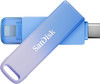
SanDisk Creator Phone Drive 128GB – USB-C & Lightning Flash Drive for iPhone, iPad, Mac, Android & PC
The SanDisk Creator Phone Drive 128GB is a compact dual-connector USB flash drive designed to make it easier to move, back up and carry photos, videos, documents and creative files between smartphones, tablets and computers. With both USB Type-C and Apple Lightning connectors built into the same drive, it is particularly useful for creators and everyday users who regularly move content between different generations of iPhone, iPad, Mac, Android and Windows devices.
The exact model is SanDisk SDIXD0N-128G-GN6TP. It provides 128GB of portable flash storage, a USB 3.2 Gen 1 interface and manufacturer-rated read performance of up to 90MB/s, with write speeds lower. The compact metal design measures only approximately 15.2 × 50 × 8.7mm and weighs around 20.3g, making it easy to carry with a phone, tablet or laptop.
For Apple users, the dual-interface design bridges older Lightning-equipped iPhones and iPads with newer USB-C iPhones, iPads and Macs. This can make it much easier to transfer a photo library from an older Lightning iPhone to a USB-C Mac, copy videos from a modern USB-C iPhone to a computer, or create an additional offline copy of important mobile files.
The drive also works with compatible Android and Windows devices, extending its usefulness beyond the Apple ecosystem. SanDisk's current system requirements list iOS 13+, Android 8+, Windows 10+ and macOS 12 Monterey or later, although individual device support, USB capabilities and software features can vary.
With the SANDISK mobile app, compatible users can organise, move, copy and back up photos and videos. On supported devices the drive can also be accessed through native file-management applications, making it a practical portable storage option even when a dedicated app is not required for the task.
Key Features of the SanDisk Creator Phone Drive 128GB
- 128GB portable flash storage
- Dual USB-C and Apple Lightning connectors
- USB 3.2 Gen 1 interface
- Up to 90MB/s read speed under compatible test conditions
- Write speeds lower than 90MB/s
- Designed for smartphones, tablets and computers
- Compatible with supported Lightning iPhones and iPads
- Compatible with supported USB-C iPhones and iPads
- Compatible with current USB-C iPhone 15, 16 and 17 families
- Compatible with supported Mac computers
- Android 8+ support
- Windows 10+ support
- macOS 12 Monterey+ support
- SANDISK App support
- Apple Files app support in supported USB-C configurations
- Photo and video backup functionality through compatible SanDisk software
- Compact metal construction
- Only approximately 20.3g
- 15.2 × 50 × 8.7mm compact dimensions
- 0°C to 45°C operating-temperature specification
- -10°C to 70°C storage-temperature specification
- 2-year SanDisk limited warranty
128GB Extra Storage for Photos, Videos and Creative Files
The SanDisk Creator Phone Drive provides 128GB of additional removable storage for users whose phone, tablet or computer is filling with photos, video clips and other files.
Typical uses include storing or transferring:
- iPhone photos and videos
- Android photos and videos
- High-resolution photographs
- Social-media video clips
- Edited photos
- Long-form video files
- Downloaded documents
- PDF files
- Presentation files
- Music and audio recordings
- University work
- Business documents
- Creative project assets
- Offline backup copies
Why a Phone Drive Can Be Useful
Modern phones can quickly accumulate large photo and video libraries. Moving files to removable storage can help create an additional copy of important content and make it easier to transfer large files without relying entirely on cloud storage or internet upload speeds.
The Creator Phone Drive is particularly useful for users who regularly work across more than one type of connector because the same drive provides both Lightning and USB-C.
USB-C and Lightning on One Flash Drive
The defining feature of the Creator Phone Drive is its dual-connector design.
It includes:
- 1 × USB Type-C connector
- 1 × Apple Lightning connector
This allows the same storage device to be moved between compatible equipment using two different physical connection standards.
Transfer from an Older Lightning iPhone to a New USB-C Device
For example, a customer upgrading from an older Lightning-equipped iPhone can copy suitable files to the SanDisk drive through its Lightning connector and then connect the USB-C side to a newer compatible iPhone, iPad, Mac or computer.
This can provide a straightforward local file-transfer method without first uploading the files to an online service.
Compatible with Lightning iPhones and iPads
The Lightning connector is designed for compatible iPhones and iPads equipped with an Apple Lightning port.
This can be especially useful for users who still own an older iPhone but increasingly use USB-C equipment elsewhere.
Lightning Files and App Behaviour
File-management behaviour can differ between Lightning and USB-C Apple devices.
SanDisk's current support information notes that Lightning-connected phone drives rely more heavily on the SANDISK app for certain workflows, while USB-C-equipped Apple devices can provide broader native Files-app access.
Always use the latest supported SANDISK app and current device software where practical.
Compatible with USB-C iPhone 15, 16 and 17 Families
SanDisk's current compatibility documentation lists the Creator Phone Drive SDIXD0N family as compatible with USB-C iPhone 15, iPhone 16 and iPhone 17 generations.
The USB-C connector is used with these newer iPhones rather than the Lightning connector.
USB Speed Depends on the iPhone Model
Not all USB-C iPhones provide the same USB data-transfer capability.
Some models operate through USB 2.0-class host interfaces while higher-end models can support faster USB connections. The actual transfer speed is therefore limited by the slowest component in the connection, including the phone, flash drive, file system and workload.
Compatible with USB-C iPads
The USB-C connector can also be used with compatible iPad models equipped with USB-C.
This can be useful for photographers and content creators who want to:
- Transfer photos from phone to iPad
- Move edited content from iPad to Mac
- Carry project files between devices
- Keep an additional copy of important media
Apple Files App Support
On supported USB-C Apple devices, the drive can be accessed through Apple's Files app.
This allows compatible files to be copied, moved, organised and accessed using the normal Apple file-management interface.
Compatible with Mac
SanDisk lists macOS 12 Monterey and above in the official system requirements for the Creator Phone Drive.
Compatible USB-C-equipped Macs can connect directly using the USB-C connector.
This provides an easy workflow for transferring mobile photos or video to a Mac for:
- Editing
- Archiving
- Organising
- Sharing
- Creating an additional backup
Compatible with Android USB-C Devices
The Creator Phone Drive is not limited to Apple equipment. SanDisk officially lists Android 8 and above as a supported operating-system family.
With a compatible Android smartphone or tablet supporting suitable USB-C storage connectivity, the drive can be used for file transfer and storage.
SANDISK App for Android
The current SANDISK App compatibility matrix includes the Creator Phone Drive for Android.
Compatible devices can use the app for storage-management functions such as moving, browsing and backing up supported content.
Compatible with Windows PCs and Laptops
The official system requirements list Windows 10 and above.
A Windows laptop or desktop with a suitable USB-C port can use the Creator Phone Drive as removable flash storage.
Typical PC uses include:
- Copying phone photos to a Windows laptop
- Transferring documents between PC and phone
- Moving video files for editing
- Keeping portable project files
- Creating an additional offline copy of selected files
USB 3.2 Gen 1 Interface
The SanDisk Creator Phone Drive uses a USB 3.2 Gen 1 interface.
USB 3.2 Gen 1 is the USB specification historically associated with the 5Gbps SuperSpeed interface class.
USB Interface Speed Is Not the Same as Flash-Drive Speed
The USB interface's theoretical signalling capability should not be confused with the actual transfer performance of the flash memory.
For this Creator Phone Drive, SanDisk publishes a specific read-performance rating of up to 90MB/s.
Up to 90MB/s Read Performance
SanDisk's official datasheet specifies data-transfer rates of up to 90MB/s read.
This can help reduce the time required to copy photos, documents and other files compared with slower flash storage.
Write Speeds Are Lower
SanDisk specifically states that write speeds are lower than the quoted 90MB/s read figure.
The product should therefore not be advertised as providing 90MB/s write performance.
Actual Performance Varies
SanDisk states that performance can vary depending on:
- Host device
- Usage conditions
- Drive capacity
- USB connection speed
- File type
- File quantity
- Operating system
- Other system factors
Copying one large video file can also behave differently from transferring thousands of small photographs or documents.
SANDISK App for Backup and File Management
SanDisk designed the Creator Phone Drive to work with the SANDISK mobile app on compatible devices.
The app can help users:
- Browse files
- Move files
- Copy files
- Back up compatible photos and videos
- Transfer content between supported mobile devices and SanDisk storage
App Registration or Download May Be Required
Some SanDisk app features require downloading the appropriate application, and applicable software terms may apply.
The app is useful but is not necessarily required for every USB-C file-transfer workflow because supported operating systems may also access the drive through their native Files or file-manager applications.
Native Apple Files App Support
SanDisk's current compatibility matrix confirms Files-app support for the Creator Phone Drive in supported iOS configurations.
On a compatible USB-C iPhone or iPad, the drive can appear under the locations section of Apple's Files app, allowing users to browse and copy supported files.
Lightning Behaviour Is Different
SanDisk notes that Lightning drives do not behave identically to USB-C drives inside Apple's Files app.
When using the Lightning connector, follow SanDisk's SANDISK App instructions for the relevant iPhone or iPad model.
Ideal for Moving Photos off an iPhone
One of the most useful applications for the Creator Phone Drive is transferring photos and videos away from a phone.
Typical Photo Backup Workflow
- Connect the appropriate USB-C or Lightning side of the drive to the compatible iPhone.
- Open the SANDISK App or supported Files workflow.
- Select the photos or videos to copy.
- Transfer them to the Creator Phone Drive.
- Confirm that the files have copied successfully.
- Safely disconnect the drive.
- Connect the USB-C side to a compatible computer or other device if required.
Do not delete the original files until you have confirmed that the copied files can be opened successfully.
Useful for Content Creators
SanDisk developed the Creator Series around content-creation workflows.
The Creator Phone Drive can be particularly useful for:
- Mobile photographers
- Social-media creators
- Video creators
- Students
- Bloggers
- Small businesses
- Marketing teams
- Travellers
- Users moving files between multiple Apple devices
Move Content to a Computer for Editing
Instead of keeping every large photo or video file on a phone, content can be copied to the drive and then transferred to a compatible computer for editing, archiving or organisation.
Useful When Cloud Storage Is Inconvenient
Cloud storage is useful, but transferring a large amount of content can require:
- A reliable internet connection
- Enough cloud-storage capacity
- Upload time
- Download time on the destination device
A physical USB drive provides an alternative local method of moving selected files between compatible devices.
Local Storage and Cloud Backup Can Work Together
The Creator Phone Drive does not have to replace cloud storage. It can instead provide another layer of storage for selected files.
Important files are generally safer when more than one independent copy exists.
Compact Metal Design
The Creator Phone Drive uses a robust metal design with the distinctive colour styling of SanDisk's Creator Series.
The physical dimensions are approximately:
- Length: 50mm
- Width: 15.2mm
- Thickness: 8.7mm
The drive weighs approximately 20.3g.
Portable Enough for Everyday Carry
Its compact dimensions make it easy to keep in:
- A laptop bag
- A camera bag
- A backpack
- A work bag
- A small accessory pouch
Designed for Multi-Device Workflows
The biggest advantage of this model over a conventional single-connector USB stick is the ability to move between different types of host devices without carrying a separate Lightning-to-USB-C adapter.
Example Apple Workflow
A user could move a project through:
- Lightning iPhone → Creator Phone Drive
- Creator Phone Drive → USB-C iPad
- Creator Phone Drive → USB-C Mac
Example Mixed-Platform Workflow
The same drive can also potentially move compatible files between:
- iPhone
- Android smartphone
- iPad
- Mac
- Windows laptop
Exact functionality depends on the device's USB support, operating system, file system and application compatibility.
SanDisk Creator Phone Drive vs a Standard USB-C Flash Drive
A conventional USB-C flash drive works well when every device already uses USB-C.
The Creator Phone Drive adds a second Lightning connector, making it particularly useful for households, businesses and creators that still use Lightning-equipped Apple devices alongside newer USB-C hardware.
Choose Creator Phone Drive When You Need
- USB-C and Lightning on the same drive
- iPhone photo transfer
- Cross-device mobile storage
- SANDISK App support
- Compact portable flash storage
SanDisk Creator Phone Drive vs External SSD
The Creator Phone Drive is a USB flash drive rather than an external SSD.
Creator Phone Drive Advantages
- Very compact
- Integrated USB-C and Lightning connectors
- No separate data cable required
- Lightweight
- Convenient for general file transfer
External SSD Advantages
A high-performance external SSD may be preferable for users requiring:
- Much faster sustained transfers
- Very large video libraries
- Professional editing workflows
- Direct high-bitrate recording where explicitly supported
- Capacities considerably above 128GB
Not the Same as the SanDisk Creator Phone SSD
The Creator Phone Drive and Creator Phone SSD are different products.
This item is the compact 128GB dual-connector USB flash drive intended primarily for storage, backup and file transfer.
Do not assume that features advertised specifically for a SanDisk Creator Phone SSD—such as certain direct professional video-recording workflows—automatically apply to this Creator Phone Drive.
128GB Capacity Explained
SanDisk defines 1GB as 1,000,000,000 bytes.
Actual usable capacity after formatting is lower than the advertised 128GB because part of the storage space is required for formatting and system structures, while operating systems may also report capacity using different measurement conventions.
This is normal for flash drives and other digital storage devices.
Operating and Storage Temperatures
SanDisk specifies:
- Operating temperature: 0°C to 45°C
- Storage temperature: -10°C to 70°C
Avoid exposing the drive to excessive heat, moisture or other conditions outside its specified environmental range.
Current System Requirements
SanDisk's official product specification lists:
- iOS: iOS 13 or later for product-level compatibility
- Android: Android 8 or later
- Windows: Windows 10 or later
- macOS: macOS 12 Monterey or later
SANDISK App Requirements Can Be Newer
The drive's general system requirements and the current SANDISK App requirements are not always identical.
SanDisk's current mobile-app support guidance lists iOS 15+ and Android 8+ for the current SANDISK App.
For best results, keep the phone or tablet operating system, SANDISK App and drive firmware up to date.
Firmware Updates May Be Required
SanDisk notes that some Creator Phone Drive and Phone Drive configurations may require a firmware update, particularly when working with newer iPhone generations.
If the drive is visible in the operating system but not detected by the SANDISK App, check SanDisk's current support guidance before assuming that the drive is faulty.
Common Detection Checks
- Remove a phone case if it prevents full connector insertion
- Make sure the connector is fully seated
- Update the phone operating system
- Update the SANDISK App
- Check for applicable drive firmware updates
- Disconnect and reconnect the drive
- Check whether the drive appears in the native Files app
Phone Cases Can Affect Connection
Some thick phone cases can prevent the USB-C or Lightning plug from inserting fully into the device.
If the drive is not detected, SanDisk recommends checking the physical connection and temporarily removing the case or cover where necessary.
Formatting and Cross-Platform Use
If the drive needs to be reformatted for cross-platform troubleshooting or use, SanDisk's current support guidance recommends exFAT for appropriate Windows/macOS compatibility scenarios.
Formatting Deletes Data
Formatting a storage drive erases the files stored on it.
Always copy important data elsewhere before changing the file system.
Safely Disconnect the Drive
Avoid removing the drive while files are actively being copied, moved or written.
Where the operating system provides an eject or safely-remove function, use it before disconnecting the drive.
Unexpected removal during a write operation can potentially result in file corruption or file-system errors.
Who Is the SanDisk Creator Phone Drive Best For?
- iPhone users needing additional portable storage
- Owners of both Lightning and USB-C Apple devices
- Users upgrading from a Lightning iPhone to a USB-C iPhone
- Content creators transferring photos and videos
- Social-media creators
- Students
- Travellers
- Mac users
- Windows laptop users with USB-C
- Compatible Android smartphone users
- Users who prefer physical local file transfer
- People who want an additional offline copy of selected phone files
Who May Need a Different Storage Device?
The Creator Phone Drive may not be the best choice if you require:
- A conventional USB-A connector
- Very high external SSD-level performance
- Storage capacity significantly above 128GB
- A drive specifically certified for direct professional video capture
- Waterproof or ruggedised outdoor storage
- A permanently attached phone storage solution
Does the SanDisk Creator Phone Drive Work with iPhone 15?
Yes. SanDisk's current compatibility information includes the USB-C iPhone 15 family.
Use the drive's USB-C connector with USB-C-equipped iPhones.
Does It Work with iPhone 16?
Yes. SanDisk's current support information includes the USB-C iPhone 16 family.
Firmware updates may be required in some configurations, so keeping the drive and SanDisk software current is recommended.
Does It Work with iPhone 17?
Yes. SanDisk's current support matrix also includes the iPhone 17 family for the Creator Phone Drive.
Actual USB transfer performance depends on the USB capability of the specific iPhone model.
Does It Work with Older Lightning iPhones?
The built-in Lightning connector is specifically intended for compatible Lightning-equipped Apple devices.
Software workflow can differ from USB-C models, so use the appropriate SANDISK App instructions for Lightning devices.
Can I Transfer Photos from iPhone to Mac?
Yes, this is one of the main workflows for which SanDisk markets the Creator Phone Drive.
Compatible photos and videos can be transferred from an iPhone to the drive and then accessed from a compatible USB-C Mac.
Can I Use It Without Internet?
Basic local USB file transfer does not inherently require an internet connection.
Internet access may still be needed for activities such as initially downloading applications, software updates, firmware updates or accessing online services.
Can I Use Both Connectors at the Same Time?
The Creator Phone Drive is designed as a portable dual-connector storage device for moving between compatible hosts.
Use the appropriate connector for the device being accessed rather than treating the drive as a simultaneous USB bridge between two active devices.
SanDisk Creator Phone Drive 128GB Technical Specifications
- Brand: SanDisk
- Series: SanDisk Creator Series
- Product: Creator Phone Drive
- Model / MPN: SDIXD0N-128G-GN6TP
- Memox SKU: 11854243
- UPC / EAN: 0619659213862
- Product Type: Dual-connector USB flash drive
- Capacity: 128GB
- Connector 1: USB Type-C
- Connector 2: Apple Lightning
- Interface: USB 3.2 Gen 1
- Maximum Manufacturer-Rated Read Speed: Up to 90MB/s
- Write Speed: Lower than maximum quoted read speed; SanDisk does not publish a specific guaranteed maximum write figure in the current datasheet
- iOS: iOS 13+ product requirement
- Android: Android 8+
- Windows: Windows 10+
- macOS: macOS 12 Monterey+
- Current SANDISK App iOS Requirement: iOS 15+ according to current support guidance
- SANDISK App: Supported on compatible mobile devices
- Apple Files App: Supported in compatible USB-C workflows
- Operating Temperature: 0°C to 45°C
- Storage Temperature: -10°C to 70°C
- Dimensions: 15.2 × 50 × 8.7mm
- Weight: Approximately 20.3g
- Construction: Robust metal design
- Manufacturer Warranty: 2-year limited warranty
What Is Included?
- 1 × SanDisk Creator Phone Drive 128GB
- Adobe promotional insert where present in the original retail package
Important: SanDisk's original Adobe Lightroom promotion for this product had a published redemption deadline of 30 April 2026. It should not currently be advertised as an active three-month Lightroom subscription unless a newer valid SanDisk promotion is supplied with the stock.
Important Adobe Lightroom Promotion Information
Earlier SanDisk product materials advertised three months of Adobe Lightroom with the Creator Phone Drive.
However, SanDisk's official datasheet states that the promotional offer had to be redeemed by 30 April 2026, while activation-code supplies lasted.
Because that date has passed, customers should not purchase this drive on the assumption that a current Adobe Lightroom subscription is included unless a new promotion with updated terms is explicitly provided.
Important 90MB/s Speed Information
The manufacturer's performance rating is up to 90MB/s read. SanDisk explicitly states that write speeds are lower.
The 90MB/s figure is not guaranteed in every phone, tablet or computer. Performance varies according to the host, USB interface, operating conditions, drive capacity and workload.
Important USB-C iPhone Information
SanDisk currently lists the Creator Phone Drive as compatible with supported USB-C iPhone 15, 16 and 17 families.
Different iPhones provide different USB host speeds, so connecting the same drive to two different iPhone models can produce different transfer performance.
Important Lightning Information
The built-in Lightning connector is intended for compatible Lightning-equipped Apple devices.
Lightning file-management behaviour differs from USB-C operation. Use SanDisk's current SANDISK App instructions for the relevant device rather than assuming every Lightning workflow will appear identically in Apple's Files app.
Important App Compatibility Information
SanDisk's product-level system requirement lists iOS 13+, but its current SANDISK mobile-app support documentation lists iOS 15+ for the current application.
This distinction is important: basic product compatibility and current app compatibility are not necessarily the same specification.
Important Firmware Note
SanDisk states that some Phone Drive models may require firmware updates for optimum compatibility with newer Apple devices.
If a drive is not detected correctly, update the phone software and SANDISK App and check SanDisk's support site for an applicable drive firmware update before assuming the hardware is faulty.
Important Capacity Note
SanDisk defines 1GB as 1,000,000,000 bytes. Actual available user storage will be lower after formatting and system overhead.
This is normal and applies to flash drives and other storage devices across the industry.
Important Backup Note
A USB flash drive should not contain the only copy of valuable photographs, videos or documents.
For important data, keep another independent backup on a separate storage device, computer or suitable cloud-backup service.
Important Connector Care
Insert and remove the USB-C and Lightning connectors carefully. Do not force a connector into an incompatible port and avoid excessive sideways pressure while the drive is attached to a phone or tablet.
If a protective phone case prevents full insertion, remove the case rather than forcing the drive into the connector.
2-Year SanDisk Limited Warranty
The SanDisk Creator Phone Drive 128GB carries a 2-year limited manufacturer warranty, subject to SanDisk's applicable warranty terms and conditions.
Why Choose the SanDisk Creator Phone Drive 128GB?
The SanDisk Creator Phone Drive 128GB SDIXD0N-128G-GN6TP solves a practical problem for users whose devices span both Apple's older Lightning ecosystem and today's USB-C hardware.
Instead of carrying separate flash drives or connector adapters, its dual USB-C and Lightning design allows one compact drive to move supported files between compatible iPhones, iPads, Macs, Android phones and Windows computers.
The 128GB capacity provides useful additional space for mobile photos, videos, documents and creative projects, while manufacturer-rated read speeds of up to 90MB/s help make everyday file transfers more convenient.
SANDISK App integration provides additional backup and file-management functionality on compatible mobile devices, while native file-management support can be used in supported USB-C environments.
At only approximately 20.3g and 50mm long, it is small enough for everyday mobile use while its metal construction provides a more robust enclosure than many lightweight plastic flash drives.
Choose the SanDisk Creator Phone Drive 128GB when you need a compact dual USB-C and Lightning flash drive for transferring photos, videos and documents between compatible iPhone, iPad, Mac, Android and Windows devices.
Specification
SanDisk Creator Phone Drive 128GB USB-C & Lightning Specifications
The SanDisk Creator Phone Drive 128GB SDIXD0N-128G-GN6TP is a compact dual-connector USB flash drive designed for transferring and backing up files across compatible smartphones, tablets and computers. It combines USB Type-C and Apple Lightning connectors in a single portable drive and uses a USB 3.2 Gen 1 interface.
The 128GB model offers manufacturer-rated read performance of up to 90MB/s, with lower write speeds, and is compatible with supported iPhone, iPad, Android, Windows and macOS devices. The drive weighs approximately 20.3g and carries a 2-year SanDisk limited warranty.
General Information
| Brand | SanDisk |
|---|---|
| Product Series | SanDisk Creator Series |
| Product Name | SanDisk Creator Phone Drive 128GB |
| Manufacturer Part Number | SDIXD0N-128G-GN6TP |
| Memox SKU | 11854243 |
| UPC / EAN | 0619659213862 |
| Product Type | Dual-connector USB flash drive / mobile storage drive |
| Form Factor | Dual-connector USB flash drive |
| Construction | Robust metal design |
Storage Capacity
| Storage Capacity | 128GB |
|---|---|
| Storage Technology | USB flash memory |
| Manufacturer Capacity Definition | 1GB = 1,000,000,000 bytes |
| Usable Capacity | Actual user-accessible storage is lower after formatting and system overhead |
| Factory File System | Not specified in SanDisk's current Creator Phone Drive product datasheet |
Connector Specifications
| Connector 1 | USB Type-C |
|---|---|
| Connector 2 | Apple Lightning |
| Dual Connector Design | Yes |
| USB Type-A Connector | No |
| Separate Data Cable Required | No |
| Primary Purpose | Transfer and store compatible files between supported USB-C and Lightning devices |
USB Interface
| USB Interface | USB 3.2 Gen 1 |
|---|---|
| USB-C Interface | Yes |
| Lightning Interface | Yes |
| USB Interface Speed vs Drive Speed | The USB interface specification should not be confused with the drive's actual flash-memory transfer performance |
Transfer Performance
| Maximum Manufacturer-Rated Read Speed | Up to 90MB/s |
|---|---|
| Maximum Published Write Speed | SanDisk states that write speeds are lower than the quoted read speed; no specific maximum write figure is published in the current datasheet |
| 90MB/s Guaranteed on Every Device | No |
| Performance Variables | Performance varies depending on host device, usage conditions, drive capacity, files and other factors |
| MB/s Definition | SanDisk defines 1MB/s as 1,000,000 bytes per second |
Apple iPhone Compatibility
| Lightning iPhone Support | Compatible with supported iPhones equipped with a Lightning connector |
|---|---|
| USB-C iPhone Support | Compatible with supported USB-C iPhones |
| iPhone 15 Family | Included in SanDisk's current USB-C iPhone compatibility guidance |
| iPhone 16 Family | Included in SanDisk's current USB-C iPhone compatibility guidance |
| iPhone 17 Family | Included in SanDisk's current USB-C iPhone compatibility guidance |
| Phone Connection Adapters | Not supported by the current SANDISK App guidance |
iPad Compatibility
| Compatible iPad Models | Compatible with supported Lightning and USB-C iPad models, subject to device and workflow requirements |
|---|---|
| USB-C iPad Storage Access | Supported through compatible USB-C storage workflows |
| SANDISK App on iPad / Tablet | SanDisk's current mobile-app guidance states that iPads and tablets are not supported by the SANDISK App |
| Native Files Access | Available in supported USB-C Apple storage configurations |
iOS Compatibility
| Product-Level iOS Requirement | iOS 13 or later |
|---|---|
| Current SANDISK App iOS Requirement | iOS 15 or later |
| SANDISK App Support | Yes, on compatible supported iPhones |
| Apple Files App – USB-C | Supported with compatible USB-C workflows |
| Apple Files App – Lightning | Lightning-connected drives do not directly appear in the iOS Files app according to current SanDisk support guidance |
Android Compatibility
| Android Requirement | Android OS 8 or later |
|---|---|
| SANDISK App for Android | Supported |
| Android Files / File Manager Access | Supported on compatible Android devices according to SanDisk's current compatibility matrix |
| HarmonyOS | Not supported by the current SANDISK App |
| USB-C Requirement | Compatible host device must provide suitable USB-C storage support |
Windows Compatibility
| Windows Requirement | Windows 10 or later |
|---|---|
| Compatible Connection | USB-C |
| Removable Storage Operation | Yes, with a compatible Windows system |
| Internet Required for Basic USB File Transfer | No |
macOS Compatibility
| macOS Requirement | macOS 12 Monterey or later |
|---|---|
| Compatible Connection | USB-C on suitable Mac systems |
| Typical Uses | File transfer, photo/video transfer, storage and backup workflows |
SANDISK App Features
| SANDISK App Support | Yes |
|---|---|
| Photo Backup | Supported on compatible mobile configurations |
| Video Backup | Supported on compatible mobile configurations |
| Move Files | Supported |
| Copy Files | Supported |
| File Management | Supported |
| Registration / App Download | Required for applicable SANDISK App functionality; terms and conditions apply |
Apple Files App Behaviour
| USB-C iPhone / iPad | Compatible drives can be accessed through the Apple Files app under supported configurations |
|---|---|
| Lightning iPhone | The Lightning-connected drive does not directly appear as a storage location in Apple's Files app |
| Lightning Workflow | Use the current SANDISK App workflow where required |
| Safe Removal Recommended | Yes – avoid disconnecting while files are being written |
Firmware Support
| Firmware Updates | Supported |
|---|---|
| Firmware Update Recommended | SanDisk currently recommends firmware updates where applicable to optimise SANDISK App performance |
| Firmware May Be Needed for Newer iPhones | Yes, some Phone Drive configurations may require an update |
| Firmware Support Source | SanDisk Creator Phone Drive product support |
Physical Specifications
| Product Length | 15.2mm / 0.60in according to SanDisk's L × W × H product-page ordering |
|---|---|
| Product Width | 50.0mm / 1.97in |
| Product Height / Thickness | 8.7mm / 0.34in |
| Overall Dimensions | 15.2 × 50.0 × 8.7mm / 0.60 × 1.97 × 0.34in, L × W × H |
| Product Weight | 20.3g / approximately 0.045lb |
| Construction | Metal design |
| Portable | Yes |
Packaging Specifications
| Packaging Dimensions | Approximately 9.6 × 101.6 × 152.4mm / 0.38 × 4 × 6in, in SanDisk datasheet order |
|---|
Environmental Specifications
| Operating Temperature | 0°C to 45°C / 32°F to 113°F |
|---|---|
| Storage Temperature | -10°C to 70°C / 14°F to 158°F |
| Water Resistance Rating | Not specified by SanDisk for this model |
| Dust Resistance Rating | Not specified by SanDisk for this model |
Recommended File Uses
| Photo Storage | Suitable |
|---|---|
| Video Storage | Suitable |
| Document Storage | Suitable |
| Phone File Transfer | Suitable |
| Offline Backup Copies | Suitable |
| Professional Direct ProRes Recording | Not specifically specified by SanDisk for the Creator Phone Drive; do not confuse this USB flash drive with the separate Creator Phone SSD |
Cross-Platform Formatting
| Factory File System | Not stated in the current official product specification |
|---|---|
| SanDisk Troubleshooting Format Recommendation | exFAT for applicable Windows/macOS cross-platform troubleshooting |
| Windows Allocation Unit Guidance | SanDisk's current troubleshooting guidance specifies 1024 when following its particular exFAT recovery procedure |
| macOS Scheme Guidance | Master Boot Record when following SanDisk's current stated cross-platform formatting procedure |
| Formatting Deletes Existing Data | Yes |
Package Contents
| Creator Phone Drive | 1 × SanDisk Creator Phone Drive 128GB |
|---|---|
| Adobe Promotional Insert | Listed in SanDisk's original retail package specification |
| USB Cable | Not required / not listed – connectors are integrated into the drive |
| USB-C Adapter | Not listed as included |
| Lightning Adapter | Not required – Lightning connector is integrated |
Adobe Lightroom Promotion Status
| Original Promotion | Three months of Adobe Lightroom |
|---|---|
| Published Redemption Deadline | 30 April 2026 |
| Current Promotion Status | Published redemption deadline has passed |
| Advertise as a Current Included Benefit | No, unless SanDisk supplies a new valid promotion with updated terms |
Warranty
| Manufacturer Limited Warranty | 2 years |
|---|---|
| EMEA Warranty Period | 2 years |
| Warranty Provider | SanDisk, subject to applicable limited warranty terms and conditions |
| Proof of Purchase | May be required for warranty service |
| UK Statutory Rights | Manufacturer warranty is additional to applicable UK consumer statutory rights |
Important Read and Write Speed Note
SanDisk specifies a maximum read performance of up to 90MB/s for the Creator Phone Drive and explicitly states that write speeds are lower.
The drive should therefore not be advertised as providing 90MB/s write performance or guaranteed 90MB/s transfers on every device.
Actual performance varies depending on the host device, drive capacity, files, usage conditions and other factors.
Important USB-C and Lightning Note
This model includes both USB Type-C and Apple Lightning connectors directly on the drive.
It does not contain a conventional USB Type-A connector. Customers using a computer with only USB-A ports would require a suitable solution, but SanDisk's mobile-app support documentation does not support phone connection adapters for its mobile workflows.
Important iOS Requirement Note
SanDisk's product datasheet lists iOS 13+ as the general product-level system requirement.
The current SANDISK App, however, requires iOS 15+. Product compatibility and current app compatibility should therefore not be treated as the same requirement.
Important Lightning Files App Note
When the drive is connected through Lightning, SanDisk states that Lightning connector drives do not directly appear in Apple's iOS Files app.
The SANDISK App should be used for supported Lightning file-transfer and backup workflows.
Important USB-C Files App Note
Compatible USB-C Apple devices can access supported SanDisk drives through Apple's Files app.
If the drive is not automatically detected by the SANDISK App on certain USB-C iPhones, SanDisk provides manual drive-setup and Files-app procedures.
Important iPhone 15, 16 and 17 Compatibility Note
SanDisk's current support documentation includes the Creator Phone Drive within its USB-C Phone Drive compatibility guidance for current iPhone generations, including supported iPhone 15, iPhone 16 and iPhone 17 families.
Different iPhone models provide different USB host speeds, so real-world transfer performance can vary significantly between models.
Important Firmware Note
SanDisk states that some Phone Drive configurations may require a firmware update for optimum operation with newer iPhone generations and the current SANDISK App.
If the drive is visible to iOS but is not correctly detected by the SANDISK App, update iOS and the SANDISK App and check SanDisk's current firmware guidance before concluding that the drive is faulty.
Important Phone Case Note
Thick phone cases and covers can prevent the USB-C or Lightning connector from inserting fully.
If the drive is not detected, check that it is completely inserted and temporarily remove the phone case if necessary rather than forcing the connector.
Important Capacity Note
The 128GB advertised capacity uses the storage manufacturer's decimal measurement where 1GB equals 1,000,000,000 bytes.
Actual available storage after formatting is lower, and some operating systems may display capacity differently. This is normal and does not indicate that storage is missing.
Important Formatting Note
The current SanDisk Creator Phone Drive datasheet does not state a factory file system, so a specific factory format should not be guessed.
For particular cross-platform troubleshooting procedures, SanDisk currently recommends exFAT. Formatting erases existing files, so important data must be backed up before reformatting.
Important Safe Removal Note
Avoid disconnecting the drive while photos, videos or other files are being copied or written.
Use the relevant operating system's safe-eject process where available to reduce the risk of interrupted writes and file-system corruption.
Important Backup Note
A portable flash drive should not be the only location containing valuable photos, videos or documents.
For important data, keep at least one additional independent copy on another storage device, computer or suitable backup service.
Important Adobe Promotion Note
The original retail package and SanDisk product material reference a three-month Adobe Lightroom promotion. However, SanDisk's official terms for this Creator Phone Drive promotion required redemption by 30 April 2026, while activation-code supplies lasted.
Because that published deadline has passed, the Lightroom membership should not be advertised as a currently valid included benefit unless a new SanDisk promotion with updated redemption terms is supplied.
Return
FAQ: Frequenlty Asked Questions
SanDisk Creator Phone Drive 128GB FAQ
The SanDisk Creator Phone Drive 128GB (SDIXD0N-128G-GN6TP) is a dual-connector USB flash drive for transferring and backing up files across Apple, Android, Mac and Windows devices. It combines USB Type-C and Apple Lightning connectors, 128GB capacity, USB 3.2 Gen 1 connectivity, up to 90MB/s listed read performance, exFAT cross-platform formatting and support for the current SANDISK App on compatible phones.
Below are the most common questions buyers ask before choosing this phone drive, including iPhone 15/16/17 and older Lightning compatibility, Apple Files vs SANDISK App, photo/video transfer, freeing iPhone storage, Android and Mac use, exFAT formatting, backup and encryption, firmware troubleshooting, ProRes limitations and comparisons with iCloud, iXpand and the faster SanDisk Creator Phone SSD.
1. What is the SanDisk Creator Phone Drive 128GB?
The SanDisk Creator Phone Drive 128GB is a compact dual-connector USB flash drive for moving and backing up files between phones, tablets and computers. It combines USB Type-C and Apple Lightning connectors with 128GB capacity and USB 3.2 Gen 1 connectivity.
2. What is the exact model number?
The exact model number is SDIXD0N-128G-GN6TP.
3. What is the EAN/UPC?
The Memox listing shows UPC/EAN 0619659213862.
4. How much storage capacity does it provide?
It provides 128GB of advertised flash storage capacity.
5. Why does 128GB show as less usable space?
Manufacturers use decimal gigabytes while operating systems can display capacity differently, and the file system also uses some space, so the available figure is lower than 128GB.
6. What connectors does it have?
It has one USB Type-C connector and one Apple Lightning connector.
7. Does it have USB-A?
No. This model has USB-C and Lightning only.
8. What is the Lightning connector for?
It is for compatible iPhones and other Apple devices that use Lightning.
9. What is the USB-C connector for?
It is for compatible USB-C iPhones, Android phones, iPads, Macs, Windows PCs and other USB-C host devices.
10. Does it work with iPhone 15?
Yes. Use the USB-C connector.
11. Does it work with iPhone 15 Pro and Pro Max?
Yes. SanDisk currently lists the Creator Phone Drive as compatible with USB-C iPhones including iPhone 15 Pro and Pro Max.
12. Does it work with iPhone 16?
Yes. Use the USB-C connector.
13. Does it work with iPhone 16 Pro and Pro Max?
Yes. Use the USB-C connector.
14. Does it work with iPhone 17?
Yes. SanDisk currently lists compatibility with the iPhone 17 family.
15. Does it work with iPhone 14?
Yes. iPhone 14 models use Lightning, so use the Lightning connector and the supported SanDisk app workflow.
16. Does it work with iPhone 13?
Yes. Use the Lightning connector.
17. Does it work with older Lightning iPhones?
Potentially yes if the phone runs a supported iOS version. Current SANDISK App mobile support requires iOS 15 or later.
18. Why do some specifications say iOS 13+ while the current app says iOS 15+?
The original hardware specification lists iOS 13+ compatibility, while the current SANDISK mobile app requires iOS 15+. For app-based use in 2026, iOS 15+ is the safer requirement.
19. Does it work with iPad?
The hardware is marketed for iPad use, especially through USB-C. However, SanDisk's current SANDISK mobile-app guidance says iPads and tablets are not supported by the app, so use Apple Files where supported.
20. Does it work with USB-C iPads?
Yes. Use Apple Files or another compatible iPadOS app.
21. Does it work with Lightning iPads?
Current SanDisk guidance is more restrictive: Lightning-connected drives do not mount directly in Apple Files and the SANDISK mobile app does not support iPads/tablets, so check your exact Lightning-iPad workflow before purchase.
22. Does it work with Mac?
Yes. SanDisk lists macOS 12 Monterey or later.
23. Does it work with Windows 11?
Yes. It works as standard USB storage on Windows 11.
24. Does it work with Windows 10?
Yes. Windows 10 or later is listed by SanDisk.
25. Does it work with Android?
Yes. SanDisk lists Android 8 or later for compatible phones through USB-C.
26. Does it work with Samsung Galaxy phones?
Yes if the Galaxy model supports USB-C OTG storage and a supported Android version.
27. Does it work with Google Pixel phones?
Yes on compatible USB-C Pixel phones.
28. What USB standard does it use?
SanDisk specifies USB 3.2 Gen 1.
29. Is USB 3.2 Gen 1 the same speed class as USB 3.0?
Yes. USB 3.2 Gen 1 is the 5Gbps generation previously called USB 3.0 or USB 3.1 Gen 1.
30. What is the listed maximum read speed?
Current technical listings for SDIXD0N-128G-GN6TP specify up to 90MB/s read speed.
31. Will I always get 90MB/s?
No. Actual speed depends on host device, connector, file size, file system and workload.
32. What is the write speed?
SanDisk's current primary product page does not publish a guaranteed sustained write-speed figure for this model, so it is better not to advertise an unverified write speed.
33. Is it as fast as an external SSD?
No. Modern portable SSDs are considerably faster, especially for sustained large-file writes and video workflows.
34. Is it good for backing up photos?
Yes. Photo backup and transfer are core intended uses.
35. Is it good for transferring videos?
Yes for ordinary phone videos and file storage.
36. Can it store 4K videos?
Yes, as ordinary files, provided there is enough free capacity.
37. Can I record iPhone ProRes directly to this drive?
SanDisk does not list the Creator Phone Drive as a supported direct-ProRes recording drive. For direct iPhone ProRes capture, use a supported fast external SSD or recorder.
38. Can it record ProRes 4K60 directly from iPhone 15 Pro?
It should not be marketed for that use. Apple requires at least 220MB/s sustained write speed for 4K60 ProRes, and this flash drive is not on SanDisk's supported ProRes 4K60 list.
39. Can it record ProRes 4K120 directly?
No supported claim should be made. Apple requires at least 440MB/s sustained write speed for 4K120 ProRes.
40. Can I copy ProRes files to the drive after recording?
Yes. Completed ProRes files can be copied as normal files if there is enough space.
41. Why does SanDisk also sell the Creator Phone SSD?
The Creator Phone SSD is designed for much higher sustained performance and is specifically aimed at direct high-bitrate iPhone recording and faster editing workflows.
42. Can I edit video directly from the Creator Phone Drive?
Light editing may be possible in apps that support external files, but a fast SSD is more suitable for demanding editing.
43. Can I play videos directly from the drive?
Yes in supported apps and formats.
44. Can I play music directly from it?
Yes, when the connected device and app support the audio format.
45. Can I open PDFs and documents directly from it?
Yes on compatible devices and apps.
46. Can I move files without iCloud?
Yes. Local offline transfer is one of the main advantages of the drive.
47. Do I need internet to transfer files?
No. Internet is only needed for things such as downloading apps, firmware updates or online services.
48. Do I need a monthly subscription?
No. The drive is physical storage and has no required storage subscription.
49. Do I need the SANDISK App?
Not for every workflow. On USB-C iPhones and iPads, Apple Files can access supported drives. The SANDISK App adds backup, transfer, firmware and management features on supported phones.
50. What is the SANDISK App?
It is SanDisk's current mobile and desktop app for backing up, browsing, transferring and managing files on compatible storage products.
51. What iOS version does the current SANDISK App require?
SanDisk currently requires iOS 15 or later.
52. What Android version does the current SANDISK App require?
SanDisk currently lists Android 8 or later for general compatibility.
53. Does the SANDISK App support iPad?
No. SanDisk's current mobile-app compatibility page says iPads and tablets are not supported.
54. Does the drive appear in Apple Files on USB-C iPhone?
Yes. On compatible USB-C iPhones it can appear under Locations in Apple Files.
55. Does the drive appear in Apple Files when connected by Lightning?
No. SanDisk states that Lightning-connected phone drives do not mount directly in the iOS Files app.
56. How do I use it on a Lightning iPhone?
Use the current SANDISK App on a supported iPhone.
57. Can SANDISK App copy files into iPhone Files on Lightning models?
Yes. SanDisk states that SANDISK App 3.2 or later can copy from the phone to iPhone Files on Lightning-port devices.
58. How do I find the drive in Files?
On USB-C iPhone or iPad, open Files, tap Browse and look under Locations.
59. Why might it appear as Untitled or No Name?
The displayed volume name depends on how the drive is formatted and named.
60. How do I copy photos from iPhone to the drive with Files?
On a USB-C iPhone, select the photos in Apple Photos, tap Share, choose Save to Files, select the external drive and tap Save.
61. Does copying photos automatically delete them from iPhone?
No. Copying creates another copy. The originals remain until you delete them yourself.
62. How do I free iPhone storage after copying?
Verify the copied files first and keep another backup for important content, then delete the originals from Photos and clear Recently Deleted if you want the space reclaimed immediately.
63. Can I copy photos back to iPhone?
Yes. Select compatible photos/videos in Files and save them into Photos.
64. Can it automatically back up my camera roll?
Yes. The SANDISK App supports photo and video backup on compatible phones.
65. Does mobile backup include apps and settings?
No. SanDisk states that apps and settings are not included.
66. Does mobile backup preserve every Photos album?
No. SanDisk states that folder and album copying is not supported in the mobile backup workflow.
67. How are Live Photos backed up?
SanDisk states that Live Photos are backed up as JPEG images in this workflow and Live Photo video playback is not supported there.
68. Can one damaged file cause backup problems?
Yes. SanDisk notes that damaged or unsupported files can cause backup or copy operations to fail.
69. What is the default file system?
SanDisk lists USB Phone Drives as factory-formatted exFAT.
70. Why is exFAT useful?
exFAT supports large files and is broadly compatible with Windows, macOS, iOS and Android.
71. Can I store files larger than 4GB?
Yes. exFAT supports very large individual files.
72. Should I format it as FAT32?
Usually no. FAT32 has an approximately 4GB per-file limit, which is inconvenient for modern video.
73. Should I format it as NTFS?
Not for broad phone/Mac use. NTFS reduces compatibility with Apple and mobile devices. exFAT is the better cross-platform choice.
74. Can I format it as APFS?
Yes on a Mac, but APFS reduces compatibility with Windows and Android, so it defeats much of the dual-platform benefit.
75. Will formatting erase the drive?
Yes. Back up files before reformatting.
76. How many partitions should it have for iPhone?
Apple states that external storage connected to iPhone should have a single data partition.
77. Can Apple Files format external storage?
Yes on current iOS versions for supported storage, or you can format the drive on a Mac or PC.
78. Can I password-protect files?
Yes. SanDisk's current desktop SANDISK App supports software-encrypted, password-protected vaults on USB flash drives.
79. Does the drive have full hardware encryption?
No. SanDisk states that hardware drive locking is not supported on USB flash drives.
80. Does password protection lock the whole drive?
No. Software encryption protects selected files and folders in an encrypted vault rather than hardware-locking the full volume.
81. What encryption does the mobile app use?
SanDisk's current mobile encryption guide lists 128-bit AES software encryption for supported vault files.
82. Can automatic backups be encrypted in the app?
No. SanDisk states that SANDISK App mobile backups cannot be password protected or encrypted in that workflow.
83. What happens if I forget the encryption password?
SanDisk warns that there is no recovery method for forgotten vault passwords, so keep the password securely.
84. Can I use the drive without SanDisk software on a computer?
Yes. Software is optional for basic file storage.
85. Can SANDISK App desktop back up files?
Yes. The desktop app supports backup, restore, browsing and file transfer on supported products.
86. Does the drive receive firmware updates?
Yes. SanDisk recommends updating firmware when an update is offered to improve app compatibility and performance.
87. Can a firmware update help if it is not detected?
Yes. Firmware is one of SanDisk's official troubleshooting paths for some phone-drive detection issues.
88. Should I back up before updating firmware?
Yes. Although firmware updates are not intended to erase data, important files should always exist elsewhere first.
89. Why might SANDISK App not detect the drive?
Possible causes include unsupported OS/app versions, missing permissions, phone adapters, outdated firmware, blocked connectors or an incomplete physical connection.
90. Are phone connection adapters supported by SANDISK App?
No. SanDisk explicitly states that phone connection adapters are not supported by the mobile app.
91. Can a thick phone case stop it working?
Yes. A case can prevent Lightning or USB-C from seating fully. Test with the case removed if detection is intermittent.
92. Should I clean the connectors?
Yes. Keep Lightning and USB-C contacts dry and free from lint and dirt.
93. Can I charge the iPhone while the drive is connected?
The drive uses the phone's single data/charging port, so direct charging at the same time is not normally possible without a separate supported hub or power arrangement.
94. Can I use a USB-C hub on iPhone?
Apple supports compatible USB-C hubs for storage, but SanDisk's mobile app does not support phone connection adapters. Files-app behaviour can differ from app-based use.
95. Can I use a USB-C-to-USB-A adapter on a PC?
Yes for normal computer file access if the adapter supports data. That is different from SanDisk's warning about phone connection adapters in the mobile app.
96. Can I move photos from a Lightning iPhone to a USB-C iPhone?
Yes. Copy them to the drive using the Lightning/SANDISK App workflow, then reconnect the same drive by USB-C to the newer iPhone.
97. Can I move photos from iPhone to Android?
Yes. The dual-connector design and exFAT format are well suited to that workflow.
98. Can I move files from Android to iPhone?
Yes.
99. Can I move files from iPhone to Mac?
Yes. Copy them to the drive, then connect it to the Mac by USB-C.
100. Can I move files from iPhone to Windows PC?
Yes if the PC has USB-C, or through a suitable computer-side USB-C-to-USB-A adapter.
101. Does the drive increase iPhone internal storage?
No. It adds removable file storage; it does not merge with or expand the iPhone's internal app storage.
102. Can I install iPhone apps on it?
No. iOS apps remain on internal device storage.
103. Can I back up WhatsApp completely to it?
Not as a replacement for WhatsApp's own backup system. You can save exported media/documents where the app allows.
104. Does it replace iCloud Backup?
No. It can store files locally but does not create a full iPhone system backup with settings and app data.
105. Is it useful for people who do not want iCloud storage fees?
Yes for local photo, video and document storage, but keep a second backup of important data.
106. Is one USB drive enough as my only backup?
No. Flash drives can fail, be lost or be damaged. Important files should exist in at least one additional location.
107. Can transferring a photo reduce quality?
A direct file copy does not reduce quality. Quality only changes if an app compresses or converts the file.
108. Can transferring a video reduce quality?
A direct file copy does not reduce quality.
109. Will EXIF photo metadata be preserved?
A normal file copy preserves the file contents, including embedded metadata. Some app export workflows can alter metadata.
110. Can I transfer HEIC photos?
Yes. HEIC files can be copied and stored normally.
111. Can I transfer RAW or ProRAW photos?
Yes. They are ordinary files, but they are much larger than HEIC/JPEG images.
112. Can I transfer MOV and MP4 video files?
Yes.
113. Can I store ZIP files larger than 4GB?
Yes, because exFAT supports large files.
114. Can the metal body get warm?
Yes. Flash memory and controllers generate heat during long transfers, and the metal body conducts that heat outward.
115. Is it waterproof?
No formal water-resistance rating is listed.
116. Is it shockproof?
It has no moving parts and handles ordinary movement better than a hard disk, but SanDisk does not advertise a specific drop rating for this model.
117. What is the operating temperature?
Current technical listings specify approximately 0°C to 45°C.
118. What is the storage temperature?
Current technical listings specify approximately -10°C to 70°C.
119. What are the dimensions?
SanDisk lists about 0.6 x 1.97 x 0.34 inches, roughly 15.2 x 50 x 8.7mm.
120. How much does it weigh?
SanDisk lists approximately 20.3g.
121. Is it capless?
Yes. It uses a dual-connector capless design rather than separate removable caps.
122. Can both connectors be used at once?
No. Connect the drive to one host device at a time.
123. Can I plug it into two devices and copy directly between them?
No. Copy to the drive from the first device, disconnect it, then connect it to the second device.
124. Does it need external power?
No. It is powered by the connected device.
125. Can low iPhone battery affect long transfers?
Potentially. The drive consumes some power from the phone, so charge the phone before a long backup if battery is low.
126. Should I safely eject it on Windows and Mac?
Yes. Use Safely Remove Hardware on Windows and Eject in Finder on Mac before unplugging where possible.
127. What happens if I unplug it during a transfer?
The file being written can become corrupted and the file system may need repair.
128. Why might a copied file become corrupted?
Common causes include disconnecting early, intermittent connector contact, source-file damage or flash-media errors.
129. What should I do if Windows asks to repair the drive?
Back up important accessible files first, then use the operating system's file-system check tools if needed.
130. Can I use Disk Utility First Aid on Mac?
Yes. Disk Utility can check supported file systems such as exFAT.
131. What should I do if iPhone says the accessory is unsupported?
Update iOS and SANDISK App, check connector fit, remove an obstructive case and update drive firmware if offered.
132. Why might it work through USB-C but not Lightning?
USB-C iPhones can mount compatible external storage directly in Files, while Lightning-connected phone drives use a different SanDisk app workflow.
133. Does the original three-month Adobe Lightroom offer still apply?
The original Creator Phone Drive promotion included three months of Adobe Lightroom, but SanDisk's terms stated that the offer had to be redeemed by 30 April 2026 while codes lasted. In August 2026 buyers should not rely on that expired offer unless a newer valid promotion is supplied.
134. Should the Memox page still advertise three months of Lightroom?
Not as a current guaranteed benefit. The original official redemption deadline has passed, so the page should be updated unless the stock includes a newer valid promotion.
135. Does the Adobe offer affect use of the drive?
No. The drive functions independently of Adobe software.
136. What warranty does the drive have?
SanDisk lists a 2-year limited warranty.
137. What is included in the box?
SanDisk lists the Creator Phone Drive and an Adobe promotional insert. The original Adobe promotion has passed its published redemption deadline.
138. Does it include a cable?
No cable is needed for normal use because Lightning and USB-C are built directly into the drive.
139. Does it include USB-A?
No.
140. Is 90MB/s fast enough for normal photo backup?
Yes for ordinary phone-photo transfer, although large libraries can take time.
141. Is 90MB/s enough for direct ProRes 4K60?
No. Apple requires at least 220MB/s sustained write speed for 4K60 ProRes, and this model is not listed for that use.
142. Is there a 256GB version?
Yes. SanDisk also sells a 256GB Creator Phone Drive.
143. 128GB vs 256GB: which should I choose?
Choose 128GB for lighter photo/document transfer and lower cost. Choose 256GB if you frequently move large videos, ProRAW images or larger local backups.
144. Creator Phone Drive vs Creator Phone SSD: which is better?
Choose the Phone Drive for compact Lightning + USB-C file transfer. Choose the Creator Phone SSD for much higher speed, larger capacity and supported direct iPhone ProRes workflows.
145. Creator Phone Drive vs iCloud: which is better?
The drive gives local offline storage with no recurring storage fee, while iCloud gives automatic cloud syncing and off-site access. They serve different purposes and can complement each other.
146. Creator Phone Drive vs a normal USB-C flash drive: what is the advantage?
The main advantage is the built-in Lightning connector alongside USB-C, plus SanDisk's phone-drive software support.
147. Creator Phone Drive vs iXpand: which should I choose?
Both target iPhone file transfer. The Creator Phone Drive is especially useful when you want both Lightning and USB-C in one compact device.
148. Who is the Creator Phone Drive 128GB best for?
It is best for people who move photos, videos and documents between older Lightning iPhones, newer USB-C iPhones, Android phones, Macs and USB-C computers and want local portable storage.
149. Who is it not ideal for?
It is not ideal for direct ProRes 4K60/4K120 recording, high-speed video editing, users who need USB-A built in, or buyers who need a full encrypted iPhone system backup.
150. What are its main advantages?
The main advantages are dual Lightning and USB-C connectors, 128GB portable capacity, broad exFAT compatibility, SANDISK App support and a compact metal design.
151. What are its main limitations?
The main limitations are no built-in USB-A, slower performance than an SSD, Lightning Files-app restrictions, current SANDISK App tablet restrictions and no supported direct ProRes 4K60 recording claim.
152. What should I check before buying?
Check whether your phone uses Lightning or USB-C, whether your computer has USB-C, whether 128GB is enough and whether you need ordinary backup/transfer rather than high-speed direct video capture.
153. Is the SanDisk Creator Phone Drive 128GB still a good buy in 2026?
Yes for mixed Lightning and USB-C households and creators who want simple local file transfer. Buyers focused on professional direct iPhone video recording should choose a faster external SSD instead.
Related Products
Related Products

Kingston DataTraveler DTDUO3CG3/128GB 128GB MicroDuo USB OTG Flash Drive, 3C, USB-C and Type A
Kingston

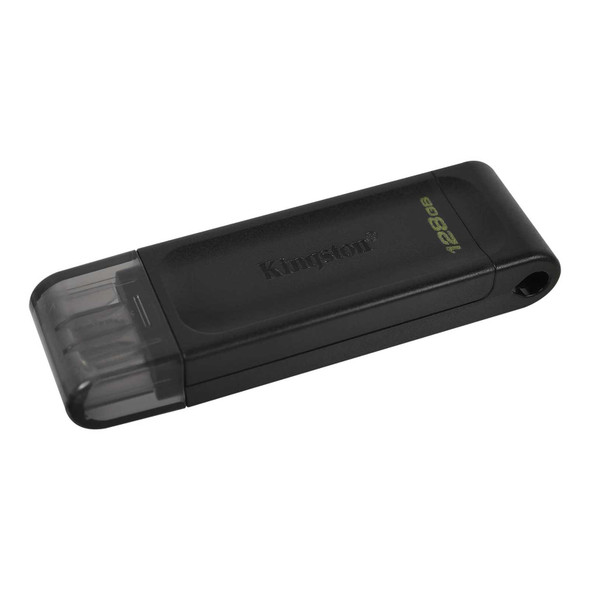
Kingston DT70/128GB DataTraveler 128GB USB Flash Drive, USB 3.2, USB-C, Gen1, 80MB/s, Cap Design, Black, Retail.
Kingston

Kingston DataTraveler Kyson 128GB USB 3.2 Capless Metal USB Flash Drive
Kingston

Kingston DataTraveler Exodia M 128GB USB-A Flash Drive - Black & Red
Kingston
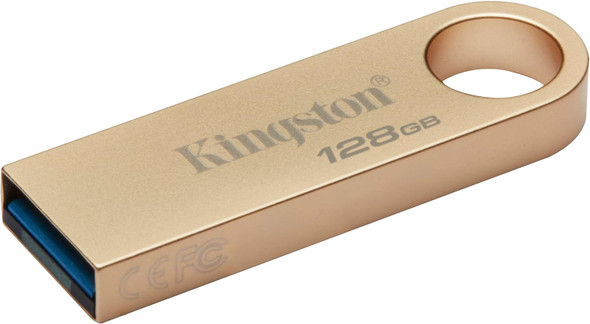
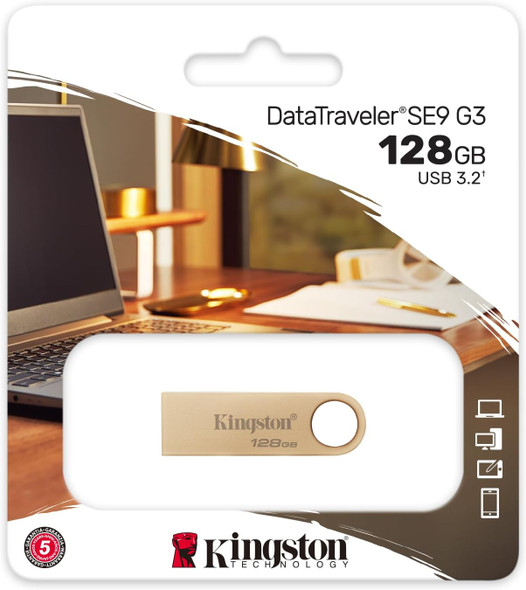
Kingston DataTraveler SE9 G3 128GB USB 3.2 USB Flash Drive, Gold
Kingston