
PIXL
piXL CM32F4 32-Inch Full HD IPS Monitor – HDMI, DisplayPort & VESA Mount
- SKU:
- MOPIX-CM32F4
- UPC:
- 5053118411393
- MPN:
- CM32F4
- Availability:
- Free Click & Collect in Peterborough. UK delivery also available.


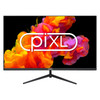

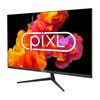


Description
piXL CM32F4 32-Inch Full HD IPS Monitor – HDMI, DisplayPort and VESA Mount
The piXL CM32F4 32-Inch Full HD IPS Monitor provides a large, clear display for home working, office applications, education, entertainment, creative projects and everyday computer use. Its 32-inch flat IPS panel combines a 1920 × 1080 Full HD resolution with wide viewing angles, a 60Hz refresh rate and a 4ms response time.
HDMI and DisplayPort connections allow the monitor to be used with compatible desktop PCs, laptops, docking stations, games consoles, media devices and other video sources. A 3.5mm headphone output is also provided for compatible audio equipment.
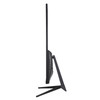
The slim, zero-frame design maximises the available viewing area and can create a cleaner appearance in single-monitor or multi-monitor workspaces. The supplied stand supports tilt adjustment from approximately -5° to 15°, while the standard 100 × 100mm VESA mounting pattern allows the screen to be fitted to a compatible monitor arm or wall bracket.
The exact model is piXL CM32F4, with manufacturer part number CM32F4, Memox SKU MOPIX-CM32F4 and EAN 5053118411393. The monitor is supplied with an external power adapter, power cable, DisplayPort cable and a three-year piXL limited warranty.
This monitor is suitable for customers searching for a 32-inch Full HD monitor, 32-inch IPS office monitor, large HDMI computer screen, DisplayPort monitor with VESA mount, frameless 1080p monitor or an affordable large-screen display for home, education and business use.
Key Features of the piXL CM32F4 Monitor
- Large 32-inch display with an 81.3cm diagonal screen size
- IPS LCD panel for consistent colours across wide viewing angles
- 1920 × 1080 Full HD resolution
- 16:9 widescreen aspect ratio
- 60Hz maximum refresh rate
- 4ms response time
- 280cd/m² typical brightness
- 1200:1 typical contrast ratio
- 16.7 million supported display colours
- Up to approximately 178° viewing angles
- LED backlighting
- Flat, zero-frame design
- 1 × HDMI input
- 1 × DisplayPort input
- 1 × 3.5mm headphone output
- USB connectivity or hub function listed in supplier data
- 100 × 100mm VESA mounting support
- Tilt adjustment from approximately -5° to 15°
- External 12V/4A power adapter
- Typical power consumption below 28W
- Standby consumption below 0.5W
- DisplayPort cable included
- Three-year piXL limited warranty
Large 32-Inch Full HD Display
The piXL CM32F4 has a 32-inch, or 81.3cm, diagonal screen. The large display area provides more physical space for documents, spreadsheets, web pages, video playback and application windows than a smaller desktop monitor.
Its native resolution is 1920 × 1080 pixels, commonly known as Full HD or 1080p. This resolution is widely supported by modern computers, laptops, games consoles, media players and other compatible video equipment.
Suitable Uses for a 32-Inch Screen
- Home-office and remote-working setups
- Large spreadsheets and business applications
- Web browsing and email
- School, college and university work
- Presentations and shared on-screen content
- Video streaming and entertainment
- Casual PC and console gaming
- Photo viewing and general creative work
- Reception, information and digital-display systems
- Compatible CCTV recorder or monitoring systems using HDMI or DisplayPort
Important Full HD Pixel-Density Consideration
A 1920 × 1080 resolution spread across a 32-inch screen produces larger pixels than the same resolution on a 24-inch or 27-inch monitor. The specified pixel pitch is approximately 0.36375 × 0.36375mm.
This can make text and interface elements easier to see from a greater distance, but pixels and fine details may appear less dense when the screen is viewed very closely. Customers requiring especially sharp small text or detailed professional image work may prefer a 32-inch QHD or 4K monitor.
For general home, office, classroom and entertainment use at a suitable viewing distance, Full HD remains widely compatible and reduces the graphics-processing demand compared with higher-resolution displays.
IPS Panel with Wide Viewing Angles
The CM32F4 uses an IPS, or In-Plane Switching, LCD panel. IPS technology is designed to provide more consistent colour and brightness when the display is viewed from different horizontal and vertical positions.
piXL lists viewing angles of up to approximately 178 degrees. This can be useful when more than one person needs to see the screen, such as during presentations, collaborative work, training, video playback or family entertainment.
Benefits of an IPS Monitor
- More consistent colours when viewed from the sides
- Reduced colour shifting compared with many basic TN panels
- Suitable for documents, web content, images and video
- Improved visibility in shared-screen environments
- Useful for general photo, design and content work
The manufacturer does not publish a professional colour-gamut percentage or factory-calibration accuracy for this model. Users requiring certified colour accuracy for printing, broadcast production or professional colour grading should consider a specialist calibrated monitor.
Full HD LED-Backlit LCD Panel
The screen uses LED backlighting behind its IPS LCD panel. LED backlighting helps provide a slim monitor design, consistent illumination and relatively low power consumption.
The listed typical brightness is 280cd/m², making the display suitable for many normal indoor home, classroom and office environments.
Brightness and Room Lighting
Actual visibility depends on the monitor settings, surrounding light and the position of windows or lamps. Strong direct sunlight or reflections can make any monitor more difficult to view.
For a comfortable image:
- Position the screen away from strong direct sunlight
- Avoid placing a bright lamp directly behind the user
- Adjust brightness to suit the room rather than always using the maximum setting
- Keep the screen surface clean using a suitable dry or lightly dampened display cloth
1200:1 Typical Contrast Ratio
The detailed technical specification lists a 1200:1 typical contrast ratio. Contrast ratio represents the difference between the brightest white and darkest black the panel can display under the stated test conditions.
A higher contrast ratio can help distinguish shadows, text and darker image details. Actual perceived contrast also depends on room lighting, monitor settings and the content being displayed.
Technical Contrast Versus Marketing Contrast
Some piXL marketing material references a much larger dynamic contrast figure. For accurate product comparison, the 1200:1 typical panel contrast is the more useful technical specification.
Dynamic contrast figures can be calculated using automatic backlight adjustments and should not be compared directly with a panel's normal static or typical contrast ratio.
60Hz Refresh Rate
The CM32F4 supports a maximum refresh rate of 60Hz. This means the monitor can refresh the displayed image up to 60 times per second when connected to a compatible video source and configured correctly.
A 60Hz refresh rate is suitable for:
- Office applications
- Web browsing
- Video streaming
- Online learning
- General desktop use
- Casual gaming
- Many console games operating at up to 60 frames per second
Is the CM32F4 a High-Refresh Gaming Monitor?
No. This is a 60Hz general-purpose monitor rather than a 120Hz, 144Hz, 165Hz or higher-refresh competitive gaming display.
It can be used for casual PC or console gaming, but customers prioritising very smooth high-frame-rate gameplay, competitive esports or adaptive-sync technology may prefer a dedicated gaming monitor.
AMD FreeSync and NVIDIA G-SYNC are not listed as supported features for the CM32F4.
4ms Response Time
The monitor has a manufacturer-listed 4ms response time. Response time describes how quickly pixels can change from one state to another under the manufacturer's test method.
A 4ms specification is suitable for general applications, video playback and casual gaming. Perceived motion clarity will also depend on the refresh rate, overdrive setting, content frame rate and source device.
Response-Time Measurements Can Vary
Monitor response times can be measured using different methods, settings and colour transitions. A stated 4ms response time should not automatically be compared with another monitor unless both manufacturers use the same test procedure.
This model is intended as an affordable general-purpose IPS monitor rather than a specialist low-latency competitive display.
HDMI and DisplayPort Connectivity
The piXL CM32F4 includes both HDMI and DisplayPort video inputs. This provides flexibility when connecting different computers and video sources.
HDMI Input
The HDMI port can be used with compatible:
- Desktop computers
- Laptops and docking stations
- Games consoles
- Streaming and media devices
- Compatible CCTV recorders
- Mini PCs
DisplayPort Input
DisplayPort is commonly found on desktop graphics cards, business computers, docking stations and professional laptops. A DisplayPort cable is included with the monitor.
Only one input can normally be displayed at a time. Use the monitor's on-screen controls to select the required input when more than one video source is connected.
Using USB-C Computers
The monitor does not list a direct USB-C video input. A computer with only USB-C ports will require an appropriate USB-C-to-HDMI or USB-C-to-DisplayPort cable, adapter or dock.
The computer's USB-C port must support video output through DisplayPort Alternate Mode or a compatible docking technology. A USB-C connector alone does not guarantee external-display support.
3.5mm Headphone Output
A 3.5mm audio output allows compatible headphones or powered external speakers to receive audio carried through a suitable HDMI or DisplayPort connection.
The monitor's official specification does not list built-in speakers. Audio therefore requires headphones, powered speakers or another external sound device when sound is needed.
Audio Troubleshooting
If no sound is available through the headphone output:
- Check that the HDMI or DisplayPort source carries audio
- Select the monitor as the audio-output device in the operating system
- Check the monitor and computer volume settings
- Confirm that the headphones or powered speakers work on another device
- Make sure the 3.5mm plug is fully inserted
USB Connectivity
Manufacturer and supplier data list USB connectivity and describe the monitor as having a built-in USB hub. However, the available specification does not clearly state the USB version, exact port quantity, data speed or charging capability.
Customers requiring a particular USB function should not assume support for USB-C video, high-speed data transfer or high-power device charging unless these functions are confirmed separately.
Zero-Frame Monitor Design
The monitor uses a slim zero-frame design intended to minimise the visible border around the screen. This gives the monitor a modern appearance and allows more of the front surface to be used for the display.
Suitable for Multi-Monitor Workspaces
A narrow outer frame can reduce the visual gap between neighbouring screens in a multi-monitor arrangement. This may be useful for:
- Extended desktop working
- Large spreadsheets and dashboards
- Video editing timelines
- Monitoring several applications
- Security and surveillance viewing
- Financial and administrative work
“Zero-frame” does not mean there is no physical or inactive border at all. A small bezel and panel boundary remain around the active picture area.
Tilt-Adjustable Stand
The included stand supports a tilt range of approximately -5° to 15°. Tilting the screen can help align it with the user's normal seating position and reduce unwanted reflections.
Stand Adjustments Not Included
The supplied stand is not listed as supporting:
- Height adjustment
- Swivel adjustment
- Portrait rotation or pivot
Users requiring more flexible positioning can attach the monitor to a compatible VESA monitor arm or wall mount.
100 × 100mm VESA Mounting
The rear of the CM32F4 includes a standard 100 × 100mm four-hole VESA mounting pattern. This allows the supplied stand to be removed and the monitor to be installed on a suitable desk arm, monitor stand or wall bracket.
Choosing a Compatible VESA Mount
Before purchasing a mount, check that it supports:
- A 100 × 100mm VESA pattern
- A 32-inch monitor
- At least the monitor's approximately 5.8kg net weight
- The required tilt, swivel, height or extension range
- The mounting surface and intended installation position
VESA mounting screws or specialist wall fixings are not confirmed as included. Use the screw size and depth specified by the monitor or mounting-bracket instructions. Screws that are too long may damage the display.
External Power Adapter and Low Power Consumption
The CM32F4 uses an external 12V/4A power supply. The manufacturer lists typical operating consumption below approximately 28W and standby consumption below 0.5W.
Actual electricity use depends on brightness, content, settings, connected equipment and operating mode.
External Power-Supply Benefits
An external power adapter keeps part of the power-conversion hardware outside the monitor housing. Only the correct manufacturer-specified adapter should be used.
Do not replace the adapter with one that merely has a physically matching plug. Voltage, current capacity, polarity and connector dimensions must all match the monitor's requirements.
Suitable for Home and Office Work
The large display can provide a comfortable workspace for common productivity applications, including:
- Word-processing documents
- Spreadsheets and accounting software
- Email and web-based systems
- Video meetings when used with a separate webcam
- Customer-service and administrative applications
- Presentations and training material
- Multiple windows arranged across one screen
The monitor does not include a built-in camera. A separate webcam is required for video calling.
Suitable for Education and Study
The CM32F4 can provide a large display for online lessons, research, assignments, presentations and educational video content.
Its wide viewing angles can also make it easier for a teacher, parent or another student to view the display from a nearby position.
Suitable for Video and Entertainment
The 16:9 Full HD format is compatible with a wide range of online video, television and film content. The 32-inch screen can provide a larger viewing experience than a typical laptop or smaller desktop monitor.
The monitor does not contain a television tuner and should not be described as a television. Broadcast television requires a compatible external receiver, streaming device or computer.
Suitable for Casual Gaming
HDMI and DisplayPort allow the monitor to be used with compatible gaming computers and consoles. The 60Hz refresh rate and 4ms response time are suitable for many casual, strategy, simulation and single-player games.
Customers seeking high-refresh competitive gaming, variable refresh rate, HDR or very low response-time performance should consider a specialist gaming monitor.
Can It Be Used for CCTV Monitoring?
The monitor may be used with a compatible CCTV digital video recorder or network video recorder that provides a supported HDMI or DisplayPort output at a compatible resolution.
It does not include BNC video inputs and is not advertised as a dedicated 24/7 surveillance monitor. Customers planning continuous commercial monitoring should check whether a specialist CCTV display is more appropriate.
Who Is the piXL CM32F4 Best For?
- Home users wanting a large and affordable Full HD monitor
- Office users working with documents, web applications and spreadsheets
- Students requiring a large screen for study and online learning
- Users who prefer a 32-inch display for easier visibility
- Customers connecting through HDMI or DisplayPort
- Users wanting wide IPS viewing angles
- Casual PC and console gamers
- Users wanting a monitor that supports a 100 × 100mm VESA mount
- Multi-monitor users who prefer a narrow-frame design
- Customers wanting a three-year manufacturer warranty
Who May Need a Different Monitor?
The CM32F4 may not be suitable for customers who specifically require:
- QHD, 4K or another resolution higher than Full HD
- A refresh rate above 60Hz
- AMD FreeSync or NVIDIA G-SYNC
- HDR support
- Built-in speakers
- A built-in webcam
- Touchscreen operation
- USB-C video and laptop charging
- A height-adjustable, swivel or pivot stand
- Professional factory-calibrated colour accuracy
- A curved display
- A dedicated 24/7 commercial surveillance monitor
How to Check Compatibility Before Ordering
- Confirm that the source device has HDMI or DisplayPort video output.
- Check that the source supports 1920 × 1080 resolution at 60Hz.
- Purchase the correct adapter if the source has only USB-C, Mini DisplayPort, DVI or another connection.
- Check that the desk provides enough space for a monitor approximately 780mm wide.
- Confirm that a VESA arm supports 100 × 100mm and at least 5.8kg if mounting the display.
- Remember that the supplied stand is tilt-adjustable but not height-adjustable.
- Arrange separate speakers or headphones if audio is required.
- Check that Full HD resolution is suitable for the intended viewing distance and application.
Basic Setup Guide
- Remove the monitor and accessories carefully from the packaging.
- Place the display face down on a clean, soft and flat surface.
- Attach the supplied stand according to the installation instructions.
- Position the monitor on a stable desk with sufficient ventilation.
- Connect the supplied external power adapter and power cable.
- Connect the computer or other source using DisplayPort or HDMI.
- Switch on the monitor and source device.
- Select the correct input using the monitor controls.
- Set the source resolution to 1920 × 1080 and refresh rate to 60Hz.
- Adjust brightness, contrast and tilt for comfortable viewing.
Recommended Windows Display Setting
For the clearest image in Windows, select the monitor's native 1920 × 1080 resolution. Using a non-native resolution can make text and images appear softer or distorted.
Text scaling can be adjusted separately through Windows Display Settings when interface elements appear too large or too small.
Screen-Care Guidance
- Switch off and unplug the monitor before cleaning
- Use a soft, lint-free display cloth
- Remove loose dust before wiping the panel
- Do not spray liquid directly onto the screen
- Do not use household glass cleaner, abrasive pads or paper towels
- Avoid pressing firmly on the LCD panel
- Keep ventilation openings clear
piXL CM32F4 Technical Specifications
- Brand: piXL
- Model: CM32F4
- Manufacturer Part Number: CM32F4
- Memox / Supplier SKU: MOPIX-CM32F4
- EAN: 5053118411393
- Product Type: Flat computer monitor
- Market Positioning: Home and general-purpose use
- Display Size: 32 inches / 81.3cm
- Panel Type: IPS
- Display Technology: LCD
- Backlight Type: LED
- Screen Shape: Flat
- Native Resolution: 1920 × 1080 pixels
- HD Standard: Full HD / 1080p
- Native Aspect Ratio: 16:9
- Maximum Refresh Rate: 60Hz
- Response Time: 4ms
- Typical Brightness: 280cd/m²
- Typical Contrast Ratio: 1200:1
- Pixel Pitch: 0.36375 × 0.36375mm
- Display Colours: 16.7 million
- Viewing Angle: Up to approximately 178°
- Frameless Design: Yes
- Touchscreen: No
- AMD FreeSync: No
- NVIDIA G-SYNC: No
- Built-In Camera: No
- Built-In Speakers: Not listed
- HDMI Inputs: 1
- DisplayPort Inputs: 1
- Headphone Output: 1 × 3.5mm
- USB: USB connectivity or built-in USB hub listed; exact version and port quantity not specified
- VESA Mount: Yes
- VESA Pattern: 100 × 100mm
- Tilt Adjustment: Yes
- Tilt Range: Approximately -5° to 15°
- Height Adjustment: No
- Swivel Adjustment: Not listed
- Pivot Adjustment: Not listed
- Cable Lock Slot: No
- Power Supply: External
- Power Input: 12V/4A
- Typical Power Consumption: Below approximately 28W
- Standby Consumption: Below approximately 0.5W
- Dimensions with Stand: Approximately 780 × 120 × 495mm, width × depth × height
- Net Weight: Approximately 5.8kg
- Gross Package Weight: Approximately 7kg
- Product Colour: Black
- Feet Colour: Black
- Environmental Certification: MPR II
- Manufacturer Warranty: Three-year limited warranty
What Is Included?
- 1 × piXL CM32F4 32-inch Full HD IPS monitor
- 1 × Monitor stand
- 1 × External power adapter
- 1 × AC power cable
- 1 × DisplayPort cable
- User documentation
An HDMI cable, headphones, speakers, webcam, VESA arm and wall bracket are not listed as included.
Important Resolution Information
The CM32F4 uses a Full HD resolution of 1920 × 1080 pixels. Because the screen measures 32 inches, the pixel density is lower than on a smaller Full HD monitor.
It is well suited to users wanting a physically large image and broad compatibility, but customers prioritising especially fine text or detailed professional work may prefer a higher-resolution 32-inch display.
Important Gaming Information
The monitor operates at up to 60Hz and has a listed 4ms response time. It can be used for casual gaming, but it is not a high-refresh esports monitor.
AMD FreeSync and NVIDIA G-SYNC are not listed as supported. Customers requiring adaptive sync, 120Hz, 144Hz or a higher refresh rate should choose a monitor specifically offering those features.
Important Audio Information
The monitor includes a 3.5mm headphone output, but built-in speakers are not listed in the official specification. Headphones or powered external speakers are therefore required when sound is needed through the monitor.
Important Stand and Mounting Information
The supplied stand supports tilt adjustment only and does not provide height adjustment. The monitor can be attached to a compatible 100 × 100mm VESA mount capable of supporting a 32-inch display weighing approximately 5.8kg.
Why Choose the piXL CM32F4?
The piXL CM32F4 32-Inch Full HD IPS Monitor provides a large and versatile display for work, education, entertainment and everyday computer use. Its IPS panel supports wide viewing angles and 16.7 million colours, while the 1920 × 1080 resolution offers broad compatibility with modern computers and digital video equipment.
HDMI and DisplayPort inputs make it easy to connect compatible desktop PCs, laptops, docking stations and entertainment devices. The included DisplayPort cable allows a suitable computer to be connected without purchasing a separate video cable.
The zero-frame design provides a clean appearance, while the tilt-adjustable stand and 100 × 100mm VESA pattern offer flexible positioning options. Typical power consumption below 28W, an external power supply and a three-year piXL limited warranty add further practical value.
Choose the CM32F4 when you need an affordable 32-inch IPS monitor with Full HD resolution, HDMI, DisplayPort and VESA mounting, and do not require a higher-resolution panel, high-refresh gaming features, built-in speakers or an adjustable ergonomic stand.
Specification
piXL CM32F4 32-Inch Full HD IPS Monitor Specifications
The piXL CM32F4 is a 32-inch flat IPS monitor featuring a 1920 × 1080 Full HD resolution, 60Hz refresh rate, 4ms response time and wide viewing angles. It provides HDMI and DisplayPort video inputs, a 3.5mm headphone output, an external power supply and 100 × 100mm VESA mounting support.
The monitor is designed for home working, office applications, education, entertainment, casual gaming and general computer use. Its supplied stand supports tilt adjustment, while a compatible VESA monitor arm or wall bracket can be used when additional positioning flexibility is required.
General Information
| Brand | piXL |
|---|---|
| Product Name | piXL CM32F4 32-Inch Full HD Widescreen IPS Monitor |
| Model | CM32F4 |
| Manufacturer Part Number | CM32F4 |
| Memox / Supplier SKU | MOPIX-CM32F4 |
| EAN / GTIN | 5053118411393 |
| Product Type | Flat-screen computer monitor |
| Market Positioning | Home and general-purpose use |
| Recommended Uses | Home, office, education, entertainment, productivity and casual gaming |
| Product Colour | Black |
| Stand / Feet Colour | Black |
Display Specifications
| Display Size | 32 inches |
|---|---|
| Display Size in Centimetres | 81.3cm |
| Panel Type | IPS – In-Plane Switching |
| Display Technology | LCD |
| Backlight Type | LED |
| Screen Shape | Flat |
| Native Resolution | 1920 × 1080 pixels |
| HD Standard | Full HD / 1080p |
| Native Aspect Ratio | 16:9 widescreen |
| Touchscreen | No |
| Frameless Design | Yes, zero-frame design |
Image and Performance Specifications
| Maximum Refresh Rate | 60Hz |
|---|---|
| Response Time | 4ms |
| Typical Brightness | 280cd/m² |
| Typical Contrast Ratio | 1200:1 |
| Dynamic Marketing Contrast Figure | Up to 100,000,000:1 stated in manufacturer marketing; 1200:1 is the technical typical contrast specification |
| Display Colours | 16.7 million colours |
| Pixel Pitch | 0.36375 × 0.36375mm |
| Viewing Angle | Up to approximately 178° |
| AMD FreeSync | No |
| NVIDIA G-SYNC | No |
| HDR Support | Not listed |
Video Connections
| HDMI Input | 1 × HDMI |
|---|---|
| DisplayPort Input | 1 × DisplayPort |
| VGA Input | Not listed |
| DVI Input | Not listed |
| Direct USB-C Video Input | Not listed |
| Selecting Connected Sources | The required HDMI or DisplayPort source can be selected through the monitor controls |
USB Connectivity
| USB Connectivity | Listed by piXL |
|---|---|
| Built-In USB Hub | Yes, listed in distributor specification data |
| USB Version | Not specified |
| Number of USB Ports | Not specified |
| USB Connector Types | Not specified |
| USB Data Speed | Not specified |
| USB Charging Output | Not specified |
| USB-C Laptop Charging | Not listed |
Audio and Multimedia
| Headphone Output | 1 × 3.5mm audio output |
|---|---|
| Headphone Connectivity | 3.5mm analogue |
| Built-In Speakers | Not listed |
| Built-In Camera / Webcam | No |
| Built-In Microphone | Not listed |
| Audio Source | Compatible audio carried through the selected HDMI or DisplayPort connection can be passed to the headphone output |
Stand and Ergonomic Adjustments
| Stand Included | Yes |
|---|---|
| Tilt Adjustment | Yes |
| Tilt Range | Approximately -5° to 15° |
| Height Adjustment | No |
| Swivel Adjustment | Not listed |
| Pivot / Portrait Rotation | Not listed |
| Cable Lock Slot | No |
VESA Mounting
| VESA Mounting Supported | Yes |
|---|---|
| VESA Pattern | 100 × 100mm |
| Number of VESA Mounting Holes | 4 |
| Wall Mountable | Yes, with a compatible mount purchased separately |
| Monitor-Arm Compatibility | Compatible with a suitable 100 × 100mm VESA arm rated for a 32-inch display weighing at least 5.8kg |
| VESA Arm or Wall Bracket Included | No |
| VESA Mounting Screws | Not confirmed as included in the checked manufacturer package specification |
Power Specifications
| Power-Supply Type | External power adapter |
|---|---|
| Monitor Power Input | 12V DC / 4.0A |
| Typical Power Consumption | Approximately 28W; piXL states below 28W in its detailed product data |
| Standby Power Consumption | Approximately 0.5W or lower |
| Power Adapter Included | Yes |
| AC Power Cable Included | Yes |
| Internal Power Supply | No |
Dimensions and Weight
| Width with Stand | 780mm |
|---|---|
| Depth with Stand | 120mm |
| Height with Stand | 495mm |
| Dimensions with Stand | 780 × 120 × 495mm, width × depth × height |
| Manufacturer-Listed Net Weight | 5.8kg |
| Gross Package Weight | 7.0kg |
| Monitor Profile | Approximately 20mm at its slimmest listed section |
| Dimensions Without Stand | Not stated in the checked official technical specification |
Environmental and Compliance Information
| Environmental Certification | MPR II |
|---|---|
| Indoor Use | Yes |
| Weather Resistance | Not listed; this is not an outdoor or weatherproof display |
| Designed for Continuous 24/7 Commercial Use | Not specifically listed |
Package Contents
| Monitor Included | 1 × piXL CM32F4 32-inch Full HD IPS monitor |
|---|---|
| Monitor Stand Included | Yes |
| External Power Adapter Included | Yes |
| AC Power Cable Included | Yes |
| DisplayPort Cable Included | Yes |
| HDMI Cable Included | Not listed as included |
| USB Cable Included | Not listed as included |
| Headphones or Speakers Included | No |
| VESA Arm or Wall Bracket Included | No |
| User Documentation | Included with the retail product |
Warranty
| Manufacturer Warranty | 3-year piXL limited warranty |
|---|---|
| Warranty Coverage | Manufacturing defects and faults, subject to piXL's applicable warranty conditions |
| Initial Fault Handling | Supplier warranty information states that qualifying faults within the first 14 days may be handled by replacement |
| Fault Handling After 14 Days | The product may be repaired or replaced, subject to warranty assessment and applicable terms |
| Proof of Purchase | Required for warranty service |
Dead-Pixel Warranty Information
| Central Screen Area | A single dead pixel in the central portion of the screen may meet the listed warranty threshold |
|---|---|
| Other Screen Areas | The listed threshold includes 3 white pixels, 3 black pixels or a mixture of 5 white and black pixels |
| Assessment Requirement | Pixel defects are assessed under the current piXL warranty policy and may require inspection or photographic evidence |
Important Full HD Resolution Note
The CM32F4 uses a native resolution of 1920 × 1080 pixels across a 32-inch screen. This creates a larger pixel pitch than the same resolution on a smaller 24-inch or 27-inch monitor.
The larger image can make text and interface elements easier to see from a suitable viewing distance. However, customers prioritising very fine text, detailed image editing or high pixel density may prefer a 32-inch QHD or 4K monitor.
For the clearest picture, configure the connected computer or video source to the monitor's native 1920 × 1080 resolution and a supported refresh rate of up to 60Hz.
Important Gaming Feature Note
The monitor supports a maximum refresh rate of 60Hz and has a listed 4ms response time. It can be used for casual PC and console gaming but is not a high-refresh competitive gaming monitor.
AMD FreeSync, NVIDIA G-SYNC and HDR are not listed as supported features. Customers requiring adaptive synchronisation, 120Hz, 144Hz or a higher refresh rate should choose a monitor specifically offering those specifications.
Important Audio Note
The CM32F4 includes a 3.5mm headphone output, but built-in speakers are not listed. Headphones or powered external speakers are therefore required when audio output is needed through the monitor.
The connected HDMI or DisplayPort source must transmit audio, and the monitor may need to be selected as the sound-output device in the computer or operating-system settings.
Important USB Information
USB connectivity is listed in the official piXL port information, and distributor data describes the monitor as having a built-in USB hub. However, the available specifications do not clearly confirm the USB version, port quantity, connector types, data speed or charging output.
Do not advertise the monitor as providing USB-C video, laptop charging, high-speed USB data or a specific number of USB ports unless those functions are separately confirmed from the physical product or its manual.
Important Stand and VESA Note
The supplied stand supports tilt adjustment from approximately -5° to 15°. Height adjustment, swivel and portrait pivot are not listed.
A compatible 100 × 100mm VESA arm or wall bracket can provide additional adjustment. The selected mount must support a 32-inch monitor weighing at least 5.8kg.
Important Power-Adapter Note
The monitor uses an external 12V/4A power adapter. Use only the supplied adapter or a replacement that matches the required voltage, current capacity, polarity and connector dimensions.
A replacement adapter should not be selected solely because its connector appears to fit. An incorrect adapter can prevent operation or damage the monitor.
Important Weight Note
piXL's official detailed specification lists a net product weight of 5.8kg. Some supplier summary data may display a different database weight, but 5.8kg is the figure used in the manufacturer product specification and should be used when choosing a VESA arm or wall mount.
Return
FAQ: Frequenlty Asked Questions
piXL CM32F4 32-Inch Full HD IPS Monitor FAQ
The piXL CM32F4 is a 32-inch flat IPS monitor with a 1920 x 1080 Full HD resolution, 60Hz refresh rate, 4ms response time, 16:9 aspect ratio, HDMI, DisplayPort, 3.5mm headphone output and 100 x 100mm VESA mounting. It is designed for large-screen home, office, education, entertainment, CCTV and casual gaming use.
Below are the most common questions buyers ask before choosing this piXL 32-inch monitor, including 1080p sharpness at 32 inches, ideal viewing distance, gaming and console compatibility, IPS glow, ports, audio, VESA mounting, stand adjustment, laptop connections, troubleshooting, warranty and whether this model is right for a particular setup.
1. What is the piXL CM32F4 monitor?
The piXL CM32F4 is a 32-inch flat Full HD monitor with an IPS LCD panel, LED backlight, 1920 x 1080 resolution, 60Hz refresh rate and 4ms response time. It is designed for home, office, education, entertainment and general multimedia use, with HDMI, DisplayPort, a headphone output and 100 x 100mm VESA mounting.
2. What is the exact model number and EAN?
The manufacturer model number is CM32F4 and the EAN is 5053118411393. Memox may also identify the product with the stock code MOPIX-CM32F4.
3. How large is the piXL CM32F4 screen?
The visible display diagonal is 32 inches, or approximately 81.3cm. This provides a much larger image than a typical 22-inch, 24-inch or 27-inch desktop monitor.
4. What panel type does the CM32F4 use?
It uses an IPS, or In-Plane Switching, LCD panel with an LED backlight. IPS technology is valued for consistent colours and wide viewing angles compared with many basic TN panels.
5. What is the native resolution of the piXL CM32F4?
Its native resolution is 1920 x 1080 pixels, commonly called Full HD or 1080p. For the clearest image, set the computer or connected device to 1920 x 1080.
6. Is 1920 x 1080 Full HD suitable for a 32-inch monitor?
It can be suitable when you want a large, affordable image for video, general work, study, CCTV viewing, console gaming or use from a greater distance. Because the same 1920 x 1080 pixels are spread across 32 inches, fine text and small interface elements will look less sharp than on a smaller 1080p screen or a 32-inch 1440p or 4K monitor.
7. What is the approximate pixel density of a 32-inch 1080p display?
A 32-inch 1920 x 1080 display has approximately 69 pixels per inch. This relatively low pixel density is why individual pixels and text edges can be more noticeable when sitting close to the screen.
8. What viewing distance is recommended for this monitor?
Viewing comfort is personal, but a greater distance than a typical small desktop monitor usually makes the 32-inch Full HD image look more natural. If you work very close to the screen and prioritise fine text sharpness, a smaller Full HD display or a higher-resolution 32-inch model may suit you better.
9. Will the image look pixelated when viewed up close?
Some users may notice visible pixels, softer text or less-smooth edges at normal close desk distance because of the 32-inch size and Full HD resolution. The effect becomes less noticeable as viewing distance increases and can be acceptable for video, larger text and casual use.
10. Is the CM32F4 better than a 27-inch 1440p monitor?
The CM32F4 provides a larger physical image and requires less graphics power at 1080p. A 27-inch 1440p monitor provides substantially higher pixel density and sharper text. Choose the piXL when large screen size and value matter most; choose 1440p when desktop sharpness and workspace detail are priorities.
11. How does this monitor compare with a 32-inch 4K monitor?
Both provide a similar physical screen size, but a 32-inch 4K monitor displays four times as many pixels as Full HD and will look much sharper for text, detailed photos and productivity. The CM32F4 is more affordable and easier for modest computers and consoles to drive at native resolution.
12. What aspect ratio does the monitor use?
It uses the standard 16:9 widescreen aspect ratio. This matches most Full HD video, modern games, streaming services, laptops and desktop computers.
13. What is the maximum refresh rate?
The maximum specified refresh rate is 60Hz at the native 1920 x 1080 resolution. The screen can therefore display up to 60 new frames per second when the source is configured correctly.
14. Is 60Hz suitable for everyday use?
Yes. A 60Hz refresh rate is suitable for web browsing, office applications, video, study, CCTV monitoring, presentations and casual gaming.
15. Can the CM32F4 run at 75Hz, 120Hz or 144Hz?
The official maximum refresh rate is 60Hz. Do not buy this model expecting 75Hz, 120Hz, 144Hz or higher-refresh operation.
16. What does the 4ms response time mean?
The listed 4ms response time describes how quickly pixels can change between states under the manufacturer's test conditions. It helps reduce visible smearing, but it is not the same as input lag and does not make the monitor a high-refresh esports display.
17. Is the piXL CM32F4 good for gaming?
It is suitable for casual gaming, simulation, strategy, role-playing, adventure and console games that are played at up to 1080p and 60Hz. Competitive players seeking 120Hz, 144Hz or faster motion should choose a dedicated high-refresh gaming monitor.
18. Is it suitable for competitive FPS or esports gaming?
It can display competitive games at 60Hz, but it is not designed for players who depend on very high refresh rates and the lowest possible motion latency. A smaller 144Hz or faster monitor is normally the better choice for serious esports use.
19. Can I use the CM32F4 with a PlayStation 5?
Yes, a PlayStation 5 can be connected through HDMI and set to 1080p output. The monitor is limited to 60Hz, so it will not provide 120Hz gameplay even when the game and console support it.
20. Can I use it with an Xbox Series X or Xbox Series S?
Yes, an Xbox Series console can connect through HDMI and output 1080p at up to 60Hz. High-refresh 120Hz modes are not supported by this 60Hz monitor.
21. Will it work with a Nintendo Switch?
Yes. Connect the Nintendo Switch dock to the monitor's HDMI input. The Switch can output up to 1080p in docked mode, which matches the monitor's native resolution.
22. Does the CM32F4 support 120Hz console gaming?
No. Its specified maximum refresh rate is 60Hz, so PlayStation and Xbox 120Hz modes are not available.
23. Does the monitor support AMD FreeSync?
No AMD FreeSync support is listed for the CM32F4. It should be treated as a fixed 60Hz monitor without advertised adaptive-sync capability.
24. Does it support NVIDIA G-SYNC?
No NVIDIA G-SYNC support is listed. Compatible graphics cards can still output a normal 1920 x 1080 60Hz signal through HDMI or DisplayPort.
25. Does the piXL CM32F4 support HDR?
HDR support is not listed. The monitor should be used as a standard SDR Full HD display rather than an HDR gaming or cinema monitor.
26. How bright is the screen?
The specified typical brightness is 280cd/m². This is suitable for normal indoor home, office and study environments, although strong sunlight or direct reflections can reduce visibility.
27. What is the contrast ratio?
The listed typical contrast ratio is 1200:1. This describes the difference between the panel's brighter whites and darker blacks under specified conditions.
28. How many colours can the monitor display?
The CM32F4 is specified to support 16.7 million colours, which is standard for an 8-bit-class consumer display signal.
29. What are the viewing angles?
piXL describes viewing angles of up to 178 degrees. An IPS panel helps colours remain more consistent when viewed from the side than on many basic TN monitors, although brightness and contrast can still change at extreme angles.
30. What are the main benefits of the IPS panel?
The IPS panel provides wide viewing angles and more consistent colour appearance across the large screen. This is useful when several people view the display, when the monitor is mounted off-centre or when it is used for general creative and multimedia work.
31. What is IPS glow?
IPS glow is a light or silvery appearance that can be visible near the corners of an IPS panel, especially on a black image in a dark room and when viewed from an angle. Its visibility can change with viewing position, brightness and room lighting.
32. What is the difference between IPS glow and backlight bleed?
IPS glow usually changes as you move your head or increase viewing distance. Backlight bleed is more fixed and can appear as brighter patches near the edges. Photos often exaggerate both effects, so evaluate the monitor from your normal position and brightness setting.
33. Are deep blacks a strength of this monitor?
The IPS panel provides good colour consistency, but it will not produce OLED-style blacks. In a dark room, black areas can appear dark grey and IPS glow may be more visible. A VA or OLED display may suit users who prioritise dark-room black levels.
34. Is the CM32F4 suitable for photo editing?
It can be used for general photo editing, social-media content and non-critical creative work because of its IPS panel and wide viewing angles. No professional colour-gamut coverage, factory-calibration report or colour-accuracy tolerance is listed, so it is not the best choice for colour-critical print or mastering work.
35. Is it suitable for professional colour grading?
It is not marketed as a professional reference monitor and no verified Adobe RGB, DCI-P3, sRGB calibration or Delta E specification is listed. Professional colour grading should use a calibrated display with documented colour performance.
36. Is the monitor good for office work?
Yes, especially when you want a large view for documents, email, dashboards, web pages and video calls using a separate webcam. Users who sit very close or work with small text may prefer higher pixel density.
37. Can I use it for spreadsheets and multiple windows?
Yes. The 32-inch screen provides a physically large workspace and can show several windows side by side. The actual desktop workspace remains 1920 x 1080 pixels, so it does not display as much fine information as a 1440p or 4K monitor.
38. Is text clear on the CM32F4?
Text is usable at the native 1920 x 1080 resolution, but it will not look as fine as text on a smaller 1080p display or higher-resolution 32-inch monitor. Correct resolution, ClearType or font smoothing, sensible sharpness and a suitable viewing distance help.
39. Should I use Windows display scaling with this monitor?
Most users can begin at 100% scaling because Full HD already produces large interface elements on a 32-inch screen. You can adjust Windows scaling and text size for comfort, but increased scaling reduces the amount of information visible.
40. Is it suitable for school, college or home study?
Yes. It provides a large view for online learning, documents, presentations, web research and educational video. The DisplayPort cable included with the product can connect a compatible desktop or laptop dock.
41. Is the CM32F4 good for watching films and streaming video?
Yes. Its 32-inch 16:9 Full HD panel is well suited to 1080p films, television and streaming from a compatible computer, console or media device. External headphones or speakers may be needed for sound.
42. Can it be used as a CCTV or security-camera monitor?
Yes, if the DVR, NVR or viewing computer provides a compatible HDMI or DisplayPort signal at a supported resolution. The large Full HD screen can be useful for multi-camera layouts, but check the recorder's output settings and connection type.
43. Is the CM32F4 suitable for a reception desk or information display?
It can be used for normal business dashboards, presentations and information screens. It is not advertised as a commercial 24/7 digital-signage panel, so continuous-duty installations should use equipment specifically rated for that workload.
44. Can I use two or more CM32F4 monitors together?
Yes, if the computer has enough compatible video outputs. The narrow zero-frame design can reduce the visual gap between screens, although the physical border and inactive panel area do not disappear completely.
45. What does zero-frame or frameless design mean?
It means the visible outer bezel is slim, giving the monitor a modern appearance and making multi-monitor layouts look more continuous. It does not mean the image extends completely to the outer edge.
46. Is the screen flat or curved?
The CM32F4 has a flat screen. Buyers specifically wanting an immersive curved display should choose a different model.
47. Is the monitor touchscreen?
No. The CM32F4 does not have a touchscreen and cannot be operated by touching the panel.
48. Does the monitor include a webcam?
No built-in camera is listed. A separate USB webcam is required for video meetings or calls.
49. Does the piXL CM32F4 have built-in speakers?
Built-in speakers are not listed in the checked product specifications. Plan to use headphones, external speakers or the audio system connected to your computer or console.
50. Does it have a headphone socket?
Yes. The monitor includes one 3.5mm headphone output. It can pass compatible audio received through HDMI or DisplayPort to headphones or powered speakers when the correct audio output is selected on the source device.
51. Why is there no sound from the headphone output?
Confirm that the computer or console is sending audio through HDMI or DisplayPort, select the monitor as the playback device, increase the monitor and source volume and test another cable. DisplayPort-to-DVI or some adapters may not carry audio.
52. How many HDMI ports does the CM32F4 have?
The product specification lists one HDMI input. If you want to connect several HDMI devices, use a suitable external HDMI switch or reconnect the cable when changing devices.
53. How many DisplayPort inputs does it have?
It has one DisplayPort input. A DisplayPort cable is listed among the included accessories.
54. Should I use HDMI or DisplayPort?
Both can carry the monitor's native 1920 x 1080 60Hz video signal. DisplayPort is convenient for desktop PCs and is included in the box, while HDMI is widely used by laptops, consoles and media devices.
55. Is an HDMI cable included?
The checked package list includes a DisplayPort cable and power equipment, but does not list an HDMI cable. Purchase a suitable HDMI cable separately when your source does not have DisplayPort.
56. Is a DisplayPort cable included?
Yes. The package contents list a DisplayPort cable, allowing connection to a compatible graphics card, desktop PC or docking station.
57. Can I connect a laptop through HDMI?
Yes, if the laptop has an HDMI output. Connect the cable, select the monitor's HDMI input and choose 1920 x 1080 at 60Hz in the operating-system display settings.
58. Can I connect a USB-C laptop to this monitor?
Yes, with a USB-C-to-HDMI or USB-C-to-DisplayPort adapter, cable or dock that supports video output. The laptop's USB-C port must support DisplayPort Alternate Mode or Thunderbolt; not every USB-C port carries video.
59. Will it work with a MacBook?
Yes, through a compatible USB-C or Thunderbolt-to-HDMI or DisplayPort adapter. Set macOS to 1920 x 1080 at 60Hz and select the appropriate audio output if using the monitor's headphone socket.
60. Can I use it with a mini PC?
Yes. Most mini PCs with HDMI or DisplayPort can operate this monitor at 1920 x 1080 60Hz. Check the mini PC's connector type and maximum display support.
61. Will it work through a docking station?
Yes, when the dock supports HDMI or DisplayPort video at 1920 x 1080 60Hz and is compatible with the computer. Driver, bandwidth and cable limitations in the dock can affect detection.
62. Can I keep a PC and console connected at the same time?
Yes. You can connect one device by HDMI and another by DisplayPort, then change the selected input through the monitor controls. Only one input is displayed at a time.
63. Does the CM32F4 support Picture-by-Picture or Picture-in-Picture?
PBP and PIP functions are not listed. Do not assume that the monitor can display both inputs simultaneously.
64. Does the monitor have a USB hub?
The manufacturer's data mentions USB and a distributor database lists a built-in USB hub, but the checked specification does not clearly state the number, version, location or intended function of the USB port. Do not purchase it specifically for USB hub capability without confirming the physical ports on the supplied unit.
65. Can the monitor charge a laptop through USB-C?
No USB-C video or Power Delivery connection is listed. It cannot be treated as a one-cable USB-C docking monitor.
66. Does the CM32F4 support VESA mounting?
Yes. It has a standard 100 x 100mm four-hole VESA mounting pattern for a compatible monitor arm or wall bracket.
67. Can I mount it on a wall?
Yes, using a wall bracket that supports 100 x 100mm VESA spacing and at least the monitor's weight. Follow the bracket instructions and ensure the wall and fixings can safely support the complete installation.
68. Can I use the monitor with a desk arm?
Yes. Choose an arm that supports 100 x 100mm VESA mounting, a 32-inch screen and at least 5.8kg, with extra capacity for safe adjustment. Confirm that the arm plate and screws do not press against the monitor casing.
69. Are VESA mounting screws included?
The checked package list does not clearly confirm separate VESA-arm screws. VESA brackets often include several screw sizes, but you must use the correct length so the screws secure the monitor without entering too deeply.
70. Is the desktop stand included?
Yes. The stand is listed as included with the monitor.
71. Is the stand height adjustable?
No. The supplied stand does not offer height adjustment. Use a monitor riser or compatible VESA arm when you need to raise or lower the screen.
72. Can the screen tilt?
Yes. The stand supports tilt adjustment from approximately 5 degrees forward to 15 degrees backward.
73. Can the supplied stand swivel or rotate into portrait mode?
Swivel, pivot and portrait adjustment are not listed for the supplied stand. A compatible VESA arm may physically rotate the display, but the software must also support portrait orientation and cable clearance must be checked.
74. What are the monitor dimensions with the stand?
The listed dimensions are approximately 780mm wide, 495mm high and 120mm deep with the stand. Allow extra depth for cables and comfortable viewing distance.
75. How much does the CM32F4 weigh?
The listed net weight with stand is approximately 5.8kg, while the packaged weight is around 7kg. Some distributor summary fields show a slightly different item weight, so use 5.8kg when selecting a monitor arm and leave safety margin.
76. How much desk space does a 32-inch monitor require?
The screen is approximately 780mm wide. Measure your desk, allow room for the stand or arm, and maintain a comfortable viewing distance before ordering. A shallow desk may place a 32-inch Full HD display too close to the user.
77. Does the monitor use an internal or external power supply?
It uses an external 12V, 4.0A power supply. Use only the correct supplied or manufacturer-approved adapter with matching voltage, polarity and adequate current.
78. How much power does the monitor use?
Typical power consumption is listed at under 28W, with standby consumption below 0.5W. Actual use varies with brightness, content and operating settings.
79. Does the monitor switch into standby automatically?
It can enter standby when the connected device stops sending a video signal. The listed standby consumption is below 0.5W.
80. What warranty does the piXL CM32F4 include?
piXL lists a three-year limited manufacturer warranty covering qualifying manufacturing defects and faults, subject to the warranty terms and proof of purchase.
81. What is the piXL dead-pixel warranty policy?
The published policy states that a single dead pixel in the central portion may qualify, or three white pixels, three black pixels, or a mixture of five white and black pixels across other screen areas. Warranty decisions remain subject to piXL's current terms and inspection.
82. What is included in the box?
The checked package list includes the CM32F4 monitor, desktop stand, external power adapter or power equipment and a DisplayPort cable. An HDMI cable is not listed.
83. How do I set up the monitor for the first time?
Attach the stand or approved VESA mount, connect the external power adapter, connect HDMI or DisplayPort to the computer, switch on the monitor, select the correct input and set the source to 1920 x 1080 at 60Hz.
84. What should I do if the monitor shows No Signal over HDMI?
Confirm that HDMI is selected, reseat both cable ends, test another HDMI cable and source port, restart the device and monitor, and verify that the computer is outputting a supported resolution. Desktop users should connect to the graphics card rather than an inactive motherboard video port when required.
85. What should I do if DisplayPort shows No Signal?
Power off both devices, reconnect the DisplayPort cable firmly, select DisplayPort in the monitor menu and restart the computer. Test the included cable, another graphics-card port and the monitor on a second device if available.
86. Why does the picture look blurry?
Set the source to the native 1920 x 1080 resolution and 60Hz, avoid analogue or low-quality conversion adapters, use normal sharpness settings and run Windows ClearType. Remember that 32-inch Full HD naturally looks less fine than higher-resolution displays.
87. Why is the monitor only running at 30Hz?
Open the operating-system or graphics-driver display settings and select 1920 x 1080 at 60Hz. Check that the cable, adapter, dock and source port support 60Hz and disable duplicated-display modes that may be limited by another screen.
88. Why is part of the picture cut off?
Disable overscan or zoom on the source device and use a setting such as Just Scan, Screen Fit, 1:1 or Full Pixel when available. Graphics-driver scaling should normally be set to preserve the full 1920 x 1080 desktop.
89. Why are there black borders around the image?
Set the source to 1920 x 1080, use the correct 16:9 aspect setting and check GPU scaling. Older games or video with a different aspect ratio may correctly show borders to avoid stretching.
90. Why is there no sound when using HDMI or DisplayPort?
The monitor does not list built-in speakers. To use its 3.5mm output, select the HDMI or DisplayPort monitor audio device in Windows, macOS or the console and connect headphones or powered speakers. Alternatively, connect audio directly to the source device.
91. Why does the monitor stay asleep after the PC wakes?
Reseat the cable, change the selected input, update graphics drivers, disable problematic deep-sleep or fast-start settings and test HDMI versus DisplayPort. Docks and adapters can also cause wake-handshake problems.
92. How should I clean the screen?
Turn off and unplug the monitor, then use a clean dry microfibre cloth with light pressure. For stubborn marks, slightly dampen the cloth with a screen-safe solution. Do not spray liquid directly onto the panel or use abrasive cleaners, alcohol-heavy household products or paper towels.
93. Can I leave the monitor on all day?
It can be used for normal daily home and office sessions with adequate ventilation. Use sleep or standby when it is not needed and avoid covering the ventilation areas. It is not advertised as a specialist 24/7 commercial display.
94. Who is the piXL CM32F4 best for?
It is best for buyers wanting a large, affordable IPS screen for home, education, office work, video, CCTV monitoring, casual gaming, consoles or use from a greater viewing distance, with HDMI, DisplayPort and VESA mounting.
95. Who is this monitor not suitable for?
It is not the best choice for users who sit very close and demand sharp fine text, competitive gamers needing more than 60Hz, professional colour graders, HDR users, buyers requiring built-in speakers, a height-adjustable stand, USB-C charging or a 1440p or 4K workspace.
96. Should I choose the CM32F4 or a high-refresh gaming monitor?
Choose the CM32F4 for large-screen value, IPS viewing angles and general 60Hz use. Choose a 120Hz, 144Hz or faster gaming monitor when motion smoothness, adaptive sync and competitive gaming are more important.
97. Should I choose the CM32F4 or the piXL CM32F44K 4K monitor?
Choose the CM32F4 when price, large physical size and easy-to-drive 1080p resolution matter most. Choose the CM32F44K when you need much sharper text, detailed images and more desktop workspace at the same 32-inch size, provided your computer can output 4K.
98. Is the piXL CM32F4 a television?
No. It is a computer monitor and does not include a TV tuner, aerial input or smart-TV operating system. A console, computer, streaming stick or set-top box must provide the video source, and external audio may be required.
99. Can I use a streaming stick with this monitor?
A compatible HDMI streaming device may work when powered separately and configured for 1080p output. Because built-in speakers are not listed, route audio through the monitor's headphone output if supported or use another audio device.
100. Can I connect the monitor to an older computer with DVI or VGA?
The monitor provides HDMI and DisplayPort, not listed native DVI or VGA inputs. An active or passive adapter may work depending on the source connection, but audio support and image quality can vary. Native digital HDMI or DisplayPort is preferable.
101. Does the monitor include a Kensington security-lock slot?
No cable-lock slot is listed in the checked specifications. Businesses needing physical security should confirm the chassis before purchase or secure the monitor through its approved mounting arrangement.
102. What environmental certification is listed?
The monitor is listed with MPR II certification. This is an older display standard relating to electromagnetic and electrostatic emissions.
103. What colour is the monitor?
The CM32F4 has a black screen housing, stand and feet, making it suitable for most home and office setups.
104. Is the panel surface glossy or anti-glare?
The checked manufacturer specification does not clearly state the screen-surface treatment. Position the monitor to minimise direct window and lamp reflections and confirm the physical finish if this is a critical buying requirement.
105. Does the monitor have a blue-light or flicker-reduction mode?
No specific low-blue-light or flicker-free feature is clearly listed in the checked product data. Use operating-system night-light settings and sensible brightness, breaks and viewing distance when eye comfort is important.
106. Can the CM32F4 display 4K video?
A source may play a 4K video file, but the monitor itself displays a maximum of 1920 x 1080 pixels. The source will scale the content down to Full HD.
107. Can I use the monitor as a second screen for a laptop?
Yes. Connect it by HDMI, DisplayPort or a compatible USB-C video adapter, then choose Extend in the operating-system display settings. Extending provides more workspace than duplicating the laptop screen.
108. Can I mirror my laptop screen to the CM32F4?
Yes. Select Duplicate or Mirror in Windows or macOS. The system may use a resolution and refresh rate that both screens support, so Extend mode can give better results when the laptop has a different native resolution.
109. Will a monitor arm improve ergonomics?
A suitable VESA arm can add height, swivel, depth and rotation adjustment that the basic tilt-only stand does not provide. Choose an arm rated for a 32-inch, 5.8kg display with 100 x 100mm mounting.
110. Why should I avoid using the wrong power adapter?
An adapter with incorrect voltage, polarity or insufficient current can cause instability or permanent damage. The monitor is specified for 12V and up to 4.0A, so use the supplied or correctly approved replacement power supply.
111. What should I check immediately after delivery?
Inspect the box and casing for transit damage, assemble the stand securely, test HDMI or DisplayPort, confirm 1920 x 1080 60Hz, check the screen with normal content and solid colours, and retain the packaging and proof of purchase during the return period.
Related Products
Related Products

ASUS VA249QGSE 23.8in Full HD IPS Monitor – 120Hz, 1ms, Ergonomic Stand
ASUS