
ASUS
ASUS VA249QGSE 23.8in Full HD IPS Monitor – 120Hz, 1ms, Ergonomic Stand
- SKU:
- 12287117
- UPC:
- 4711636286428
- MPN:
- VA249QGSE
- Availability:
- Free Click & Collect in Peterborough. UK delivery also available







Description
ASUS VA249QGSE 23.8-inch Full HD IPS Monitor – 120Hz, 1ms MPRT, Ergonomic Stand, HDMI, DisplayPort, VGA
The ASUS VA249QGSE is a 23.8-inch Full HD business monitor designed for comfortable productivity, smooth everyday visuals and flexible desk setups. With a Full HD 1920 × 1080 IPS panel, 120Hz refresh rate, 1ms MPRT response time, Adaptive-Sync, ergonomic height-adjustable stand, built-in speakers and multiple display inputs, it is ideal for office work, home working, study, web browsing, video calls, spreadsheets, documents and casual entertainment.
This ASUS VA249QGSE 23.8-inch monitor is ideal for customers searching for a Full HD IPS monitor, 120Hz office monitor, ergonomic monitor with height adjustment, ASUS business monitor, 23.8-inch monitor with HDMI and DisplayPort, monitor with VGA, eye care monitor, frameless IPS display, or a comfortable everyday screen for laptops, desktops, business desks and home office setups.
Key Features of the ASUS VA249QGSE Monitor
- 23.8-inch Full HD display with 1920 × 1080 resolution
- IPS panel technology for wide 178° viewing angles and consistent image quality
- 120Hz refresh rate for smoother scrolling, video playback and everyday motion
- 1ms MPRT response time to help reduce motion blur
- Adaptive-Sync support for smoother, tear-free visuals with compatible systems
- Anti-glare display surface for improved comfort in bright rooms and office environments
- Ergonomic stand with tilt, swivel, pivot and height adjustment
- HDMI 1.4, DisplayPort 1.2 and VGA inputs for versatile connectivity
- Built-in 2W × 2 speakers for basic audio without separate desktop speakers
- ASUS Eye Care+ technology with Low Blue Light and Flicker-Free features
- VESA 100 × 100mm mount support for monitor arms and wall mounts
- DisplayWidget Center support for easier monitor setting control through software
- Energy Star, EPEAT Silver and TCO Certified sustainability and efficiency credentials
23.8-inch Full HD IPS Display for Work and Study
The ASUS VA249QGSE features a 23.8-inch IPS panel with Full HD 1920 × 1080 resolution. This makes it a practical screen size for everyday productivity, web browsing, emails, office documents, spreadsheets, online learning, video meetings and general desktop use.
Wide 178° Viewing Angles
The IPS panel provides 178° horizontal and vertical viewing angles, helping colours and images remain clear when viewed from different positions. This is useful for shared desks, office collaboration, customer-facing screens and home workstations.
120Hz Refresh Rate for Smoother Everyday Viewing
The ASUS VA249QGSE supports a refresh rate of up to 120Hz, which can make scrolling, cursor movement, video playback and casual gaming feel smoother than a standard 60Hz display. This gives the monitor a more responsive feel for everyday work and entertainment.
1ms MPRT and Adaptive-Sync
The monitor is rated at 1ms MPRT and supports Adaptive-Sync. These features help reduce motion blur, screen tearing and choppy frame rates when used with compatible systems and settings.
Ergonomic Stand for Comfortable Desk Setups
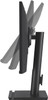
The ergonomic stand is one of the main advantages of the ASUS VA249QGSE. It supports height adjustment, tilt, swivel and pivot, allowing users to position the screen more comfortably for long working sessions.
Height, Tilt, Swivel and Pivot Adjustment
The stand supports 0–130mm height adjustment, +35° to -5° tilt, +180° to -180° swivel and +90° to -90° pivot. Pivot support allows the screen to rotate into portrait orientation, which is useful for long documents, coding, web pages and vertical workflows.
Versatile Connectivity with HDMI, DisplayPort and VGA
The ASUS VA249QGSE includes HDMI 1.4, DisplayPort 1.2 and VGA inputs, making it suitable for both modern and older computers. It can connect to desktops, laptops, mini PCs, docking stations and some legacy devices, depending on cable and output compatibility.
Useful for Mixed Office Environments
Having HDMI, DisplayPort and VGA makes this monitor a strong option for offices where users may need to connect different generations of PCs, laptops, thin clients or docking stations.
Built-In Speakers and Earphone Jack
The VA249QGSE includes built-in 2W × 2 speakers, which are useful for basic system sounds, video calls, online learning and light media playback. It also includes an earphone jack for private listening or external audio connection.
Simple Audio for Everyday Use
The built-in speakers are suitable for standard office and home use, but users who need stronger sound for music, gaming or media editing may prefer separate speakers or headphones.
ASUS Eye Care+ Technology for Long Working Sessions
The ASUS VA249QGSE includes ASUS Eye Care+ technology with Low Blue Light and Flicker-Free features. These are designed to improve viewing comfort during longer screen sessions, making the monitor suitable for office work, study and home use.
TÜV Flicker-Free and Low Blue Light
The monitor is listed with TÜV Low Blue Light and TÜV Flicker-Free certification. This helps support a more comfortable viewing experience during extended use, especially for users working with screens for several hours per day.
Frameless Design and Space-Saving Options
The frameless design gives the monitor a modern look and works well in tidy desk setups. It also supports 100 × 100mm VESA mounting, allowing users to install it on a compatible monitor arm or wall mount.
Good for Multi-Monitor and Desk Arm Setups
The slim frame and VESA mount support make the VA249QGSE suitable for dual-monitor desks, office productivity setups, home workstations and compact desks where space management matters.
ASUS DisplayWidget Center Support
The ASUS VA249QGSE supports ASUS DisplayWidget Center, allowing compatible users to adjust monitor settings using software rather than only using the physical buttons on the monitor.
Easier Monitor Control
DisplayWidget Center can make it easier to change display modes, adjust settings and manage monitor preferences on compatible Windows and macOS systems. Some features may require software installation, internet access or account login depending on the function.
Who Is the ASUS VA249QGSE Best For?
- Home office users needing a comfortable Full HD monitor
- Business users working with documents, spreadsheets and emails
- Students needing a reliable screen for study and online learning
- Users wanting a 120Hz monitor for smoother everyday viewing
- Offices needing HDMI, DisplayPort and VGA compatibility
- Users who need height adjustment, pivot, tilt and swivel
- People wanting Eye Care features for longer screen sessions
- Dual-monitor desk setups using VESA arms or wall mounts
ASUS VA249QGSE Monitor Specifications
- Brand: ASUS
- Model: VA249QGSE
- Product Type: Business monitor / Full HD IPS monitor
- Screen Size: 23.8-inch viewable
- Resolution: 1920 × 1080 Full HD
- Aspect Ratio: 16:9
- Panel Type: IPS
- Backlight Type: LED
- Display Surface: Anti-glare
- Viewing Angle: 178° horizontal / 178° vertical
- Brightness: 300cd/m² typical
- Contrast Ratio: 1500:1 typical, 3000:1 maximum
- Display Colours: 16.7 million
- Pixel Pitch: 0.2745mm
- Refresh Rate: Up to 120Hz
- Response Time: 1ms MPRT
- Variable Refresh Rate: Adaptive-Sync
- Eye Care Features: Low Blue Light, Flicker-Free and Eye Care+ Technology
- Display Features: Trace Free, SPLENDID, GamePlus, QuickFit, Motion Sync, DisplayWidget Center and ASUS Power Sync
- Speakers: 2W × 2 built-in speakers
- Video Inputs: 1 × HDMI 1.4, 1 × DisplayPort 1.2 and 1 × VGA
- Audio Output: Earphone jack
- Stand Adjustment: Tilt, swivel, pivot and height adjustment
- Tilt: +35° to -5°
- Swivel: +180° to -180°
- Pivot: +90° to -90°
- Height Adjustment: 0–130mm
- VESA Mount: 100 × 100mm
- Kensington Lock: Yes
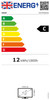
- Power Consumption: Less than 13W
- Power Saving Mode: Less than 0.5W
- Power Off Mode: Less than 0.3W
- Voltage: 100–240V, 50/60Hz
- Dimensions with Stand: 54.11 × 46.33 × 21.12cm
- Dimensions without Stand: 54.11 × 32.15 × 4.98cm
- Net Weight: 4.50kg
- Net Weight without Stand: 3.10kg
- Certifications: TÜV Low Blue Light, TÜV Flicker-Free, TCO Certified, EPEAT Silver, Energy Star and FSC MIX
- Typical Accessories: Warranty card, rubber sticker, quick start guide, power cord and HDMI cable, region dependent
Buying Advice
Before ordering, please check which display connection your computer, laptop or docking station supports. For the smoothest experience, use HDMI or DisplayPort and confirm that your device can output 1920 × 1080 at up to 120Hz. VGA is useful for older systems but may not provide the same experience as a digital connection. If you plan to mount the monitor, use a compatible 100 × 100mm VESA monitor arm or wall mount.
Why Buy the ASUS VA249QGSE?
The ASUS VA249QGSE 23.8-inch Full HD IPS Monitor is a strong choice for home office, business, study and everyday desktop use. With a sharp Full HD IPS panel, 120Hz refresh rate, 1ms MPRT, Adaptive-Sync, HDMI, DisplayPort, VGA, built-in speakers, Eye Care+ technology, VESA mounting and a fully ergonomic stand with height, tilt, swivel and pivot adjustment, it offers excellent comfort and flexibility for modern workspaces.
Specification
ASUS VA249QGSE 23.8-inch Full HD IPS Monitor Specifications
| Product Type | Business Monitor / Full HD IPS Monitor |
| Brand | ASUS |
| Model | VA249QGSE |
| Screen Size | 23.8-inch Viewable / 24-inch Class |
| Display Viewing Area | 527.04 × 296.46mm |
| Resolution | 1920 × 1080 Full HD |
| Aspect Ratio | 16:9 |
| Panel Type | IPS |
| Backlight Type | LED |
| Display Surface | Anti-Glare |
| Viewing Angle | 178° Horizontal / 178° Vertical |
| Brightness | 300cd/m² Typical |
| Contrast Ratio | 1500:1 Typical / 3000:1 Maximum |
| Display Colours | 16.7 Million Colours |
| Pixel Pitch | 0.2745mm |
| Refresh Rate | Up to 120Hz |
| Response Time | 1ms MPRT |
| Variable Refresh Rate | Adaptive-Sync / VRR Supported |
| Flicker-Free | Yes |
| Low Blue Light | Yes |
| Eye Care Technology | ASUS Eye Care+ Technology |
| Display Features | Trace Free, SPLENDID, Colour Temperature Selection, GamePlus, QuickFit, HDCP 1.4, Motion Sync, DisplayWidget Center and ASUS Power Sync |
| Speakers | 2W × 2 Built-In Speakers |
| Video Inputs | 1 × HDMI 1.4, 1 × DisplayPort 1.2 and 1 × VGA |
| Audio Output | Earphone Jack |
| HDCP Support | HDCP 1.4 |
| Stand Adjustment | Tilt, Swivel, Pivot and Height Adjustment |
| Tilt | +35° to -5° |
| Swivel | +180° to -180° |
| Pivot | +90° to -90° |
| Height Adjustment | 0–130mm |
| VESA Mount | 100 × 100mm |
| Kensington Lock | Yes |
| Power Consumption | Less Than 13W |
| Power Saving Mode | Less Than 0.5W |
| Power Off Mode | Less Than 0.3W |
| Voltage | 100–240V, 50/60Hz |
| Dimensions with Stand | 54.11 × 46.33 × 21.12cm |
| Dimensions without Stand | 54.11 × 32.15 × 4.98cm |
| Box Dimensions | 67.00 × 41.50 × 15.00cm |
| Net Weight | 4.50kg |
| Net Weight without Stand | 3.10kg |
| Gross Weight | 6.20kg |
| Certifications | TÜV Flicker-Free, TÜV Low Blue Light, TCO Certified, EPEAT Silver, Energy Star, FSC MIX, RoHS, WEEE and Other Regional Certifications |
| Typical Accessories | Power Cord, HDMI Cable, Quick Start Guide, Warranty Card and Rubber Sticker, Region Dependent |
| Recommended Use | Home Office, Business Desks, Study, Productivity, Video Calls, Documents, Spreadsheets and Everyday PC Use |
Refresh Rate Notice
The ASUS VA249QGSE supports up to 120Hz. To use the highest refresh rate, your computer, laptop or docking station must support 1920 × 1080 at 120Hz through a compatible video output and cable.
Response Time Notice
The response time is listed as 1ms MPRT. This is not the same as 1ms GTG, so the monitor should be described as 1ms MPRT for accuracy.
Connectivity Notice
The monitor includes HDMI 1.4, DisplayPort 1.2 and VGA. VGA is useful for older systems, but HDMI or DisplayPort is recommended for the best digital image quality and 120Hz support.
Ergonomic Stand Notice
The stand supports tilt, swivel, pivot and 130mm height adjustment, making it suitable for comfortable desk setups and portrait orientation where supported by the operating system.
VESA Mount Notice
The monitor supports 100 × 100mm VESA mounting. Use a compatible monitor arm or wall mount rated for the monitor size and weight.
Speaker Notice
The built-in 2W × 2 speakers are suitable for basic audio, video calls and system sounds. For stronger audio quality, separate speakers or headphones may be preferred.
Eye Care Notice
The monitor includes ASUS Eye Care+, Flicker-Free and Low Blue Light features to support more comfortable viewing during long working sessions.
Return
FAQ: Frequently Asked Questions
ASUS VA249QGSE 23.8-inch Full HD IPS Monitor FAQ
The ASUS VA249QGSE 23.8-inch Full HD IPS Monitor is a business and home-office monitor designed for comfortable productivity, smooth everyday visuals and flexible desk setups. It features a 23.8-inch 1920 × 1080 Full HD IPS panel, 120Hz refresh rate, 1ms MPRT response time, Adaptive-Sync, HDMI 1.4, DisplayPort 1.2, VGA, built-in 2W × 2 speakers, earphone jack, anti-glare display surface, ASUS Eye Care+ technology, TÜV Flicker-Free and Low Blue Light certification, ASUS DisplayWidget Center, 100 × 100mm VESA mount support and a fully ergonomic stand with height adjustment, tilt, swivel and pivot. Below are the most common questions buyers ask before choosing the ASUS VA249QGSE Full HD IPS 120Hz ergonomic monitor, including laptop compatibility, 120Hz setup, HDMI vs DisplayPort, VGA limitations, gaming use, office use, eye comfort, speakers, VESA mounting, dual-monitor setups, portrait mode and who this monitor is best suited for.
1. What is the ASUS VA249QGSE?
The ASUS VA249QGSE is a 23.8-inch Full HD IPS business monitor designed for office work, home working, study, web browsing, video calls, spreadsheets, casual entertainment and comfortable everyday desktop use.
2. What is the exact model number of this monitor?
The exact model is ASUS VA249QGSE. This is useful when checking ASUS support, specifications, compatibility, warranty information and monitor accessories such as VESA arms or replacement stands.
3. What is the ASUS VA249QGSE best used for?
The ASUS VA249QGSE is best used for business desks, home offices, student setups, reception desks, dual-monitor workstations, web browsing, documents, spreadsheets, video meetings, coding, light creative work and casual gaming.
4. What screen size is the ASUS VA249QGSE?
The ASUS VA249QGSE has a 23.8-inch viewable screen size, often described as a 24-inch class monitor. This size is popular for desks where 27-inch monitors may feel too large.
5. What resolution does the ASUS VA249QGSE support?
The monitor supports Full HD 1920 × 1080 resolution. This is suitable for everyday work, study, browsing, videos and office productivity on a 23.8-inch screen.
6. Is 1080p good on a 23.8-inch monitor?
Yes. Full HD at 23.8 inches is a practical and widely used size/resolution combination for office work, study, browsing and general desktop use. Users wanting more workspace or sharper text may prefer a 27-inch 1440p monitor instead.
7. What panel type does the ASUS VA249QGSE use?
The ASUS VA249QGSE uses an IPS panel. IPS technology helps provide wide viewing angles and consistent image quality when viewing the screen from different positions.
8. What viewing angles does the ASUS VA249QGSE have?
The monitor has 178° horizontal and 178° vertical viewing angles. This helps keep colours and brightness more consistent when the screen is viewed from the side, above or below.
9. Does the ASUS VA249QGSE have an anti-glare screen?
Yes. The ASUS VA249QGSE has an anti-glare display surface, which helps reduce reflections from room lighting and windows compared with glossy screens.
10. What refresh rate does the ASUS VA249QGSE support?
The ASUS VA249QGSE supports a refresh rate up to 120Hz. This can make scrolling, cursor movement, video playback and casual gaming feel smoother than a standard 60Hz monitor.
11. Is 120Hz useful for office work?
Yes. 120Hz can make everyday movement feel smoother, including mouse movement, scrolling documents, browsing websites and moving windows around the desktop. It is not only useful for gaming.
12. Is the ASUS VA249QGSE better than a 60Hz monitor?
For many users, yes. Compared with a 60Hz monitor, 120Hz can feel smoother and more responsive in normal desktop use, video playback and casual games, provided the computer can output 120Hz.
13. How do I enable 120Hz on the ASUS VA249QGSE?
Use HDMI or DisplayPort, then select 1920 × 1080 at 120Hz in your Windows, macOS or graphics driver display settings. Your laptop, desktop or docking station must also support 1080p at 120Hz output.
14. Can I get 120Hz through HDMI?
Yes. The ASUS VA249QGSE has HDMI 1.4 and ASUS lists HDMI digital frequency support up to 120Hz. Your device and cable must also support 1920 × 1080 at 120Hz.
15. Can I get 120Hz through DisplayPort?
Yes. The monitor includes DisplayPort 1.2, and DisplayPort is a good option for achieving the full 1920 × 1080 at 120Hz refresh rate on compatible PCs and docking stations.
16. Can I get 120Hz through VGA?
No, VGA is not the best choice for 120Hz on this monitor. ASUS lists the analog VGA signal frequency up to 75Hz, so use HDMI or DisplayPort for the smoothest 120Hz experience.
17. What ports does the ASUS VA249QGSE have?
The ASUS VA249QGSE includes one HDMI 1.4 port, one DisplayPort 1.2 port, one VGA port and one earphone jack. This makes it useful for both modern and older PCs or laptops.
18. Does the ASUS VA249QGSE have USB-C?
No. The ASUS VA249QGSE does not have a USB-C video input. For USB-C laptops, use a compatible USB-C to HDMI or USB-C to DisplayPort adapter or docking station.
19. Does the ASUS VA249QGSE have a USB hub?
No. This VA249QGSE model does not list a built-in USB hub. It is focused on display connectivity through HDMI, DisplayPort and VGA rather than USB peripheral expansion.
20. Does the ASUS VA249QGSE have built-in speakers?
Yes. The monitor includes built-in 2W × 2 speakers. These are useful for basic audio, video calls and casual sound, but dedicated speakers or headphones will usually sound better.
21. Does the ASUS VA249QGSE have a headphone jack?
Yes. The monitor includes an earphone jack, allowing audio to be passed through from a connected HDMI or DisplayPort device to headphones or external speakers.
22. Does the monitor have a microphone input?
No. The ASUS VA249QGSE lists an earphone jack, not a microphone input. For headset microphones, connect the microphone directly to the PC, laptop, dock or USB audio device.
23. What does 1ms MPRT mean?
1ms MPRT refers to motion picture response time and is related to perceived motion blur. It is not the same as grey-to-grey response time or input lag, so it should be understood as a motion clarity feature rather than a full gaming-latency measurement.
24. Is 1ms MPRT the same as 1ms GTG?
No. MPRT and GTG measure different things. MPRT relates to motion blur visibility, while GTG measures pixel transition time. Buyers should not treat 1ms MPRT as the same as premium esports monitor response performance.
25. Does the ASUS VA249QGSE support Adaptive-Sync?
Yes. The monitor supports Adaptive-Sync / VRR, which can help reduce screen tearing and choppy motion when used with compatible graphics hardware and settings.
26. Is the ASUS VA249QGSE good for casual gaming?
Yes. The 120Hz refresh rate, 1ms MPRT and Adaptive-Sync support make it suitable for casual gaming, older titles, esports-style games at 1080p and general entertainment.
27. Is the ASUS VA249QGSE a serious gaming monitor?
It is better described as a business and everyday monitor with smooth 120Hz features. Competitive gamers may prefer a dedicated gaming monitor with 144Hz, 165Hz, 240Hz or higher refresh rate, faster GTG response and gaming-focused tuning.
28. Can I use the ASUS VA249QGSE with a PS5 or Xbox Series console?
It can be used as a 1080p HDMI monitor for consoles. However, it is not a 4K monitor and does not have HDMI 2.1, so it is best for Full HD console use rather than 4K gaming features.
29. Can I use this monitor with a laptop?
Yes. You can use it with a laptop that has HDMI, DisplayPort, VGA or a compatible USB-C docking adapter. For 120Hz, check that the laptop or dock can output 1920 × 1080 at 120Hz.
30. Can I use this monitor with a MacBook?
Yes. A MacBook can use this monitor through a compatible USB-C to HDMI or USB-C to DisplayPort adapter or dock. Refresh-rate options depend on the MacBook, adapter and macOS display settings.
31. Is the ASUS VA249QGSE good for dual-monitor setups?
Yes. The 23.8-inch size, Full HD resolution, slim-looking frame and VESA mounting support make it suitable for dual-monitor office desks, coding setups, study desks and business workstations.
32. Does the ASUS VA249QGSE support VESA mounting?
Yes. The monitor supports 100 × 100mm VESA mounting, so it can be used with compatible monitor arms, desk mounts and wall mounts.
33. Can I use the ASUS VA249QGSE on a monitor arm?
Yes. Use a compatible 100 × 100mm VESA monitor arm that supports the monitor’s weight. The monitor weighs approximately 3.10kg without the stand.
34. Does the ASUS VA249QGSE have height adjustment?
Yes. The stand supports 0–130mm height adjustment, allowing the screen to be positioned more comfortably for different desk heights and seating positions.
35. Does the ASUS VA249QGSE tilt?
Yes. The monitor supports tilt adjustment from +35° to -5°, helping you angle the screen for a more comfortable viewing position.
36. Does the ASUS VA249QGSE swivel?
Yes. The stand supports swivel adjustment from +180° to -180°, making it easier to share the screen or adjust the monitor position without moving the whole stand.
37. Can the ASUS VA249QGSE rotate into portrait mode?
Yes. The monitor supports pivot adjustment from +90° to -90°, allowing portrait mode use for long documents, coding, websites, chat panels and vertical workflows.
38. Is the ASUS VA249QGSE good for coding?
Yes. The IPS panel, ergonomic stand, portrait rotation and 23.8-inch Full HD size make it useful for coding, especially when used in portrait mode or as part of a dual-monitor setup.
39. Is the ASUS VA249QGSE good for spreadsheets?
Yes. It is suitable for spreadsheets, accounting work, admin tasks and business dashboards. Users who need very large spreadsheet space may prefer a higher-resolution 1440p or 4K monitor.
40. Is the ASUS VA249QGSE good for video calls?
Yes. It is suitable for video calls and meetings, but it does not include a built-in webcam or microphone. You will need a separate webcam and microphone if your computer does not already have them.
41. Does the ASUS VA249QGSE have Eye Care features?
Yes. The monitor includes ASUS Eye Care+ technology, TÜV Rheinland-certified Flicker-Free and Low Blue Light features to support more comfortable long screen sessions.
42. Do Low Blue Light and Flicker-Free features prevent eye strain completely?
No. They can help improve viewing comfort, but they do not guarantee that every user will avoid eye strain. Brightness, viewing distance, room lighting, breaks, text size and personal sensitivity also matter.
43. What is ASUS DisplayWidget Center?
ASUS DisplayWidget Center is software that lets compatible users adjust monitor settings with a mouse instead of only using the physical monitor buttons. It works with supported Windows and macOS systems.
44. What is ASUS Power Sync?
ASUS Power Sync is designed to help supported ASUS monitors and compatible HDMI-connected devices power on or off together. Support depends on the connected device and ASUS software setup.
45. What is GamePlus on the ASUS VA249QGSE?
GamePlus is an ASUS monitor feature that can provide gaming-style on-screen tools. It is useful for casual gaming, but this model is still mainly positioned as a business and productivity monitor.
46. What is QuickFit on this monitor?
QuickFit is an ASUS feature that can help preview document or layout sizes on-screen. It can be useful for office, design, document checking and print-layout tasks.
47. How much power does the ASUS VA249QGSE use?
ASUS lists typical power consumption at less than 13W, with power saving mode under 0.5W and power off mode under 0.3W. Actual power use depends on brightness and settings.
48. What are the dimensions and weight of the ASUS VA249QGSE?
The monitor measures approximately 54.11 × 46.33 × 21.12cm with the stand and weighs around 4.50kg. Without the stand, it measures approximately 54.11 × 32.15 × 4.98cm and weighs around 3.10kg.
49. Who should NOT buy the ASUS VA249QGSE?
The ASUS VA249QGSE is not ideal for users who need 4K resolution, 1440p workspace, USB-C docking, built-in webcam, USB hub, HDMI 2.1, HDR gaming, professional colour grading, competitive esports performance, 144Hz+ refresh rates or a larger 27-inch screen. It is best for users who want a comfortable 23.8-inch Full HD IPS monitor with 120Hz, ergonomic adjustment, speakers, HDMI, DisplayPort, VGA and Eye Care features.
50. Why buy the ASUS VA249QGSE from Memox?
Buying the ASUS VA249QGSE 23.8-inch Full HD IPS Monitor from Memox is a practical choice if you need a comfortable everyday monitor for home office, business, study, dual-screen desks or casual entertainment. Memox offers monitors, cables, adapters, docking stations, keyboards, mice, SSDs, RAM, networking products, PC components and computer accessories for UK customers.