
Optoma OWM3000 Ultra Short Throw Projector Mount – Adjustable White Wall Mount
- SKU:
- OWM3000
- UPC:
- 05055387645530
- MPN:
- OWM3000
- Availability:
- Free Click & Collect in Peterborough. UK delivery also available


Description
Optoma OWM3000 Ultra Short Throw Projector Mount – Adjustable White Wall Mount
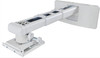
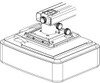
The Optoma OWM3000 Ultra Short Throw Projector Mount is a high-quality white adjustable wall mount designed for compatible Optoma ultra short throw projectors. With a compact telescopic arm, adjustable mounting plate, cable management and fine alignment controls, it is ideal for classrooms, meeting rooms, training rooms, corporate spaces, interactive whiteboard installations and professional AV setups.
This Optoma OWM3000 projector wall mount is ideal for customers searching for an ultra short throw projector mount, Optoma UST wall mount, adjustable projector wall bracket, white projector mount, projector mount for classrooms, interactive whiteboard projector mount, corporate projector wall mount, or a compact telescopic arm mount for compatible Optoma ultra short throw projectors.
Key Features of the Optoma OWM3000 Projector Mount
- Designed for Optoma ultra short throw projectors
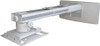
- Compact telescopic arm for close-to-wall projector positioning
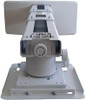
- Adjustable mounting plate for accurate image alignment
- 407–822mm extension range for flexible installation positioning
- 5° pitch, 5° roll and 5° yaw adjustment for fine tuning
- ±30mm horizontal shift for left and right image adjustment
- ±40mm vertical shift for up and down image positioning
- Integrated cable management for a cleaner installation
- Compatible with stud walls when installed with suitable fixings
- White finish to match classrooms, offices and meeting spaces
- Supplied with accessory bag including screws, washers, extension arms and Allen keys
- Suitable for education and corporate environments using whiteboards or projection screens
Ultra Short Throw Projector Wall Mount for Professional Installations
The Optoma OWM3000 is built for ultra short throw projector setups where the projector needs to sit close to the wall or whiteboard. This helps reduce shadows and glare during presentations, lessons and meetings, making it a strong option for schools, colleges, offices and training rooms.
Ideal for Whiteboard and Classroom Setups
Ultra short throw projectors are often used above whiteboards or projection surfaces. The OWM3000 helps position the projector correctly so the image can be aligned with the board or screen, making it useful for teaching, presenting, collaboration and interactive display environments.
Compact Telescopic Arm with 407–822mm Extension Range
The mount features a compact telescopic arm with an official extension range of 407–822mm. This allows the installer to adjust the projector distance from the wall to match the required image size and projector model.
Flexible Positioning for Different Room Layouts
The adjustable arm helps make installation easier in rooms where the projector must align accurately with a fixed whiteboard, wall surface or projection screen. Correct projector distance is important for ultra short throw models because small changes can affect image size and geometry.
Fine Image Alignment with Pitch, Roll and Yaw Adjustment
The Optoma OWM3000 includes 5° pitch, 5° roll and 5° yaw adjustment. These fine-tuning controls help installers align the projector image more accurately after the mount is fixed to the wall.
Horizontal and Vertical Shift Adjustment
The mount also supports ±30mm horizontal shift and ±40mm vertical shift. This helps correct small positioning differences during installation and makes it easier to line up the projected image with a screen, whiteboard or interactive surface.
Integrated Cable Management for a Cleaner Setup
The OWM3000 includes cable management, helping route power and signal cables more neatly through the installation. This gives a cleaner look in classrooms, offices and public-facing meeting spaces.
Better for Professional AV Installations
A tidy cable route helps reduce visible clutter and keeps the installation more organised. This is especially useful in education and business spaces where the projector may be used daily and the setup needs to look professional.
Designed for Optoma Ultra Short Throw Projectors
Optoma describes the OWM3000 as designed for Optoma ultra short throw projectors. It is suitable for selected Optoma UST models, but compatibility should always be checked against the projector model, mounting hole layout, projector weight and required throw distance before installation.
Compatible Model Check Recommended
Before ordering, check your projector manual or Optoma compatibility information. The mount is commonly associated with Optoma ultra short throw models used in education, meeting room and whiteboard installations, but not every projector will fit the same bracket or image-positioning requirements.
White Wall Mount for Offices, Schools and Meeting Rooms
The white finish helps the mount blend into many classroom, office and meeting room environments. It is a practical choice for installations where the projector is mounted above a whiteboard, presentation wall or front-of-room display area.
Suitable for Shared and High-Use Spaces
The OWM3000 is well suited to permanent projector installations in shared rooms, including classrooms, training spaces, boardrooms, reception areas and collaborative workspaces.
Easy-to-Install Adjustable Projector Mount
Optoma describes the OWM3000 as easy to install and adjustable. The mount comes with a user manual and accessory bag containing screws, washers, extension arms and Allen keys, helping installers complete a secure and accurate setup.
Professional Installation Recommended
Projector wall mounts must be fitted to a suitable wall structure using appropriate fixings. If you are unsure about wall strength, stud location, cable routing or projector alignment, professional installation is recommended.
Who Is the Optoma OWM3000 Best For?
- Schools and colleges installing ultra short throw projectors
- Offices and meeting rooms using front-of-room projection
- Training rooms and conference spaces with whiteboards
- AV installers fitting compatible Optoma UST projectors
- Interactive whiteboard and presentation setups
- Users needing a clean wall-mounted projector installation
- Rooms where cable management and accurate image alignment matter
Optoma OWM3000 Ultra Short Throw Projector Mount Specifications
- Brand: Optoma
- Model: OWM3000
- Product Type: Ultra short throw projector wall mount
- Colour: White
- EAN: 5055387645530
- Mount Type: Adjustable wall mount with telescopic arm
- Designed For: Compatible Optoma ultra short throw projectors
- Extension Range: 407–822mm
- Pitch Adjustment: 5°
- Roll Adjustment: 5°
- Yaw Adjustment: 5°
- Horizontal Shift: ±30mm
- Vertical Shift: ±40mm
- Cable Management: Yes
- Stud Wall Compatibility: Yes, when installed with suitable fixings and wall structure
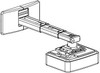
- Dimensions: 448 × 407 × 210mm
- Net Weight: 5kg
- Gross Weight: 6kg
- In the Box: User manual and accessory bag including screws, washers, extension arms and Allen keys
- Recommended Use: Education, classrooms, offices, corporate meeting rooms, training rooms and whiteboard installations
Buying Advice
Before ordering, confirm that your projector is compatible with the Optoma OWM3000. Check the projector model, mounting points, projector weight, wall structure, required image size and throw-distance requirements. Ultra short throw projectors need accurate positioning, so it is important to follow the projector installation guide and mount chart for the correct image alignment.
Installation and Safety Advice
Install the mount on a suitable wall using fixings appropriate for the wall material and structure. Use all required fixing points and make sure the projector is securely attached before use. If the wall structure is uncertain, or if the projector is being installed in a classroom, office or public area, professional installation is strongly recommended.
Why Buy the Optoma OWM3000 Projector Mount?
The Optoma OWM3000 Ultra Short Throw Projector Mount is a strong choice for users installing compatible Optoma UST projectors in classrooms, meeting rooms and professional AV spaces. With a compact telescopic arm, 407–822mm extension range, pitch, roll and yaw adjustment, horizontal and vertical shift, integrated cable management and a clean white finish, it helps create a tidy, accurate and reliable projector installation for education and business environments.
Specification
Optoma OWM3000 Ultra Short Throw Projector Mount Specifications
| Product Type | Ultra Short Throw Projector Wall Mount |
| Brand | Optoma |
| Model | OWM3000 |
| EAN | 5055387645530 |
| Colour | White |
| Mount Type | Adjustable Wall Mount with Compact Telescopic Arm |
| Designed For | Compatible Optoma Ultra Short Throw Projectors |
| Recommended Environments | Classrooms, Whiteboard Installations, Education Spaces, Offices, Meeting Rooms and Corporate AV Setups |
| Extension Range | 407–822mm |
| Pitch Adjustment | 5° |
| Roll Adjustment | 5° |
| Yaw Adjustment | 5° |
| Horizontal Shift | ±30mm |
| Vertical Shift | ±40mm |
| Cable Management | Yes |
| Stud Wall Compatibility | Compatible with Stud Walls When Installed with Suitable Fixings and Wall Structure |
| Mounting Plate | Adjustable Projector Mounting Plate |
| Dimensions | 448 × 407 × 210mm |
| Net Weight | 5kg |
| Gross Weight | 6kg |
| Maximum Load | Not Stated on the Current Optoma 2024 OWM3000 Datasheet — Confirm with Optoma or a Qualified Installer for Your Projector Model |
| In the Box | User Manual and Accessory Bag |
| Included Accessories | Screws, Washers, Extension Arms and Allen Keys |
Compatibility Notice
The Optoma OWM3000 is designed for compatible Optoma ultra short throw projectors. Always check your projector model, mounting points, weight, wall position and required throw distance before ordering or installation.
Ultra Short Throw Notice
This mount is for ultra short throw projector installations. It should not be confused with standard ceiling projector mounts or long-throw projector brackets.
Extension Range Notice
The official extension range is 407–822mm. Ultra short throw projectors need accurate distance from the wall or whiteboard, so follow the projector installation guide for correct image size and alignment.
Adjustment Notice
The mount provides 5° pitch, 5° roll, 5° yaw, ±30mm horizontal shift and ±40mm vertical shift to help fine-tune the projected image after installation.
Dimension Notice
The current Optoma datasheet lists the OWM3000 dimensions as 448 × 407 × 210mm. Some older retailer listings may show different dimensions, so the official Optoma 2024 datasheet should be used as the main reference.
Wall Installation Notice
The OWM3000 is listed as compatible with stud walls, but the correct fixings depend on wall type, wall condition, projector weight and installation environment. Use suitable fixings and seek professional installation if unsure.
Cable Management Notice
Integrated cable management helps keep power and signal cables tidier in classrooms, meeting rooms, offices and whiteboard installations.
Safety Notice
Make sure the wall structure can safely support the mount and projector. Do not install the projector until the wall mount is securely fixed and all screws and adjustment points are properly tightened.
Return
FAQ: Frequently Asked Questions
Optoma OWM3000 Ultra Short Throw Projector Mount FAQ
The Optoma OWM3000 Ultra Short Throw Projector Mount is a white adjustable wall mount designed for compatible Optoma ultra short throw projectors. It is ideal for classrooms, meeting rooms, training rooms, offices, corporate AV setups, whiteboard installations and professional projector setups where accurate wall-mounted positioning matters. This model is listed as OWM3000 with EAN 5055387645530 and features a compact telescopic arm, adjustable projector mounting plate, 407–822mm extension range, 5° pitch adjustment, 5° roll adjustment, 5° yaw adjustment, ±30mm horizontal shift, ±40mm vertical shift, integrated cable management and compatibility with stud walls when installed correctly. Below are the most common questions buyers ask before choosing the Optoma OWM3000 adjustable ultra short throw projector wall mount, including projector compatibility, throw distance, whiteboard installation, wall safety, stud walls, image alignment, cable management, classroom use, meeting room use and who this mount is best suited for.
1. What is the Optoma OWM3000?
The Optoma OWM3000 is an adjustable wall mount designed for compatible Optoma ultra short throw projectors. It helps position the projector close to the wall, screen or whiteboard for education, office and professional AV installations.
2. What is the Optoma OWM3000 best used for?
The OWM3000 is best used for classrooms, whiteboard installations, meeting rooms, training spaces, conference rooms, offices and other professional environments using compatible Optoma ultra short throw projectors.
3. Is the Optoma OWM3000 a wall mount or ceiling mount?
The Optoma OWM3000 is a wall mount. It is designed to mount an ultra short throw projector above or near the projection surface, such as a whiteboard, classroom wall or projector screen.
4. Is the OWM3000 designed for ultra short throw projectors?
Yes. The OWM3000 is specifically designed for Optoma ultra short throw projectors. It should not be confused with standard long-throw projector ceiling brackets.
5. Is the Optoma OWM3000 compatible with all projectors?
No. The OWM3000 is designed for compatible Optoma ultra short throw projectors. Always check your projector model, mounting points, weight and required throw distance before buying.
6. Which projector models are commonly associated with the OWM3000?
Optoma’s current product information lists compatible models such as GT3500HDR, L1, ZH430UST, ZK420UST, ZU500USTe and ZW410UST. Compatibility can change by region and model, so always check Optoma’s latest compatibility information before installation.
7. Can I use the OWM3000 with non-Optoma projectors?
It is not recommended unless the projector weight, mounting pattern, throw-distance requirements and installation geometry are confirmed by a qualified installer. The mount is designed around compatible Optoma UST projector installations.
8. What colour is the Optoma OWM3000?
The Optoma OWM3000 is white, making it suitable for classrooms, offices, meeting rooms and whiteboard installations where a clean, neutral wall-mounted appearance is preferred.
9. What is the extension range of the Optoma OWM3000?
The OWM3000 has an extension range of 407–822mm. This helps position the projector at the correct distance from the wall or board to achieve the required image size for compatible UST projector models.
10. Why does extension range matter for an ultra short throw projector?
Ultra short throw projectors are very sensitive to distance from the screen or whiteboard. Small changes in distance can affect image size, shape and alignment, so the adjustable arm is important for accurate installation.
11. Does the Optoma OWM3000 have a telescopic arm?
Yes. The OWM3000 has a compact telescopic arm that allows the projector position to be adjusted outward from the wall within the supported extension range.
12. Does the OWM3000 support pitch adjustment?
Yes. The Optoma OWM3000 supports 5° pitch adjustment, helping fine-tune the projector angle during image alignment.
13. Does the OWM3000 support roll adjustment?
Yes. The OWM3000 supports 5° roll adjustment. This helps correct slight left-right tilt so the projected image can be aligned more accurately with a screen or whiteboard.
14. Does the OWM3000 support yaw adjustment?
Yes. The OWM3000 supports 5° yaw adjustment, helping rotate the projector slightly left or right for better image alignment.
15. Does the Optoma OWM3000 allow horizontal adjustment?
Yes. The mount supports ±30mm horizontal shift, allowing small left or right positioning corrections after the mount has been installed.
16. Does the Optoma OWM3000 allow vertical adjustment?
Yes. The mount supports ±40mm vertical shift, helping raise or lower the projector position slightly to align the image with the screen or whiteboard.
17. Can the OWM3000 help fix image alignment problems?
Yes. The pitch, roll, yaw, horizontal shift, vertical shift and telescopic arm adjustments help fine-tune image alignment. However, the wall position, projector model and throw-distance chart must still be correct.
18. Can I use keystone correction instead of adjusting the mount?
Mechanical alignment is normally preferred where possible because it helps preserve image sharpness and geometry. Keystone correction can help minor issues, but it should not replace correct projector positioning.
19. Is the OWM3000 suitable for interactive whiteboards?
Yes. The OWM3000 is well suited to compatible Optoma ultra short throw projector installations used with whiteboards and interactive classroom or meeting room surfaces.
20. Is the OWM3000 good for classrooms?
Yes. The mount is ideal for classrooms because ultra short throw projector setups help reduce shadows and glare when teachers or students stand near the board.
21. Is the OWM3000 good for meeting rooms?
Yes. It is suitable for meeting rooms, boardrooms, training rooms and conference spaces where a fixed projector installation is needed above a display surface.
22. Does the Optoma OWM3000 reduce shadows?
The mount helps position compatible ultra short throw projectors close to the wall or whiteboard. UST projector placement can reduce presenter shadows compared with standard long-throw projectors installed farther back in the room.
23. Does the OWM3000 reduce projector glare for presenters?
It can help when used with a compatible ultra short throw projector because the projector sits close to the display surface rather than projecting from behind the presenter. Correct installation is still important.
24. Does the Optoma OWM3000 include cable management?
Yes. The OWM3000 includes integrated cable management to help route power and signal cables neatly for a cleaner classroom, office or meeting room installation.
25. Why is cable management useful on a projector wall mount?
Cable management helps reduce visible cable clutter, makes the installation look more professional and can help keep cables better organised in shared spaces such as classrooms and meeting rooms.
26. Is the Optoma OWM3000 compatible with stud walls?
Yes. Optoma lists the OWM3000 as compatible with stud walls. The correct fixings and installation method depend on the wall structure, stud position, projector weight and installation environment.
27. Can I install the OWM3000 on plasterboard?
Only if the mount is fixed into suitable structural support such as studs or appropriate reinforced fixings. Do not rely on weak plasterboard alone for a projector wall mount.
28. Can I install the OWM3000 on a brick or concrete wall?
Yes, it may be installed on a suitable brick or concrete wall using appropriate fixings for the wall type. If you are unsure about wall strength or fixing type, use a qualified installer.
29. Should I get professional installation for this projector mount?
Professional installation is strongly recommended if the mount is being used in a school, office, public space, stud wall installation, high-use room or anywhere wall strength and alignment must be guaranteed.
30. Can I install the Optoma OWM3000 myself?
It may be possible for experienced DIY users, but you must check wall strength, use correct fixings, follow the manual, use the projector installation chart and make sure the projector is safely secured.
31. What comes in the box with the OWM3000?
The OWM3000 box includes the user manual and an accessory bag with screws, washers, extension arms and Allen keys. Always check the package before installation to make sure all parts are present.
32. What are the dimensions of the Optoma OWM3000?
Optoma’s current specification lists the dimensions as 448 × 407 × 210mm. Some older retailer listings may show different dimensions, so use the latest Optoma specification as the main reference.
33. How much does the Optoma OWM3000 weigh?
The Optoma OWM3000 has a listed net weight of 5kg and gross weight of 6kg. The wall and fixings must support both the mount and the projector safely.
34. What is the maximum load of the Optoma OWM3000?
Some retailer listings show a maximum load of 15kg, but the latest Optoma specification page focuses on dimensions, adjustment and weight. For safety-critical installations, confirm load suitability with Optoma or a qualified AV installer for your exact projector model.
35. Why do some OWM3000 listings show different dimensions?
Some older or retailer-fed listings may show different packaging or older specification dimensions. For product-page accuracy, the current Optoma specification of 448 × 407 × 210mm should be treated as the main reference.
36. How do I know where to mount the OWM3000 on the wall?
Use the projector model’s installation chart, throw-distance guide and manual. Ultra short throw projectors need accurate height and distance positioning, so do not guess the wall position.
37. Does the OWM3000 determine the image size?
The mount helps position the projector, but the image size is determined by the projector model, throw ratio, distance from the surface and installation geometry. Use the projector’s own chart to choose the correct position.
38. Can the OWM3000 be used with a projector screen?
Yes, it can be used with a suitable screen if the projector model and mount position match the screen size and installation chart. UST screens require very accurate positioning for best results.
39. Can the OWM3000 be used directly with a wall instead of a screen?
It can project onto a suitable wall if the projector supports that setup, but a flat, smooth and correctly prepared surface is important. A projection screen or whiteboard can give better image consistency.
40. Is the OWM3000 suitable for home cinema?
It may be used in a home setup with a compatible Optoma UST projector, but it is mainly aimed at education, office and professional AV installations. Home users should check image size, screen type and wall position carefully.
41. Can the OWM3000 be used for gaming projector setups?
It can be used if the projector is compatible and the installation position matches the screen size. For gaming, also check the projector’s input lag, resolution, refresh rate and room setup.
42. Can the projector be moved after installation?
The mount includes adjustment controls, but it is intended for a fixed installation. UST projectors are sensitive to movement, so once aligned, the projector should not be moved unnecessarily.
43. Why is my UST projector image not square?
The image may not be square if the projector is not level, not centred, too close or too far from the screen, angled incorrectly, or mounted at the wrong height. Use the mount’s pitch, roll, yaw, horizontal and vertical adjustments to fine-tune alignment.
44. Why is one side of my projected image larger than the other?
This usually means the projector is not perfectly perpendicular to the screen or whiteboard. Adjust yaw and horizontal positioning, then recheck the throw distance and image edges.
45. Why is the top or bottom of the image wider?
This normally indicates a pitch or height alignment issue. Use the mount’s pitch adjustment and follow the projector’s installation chart before relying on digital keystone correction.
46. Is the OWM3000 suitable for temporary projector setups?
No. The OWM3000 is best for fixed wall-mounted installations. For temporary setups, a table, trolley or portable projector stand may be more suitable.
47. What should I check before buying the Optoma OWM3000?
Check your projector model, mounting hole pattern, projector weight, required image size, throw-distance chart, wall material, stud position, cable route, screen or whiteboard size and whether professional installation is needed.
48. Is the OWM3000 better than a generic projector mount?
For compatible Optoma ultra short throw projectors, the OWM3000 is usually a better choice than a generic bracket because it is designed for UST wall mounting, projector alignment and compatible Optoma installation requirements.
49. Who should NOT buy the Optoma OWM3000?
The Optoma OWM3000 is not ideal for users with non-compatible projectors, standard long-throw projectors, ceiling-mount requirements, temporary setups, weak walls, unknown projector mounting patterns, or anyone unable to install the mount securely. It is best for compatible Optoma ultra short throw projector installations in classrooms, offices, meeting rooms and whiteboard setups.
50. Why buy the Optoma OWM3000 projector mount from Memox?
Buying the Optoma OWM3000 Ultra Short Throw Projector Mount from Memox is a practical choice if you need a clean, adjustable white wall mount for a compatible Optoma UST projector in a classroom, office, meeting room or training space. Memox offers projectors, projector accessories, wall mounts, cables, adapters, monitors, networking products, storage, RAM, PC components and computer accessories for UK customers.

Related Products
Related Products
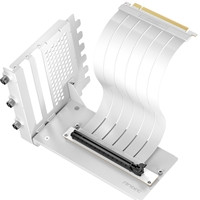
Antec RTX50 PCIe 5.0 Riser Cable with 90° Bracket Mount, White, Designed To Allow Vertical Mounting Of A Graphics Card
ANTEC

