
DEEPCOOL
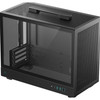
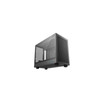
DeepCool CH160 PLUS Mini-ITX Mini Tower PC Case
- SKU:
- CADEE-CH160PLUS
- UPC:
- 6933412765356
- MPN:
- R-CH160-BKNGM0-G
- Availability:
- Free Click & Collect in Peterborough. UK delivery also available.


Description
DeepCool CH160 PLUS Compact Micro-ATX / Mini-ITX PC Case – Tempered Glass, USB-C and 240mm Radiator Support
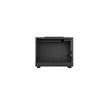
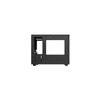
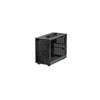
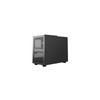
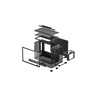
The DeepCool CH160 PLUS is a compact small-form-factor PC case designed for builders who want a space-saving chassis with strong airflow, modern front I/O and support for more flexible hardware than many traditional Mini-ITX cases. With support for both Mini-ITX and Micro-ATX motherboards, a tempered glass side panel, three-sided mesh ventilation and top radiator support up to 240mm, it is a practical choice for compact gaming PCs, home office systems, media PCs and portable desktop builds.
This case is ideal for customers searching for a DeepCool CH160 PLUS case, compact Micro-ATX case, Mini-ITX tempered glass case, small form factor PC case with USB-C, or a compact gaming chassis with good airflow and liquid cooling support. DeepCool lists the CH160 PLUS with 375 x 195 x 323.5mm dimensions, ABS + SPCC + tempered glass construction, 4 expansion slots, and no pre-installed fans.
Key Features of the DeepCool CH160 PLUS
- Compact small-form-factor case for space-saving desktop builds
- Supports Mini-ITX and Micro-ATX motherboards, giving more flexibility than many ITX-only cases
- Tempered glass side panel to showcase your components
- Three-sided mesh ventilation to support strong airflow in a compact layout
- Top 240mm radiator support for compatible AIO liquid coolers
- CPU air cooler clearance up to 164mm, based on DeepCool’s launch information
- Top fan support for 2 x 120mm fans
- Rear fan support for 1 x 120mm fan
- Front fan support for 1 x 120mm or 1 x 140mm fan when using an SFX PSU
- USB-C Gen2 front port for modern high-speed devices
- 2 x USB 3.0 front ports for everyday peripherals and storage devices
- Audio/Mic combo port for headsets and speakers
- 1 x 3.5-inch drive bay and 1 + 1 x 2.5-inch drive support
- 4 expansion slots for compatible graphics cards and add-in cards
- No pre-installed fans, allowing builders to choose their preferred cooling setup
Compact Case with Micro-ATX and Mini-ITX Support
The DeepCool CH160 PLUS improves on the compact case formula by supporting both Mini-ITX and Micro-ATX motherboard layouts. This gives builders more choice when selecting motherboards, especially if they want a lower-cost Micro-ATX board, extra memory slots, additional M.2 support, or more practical expansion options.
Because the case remains compact at 375 x 195 x 323.5mm, it is suitable for users who want a smaller PC without moving to a very restrictive ultra-small case. This makes it a good option for gaming desks, work-from-home setups, student rooms, media stations and compact performance builds.
Better Flexibility Than ITX-Only Cases
Many small cases only support Mini-ITX motherboards, which can increase build cost and limit upgrade options. The CH160 PLUS adds Micro-ATX support while still keeping a compact footprint, making it easier to build a smaller PC using more widely available components.
Airflow-Focused Mesh Design
The CH160 PLUS uses a mesh-heavy design to help airflow reach key components. DeepCool’s launch information highlights three-sided mesh panels and four fan mounting positions to support strong ventilation in a compact chassis. This is important for smaller PC cases, where restricted airflow can quickly affect CPU and GPU temperatures.
For best cooling, choose fans and component layouts carefully. Since the case includes no pre-installed fans, builders can select quiet fans, high-airflow fans, ARGB fans, or pressure-optimised radiator fans depending on the final build plan.
Cooling Layout Options
- Top: 2 x 120mm fans
- Rear: 1 x 120mm fan
- Front: 1 x 120mm or 1 x 140mm fan when paired with an SFX PSU
Top 240mm Radiator Support
The DeepCool CH160 PLUS supports 120mm or 240mm radiators at the top, making it suitable for compatible compact liquid-cooled builds. DeepCool also confirms rear 120mm radiator support. This gives builders flexibility for both air cooling and AIO liquid cooling setups.
If installing a top radiator, check radiator thickness, fan thickness, motherboard heatsinks, RAM height and cable routing before building. Compact cases often require more careful planning than larger tower cases.
Radiator Support
- Top: 120mm / 240mm radiator
- Rear: 120mm radiator
- Front: No radiator support listed
- Bottom: No radiator support listed
Tempered Glass Side Panel for Showcase Builds
The tempered glass side panel gives the CH160 PLUS a clean, modern appearance while allowing your motherboard, CPU cooler, graphics card and internal layout to be visible. This makes it a good choice for compact gaming builds, neat workstation setups and systems using carefully selected cooling hardware.
The black finish and compact shape help the case fit into modern desks and smaller rooms, while the mesh sections maintain a functional airflow-focused design.
Modern Front I/O with USB-C Gen2
The front I/O panel includes 2 x USB 3.0 ports, 1 x Gen2 Type-C port and 1 x audio/mic combo port. This gives easy access for USB drives, external SSDs, keyboards, mice, controllers, headsets, phones and modern USB-C accessories.
The USB-C Gen2 port is a useful feature for a compact case, especially for users who regularly move files to external storage or connect newer peripherals.
Storage and Expansion Support
The CH160 PLUS includes 1 x 3.5-inch drive bay and 1 + 1 x 2.5-inch drive support, giving enough flexibility for an SSD-focused compact build or a mixed SSD/HDD setup. It also includes 4 expansion slots, which helps with graphics card and add-in card compatibility compared with smaller ITX-only layouts.
Before ordering, check your graphics card length, power supply choice, drive layout and cooling setup. Small cases can have clearance trade-offs depending on which components are installed together.
Who Is the DeepCool CH160 PLUS Best For?
- PC builders wanting a compact Micro-ATX or Mini-ITX case
- Gamers building a smaller desktop PC
- Users who want tempered glass and mesh airflow
- Home office users needing a space-saving PC case
- Builders who want USB-C Gen2 front connectivity
- Users planning a 120mm or 240mm top-mounted AIO cooler
- Customers who prefer choosing their own fans instead of using stock fans
- Students or home users wanting a compact but flexible case
Who Is This Case Not For?
This case is not the best choice if you need ATX or E-ATX motherboard support, a full-size tower layout, many hard drive bays, pre-installed ARGB fans, large custom water-cooling loops, or maximum clearance for very large graphics cards without careful planning. It is a compact case, so component compatibility should always be checked before purchase.
Technical Specifications
- Brand: DeepCool
- Model: CH160 PLUS
- Product Type: Compact PC Case / Small Form Factor Case
- Colour: Black
- Dimensions: 375 x 195 x 323.5mm / L x W x H
- Net Weight: 4.2kg
- Materials: ABS + SPCC + Tempered Glass
- Motherboard Support: Mini-ITX / Micro-ATX
- Front I/O: 2 x USB 3.0, 1 x Gen2 Type-C, 1 x Audio/Mic combo
- 3.5-inch Drive Bays: 1
- 2.5-inch Drive Bays: 1 + 1
- Expansion Slots: 4 slots
- Pre-Installed Fans: None
- Fan Support - Front: 1 x 120mm or 1 x 140mm with SFX PSU
- Fan Support - Top: 2 x 120mm
- Fan Support - Rear: 1 x 120mm
- Radiator Support - Top: 120mm / 240mm
- Radiator Support - Rear: 120mm
- Radiator Support - Front: Not listed
- Radiator Support - Bottom: Not listed
- CPU Cooler Clearance: Up to 164mm, based on DeepCool launch information
- Warranty: 1 year, based on DeepCool launch information
Important Build Compatibility Notes
Before ordering, check your motherboard size, graphics card length, power supply type, CPU cooler height, radiator thickness, fan layout and storage configuration. The CH160 PLUS is a compact case, so some component combinations may affect available clearance.
Important Fan and Cooling Note
This case does not include pre-installed fans. You will need to add compatible case fans or a compatible AIO liquid cooler depending on your build. Front 120mm or 140mm fan support is listed only when using an SFX PSU.
Important Product Naming Note
Your current product name says Mini-ITX, but DeepCool’s official CH160 PLUS specification lists Mini-ITX / Micro-ATX motherboard support. I recommend updating the product title to mention Micro-ATX and Mini-ITX so it ranks for more searches and avoids underselling the case.
Why Buy the DeepCool CH160 PLUS?
The DeepCool CH160 PLUS is a strong choice for users who want a compact case with more flexibility than many ITX-only options. With Micro-ATX and Mini-ITX support, tempered glass, mesh airflow, USB-C Gen2, 240mm top radiator support and a small desktop footprint, it is well suited to compact gaming PCs, home office builds and stylish space-saving systems.
Choose this case if you want a compact chassis with modern front I/O, good cooling flexibility and support for both Mini-ITX and Micro-ATX motherboards.
Specification
DeepCool CH160 PLUS Compact Micro-ATX / Mini-ITX Case Specifications
The DeepCool CH160 PLUS is a compact PC case designed for small-form-factor builds using Mini-ITX or Micro-ATX motherboards. It features a tempered glass side panel, mesh airflow design, USB-C Gen2 front I/O, support for top 240mm liquid cooling, CPU coolers up to 164mm and graphics cards up to 342mm.
General Information
| Brand | DeepCool |
| Model | CH160 PLUS |
| Manufacturer Part Number | R-CH160-BKNGM0-G |
| EAN | 6933412765356 |
| Product Type | Compact PC Case / Small Form Factor Case |
| Colour | Black |
| Recommended Use | Compact gaming PCs, home office systems, portable desktop builds, Micro-ATX builds and Mini-ITX builds |
Case Design and Materials
| Case Style | Compact small-form-factor case |
| Materials | ABS, SPCC and tempered glass |
| Side Panel | Tempered glass side panel |
| Airflow Design | Mesh ventilation with dust filters on three sides |
| Carry Handle | Integrated top handle listed by retailer specifications |
Motherboard and Component Compatibility
| Motherboard Support | Mini-ITX / Micro-ATX |
| ATX Motherboard Support | No |
| E-ATX Motherboard Support | No |
| Maximum Graphics Card Length | Up to 342mm |
| GPU Clearance Note | Some retailer/review data notes GPU clearance may reduce to around 328mm when a front fan is installed |
| Maximum CPU Cooler Height | Up to 164mm |
| Expansion Slots | 4 slots |
Power Supply Support
| Supported PSU Types | ATX PS2, SFX and SFX-L |
| Maximum ATX PSU Length | 140mm |
| Power Supply Included | No |
| Front Fan with PSU Note | Front 120mm / 140mm fan support is listed when using an SFX PSU |
Front I/O Ports
| USB-A Ports | 2 x USB 3.0 |
| USB-C Port | 1 x Gen2 Type-C |
| Audio | 1 x Audio / Mic combo port |
Drive Bays and Storage Support
| 3.5" Drive Bays | 1 |
| 2.5" Drive Bays | 1 + 1 |
| Storage Layout Note | Suitable for compact SSD/HDD storage layouts; final drive support may depend on motherboard, PSU and cable routing |
Included Fans and Fan Support
| Pre-Installed Fans | None |
| Front Fan Support | 1 x 120mm or 1 x 140mm, with SFX PSU |
| Top Fan Support | 2 x 120mm |
| Rear Fan Support | 1 x 120mm |
| Bottom Fan Support | Not listed |
| Side Fan Support | Not listed |
Radiator and Liquid Cooling Support
| Top Radiator Support | 120mm or 240mm |
| Rear Radiator Support | 120mm |
| Front Radiator Support | Not listed / NA |
| Bottom Radiator Support | Not listed / NA |
Dimensions and Weight
| Product Dimensions | 375 x 195 x 323.5mm / L x W x H |
| Length | 375mm |
| Width | 195mm |
| Height | 323.5mm |
| Net Weight | 4.2kg |
Package Contents
| PC Case | 1 x DeepCool CH160 PLUS Black Case |
| Pre-Installed Fans | None |
| Power Supply | Not included |
| Accessories | Standard case accessory pack / screws, depending on retail package |
Warranty
| Warranty | Check Memox warranty terms / supplier warranty for final coverage |
Important Build Compatibility Notes
Please check your components before purchase. The DeepCool CH160 PLUS supports Mini-ITX and Micro-ATX motherboards, graphics cards up to 342mm, CPU coolers up to 164mm, and ATX PS2 power supplies up to 140mm long, as well as SFX and SFX-L power supplies. Compact cases require careful planning around GPU length, PSU type, radiator thickness, fan placement and cable routing.
Important Cooling Note
This case does not include pre-installed fans. Add compatible case fans or a compatible AIO liquid cooler depending on your build. Front 120mm / 140mm fan support is listed only when using an SFX PSU.
Important Product Title Note
DeepCool's official specification lists Mini-ITX / Micro-ATX motherboard support. If your current title only says “Mini-ITX”, I recommend updating it to mention Micro-ATX as well, because it is more accurate and can help the page rank for compact Micro-ATX case searches.
Return
FAQ: Frequenlty Asked Questions
DeepCool CH160 PLUS Mini-ITX / Micro-ATX Compact PC Case FAQ
The DeepCool CH160 PLUS is a compact high-airflow PC case designed for small gaming PCs, portable workstation builds, LAN party systems, desk-friendly setups, and compact Micro-ATX or Mini-ITX builds. With a mesh airflow design, integrated carry handle, support for Micro-ATX motherboards, direct GPU installation, ATX/SFX PSU options, 240mm top radiator support, and tall air cooler clearance, it is a flexible choice for users who want more component compatibility than many small form factor cases. Below are the most common questions buyers ask before choosing this DeepCool CH160 PLUS compact PC case, including motherboard support, GPU clearance, PSU fitment, airflow, fan support, radiator support, CPU cooler height, storage, cable management, portability, and who this case is best for.
1. What is the DeepCool CH160 PLUS?
The DeepCool CH160 PLUS is a compact high-airflow PC case designed for small desktop builds. It keeps the portable style of the original CH160 but expands compatibility with Micro-ATX motherboard support, longer graphics card clearance, 240mm top radiator support, and flexible PSU options.
2. Is the DeepCool CH160 PLUS a Mini-ITX case?
The CH160 PLUS can support Mini-ITX motherboards, but DeepCool officially positions it as a compact Micro-ATX case. This means it gives more motherboard flexibility than many pure Mini-ITX cases while still keeping a small footprint.
3. Does the CH160 PLUS support Micro-ATX motherboards?
Yes. DeepCool confirms that the CH160 PLUS supports Micro-ATX motherboards. This is one of the main differences between the CH160 PLUS and many smaller Mini-ITX-only cases.
4. Does the CH160 PLUS support Mini-ITX motherboards?
Yes. The CH160 PLUS supports Mini-ITX motherboards as well as Micro-ATX motherboards. Mini-ITX can be useful if you want extra internal room for airflow, cable routing, or larger components.
5. Does the CH160 PLUS support ATX motherboards?
No. The CH160 PLUS is not designed for full-size ATX motherboards. It is intended for compact builds using Micro-ATX or Mini-ITX motherboards. If you need full ATX motherboard support, choose a larger ATX case.
6. What size is the DeepCool CH160 PLUS?
DeepCool describes the CH160 PLUS as a compact 21-litre case. It is larger than many pure Mini-ITX cases but much smaller than a normal mid-tower, making it suitable for users who want a compact build without giving up too much hardware compatibility.
7. Is the CH160 PLUS good for a small gaming PC?
Yes. The CH160 PLUS is a strong option for a compact gaming PC because it supports direct graphics card installation, good airflow through mesh panels, tall CPU air coolers, and up to a 240mm top radiator. Always check GPU length, PSU size, and cooling layout before buying parts.
8. What graphics card length does the CH160 PLUS support?
DeepCool states that the CH160 PLUS supports graphics cards up to 342mm long, or up to 328mm when using a front fan. Actual fit can also depend on PSU size, cable routing, GPU thickness, and connector position.
9. Can I install a long triple-fan GPU in the CH160 PLUS?
Possibly, if the GPU is within the supported length and thickness limits. DeepCool lists up to 342mm GPU support without a front fan and 328mm with a front fan. Check the exact GPU length, thickness, power connector location, and PSU cable clearance before ordering.
10. Does the CH160 PLUS use a PCIe riser cable?
No. The CH160 PLUS is designed for direct GPU installation into the motherboard. This avoids the extra cost, compatibility issues, and possible latency or signal concerns associated with some PCIe riser cable layouts.
11. How many expansion slots does the CH160 PLUS have?
The CH160 PLUS includes four expansion slots. This gives more flexibility than many smaller Mini-ITX cases and helps support thicker graphics cards or Micro-ATX motherboard layouts.
12. Does the CH160 PLUS support large GPUs like RTX 4070, RTX 4080 or RTX 4090?
It depends on the exact model. Many modern GPUs vary greatly in length, thickness, and power connector position. Check that the card is within the 342mm maximum GPU length, or 328mm if using a front fan, and confirm that the card thickness and power cables have enough clearance.
13. What CPU cooler height does the CH160 PLUS support?
DeepCool states that the CH160 PLUS supports CPU air coolers up to 164mm tall. This is generous for a compact case and allows many tower-style CPU air coolers to fit, but you should still check the exact cooler height before buying.
14. Can I use a large air cooler in the CH160 PLUS?
Yes, many large air coolers can fit as long as they are no taller than 164mm. This makes the CH160 PLUS attractive for users who prefer air cooling instead of an AIO liquid cooler in a compact build.
15. Does the CH160 PLUS support liquid cooling?
Yes. Unlike the original CH160 layout, the CH160 PLUS adds support for liquid cooling with up to a 240mm radiator on the top. It also supports a 120mm radiator at the rear, depending on the rest of your component layout.
16. Can I install a 240mm AIO in the CH160 PLUS?
Yes. DeepCool lists top-mounted support for a 120mm or 240mm radiator. Before buying an AIO, check radiator thickness, fan thickness, motherboard heatsink height, RAM clearance, and cable routing.
17. Can I install a 360mm radiator in the CH160 PLUS?
No. The CH160 PLUS is a compact case and does not support a 360mm radiator. DeepCool lists top radiator support up to 240mm and rear radiator support up to 120mm.
18. What fan mounts does the CH160 PLUS have?
DeepCool lists support for a front 120mm or 140mm fan when using an SFX PSU, two 120mm fans at the top, and one 120mm rear fan. Fan fitment can depend on PSU type, GPU length, radiator use, and cable routing.
19. Can I install a front fan in the CH160 PLUS?
Yes, but front fan support depends on the PSU configuration. DeepCool notes front fan support when paired with an SFX power supply. Community builders also report that some ATX PSU layouts can make front fan installation difficult or impossible.
20. Does the CH160 PLUS come with fans?
Package contents can vary by region and retailer, so check the listing details. The case supports multiple fan positions, but you may need to buy fans separately depending on the version supplied and your cooling plan.
21. Is airflow good in the CH160 PLUS?
Yes, the CH160 PLUS is designed with mesh panels to improve airflow in a compact build. DeepCool describes the case as built to breathe, with mesh wrapping around the chassis and support for multiple fans. Good airflow still depends on fan choice, cable management, GPU heat, CPU cooler, and room temperature.
22. Is the CH160 PLUS better for air cooling or liquid cooling?
It can work well with either. Air cooling is simple and reliable because the case supports CPU coolers up to 164mm. Liquid cooling is also possible with a top 240mm radiator. The best choice depends on your CPU, noise preference, budget, and internal layout.
23. Does the CH160 PLUS support ATX power supplies?
Yes. DeepCool states that the CH160 PLUS supports ATX PSUs up to 140mm. However, using an ATX PSU can reduce internal space and may make cable management, GPU clearance, and front fan fitment more challenging.
24. Does the CH160 PLUS support SFX power supplies?
Yes. The CH160 PLUS supports SFX and SFX-L power supplies. An SFX PSU is often the better choice for compact builds because it gives more internal space for airflow, cables, front fans, and longer graphics cards.
25. Should I use an ATX PSU or SFX PSU in the CH160 PLUS?
An SFX PSU is usually easier to build with in the CH160 PLUS because it saves space and improves cable clearance. An ATX PSU can work if it is short enough, but a 140mm or longer ATX PSU may make front fan support and GPU cable routing more difficult.
26. What is the maximum ATX PSU length for the CH160 PLUS?
DeepCool lists ATX PSU support up to 140mm. If you use a longer ATX PSU, it may not fit properly or may interfere with fans, GPU clearance, or cable routing. For best results, choose a compact PSU and check the manual before building.
27. Why do some builders recommend an SFX PSU for this case?
Small cases have limited internal room. An SFX PSU gives more space for cables, airflow, front fan installation, and longer GPUs. Community discussions around the CH160 PLUS often mention that ATX PSUs can make the build tighter and harder to close neatly.
28. Can a 150mm ATX PSU fit in the CH160 PLUS?
DeepCool lists ATX PSU support up to 140mm, so a 150mm ATX PSU is not the recommended fit. Some builders may attempt it, but it can interfere with front fan placement, modular cables, and GPU clearance. Use a 140mm or shorter ATX PSU, or choose SFX/SFX-L for easier installation.
29. Is cable management difficult in the CH160 PLUS?
Cable management is more demanding than in a large tower case because the CH160 PLUS is compact. It becomes easier if you use an SFX PSU, modular cables, shorter cable runs, and plan the build before installing the GPU. ATX PSUs and bulky cables can make the case harder to close cleanly.
30. What storage drives does the CH160 PLUS support?
DeepCool states that the CH160 PLUS supports a 2.5-inch plus 3.5-inch drive configuration, or two 2.5-inch drives. Storage layout can depend on fan and PSU choices, so check the manual if you plan to use multiple SATA drives.
31. Can I install a 3.5-inch hard drive in the CH160 PLUS?
Yes. The CH160 PLUS can support a 3.5-inch drive as part of its storage configuration. If you are building a gaming PC, many users may prefer M.2 SSD storage to reduce cables and improve airflow.
32. Can I install 2.5-inch SSDs in the CH160 PLUS?
Yes. The CH160 PLUS supports 2.5-inch SSD storage. DeepCool notes support for either 1 × 2.5-inch plus 1 × 3.5-inch, or 2 × 2.5-inch drives, depending on your layout.
33. Is the CH160 PLUS good for an M.2-only build?
Yes. An M.2-only build is very suitable because it reduces SATA power and data cable clutter, which helps airflow and cable management in a compact case. This is often the cleanest layout for small gaming PCs.
34. What front I/O ports does the CH160 PLUS have?
DeepCool lists the CH160 PLUS front I/O as 2 × USB 3.0 ports, 1 × Gen2 Type-C port, and 1 × hybrid audio jack. This gives convenient access for modern accessories, USB drives, headsets, and external storage.
35. Does the CH160 PLUS have USB-C on the front?
Yes. The CH160 PLUS includes a front Gen2 Type-C port. To use it, your motherboard must have the correct internal USB-C front panel header, or you may need an adapter depending on your motherboard.
36. What happens if my motherboard has no USB-C front panel header?
If your motherboard does not have the correct internal USB-C header, the front USB-C port may not work unless you use a compatible adapter or expansion solution. Check your motherboard manual before building if front USB-C is important.
37. Does the CH160 PLUS have a carrying handle?
Yes. The CH160 PLUS has an integrated top handle, making it easier to move, reposition, or carry to a LAN party or different workspace. Always carry the system carefully, especially if it contains a heavy GPU or glass-free mesh panels.
38. Is the CH160 PLUS good for LAN parties?
Yes. The compact size and integrated top handle make the CH160 PLUS a good option for LAN party builds, portable gaming PCs, and users who move their PC between rooms or desks. Make sure all internal components are securely installed before transport.
39. Is the CH160 PLUS compatible with a carrying bag?
DeepCool says the CH160 PLUS is compatible with the optional Casefree carrying bag. Availability of the bag may vary by region and retailer, so check separately if you want a dedicated carrying solution.
40. Does the CH160 PLUS have tempered glass?
The CH160 PLUS focuses on mesh airflow rather than a large glass showcase panel. This makes it better suited for airflow-focused compact builds, although it may not be the best choice if you want a full tempered-glass RGB display case.
41. Is the CH160 PLUS good for RGB builds?
Yes, you can use RGB fans, RGB coolers, and RGB components if your motherboard or controller supports them. However, because the case is airflow/mesh focused rather than glass-focused, the RGB display effect will be more subtle than in a panoramic glass case.
42. Is the CH160 PLUS easy to build in?
It is easier than many very small Mini-ITX cases because it supports more standard components, but it is still a compact case. Plan the build order, PSU choice, cables, GPU fitment, and cooling layout carefully before installation.
43. What should I install first when building in the CH160 PLUS?
A good order is usually motherboard preparation first, then CPU, RAM, M.2 SSD, cooler bracket, motherboard installation, PSU, cable routing, fans or radiator, and finally GPU. The exact order may change depending on PSU type and cooling layout.
44. Is the CH160 PLUS suitable for beginners?
It can be suitable for careful beginners, but compact cases require more planning than standard mid-towers. Beginners should check every component dimension, use a modular PSU where possible, and avoid oversized GPUs, long ATX PSUs, or complex cooling layouts for their first build.
45. Is the CH160 PLUS quiet?
Noise depends on the fans, CPU cooler, GPU cooler, fan curves, and airflow setup. The mesh design helps airflow, which can allow fans to run slower, but mesh cases do not block noise as much as closed sound-dampened cases.
46. Is a mesh case better than a closed front case?
For compact high-performance builds, mesh panels are often better because they allow more airflow to the CPU, GPU, and PSU. A closed case may look cleaner or block more noise, but it can trap heat if ventilation is limited.
47. Will the CH160 PLUS keep a high-end GPU cool?
It can cool powerful GPUs well if the card fits properly and the fan layout is planned correctly. GPU temperatures depend on the exact GPU cooler, power draw, fan setup, room temperature, cable obstruction, and whether the case has enough intake and exhaust airflow.
48. Does the CH160 PLUS support bottom fans?
DeepCool’s official information highlights front, top, and rear fan positions. If you plan unusual bottom fan layouts, check the official manual and component clearance carefully, especially with GPU thickness and motherboard layout.
49. Can I use a Micro-ATX motherboard with a large GPU?
Yes, but check the motherboard slot position, GPU thickness, and case expansion slot clearance. A four-slot case gives more flexibility, but very thick GPUs can still create fitment and airflow challenges in compact builds.
50. Does the CH160 PLUS support back-connect motherboards?
The CH160 PLUS is not primarily marketed as a back-connect motherboard case. If you plan to use ASUS BTF, MSI Project Zero, or similar rear-connector motherboards, check the manual and motherboard compatibility carefully before buying.
51. Can I use this case for a workstation PC?
Yes. The CH160 PLUS can be used for a compact workstation if your Micro-ATX or Mini-ITX motherboard, CPU cooler, GPU, PSU, and storage all fit. It is suitable for users who want a small but capable desktop for productivity, editing, design, or engineering workloads.
52. Is the CH160 PLUS good for a home office PC?
Yes. It can be a stylish and compact home office case, especially if you want a smaller footprint than a mid-tower while keeping good cooling and upgrade options. For very quiet office use, choose efficient components and low-noise fans.
53. Is the CH160 PLUS better than the original CH160?
The CH160 PLUS is better if you want Micro-ATX motherboard support, longer GPU clearance, 240mm radiator support, and more build flexibility. The original CH160 may be better if you want a smaller pure Mini-ITX case with very tall air cooler support and a smaller footprint.
54. DeepCool CH160 PLUS vs NR200 — which should I choose?
Choose the CH160 PLUS if you want a compact case with an integrated handle, Micro-ATX support, mesh airflow, direct GPU mounting, and 240mm top radiator support. Choose an NR200-style case if you prefer its layout, ecosystem, and established SFF build community. Always compare exact component clearance before deciding.
55. DeepCool CH160 PLUS vs a normal mid-tower — which is better?
Choose the CH160 PLUS if you want a smaller, portable, desk-friendly case. Choose a normal mid-tower if you want easier building, more cable space, full ATX motherboard support, more drive bays, larger radiator options, and fewer compatibility checks.
56. Who is the DeepCool CH160 PLUS best for?
The CH160 PLUS is best for PC builders who want a compact gaming PC or workstation with strong airflow, a carry handle, Micro-ATX or Mini-ITX motherboard support, direct GPU installation, SFX/ATX PSU flexibility, and support for either tall air cooling or a 240mm AIO.
57. Who is the DeepCool CH160 PLUS not for?
This case is not the best choice if you need full ATX motherboard support, 360mm radiator support, lots of hard drive bays, very easy cable management, a large tempered-glass showcase design, or a no-compromise build with oversized PSU and GPU parts.
58. What should I check before buying the CH160 PLUS?
Before buying, check your motherboard size, GPU length and thickness, PSU type and length, CPU cooler height, radiator thickness, fan layout, storage needs, front USB-C motherboard header, and whether you prefer an SFX PSU for easier cable management and better front fan compatibility.
Related Products
Related Products


DeepCool CH160 PLUS White
DEEPCOOL
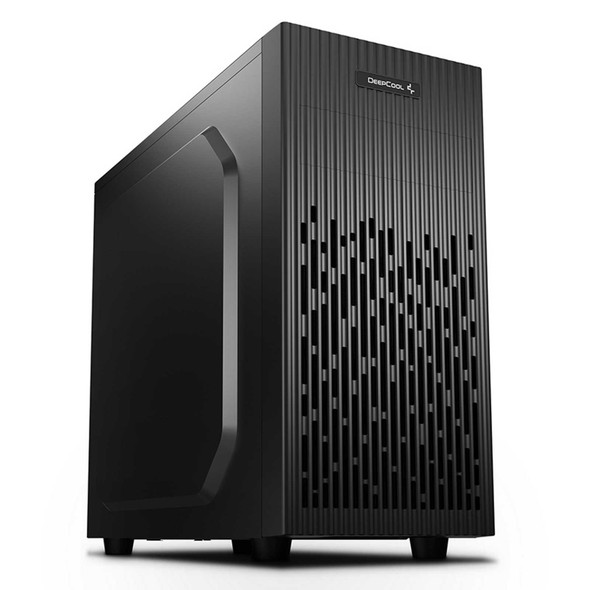
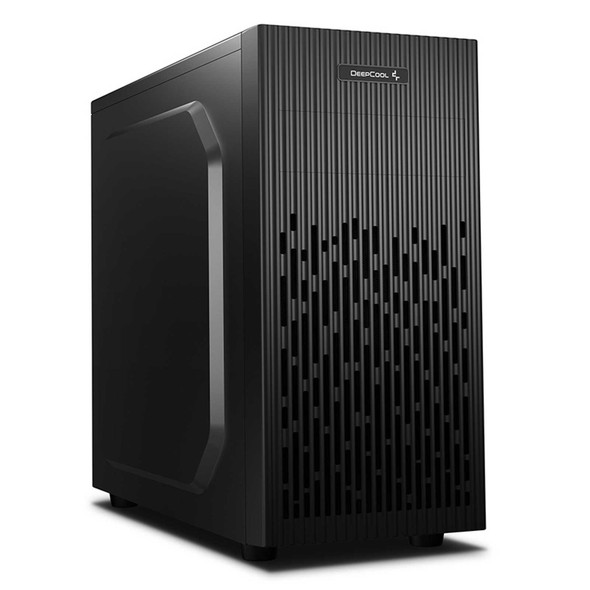
DeepCool MATREXX 30 SI Case, Home & Business, Black, Mini Tower, 1 x USB 3.0 / 1 x USB 2.0, Micro ATX, Mini-ITX, System Integrator Chassis
DEEPCOOL