
DEEPCOOL
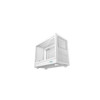
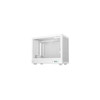
DeepCool CH160 PLUS White
- SKU:
- CADEE-CH160PLUSW
- UPC:
- 6933412765349
- MPN:
- R-CH160-WHNGM0-G
- Availability:
- Free Click & Collect in Peterborough. UK delivery also available.





Description
DeepCool CH160 PLUS WH White Compact Micro-ATX / Mini-ITX PC Case – Tempered Glass, USB-C and 240mm Radiator Support
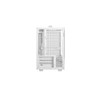
The DeepCool CH160 PLUS WH is a compact white PC case designed for small-form-factor builds that need more flexibility than many traditional Mini-ITX-only cases. With support for both Mini-ITX and Micro-ATX motherboards, a tempered glass side panel, mesh airflow design, USB-C Gen2 front I/O and top radiator support up to 240mm, it is a strong choice for compact gaming PCs, home office systems, media PCs and space-saving desktop builds.
This case is ideal for customers searching for a DeepCool CH160 PLUS White case, compact Micro-ATX case, white Mini-ITX tempered glass case, small form factor PC case with USB-C, or a compact gaming chassis with good airflow and liquid cooling support. DeepCool lists the CH160 PLUS WH with 375 x 195 x 323.5mm dimensions, ABS + SPCC + tempered glass construction, 4 expansion slots, no pre-installed fans, and Mini-ITX / Micro-ATX motherboard support.
Key Features of the DeepCool CH160 PLUS WH
- Compact white PC case for small-form-factor desktop builds
- Supports Mini-ITX and Micro-ATX motherboards, giving more flexibility than ITX-only cases
- Tempered glass side panel to showcase your components
- Mesh airflow design to help improve cooling in a compact layout
- Top 240mm radiator support for compatible AIO liquid coolers
- CPU cooler clearance up to 164mm
- Graphics card clearance up to 342mm
- ATX PS2, SFX and SFX-L power supply support
- ATX PSU support up to 140mm length
- USB-C Gen2 front port for modern high-speed devices
- 2 x USB 3.0 front ports for everyday peripherals and storage
- Audio/Mic combo port for headsets and speakers
- 1 x 3.5-inch drive bay and 1 + 1 x 2.5-inch drive support
- 4 expansion slots for compatible graphics cards and add-in cards
- No pre-installed fans, allowing builders to choose their preferred cooling setup
- P/N: R-CH160-WHNGM0-G
Compact Case with Micro-ATX and Mini-ITX Support
The DeepCool CH160 PLUS WH improves on the compact case formula by supporting both Mini-ITX and Micro-ATX motherboard layouts. This gives builders more choice when selecting motherboards, especially if they want a lower-cost Micro-ATX board, extra memory slots, additional M.2 support or more practical expansion options.
Because the case remains compact at 375 x 195 x 323.5mm, it is suitable for users who want a smaller PC without moving to a very restrictive ultra-small chassis. This makes it a good option for gaming desks, work-from-home setups, student rooms, media stations and compact performance builds.
Better Flexibility Than ITX-Only Cases
Many small cases only support Mini-ITX motherboards, which can increase build cost and limit upgrade options. The CH160 PLUS WH adds Micro-ATX support while keeping a compact footprint, making it easier to build a smaller PC using more widely available components.
White Tempered Glass Design for Clean Showcase Builds
The white finish and tempered glass side panel give the CH160 PLUS WH a clean, modern appearance. It is well suited to white-themed PC builds, minimalist desk setups, compact gaming systems and neat home office PCs.
The tempered glass panel allows your motherboard, CPU cooler, graphics card and internal layout to be visible, while the mesh sections help keep the design practical for airflow-focused builds.
Mesh Airflow and Flexible Cooling Support
The CH160 PLUS WH uses a mesh-heavy design to help airflow reach key components. DeepCool highlights mesh panels around the chassis to boost airflow in a size-conscious layout, which is important in compact cases where restricted ventilation can quickly affect CPU and GPU temperatures.
The case includes no pre-installed fans, so builders can choose quiet fans, high-airflow fans, ARGB fans or radiator fans depending on the final build plan.
Fan Support
- Front: 1 x 120mm or 1 x 140mm fan when using an SFX PSU
- Top: 2 x 120mm fans
- Rear: 1 x 120mm fan
Top 240mm Radiator Support
The DeepCool CH160 PLUS WH supports 120mm or 240mm radiators at the top, making it suitable for compatible compact liquid-cooled builds. It also supports a 120mm rear radiator. This gives builders flexibility for both air cooling and AIO liquid cooling setups.
Radiator Support
- Top: 120mm / 240mm radiator
- Rear: 120mm radiator
- Front: Not listed
- Bottom: Not listed
If installing a top radiator, check radiator thickness, fan thickness, motherboard heatsinks, RAM height and cable routing before building. Compact cases need more careful planning than larger tower cases.
Strong Component Support for a Compact Case
The CH160 PLUS WH supports graphics cards up to 342mm and CPU coolers up to 164mm. This gives it strong compatibility for a compact case, but final fitment still depends on your PSU type, fan placement, radiator setup and cable routing.
It supports ATX PS2, SFX and SFX-L power supplies. DeepCool lists ATX PS2 PSU support up to 140mm length, while front fan support is available when using an SFX PSU.
Modern Front I/O with USB-C Gen2
The front I/O panel includes 2 x USB 3.0 ports, 1 x Gen2 Type-C port and 1 x Audio/Mic combo port. This gives easy access for USB drives, external SSDs, keyboards, mice, controllers, headsets, phones and modern USB-C accessories.
Storage and Expansion Support
The CH160 PLUS WH includes 1 x 3.5-inch drive bay and 1 + 1 x 2.5-inch drive support, giving enough flexibility for an SSD-focused compact build or a mixed SSD/HDD setup. It also includes 4 expansion slots, helping with graphics card and add-in card compatibility compared with smaller ITX-only layouts.
Who Is the DeepCool CH160 PLUS WH Best For?
- PC builders wanting a compact white Micro-ATX or Mini-ITX case
- Gamers building a smaller desktop PC
- Users who want tempered glass and mesh airflow
- Home office users needing a space-saving PC case
- Builders who want USB-C Gen2 front connectivity
- Users planning a 120mm or 240mm top-mounted AIO cooler
- Customers who prefer choosing their own fans instead of using stock fans
- White PC build users wanting a clean compact chassis
Who Is This Case Not For?
This case is not the best choice if you need ATX or E-ATX motherboard support, a full-size tower layout, many hard drive bays, pre-installed ARGB fans, large custom water-cooling loops, or maximum clearance for very large graphics cards without careful planning. It is a compact case, so component compatibility should always be checked before purchase.
Technical Specifications
- Brand: DeepCool
- Model: CH160 PLUS WH
- Part Number: R-CH160-WHNGM0-G
- Product Type: Compact PC Case / Small Form Factor Case
- Colour: White
- Dimensions: 375 x 195 x 323.5mm / L x W x H
- Net Weight: 4.2kg
- Materials: ABS + SPCC + Tempered Glass
- Motherboard Support: Mini-ITX / Micro-ATX
- Front I/O: 2 x USB 3.0, 1 x Gen2 Type-C, 1 x Audio/Mic combo
- 3.5-inch Drive Bays: 1
- 2.5-inch Drive Bays: 1 + 1
- Expansion Slots: 4 slots
- Pre-Installed Fans: None
- Fan Support - Front: 1 x 120mm or 1 x 140mm with SFX PSU
- Fan Support - Top: 2 x 120mm
- Fan Support - Rear: 1 x 120mm
- Radiator Support - Top: 120mm / 240mm
- Radiator Support - Rear: 120mm
- Radiator Support - Front: Not listed
- Radiator Support - Bottom: Not listed
- Maximum GPU Length: Up to 342mm
- Maximum CPU Cooler Height: Up to 164mm
- PSU Support: ATX PS2, SFX and SFX-L
- Maximum ATX PSU Length: 140mm
Important Build Compatibility Notes
Before ordering, check your motherboard size, graphics card length, power supply type, CPU cooler height, radiator thickness, fan layout and storage configuration. The CH160 PLUS WH is compact, so some component combinations may affect available clearance. Front 120mm or 140mm fan support is listed only when using an SFX PSU.
Important Fan and Cooling Note
This case does not include pre-installed fans. You will need to add compatible case fans or a compatible AIO liquid cooler depending on your build. This is useful for builders who want to choose their own quiet, high-airflow or ARGB fans.
Important Product Naming Note
If your page title only says Mini-ITX, I recommend updating it to mention Micro-ATX / Mini-ITX. DeepCool’s official specification lists both motherboard sizes, so including Micro-ATX helps accuracy and improves semantic SEO for compact Micro-ATX case searches.
Why Buy the DeepCool CH160 PLUS WH?
The DeepCool CH160 PLUS WH is a strong choice for users who want a compact white case with more flexibility than many ITX-only options. With Micro-ATX and Mini-ITX support, tempered glass, mesh airflow, USB-C Gen2, 240mm top radiator support and a small desktop footprint, it is well suited to compact gaming PCs, home office builds and stylish space-saving systems.
Choose this case if you want a clean white compact chassis with modern front I/O, good cooling flexibility and support for both Mini-ITX and Micro-ATX motherboards.
Specification
DeepCool CH160 PLUS WH Compact Micro-ATX / Mini-ITX Case Specifications
The DeepCool CH160 PLUS WH is a compact white PC case designed for small-form-factor builds using Mini-ITX or Micro-ATX motherboards. It features a tempered glass side panel, mesh airflow design, integrated carry handle, USB-C Gen2 front I/O, support for top 240mm liquid cooling, CPU coolers up to 164mm and graphics cards up to 342mm.
General Information
| Brand | DeepCool |
| Model | CH160 PLUS WH |
| Manufacturer Part Number | R-CH160-WHNGM0-G |
| Product Type | Compact PC Case / Small Form Factor Case |
| Colour | White |
| Recommended Use | Compact gaming PCs, white PC builds, home office systems, portable desktop builds, Micro-ATX builds and Mini-ITX builds |
Case Design and Materials
| Case Style | Compact small-form-factor case |
| Materials | ABS, SPCC and tempered glass |
| Side Panel | Tempered glass side panel |
| Airflow Design | Mesh ventilation panels for improved airflow in a compact layout |
| Carry Handle | Integrated top handle |
| Dust Filter Design | Mesh panels / dust-filter-style ventilation around the chassis, depending on panel position |
Motherboard and Component Compatibility
| Motherboard Support | Mini-ITX / Micro-ATX |
| ATX Motherboard Support | No |
| E-ATX Motherboard Support | No |
| Maximum Graphics Card Length | Up to 342mm |
| GPU Clearance with Front Fan | Up to approximately 328mm when a front fan is installed |
| Maximum CPU Cooler Height | Up to 164mm |
| Expansion Slots | 4 slots |
Power Supply Support
| Supported PSU Types | ATX PS2, SFX and SFX-L |
| Maximum ATX PSU Length | Up to 140mm |
| Power Supply Included | No |
| Front Fan with PSU Note | Front 120mm / 140mm fan support is listed when using an SFX PSU |
Front I/O Ports
| USB-A Ports | 2 x USB 3.0 |
| USB-C Port | 1 x Gen2 Type-C |
| Audio | 1 x Audio / Mic combo port |
Drive Bays and Storage Support
| 3.5" Drive Bays | 1 |
| 2.5" Drive Bays | 1 + 1 |
| Storage Layout Note | Suitable for compact SSD/HDD storage layouts; final drive support may depend on motherboard, PSU and cable routing |
Included Fans and Fan Support
| Pre-Installed Fans | None |
| Front Fan Support | 1 x 120mm or 1 x 140mm, with SFX PSU |
| Top Fan Support | 2 x 120mm |
| Rear Fan Support | 1 x 120mm |
| Bottom Fan Support | Not listed |
| Side Fan Support | Not listed |
Radiator and Liquid Cooling Support
| Top Radiator Support | 120mm or 240mm |
| Rear Radiator Support | 120mm |
| Front Radiator Support | Not listed / NA |
| Bottom Radiator Support | Not listed / NA |
Dimensions and Weight
| Product Dimensions | 375 x 195 x 323.5mm / L x W x H |
| Length | 375mm |
| Width | 195mm |
| Height | 323.5mm |
| Net Weight | 4.2kg |
Package Contents
| PC Case | 1 x DeepCool CH160 PLUS WH White Case |
| Pre-Installed Fans | None |
| Power Supply | Not included |
| Accessories | Standard case accessory pack / screws, depending on retail package |
Warranty
| Warranty | Check Memox warranty terms / supplier warranty for final coverage |
Important Build Compatibility Notes
Please check your components before purchase. The DeepCool CH160 PLUS WH supports Mini-ITX and Micro-ATX motherboards, graphics cards up to 342mm, CPU coolers up to 164mm, and ATX PS2 power supplies up to 140mm long, as well as SFX and SFX-L power supplies. Compact cases require careful planning around GPU length, PSU type, radiator thickness, fan placement and cable routing.
Important Cooling Note
This case does not include pre-installed fans. Add compatible case fans or a compatible AIO liquid cooler depending on your build. Front 120mm / 140mm fan support is listed only when using an SFX PSU.
Important Product Title Note
DeepCool's official specification lists Mini-ITX / Micro-ATX motherboard support. If your current title only says “Mini-ITX”, I recommend updating it to mention Micro-ATX as well, because it is more accurate and can help the page rank for compact Micro-ATX case searches.
Return
FAQ: Frequenlty Asked Questions
DeepCool CH160 PLUS White Mini-ITX / Micro-ATX Compact PC Case FAQ
The DeepCool CH160 PLUS White is a compact high-airflow PC case designed for small gaming PCs, portable workstation builds, LAN party systems, desk-friendly setups, and compact Micro-ATX or Mini-ITX builds. With a white finish, mesh airflow design, integrated carry handle, direct GPU installation, ATX/SFX PSU options, 240mm top radiator support, USB-C front I/O, and tall CPU air cooler clearance, it is a flexible choice for users who want a clean white compact PC build without giving up too much component compatibility. Below are the most common questions buyers ask before choosing this DeepCool CH160 PLUS White compact PC case, including motherboard support, GPU clearance, PSU fitment, airflow, fan support, radiator support, CPU cooler height, storage, cable management, portability, and who this case is best for.
1. What is the DeepCool CH160 PLUS White?
The DeepCool CH160 PLUS White is a compact, portable PC case with a clean white finish, mesh airflow design, and integrated carry handle. It supports Micro-ATX and Mini-ITX builds, making it suitable for small gaming PCs, compact workstations, home office systems, and LAN party builds.
2. Is the CH160 PLUS White the same as the black CH160 PLUS?
Yes, the white version has the same core layout and compatibility as the standard CH160 PLUS, but with a white colour finish. The main differences are visual rather than functional, so buyers can choose the colour that best matches their setup.
3. Is the DeepCool CH160 PLUS White a Mini-ITX case?
The CH160 PLUS White supports Mini-ITX motherboards, but it is not limited to Mini-ITX only. DeepCool also lists Micro-ATX motherboard support, making it more flexible than many pure Mini-ITX cases.
4. Does the CH160 PLUS White support Micro-ATX motherboards?
Yes. The DeepCool CH160 PLUS White supports Micro-ATX motherboards. This is one of the biggest advantages of the PLUS version, as it gives more motherboard choice than many very small ITX-only cases.
5. Does the CH160 PLUS White support Mini-ITX motherboards?
Yes. The CH160 PLUS White supports Mini-ITX motherboards as well as Micro-ATX motherboards. Mini-ITX can give extra internal space for airflow, cable routing, or larger graphics cards.
6. Does the CH160 PLUS White support full ATX motherboards?
No. The CH160 PLUS White does not support full-size ATX motherboards. It is designed for Micro-ATX and Mini-ITX systems. If you need a full ATX motherboard, choose a larger ATX case.
7. What size is the DeepCool CH160 PLUS White?
The CH160 PLUS White is a compact case with a small footprint compared with a normal mid-tower. Listings commonly show dimensions around 375 x 195 x 323.5mm, making it suitable for desk-friendly and portable builds while still supporting strong hardware compatibility.
8. Is the CH160 PLUS White good for a white gaming PC build?
Yes. The white finish makes it a strong option for white-themed gaming setups. It can be paired with a white motherboard, white GPU, white PSU cables, white fans, and RGB lighting for a clean compact gaming PC build.
9. Is the CH160 PLUS White good for a compact gaming PC?
Yes. The CH160 PLUS White is well suited to compact gaming builds because it supports long graphics cards, Micro-ATX or Mini-ITX motherboards, strong airflow, tall air coolers, and up to a 240mm top radiator. Always check GPU, PSU, cooler, and fan dimensions before ordering parts.
10. What graphics card length does the CH160 PLUS White support?
DeepCool lists GPU support up to 342mm, or up to 328mm when using a front fan. Actual fit can also depend on GPU thickness, PSU size, modular cable position, and power connector clearance.
11. Can I install a long triple-fan GPU in the CH160 PLUS White?
Possibly, if the GPU is within the supported length and thickness limits. Check the exact GPU length, slot thickness, power connector position, and PSU cable clearance. If using a front fan, the maximum GPU length is reduced to around 328mm.
12. Does the CH160 PLUS White need a PCIe riser cable?
No. The CH160 PLUS White uses direct GPU installation into the motherboard. This avoids the extra cost and compatibility concerns that can come with PCIe riser cable layouts.
13. How many expansion slots does the CH160 PLUS White have?
The CH160 PLUS White has 4 expansion slots. This gives more flexibility for thicker graphics cards and Micro-ATX motherboard layouts compared with many smaller ITX-only cases.
14. Does the CH160 PLUS White support RTX 4070, RTX 4080, RTX 5080 or RTX 4090 graphics cards?
It depends on the exact graphics card model. Some cards may fit, while others may be too long or too thick. Check the GPU length against the 342mm limit, or 328mm if using a front fan, and confirm power cable clearance before buying.
15. What CPU cooler height does the CH160 PLUS White support?
The CH160 PLUS White supports CPU air coolers up to approximately 164mm tall. This is generous for a compact case and allows many popular tower-style air coolers to fit.
16. Can I use a large air cooler in the CH160 PLUS White?
Yes, many large air coolers can fit as long as they are no taller than 164mm. Always check the exact height of the cooler and allow for motherboard, RAM, and case side-panel clearance.
17. Does the CH160 PLUS White support liquid cooling?
Yes. The CH160 PLUS White supports liquid cooling with up to a 240mm radiator at the top and a 120mm radiator at the rear, depending on the rest of your component layout.
18. Can I install a 240mm AIO in the CH160 PLUS White?
Yes. The CH160 PLUS White supports a 240mm top radiator. Before choosing an AIO, check radiator thickness, fan thickness, motherboard heatsink height, RAM clearance, PSU cable routing, and top-panel clearance.
19. Can I install a 360mm radiator in the CH160 PLUS White?
No. The CH160 PLUS White is a compact case and does not support a 360mm radiator. Choose a larger case if you need 280mm or 360mm radiator support.
20. What fan mounts does the CH160 PLUS White support?
The CH160 PLUS White supports front, top, and rear fan positions. Common listings show support for one 120mm or 140mm front fan, two 120mm top fans, and one 120mm rear fan. Fan support can depend on PSU type, GPU length, radiator installation, and cable routing.
21. Can I install a front fan in the CH160 PLUS White?
Yes, but front fan support depends on your PSU and GPU layout. An SFX PSU usually gives more room for front fan installation. A longer ATX PSU or bulky modular cables can reduce front fan clearance.
22. Does the CH160 PLUS White come with fans?
Package contents can vary by retailer and region, so check the product listing. The case has fan mounting positions, but you may need to purchase case fans separately depending on the version supplied.
23. Is airflow good in the CH160 PLUS White?
Yes. The CH160 PLUS White is designed with mesh airflow panels to help the CPU, GPU, PSU, and case fans breathe in a compact layout. Final temperatures depend on fan choice, cable management, GPU heat output, CPU cooler, and room temperature.
24. Is the CH160 PLUS White better for air cooling or AIO liquid cooling?
It can work well with both. Air cooling is simple and reliable because the case supports CPU coolers up to 164mm. A 240mm AIO can also work well for users who want liquid cooling in a compact white case.
25. Does the CH160 PLUS White support ATX power supplies?
Yes. The CH160 PLUS White supports ATX PSUs up to approximately 140mm. Longer ATX PSUs are not recommended because they can interfere with cable routing, front fan clearance, and GPU fitment.
26. Does the CH160 PLUS White support SFX and SFX-L power supplies?
Yes. The case supports SFX and SFX-L PSUs. Many compact-case builders prefer an SFX PSU because it gives more internal space for cables, airflow, front fans, and longer graphics cards.
27. Should I use an ATX PSU or SFX PSU in the CH160 PLUS White?
An SFX PSU is usually the easier and cleaner choice because it saves space and improves cable clearance. A short ATX PSU can work, but cable management and front fan clearance can become tighter, especially with long GPUs.
28. What is the maximum ATX PSU length for the CH160 PLUS White?
The recommended ATX PSU length is up to 140mm. If you use a longer PSU, it may block the front fan position, interfere with modular cables, or reduce GPU clearance. For easiest building, choose a compact modular PSU or SFX PSU.
29. Can a 150mm ATX PSU fit in the CH160 PLUS White?
A 150mm ATX PSU is not the recommended fit because DeepCool lists ATX PSU support up to 140mm. Some builders may try longer PSUs, but it can create clearance problems with the front fan, GPU, and modular cables.
30. Why do many builders recommend SFX PSU for this case?
SFX PSUs create more space inside the case. This can make cable management easier, improve airflow, help front fan fitment, and reduce the chance of PSU cables pressing against the GPU or case panels.
31. Is cable management difficult in the CH160 PLUS White?
Cable management is more demanding than in a normal mid-tower because the case is compact. It is easier with an SFX PSU, modular cables, M.2 storage, and careful build planning. Avoid bulky cable extensions if internal space is tight.
32. What storage drives does the CH160 PLUS White support?
The CH160 PLUS White supports compact storage layouts such as 1 × 2.5-inch plus 1 × 3.5-inch drive, or 2 × 2.5-inch drives, depending on your build configuration. Many users may prefer M.2 SSDs to reduce cable clutter.
33. Can I install a 3.5-inch hard drive in the CH160 PLUS White?
Yes. The case can support a 3.5-inch drive in supported layouts. However, if you want the cleanest compact gaming build, M.2 SSD storage is usually easier because it reduces SATA power and data cables.
34. Can I install 2.5-inch SSDs in the CH160 PLUS White?
Yes. The case supports 2.5-inch SSD installation. This is useful if you want extra SATA storage alongside an M.2 boot drive.
35. Is the CH160 PLUS White good for an M.2-only build?
Yes. An M.2-only build is ideal for this case because it reduces cable clutter, improves airflow, and makes the internal layout cleaner. This is especially useful in white-themed compact builds where visible cable tidiness matters.
36. What front I/O ports does the CH160 PLUS White have?
The CH160 PLUS White includes front I/O with 2 × USB 3.0 ports, 1 × USB-C Gen2 port, and a hybrid audio jack. This gives convenient access for USB drives, headsets, phones, controllers, and external storage.
37. Does the CH160 PLUS White have front USB-C?
Yes. The case includes a front USB-C Gen2 port. To use it, your motherboard must have the correct internal USB-C front panel header, or you may need a suitable adapter.
38. What happens if my motherboard has no internal USB-C header?
If your motherboard does not have the correct internal USB-C header, the front USB-C port may not work unless you use a compatible adapter or expansion solution. Check your motherboard manual before building if front USB-C is important.
39. Does the CH160 PLUS White have a carry handle?
Yes. The case includes an integrated top carry handle, making it easier to move around the home, office, workshop, or LAN party setup. Always carry the completed PC carefully, especially if it contains a heavy graphics card.
40. Is the CH160 PLUS White good for LAN parties?
Yes. The compact size and integrated handle make it suitable for LAN party builds and portable gaming setups. Make sure the GPU, cooler, PSU, and internal cables are secured properly before transporting the system.
41. Does the CH160 PLUS White support a carrying bag?
DeepCool has promoted compatibility with its optional Casefree carrying bag for the CH160 PLUS series. Availability may vary by region and retailer, so check separately if you want a dedicated carry bag.
42. Does the CH160 PLUS White have tempered glass?
Listings for the white model may show a tempered glass side panel along with mesh airflow sections. Always check the exact product photos and listing details because regional listings can describe panels differently.
43. Is the white finish easy to keep clean?
White cases can show dust, marks, and fingerprints more visibly than black cases. Regular light cleaning with a soft cloth and dusting the mesh panels will help keep the case looking clean.
44. Is the CH160 PLUS White good for RGB builds?
Yes. The white finish can reflect RGB lighting nicely and match white RGB fans, white cable extensions, and white coolers. The visual effect depends on the side panel, mesh design, and internal component colour choices.
45. Is the CH160 PLUS White easy to build in?
It is easier than many very small Mini-ITX cases because it supports more standard components, but it is still compact. Plan the build order, PSU choice, cable routing, GPU length, fan layout, and cooling setup before installation.
46. What should I install first when building in the CH160 PLUS White?
A good build order is usually CPU, RAM, and M.2 SSD on the motherboard first, then motherboard installation, PSU, cable routing, fans or radiator, and finally the GPU. The exact order may change depending on PSU type and cooling layout.
47. Is the CH160 PLUS White suitable for beginners?
It can be suitable for careful beginners, but compact cases require more planning than standard mid-towers. Beginners should avoid oversized GPUs, long ATX PSUs, thick radiators, and unnecessary cable extensions for their first compact build.
48. Is the CH160 PLUS White quiet?
Noise depends on fan choice, CPU cooler, GPU cooler, fan curves, and airflow setup. Mesh cases often cool well, which can help fans run slower, but they do not block noise as much as closed sound-dampened cases.
49. Is a mesh case better than a closed case?
For compact performance builds, mesh cases are often better because they allow more airflow to the CPU, GPU, PSU, and case fans. Closed cases may hide noise better but can trap heat if airflow is limited.
50. Will the CH160 PLUS White keep a high-end GPU cool?
It can cool high-end GPUs well if the card fits properly and the airflow layout is planned correctly. GPU temperatures depend on card design, power draw, fan setup, PSU/cable obstruction, room temperature, and whether the case has enough intake and exhaust airflow.
51. Can I use a Micro-ATX motherboard with a large GPU?
Yes, but check the motherboard PCIe slot position, GPU thickness, expansion slot clearance, and cable routing. The case has 4 expansion slots, but very thick GPUs can still create airflow and fitment challenges.
52. Does the CH160 PLUS White support back-connect motherboards?
The CH160 PLUS White is not primarily marketed as a back-connect motherboard case. If you plan to use ASUS BTF, MSI Project Zero, Gigabyte Project Stealth, or similar rear-connector motherboards, check official compatibility before buying.
53. Can I use this case for a compact workstation?
Yes. The CH160 PLUS White can be used for a compact workstation if your motherboard, CPU cooler, GPU, PSU, and storage fit. It is suitable for productivity, design, editing, programming, and engineering users who want a smaller desktop system.
54. Is the CH160 PLUS White good for a home office PC?
Yes. It can make a clean, compact home office PC with good airflow and modern front I/O. For quiet office use, choose efficient components, low-noise fans, and a suitable fan curve.
55. DeepCool CH160 PLUS White vs original CH160 — which should I choose?
Choose the CH160 PLUS White if you want Micro-ATX motherboard support, longer GPU clearance, 240mm top radiator support, and more internal flexibility. Choose the original CH160 if you want a smaller pure Mini-ITX style case and do not need Micro-ATX support.
56. DeepCool CH160 PLUS White vs NR200 — which is better?
Choose the CH160 PLUS White if you want a clean white compact case with a carry handle, Micro-ATX support, direct GPU mounting, and 240mm top radiator support. Choose an NR200-style case if you prefer its layout, larger community build guides, and specific SFF ecosystem. Always compare exact component clearance before deciding.
57. DeepCool CH160 PLUS White vs normal mid-tower — which should I choose?
Choose the CH160 PLUS White if you want a smaller, portable, desk-friendly PC case. Choose a normal mid-tower if you want full ATX motherboard support, easier cable management, more radiator space, more drive bays, and fewer fitment checks.
58. Who is the DeepCool CH160 PLUS White best for?
The CH160 PLUS White is best for PC builders who want a compact white gaming PC or workstation with strong airflow, a carry handle, Micro-ATX or Mini-ITX support, direct GPU installation, SFX/ATX PSU flexibility, and support for tall air coolers or a 240mm AIO.
59. Who is the DeepCool CH160 PLUS White not for?
This case is not the best choice if you need full ATX motherboard support, 360mm radiator support, lots of hard drive bays, very easy cable management, a large panoramic glass display case, or a build using oversized GPU and PSU parts with no compatibility checks.
60. What should I check before buying the CH160 PLUS White?
Before buying, check your motherboard size, GPU length and thickness, PSU type and length, CPU cooler height, radiator thickness, fan layout, storage needs, front USB-C motherboard header, and whether an SFX PSU would make your build easier and cleaner.
Related Products
Related Products
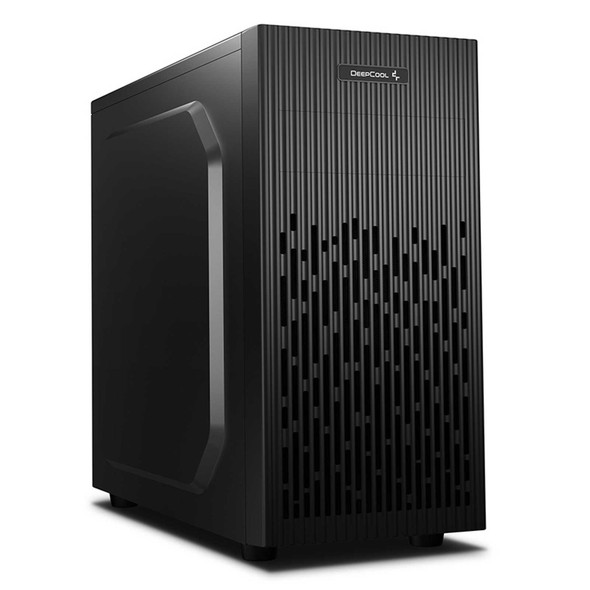
DeepCool MATREXX 30 SI Case, Home & Business, Black, Mini Tower, 1 x USB 3.0 / 1 x USB 2.0, Micro ATX, Mini-ITX, System Integrator Chassis
DEEPCOOL
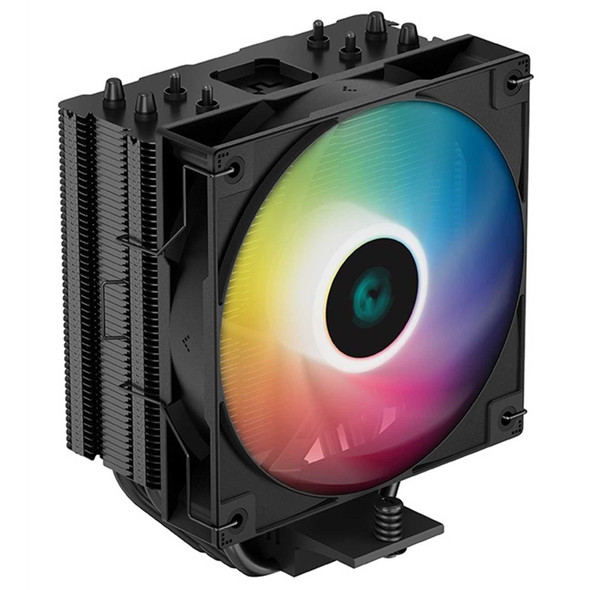
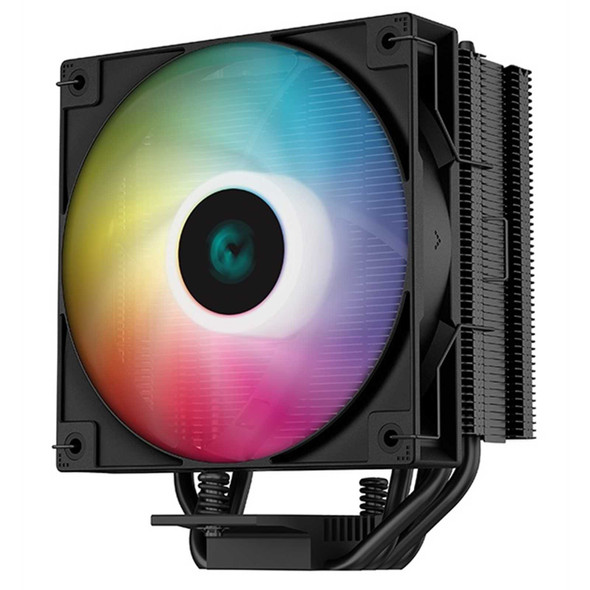
DeepCool AG400 Black ARGB V2 CPU Air Cooler, 120mm PWM Fan, 4 Direct Touch Heat Pipes, Addressable RGB, LGA1851/1700/1200, AM5/AM4 Compatible, High-Performance Single Tower Cooler
DEEPCOOL


DeepCool AG400 Fan CPU Cooler, Universal Socket, High Efficiency 120mm PWM Cooling Black Fan, 2000RPM, 4 Heat Pipes, 220W Heat Dissipation Power, Unique Matrix Fin Design, Intel LGA 1700 Bracket Included
DEEPCOOL