
DEEPCOOL
DeepCool CC360 WH ARGB Micro-ATX Case – 3 ARGB Fans, Tempered Glass & 360mm Radiator Support
- SKU:
- CADEE-CC360ARGBW
- MPN:
- R-CC360-WHAPM3-G-1
- Availability:
- Free Click & Collect in Peterborough. UK delivery also available



Description
DeepCool CC360 WH ARGB White Micro-ATX PC Case – 3 ARGB Fans & Tempered Glass
The DeepCool CC360 WH ARGB is a compact white Micro-ATX gaming PC case designed to combine strong airflow, extensive cooling support and attractive ARGB lighting without requiring a full-size ATX tower.
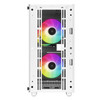
The exact R-CC360-WHAPM3-G-1 model comes ready to build with three pre-installed 120mm ARGB fans – two at the front and one at the rear – together with an airflow-focused front panel, large mesh top ventilation and a full-sized tempered-glass side window.
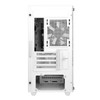
Despite its compact Micro-ATX footprint, DeepCool provides substantial component clearance. The current manufacturer specification allows a graphics card up to 378mm long without a front radiator, reducing to approximately 320mm when a front radiator is installed. CPU air coolers up to 165mm high and ATX PS2 power supplies up to 160mm long are supported.
Cooling expansion is particularly strong for a case of this size, with support for up to eight 120mm fans, four 140mm fan positions, a 360mm radiator at the front, up to 240mm at the top and a 120mm radiator at the rear.
Model: CC360 WH ARGB | MPN: R-CC360-WHAPM3-G-1 | EAN: 6933412774945 | Motherboards: Micro-ATX / Mini-ITX
Key Features of the DeepCool CC360 WH ARGB
- White Micro-ATX gaming PC case
- Exact model: R-CC360-WHAPM3-G-1
- Supports Micro-ATX and Mini-ITX motherboards
- 3 x pre-installed 120mm ARGB fans
- 2 x front 120mm ARGB fans pre-installed
- 1 x rear 120mm ARGB fan pre-installed
- Airflow-focused ventilated front panel
- Large mesh top ventilation area
- Full-sized tempered-glass side panel
- Up to 8 x 120mm case fans
- Up to 4 x 140mm fan positions
- 360mm front radiator support
- 280mm front radiator support
- 240mm top radiator support
- 120mm rear radiator support
- Up to 378mm GPU clearance without a front radiator
- Approx. 320mm GPU clearance with a front radiator installed
- 165mm maximum CPU cooler height
- ATX PS2 PSU support
- 160mm maximum PSU length
- 4 expansion slots
- 2 x 3.5-inch drive positions
- DeepCool technical specification lists 2+1 x 2.5-inch positions
- Removable lower drive cage
- PSU shroud
- 2 x 120mm fan positions above the PSU shroud
- Magnetic top dust filter
- 1 x front USB 3.0 Type-A
- 1 x front USB 2.0 Type-A
- 1 x combined headphone / microphone audio jack
- Dedicated LED control button for preset ARGB lighting effects
- ABS, SPCC steel and tempered-glass construction
- Dimensions: 418 x 215 x 431mm
- Net weight: approximately 4.9kg
Three Pre-Installed 120mm ARGB Fans
The CC360 WH ARGB arrives with three 120mm ARGB fans already installed, so a new system can begin with useful chassis airflow without requiring a separate fan kit.
The factory arrangement consists of:
- Front: 2 x 120mm ARGB fans
- Rear: 1 x 120mm ARGB fan
How Are the Included Fans Positioned?
A conventional configuration uses the two front fans to bring cooler room air into the chassis while the rear fan removes warmer air from around the CPU and motherboard.
This gives the CC360 WH ARGB a practical front-to-rear airflow layout straight from the box.
Are All Three Included Fans ARGB?
Yes. The CC360 WH ARGB is supplied with three illuminated addressable-RGB fans.
The lighting helps illuminate the interior through the tempered-glass side window while also providing the airflow required for a typical gaming build.
Built-In ARGB Lighting Control
Current UK product documentation for the CC360 WH ARGB specifies a dedicated LED control button that can be used to cycle through preset lighting effects for the three supplied ARGB fans.
Do I Need RGB Software to Change the Case Lighting?
Basic preset lighting effects can be changed using the case lighting-control button when the fans are connected in the supplied case-controlled configuration.
If you intend to integrate the lighting with a motherboard-controlled ARGB system, always check the motherboard's lighting connections and the supplied case wiring before connection.
High-Airflow Front Panel
DeepCool designed the CC360 WH ARGB around an airflow-focused ventilated front panel rather than a heavily restricted solid front.
This gives the two pre-installed front intake fans access to fresh outside air and helps direct airflow towards important internal hardware such as:
- Graphics card
- CPU cooler
- Motherboard VRM area
- Memory modules
- Internal storage
Large Mesh Top Ventilation
The upper section of the chassis uses a large ventilated mesh area that provides an additional path for warm air to leave the system.
The top can also accommodate additional case fans or a compatible liquid-cooling radiator.
Does the CC360 WH ARGB Have a Top Dust Filter?
Yes. DeepCool includes a magnetic top dust filter.
The magnetic design makes the filter straightforward to remove for routine cleaning while helping reduce dust entering through the top ventilation area.
Up to Eight 120mm Case Fans
One of the strongest features of the CC360 WH ARGB is the amount of cooling hardware that can fit inside its compact chassis.
DeepCool officially provides the following fan positions:
- Front: 3 x 120mm or 2 x 140mm
- Top: 2 x 120mm or 2 x 140mm
- Rear: 1 x 120mm
- PSU shroud: 2 x 120mm
This allows a maximum configuration of up to eight 120mm fans.
How Many Fans Are Included?
Three 120mm ARGB fans are included.
Any additional top, front or PSU-shroud fans shown in example builds or promotional images should not be assumed to be included.
Up to Four 140mm Fan Positions
The front and top panels can also use larger 140mm fans:
- 2 x 140mm front
- 2 x 140mm top
The exact airflow and noise advantage will depend on the fan models selected, but 140mm support gives builders more flexibility when choosing a cooling layout.
Two Additional Fan Positions Above the PSU Shroud
The power-supply shroud provides mounting points for an additional two 120mm fans.
Depending on the selected hardware and airflow configuration, these lower fan positions can be used to direct additional air towards the graphics-card area.
360mm Front Radiator Support
The CC360 WH ARGB supports substantial liquid cooling despite being a compact Micro-ATX chassis.
The front radiator position officially supports:
- 120mm
- 140mm
- 240mm
- 280mm
- 360mm
Where Can a 360mm Radiator Be Installed?
A 360mm radiator is supported at the front of the chassis only.
The top does not support a 360mm radiator.
240mm Top Radiator Support
The top radiator position supports:
- 120mm
- 140mm
- 240mm
Can I Fit a 360mm AIO at the Top?
No.
The maximum officially supported top radiator size is 240mm. A 360mm AIO must be mounted at the front if its complete radiator and fan assembly is compatible with the rest of the build.
120mm Rear Radiator Support
A 120mm radiator can also be mounted at the rear.
Using the rear position for a radiator replaces the normal rear case-fan position, so the overall airflow layout should be planned accordingly.
Up to 378mm Graphics Card Clearance
DeepCool's current product specification provides up to 378mm of graphics-card clearance when no front radiator is installed.
This gives the compact chassis room for many large modern graphics cards.
How Long Can the GPU Be with a Front Radiator?
Installing a front radiator reduces the available graphics-card length to approximately 320mm.
This is one of the most important compatibility checks when planning a high-end build.
Why Do Some CC360 Specifications Say 320mm Maximum GPU Length?
Older DeepCool documentation and distributor feeds commonly list 320mm as the general maximum GPU length.
DeepCool's current product page for the exact R-CC360-WHAPM3-G-1 now clarifies the configuration more precisely:
- Up to 378mm without a front radiator
- Up to 320mm with a front radiator
For current product information, this newer manufacturer clarification is the more useful specification.
Choosing Between a Long GPU and a 360mm Front AIO
Builders using a particularly long graphics card need to consider the space occupied by a front radiator and its fans.
If your GPU is longer than approximately 320mm, a front-mounted radiator may no longer be practical.
Possible alternatives include:
- A top-mounted 240mm AIO
- A compatible tower air cooler
- A shorter graphics card
- A larger chassis if both a very long GPU and 360mm AIO are required
165mm CPU Air Cooler Clearance
The CC360 WH ARGB supports CPU air coolers up to 165mm tall.
This allows compatibility with many tower-style air coolers while retaining the compact external dimensions of the case.
How Do I Check if My CPU Cooler Will Fit?
Check the cooler manufacturer's complete installed height and confirm that it does not exceed 165mm.
If a cooler is specified at exactly the case limit, allowing a small installation tolerance is sensible.
ATX PS2 Power Supply Support
The lower compartment accepts a standard ATX PS2 power supply with a manufacturer-specified maximum length of 160mm.
Will a Modular ATX PSU Fit?
A modular ATX PSU can fit if the physical unit remains within the supported dimensions, but the modular cable connectors and cable bends require additional practical working room behind the power supply.
This becomes particularly important when the removable hard-drive cage is installed nearby.
Is a Power Supply Included?
No. A compatible ATX power supply must be selected separately for the PC build.
Micro-ATX and Mini-ITX Motherboard Support
The CC360 WH ARGB officially supports:
- Micro-ATX / mATX
- Mini-ITX / mITX
Does the DeepCool CC360 WH ARGB Support a Full-Size ATX Motherboard?
No.
A standard ATX motherboard is larger than the supported motherboard area. Choose a Micro-ATX or Mini-ITX motherboard for this chassis.
Does It Support E-ATX?
No. E-ATX motherboards are not officially supported.
Four Expansion Slots
The chassis provides four rear expansion slots, appropriate for its Micro-ATX motherboard format.
Graphics-card thickness and any additional PCIe expansion devices should therefore be considered together when planning the build.
Tempered-Glass Side Panel
A large tempered-glass side window provides a clear view of the installed components and the lighting produced by the three pre-installed ARGB fans.
This makes the white CC360 particularly suitable for visually coordinated systems using white components, RGB memory, illuminated CPU cooling or other showcase hardware.
White Gaming PC Case Design
The CC360 WH ARGB uses an all-white exterior theme designed for white or mixed-colour PC builds.
The combination of white chassis panels, tempered glass and ARGB lighting can work particularly well with:
- White graphics cards
- White CPU coolers
- White or silver motherboards
- RGB memory
- White sleeved PSU cables
- White AIO liquid coolers
Flexible SSD and Hard Drive Storage
DeepCool provides support for both 2.5-inch SSDs and 3.5-inch hard drives.
The formal technical specification lists:
- 2 x 3.5-inch drive positions
- 2+1 x 2.5-inch positions
The product overview separately highlights two 2.5-inch SSD positions mounted directly on the rear backplate and two 3.5-inch hard drives in the lower removable drive cage.
Why Does DeepCool Say 2+1 for 2.5-Inch Drives?
DeepCool's formal specification deliberately uses the notation 2+1 rather than simply stating three identical dedicated SSD bays.
For accuracy, this Memox description preserves the manufacturer's notation instead of implying that all three 2.5-inch mounting positions are identical.
Removable Hard Drive Cage
The lower drive cage provides space for 3.5-inch storage and can be removed when the build requires additional flexibility around the lower chassis area.
This can be particularly useful when managing PSU cables or configuring the lower section of the system.
Front USB 3.0 and USB 2.0 Connectivity
The front I/O panel provides:
- 1 x USB 3.0 Type-A
- 1 x USB 2.0 Type-A
- 1 x combined headphone / microphone audio jack
Does the CC360 WH ARGB Have Front USB-C?
No.
The official front I/O specification includes USB 3.0 Type-A, USB 2.0 Type-A and a combined audio connection, but no front USB Type-C port.
If front USB-C is essential to your build, choose a chassis that specifically lists a Type-C front-panel connector.
Combined Headphone and Microphone Jack
The front panel uses a single combo audio connection rather than separate headphone and microphone sockets.
Headsets using a single combined TRRS plug can therefore connect directly, subject to motherboard audio support.
ABS, SPCC Steel and Tempered-Glass Construction
DeepCool lists the main case materials as:
- SPCC steel
- ABS plastic
- Tempered glass
This combines a steel chassis structure with moulded exterior components and the transparent side window.
Compact 418 x 215 x 431mm Chassis
The CC360 WH ARGB measures approximately:
- Length / Depth: 418mm
- Width: 215mm
- Height: 431mm
- Net Weight: 4.9kg
This makes it significantly more compact than many full-size ATX gaming cases while still offering room for substantial graphics cards and cooling hardware.
Is the CC360 a Micro-ATX Case or Mid-Tower?
DeepCool officially describes the CC360 WH ARGB as a Micro-ATX case.
Some retailer databases may apply generic terms such as “mini tower” or “mid tower”, but motherboard support is the more useful classification: the chassis is specifically designed for Micro-ATX and Mini-ITX motherboards.
Good Choice for a Compact Gaming PC
The combination of graphics-card clearance, extensive fan mounting and liquid-cooling support makes the CC360 WH ARGB particularly suitable for a compact gaming build.
A typical configuration could include:
- Micro-ATX gaming motherboard
- Modern multi-slot graphics card
- ATX power supply
- Tower CPU cooler or AIO liquid cooler
- Motherboard-mounted M.2 NVMe SSD
- Additional 2.5-inch SSD or 3.5-inch hard-drive storage
Suitable for Air-Cooled Builds
The CC360 does not require liquid cooling.
With 165mm CPU-cooler clearance and up to eight 120mm fan positions, builders can create a fully air-cooled gaming or productivity PC using a compatible tower CPU cooler.
Suitable for AIO Liquid Cooling
Builders preferring an AIO liquid cooler can choose between several radiator positions.
The most capable configurations include:
- Up to 360mm front AIO
- Up to 240mm top AIO
- 120mm rear AIO
Always check the complete radiator plus fan thickness and surrounding motherboard, RAM and graphics-card clearances before purchase.
Important Things to Know Before Buying
- The exact white model is R-CC360-WHAPM3-G-1.
- EAN is 6933412774945.
- The case supports Micro-ATX and Mini-ITX motherboards.
- Standard ATX and E-ATX motherboards are not supported.
- Three 120mm ARGB fans are pre-installed.
- The current DeepCool specification allows a GPU up to 378mm without a front radiator.
- GPU clearance falls to approximately 320mm with a front radiator installed.
- The maximum CPU cooler height is 165mm.
- The maximum PSU length is 160mm.
- A 360mm radiator is supported at the front only.
- The top radiator position supports up to 240mm.
- The rear supports a 120mm radiator.
- The chassis supports up to eight 120mm fans.
- The top includes a magnetic dust filter.
- Front I/O includes USB 3.0, USB 2.0 and combo audio.
- There is no front USB-C port.
- A power supply is not included.
- Additional fans and liquid coolers are not included unless separately stated.
DeepCool CC360 WH ARGB Technical Highlights
- Brand: DeepCool
- Model: CC360 WH ARGB
- Manufacturer Part Number: R-CC360-WHAPM3-G-1
- Memox SKU: CADEE-CC360ARGBW
- EAN / GTIN: 6933412774945
- Colour: White
- Case Type: Micro-ATX PC case
- Motherboard Support: Micro-ATX / Mini-ITX
- Materials: ABS + SPCC steel + tempered glass
- Expansion Slots: 4
- Pre-Installed Fans: 3 x 120mm ARGB
- Front Fans Included: 2 x 120mm ARGB
- Rear Fan Included: 1 x 120mm ARGB
- Maximum 120mm Fan Capacity: 8
- Maximum 140mm Fan Positions: 4
- Front Fan Support: 3 x 120mm / 2 x 140mm
- Top Fan Support: 2 x 120mm / 2 x 140mm
- Rear Fan Support: 1 x 120mm
- PSU Shroud Fan Support: 2 x 120mm
- Front Radiator Support: 120 / 140 / 240 / 280 / 360mm
- Top Radiator Support: 120 / 140 / 240mm
- Rear Radiator Support: 120mm
- Maximum GPU Length: 378mm without front radiator
- GPU Length with Front Radiator: Approx. 320mm
- Maximum CPU Cooler Height: 165mm
- Power Supply Type: ATX PS2
- Maximum PSU Length: 160mm
- 3.5-inch Drive Positions: 2
- 2.5-inch Drive Positions: DeepCool specification: 2+1
- Front USB: 1 x USB 3.0 Type-A + 1 x USB 2.0 Type-A
- Audio: 1 x combo audio jack
- Front USB-C: No
- Dust Filter: Magnetic top filter
- Dimensions: 418 x 215 x 431mm
- Net Weight: 4.9kg
What's Included?
- 1 x DeepCool CC360 WH ARGB White chassis
- 2 x pre-installed front 120mm ARGB fans
- 1 x pre-installed rear 120mm ARGB fan
- Case mounting hardware / accessory kit supplied with the chassis
Motherboard, processor, CPU cooler, graphics card, power supply, storage drives and additional fans / radiators are not included unless specifically stated separately.
Why Choose the DeepCool CC360 WH ARGB?
The DeepCool CC360 WH ARGB offers an unusually flexible cooling layout for a compact Micro-ATX chassis.
Three pre-installed 120mm ARGB fans provide useful airflow and lighting immediately, while the ventilated front panel and large mesh top help keep fresh air moving through gaming hardware.
Builders can expand the cooling system to as many as eight 120mm fans or install substantial liquid cooling, including a 360mm front radiator or 240mm top radiator.
Component compatibility is equally useful. DeepCool's current specification allows graphics cards up to 378mm without a front radiator, CPU coolers up to 165mm and ATX PS2 power supplies up to 160mm.
The tempered-glass side window and white finish make it particularly suitable for showcase gaming PCs, while support for Micro-ATX and Mini-ITX motherboards keeps the overall system considerably more compact than a conventional full-size ATX tower.
For builders looking for a white Micro-ATX gaming case with three included ARGB fans, tempered glass, strong airflow, long-GPU support and room for a 360mm AIO, the DeepCool CC360 WH ARGB provides a strong balance of cooling flexibility, component compatibility and value.
Specification
DeepCool CC360 WH ARGB Micro-ATX Case Specifications
The DeepCool CC360 WH ARGB (R-CC360-WHAPM3-G-1) is a white Micro-ATX PC case with a tempered-glass side panel, airflow-focused front design and three pre-installed 120mm ARGB fans. It supports Mini-ITX and Micro-ATX motherboards, graphics cards up to 378mm without a front radiator, CPU air coolers up to 165mm and front liquid-cooling radiators up to 360mm.
General Information
| Brand | DeepCool |
| Model | CC360 WH ARGB |
| Manufacturer Part Number | R-CC360-WHAPM3-G-1 |
| Memox SKU | CADEE-CC360ARGBW |
| EAN / GTIN | 6933412774945 |
| Product Type | Micro-ATX PC case / chassis |
| Colour | White |
Construction & Materials
| Chassis Materials | ABS + SPCC steel + tempered glass |
| Side Panel | Full-sized tempered-glass window |
| Front Panel Design | Airflow-focused ventilated front panel |
| Top Panel | Large ventilated mesh area |
| PSU Shroud | Yes |
Motherboard Compatibility
| Mini-ITX | Supported |
| Micro-ATX / mATX | Supported |
| ATX | Not supported |
| E-ATX | Not supported |
Expansion Slots
| Rear Expansion Slots | 4 |
Pre-Installed Fans
| Total Pre-Installed Fans | 3 x 120mm ARGB fans |
| Front Fans Included | 2 x 120mm ARGB |
| Rear Fan Included | 1 x 120mm ARGB |
| ARGB Lighting | Yes – three factory-installed ARGB fans |
Case Fan Support
| Front Fan Support | 3 x 120mm or 2 x 140mm |
| Top Fan Support | 2 x 120mm or 2 x 140mm |
| Rear Fan Support | 1 x 120mm |
| PSU Shroud Fan Support | 2 x 120mm |
| Maximum 120mm Fan Positions | Up to 8 |
| Maximum 140mm Fan Positions | Up to 4 |
Front Radiator Support
| 120mm Radiator | Supported |
| 140mm Radiator | Supported |
| 240mm Radiator | Supported |
| 280mm Radiator | Supported |
| 360mm Radiator | Supported |
Top Radiator Support
| 120mm Radiator | Supported |
| 140mm Radiator | Supported |
| 240mm Radiator | Supported |
| 280mm Radiator | Not officially supported |
| 360mm Radiator | Not supported |
Rear Radiator Support
| 120mm Radiator | Supported |
Graphics Card Compatibility
| Maximum GPU Length – No Front Radiator | 378mm |
| Maximum GPU Length – Front Radiator Installed | 320mm |
| Vertical GPU Mount | Not specified as a supported factory configuration |
CPU Cooler Compatibility
| Maximum CPU Air Cooler Height | 165mm |
Power Supply Compatibility
| Supported PSU Type | ATX PS2 |
| Maximum PSU Length | 160mm |
| Power Supply Included | No |
Storage Support
| 3.5-Inch Drive Bays | 2 |
| 2.5-Inch Drive Positions | 2+1 – DeepCool official specification notation |
| Rear Backplate SSD Positions | Up to 2 x 2.5-inch SSDs |
| Lower HDD Cage | 2 x 3.5-inch drives |
| Drive Cage | Removable for additional configuration flexibility |
Front I/O Ports
| USB 3.0 Type-A | 1 |
| USB 2.0 Type-A | 1 |
| Audio | 1 x combined audio jack |
| Front USB-C | No |
Dust Filtration
| Top Dust Filter | Magnetic dust filter |
| Top Filter Removable | Yes |
Physical Specifications
| Length / Depth | 418mm |
| Width | 215mm |
| Height | 431mm |
| Overall Dimensions | 418 x 215 x 431mm (L x W x H) |
| Net Weight | 4.9kg |
Manufacturer Warranty
| DeepCool Warranty – Europe | 2 years |
| Warranty Product Series | CC Series chassis |
| Warranty Conditions | Subject to DeepCool warranty terms and applicable UK consumer rights |
Package Contents
| DeepCool CC360 WH ARGB Chassis | 1 |
| Front 120mm ARGB Fans | 2 pre-installed |
| Rear 120mm ARGB Fan | 1 pre-installed |
| Power Supply | Not included |
| Motherboard / CPU / GPU / Storage | Not included |
| Additional Case Fans / Radiators | Not included unless separately stated |
Important GPU Clearance Note
DeepCool's current UK and global specification lists a maximum graphics-card length of 378mm when no front radiator is installed.
If a radiator is mounted at the front of the chassis, maximum GPU clearance is reduced to 320mm.
Before purchasing a graphics card, check the manufacturer's complete card length and allow for any radiator, fan and cable clearance required by the finished system.
Important Older 320mm Specification Note
Older DeepCool manuals, regional pages and distributor feeds may show a general maximum GPU length of 320mm.
DeepCool's newer current UK and global technical specification for the exact R-CC360-WHAPM3-G-1 clarifies this as:
- 378mm without a front-mounted radiator
- 320mm with a front-mounted radiator
The current Memox specification should therefore use the newer manufacturer clarification.
Important 360mm Radiator Note
A 360mm radiator is supported at the front of the chassis only.
The maximum officially supported radiator size at the top is 240mm, while the rear supports a single 120mm radiator.
Important Front Radiator & GPU Combination Note
A front-mounted radiator and its fans occupy part of the space otherwise available to the graphics card.
If the selected graphics card is longer than 320mm, a front radiator may not be suitable even though the graphics card can fit when the front radiator position is unused.
Important CPU Cooler Clearance Note
The maximum supported CPU air-cooler height is 165mm.
Check the complete installed height of the chosen cooler before purchase. A cooler specified above 165mm is outside DeepCool's official compatibility limit.
Important PSU Clearance Note
The case supports an ATX PS2 power supply up to 160mm long.
When using a modular PSU, allow additional practical space for modular plugs and cable bends, particularly when the lower storage cage is installed.
Important Motherboard Compatibility Note
The CC360 WH ARGB supports Micro-ATX and Mini-ITX motherboards only.
A standard full-size ATX or E-ATX motherboard is not officially supported and should not be purchased for this chassis.
Important Storage Bay Note
DeepCool's formal technical specification lists the 2.5-inch storage capacity as 2+1.
The manufacturer overview explicitly describes mounting up to two 2.5-inch SSDs directly on the rear backplate and two 3.5-inch HDDs in the removable lower drive cage.
The 2+1 notation should be retained in the specification instead of describing the case as having three identical dedicated 2.5-inch bays.
Important Fan Quantity Note
The chassis supports up to eight 120mm fan positions, but only three 120mm ARGB fans are supplied from the factory.
Any additional fans shown in example builds or promotional images are not included unless specifically stated by the seller.
Important Front USB-C Note
The CC360 WH ARGB does not include a front USB Type-C port.
The official front I/O configuration is:
- 1 x USB 3.0 Type-A
- 1 x USB 2.0 Type-A
- 1 x combined audio jack
Important Case Classification Note
DeepCool officially describes the CC360 WH ARGB as a Micro-ATX case.
Some distributor databases may use generic terms such as Mini Tower or Mid Tower. For compatibility purposes, the most important specification is that the chassis supports Micro-ATX and Mini-ITX motherboards.
Important Net Weight Note
DeepCool specifies a net chassis weight of 4.9kg.
Returns
FAQ: Frequently Asked Questions
DeepCool CC360 WH ARGB Micro-ATX Case FAQ
The DeepCool CC360 WH ARGB (R-CC360-WHAPM3-G-1) is a white Micro-ATX gaming PC case with three pre-installed 120mm ARGB fans, a tempered-glass side panel and airflow-focused ventilation. It supports Micro-ATX and Mini-ITX motherboards, CPU air coolers up to 165mm, ATX PSUs up to 160mm and front radiators up to 360mm.
Below are answers to the most common questions about DeepCool CC360 WH ARGB compatibility, GPU clearance, 360mm and 240mm AIO installation, fan and ARGB wiring, Micro-ATX motherboards, CPU cooler height, PSU size, storage, airflow, RGB synchronisation and building a compact white gaming PC.
1. What is the DeepCool CC360 WH ARGB?
The DeepCool CC360 WH ARGB is a white Micro-ATX PC case designed for compact gaming and general desktop builds. It includes three pre-installed 120mm ARGB fans, a tempered-glass side panel, airflow-focused front and top ventilation, support for Micro-ATX and Mini-ITX motherboards, and space for front radiators up to 360mm.
2. What is the exact model number and EAN?
The exact white model is R-CC360-WHAPM3-G-1 and the EAN is 6933412774945.
3. Is the DeepCool CC360 WH ARGB a Micro-ATX case?
Yes. It is a compact Micro-ATX case designed primarily for Micro-ATX and Mini-ITX motherboards.
4. Does the CC360 WH ARGB support Micro-ATX motherboards?
Yes. Micro-ATX is one of the officially supported motherboard formats.
5. Does the CC360 WH ARGB support Mini-ITX motherboards?
Yes. Mini-ITX motherboards are officially supported.
6. Can I install a full-size ATX motherboard in the CC360 WH ARGB?
No. DeepCool officially lists Micro-ATX and Mini-ITX motherboard support, not full-size ATX.
7. What are the dimensions of the DeepCool CC360 WH ARGB?
The case measures approximately 418 x 215 x 431mm (L x W x H).
8. How much does the CC360 WH ARGB weigh?
DeepCool specifies a net weight of approximately 4.9kg.
9. What materials are used in the CC360 WH ARGB?
DeepCool lists ABS, SPCC steel and tempered glass as the main case materials.
10. Does the CC360 WH ARGB have a tempered-glass side panel?
Yes. It has a full-sized tempered-glass side window designed to show the internal components and ARGB lighting.
11. Is the DeepCool CC360 WH ARGB designed for good airflow?
Yes. DeepCool uses an airflow-focused front panel and a large mesh top section to help fresh air enter and warm air leave the chassis.
12. How many fans are pre-installed?
The case includes three pre-installed 120mm ARGB fans.
13. Where are the three included fans installed?
Two 120mm ARGB fans are installed at the front and one 120mm ARGB fan is installed at the rear.
14. Can I use the case immediately without buying extra case fans?
Yes. The included two front intake fans and one rear fan provide a usable out-of-box cooling setup for many builds. Extra fans can still be added for more airflow if required.
15. How many 120mm fans can the CC360 WH ARGB support?
DeepCool states that the case can support up to eight 120mm fans, depending on the chosen radiator and component configuration.
16. What fan sizes are supported at the front?
The front supports either 3 x 120mm fans or 2 x 140mm fans.
17. What fan sizes are supported at the top?
The top supports either 2 x 120mm or 2 x 140mm fans.
18. What fan size is supported at the rear?
The rear supports 1 x 120mm fan.
19. Can I install fans on top of the PSU shroud?
Yes. DeepCool lists support for 2 x 120mm fans on the PSU shroud area.
20. What is a good airflow setup for the CC360 WH ARGB?
A common balanced setup is front fans as intake and the rear and top fans as exhaust. This brings cooler air toward the GPU and CPU while allowing warm air to leave through the rear and top.
21. Which direction should the front and rear fans face?
For a conventional airflow layout, front fans should normally draw air into the case while the rear fan exhausts warm air. Any added top fans are commonly configured as exhaust.
22. Do the included fans have ARGB lighting?
Yes. All three pre-installed 120mm case fans are ARGB models.
23. Can I change the fan lighting using the case itself?
Yes. The CC360 WH ARGB includes a configured LED control button that can cycle through preset lighting effects when the fans are connected using the case's manual RGB control wiring.
24. Can the included ARGB fans synchronise with a motherboard?
Yes. The CC360 ARGB manual shows motherboard RGB synchronisation using a compatible addressable-RGB connection. Follow the manual and the motherboard's ARGB-header instructions for the correct wiring mode.
25. What type of motherboard RGB header is used for ARGB synchronisation?
The manual shows a 5V 3-pin addressable RGB connection for motherboard synchronisation.
26. Can I connect the ARGB lighting to a 12V 4-pin RGB header?
No. A 5V 3-pin ARGB connection and a 12V 4-pin RGB connection use different electrical standards. Do not connect the case ARGB wiring to an incompatible 12V RGB header.
27. Can I use the ARGB lighting if my motherboard has no 5V ARGB header?
Yes. The case provides a manual lighting-control option through the case LED button, so motherboard RGB synchronisation is not required for basic preset lighting effects.
28. Can a 3-pin case-fan power connector be connected to a 4-pin motherboard fan header?
Yes, if your supplied fan uses a standard 3-pin DC fan connector, it can normally be connected to a compatible 4-pin motherboard fan header. The motherboard should use DC/voltage control rather than PWM if speed control is required. Check the motherboard manual.
29. Does the CC360 WH ARGB include fan or RGB control wiring?
Yes. The case includes factory wiring for the three pre-installed ARGB fans and manual lighting control. Connector arrangements can be confusing on a first build, so follow the CC360 ARGB manual rather than disconnecting the factory wiring at random.
30. What should I check if the fans spin but the ARGB lighting does not work?
Check the ARGB daisy-chain connections, the case lighting-control wiring, SATA power where required by the supplied controller arrangement, and any 5V 3-pin motherboard ARGB connection being used. Do not confuse fan-motor power with ARGB-lighting power.
31. What should I check if the ARGB lights work but a fan does not spin?
ARGB lighting and fan-motor power use separate connections. Check that the affected fan's motor-power cable is connected to a suitable motherboard fan header, splitter or supplied wiring arrangement and that the header is enabled in BIOS.
32. Does the CC360 WH ARGB support a 360mm radiator?
Yes. The case officially supports a 360mm radiator at the front.
33. Where can a 360mm AIO radiator be installed?
A 360mm radiator is supported at the front of the case. A 360mm radiator is not officially supported at the top.
34. Does the CC360 WH ARGB support a 280mm radiator?
Yes. A 280mm radiator is supported at the front.
35. Can I install a 240mm AIO at the top?
Yes. DeepCool officially supports a 240mm radiator at the top.
36. Can I install a 120mm radiator at the rear?
Yes. The rear supports a 120mm radiator.
37. Can I install a 360mm radiator at the top?
No. The official top radiator limit is 240mm. A 360mm radiator is supported only at the front.
38. Does a front-mounted radiator reduce graphics-card clearance?
Yes. DeepCool's current official specification states that GPU clearance is reduced to approximately 320mm with a front-mounted radiator.
39. What is the maximum GPU length without a front radiator?
DeepCool's current specification gives a maximum graphics-card length of approximately 378mm when a front-mounted radiator is not occupying that space.
40. Is the GPU limit 320mm or 378mm?
Both figures can be correct depending on the cooling layout. The current DeepCool specification lists up to 378mm without a front radiator and approximately 320mm with a front-mounted radiator.
41. How do I check whether my graphics card will fit?
Check the exact graphics card manufacturer's length and thickness specifications, then compare them with the case's 378mm length limit or 320mm limit when a front radiator is installed. Also check whether the card uses more expansion-slot thickness than the case can accommodate comfortably.
42. Will an RTX 4070, RTX 4070 SUPER, RTX 5070 or similar GPU fit?
Many cards in these families will fit, but dimensions vary significantly between manufacturers and cooler designs. Check the exact model against the case's GPU-length and four-slot expansion limits rather than relying only on the GPU chipset name.
43. Will an RTX 4080, RTX 5080 or other large high-end GPU fit?
Some models may fit and others may not. Large high-end graphics cards can vary greatly in length and thickness. Compare the exact card dimensions with the available 378mm length, or 320mm with a front radiator, and the case's four expansion slots.
44. How many expansion slots does the CC360 WH ARGB have?
The case provides four expansion slots, which is typical for a Micro-ATX chassis.
45. Does the CC360 WH ARGB natively support vertical GPU mounting?
DeepCool does not list a built-in vertical-GPU mounting arrangement in the standard specification. Buyers wanting a vertical GPU should not assume support without a compatible third-party mounting solution and sufficient clearance.
46. What is the maximum CPU air-cooler height?
The official CPU cooler height limit is 165mm.
47. Will a 160mm or 165mm tower air cooler fit?
A cooler up to the official 165mm limit should fit by specification, but leaving a few millimetres of clearance is preferable. Always check the cooler manufacturer's exact height, especially if decorative top covers or raised fans are involved.
48. Can a top-mounted 240mm AIO interfere with RAM or motherboard heatsinks?
It can. Although DeepCool supports a 240mm top radiator, actual clearance also depends on radiator thickness, fan thickness, RAM height and motherboard VRM heatsinks. This is a common issue in compact Micro-ATX builds, so check the complete AIO thickness and motherboard layout.
49. What type of power supply does the CC360 WH ARGB support?
The case supports standard ATX PS2 power supplies.
50. What is the maximum PSU length?
DeepCool specifies a maximum PSU length of approximately 160mm.
51. Can I use a fully modular ATX PSU?
Yes, provided the PSU itself is within the 160mm length specification and there is enough room for the modular cable connectors and cable bends.
52. Why should I check PSU cable space as well as the 160mm PSU limit?
A modular PSU needs additional room behind its housing for plugged-in cables and cable bends. The removable drive cage also occupies space under the PSU shroud, so very stiff cables can make installation tighter even when the PSU body itself meets the length limit.
53. How many 3.5-inch hard drives can the case hold?
DeepCool specifies two 3.5-inch drive bays in the removable cage beneath the PSU shroud.
54. How many 2.5-inch SSD positions are available?
DeepCool's specification lists the 2.5-inch capacity as 2+1. Its product description specifically highlights two 2.5-inch SSD positions on the backplate, with the additional position depending on the storage configuration.
55. Is the hard-drive cage removable?
Yes. DeepCool describes the 3.5-inch drive cage beneath the PSU shroud as removable, giving the builder more flexibility for storage and cable management.
56. What front I/O ports are included?
The front/top I/O provides 1 x USB 3.0, 1 x USB 2.0 and 1 x combo audio jack, together with the case controls.
57. Does the CC360 WH ARGB have a front USB-C port?
No. The official front I/O specification lists USB 3.0 Type-A, USB 2.0 Type-A and a combo audio jack, but no USB-C port.
58. Does the case use a combined headphone and microphone jack?
Yes. DeepCool lists one combo audio jack on the front I/O panel.
59. Does the case include a dust filter?
Yes. DeepCool specifically lists a magnetic dust filter on the top panel.
60. How should I clean the CC360 WH ARGB?
Power the PC off, remove dust from the top magnetic filter and accessible mesh areas, and use compressed air carefully on fans and heatsinks while preventing fans from free-spinning excessively. Avoid using liquids directly on internal PC components.
61. Is the front panel mesh or solid?
The case uses an airflow-focused ventilated front design rather than a sealed solid front panel, helping the two pre-installed front fans draw fresh air into the chassis.
62. Is the CC360 WH ARGB good for cable management?
It offers a compact but practical Micro-ATX layout with a PSU shroud and rear cable-routing space. Cable management is easier when using a reasonably sized PSU and planning the storage and fan wiring before installing the graphics card.
63. Is the CC360 WH ARGB suitable for a high-performance gaming PC?
Yes, provided the selected components fit within the case limits. It supports long GPUs, CPU air coolers up to 165mm, a front 360mm radiator and substantial fan capacity, making it capable of housing powerful Micro-ATX gaming builds.
64. Does the case restrict me to AMD or Intel processors?
No. CPU brand is not determined by the case. You can build an AMD or Intel system as long as the chosen motherboard is Micro-ATX or Mini-ITX and the CPU cooler fits within the case limits.
65. Air cooler or AIO: which is better in the CC360 WH ARGB?
Both are viable. The case supports large air coolers up to 165mm and AIO radiators up to 360mm at the front or 240mm at the top. The better choice depends on CPU heat output, GPU length, RAM clearance, noise preference and budget.
66. Can I add PSU-shroud fans to improve GPU cooling?
Yes. DeepCool lists two 120mm fan positions on the PSU shroud. Depending on the graphics card and build layout, additional airflow from below can help move air toward the GPU.
67. Is the white CC360 suitable for an all-white PC build?
Yes. The CC360 WH ARGB uses an all-white exterior/interior theme with white ARGB fans and a clear tempered-glass side panel, making it well suited to white-themed components.
68. Is the CC360 WH ARGB a good case for a first PC build?
It can be. The included fans, standard ATX PSU support, Micro-ATX layout and broad cooling options reduce the number of extra parts needed. First-time builders should pay particular attention to ARGB wiring, PSU length, GPU clearance and radiator placement.
69. Are the included fans quiet?
DeepCool does not publish a specific acoustic rating for the case's bundled fans on the CC360 product page. Noise will depend on fan speed, fan-control method, component temperatures and how many additional fans are installed.
70. Can I reduce fan noise?
Yes. If the fan motors are connected to controllable motherboard headers, adjust the appropriate fan curve in BIOS or motherboard software. Maintain enough airflow to keep CPU and GPU temperatures under control.
71. Can a front-mounted 360mm radiator make the GPU run warmer?
Potentially. A front radiator commonly uses intake air that is warmed as it passes through the radiator before reaching the graphics card. The real effect depends on CPU heat output, radiator fans, GPU cooler and overall case airflow.
72. Should a top-mounted 240mm radiator be intake or exhaust?
Top-mounted radiators are commonly configured as exhaust so rising warm air leaves the case. An intake configuration can sometimes improve CPU coolant temperatures but may increase internal case temperature. The best choice depends on the complete fan layout.
73. Does the case support reverse-connector or back-connect motherboards?
DeepCool does not list dedicated support for rear-connector motherboard standards in the CC360 WH ARGB specification. Use a conventional Micro-ATX or Mini-ITX motherboard unless compatibility with a specific back-connect board has been independently confirmed.
74. Does the CC360 WH ARGB include a power supply?
No. The case supports an ATX PS2 power supply, but the PSU itself must be purchased separately.
75. Does the case include a CPU cooler or liquid cooler?
No. The three included fans are case fans. A CPU air cooler or AIO liquid cooler must be purchased separately unless it is included with your processor.
76. What warranty does the DeepCool CC360 WH ARGB have in the UK/Europe?
DeepCool's current warranty table lists 2 years for CC-series cases in Europe, subject to DeepCool's warranty terms and the retailer's applicable consumer-rights obligations.
77. Who is the DeepCool CC360 WH ARGB NOT suitable for?
It is not the right choice if you need a full-size ATX or E-ATX motherboard, a top-mounted 360mm radiator, a front USB-C port, a PSU longer than 160mm, or hardware that exceeds the GPU, expansion-slot or CPU-cooler limits. Builders using very thick top AIOs or very tall RAM should also check clearance carefully.
78. What is included with the DeepCool CC360 WH ARGB?
The case includes the white CC360 WH ARGB chassis with tempered-glass side panel, two pre-installed 120mm ARGB front fans, one pre-installed 120mm ARGB rear fan, case wiring and the standard mounting hardware supplied by DeepCool. A motherboard, PSU, CPU cooler, graphics card and storage drives are not included.
Related Products
Related Products

DeepCool CC360 ARGB Micro-ATX PC Case – Black
DEEPCOOL

DeepCool CL6600 ARGB Modular Split-Chamber Mid-Tower ATX Case, Tempered Glass Panels, Pre-installed 360mm ARGB Liquid Cooler, 2 x FL12R SE ARGB Fans, USB 3.0, Mini-ITX/Mico-ATX/ATX, Black
DEEPCOOL