
DEEPCOOL
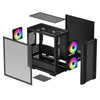
DeepCool CC360 ARGB Micro-ATX PC Case – Black
- SKU:
- CADEE-CC360ARGB
- UPC:
- 6933412774976
- MPN:
- R-CC360-BKAPM3-G-1
- Availability:
- Free Click & Collect in Peterborough. UK delivery also available


Description
DeepCool CC360 ARGB Black Micro-ATX PC Case – 3 ARGB Fans, 360mm Radiator & Tempered Glass
The DeepCool CC360 ARGB Black is a compact high-airflow Micro-ATX gaming PC case designed for users who want strong cooling potential, attractive ARGB lighting and generous component compatibility without moving to a full-size ATX tower.
It comes ready to build with three pre-installed 120mm ARGB fans – two at the front and one at the rear – while the ventilated airflow front panel and large mesh top section help move fresh air through the chassis. The clear tempered-glass side panel provides a full view of the motherboard, graphics card, RGB memory and cooling hardware.
Despite its compact Micro-ATX format, the CC360 ARGB can accommodate graphics cards up to 378mm long without a front radiator, or up to approximately 320mm when a front-mounted radiator is installed. It also supports CPU air coolers up to 165mm high, ATX PS2 power supplies up to 160mm long and liquid-cooling radiators up to 360mm at the front or 240mm at the top.
Quick answer: The DeepCool CC360 ARGB is a black Micro-ATX / Mini-ITX gaming case with three factory-installed 120mm ARGB fans, a tempered-glass side panel, high-airflow front and top ventilation, up to 378mm GPU clearance, 165mm CPU cooler clearance and support for a 360mm front or 240mm top AIO radiator.
Key Features of the DeepCool CC360 ARGB Black
- Compact Micro-ATX gaming PC case
- DeepCool CC360 ARGB series
- Black finish
- MPN: R-CC360-BKAPM3-G-1
- Mini-ITX motherboard support
- Micro-ATX motherboard support
- 3 × pre-installed 120mm ARGB fans
- 2 × front 120mm ARGB fans pre-installed
- 1 × rear 120mm ARGB fan pre-installed
- Airflow-focused front panel
- Large mesh top ventilation panel
- Full-sized tempered-glass side window
- Up to 8 × 120mm fan positions
- Up to 4 × 140mm fan positions
- 360mm front radiator support
- 280mm front radiator support
- 240mm top radiator support
- 120mm rear radiator support
- GPU support up to 378mm without a front radiator
- GPU clearance reduced to approximately 320mm with a front radiator installed
- 165mm maximum CPU cooler height
- 160mm maximum ATX PSU length
- ATX PS2 power-supply support
- 4 expansion slots
- 2 × 3.5-inch drive positions
- DeepCool technical specification lists 2+1 × 2.5-inch positions
- Removable HDD cage
- PSU shroud
- 2 × 120mm fan positions above the PSU shroud
- Top magnetic dust filter
- 1 × front USB 3.0 port
- 1 × front USB 2.0 port
- 1 × combined audio/microphone jack
- ABS, SPCC steel and tempered-glass construction
- Dimensions: 418 × 215 × 431mm
- Net weight: 4.9kg
Compact Micro-ATX Case with Serious Cooling Potential
The CC360 ARGB is designed around the smaller Micro-ATX and Mini-ITX motherboard formats, allowing users to build a powerful gaming or productivity PC without the additional size of a conventional ATX mid-tower.
The chassis still provides enough internal space for large modern graphics cards, tower CPU coolers, multiple storage devices and substantial liquid-cooling hardware.
Who Is a Micro-ATX Case Best For?
A Micro-ATX case can be a good choice for users who want:
- A smaller gaming PC
- Less desk or floor space used by the chassis
- Lower system weight than many large towers
- A clean, compact build
- Enough PCI Express expansion for most gaming systems
- Strong cooling without needing an oversized chassis
Mini-ITX and Micro-ATX Motherboard Support
DeepCool officially lists support for:
- Mini-ITX
- Micro-ATX
This allows the CC360 ARGB to accommodate mainstream Micro-ATX gaming motherboards as well as smaller Mini-ITX systems.
Does the CC360 ARGB Support ATX Motherboards?
No. Standard full-size ATX motherboards are not officially supported.
If you have an ATX motherboard, choose a larger DeepCool ATX-compatible case instead.
Three Pre-Installed 120mm ARGB Fans
The CC360 ARGB arrives with three 120mm ARGB case fans already installed, helping provide airflow and lighting without requiring an additional fan kit before building the PC.
The factory configuration consists of:
- Front: 2 × 120mm ARGB fans
- Rear: 1 × 120mm ARGB fan
Front Intake and Rear Exhaust Layout
A conventional airflow configuration uses the front fans to draw cooler room air into the chassis while the rear fan exhausts warm air away from the CPU and motherboard area.
This creates a practical starting airflow layout for a gaming PC straight from the box.
Addressable RGB Lighting
The three included fans use ARGB lighting, allowing the case to provide a colourful illuminated appearance through its tempered-glass side panel.
ARGB differs from traditional fixed-colour RGB because individually addressable LEDs can create multi-colour lighting effects and animations.
ARGB Control Depends on the System Configuration
The exact lighting-control method can depend on the case wiring, motherboard ARGB support and how the supplied fans are connected.
When synchronising lighting through a motherboard, check that the motherboard provides a compatible 5V addressable RGB connection before connecting ARGB hardware.
Do not connect 5V ARGB equipment to an incompatible 12V RGB header.
High-Airflow Front Panel
DeepCool designed the CC360 ARGB with an airflow-focused front panel rather than a heavily restricted solid front surface.
The front ventilation allows the pre-installed intake fans to draw fresh air towards:
- The graphics card
- The CPU cooler
- The motherboard VRM area
- Memory modules
- Internal storage
Large Mesh Top Panel
A large mesh section across the top of the case provides additional ventilation.
Warm air naturally rises through the chassis, so the top section can be used as an exhaust path with suitable fans or a radiator.
Magnetic Top Dust Filter
The top ventilation area includes a magnetic dust filter.
The removable magnetic design makes regular cleaning easier while helping reduce the amount of dust entering the PC through the top ventilation area.
Up to Eight 120mm Case Fans
For users who want additional airflow, the CC360 ARGB supports up to eight 120mm fan positions across the chassis.
Official fan mounting positions are:
- Front: 3 × 120mm or 2 × 140mm
- Top: 2 × 120mm or 2 × 140mm
- Rear: 1 × 120mm
- PSU shroud: 2 × 120mm
Up to Four 140mm Fans
Builders who prefer larger fans can use up to four 140mm positions across the front and top:
- 2 × 140mm front
- 2 × 140mm top
140mm fans can provide strong airflow at lower rotational speeds, depending on the specific fan model.
Two 120mm Fans Above the PSU Shroud
The power-supply shroud provides mounting positions for an additional two 120mm fans.
Depending on the final hardware arrangement, lower-mounted fans can help direct airflow towards the graphics-card area.
360mm Front Radiator Support
The front of the CC360 ARGB can accommodate liquid-cooling radiators up to 360mm.
DeepCool officially lists front radiator compatibility for:
- 120mm
- 140mm
- 240mm
- 280mm
- 360mm
This gives builders flexibility ranging from compact single-fan liquid coolers to large triple-120mm AIO systems.
360mm AIO in a Micro-ATX Case
Support for a 360mm front radiator is notable for a chassis of this size and makes the CC360 ARGB suitable for powerful processors where a larger liquid CPU cooler is preferred.
However, installing a radiator at the front affects the available graphics-card clearance.
240mm Top Radiator Support
The top mounting area supports:
- 120mm radiator
- 140mm radiator
- 240mm radiator
A top-mounted 240mm AIO can be attractive because it leaves the full front section available for intake airflow and maximises graphics-card clearance.
Check RAM and Motherboard Clearance
When installing a top radiator, always check the combined thickness of the radiator and fans against:
- Memory-module height
- Motherboard VRM heatsinks
- CPU power connectors
Nominal radiator-size support does not guarantee that every unusually thick radiator and fan combination will fit.
120mm Rear Radiator Support
The rear mounting position can support a 120mm radiator, providing another option for compact liquid CPU coolers.
Up to 378mm Graphics Card Clearance
DeepCool's current main technical specification lists a maximum graphics-card length of:
378mm without a front-mounted radiator
This provides enough room for many large modern gaming graphics cards.
320mm GPU Clearance with a Front Radiator
When a radiator is installed at the front, DeepCool specifies the graphics-card clearance as approximately:
320mm
This distinction is important when combining a large GPU with a 280mm or 360mm front-mounted liquid cooler.
Check Your GPU and Radiator Together
Before purchasing components, compare:
- Graphics-card length
- Front radiator thickness
- Radiator fan thickness
- Power-connector clearance
Large modern GPUs may also need additional side clearance for their PCIe power cable even when the card itself is within the maximum length.
165mm CPU Air Cooler Clearance
The CC360 ARGB supports CPU air coolers up to 165mm high.
This allows the case to accommodate many mainstream single-tower and dual-tower air coolers.
Air Cooling or Liquid Cooling?
The case supports both approaches:
- Air cooling: tower coolers up to 165mm
- Liquid cooling: up to 360mm front or 240mm top radiator
This allows builders to choose the cooling solution that best matches their processor, budget and acoustic preferences.
ATX PS2 Power Supply Support
Although the case uses Micro-ATX and Mini-ITX motherboards, it accepts a conventional ATX PS2 power supply.
DeepCool specifies a maximum PSU length of:
160mm
Check Modular PSU Cable Clearance
If using a modular power supply close to the 160mm maximum, allow sufficient space for:
- Modular cable connectors
- 24-pin motherboard cable
- CPU power cable
- Graphics-card power cables
- SATA power cables
A shorter ATX PSU can make cable management easier, particularly when the lower drive cage is also being used.
Dedicated PSU Shroud
The power supply and lower drive area are separated from the main component chamber by a PSU shroud.
This helps create a cleaner visual build by hiding:
- The PSU body
- Unused power cables
- Some drive cabling
The shroud also provides mounting positions for two additional 120mm fans.
Storage for SSDs and Hard Drives
DeepCool provides support for both 2.5-inch SSDs and conventional 3.5-inch hard drives.
The official technical specification lists:
- 2 × 3.5-inch drive positions
- 2+1 × 2.5-inch drive positions
Two 3.5-Inch HDD Positions
Two 3.5-inch hard drives can be installed in the removable cage underneath the PSU shroud.
This makes the CC360 ARGB useful for systems that combine large-capacity hard-drive storage with faster SSDs.
2+1 2.5-Inch SSD Configuration
DeepCool's formal technical table lists the 2.5-inch storage configuration as 2+1.
The manufacturer separately highlights two 2.5-inch SSD mounting positions on the backplate. Because DeepCool uses the specific 2+1 notation in its technical data, builders intending to populate every drive position should check the final drive arrangement and cable routing.
Removable Drive Cage
The 3.5-inch hard-drive cage underneath the PSU shroud is removable.
This provides additional flexibility when balancing:
- Storage capacity
- Power-supply space
- Cable management
- Airflow
Four Expansion Slots
The CC360 ARGB provides four rear expansion slots, matching the needs of typical Micro-ATX systems.
These can accommodate compatible PCI Express hardware such as:
- Graphics cards
- Wi-Fi adapters
- Sound cards
- Capture cards
- Network cards
- USB expansion cards
Full-Sized Tempered-Glass Side Window
The clear tempered-glass side panel allows the internal PC components and ARGB lighting to remain visible.
This is especially useful for showcase gaming builds featuring:
- ARGB fans
- RGB memory
- Illuminated graphics cards
- RGB CPU coolers
- Decorative cable extensions
Front USB Connectivity
The front I/O panel provides:
- 1 × USB 3.0 Type-A port
- 1 × USB 2.0 Type-A port
- 1 × combined audio/microphone jack
This provides quick access for commonly connected devices such as USB drives, controllers, headsets, keyboards and other peripherals.
No Front USB-C Port
The CC360 ARGB does not include a front USB Type-C port.
If front USB-C connectivity is important for your build, consider a different chassis that specifically includes a Type-C front I/O connection.
Combined Headset Audio Jack
The front panel uses a combined audio/microphone connection suitable for compatible headsets that use a single 3.5mm TRRS plug.
The case's internal HD Audio cable must be connected to the appropriate motherboard header for the front audio port to operate.
418 × 215 × 431mm Compact Chassis
The official external dimensions are:
- Length: 418mm
- Width: 215mm
- Height: 431mm
This produces a compact Micro-ATX chassis while still leaving substantial room for cooling and modern graphics hardware.
4.9kg Net Weight
The empty case weighs approximately 4.9kg.
A finished gaming PC will weigh significantly more once the motherboard, graphics card, power supply, cooling system and storage devices are installed.
ABS, SPCC Steel and Tempered-Glass Construction
DeepCool specifies construction materials including:
- SPCC steel
- ABS plastic
- Tempered glass
This combination provides the structural chassis, external styling and clear side-panel presentation expected from a modern gaming enclosure.
Ideal for Budget and Mid-Range Gaming PCs
The combination of three included ARGB fans, strong radiator compatibility and Micro-ATX motherboard support makes the CC360 ARGB particularly attractive for value-focused gaming PCs.
A typical configuration might include:
- Micro-ATX Intel or AMD motherboard
- Intel Core or AMD Ryzen gaming processor
- Large dual- or triple-fan graphics card
- NVMe SSD
- ATX power supply
- Air cooler or AIO liquid cooler
Suitable for Powerful Gaming GPUs
The current maximum 378mm GPU clearance gives the case room for many high-performance graphics cards despite its compact dimensions.
Users installing a front radiator should instead plan around the reduced 320mm GPU allowance.
Suitable for Home and Productivity PCs
The CC360 ARGB is not limited to gaming. Its compact size and cooling flexibility also make it suitable for systems used for:
- Home computing
- Office applications
- Programming
- Photo editing
- Video editing
- Streaming
- Education
- Content creation
Good Choice for First-Time PC Builders
Three included fans, mainstream ATX PSU support and Micro-ATX compatibility mean fewer additional components are required before beginning a build.
The clear side window also makes it easier to visually inspect the system after assembly.
Important GPU Compatibility Note
DeepCool's current main product page specifies a graphics-card maximum of 378mm without a front-mounted radiator and 320mm with a front radiator installed.
Some older DeepCool documentation and retailer databases list 320mm as the general maximum. For current builds, the safest interpretation is:
- No front radiator: up to 378mm GPU length
- Front radiator installed: up to approximately 320mm GPU length
Always check the exact GPU, radiator and fan dimensions together before purchase.
Important 360mm Radiator Note
A 360mm radiator is supported at the front only.
The top position supports radiators up to 240mm. A 360mm top radiator is not supported.
Important Front Radiator and GPU Trade-Off
Installing a large front radiator occupies space that would otherwise be available to the graphics card.
If you plan to use a graphics card longer than 320mm, a top-mounted 240mm AIO or air cooler may provide a more suitable configuration than a front radiator.
Important CPU Cooler Note
The maximum CPU air-cooler height is 165mm.
Check the complete manufacturer-listed height of your CPU cooler before purchasing.
Important PSU Length Note
The official maximum power-supply length is 160mm.
Modular PSUs also require additional practical space for their cable connectors and cable bends, particularly when the lower HDD cage is installed.
Important Motherboard Note
The CC360 ARGB officially supports Micro-ATX and Mini-ITX motherboards only.
Standard ATX and E-ATX motherboards are not listed as compatible.
Important ARGB Note
The case includes three addressable RGB fans. When connecting ARGB equipment to a motherboard, confirm the correct motherboard lighting header and voltage before connection.
Do not connect a 5V addressable RGB device to an incompatible 12V RGB header.
Important USB-C Note
The case provides one USB 3.0 Type-A port and one USB 2.0 Type-A port on the front panel but does not include a front USB-C connection.
Important Storage Note
The manufacturer marketing overview highlights two 2.5-inch SSD positions on the backplate, while DeepCool's formal technical specification lists 2+1 × 2.5-inch positions.
For accuracy, this description preserves DeepCool's 2+1 technical notation rather than describing all three as identical dedicated bays.
DeepCool CC360 ARGB Technical Overview
- Brand: DeepCool
- Model: CC360 ARGB
- Colour: Black
- MPN: R-CC360-BKAPM3-G-1
- Memox SKU: CADEE-CC360ARGB
- EAN / GTIN-13: 6933412774976
- Case Type: Micro-ATX PC Case
- Motherboards: Mini-ITX / Micro-ATX
- Materials: ABS + SPCC + Tempered Glass
- Expansion Slots: 4
- Pre-Installed Fans: 3 × 120mm ARGB
- Front Pre-Installed Fans: 2 × 120mm ARGB
- Rear Pre-Installed Fan: 1 × 120mm ARGB
- Maximum 120mm Fan Positions: Up to 8
- Maximum 140mm Fan Positions: Up to 4
- Front Fans: 3 × 120mm / 2 × 140mm
- Top Fans: 2 × 120mm / 2 × 140mm
- Rear Fan: 1 × 120mm
- PSU-Shroud Fans: 2 × 120mm
- Front Radiator: 120 / 140 / 240 / 280 / 360mm
- Top Radiator: 120 / 140 / 240mm
- Rear Radiator: 120mm
- Maximum GPU Length: 378mm without front radiator
- GPU Length with Front Radiator: Approximately 320mm
- Maximum CPU Cooler Height: 165mm
- Power Supply: ATX PS2
- Maximum PSU Length: 160mm
- 3.5-Inch Drive Positions: 2
- 2.5-Inch Drive Positions: 2+1 per DeepCool technical specification
- Front USB: 1 × USB 3.0 + 1 × USB 2.0
- Front Audio: 1 × Combined Audio/Mic Jack
- Front USB-C: No
- Top Magnetic Dust Filter: Yes
- Tempered-Glass Side Panel: Yes
- Dimensions: 418 × 215 × 431mm
- Net Weight: 4.9kg
Who Is the DeepCool CC360 ARGB Best For?
- Micro-ATX gaming PCs
- Mini-ITX gaming systems
- Budget gaming builds
- Mid-range gaming PCs
- RGB / ARGB showcase builds
- Users wanting pre-installed case fans
- Systems using large graphics cards
- 360mm front AIO builds
- 240mm top AIO builds
- High-performance air-cooled systems
- Compact home PCs
- Content-creation PCs
- First-time PC builders
Who Should Consider a Different Case?
A different chassis may be more suitable if you specifically need:
- A full-size ATX motherboard
- An E-ATX motherboard
- A graphics card longer than 378mm
- A 360mm top-mounted radiator
- A CPU cooler taller than 165mm
- An ATX PSU longer than 160mm
- Front USB Type-C
- More than four expansion slots
- A larger number of 3.5-inch hard drives
- A dual-chamber PC case
Why Choose the DeepCool CC360 ARGB?
The DeepCool CC360 ARGB Black offers an appealing balance of compact dimensions, cooling flexibility and included features for Micro-ATX gaming PC builds.
Three pre-installed 120mm ARGB fans provide useful airflow and lighting straight from the box, while the ventilated front and mesh top panel help fresh air move through the chassis.
Cooling expansion is unusually strong for a case of this size, with support for up to eight 120mm fans, a 360mm front radiator, 240mm top radiator and 120mm rear radiator.
Component compatibility is also generous. With no front radiator installed, the current DeepCool specification provides up to 378mm graphics-card clearance, while CPU air coolers up to 165mm and standard ATX PS2 power supplies up to 160mm are supported.
Storage flexibility includes two 3.5-inch hard-drive positions plus DeepCool's 2+1 2.5-inch configuration, allowing builders to combine SATA SSDs and high-capacity hard drives alongside motherboard-mounted NVMe storage.
The full-sized tempered-glass side panel showcases the included ARGB lighting and internal components, while the magnetic top dust filter simplifies routine maintenance.
With Micro-ATX and Mini-ITX compatibility, four expansion slots and a compact 418 × 215 × 431mm footprint, the CC360 ARGB provides many of the cooling and hardware options associated with larger gaming cases while occupying considerably less space.
Choose the DeepCool CC360 ARGB if you want a compact black Micro-ATX gaming case with three included ARGB fans, strong airflow, tempered glass, 360mm liquid-cooling support and enough room for a large modern graphics card.
Specification
DeepCool CC360 ARGB Black Micro-ATX PC Case Specifications
The DeepCool CC360 ARGB Black is a compact Micro-ATX gaming PC case with a tempered-glass side panel, airflow-focused front panel and three pre-installed 120mm ARGB fans. It supports Mini-ITX and Micro-ATX motherboards, graphics cards up to 378mm without a front radiator, CPU coolers up to 165mm, ATX PS2 power supplies up to 160mm and liquid-cooling radiators up to 360mm at the front.
General Information
| Brand | DeepCool |
| Model | CC360 ARGB |
| Manufacturer Part Number / MPN | R-CC360-BKAPM3-G-1 |
| Memox SKU | CADEE-CC360ARGB |
| EAN / GTIN-13 | 6933412774976 |
| Product Type | Micro-ATX PC Case / Gaming Chassis |
| Colour | Black |
| Power Supply Included | No |
Case Construction
| Main Materials | ABS + SPCC Steel + Tempered Glass |
| Steel Chassis | Yes – SPCC |
| Tempered-Glass Side Panel | Yes |
| Full-Size Viewing Window | Yes |
| Airflow Front Panel | Yes |
| Mesh Top Panel | Yes |
| PSU Shroud | Yes |
Motherboard Compatibility
| Mini-ITX | Supported |
| Micro-ATX / mATX | Supported |
| ATX | Not Supported |
| E-ATX | Not Supported |
Expansion Slots
| Rear Expansion Slots | 4 |
| Typical Compatible Expansion Hardware | Graphics cards, network cards, sound cards, capture cards and other compatible PCI Express devices |
Graphics Card Compatibility
| Maximum GPU Length – No Front Radiator | 378mm |
| Maximum GPU Length – With Front-Mounted Radiator | 320mm |
| Large Triple-Fan Graphics Cards | Supported where the exact card dimensions remain within the available clearance |
CPU Cooler Compatibility
| Maximum CPU Air Cooler Height | 165mm |
| Tower Air Cooler Support | Yes – up to 165mm total height |
Power Supply Compatibility
| Supported PSU Type | ATX PS2 |
| Maximum PSU Length | 160mm |
| PSU Location | Bottom / Under PSU Shroud |
| Power Supply Included | No |
Storage Support
| 3.5-Inch Drive Positions | 2 |
| 2.5-Inch Drive Positions | 2+1 – DeepCool Official Technical Specification |
| 3.5-Inch HDD Support | Yes |
| 2.5-Inch SATA SSD Support | Yes |
| Removable HDD Cage | Yes |
| Motherboard-Mounted M.2 SSD Support | Dependent on the installed motherboard |
Pre-Installed Cooling Fans
| Total Pre-Installed Fans | 3 |
| Pre-Installed Fan Size | 120mm |
| Pre-Installed Fan Lighting | ARGB |
| Front Fans Included | 2 × 120mm ARGB |
| Rear Fan Included | 1 × 120mm ARGB |
Total Fan Support
| Maximum 120mm Fan Positions | Up to 8 |
| Maximum 140mm Fan Positions | Up to 4 |
| Supported Fan Sizes | 120mm / 140mm depending on mounting location |
Front Fan Support
| 120mm Fans | Up to 3 |
| 140mm Fans | Up to 2 |
| Pre-Installed Front Fans | 2 × 120mm ARGB |
Top Fan Support
| 120mm Fans | Up to 2 |
| 140mm Fans | Up to 2 |
| Top Fans Pre-Installed | No |
Rear Fan Support
| 120mm Fan | 1 |
| 140mm Fan | Not Listed as Supported |
| Pre-Installed Rear Fan | 1 × 120mm ARGB |
PSU-Shroud Fan Support
| 120mm Fans | Up to 2 |
| 140mm Fans | Not Listed as Supported |
| Fans Pre-Installed on PSU Shroud | No |
Liquid Cooling Support
| Maximum Front Radiator Size | 360mm |
| Maximum Top Radiator Size | 240mm |
| Maximum Rear Radiator Size | 120mm |
Front Radiator Support
| 120mm Radiator | Supported |
| 140mm Radiator | Supported |
| 240mm Radiator | Supported |
| 280mm Radiator | Supported |
| 360mm Radiator | Supported |
Top Radiator Support
| 120mm Radiator | Supported |
| 140mm Radiator | Supported |
| 240mm Radiator | Supported |
| 280mm Radiator | Not Listed as Supported |
| 360mm Radiator | Not Supported |
Rear Radiator Support
| 120mm Radiator | Supported |
| 140mm Radiator | Not Listed as Supported |
Airflow Features
| Airflow Front Panel | Yes |
| Large Mesh Top Panel | Yes |
| Front Intake Cooling | Yes |
| Rear Exhaust Position | Yes |
| PSU-Shroud Cooling Positions | 2 × 120mm |
Dust Protection
| Top Dust Filter | Yes |
| Top Filter Type | Magnetic |
| Removable for Cleaning | Yes |
ARGB Lighting
| ARGB Lighting Included | Yes |
| ARGB Fans Included | 3 × 120mm |
| Front ARGB Fans | 2 |
| Rear ARGB Fan | 1 |
| Lighting Colour | Addressable RGB / Multi-Colour |
Front I/O Connectivity
| USB 3.0 Type-A | 1 |
| USB 2.0 Type-A | 1 |
| Combined Audio / Microphone Jack | 1 |
| Front USB Type-C | No |
USB Connectivity
| Front USB 3.0 Ports | 1 |
| Front USB 2.0 Ports | 1 |
| USB Type-C | Not Included |
| Internal Motherboard Headers Required | Yes – compatible USB headers are required for the front ports to operate |
Audio Connectivity
| Front Audio Connector | Combined Audio / Microphone Jack |
| Headset Support | Compatible combined audio/microphone headsets |
| Internal HD Audio Header Required | Yes |
Physical Dimensions
| Length / Depth | 418mm / 41.8cm |
| Width | 215mm / 21.5cm |
| Height | 431mm / 43.1cm |
| Overall Dimensions | 418 × 215 × 431mm (L × W × H) |
Weight
| Net Case Weight | 4.9kg |
| Weight Includes Installed PC Components | No – 4.9kg is the empty chassis weight |
Maximum Component Clearances
| Maximum GPU Length Without Front Radiator | 378mm |
| Maximum GPU Length With Front Radiator | 320mm |
| Maximum CPU Cooler Height | 165mm |
| Maximum ATX PSU Length | 160mm |
Typical Build Compatibility
| Micro-ATX Gaming PC | Yes |
| Mini-ITX Gaming PC | Yes |
| Large Gaming GPU | Yes – subject to 378mm / 320mm clearance depending on front radiator installation |
| Tower Air Cooler | Yes – up to 165mm |
| 360mm AIO | Yes – front position |
| 280mm AIO | Yes – front position |
| 240mm AIO | Yes – front or top position |
| ATX Power Supply | Yes – ATX PS2 up to 160mm |
Product Identification
| Manufacturer | DeepCool |
| Product Name | CC360 ARGB |
| Colour | Black |
| MPN | R-CC360-BKAPM3-G-1 |
| Memox SKU | CADEE-CC360ARGB |
| EAN / GTIN-13 | 6933412774976 |
Warranty
| DeepCool CC-Series Manufacturer Warranty | 2 Years in Europe, subject to DeepCool warranty terms and local retailer requirements |
| Proof of Purchase Required | Yes |
Important GPU Clearance Update
DeepCool's current primary technical specification lists the maximum graphics-card length as:
- 378mm without a front-mounted radiator
- 320mm with a front-mounted radiator
Some older DeepCool documentation and older retailer feeds list 320mm as the general GPU limit. For current product information, the newer manufacturer specification above is the most useful and precise way to describe compatibility.
Important Front Radiator and GPU Compatibility Note
A front-mounted radiator occupies part of the same internal space used by a long graphics card.
If your GPU is longer than 320mm, do not assume it will fit alongside a front radiator even though the case supports a GPU up to 378mm when that radiator space is clear.
Always compare the exact GPU length, radiator thickness and fan thickness before purchasing components.
Important Storage Configuration Note
DeepCool's formal technical specification lists:
- 2 × 3.5-inch drive positions
- 2+1 × 2.5-inch drive positions
The marketing overview separately highlights two 2.5-inch SSD mounting positions on the backplate. Because DeepCool's current technical table specifically uses the notation 2+1, this specification preserves the manufacturer's exact technical wording.
Important Motherboard Compatibility Note
The CC360 ARGB officially supports Mini-ITX and Micro-ATX motherboards.
Standard ATX and E-ATX motherboards are not officially supported.
Important Fan Inclusion Note
The case includes three pre-installed 120mm ARGB fans:
- 2 × 120mm ARGB front
- 1 × 120mm ARGB rear
Additional top, front or PSU-shroud fans shown in promotional PC builds should not be assumed to be included unless specifically stated.
Important 360mm Radiator Note
A 360mm radiator is supported at the front only.
The top radiator position supports a maximum of 240mm. Do not advertise the CC360 ARGB as supporting a 360mm top radiator.
Important 280mm Radiator Note
A 280mm radiator is supported at the front.
Although the top can accept two 140mm case fans, DeepCool does not list a 280mm top radiator as supported.
Important PSU Compatibility Note
The maximum officially supported ATX PS2 power-supply length is 160mm.
Allow additional practical space for modular connectors, cable bends and the lower HDD cage when choosing a PSU close to the maximum length.
Important CPU Cooler Compatibility Note
The maximum CPU air-cooler height is 165mm.
Check the complete manufacturer-listed height of the CPU cooler before purchasing.
Important Front USB-C Note
The CC360 ARGB does not include a front USB Type-C port.
The front I/O consists of one USB 3.0 Type-A port, one USB 2.0 Type-A port and one combined audio/microphone connection.
Important ARGB Compatibility Note
The included case fans use addressable RGB lighting. When connecting ARGB equipment to a motherboard, check the exact lighting connector and motherboard requirements before installation.
Do not connect 5V addressable RGB equipment to an incompatible 12V RGB header.
Important Radiator Clearance Note
Nominal radiator-size support does not guarantee that every radiator, fan, motherboard and component combination will fit simultaneously.
Actual compatibility can depend on:
- Radiator thickness
- Fan thickness
- Graphics-card length
- Motherboard heatsink dimensions
- Memory height
- Tube positioning
- Power-cable routing
Important Case Dimensions Note
DeepCool's official dimensions are:
418 × 215 × 431mm (L × W × H)
These are the dimensions to use when checking desk space, shelving or other installation clearance.
Important Barcode Note
The barcode 6933412774976 is the product's EAN / GTIN-13.
It should not be labelled as a 12-digit UPC.
Model Identification Note
These specifications apply specifically to the DeepCool CC360 ARGB Black, manufacturer part number R-CC360-BKAPM3-G-1, Memox SKU CADEE-CC360ARGB and EAN / GTIN-13 6933412774976.
Return
FAQ: Frequently Asked Questions
DeepCool CC360 ARGB Micro-ATX PC Case FAQ
The DeepCool CC360 ARGB Black (R-CC360-BKAPM3-G-1) is a compact Micro-ATX gaming PC case with a high-airflow front panel, tempered-glass side window and three pre-installed 120mm ARGB fans. It supports Mini-ITX and Micro-ATX motherboards, graphics cards up to 378mm long without a front radiator, CPU air coolers up to 165mm, front radiators up to 360mm, top radiators up to 240mm and standard ATX power supplies up to 160mm long.
Below are answers to the most common questions buyers ask about the DeepCool CC360 ARGB, including GPU compatibility, RTX and Radeon graphics cards, 360mm and 240mm AIO installation, ARGB wiring, motherboard RGB synchronisation, fan troubleshooting, airflow, PSU clearance, storage, USB connectivity and the differences between the CC360 ARGB and larger DeepCool CC560 ARGB V2.
1. What is the DeepCool CC360 ARGB?
The DeepCool CC360 ARGB is a compact Micro-ATX gaming PC case designed for Mini-ITX and Micro-ATX systems. It combines a ventilated airflow front panel, large mesh top section, tempered-glass side window and three factory-installed 120mm addressable RGB fans.
2. What is the exact DeepCool CC360 ARGB model sold by Memox?
This product is the DeepCool CC360 ARGB Black, P/N R-CC360-BKAPM3-G-1, Memox SKU CADEE-CC360ARGB and EAN/UPC 6933412774976.
3. What are the main specifications of the CC360 ARGB?
Key specifications include Mini-ITX and Micro-ATX motherboard support, three pre-installed 120mm ARGB fans, up to eight 120mm fans, 378mm maximum GPU clearance without a front radiator, 320mm GPU clearance with a front radiator, 165mm CPU-cooler clearance, 160mm ATX PSU clearance, 360mm front radiator support, 240mm top radiator support, four expansion slots and tempered glass.
4. What are the dimensions of the DeepCool CC360 ARGB?
The case measures approximately 418 × 215 × 431mm (L × W × H). This gives it a relatively compact footprint while still providing room for large graphics cards and substantial cooling hardware.
5. How much does the DeepCool CC360 ARGB weigh?
DeepCool specifies a net weight of approximately 4.9kg before PC components are installed.
6. What materials are used in the CC360 ARGB?
The chassis uses SPCC steel, ABS plastic and tempered glass.
7. Which motherboard sizes fit the DeepCool CC360 ARGB?
The case officially supports Micro-ATX / mATX and Mini-ITX motherboards.
8. Can I install a full-size ATX motherboard in the CC360 ARGB?
No. A standard ATX motherboard is larger than the supported motherboard area. Choose a Micro-ATX or Mini-ITX motherboard for the CC360 ARGB.
9. Does the CC360 ARGB support E-ATX motherboards?
No. E-ATX is not supported. If you need ATX or E-ATX motherboard compatibility, consider a larger DeepCool mid-tower such as the CC560 family or another suitable ATX case.
10. What is the maximum graphics-card length in the CC360 ARGB?
DeepCool's current official specification states a maximum GPU length of 378mm without a front-mounted radiator. If a radiator is installed in the front, the available GPU length reduces to approximately 320mm.
11. Why do some websites say the CC360 ARGB only supports a 320mm GPU?
Older retailer specifications often list 320mm as the maximum GPU length. DeepCool's current specification clarifies that the chassis can provide up to 378mm without a front radiator, while approximately 320mm remains available when a front radiator is installed. Always calculate your final clearance based on the cooling configuration.
12. How much GPU space remains with a front-mounted radiator?
DeepCool currently specifies approximately 320mm maximum graphics-card length with a front-mounted radiator. Radiator and fan thickness can affect practical clearance, so compare the exact dimensions of your GPU and cooling hardware before installation.
13. Will an RTX 4060, RTX 5060 or RTX 5060 Ti fit the CC360 ARGB?
Most cards in these classes should fit comfortably, but graphics-card dimensions vary between manufacturers. Compare the exact card length with the 378mm limit without a front radiator or approximately 320mm when a front radiator is installed.
14. Will an RTX 5070 or RTX 5070 Ti fit?
Many models can fit because the chassis provides up to 378mm of GPU length. However, high-end partner cards can be unusually long and thick, so check both the card's exact dimensions and your planned radiator configuration.
15. Can I install an RTX 5080 or another very large graphics card?
Potentially, provided the exact card fits within the case's length and expansion-slot constraints. For very large GPUs, also consider thickness, power-cable bend clearance and airflow. A larger ATX case may be easier to build in if the card is particularly oversized.
16. Will Radeon RX 7800 XT, RX 9070 or RX 9070 XT graphics cards fit?
Many Radeon models will fit within the 378mm maximum clearance, but board-partner cards vary considerably in length and thickness. Check the exact GPU specification and reduce the available length to approximately 320mm if fitting a front radiator.
17. Can I vertically mount a GPU in the CC360 ARGB?
The CC360 ARGB provides four conventional horizontal expansion slots and DeepCool does not list a native vertical-GPU mounting configuration for this chassis. Do not assume a vertical kit will fit unless its manufacturer specifically confirms compatibility with this case.
18. What is the maximum CPU air-cooler height?
The case supports CPU air coolers up to 165mm tall.
19. Will a 155mm, 160mm or 165mm tower cooler fit?
Yes, provided the cooler does not exceed the official 165mm height limit. Also check RAM clearance where a large dual-tower CPU cooler overhangs the memory slots.
20. What size power supply fits the CC360 ARGB?
The case accepts standard ATX PS2 power supplies up to 160mm long.
21. Will a 750W, 850W or 1000W PSU fit?
PSU wattage does not determine physical compatibility. Check the actual PSU length. A 1000W unit can fit if it is 160mm or shorter, while a lower-wattage model longer than 160mm may not fit comfortably.
22. Does the CC360 ARGB include a power supply?
No. A compatible ATX power supply must be purchased separately.
23. How many fans does the CC360 ARGB support?
The case supports up to eight 120mm fans: three at the front, two at the top, one at the rear and two above the PSU shroud. Alternatively, selected positions can use 140mm fans.
24. How many fans are pre-installed?
Three 120mm ARGB fans are supplied from the factory: two at the front and one at the rear.
25. Are the included CC360 fans addressable RGB?
Yes. The three factory fans use ARGB / Addressable RGB lighting, allowing different colours and lighting effects rather than being limited to a single fixed LED colour.
26. Does the CC360 ARGB have a built-in lighting controller?
Yes. The case includes wiring/controller functionality for the pre-installed ARGB fans and a dedicated LED control button that can cycle through preset lighting effects without requiring motherboard RGB software.
27. Can I change the RGB colours using the case button?
Yes. The case's LED control button can be used to change the preset lighting effects of the three factory ARGB fans when they are connected in the case-controlled configuration.
28. Can I synchronise the CC360 ARGB fans with my motherboard?
Yes, when your motherboard provides a compatible 5V 3-pin addressable RGB header and the case lighting is connected according to DeepCool's motherboard RGB synchronisation wiring. You can then use compatible motherboard lighting software where supported.
29. Do I need an ARGB header on my motherboard?
No, not for basic case-button lighting control. The built-in case lighting arrangement can operate the preset fan effects independently. A compatible motherboard ARGB header is needed if you specifically want motherboard-controlled synchronisation.
30. What type of motherboard RGB header do the fans require for synchronisation?
ARGB uses a 5V 3-pin addressable connection. Motherboard manufacturers may call it ARGB, Addressable LED, D_LED, ADD_GEN2, JRAINBOW or a similar name.
31. Can I connect the CC360 ARGB lighting to a 12V 4-pin RGB header?
No. A 5V 3-pin ARGB device must not be connected directly to a 12V 4-pin RGB header. ARGB and conventional RGB use different voltages and signalling, and using the wrong header can damage the lighting hardware.
32. Why do my CC360 ARGB fans light up but not spin?
The fan motor power and ARGB lighting are separate electrical functions. If the LEDs work but the blades do not turn, check the fan-power connection to the motherboard SYS_FAN / CHA_FAN header or applicable fan wiring. Connecting only the SATA-powered lighting circuit will not necessarily power the fan motors.
33. Why do the fans spin but the ARGB lighting does not work?
Check the separate ARGB/controller connections. If using the case's manual lighting control, verify the appropriate SATA/controller wiring. If using motherboard synchronisation, confirm the lighting cable is connected to a compatible 5V 3-pin ARGB header rather than a 12V RGB header.
34. Can a 3-pin case fan be connected to a 4-pin motherboard fan header?
Generally yes. A standard 3-pin DC fan connector can be fitted to a compatible 4-pin motherboard fan header. If fan-speed control is required, configure the motherboard header for DC/voltage control where supported rather than assuming PWM control.
35. Are the factory CC360 ARGB fans PWM?
DeepCool's official CC360 specification does not advertise the supplied fans as PWM models. Do not assume four-pin PWM control. If guaranteed PWM speed control is important, consider replacing or supplementing them with compatible PWM fans.
36. Can I add more fans to the CC360 ARGB?
Yes. In addition to the three factory fans, the chassis can support additional fans at the front, top and PSU-shroud positions. Check how many motherboard fan headers you have; a compatible splitter or powered fan hub may be useful for a heavily populated configuration.
37. What is the best airflow configuration for the CC360 ARGB?
A practical gaming configuration is front intake, PSU-shroud/bottom intake where used, and top plus rear exhaust. This helps provide fresh air to the GPU and CPU while exhausting warm air through the top and rear.
38. Are the two fans above the PSU shroud useful for GPU cooling?
They can be. The case supports 2 × 120mm fans above the PSU shroud, which can help direct additional airflow toward the graphics card, particularly in systems using a high-power GPU.
39. Can I install a 360mm radiator in the CC360 ARGB?
Yes. A 360mm radiator is officially supported at the front. Remember that using a front radiator reduces the maximum graphics-card length to approximately 320mm.
40. Can I install a 280mm radiator at the front?
Yes. Front radiator support includes 120mm, 140mm, 240mm, 280mm and 360mm sizes.
41. Can I install a 240mm AIO at the top?
Yes. The top officially supports 120mm, 140mm and 240mm radiators.
42. Can I install a 280mm radiator at the top?
No. Although the top can accept two 140mm case fans, DeepCool's radiator specification stops at 240mm for the top position.
43. Can I install a 120mm radiator at the rear?
Yes. The rear supports a 120mm radiator.
44. Is a top-mounted or front-mounted AIO better in the CC360 ARGB?
A top-mounted 240mm AIO keeps the full GPU-length area available and commonly works well as exhaust. A front-mounted 280mm or 360mm radiator provides more radiator surface area but reduces GPU clearance to approximately 320mm. The better choice depends on the CPU, GPU size and thermal priorities.
45. How many SSDs can the CC360 ARGB hold?
DeepCool lists 2+1 positions for 2.5-inch drives. Two 2.5-inch SSDs can be installed directly on the backplate, with an additional mounting option available depending on the storage configuration.
46. How many 3.5-inch hard drives can I install?
The chassis provides space for up to two 3.5-inch HDDs underneath the PSU shroud.
47. Is the hard-drive cage removable?
Yes. DeepCool describes the HDD cage beneath the PSU shroud as removable, providing additional flexibility when arranging storage, PSU cables and internal space.
48. What front I/O connections does the CC360 ARGB have?
The I/O panel provides 1 × USB 3.0 Type-A, 1 × USB 2.0 Type-A and 1 × combined headphone/microphone audio jack, together with the case controls including the lighting-control button.
49. Does the DeepCool CC360 ARGB have a USB-C port?
No. The CC360 ARGB does not have a front USB Type-C connector. Buyers who specifically require front USB-C should select a different chassis with that feature.
50. What should I check if the front USB ports do not work?
Check that the case's internal USB 3.0 and USB 2.0 cables are correctly connected to their corresponding motherboard headers. DeepCool also recommends testing the USB device directly on a motherboard rear port to distinguish a case-wiring issue from a USB-device problem.
51. Does the CC360 ARGB have a dust filter?
Yes. DeepCool includes a magnetic top-panel dust filter that can be removed for easier cleaning while allowing exhaust airflow through the top mesh.
52. Is the CC360 ARGB good for airflow?
Yes for a compact Micro-ATX case. It uses a highly ventilated front panel, large mesh top area and multiple fan positions. The three included fans give the system a useful starting airflow configuration, and extra top or PSU-shroud fans can be added for higher-power builds.
53. Does the CC360 ARGB have a tempered-glass side panel?
Yes. The full-sized tempered-glass side window allows the motherboard, graphics card and ARGB lighting to remain visible.
54. How many PCIe expansion slots does the case have?
The case has four horizontal expansion slots, which is typical for a Micro-ATX chassis.
55. Does the CC360 ARGB have a 5.25-inch DVD or optical-drive bay?
No. The chassis does not provide a traditional external 5.25-inch optical-drive bay.
56. DeepCool CC360 ARGB vs CC560 ARGB V2 – which should I choose?
Choose the CC360 ARGB if you want a more compact Micro-ATX case with three included ARGB fans and do not need a full-size ATX motherboard. The larger CC560 ARGB V2 supports Mini-ITX, Micro-ATX and ATX motherboards, provides seven expansion slots, includes four 120mm ARGB fans and supports slightly longer PSUs. The CC360 is better suited to compact mATX builds, while the CC560 provides more expansion room.
57. What warranty does the DeepCool CC360 ARGB have?
DeepCool's current warranty table lists CC-series PC cases with a 2-year warranty in Europe, subject to proof of purchase, DeepCool's warranty terms and applicable retailer or UK statutory rights.
58. Who is the DeepCool CC360 ARGB best for, and who should choose another case?
The DeepCool CC360 ARGB is particularly suitable for budget and mid-range gaming PCs, Micro-ATX Ryzen and Intel builds, first-time PC builders, ARGB systems and compact gaming setups that still require strong graphics-card and cooling compatibility.
Choose another case if you need a full-size ATX or E-ATX motherboard, front USB-C, a top 280mm/360mm radiator, more than four expansion slots, a PSU longer than 160mm, extensive hard-drive storage or significantly more internal working room for an oversized flagship GPU.
Related Products
Related Products
DeepCool CC360 WH ARGB Micro-ATX Case – 3 ARGB Fans, Tempered Glass & 360mm Radiator Support
DEEPCOOL