
BEQUIET
be quiet! Pure Power 13 M 1200W PSU – ATX 3.1, PCIe 5.1, 80 PLUS Gold
- SKU:
- PSBEQ-BP029UK
- UPC:
- 4260052193723
- MPN:
- BP029UK
- Availability:
- Free Click & Collect in Peterborough. UK delivery also available


Description
be quiet! Pure Power 13 M 1200W PSU – ATX 3.1, PCIe 5.1, 600W 12V-2x6 and 80 PLUS Gold
The be quiet! Pure Power 13 M 1200W is a high-performance modular ATX power supply designed for powerful gaming PCs, enthusiast systems, content-creation workstations and modern computers using demanding CPUs and graphics cards.
Built to the latest ATX 3.1 power-supply specification and ready for PCIe 5.1 graphics cards, the Pure Power 13 M provides 1200W of continuous output, a powerful single +12V rail and a native 600W 12V-2x6 GPU connection. Four additional PCIe 6+2-pin connectors provide compatibility with graphics cards using traditional PCIe power connectors.
The PSU is 80 PLUS Gold certified and uses advanced LLC, synchronous rectification and DC/DC conversion technology for high efficiency and stable voltage regulation. Its semi-passive cooling system can completely stop the 120mm fan during suitable low-load conditions, helping reduce unnecessary noise and power consumption.
Modular cabling allows unused PSU cables to be left out of the PC build, helping simplify cable management and improve airflow. A comprehensive protection system includes over-temperature, over-current, over-power, short-circuit, over-voltage, under-voltage, surge and inrush-current protection.
The UK model is BP029UK, with Memox SKU PSBEQ-BP029UK and EAN 4260052193723. With a compact 160mm PSU depth and a 10-year manufacturer's warranty, the Pure Power 13 M 1200W is an excellent choice for customers building a powerful modern PC that needs high wattage, current-generation GPU connectivity, quiet operation and long-term upgrade potential.
Key Features of the be quiet! Pure Power 13 M 1200W
- 1200W continuous power output
- 1250W manufacturer-listed peak power
- ATX 3.1 compliant power supply
- EPS 12V 2.92 compatible
- PCIe 5.1 graphics-card support
- 1 × native 12V-2x6 GPU connection rated up to 600W
- 4 × PCIe 6+2-pin GPU connectors
- Handles major transient power excursions required by modern high-performance hardware
- Single high-performance +12V rail
- 100A available on the +12V rail
- 1200W maximum combined +12V output
- 80 PLUS Gold certified
- Cybenetics ETA Gold efficiency classification
- Cybenetics LAMBDA A acoustic classification
- Up to approximately 93.5% efficiency
- Advanced LLC + SR + DC/DC topology
- Semi-passive Zero-RPM cooling at suitable low loads
- 120mm silence-optimised be quiet! cooling fan
- 4-pole fan motor
- Rifle-bearing fan technology
- Modular cable system
- Flat and sleeved cable design
- 1 × 20+4-pin ATX motherboard connection
- 1 × 4+4-pin CPU power connection
- 1 × 8-pin P8 CPU connection
- 6 × SATA power connectors
- 2 × PATA / Molex connectors
- Modern Standby support
- Less than 0.1W standby consumption
- Comprehensive electrical protection circuitry
- Compact 160mm PSU depth
- 10-year manufacturer's warranty
1200W Power for High-Performance Gaming PCs and Workstations
The Pure Power 13 M delivers 1200W of continuous power, making it suitable for computers containing high-performance processors, powerful graphics cards, multiple storage drives, cooling systems and other demanding components.
High PSU capacity can also provide useful upgrade headroom for users who expect to install more powerful hardware later.
1200W Continuous Power vs 1250W Peak Power
The most important rating for normal system design is the PSU's 1200W continuous output. This represents the power the unit is designed to provide continuously within its operating specifications.
be quiet! separately lists 1250W peak power. Peak capability should not be interpreted as a recommendation to build a computer requiring more than the PSU's 1200W continuous rating.
Do You Need a 1200W Power Supply?
A 1200W PSU can be particularly useful for:
- High-end gaming PCs
- Powerful enthusiast systems
- Content-creation workstations
- 3D rendering computers
- Video-production systems
- High-performance CPU and GPU combinations
- Systems with substantial cooling and storage hardware
- Users planning future GPU upgrades
A computer does not continuously consume 1200W simply because a 1200W PSU is installed. The PSU only supplies the amount of electrical power required by the connected hardware, subject to efficiency losses and the unit's operating limits.
ATX 3.1 Power Supply for Modern PCs
The Pure Power 13 M 1200W conforms to the ATX 3.1 specification, making it suitable for modern PC platforms and current power requirements.
ATX 3.1 is particularly relevant to high-performance systems because modern CPUs and graphics cards can change their power requirements very rapidly.
Designed for Transient GPU Power Spikes
Modern high-end graphics cards can request significantly more power for very short periods than their normal sustained consumption.
be quiet! states that the Pure Power 13 M is engineered to handle power excursions of up to twice its rated output for the short durations required by the ATX 3.1 specification.
This capability helps maintain system stability when a powerful GPU rapidly moves from a low-load state to a demanding gaming, rendering or compute workload.
PCIe 5.1 Ready with Native 600W 12V-2x6 Connection
The Pure Power 13 M 1200W provides a dedicated PCIe 5.1 12V-2x6 cable capable of supplying up to 600W to a compatible graphics card.
This provides native power connectivity for current and next-generation GPUs that use the modern 12V-2x6 power interface.
Why 12V-2x6 Is Important
The 12V-2x6 connector is designed for modern high-power graphics cards and allows substantial GPU power to be delivered through one dedicated connection.
Using the PSU's native cable avoids the need for multiple traditional PCIe-to-GPU adapter leads when the graphics card directly supports 12V-2x6.
600W Is the Connector Rating – Not Constant GPU Consumption
The native 12V-2x6 connection is rated for up to 600W. This does not mean that a connected graphics card will constantly consume 600W.
The graphics card draws the amount of power it requires according to its design, workload and operating conditions.
Important 12V-2x6 Installation Advice
When connecting a 12V-2x6 graphics card:
- Use the correct cable supplied for this PSU
- Insert the connector fully into the graphics card socket
- Check that the plug is completely seated
- Avoid excessive sideways pressure on the connector
- Avoid severe cable bending immediately beside the plug
- Route the cable so the PC side panel does not place unnecessary pressure on it
- Follow the graphics-card and PSU installation instructions
Four Traditional PCIe 6+2-Pin GPU Connectors
In addition to the modern 12V-2x6 connection, the Pure Power 13 M 1200W provides four PCIe 6+2-pin connectors.
This gives the PSU excellent compatibility with graphics cards that continue to use traditional PCIe power connections.
Flexible GPU Compatibility
The PSU can therefore support suitable graphics cards using:
- Native 12V-2x6 power
- 8-pin PCIe power
- 6-pin PCIe power where compatible with the 6+2 connector arrangement
- Multiple traditional PCIe connectors where required by the graphics card
Always follow the graphics-card manufacturer's specified PSU wattage and connector requirements.
Powerful Single +12V Rail
The Pure Power 13 M 1200W uses a single high-performance +12V rail.
The +12V rail is especially important in modern computers because processors and graphics cards place much of their power demand on the 12V supply.
100A +12V Output
The manufacturer specifies:
- +12V rail current: 100A
- Maximum combined +12V power: 1200W
This allows virtually the entire rated PSU output to be available on the +12V rail where modern high-performance components need it most.
80 PLUS Gold Certified Efficiency
The Pure Power 13 M 1200W carries an 80 PLUS Gold efficiency certification.
Higher PSU efficiency means a greater proportion of the electricity drawn from the wall is converted into usable DC power for the computer rather than being lost as heat.
Benefits of Higher PSU Efficiency
- Reduced wasted electrical energy
- Lower internal heat generation
- Reduced cooling demand
- Potentially quieter system operation
- Particularly useful for high-power PCs used for long periods
Official 230V Efficiency Figures
be quiet! publishes detailed efficiency measurements at 230V including approximately:
- 2% load: 75.9%
- 10% load: 91.2%
- 20% load: 93.4%
- 50% load: 93.6%
- 100% load: 90.8%
For normal consumer-facing comparison, be quiet! markets the Pure Power 13 M 1200W as an 80 PLUS Gold PSU with efficiency up to approximately 93.5%.
Cybenetics ETA Gold Efficiency Rating
In addition to 80 PLUS Gold certification, the Pure Power 13 M 1200W carries a Cybenetics ETA Gold classification.
Cybenetics testing provides another independent method of assessing PSU operating efficiency across different load conditions.
Cybenetics LAMBDA A Acoustic Rating
The Pure Power 13 M 1200W is also rated Cybenetics LAMBDA A for acoustic performance.
This complements be quiet!'s focus on reducing PSU noise in powerful gaming and workstation systems.
Semi-Passive Zero-RPM Cooling
The Pure Power 13 M uses a semi-passive cooling system.
During suitable low-load operation, the PSU fan can stop completely. When temperatures or electrical load require additional cooling, the fan automatically starts again.
Benefits of Semi-Passive Cooling
- No fan noise during suitable low-load conditions
- Reduced unnecessary fan operation
- Less mechanical wear during periods when the fan is stopped
- Quiet desktop and idle operation
- Automatic cooling when load increases
The Fan Does Not Stay Off at Every Load
Zero-RPM operation is designed for suitable low-load conditions. During demanding gaming, rendering or other high-power workloads, the fan will operate as required to cool the PSU.
120mm Silence-Optimised be quiet! Fan
Cooling is provided by a 120mm be quiet! fan with airflow-optimised blades.
The fan uses:
- 120mm diameter
- Rifle-bearing technology
- 4-pole motor
- Maximum speed up to approximately 2700RPM
- Temperature and load-dependent operation
Manufacturer Acoustic Figures
be quiet! lists approximately:
- 10% load: 9.8dB(A)
- 20% load: 9.8dB(A)
- 50% load: 11.6dB(A)
- 100% load: 32.3dB(A)
Actual perceived system noise also depends on the PC case, airflow, surrounding environment, GPU cooling, CPU cooling and other installed fans.
Advanced LLC + SR + DC/DC Technology
The Pure Power 13 M 1200W uses an advanced electrical design combining:
- LLC resonant conversion
- Synchronous Rectification – SR
- DC/DC conversion
These technologies are designed to provide high efficiency, stable voltage regulation and reliable operation across different system loads.
Why DC/DC Conversion Matters
Modern PSU designs can generate the primary +12V supply efficiently and derive lower-voltage rails such as +5V and +3.3V using DC/DC converters.
This helps maintain stable voltages when different computer components place changing loads on the PSU.
Modular Cable Management
The Pure Power 13 M uses a modular cable system, so only the cables required by the computer need to be installed.
Unused power cables can remain outside the PC case.
Benefits of Modular PSU Cables
- Cleaner PC interior
- Easier cable routing
- Less unused cabling inside the case
- Improved access to components
- Potentially improved case airflow
- Cleaner appearance in tempered-glass PC builds
Flat and Sleeved Cables
be quiet! lists both flat and sleeved cables within the supplied cable system. Cable design varies according to the connection type.
The maximum supplied cable length is approximately 95cm, while the main motherboard cable is approximately 55cm long.
Motherboard and CPU Power Connections
The supplied power connections include:
- 1 × 20+4-pin ATX motherboard connection
- 1 × 4+4-pin CPU / EPS connection
- 1 × 8-pin P8 CPU / EPS connection
This provides suitable CPU power connectivity for many high-performance motherboards requiring both primary and additional CPU power inputs.
Check Your Motherboard CPU Power Sockets
Motherboards can use different CPU power arrangements, including:
- Single 8-pin EPS
- 8-pin + additional 4-pin
- Dual 8-pin arrangements
Check the exact motherboard manual and use the appropriate supplied CPU power connectors.
Six SATA and Two PATA Power Connectors
The PSU provides:
- 6 × SATA power connectors
- 2 × PATA / Molex power connectors
SATA Power Uses
SATA power can be used with compatible:
- 2.5-inch SATA SSDs
- 3.5-inch hard drives
- Optical drives
- Fan controllers
- RGB controllers
- Other SATA-powered PC accessories
PATA / Molex Uses
The two traditional peripheral connectors can support compatible legacy or accessory hardware such as selected fan hubs, pumps, controllers and older drives.
Comprehensive PSU Protection System
The Pure Power 13 M includes a wide range of electrical protection circuits designed to protect the PSU and connected PC hardware when abnormal electrical conditions occur.
OTP – Over Temperature Protection
Helps shut down or protect the PSU if internal temperature exceeds safe operating limits.
OCP – Over Current Protection
Helps protect against excessive electrical current being drawn from the PSU output.
OPP – Over Power Protection
Protects the PSU when total electrical demand exceeds its permitted operating level.
SCP – Short Circuit Protection
Helps shut down the PSU if a short circuit occurs on a protected output.
OVP – Over Voltage Protection
Helps protect connected components against excessive output voltage.
UVP – Under Voltage Protection
Protects against output voltage dropping below the permitted range.
SIP – Surge and Inrush Protection
Includes protection against mains-voltage surges and limits excessive inrush current during power-on.
Modern Standby Support
The Pure Power 13 M supports modern PC standby requirements and has a manufacturer-listed standby consumption of less than 0.1W.
This makes the PSU suitable for current PC platforms using advanced low-power sleep and standby states.
Compact 160mm ATX PSU Depth
Despite its high 1200W capacity, the Pure Power 13 M measures approximately:
- Length / depth: 160mm
- Width: 150mm
- Height: 86mm
The PSU itself weighs approximately 2.69kg.
Check PC Case Clearance Before Ordering
Most ATX PC cases support standard ATX power supplies, but PSU clearance can be reduced by:
- Hard-drive cages
- Front-mounted radiators
- PSU shrouds
- Cable-routing space
- Compact case layouts
Remember to allow additional room behind the 160mm PSU body for modular cable connectors and safe cable bending.
Suitable for High-End Gaming PCs
The combination of 1200W continuous power, ATX 3.1 compliance, PCIe 5.1 connectivity and transient-load capability makes the Pure Power 13 M particularly suitable for powerful gaming systems.
A typical high-performance build may include:
- High-end multi-core processor
- Powerful discrete graphics card
- Multiple NVMe SSDs
- Large air cooler or liquid cooling system
- Multiple case fans
- RGB controllers and accessories
Suitable for Content Creation and Workstations
The Pure Power 13 M can also be a strong choice for professional or enthusiast workstations performing demanding tasks such as:
- Video editing
- 3D rendering
- Animation
- CAD workloads
- Software development
- GPU-accelerated creative applications
- Large data-processing workloads
Actual PSU requirements should always be calculated from the specific processor, graphics card and other hardware being installed.
How to Choose the Correct PSU Wattage
Power-supply sizing should be based on the complete computer rather than the graphics card alone.
Consider:
- CPU maximum power consumption
- GPU power requirement
- Number of storage drives
- Pumps and cooling fans
- Expansion cards
- USB-powered accessories
- Overclocking
- Future upgrades
More Wattage Does Not Make a PC Faster
A 1200W PSU does not increase CPU or GPU performance by itself.
The benefit is having sufficient electrical capacity, transient-load capability, correct connectors and suitable headroom for the installed components.
Use the Recommended GPU PSU Rating as a Starting Point
Graphics-card manufacturers often publish a recommended system PSU wattage. This provides a useful starting point, but actual requirements also depend on the processor and the rest of the system.
be quiet! also provides a PSU calculator that can help estimate an appropriate power-supply capacity for a planned PC configuration.
Power Factor and Electrical Input
The Pure Power 13 M supports a universal mains input range of:
- Input voltage: 100–240V AC
- Frequency: 50–60Hz
- Input current: up to 15A / 7.5A depending on mains voltage
- Power factor at full load: greater than 0.97
Long Service-Life Design
be quiet! lists an average service-life specification of more than 100,000 hours at 25°C.
This is a manufacturer reliability specification rather than a guarantee that every PSU will operate continuously for a specific number of years.
Operating temperature, electrical conditions, dust, airflow and system load can all influence long-term PSU operation.
Operating Temperature
The manufacturer lists operation up to approximately 40°C.
For reliable PSU cooling:
- Keep the PSU air intake unobstructed
- Clean dust filters periodically
- Maintain good case airflow
- Avoid placing the PC directly against objects that block the PSU exhaust
Who Is the Pure Power 13 M 1200W Best For?
- High-performance gaming PC builders
- Users installing demanding modern graphics cards
- Systems requiring native 12V-2x6 connectivity
- Users wanting ATX 3.1 compliance
- Content-creation workstations
- Enthusiast PC builds
- Users wanting substantial future upgrade headroom
- Quiet-PC builders who value semi-passive cooling
- Systems requiring multiple PCIe 6+2 connections
- Users wanting modular cable management
- Customers looking for a long 10-year manufacturer warranty
Who May Need a Different PSU?
The Pure Power 13 M 1200W may be more power supply than required for:
- Basic office PCs
- Entry-level gaming computers
- Systems using integrated graphics only
- Low-power home computers
- Small systems where 1200W capacity is unnecessary
It may also not be suitable for cases that cannot accommodate a standard ATX PSU with a 160mm depth plus the additional space required for modular cables.
Important Modular Cable Compatibility Information
Never assume modular PSU cables from another power supply are electrically compatible.
Even when the connector physically fits the modular PSU socket, cable pinouts can differ between PSU families, models and manufacturers.
Use the cables supplied with the Pure Power 13 M or cables that be quiet! explicitly confirms are compatible with this exact PSU model.
Using an incompatible modular cable can damage the power supply or connected PC components.
Basic PSU Installation Guide
- Switch off the computer and disconnect mains electricity.
- Confirm that the PC case supports the PSU's 160mm ATX depth.
- Select only the modular cables required by the system.
- Install the PSU into the correct case position.
- Secure it using appropriate PSU mounting screws.
- Connect the 20+4-pin ATX motherboard cable.
- Connect the required CPU EPS power cable or cables.
- Connect the correct GPU power cable.
- Use the native 12V-2x6 connection where required by the graphics card.
- Connect SATA and peripheral power cables as needed.
- Check every power connector before switching on the PC.
- Ensure cables do not obstruct cooling fans.
- Connect the mains power cable.
- Switch on the PSU and test the computer.
be quiet! Pure Power 13 M 1200W Technical Specifications
- Brand: be quiet!
- Series: Pure Power 13 M
- Model: Pure Power 13 M 1200W
- UK Article Number / MPN: BP029UK
- Memox SKU: PSBEQ-BP029UK
- EAN: 4260052193723
- Product Type: ATX desktop PC power supply
- Continuous Power: 1200W
- Peak Power: 1250W
- ATX Standard: ATX 3.1
- EPS Standard: EPS 12V 2.92
- Topology: LLC + SR + DC/DC
- PCIe Standard: PCIe 5.1 ready
- 12V-2x6: 1 cable / up to 600W
- PCIe 6+2-Pin: 4 connectors
- +12V Rail: Single rail
- +12V Current: 100A
- Maximum Combined +12V Power: 1200W
- +3.3V: 22A
- +5V: 22A
- Combined +3.3V / +5V: 120W
- -12V: 0.3A
- +5V Standby: 3A
- Input Voltage: 100–240V AC
- Input Frequency: 50–60Hz
- Power Factor at Full Load: >0.97
- 80 PLUS Certification: Gold
- Cybenetics ETA: Gold
- Cybenetics LAMBDA: A
- Fan: Silence-optimised be quiet! fan
- Fan Size: 120mm
- Fan Bearing: Rifle bearing
- Fan Motor: 4-pole
- Maximum Fan Speed: Approximately 2700RPM
- Semi-Passive Cooling: Yes
- Zero-RPM at Suitable Low Load: Yes
- Modular Cables: Yes
- Number of PSU Cables: 8
- Motherboard Connector: 1 × 20+4-pin
- CPU Connectors: 1 × 4+4-pin plus 1 × 8-pin P8
- SATA Connectors: 6
- PATA / Molex Connectors: 2
- Floppy Connector: None
- Modern Standby: Supported
- Standby Consumption: <0.1W
- Hold-Up Time at Full Load: Approximately 19.11ms
- Hold-Up Time at 80% Load: Approximately 25.54ms
- Power Good Signal: 100–150ms
- Operating Temperature: Up to 40°C
- Average Lifetime Specification: >100,000 hours at 25°C
- Dimensions: 160 × 150 × 86mm, L × W × H
- Weight: Approximately 2.69kg
- Colour: Black
- Warranty: 10 years
Electrical Protection Features
- OTP: Over Temperature Protection
- OCP: Over Current Protection
- OPP: Over Power Protection
- SCP: Short Circuit Protection
- OVP: Over Voltage Protection
- UVP: Under Voltage Protection
- SIP: Surge and Inrush Protection
Compliance and Environmental Standards
The Pure Power 13 M 1200W carries a broad range of manufacturer-listed international safety and environmental certifications, including relevant CE, UKCA, TÜV, FCC, ErP, WEEE and RoHS requirements.
What Is Included?
- 1 × be quiet! Pure Power 13 M 1200W power supply
- Modular motherboard power cable
- CPU / EPS power cables
- 1 × PCIe 5.1 12V-2x6 GPU cable
- PCIe 6+2-pin GPU power connections
- SATA / peripheral power cables
- PSU mounting screws
- Cable ties
- User documentation
Important 12V-2x6 Power Information
The native PCIe 5.1 12V-2x6 connection supports up to 600W. This figure applies specifically to the GPU power connection and should not be confused with the PSU's overall 1200W continuous output.
Always fully insert the connector and route the cable according to the PSU and graphics-card manufacturer's installation instructions.
Important PSU Wattage Information
The Pure Power 13 M is rated for 1200W continuous output. The separately listed 1250W peak figure should not be used as the normal continuous PSU capacity.
Important Modular Cable Safety Information
Only use modular cables supplied with this power supply or specifically approved by be quiet! for the Pure Power 13 M platform.
Do not reuse modular cables from another PSU simply because the connector appears physically identical.
Important Semi-Passive Fan Information
The PSU's fan can stop during suitable low-load conditions. This is normal behaviour and does not indicate a faulty fan.
The fan automatically activates when additional cooling is required.
Important Case Compatibility Information
The PSU body measures approximately 160 × 150 × 86mm. Before ordering, confirm that the PC case supports a standard ATX power supply of this depth and provides sufficient additional room for modular cable connections.
10-Year Manufacturer Warranty
be quiet! provides a 10-year manufacturer's warranty for the Pure Power 13 M 1200W, subject to the manufacturer's applicable warranty terms and proof-of-purchase requirements.
Why Choose the be quiet! Pure Power 13 M 1200W?
The be quiet! Pure Power 13 M 1200W combines high power capacity, modern graphics-card connectivity, efficient operation and low-noise cooling in a compact ATX PSU.
Its ATX 3.1 design provides the transient-load capability required by modern high-performance hardware, while the native 600W 12V-2x6 connection makes it ready for PCIe 5.1 graphics cards without relying on multiple adapter cables.
The powerful single 100A +12V rail can provide the full 1200W rated output to 12V components, while four additional PCIe 6+2 connectors maintain compatibility with graphics cards that use traditional PCIe power.
80 PLUS Gold and Cybenetics ETA Gold efficiency ratings help reduce energy losses, while the semi-passive 120mm cooling system can completely stop its fan during suitable low-load operation for quieter desktop use.
Advanced LLC, synchronous rectification and DC/DC technology, comprehensive protection circuitry, modular cables and a 10-year manufacturer's warranty make it well suited to premium gaming PCs and professional workstations intended for long-term use.
Choose the Pure Power 13 M 1200W when you need a 1200W ATX 3.1 PSU with native 600W 12V-2x6, PCIe 5.1 support, 80 PLUS Gold efficiency, quiet semi-passive cooling and modular cabling for a powerful modern PC.
Specification
be quiet! Pure Power 13 M 1200W PSU Specifications
The be quiet! Pure Power 13 M 1200W BP029UK is a high-performance modular ATX 3.1 power supply designed for demanding gaming PCs, enthusiast systems and professional workstations. It provides 1200W of continuous output through a powerful single +12V rail and includes native PCIe 5.1 support through a 600W 12V-2x6 graphics-card connection.
The PSU combines 80 PLUS Gold and Cybenetics ETA Gold efficiency ratings with semi-passive cooling, a silence-optimised 120mm be quiet! fan, advanced LLC + synchronous rectification + DC/DC technology and a comprehensive suite of electrical protection circuits.
General Information
| Brand | be quiet! |
|---|---|
| Product Series | Pure Power 13 M |
| Product Name | be quiet! Pure Power 13 M 1200W |
| UK Manufacturer Part Number | BP029UK |
| Memox SKU | PSBEQ-BP029UK |
| EAN | 4260052193723 |
| Product Type | Desktop PC power supply unit / PSU |
| Colour | Black |
| Cable Management | Modular |
Power Output and PSU Standards
| Continuous Power | 1200W |
|---|---|
| Peak Power | 1250W |
| ATX Standard | ATX 3.1 |
| EPS Standard | EPS 12V Version 2.92 |
| PCIe Graphics Standard | PCIe 5.1 compatible |
| Topology | LLC + Synchronous Rectification + DC/DC |
| Digital Control | No |
| Modern Standby Support | Yes |
| Standby Power Consumption | <0.1W |
| Average Lifetime Specification | >100,000 hours at 25°C |
AC Input Specifications
| Input Voltage | 100–240V AC |
|---|---|
| Input Frequency | 50–60Hz |
| Input Current | 15A / 7.5A depending on mains voltage |
| Power Factor at 100% Load | >0.97 |
| UK Regional Model | Yes – BP029UK |
Efficiency Specifications
| 80 PLUS Certification | 80 PLUS Gold |
|---|---|
| Cybenetics Efficiency Rating | ETA Gold |
| Manufacturer-Published Maximum Efficiency | Up to approximately 93.5% |
| Efficiency at 230V / 2% Load | 75.9% |
| Efficiency at 230V / 10% Load | 91.2% |
| Efficiency at 230V / 20% Load | 93.4% |
| Efficiency at 230V / 50% Load | 93.6% |
| Efficiency at 230V / 100% Load | 90.8% |
DC Output Rails
| +12V Configuration | Single high-performance +12V rail |
|---|---|
| Multi-Rail 12V Operation | No |
| +12V Rail Current | 100A |
| Maximum Combined +12V Power | 1200W |
| +3.3V Current | 22A |
| +5V Current | 22A |
| Maximum Combined +3.3V / +5V Power | 120W |
| -12V Current | 0.3A |
| +5V Standby Current | 3A |
PCIe 5.1 and 12V-2x6 Graphics Power
| Native 12V-2x6 Cable | 1 |
|---|---|
| Maximum 12V-2x6 Power | 600W |
| PCIe 5.1 Compatible | Yes |
| Traditional PCIe 6+2 Connectors | 4 |
| Dedicated PCIe 6-Pin Connectors | None; 6-pin compatibility is provided through the 6+2-pin connectors where appropriate |
| Transient Power Excursions | Designed to handle short power excursions up to twice the PSU's rated power in accordance with ATX 3.1 requirements |
Motherboard and CPU Power Connections
| ATX Motherboard Connector | 1 × 20+4-pin |
|---|---|
| CPU P4+4 / EPS Connector | 1 |
| CPU P8 / 8-Pin EPS Connector | 1 |
| Separate 4-Pin CPU Connector | No separate fixed P4 connector |
| Suitable for Motherboards with Additional CPU Power | Yes, subject to the motherboard's exact connector requirements |
Drive and Peripheral Power Connections
| SATA Power Connectors | 6 |
|---|---|
| PATA / Molex Connectors | 2 |
| Floppy / FDD Connector | None |
Modular Cable Specifications
| Modular Cable System | Yes |
|---|---|
| Number of Modular Cables | 8 |
| Sleeved Cables | Yes |
| Flat Cables | Yes |
| Maximum Supplied Cable Length | Up to 95cm |
| Motherboard Cable Length | Approximately 55cm |
| 12V-2x6 GPU Cable | Included |
Cooling System
| Cooling Design | Semi-passive |
|---|---|
| Zero-RPM Fan Mode | Yes – fan can stop completely during suitable low-load operation |
| Fan | Silence-optimised be quiet! fan |
| Fan Size | 120mm |
| Fan Bearing | Rifle bearing |
| Fan Motor | 4-pole motor |
| Maximum Fan Speed | Approximately 2700RPM |
| Fan Control | Automatic temperature / load-dependent operation |
Acoustic Specifications
| Cybenetics Acoustic Rating | LAMBDA A |
|---|---|
| Noise at 10% Load | 9.8dB(A) |
| Noise at 20% Load | 9.8dB(A) |
| Noise at 50% Load | 11.6dB(A) |
| Noise at 100% Load | 32.3dB(A) |
Power Timing Specifications
| Hold-Up Time at 100% Load | 19.11ms |
|---|---|
| Hold-Up Time at 80% Load | 25.54ms |
| Power Good Signal | 100–150ms |
Electrical Protection Features
| OTP – Over Temperature Protection | Yes |
|---|---|
| OCP – Over Current Protection | Yes |
| OPP – Over Power Protection | Yes |
| SCP – Short Circuit Protection | Yes |
| OVP – Over Voltage Protection | Yes |
| UVP – Under Voltage Protection | Yes |
| SIP – Surge and Inrush Protection | Yes |
Physical Specifications
| PSU Form Factor | ATX |
|---|---|
| Length / Depth | 160mm |
| Width | 150mm |
| Height | 86mm |
| Overall Dimensions | 160 × 150 × 86mm, L × W × H |
| PSU Weight | Approximately 2.69kg |
| Colour | Black |
| Maximum Operating Temperature | 40°C |
Reliability and Standby
| Average Lifetime Specification | >100,000 hours at 25°C |
|---|---|
| Modern Standby | Supported |
| Standby Power Consumption | <0.1W |
| Power Factor at Full Load | >0.97 |
Safety Certifications
| BSMI | Yes |
|---|---|
| CB | Yes |
| CCC | Yes |
| CE | Yes |
| cTUVus | Yes |
| CU | Yes |
| FCC | Yes |
| RCM | Yes |
| TÜV | Yes |
| UKCA | Yes |
| IRAM | Yes |
Environmental Compliance
| ENERGY STAR | 9.0 |
|---|---|
| ErP | Compliant |
| WEEE | Compliant |
| RoHS | Compliant |
Package Contents
| Power Supply | 1 × be quiet! Pure Power 13 M 1200W |
|---|---|
| 20+4-Pin ATX Motherboard Cable | Included |
| CPU P4+4 Cable | Included |
| CPU P8 Cable | Included |
| PCIe 5.1 12V-2x6 Cable | Included – supports up to 600W |
| PCIe 6+2 GPU Connections | 4 connectors provided through the supplied modular cable set |
| SATA Power Connections | 6 connectors provided |
| PATA / Molex Connections | 2 connectors provided |
| PSU Mounting Screws | Included |
| Cable Ties | Included |
| User Manual | Included |
Warranty
| Manufacturer Warranty | 10 years |
|---|---|
| Warranty Provider | be quiet! / Listan, subject to the manufacturer's applicable warranty terms |
| Warranty Period Start | Subject to the date and proof of purchase specified by be quiet!'s warranty conditions |
| Proof of Purchase | Required for manufacturer warranty processing |
| UK Statutory Rights | The manufacturer's warranty is additional to applicable UK consumer statutory rights |
Important Continuous vs Peak Power Note
The Pure Power 13 M is rated for 1200W of continuous output. be quiet! separately specifies a peak power figure of 1250W.
System power requirements should be calculated using the 1200W continuous rating rather than treating 1250W as the PSU's normal sustained output capacity.
Important 12V-2x6 GPU Power Note
The supplied native PCIe 5.1 12V-2x6 connection is rated for up to 600W. This 600W figure applies to the graphics-card power connection and should not be confused with the PSU's total 1200W continuous output.
Insert the 12V-2x6 connector fully into the graphics card and PSU connection as applicable, and avoid excessive bending or sideways pressure immediately beside the connector.
Important ATX 3.1 Transient Load Note
The Pure Power 13 M 1200W is designed to meet ATX 3.1 requirements and can handle short-duration power excursions substantially above normal continuous load, including transient excursions up to approximately twice the PSU's rated power under the relevant ATX specification conditions.
This capability is intended to accommodate rapid short-term changes in CPU and GPU power demand and does not increase the PSU's normal continuous output beyond 1200W.
Important PCIe Connector Note
The PSU provides one native 600W 12V-2x6 cable plus four conventional PCIe 6+2-pin connectors.
Always follow the graphics-card manufacturer's instructions regarding connector quantity, cable routing and recommended system PSU wattage.
Important CPU Power Connector Note
The Pure Power 13 M 1200W provides one P4+4 CPU connector and one separate P8 CPU connector.
This is suitable for many enthusiast motherboards requiring two CPU power connections, but the motherboard manual should always be checked before installation.
Important Efficiency Note
be quiet! markets the Pure Power 13 M 1200W with efficiency of up to approximately 93.5% and 80 PLUS Gold certification.
The manufacturer's detailed 230V technical table records 93.6% efficiency at 50% load. These figures are not necessarily contradictory because certification, marketing and individual published test points may use different rounding conventions.
Important Semi-Passive Cooling Note
The 120mm fan can stop completely during suitable low-load conditions. A stationary PSU fan at low load is therefore normal behaviour and does not by itself indicate a faulty power supply.
The fan automatically starts when additional cooling is required.
Important Modular Cable Safety Note
Do not use modular cables from another PSU unless be quiet! explicitly confirms compatibility with this exact Pure Power 13 M model.
Modular PSU connectors can look physically identical while using different electrical pinouts. Using an incompatible PSU cable can damage the power supply, graphics card, motherboard, storage device or other connected components.
Important Case Compatibility Note
The PSU body measures 160 × 150 × 86mm. Check that the PC case supports a standard ATX PSU with a 160mm depth.
Additional clearance must also be allowed behind the PSU for modular cable connectors and safe cable routing. Hard-drive cages, front radiators and compact PSU shrouds can reduce available installation space.
Important PSU Wattage Selection Note
A 1200W PSU does not make a computer consume 1200W continuously and does not increase PC performance by itself. The computer draws the power required by its installed components and workload.
Choose PSU capacity according to the processor, graphics card, storage, cooling equipment, expansion hardware, overclocking requirements and appropriate future upgrade headroom.
Important Operating Temperature Note
be quiet! specifies operation up to 40°C. Ensure that the PSU air intake and exhaust remain unobstructed and that the PC case provides adequate ventilation.
Dust filters should be cleaned periodically because restricted airflow can increase PSU and system temperatures.
be quiet! Pure Power 13 M 1200W PSU Specifications
The be quiet! Pure Power 13 M 1200W BP029UK is a high-performance modular ATX 3.1 power supply designed for demanding gaming PCs, enthusiast systems and professional workstations. It provides 1200W of continuous output through a powerful single +12V rail and includes native PCIe 5.1 support through a 600W 12V-2x6 graphics-card connection.
The PSU combines 80 PLUS Gold and Cybenetics ETA Gold efficiency ratings with semi-passive cooling, a silence-optimised 120mm be quiet! fan, advanced LLC + synchronous rectification + DC/DC technology and a comprehensive suite of electrical protection circuits.
General Information
| Brand | be quiet! |
|---|---|
| Product Series | Pure Power 13 M |
| Product Name | be quiet! Pure Power 13 M 1200W |
| UK Manufacturer Part Number | BP029UK |
| Memox SKU | PSBEQ-BP029UK |
| EAN | 4260052193723 |
| Product Type | Desktop PC power supply unit / PSU |
| Colour | Black |
| Cable Management | Modular |
Power Output and PSU Standards
| Continuous Power | 1200W |
|---|---|
| Peak Power | 1250W |
| ATX Standard | ATX 3.1 |
| EPS Standard | EPS 12V Version 2.92 |
| PCIe Graphics Standard | PCIe 5.1 compatible |
| Topology | LLC + Synchronous Rectification + DC/DC |
| Digital Control | No |
| Modern Standby Support | Yes |
| Standby Power Consumption | <0.1W |
| Average Lifetime Specification | >100,000 hours at 25°C |
AC Input Specifications
| Input Voltage | 100–240V AC |
|---|---|
| Input Frequency | 50–60Hz |
| Input Current | 15A / 7.5A depending on mains voltage |
| Power Factor at 100% Load | >0.97 |
| UK Regional Model | Yes – BP029UK |
Efficiency Specifications
| 80 PLUS Certification | 80 PLUS Gold |
|---|---|
| Cybenetics Efficiency Rating | ETA Gold |
| Manufacturer-Published Maximum Efficiency | Up to approximately 93.5% |
| Efficiency at 230V / 2% Load | 75.9% |
| Efficiency at 230V / 10% Load | 91.2% |
| Efficiency at 230V / 20% Load | 93.4% |
| Efficiency at 230V / 50% Load | 93.6% |
| Efficiency at 230V / 100% Load | 90.8% |
DC Output Rails
| +12V Configuration | Single high-performance +12V rail |
|---|---|
| Multi-Rail 12V Operation | No |
| +12V Rail Current | 100A |
| Maximum Combined +12V Power | 1200W |
| +3.3V Current | 22A |
| +5V Current | 22A |
| Maximum Combined +3.3V / +5V Power | 120W |
| -12V Current | 0.3A |
| +5V Standby Current | 3A |
PCIe 5.1 and 12V-2x6 Graphics Power
| Native 12V-2x6 Cable | 1 |
|---|---|
| Maximum 12V-2x6 Power | 600W |
| PCIe 5.1 Compatible | Yes |
| Traditional PCIe 6+2 Connectors | 4 |
| Dedicated PCIe 6-Pin Connectors | None; 6-pin compatibility is provided through the 6+2-pin connectors where appropriate |
| Transient Power Excursions | Designed to handle short power excursions up to twice the PSU's rated power in accordance with ATX 3.1 requirements |
Motherboard and CPU Power Connections
| ATX Motherboard Connector | 1 × 20+4-pin |
|---|---|
| CPU P4+4 / EPS Connector | 1 |
| CPU P8 / 8-Pin EPS Connector | 1 |
| Separate 4-Pin CPU Connector | No separate fixed P4 connector |
| Suitable for Motherboards with Additional CPU Power | Yes, subject to the motherboard's exact connector requirements |
Drive and Peripheral Power Connections
| SATA Power Connectors | 6 |
|---|---|
| PATA / Molex Connectors | 2 |
| Floppy / FDD Connector | None |
Modular Cable Specifications
| Modular Cable System | Yes |
|---|---|
| Number of Modular Cables | 8 |
| Sleeved Cables | Yes |
| Flat Cables | Yes |
| Maximum Supplied Cable Length | Up to 95cm |
| Motherboard Cable Length | Approximately 55cm |
| 12V-2x6 GPU Cable | Included |
Cooling System
| Cooling Design | Semi-passive |
|---|---|
| Zero-RPM Fan Mode | Yes – fan can stop completely during suitable low-load operation |
| Fan | Silence-optimised be quiet! fan |
| Fan Size | 120mm |
| Fan Bearing | Rifle bearing |
| Fan Motor | 4-pole motor |
| Maximum Fan Speed | Approximately 2700RPM |
| Fan Control | Automatic temperature / load-dependent operation |
Acoustic Specifications
| Cybenetics Acoustic Rating | LAMBDA A |
|---|---|
| Noise at 10% Load | 9.8dB(A) |
| Noise at 20% Load | 9.8dB(A) |
| Noise at 50% Load | 11.6dB(A) |
| Noise at 100% Load | 32.3dB(A) |
Power Timing Specifications
| Hold-Up Time at 100% Load | 19.11ms |
|---|---|
| Hold-Up Time at 80% Load | 25.54ms |
| Power Good Signal | 100–150ms |
Electrical Protection Features
| OTP – Over Temperature Protection | Yes |
|---|---|
| OCP – Over Current Protection | Yes |
| OPP – Over Power Protection | Yes |
| SCP – Short Circuit Protection | Yes |
| OVP – Over Voltage Protection | Yes |
| UVP – Under Voltage Protection | Yes |
| SIP – Surge and Inrush Protection | Yes |
Physical Specifications
| PSU Form Factor | ATX |
|---|---|
| Length / Depth | 160mm |
| Width | 150mm |
| Height | 86mm |
| Overall Dimensions | 160 × 150 × 86mm, L × W × H |
| PSU Weight | Approximately 2.69kg |
| Colour | Black |
| Maximum Operating Temperature | 40°C |
Reliability and Standby
| Average Lifetime Specification | >100,000 hours at 25°C |
|---|---|
| Modern Standby | Supported |
| Standby Power Consumption | <0.1W |
| Power Factor at Full Load | >0.97 |
Safety Certifications
| BSMI | Yes |
|---|---|
| CB | Yes |
| CCC | Yes |
| CE | Yes |
| cTUVus | Yes |
| CU | Yes |
| FCC | Yes |
| RCM | Yes |
| TÜV | Yes |
| UKCA | Yes |
| IRAM | Yes |
Environmental Compliance
| ENERGY STAR | 9.0 |
|---|---|
| ErP | Compliant |
| WEEE | Compliant |
| RoHS | Compliant |
Package Contents
| Power Supply | 1 × be quiet! Pure Power 13 M 1200W |
|---|---|
| 20+4-Pin ATX Motherboard Cable | Included |
| CPU P4+4 Cable | Included |
| CPU P8 Cable | Included |
| PCIe 5.1 12V-2x6 Cable | Included – supports up to 600W |
| PCIe 6+2 GPU Connections | 4 connectors provided through the supplied modular cable set |
| SATA Power Connections | 6 connectors provided |
| PATA / Molex Connections | 2 connectors provided |
| PSU Mounting Screws | Included |
| Cable Ties | Included |
| User Manual | Included |
Warranty
| Manufacturer Warranty | 10 years |
|---|---|
| Warranty Provider | be quiet! / Listan, subject to the manufacturer's applicable warranty terms |
| Warranty Period Start | Subject to the date and proof of purchase specified by be quiet!'s warranty conditions |
| Proof of Purchase | Required for manufacturer warranty processing |
| UK Statutory Rights | The manufacturer's warranty is additional to applicable UK consumer statutory rights |
Important Continuous vs Peak Power Note
The Pure Power 13 M is rated for 1200W of continuous output. be quiet! separately specifies a peak power figure of 1250W.
System power requirements should be calculated using the 1200W continuous rating rather than treating 1250W as the PSU's normal sustained output capacity.
Important 12V-2x6 GPU Power Note
The supplied native PCIe 5.1 12V-2x6 connection is rated for up to 600W. This 600W figure applies to the graphics-card power connection and should not be confused with the PSU's total 1200W continuous output.
Insert the 12V-2x6 connector fully into the graphics card and PSU connection as applicable, and avoid excessive bending or sideways pressure immediately beside the connector.
Important ATX 3.1 Transient Load Note
The Pure Power 13 M 1200W is designed to meet ATX 3.1 requirements and can handle short-duration power excursions substantially above normal continuous load, including transient excursions up to approximately twice the PSU's rated power under the relevant ATX specification conditions.
This capability is intended to accommodate rapid short-term changes in CPU and GPU power demand and does not increase the PSU's normal continuous output beyond 1200W.
Important PCIe Connector Note
The PSU provides one native 600W 12V-2x6 cable plus four conventional PCIe 6+2-pin connectors.
Always follow the graphics-card manufacturer's instructions regarding connector quantity, cable routing and recommended system PSU wattage.
Important CPU Power Connector Note
The Pure Power 13 M 1200W provides one P4+4 CPU connector and one separate P8 CPU connector.
This is suitable for many enthusiast motherboards requiring two CPU power connections, but the motherboard manual should always be checked before installation.
Important Efficiency Note
be quiet! markets the Pure Power 13 M 1200W with efficiency of up to approximately 93.5% and 80 PLUS Gold certification.
The manufacturer's detailed 230V technical table records 93.6% efficiency at 50% load. These figures are not necessarily contradictory because certification, marketing and individual published test points may use different rounding conventions.
Important Semi-Passive Cooling Note
The 120mm fan can stop completely during suitable low-load conditions. A stationary PSU fan at low load is therefore normal behaviour and does not by itself indicate a faulty power supply.
The fan automatically starts when additional cooling is required.
Important Modular Cable Safety Note
Do not use modular cables from another PSU unless be quiet! explicitly confirms compatibility with this exact Pure Power 13 M model.
Modular PSU connectors can look physically identical while using different electrical pinouts. Using an incompatible PSU cable can damage the power supply, graphics card, motherboard, storage device or other connected components.
Important Case Compatibility Note
The PSU body measures 160 × 150 × 86mm. Check that the PC case supports a standard ATX PSU with a 160mm depth.
Additional clearance must also be allowed behind the PSU for modular cable connectors and safe cable routing. Hard-drive cages, front radiators and compact PSU shrouds can reduce available installation space.
Important PSU Wattage Selection Note
A 1200W PSU does not make a computer consume 1200W continuously and does not increase PC performance by itself. The computer draws the power required by its installed components and workload.
Choose PSU capacity according to the processor, graphics card, storage, cooling equipment, expansion hardware, overclocking requirements and appropriate future upgrade headroom.
Important Operating Temperature Note
be quiet! specifies operation up to 40°C. Ensure that the PSU air intake and exhaust remain unobstructed and that the PC case provides adequate ventilation.
Dust filters should be cleaned periodically because restricted airflow can increase PSU and system temperatures.
Return
FAQ: Frequenlty Asked Questions
be quiet! Pure Power 13 M 1200W PSU FAQ
The be quiet! Pure Power 13 M 1200W (UK model BP029UK) is a fully modular ATX 3.1 power supply designed for high-end gaming PCs, creator workstations and demanding modern systems. It provides 1200W continuous output, 1250W peak power, a native 600W 12V-2x6 graphics-card connection, four PCIe 6+2-pin connectors, two CPU power connections, 80 PLUS Gold efficiency and semi-passive zero-RPM cooling.
Below are the most common questions buyers ask before choosing this 1200W PSU, including RTX 5090 and high-end GPU compatibility, 12V-2x6 installation and safety, ATX 3.1 transient handling, PSU sizing, modular cable compatibility, noise, zero-RPM fan behaviour, case fit, troubleshooting, warranty and comparisons with other be quiet! 1200W models.
1. What is the be quiet! Pure Power 13 M 1200W?
The be quiet! Pure Power 13 M 1200W is a fully modular high-performance ATX 3.1 desktop power supply for gaming PCs, creator workstations and other demanding systems. It provides 1200W continuous output, a native 600W 12V-2x6 graphics-card connection, four PCIe 6+2-pin connectors, semi-passive cooling and 80 PLUS Gold efficiency.
2. What is the exact UK model number?
The UK model is BP029UK. The Memox SKU is PSBEQ-BP029UK and the listed EAN/UPC is 4260052193723.
3. How much continuous power does the PSU provide?
It is rated for 1200W of continuous output. This is the sustained capacity to use when planning the system.
4. What is the peak power rating?
be quiet! lists 1250W peak power. Peak power is not the same as a 1250W continuous rating.
5. What does ATX 3.1 mean?
ATX 3.1 is a current desktop power-supply specification covering electrical behaviour, modern GPU power connections and the ability to tolerate short high-power excursions from current CPUs and GPUs.
6. Is the Pure Power 13 M 1200W PCIe 5.1 compatible?
Yes. be quiet! specifies full PCIe 5.1 GPU compatibility and supplies both a native 12V-2x6 cable and conventional PCIe 6+2-pin GPU connections.
7. What is the 12V-2x6 connector?
12V-2x6 is the updated 16-pin high-power PCIe graphics-card connector used by many recent GPUs. It is intended to improve connector engagement compared with the earlier 12VHPWR design.
8. How much power can the native 12V-2x6 connection provide?
The Pure Power 13 M 1200W is officially rated to provide up to 600W through its native 12V-2x6 graphics-card connection.
9. Is the 12V-2x6 cable suitable for a 600W GPU connector?
Yes. be quiet! lists 600W as the maximum combined power for the supplied 12V-2x6 connection. The complete system must still remain within the PSU's 1200W continuous rating.
10. Is 12V-2x6 compatible with graphics cards labelled 12VHPWR?
They belong to the same 16-pin PCIe power-connector family and current 12V-2x6 cables are intended for compatible modern cards. Always follow the exact graphics-card manufacturer's instructions.
11. Should I use the PSU's native 12V-2x6 cable or the GPU adapter?
When the graphics card accepts a native PCIe Gen 5 16-pin cable and the PSU cable meets the card's requirement, the native cable usually avoids the extra connections introduced by a multi-8-pin adapter.
12. How do I connect the 12V-2x6 plug safely?
Insert it straight and firmly until the plug is fully seated and flush with the graphics-card socket. Do not leave a visible gap, pull it sideways or force the case panel against the connector.
13. Can a partly inserted 12V-2x6 plug cause problems?
Yes. A poorly seated high-current connector can increase electrical resistance and heat. Always verify full insertion before powering the system.
14. Should I bend the 12V-2x6 cable sharply next to the GPU connector?
No. Avoid a tight bend or strong sideways pressure immediately beside the connector. Give the cable room to leave the GPU naturally before routing it.
15. Can the case side panel press against the 12V-2x6 cable?
It should not apply strong pressure to the plug or create a severe bend. Check GPU width, case clearance and cable routing before closing the panel.
16. Does this PSU include conventional PCIe 6+2-pin connectors?
Yes. It provides four PCIe 6+2-pin GPU connectors in addition to the native 600W 12V-2x6 connection.
17. Can a PCIe 6+2 connector be used as an 8-pin GPU plug?
Yes. The 6-pin and 2-pin sections join together to make a standard 8-pin PCIe graphics-card connector.
18. Can I power an older graphics card with this PSU?
Yes. Older GPUs using standard 6-pin or 8-pin PCIe power can use the supplied PCIe 6+2-pin connectors.
19. Can I power a graphics card that needs three 8-pin connectors?
The PSU has four PCIe 6+2-pin connectors, so the connector count is sufficient. Follow the graphics-card manufacturer's instructions regarding cable runs.
20. Can I power a graphics card that needs four 8-pin connectors?
The PSU provides four 6+2-pin GPU connectors. Confirm the exact GPU's cabling requirements and total system load before installation.
21. Should I use separate PCIe cable runs for a high-power GPU?
Where the graphics-card manufacturer asks for independent PCIe feeds, follow that guidance rather than relying on improvised splitters.
22. Can I use a PCIe splitter to create extra GPU connectors?
Do not use an unapproved splitter simply to exceed the supplied connector arrangement. Use only cables and adapters approved for the PSU and graphics card.
23. How many CPU power connectors are provided?
The official specification lists one 4+4-pin CPU connector and one separate 8-pin CPU connector.
24. Can it support a motherboard with two 8-pin CPU sockets?
Yes. The 4+4-pin CPU lead can form one 8-pin EPS connection and the separate P8 lead provides a second 8-pin CPU connection.
25. Can it support a motherboard with an 8-pin plus 4-pin CPU connection?
Yes. The 4+4-pin lead can be split when needed, while the separate 8-pin EPS lead can populate the main 8-pin socket.
26. Do I need to connect every CPU power socket on my motherboard?
Not always. Some enthusiast boards use extra EPS sockets mainly for extreme CPU power or overclocking. Follow the motherboard manual.
27. Does it include the main 24-pin motherboard connector?
Yes. One 20+4-pin ATX motherboard power connector is included.
28. How many SATA power connectors are provided?
The official specification lists six SATA power connectors.
29. How many Molex/PATA connectors are provided?
The PSU includes two PATA/Molex power connectors.
30. Does it include a floppy-drive power connector?
No dedicated FDD/floppy connector is listed.
31. Is the Pure Power 13 M 1200W fully modular?
Yes. All component power cables are detachable from the PSU.
32. What are the advantages of a fully modular PSU?
A modular PSU reduces unused cable clutter, simplifies installation and can improve airflow and appearance inside the case.
33. Can I leave unused modular cables in the box?
Yes. Connect only the cables your build requires and store the unused original cables safely.
34. Can I use modular cables from another PSU brand?
No. Modular PSU pinouts are not universal and an incompatible cable can damage components.
35. Can I reuse cables from an older be quiet! PSU?
Only when be quiet!'s compatibility information explicitly confirms that exact cable and PSU combination. When unsure, use the cable set supplied with the new PSU.
36. Why is mixing modular PSU cables dangerous?
The component-end connector may look standard while the PSU-end wiring differs between models, potentially placing the wrong voltage on a component.
37. Can I use aftermarket custom cables?
Only use a custom cable set specifically verified for the exact Pure Power 13 M model or a compatibility list that explicitly includes it.
38. Can I use cosmetic cable extensions?
Quality extensions can be attached to the component end when properly rated, but they add another connection and must not be used to exceed the original cable ratings.
39. Are the included cables sleeved?
be quiet! lists both sleeved and flat modular cables in the cable set, depending on cable type.
40. What is the longest listed cable length?
be quiet! lists a maximum cable length of up to 95cm across the cable set, while the motherboard cable is listed at 55cm.
41. Will the cables reach in a full-tower case?
They suit many full-tower builds, but very large dual-chamber cases can require long routing paths. Measure the planned cable route first.
42. What are the PSU dimensions?
The PSU measures 160 x 150 x 86mm, excluding modular cables.
43. How much does the PSU weigh?
be quiet! lists the PSU weight at approximately 2.69kg.
44. Will it fit a standard ATX case?
It will fit cases that accept a standard ATX PSU and provide enough room for its 160mm length plus modular cable clearance.
45. Can I use it in a Micro-ATX build?
Yes, if the case supports a full-size ATX PSU and has enough room for cables.
46. Can I use it in a Mini-ITX system?
Only when the Mini-ITX case accepts an ATX power supply. Many compact ITX cases accept SFX or SFX-L only.
47. Is this an SFX power supply?
No. It is a standard ATX PSU.
48. Is 160mm relatively compact for a 1200W PSU?
Yes. A 160mm chassis is relatively compact for a 1200W high-power ATX unit.
49. What input voltage does the PSU support?
The official specification lists 100-240V AC at 50-60Hz.
50. Can I use the BP029UK model on UK mains power?
Yes. UK mains is within the supported input range. Use the correct approved UK mains lead supplied for the regional model.
51. What input current is listed?
be quiet! lists 15A / 7.5A input current depending on mains voltage.
52. Does it use active power-factor correction?
The specification lists a power factor above 0.97 at full load, consistent with modern active-PFC operation.
53. Does it support Modern Standby?
Yes. be quiet! lists Modern Standby support.
54. What is the standby power consumption?
The official specification lists less than 0.1W PSU standby consumption under the relevant conditions.
55. What operating temperature is supported?
be quiet! lists operation up to 40°C ambient temperature.
56. What is the listed service-life figure?
The manufacturer lists an average lifetime above 100,000 hours at 25°C. This is a design-life figure rather than a guaranteed lifespan for every unit.
57. What is 80 PLUS Gold?
80 PLUS Gold is an efficiency certification. Higher efficiency reduces the amount of input energy wasted as heat under the relevant test conditions.
58. What efficiency does the Pure Power 13 M 1200W achieve?
be quiet!'s detailed table lists approximately 75.9% at 2% load, 91.2% at 10%, 93.4% at 20%, 93.6% at 50% and 90.8% at full load on 230V input.
59. Why does the headline say up to 93.5% while the detailed table says 93.6%?
The marketing headline and detailed table use slightly different rounding. The model is officially 80 PLUS Gold certified.
60. Does a 1200W PSU always draw 1200W from the wall?
No. It draws only what the computer requires plus conversion losses.
61. Will a 1200W PSU increase my electricity use compared with a smaller PSU?
Not simply because of its maximum rating. Actual wall consumption is driven mainly by the components and PSU efficiency at the operating load.
62. Is the Pure Power 13 M 1200W Cybenetics certified?
Yes. be quiet! lists Cybenetics ETA Gold efficiency certification and Cybenetics LAMBDA A acoustic classification.
63. What type of fan does the PSU use?
It uses a silence-optimised 120mm be quiet! fan with a rifle bearing and four-pole motor.
64. What is the maximum fan speed?
be quiet! lists a maximum fan speed of 2700RPM.
65. Does the fan stop at low load?
Yes. Pure Power 13 M uses semi-passive zero-RPM cooling, so the fan can stop completely under low-load conditions.
66. Is zero-RPM mode automatic?
Yes. The semi-passive behaviour is controlled automatically by the PSU.
67. Can I manually control the PSU fan?
No user fan-control interface is listed. Cooling is controlled internally.
68. Can I disable semi-passive mode?
The Pure Power 13 M does not list a user-selectable fan-mode switch. Fan-stop behaviour is automatic.
69. Is it normal for the PSU fan not to spin when I turn the PC on?
Yes. In a semi-passive design the fan may remain stopped while internal temperature and load are low.
70. When exactly does the fan start spinning?
be quiet! does not publish one fixed load percentage at which the fan always starts. It depends on internal temperature and operating conditions.
71. How loud is the PSU at light load?
The official table lists approximately 9.8dB(A) at 10% and 20% load, while zero-RPM conditions can stop the fan entirely.
72. How loud is it at 50% load?
be quiet! lists approximately 11.6dB(A) at 50% load.
73. How loud is it at full load?
The official specification lists approximately 32.3dB(A) at 100% load.
74. Why can my PSU sound louder than the published dB figure?
Case acoustics, ambient temperature, component heat and installation all affect perceived noise. Electrical coil noise can also be separate from fan noise.
75. What is coil whine?
Coil whine is high-frequency electrical vibration that can occur in inductors inside a PSU, graphics card or motherboard and can vary with load or frame rate.
76. Does every Pure Power 13 M have coil whine?
No. Individual user reports do not mean every unit will exhibit audible coil whine.
77. What should I do if the PSU makes loud electrical noise?
Identify whether the sound is actually from the PSU rather than the GPU. If it is unusually loud or accompanied by instability, burning smell or crackling, power down and contact support.
78. Is a single click when the PC powers on or off normal?
A relay or switching event can create a brief click during startup or shutdown. Repeated clicking with failed booting should be investigated.
79. What PSU protections are included?
The official specification lists over-temperature, over-current, over-power, short-circuit, over-voltage, under-voltage, surge and inrush-current protection.
80. What is OCP?
OCP is over-current protection and is designed to shut the PSU down if current exceeds a safe threshold.
81. What is OPP?
OPP is over-power protection and helps protect the PSU if total output is driven beyond safe limits.
82. What is OTP?
OTP is over-temperature protection and can shut the PSU down if internal temperature becomes unsafe.
83. What is SCP?
SCP is short-circuit protection and is designed to react when an electrical short is detected.
84. What are OVP and UVP?
OVP is over-voltage protection and UVP is under-voltage protection.
85. What is surge and inrush protection?
The PSU includes circuitry intended to manage supported surge and startup inrush events. It is not a substitute for whole-building lightning protection.
86. Does the PSU use a single 12V rail?
Yes. The Pure Power 13 M 1200W uses one high-performance 12V rail.
87. How much current is available on the 12V rail?
The official table lists up to 100A on the 12V rail, with 1200W maximum combined 12V output.
88. What is the combined 3.3V and 5V power limit?
The official specification lists a maximum combined 120W for the 3.3V and 5V rails.
89. What topology does the PSU use?
be quiet! specifies LLC resonant conversion with synchronous rectification and DC-to-DC regulation.
90. What is LLC topology?
LLC is a resonant-converter design used to improve efficiency, switching behaviour and voltage regulation.
91. What does DC-to-DC regulation mean?
The PSU creates its main 12V output and derives lower-voltage rails through DC-to-DC converters, helping maintain regulation across modern load patterns.
92. Is the PSU digitally controlled?
No. The official table marks digital control as not included.
93. What is hold-up time?
Hold-up time is the short period the PSU can maintain output after incoming mains disappears. be quiet! lists about 19.11ms at full load and 25.54ms at 80% load.
94. Can the Pure Power 13 M handle GPU power spikes?
Yes. be quiet! states that it can handle short power excursions up to twice its rated power in accordance with modern ATX requirements.
95. Does 'twice the rated power' mean it can run continuously at 2400W?
No. It refers to extremely short transient excursions. The continuous output remains 1200W.
96. Why are transient-load capabilities important for modern GPUs?
High-performance GPUs can change load very rapidly and momentarily demand more power than their average consumption.
97. Is 1200W enough for a GeForce RTX 5090?
For the RTX 5090 Founders Edition, NVIDIA's guide specifies a 1000W minimum system PSU and either four independent PCIe 8-pin cables with the adapter or one 600W-or-greater PCIe Gen 5 16-pin cable. This PSU provides 1200W and a native 600W 12V-2x6 connection, but partner-card requirements can differ.
98. Is the native 12V-2x6 cable appropriate for an RTX 5090 Founders Edition?
The PSU cable is rated for 600W, matching the 600W-or-greater PCIe Gen 5 cable requirement stated in NVIDIA's RTX 5090 Founders Edition guide. Ensure the connector is fully seated.
99. Can I use the four PCIe 6+2 connectors with the RTX 5090 adapter instead?
The PSU provides four 6+2-pin connectors, but NVIDIA's Founders Edition guide calls for at least four independent 8-pin PCIe cables when using its adapter. The native 600W 12V-2x6 cable is the cleaner option when supported.
100. Is the PSU suitable for an RTX 5080?
Yes in power-capacity terms for typical RTX 5080 systems. Confirm the exact graphics-card manufacturer's recommended PSU wattage and connector requirements.
101. Is it suitable for an RTX 5070 Ti?
Yes. 1200W provides substantial capacity for an RTX 5070 Ti system, though a lower-wattage quality PSU may also be sufficient.
102. Is it suitable for an RTX 4090?
Yes for many RTX 4090 systems when the exact card and complete build meet manufacturer recommendations.
103. Is it suitable for an RTX 4080 SUPER?
Yes. The 1200W capacity gives ample headroom for most RTX 4080 SUPER builds.
104. Is it suitable for an AMD Radeon RX 9070 XT?
Yes. AMD specifies a 750W minimum PSU recommendation for the reference RX 9070 XT, so this 1200W unit provides substantial headroom.
105. Is it suitable for an AMD Radeon RX 9070?
Yes. AMD lists a 650W minimum PSU recommendation for the reference RX 9070, making 1200W far above the minimum.
106. Is it suitable for a Radeon RX 7900 XTX?
Yes for systems that meet the exact card manufacturer's connector and PSU recommendations.
107. Can I use it with an AMD Ryzen 9 processor?
Yes. It can power high-end Ryzen 9 systems when the complete build stays within 1200W.
108. Can I use it with an Intel Core i9 or Core Ultra 9?
Yes. The two CPU power connections and 1200W capacity suit many high-end Intel systems.
109. Is it suitable for Ryzen 9 9950X3D plus RTX 5090?
It can be a strong match because it offers 1200W continuous power and a native 600W 12V-2x6 connection. Check the exact parts with a PSU calculator and manufacturer guidance.
110. Is it suitable for Core i9-14900K plus RTX 5090?
1200W provides substantial capacity, but unrestricted or overclocked CPU and GPU settings can raise power sharply. Verify the exact GPU and motherboard requirements.
111. Is it suitable for overclocking?
Yes, but overclocking can increase power consumption dramatically. Estimate worst-case CPU and GPU demand and keep sensible headroom.
112. Is it suitable for a workstation?
Yes. Its 1200W output, dual CPU power connectors and high GPU capacity suit many creator and workstation builds.
113. Can I use it for long rendering workloads?
Yes. It is rated for 1200W continuous output and is intended for sustained operation within specification.
114. Is it suitable for AI or machine-learning workstations?
It can suit single high-end GPU AI workstations and some multi-device configurations, provided total power and connector requirements remain within specification.
115. Can it power two graphics cards?
Possibly, but multi-GPU suitability depends on each card's power and connector requirements. Connector count alone does not guarantee support.
116. Can it power two RTX 5090 cards?
This should not be assumed. Two very high-power GPUs plus a high-end CPU can exceed practical 1200W system capacity and connector requirements. A specialised higher-wattage workstation PSU is more appropriate.
117. Is 1200W overkill for a mid-range gaming PC?
Often yes. A mainstream CPU and mid-range GPU may be better served by a 650W, 750W or 850W quality PSU.
118. Should I buy 1000W or 1200W?
Choose 1000W when the complete system leaves comfortable headroom. Choose 1200W for RTX 5090-class configurations, heavy CPU loads, overclocking or a larger upgrade margin.
119. Should I buy 850W or 1200W?
850W is enough for many high-performance systems, while 1200W is aimed at extreme GPUs, power-hungry CPUs and larger upgrade headroom.
120. Does buying 1200W make a PC faster?
No. A PSU does not increase CPU or GPU performance by itself; it provides stable power.
121. Will a 1200W PSU make overclocking more stable?
Extra capacity can help if the previous PSU was near its limit, but overclocking stability also depends on cooling, motherboard VRMs, silicon quality and voltage settings.
122. How do I know how much PSU wattage my PC needs?
Use the exact CPU, GPU, drives, fans, pumps and expansion devices in the be quiet! PSU calculator and compare with the GPU manufacturer's recommendation.
123. How much PSU headroom should I leave?
There is no single percentage for every PC. The system should remain comfortably below the continuous limit under realistic worst-case loads.
124. Is it bad to run a 1200W PSU at only 300W?
No. The PSU can safely operate at low load, although efficiency is lower at extremely light load than around its optimum range.
125. At what load is this PSU most efficient?
The official 230V table shows its highest listed efficiency around 50% load, approximately 93.6%.
126. Is it good for a quiet gaming PC?
Yes. Semi-passive fan stop, high efficiency and a temperature-controlled 120mm fan are specifically designed to reduce noise.
127. Is it good for a silent workstation?
It can be very quiet at low and moderate loads, but a 1200W PSU under sustained heavy load must actively cool itself.
128. Can I use it in a 24/7 PC?
Yes, within its operating specifications and with adequate ventilation.
129. Can I use it in a home server?
Yes, though 1200W is larger than necessary for most low-power home servers.
130. Can I use it with a UPS?
Yes, but the UPS must support the computer's actual wattage and active-PFC behaviour. For a high-end system, a suitably rated pure-sine-wave UPS is usually preferable.
131. Does the UPS need to be rated for 1200W just because the PSU is 1200W?
Not necessarily; it must cover the PC's actual maximum draw with headroom. A build that can genuinely approach 1000-1200W requires a very large UPS.
132. Can I use a surge-protected extension lead?
Use only a high-quality properly rated strip, avoid daisy-chaining and do not overload the circuit.
133. Which way should the PSU fan face?
If the case has a filtered bottom PSU intake with adequate clearance, the fan normally faces downward. Otherwise follow the case manufacturer's airflow guidance.
134. Can I install the PSU with the fan facing upward?
Yes when the case design calls for it and the intake remains unobstructed.
135. How much clearance should I leave behind the PSU for cables?
Allow enough space for modular plugs to sit straight and for cables to bend gradually.
136. Can poor case airflow make the PSU louder?
Yes. Higher intake temperature can make the cooling fan run faster and more often.
137. Should the PSU intake filter be cleaned?
Yes. A clogged case filter can restrict airflow and increase PSU temperature and fan speed.
138. How should I clean the PSU?
Turn off the PC, unplug the mains lead and clean only from the outside using gentle air and a soft brush around the grille or filter.
139. Can I open the PSU to clean it?
No. Power supplies contain capacitors that can retain dangerous voltage even after unplugging.
140. What should I check if the PC will not turn on after installing this PSU?
Check the rear power switch, mains lead, 24-pin motherboard cable, CPU EPS cables, front-panel power button lead, GPU power and modular connections.
141. What should I check if the PC shuts down while gaming?
Check GPU power seating, 12V-2x6 engagement, overclocking, temperatures, motherboard power, cable connections and actual load.
142. What should I check if the RTX GPU gives a black screen?
Power down and verify GPU seating, monitor connection, 12V-2x6 insertion, PSU cable choice, motherboard BIOS and graphics drivers.
143. What should I do if the 12V-2x6 plug feels unusually hot?
Shut down and inspect the connector for incomplete insertion, discoloration, deformation or cable stress. Do not continue using a visibly damaged connector.
144. Can I monitor PSU wattage in software?
The Pure Power 13 M is not a digitally monitored PSU and does not provide a USB telemetry interface.
145. Does it have RGB lighting?
No. The PSU has a black functional design without RGB lighting.
146. Does it have an LCD display?
No. It does not include an LCD or power display.
147. Does it have an overclocking-key switch?
No. The Pure Power 13 M uses a single 12V rail and does not include the multi-rail/single-rail overclocking key found on some Dark Power models.
148. Can the PSU fan be connected to a motherboard header?
No. The PSU fan is internally powered and controlled.
149. Can I replace the PSU fan myself?
No. Opening the PSU is unsafe and may void warranty coverage.
150. Can I use the paperclip test?
A jump-start test can show whether a PSU starts, but it cannot confirm operation under load and can be hazardous if performed incorrectly.
151. What does a PSU tester tell me?
A basic tester can check whether main rails and the power-good signal are present, but it cannot fully reproduce demanding transient loads.
152. Does the PSU come with mounting screws?
Yes. be quiet! lists mounting screws in the package.
153. Are cable ties included?
Yes. Cable ties are included.
154. Does it include Velcro cable ties?
The official table lists standard cable ties but not Velcro cable ties.
155. Does the UK model include a UK mains lead?
The BP029UK regional model is intended for the UK market. Use only an approved, correctly fused UK mains lead.
156. What warranty does the Pure Power 13 M 1200W have?
be quiet! lists a 10-year manufacturer's warranty, subject to its warranty conditions and proof-of-purchase requirements.
157. Should I keep my invoice?
Yes. Keep the purchase invoice and product serial details for any future warranty claim.
158. Will opening the PSU affect the warranty?
Opening a mains power supply is unsafe and can affect warranty eligibility. Do not remove the enclosure.
159. Can I move modular cables while the PC is powered?
No. Shut down, switch off and disconnect mains power before adding, removing or reseating modular cables.
160. Can I plug CPU and PCIe cables into the wrong component?
CPU EPS and GPU PCIe plugs are wired differently. Use the labelled cable for its intended component and never force a connector.
161. Can I use the 12V-2x6 cable for a GPU that only has 8-pin sockets?
Not directly. Use the supplied PCIe 6+2-pin cables for a graphics card that accepts standard 6-pin or 8-pin power.
162. Can I use the PCIe 6+2 cables for a GPU with only a 16-pin socket?
Only through the exact adapter arrangement approved by the graphics-card manufacturer. The native 600W 12V-2x6 cable is usually the cleaner option.
163. Is the 600W 12V-2x6 rating separate from the 1200W PSU rating?
Yes. 600W is the maximum rating for that GPU connection, while 1200W is the PSU's continuous total output rating.
164. Can the PSU provide 600W to the GPU and 600W to the rest of the PC?
Its total 12V capacity is 1200W, but every connector, cable and component limit must also be respected. Do not design a system to operate continuously at absolute maximum.
165. Why does the 12V rail have the same 1200W rating as the whole PSU?
Modern systems draw most CPU and GPU power from 12V, so this model is designed with a high-capacity single 12V rail capable of the full rated output.
166. Is a single 12V rail safe?
Yes. A properly designed single-rail PSU uses protection circuitry while allowing flexible current distribution across CPU and GPU loads.
167. Does the PSU have multi-rail mode?
No. The 1200W Pure Power 13 M is specified as single-rail only.
168. Does ATX 3.1 mean I must use a PCIe 5.1 graphics card?
No. The unit also supports conventional GPUs through its PCIe 6+2-pin connectors.
169. Can I use it with an older PCIe 3.0 or PCIe 4.0 GPU?
Yes. PSU compatibility depends on the card's power connectors and requirements, not the PCIe generation of the motherboard slot.
170. Will PCIe 5.1 PSU support improve GPU performance?
No. It improves power-delivery compatibility and transient handling, not frame rate by itself.
171. What does EPS 12V 2.92 mean?
EPS12V is a power-supply specification for higher-power systems. This unit lists EPS 12V version 2.92 support and provides two CPU power connections.
172. Does it support Windows 11?
A PSU is operating-system independent. It can power a Windows 11 PC as long as the hardware itself is compatible.
173. Does it support Linux?
Yes. The PSU does not depend on operating-system drivers.
174. Does it need software or drivers?
No. It operates entirely as hardware.
175. Does it have enough SATA power for six drives?
It provides six SATA power connectors, so six compatible SATA devices can be powered if the cable layout suits the build.
176. Can I power an AIO cooler or fan hub from SATA?
Yes when the cooler, pump or hub is designed for SATA power.
177. Can I power a Molex pump or controller?
Yes. The PSU includes two PATA/Molex connectors.
178. Can I power many hard drives at once?
Yes within connector and system power limits, but large storage systems should consider hard-drive startup current.
179. Is the PSU good for custom water cooling?
Yes. Its capacity and SATA/Molex outputs can support pumps, controllers and many fans within the overall power limit.
180. Is it good for professional video editing?
Yes. High-end editing systems with powerful GPUs, many drives and high-core-count CPUs can benefit from its capacity.
181. Is it suitable for Blender or 3D rendering?
Yes. Long CPU/GPU renders are sustained workloads and the PSU is rated for continuous output within specification.
182. Is it suitable for game development and Unreal Engine workstations?
Yes. Its high capacity suits development systems with powerful CPUs, GPUs and multiple drives.
183. Can it be used with AMD Threadripper?
Potentially. Some Threadripper boards have very high power and EPS requirements, so verify the exact motherboard and CPU first.
184. Is the PSU good for future upgrades?
Yes. ATX 3.1, native 600W 12V-2x6, four conventional PCIe connectors and 1200W capacity provide strong upgrade flexibility.
185. Does future-proof mean every future GPU will work?
No. Future products can introduce new connector, power or platform requirements. It means strong current headroom, not guaranteed indefinite compatibility.
186. Pure Power 13 M 1200W vs Pure Power 12 M 1200W — what changed?
Pure Power 13 M moves to ATX 3.1 and 12V-2x6 and adds semi-passive zero-RPM cooling. Pure Power 12 M was based on the earlier ATX 3.0/12VHPWR generation.
187. Pure Power 13 M 1200W vs Pure Power 13 M 1000W — which should I choose?
Choose 1000W when the system leaves comfortable headroom. Choose 1200W for RTX 5090-class configurations, heavy CPU loads, overclocking or more upgrade margin.
188. Pure Power 13 M 1200W vs Straight Power 12 1200W — which is better?
Both are high-quality 1200W modular units. Straight Power 12 is positioned as a more premium Platinum-efficiency series with a 135mm Silent Wings fan, while Pure Power 13 M focuses on ATX 3.1, semi-passive operation and value.
189. Pure Power 13 M 1200W vs Power Zone 2 1200W — which is better?
Pure Power 13 M is an 80 PLUS Gold semi-passive unit with one 600W 12V-2x6 connection and four PCIe 6+2 connectors. Power Zone 2 1200W moves to Platinum efficiency, a 140mm fan and two angled 12V-2x6 connections.
190. Pure Power 13 M 1200W vs Dark Power 14 1200W — which is better?
Dark Power 14 is be quiet!'s higher-end Titanium-efficiency option with more advanced cooling and selectable operating modes. Pure Power 13 M is the more value-focused 1200W choice.
191. Is the Pure Power 13 M 1200W better value than a Titanium PSU?
For many gaming systems, yes if the additional efficiency and premium features of a Titanium model are not worth the higher price.
192. Is 80 PLUS Gold enough for a high-end PC?
Yes. Efficiency certification is not a direct measure of capacity or overall quality. This model is designed as a high-performance ATX 3.1 PSU.
193. Should I choose efficiency rating or wattage first?
First ensure enough wattage and the correct connectors, then compare efficiency, noise, warranty and price.
194. Does a higher efficiency rating mean the PSU is more powerful?
No. Gold, Platinum and Titanium describe efficiency tiers, not output capacity.
195. Can a more efficient PSU reduce heat?
Yes. Less conversion loss means less waste heat at the same output load.
196. Does lower PSU heat help reduce fan noise?
Usually. Lower internal temperature can allow slower fan operation or longer zero-RPM periods.
197. Why is the fan rated to 2700RPM if the PSU is marketed as quiet?
The high maximum speed provides cooling reserve for demanding conditions. Under lighter loads the fan runs much slower or stops.
198. Can the fan suddenly start while I am gaming?
Yes. Semi-passive control can start the fan when internal temperature or load reaches the cooling threshold.
199. Can the fan stop again after the load drops?
Yes, once internal conditions allow it. Exact timing is automatic.
200. Is a warm PSU casing normal?
Some warmth is normal. Excessive heat, burning smell, smoke or repeated protection shutdowns are not normal.
201. What should I do if there is a burning smell?
Switch off the PC immediately, disconnect mains power and do not continue using the PSU until the source has been inspected.
202. Can a faulty GPU make PSU protection shut down?
Yes. A short circuit or abnormal current draw in another component can trigger PSU protection.
203. Can an unstable CPU overclock look like a PSU problem?
Yes. CPU, RAM or GPU instability can cause resets and crashes that resemble power issues.
204. Can an unstable GPU undervolt or overclock cause black screens?
Yes. Test the GPU at default settings before blaming the power supply.
205. Can loose RAM or GPU seating cause symptoms similar to PSU failure?
Yes. No-POST, black screens and crashes can come from many components. Troubleshoot systematically.
206. Can a bad wall socket cause PC instability?
Yes. Poor earthing, loose wiring or an overloaded circuit can cause power problems and should be checked professionally.
207. Does the PSU include an on/off switch?
Yes. A standard rear mains power switch is included.
208. Should I turn the rear PSU switch off every night?
It is not necessary for normal daily use, but switching off is appropriate before hardware work or long periods of disuse.
209. Should I unplug the PSU before changing hardware?
Yes. Shut the PC down, switch off the PSU and disconnect the mains lead before installing or removing internal components.
210. Can I mount the PSU vertically in a case?
Yes if the case is designed for vertical PSU mounting and provides proper ventilation.
211. Can I use this PSU in a dual-chamber case?
Yes. Its 160mm length and fully modular cables suit many dual-chamber cases, subject to cable clearance.
212. Is the Pure Power 13 M 1200W suitable for a showcase RGB build?
Yes electrically, but the PSU itself has no RGB lighting.
213. Can I route the 12V-2x6 cable through a tight cable-management grommet?
Only if the route does not create a sharp bend or pull on the GPU connector. Prioritise safe connector seating over hidden routing.
214. Can I use a 90-degree 12V-2x6 adapter?
Use only an adapter or cable solution explicitly approved for the exact GPU and PSU arrangement. Additional high-current connections add another potential failure point.
215. Does the PSU come with a 90-degree 12V-2x6 cable?
The standard Pure Power 13 M 1200W specification lists one 12V-2x6 cable but does not advertise the dual angled 12V-2x6 arrangement found on Power Zone 2 1200W.
216. What should I check before buying this PSU?
Check the GPU's recommended PSU wattage and connector, CPU power, motherboard EPS sockets, case support for a 160mm ATX PSU and whether 1200W is appropriate for the build.
217. Who is the Pure Power 13 M 1200W best for?
It is best for high-end gaming and creator systems using powerful GPUs, demanding CPUs, multiple drives or overclocking where ATX 3.1, a native 600W 12V-2x6 connection and substantial headroom are valuable.
218. Who is this 1200W PSU not suitable for?
It is not ideal for SFX-only cases, ultra-low-power office PCs or budget builds that will never use its capacity. Buyers needing two native 12V-2x6 outputs or Titanium efficiency should compare higher-tier models.
219. Is the Pure Power 13 M 1200W a good choice in 2026?
Yes for a new high-end build that genuinely benefits from 1200W capacity. ATX 3.1, native 12V-2x6, modular cables, semi-passive cooling and a 10-year warranty align well with current enthusiast hardware.
220. What are the main strengths of this PSU?
Its key strengths are 1200W continuous output, ATX 3.1 compliance, a 600W native 12V-2x6 connection, four PCIe 6+2 plugs, two CPU power connections, compact 160mm length, semi-passive cooling and a 10-year warranty.
221. What is the most important limitation to understand?
The main limitation is that 1200W may be unnecessary for ordinary PCs, and the PSU provides one native 12V-2x6 connection rather than the two found on some higher-tier 1200W models.
Related Products
Related Products


be quiet! Pure Power 13 M 850W PSU – ATX 3.1, PCIe 5.1, 80 PLUS Gold
BEQUIET


be quiet! Pure Power 12 550W PSU – ATX 3.1, PCIe 5.1, 80 PLUS Gold
BEQUIET

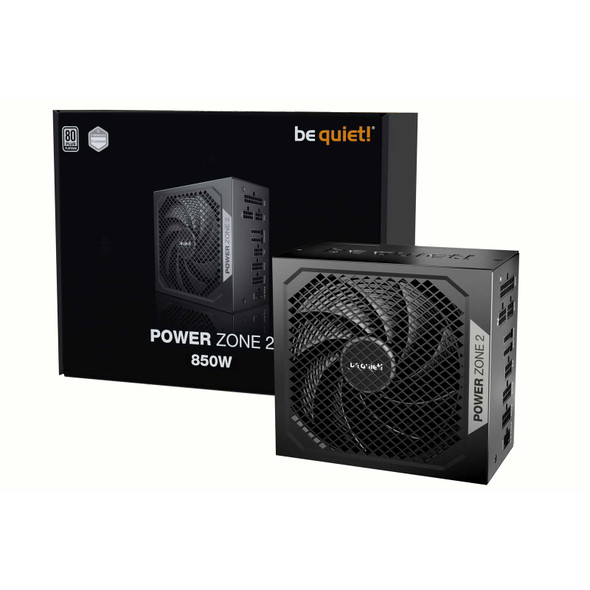
be quiet! Power Zone 2 850W PSU – ATX 3.1, PCIe 5.1, 80 PLUS Platinum
BEQUIET