
BEQUIET
be quiet! Pure Power 12 550W PSU – ATX 3.1, PCIe 5.1, 80 PLUS Gold
- SKU:
- PSBEQ-BP001EU
- UPC:
- 4260052191163
- MPN:
- BP001EU
- Availability:
- Free Click & Collect in Peterborough. UK delivery also available


Description
be quiet! Pure Power 12 550W PSU – ATX 3.1, PCIe 5.1 and 80 PLUS Gold
The be quiet! Pure Power 12 550W Power Supply is a quiet, efficient and modern ATX PSU designed for gaming PCs, home computers, workstations and content-creation systems. It delivers 550 watts of continuous power through a strong single 12V rail and supports the latest ATX 3.1 and PCIe 5.1 power standards.
A native 12V-2x6 graphics-card connector rated for up to 300W provides direct power for compatible PCIe 5.1 graphics cards, while two conventional PCIe 6+2-pin connectors support a wide range of existing AMD and NVIDIA GPUs. This combination makes the PSU suitable for both current PC builds and carefully planned future upgrades.
The Pure Power 12 550W is certified 80 PLUS Gold and reaches up to 92.4% efficiency at 230V. Higher efficiency reduces the energy lost as heat, helping the PSU operate cooler and allowing its temperature-controlled 120mm be quiet! fan to remain exceptionally quiet during normal use.
This is a fully wired, non-modular ATX power supply. The motherboard and 12V-2x6 cables use black sleeving, while the remaining flat black cables help simplify routing and maintain an organised PC interior.
The exact European model is BP001EU, with EAN 4260052191163. It is protected by a comprehensive range of electrical safety circuits and supplied with a ten-year be quiet! manufacturer warranty.
Key Features of the be quiet! Pure Power 12 550W
- 550W continuous output for compatible gaming, work and everyday desktop PCs
- 600W listed peak output
- ATX 3.1 compliant for modern desktop power requirements
- EPS 12V 2.92 support
- PCIe 5.1 compatible with a native 12V-2x6 GPU cable
- One 12V-2x6 connector rated for up to 300W
- Two PCIe 6+2-pin connectors for conventional graphics cards
- 80 PLUS Gold certification
- Up to 92.4% efficiency at 230V
- Single high-performance 12V rail delivering up to 550W
- 45.8A available on the 12V rail
- LLC + synchronous rectification + DC-to-DC topology
- 120mm temperature-controlled be quiet! fan
- Maximum fan speed of 1800 RPM
- Manufacturer-rated noise of only 14.6dB(A) at full load
- Handles short ATX 3.1 power excursions without treating them as continuous output
- Modern Standby support
- Less than 0.1W standby power consumption
- Non-modular, permanently attached cables
- Five SATA power connectors
- One PATA/Molex power connector
- Full electrical protection suite
- Ten-year manufacturer warranty
550W Continuous Power for Balanced PC Builds
The Pure Power 12 provides 550 watts of continuous output. Continuous output is the amount of power the PSU is designed to provide over sustained operation, rather than only for a brief peak.
This wattage can be suitable for many carefully balanced systems, including:
- Home and office desktop computers
- Mid-range gaming PCs
- Systems using energy-efficient modern processors
- Gaming computers with a compatible mid-range graphics card
- Photo-editing and general content-creation PCs
- Media-centre and entertainment computers
- Quiet productivity systems
- Upgrades from an older or less efficient PSU
Whether 550W is sufficient depends on the complete system. The graphics card, processor, motherboard, storage, cooling, lighting, USB devices and any overclocking must all be considered.
Check the Required PSU Wattage Before Ordering
Before choosing this power supply, check:
- The graphics-card manufacturer's recommended PSU wattage
- The GPU power-connector requirement
- The processor's expected power consumption
- The number of storage drives and accessories
- Whether the CPU or GPU will be overclocked
- Whether future upgrades will require additional capacity
- The number and type of motherboard power connectors
The PSU wattage recommendation printed by a graphics-card manufacturer normally assumes a complete system rather than the graphics card alone. Always follow the higher requirement where the GPU or system manufacturer recommends more than 550W.
ATX 3.1 Power-Supply Standard
The be quiet! Pure Power 12 550W complies with the ATX 3.1 specification. ATX 3.1 is designed for modern desktop systems and includes updated requirements for power delivery, electrical behaviour and short-duration load changes.
Modern processors and graphics cards can change power consumption very quickly. A PSU must respond to these changes while maintaining stable output to the connected components.
Designed to Handle Short Power Excursions
be quiet! states that the Pure Power 12 can handle short power excursions of up to twice its rated output under the relevant ATX 3.1 conditions. This supports stable operation when a compatible graphics card briefly demands substantially more power than its normal level.
This does not mean the PSU is an 1100W power supply. Its continuous output remains 550W, and its separately listed peak output is 600W. Transient capability refers only to very short power events defined by the ATX standard.
PCIe 5.1 Compatibility and Native 12V-2x6 Cable
The PSU includes a native PCIe 5.1 12V-2x6 graphics-card cable. The 12V-2x6 connector is the revised high-power GPU connection associated with the ATX 3.1 and PCIe 5.1 standards.
For this 550W model, be quiet! officially rates the 12V-2x6 output at up to 300W. It must not be described as a 600W GPU cable.
Which Graphics Cards Can Use the 12V-2x6 Connector?
The connector can be used with a compatible graphics card that has a matching 12V-2x6 or supported high-power GPU socket and whose power requirements are within the limits of the PSU and cable.
Before installation, check all of the following:
- The exact graphics-card model
- The card manufacturer's PSU recommendation
- The required connector type
- The card's stated power consumption
- Whether the 300W cable rating is sufficient
- The total power required by the complete PC
Some high-end graphics cards require substantially more than 300W or recommend a power supply rated well above 550W. A physical connector match alone does not confirm that the PSU has enough capacity.
Correct 12V-2x6 Installation
The 12V-2x6 plug should be inserted fully and evenly into the graphics-card socket. A partially connected plug can create poor electrical contact.
- Switch off and unplug the PC before installation
- Insert the connector until it is fully seated
- Check that the plug is straight and secure
- Do not force the cable sharply against the connector
- Allow sufficient space between the graphics card and case side panel
- Do not use unapproved extension cables or adapters
- Recheck the connector after routing the cable
Two PCIe 6+2-Pin Graphics-Card Connectors
In addition to the native 12V-2x6 cable, the Pure Power 12 550W provides two PCIe 6+2-pin connectors. These connectors support many graphics cards that use conventional six-pin or eight-pin PCIe power inputs.
The detachable two-pin section allows each 6+2 connector to be used as either:
- A six-pin PCIe connector
- An eight-pin PCIe connector
Check the graphics card carefully before connecting power. CPU/EPS and PCIe connectors can appear similar but use different pin arrangements and must not be interchanged.
80 PLUS Gold Efficiency
The Pure Power 12 550W is certified 80 PLUS Gold. PSU efficiency describes how much power drawn from the wall is converted into usable DC power for the computer.
Higher efficiency means that less electricity is lost as waste heat. This can contribute to:
- Lower internal PSU temperatures
- Reduced fan demand
- Quieter operation
- Lower unnecessary energy loss
- Reduced heat released into the PC case
Manufacturer-Listed Efficiency at 230V
- 20% load: 90.9% efficiency
- 50% load: 92.4% efficiency
- 100% load: 91.2% efficiency
These figures are based on be quiet!'s test conditions at 230V. Actual efficiency and electricity use depend on the connected system, workload, input voltage and operating environment.
Efficiency Does Not Reduce the 550W Output
A 550W power supply can provide up to its rated DC output to the computer. The efficiency percentage relates to the amount of AC power drawn from the wall to produce that output.
For example, the PSU may draw more than 550W from the wall when supplying a very high DC load because some energy is lost during conversion. The difference is primarily released as heat.
Exceptionally Quiet 120mm Cooling Fan
The PSU uses a 120mm silence-optimised be quiet! fan. The fan is temperature-controlled so that its speed changes according to the PSU's cooling requirements.
Airflow-optimised fan blades are designed to reduce turbulence while moving cooling air through the PSU. This helps balance thermal performance with low operating noise.
Official Fan and Noise Specifications
- Fan size: 120mm
- Bearing technology: Rifle bearing
- Motor: Four-pole fan motor
- Maximum fan speed: 1800 RPM
- Noise at 10% load: 9.0dB(A)
- Noise at 20% load: 9.2dB(A)
- Noise at 50% load: 9.4dB(A)
- Noise at 100% load: 14.6dB(A)
Actual audible noise can vary depending on case construction, room acoustics, ambient temperature, system load, PSU orientation and distance from the computer.
No Zero-RPM Mode
The official specification does not list a semi-passive or zero-RPM mode. The fan is temperature-controlled and designed for very quiet continuous cooling rather than stopping completely at low load.
LLC, Synchronous Rectification and DC-to-DC Technology
The Pure Power 12 uses an LLC + SR + DC/DC topology. These technologies are designed to support efficient conversion, stable voltage output and reliable operation across changing workloads.
LLC Topology
The LLC resonant design helps improve power-conversion efficiency and voltage regulation on the primary side of the PSU.
Synchronous Rectification
Synchronous rectification is used for efficient conversion of the main 12V output.
DC-to-DC Conversion
The 3.3V and 5V outputs are generated from the main 12V rail using DC-to-DC conversion. This supports more stable regulation in modern computers where the CPU and graphics card place significant demand on the 12V output.
Strong Single 12V Rail
The PSU uses one high-performance 12V rail rated at 45.8A, with up to 550W combined 12V output.
The 12V rail supplies major components such as:
- The processor through the CPU/EPS cable
- The graphics card through PCIe power cables
- Storage devices through the PSU's conversion circuitry
- Fans, pumps and other connected equipment
Output-Rail Information
- +3.3V: 20A
- +5V: 20A
- +12V: 45.8A
- -12V: 0.3A
- +5V standby: 3A
- Combined +3.3V and +5V output: 120W
- Combined +12V output: 550W
- 12V-2x6 connector output: Up to 300W
Fully Wired Non-Modular Design
The Pure Power 12 550W is a non-modular PSU. All power cables are permanently attached to the unit.
This design means that every supplied cable remains connected, even when a particular connector is not required by the system. Unused cables should be routed and secured inside the PSU shroud or another appropriate case-management area.
Benefits of a Non-Modular PSU
- No detachable PSU-side connections to install
- No risk of mixing incompatible modular cable sets
- All required standard cables are already attached
- Often a lower purchase cost than an equivalent modular model
Important Cable Compatibility Warning
Never connect modular cables from another PSU to this power supply or use cables intended for another brand or model. Modular PSU cable pinouts are not universally standardised.
The Pure Power 12 550W is fully wired and should be used only with its permanently attached power cables.
Black Sleeved and Flat Cables
The motherboard and 12V-2x6 cables use black sleeving. The remaining premium black cables use a flat design to help with routing around the motherboard tray, storage cages and PSU shroud.
Careful cable management can improve:
- Airflow through the computer case
- Access to components
- The appearance of a windowed PC
- Ease of future cleaning and maintenance
Do not pull cables tightly, crush them beneath panels or bend them sharply near the connector.
Motherboard and CPU Power Connections
The PSU includes:
- 1 × 20+4-pin ATX motherboard connector
- 1 × 4+4-pin CPU/EPS connector
The 20+4-pin connector supports standard 24-pin ATX motherboard sockets and selected older 20-pin designs where appropriate.
The CPU cable separates into two four-pin sections, allowing it to connect to a compatible four-pin or eight-pin CPU power socket.
No Additional Separate 8-Pin CPU Cable
be quiet!'s official connector table lists one 4+4-pin CPU connector and does not list an additional separate P8 CPU cable for this 550W model.
Motherboards requiring both an eight-pin CPU connection and an additional four-pin or eight-pin auxiliary CPU connection should be checked carefully before purchase.
Storage and Peripheral Power Connectors
The Pure Power 12 550W includes:
- 5 × SATA power connectors
- 1 × four-pin PATA/Molex connector
SATA Power Uses
SATA power connectors can be used with compatible:
- 2.5-inch SATA SSDs
- 3.5-inch SATA hard drives
- Optical drives
- Selected fan and RGB controllers
- Compatible case accessories
PATA/Molex Power Uses
The four-pin PATA connector can power selected older drives, fan controllers, pumps, lighting accessories and other compatible peripherals.
Do not exceed the electrical limits of a cable by connecting an excessive number of splitters or high-power accessories.
Comprehensive Electrical Protection
The Pure Power 12 includes multiple protective circuits designed to shut down or limit the PSU when unsafe electrical conditions are detected.
Included Protection Features
- OCP – Over-Current Protection: protects against excessive current draw
- OVP – Over-Voltage Protection: protects against excessive output voltage
- UVP – Under-Voltage Protection: protects against output voltage falling below a defined threshold
- SCP – Short-Circuit Protection: shuts down the PSU if a short circuit is detected
- OPP – Over-Power Protection: protects the PSU against excessive total load
- OTP – Over-Temperature Protection: protects against excessive internal temperature
- SIP – Surge and Inrush Protection: helps protect against mains surges and limits initial inrush current
Protection circuits reduce risk but cannot guarantee that connected hardware will survive every electrical event. A suitable surge protector or uninterruptible power supply may provide additional protection against external mains problems.
Modern Standby and Low Standby Consumption
The PSU supports Modern Standby, allowing compatible systems to use supported low-power standby and rapid-wake functions.
be quiet! lists standby power consumption at less than 0.1W. Actual whole-system standby consumption depends on the motherboard, operating system, network hardware, USB devices and BIOS settings.
Universal 100–240V AC Input
The PSU accepts an input range of 100–240V AC at 50–60Hz. It uses active power-factor correction, with a listed power factor above 0.98 at full load.
The correct regional mains lead and electrical outlet must be used. Never open the PSU casing or attempt internal repairs, even after it has been disconnected, because internal capacitors can retain a dangerous electrical charge.
ATX PSU Dimensions and Case Compatibility
The Pure Power 12 550W measures approximately:
- Length: 160mm
- Width: 150mm
- Height: 86mm
- Weight: Approximately 2.18kg
The case must support a standard ATX power supply and provide sufficient space for the 160mm PSU length, permanently attached cables and cable bend radius.
Check More Than the Advertised PSU Clearance
A case may state that it supports a 160mm or longer PSU, but internal drive cages, cable openings or front-mounted radiators can reduce the usable space.
Before ordering, check:
- The case's maximum PSU length
- Space for the permanently attached cables
- The position of any hard-drive cage
- The location of bottom air vents and dust filters
- Whether a front radiator reduces PSU space
- The required fan orientation
Correct PSU Fan Orientation
When the case has a filtered lower PSU vent, the fan is normally positioned facing down so that it draws cool air from outside the case.
If the case has no lower ventilation opening, the fan may need to face upwards into the case. Follow the computer-case manual and ensure that the PSU air intake and rear exhaust are not obstructed.
Do not place the PC directly on thick carpet if this blocks a downward-facing PSU intake.
Average Service-Life Rating
be quiet! lists an average PSU lifetime of more than 100,000 hours at 25°C. This is a manufacturer reliability rating under specified conditions rather than a guaranteed operating duration.
Actual service life depends on:
- Operating temperature
- System load
- Dust accumulation
- Ventilation and fan condition
- Mains-power quality
- Environmental humidity
- Component ageing
Operating Temperature
The manufacturer lists an operating temperature of up to 40°C. Good case ventilation is important because high internal temperatures can increase fan speed and place additional thermal stress on the PSU.
Keep the PSU intake, exhaust grille and case dust filter clean. Never cover the PSU ventilation openings.
Who Is the Pure Power 12 550W Best For?
- Users building a quiet home or office desktop PC
- Gamers assembling a balanced mid-range system
- Users requiring native 12V-2x6 support up to 300W
- PCs using a conventional GPU with one or two PCIe 6+2-pin connections
- Content creators using a moderately powered workstation
- Customers replacing an older, inefficient power supply
- Users wanting 80 PLUS Gold efficiency
- Builders who prefer a single 12V-rail design
- Customers who value quiet cooling and a long warranty
- Systems requiring up to five SATA power connections
Who May Need a Different Power Supply?
This 550W model may not be suitable for:
- Graphics cards whose manufacturer recommends more than 550W
- GPUs requiring more than 300W through the 12V-2x6 connector
- Multi-GPU systems
- Extreme CPU and GPU overclocking
- Workstations with several high-power components
- Motherboards requiring two separate CPU/EPS power cables
- Users who require a fully modular PSU
- Small-form-factor cases requiring an SFX or SFX-L PSU
- Cases that cannot accommodate a 160mm-long power supply and fixed cables
- Systems requiring more than five SATA connectors
How to Check Compatibility Before Ordering
- Check the graphics-card manufacturer's recommended PSU wattage.
- Confirm whether the GPU uses 12V-2x6 or PCIe 6+2-pin power.
- Check that the GPU power requirement does not exceed the connector rating.
- Calculate the approximate power requirement of the full system.
- Confirm that the motherboard uses a standard 20+4-pin ATX connection.
- Check whether one 4+4-pin CPU connector is sufficient.
- Count the required SATA and PATA power connections.
- Confirm that the case supports a standard ATX PSU.
- Check that the case has space for a 160mm-long PSU and fixed cables.
- Consider planned CPU, GPU or storage upgrades.
Basic Power-Supply Installation Guidance
A PSU should be installed carefully because incorrect wiring can prevent the computer from starting or damage components.
- Switch off the computer and unplug it from mains power.
- Press the PC power button briefly to help discharge residual system power.
- Use suitable anti-static precautions.
- Secure the PSU to the case using the correct mounting screws.
- Connect the 20+4-pin cable to the motherboard.
- Connect the 4+4-pin CPU/EPS cable near the processor socket.
- Connect the correct PCIe or 12V-2x6 cable to the graphics card.
- Connect SATA or PATA power to compatible drives and accessories.
- Route cables without crushing, stretching or sharply bending them.
- Check every connection before restoring mains power.
Do Not Confuse CPU and PCIe Power Cables
The CPU/EPS and PCIe GPU connectors may appear similar, but their electrical pin arrangements are different. Use only the connector marked for the intended component.
Never force a connector into a socket. If it does not fit naturally, stop and check the label, shape and orientation.
be quiet! Pure Power 12 550W Technical Specifications
- Brand: be quiet!
- Product Series: Pure Power 12
- Model: Pure Power 12 550W
- Manufacturer Part Number: BP001EU
- Memox SKU: PSBEQ-BP001EU
- EAN: 4260052191163
- Product Type: Desktop PC power supply
- PSU Form Factor: ATX
- ATX Standard: ATX 3.1
- EPS Standard: EPS 12V 2.92
- PCIe Standard: PCIe 5.1 compatible
- Continuous Output: 550W
- Peak Output: 600W
- 80 PLUS Certification: Gold
- Maximum Listed Efficiency: 92.4% at 230V and 50% load
- Efficiency at 20% Load: 90.9%
- Efficiency at 50% Load: 92.4%
- Efficiency at 100% Load: 91.2%
- Topology: LLC + synchronous rectification + DC/DC
- Digital Control: No
- 12V Rail Design: Single rail
- +12V Output: 45.8A / 550W
- +3.3V Output: 20A
- +5V Output: 20A
- Combined +3.3V and +5V Output: 120W
- -12V Output: 0.3A
- +5V Standby Output: 3A
- 12V-2x6 Maximum Output: 300W
- Input Voltage: 100–240V AC
- Input Frequency: 50–60Hz
- Input Current: 10A / 5A
- Power Factor at Full Load: Greater than 0.98
- Modern Standby: Supported
- Standby Consumption: Less than 0.1W
- Hold-Up Time at 100% Load: 16.6ms
- Hold-Up Time at 80% Load: 20.2ms
- Power-Good Signal: 100–150ms
- Cooling Fan: 120mm temperature-controlled be quiet! fan
- Fan Bearing: Rifle bearing
- Fan Motor: Four-pole motor
- Maximum Fan Speed: 1800 RPM
- Noise at 10% Load: 9.0dB(A)
- Noise at 20% Load: 9.2dB(A)
- Noise at 50% Load: 9.4dB(A)
- Noise at 100% Load: 14.6dB(A)
- Modular Cabling: No, fully wired
- Number of Permanently Attached Cables: 6
- Motherboard Cable: 1 × 20+4-pin ATX
- CPU Cable: 1 × 4+4-pin CPU/EPS
- Additional Separate P8 CPU Cable: No
- PCIe 5.1 Cable: 1 × 12V-2x6, up to 300W
- Conventional GPU Connectors: 2 × PCIe 6+2-pin
- SATA Connectors: 5
- PATA/Molex Connectors: 1
- Floppy Connector: No
- Protection Circuits: OCP, OVP, UVP, SCP, OPP, OTP and SIP
- Operating Temperature: Up to 40°C
- Average Lifetime: More than 100,000 hours at 25°C
- Dimensions: 160 × 150 × 86mm
- Net Weight: Approximately 2.18kg
- Colour: Black
- Certifications: Includes CE, TÜV and UKCA
- Environmental Compliance: Energy Star 8.0, ErP, WEEE and RoHS
- Manufacturer Warranty: 10 years
What Is Included?
- 1 × be quiet! Pure Power 12 550W power supply
- Permanently attached motherboard, CPU, GPU and drive cables
- PSU mounting screws
- Cable ties
- User documentation
A motherboard, processor, graphics card, computer case and other PC components are not included.
Important Graphics-Card Compatibility Information
The presence of a 12V-2x6 connector does not mean this 550W PSU is suitable for every PCIe 5.1 graphics card. The connector is rated for up to 300W, and the complete system must remain within the PSU's continuous output capacity.
Always check the exact GPU manufacturer's recommended PSU wattage and connector requirements before ordering.
Important Non-Modular Cable Information
This is a non-modular, fully wired power supply. The cables cannot be disconnected from the PSU.
Do not attempt to connect modular PSU cables from any other power supply. Cable compatibility cannot be determined by connector shape alone.
Important Electrical Safety Information
A PC power supply contains hazardous high-voltage components. Never open the PSU casing, insert objects through the ventilation openings or attempt internal repair.
Disconnect the computer from mains power before installing or changing components. If you are uncertain about PSU installation, use an experienced PC technician.
Why Choose the be quiet! Pure Power 12 550W?
The be quiet! Pure Power 12 550W combines modern ATX 3.1 power delivery, PCIe 5.1 compatibility and 80 PLUS Gold efficiency in a quiet and dependable ATX power supply.
Its native 300W 12V-2x6 connection supports compatible newer graphics cards, while two PCIe 6+2-pin connectors maintain compatibility with many established GPU designs. The powerful single 12V rail, LLC-based topology and comprehensive protection circuits support stable operation across gaming, productivity and everyday workloads.
The temperature-controlled 120mm fan is rated at only 14.6dB(A) even at full load under manufacturer test conditions, while efficiency reaches up to 92.4% at 230V. Black sleeved and flat cables help maintain a tidy internal layout, although buyers should understand that the PSU is fully wired rather than modular.
Choose the Pure Power 12 550W when you need a quiet, efficient and modern 550W ATX 3.1 power supply, have confirmed that its wattage and connector arrangement suit your complete PC, and value the reassurance of a ten-year be quiet! manufacturer warranty.
Specification
be quiet! Pure Power 12 550W PSU Specifications
The be quiet! Pure Power 12 550W is a non-modular ATX 3.1 desktop PC power supply with 80 PLUS Gold efficiency, a strong single 12V rail and support for both modern and conventional graphics-card power connections.
It provides one native PCIe 5.1 12V-2x6 connector rated for up to 300W, two PCIe 6+2-pin connectors, a quiet temperature-controlled 120mm fan and comprehensive electrical protection. The exact European model is BP001EU.
General Information
| Brand | be quiet! |
|---|---|
| Product Name | be quiet! Pure Power 12 550W Power Supply |
| Product Series | Pure Power 12 |
| Model | Pure Power 12 550W |
| Manufacturer Part Number | BP001EU |
| Memox SKU | PSBEQ-BP001EU |
| EAN | 4260052191163 |
| Product Type | Internal desktop PC power supply unit |
| PSU Form Factor | ATX |
| Product Colour | Black |
| Cable Management | Non-modular / fully wired |
Power and Standards
| Continuous Output Power | 550W |
|---|---|
| Peak Output Power | 600W |
| ATX Standard | ATX 3.1 |
| EPS Standard | EPS 12V Version 2.92 |
| PCI Express Power Standard | PCIe 5.1 compatible |
| Power Topology | LLC + synchronous rectification + DC-to-DC conversion |
| Digital Power Control | No |
| 12V Rail Configuration | Single 12V rail |
| Short Power Excursions | Designed to handle short ATX 3.1 power excursions of up to twice the rated continuous output under applicable conditions |
80 PLUS Efficiency
| 80 PLUS Certification | 80 PLUS Gold |
|---|---|
| Maximum Listed Efficiency | Up to 92.4% at 230V |
| Efficiency at 2% Load | 63.0% at 230V |
| Efficiency at 10% Load | 86.5% at 230V |
| Efficiency at 20% Load | 90.9% at 230V |
| Efficiency at 50% Load | 92.4% at 230V |
| Efficiency at 100% Load | 91.2% at 230V |
| Cybenetics ETA Rating | Not listed |
DC Output Specifications
| +3.3V Output | 20A |
|---|---|
| +5V Output | 20A |
| +12V Output | 45.8A |
| -12V Output | 0.3A |
| +5V Standby Output | 3A |
| Maximum Combined +12V Power | 550W |
| Maximum 12V-2x6 Power | 300W |
| Maximum Combined +3.3V and +5V Power | 120W |
Power Timing Specifications
| Hold-Up Time at 100% Load | 16.6ms |
|---|---|
| Hold-Up Time at 80% Load | 20.2ms |
| Power-Good Signal | 100–150ms |
Graphics-Card Power Connections
| Native 12V-2x6 Cable | 1 |
|---|---|
| 12V-2x6 Maximum Rating | Up to 300W |
| PCIe Standard Supported | PCIe 5.1 |
| PCIe 6+2-Pin Connectors | 2 |
| Dedicated PCIe 6-Pin Connectors | None; the 6+2-pin connectors can be configured for compatible 6-pin or 8-pin GPU sockets |
| 12V-2x6 Cable Finish | Black sleeved cable |
Motherboard and CPU Connections
| ATX Motherboard Connector | 1 × 20+4-pin |
|---|---|
| CPU / EPS Connector | 1 × 4+4-pin |
| Additional Separate 8-Pin CPU Connector | No |
| Additional Separate 4-Pin CPU Connector | No |
| Motherboard Cable Finish | Black sleeved cable |
Storage and Peripheral Connections
| SATA Power Connectors | 5 |
|---|---|
| PATA / Molex Connectors | 1 |
| Floppy / FDD Connector | No |
| Number of Fixed Cable Harnesses | 6 |
| Cable Style | Sleeved motherboard and 12V-2x6 cables with premium black flat cables for the remaining connections |
Fan and Acoustic Specifications
| Cooling Method | Active air cooling |
|---|---|
| Fan Type | Silence-optimised be quiet! fan |
| Fan Size | 120mm |
| Fan Bearing | Rifle bearing |
| Fan Motor | Four-pole motor |
| Maximum Fan Speed | 1800 RPM |
| Fan Control | Temperature controlled |
| Zero-RPM / Semi-Passive Mode | Not listed |
| Noise at 10% Load | 9.0dB(A) |
| Noise at 20% Load | 9.2dB(A) |
| Noise at 50% Load | 9.4dB(A) |
| Noise at 100% Load | 14.6dB(A) |
| Cybenetics LAMBDA Rating | Not listed |
AC Input and Standby Specifications
| AC Input Voltage | 100–240V AC |
|---|---|
| Input Frequency | 50–60Hz |
| Input Current | 10A / 5A |
| Power Factor at 100% Load | Greater than 0.98 |
| Active Power-Factor Correction | Yes |
| Modern Standby Support | Yes |
| PSU Standby Consumption | Less than 0.1W |
Electrical Protection
| OCP – Over-Current Protection | Yes |
|---|---|
| OVP – Over-Voltage Protection | Yes |
| UVP – Under-Voltage Protection | Yes |
| SCP – Short-Circuit Protection | Yes |
| OPP – Over-Power Protection | Yes |
| OTP – Over-Temperature Protection | Yes |
| SIP – Surge and Inrush Protection | Yes |
Physical Specifications
| PSU Length | 160mm |
|---|---|
| PSU Width | 150mm |
| PSU Height | 86mm |
| Dimensions Without Cables | 160 × 150 × 86mm, length × width × height |
| Net Weight | 2.18kg |
| Maximum Listed Operating Temperature | 40°C |
| Average Lifetime Rating | More than 100,000 hours at 25°C |
Packaging Specifications
| Retail Package Dimensions | 320 × 133 × 210mm |
|---|---|
| Gross Package Weight | 2.8kg |
Certifications and Environmental Compliance
| 80 PLUS Certification | Gold |
|---|---|
| UKCA | Yes |
| CE | Yes |
| TÜV | Yes |
| CB Certification | Yes |
| FCC | Yes |
| Energy Star | Version 8.0 |
| ErP Compliant | Yes |
| RoHS Compliant | Yes |
| WEEE Compliant | Yes |
Package Contents
| Power Supply Included | 1 × be quiet! Pure Power 12 550W PSU |
|---|---|
| Fixed Power Cables | Included and permanently attached |
| PSU Mounting Screws | Included |
| Cable Ties | Included |
| User Manual | Included |
| Velcro Cable Ties | Not included |
| SFX-to-ATX Adapter Bracket | Not included or required for normal ATX installation |
Warranty
| Manufacturer Warranty | 10 years |
|---|---|
| Warranty Provider | be quiet!, subject to the applicable manufacturer warranty terms and regional conditions |
| First-Year Express Replacement Service | Not listed for this model |
| Proof of Purchase | May be required for warranty service |
Important Wattage Compatibility Note
This PSU provides 550W of continuous power. Before ordering, check the recommended PSU wattage for the exact graphics card and calculate the requirements of the complete computer, including the processor, motherboard, cooling, storage devices and accessories.
The 600W figure is the manufacturer's listed peak output and should not be treated as the PSU's continuous operating capacity.
Important 12V-2x6 Connector Note
The native 12V-2x6 graphics-card connection on this 550W model is rated for a maximum combined output of 300W. It is not a 600W 12V-2x6 output.
A graphics card having a physically compatible 12V-2x6 socket does not automatically mean that this PSU provides sufficient wattage. Check both the graphics-card power requirement and the manufacturer's recommended complete-system PSU capacity.
Insert the 12V-2x6 plug fully and evenly. Avoid sharp bending immediately beside the connector and confirm that the plug remains securely seated after routing the cable.
Important CPU Connector Note
This model includes one 4+4-pin CPU/EPS connector. It does not include an additional separate 8-pin CPU cable.
Check the motherboard power requirements before ordering. Motherboards requiring two independent CPU/EPS power cables may require a different PSU model with additional CPU connections.
Important Non-Modular Cable Note
The Pure Power 12 550W is fully wired and non-modular. All six cable harnesses are permanently attached to the power supply and unused cables must be managed inside the computer case.
Do not connect modular cables from another PSU or attempt to modify the attached cables. PSU cable wiring is not universally interchangeable between brands or models.
Important Case Compatibility Note
The PSU measures 160mm long, 150mm wide and 86mm high. Confirm that the computer case supports a standard ATX PSU and provides enough additional room for the permanently attached cables.
Drive cages, front-mounted radiators and cable-routing panels can reduce the usable PSU space even when the case is generally advertised as ATX compatible.
Important Electrical Safety Note
Never open the PSU casing or attempt an internal repair. A power supply contains high-voltage components and capacitors that can retain a dangerous electrical charge after the unit has been disconnected.
Disconnect the PC from mains power before installation. Use only the correct CPU, motherboard, PCIe and drive connectors, and never force a plug into an incompatible socket.
Return
FAQ: Frequently Asked QUestions
be quiet! Pure Power 12 550W PSU FAQ
The be quiet! Pure Power 12 550W is a quiet, fixed-cable ATX 3.1 desktop power supply with 80 PLUS Gold efficiency, PCIe 5.1 compatibility, one native 300W 12V-2x6 graphics-card connection, two PCIe 6+2-pin connectors, a single 45.8A 12V rail and a temperature-controlled 120mm fan. The European model covered here is BP001EU.
Below are the most common questions buyers ask before choosing this 550W PC power supply, including GPU compatibility, RTX 5060 and RTX 4060 suitability, Radeon RX 7600 support, ATX 3.1, PCIe 5.1, 12V-2x6 safety, connector limits, case fit, noise, efficiency, cable management, troubleshooting, warranty and whether 550W is enough for a planned build.
1. What is the be quiet! Pure Power 12 550W?
The be quiet! Pure Power 12 550W is a fixed-cable ATX desktop PC power supply designed for quiet gaming, home, office and media-creation systems. It provides 550W continuous output, 80 PLUS Gold efficiency, ATX 3.1 compliance, PCIe 5.1 compatibility, a native 12V-2x6 graphics-card cable and two PCIe 6+2-pin connectors.
2. What is the exact model number and EAN?
The European manufacturer part number is BP001EU and the EAN is 4260052191163. Check BP001EU when comparing the non-modular Pure Power 12 550W with the older modular Pure Power 12 M or the newer Pure Power 13 M.
3. Who is the Pure Power 12 550W designed for?
It is designed for mainstream desktop PCs, efficient gaming systems, work-from-home computers, media PCs and creator builds whose complete power requirement fits safely within 550W. It is particularly useful when quiet operation, modern GPU connectors and a long manufacturer warranty are priorities.
4. Does the power supply provide 550W continuously?
Yes. be quiet! rates it for 550W continuous output. This is the power it is designed to provide continuously within its operating specifications, rather than a short-lived marketing peak.
5. What is the listed peak power?
be quiet! lists 600W peak power. Peak capability is intended for brief power demands and should not be treated as a 600W continuous rating when choosing components.
6. What does ATX 3.1 mean on this power supply?
ATX 3.1 is a modern desktop power-supply specification covering electrical performance, connectors, efficiency behaviour and the ability to tolerate short power excursions from current processors and graphics cards. It does not mean every component is automatically suitable for a 550W system.
7. What does PCIe 5.1 compatible mean?
It means the PSU includes a native 12V-2x6 power cable for compatible modern graphics cards and meets the relevant modern power-delivery requirements. PCIe 5.1 compatibility does not increase the PSU above its 550W continuous rating.
8. What is the native 12V-2x6 connector used for?
The 12V-2x6 connector is a compact 16-pin graphics-card power connection used by selected modern GPUs. It replaces the need for a multi-plug adapter when the graphics card accepts a compatible native cable and its power requirement fits the PSU.
9. How much power can the 12V-2x6 cable provide on this 550W model?
be quiet! officially rates the Pure Power 12 550W model's 12V-2x6 connection for up to 300W. The limit is specific to this wattage model and should be respected when choosing a graphics card.
10. Is the 12V-2x6 connector on this PSU rated for 600W?
No. The official rating for the BP001EU 550W model is 300W through the 12V-2x6 connection. Higher-wattage Pure Power 12 models may have higher connector ratings, but those figures must not be copied to the 550W version.
11. Is 12V-2x6 compatible with graphics cards labelled 12VHPWR?
The updated 12V-2x6 plug is designed around the same 16-pin graphics-card connection family and can be used with compatible cards that accept the connector. Always follow the graphics-card manual and confirm that its required cable power does not exceed this PSU's 300W 12V-2x6 rating.
12. How should I connect the 12V-2x6 cable safely?
Insert the plug straight into the graphics card until it is fully seated with no visible gap. Avoid pulling it sideways, placing sharp bends immediately beside the connector or allowing the case panel to press hard against the cable. Recheck the connection before powering on.
13. Can I use the graphics card's adapter instead of the native cable?
Use the PSU's native 12V-2x6 cable when the card accepts it and the power rating is sufficient. An adapter should only be used when required by the graphics-card manufacturer and when all requested PCIe plugs are connected exactly as instructed.
14. How many PCIe 6+2-pin graphics-card connectors are included?
The Pure Power 12 550W provides two PCIe 6+2-pin connectors in addition to the native 12V-2x6 cable. A 6+2-pin plug can be assembled as an 8-pin connector or used as a 6-pin connection where supported.
15. Can it power a graphics card with one 8-pin connector?
Yes, provided the complete PC remains within the PSU and graphics-card manufacturer's power requirements. Use one of the supplied PCIe 6+2-pin connectors and join the 6-pin and 2-pin sections securely.
16. Can it power a graphics card with two 8-pin connectors?
The PSU provides two PCIe 6+2-pin connectors, so the physical connections are available. Suitability still depends on the card's recommended system wattage, total system load and whether its manufacturer accepts a 550W PSU.
17. Can it power a graphics card requiring three 8-pin connectors?
No, not directly. This model provides two PCIe 6+2-pin connectors. Do not use unsafe splitters to create an extra high-power GPU connection; choose a power supply with the wattage and connector count specified for that graphics card.
18. How many CPU power connectors does the PSU have?
be quiet!'s official specification lists one P4+4, also called a 4+4-pin EPS or CPU connector. It forms one 8-pin CPU power plug or can split into two 4-pin sections where the motherboard requires that arrangement.
19. Will it work with a motherboard that has an extra CPU power socket?
Most mainstream motherboards operate from the primary 8-pin CPU socket, while an additional 4-pin or 8-pin socket is often intended for extreme CPUs or overclocking. Check the motherboard manual. If it requires both sockets to be populated, select a PSU with the required additional EPS connector.
20. Does it include the main motherboard power cable?
Yes. It includes one 20+4-pin ATX motherboard connector. The detachable 4-pin section allows compatibility with modern 24-pin boards and certain older 20-pin designs.
21. How many SATA power connectors are included?
The official specification lists five SATA power connectors. They can be used for compatible SATA SSDs, hard drives, optical drives, fan hubs and other devices that require SATA power.
22. Does it have a Molex connector?
Yes. It includes one 4-pin PATA connector, commonly called Molex, for compatible legacy drives, pumps, lighting controllers or fan accessories.
23. Does it include a floppy-drive power connector?
No. A dedicated floppy-drive connector is not listed. A specialist adapter would be required for rare hardware that still uses one, but adapter quality and electrical suitability must be checked carefully.
24. Is the Pure Power 12 550W modular?
No. It is a non-modular or fixed-cable power supply, so all power cables are permanently attached. This reduces connector complexity and price, but unused cables must be routed inside the case.
25. What are the advantages of a non-modular PSU?
Fixed cables cannot be accidentally omitted, connected to the wrong PSU socket or mixed with cables from another model. A non-modular design can also offer strong value when the case has enough space to hide unused leads.
26. What are the disadvantages of a non-modular PSU?
Unused cables remain inside the case, which can make cable management harder in compact builds. A fully modular alternative may be preferable for small cases, showcase builds or users who want to install only the cables they need.
27. Are the cables sleeved or flat?
The motherboard and 12V-2x6 cables use black sleeving, while the remaining cables use a flat black design. This helps the cables blend into most builds and makes routing easier.
28. How long are the power cables?
be quiet! lists a 60cm motherboard cable and a maximum cable length of approximately 55cm for the other listed cable routes. Check the cable-routing distance in unusually large full-tower or dual-chamber cases.
29. What are the PSU dimensions?
The unit measures 160 x 150 x 86mm in length, width and height, excluding the attached cables. The 160mm length is the most important figure when checking case clearance.
30. How much does the power supply weigh?
be quiet! lists the PSU itself at approximately 2.18kg. Support the unit securely during installation and use all four mounting screws.
31. Will it fit an ATX, Micro-ATX or Mini-ITX PC?
It can be used with any motherboard size when the case accepts a standard ATX power supply and has enough room for its 160mm length and fixed cables. Motherboard size does not determine PSU fit; the case specification does.
32. Will it fit a small-form-factor or SFX-only case?
Not if the case accepts only SFX or SFX-L power supplies. This is a full-size ATX PSU. Some compact cases support ATX units, but the 160mm length and attached cable bundle must be checked carefully.
33. Which way should the PSU fan face?
In a case with a filtered bottom intake and enough clearance beneath the chassis, the fan normally faces downward to draw cool outside air. If the bottom vent is blocked or absent, face the fan toward a ventilated interior area. Never place the intake against a solid panel.
34. Does the fan spin all the time?
Yes. This Pure Power 12 model uses a temperature-controlled fan rather than a zero-RPM semi-passive mode. The fan runs very slowly at light loads and increases speed as cooling demand rises.
35. Is the Pure Power 12 550W semi-passive?
No. The fan does not intentionally switch off at low load. Buyers who specifically want zero-RPM cooling should compare the newer Pure Power 13 M series.
36. How quiet is the power supply?
be quiet! lists approximately 9dB(A) at 10% load, 9.2dB(A) at 20%, 9.4dB(A) at 50% and 14.6dB(A) at full load. Real perceived noise depends on case design, room noise, temperature and component load.
37. What fan does the PSU use?
It uses a silence-optimised 120mm be quiet! fan with a four-pole motor, rifle-bearing technology and a listed maximum speed of 1,800RPM. Fan speed is controlled automatically by PSU temperature.
38. Can I control the PSU fan from the motherboard?
No. The fan is controlled internally by the power supply and does not connect to a motherboard fan header. There is no user fan curve or external fan-control cable.
39. What does 80 PLUS Gold mean?
80 PLUS Gold is an efficiency certification. A more efficient PSU wastes less input energy as heat than a less efficient design at the tested loads, which can reduce internal temperature, fan demand and electricity use.
40. What efficiency does the Pure Power 12 550W achieve at 230V?
be quiet! lists approximately 86.5% efficiency at 10% load, 90.9% at 20%, 92.4% at 50% and 91.2% at full load on 230V input. The highest listed efficiency occurs around half load.
41. Does an 80 PLUS Gold PSU always draw 550W from the wall?
No. It draws only what the computer requires plus conversion losses. A PC delivering 300W to its components will draw somewhat more than 300W from the wall, not the PSU's full 550W rating.
42. Will 80 PLUS Gold reduce my electricity bill?
It can reduce wasted energy compared with a less efficient PSU under the same load, but the saving depends on usage hours, system power draw, electricity price and the efficiency of the PSU being replaced.
43. Does the Pure Power 12 550W use a single 12V rail?
Yes. It uses one high-performance 12V rail, simplifying power distribution between the CPU, GPU and other 12V components.
44. How much current is available on the 12V rail?
The official specification lists 45.8A on the single 12V rail, with up to 550W combined 12V output. The total system still must remain within all PSU, cable and connector limits.
45. What are the 3.3V and 5V output limits?
The PSU provides up to 20A on the 3.3V rail and 20A on the 5V rail, with a combined 3.3V and 5V power limit of 120W. These rails power motherboard logic, drives and compatible peripherals.
46. Can it handle short graphics-card power spikes?
be quiet! states that Pure Power 12 can handle power excursions of up to twice its rated power for very short periods in line with modern ATX requirements. This helps with transient spikes but does not turn it into a higher-wattage continuous PSU.
47. Does handling double power excursions mean it is a 1,100W PSU?
No. Its continuous rating remains 550W and its listed peak rating is 600W. Transient-load capability refers to extremely brief excursions, not sustained gaming, rendering or stress-test power.
48. What is LLC topology?
LLC is a resonant power-conversion design used to improve efficiency, regulation and switching behaviour. In this PSU it is combined with synchronous rectification and DC-to-DC conversion.
49. What does DC-to-DC regulation do?
The PSU generates a strong primary 12V output and derives the lower 5V and 3.3V rails through DC-to-DC converters. This approach supports more stable regulation across modern PC loads.
50. What electrical protections are included?
The official specification lists over-temperature, over-current, over-power, short-circuit, over-voltage, under-voltage, surge and inrush-current protections. These protections can shut the PSU down when unsafe conditions are detected.
51. What input voltage does the PSU support?
It supports 100-240V AC at 50-60Hz, allowing operation on normal UK and many international mains systems with the correct approved power lead.
52. Can the Pure Power 12 550W be used in the UK?
Yes. UK mains voltage is within its 100-240V input range. Use a correctly fused UK mains lead of suitable quality. If the BP001EU carton contains a different regional lead, contact the retailer rather than using an unsuitable travel adapter.
53. Does it have active power factor correction?
Yes. The official specification lists a power factor above 0.98 at full load. Active PFC helps the PSU draw current from the mains more effectively.
54. How much power does it use in standby?
be quiet! lists standby consumption below 0.1W when used in a compatible system and configuration. Actual whole-PC standby consumption also depends on the motherboard, USB charging features and connected devices.
55. Does it support Modern Standby?
Yes. Modern Standby compatibility is listed, although whether the feature works depends on the motherboard, operating system, firmware and complete computer configuration.
56. What is the maximum listed operating temperature?
The PSU is specified for operation up to 40°C ambient temperature. Ensure the case has clear ventilation and do not allow dust, carpets or cables to block the PSU intake.
57. What is the listed expected service life?
be quiet! lists an average lifetime above 100,000 hours at 25°C. This is a design-life figure under stated conditions, not a guarantee that every unit will run for a specific number of years.
58. Is 550W enough for a gaming PC?
It can be enough for an efficient mainstream gaming system, but suitability depends on the exact CPU, GPU, overclocking, drives, fans and USB devices. Compare the graphics-card manufacturer's recommended system wattage and use a PSU calculator before ordering.
59. Is this PSU suitable for an office or home PC?
Yes. It can power a quiet home, business or study PC and leaves room for a mainstream graphics card. A lower-wattage PSU could also be enough for a basic integrated-graphics system, but this model offers modern connectors and upgrade flexibility.
60. Is the Pure Power 12 550W suitable for a GeForce RTX 5060?
Many RTX 5060 models specify a 550W system PSU and commonly use one 8-pin connector, but requirements vary by card manufacturer and system configuration. Confirm the exact card's recommendation, connector and CPU power before purchase.
61. Is it suitable for a GeForce RTX 4060 or RTX 4060 Ti?
NVIDIA lists 550W minimum system power for its RTX 4060 family reference guidance, while individual partner cards can differ. This PSU provides the required modern and 8-pin connector options, but the full build must remain within the recommendation.
62. Is it suitable for a GeForce RTX 5050?
NVIDIA's reference guidance lists 550W required system power for the RTX 5050. Check the exact graphics card's power connector and the rest of the PC because factory-overclocked models and high-power CPUs can alter requirements.
63. Is it suitable for a GeForce RTX 4070 or RTX 4070 SUPER?
NVIDIA's reference guidance for the RTX 4070 family generally calls for at least 650W system power, so this 550W model is normally below that recommendation. Choose a suitable 650W or higher PSU unless the exact card manufacturer and system builder explicitly approve otherwise.
64. Is it suitable for a GeForce RTX 5070 or higher-end RTX card?
It is not the appropriate default choice for high-end RTX 50-series cards whose manufacturers recommend substantially more than 550W. Select the wattage and connector rating specified for the exact card, CPU and complete system.
65. Is it suitable for an AMD Radeon RX 7600?
AMD lists a 550W minimum PSU recommendation and more than 40A on the 12V output for the reference RX 7600. This PSU provides 45.8A on 12V, but the exact card, CPU and complete build still need to meet AMD and board-partner requirements.
66. Is it suitable for an AMD Radeon RX 7600 XT?
AMD lists a 600W minimum PSU recommendation for the reference RX 7600 XT, so this 550W model is below that guidance. A suitable 600W, 650W or higher unit is the safer choice depending on the full system.
67. Is it suitable for an AMD Radeon RX 6600 or RX 6600 XT?
AMD lists 450W for the RX 6600 and 500W for the RX 6600 XT reference recommendations. A quality 550W PSU can therefore suit many such systems, provided the exact card's connectors and the rest of the build remain within specification.
68. Can it power a high-end graphics card because it has a 12V-2x6 cable?
Not automatically. The connector's presence does not override the PSU's 550W continuous output or the cable's 300W rating. Always check the graphics card's recommended PSU wattage and connector-power requirement.
69. Which processors can I use with this power supply?
It can power many Intel Core and AMD Ryzen processors when the complete system fits within 550W and uses the available single 4+4-pin CPU connector. CPU model, motherboard power limits, graphics card and overclocking determine final suitability.
70. Is it suitable for a Core i7, Core i9, Ryzen 7 or Ryzen 9?
It can be suitable for efficient configurations, but high-power CPUs combined with a demanding graphics card may require more wattage and an additional EPS connector. Check realistic CPU package power, GPU recommendation and motherboard connector requirements.
71. Can I use this PSU without a dedicated graphics card?
Yes. The PSU can power a system using processor-integrated graphics, provided the CPU and motherboard support display output. The unused GPU cables can be tied safely out of the airflow path.
72. Is the PSU suitable for overclocking?
Moderate tuning may be possible when sufficient wattage and cooling headroom remain, but overclocking can increase CPU and GPU power sharply. Heavy overclocking is better paired with a higher-capacity PSU and the connector set required by the motherboard.
73. How do I calculate whether 550W is enough?
Enter the exact CPU, graphics card, drives, fans and other components into the be quiet! PSU calculator, then compare the result with GPU-manufacturer guidance. Allow sensible headroom rather than selecting a unit that will operate at its limit continuously.
74. How much PSU headroom should I leave?
There is no universal percentage, but the PSU should comfortably cover sustained system demand, transient loads, capacitor ageing and reasonable upgrades. A build already close to 550W under real workloads should use a higher-wattage model.
75. Is a larger PSU always more efficient?
No. Efficiency varies with PSU design and load. This model reaches its listed 230V peak efficiency around 50% load, but buying excessive wattage does not automatically reduce energy use or improve performance.
76. Should I buy 550W or 650W?
Choose 550W for efficient mainstream systems that meet all manufacturer recommendations. Choose 650W when the graphics card recommends it, the CPU is power-hungry, more upgrade room is needed or the 450W-rated 12V-2x6 connection on the Pure Power 12 650W is more suitable.
77. Will this PSU support future upgrades?
It offers modern ATX 3.1 and PCIe 5.1 connectivity, but future upgrade potential is limited by 550W total output, the 300W 12V-2x6 rating, two 6+2-pin plugs and one CPU 4+4-pin connector. Higher-end future parts may require a larger PSU.
78. Can I run two graphics cards from this power supply?
It is not intended as a multi-GPU power supply. Connector count and 550W capacity are better suited to one graphics card. Professional multi-GPU systems normally need much more wattage and additional dedicated cables.
79. Can I use PCIe cable extensions?
Quality extensions can be used on the component end when they are correctly rated and fully seated, but they add another connection point and can make cable routing harder. Never exceed the original cable or PSU rating.
80. Can I replace the fixed cables with custom modular cables?
No. The main cables are permanently attached and cannot be replaced at the PSU. Cosmetic extension cables may be used carefully at the component end, but the PSU casing must never be opened.
81. Can I use spare modular cables from another PSU?
No. This model is non-modular, and modular PSU pinouts are not universal. Never insert cables from another PSU model into adapters or extensions unless the cable manufacturer explicitly certifies the exact combination.
82. Does the PSU have RGB lighting?
No. It has a plain black design without RGB or ARGB lighting, making it suitable for understated and closed-case builds.
83. Does it include monitoring software or a USB connection?
No. It is not a digitally monitored PSU and does not provide software control, USB telemetry or an on-screen power dashboard.
84. Is a small amount of coil whine normal?
Electronic components in a PSU or graphics card can sometimes produce a faint high-frequency sound that changes with frame rate or load. Persistent loud buzzing, crackling, burning smells or unstable operation should be investigated immediately.
85. Is a click when turning the PC on or off normal?
A brief electrical or mechanical click can occur when a PSU starts, stops or its protection circuitry operates. Repeated clicking with failed starts, shutdowns or no display can indicate a short circuit, loose connection or overloaded system.
86. What should I check if the PC does not turn on after installation?
Check the rear power switch, mains lead, wall socket, 24-pin motherboard cable, 4+4-pin CPU cable, front-panel power-button lead and graphics-card power. Confirm no CPU cable has been inserted into a GPU socket and reseat all connections with power disconnected.
87. Why might the PC shut down or restart during gaming?
Possible causes include insufficient total wattage, an incompletely seated GPU cable, overheating, unstable overclocking, a graphics-card fault, motherboard issues or mains-power problems. Check the exact GPU recommendation and remove tuning while troubleshooting.
88. Can I test the PSU with the paperclip method?
The basic test can only show whether a PSU starts and does not confirm voltage quality or performance under load. Incorrectly shorting pins can be dangerous. Use a proper PSU tester or qualified technician if you are not experienced.
89. How should I clean dust from the power supply?
Shut down the PC, switch off the PSU, unplug the mains lead and allow it to cool. Clean the removable case filter and use gentle external air to clear the grille. Do not push tools through the vents or allow the fan to spin excessively.
90. Can I open the power supply to clean or repair it?
No. A PSU contains capacitors that can retain dangerous voltage after it is unplugged. Opening the casing creates a serious electric-shock risk and can invalidate the warranty. Repairs must be handled by authorised professionals.
91. Should I use a surge protector or UPS?
A quality surge-protected power strip can add protection against some mains events, while a correctly sized UPS can provide battery backup and voltage support. The UPS must be able to handle the complete PC's real load and active-PFC power supply.
92. What warranty does the Pure Power 12 550W include?
be quiet! lists a 10-year manufacturer's warranty for this model. Keep the original purchase invoice because warranty processing normally requires proof of purchase, model details and a fault description.
93. Why should I keep the serial-number label readable?
be quiet!'s warranty terms exclude PSU claims where the serial-number sticker has been removed or cannot be read. Do not cover, damage or peel the label during installation.
94. What is included in the box?
The package includes the fixed-cable Pure Power 12 550W PSU, a mains lead, mounting screws, cable ties and the user manual. Regional mains-plug type can vary, so confirm that the supplied lead is suitable for UK use.
95. Pure Power 12 550W vs Pure Power 12 M 550W: what is different?
The Pure Power 12 BP001EU is non-modular, ATX 3.1, single-rail and uses a 300W 12V-2x6 cable. The older Pure Power 12 M 550W is modular, originally ATX 3.0, uses two 12V rails and a 300W 12VHPWR cable. Choose based on current standard, cable management and price.
96. Pure Power 12 550W vs Pure Power 13 M 550W: which should I choose?
Both provide 550W, ATX 3.1, PCIe 5.1 support, a 300W 12V-2x6 connection and 80 PLUS Gold efficiency. Pure Power 13 M adds fully modular cables, higher listed efficiency and semi-passive zero-RPM cooling. Pure Power 12 is the value-focused fixed-cable choice.
97. Who should buy the Pure Power 12 550W?
It is a strong choice for users building a mainstream gaming or productivity PC that genuinely fits within 550W, needs one CPU power connector, uses up to two 6+2-pin GPU plugs or a 300W 12V-2x6 connection, and values quiet operation and a 10-year warranty.
98. Who is the Pure Power 12 550W not suitable for?
It is not ideal for graphics cards recommending more than 550W, GPUs requiring over 300W through 12V-2x6, three 8-pin GPU plugs, motherboards that require two EPS CPU cables, multi-GPU workstations, SFX-only cases or buyers who require modular cables and zero-RPM cooling.
99. What are the main installation steps?
Confirm case clearance, mount the PSU with four screws, connect the 24-pin motherboard and 4+4-pin CPU leads, connect the exact GPU cable required, add SATA or Molex devices, route unused cables securely, recheck every connector and only then connect mains power.
Related Products
Related Products


be quiet! Pure Power 13 M 850W PSU – ATX 3.1, PCIe 5.1, 80 PLUS Gold
BEQUIET

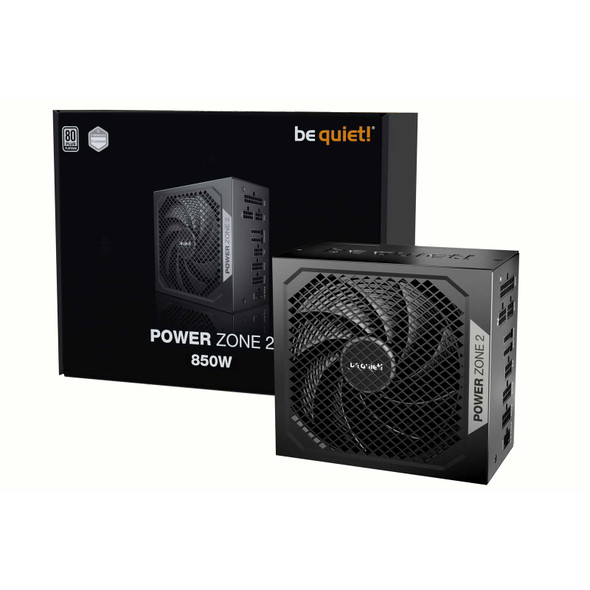
be quiet! Power Zone 2 850W PSU – ATX 3.1, PCIe 5.1, 80 PLUS Platinum
BEQUIET