
BEQUIET
Be Quiet! 650W System Power 11 PSU, 80+ Bronze, Fully Wired, Temp-Controlled Fan, ATX 3.1, PCIe 5.1
- SKU:
- BP011EU
- UPC:
- 4260052191873
- MPN:
- BP011EU
- Availability:
- Free Click & Collect in Peterborough. UK delivery also available.


Description
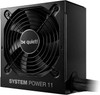
be quiet! System Power 11 650W PSU – ATX 3.1, PCIe 5.1, 80 PLUS Bronze and 12V-2x6
The be quiet! System Power 11 650W is a reliable, quiet and future-ready ATX 3.1 power supply designed for value-focused gaming PCs, office desktops, home computers and upgrade builds. With 650W power output, 80 PLUS Bronze efficiency, PCIe 5.1 support, a native 12V-2x6 graphics card connector and a temperature-controlled 120mm be quiet! fan, it is a strong choice for modern desktop systems that need stable power without moving to a premium modular PSU.
This PSU is ideal for customers searching for a be quiet! System Power 11 650W PSU, 650W ATX 3.1 power supply, PCIe 5.1 PSU, 80 PLUS Bronze PSU, 12V-2x6 power supply, or a quiet fully wired PSU for mainstream gaming and productivity builds. It supports both newer graphics cards using 12V-2x6 and current-generation GPUs using traditional PCIe 6+2-pin connectors.
Key Features of the be quiet! System Power 11 650W
- 650W total power output for mainstream gaming, productivity and desktop upgrade builds
- ATX 3.1 compliant PSU designed for modern power requirements
- PCIe 5.1 GPU support with native 12V-2x6 connector
- 1 x 12V-2x6 connector rated up to 450W for compatible next-generation graphics cards
- 2 x PCIe 6+2-pin connectors for compatible current-generation GPUs
- 80 PLUS Bronze efficiency with efficiency up to 89.7%
- Temperature-controlled 120mm be quiet! fan for low-noise cooling
- Fully wired / non-modular cable design for simple installation
- DC-to-DC technology for strong voltage regulation
- Strong single 12V rail for reliable CPU and GPU power delivery
- Handles power excursions up to double its rated power under ATX 3.1 design guidance
- Low standby drain of less than 0.15W
- Protection features including OCP, OVP, UVP, OPP, SCP and OTP
- 5-year manufacturer warranty
- Part Number: BP011EU / BP011UK, depending on supplier region
ATX 3.1 and PCIe 5.1 Ready for Modern PC Builds
The System Power 11 650W is built to meet ATX 3.1 specifications, making it suitable for modern systems with changing CPU and GPU power demands. It includes a native 12V-2x6 connector for compatible PCIe 5.1 graphics cards, while still offering traditional PCIe 6+2-pin connectors for many current graphics cards.
This makes it a practical PSU for users upgrading from older power supplies that do not include modern GPU power connectors. It is especially useful for value gaming PCs where reliability, quiet operation and current connector support are important.
Native 12V-2x6 Connector for Compatible GPUs
The included 12V-2x6 connector supports up to 450W for compatible graphics cards. This is the newer connector standard associated with PCIe 5.1 graphics card power delivery. Always check your graphics card manual before purchase to confirm the required connector type and recommended PSU wattage.
80 PLUS Bronze Efficiency
The be quiet! System Power 11 650W is certified 80 PLUS Bronze, with efficiency listed up to 89.7%. This helps reduce wasted energy compared with lower-efficiency power supplies and supports cooler, more efficient everyday PC operation.
For home users, office systems and mid-range gaming builds, 80 PLUS Bronze offers a sensible balance between price, efficiency and dependable performance.
Quiet 120mm Temperature-Controlled Fan
As expected from be quiet!, the System Power 11 650W is designed for quiet operation. It uses a temperature-controlled 120mm quality fan that adjusts cooling according to system load, helping reduce unnecessary noise during lighter desktop use.
This makes it a good option for users who want a quieter PC for gaming, work, study, browsing, streaming and everyday productivity.
Stable Power with DC-to-DC Technology
The System Power 11 650W uses DC-to-DC technology for tight voltage regulation and stable operation under mixed CPU and GPU loads. This is important for modern systems where processors and graphics cards can change power demand quickly during gaming, rendering or multitasking.
The strong single 12V rail helps provide stable power to key components, including the CPU and graphics card.
Fully Wired Non-Modular Cable Design
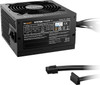
This PSU is fully wired, meaning the cables are permanently attached. This keeps installation straightforward and helps keep the price lower than many semi-modular or fully modular models.
Because it is non-modular, unused cables should be routed carefully behind the motherboard tray or PSU shroud where possible. For smaller cases, check internal space and cable-management room before purchase.
Connector Support for Modern Desktop PCs
The be quiet! System Power 11 650W includes the key connectors needed for many modern desktop builds, including a 20+4-pin motherboard connector, CPU EPS power, a native 12V-2x6 GPU connector, PCIe 6+2-pin connectors, SATA power and Molex support.
Connector Overview
- Motherboard: 1 x 20+4-pin ATX
- CPU: 1 x 8-pin EPS / 4+4-pin CPU power connector
- Modern GPU: 1 x 12V-2x6 connector, up to 450W
- PCIe GPU: 2 x PCIe 6+2-pin connectors
- SATA: 5 x SATA power connectors
- Molex: 1 x 4-pin Molex connector
Who Is the be quiet! System Power 11 650W Best For?
- Users building a reliable mainstream gaming PC
- PC builders needing an ATX 3.1 PSU with PCIe 5.1 support
- Systems using compatible GPUs with 12V-2x6 power input
- Desktop upgrade builds replacing older power supplies
- Office and home PCs needing quiet, stable power
- Value-focused builders who prefer be quiet! reliability
- Users who do not need a modular PSU
Who Is This PSU Not For?
This PSU is not the best choice if you need a fully modular cable design, 80 PLUS Gold or Platinum efficiency, SFX size, very high wattage for flagship GPUs, multiple 12V-2x6 connectors, or a premium silent PSU for extreme high-end builds. It is designed as a reliable, quiet and value-focused 650W ATX power supply with modern ATX 3.1 and PCIe 5.1 support.
Technical Specifications
- Brand: be quiet!
- Model: System Power 11 650W
- Part Number: BP011EU / BP011UK, depending on supplier region
- Product Type: Internal PC power supply unit
- Total Power: 650W
- Form Factor: ATX
- ATX Standard: ATX 3.1
- PCIe Standard: PCIe 5.1 support
- Efficiency Certification: 80 PLUS Bronze
- Maximum Efficiency: Up to 89.7%
- Cable Design: Fully wired / non-modular
- Cooling: Temperature-controlled 120mm be quiet! fan
- Fan Size: 120mm
- Voltage Regulation: DC-to-DC technology
- 12V Rail: Strong single 12V rail
- Standby Drain: Less than 0.15W
- Motherboard Connector: 1 x 20+4-pin ATX
- CPU Connector: 1 x 8-pin EPS / 4+4-pin CPU power connector
- GPU Connector: 1 x 12V-2x6, up to 450W
- PCIe Connectors: 2 x PCIe 6+2-pin
- SATA Connectors: 5 x SATA
- Molex Connectors: 1 x 4-pin Molex
- Protection Features: OCP, OVP, UVP, OPP, SCP and OTP
- Warranty: 5 years
Important 12V-2x6 GPU Compatibility Note
This PSU includes a native 12V-2x6 connector rated up to 450W. Always check your graphics card’s power connector type, recommended PSU wattage and installation instructions before purchase. Make sure the 12V-2x6 connector is fully inserted into the graphics card with no visible gap.
Important Modularity Note
This is a fully wired / non-modular PSU. The cables are permanently attached and cannot be removed. If you want detachable cables for a cleaner build, choose a semi-modular or fully modular power supply instead.
Important PSU Sizing Note
Choose a PSU based on your full system power requirement, not wattage alone. Check your CPU, graphics card, storage drives, cooling, RGB accessories and future upgrade plans before ordering. For very high-end graphics cards, a higher-wattage PSU may be recommended.
Why Buy the be quiet! System Power 11 650W?
The be quiet! System Power 11 650W is a strong value choice for builders who want a quiet, reliable and modern ATX power supply. With ATX 3.1 compliance, PCIe 5.1 support, a native 12V-2x6 connector, 80 PLUS Bronze efficiency, DC-to-DC technology, a temperature-controlled 120mm fan and 5-year warranty, it is well suited to mainstream gaming PCs, home desktops and upgrade builds.
Choose this PSU if you want dependable 650W power from be quiet! with modern graphics card support and quiet everyday operation.
Specification
be quiet! System Power 11 650W PSU Specifications
The be quiet! System Power 11 650W is a fully wired ATX 3.1 power supply designed for reliable, quiet and efficient desktop PC power. It features 80 PLUS Bronze efficiency, PCIe 5.1 support, a native 12V-2x6 graphics card connector, DC-to-DC voltage regulation and a temperature-controlled 120mm be quiet! fan.
General Information
| Brand | be quiet! |
| Product Series | System Power 11 |
| Model | System Power 11 650W |
| Part Number | BP011EU / BP011UK, depending on supplier region |
| Product Type | Internal PC power supply unit / PSU |
| Colour | Black |
| Recommended Use | Mainstream gaming PCs, home desktops, office PCs, upgrade builds and systems requiring ATX 3.1 / PCIe 5.1 support |
Power and Efficiency
| Total Power Output | 650W |
| Efficiency Certification | 80 PLUS Bronze |
| Maximum Efficiency | Up to 89.7% |
| Standby Power Drain | Less than 0.15W |
| Voltage Regulation | DC-to-DC technology |
| 12V Rail Design | Strong single 12V rail |
| Power Excursion Support | Designed to handle power excursions up to double its rated power under ATX 3.1 design requirements |
Form Factor and Standards
| PSU Form Factor | ATX |
| ATX Standard | ATX 3.1 |
| PCIe Standard Support | PCIe 5.1 graphics card support |
| SFX Compatible | No, this is a standard ATX power supply |
| Modular Design | Fully wired / non-modular |
Cooling and Noise
| Fan Size | 120mm |
| Fan Type | Temperature-controlled be quiet! quality fan |
| Cooling Design | Active cooling with load and temperature-based fan control |
| Noise Positioning | Designed for quiet everyday operation in mainstream PC systems |
Power Connectors
| Motherboard Connector | 1 x 20+4-pin ATX |
| CPU / EPS Connector | 1 x 8-pin EPS / 4+4-pin CPU connector |
| 12V-2x6 Connector | 1 x native 12V-2x6 connector, rated up to 450W |
| PCIe 6+2-pin Connectors | 2 x PCIe 6+2-pin connectors |
| SATA Power Connectors | 5 x SATA |
| Molex Connectors | 1 x 4-pin Molex |
| Native 12VHPWR Connector | No, this model uses the newer 12V-2x6 connector wording |
Cable Design
| Cable Type | Fixed / fully wired cables |
| Detachable Modular Cables | No |
| Cable Management Note | Unused cables should be routed behind the motherboard tray or inside the PSU shroud where possible |
Protection Features
| Over Current Protection | OCP |
| Over Voltage Protection | OVP |
| Under Voltage Protection | UVP |
| Over Power Protection | OPP |
| Short Circuit Protection | SCP |
| Over Temperature Protection | OTP |
Physical Specifications
| Dimensions | 140 x 150 x 86mm / L x W x H |
| Length | 140mm |
| Width | 150mm |
| Height | 86mm |
| Approximate Weight | 1.97kg, listed by retailer specification data |
Package Contents
| Power Supply | 1 x be quiet! System Power 11 650W PSU |
| Attached Cables | Fixed fully wired PSU cables |
| Mains Power Lead | Check supplier package contents for regional plug/cable inclusion |
| Modular Cable Bag | Not included / not applicable because this is a non-modular PSU |
Warranty
| Warranty | 5 years |
Important 12V-2x6 Graphics Card Note
This PSU includes a native 12V-2x6 connector rated up to 450W. Always check your graphics card manual for the required connector type and recommended PSU wattage. Make sure the 12V-2x6 connector is fully inserted into the graphics card with no visible gap before powering on the system.
Important Modularity Note
This is a fully wired / non-modular power supply. The cables are permanently attached and cannot be removed. If you need detachable cables for a cleaner build, choose a semi-modular or fully modular PSU instead.
Important PSU Sizing Note
Choose a power supply based on your full system power requirement, not wattage alone. Check your CPU, graphics card, motherboard, storage drives, cooling fans, RGB accessories and future upgrade plans before ordering. For very high-end graphics cards, a higher-wattage PSU may be recommended.
Important Product Positioning Note
This model is ATX 3.1 and supports PCIe 5.1 graphics cards through a native 12V-2x6 connector. It should not be described as modular, 80 PLUS Gold, SFX, or having multiple 12V-2x6 connectors unless a different verified model confirms those features.
Returns
FAQ: Frequently Asked Questions
be quiet! System Power 11 650W ATX 3.1 PSU FAQ
The be quiet! System Power 11 650W PSU is a modern fully wired desktop power supply designed for gaming PCs, home computers, office systems and upgrade builds that need reliable 650W power with ATX 3.1 and PCIe 5.1 GPU support. It features 80 PLUS Bronze efficiency, a temperature-controlled 120mm fan, a strong single 12V rail, DC-to-DC voltage regulation, a native 12V-2x6 connector for compatible next-generation graphics cards, and standard PCIe 6+2-pin connectors for current GPUs. Below are the most common questions buyers ask before choosing this be quiet! System Power 11 650W power supply, including GPU compatibility, RTX support, ATX 3.1, PCIe 5.1, 12V-2x6, 80 PLUS Bronze efficiency, fully wired cables, noise, installation, safety protections and whether 650W is enough for your PC build.
1. What is the be quiet! System Power 11 650W PSU?
The be quiet! System Power 11 650W is a desktop ATX power supply designed to provide stable power for gaming PCs, office PCs, home computers and upgrade systems. It offers 650W output, 80 PLUS Bronze efficiency, ATX 3.1 support, PCIe 5.1 GPU compatibility and quiet temperature-controlled cooling.
2. Is the be quiet! System Power 11 650W good for gaming PCs?
Yes. The 650W output, ATX 3.1 design, PCIe 5.1 12V-2x6 connector and PCIe 6+2-pin connectors make it suitable for many budget and mid-range gaming PCs. Always check your CPU, graphics card and full system power requirements before buying.
3. Is 650W enough for a gaming PC?
For many budget and mid-range gaming PCs, 650W is enough. It depends on your graphics card, CPU, number of drives, fans, RGB devices, overclocking and future upgrade plans. Always follow your graphics card manufacturer’s recommended PSU wattage.
4. Is this PSU ATX 3.1?
Yes. The be quiet! System Power 11 650W is listed as an ATX 3.1 power supply. ATX 3.1 support helps it work with modern power requirements and next-generation PCIe graphics card power standards.
5. What does ATX 3.1 mean on a PSU?
ATX 3.1 is a newer power supply standard designed to support modern PC hardware, including graphics cards with higher transient power demands and newer PCIe power connector requirements. It is useful for current and future GPU upgrade compatibility.
6. Does this PSU support PCIe 5.1 graphics cards?
Yes. The be quiet! System Power 11 650W is listed with PCIe 5.1 GPU support and includes a native 12V-2x6 connector for compatible graphics cards, as well as PCIe 6+2-pin connectors for standard GPU power connections.
7. Does this PSU have a 12V-2x6 connector?
Yes. The 650W model includes a native 12V-2x6 connector for compatible PCIe 5.1 graphics cards. This is useful for newer GPUs that use a 16-pin style power connector instead of only traditional 8-pin PCIe connectors.
8. What is 12V-2x6?
12V-2x6 is the newer 16-pin GPU power connector design used for modern PCIe graphics cards. It is related to the earlier 12VHPWR connector but updated in the newer PCIe power specification for improved connection detection and reliability.
9. Is 12V-2x6 the same as 12VHPWR?
They look very similar and are physically related, but 12V-2x6 is the newer connector design. If your graphics card uses a 16-pin GPU power socket, always follow the GPU and PSU manufacturer instructions for the correct cable and connection method.
10. Does this PSU have PCIe 6+2-pin connectors?
Yes. The be quiet! System Power 11 650W includes 2 x PCIe 6+2-pin connectors for graphics cards that use traditional 6-pin or 8-pin PCIe power inputs.
11. Can I use this PSU with RTX 4060 or RTX 4060 Ti?
Yes, for most RTX 4060 and RTX 4060 Ti gaming PCs, a good 650W PSU is normally enough. Check your exact graphics card’s power connector requirement and recommended PSU wattage before installation.
12. Can I use this PSU with RTX 4070?
Yes, the be quiet! System Power 11 650W can be suitable for many RTX 4070 builds, depending on the CPU and other components. Check whether your RTX 4070 uses standard PCIe 8-pin power or a 16-pin connector, and follow the GPU manufacturer’s PSU recommendation.
13. Can I use this PSU with RTX 4070 Super?
It can be suitable for many RTX 4070 Super systems if the full PC power requirement is within range. Check the graphics card manufacturer’s recommended PSU wattage and connector type, especially if the card uses a 12VHPWR or 12V-2x6 style connector.
14. Can I use this PSU with RTX 4070 Ti or RTX 4070 Ti Super?
It may work for some efficient RTX 4070 Ti-class builds, but you should check your exact GPU and CPU combination carefully. Higher-power cards and CPUs may benefit from a 750W or 850W PSU for extra headroom.
15. Is this PSU suitable for RTX 4080 or RTX 4090?
For RTX 4080, RTX 4090 or similar high-end graphics cards, 650W is usually not the ideal choice. Many high-end GPUs need more wattage headroom, and an 850W, 1000W or higher-quality PSU may be more appropriate depending on the full system.
16. Can I use this PSU with AMD Radeon graphics cards?
Yes, it can be used with many AMD Radeon graphics cards if the card’s wattage and connector requirements are within the PSU’s capability. Check the exact Radeon model’s recommended PSU wattage and whether it uses PCIe 8-pin or newer 16-pin power.
17. Is this PSU good for integrated graphics builds?
Yes. For PCs using integrated graphics, such as AMD Ryzen G-series or Intel CPUs with onboard graphics, 650W is usually more than enough. This also leaves room for future graphics card upgrades.
18. Is this PSU suitable for office PCs?
Yes. The be quiet! System Power 11 650W can be used in office PCs, business desktops and home computers. It may be more power than a basic office PC needs, but it gives good upgrade room and quiet operation.
19. Is this PSU suitable for workstation PCs?
It can be suitable for light to moderate workstation PCs, depending on the CPU, GPU and workload. For professional systems with high-end graphics cards, many drives or heavy continuous rendering, a higher-wattage PSU may be better.
20. Is the be quiet! System Power 11 650W modular?
No. This PSU is fully wired, also called non-modular. The cables are permanently attached to the power supply and cannot be removed.
21. What does fully wired PSU mean?
A fully wired PSU has all main power cables permanently attached. This is simple and cost-effective, but unused cables must be managed inside the PC case. A modular PSU lets you connect only the cables you need.
22. Is a fully wired PSU bad?
No. A fully wired PSU can work very well if your case has enough cable management space. The main downside is that unused cables cannot be removed, so you need to route and tie them neatly for airflow and appearance.
23. Should I choose fully wired or modular?
Choose fully wired if you want a reliable, value-focused PSU and do not mind managing unused cables. Choose modular or semi-modular if you want cleaner cable management, easier building and fewer unused cables inside the case.
24. What efficiency rating does this PSU have?
The be quiet! System Power 11 650W has 80 PLUS Bronze efficiency. be quiet! lists efficiency up to around 89.7%, depending on load and operating conditions.
25. Is 80 PLUS Bronze good enough?
Yes. 80 PLUS Bronze is good enough for many budget and mid-range gaming PCs, office systems and home computers. Higher-rated Gold or Platinum PSUs can be more efficient, but Bronze remains a common value-focused choice.
26. What is the difference between Bronze and Gold PSU efficiency?
Gold-rated PSUs are generally more efficient than Bronze-rated PSUs, meaning less wasted energy as heat. Bronze is usually cheaper and still suitable for many systems, while Gold is better for users who want higher efficiency, lower heat waste and often more premium PSU platforms.
27. Does 80 PLUS Bronze mean the PSU is always 80% efficient?
No. PSU efficiency changes depending on load, input voltage and operating conditions. 80 PLUS Bronze is a certification measured under defined test conditions, not a fixed efficiency number at all times.
28. Does this PSU have a quiet fan?
Yes. The System Power 11 650W uses a temperature-controlled 120mm be quiet! fan designed to reduce system noise. Fan noise will still depend on load, case airflow, room temperature and dust build-up.
29. Is the fan temperature controlled?
Yes. The 120mm fan is temperature controlled, meaning fan speed adjusts depending on PSU temperature and system load. This helps keep the system quieter during lighter use.
30. Does the PSU fan always spin?
This model is designed with a temperature-controlled fan, but it is not mainly marketed as a zero-RPM semi-passive PSU. The fan may spin during normal operation and increase speed under higher load or temperature.
31. Is this PSU silent?
It is designed for quiet operation, but no PSU is completely silent under all conditions. Fan noise can increase during gaming, high CPU/GPU load, poor case airflow or dusty conditions.
32. What is a single 12V rail?
A single 12V rail means the PSU provides its main 12V output through one strong rail for components such as the CPU and graphics card. This can simplify power delivery for gaming PC builds and modern hardware.
33. Does this PSU use DC-to-DC technology?
Yes. The System Power 11 650W is listed with DC-to-DC technology for tight voltage regulation. This helps provide stable power output for modern PC components.
34. Why does voltage regulation matter?
Good voltage regulation helps keep power delivery stable under different loads. This is important for system stability, especially when the CPU and graphics card change power draw quickly during gaming or heavy workloads.
35. Does this PSU handle GPU power spikes?
As an ATX 3.1 PSU, it is designed to handle modern power excursion requirements better than older PSU standards. However, you still need enough wattage for your graphics card and full system load.
36. What power connectors does this PSU include?
The key GPU connectors include one native 12V-2x6 connector for compatible PCIe 5.1 graphics cards and two PCIe 6+2-pin connectors for standard graphics cards. It also includes standard motherboard, CPU and storage power connectors.
37. Does this PSU have enough connectors for a graphics card?
It has one native 12V-2x6 GPU connector and two PCIe 6+2-pin connectors, so it supports many modern and current-generation graphics cards. Always check the exact power connector requirement of your GPU before buying.
38. Can I use adapters with this PSU?
It is usually better to use the PSU’s native connectors where possible. Avoid low-quality SATA, Molex or unknown adapters for graphics cards. For high-power GPUs, use the correct native PSU cable or the GPU manufacturer’s recommended adapter.
39. Is the native 12V-2x6 connector better than a 4 x 8-pin adapter?
For compatible graphics cards, a native 12V-2x6 PSU connector is usually cleaner and simpler than using a bulky multi-8-pin adapter. It reduces cable clutter and gives a direct modern GPU power connection from the PSU.
40. Can I use this PSU for RTX cards with a 16-pin socket?
Yes, if the RTX card’s power demand is suitable for a 650W PSU and the card supports a 12V-2x6 or compatible 16-pin connection. Always check the GPU manufacturer’s PSU wattage recommendation before installing.
41. Is this PSU suitable for older graphics cards with 8-pin PCIe power?
Yes. The PSU includes PCIe 6+2-pin connectors, which can be used as either 6-pin or 8-pin PCIe GPU power connectors for many older and current graphics cards.
42. Can I use this PSU without a graphics card?
Yes. You can use it in a system without a dedicated graphics card, as long as your CPU has integrated graphics or you have another display solution. The unused GPU cables can be tied away inside the case.
43. Does this PSU support modern AMD Ryzen systems?
Yes. It can power modern AMD Ryzen systems as long as the motherboard, CPU and graphics card requirements are within the PSU’s capacity and connector support.
44. Does this PSU support modern Intel systems?
Yes. It can power modern Intel systems as long as the motherboard, CPU, graphics card and other components fit within the 650W power limit and connector availability.
45. Is this PSU suitable for overclocking?
It may be suitable for light or moderate overclocking depending on your CPU and GPU, but overclocking increases power draw and heat. For heavy overclocking or high-end GPUs, consider a higher-wattage PSU with more headroom.
46. Can this PSU run multiple GPUs?
No, it is not intended for multi-GPU gaming or workstation builds. 650W and the available PCIe connectors are best suited to a single graphics card system.
47. Is this PSU good for future upgrades?
Yes, it is a good future-ready option for many mid-range builds because it supports ATX 3.1 and includes a native 12V-2x6 connector. For future high-end GPUs, you may still need a higher-wattage PSU.
48. What case size does this PSU fit?
This is a standard ATX power supply, so it fits most PC cases that support ATX PSUs. Always check your case PSU clearance, especially in compact cases or cases with hard drive cages close to the PSU area.
49. Can I use this PSU in a Micro-ATX case?
Yes, if the Micro-ATX case supports a standard ATX PSU and has enough cable space. Some compact Micro-ATX cases may have restricted PSU clearance, so check the case manual.
50. Can I use this PSU in a Mini-ITX case?
Only if the Mini-ITX case supports a standard ATX PSU. Many Mini-ITX cases require SFX or SFX-L power supplies, so always check the case specification before buying.
51. What protection features should I expect from this PSU?
Modern be quiet! PSUs include standard electrical protection features to help protect the PSU and PC components from abnormal power conditions. Retail listings commonly mention protections such as over-voltage, under-voltage, over-current and short-circuit protection.
52. Why does PSU protection matter?
Protection features help shut down or limit the PSU during abnormal conditions such as overload, short circuit or voltage issues. This helps reduce the risk of component damage if something goes wrong.
53. Can a PSU cause PC shutdowns during gaming?
Yes. Shutdowns during gaming can be caused by insufficient PSU wattage, loose GPU power cables, overheating, GPU power spikes, unstable overclocking, a faulty PSU, or a graphics card drawing more power than expected.
54. Why does my GPU show a power warning?
A GPU power warning can happen if a PCIe or 12V-2x6 cable is not fully connected, the PSU is underpowered, the wrong cable is used, or the graphics card needs a different connector setup. Recheck all GPU power connections before using the PC under load.
55. How should I connect a 12V-2x6 GPU cable safely?
Push the 12V-2x6 connector fully into the graphics card socket, make sure there is no visible gap, avoid bending the cable sharply near the connector and check that the cable is not being pulled sideways by the case side panel or cable routing.
56. Can I sharply bend the 12V-2x6 cable near the GPU?
No. Avoid sharp bends close to the 12V-2x6 connector. Leave a gentle bend and enough clearance from the GPU socket to reduce stress on the connector and help keep it fully seated.
57. Does this PSU need a special mains power cable?
It uses a standard PC mains power lead suitable for your country and power socket. In the UK, this is normally a UK 3-pin plug to IEC C13 PC power cable. Use a good-quality cable with the correct fuse and rating.
58. How do I install this PSU safely?
Turn off and unplug the PC, mount the PSU securely in the case, connect the 24-pin motherboard cable, CPU EPS cable, GPU power cable, SATA power cables and any accessories. Do not force connectors, and make sure each plug is fully seated before powering on.
59. Should the PSU fan face up or down?
If your case has a bottom PSU vent and dust filter, the fan usually faces down to pull cool air from outside the case. If there is no bottom vent or the PC sits on thick carpet, the fan may need to face inside the case. Follow your case manual.
60. Can I open the PSU to clean it?
No. Do not open a power supply. PSUs can store dangerous electrical charge even when unplugged. Clean only the outside, dust filter and case area. If the PSU is faulty, replace it or use a qualified professional.
61. How long should a good PSU last?
A good PSU can last for many years if used within its limits, kept clean and given good airflow. Heat, dust, overload, poor mains power and heavy continuous loads can reduce lifespan.
62. be quiet! System Power 11 650W vs 550W — which should I choose?
Choose 650W if you are building a gaming PC, planning a graphics card upgrade or want more headroom. Choose 550W for lower-power office PCs, integrated graphics builds or very modest gaming systems where the GPU recommendation is lower.
63. be quiet! System Power 11 650W vs 750W — which should I choose?
Choose 650W for many budget and mid-range builds using efficient CPUs and GPUs. Choose 750W if you want more upgrade headroom, a more power-hungry GPU, more drives, heavy workloads or a system closer to the PSU’s limit.
64. be quiet! System Power 11 Bronze vs Gold PSU — which should I choose?
Choose the System Power 11 Bronze if you want a good value ATX 3.1 PSU with modern GPU support. Choose a Gold-rated PSU if you want higher efficiency, often quieter operation, less wasted heat and a more premium PSU tier.
65. Who is the be quiet! System Power 11 650W best for?
This PSU is best for users building or upgrading a budget to mid-range gaming PC, home PC, office PC or single-GPU system that needs 650W power, quiet operation, 80 PLUS Bronze efficiency, ATX 3.1 support and modern PCIe 5.1 GPU compatibility.
66. Who is this PSU not for?
This PSU is not the best choice if you need a fully modular PSU, 80 PLUS Gold or higher efficiency, extreme overclocking headroom, multi-GPU support, very high-end RTX 4080/4090-class power headroom, or a premium silent PSU with zero-RPM operation.
67. What should I check before buying the be quiet! System Power 11 650W?
Before buying, check your graphics card’s recommended PSU wattage, GPU connector type, CPU power draw, case ATX PSU clearance, cable management space, number of SATA devices, whether fully wired cables suit your build, and whether 650W gives enough upgrade headroom.