
ANTEC
Antec AX26 RGB Elite Mid Tower Gaming Case – Black
- SKU:
- CAANT-AX26
- UPC:
- 0761345101998
- MPN:
- 0-761345-10199-8
- Availability:
- Free Click & Collect in Peterborough. UK delivery also available.





Description
Antec AX26 RGB Elite Mid-Tower Gaming Case – Black ATX Case with Tempered Glass, High-Airflow Front Panel and 4 RGB Fans
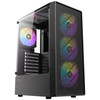
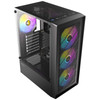
The Antec AX26 RGB Elite is a black mid-tower gaming PC case designed for stylish, airflow-focused desktop builds. With a grille-style high-airflow front panel, half-view tempered glass side panel, support for ATX, Micro-ATX and Mini-ITX motherboards, and 4 pre-installed 120mm FRGB fans, it is a practical case for gamers, PC builders, students and home users who want a clean-looking chassis with strong cooling potential.
This Antec AX26 RGB Elite gaming case is ideal for customers searching for a black ATX gaming case, mid-tower PC case with RGB fans, tempered glass gaming case, high-airflow PC case, budget gaming case with fans included, or a compact tower case for a new gaming PC, office system, workstation or upgrade build.
Key Features of the Antec AX26 RGB Elite
- Mid-tower gaming case suitable for ATX, Micro-ATX and Mini-ITX motherboards
- Grille-style high-airflow front panel designed to improve intake airflow
- Half-view tempered glass side panel to showcase your components
- 4 × 120mm pre-installed FRGB fans for airflow and fixed RGB lighting
- Supports up to 8 × 120mm fans for flexible cooling configurations
- Front radiator support up to 280mm for compatible liquid cooling setups
- CPU cooler clearance up to 155mm
- Graphics card clearance up to 295mm with front fan installed
- 7 expansion slots for graphics cards and add-in cards
- Front I/O panel with power button, LED on/off button, USB 3.0, USB 2.0 and audio connections
- Dust filter support at the front and bottom
- Black gaming design suitable for RGB and non-RGB PC builds
High-Airflow Front Panel for Better Cooling
The Antec AX26 RGB Elite uses a grille-style front panel designed to maximise intake airflow while keeping a modern gaming appearance. Antec describes the case as having optimized ventilation at the front, top and bottom, helping support stable system performance when paired with suitable fans, CPU cooling and case airflow planning.
4 Pre-Installed FRGB Fans
This case includes 3 × 120mm FRGB fans at the front and 1 × 120mm FRGB fan at the rear. These fans provide ready-to-use airflow and fixed RGB lighting, making the case a strong value option for users who want a gaming look without needing to buy separate case fans immediately.
Tempered Glass Side Panel for a Clean Gaming Look
The half-view tempered glass side panel allows you to show off your motherboard, graphics card, cooler, memory and internal lighting. This makes the AX26 RGB Elite suitable for gaming setups, RGB builds and clean cable-managed systems where appearance matters as well as airflow.
Flexible Motherboard and Component Support
The AX26 RGB Elite supports ATX, Micro-ATX and Mini-ITX motherboards, giving builders flexibility when choosing their platform. It is suitable for AMD and Intel desktop builds as long as the motherboard form factor, power supply, CPU cooler and graphics card fit within the case clearances.
Graphics Card and CPU Cooler Clearance
The case supports graphics cards up to 295mm when a front fan is installed, and CPU air coolers up to 155mm tall. Before ordering, always check your GPU length, GPU thickness, CPU cooler height and power cable clearance, especially when using larger modern graphics cards.
Cooling and Radiator Support
The Antec AX26 RGB Elite can support multiple fan positions, including 3 × 120mm or 2 × 140mm fans at the front, 2 × 120mm fans at the top, 2 × 120mm fans above the power supply area, and 1 × 120mm fan at the rear. For liquid cooling, Antec lists front radiator support for 120mm, 140mm, 240mm and 280mm radiators.
Good Cooling Potential for Budget Gaming Builds
With four fans already included and room for additional cooling, this case is a practical choice for budget gaming PCs, everyday desktops and systems that need steady airflow. Cooling performance will depend on the chosen CPU, GPU, fan layout, radiator size and overall cable management.
Front I/O for Everyday Convenience
The front I/O panel includes a power button, LED on/off button, 2 × USB 2.0 ports, 1 × USB 3.0 port and Mic / HD Audio. This gives easy access for everyday peripherals such as keyboards, mice, headsets, USB drives and other accessories.
Storage and Expansion Options
The AX26 RGB Elite provides 7 expansion slots and supports storage mounting for 2 × 3.5-inch / 2.5-inch drive positions plus additional 2.5-inch SSD mounting, depending on motherboard width and internal layout. This gives users room for a graphics card, add-in cards, SSDs and hard drives in a compact mid-tower design.
Who Is the Antec AX26 RGB Elite Best For?
- Gamers building an affordable ATX gaming PC
- PC builders who want a case with fans already included
- Users looking for a black tempered glass gaming case
- Home and office users building a modern desktop PC
- Students and first-time builders wanting a simple mid-tower case
- Customers who want RGB styling without buying extra fans immediately
- Builders using ATX, Micro-ATX or Mini-ITX motherboards
Antec AX26 RGB Elite Case Specifications
- Brand: Antec
- Model: AX26 RGB Elite
- UPC: 0-761345-10199-8
- Product Type: Mid-Tower Gaming PC Case
- Colour: Black
- Form Factor: Mid Tower
- Materials: Steel and plastic
- Motherboard Support: ATX, Micro-ATX and Mini-ITX
- Side Panel: Half-view tempered glass
- Front I/O: Power, LED on/off button, 2 × USB 2.0, 1 × USB 3.0, Mic / HD Audio
- Expansion Slots: 7
- Drive Bays: 2 × 3.5-inch / 2.5-inch, plus 2 × 2.5-inch when motherboard width is under 185mm
- Pre-Installed Fans: 3 × 120mm FRGB front fans and 1 × 120mm FRGB rear fan
- Fan Support: Front 3 × 120mm / 2 × 140mm, top 2 × 120mm, PSU area 2 × 120mm, rear 1 × 120mm
- Radiator Support: Front 120mm / 140mm / 240mm / 280mm
- Maximum GPU Length: Up to 295mm with front fan installed; up to 270mm when fan is installed at the rear, according to Antec’s compatibility note
- Maximum CPU Cooler Height: 155mm
- Maximum PSU Length: Up to 170mm with HDD installed, or up to 295mm without HDD, including cables
- Dust Filters: Front non-removable filter and bottom filter
- Dimensions: 345 × 207 × 451mm (D × W × H)
- Net Weight: 3.96kg
- Gross Weight: 4.85kg
- Warranty: 1 year
Buying Advice
Before ordering, please check your motherboard size, graphics card length, CPU cooler height, power supply length, storage layout and radiator requirements. The AX26 RGB Elite supports many common gaming PC components, but larger GPUs, tall tower coolers and long power supplies should be checked carefully against the case clearance specifications.
Why Buy the Antec AX26 RGB Elite?
The Antec AX26 RGB Elite Mid-Tower Gaming Case is a strong-value option for users who want a black gaming case with good airflow, tempered glass and RGB fans included. With support for ATX, Micro-ATX and Mini-ITX motherboards, 4 pre-installed 120mm FRGB fans, front radiator support, 7 expansion slots and a high-airflow grille-style front panel, it is a practical choice for budget gaming PCs, home desktops and clean showcase builds.
Specification
Antec AX26 RGB Elite Case Specifications
| Product Type | Mid-Tower Gaming PC Case |
| Brand | Antec |
| Model | AX26 RGB Elite |
| UPC / Barcode | 0-761345-10199-8 |
| Case Form Factor | Mid Tower |
| Motherboard Support | ATX, Micro-ATX, Mini-ITX |
| Case Materials | Steel and Plastic |
| Side Panel | Tempered Glass |
| Front Panel Design | High-Airflow Grille-Style Front Panel |
| Front Access and Controls | Power Button, LED On/Off Button, 2 × USB 2.0, 1 × USB 3.0, Mic / HD Audio |
| Expansion Slots | 7 |
| 3.5 Inch / 2.5 Inch Drive Bays | 2 × 3.5" / 2.5" + 1 × 2.5" |
| Additional 2.5 Inch Drive Support | 2 × 2.5" if motherboard width is less than 185mm |
| Pre-Installed Fans | 4 × 120mm RGB / FRGB Fans |
| Front Fan Support | 3 × 120mm or 2 × 140mm |
| Top Fan Support | 2 × 120mm |
| Power Supply Area Fan Support | 2 × 120mm |
| Rear Fan Support | 1 × 120mm |
| Maximum Fan Support | Up to 8 × 120mm Fans |
| Front Radiator Support | 120mm / 140mm / 240mm / 280mm |
| Maximum GPU Length | Up to 295mm with front fan installed; up to 270mm when fan is installed at the rear, according to Antec clearance note |
| Maximum CPU Cooler Height | 155mm |
| Maximum PSU Length | Up to 170mm with HDD installed, or up to 295mm without HDD, including cables |
| Dust Filters | Front Non-Removable Filter and Bottom Filter |
| Product Dimensions | 345 × 207 × 451mm (D × W × H) |
| Net Weight | 3.96kg |
| Gross Weight | 4.85kg |
| Colour | Black |
| Warranty | 1 Year |
Component Compatibility Notice
The Antec AX26 RGB Elite supports ATX, Micro-ATX and Mini-ITX motherboards. Before ordering, please check your graphics card length, CPU cooler height, power supply length, radiator size and storage layout against the case clearance specifications.
Graphics Card Clearance Notice
The case supports graphics cards up to 295mm with a front fan installed. Actual GPU fit can depend on card thickness, power connector position, front fan placement, cable routing and internal component layout.
Cooling Notice
The case includes 4 × 120mm RGB / FRGB fans. These should not be described as fully addressable ARGB unless your supplier confirms the exact fan version supplied.
Radiator Notice
The AX26 RGB Elite supports front radiators up to 280mm. Radiator fit can vary depending on radiator thickness, fan thickness, motherboard layout, GPU length and cable space.
Return
FAQ: Frequenlty Asked Questions
Antec AX26 RGB Elite Mid-Tower Gaming Case FAQ
The Antec AX26 RGB Elite is a black mid-tower gaming PC case designed for affordable gaming builds, home desktop upgrades and clean RGB setups. It features a high-airflow mesh front panel, tempered glass side panel, support for ATX, Micro-ATX and ITX motherboards, 4 pre-installed 120mm fixed RGB fans, front USB ports, front radiator support and space for modern graphics cards. Below are the most common questions buyers ask before choosing this Antec AX26 RGB Elite gaming case, including motherboard compatibility, GPU clearance, fan setup, RGB control, radiator support, PSU fitment, cable management, airflow, dust filters and who this case is best suited for.
1. What is the Antec AX26 RGB Elite case?
The Antec AX26 RGB Elite is a black mid-tower gaming PC case with a mesh front panel, tempered glass side panel and 4 pre-installed 120mm fixed RGB fans. It is designed for budget and mid-range desktop PC builds using ATX, Micro-ATX or ITX motherboards.
2. What is the Antec AX26 RGB Elite best used for?
The Antec AX26 RGB Elite is best used for affordable gaming PCs, first-time PC builds, home office desktops, RGB showcase builds, student PCs, budget upgrades and users who want a case with pre-installed fans and good airflow without spending too much.
3. Is the Antec AX26 RGB Elite a mid-tower case?
Yes. The Antec AX26 RGB Elite is a mid-tower PC case. It is suitable for many standard desktop builds and provides support for common motherboard sizes, graphics cards, storage drives and ATX power supplies.
4. What colour is the Antec AX26 RGB Elite?
This product page is for the black version of the Antec AX26 RGB Elite. The black design works well with most gaming components, RGB lighting, black power supplies and dark-themed desk setups.
5. Does the Antec AX26 RGB Elite have a tempered glass side panel?
Yes. The Antec AX26 RGB Elite has a tempered glass side panel, allowing you to show the motherboard, graphics card, cooler, memory and RGB lighting inside the case.
6. Does the Antec AX26 RGB Elite have a mesh front panel?
Yes. The Antec AX26 RGB Elite uses a mesh front panel to improve air intake. This helps the front fans pull cooler air into the case for the CPU, graphics card and internal components.
7. Is the Antec AX26 RGB Elite good for airflow?
Yes. The mesh front panel, front intake fan layout and rear exhaust fan make the Antec AX26 RGB Elite a good airflow-focused option for budget and mid-range gaming PCs. Airflow will also depend on cable management, room temperature and the components installed.
8. How many fans are included with the Antec AX26 RGB Elite?
The Antec AX26 RGB Elite includes 4 pre-installed 120mm fixed RGB fans: 3 fans at the front and 1 fan at the rear. This gives buyers a ready-to-use cooling setup without needing to buy case fans separately for a basic build.
9. Are the included fans RGB or ARGB?
The included fans are listed as fixed RGB or FRGB fans. This means they provide RGB lighting, but they are not the same as fully addressable ARGB fans where each LED can be controlled individually through compatible motherboard software.
10. Can I control the RGB lighting on the Antec AX26 RGB Elite?
The case includes an LED on/off button, and the included fans are fixed RGB. This usually means lighting control is more limited than on ARGB fans. It is best for users who want simple RGB lighting rather than advanced software-controlled lighting effects.
11. Does the Antec AX26 RGB Elite support motherboard RGB software?
The included fans are fixed RGB, so they may not support full motherboard ARGB software control like ASUS Aura Sync, MSI Mystic Light, Gigabyte RGB Fusion or ASRock Polychrome. Check the fan connector type before expecting software lighting control.
12. Are the Antec AX26 RGB Elite fans PWM controlled?
The included fans are budget fixed RGB case fans, and some buyer discussions mention Molex-style fan power on similar AX26 RGB Elite builds. If fan speed control is important, check the exact connector type supplied with your case and consider replacing the fans with PWM fans if needed.
13. Why are my Antec AX26 RGB Elite fans not spinning?
If the fans are not spinning, check that the fan power chain or controller is connected correctly to the power supply, any Molex or SATA power connector is fully seated, and the case LED/fan controller cables are connected as instructed. Also check that the power supply is switched on and the PC is receiving power.
14. Why are the RGB lights not working on the AX26 RGB Elite fans?
Check the LED power connection, LED on/off button, fan controller connection and any RGB cable chain. Because the included fans are fixed RGB, lighting may depend on the case’s own wiring rather than motherboard RGB software.
15. Does the Antec AX26 RGB Elite support ATX motherboards?
Yes. The Antec AX26 RGB Elite supports ATX motherboards. It also supports Micro-ATX and ITX motherboards, making it flexible for many budget and mid-range PC builds.
16. Does the Antec AX26 RGB Elite support Micro-ATX motherboards?
Yes. The Antec AX26 RGB Elite supports Micro-ATX motherboards. Micro-ATX boards can leave more space inside the case for cable routing, airflow and easier installation.
17. Does the Antec AX26 RGB Elite support Mini-ITX motherboards?
Yes. The Antec AX26 RGB Elite supports ITX motherboards. However, because it is a mid-tower case, most users choosing ITX may still have a lot of unused internal space compared with a dedicated Mini-ITX case.
18. Does the Antec AX26 RGB Elite support E-ATX motherboards?
No. The Antec AX26 RGB Elite is listed for ATX, Micro-ATX and ITX motherboards. It is not intended for E-ATX motherboards, which normally require a larger case with extra motherboard tray width.
19. What graphics card length does the Antec AX26 RGB Elite support?
The Antec AX26 RGB Elite supports graphics cards up to 295mm long when a front fan is installed. Some specifications also mention up to 270mm in certain fan/radiator installation layouts, so always check your exact GPU length before buying.
20. Can the Antec AX26 RGB Elite fit an RTX 4060?
Yes. Many RTX 4060 graphics cards should fit inside the Antec AX26 RGB Elite, as long as the card is under the case’s GPU clearance limit and your power supply has the correct PCIe power connector if required.
21. Can the Antec AX26 RGB Elite fit an RTX 4070?
Some RTX 4070 models will fit, but it depends on the exact card length and thickness. Check that your RTX 4070 is no longer than the supported GPU clearance, especially if front fans or a front radiator are installed.
22. Can the Antec AX26 RGB Elite fit an RTX 4080 or RTX 4090?
Most RTX 4080 and RTX 4090 cards are likely too large for this case, especially high-end triple-fan models. For those GPUs, choose a larger case with more GPU clearance, stronger airflow and better power cable clearance.
23. Can the Antec AX26 RGB Elite fit AMD Radeon graphics cards?
Yes. The case can fit compatible AMD Radeon graphics cards as long as the card length and thickness are within the case clearance limits. Check the GPU manufacturer’s dimensions before ordering.
24. Does the Antec AX26 RGB Elite support vertical GPU mounting?
No. The Antec AX26 RGB Elite is not mainly designed for vertical GPU mounting. It has standard horizontal expansion slots. If you want vertical GPU display, check whether a compatible aftermarket vertical mount fits, but airflow and clearance may be limited.
25. What CPU cooler height does the Antec AX26 RGB Elite support?
The Antec AX26 RGB Elite supports CPU air coolers up to 155mm tall. Before buying a tower air cooler, check the exact cooler height to make sure the tempered glass side panel will close properly.
26. Can I use a tower air cooler in the Antec AX26 RGB Elite?
Yes, many tower air coolers can fit, but the cooler must be 155mm or shorter. Large dual-tower coolers may be too tall, so check the cooler specification carefully before installation.
27. Does the Antec AX26 RGB Elite support liquid cooling?
Yes. The case supports front-mounted radiators including 120mm, 140mm, 240mm and 280mm sizes. Radiator compatibility depends on your fan layout, GPU length and internal clearance.
28. Can I install a 240mm radiator in the Antec AX26 RGB Elite?
Yes. The Antec AX26 RGB Elite supports a 240mm radiator at the front. Check GPU clearance after installing the radiator and fans, because a front radiator can reduce space for longer graphics cards.
29. Can I install a 280mm radiator in the Antec AX26 RGB Elite?
Yes. The case supports up to a 280mm radiator at the front. This can be useful for stronger CPU cooling, but you should check front clearance, fan thickness and GPU length before building.
30. Can I install a radiator at the top of the Antec AX26 RGB Elite?
The official radiator support is focused on the front position. The top supports fans, but top radiator support is not normally listed as a main feature for this case. Use the front radiator position if you need liquid cooling.
31. How many fan positions does the Antec AX26 RGB Elite have?
The case supports 3 x 120mm or 2 x 140mm fans at the front, 2 x 120mm fans at the top, 2 x 120mm fans on the power supply shroud area and 1 x 120mm fan at the rear. It already includes 3 front fans and 1 rear fan.
32. What is the best fan setup for the Antec AX26 RGB Elite?
A simple setup is to use the 3 included front fans as intake and the rear fan as exhaust. Adding top exhaust fans can help remove warm air from the CPU and GPU area, especially in gaming systems.
33. Should the front fans be intake or exhaust?
For most builds, the front fans should be used as intake. This brings cool air through the mesh front panel and helps feed the graphics card and CPU cooler with fresh air.
34. Should the rear fan be exhaust?
Yes. The rear fan is normally used as an exhaust fan. This helps remove warm air from the back of the case and creates a front-to-back airflow path.
35. Should I add top fans to the Antec AX26 RGB Elite?
Top fans are optional but can help reduce internal temperatures. For gaming PCs, adding 1 or 2 top exhaust fans can improve heat removal, especially if the CPU and GPU produce a lot of heat.
36. Does the Antec AX26 RGB Elite have dust filters?
Yes. The case is listed with a non-removable front dust filter and a bottom dust filter. Dust filters help reduce dust entering the case, but regular cleaning is still recommended.
37. Is the front dust filter removable?
The front dust filter is listed as non-removable. You can still clean the front area carefully with compressed air, a soft brush or a vacuum used outside the case, but avoid damaging the mesh or fans.
38. How many storage drives can the Antec AX26 RGB Elite support?
The case supports 2 x 3.5-inch/2.5-inch drive positions and 2 x 2.5-inch drive positions, although the 2.5-inch mounting can depend on motherboard width. This gives space for SATA SSDs and hard drives alongside M.2 SSDs installed on the motherboard.
39. Can I install a 3.5-inch hard drive in this case?
Yes. The Antec AX26 RGB Elite supports 3.5-inch hard drives in its drive bay area. This is useful if you want large-capacity storage for games, media files or backups.
40. Can I install 2.5-inch SSDs in the Antec AX26 RGB Elite?
Yes. The case supports 2.5-inch SSD mounting. It is suitable for SATA SSDs, while M.2 SSDs are installed directly on the motherboard if your motherboard supports them.
41. What power supply size does the Antec AX26 RGB Elite support?
The Antec AX26 RGB Elite supports ATX power supplies. PSU length support is listed up to 170mm with the HDD cage installed and up to 295mm without the HDD cage, including cable space.
42. Is a modular PSU recommended for this case?
Yes. A modular or semi-modular power supply is recommended because it reduces unused cables inside the case. This can improve cable management, airflow and the overall look through the tempered glass side panel.
43. What front I/O ports does the Antec AX26 RGB Elite have?
The Antec AX26 RGB Elite front I/O includes a power button, LED on/off button, 2 x USB 2.0 ports, 1 x USB 3.0 port and mic/HD audio connection. This gives easy access for peripherals, USB drives and headsets.
44. Does the Antec AX26 RGB Elite have USB-C?
No. The Antec AX26 RGB Elite is not listed with a front USB-C port. It includes USB 2.0 and USB 3.0 front ports. If front USB-C is important, choose a case that specifically includes USB-C front I/O.
45. Does the Antec AX26 RGB Elite have enough cable management space?
It can provide acceptable cable management for budget and mid-range builds, but planning helps. Using a modular PSU, routing cables behind the motherboard tray and avoiding unnecessary SATA/Molex cables can make the build cleaner.
46. Is the Antec AX26 RGB Elite easy for beginners to build in?
Yes. It is a practical case for beginner PC builders because it supports standard motherboard sizes, includes 4 fans already installed and uses a familiar mid-tower layout. Beginners should still check GPU length, CPU cooler height and PSU length before buying parts.
47. Is the Antec AX26 RGB Elite good for a budget gaming PC?
Yes. The Antec AX26 RGB Elite is a good choice for budget gaming PCs because it includes 4 RGB fans, supports ATX motherboards, has a mesh front panel and offers enough space for many mid-range graphics cards.
48. Is the Antec AX26 RGB Elite good for high-end gaming PCs?
It can work for some mid-to-high builds, but it is not the best choice for very large GPUs, oversized air coolers, 360mm radiators or premium silent builds. For RTX 4080/4090-class systems, a larger case with more GPU clearance and stronger cooling support may be better.
49. Who should NOT buy the Antec AX26 RGB Elite?
The Antec AX26 RGB Elite is not ideal for users who need front USB-C, E-ATX motherboard support, 360mm radiator support, advanced ARGB motherboard control, very large RTX 4080/4090-style GPU clearance, or premium silent-case features. It is better suited to affordable ATX and Micro-ATX gaming builds.
50. Why buy the Antec AX26 RGB Elite from Memox?
Buying the Antec AX26 RGB Elite Mid-Tower Gaming Case from Memox is a practical choice if you want an affordable black gaming case with mesh airflow, tempered glass, 4 pre-installed RGB fans and support for ATX, Micro-ATX and ITX builds. Memox offers PC cases, power supplies, motherboards, SSDs, memory and computer components for UK customers building or upgrading desktop PCs.
Related Products
Related Products


Antec C7 ARGB Mid Tower Gaming Case – Tempered Glass, 4 ARGB Fans & USB-C
ANTEC