
ANTEC
Antec C7 ARGB Mid Tower Gaming Case – Tempered Glass, 4 ARGB Fans & USB-C
- SKU:
- CAANT-C7ARGB
- UPC:
- 0761345101356
- MPN:
- 0-761345-10135-6
- Availability:
- Free Click & Collect in Peterborough. UK delivery also available.




Description
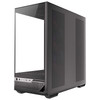
Antec C7 ARGB Mid-Tower Gaming Case – 270° Tempered Glass, 4 ARGB PWM Fans, USB-C & Dual 360mm Radiator Support
The Antec C7 ARGB Black is a premium mid-tower gaming PC case designed for builders who want a panoramic showcase chassis without sacrificing cooling capacity or hardware compatibility. Its distinctive 270° panoramic tempered-glass design provides a wide view of the motherboard, graphics card, cooling system and RGB components, while a vertical airflow layout and extensive ventilation support high-performance gaming hardware.
The case comes ready for use with four pre-installed ARGB PWM fans: three 120mm reverse-blade ARGB PWM fans positioned at the side to draw fresh air into the system and one larger 140mm ARGB PWM fan at the rear. The chassis can accommodate up to 10 fans in total and supports liquid-cooling radiators up to 360mm at both the top and side, giving builders substantial flexibility for air-cooled and AIO liquid-cooled configurations.
Inside, the C7 ARGB supports E-ATX motherboards up to 272mm wide, standard ATX, Micro-ATX and Mini-ITX. It also supports compatible next-generation back-connect motherboards, allowing selected motherboard cables to connect from behind the motherboard tray for a cleaner main chamber and improved cable presentation.
Generous internal clearance supports graphics cards up to 450mm long, CPU air coolers up to 180mm high and power supplies up to 210mm long including cables. Front connectivity includes two USB 3.0 Type-A ports, a high-speed USB Type-C 10Gbps port, a combined headphone/microphone jack, power button and dedicated LED control button.
The exact model supplied by Memox is the Antec C7 ARGB Black, manufacturer part number 0-761345-10135-6, Memox SKU CAANT-C7ARGB, UPC/EAN 0761345101356.
Key Features of the Antec C7 ARGB Gaming Case
- 270° panoramic tempered-glass gaming case
- 4mm tempered-glass panels
- Mid-tower form factor
- Black finish
- Steel, plastic and tempered-glass construction
- Supports E-ATX motherboards up to 272mm wide
- Supports ATX, Micro-ATX and Mini-ITX
- Supports compatible back-connect motherboards
- 4 pre-installed ARGB PWM fans
- 3 × 120mm reverse ARGB PWM side fans
- 1 × 140mm ARGB PWM rear fan
- Supports up to 10 fans
- Top supports up to 3 × 120mm or 2 × 140mm fans
- Side supports up to 3 × 120mm fans
- PSU shroud supports up to 3 × 120mm fans
- Rear supports 120mm or 140mm fan
- Top radiator support up to 360mm
- Side radiator support up to 360mm
- Rear radiator support up to 140mm
- Up to 450mm graphics-card clearance
- Up to 180mm CPU air-cooler clearance
- PSU clearance up to 210mm including cables
- 7 reusable PCI expansion-slot covers
- Vertical GPU mounting capability with a separately purchased riser cable
- USB Type-C 10Gbps front connection
- 2 × front USB 3.0 Type-A ports
- Combined headphone/microphone audio jack
- Dedicated LED control button
- Multiple 2.5-inch and 3.5-inch storage positions
- Front, side and bottom dust filtration
- Tool-friendly removable panels
- Cable-management features including straps and cable covers
- 485 × 241 × 504mm dimensions
- 11.7kg net weight
- 2-year Antec warranty
270° Panoramic Tempered-Glass Gaming Case
The defining feature of the Antec C7 ARGB is its wide panoramic presentation.
Antec uses 4mm tempered glass and a minimal-joint design to provide a clear view across the front and side of the main hardware chamber, making the case particularly suitable for gaming PCs where the internal components form part of the visual design.
This provides an unobstructed view of components such as:
- Graphics cards
- AIO liquid coolers
- Air coolers
- ARGB memory
- Motherboard lighting
- ARGB fans
- Custom sleeved cables
- GPU support brackets
4mm Tempered Glass
The C7 ARGB uses 4mm tempered glass rather than thin acrylic window material.
Tempered glass offers greater scratch resistance and a more premium appearance than conventional plastic windows while allowing the system's internal lighting to remain clearly visible.
Four ARGB PWM Fans Included
Unlike cases supplied without cooling fans, the Antec C7 ARGB includes a complete four-fan ARGB configuration from the factory.
The included fans are:
- 3 × 120mm ARGB PWM reverse fans on the side
- 1 × 140mm ARGB PWM fan at the rear
Why Are the Side Fans Reverse-Blade?
Traditional fans often show their rear support frame when used as intake fans.
The C7's reverse-blade side fans are designed to draw fresh air into the chassis while keeping the cleaner, illuminated side of the fan visible through the tempered glass.
This allows the case to combine strong intake airflow with a more attractive panoramic presentation.
ARGB Lighting
The pre-installed fans feature addressable RGB lighting, allowing individual LEDs to display different colours and lighting effects.
The front I/O includes a dedicated LED control button, while compatible motherboard ARGB control can also be used when the lighting system is correctly connected to a supported motherboard header.
ARGB vs Standard RGB
ARGB normally uses a 5V 3-pin addressable connection, while traditional RGB commonly uses a 12V 4-pin connection.
These standards are electrically different. Always connect the case's lighting to the correct motherboard header or supplied control system and never force a 5V ARGB connector onto a 12V RGB header.
PWM Fan Control
The four supplied fans are PWM models, allowing compatible motherboards or fan-control hardware to adjust fan speed according to system temperatures.
This can help the system operate more quietly at idle while increasing airflow during gaming or other demanding workloads.
Supports Up to 10 Case Fans
The C7 ARGB offers extensive cooling expansion for a mid-tower chassis and can accommodate up to 10 fans.
Top Fan Support
- 3 × 120mm
- or 2 × 140mm
Side Fan Support
- 3 × 120mm
PSU Shroud Fan Support
- 3 × 120mm
Rear Fan Support
- 1 × 120mm
- or 1 × 140mm
The factory configuration already occupies the three side positions and rear position, leaving additional top and PSU-shroud locations available for further cooling if required.
Vertical Airflow Cooling Design
Antec designed the C7 ARGB around a multi-directional and vertical airflow strategy.
The three side-mounted reverse fans bring cool air directly into the main hardware chamber, while the rear fan exhausts warm air. Additional fans can be fitted above and around the PSU shroud to increase airflow around the graphics card and CPU.
Useful for High-Power Graphics Cards
Additional intake fans on the PSU shroud can direct fresh airflow towards a large dedicated GPU.
This can be valuable in gaming systems using high-power graphics cards where GPU temperature can significantly influence fan noise and boost behaviour.
Dual 360mm Radiator Support
The Antec C7 ARGB provides unusually flexible water-cooling support for a mid-tower case.
It can accommodate radiators up to 360mm at both the top and side.
Top Radiator Support
- 120mm
- 140mm
- 240mm
- 280mm
- 360mm
Side Radiator Support
- 120mm
- 240mm
- 360mm
Rear Radiator Support
- 120mm
- 140mm
Suitable for 360mm AIO Liquid Coolers
Builders using a high-performance CPU can install a compatible 360mm AIO liquid cooler at the top or side of the chassis.
This makes the case suitable for high-performance gaming and workstation processors where a larger radiator can help manage sustained CPU heat output.
Check Radiator Thickness Before Building
Radiator compatibility involves more than radiator length.
You should also consider:
- Radiator thickness
- Fan thickness
- Motherboard heatsink height
- Memory height
- GPU length
- Tube routing
Antec specifically notes that very thick AIO configurations can affect graphics-card clearance.
Important AIO and GPU Clearance Interaction
The C7 ARGB normally supports graphics cards up to 450mm long.
However, Antec states that when the overall AIO radiator/fan thickness exceeds 52mm in the relevant installation position, maximum graphics-card length can be reduced to approximately 280mm.
This is important when combining a very thick radiator with a large modern GPU.
Measure Before Ordering Large Components
If you intend to install both a very large graphics card and a thick 360mm liquid cooler, check the dimensions of both components before assembly.
Up to 450mm Graphics Card Support
With a normal cooling configuration, the C7 ARGB supports GPUs up to 450mm in length.
This provides substantial room for large modern graphics cards with triple-fan and oversized cooling systems.
It can accommodate many high-end GPU designs from product families such as:
- NVIDIA GeForce RTX
- AMD Radeon RX
- Intel Arc
Always check the exact card dimensions because individual graphics-card models can vary considerably in length, width and thickness.
Vertical Graphics Card Mounting
The case uses seven reusable PCI expansion-slot covers that can be reconfigured for vertical graphics-card installation.
This allows builders to position a compatible graphics card vertically so that its cooler and lighting are more visible through the panoramic tempered-glass panel.
PCIe Riser Cable Sold Separately
A PCIe riser cable is required for vertical GPU installation and is not part of the standard case specification.
Choose a riser cable with the appropriate PCIe generation for your motherboard and graphics card if maintaining full interface capability is important.
Allow Airflow Around a Vertically Mounted GPU
When mounting a GPU vertically, make sure there is adequate space between the graphics-card fans and the glass panel.
Restricted intake clearance can increase GPU temperatures compared with a traditional horizontal installation.
Supports E-ATX Motherboards
The Antec C7 ARGB supports several motherboard form factors:
- E-ATX up to 272mm wide
- ATX
- Micro-ATX / mATX
- Mini-ITX
Important E-ATX Width Limit
The term E-ATX does not describe one universally fixed motherboard size.
Antec specifies support for E-ATX motherboards up to 272mm wide. If your motherboard is wider than 272mm, do not assume it will fit simply because it is described as E-ATX.
Support for Back-Connect Motherboards
The C7 ARGB is also designed for compatible back-connect motherboard layouts.
These motherboards move many traditional power, USB and front-panel connectors to the rear of the PCB.
Benefits of Back-Connect Motherboards
A compatible back-connect configuration can:
- Reduce visible cables
- Create a cleaner main chamber
- Improve component presentation
- Reduce cables crossing airflow paths
- Simplify selected cable-routing tasks
Storage Capacity Changes with Back-Connect Boards
Because rear-facing connectors occupy additional space behind the motherboard tray, some storage mounting positions change depending on the motherboard format.
Antec therefore publishes different drive-support figures for conventional and back-connect motherboard configurations.
Storage Drive Support
The case supports both 3.5-inch hard drives and 2.5-inch SSDs.
With a Conventional Motherboard
Antec lists:
- Up to 3 × 3.5-inch / 2.5-inch convertible positions
- Plus up to 2 additional dedicated 2.5-inch positions
With a Micro-ATX Back-Connect Motherboard
Antec lists:
- Up to 3 × 3.5-inch / 2.5-inch positions
- Plus 1 dedicated 2.5-inch position
With an ATX Back-Connect Motherboard
Antec lists:
- Up to 2 × 3.5-inch / 2.5-inch positions
- Plus 1 dedicated 2.5-inch position
The exact usable combination depends on motherboard layout, cabling and other installed components.
Designed for SSD and HDD Builds
The combination of 2.5-inch and 3.5-inch mounting locations means the C7 ARGB can accommodate systems using:
- 2.5-inch SATA SSDs
- 3.5-inch mechanical hard drives
- Motherboard-mounted M.2 SSDs
M.2 storage installs directly on the motherboard and therefore does not use a traditional case drive bay.
Up to 180mm CPU Air-Cooler Clearance
Builders who prefer conventional air cooling can install CPU coolers up to 180mm in height.
This generous clearance supports many large tower-style CPU heatsinks.
Check Cooler Height Before Installation
Always compare the manufacturer's published cooler height with the C7's 180mm limit, particularly when using oversized dual-tower coolers.
Up to 210mm Power Supply Clearance
The case supports power supplies up to 210mm long including cables.
The inclusion of cable space in Antec's measurement is important because modular PSU connectors and stiff high-current GPU cables can require additional room behind the power supply.
ATX Power Supply Compatibility
The C7 ARGB is designed for conventional desktop ATX power supplies.
Before installing a long high-wattage PSU, check:
- PSU chassis length
- Modular connector depth
- Cable bend radius
- Drive mounting configuration
USB Type-C 10Gbps Front Connectivity
The front I/O includes a high-speed USB Type-C port rated at up to 10Gbps.
This is useful for compatible:
- External SSDs
- USB-C flash drives
- Smartphones
- Card readers
- USB hubs
- Other USB-C peripherals
Motherboard Header Required
To use the case's front USB-C connector, the motherboard must provide the appropriate internal front-panel USB Type-C header.
If the motherboard does not have the correct header, the physical port on the case cannot operate directly without an additional compatible controller or adapter.
Two Front USB 3.0 Type-A Ports
Alongside USB-C, the case provides two USB 3.0 Type-A ports for conventional USB accessories.
These are useful for devices such as:
- USB flash drives
- External hard drives
- Controllers
- Headsets
- Keyboards
- Mice
Front Headset Combo Jack
The C7 ARGB includes a combined headphone/microphone audio jack.
This is convenient for gaming headsets using a compatible four-pole combined audio connector.
Front I/O Controls
The case's accessible I/O section includes:
- Power button
- LED control button
- 2 × USB 3.0 Type-A
- 1 × USB Type-C 10Gbps
- 1 × headphone/microphone combination jack
Multi-Directional Air Intake
The C7 ARGB uses extensive venting and fine mesh to create multiple paths for cool air to enter the chassis.
This is especially important in a panoramic case because large areas of tempered glass do not themselves provide ventilation.
Antec therefore uses dedicated ventilated sections around the chassis to preserve airflow while maintaining the glass showcase design.
Dust Filters
Antec lists dust filtration at:
- Front
- Left side
- Bottom
These filters help reduce dust entering through major intake areas.
Clean Filters Regularly
A blocked dust filter reduces airflow and can increase CPU and GPU temperatures.
For best cooling performance, inspect and clean the case filters periodically, especially in rooms with pets, carpet or high dust levels.
Cable-Management Features
Antec designed the C7 with a rear cable-management area that helps keep power and data cables out of the main display chamber.
Features include cable-routing space, straps and cable covers that can help organise:
- 24-pin motherboard power cables
- CPU EPS cables
- GPU power cables
- SATA power cables
- Fan wiring
- ARGB wiring
- Front-panel cables
Cleaner Cables Can Also Help Airflow
Good cable routing is mainly a visual and maintenance benefit, but keeping unnecessary cable bundles away from fans can also reduce airflow obstruction.
Tool-Friendly Removable Panels
Antec uses removable and tool-friendly panel designs to make installation, upgrades and cleaning easier.
This is useful when accessing:
- Dust filters
- Fans
- Radiators
- Storage drives
- Cable-management areas
Seven Expansion Slots
The case provides seven PCI expansion slots, appropriate for full-size ATX gaming systems.
Expansion slots may be used by compatible hardware including:
- Graphics cards
- Capture cards
- Network adapters
- Sound cards
- Storage controllers
- Other PCI Express expansion devices
Suitable for High-End Gaming PCs
The combination of 450mm GPU clearance, 360mm radiator support, ten-fan capacity and E-ATX compatibility makes the C7 ARGB suitable for powerful gaming systems.
A typical high-end configuration could include:
- ATX or E-ATX gaming motherboard
- High-performance AMD Ryzen or Intel Core processor
- Large triple-fan graphics card
- 240mm, 280mm or 360mm AIO liquid cooler
- Multiple M.2 SSDs
- Additional SATA SSD or HDD storage
- High-wattage modular ATX PSU
Suitable for Air-Cooled Gaming Builds
A liquid cooler is not required.
The 180mm CPU-cooler clearance means many high-performance tower air coolers can also be installed.
Combined with the four factory fans, this allows a strong air-cooled gaming configuration without immediately purchasing additional case fans.
Suitable for AIO Liquid-Cooled Builds
The C7 ARGB is particularly attractive for AIO users because it supports:
- 240mm radiators
- 280mm radiators at the top
- 360mm radiators
The multiple radiator positions allow builders to choose the layout that best suits GPU dimensions, motherboard heatsinks and preferred tube orientation.
Suitable for RGB Showcase Builds
The panoramic glass and included ARGB fans make the C7 particularly suited to systems using coordinated lighting.
Compatible illuminated components can include:
- ARGB RAM
- Motherboards
- Graphics cards
- CPU coolers
- ARGB fan kits
- LED strips
- GPU supports
Suitable for Back-Connect Showcase Builds
The case is also well suited to back-connect motherboards because these designs can hide many traditional connectors behind the motherboard tray.
Combined with the large glass viewing area, this can create a particularly clean presentation with fewer visible cables crossing the main chamber.
Dimensions and Weight
The Antec C7 ARGB measures approximately:
- Depth: 485mm
- Width: 241mm
- Height: 504mm
Overall dimensions are therefore 485 × 241 × 504mm (D × W × H).
Net case weight is approximately 11.7kg, with an official gross packaged weight of approximately 14.2kg.
Check Desk and Floor Space
Although described as a mid-tower, the C7 is a substantial chassis designed to accommodate large hardware.
Check available desk depth and height before purchase, especially where the PC will sit under shelving or inside a desk compartment.
Antec C7 ARGB vs a Conventional Mesh-Front Case
A traditional gaming case often prioritises a large mesh front panel, while the C7 combines dedicated ventilation with a panoramic glass presentation.
Choose the C7 ARGB If You Value
- Panoramic hardware visibility
- Factory-installed ARGB cooling
- Large GPU support
- Dual 360mm radiator capability
- Back-connect motherboard support
- Front USB-C 10Gbps
- Vertical GPU mounting capability
Does the Antec C7 ARGB Include Fans?
Yes. Four ARGB PWM fans are included from the factory:
- 3 × 120mm reverse ARGB PWM intake fans
- 1 × 140mm ARGB PWM rear fan
How Many Fans Can the Antec C7 ARGB Support?
The case supports up to 10 fans depending on fan sizes, radiator installation and other components.
Does the Antec C7 Support a 360mm AIO?
Yes. A compatible 360mm radiator can be installed at the top or side.
Antec also promotes the chassis as capable of supporting two 360mm radiator positions for extensive water-cooling configurations.
Does It Support a 280mm AIO?
Yes. The top mounting area supports a compatible 280mm radiator.
Does It Support E-ATX?
Yes, with an important size limit.
The case supports E-ATX motherboards up to 272mm wide.
Measure wider E-ATX boards carefully before ordering because E-ATX motherboard dimensions are not completely standardised.
Does It Support Back-Connect Motherboards?
Yes. Antec specifically designed the C7 ARGB to support compatible back-connect motherboard layouts.
Storage mounting capacity can change depending on whether a conventional, Micro-ATX back-connect or ATX back-connect motherboard is installed.
Does It Support Large Graphics Cards?
Yes. Maximum GPU length is up to 450mm under normal conditions.
Remember that a thick AIO installation can reduce available GPU length.
Can I Mount the GPU Vertically?
Yes. The seven reusable expansion-slot covers can be reconfigured for vertical graphics-card installation.
A compatible PCIe riser cable must be purchased separately.
Does the Case Have USB-C?
Yes. The front I/O includes one USB Type-C connection supporting up to 10Gbps.
Your motherboard must provide a compatible internal Type-C header to activate the port.
Does the Antec C7 ARGB Include a Power Supply?
No. The PC power supply is purchased separately.
The case supports suitable ATX power supplies up to approximately 210mm long including cables.
Does the Case Include a CPU Cooler?
No. CPU cooling is purchased separately.
The case supports air coolers up to 180mm high and a wide range of AIO radiator sizes.
Does It Include a PCIe Riser Cable?
No. A riser cable is required for vertical GPU installation and must be purchased separately.
Does It Have Dust Filters?
Yes. Antec lists dust filtration at the front, left side and bottom of the chassis.
Antec C7 ARGB Technical Summary
- Brand: Antec
- Series: Constellation
- Model: C7 ARGB Black
- MPN: 0-761345-10135-6
- Memox SKU: CAANT-C7ARGB
- UPC / EAN: 0761345101356
- Case Type: Mid Tower
- Colour: Black
- Materials: Steel + Plastic + Glass
- Tempered Glass: 4mm
- Viewing Style: 270° panoramic presentation
- E-ATX: Up to 272mm wide
- ATX: Supported
- Micro-ATX: Supported
- Mini-ITX: Supported
- Back-Connect Motherboards: Supported
- Expansion Slots: 7 reusable covers
- Vertical GPU: Supported with separate riser cable
- Maximum GPU Length: 450mm
- GPU Limit with Certain Thick AIO Configurations: Approximately 280mm when applicable overall AIO thickness exceeds 52mm
- Maximum CPU Cooler Height: 180mm
- Maximum PSU Length: 210mm including cable
- Included Side Fans: 3 × 120mm reverse ARGB PWM
- Included Rear Fan: 1 × 140mm ARGB PWM
- Total Included Fans: 4
- Maximum Fan Capacity: Up to 10
- Top Fan Support: 3 × 120mm / 2 × 140mm
- Side Fan Support: 3 × 120mm
- PSU Shroud Fan Support: 3 × 120mm
- Rear Fan Support: 1 × 120mm / 1 × 140mm
- Top Radiator: 120 / 140 / 240 / 280 / 360mm
- Side Radiator: 120 / 240 / 360mm
- Rear Radiator: 120 / 140mm
- Front USB-A: 2 × USB 3.0
- Front USB-C: 1 × Type-C 10Gbps
- Front Audio: Headphone/Microphone combo jack
- LED Control Button: Yes
- Dust Filters: Front / Left Side / Bottom
- Dimensions: 485 × 241 × 504mm (D × W × H)
- Net Weight: 11.7kg
- Gross Weight: 14.2kg
- Warranty: 2 years
Important GPU and AIO Clearance Information
The headline 450mm GPU clearance applies to a normal compatible installation.
Antec specifically notes that graphics-card clearance can fall to approximately 280mm when a relevant AIO radiator/fan assembly exceeds 52mm overall thickness. Check both GPU and cooling dimensions before ordering a very thick water-cooling system.
Important E-ATX Compatibility Information
E-ATX support is limited to boards measuring no more than approximately 272mm in width.
Because E-ATX dimensions vary between motherboard manufacturers, check the actual PCB dimensions rather than relying solely on the E-ATX label.
Important USB-C Information
The case provides a front USB Type-C 10Gbps connection, but the installed motherboard must provide the corresponding internal front-panel USB-C header.
The presence of USB-C does not by itself mean the port supports Thunderbolt or DisplayPort video output.
Important Vertical GPU Information
The case can be configured for vertical graphics-card installation using its reusable PCI slot covers, but a PCIe riser cable is not included as part of the standard case specification.
Important Fan Information
The factory fan configuration is 3 × 120mm reverse ARGB PWM fans at the side plus 1 × 140mm ARGB PWM fan at the rear.
This corrects generic descriptions that may simply state “four 120mm fans” or fail to distinguish the larger rear fan.
Important Radiator Information
Radiator support refers to mounting compatibility and does not guarantee that every radiator, fan, motherboard heatsink, RAM kit and graphics-card combination will fit simultaneously.
Always check radiator thickness, fan thickness and component clearances when planning a high-end liquid-cooled build.
Important Back-Connect Motherboard Information
The C7 ARGB supports compatible back-connect motherboard designs, but rear-facing motherboard connectors use space that can otherwise be occupied by storage hardware.
This is why Antec specifies different 2.5-inch and 3.5-inch drive capacities depending on whether a conventional, Micro-ATX back-connect or ATX back-connect motherboard is installed.
Important PSU Length Information
The official 210mm PSU limit includes cable space.
When using a long modular PSU, allow additional consideration for stiff PCIe or 12V-2x6 graphics-card power cables and other modular connections.
2-Year Antec Warranty
The Antec C7 ARGB is supplied with a 2-year manufacturer warranty, subject to Antec's applicable warranty conditions and regional terms.
Why Choose the Antec C7 ARGB?
The Antec C7 ARGB combines the visual appeal of a panoramic showcase PC case with the cooling and component capacity expected from a performance-oriented gaming chassis.
Its 270° tempered-glass design provides a wide view of the finished build, while the factory-installed three 120mm reverse ARGB PWM intake fans and 140mm rear ARGB PWM exhaust fan provide a strong cooling foundation without requiring an immediate additional fan purchase.
Support for up to ten fans, top and side 360mm radiators and a 180mm CPU air cooler gives builders the freedom to choose between high-performance air cooling and large AIO liquid-cooling configurations.
Up to 450mm of normal graphics-card clearance accommodates very large modern GPUs, while seven reusable PCI covers also allow a compatible graphics card to be mounted vertically when used with a separately purchased PCIe riser cable.
E-ATX support up to 272mm, standard ATX, Micro-ATX, Mini-ITX and compatible back-connect motherboards make the C7 flexible enough for conventional gaming builds as well as cleaner next-generation hidden-connector systems.
Front USB-C at up to 10Gbps, two USB 3.0 Type-A ports, extensive storage support, multiple dust filters and thoughtful cable-management features provide the practical connectivity and maintenance features expected from a modern premium gaming case.
Choose the Antec C7 ARGB Black when you want a panoramic tempered-glass gaming case with four ARGB PWM fans, support for up to ten fans, dual 360mm radiator capability, E-ATX and back-connect motherboard support, 450mm GPU clearance and 10Gbps USB-C connectivity.
Specification
Antec C7 ARGB Black Mid-Tower Gaming Case Specifications
The Antec C7 ARGB Black is a panoramic mid-tower gaming PC case from Antec's Constellation Series. It combines 4mm tempered glass, support for E-ATX, ATX, Micro-ATX and Mini-ITX motherboards, four factory-installed ARGB PWM fans, up to ten-fan cooling capacity and support for 360mm radiators at both the top and side.
The exact model supplied by Memox is Antec C7 ARGB Black, manufacturer part number 0-761345-10135-6, Memox SKU CAANT-C7ARGB, UPC/EAN 0761345101356.
General Information
| Brand | Antec |
|---|---|
| Series | Constellation Series |
| Model | C7 ARGB Black |
| Manufacturer Part Number | 0-761345-10135-6 |
| Memox SKU | CAANT-C7ARGB |
| UPC / EAN | 0761345101356 |
| Product Type | Gaming PC case / computer chassis |
| Form Factor | Mid Tower |
| Colour | Black |
| Materials | Steel + Plastic + Glass |
| Panoramic Design | 270° panoramic view |
Tempered Glass
| Tempered Glass | Yes |
|---|---|
| Glass Thickness | 4mm |
| Viewing Style | Panoramic 270° hardware showcase |
| Primary Purpose | Provides wide visibility of motherboard, graphics card, cooling and RGB components |
Motherboard Compatibility
| E-ATX | Supported up to 272mm motherboard width |
|---|---|
| ATX | Supported |
| Micro-ATX / mATX | Supported |
| Mini-ITX | Supported |
| Back-Connect Motherboards | Supported for compatible layouts |
| E-ATX Width Limit | Maximum 272mm |
Back-Connect Motherboard Support
| Back-Connect Support | Yes |
|---|---|
| ATX Back-Connect | Supported |
| Micro-ATX Back-Connect | Supported |
| Purpose | Allows compatible motherboard power, USB and other connectors to be routed from behind the motherboard tray |
| Storage Capacity Affected | Yes – available drive positions vary according to motherboard layout |
Expansion Slots
| Expansion Slots | 7 |
|---|---|
| Slot Covers | Reusable fully-open PCI slot covers |
| Vertical GPU Mounting | Supported by rotating the reusable PCI slot-cover assembly |
| PCIe Riser Cable Included | No |
| Vertical GPU Riser Requirement | Compatible PCIe riser cable must be purchased separately |
Graphics Card Clearance
| Maximum GPU Length | Up to 450mm |
|---|---|
| Maximum GPU Length with Thick Side AIO | Approximately 280mm when the applicable overall AIO radiator/fan thickness exceeds 52mm |
| Large Triple-Fan GPU Support | Yes, subject to actual card dimensions and cooling configuration |
| Vertical GPU Support | Yes, with separately purchased compatible PCIe riser cable |
CPU Cooler Clearance
| Maximum CPU Air Cooler Height | 180mm |
|---|---|
| Tower Air Cooler Support | Supports compatible tower-style air coolers within the 180mm height limit |
| CPU Cooler Included | No |
Power Supply Compatibility
| Power Supply Type | Standard desktop ATX PSU |
|---|---|
| Maximum PSU Length | 210mm including cables |
| PSU Included | No |
| Rear-Pull PSU Mount | Yes |
| PSU Cushioning | EVA cushion pads are provided within the chassis design |
Pre-Installed Fans
| Total Pre-Installed Fans | 4 |
|---|---|
| Side Fans | 3 × 120mm ARGB PWM reverse-blade fans |
| Rear Fan | 1 × 140mm ARGB PWM fan |
| Side Fan Position | Right-side / side intake position |
| PWM Speed Control | Yes |
| ARGB Lighting | Yes |
| Reverse-Blade Intake Fans | Yes – three 120mm side fans |
Fan Support
| Maximum Total Fan Capacity | Up to 10 fans |
|---|---|
| Top | 3 × 120mm or 2 × 140mm |
| Side | 3 × 120mm |
| PSU Shroud | 3 × 120mm |
| Rear | 1 × 120mm or 1 × 140mm |
| Factory-Occupied Side Positions | 3 × 120mm |
| Factory-Occupied Rear Position | 1 × 140mm |
Radiator Support
| Top Radiator Support | 120 / 140 / 240 / 280 / 360mm |
|---|---|
| Side Radiator Support | 120 / 240 / 360mm |
| Rear Radiator Support | 120 / 140mm |
| 360mm Top Radiator | Supported |
| 360mm Side Radiator | Supported |
| Dual 360mm Radiator Layout | Top and side positions are designed to support simultaneous 360mm radiator configurations subject to component clearances |
| 280mm Radiator | Supported at the top |
AIO and Radiator Clearance
| Standard Maximum GPU Clearance | 450mm |
|---|---|
| AIO Thickness Threshold Affecting GPU Length | More than 52mm overall thickness in the applicable side installation |
| GPU Clearance with AIO Over 52mm | Reduced to approximately 280mm |
| Radiator Compatibility Guaranteed with Every Component Combination | No – radiator, fan, motherboard, RAM and GPU dimensions must be checked together |
Cooling Design
| Cooling Layout | Vertical and multi-directional airflow design |
|---|---|
| Side Intake | Yes |
| Lower Chamber Ventilation | Yes |
| GPU-Focused Bottom Airflow | Supported through optional PSU-shroud fans |
| Fine Mesh Ventilation | Used in multiple airflow areas |
ARGB Lighting
| ARGB Fans Included | Yes |
|---|---|
| Number of Illuminated Fans | 4 |
| LED Control Button | Yes |
| PWM Function | Yes |
| ARGB Motherboard Synchronisation | Dependent on compatible motherboard/header and correct connection |
| 5V ARGB and 12V RGB Interchangeable | No |
Front I/O and Controls
| Power Button | 1 |
|---|---|
| LED Control Button | 1 |
| USB 3.0 Type-A | 2 |
| USB Type-C | 1 |
| USB-C Maximum Interface Rate | Up to 10Gbps |
| Audio | 1 × Headphone / Microphone combination jack |
| Separate Microphone Jack | No – combined headset connection |
USB Type-C
| Front USB-C | Yes |
|---|---|
| Maximum Data Rate | 10Gbps |
| Compatible Motherboard Header Required | Yes |
| Thunderbolt | Not specified |
| DisplayPort Alt Mode | Not specified |
| USB-C Power Delivery | No specific USB Power Delivery rating is published by Antec for the case port |
Drive Bay Support – Standard Motherboard
| 3.5-inch / 2.5-inch Convertible Positions | Up to 3 |
|---|---|
| Additional Dedicated 2.5-inch Positions | Up to 2 |
| Maximum 3.5-inch HDDs | Up to 3 |
| Maximum 2.5-inch Drives | Up to 5 depending on configuration |
Drive Bay Support – Micro-ATX Back-Connect Motherboard
| 3.5-inch / 2.5-inch Convertible Positions | Up to 3 |
|---|---|
| Additional Dedicated 2.5-inch Positions | Up to 1 |
| Maximum 3.5-inch HDDs | Up to 3 |
| Maximum 2.5-inch Drives | Up to 4 depending on configuration |
Drive Bay Support – ATX Back-Connect Motherboard
| 3.5-inch / 2.5-inch Convertible Positions | Up to 2 |
|---|---|
| Additional Dedicated 2.5-inch Positions | Up to 1 |
| Maximum 3.5-inch HDDs | Up to 2 |
| Maximum 2.5-inch Drives | Up to 3 depending on configuration |
Storage Compatibility
| 3.5-inch SATA HDD | Supported |
|---|---|
| 2.5-inch SATA SSD | Supported |
| 2.5-inch SATA HDD | Supported where compatible with the relevant mounting position |
| M.2 SSD | M.2 SSDs mount directly to the motherboard and do not require a case drive bay |
Dust Filtration
| Front Dust Filter | Yes |
|---|---|
| Left-Side Dust Filter | Yes |
| Bottom Dust Filter | Yes |
| Front Filter Type | Magnetic filter |
| Left Filter Type | Magnetic filter |
| Bottom Filter Type | Full-size pull-out filter |
Cable Management
| Rear Cable Management | Yes |
|---|---|
| Cable Management Space | Up to approximately 32mm in the specified rear management area |
| Removable Cable Cover | Yes – flip-door cable cover |
| Velcro Cable Straps | Yes |
| Rear Peripheral Cable Straps | Yes |
| Back-Connect Cable Routing | Supported with compatible motherboards |
Panel Design
| Tool-Friendly Panels | Yes |
|---|---|
| Screw-Free Panel Design | Major exterior panels use stud / hook / clip-style mounting according to Antec's design |
| Removable Front Panel | Yes |
| Removable Side Panels | Yes |
| Removable Top Panel | Yes |
| Detachable Lower Mesh Panels | Yes |
Physical Dimensions
| Depth | 485mm |
|---|---|
| Width | 241mm |
| Height | 504mm |
| Overall Dimensions | 485 × 241 × 504mm (D × W × H) |
| Net Weight | 11.7kg |
| Gross Packaged Weight | 14.2kg |
Component Compatibility Summary
| Maximum Motherboard Size | E-ATX up to 272mm wide |
|---|---|
| Maximum Graphics Card Length | 450mm under normal supported configuration |
| Maximum CPU Cooler Height | 180mm |
| Maximum PSU Length | 210mm including cables |
| Maximum Radiator Size | 360mm |
| Maximum Fan Count | 10 |
Package Contents
| Antec C7 ARGB Black Case | 1 |
|---|---|
| 120mm Reverse ARGB PWM Fans | 3 × pre-installed |
| 140mm ARGB PWM Fan | 1 × pre-installed |
| PCIe Riser Cable | Not included |
| Power Supply | Not included |
| Motherboard | Not included |
| CPU Cooler / AIO | Not included |
| Graphics Card | Not included |
Warranty
| Antec Warranty | 2 years |
|---|---|
| Warranty Type | Manufacturer warranty subject to Antec's applicable regional warranty terms |
| Proof of Purchase | May be required for warranty service |
| UK Statutory Rights | Manufacturer warranty is additional to applicable UK consumer statutory rights |
Important Included Fan Note
The factory cooling configuration is 3 × 120mm ARGB PWM reverse-blade fans at the side plus 1 × 140mm ARGB PWM fan at the rear.
The C7 ARGB should therefore not be described simply as having four identical 120mm fans. The rear fan is the larger 140mm size.
Important GPU and AIO Clearance Note
The normal maximum graphics-card length is 450mm.
However, Antec specifically states that when the applicable side-mounted AIO radiator and fan assembly exceeds 52mm overall thickness, available graphics-card length can be reduced to approximately 280mm.
Always check the dimensions of the graphics card, radiator and fans together before purchasing a very thick liquid-cooling configuration.
Important E-ATX Compatibility Note
The C7 ARGB supports E-ATX motherboards only up to approximately 272mm wide.
E-ATX is not one universally fixed physical size, so a motherboard described as E-ATX should still be checked against the 272mm width limit before installation.
Important Back-Connect Motherboard Note
The case supports compatible back-connect motherboard designs, but rear-facing motherboard connectors occupy space behind the motherboard tray.
As a result, available 2.5-inch and 3.5-inch drive positions vary according to whether a conventional, Micro-ATX back-connect or ATX back-connect motherboard is installed.
Important USB-C Note
The front I/O includes USB Type-C with up to 10Gbps interface bandwidth.
A compatible internal USB-C motherboard header is required to activate the front Type-C connection.
Antec does not specify Thunderbolt, DisplayPort Alt Mode or a dedicated high-power USB Power Delivery rating for the case's front USB-C port, so those features should not be assumed.
Important Vertical GPU Note
The seven reusable PCI slot covers can be rotated to support a vertical graphics-card configuration.
A compatible PCIe riser cable must be purchased separately. The riser cable is not included with the standard C7 ARGB case.
Important Radiator Compatibility Note
The chassis supports radiators up to 360mm at the top and side, but radiator length alone does not guarantee compatibility.
Radiator thickness, fan thickness, motherboard heatsinks, memory height, graphics-card length, tube routing and other installed hardware can affect available clearance.
Important PSU Clearance Note
Antec specifies a maximum power-supply length of 210mm including cables.
When using a long modular power supply, also allow space for modular connectors, cable bends and large GPU power cables such as modern 12V-2x6 cables.
Important ARGB Connection Note
The factory fans use addressable RGB lighting.
ARGB and conventional 12V RGB are electrically different standards. Always connect lighting to the correct compatible controller or motherboard header and never force a 5V ARGB connector onto a 12V RGB connection.
Important Dust Filter Note
Dust filtration is provided at the front, left side and bottom.
Dust filters should be cleaned periodically because blocked filters can reduce airflow and increase CPU and GPU temperatures.
Important Drive Bay Note
The maximum drive count depends on motherboard configuration.
With a conventional motherboard, the C7 can accommodate up to three 3.5-inch drives or up to five 2.5-inch drives depending on how the convertible and dedicated mounting locations are used.
Back-connect motherboard layouts reduce some of the available rear storage positions.
Return
FAQ: Frequenlty Asked Questions
Antec C7 ARGB Mid-Tower Gaming Case FAQ
The Antec C7 ARGB Black (0-761345-10135-6) is a panoramic mid-tower gaming PC case designed for high-performance showcase builds. It combines 4mm tempered glass, support for E-ATX motherboards up to 272mm wide, ATX, Micro-ATX, Mini-ITX and compatible back-connect motherboards, four pre-installed ARGB PWM fans, up to ten-fan cooling, top and side 360mm radiator support, up to 450mm GPU clearance, 180mm CPU air-cooler clearance and a front USB-C 10Gbps port.
Below are the most common questions buyers ask before choosing the Antec C7 ARGB, including RTX 4090/5080/5090 fit, E-ATX and back-connect compatibility, 360mm AIO clearance, the important 52mm side-radiator GPU restriction, vertical GPU mounting, reverse-blade fans, ARGB/PWM hub setup, fan-speed troubleshooting, RMx Shift PSU compatibility, front USB-C headers, airflow, dust filters, drive bays, cable management and comparisons with other Antec panoramic cases.
1. What is the Antec C7 ARGB?
The Antec C7 ARGB is a black mid-tower gaming PC case from Antec's Constellation series. It combines a 270-degree panoramic tempered-glass design with vertical airflow, four pre-installed ARGB PWM fans, E-ATX/ATX/Micro-ATX/Mini-ITX support, USB-C 10Gbps and extensive air- and liquid-cooling support.
2. What is the exact model sold on this Memox page?
This listing is for the black Antec C7 ARGB, manufacturer part number 0-761345-10135-6.
3. What is the UPC/EAN?
The UPC/EAN is 0761345101356.
4. What is the Memox SKU?
The Memox SKU is CAANT-C7ARGB.
5. What type of PC case is the C7 ARGB?
It is a mid-tower panoramic gaming chassis with a lower PSU chamber rather than a conventional plain mesh-front layout.
6. Is the Antec C7 a fishtank or panoramic PC case?
Yes. Its front and side tempered-glass panels create the wide showcase look often described as a fishtank or aquarium-style PC case.
7. Does the C7 have a 270-degree panoramic view?
Yes. Antec markets the C7 around a 270-degree panoramic tempered-glass design with a minimal corner joint.
8. How thick is the tempered glass?
The case uses 4mm tempered glass.
9. Is the front panel completely mesh?
No. The C7 is primarily a panoramic glass showcase case. Airflow comes from multiple vented areas around the chassis rather than a conventional full-mesh front.
10. How does the C7 get airflow with a glass front?
It uses ventilation around the side, lower chamber, top and bottom together with side intake fans and rear exhaust to create a vertical/multi-directional airflow path.
11. What colour is this version?
This product page is for the black Antec C7 ARGB.
12. What materials are used?
Antec lists steel, plastic and tempered glass.
13. What are the case dimensions?
The published dimensions are approximately 485 x 241 x 504mm (depth x width x height).
14. How much does the case weigh?
The net case weight is approximately 11.7kg.
15. What is the boxed weight?
The published gross weight is approximately 14.2kg.
16. Does the case include a power supply?
No. The PSU is purchased separately.
17. Does it include a motherboard or graphics card?
No. The chassis includes its case hardware and pre-installed fans, while motherboard, CPU, GPU, RAM, storage and PSU are separate.
18. What warranty is listed?
The current product specification lists a 2-year warranty.
19. Which motherboard sizes fit?
The C7 supports E-ATX up to 272mm wide, standard ATX, Micro-ATX and Mini-ITX motherboards.
20. Does the C7 support E-ATX?
Yes, but Antec specifies E-ATX boards up to 272mm wide.
21. Will every E-ATX motherboard fit?
No. Boards wider than Antec's 272mm limit should not be assumed to fit correctly.
22. Does a standard ATX motherboard fit?
Yes.
23. Does a Micro-ATX motherboard fit?
Yes.
24. Does a Mini-ITX motherboard fit?
Yes.
25. Is the C7 too large for a Micro-ATX motherboard?
A Micro-ATX board fits correctly, but the large panoramic interior will leave more open space than an ATX build.
26. Does the C7 support back-connect motherboards?
Yes. Antec specifically designed the C7 to support next-generation back-connect motherboard layouts.
27. What is a back-connect motherboard?
A back-connect board moves many power, USB and front-panel connectors to the rear side of the motherboard to reduce visible cabling.
28. Can the C7 support ASUS BTF motherboards?
The C7 is designed for BTF-style back-connect layouts, but exact motherboard width and connector positions should still be checked.
29. Can the C7 support MSI Project Zero motherboards?
Yes, the C7 is designed for back-connect layouts including Project Zero-style boards. Confirm the exact board dimensions before purchase.
30. Can the C7 support GIGABYTE Stealth-style motherboards?
The case supports rear-connector motherboard concepts, but check the exact board because connector patterns can vary.
31. Can a normal front-connect motherboard be used?
Yes. Back-connect support is optional.
32. Does a back-connect motherboard reduce drive-mount space?
It can. Antec publishes different drive-mount counts because some rear-connector layouts use space normally available for storage mounting.
33. How much cable-management space is available?
Antec advertises approximately 32mm of rear cable-management space together with straps and a removable flip-door cable cover.
34. What is the flip-door cable cover?
It is a rear cable-management cover designed to hide and contain PSU and motherboard wiring.
35. Can thick sleeved cable extensions fit?
Usually, but bulky cable bundles can make the rear cover harder to close. Spread thick connectors across the available routing space.
36. Is cable management beginner-friendly?
Yes. The case provides generous routing space and easy panel access, although the fan/ARGB hub adds extra wiring.
37. Can motherboard SATA-port position affect cable routing?
Yes. Side-facing SATA ports near the motherboard edge can be more sensitive to case cutout alignment than upward-facing ports.
38. Can right-angle SATA plugs be awkward?
They can be on some motherboard layouts. Community C7 builders have found straight SATA connectors easier in certain positions.
39. How many expansion slots does the C7 have?
It has seven reusable expansion-slot positions.
40. Can the PCI slot section be rotated?
Yes. Antec states that the reusable PCI slot covers can be turned 90 degrees for vertical GPU mounting.
41. Does the case support vertical GPU mounting?
Yes.
42. Is a PCIe riser cable included?
No. A compatible riser cable is required separately.
43. What PCIe riser should I use?
Use a quality riser supporting the PCIe generation required by your motherboard and GPU. PCIe 4.0 is the common choice for current Gen4 systems.
44. Can vertical mounting affect GPU temperatures?
Yes. It changes the GPU's distance from the glass and the airflow path.
45. Can a vertical riser interfere with bottom fans?
It can. A community C7 build found the riser occupied space that otherwise could be used by an additional shroud fan.
46. Does the C7 include a GPU anti-sag bracket?
An integrated heavy-GPU support is not advertised as a standard C7 feature, so large horizontal GPUs may benefit from a separate support bracket.
47. What is the maximum GPU length?
Antec specifies up to 450mm in the normal configuration.
48. Does the C7 fit an RTX 4090?
Yes. Antec specifically markets the C7 for RTX 4090-class hardware, subject to the exact card dimensions and cooling configuration.
49. Will an RTX 4080 or 4080 SUPER fit?
Most models are well within the 450mm length limit, but always check thickness, width and power-connector clearance.
50. Will an RTX 5080 fit?
The 450mm length allowance is generous, but exact card thickness, width and power-cable bend space should still be checked.
51. Will an RTX 5090 fit?
It can if the exact card stays within the case's physical clearances. Check length, slot thickness, width and power-cable clearance rather than relying on length alone.
52. Can large Radeon GPUs fit?
Yes if the specific card is within the 450mm length allowance and its width/thickness leaves adequate clearance.
53. Does GPU length change with a side radiator?
Yes. Antec states that when a side-mounted cooling assembly exceeds 52mm overall thickness, maximum GPU length is reduced to 280mm.
54. Why does a thick side radiator reduce GPU clearance?
The side radiator and fans project into the main chamber and occupy space used by long graphics cards.
55. What should I measure before combining a long GPU and side radiator?
Check GPU length, radiator thickness, fan thickness, tube fittings and total assembly thickness.
56. Is a top 360mm AIO better for a very long GPU?
Often yes because it avoids the side-radiator GPU-length restriction.
57. What is the maximum CPU air-cooler height?
Antec specifies up to 180mm.
58. Will a 165mm air cooler fit?
Yes.
59. Can a large dual-tower air cooler fit?
Many do, provided their total installed height remains within 180mm and RAM clearance is sufficient.
60. What is the maximum PSU length?
Antec specifies up to 210mm including cables.
61. Does the PSU limit include cable space?
Yes.
62. Can I use an 850W or 1000W ATX PSU?
Yes if its physical length and cable routing fit within the 210mm including-cable limit.
63. Can I use a 1200W PSU?
Possibly. Wattage itself is not the case restriction; check the PSU's physical length and cable exit design.
64. Does the Corsair RMx Shift fit?
Antec support has confirmed C7 compatibility with Corsair RMx Shift side-connector PSUs, although community builders note that cable routing around the rear hinged cover can require care.
65. Can I use an ATX 3.0 or ATX 3.1 PSU?
Yes, provided it physically fits.
66. Can I use an SFX PSU?
Potentially with a suitable SFX-to-ATX mounting adapter.
67. How many fans can the C7 support?
Up to ten fans.
68. How many fans are included?
Four ARGB PWM fans are pre-installed.
69. What fans are included?
Three 120mm ARGB PWM reverse-blade fans are installed on the right/side and one 140mm ARGB PWM fan is installed at the rear.
70. Are the included fans PWM?
Yes.
71. Are the included fans ARGB?
Yes.
72. What are reverse-blade fans?
Reverse-blade fans let an intake fan show its cleaner illuminated face toward the glass instead of the rear support frame.
73. Are the three side fans intake?
Yes. They are designed as intake fans.
74. Is the rear fan exhaust?
Yes. The standard rear 140mm fan is normally configured as exhaust.
75. What is the stock airflow layout?
Three side intakes feed the main chamber while the rear 140mm fan exhausts warm air.
76. Does the case use vertical airflow?
Yes. Optional PSU-shroud intake fans can feed cool air upward toward the GPU and top exhaust area.
77. How many fans fit on the top?
Up to three 120mm or two 140mm fans.
78. How many fans fit on the side?
Up to three 120mm fans.
79. How many fans fit on the PSU shroud?
Up to three 120mm fans.
80. What fan sizes fit at the rear?
One 120mm or one 140mm fan.
81. Can I add three bottom/shroud fans?
Yes.
82. Will extra shroud fans improve GPU cooling?
They can provide more direct airflow to the GPU, although independent testing found only a modest improvement in one high-end configuration.
83. Do I need all ten fans?
No. The four included fans already provide a functional cooling layout.
84. What is a good air-cooling fan layout?
Keep the side fans as intake, rear as exhaust and normally use any top fans as exhaust. Optional shroud fans can be intake.
85. What is a good top-AIO airflow layout?
A common setup is side intake, optional shroud intake, rear exhaust and top radiator exhaust.
86. Can I use top fans as intake?
Yes, but top exhaust is generally easier for overall heat removal.
87. Should side radiator fans be intake or exhaust?
Side intake favours cooler radiator air; side exhaust reduces radiator heat entering the case. Choose based on CPU/GPU priorities.
88. Does the stock layout create positive pressure?
It generally favours intake because three side fans feed the case against one rear exhaust, although actual pressure depends on fan curves.
89. Can I use third-party fans?
Yes. Standard compatible 120mm and 140mm fans can be used.
90. Do extra intake fans have to be reverse-blade models?
No. Reverse blades are mainly an aesthetic choice.
91. Can I mix fan brands?
Yes, although LED colour matching and fan acoustics may differ.
92. Does the C7 include a fan/ARGB controller?
Yes. Retail listings and independent build information identify an included fan/ARGB hub/controller.
93. How is the controller powered?
The included controller uses PSU power, with C7 support discussions referring to SATA power. Follow the supplied controller wiring labels.
94. How is fan speed controlled through the hub?
Connect the hub's PWM lead to a motherboard fan header and set that header to PWM mode.
95. Why are my C7 fans running at full speed?
Check that the hub's PWM lead is connected and that the motherboard header is set to PWM rather than DC. Reseating hub power/control leads has also resolved this for some owners.
96. Why can BIOS show 0 RPM while fans are spinning?
Many hubs report tachometer data from only one designated fan port. Make sure the RPM-sense port contains a connected fan.
97. Can I bypass the included hub?
Yes. Fans can be connected directly to motherboard headers or a separate standard PWM hub when enough headers are available.
98. Can I control fan speed from BIOS?
Yes when the PWM path is connected correctly.
99. Can I control fan speed with motherboard software?
Yes, although BIOS fan curves are a reliable starting point.
100. What should I check if the hub appears dead?
Check SATA power, hub connectors, fan plugs and motherboard PWM/ARGB leads.
101. What if a controller cable is missing from a new case?
Contact the retailer or Antec for the correct replacement rather than improvising a proprietary cable.
102. Why are my ARGB fans flickering?
Check hub power, reseat 5V ARGB connections, test another compatible hub port and remove conflicting RGB software.
103. Can lighting be controlled with the case button?
Yes. The front I/O includes a dedicated LED control button.
104. Can the lighting sync with the motherboard?
Yes when connected to a compatible 5V 3-pin ARGB header.
105. Which motherboard RGB software can be used?
With motherboard sync, common options include ASUS Aura/Armoury Crate, MSI Mystic Light, GIGABYTE RGB Fusion and ASRock Polychrome.
106. Is ARGB the same as 12V RGB?
No. ARGB normally uses 5V 3-pin, while traditional RGB uses 12V 4-pin.
107. Can I plug the ARGB lead into a 12V 4-pin RGB header?
No. This can damage the LEDs or controller.
108. What if my motherboard has no 5V ARGB header?
The case's own LED controller/button can still provide lighting control without motherboard synchronisation.
109. Can I turn the RGB lighting off?
Yes.
110. Can I replace the factory fans?
Yes.
111. What radiator sizes fit on the top?
The published top support includes 120mm, 140mm, 240mm, 280mm and 360mm.
112. Can I install a 360mm AIO on top?
Yes.
113. Can I install a 280mm AIO on top?
Yes.
114. Can I install a 240mm AIO on top?
Yes.
115. Can I install a rear radiator?
Yes. The rear supports 120mm or 140mm radiators.
116. What radiator sizes fit on the side?
The exact retail specification lists 120mm, 240mm and 360mm side radiator support.
117. Can I install a 360mm side radiator?
Yes.
118. Can I install a 240mm side radiator?
Yes.
119. Does the side support 280mm?
There is a documentation inconsistency: some independent review tables list 280mm side support, while the exact retail specification lists 120/240/360mm. Confirm the mounting holes before buying a 280mm side radiator.
120. Can I install two 360mm radiators?
The chassis provides top and side 360mm mounting positions, and community builds have used dual-360 layouts. Exact simultaneous fit depends on thickness, fittings, tube routing and GPU clearance.
121. Can I use a top 360mm CPU AIO and a side 360mm GPU radiator?
Potentially, but measure all cooling hardware carefully and remember the side-radiator GPU-clearance rule.
122. Can I run push-pull on the side radiator?
Possibly, but push-pull quickly increases total thickness. Above 52mm overall thickness, Antec reduces the stated GPU-length allowance to 280mm.
123. Do I need to remove the stock side fans for a side radiator?
The side radiator uses the same mounting area, so the factory fans normally need to be moved, removed or reused as radiator fans.
124. Can the included reverse fans be used on a radiator?
They are 120mm PWM fans and can be used where their mounting, pressure and airflow direction suit the chosen radiator setup.
125. Can a thick top radiator interfere with RAM or VRM heatsinks?
Yes. Radiator length support does not guarantee unlimited thickness.
126. Does the case have removable radiator brackets?
Removable radiator/fan brackets are not a highlighted C7 feature; independent reviewers specifically noted their absence.
127. Is the C7 good for custom water cooling?
Yes. It has strong radiator capacity, but thick dual-radiator or push-pull builds need careful clearance planning.
128. Is the C7 good for air cooling?
Yes. The 180mm CPU-cooler clearance and four included fans suit large air-cooled systems.
129. Is stock cooling enough for gaming?
For many builds, yes. Independent testing found the stock fan configuration acceptable with a high-end gaming CPU/GPU system.
130. Is the C7 quiet?
Noise depends on the system and fan curves. Independent reviewers found the included fans reasonably quiet once tuned.
131. Why can CPU temperatures be warmer than a full-mesh case?
The panoramic design and fine mesh create more airflow resistance than an open mesh front.
132. Is GPU cooling good?
Yes. Side intake feeds the GPU area and optional shroud intake can provide additional direct airflow.
133. Does the case have dust filters?
Yes. Antec lists filtration at the front/lower area, left side and bottom.
134. How often should I clean the filters?
Check them every few weeks initially and adjust based on dust buildup, pets and floor placement.
135. Should I place the case on thick carpet?
Avoid blocking lower ventilation. A hard, flat surface or raised stand is better.
136. Does the C7 need space around its side vents?
Yes. Leave clearance around intake and exhaust areas.
137. Does the case have front USB-C?
Yes. It has one 10Gbps USB Type-C port.
138. What USB speed is the Type-C port?
Up to 10Gbps, corresponding to USB 3.2 Gen 2-class bandwidth.
139. Does my motherboard need a front USB-C header?
Yes for normal operation. A compatible internal Type-E/front USB-C header is required.
140. What happens if my motherboard has no front USB-C header?
The PC still works, but the case Type-C port remains unused unless an appropriate adapter or PCIe USB controller is added.
141. Does the C7 have USB-A ports?
Yes. It has two USB 3.0 Type-A ports.
142. What motherboard header do the USB-A ports use?
They normally connect through a standard internal USB 3.x 19-pin header.
143. Does the C7 have a headphone/mic jack?
Yes. It has a combined 3.5mm headphone/microphone jack.
144. Does front audio require a motherboard connection?
Yes. Connect the HD-Audio cable to the motherboard front-audio header.
145. Does the case have a reset button?
A separate reset button is not listed; the I/O includes a dedicated LED control button.
146. Does USB-C automatically mean Thunderbolt?
No. The case provides USB-C 10Gbps, not Thunderbolt by itself.
147. Does the USB-C port automatically support monitor video output?
No. A case USB-C connector does not itself add DisplayPort Alt Mode; that depends on the motherboard/controller.
148. How many 3.5-inch HDDs can fit?
With a normal motherboard layout, Antec provides up to three combined 3.5/2.5-inch drive positions.
149. How many 2.5-inch SSDs can fit?
With a normal motherboard layout, up to five 2.5-inch positions can be available when the convertible mounts are used for SSDs.
150. Does a back-connect board reduce drive capacity?
Yes. Some rear-connector layouts use the same rear mounting area.
151. Does the case have a 5.25-inch optical bay?
No.
152. Can I install an internal DVD or Blu-ray drive?
There is no standard 5.25-inch external bay. Use a USB optical drive or external enclosure.
153. Can HDD mounting become crowded near the hub?
Yes. Community builders have noted that the rear hub/cabling can reduce convenient drive-mount choices.
154. Can I use motherboard M.2 SSDs instead of case drive bays?
Yes. M.2 drives mount directly to the motherboard.
155. What order should I install components?
A practical order is motherboard preparation, motherboard, PSU/cables, storage, cooling, GPU, then final fan/RGB wiring and cable management.
156. Should I connect CPU EPS power before installing a top radiator?
Yes. A large top radiator can make the CPU power connector harder to reach.
157. Should I remove the glass panels while building?
Yes. It reduces weight and protects the glass from accidental impact.
158. Are the panels tool-free?
Major C7 panels are designed for easy/tool-free removal.
159. How should I handle tempered glass?
Hold it with two hands and place it on a soft non-abrasive surface, keeping its edges away from hard tile or stone.
160. Why can tempered glass break on tile?
Tempered glass is especially vulnerable to concentrated edge impacts against very hard surfaces.
161. Is the C7 good for a first PC build?
Yes. Its generous clearances and accessible panels make component installation relatively straightforward.
162. Is it suitable for a high-end gaming build?
Yes. It supports large GPUs, E-ATX boards, big air coolers, 360mm AIOs and extensive fan configurations.
163. Can I build a high-end RTX 4090 system in it?
Yes from a chassis-capacity standpoint, provided the cooling plan and exact component dimensions fit.
164. Can I build an RTX 5090 system in it?
Potentially. Check GPU width/thickness and power-cable clearance in addition to the 450mm length figure.
165. Can I build a non-RGB workstation in it?
Yes. The lighting can be disabled.
166. Is it suitable for a storage-heavy home server?
It can host several drives, but it is not designed as a high-density hot-swap storage chassis.
167. What should I do if front USB-C does not work?
Check the internal Type-E cable, confirm the motherboard header is compatible and install current chipset/USB drivers.
168. What should I do if front USB-A does not work?
Check the internal 19-pin USB cable and inspect the motherboard header for bent pins.
169. What should I do if front audio does not work?
Check the HD-Audio cable and select the correct playback/recording device in the operating system.
170. What should I do if RGB works but fan speed cannot be changed?
Check the hub PWM lead and set the motherboard fan header to PWM mode.
171. What should I do if fans spin but RGB does not work?
Check SATA power, ARGB connections and the LED-control/motherboard-sync wiring.
172. What should I do if the fans are noisy at idle?
Set a lower PWM fan curve while monitoring temperatures.
173. What should I do if GPU temperatures are high?
Confirm side intake/rear exhaust direction, clean filters and consider adding one or more shroud intake fans.
174. What should I do if CPU temperatures are high with an AIO?
Verify radiator fan direction, pump operation, block mounting, thermal paste and mesh cleanliness.
175. What should I do if the rear cable cover will not close?
Redistribute cable bundles and avoid stacking thick PSU connectors behind the hinge area.
176. What should I check if my long GPU stops fitting after adding a side AIO?
Measure the complete radiator/fan thickness. Over 52mm, Antec's stated GPU-length allowance becomes 280mm.
177. Can the rear 140mm fan be replaced with a 120mm fan?
Yes.
178. Can I use 140mm fans on the side?
The published side fan support is three 120mm fans, so 140mm side fans should not be assumed to fit.
179. Can I use 140mm fans on top?
Yes, up to two.
180. Can I use three 140mm fans on top?
No. The published support is three 120mm or two 140mm.
181. Can I install a 420mm radiator?
No. The maximum published radiator length is 360mm.
182. Does the case have a conventional front radiator mount?
No. The panoramic front is glass; radiator mounting is provided at the top, side and rear.
183. Antec C7 vs C5: which is larger?
The C7 provides more GPU and air-cooler clearance and supports E-ATX up to 272mm. The C5 is a more compact dual-chamber ATX-focused design.
184. Antec C7 vs C5: which includes more fans?
The standard C7 ARGB includes four fans, while the C5 ARGB is sold with a larger seven-fan factory configuration.
185. Antec C7 vs C5: which is better for a large air cooler?
The C7, because it supports CPU coolers up to 180mm versus the C5's 160mm class.
186. Antec C7 vs C8: which should I choose?
Choose C7 for a narrower panoramic mid-tower with strong component clearance. Choose C8 when you want a larger dual-chamber platform for more elaborate cooling layouts.
187. Is the C7 better than a full-mesh case for cooling?
Not automatically. A full-mesh case can provide less-restricted intake, while the C7 balances panoramic aesthetics with multi-directional airflow.
188. Is the C7 better for showing RGB components than a traditional case?
Yes. Its front-and-side panoramic glass exposes much more of the internal build.
189. Who is the Antec C7 ARGB best for?
It is best for builders who want a panoramic showcase PC with large GPU/air-cooler clearance, E-ATX and back-connect support, four included ARGB PWM fans and flexible 360mm liquid cooling.
190. Who is the Antec C7 ARGB NOT for?
It is less suitable for buyers who need a 5.25-inch optical bay, E-ATX wider than 272mm, many hard drives, a 420mm radiator or the lowest-restriction full-mesh front.
191. What are the main strengths?
Key strengths are the panoramic glass, E-ATX/back-connect support, 450mm GPU clearance, 180mm air-cooler clearance, four ARGB PWM fans, up to ten-fan support, 360mm cooling positions and USB-C 10Gbps.
192. What are the main limitations?
The main limitations are no optical bay, no included GPU riser or integrated anti-sag support, only four factory fans despite ten positions, some mesh restriction and the major GPU-clearance reduction with a thick side AIO.
193. What should I check before buying?
Check motherboard width/layout, exact GPU dimensions, CPU-cooler height, PSU length including cables, radiator/fan thickness, front USB-C header availability and storage needs.
194. What is the most important GPU warning?
The normal GPU length limit is 450mm, but a side cooling assembly over 52mm thick reduces the published GPU allowance to 280mm.
195. What is the most important motherboard warning?
E-ATX support is limited to 272mm-wide boards.
196. What is the most important USB-C warning?
The case includes a 10Gbps Type-C port, but the motherboard needs a compatible internal front USB-C/Type-E header.
197. What is the most important ARGB warning?
Motherboard ARGB sync uses 5V 3-pin. Never connect it to a 12V 4-pin RGB header.
198. What is the best starting airflow configuration?
Use the three included side reverse fans as intake and the rear 140mm as exhaust; add top exhaust or shroud intake only as your cooling plan requires.
199. Is the Antec C7 ARGB still a strong case choice in 2026?
Yes for buyers who value panoramic styling, large-component compatibility, back-connect support and flexible cooling without moving to a much wider full dual-chamber chassis.