
ADATA
ADATA 1TB HD710 Pro Rugged External Hard Drive, 2.5", USB 3.1, IP68 Water/Dust Proof, Shock Proof, Black
- SKU:
- AHD710P1TU31CBK
- UPC:
- 4713218460394
- MPN:
- AHD710P-1TU31-CBK
- Availability:
- Free Click & Collect in Peterborough. UK delivery also available.




Description
ADATA HD710 Pro 1TB Rugged External Hard Drive – USB 3.1, IP68 Water/Dust Proof, Shockproof, Black
The ADATA HD710 Pro 1TB Black is a rugged 2.5-inch portable external hard drive designed for users who need reliable storage for backups, documents, photos, videos, work files and everyday data on the move. With 1TB capacity, USB 3.1 connectivity, IP68 water and dust protection, military-grade shock resistance and a durable black protective casing, it is ideal for travel, office work, home backups, students, photographers, technicians and outdoor use.
This ADATA HD710 Pro 1TB external HDD is suitable for customers searching for a rugged external hard drive, 1TB portable hard drive, USB 3.1 external HDD, IP68 waterproof hard drive, shockproof external storage, or a durable backup drive for Windows, macOS, Linux, laptops, desktop PCs and compatible devices.
Key Features of the ADATA HD710 Pro 1TB
- 1TB portable storage capacity for files, backups, photos, videos and documents
- 2.5-inch external hard drive in a compact rugged enclosure
- USB 3.1 / USB 3.2 Gen 1 class connection for fast plug-and-play external storage
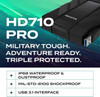
- IP68-rated dust and water protection for tougher everyday environments
- Tested for 60 minutes in up to 2m of water, according to ADATA’s official datasheet
- Military-grade shock resistance tested to US Army MIL-STD-810G 516.6
- Designed to withstand drops from up to 1.5m under ADATA’s test conditions
- Triple-layer protective construction helps protect the internal drive from shocks and impacts
- G Shock vibration sensing technology helps stop drive activity when shock is detected
- Integrated cable management keeps the USB cable neat and easy to carry
- Black rugged casing for a professional and durable look
Rugged External Storage for Travel, Work and Backups
The ADATA HD710 Pro rugged external hard drive is built for users who need portable storage that can handle more demanding everyday use than a standard external HDD. Its rugged outer shell, water-resistant design and shock-resistant construction make it a practical choice for carrying data between home, work, school, university, workshops, photography jobs and travel locations.
Ideal for Backups and Everyday File Storage
With 1TB capacity, the HD710 Pro gives you space for regular backups, business files, family photos, videos, music, school work, software installers and project folders. It is a useful external storage option for users who need a portable backup drive rather than relying only on internal laptop or desktop storage.
IP68 Water and Dust Protection
The ADATA HD710 Pro is rated for IP68 dust and water protection. ADATA states that the drive has total dust-tight protection and has been tested for 60 minutes in 2 metres of water, which goes beyond basic splash resistance. This makes it suitable for users who need external storage for tougher conditions, travel bags, work environments and outdoor tasks.
Important Water Protection Notice
Water and dust protection depends on the USB port cover being closed correctly before exposure. The drive should not be connected to a device, opened, or used while wet. Always dry the drive fully before reconnecting it to a computer or laptop.
Military-Grade Shock Resistance
The HD710 Pro is tested to US Army MIL-STD-810G 516.6 shock resistance standards and is designed to withstand drops from up to 1.5 metres under ADATA’s test conditions. The triple-layer protective construction helps protect the internal hard drive from everyday knocks, drops and vibrations.
G Shock Vibration Sensing Technology
The built-in G Shock sensor helps protect data during sudden movement. If a shock or vibration is detected, the drive can stop activity to help reduce the risk of errors. Once the vibration ends, drive activity can resume, supported by a clear status indicator.
USB 3.1 Connectivity with Integrated Cable Management
The ADATA HD710 Pro uses a USB connection for simple external storage with compatible laptops and desktop PCs. It is commonly listed as USB 3.1, USB 3.2 Gen 1 or USB 3.0, which are all part of the same 5Gbps USB speed class depending on naming used by the manufacturer or retailer. The integrated cable channel helps keep the USB cable attached neatly to the drive when travelling.
Plug-and-Play Portable Storage
This external HDD is easy to carry and simple to connect to compatible computers. It is suitable for backing up files, transferring data between systems, expanding laptop storage and keeping an offline copy of important documents and media.
Who Is the ADATA HD710 Pro 1TB Best For?
- Users needing a rugged portable hard drive for everyday backups
- Students and home users storing documents, photos and media files
- Office workers carrying data between locations
- Photographers and content creators needing portable project storage
- Technicians and field workers needing tougher external storage
- Travellers who want water, dust and shock protection
- Customers looking for a 1TB USB external HDD with rugged protection
ADATA HD710 Pro 1TB External Hard Drive Specifications
- Brand: ADATA
- Model: HD710 Pro
- Manufacturer Part Number: AHD710P-1TU31-CBK
- EAN: 4713218460394
- Product Type: Rugged portable external hard drive
- Capacity: 1TB
- Drive Type: External HDD
- Drive Size: 2.5-inch
- Interface: USB 3.1 / USB 3.2 Gen 1 / USB 3.0 5Gbps class
- Colour: Black
- Water and Dust Protection: IP68 rated
- Water Test: Up to 2m for 60 minutes, according to ADATA’s official datasheet
- Shock Resistance: US Army MIL-STD-810G 516.6 drop test
- Drop Resistance: Up to 1.5m under ADATA test conditions
- Protection Design: Triple-layer rugged construction
- Shock Sensor: G Shock vibration sensing technology
- Cable Management: Integrated USB cable management
- Dimensions: 22 × 99 × 133mm
- Compatible Operating Systems: Windows, macOS and Linux systems with compatible USB support
Buying Advice
Before ordering, please check that your computer, laptop or device supports external USB hard drives. For best protection, make sure the USB port cover is properly closed before the drive is exposed to dust or water. As this is a mechanical external HDD, avoid disconnecting it during file transfers and avoid heavy impact while the drive is actively reading or writing data.
Why Buy the ADATA HD710 Pro 1TB Black?
The ADATA HD710 Pro 1TB Rugged External Hard Drive is a strong choice for users who need portable storage with extra protection. With 1TB capacity, IP68 water and dust resistance, military-grade shock protection, triple-layer construction, G Shock vibration sensing and integrated cable management, it is a practical external hard drive for backups, travel, work, study and everyday file storage.
Specification
ADATA HD710 Pro 1TB External Hard Drive Specifications
| Product Type | Rugged Portable External Hard Drive |
| Brand | ADATA |
| Series | HD710 Pro |
| Model / MPN | AHD710P-1TU31-CBK |
| EAN / Barcode | 4713218460394 |
| Capacity | 1TB / 1000GB |
| Drive Type | External Portable Hard Drive / HDD |
| Drive Size | 2.5 Inch |
| Interface | USB 3.1 / USB 3.2 Gen 1 / USB 5Gbps Class |
| Backward Compatibility | Backward Compatible with USB 2.0 |
| Power Supply | USB Bus Powered |
| Colour | Black |
| Water and Dust Protection | IP68 Rated |
| Water Protection Test | Up to 2m Water Depth for 60 Minutes, with USB Cover Closed |
| Shock Protection Standard | US Army MIL-STD-810G 516.6 |
| Drop Resistance | Up to 1.5m Under ADATA Test Conditions |
| Protection Design | Triple-Layer Rugged Protective Construction |
| Shock Sensor | G Shock Sensor Protection |
| Cable Management | Integrated USB Cable Storage / Wraparound Cable Management |
| LED Indicator | Yes, Drive Activity / Shock Sensor Indicator |
| Operating Temperature | 5°C to 50°C |
| Operating Voltage | DC 5V, 900mA |
| Compatible Operating Systems | Windows XP / Vista / 7 / 8 / 8.1 / 10, macOS X 10.6 or Later, Linux Kernel 2.6 or Later |
| Product Dimensions | 98.5 × 133.3 × 21.5mm |
| Product Weight | Approximately 270g |
Water and Dust Protection Notice
The ADATA HD710 Pro is rated IP68 only when the USB port cover is fully closed and correctly sealed. Do not connect the drive while wet, and always dry it fully before plugging it into a computer or laptop.
Shock Protection Notice
This drive is tested to MIL-STD-810G 516.6 and is designed to withstand drops from up to 1.5m under ADATA test conditions. It is still a mechanical hard drive, so avoid heavy impact while the drive is reading, writing or transferring files.
USB Compatibility Notice
This model is commonly listed as USB 3.1, USB 3.2 Gen 1 or USB 5Gbps depending on the naming used by the manufacturer or retailer. It is backward compatible with USB 2.0, but transfer speeds will be lower when connected to older USB ports.
Capacity Notice
Advertised storage capacity is based on decimal measurement. The usable capacity shown in Windows, macOS or Linux may be lower after formatting and system calculation differences.
Return
FAQ: Frequenlty Asked Questions
ADATA 1TB HD710 Pro Rugged External Hard Drive FAQ
The ADATA 1TB HD710 Pro Rugged External Hard Drive is a portable 2.5-inch USB external hard drive designed for backup, file storage, travel, work, school, photos, videos and everyday data protection. Below are the most common questions buyers ask before choosing this ADATA HD710 Pro 1TB rugged USB hard drive, including waterproof protection, IP68 rating, shock resistance, dust protection, laptop and desktop compatibility, Mac use, console storage, USB speed, backups, cable storage, safe handling and who this rugged HDD is best suited for.
1. What is the ADATA 1TB HD710 Pro?
The ADATA 1TB HD710 Pro is a rugged portable external hard drive designed for storing and backing up files. It uses a 2.5-inch hard drive inside a protective casing with USB connectivity, making it suitable for laptops, desktops and other compatible devices.
2. What is the ADATA HD710 Pro 1TB best used for?
The ADATA HD710 Pro 1TB is best used for file backups, photos, videos, documents, music, school work, office files, travel storage and general external storage. It is especially useful for users who want a portable hard drive with extra protection against dust, water and accidental knocks.
3. Is the ADATA HD710 Pro an HDD or SSD?
The ADATA HD710 Pro is an external HDD, not an SSD. It uses mechanical hard drive storage, so it offers good capacity for the price but is slower and more sensitive to impact during operation than an external SSD.
4. How much storage does this ADATA HD710 Pro model have?
This product is the 1TB version of the ADATA HD710 Pro. It provides enough space for documents, photos, videos, music, backups and general file storage, although the usable capacity shown in Windows or macOS will be slightly lower after formatting.
5. Why does a 1TB external hard drive show less than 1TB?
This is normal. Drive manufacturers use decimal capacity, while Windows displays capacity using a different binary measurement. A 1TB drive usually appears as around 931GB before allowing for file system formatting and system files.
6. Is the ADATA HD710 Pro waterproof?
Yes, ADATA describes the HD710 Pro as tested beyond IP68 waterproof standards. For the protection to work properly, the USB port cover must be fully closed before exposure to water, and the drive should not be connected or powered during water exposure.
7. What does IP68 mean on the ADATA HD710 Pro?
IP68 means the drive is designed to resist dust ingress and water immersion under defined test conditions. It does not mean the drive should be used underwater while connected. The protective port cover must be correctly sealed for water protection.
8. Can I use the ADATA HD710 Pro in the rain?
The HD710 Pro is designed with water protection, so it can handle accidental exposure better than a standard external hard drive. However, you should not plug it in or use it while wet. Dry it properly before reconnecting it to a computer.
9. Can the ADATA HD710 Pro be submerged in water?
ADATA promotes the HD710 Pro as tested beyond IP68 water protection. However, water protection depends on the USB cover being fully closed and the drive not being in use. It is best treated as protection against accidents, not as a drive for intentional underwater use.
10. Is the ADATA HD710 Pro dustproof?
Yes. The HD710 Pro is designed with IP68 dust protection, helping protect the drive from dust, dirt and outdoor environments when the port cover is properly sealed.
11. Is the ADATA HD710 Pro shockproof?
Yes, the ADATA HD710 Pro is designed with shock-resistant protection and a triple-layer rugged casing. It is built to handle accidental drops and knocks better than a normal external hard drive, but it should still be handled carefully because it is still a mechanical HDD.
12. What does military-grade shockproof mean?
Military-grade shockproof normally refers to testing based on recognised drop or shock standards, such as MIL-STD-style testing. It means the drive is designed to survive accidental impacts better than a standard drive, but it does not make the hard drive indestructible.
13. Can I drop the ADATA HD710 Pro?
The HD710 Pro is built to resist accidental drops better than a standard external HDD, but you should not intentionally drop it. Like all mechanical hard drives, it contains moving parts and can still be damaged by severe impact, especially while running.
14. Is the ADATA HD710 Pro safe to use while travelling?
Yes. The rugged casing, cable groove and dust/water/shock protection make it a good option for travel, work bags, student use and mobile storage. For important files, always keep a second backup in another location or cloud service.
15. What is the triple-layer protection on the ADATA HD710 Pro?
The HD710 Pro uses a rugged protective design with multiple layers around the internal drive. This helps absorb shock, protect against impacts and improve durability compared with a standard slim external hard drive casing.
16. What is G Shock vibration sensing technology?
ADATA describes the HD710 Pro as having G Shock vibration sensing technology. If a shock is detected, the drive can stop activity to help reduce the risk of errors or bad sectors, then resume operation once vibration has ended.
17. What does the status light mean on the HD710 Pro?
The status light helps show drive activity and shock sensor status. If the shock sensor detects vibration or impact, the indicator may alert the user while drive activity is paused to help protect data during movement.
18. Does rugged protection mean my data is completely safe?
No. Rugged protection helps reduce risk from accidents, but no hard drive can guarantee complete data safety. Important files should always be stored in at least two places, such as another drive, a computer and cloud backup.
19. Is the ADATA HD710 Pro good for backups?
Yes. The 1TB HD710 Pro is a good option for backing up documents, photos, videos and everyday files. Because it is portable and rugged, it is useful for users who want a backup drive they can carry between home, work or school.
20. Can I use the ADATA HD710 Pro for Windows backup?
Yes. You can use it with Windows backup tools, File History, manual copy-and-paste backups or third-party backup software. The drive may need to be formatted in a Windows-compatible file system depending on how it is supplied.
21. Does the ADATA HD710 Pro work with Windows 11?
Yes. The ADATA HD710 Pro can work with Windows 11 through a compatible USB port. It is plug-and-play for most systems, although formatting or initial setup may be needed depending on how the drive is configured.
22. Does the ADATA HD710 Pro work with Windows 10?
Yes. The HD710 Pro works with Windows 10 using USB connectivity. It can be used for file storage, backups, media storage and transferring data between compatible computers.
23. Does the ADATA HD710 Pro work with Mac?
Yes. The HD710 Pro can work with macOS, but you may need to reformat it depending on the file system supplied and whether you want Mac-only use or sharing between Windows and Mac. For Time Machine, macOS may ask to erase and format the drive.
24. Can I use the ADATA HD710 Pro for Time Machine?
Yes, the HD710 Pro can be used for Apple Time Machine backups after formatting it in a compatible macOS format. Formatting erases the drive, so copy any important files elsewhere before setting it up for Time Machine.
25. Does the ADATA HD710 Pro work with Chromebook?
Yes, it can work with many Chromebooks through USB, depending on the Chromebook’s port type and file system support. If your Chromebook only has USB-C, you may need a suitable USB adapter or cable.
26. Does the ADATA HD710 Pro work with Linux?
Yes. The HD710 Pro can work with many Linux systems through USB. Compatibility depends on the file system format and the Linux distribution being used.
27. What USB connection does the ADATA HD710 Pro use?
The HD710 Pro is listed with USB 3.1 / USB 3.2 Gen 1 class connectivity, also commonly described as USB 5Gbps. It is backward compatible with older USB ports, although speed may be lower on older USB standards.
28. Is USB 3.1 the same as USB 3.2 Gen 1?
For this type of drive, USB 3.1 Gen 1 and USB 3.2 Gen 1 are commonly used to describe the same 5Gbps USB speed class. Actual hard drive transfer speeds will be much lower than 5Gbps because the internal HDD is the limiting factor.
29. Does the ADATA HD710 Pro need external power?
No. The ADATA HD710 Pro is powered through USB. It does not normally require a separate power adapter, making it convenient for laptops and portable use.
30. Can I use the ADATA HD710 Pro with USB-C?
Yes, but the drive itself normally uses a USB cable supplied for its port type. If your computer only has USB-C, you may need a suitable USB-C adapter or compatible cable. Make sure the cable supports data transfer, not only charging.
31. Does the ADATA HD710 Pro have an integrated cable holder?
Yes. The HD710 Pro has a groove around the shell for storing the USB cable neatly. This helps reduce the chance of misplacing the cable when travelling or storing the drive in a bag.
32. Is the cable removable?
Yes. The USB cable is removable, but it can be stored around the drive using the built-in cable groove. If replacing the cable, use a compatible data cable suitable for the drive’s USB connection.
33. Is the ADATA HD710 Pro fast?
It is fast enough for normal external HDD use, backups, documents, photos and media storage. However, it is still a mechanical hard drive, so it will be slower than an external SSD or internal NVMe SSD.
34. Why is my HD710 Pro slower than expected?
Speed can be affected by the USB port, cable, file size, drive fullness, computer performance and whether you are copying many small files or a few large files. Mechanical hard drives are usually much slower with many small files than with large sequential transfers.
35. Is the ADATA HD710 Pro better than an external SSD?
It depends on your priority. The HD710 Pro offers rugged protection and good capacity for the price. An external SSD is faster and has no moving parts, but usually costs more per terabyte. Choose the HD710 Pro for value and rugged backup storage; choose an SSD for speed.
36. Can I run games from the ADATA HD710 Pro?
You can store and run some PC games from the HD710 Pro, but loading times will usually be slower than from an internal SSD or external SSD. It is better for game backups, older games or extra storage than for maximum gaming performance.
37. Can I use the ADATA HD710 Pro with PS4?
Yes, it can be used as external storage with PS4 after formatting it through the console, provided the console recognises it correctly. Formatting for PS4 will erase existing data on the drive.
38. Can I use the ADATA HD710 Pro with PS5?
Yes, it can be used with PS5 for storing and playing PS4 games, and for storing PS5 games when not in use. PS5 games cannot be played directly from a USB external hard drive; they must be moved back to the internal SSD or compatible M.2 SSD to play.
39. Can I use the ADATA HD710 Pro with Xbox?
Yes, it can be used with Xbox consoles as external USB storage, depending on console model and formatting. On newer Xbox Series consoles, external USB hard drives are mainly used for backward-compatible games and storage, while optimised Series X/S games need internal or expansion storage to play directly.
40. Can I use the ADATA HD710 Pro for photos and videos?
Yes. The 1TB capacity is useful for storing photos, videos, camera files, phone backups and media libraries. For irreplaceable photos and videos, keep another backup in a separate location.
41. Can I edit video directly from the ADATA HD710 Pro?
You can edit light projects from the drive, but performance will be slower than an SSD, especially for large 4K video files. For smooth video editing, an external SSD or internal NVMe SSD is usually a better option.
42. Is the ADATA HD710 Pro suitable for photographers?
Yes, it can be useful for photographers who need rugged portable backup storage for image files. However, it should not be the only copy of important photos. Keep at least one additional backup elsewhere.
43. Is the ADATA HD710 Pro suitable for students?
Yes. It is a practical choice for students who need portable storage for assignments, documents, videos, photos and backups. The rugged casing adds extra protection for carrying it in a bag.
44. Is the ADATA HD710 Pro suitable for business use?
Yes. It can be used for office backups, file transfers, archived documents and portable work storage. For sensitive business data, consider encryption and a proper backup policy because rugged casing does not replace data security.
45. Does the ADATA HD710 Pro include encryption?
The HD710 Pro is primarily a rugged external hard drive and is not mainly sold as a hardware-encrypted security drive. If you need encryption, use trusted software encryption or choose a drive with built-in hardware encryption features.
46. How should I safely disconnect the ADATA HD710 Pro?
Use the “Safely Remove Hardware” option in Windows or eject the drive in macOS before unplugging it. This helps reduce the risk of file corruption, especially if data is still being written to the drive.
47. What should I do if the drive is not recognised?
Try another USB port, check the cable, test the drive on another computer, listen for unusual clicking noises, and check Disk Management or Disk Utility. If the drive contains important data, avoid repeated risky attempts and consider professional data recovery advice.
48. Who should NOT buy the ADATA HD710 Pro 1TB?
The ADATA HD710 Pro 1TB is not ideal for users who need SSD-level speed, 4K video editing performance, internal laptop storage, PS5 game playing directly from USB, hardware encryption, or silent solid-state storage with no moving parts. It is better for rugged backup and portable file storage.
49. Is the ADATA HD710 Pro 1TB worth buying?
Yes, it is worth considering if you want a rugged 1TB external hard drive for backups, travel, work, school and general storage. It offers stronger physical protection than a standard portable hard drive while keeping the value of HDD storage.
50. Why buy the ADATA 1TB HD710 Pro from Memox?
Buying the ADATA 1TB HD710 Pro Rugged External Hard Drive from Memox is a practical choice if you want portable 1TB storage with IP68 dust and water protection, shock-resistant design, USB connectivity and a rugged casing for everyday backups and travel. Memox offers external hard drives, SSDs, memory, PC components and storage accessories for UK customers.
Related Products
Related Products

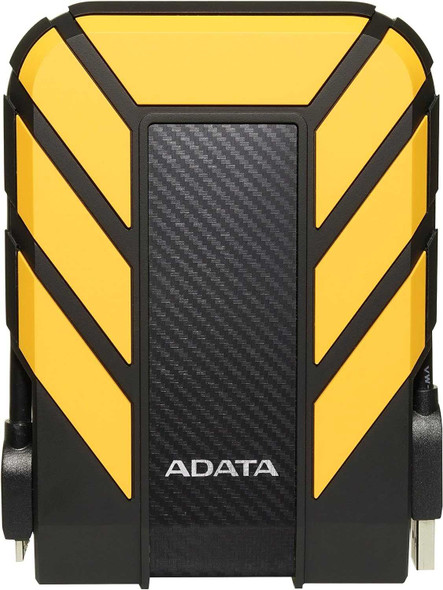
ADATA 1TB HD710 Pro Rugged External Hard Drive, 2.5", USB 3.1, IP68 Water/Dust Proof, Shock Proof, Yellow
ADATA

ADATA 1TB HD710 Pro Rugged External Hard Drive, 2.5", USB 3.1, IP68 Water/Dust Proof, Shock Proof, Red
ADATA


ADATA 1TB HD710 Pro Rugged External Hard Drive, 2.5", USB 3.1, IP68 Water/Dust Proof, Shock Proof, Blue
ADATA

ADATA 2TB HD710 Pro Rugged External Hard Drive, 2.5", USB 3.1, IP68 Water/Dust Proof, Shock Proof, Black
ADATA


ADATA 4TB HD710 Pro Rugged External Hard Drive, 2.5", USB 3.1, IP68 Water/Dust Proof, Shock Proof, Black
ADATA