
ACER
Acer Connect M6E 5G Mobile WiFi Hotspot – WiFi 6E, 8000mAh Battery & 20 Devices
- SKU:
- 11519314
- UPC:
- 4711474173720
- MPN:
- FF.G2VTA.001
- Availability:
- Free Click & Collect in Peterborough. UK delivery also available




Description
Acer Connect M6E 5G Mobile WiFi Hotspot – WiFi 6E, 3.27Gbps 5G, 8000mAh Battery & 20 Devices
The Acer Connect M6E 5G Mobile WiFi, model FF.G2VTA.001, is a rugged portable 5G hotspot designed to provide fast mobile internet access for laptops, smartphones, tablets, gaming devices and other WiFi equipment while travelling, working remotely or operating away from a fixed broadband connection.
It combines 5G SA/NSA mobile broadband with WiFi 6E, including access to the less congested 6GHz WiFi band on compatible devices. Acer specifies theoretical 5G download speeds of up to 3.27Gbps and uploads up to 1.75Gbps, while up to 20 WiFi devices can share the connection simultaneously.
The Acer Connect M6E also provides flexible global mobile connectivity through physical Nano-SIM, eSIM and virtual SIM / vSIM support. Acer's SignalScan technology is designed to help find an appropriate available network, with Acer promoting connectivity support across more than 135 countries through compatible services.
An 8000mAh battery provides up to 28 hours of high-speed connectivity under Acer's test conditions, while USB Type-C fast charging and a power-bank function make the M6E particularly useful for travel. Its IP68-rated construction, military-grade durability, 2.4-inch colour touchscreen, NFC touch-to-connect, WPA3 security and VPN support make it suitable for both personal and professional mobile connectivity.
Quick answer: The Acer Connect M6E FF.G2VTA.001 is a portable 5G WiFi 6E hotspot supporting up to 20 connected devices. It offers theoretical 5G speeds up to 3.27Gbps download / 1.75Gbps upload, physical Nano-SIM, eSIM and vSIM connectivity, an 8000mAh battery with up to 28 hours of use, a 2.4-inch touchscreen, NFC, USB-C, IP68 protection, WPA3/VPN security and global connectivity options.
Key Features of the Acer Connect M6E
- Portable 5G mobile WiFi hotspot
- Model / MPN: FF.G2VTA.001
- 5G SA and NSA connectivity
- 3GPP Release 16 / R16 cellular support
- 5G NR theoretical download speed up to 3.27Gbps
- 5G NR theoretical upload speed up to 1.75Gbps
- 4G LTE fallback connectivity
- LTE download speeds up to 1Gbps
- LTE upload speeds up to 211Mbps
- WiFi 6E / IEEE 802.11ax
- 2.4GHz, 5GHz and 6GHz band support
- 2×2 MIMO
- MU-MIMO support
- Up to 20 connected WiFi devices
- 2.4GHz WiFi speeds up to 300Mbps
- 5GHz WiFi speeds up to 1200Mbps
- 6GHz WiFi speeds up to 1200Mbps
- Physical Nano-SIM support
- eSIM support
- Up to 10 eSIM profiles according to Acer UK
- vSIM / virtual SIM support
- SIMO connectivity with SignalScan technology
- Global connectivity options across 135+ countries with compatible services
- 8000mAh rechargeable battery
- Up to 28 hours of high-speed connectivity under Acer test conditions
- USB Type-C fast charging
- Power-bank function
- USB 3.0 Type-C interface
- 5V / 3A charging input
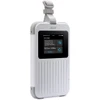
- 2.4-inch colour touchscreen
- 240 × 320 touchscreen resolution
- NFC touch-to-connect
- IP68 dust and water resistance
- Military-grade durability
- MIL-STD-810H testing referenced by Acer product materials
- WPA2 and WPA3 wireless encryption
- Firewall security
- SIM lock support
- VPN support
- OpenVPN client support
- Automatic software / firmware updates
- FOTA / Firmware Over-the-Air updates
- MTK24M octa-core processor
- Processor speed up to 2.5GHz
- 4GB LPDDR4X memory
- 16GB eMMC storage
- Built-in AI functionality
- AI transcription capability
- Real-time translation features with compatible optional microphone / service
- Approximate dimensions: 86 × 19 × 140mm
- Approximate weight: 295g
- 2-year Acer warranty
Portable 5G Internet Wherever Mobile Coverage Is Available
The Acer Connect M6E converts a compatible cellular data connection into a private WiFi hotspot that can be shared by nearby devices.
Instead of relying on public WiFi or tethering every device through a smartphone, the M6E provides a dedicated portable internet connection for devices such as:
- Laptops
- Smartphones
- Tablets
- Handheld gaming systems
- Smart TVs
- Cameras
- Business terminals
- Other WiFi-enabled equipment
5G SA and NSA Connectivity
Acer specifies support for both:
- 5G SA – Standalone
- 5G NSA – Non-Standalone
along with 3GPP Release 16 NR and LTE connectivity.
This gives the hotspot compatibility with modern 5G networks while maintaining 4G LTE connectivity where 5G is unavailable.
Up to 3.27Gbps 5G Download Speed
Acer specifies a theoretical maximum 5G NR downlink rate of:
Up to 3.27Gbps
Up to 1.75Gbps 5G Upload Speed
The theoretical maximum 5G NR uplink specification is:
Up to 1.75Gbps
These figures represent cellular-interface capabilities rather than guaranteed internet speeds.
Real-World 5G Speed Will Vary
Actual internet performance depends on factors including:
- Mobile network operator
- Available 5G coverage
- Local network congestion
- Signal strength
- Supported cellular bands
- Data plan restrictions
- Indoor or outdoor positioning
- Connected WiFi device
- WiFi band being used
A 3.27Gbps specification should therefore be understood as a theoretical maximum rather than a guaranteed broadband speed.
4G LTE Fallback Connectivity
Where compatible 5G coverage is not available, the M6E also supports 4G LTE connectivity.
Acer specifies theoretical LTE performance of up to:
- 1Gbps download
- 211Mbps upload
Actual LTE speeds remain dependent on the mobile network and local conditions.
Extensive 5G Band Support
Acer UK's current specification lists support for 5G NR bands including:
n1, n2, n3, n5, n7, n8, n20, n28, n38, n40, n41, n66, n71, n75, n77, n78 and n79.
Broad band support helps make the M6E suitable for travelling between compatible mobile networks and regions.
Extensive 4G LTE Band Support
Acer lists LTE band support including:
B1, B2, B3, B4, B5, B7, B8, B12, B13, B14, B17, B18, B19, B20, B26, B28, B29, B30, B32, B38, B40, B41, B42, B48, B66 and B71.
Network support still depends on local carrier configuration and service availability.
WiFi 6E Mobile Hotspot
The Acer Connect M6E uses WiFi 6E, based on IEEE 802.11ax technology.
WiFi 6E expands WiFi 6 functionality into the additional 6GHz frequency band, giving compatible devices access to additional wireless spectrum.
Why 6GHz WiFi Can Be Useful
The 6GHz band can offer advantages in environments where conventional 2.4GHz and 5GHz WiFi channels are congested.
Potential benefits include:
- Less interference from older WiFi devices
- Additional wireless channels
- Lower congestion
- High-bandwidth local connectivity
- Improved performance for compatible WiFi 6E devices
2.4GHz, 5GHz and 6GHz Support
Acer describes the M6E as a WiFi 6E tri-band capable hotspot.
The device supports:
- 2.4GHz
- 5GHz
- 6GHz
Important Band Operation Detail
Acer UK's exact specification describes wireless operation as:
- 2.4GHz + 5GHz
- or
- 2.4GHz + 6GHz
This is more precise than suggesting that the hotspot necessarily transmits on 2.4GHz, 5GHz and 6GHz simultaneously.
WiFi Speeds by Band
Acer currently specifies maximum WiFi link rates of:
- 2.4GHz: up to 300Mbps
- 5GHz: up to 1200Mbps
- 6GHz: up to 1200Mbps
Actual WiFi throughput is lower than the theoretical link rate and depends on the connected device, distance, interference and network conditions.
2×2 MIMO Wireless Technology
The M6E uses 2×2 MIMO technology to improve WiFi efficiency and wireless performance.
MIMO allows multiple spatial data streams to be used by compatible equipment, helping improve throughput and connection reliability compared with simpler wireless implementations.
MU-MIMO for Multiple Connected Devices
The hotspot also supports multi-user wireless operation, helping it share wireless capacity efficiently when several compatible devices are connected.
This is particularly useful when a group is simultaneously:
- Browsing
- Streaming
- Video conferencing
- Working remotely
- Gaming
- Downloading files
Connect Up to 20 Devices
Acer UK specifies support for up to:
20 simultaneous connections.
This makes the M6E suitable for more than a single traveller.
Useful for Families
A family can potentially connect multiple:
- Phones
- Tablets
- Laptops
- Handheld consoles
to one mobile data connection.
Useful for Small Teams
The M6E can also provide temporary internet access for:
- Remote-working teams
- Exhibitions
- Temporary offices
- Site visits
- Field workers
- Business travel
- Events
Tri-SIM Connectivity Options
One of the most distinctive M6E features is Acer's flexible multi-SIM connectivity system.
Acer UK advertises support for:
- Physical Nano-SIM / 4FF
- eSIM
- Virtual SIM / vSIM
Physical Nano-SIM
A standard compatible Nano-SIM can be installed for use with an appropriate mobile data plan.
eSIM Support
Acer UK advertises support for storing up to:
10 eSIM profiles
subject to carrier, service and regional compatibility.
Virtual SIM / vSIM
The M6E also supports Acer's virtual-SIM connectivity system through SIMO services.
This can provide another method of obtaining mobile connectivity without relying solely on a physical SIM card.
Global Connectivity in More Than 135 Countries
Acer promotes the M6E as providing network access in:
more than 135 countries
through compatible virtual-SIM services and supported networks.
This makes the hotspot particularly attractive for frequent travellers who want a single portable connectivity device.
Global Support Does Not Mean Free Global Data
Availability in 135+ countries should not be interpreted as including unlimited or free mobile data.
Actual service can require:
- Compatible SIM or virtual-SIM service
- Data package
- Carrier coverage
- Service activation
- Regional network availability
Acer SignalScan Technology
The Acer Connect M6E supports SignalScan.
Acer describes SignalScan as technology designed to help identify an optimal available network when using supported virtual-SIM services.
Useful When Travelling
SignalScan can be especially useful when:
- Crossing between network areas
- Travelling internationally
- Working in areas with variable cellular coverage
- Moving between available mobile operators
Actual network selection and availability depend on service-provider agreements and local coverage.
8000mAh High-Capacity Battery
The M6E contains an:
8000mAh rechargeable battery.
This large battery is designed to support extended mobile operation without requiring constant connection to a mains charger.
Up to 28 Hours of Connectivity
Acer advertises up to:
28 hours of uninterrupted high-speed connectivity / HD streaming
under its test conditions.
Actual Battery Life Will Vary
Battery runtime depends on factors including:
- Number of connected devices
- 5G signal strength
- WiFi band
- Data traffic
- Display usage
- Network conditions
- Power-bank use
- Battery age
- Ambient temperature
Acer's published runtime testing is based on typical usage conditions and should not be interpreted as a guaranteed 28-hour runtime in every scenario.
USB Type-C Fast Charging
The hotspot charges through:
USB Type-C
and Acer specifies:
5V / 3A input
for the device.
USB 3.0 Type-C Interface
Acer UK's product specification identifies the interface as:
USB 3.0 Type-C.
USB Type-C Tethering
The M6E can also support USB Type-C tethering, allowing a compatible computer or device to access the hotspot connection through USB rather than relying solely on WiFi.
Built-In Power-Bank Function
The large 8000mAh battery can also be used through the M6E's power-bank feature.
This can provide emergency power to a compatible USB device while travelling.
Power-Bank Use Reduces Hotspot Runtime
Charging another device uses energy from the M6E's internal battery and therefore reduces the amount of battery capacity available for hotspot operation.
2.4-Inch Colour Touchscreen
The Acer Connect M6E includes a:
2.4-inch colour TFT touchscreen
for direct control and status information.
Acer lists a touchscreen resolution of:
240 × 320 pixels.
Control the Hotspot Without a Laptop
The touchscreen allows common functions to be accessed directly from the device, making it easier to check or adjust settings while travelling.
NFC Touch-to-Connect
The M6E includes NFC connectivity.
Acer highlights NFC touch-to-connect functionality for quickly connecting compatible Android devices to the hotspot.
This can reduce the need to manually enter WiFi credentials on supported equipment.
Enterprise-Level Wireless Security
Acer equips the M6E with security technologies intended for business as well as personal use.
Current Acer specifications include:
- WPA2 encryption
- WPA3 encryption
- Firewall protection
- SIM lock
- VPN support
- OpenVPN client capability
- Automatic software / firmware updates
WPA3 Wireless Encryption
WPA3 provides a newer generation of WiFi security compared with older WPA2-only devices.
This is particularly valuable for a portable hotspot that may regularly be used in:
- Hotels
- Airports
- Offices
- Events
- Customer sites
- Public locations
VPN Support
Acer lists VPN support and an OpenVPN client for the M6E.
This can be useful for organisations or users who want compatible network traffic to pass through a configured VPN service.
VPN configuration, server access and service subscriptions are separate from the hotspot itself.
Automatic Firmware Updates
The M6E supports FOTA – Firmware Over-the-Air updates.
Keeping networking-device firmware updated can provide:
- Security improvements
- Bug fixes
- Compatibility improvements
- Feature updates
IP68 Dust and Water Resistance
The Acer Connect M6E is designed for travel and challenging working environments with an:
IP68 rating.
Acer describes the device as providing complete dust protection and water resistance under controlled test conditions.
Water Resistance Testing
Acer's current product information describes testing for water immersion at approximately:
up to 1.5 metres for 30 minutes
under specified laboratory conditions.
IP68 Does Not Mean Indestructible
Water and dust resistance can decrease with normal wear, impact or ageing.
The M6E should not be intentionally submerged for extended periods or used beyond Acer's stated test conditions.
Military-Grade Durability
Acer markets the Connect M6E as a rugged mobile hotspot with military-grade durability.
Acer product materials reference MIL-STD-810H testing for this platform.
What MIL-STD-810H Means
MIL-STD-810H testing evaluates equipment against selected controlled environmental and durability conditions.
It does not mean the product is indestructible or guaranteed to survive every fall, impact or environmental condition.
Built for Travel
The combination of:
- 5G
- WiFi 6E
- 8000mAh battery
- IP68 resistance
- Military-grade construction
- Physical SIM
- eSIM
- vSIM
- Global network support
makes the Connect M6E particularly well suited to frequent travel.
MediaTek Octa-Core Processor
Acer UK's exact specification identifies the processor as:
MTK24M Octa-Core
with processing speed up to:
2.5GHz.
The processor handles mobile-network connectivity, wireless routing, device management and the M6E's local software features.
4GB LPDDR4X Memory
Acer UK lists:
4GB LPDDR4X system memory.
This memory is used internally by the hotspot's operating system and networking functions and is not equivalent to user-upgradeable laptop RAM.
16GB eMMC Internal Storage
The M6E also contains:
16GB eMMC storage.
This internal storage is primarily used by the hotspot's software, firmware and integrated functionality rather than being intended as general-purpose removable storage.
AI Features for Work and Travel
Acer also markets the M6E with built-in AI-assisted communication functionality.
Automated AI Transcripts
Supported M6E software can provide automated meeting transcription functionality, helping create text records from compatible recorded meetings.
Real-Time Translation Features
Acer UK also advertises real-time translation functionality when used with the required compatible microphone and supported software or service.
Optional Microphone Required for Some AI Voice Features
Acer specifically notes that certain AI-powered voice functions require a compatible microphone accessory, which may be sold separately.
AI feature availability can also vary by country, software version and service availability.
Ideal for Remote Working
The M6E can provide a dedicated internet connection where fixed broadband is unavailable or unsuitable.
Potential remote-work uses include:
- Cloud applications
- VPN access
- Video meetings
- File transfers
- Remote desktop
- Business communication
Performance depends on local mobile-network conditions and the data plan being used.
Ideal for Business Travel
For business travellers, using a personal mobile hotspot can be preferable to repeatedly connecting important work devices to unfamiliar public WiFi networks.
The M6E's physical SIM, eSIM and vSIM flexibility also makes it easier to adapt connectivity when travelling between regions.
Ideal for Family Travel
One M6E connection can be shared with up to 20 devices, making it suitable for families travelling with multiple phones, tablets, laptops and entertainment devices.
Ideal as Temporary Broadband
The M6E can also provide temporary internet access where a conventional fixed broadband connection has not yet been installed.
Examples include:
- Moving home
- Temporary offices
- Building sites
- Exhibitions
- Events
- Holiday accommodation
Useful as a Backup Internet Connection
Businesses and home workers may also use a mobile hotspot as a secondary connection when their primary broadband service is unavailable.
Whether this is appropriate depends on mobile signal quality, data allowance and the connectivity requirements of the equipment being used.
Acer Connect M6E Technical Overview
- Manufacturer: Acer
- Product: Acer Connect M6E 5G Mobile WiFi
- Product Type: Portable 5G Mobile WiFi Hotspot / Router
- MPN: FF.G2VTA.001
- Memox SKU: 11519314
- EAN / GTIN-13: 4711474173720
- Cellular Generation: 5G
- 5G Mode: SA / NSA
- Cellular Standard: 3GPP Release 16 NR + LTE
- Maximum 5G Download: Up to 3.27Gbps
- Maximum 5G Upload: Up to 1.75Gbps
- Maximum LTE Download: Up to 1Gbps
- Maximum LTE Upload: Up to 211Mbps
- WiFi Generation: WiFi 6E
- Wireless Standard: IEEE 802.11ax
- Wireless Bands: 2.4GHz / 5GHz / 6GHz capable
- Operating Combinations: 2.4GHz + 5GHz or 2.4GHz + 6GHz
- 2.4GHz Maximum WiFi Rate: Up to 300Mbps
- 5GHz Maximum WiFi Rate: Up to 1200Mbps
- 6GHz Maximum WiFi Rate: Up to 1200Mbps
- MIMO: 2×2 MIMO
- Maximum Users: Up to 20 connections
- Physical SIM: Nano-SIM / 4FF
- eSIM: Supported
- eSIM Profiles: Up to 10 according to Acer UK
- Virtual SIM / vSIM: Supported
- SignalScan: Supported
- Global Connectivity: 135+ countries with compatible service
- Processor: MediaTek MTK24M Octa-Core
- Processor Speed: Up to 2.5GHz
- Memory: 4GB LPDDR4X
- Storage: 16GB eMMC
- Display: 2.4-Inch Colour TFT Touchscreen
- Display Resolution: 240 × 320
- NFC: Yes
- USB: USB 3.0 Type-C
- USB Tethering: Supported
- Charging Input: 5V / 3A
- Battery: 8000mAh
- Maximum Advertised Runtime: Up to 28 Hours
- Power-Bank Function: Yes
- Security: WPA2 / WPA3
- VPN: Supported
- OpenVPN Client: Supported
- Firewall: Supported
- SIM Lock: Supported
- IP Rating: IP68
- Military-Grade Durability: Yes
- MIL-STD: MIL-STD-810H referenced in Acer product materials
- FOTA Updates: Supported
- Operating Temperature: 0°C to 45°C
- Storage Temperature: -10°C to 60°C
- Operating Humidity: 20% to 80% RH
- Approximate Dimensions: 86 × 19 × 140mm
- Approximate Weight: 295g
- Warranty: 2 Years – Acer Standard Warranty
Important 5G Speed Note
The advertised 3.27Gbps download and 1.75Gbps upload figures are theoretical maximum cellular-interface speeds.
Actual internet speed is determined by mobile network coverage, carrier configuration, congestion, signal strength, data plan and location.
Important WiFi 6E Note
This product supports WiFi 6E, not merely conventional WiFi 6.
WiFi 6E adds 6GHz capability for compatible devices.
Access to the 6GHz band can depend on regional regulations and the capabilities of the connected client device.
Important Tri-Band Note
The M6E supports 2.4GHz, 5GHz and 6GHz WiFi bands, but Acer specifies operation as:
2.4GHz + 5GHz OR 2.4GHz + 6GHz.
Do not describe the product as necessarily transmitting on all three bands simultaneously.
Important 20-Device Note
Acer UK's current product specification advertises:
Up to 20 connected devices.
Actual performance with many simultaneous users depends on their combined data usage and the available 5G / LTE connection.
Important SIM Compatibility Note
The M6E supports physical Nano-SIM, eSIM and virtual-SIM connectivity.
However, carrier support, eSIM activation, vSIM services and SIMO functionality can vary by country and mobile-network provider.
Important 135+ Countries Note
Acer's claim of connectivity in more than 135 countries refers to compatible mobile and virtual-SIM services.
It does not mean that unlimited international data is included with the hotspot.
A compatible data service or plan may be required.
Important 28-Hour Battery Note
Acer advertises up to 28 hours of high-speed connectivity / HD streaming.
Acer states that battery testing is based on typical usage conditions. Actual runtime varies according to network conditions, connected devices and usage.
Important Power-Bank Note
The Acer Connect M6E can function as a power bank for compatible USB devices.
Using the hotspot to charge another device will reduce the battery capacity available for mobile hotspot operation.
Important IP68 Note
The IP68 rating is based on controlled laboratory testing.
Acer describes resistance to dust and immersion in water up to approximately 1.5 metres for 30 minutes under its specified conditions.
Water resistance may reduce over time and does not make the hotspot suitable for intentional prolonged underwater use.
Important Military-Grade Durability Note
Acer product materials reference MIL-STD-810H durability testing.
MIL-STD testing means the product has been evaluated under specific controlled test conditions; it does not guarantee protection against every type of drop, impact or environmental damage.
Important AI Features Note
Acer advertises built-in AI features including meeting transcription and real-time translation capabilities.
Some AI voice features require a compatible optional microphone and may depend on software, service and regional availability.
Do not assume that an external microphone or paid AI service is included unless specifically shown in the package contents supplied with the product.
Important Security Note
The M6E supports WPA2, WPA3, firewall, SIM lock and VPN functionality.
Network security also depends on using strong passwords, current firmware and secure VPN / carrier configurations.
Important Data Plan Note
The Acer Connect M6E is network hardware.
A mobile data service may be required separately depending on whether you use:
- Physical SIM
- eSIM
- vSIM / SIMO service
Data allowances, roaming charges and service availability are determined by the relevant provider.
Who Is the Acer Connect M6E Best For?
- Frequent travellers
- Remote workers
- Business travellers
- Families needing shared mobile internet
- Small teams working away from an office
- Users needing temporary broadband
- Users wanting a 5G backup internet connection
- WiFi 6E laptop and tablet users
- Users who want physical SIM, eSIM and vSIM flexibility
- People travelling internationally
- Outdoor and field workers
- Users who need rugged IP68 networking hardware
- Users wanting up to 20 WiFi connections from one hotspot
Who Should Consider a Different Router?
A different networking device may be more appropriate if you specifically require:
- A permanent fixed broadband router
- Ethernet LAN ports
- External high-gain antenna connectors
- More than 20 simultaneous WiFi devices
- WiFi 7
- A mains-powered router intended for hundreds of clients
- Guaranteed internet speed independent of cellular signal
- A device that can transmit simultaneously on 2.4GHz, 5GHz and 6GHz
Why Choose the Acer Connect M6E 5G Mobile WiFi?
The Acer Connect M6E FF.G2VTA.001 combines fast 5G connectivity, WiFi 6E, long battery life and unusually flexible SIM options in a compact portable hotspot.
Its 5G modem supports theoretical download speeds up to 3.27Gbps, while WiFi 6E allows compatible devices to use the 6GHz band for additional wireless capacity and reduced congestion.
Support for up to 20 connected devices makes it useful for families and small workgroups rather than only single-device tethering.
The combination of Nano-SIM, eSIM and virtual SIM offers flexibility when travelling, while Acer's SignalScan technology and support for connectivity services in more than 135 countries can simplify international mobile internet access.
An 8000mAh battery with up to 28 hours of operation provides extended mobility, while USB Type-C fast charging and the integrated power-bank function add extra convenience away from mains power.
The 2.4-inch touchscreen provides direct control, NFC simplifies connection for compatible Android devices, and WPA3, firewall, SIM-lock and VPN support provide business-oriented security options.
IP68 resistance and military-grade durability further differentiate the M6E from ordinary consumer mobile hotspots, making it well suited to travelling, remote work and field use.
Choose the Acer Connect M6E if you need a rugged portable 5G WiFi 6E hotspot with up to 3.27Gbps cellular download capability, support for 20 devices, Nano-SIM/eSIM/vSIM flexibility, an 8000mAh battery, touchscreen control and global connectivity options.
Specification
Acer Connect M6E 5G Mobile WiFi FF.G2VTA.001 Specifications
The Acer Connect M6E 5G Mobile WiFi, manufacturer part number FF.G2VTA.001, is a rugged portable 5G hotspot with WiFi 6E, Nano-SIM, eSIM and vSIM connectivity, an 8000mAh battery, a 2.4-inch colour touchscreen and support for up to 20 connected devices.
General Information
| Brand | Acer |
| Product Family | Acer Connect |
| Model | Acer Connect M6E 5G Mobile WiFi |
| Manufacturer Part Number / MPN | FF.G2VTA.001 |
| Memox SKU | 11519314 |
| EAN / GTIN-13 | 4711474173720 |
| Product Type | Portable 5G Mobile WiFi Hotspot / Router |
| Form Factor | Portable |
| Current Acer UK Colour | Blue |
| Chassis Material | Polycarbonate with 10% Glass Fibre / PC+10% GF |
Mobile Network Technology
| Cellular Generation | 5G |
| 5G Modes | Standalone / SA and Non-Standalone / NSA |
| Cellular Standard | 3GPP Release 16 / R16 NR + LTE |
| 5G NR Support | Yes |
| 4G LTE Fallback | Yes |
5G Performance
| Maximum Theoretical 5G Download | Up to 3.27Gbps |
| Maximum Theoretical 5G Upload | Up to 1.75Gbps |
| 5G SA | Supported |
| 5G NSA | Supported |
5G NR Bands
| Supported 5G Bands | n1 / n2 / n3 / n5 / n7 / n8 / n20 / n28 / n38 / n40 / n41 / n66 / n71 / n75 / n77 / n78 / n79 |
4G LTE Performance
| Maximum Theoretical LTE Download | Up to 1Gbps |
| Maximum Theoretical LTE Upload | Up to 211Mbps |
4G LTE Bands
| Supported LTE Bands | B1 / B2 / B3 / B4 / B5 / B7 / B8 / B12 / B13 / B14 / B17 / B18 / B19 / B20 / B26 / B28 / B29 / B30 / B32 / B38 / B40 / B41 / B42 / B48 / B66 / B71 |
WiFi Specifications
| WiFi Generation | WiFi 6E |
| Wireless Standard | IEEE 802.11ax |
| Network Band Capability | 2.4GHz / 5GHz / 6GHz |
| Wireless Configuration | 2.4GHz + 5GHz OR 2.4GHz + 6GHz |
| Simultaneous 2.4 + 5 + 6GHz | No – Acer specifies dual-band operation using 2.4GHz plus either 5GHz or 6GHz |
| MIMO | 2×2 MIMO |
| Maximum Connected Devices | 20 |
WiFi Link Speeds
| 2.4GHz Maximum Link Rate | Up to 300Mbps |
| 5GHz Maximum Link Rate | Up to 1200Mbps |
| 6GHz Maximum Link Rate | Up to 1200Mbps |
SIM and Mobile Connectivity
| Physical SIM | Nano-SIM / 4FF |
| eSIM | Supported |
| eSIM Profiles | Up to 10 profiles according to Acer UK |
| Virtual SIM / vSIM | Supported |
| SIMO Service Support | Yes |
| SignalScan Technology | Supported |
| Acer-Advertised Global Service Reach | More than 135 countries with compatible service |
Processor
| Processor | MediaTek MTK24M |
| CPU Cores | 8 / Octa-Core |
| Processor Speed | Up to 2.5GHz |
Memory
| System Memory | 4GB |
| Memory Type | LPDDR4X |
| User Upgradeable | No / Integrated |
Internal Storage
| Internal Flash Storage | 16GB |
| Storage Type | eMMC |
| Primary Purpose | Device firmware, software and internal system functions |
Display
| Display Type | Colour TFT Touchscreen |
| Display Size | 2.4-Inch |
| Touchscreen | Yes |
| Display Resolution | 240 × 320 Pixels |
NFC Connectivity
| NFC | Yes |
| Tap-to-Connect | Supported with compatible devices |
| Primary Use | Simplified WiFi connection setup |
USB Connectivity
| USB Port | USB Type-C |
| USB Standard | USB 3.0 Type-C |
| Charging | Supported |
| Power-Bank Function | Yes |
Charging and Power Supply
| Charging Input | 5V / 3A |
| Recommended Minimum Power Supply | 10W |
| Maximum Recommended Power Supply | 15W |
| Mains Charger Included | No |
| Charging Connector | USB Type-C |
Battery
| Battery Capacity | 8000mAh |
| Battery Type | Rechargeable Lithium Battery |
| Acer Technical Chemistry Description | Lithium-Polymer / Li-Polymer |
| Maximum Advertised Runtime | Up to 28 Hours |
| Acer Runtime Test Description | Up to 28 hours of high-definition video streaming / high-speed connectivity under Acer test conditions |
| Power-Bank Capability | Yes |
Wireless Security
| WPA2 | Supported |
| WPA3 | Supported |
| VPN Support | Yes |
| OpenVPN Client | Supported |
| SIM Lock | Supported |
| Firewall Functionality | Supported |
Firmware and Software
| FOTA / Firmware Over-the-Air Updates | Supported |
| Automatic Firmware Updating | Supported through Acer software functionality |
AI Features
| Built-In AI Functions | Yes – Acer advertises AI-assisted features |
| Meeting Transcription | Supported through compatible Acer functionality |
| Real-Time Translation | Supported with compatible optional microphone / service where available |
| Optional Microphone Included | No |
Rugged Protection
| Ruggedised Design | Yes |
| Ingress Protection | IP68 |
| Dust Resistance | Yes – IP68 rated |
| Water Resistance | Yes – IP68 rated under controlled test conditions |
| Military-Grade Durability | Yes |
| MIL-STD | Acer UK lists MIL-STD-810; Acer regional technical listings specify MIL-STD-810H |
Physical Dimensions
| Width | 86mm |
| Depth | Approximately 19mm |
| Height | 140mm |
| Approximate Dimensions | 86 × 19 × 140mm |
Weight
| Manufacturer-Listed Weight | Approximately 295g |
Chassis
| Material | PC+10% GF |
| Material Description | Polycarbonate reinforced with approximately 10% glass fibre |
| Current Acer UK Colour | Blue |
Buttons and Controls
| Power Button | Yes |
| Reset | Pin-Hole Reset |
| Touchscreen Controls | Yes |
Environmental Specifications
| Operating Temperature | 0°C to 45°C |
| Storage Temperature | -10°C to 60°C |
| Operating Humidity | 20% to 80% RH |
Maximum Connected Devices
| Maximum WiFi Connections | 20 Devices |
| Suitable for Shared Hotspot Use | Yes |
Typical Uses
| Business Travel | Suitable |
| Remote Working | Suitable |
| Temporary Internet Connection | Suitable |
| Backup Mobile Internet | Suitable |
| Family Travel | Suitable |
| Small Team Connectivity | Suitable |
| Outdoor / Field Use | Suitable within Acer environmental and IP68 specifications |
Network Interfaces Not Provided
| RJ45 Ethernet LAN Port | Not Listed / Not Provided |
| Dedicated Ethernet WAN Port | No |
| External Antenna Connectors | Not Listed by Acer for this model |
Package and Power Adapter
| Acer Connect M6E Hotspot | Included |
| Mains USB Charger | Not Included |
| Required Power Supply Range | 10W to 15W compatible USB power supply |
| Mobile Data Plan | Not inherently included with the hardware – service depends on SIM/eSIM/vSIM package purchased |
Warranty
| Acer Standard Warranty | 2 Years |
| Warranty Provider | Acer – subject to applicable UK warranty terms |
Product Identification
| Manufacturer | Acer |
| Product | Acer Connect M6E 5G Mobile WiFi |
| MPN | FF.G2VTA.001 |
| Memox SKU | 11519314 |
| EAN / GTIN-13 | 4711474173720 |
Important WiFi 6E Note
The Acer Connect M6E is a WiFi 6E mobile hotspot.
It should not be described simply as WiFi 6 because WiFi 6E adds support for the 6GHz frequency band on compatible devices.
Important Tri-Band Operation Note
The M6E supports the 2.4GHz, 5GHz and 6GHz frequency bands, but Acer specifies wireless operation as:
- 2.4GHz + 5GHz
- or
- 2.4GHz + 6GHz
It should therefore not be advertised as transmitting simultaneously on all three frequency bands.
Important 5G Speed Note
The manufacturer-listed:
- 3.27Gbps download
- 1.75Gbps upload
figures are theoretical maximum 5G modem rates.
Actual internet performance depends on mobile network operator, available bands, signal quality, network congestion, data plan and location.
Important LTE Speed Note
Acer specifies maximum theoretical LTE speeds of:
- 1Gbps download
- 211Mbps upload
Actual speeds are network dependent.
Important Cellular Band Note
The current Acer UK / European specification for FF.G2VTA.001 lists 5G NR and LTE connectivity.
Some distributor feeds additionally list WCDMA and LTE Band 25. Those details are not present in Acer's current exact UK specification, so they have deliberately not been included as primary specifications here.
Important Maximum Users Note
The current Acer UK listing specifies:
Up to 20 connected devices.
Some older regional Acer descriptions mention 32 devices, but the current UK retail specification for FF.G2VTA.001 states 20 and should take priority for a UK Memox listing.
Important SIM Note
The Acer Connect M6E supports three mobile-connectivity approaches:
- Physical Nano-SIM
- eSIM
- Virtual SIM / vSIM via compatible SIMO service
Carrier, eSIM and virtual-SIM functionality can vary by country and service provider.
Important Global Connectivity Note
Acer promotes compatible vSIM / SIMO connectivity in more than 135 countries.
This does not mean that unlimited international data is included with the device.
A compatible data plan, package or mobile service may be required.
Important 8000mAh Battery Note
The M6E uses an 8000mAh rechargeable battery.
Acer advertises up to 28 hours of high-definition streaming / high-speed connectivity under its test conditions.
Real-world runtime varies according to mobile signal, data traffic, WiFi configuration, display use, number of connected devices, power-bank use and battery condition.
Important Battery Chemistry Note
Acer's technical product pages identify the battery chemistry as Lithium-Polymer / Li-Polymer, while some Acer retail feeds use the broader Lithium-Ion description.
For technical specification purposes, Li-Polymer is the more specific Acer-published description.
Important Power-Bank Note
The M6E can supply power to compatible devices using its built-in power-bank functionality.
Charging another device will reduce the remaining hotspot battery runtime.
Important Charger Note
Acer's current European retail data confirms that the mains charger is not included.
Acer specifies a compatible power supply range of approximately:
10W minimum to 15W maximum
with a device input specification of:
5V / 3A.
Important IP68 Note
The M6E is IP68 rated for dust and water resistance under controlled test conditions.
IP68 protection does not make the hotspot indestructible, and resistance can decline with damage, ageing or improper handling.
Important MIL-STD Note
Acer UK describes the M6E as having military-grade durability and lists MIL-STD-810 in its technical data.
Some Acer regional technical listings specify MIL-STD-810H.
For a UK product listing, the safest wording is:
Military-grade rugged design; MIL-STD-810 tested.
Important Colour Note
The current Acer UK listing for exact part FF.G2VTA.001 identifies the product colour as:
Blue.
Your current Memox distributor feed lists White, and some non-UK Acer regional listings also show White.
For a UK listing I recommend using Blue unless the physical stock supplied to Memox is visibly the White variant.
Important Weight Note
Acer UK specifies the exact product weight as approximately:
295g.
Important Memory Note
Acer's current detailed specification identifies:
- 4GB LPDDR4X memory
- 16GB eMMC storage
These components are used by the hotspot's internal operating system and functions and should not be presented as normal user-upgradeable laptop memory or general-purpose storage.
Model Identification Note
These specifications apply specifically to the Acer Connect M6E 5G Mobile WiFi, manufacturer part number FF.G2VTA.001, Memox SKU 11519314 and EAN / GTIN-13 4711474173720.
Return
FAQ: Frequenlty Asked Questions
Acer Connect M6E 5G Mobile WiFi Hotspot FAQ
The Acer Connect M6E 5G Mobile WiFi (FF.G2VTA.001) is a portable 5G hotspot designed for travel, remote working and mobile internet sharing. It combines global 5G NR and 4G LTE connectivity with WiFi 6E, physical nano-SIM, eSIM and SIMO virtual-SIM options, an 8000mAh battery, USB tethering, OpenVPN support and connectivity for up to 20 WiFi devices.
Below are answers to the most common questions buyers ask about the Acer Connect M6E, including UK 5G compatibility, eSIM setup, SIMO international data, 6GHz WiFi, USB tethering, battery life, APN configuration, VPNs, WiFi extender mode, gaming, travel, ruggedness and whether the M6E can replace a phone hotspot or home broadband router.
1. What is the Acer Connect M6E?
The Acer Connect M6E is a portable 5G mobile WiFi hotspot. It connects to a compatible 5G or 4G mobile network and shares that internet connection with laptops, tablets, phones and other devices over WiFi 6E or USB tethering.
2. What is the exact Acer model, Memox SKU and EAN?
The exact manufacturer part number is FF.G2VTA.001, the Memox SKU is 11519314 and the EAN / GTIN-13 is 4711474173720.
3. What are the main specifications of the Acer Connect M6E?
Key specifications include 5G SA/NSA, 4G LTE, WiFi 6E, up to 20 connected devices, 2.4GHz/5GHz/6GHz WiFi, 8000mAh battery, 2.4-inch colour touchscreen, NFC, USB-C tethering, physical nano-SIM, eSIM, SIMO virtual SIM, OpenVPN, WPA3, IP68 protection and MIL-STD-810H tested durability.
4. What is the maximum 5G speed of the Acer Connect M6E?
Acer specifies theoretical 5G NR speeds of up to approximately 3.27Gbps download and 1.75Gbps upload. These are maximum modem capabilities rather than guaranteed real-world speeds.
5. Will I actually get 3.27Gbps on 5G?
Usually not. Real speed depends on mobile network coverage, signal strength, congestion, network spectrum, your tariff, location and the number of users sharing the hotspot. The 3.27Gbps figure represents theoretical maximum capability under suitable network conditions.
6. What 4G LTE speeds does the M6E support?
Acer specifies LTE capability of up to approximately 1Gbps download and 211Mbps upload. Actual LTE performance depends heavily on the mobile operator and local network conditions.
7. Will the Acer Connect M6E work with UK 5G networks?
The M6E supports a wide selection of global 5G bands, including important European/UK bands such as n1, n3, n7, n8, n20, n28 and n78. Actual compatibility still depends on your mobile operator, SIM/data plan, network provisioning and coverage in your area.
8. Will the M6E fall back to 4G when 5G is unavailable?
Yes. The default physical-SIM network mode is Auto 5G NR / 4G LTE, allowing the hotspot to use 4G LTE when a suitable 5G connection is unavailable.
9. Can I force the Acer Connect M6E to use only 4G?
Yes. Acer's interface provides a 4G LTE Only option for physical SIM operation. This can sometimes be useful where a weak 5G signal causes unstable switching between network technologies.
10. Can I force the M6E to use 5G only?
Acer's current manual provides 5G NR Only as an available network mode when using an eSIM profile. Physical SIM settings documented by Acer provide Auto 5G/4G and 4G LTE Only modes, so available options can vary according to the active SIM type and firmware.
11. Which 5G bands does the Acer Connect M6E support?
Acer lists global 5G NR support for n1, n2, n3, n5, n7, n8, n20, n28, n38, n40, n41, n66, n71, n75, n77, n78 and n79. This broad band coverage is one reason the M6E is positioned as an international travel hotspot.
12. Will the Acer Connect M6E work with every mobile network worldwide?
No mobile hotspot can guarantee compatibility with every operator. The M6E has extensive global band support, but individual operators can also apply SIM-plan restrictions, APN requirements, device provisioning or network-specific policies. Check your chosen carrier before travelling or purchasing a dedicated data plan.
13. What type of physical SIM card does the Acer Connect M6E use?
The M6E uses a nano-SIM / 4FF physical SIM card.
14. Does the Acer Connect M6E support eSIM?
Yes. In addition to its physical nano-SIM slot, the M6E supports downloadable eSIM profiles.
15. How many eSIM profiles can the Acer Connect M6E store?
Acer advertises support for up to 10 eSIM profiles. You can keep multiple compatible carrier profiles stored and switch the active profile when required.
16. How do I add an eSIM profile to the Acer Connect M6E?
Acer's current manual states that new eSIM profiles are added through the M6E Web Portal. The hotspot must first have internet access, either through a physical SIM or through WiFi Extender mode, before the eSIM profile can be downloaded and activated.
17. What is SIMO / vSIM on the Acer Connect M6E?
SIMO is the M6E's built-in virtual-SIM data service. Instead of inserting a physical SIM or downloading your own operator eSIM, you can purchase a compatible SIMO data plan and allow the service to connect through participating mobile networks.
18. In how many countries can the Acer M6E SIMO service work?
Acer markets the M6E's global SIMO connectivity for use in more than 135 countries. Coverage, operators, pricing and available data packages depend on the current SIMO service and destination.
19. What is SignalScan on the Acer Connect M6E?
SignalScan is a feature associated with the SIMO virtual-SIM service. If network performance is poor, it can scan participating mobile networks and attempt to connect through a better available partner network.
20. Can I use the physical SIM, eSIM and SIMO at the same time?
The M6E provides three connectivity options—physical SIM, eSIM and SIMO virtual SIM—but the user interface switches between the active SIM type. Do not interpret Acer's “TRI-SIM” marketing as three simultaneous independent mobile-data connections.
21. Does the M6E come with any mobile data?
The current Memox product information lists the unit as bundled with 1GB of data. Included-data promotions and SIMO terms can change, so check the current product offer and activation conditions when ordering.
22. How many devices can connect to the Acer Connect M6E at once?
Acer specifies support for up to 20 simultaneous WiFi client devices, making it suitable for individual travellers, families, small teams and multi-device working setups.
23. Does the Acer Connect M6E support WiFi 6E?
Yes. The M6E supports WiFi 6E / IEEE 802.11ax and can use the newer 6GHz WiFi band with compatible devices and where local regulations permit it.
24. What is the difference between WiFi 6 and WiFi 6E?
WiFi 6 normally operates on the 2.4GHz and 5GHz bands. WiFi 6E extends WiFi 6 technology into the 6GHz band, which can provide additional spectrum and less congestion when used with compatible 6GHz devices.
25. Does the M6E broadcast 2.4GHz, 5GHz and 6GHz simultaneously?
No. Acer specifies simultaneous dual-band operation as either 2.4GHz + 5GHz or 2.4GHz + 6GHz. It is not a simultaneous three-radio 2.4 + 5 + 6GHz hotspot.
26. What are the maximum WiFi speeds on each band?
Acer specifies up to approximately 300Mbps on 2.4GHz and up to 1200Mbps on either 5GHz or 6GHz. Actual wireless throughput will be lower and depends on the connected device, distance, interference and network conditions.
27. Will older WiFi devices work with the Acer Connect M6E?
Yes. The hotspot supports older WiFi standards as well as WiFi 6E. Devices that cannot use 6GHz can connect through the compatible 2.4GHz or 5GHz network instead.
28. Why can't my phone or laptop see the 6GHz WiFi network?
Your device must itself support WiFi 6E / 6GHz, and 6GHz operation must be permitted in the region. Also confirm that the M6E is configured for the 2.4GHz + 6GHz band combination rather than 2.4GHz + 5GHz.
29. What WiFi security does the Acer M6E support?
The M6E supports WPA2 and WPA3. Acer's documentation specifies WPA2/WPA3 for 2.4GHz and 5GHz, while the 6GHz network uses WPA3.
30. Does the Acer Connect M6E support NFC tap-to-connect?
Yes. A compatible NFC-enabled Android phone or tablet can be placed near the M6E's NFC area and prompted to connect to the hotspot without manually typing the WiFi password.
31. Does the Acer Connect M6E have a touchscreen?
Yes. It has a 2.4-inch colour TFT touchscreen with a 240 × 320 resolution. It provides access to WiFi settings, SIM settings, connected devices, data usage, brightness and other common controls without requiring a separate app.
32. Can I manage the M6E from a web browser?
Yes. Connect your phone or computer to the hotspot and open acer-connect.com or the local gateway address 192.168.76.1. The initial admin password is printed on the device label and should be changed after first login.
33. Can I manually change the APN on the Acer Connect M6E?
Yes. The M6E normally detects and configures an APN automatically, but its web interface also allows you to create a manual APN profile with settings such as APN name, IP type, username, password and authentication protocol.
34. Why might I need to enter an APN manually?
Some SIM cards, travel eSIMs and mobile networks do not automatically supply the correct APN configuration. If mobile data does not connect even though the SIM is recognised, obtain the correct APN details from the mobile provider and create a manual profile.
35. Why can't I see or change APN settings after a firmware update?
Acer's official manual provides manual APN configuration through the Web UI, but some owners have reported firmware-related occasions where the APN page becomes inaccessible or behaves incorrectly. If this occurs, restart the hotspot, check for newer firmware, try the Web UI in a clean browser session and contact Acer support if the official APN controls remain unavailable.
36. Does the Acer Connect M6E receive firmware updates?
Yes. The M6E supports FOTA / firmware-over-the-air updating and its default configuration enables automatic checking for available firmware updates.
37. Can the Acer Connect M6E work as a WiFi extender or travel router?
Yes. Its WiFi Extender / WISP mode allows the M6E to connect to an existing WiFi access point, such as hotel or other available WiFi, and then share that internet connection with devices connected to the M6E.
38. Are there limitations to the M6E WiFi Extender mode?
Yes. Acer states that WiFi Extender mode supports WPA-Personal networks but not WEP or WPA-Enterprise access points. Acer also states that WiFi Extender can be used with physical SIM or eSIM modes but is not supported while SIMO virtual-SIM mode is selected.
39. Does the Acer Connect M6E support VPN connections?
Yes. The M6E includes an OpenVPN client that can be configured through the Web Portal, allowing compatible devices behind the hotspot to use the router-level VPN connection.
40. What type of VPN does the Acer M6E support?
Acer's current manual documents OpenVPN using .ovpn configuration files and IPv4. Username and password credentials are required for supported OpenVPN profiles, with some providers requiring additional certificate files.
41. Does the Acer Connect M6E have an Ethernet port?
No. The M6E does not have a built-in RJ45 Ethernet socket. Wired connectivity is primarily provided through its USB-C tethering capability.
42. Does the Acer Connect M6E support USB tethering?
Yes. Connect the M6E to a compatible computer with USB, enable USB tethering and the computer can use the hotspot's mobile-data connection without relying on WiFi.
43. Which operating systems support M6E USB tethering?
Acer officially lists USB tethering support for Windows, macOS, Linux and ChromeOS.
44. Is USB tethering better than WiFi for a laptop?
It can be useful when working at a desk because it removes the additional WiFi link between the laptop and hotspot. Real-world results vary, but USB tethering can provide a stable direct connection while also allowing the M6E to receive power from the connected computer.
45. Can I connect a USB-C-to-Ethernet adapter to the Acer M6E?
The M6E has no native Ethernet port, while Acer officially supports USB tethering to computers. USB-C Ethernet-adapter behaviour is not as universally documented and owners report mixed compatibility depending on the adapter and connected hardware. If Ethernet is an essential requirement, do not purchase the M6E on the assumption that every USB-C Ethernet adapter will work.
46. Does the Acer Connect M6E have connectors for an external 5G antenna?
Acer does not list external antenna connectors on this model. Its specification describes multiple internal antennas, so buyers requiring dedicated TS-9 or SMA external-antenna connections should consider another router designed for that purpose.
47. What battery capacity does the Acer Connect M6E have?
The hotspot contains a large 8000mAh rechargeable battery.
48. How long does the Acer Connect M6E battery last?
Acer specifies up to approximately 28 hours of 1080p video playback/streaming with one connected device. Its technical manual also lists up to around 36 hours in its daily-use test and up to around 40 hours of 4G/5G standby with the hotspot active. Real battery life varies substantially with 5G signal strength, WiFi band, screen use and number of connected clients.
49. Why might my M6E battery last less than 28 hours?
The quoted battery life is based on controlled usage. Weak 5G signal, several connected devices, continuous high-speed transfers, 6GHz WiFi, high screen brightness, VPN use and frequent network searching can all increase power consumption.
50. Can the Acer M6E charge my phone like a power bank?
Yes. Acer lists a power-bank function with approximately 5V / 1A output. It is useful for emergency charging, although it is not intended to replace a modern high-wattage fast charger.
51. Does the Acer Connect M6E include a mains charger?
No. Acer's user manual states that the hotspot includes a USB Type-C cable but does not include a power adapter.
52. What charger should I use with the Acer Connect M6E?
Acer specifies a 5V / 3A input and recommends a suitable 15W-class 5V charger rated at around 2A or 3A for charging the device.
53. What are the dimensions and weight of the Acer Connect M6E?
The M6E measures approximately 140 × 86 × 19.05mm and weighs under approximately 300g, making it portable enough for bags, travel cases and mobile working kits.
54. Is the Acer Connect M6E waterproof and dust resistant?
It has an IP68 rating. Acer states that it provides full dust protection and has been tested against water immersion up to approximately 1.5 metres for 30 minutes under controlled conditions. IP68 should not be treated as permission for prolonged underwater use, and water resistance can reduce with wear or damage.
55. What does MIL-STD-810H mean on the Acer M6E?
The device has undergone selected MIL-STD-810H durability testing under controlled conditions. This makes it better suited to demanding travel use, but it does not make the hotspot indestructible or guarantee survival from every drop or environmental condition.
56. Is the Acer Connect M6E good for gaming?
It can provide enough bandwidth for online gaming, but mobile 4G/5G connections can have more variable latency, jitter and brief signal changes than a good fixed fibre or wired broadband service. Some M6E owners report satisfactory browsing and streaming but less consistent results for latency-sensitive gaming. Performance depends strongly on the mobile network and location.
57. Is the Acer Connect M6E suitable for Zoom, Teams and video calls?
Yes, provided the mobile signal is strong and the network has adequate upload bandwidth. Its large battery, USB tethering and dedicated hotspot design make it particularly useful for remote working and video meetings while travelling. As with any cellular connection, important calls can still be affected by congestion or poor coverage.
58. Can the Acer Connect M6E replace my home broadband router?
It can work as a temporary, backup or light-use home internet connection, particularly where fast 5G is available. However, it is primarily a portable hotspot: it has no built-in Ethernet port, supports up to 20 WiFi clients and relies on a mobile-data plan. For permanent heavy household use, a dedicated mains-powered 5G home router may provide more Ethernet ports, external-antenna options and advanced network controls.
59. Acer Connect M6E vs using my phone as a hotspot – which is better?
The M6E provides several advantages over continually tethering a phone: an 8000mAh dedicated battery, up to 20 client devices, physical SIM/eSIM/SIMO choices, WiFi 6E, USB tethering, VPN support, rugged IP68 construction and the ability to keep your phone free for calls and normal use.
A modern premium smartphone may sometimes achieve equal or even higher cellular speeds in the same location because modem and antenna performance varies between devices. The main M6E advantage is therefore dedicated, shareable mobile connectivity rather than a guarantee that it will always outperform every smartphone.
60. Who is the Acer Connect M6E best for, and who should choose another router?
The Acer Connect M6E is particularly suitable for travellers, remote workers, families, small mobile teams, caravan and motorhome users, people who regularly work from hotels, users needing temporary 5G broadband and anyone wanting a dedicated hotspot instead of draining a smartphone battery.
Choose another device if you specifically require a built-in RJ45 Ethernet port, external 5G antenna sockets, advanced enterprise routing controls, more than 20 simultaneous WiFi devices, permanent always-on home-router operation or guaranteed low-latency gaming performance.
Related Products
Related Products
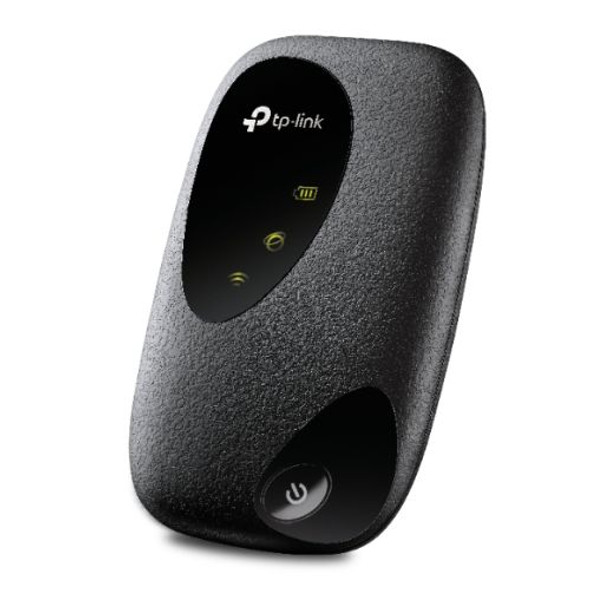
TP-LINK (M7010) 4G LTE Mobile Wi-Fi, Up to 300 Mbps, Up to 10 Devices, 2000mAh Battery
TP-LINK


TP-Link AX3000 Whole Home Mesh WiFi 6 Unit
TP-LINK