
VIDA
VIDA Boreas ARGB CPU Air Cooler – 6 Heatpipes, Dual 120mm PWM Fans, Intel & AMD
- SKU:
- BOREAS-BLK
- UPC:
- 5056733100215
- MPN:
- BOREAS-BLK
- Availability:
- Free Click & Collect in Peterborough. UK delivery also available





Description
VIDA Boreas ARGB CPU Air Cooler – 6 Copper Heatpipes & Dual 120mm PWM Fans
The VIDA Boreas ARGB CPU Air Cooler is a tower-style processor cooler designed for gaming PCs, productivity systems and performance desktop builds using compatible Intel or AMD processors.
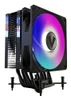
The exact BOREAS-BLK model combines six copper heatpipes with an aluminium heatsink and includes two 120mm PWM fans: one ARGB fan for illuminated builds and one plain black PWM fan for users who prefer a non-RGB appearance.
VIDA's current manufacturer specification rates the Boreas for up to 200W TDP, with fan speeds ranging from approximately 500 to 2000RPM, airflow from 20 to 73 CFM and a rated noise range of approximately 18 to 35dBA.
Wide socket compatibility includes modern Intel LGA1851, LGA1700 and LGA1200 platforms together with AMD AM5 and AM4, plus a range of older Intel and AMD sockets.
Model: BOREAS-BLK | EAN: 5056733100215 | Heatpipes: 6 | Fans: 2 x 120mm PWM | Cooler Height: 156mm
Key Features of the VIDA Boreas CPU Cooler
- 6 copper heatpipes
- Aluminium heatsink construction
- Two 120mm PWM fans supplied
- 1 x 120mm ARGB PWM fan
- 1 x 120mm plain black PWM fan
- 500–2000RPM fan-speed range
- 20–73 CFM airflow
- Hydraulic fan bearings
- Approx. 18–35dBA noise range
- 12V DC fan power
- 3-pin ARGB lighting connection for motherboard lighting synchronisation
- 4-pin PWM fan control
- Compatible with modern Intel LGA1851 / LGA1700 processors
- Compatible with AMD AM5 / AM4 processors
- 156mm total cooler height
- Approx. 800g cooler weight
- 40,000-hour fan MTBF specification
- Black-coated heatsink design
- 2-year VIDA manufacturer warranty
Six Copper Heatpipes for CPU Heat Transfer
The VIDA Boreas uses six copper heatpipes to move heat away from the processor and into the large aluminium fin stack.
Heatpipes are a key part of a tower air cooler because they transfer heat from the CPU contact area into a much larger surface area where airflow from the fans can dissipate it into the PC case.
Why Do Six Heatpipes Matter?
Using multiple heatpipes allows thermal energy to be distributed across more of the heatsink rather than concentrating heat near the base.
Actual CPU temperature still depends on processor power consumption, ambient temperature, case airflow, fan speed, thermal paste application and motherboard power settings.
Current VIDA 200W TDP Rating
VIDA's current official product specification lists the Boreas with a 200W TDP cooling rating.
This figure should be treated as a manufacturer cooling classification rather than a guarantee that every 200W processor will reach a particular temperature.
Can the VIDA Boreas Cool a 200W CPU?
VIDA currently rates the cooler at up to 200W TDP, but CPU cooling requirements cannot be determined from TDP alone.
Real heat output varies with processor model, boost behaviour, motherboard power limits, workload and ambient conditions.
For high-power processors that operate near their electrical limits for long periods, temperature and acoustic expectations should be considered carefully.
Why Do Some Websites Say 220W TDP?
Older distributor and reseller data for BOREAS-BLK lists a 220W TDP rating.
VIDA's current manufacturer website now specifies 200W. For current product information, the manufacturer specification should take priority.
Two 120mm PWM Fans Included
The Boreas package includes two 120mm fans:
- 1 x 120mm ARGB PWM fan
- 1 x 120mm plain black PWM fan
This gives builders the flexibility to choose an illuminated or non-RGB cooling setup.
VIDA's current product page presents the plain fan as a non-RGB alternative, while current distributor documentation also lists two sets of fan-mounting arms that allow both supplied fans to be fitted to the heatsink where the installation configuration and surrounding component clearance permit.
Can Both Included Fans Be Used at the Same Time?
Current VIDA distributor documentation lists two sets of mounting arms and states that both fans can be installed simultaneously.
However, users should check motherboard, RAM and case clearance before using a dual-fan configuration.
Do I Have to Use the RGB Fan?
No. A plain black PWM fan is also supplied.
This allows the Boreas to be used in systems where RGB lighting is not wanted.
500 to 2000RPM PWM Fan Control
The supplied fans support PWM speed control, with VIDA specifying a rotational-speed range of approximately 500 to 2000RPM.
A compatible motherboard can automatically vary fan speed according to CPU temperature and the selected BIOS fan curve.
What Does PWM Fan Control Mean?
PWM, or Pulse Width Modulation, allows a compatible motherboard to control fan speed electronically through a 4-pin fan connection.
This allows the system to reduce fan speed during lighter workloads and increase airflow when CPU temperature rises.
20–73 CFM Airflow
VIDA rates the Boreas fan airflow between approximately 20 and 73 CFM, depending on rotational speed.
Higher airflow helps move thermal energy through the heatsink more quickly under demanding workloads, while lower fan speeds can reduce acoustic output when the processor is lightly loaded.
18–35dBA Rated Noise Range
The specified fan-noise range is approximately 18dBA at lower speeds to 35dBA at higher speeds.
Real-world system noise will also depend on:
- Fan curve
- CPU temperature
- Whether one or two fans are fitted
- PC case acoustics
- Case fan noise
- Graphics-card cooling
- Ambient noise level
Is the VIDA Boreas Silent?
No CPU cooler should be assumed to be silent under every workload.
The Boreas can operate at lower fan speeds during light workloads, but the fans can reach up to 2000RPM when additional cooling is required.
Hydraulic Bearing Fans
VIDA specifies hydraulic bearings for the supplied fans.
The current manufacturer specification lists a fan MTBF of approximately 40,000 hours.
What Does 40,000-Hour MTBF Mean?
MTBF means Mean Time Between Failures and is a statistical reliability figure rather than a guarantee that an individual fan will operate for exactly 40,000 hours.
ARGB Motherboard-Synchronised Lighting
The included ARGB fan can connect to a compatible motherboard's 3-pin addressable RGB header, allowing its lighting to be synchronised with supported motherboard RGB software.
This makes the Boreas suitable for gaming PCs where lighting is coordinated across the case, fans, memory and other compatible components.
What ARGB Connector Does the VIDA Boreas Use?
The lighting connection is a 3-pin ARGB connection.
ARGB lighting is normally based on a 5V addressable RGB standard and must be connected only to the correct compatible motherboard header or controller.
Can I Plug the ARGB Connector into a 12V 4-Pin RGB Header?
No.
A 3-pin addressable RGB connection and a conventional 4-pin 12V RGB connection use different electrical standards.
Connecting an ARGB device to an incompatible RGB header can damage the LEDs.
Compatible with Intel LGA1851
VIDA's current manufacturer specification lists support for Intel LGA1851, allowing the Boreas to be considered for compatible newer Intel desktop systems.
Always confirm motherboard socket type and chassis clearance before purchase.
Compatible with Intel LGA1700
The Boreas supports Intel LGA1700, used by multiple generations of Intel Core desktop processors.
The supplied mounting hardware should be installed according to the VIDA installation guide for the specific socket.
Compatible with Intel LGA1200 and LGA115x
The current VIDA specification also lists support for:
- Intel LGA1200
- Intel LGA115x family
- Intel LGA2011
- Intel LGA1366
Older reseller documentation may additionally list LGA2066, but VIDA's current official compatibility list does not presently show LGA2066. If that socket is required, compatibility should therefore be verified before purchase.
Compatible with AMD AM5 and AM4
The Boreas supports both AMD AM5 and AM4, making it suitable for a broad range of Ryzen-based desktop systems.
Current VIDA compatibility also includes:
- AMD AM5
- AMD AM4
- AMD AM3+
- AMD AM3
- AMD AM2+
- AMD AM2
- AMD FM2
- AMD FM1
Will the VIDA Boreas Fit My Ryzen CPU?
If your Ryzen desktop processor uses a supported AM4 or AM5 socket, the socket itself is compatible.
You must still verify case height clearance, motherboard layout and surrounding component clearance.
156mm CPU Cooler Height
The VIDA Boreas measures approximately:
- Width: 124mm
- Depth: 76mm
- Height: 156mm
The 156mm height is particularly important when checking PC case compatibility.
Will the VIDA Boreas Fit My PC Case?
Your case must support a CPU cooler height of at least 156mm.
It is preferable to allow a small additional clearance margin rather than selecting a case with exactly the same published maximum cooler height.
Why Is CPU Cooler Height Important?
Tower CPU coolers extend outward from the motherboard toward the side panel.
If the case's maximum CPU cooler clearance is lower than the Boreas's 156mm height, the side panel may not close correctly.
RAM Clearance with Dual Fans
Large CPU air coolers can overlap the DIMM area on some motherboards.
The Boreas's compatibility with tall RGB memory depends on motherboard socket position, DIMM placement and the position of the fan mounted nearest the RAM.
Will the VIDA Boreas Clear Tall RGB RAM?
It depends on the motherboard and memory height.
Where the front fan overlaps the memory modules, the fan may need to be positioned slightly higher if the mounting clips allow it.
Raising the fan can increase the cooler's effective total height, so case side-panel clearance should be checked at the same time.
Direct CPU Heat Transfer Design
Distributor documentation for the BOREAS-BLK describes the cooler as using six copper heatpipes with direct CPU contact, combined with aluminium cooling fins.
This design aims to move processor heat efficiently into the tower fin stack where the 120mm fan airflow can dissipate it.
Black-Coated Tower Heatsink
The BOREAS-BLK uses a black-coated heatsink and black fan design, making it suitable for black or dark-themed gaming PCs and workstations.
The ARGB fan can add lighting when desired, while the supplied plain black fan allows a more understated build.
Approx. 800g Cooler Weight
VIDA lists the cooler itself at approximately 0.8kg / 800g.
The cooler should always be secured using the supplied mounting hardware rather than relying on improvised mounting methods.
12V Fan Power
VIDA specifies a rated fan voltage of 12V DC.
PWM fan power and ARGB lighting are separate electrical functions, so users should ensure both the fan connector and lighting connector are attached to the correct motherboard headers.
Suitable for Gaming PCs
The six-heatpipe tower design, 120mm PWM airflow and broad modern socket support make the Boreas suitable for many gaming PC configurations.
The actual cooling result depends on the specific processor and its configured power limits.
Is the VIDA Boreas Better Than a Stock CPU Cooler?
For processors supplied with a small stock cooler, a larger six-heatpipe tower cooler can provide substantially more heatsink area and fan capacity.
The actual temperature and noise improvement depends on the original cooler, CPU power consumption, case airflow and fan settings.
Suitable for Productivity and Workstation Builds
Air cooling is also useful for productivity PCs because there is no pump, radiator or coolant loop.
A tower air cooler can therefore offer a straightforward cooling solution for systems used for:
- Office productivity
- Software development
- Content creation
- Photo editing
- Video encoding
- CAD
- General workstation workloads
Air Cooling vs AIO Liquid Cooling
The VIDA Boreas is a traditional air CPU cooler.
It transfers processor heat through copper heatpipes into an aluminium heatsink and then removes that heat using 120mm fans.
Unlike an AIO liquid cooler, there is:
- No pump
- No liquid loop
- No radiator
- No radiator mounting requirement
This can simplify installation and long-term maintenance, although a large tower heatsink requires sufficient case and RAM clearance.
Thermal Paste Included
Current VIDA distributor package information lists thermal paste with the Boreas mounting kit.
Thermal paste should be applied correctly between the CPU heat spreader and cooler base during installation.
Do I Need to Buy Thermal Paste Separately?
Current distributor documentation lists thermal paste as included, so an additional tube should not normally be required for the initial installation.
Installation Considerations
Before installation:
- Confirm the CPU socket is supported.
- Check the case supports at least a 156mm CPU cooler.
- Check RAM and motherboard heatsink clearance.
- Use the mounting hardware for the correct socket.
- Connect the fan to a PWM-capable CPU fan header.
- Connect the ARGB cable only to a compatible addressable RGB header.
- Apply thermal paste correctly.
- Check fan direction so airflow moves through the heatsink toward the case exhaust.
Which Direction Should the Fans Face?
In a conventional tower PC, CPU cooler airflow is normally configured to move from the front of the case toward the rear exhaust fan.
If both Boreas fans are installed, they should work together in the same airflow direction rather than pushing air against one another.
What Should I Check Before Buying?
- Confirm your CPU socket is supported.
- Check your PC case supports a 156mm CPU cooler height.
- Check RAM clearance if using tall memory modules.
- Check motherboard VRM-heatsink clearance.
- Confirm a 4-pin CPU PWM fan header is available.
- Confirm a compatible 3-pin ARGB header or controller is available if RGB lighting is required.
- Do not connect the ARGB plug to an incompatible 12V 4-pin RGB header.
- Remember that CPU temperature depends on real processor power, not TDP rating alone.
Who Is the VIDA Boreas Best For?
- Intel LGA1851 desktop builds
- Intel LGA1700 gaming PCs
- AMD AM5 Ryzen systems
- AMD AM4 upgrades
- Gaming PCs
- Productivity PCs
- Workstations
- Builders wanting ARGB lighting
- Builders wanting a non-RGB fan option
- Users who prefer tower air cooling to an AIO liquid cooler
Important Things to Know Before Buying
- The exact black model is BOREAS-BLK.
- EAN is 5056733100215.
- VIDA's current manufacturer page rates the cooler at 200W TDP.
- Older distributor feeds may show 220W.
- The cooler uses 6 copper heatpipes.
- Two 120mm PWM fans are supplied.
- One fan includes ARGB lighting.
- One plain black fan is supplied for a non-RGB configuration.
- Distributor documentation states two fan-mounting clip sets allow both fans to be fitted simultaneously.
- Fan speed range is approximately 500–2000RPM.
- Airflow is approximately 20–73 CFM.
- Rated noise range is approximately 18–35dBA.
- The fans use hydraulic bearings.
- VIDA lists a 40,000-hour MTBF.
- The cooler measures approximately 124 x 76 x 156mm.
- Case CPU cooler clearance must therefore support at least 156mm.
- The cooler weighs approximately 800g.
- Current VIDA data supports Intel LGA1851, 1700, 1200, 115x, 2011 and 1366.
- AMD support includes AM5, AM4, AM3+, AM3, AM2+, AM2, FM2 and FM1.
- The cooler is covered by a 2-year VIDA warranty.
VIDA Boreas Technical Highlights
- Brand: VIDA
- Model: Boreas
- MPN: BOREAS-BLK
- EAN: 5056733100215
- Product Type: CPU air cooler
- Colour: Black
- Current Manufacturer TDP Rating: 200W
- Heatpipes: 6 copper heatpipes
- Heatsink: Aluminium
- Cooler Dimensions: 124 x 76 x 156mm
- Cooler Weight: Approx. 0.8kg
- Included Fans: 2 x 120mm
- ARGB Fan: 1 x 120mm
- Plain Fan: 1 x 120mm
- Fan Dimensions: 120 x 120 x 25mm
- Fan Controller: PWM
- Fan Speed: 500–2000RPM
- Airflow: 20–73 CFM
- Noise: 18–35dBA
- Bearing: Hydraulic bearing
- Rated Fan Voltage: 12V DC
- ARGB: 3-pin motherboard-sync ARGB
- MTBF: 40,000 hours
- Intel Compatibility: LGA1851, LGA1700, LGA1200, LGA115x, LGA2011, LGA1366
- AMD Compatibility: AM5, AM4, AM3+, AM3, AM2+, AM2, FM2, FM1
- Warranty: 2 years
What's Included?
- 1 x VIDA Boreas CPU air cooler
- 1 x Intel / AMD mounting kit
- 1 x 120mm ARGB PWM fan
- 1 x 120mm plain black PWM fan
- Fan mounting hardware
- Thermal paste
- 1 x user manual
Why Choose the VIDA Boreas ARGB CPU Cooler?
The VIDA Boreas BOREAS-BLK combines a six-heatpipe tower heatsink with two supplied 120mm PWM fans, broad Intel and AMD socket compatibility and optional ARGB lighting at a particularly competitive price point.
The 500–2000RPM PWM range allows the motherboard to balance cooling performance and noise automatically, while airflow of up to 73 CFM provides substantial ventilation through the aluminium fin stack when CPU load increases.
Modern socket support includes Intel LGA1851 and LGA1700 plus AMD AM5 and AM4, making the cooler relevant to both new PC builds and upgrades to existing systems.
The two-fan package also provides flexibility: builders can use the ARGB fan for an illuminated gaming build, use the plain black fan for a more understated appearance, or use the supplied mounting hardware for a dual-fan configuration where component and case clearance allow.
For PC builders looking for a 156mm tower CPU cooler with six copper heatpipes, two 120mm PWM fans, ARGB motherboard sync and wide Intel / AMD compatibility, the VIDA Boreas offers a strong combination of cooling hardware, visual flexibility and straightforward air-cooling design.
Specification
VIDA Boreas BOREAS-BLK ARGB CPU Cooler Specifications
The VIDA Boreas BOREAS-BLK is a black tower-style CPU air cooler for compatible Intel and AMD desktop processors. It uses six copper heatpipes, an aluminium heatsink and two supplied 120mm PWM fans: one ARGB fan and one plain black fan. VIDA's current manufacturer specification rates the Boreas at 200W TDP, with fan speeds from 500 to 2000RPM, airflow up to 73CFM and a total cooler height of 156mm.
General Information
| Brand | VIDA |
| Product Range | Boreas |
| Manufacturer Part Number | BOREAS-BLK |
| EAN / GTIN | 5056733100215 |
| Product Type | Tower CPU air cooler |
| Colour | Black |
| Lighting | ARGB motherboard-sync lighting on supplied ARGB fan |
Cooling Performance
| Current Manufacturer TDP Rating | 200W |
| Cooling Type | Air cooling |
| Heatsink Style | Single-tower heatsink |
| Heatpipes | 6 copper heatpipes |
| Heatpipe Contact | Direct-contact copper heatpipes – exact-SKU distributor specification |
| Heatsink Material | Copper heatpipes with aluminium heatsink / base construction |
| Surface Finish | Black coated |
Included Fans
| Total Fans Supplied | 2 x 120mm fans |
| ARGB Fan | 1 x 120mm PWM fan with motherboard-sync ARGB lighting |
| Plain Fan | 1 x 120mm plain black PWM fan |
| Fan Dimensions | 120 x 120 x 25mm |
| Fan Controller | PWM |
| Fan Motor Connector | 4-pin PWM |
| ARGB Lighting Connector | 3-pin ARGB motherboard-sync connection |
| Dual-Fan Installation | Supported by exact-SKU distributor documentation using two supplied fan-mounting arm sets, subject to component clearance |
Fan Performance
| Minimum Fan Speed | 500RPM |
| Maximum Fan Speed | 2000RPM |
| Fan Speed Range | 500–2000RPM |
| Airflow Range | 20–73CFM |
| Maximum Airflow | 73CFM |
| Noise Range | 18–35dBA |
| Maximum Rated Noise | 35dBA |
| Fan Bearing | Hydraulic bearing |
| Rated Fan Voltage | 12V DC |
| Fan MTBF | 40,000 hours – current VIDA specification |
Static Pressure
| Fan Static Pressure | 0.18–2.9mm H₂O – exact-SKU distributor specification |
| Manufacturer Current Website | Static-pressure figure is not currently shown in VIDA's main online specification table |
Intel CPU Socket Compatibility
| Intel LGA1851 | Yes |
| Intel LGA1700 | Yes |
| Intel LGA1200 | Yes |
| Intel LGA115x | Yes – compatible LGA115x family sockets |
| Intel LGA2011 | Yes |
| Intel LGA1366 | Yes |
| Intel LGA2066 | Listed by older distributor data but not shown on VIDA's current official compatibility table – verify before purchase |
AMD CPU Socket Compatibility
| AMD AM5 | Yes |
| AMD AM4 | Yes |
| AMD AM3+ | Yes |
| AMD AM3 | Yes |
| AMD AM2+ | Yes |
| AMD AM2 | Yes |
| AMD FM2 | Yes |
| AMD FM1 | Yes |
Cooler Dimensions
| Width | 124mm |
| Depth | 76mm |
| Height | 156mm |
| Overall Dimensions | 124 x 76 x 156mm |
| Cooler Weight | Approx. 0.8kg / 800g |
Case & Component Clearance
| Minimum Required CPU Cooler Clearance | At least 156mm case CPU-cooler clearance |
| Recommended Case Clearance | More than 156mm is preferable to allow installation tolerance |
| RAM Clearance | Depends on motherboard layout, DIMM height and fan position |
| VRM Heatsink Clearance | Check motherboard layout before installation |
ARGB & Fan Connections
| Fan Speed Control | 4-pin PWM motherboard control |
| ARGB Connection | 3-pin motherboard-sync ARGB connection |
| Motherboard RGB Sync | Yes, with a compatible ARGB motherboard header / controller |
| 12V 4-Pin RGB Compatibility | Do not connect the 3-pin ARGB lighting plug to an incompatible conventional RGB header |
Installation
| Mounting Method | Screw-mounted CPU cooler installation |
| Intel Mounting Hardware | Included for supported sockets |
| AMD Mounting Hardware | Included for supported sockets |
| Fan Mounting Arms / Clips | Two sets listed by exact-SKU distributor documentation |
| Thermal Paste | Listed as included by exact-SKU distributor documentation |
Package Contents
| CPU Air Cooler | 1 x VIDA Boreas BOREAS-BLK |
| Mounting Kit | 1 x Intel / AMD mounting kit |
| ARGB Fan | 1 x 120mm ARGB PWM fan |
| Plain Black Fan | 1 x 120mm PWM fan |
| User Manual | 1 |
| Thermal Paste | Listed by exact-SKU distributor package data |
| Fan Mounting Arms | Two sets listed by exact-SKU distributor package data |
Warranty
| VIDA Manufacturer Warranty | 2 years |
| Warranty Conditions | Subject to VIDA / supplier warranty conditions and applicable UK consumer rights |
Important Current TDP Rating Note
VIDA's current official manufacturer page specifies the Boreas at 200W TDP.
Older distributor feeds and older product descriptions frequently list 220W TDP. For the current Memox specification, the newer VIDA manufacturer figure of 200W should take priority.
Important TDP Interpretation Note
A CPU cooler TDP figure is a manufacturer cooling classification and should not be treated as a guarantee of a particular CPU temperature.
Actual cooling performance depends on the processor, motherboard power limits, boost behaviour, ambient temperature, thermal-paste application, fan speed and PC case airflow.
Important Heatpipe Note
Exact BOREAS-BLK distributor documentation specifies six copper heatpipes with direct contact to the CPU and aluminium cooling fins / base.
VIDA's current online table describes the construction more generally as pure copper heatpipes and an aluminium base, so the six-heatpipe count is retained from exact-model distributor documentation.
Important Two-Fan Note
The retail package contains two 120mm fans: one ARGB PWM fan and one plain black PWM fan.
VIDA's current page presents the plain fan as an alternative non-RGB option. Exact BOREAS-BLK distributor documentation additionally lists two sets of fan-mounting arms allowing both fans to be installed at the same time.
If both fans are fitted, check RAM, motherboard heatsink and PC case clearance before installation.
Important Fan Connector Note
The fan motor uses PWM control, while ARGB lighting uses a separate 3-pin motherboard-sync ARGB connection.
Do not confuse the ARGB lighting connection with the PWM fan-power connection.
Important Cooler Height Note
The VIDA Boreas is approximately 156mm tall. Your PC case must therefore provide at least 156mm of CPU air-cooler clearance.
A small additional clearance margin is recommended rather than using a case whose published maximum cooler clearance is exactly 156mm.
Important RAM Clearance Note
RAM compatibility cannot be guaranteed from CPU socket compatibility alone. Tall memory heat spreaders or RGB modules may interfere with the fan on some motherboard layouts.
If a fan must be raised to clear tall RAM, the effective overall CPU-cooler height can also increase, so case side-panel clearance should be rechecked.
Important Intel LGA2066 Note
Older distributor documentation lists Intel LGA2066 compatibility, but VIDA's current official compatibility table lists LGA1851, 1700, 1200, 115x, 2011 and 1366 and does not currently list LGA2066.
For this reason, Memox should not guarantee LGA2066 compatibility unless the customer's supplied mounting hardware or VIDA confirms support for the exact package revision.
Important LGA1851 Note
Intel LGA1851 is now explicitly listed by VIDA on the current Boreas product page. It is therefore appropriate to include LGA1851 compatibility in the current Memox specification.
Important MTBF Note
VIDA's current manufacturer specification gives a fan MTBF of 40,000 hours.
Some older distributor descriptions still show 30,000 hours. The current manufacturer figure of 40,000 hours should be used.
Important MTBF Meaning
MTBF means Mean Time Between Failures. It is a statistical reliability specification and is not a guarantee that every individual fan will operate for exactly 40,000 hours.
Important ARGB Compatibility Note
The supplied illuminated fan uses a 3-pin ARGB motherboard-sync connection. Check that the motherboard or lighting controller provides the correct compatible ARGB connection before installation.
Do not force the ARGB connector onto an incompatible conventional RGB header.
Important Thermal Paste Note
Current exact-SKU distributor documentation lists thermal paste as included, although VIDA's shorter manufacturer package-content table does not separately mention it.
If package contents vary by production batch, the physical retail package should take priority.
Important Warranty Note
VIDA currently specifies a 2-year warranty for the Boreas CPU cooler.
Return
FAQ: Frequenlty Asked Questions
VIDA Boreas ARGB CPU Air Cooler FAQ
The VIDA Boreas BOREAS-BLK is a black tower-style CPU air cooler designed for compatible Intel and AMD desktop processors. It uses six copper heatpipes, an aluminium heatsink and includes two 120mm PWM fans: one ARGB fan and one plain black fan. VIDA's current manufacturer specification rates the Boreas at up to 200W TDP, with fan speeds from approximately 500 to 2000RPM and airflow up to 73CFM.
Below are answers to the most common questions about VIDA Boreas compatibility, Intel LGA1851 and LGA1700, AMD AM5 and AM4, Ryzen 7800X3D and 9800X3D cooling, Core i7 and Core i9 cooling, 200W TDP, RAM clearance, 156mm case clearance, dual 120mm fans, PWM control, ARGB connections, thermal paste, fan direction, temperatures and air cooling vs AIO liquid cooling.
1. What is the VIDA Boreas BOREAS-BLK CPU cooler?
The VIDA Boreas BOREAS-BLK is a black single-tower CPU air cooler for compatible Intel and AMD desktop processors. It uses six copper heatpipes, an aluminium fin stack and includes two 120mm PWM fans: one ARGB fan and one plain black fan.
2. What are the main specifications of the VIDA Boreas?
The current VIDA specification rates the Boreas at up to 200W TDP. It measures approximately 124 x 76 x 156mm, weighs about 0.8kg, uses six copper heatpipes and includes two 120mm PWM fans rated from approximately 500 to 2000RPM with airflow up to 73CFM.
3. What is the exact model number and EAN?
The exact black model is BOREAS-BLK and the EAN / GTIN is 5056733100215.
4. Is the VIDA Boreas a single-tower or dual-tower CPU cooler?
The Boreas is a single-tower air cooler. It uses one aluminium fin stack with six copper heatpipes and can be fitted with one or both of the supplied 120mm fans where component clearance allows.
5. What are the dimensions of the VIDA Boreas CPU cooler?
The cooler measures approximately 124mm wide x 76mm deep x 156mm high. The 156mm height is the most important measurement when checking PC case compatibility.
6. How much does the VIDA Boreas weigh?
VIDA lists the cooler at approximately 0.8kg / 800g. It should always be installed with the correct supplied mounting hardware for the processor socket.
7. What is the current TDP rating of the VIDA Boreas?
VIDA's current official specification rates the Boreas at 200W TDP. This is a manufacturer cooling classification rather than a guarantee that every 200W processor will run at a particular temperature.
8. Why do some older listings say the VIDA Boreas is rated for 220W TDP?
Older distributor and reseller data for BOREAS-BLK listed a 220W TDP rating. VIDA's current manufacturer specification lists 200W, so the newer 200W figure should take priority.
9. Can the VIDA Boreas cool a 200W CPU?
VIDA rates the cooler at up to 200W TDP, but real CPU temperatures depend on the processor, motherboard power limits, boost behaviour, workload, ambient temperature, case airflow, fan curve and thermal-paste application.
10. How many heatpipes does the VIDA Boreas have?
The Boreas uses six copper heatpipes to transfer heat away from the processor and distribute it through the aluminium heatsink fins.
11. Does the VIDA Boreas use direct-contact heatpipes?
Exact-model distributor documentation describes the BOREAS-BLK as using six copper heatpipes with direct contact to the CPU, combined with aluminium cooling fins and base construction.
12. How many fans are included with the VIDA Boreas?
The package contains two 120mm PWM fans: one black ARGB fan and one plain black non-RGB fan.
13. Can I use both included 120mm fans at the same time?
Yes. Exact-model distributor documentation lists two sets of fan-mounting arms and states that both supplied fans can be installed at the same time, subject to RAM, motherboard and case clearance.
14. Can I use the VIDA Boreas with only one fan?
Yes. The cooler can be configured with a single supplied fan. The second fan gives you the option of additional airflow where clearance and motherboard fan connections allow.
15. What is the fan-speed range of the VIDA Boreas?
VIDA specifies a PWM fan-speed range of approximately 500 to 2000RPM.
16. What airflow do the VIDA Boreas fans provide?
VIDA specifies an airflow range of approximately 20 to 73CFM depending on fan speed.
17. What is the rated fan noise of the VIDA Boreas?
VIDA specifies approximately 18 to 35dBA across the fan-speed range. Real system noise also depends on the fan curve, case acoustics, CPU load and whether one or two fans are installed.
18. Is the VIDA Boreas silent?
It should not be described as silent under every workload. PWM control allows lower fan speeds during light use, but the fans can reach approximately 2000RPM when additional cooling is required.
19. What bearing type do the included fans use?
VIDA specifies hydraulic bearings for the supplied 120mm fans.
20. What does the 40,000-hour MTBF specification mean?
VIDA currently lists a fan MTBF of approximately 40,000 hours. MTBF means Mean Time Between Failures and is a statistical reliability figure, not a guarantee that every individual fan will run for exactly 40,000 hours.
21. What does PWM mean on the VIDA Boreas fans?
PWM means Pulse Width Modulation. A compatible motherboard can automatically vary fan speed through a 4-pin PWM connection according to CPU temperature and the configured fan curve.
22. What connectors do the VIDA Boreas fans use?
The fan motors use 4-pin PWM connections. The illuminated fan also has a separate 3-pin addressable RGB connection for lighting control.
23. Do I need two motherboard fan headers to use both fans?
Two fans need a suitable method of receiving fan power and control. If the motherboard does not provide both CPU_FAN and a suitable secondary PWM header, an appropriate PWM splitter or powered fan hub may be used provided motherboard header current limits are respected.
24. Which direction should the VIDA Boreas fans face?
In a conventional tower PC, the cooler fans should normally move air from the front of the case through the heatsink toward the rear exhaust. If both fans are fitted, they should move air in the same direction.
25. What is a push-pull fan setup on the VIDA Boreas?
A push-pull arrangement uses one fan to push air into the heatsink and another fan on the opposite side to help pull air through it. The benefit varies by CPU load, fan speed and case airflow, but it can provide additional airflow through the fin stack.
26. Can I raise the front fan to clear tall RAM?
On many tower coolers the fan clips allow the fan to be positioned slightly higher to clear tall memory. If you do this on the Boreas, re-check the total cooler height because raising the fan can reduce side-panel clearance.
27. Will the VIDA Boreas clear tall RGB RAM?
It depends on the motherboard layout, DIMM height and fan position. Tall RGB memory can interfere with the fan nearest the RAM, so check both RAM clearance and PC case height before purchase.
28. Will the VIDA Boreas fit my PC case?
Your case should provide at least 156mm of CPU-cooler height clearance. A small additional margin is preferable because manufacturing tolerances and a raised front fan can increase the effective required clearance.
29. What happens if my case supports exactly 156mm CPU cooler height?
It may fit, but using a case whose published maximum exactly matches the cooler height leaves little tolerance. Additional margin is preferable, especially if a fan must be raised to clear tall RAM.
30. Can motherboard VRM heatsinks interfere with the VIDA Boreas?
Potentially. Large VRM heatsinks can affect the installation of tower coolers on some motherboards. Check the motherboard layout together with the Boreas dimensions and mounting orientation before purchase.
31. Does the VIDA Boreas support Intel LGA1851?
Yes. VIDA's current official compatibility list includes Intel LGA1851.
32. Can I use the VIDA Boreas with Intel Core Ultra desktop processors?
Yes where the processor uses the supported LGA1851 socket and the PC case and motherboard provide sufficient physical clearance. Cooling suitability still depends on the processor's actual power behaviour and workload.
33. Does the VIDA Boreas support Intel LGA1700?
Yes. LGA1700 is officially supported, making the cooler compatible at the socket level with suitable 12th, 13th and 14th Generation Intel Core desktop processors.
34. Can I use the VIDA Boreas with Intel 12th, 13th or 14th Gen CPUs?
Yes, provided the processor uses LGA1700 and the supplied mounting hardware is installed correctly. Whether the cooler is appropriate for a specific CPU also depends on that CPU's sustained power consumption.
35. Is the VIDA Boreas suitable for Intel Core i5 processors?
For many compatible Core i5 desktop processors, the Boreas's six-heatpipe tower design provides substantially more cooling capacity than small stock coolers. Always check the exact CPU power limits and case clearance.
36. Is the VIDA Boreas suitable for Intel Core i7 processors?
It can be suitable for many compatible Core i7 systems, but high-power i7 models can draw considerably more power under sustained all-core workloads. CPU model, motherboard power limits, case airflow and noise expectations should be considered.
37. Is the VIDA Boreas suitable for an Intel Core i9-14900K?
The socket is compatible because the i9-14900K uses LGA1700, but an unrestricted 14900K can exceed the cooling demands of many tower air coolers during heavy sustained workloads. If maximum all-core performance is the priority, a larger high-end air cooler or high-performance AIO may be more appropriate.
38. Does the VIDA Boreas support Intel LGA1200 and LGA115x?
Yes. VIDA's current compatibility list includes LGA1200 and the LGA115x family, together with LGA2011 and LGA1366.
39. Does the VIDA Boreas support Intel LGA2066?
Older distributor data has listed LGA2066, but VIDA's current official compatibility table does not presently include LGA2066. Compatibility should therefore be verified before purchase rather than assumed.
40. Does the VIDA Boreas support AMD AM5?
Yes. AMD AM5 is officially supported.
41. Does the VIDA Boreas support AMD AM4?
Yes. AMD AM4 is officially supported, along with older AMD AM3+, AM3, AM2+, AM2, FM2 and FM1 sockets.
42. Is the VIDA Boreas suitable for a Ryzen 5 7600 or 7600X?
Yes at the socket level because both use AM5. The Boreas is a substantial six-heatpipe tower cooler and is a sensible class of air cooler for these CPUs, subject to correct installation and case airflow.
43. Is the VIDA Boreas suitable for a Ryzen 7 7800X3D?
The Ryzen 7 7800X3D uses the supported AM5 socket. A capable tower air cooler can cool this processor effectively for gaming, but actual temperatures depend on case airflow, ambient temperature and motherboard settings.
44. Is the VIDA Boreas suitable for a Ryzen 7 9800X3D?
The Ryzen 7 9800X3D uses AM5 and is socket-compatible with the Boreas. Thermal results depend on the CPU's boost behaviour, BIOS settings, case airflow and ambient conditions.
45. Can I use the VIDA Boreas with Ryzen 9 7900 or 7900X?
Yes at the socket level because these processors use AM5. The Ryzen 9 7900 is relatively easy to cool, while the 7900X can run at higher power under sustained workloads, so cooling expectations should be matched to the intended use.
46. Can I use the VIDA Boreas with Ryzen 9 7950X or 9950X?
The AM5 socket is supported, but these high-core-count processors can generate substantial heat during sustained rendering or productivity workloads. The Boreas may be usable depending on power settings, but users seeking maximum unrestricted all-core performance should consider a higher-capacity cooling solution.
47. Is the VIDA Boreas better than a small stock CPU cooler?
For many processors, a six-heatpipe tower cooler with a 120mm PWM fan provides much more heatsink area and airflow capacity than a small stock cooler. The actual temperature and noise improvement depends on the original cooler and CPU.
48. VIDA Boreas air cooler vs an AIO liquid cooler – which should I choose?
The Boreas has no pump, coolant loop or radiator and is generally simpler to install and maintain. A large AIO can provide additional heat-dissipation capacity for very high-power CPUs, while an air cooler offers a straightforward mechanical design with fewer active components.
49. Does an air cooler like the VIDA Boreas need maintenance?
Routine maintenance is mainly keeping the heatsink and fans free from dust and checking that the fans operate normally. Unlike an AIO, there is no pump or sealed liquid loop to manage.
50. Does the VIDA Boreas have ARGB lighting?
Yes. One of the supplied 120mm PWM fans includes addressable RGB lighting that can be synchronised with a compatible motherboard or ARGB controller.
51. What type of RGB connector does the VIDA Boreas use?
The illuminated fan uses a separate 3-pin addressable RGB connection. It should be connected only to a compatible ARGB motherboard header or controller.
52. Can I connect the VIDA Boreas ARGB plug to a 12V 4-pin RGB header?
No. A 3-pin addressable RGB connection and a conventional 12V 4-pin RGB connection use different electrical standards. Connecting the ARGB plug to an incompatible header can damage the lighting.
53. Can I use the VIDA Boreas if my motherboard has no ARGB header?
Yes. The cooler can still cool the CPU as long as the fan motor is connected correctly to a suitable fan header. The ARGB lighting can remain disconnected, or a compatible separate ARGB controller can be used.
54. Can the VIDA Boreas RGB synchronise with motherboard lighting?
Yes, with a compatible addressable-RGB motherboard header and supported lighting software or controller.
55. Does the VIDA Boreas include a non-RGB fan?
Yes. The package includes one plain black 120mm PWM fan in addition to the ARGB fan.
56. Do both supplied VIDA Boreas fans have RGB lighting?
No. One supplied fan has ARGB lighting and the second supplied fan is a plain black non-RGB PWM fan.
57. Is thermal paste included with the VIDA Boreas?
Current exact-model distributor package information lists thermal paste as included with the cooler and mounting hardware.
58. Do I need to buy thermal paste separately?
Normally not for the first installation because current exact-model package information lists thermal paste as included. If the cooler is removed and reinstalled later, fresh thermal paste is recommended.
59. How much thermal paste should I use?
Use an appropriate small amount according to the thermal-paste and cooler instructions. Too little can leave incomplete contact while excessive paste is unnecessary. The mounting pressure should spread the paste across the CPU heat spreader.
60. Should I remove any protective film from the cooler base before installation?
If a protective plastic film is present on the CPU contact surface, it must be removed before installation. Inspect the cooler base carefully before applying thermal paste and mounting the heatsink.
61. How should I tighten the VIDA Boreas mounting screws?
Use the correct socket hardware and tighten mounting screws gradually and evenly in an alternating pattern rather than fully tightening one side first. Follow the VIDA installation manual for the exact socket.
62. What CPU temperature should I expect with the VIDA Boreas?
There is no single correct temperature. Results depend on the processor, workload, room temperature, BIOS power settings, case airflow, fan curve and thermal-paste application. Compare temperatures with the CPU manufacturer's operating limits rather than expecting one universal number.
63. Why is my CPU still running hot after installing the VIDA Boreas?
Check that the correct mounting hardware was used, the cooler base is making even contact, thermal paste was applied correctly, the fan is connected and spinning, airflow direction is correct and the case has adequate intake and exhaust airflow. Also check motherboard power limits and CPU boost settings.
64. What should I check if the VIDA Boreas fan is not spinning?
Confirm the 4-pin fan connector is fully seated on a suitable CPU_FAN or PWM-capable header, check the BIOS fan curve and minimum-speed settings and test the fan on another compatible header if necessary.
65. What should I check if the ARGB lighting does not work?
Confirm that the separate ARGB lighting cable is connected to the correct compatible addressable-RGB header or controller. The 4-pin PWM fan connection powers the fan motor but does not by itself power or control the ARGB lighting.
66. Does the VIDA Boreas cool the graphics card as well?
No. It is a CPU cooler. Good CPU-cooler airflow can contribute to overall case airflow, but the graphics card relies on its own cooling system and the PC case's intake and exhaust fans.
67. How important is PC case airflow with the VIDA Boreas?
Very important. The cooler can only dissipate heat effectively if the case supplies reasonably cool intake air and removes warm exhaust air. Poor case airflow can raise CPU, GPU and motherboard temperatures even with a capable CPU cooler.
68. Can I replace the included VIDA Boreas fans?
Potentially yes. The supplied fans are standard 120 x 120 x 25mm units, so other 120mm fans may be considered if their mounting, thickness, connector type and performance are suitable for the supplied fan clips.
69. Can I use the VIDA Boreas in a Mini-ITX or Micro-ATX build?
Yes if the motherboard socket is supported and the case provides enough room for the 156mm cooler height, heatsink width, RAM and surrounding components. Small cases often have tighter clearance than full-size ATX towers.
70. What warranty does the VIDA Boreas have?
VIDA currently specifies a 2-year manufacturer warranty for the Boreas CPU cooler, subject to the applicable warranty terms.
71. Who is the VIDA Boreas NOT suitable for?
The Boreas is not suitable for cases with less than 156mm CPU-cooler clearance, unsupported CPU sockets, systems where tall RAM or motherboard heatsinks prevent installation, or users who require maximum cooling for extremely high-power unrestricted processors beyond what a 200W-class tower cooler can reasonably handle.
72. What is included with the VIDA Boreas BOREAS-BLK?
The package includes the VIDA Boreas CPU air cooler, Intel and AMD mounting hardware, one 120mm ARGB PWM fan, one 120mm plain black PWM fan, fan-mounting hardware, a user manual and, according to current exact-model distributor package data, thermal paste.
Related Products
Related Products

DeepCool LE240 V2 240mm Liquid CPU Cooler, Dual 120mm ARGB Fans, Anti-Leak Tech, Quiet Pump, High Performance for Intel & AMD Sockets
DEEPCOOL