
UBIQUITI
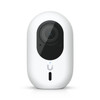
Ubiquiti UniFi G4 Instant WiFi Security Camera – 2K 4MP Video, 5MP Sensor, Two-Way Audio
- SKU:
- W127110659
- UPC:
- 810010078605
- MPN:
- UVC-G4-INS
- Availability:
- Free Click & Collect in Peterborough. UK delivery also available



Description
Ubiquiti UniFi G4 Instant WiFi Security Camera – 2K 4MP Video, 5MP Sensor and Two-Way Audio
The Ubiquiti UniFi G4 Instant WiFi Security Camera is a compact indoor and outdoor IP camera designed for use with the UniFi Protect video-surveillance platform. It combines a 5MP CMOS image sensor with sharp 2K video recording at up to 2688 × 1512 pixels, a wide 120.6-degree diagonal viewing angle, infrared night vision, smart object detection and built-in two-way audio.
Unlike conventional wired surveillance cameras, the G4 Instant can connect to the network through dual-band WiFi, making it suitable for locations where running an Ethernet cable would be difficult. It is powered using the supplied 5V USB-C power adapter and cable, while an optional Ubiquiti PoE-to-USB-C adapter can provide both wired network connectivity and power through a compatible PoE network connection.
The camera integrates with a compatible UniFi Console or UniFi Network Video Recorder running UniFi Protect. Through UniFi Protect, users can view live video, review recordings, configure alerts, create motion and privacy zones, communicate through the camera and manage multiple UniFi cameras from one interface.
The compact IPX5 weather-resistant enclosure and IK04 impact-resistance rating allow the camera to be installed in suitable sheltered outdoor areas as well as inside homes, offices, shops, reception areas, warehouses and other compatible environments.
The exact model is UVC-G4-INS, with Memox SKU W127110659 and UPC 810010078605. This product is suitable for customers searching for a UniFi WiFi security camera, Ubiquiti G4 Instant camera, 2K UniFi Protect camera, outdoor WiFi camera with two-way audio or a compact smart-detection camera for an existing UniFi Protect system.
Key Features of the Ubiquiti UniFi G4 Instant
- 5MP CMOS image sensor for detailed video capture
- 2K 4MP video output at up to 2688 × 1512 pixels
- Maximum frame rate of 30fps
- Wide 120.6° diagonal field of view
- 102.4° horizontal and 54.9° vertical coverage
- Fixed 2.8mm equivalent focal-length lens
- Bright F1.6 aperture for improved low-light capture
- Infrared night vision up to approximately 6 metres
- Automatic IR-cut filter for day and night operation
- Smart detection of people, vehicles and animals
- Built-in microphone and speaker
- Two-way audio through UniFi Protect
- Dual-band WiFi connectivity using 802.11a/b/g/n/ac
- Bluetooth-assisted wireless adoption
- Can connect to compatible third-party WiFi networks
- IPX5 weather-resistant enclosure
- IK04 impact-resistance rating
- Wall-mount accessory included
- USB-C power connection
- 5V DC, 2A USB power adapter included
- Maximum power consumption of 6W
- Optional wired PoE and Ethernet operation using compatible Ubiquiti accessories
- Compatible with the UniFi Protect platform
- NDAA compliant
2K Video with a 5MP CMOS Sensor
The G4 Instant uses a 5MP CMOS image sensor, while its maximum video stream and recording resolution is 2688 × 1512 pixels. This is approximately four megapixels of recorded video in a 16:9 widescreen format.
The product can therefore be described accurately as a 2K camera with a 5MP sensor, but it should not be advertised as recording full 5MP video.
Maximum Video Resolution
- Image sensor: 5MP CMOS
- Maximum video output: 2688 × 1512 pixels
- Recorded resolution class: 2K / 4MP
- Aspect ratio: 16:9
- Maximum frame rate: 30 frames per second
This resolution provides more visible image detail than standard 1080p Full HD video while using less network bandwidth and storage capacity than a 4K surveillance camera.
What Can Affect Recorded Image Quality?
Actual video quality depends on several factors, including:
- The available light at the installation location
- The distance between the camera and the subject
- The strength and stability of the WiFi connection
- The selected bitrate and recording settings
- Lens cleanliness and condensation
- Movement speed and environmental conditions
- The performance and storage health of the UniFi Protect host
A high-resolution camera cannot guarantee identification of every person, face, vehicle registration or object in every situation. Camera position, lighting and distance remain important.
Wide-Angle 120.6-Degree Field of View
The fixed wide-angle lens provides a broad field of view suitable for monitoring rooms, entrances, gardens, pathways and other open areas.
- Diagonal viewing angle: 120.6°
- Horizontal viewing angle: 102.4°
- Vertical viewing angle: 54.9°
The wide horizontal coverage allows the camera to monitor more of a scene without motorised pan-and-tilt movement. The G4 Instant uses a fixed lens and does not mechanically rotate, pan or zoom.
Fixed 2.8mm F1.6 Lens
The camera uses a fixed lens with an equivalent focal length of 2.8mm and an F1.6 maximum aperture. The wide aperture allows more light to reach the image sensor, helping the camera capture clearer images in lower-light conditions.
Because the lens is fixed, the optical viewing angle cannot be changed. The camera should be positioned carefully during installation to cover the intended area.
Infrared Night Vision up to 6 Metres
Built-in infrared LEDs allow the G4 Instant to monitor an area when visible light is low or unavailable. Ubiquiti lists an infrared night-vision range of up to approximately 6 metres or 20 feet.
An automatic infrared-cut filter switches between normal daytime colour imaging and night-time infrared operation.
Night-Vision Performance
Actual infrared range and image clarity can vary depending on:
- Walls and objects reflecting infrared light
- The distance and size of the subject
- Rain, fog, insects or airborne dust
- Nearby windows or reflective surfaces
- Ambient lighting
- The camera's mounting angle
Installing an infrared camera directly behind glass can cause the infrared LEDs to reflect back into the lens. For monitoring through a window at night, the camera may need to be positioned differently or the infrared illumination disabled.
Smart Detection for People, Vehicles and Animals
When adopted into a compatible UniFi Protect system, the G4 Instant supports smart detections for common object categories, including:
- People
- Vehicles
- Animals
Smart detection can make it easier to locate important activity in recorded footage and create more relevant notifications than basic motion detection alone.
Smart Detection and Motion Zones
UniFi Protect allows compatible detection and motion zones to be drawn over selected parts of the camera image. This can help users concentrate alerts on important areas such as:
- Doors and entrances
- Driveways
- Gates and paths
- Reception desks
- Storage areas
- Cash registers
- Restricted areas
Exclusion zones can be used to reduce unwanted detection events caused by public roads, neighbouring areas, moving trees, television screens or other regular background movement.
Detection Limitations
Smart detection does not guarantee that every object or event will be identified correctly. Detection performance can be affected by lighting, weather, partial obstruction, camera angle, distance and the appearance or speed of the subject.
Users should review detection settings after installation and test alerts under realistic conditions.
Two-Way Audio
The G4 Instant contains both a microphone and speaker, enabling two-way communication through the UniFi Protect application.
Two-way audio can be useful for:
- Speaking to a visitor near an entrance
- Communicating with staff in another area
- Checking on a pet or family member
- Giving instructions inside a warehouse or stockroom
- Responding remotely to activity around the camera
Audio quality depends on network performance, background noise, wind, speaker volume, room acoustics and the distance between the person and camera.
Audio and Privacy Responsibilities
Audio recording can be subject to different privacy and legal requirements from video recording. The system owner is responsible for ensuring that camera placement and audio use comply with applicable UK data-protection, workplace-monitoring and privacy rules.
Requires a Compatible UniFi Protect System
The UniFi G4 Instant is designed to operate as part of a UniFi Protect deployment. It is not a standalone consumer cloud camera and does not contain its own microSD card slot.
To configure, manage and record the camera, customers need a compatible UniFi Console or Network Video Recorder capable of running UniFi Protect.
Examples of UniFi Protect Host Types
A Protect system may use compatible hardware such as:
- A UniFi CloudKey+ with supported storage
- A compatible UniFi Dream Machine or UniFi Console running Protect
- A UniFi Network Video Recorder
- Another current UniFi console officially supporting the Protect application
Compatibility, maximum camera capacity and required storage depend on the exact console model and the number and resolution of cameras installed.
The UniFi Network Application Alone Is Not Enough
Running only the UniFi Network application on a computer does not provide the complete UniFi Protect recording system required by the G4 Instant.
A supported Protect host and suitable recording storage are required for normal video management and recording.
Centralised Video Recording and Playback
Recordings are stored on the compatible UniFi Protect console or NVR rather than inside the G4 Instant camera.
Depending on the Protect host, installed storage and selected settings, users may be able to configure:
- Continuous recording
- Detection-based recording
- Motion-based recording
- Recording schedules
- Custom retention periods
- Clip export and incident review
No microSD Card Slot
The camera does not accept a microSD card. Customers should not purchase a memory card for installation in the G4 Instant itself.
Recording duration depends on the capacity and configuration of the storage installed in the UniFi Protect console or NVR.
Storage Duration Is Not Fixed
The amount of retained footage varies according to:
- The number of connected cameras
- Camera resolution and bitrate
- Continuous or event-based recording
- Available storage capacity
- Storage redundancy settings
- Selected retention policy
- The amount of activity in each scene
Dual-Band WiFi Connectivity
The G4 Instant supports the following wireless standards:
- IEEE 802.11a
- IEEE 802.11b
- IEEE 802.11g
- WiFi 4 / IEEE 802.11n
- WiFi 5 / IEEE 802.11ac
This provides compatibility with suitable 2.4GHz and 5GHz WiFi networks.
Third-Party WiFi Support
The camera can be configured to use a compatible third-party WiFi network during setup with the UniFi Protect mobile app. A UniFi-branded wireless access point is therefore not always required.
A compatible UniFi Protect host is still required even when the camera connects through a third-party router or access point.
Bluetooth-Assisted Setup
Bluetooth is used during wireless adoption and setup. The mobile device should have Bluetooth enabled and be located close to the camera during the initial configuration process.
Improving WiFi Reliability
A strong and stable wireless signal is important because the camera continuously sends live or recorded video to the Protect host.
- Test WiFi coverage at the installation point before drilling
- Position the camera within reliable range of the access point
- Avoid thick concrete, metal panels and foil-backed insulation
- Use an additional access point where necessary
- Avoid heavily congested wireless channels
- Keep the camera and Protect software updated
A weak WiFi connection can cause interrupted live video, recording gaps, delayed audio and unreliable adoption.
Optional Wired PoE and Ethernet Operation
By default, the G4 Instant connects through WiFi and receives power from the included USB-C power adapter.
Ubiquiti also offers an optional PoE-to-USB-C adapter and compatible camera cable. Together, these accessories can convert the camera into a wired PoE device by providing power and Ethernet connectivity through the USB-C connection.
Optional Accessories Required
The PoE-to-USB-C adapter and compatible extended camera cable are sold separately. They are not included with the standard G4 Instant package.
A compatible PoE network switch or PoE injector and suitable Ethernet cabling are also required.
Why Use the Optional PoE Adapter?
- Provides a wired network connection
- Supplies power and data through one Ethernet route
- Avoids dependence on WiFi at the camera location
- Can simplify installations near existing PoE cabling
- May improve connection consistency in challenging wireless environments
Only accessories specifically confirmed as compatible by Ubiquiti should be used.
USB-C Power with Low 6W Maximum Consumption
The standard G4 Instant package includes a 5V DC, 2A USB power adapter and a USB-C-to-USB-C power cable.
- Supported input: 5V DC, 2A
- Maximum power consumption: 6W
- Included cable length: 2 metres
- Cable connector type: USB-C to USB-C
The camera does not operate from a rechargeable battery and requires continuous external power.
Power-Cable Positioning
Before permanent installation, confirm that the supplied cable reaches a suitable indoor or protected power outlet.
Avoid stretching, crushing or sharply bending the USB-C cable. Outdoor cable routes should be positioned to prevent water from travelling towards the connector or power adapter.
The power adapter and electrical connection should be kept dry and protected unless the specific installation equipment is rated for outdoor use.
IPX5 Weather Resistance
The camera enclosure carries an IPX5 weather-resistance rating. This indicates protection against water jets under the relevant test conditions.
The G4 Instant can therefore be installed in suitable outdoor areas, but IPX5 does not mean that it is waterproof under every condition.
Important IPX5 Limitations
- Do not submerge the camera in water
- Do not pressure-wash the camera
- Do not leave connectors exposed to standing water
- Do not assume protection against flooding
- Use a sheltered location where possible
- Protect the power adapter and electrical connection from moisture
The “X” in IPX5 means that no separate dust-ingress rating is stated as part of this IP code.
IK04 Impact Resistance
The enclosure also carries an IK04 impact-resistance rating. This provides a defined level of resistance against minor mechanical impact.
IK04 does not make the camera vandal-proof or indestructible. Install the camera at an appropriate height or in a protected position where deliberate interference is less likely.
Compact Polycarbonate Enclosure
The camera and supplied mount use a lightweight polycarbonate construction.
- Camera dimensions: 81.6 × 50 × 47.2mm
- Weight without mount: Approximately 125g
- Weight with mount: Approximately 163g
- Colour: White
The compact form makes the camera suitable for installations where a large traditional bullet or dome camera would be visually intrusive.
Included Wall-Mount Accessory
A wall-mount accessory is included, allowing the camera to be directed towards the required area.
Before mounting:
- Confirm the desired field of view
- Check WiFi signal strength
- Verify access to continuous power
- Check that the camera can reach the Protect host
- Avoid direct sunlight into the lens
- Keep infrared-reflective surfaces away from the lens
- Confirm the mounting surface can support the camera securely
Suitable Installation Locations
- Home entrances and hallways
- Covered porches
- Garages
- Reception areas
- Retail shops
- Stockrooms and warehouses
- Small offices
- Pet-monitoring areas
- Workshops
- Covered garden or outbuilding areas with suitable WiFi and power
Image Controls in UniFi Protect
Supported image settings include:
- Colour
- Brightness
- Sharpness
- Contrast
- White balance
- Exposure control
- 2D noise reduction
- 3D noise reduction
- Motion-based noise reduction
- Image masking
- Text overlay
These controls allow the image to be adjusted for the lighting and monitoring requirements of the installation location.
Privacy Zones and Responsible Monitoring
UniFi Protect allows privacy zones to be placed over parts of the image that should not be recorded. A privacy zone appears as a blocked-out section of the camera view.
This can be useful for excluding:
- Neighbouring windows
- Private gardens
- Computer screens
- Employee rest areas
- Other areas not relevant to the security purpose
The installer and system owner are responsible for complying with applicable CCTV, audio-recording, workplace-monitoring and UK data-protection requirements.
Who Is the UniFi G4 Instant Best For?
- Existing UniFi Protect users adding another camera
- Homes requiring a compact WiFi surveillance camera
- Small businesses using UniFi Protect
- Shops, offices and reception areas
- Users who want person, vehicle and animal detections
- Customers needing built-in two-way audio
- Locations where Ethernet cabling is difficult
- Indoor or suitably protected outdoor installations
- Users who want centralised on-premises video storage
- Customers who may later convert the camera to wired PoE operation
Who May Need a Different Camera?
The G4 Instant may not be suitable for customers who require:
- A completely standalone camera without a UniFi Protect host
- Built-in microSD card storage
- A battery-powered security camera
- Native Ethernet or PoE without purchasing additional accessories
- 4K video resolution
- Motorised pan-and-tilt movement
- Optical zoom
- A vandal-resistant IK08 or IK10 enclosure
- A fully dust-rated IP66 or IP67 camera
- Installation in an area without continuous power
- Use with an unsupported third-party CCTV recorder
How to Check Compatibility Before Ordering
- Confirm that you own or plan to purchase a compatible UniFi Protect console or NVR.
- Check that suitable recording storage is installed in the Protect host.
- Confirm that the Protect host has capacity for another 2K camera.
- Test the WiFi signal at the intended installation point.
- Confirm that the supplied two-metre USB-C cable can reach protected power.
- Check that the camera's fixed viewing angle suits the intended area.
- Confirm that IPX5 protection is appropriate for the mounting location.
- Purchase the optional PoE-to-USB-C accessories when wired operation is required.
Basic Setup Overview
- Install and configure a compatible UniFi Protect console or NVR.
- Connect the G4 Instant to the supplied USB-C cable and power adapter.
- Download or open the UniFi Protect mobile application.
- Enable Bluetooth permissions on the mobile device.
- Connect the mobile device to a network that can reach the Protect host.
- Follow the application prompts to adopt the camera.
- Select the required WiFi network and enter its details.
- Allow the camera to install any required firmware update.
- Test live view, audio, night vision and detection events.
- Mount the camera after confirming its coverage and connection quality.
- Configure recording, retention, motion zones and privacy zones.
Ubiquiti UniFi G4 Instant Technical Specifications
- Brand: Ubiquiti
- Product Family: UniFi Protect
- Product Name: Camera G4 Instant
- Model: UVC-G4-INS
- Manufacturer Part Number: UVC-G4-INS
- Memox SKU: W127110659
- UPC: 810010078605
- Product Type: WiFi IP security camera
- Image Sensor: 5MP CMOS
- Maximum Video Resolution: 2688 × 1512 pixels
- Recorded Resolution: 2K / 4MP
- Aspect Ratio: 16:9
- Maximum Frame Rate: 30fps
- Lens: Fixed focal length
- Equivalent Focal Length: 2.8mm
- Maximum Aperture: F1.6
- Horizontal Field of View: 102.4°
- Vertical Field of View: 54.9°
- Diagonal Field of View: 120.6°
- Night Vision: Built-in infrared LED illumination
- Infrared Range: Up to approximately 6m / 20ft
- IR-Cut Filter: Yes
- Smart Detections: People, vehicles and animals
- Audio: Two-way audio
- Built-In Microphone: Yes
- Built-In Speaker: Yes
- Wireless Interface: IEEE 802.11a/b/g/n/ac WiFi
- WiFi Bands: Compatible 2.4GHz and 5GHz networks
- Bluetooth: Yes, used during setup and adoption
- Native Ethernet Port: No
- Optional Wired Connection: Supported using compatible Ubiquiti PoE-to-USB-C accessories
- Power Method: 5V/2A USB power adapter included
- Power Connector: USB Type-C
- Maximum Power Consumption: 6W
- Included Cable: USB-C to USB-C
- Included Cable Length: 2m
- Weather Resistance: IPX5
- Impact Resistance: IK04
- Enclosure Material: Polycarbonate
- Mount Material: Polycarbonate
- Mounting: Wall-mount accessory included
- Dimensions: 81.6 × 50 × 47.2mm
- Weight Without Mount: 125g
- Weight With Mount: 163g
- Built-In Processor: Dual-core Arm Cortex-A7-based processor
- Operating Temperature: -20°C to 40°C
- Operating Humidity: 0–90% non-condensing
- NDAA Compliant: Yes
- Certifications: CE, FCC, IC and Anatel 10585-22-08356
- Product Colour: White
- Current Memox Warranty Listing: 2 years
What Is Included?
- 1 × Ubiquiti UniFi G4 Instant camera
- 1 × Camera stand and wall-mount accessory
- 1 × 2-metre USB-C-to-USB-C cable
- 1 × 5V DC, 2A USB power adapter
- Mounting hardware
- Installation and safety documentation
A UniFi Protect console, NVR, recording drive, PoE-to-USB-C adapter, extended USB-C cable and Ethernet cable are not included.
Important UniFi Protect Requirement
The G4 Instant is not a standalone recording camera. A compatible UniFi Console or NVR running UniFi Protect is required for normal setup, management and recording.
The camera does not contain a microSD card slot. Recordings are stored on the compatible UniFi Protect host.
Important Resolution Information
The camera contains a 5MP CMOS sensor but records video at a maximum resolution of 2688 × 1512 pixels, approximately 4MP. The most accurate description is therefore “2K 4MP video with a 5MP sensor.”
Important Outdoor-Installation Information
The IPX5 rating provides weather resistance against water jets but does not make the camera submersible or fully waterproof. The USB-C connection, cable route and power adapter should be protected from water.
Install the camera in a sheltered position where possible and do not pressure-wash or submerge it.
Important WiFi Information
The camera requires a reliable network connection to send video to the Protect host. Test wireless coverage at the installation location before permanently attaching the mount.
The camera can connect to compatible third-party WiFi, but a supported UniFi Protect host is still required.
Why Choose the Ubiquiti UniFi G4 Instant?
The Ubiquiti UniFi G4 Instant offers a compact way to expand an existing UniFi Protect security system without installing Ethernet cabling at every camera position. Its dual-band WiFi connection, small enclosure and included USB-C power equipment make it suitable for flexible indoor and sheltered outdoor installations.
The 5MP sensor produces detailed 2K video at up to 2688 × 1512 pixels and 30fps, while the 120.6-degree diagonal field of view covers a broad area. Infrared illumination provides night monitoring up to approximately six metres, and the built-in microphone and speaker support two-way communication.
Smart person, vehicle and animal detections help users review relevant events, while UniFi Protect provides centralised live viewing, recording, notifications, privacy zones and footage management. The optional PoE-to-USB-C adapter also provides a future upgrade path for installations that later require wired Ethernet and PoE.
Choose the G4 Instant when you already use or plan to install UniFi Protect and need a compact 2K WiFi security camera with smart detection, infrared night vision and two-way audio.
Specification
Ubiquiti UniFi G4 Instant WiFi Security Camera Specifications
The Ubiquiti UniFi G4 Instant UVC-G4-INS is a compact WiFi-connected IP security camera designed for the UniFi Protect platform. It combines a 5MP CMOS image sensor with 2K 4MP video recording at up to 2688 × 1512 pixels, infrared night vision, smart person, vehicle and animal detection, and built-in two-way audio.
The camera connects through dual-band WiFi and is powered using the included 5V/2A USB-C power equipment. An optional Ubiquiti PoE-to-USB-C adapter and compatible camera cable can convert it to wired Ethernet and PoE operation.
General Information
| Brand | Ubiquiti |
|---|---|
| Product Range | UniFi Protect |
| Product Name | Ubiquiti UniFi G4 Instant WiFi Security Camera |
| Model | G4 Instant |
| Manufacturer Part Number | UVC-G4-INS |
| Memox SKU | W127110659 |
| UPC | 810010078605 |
| Product Type | WiFi IP security camera with two-way audio |
| Recommended Platform | UniFi Protect |
| Product Colour | White |
| Suitable Environment | Indoor or outdoor installation within the stated IPX5, temperature and power-connection limits |
Camera and Image-Sensor Specifications
| Image Sensor | 5MP CMOS |
|---|---|
| Maximum Video Resolution | 2688 × 1512 pixels |
| Recorded Video Resolution | 2K / 4MP |
| Full 5MP Video Recording | No; the camera has a 5MP sensor but outputs video at a maximum of 2688 × 1512 pixels |
| Video Aspect Ratio | 16:9 |
| Maximum Frame Rate | 30fps |
| High Dynamic Range | Not listed in Ubiquiti's current official specification |
| Optical Zoom | No |
| Motorised Pan and Tilt | No; the camera uses a fixed viewing direction |
Lens and Field-of-View Specifications
| Lens Type | Fixed focal-length lens |
|---|---|
| Equivalent Focal Length | 2.8mm |
| Maximum Aperture | F1.6 |
| Horizontal Field of View | 102.4° |
| Vertical Field of View | 54.9° |
| Diagonal Field of View | 120.6° |
| Lens Adjustment | The camera position can be adjusted using the supplied mount; the lens itself is fixed |
Night-Vision Specifications
| Infrared Night Vision | Yes |
|---|---|
| Infrared Illumination | Built-in IR LEDs |
| Maximum Infrared Range | Up to approximately 6 metres / 20 feet |
| IR-Cut Filter | Yes |
| Colour Night Vision | Not listed as a dedicated colour-night-vision feature |
| Built-In Spotlight | No spotlight is listed |
Smart Detection and Monitoring Features
| Motion Detection | Yes, through UniFi Protect |
|---|---|
| Person Detection | Yes |
| Vehicle Detection | Yes |
| Animal Detection | Yes |
| Smart Detection Zones | Supported through UniFi Protect |
| Motion Zones | Supported through UniFi Protect |
| Privacy Zones | Supported through UniFi Protect |
| Facial Recognition | Not listed as a built-in G4 Instant feature |
| Licence-Plate Recognition | Not listed as a built-in G4 Instant feature |
Image-Control Features
| Colour Adjustment | Supported |
|---|---|
| Brightness Adjustment | Supported |
| Sharpness Adjustment | Supported |
| Contrast Adjustment | Supported |
| White-Balance Adjustment | Supported |
| Exposure Control | Supported |
| 2D Noise Reduction | Supported |
| 3D Noise Reduction | Supported |
| Motion-Based Noise Reduction | Supported |
| Image Masking | Supported |
| Text Overlay | Supported |
Audio Specifications
| Built-In Microphone | Yes |
|---|---|
| Built-In Speaker | Yes |
| Two-Way Audio | Yes, through the UniFi Protect mobile application |
| Audio Recording | Supported through UniFi Protect, subject to the selected recording and privacy settings |
| Siren | No dedicated siren is listed |
Wireless Network Specifications
| Primary Network Connection | WiFi |
|---|---|
| Wireless Standards | IEEE 802.11a/b/g/n/ac |
| WiFi Generation | Up to WiFi 5 / 802.11ac |
| 2.4GHz WiFi | Supported |
| 5GHz WiFi | Supported |
| Third-Party WiFi | Supported during setup through the UniFi Protect mobile application |
| UniFi Access Point Required | No, but the camera still requires a compatible UniFi Protect host |
| Bluetooth | Yes, used during wireless setup and adoption |
| Native Ethernet Port | No |
| Native PoE Input | No |
Optional Wired PoE and Ethernet Operation
| Optional Wired Operation | Supported using compatible Ubiquiti accessories |
|---|---|
| Required Adapter | Ubiquiti PoE-to-USB-C Adapter, sold separately |
| Required Camera Cable | Compatible G4 Instant PoE-to-USB-C camera cable, sold separately |
| Wired Network Interface | Gigabit Ethernet through the optional adapter and compatible cable |
| Included Two-Metre Cable Confirmed for Wired Data | No; Ubiquiti specifies a separate compatible camera cable for PoE conversion |
| PoE Switch or Injector Required | Yes, when using the optional wired PoE configuration |
| Optional Accessories Included | No |
UniFi Protect Requirements
| UniFi Protect Required | Yes |
|---|---|
| Compatible Host Required | UniFi Console, CloudKey or NVR that officially supports the UniFi Protect application |
| Standalone Camera Operation | Not intended for full standalone recording and management |
| UniFi Network Application Alone Sufficient | No; a compatible host running UniFi Protect is required |
| Mobile Application | UniFi Protect for compatible iOS and Android devices |
| Remote Management | Available through the configured UniFi Protect system |
| Camera Capacity | Depends on the exact UniFi Protect console, storage configuration and other connected cameras |
Recording and Storage
| Built-In microSD Card Slot | No onboard microSD storage is provided |
|---|---|
| Internal Camera Storage | Not provided for normal recording retention |
| Recording Location | Compatible storage installed in the UniFi Protect console or NVR |
| Continuous Recording | Supported when configured through a compatible UniFi Protect host with suitable storage |
| Detection-Based Recording | Supported through UniFi Protect |
| Motion-Based Recording | Supported through UniFi Protect |
| Recording Retention | Depends on storage capacity, recording mode, bitrate, camera quantity and retention settings |
| Cloud Storage Subscription | The camera is designed around UniFi Protect's locally hosted recording platform rather than onboard microSD storage |
Power Specifications
| Standard Power Method | Included USB power adapter |
|---|---|
| Supported Voltage | 5V DC |
| Required Current | 2A |
| Power Connector | USB Type-C |
| Maximum Power Consumption | 6W |
| Rechargeable Battery | No |
| Continuous Power Required | Yes |
| USB Power Adapter Included | Yes, 5V DC / 2A |
| Regional Plug Type | May vary according to the regional product version and supplied stock |
Included USB-C Cable Specifications
| Cable Included | Yes |
|---|---|
| Connector Type | USB Type-C to USB Type-C |
| Cable Length | 2 metres / 6.6 feet |
| Cable Diameter | 3mm |
| Cable-Jacket Material | Thermoplastic elastomer |
| Primary Listed Use | Supplying USB-C power from the included 5V/2A adapter |
Processor and Hardware
| Built-In Processor | Dual-core Arm Cortex-A7-based chip |
|---|---|
| Factory Reset Button | 1 |
| Enclosure Material | Polycarbonate |
| Mount Material | Polycarbonate |
Weather and Impact Resistance
| Weather-Resistance Rating | IPX5 |
|---|---|
| Water Resistance | Protected against water jets under the applicable IPX5 test conditions |
| Separate Dust-Ingress Rating | Not specified; the “X” in IPX5 means no dust rating is declared in this code |
| Submersible | No |
| Impact-Resistance Rating | IK04 |
| Vandal-Proof | No; IK04 provides limited impact resistance and is not a vandal-proof rating |
| Outdoor Power Adapter | The adapter and electrical connection should be kept dry and protected unless separately rated for outdoor exposure |
Environmental Specifications
| Operating Temperature | -20°C to 40°C |
|---|---|
| Operating Temperature in Fahrenheit | -4°F to 104°F |
| Operating Humidity | 0% to 90%, non-condensing |
| Condensing Environment | Not supported |
Dimensions and Weight
| Product Dimensions | 81.6 × 50 × 47.2mm |
|---|---|
| Product Dimensions in Inches | Approximately 3.2 × 2 × 1.9 inches |
| Weight Without Mount | 125g |
| Weight With Mount | 163g |
Mounting Specifications
| Wall-Mount Accessory | Included |
|---|---|
| Freestanding Placement | The supplied base can support suitable indoor placement on a stable surface |
| Ceiling Mount | Not specifically listed as the supplied mounting method |
| Pole Mount | Not included |
| Mounting Surface Requirement | Secure surface capable of safely supporting the camera and mount |
Compliance and Certifications
| NDAA Compliant | Yes |
|---|---|
| CE Certification | Yes |
| FCC Certification | Yes |
| IC Certification | Yes |
| Anatel Certification | 10585-22-08356 |
Package Contents
| Security Camera | 1 × Ubiquiti UniFi G4 Instant UVC-G4-INS |
|---|---|
| Wall-Mount Accessory | Included |
| USB-C Power Cable | 1 × 2-metre USB Type-C to USB Type-C cable |
| USB Power Adapter | 1 × 5V DC / 2A USB power adapter |
| Setup and Safety Documentation | Included |
| UniFi Protect Console or NVR | Not included |
| Recording Storage Drive | Not included |
| PoE-to-USB-C Adapter | Not included |
| PoE-to-USB-C Camera Cable | Not included |
| Ethernet Cable | Not included |
| microSD Card | Not required or included for installation in the camera |
Warranty
| Memox Product Warranty | 2 years, as currently advertised on the Memox product page |
|---|---|
| Ubiquiti Limited Warranty | Coverage depends on the purchase channel and Ubiquiti's applicable warranty terms |
| Direct Ubiquiti Webstore Purchase | Ubiquiti lists a 2-year limited warranty from delivery for qualifying direct webstore purchases |
| Authorised Distributor or Reseller Route | Ubiquiti's published limited warranty states 1 year from shipment to the authorised distributor or reseller |
| Proof of Purchase | May be required for warranty or return service |
Important Resolution Note
The G4 Instant contains a 5MP CMOS image sensor, but its maximum video output is 2688 × 1512 pixels, which is approximately 4MP. It should therefore be described as a 2K 4MP video camera with a 5MP sensor, rather than a camera that records full 5MP video.
Important UniFi Protect Requirement
The G4 Instant is designed for use with a compatible UniFi Console, CloudKey or NVR running UniFi Protect. The camera is not intended to provide complete standalone recording and management without a Protect host.
Before ordering, confirm that the existing UniFi Protect console supports an additional 2K camera and has suitable recording storage available.
Important Storage Note
The camera does not provide a microSD card slot for local footage retention. Recordings are stored on the compatible drive or storage system used by the UniFi Protect console or NVR.
Recording duration depends on the number of cameras, recording resolution, bitrate, recording mode, activity level, storage capacity and retention settings.
Important WiFi Note
The G4 Instant supports compatible 2.4GHz and 5GHz WiFi networks. It can be configured on supported third-party WiFi through the UniFi Protect mobile application, but it still requires a compatible UniFi Protect host.
Test the wireless signal at the intended camera position before permanent installation. Weak or unstable WiFi can affect live viewing, recording continuity, smart detections and two-way audio.
Important Optional PoE Note
The optional PoE-to-USB-C configuration requires both the compatible Ubiquiti adapter and the appropriate G4 Instant camera cable. These accessories are sold separately.
Do not assume that the standard two-metre USB-C power cable supplied with the camera provides the wired Ethernet data connection required by the optional adapter.
Important Outdoor-Installation Note
The IPX5 rating provides resistance to water jets under the applicable test conditions but does not make the camera waterproof or submersible. Do not pressure-wash or immerse the camera.
Protect the USB-C connector, cable route, power adapter and mains connection from water. A sheltered installation is recommended where practical.
Important Privacy Note
The camera owner and installer are responsible for positioning and configuring the camera in accordance with applicable privacy, CCTV, workplace-monitoring and audio-recording requirements.
Use UniFi Protect motion, smart-detection and privacy zones to focus monitoring on relevant areas and obscure parts of the view that should not be recorded.
Return
FAQ: Frequently Asked Questions
Ubiquiti UniFi G4 Instant UVC-G4-INS FAQ
The Ubiquiti UniFi G4 Instant is a compact WiFi security camera for the UniFi Protect platform. It combines a 5MP CMOS sensor with 2K 4MP video at up to 2688 × 1512 pixels and 30fps, a wide 120.6° diagonal field of view, infrared night vision, people, vehicle and animal detection, two-way audio, USB-C power and an IPX5 weather-resistant enclosure.
Below are the most common questions buyers ask before choosing the UniFi G4 Instant, including Protect console requirements, local recording, continuous recording, WiFi range, third-party routers, PoE conversion, outdoor installation, night vision, smart detections, RTSP, Home Assistant, troubleshooting and comparisons with the G3 Instant, G5 Flex and G6 Instant.
1. What is the Ubiquiti UniFi G4 Instant?
The Ubiquiti UniFi G4 Instant is a compact WiFi-connected security camera for the UniFi Protect platform. It records 2K video, supports smart detection of people, vehicles and animals, includes infrared night vision and provides two-way audio through the UniFi Protect mobile app.
2. What is the exact model number of this camera?
The manufacturer model and part number is UVC-G4-INS. The UPC is 810010078605. Use the exact model number when checking accessories, firmware support or compatibility with a UniFi Protect console.
3. Is the G4 Instant a 4MP or 5MP camera?
It has a 5MP CMOS image sensor, but its maximum video stream and recording resolution is 2688 × 1512 pixels, which is approximately 4MP. The most accurate description is therefore a 2K 4MP video camera with a 5MP sensor.
4. What is the maximum video resolution?
The maximum video resolution is 2688 × 1512 pixels in a 16:9 widescreen format. Ubiquiti classifies this as 2K video.
5. What is the maximum frame rate?
The camera records at up to 30 frames per second. The selected stream quality, network condition and Protect configuration can affect the frame rate seen during live viewing or playback.
6. Does the G4 Instant record in 4K?
No. Its maximum recorded output is 2688 × 1512, not 3840 × 2160 4K. Buyers needing 4K WiFi video should compare the newer UniFi G6 Instant.
7. What type of lens does the camera use?
It uses a fixed-focus lens with a 2.8mm equivalent focal length and an f/1.6 aperture. The fixed lens provides a wide scene rather than optical zoom.
8. What is the field of view?
The official field of view is approximately 102.4° horizontal, 54.9° vertical and 120.6° diagonal. This is suitable for monitoring rooms, entrances, driveways, gardens and other broad areas.
9. Does the G4 Instant pan, tilt or rotate remotely?
No. It is a fixed-position camera and does not contain a motorised pan-and-tilt mechanism. Aim the camera manually during installation.
10. Does the camera have optical zoom?
No. The G4 Instant has a fixed lens without optical zoom. Digital enlargement may be available in the viewing interface, but it cannot add detail that was not captured in the original image.
11. Is the G4 Instant a standalone security camera?
Not for its normal supported operation. It is designed to be adopted and managed by a compatible UniFi Console or network video recorder running UniFi Protect.
12. Do I need UniFi Protect to use the camera?
Yes. UniFi Protect is required for normal setup, management, recording, detections, playback and camera settings. The camera is not intended to replace a standalone cloud camera that works only through its own app.
13. Which UniFi devices can run Protect for this camera?
Compatible options include selected UniFi Cloud Gateways, CloudKey+ models and UniFi Network Video Recorders that support the Protect application and suitable storage. Check the current Protect compatibility and camera-capacity information for the exact console.
14. Do I need a UniFi Dream Machine Pro?
No. A Dream Machine Pro is one compatible option, but it is not the only choice. Other compatible Protect hosts include selected Cloud Gateways, CloudKey+ units and UniFi NVR products.
15. Do I need a UniFi Network Video Recorder?
You need a compatible host running UniFi Protect, but it does not have to be a rack-mounted UNVR. A supported Cloud Gateway or CloudKey+ with appropriate storage may also be suitable for a smaller installation.
16. Do I need a UniFi router or gateway?
A UniFi gateway is not strictly required for the camera's WiFi connection, because the G4 Instant can be configured on a compatible third-party WiFi network. A supported UniFi Protect host is still required.
17. Do I need a UniFi wireless access point?
No. Ubiquiti allows third-party WiFi configuration during setup. However, the access point must provide a reliable connection and permit communication between the camera and the Protect host.
18. Can I use the G4 Instant without buying cloud storage?
Yes. UniFi Protect is designed around local recording to the storage installed in your Protect console or NVR. Optional cloud archiving may be available, but it is not required for normal local recording.
19. Does UniFi Protect require a monthly camera subscription?
Core local recording and management on a customer-owned UniFi Protect system does not normally require a per-camera cloud subscription. Optional services, third-party storage or cloud archiving may have separate costs.
20. Where are the recordings stored?
Recordings are stored on the compatible UniFi Protect console or NVR, not inside the camera. Storage location and retention depend on the host model, installed drive capacity, recording mode and video settings.
21. Does the G4 Instant have a microSD card slot?
No. The G4 Instant does not include a microSD slot. A memory card cannot be inserted into the camera for local recording.
22. Can it record continuously 24 hours a day?
Yes. UniFi Protect supports an Always recording mode for continuous coverage, provided the Protect host has suitable storage and the camera maintains power and network connectivity.
23. Can it record only when motion or a smart event is detected?
Yes. Protect offers Detection Only recording to reduce storage use, as well as Always and Never modes. Recording schedules can also be configured according to the current Protect software options.
24. How many days of recordings will I keep?
Retention depends on the storage capacity, number and resolution of cameras, recording quality, scene activity and whether continuous or detection-only recording is selected. Use the UniFi capacity tools and Protect storage estimates for the planned system.
25. Can I export and share video clips?
Yes. UniFi Protect allows authorised users to export selected clips for evidence, support cases or sharing. Available export and archive options depend on the current Protect version and user permissions.
26. Can recordings be archived to a NAS?
Current UniFi Protect versions can support external archiving workflows, but the primary recorder remains the Protect host. Do not assume that a basic NAS can replace the required Protect console for adoption and management.
27. Can the camera record if the internet connection fails?
Local recording can continue when the camera, local network and Protect host remain powered and connected. Remote viewing, off-site notifications and cloud-dependent functions may be unavailable until internet access returns.
28. What happens if the WiFi connection fails?
The camera cannot send live video to the Protect recorder while its WiFi link is down. This can create gaps in recordings, so stable wireless coverage is essential for security use.
29. What happens if the Protect console is switched off?
The G4 Instant has no internal recording storage, so normal recording stops when the Protect host is unavailable. Restore the console, storage and network connection as soon as possible.
30. Can the camera be used at a second property with a remote NVR?
A supported deployment may be possible with advanced networking, but the normal design is for the camera and Protect host to communicate reliably on the same managed site. For remote sites, using a local Protect host is generally more dependable.
31. Does the G4 Instant support 2.4GHz WiFi?
Yes. Its 802.11 b/g/n support covers compatible 2.4GHz WiFi networks. The 2.4GHz band can provide longer range through walls but may have more interference.
32. Does the G4 Instant support 5GHz WiFi?
Yes. Its 802.11 a/n/ac support covers compatible 5GHz networks. The 5GHz band can provide greater capacity and less congestion but normally has shorter range through walls.
33. Is the G4 Instant dual-band?
Yes. The listed 802.11 a/b/g/n/ac wireless interface supports compatible 2.4GHz and 5GHz WiFi connections.
34. Can the camera connect to a third-party WiFi router?
Yes. Ubiquiti states that third-party WiFi can be configured during setup through the UniFi Protect mobile app. The Protect console must still be reachable from that network.
35. Does Bluetooth carry the camera video?
No. Bluetooth is used to assist discovery and initial setup. Live video and recordings travel over WiFi or through the optional wired PoE-to-USB-C adapter.
36. How strong does the WiFi signal need to be?
There is no single signal number that guarantees performance in every environment. Test live view and continuous recording at the final position, avoid marginal coverage and use the Protect connectivity information to identify packet loss or poor signal.
37. Can I connect the camera through a WiFi extender or mesh node?
Yes, provided the extender or mesh link is stable and has enough upstream capacity. A weak or heavily meshed backhaul can cause delayed live view, lower image quality or recording gaps.
38. Can the G4 Instant use a guest WiFi network?
Only if that network allows the camera to communicate with the Protect host and required services. Many guest networks isolate clients, which can prevent adoption or recording.
39. Can I place the camera on a separate VLAN?
Yes, in an advanced network with the necessary routing and firewall rules. For easiest adoption, Ubiquiti recommends that Protect cameras and a CloudKey or NVR be on the same VLAN. Incorrect isolation rules can leave the camera offline.
40. Will several G4 Instant cameras overload my WiFi?
Each camera continuously sends video upstream when recording. Multiple cameras can use significant wireless airtime, especially at high quality. Plan access-point coverage and host capacity rather than treating the camera count as unlimited.
41. How many G4 Instant cameras can one Protect console support?
The number depends on the exact console and the mix of HD, 2K and 4K cameras. Protect displays a capacity estimate and warns when the recommended limit is being exceeded. Count the G4 Instant as a 2K camera.
42. Does the camera have an Ethernet port?
No. The camera body does not contain a standard RJ45 Ethernet socket. It normally connects through WiFi and receives power through USB-C.
43. Can the G4 Instant be converted to wired Ethernet and PoE?
Yes. Ubiquiti's optional PoE to USB-C Adapter and the compatible Instant Camera PoE-to-USB-C cable can transform the G4 Instant into a wired PoE camera with network data and power.
44. Is the PoE to USB-C adapter included?
No. The standard camera package includes the USB power equipment, not the optional PoE-to-USB-C conversion adapter. Check the accessory package carefully because the compatible data cable may also be sold separately.
45. Can I plug a normal Ethernet cable directly into the camera?
No. The camera has no RJ45 port. Ethernet must connect to the compatible optional PoE-to-USB-C adapter, which then connects to the camera using the correct data-capable USB-C cable.
46. Can I use a basic passive PoE splitter?
A generic splitter is not recommended. Use the Ubiquiti adapter and compatible cable specified for the G4 Instant to provide the correct voltage, power and wired data connection.
47. How is the camera powered out of the box?
It is powered by the included 5V DC, 2A USB power adapter and USB-C-to-USB-C cable. The camera's maximum listed power consumption is 6W.
48. What voltage and current does the camera require?
The official requirement is 5V DC at up to 2A. Use the supplied power equipment or a fully compatible approved replacement.
49. How long is the included USB-C cable?
The included USB-C-to-USB-C cable is approximately 2 metres long. Measure the route from the camera to a safe indoor or weather-protected socket before mounting.
50. Can I use a longer USB-C cable?
A suitable longer cable may work, but excessive length or thin conductors can cause voltage drop and unreliable restarts. Ubiquiti offers compatible longer camera cables for supported PoE-adapter installations.
51. Can I use a different USB-C charger?
A reputable regulated 5V, 2A supply may work, but the included adapter is the recommended option. Avoid chargers or cables that cannot maintain the required voltage during continuous operation.
52. Can the camera run from a USB power bank?
It may power on from a suitable bank, but power banks are not designed as a dependable permanent security-camera supply and may switch off at low load or require recharging. Use fixed power or a properly sized UPS for security use.
53. Can I power the camera with solar energy?
There is no official solar kit for the G4 Instant. A custom battery and solar system would need stable regulated 5V power and enough capacity for continuous operation, and it would remain an unsupported installation.
54. Can I protect the camera during a power cut?
Yes. Connect the camera power adapter, WiFi access point and Protect console to appropriately sized UPS equipment. Backing up only the camera will not preserve recording if the network or recorder loses power.
55. How much electricity does the camera use?
The official maximum power consumption is 6W. Actual consumption can vary with infrared night vision, audio, processing and network activity.
56. Can the G4 Instant sit on a shelf or desk?
Yes. Its compact stand allows it to be placed on a stable flat surface. Position it where the lens, ventilation and cable are not obstructed and where it cannot be easily knocked over.
57. Can the camera be wall mounted?
Yes. A wall-mount accessory and mounting hardware are included. Check the surface, use suitable fixings and test the view and WiFi connection before drilling.
58. Can it be mounted on a ceiling?
A ceiling installation may be possible with a secure compatible mounting arrangement, but the supplied accessory is officially described as a wall mount. Confirm that the camera can be aimed safely and that the cable cannot pull it loose.
59. What are the camera dimensions?
The camera measures approximately 81.6 × 50 × 47.2mm, making it compact enough for shelves, entrances and discreet indoor or sheltered outdoor positions.
60. How much does the G4 Instant weigh?
It weighs approximately 125g without the mount and 163g with the mount. The mounting surface and fixings must still be secure.
61. What is the camera body made from?
The camera and mount use polycarbonate construction. It is lightweight and weather resistant, but it is not a heavy metal vandal-resistant camera.
62. How far can the camera see at night?
The built-in infrared night-vision range is rated at up to approximately 6 metres or 20 feet. Actual usable detail depends on the scene, mounting angle, reflective surfaces and ambient light.
63. Does the G4 Instant have infrared night vision?
Yes. It includes an infrared LED and an automatic IR-cut filter for day and night operation.
64. Does it provide full-colour night vision?
It does not include a built-in white spotlight for guaranteed full-colour night recording. It may remain in colour where enough ambient light is available, otherwise it normally switches to infrared monochrome mode.
65. Can the camera see through a window at night?
Infrared light commonly reflects from glass and can obscure the view. For monitoring through a window, disable IR and provide exterior lighting, or install the camera outside in a suitable protected position.
66. Why does the night image look washed out or foggy?
Nearby walls, soffits, glass, dust, insects or protective covers can reflect infrared light back into the lens. Reposition the camera, clean the lens and keep reflective objects outside the immediate field of view.
67. Can the camera identify a face at any distance?
No security camera can guarantee identification at every distance or angle. The wide lens prioritises coverage, so face detail decreases as the subject moves farther away or lighting worsens.
68. Can the G4 Instant read vehicle number plates?
It is not a dedicated license-plate camera and cannot guarantee readable plates, especially at night, at an angle or on moving vehicles. Use a purpose-designed LPR camera for that requirement.
69. Can I adjust brightness, contrast and sharpness?
Yes. Official image controls include colour, brightness, sharpness, contrast, white balance and exposure, along with noise-reduction, masking and text-overlay options.
70. Can I add a timestamp or camera name to the video?
Protect supports text-overlay settings on the camera stream. The exact overlay options depend on the current application and firmware version.
71. What smart detections are built into the G4 Instant?
The G4 Instant supports native smart detection of people, vehicles and animals. Configure smart-detection zones and notifications in UniFi Protect.
72. Does the camera detect packages?
Package detection is not listed as a native G4 Instant detection category. It may still record motion near a delivery area, but buyers specifically requiring package classification should check a current compatible doorbell or camera model.
73. Does it support facial recognition?
The G4 Instant does not provide the full native facial-recognition feature set of current AI or G6 cameras. Current Protect systems may add advanced functions to G4 and G5 cameras through optional AI hardware, subject to software compatibility.
74. Does it support vehicle detection?
Yes. Vehicle detection is included among the G4 Instant's native smart-detection categories. Correct camera angle, zone placement and adequate subject size improve results.
75. Does it support animal detection?
Yes. Animal detection is officially listed. Detection accuracy can vary with distance, lighting, animal size, obstructions and current firmware.
76. Can it detect ordinary motion as well as smart objects?
Yes. Protect can create general motion events and smart-object detections. Motion zones and sensitivity can be adjusted to suit the scene.
77. Can I create motion zones?
Yes. Motion zones restrict event detection to selected areas of the image, helping reduce alerts from irrelevant movement.
78. Can I create smart-detection zones?
Yes. Smart zones define where compatible AI detections should be generated. Exclusion areas can be used to ignore roads, trees or other sources of unwanted events.
79. Can I create privacy zones?
Yes. Privacy zones black out selected parts of the image so those areas are not recorded. This can help avoid filming neighbouring property or sensitive interior areas.
80. Can I reduce false alerts from trees or traffic?
Yes. Adjust motion sensitivity, smart zones and exclusion zones so moving foliage, reflections or public roads do not dominate notifications. Camera placement is as important as software settings.
81. Does the G4 Instant support line-crossing detection?
Current UniFi Protect versions support line-crossing features on compatible G4 and G5 cameras. Availability and options depend on the installed Protect and camera firmware versions.
82. Can the camera send push notifications?
Yes. UniFi Protect and Alarm Manager can send authorised users notifications based on motion, smart detections, device status and other configured conditions.
83. Can different users receive different alerts?
Yes. Protect supports user accounts, permissions and configurable alarms. Access should be limited to the cameras and functions each person needs.
84. Does the G4 Instant have a microphone?
Yes. It has a built-in microphone for recorded audio and two-way communication, subject to the selected settings and local law.
85. Does the camera have a speaker?
Yes. A built-in speaker allows two-way audio through the UniFi Protect mobile app.
86. How do I use two-way audio?
Open the G4 Instant in the UniFi Protect mobile app, select the microphone control and speak through the phone. App microphone permission, network latency and speaker volume can affect performance.
87. Can I disable audio recording?
Audio settings can be controlled in UniFi Protect according to the current firmware and user permissions. Disable recording where audio capture is not needed or legally permitted.
88. Does the camera have a built-in siren?
Ubiquiti lists a speaker for two-way audio but does not advertise the G4 Instant as a dedicated high-output security siren. Do not buy it as a replacement for a separate alarm sounder.
89. Is the G4 Instant suitable for outdoor use?
Yes, within the limits of its IPX5 weatherproof rating and operating range. A sheltered position is preferable, and the USB connection, cable route and power adapter must be protected appropriately.
90. What does IPX5 weatherproofing mean?
IPX5 indicates resistance to water jets under the test standard. It does not mean the camera is submersible, pressure-wash safe or protected against every long-term outdoor condition.
91. Should I install it under an eave or canopy?
A sheltered position reduces direct rain, sun, snow and contamination and also makes it easier to protect the power connection. Many users choose an under-eave installation for this reason.
92. Is the included power adapter weatherproof?
The camera has an IPX5 rating, but the included wall power adapter should be kept in a dry, suitable electrical location. Do not leave an indoor adapter or socket exposed to rain.
93. What temperature range does the G4 Instant support?
The official operating-temperature range is -20°C to 40°C. Direct sunlight, enclosed boxes and nearby heat sources can raise the actual camera temperature above the surrounding air.
94. What humidity range is supported?
The listed operating humidity is 0-90% non-condensing. Condensation inside or around the connection can cause image and reliability problems.
95. What does the IK04 rating mean?
IK04 provides limited resistance to mechanical impact. It is not a high-vandal-resistance rating, so the camera should be mounted out of easy reach when tampering is a concern.
96. Is the G4 Instant waterproof enough to be submerged?
No. Never submerge the camera or expose it to flooding, pressure washing or standing water.
97. Can I use the optional silicone G4 Instant cover?
Yes. Ubiquiti sells an optional rubber cover in several colours for the G4 Instant. It can change the appearance and add surface protection, but it does not remove the need to protect the power equipment and follow the IPX5 limits.
98. Is the camera suitable for an exposed coastal location?
Salt spray, wind-driven rain and corrosion create a harsher environment than the basic IPX5 test. Use a more robust outdoor camera or a carefully protected installation for exposed coastal locations.
99. Does UniFi Protect keep video private and local?
Recordings are stored locally on the customer-controlled Protect host by default. Remote client connections are encrypted, and compatible G4 cameras can use stream encryption between the camera and console in supported Protect versions.
100. Can Ubiquiti view my recorded video?
Ubiquiti states that Protect recordings remain on the local console and that it cannot view, store or access the video stream when the secure remote connection is established. Optional external archiving should be assessed separately.
101. What happens to recordings if the camera is stolen?
Previously transmitted footage remains on the Protect host, including events recorded before the camera was disconnected. The G4 Instant itself contains no microSD recording that can be removed with the camera.
102. Can I limit who can watch the camera?
Yes. Use individual UniFi accounts and Protect roles rather than sharing one administrator login. Grant only the live-view, playback, export or management permissions each user requires.
103. Does the G4 Instant support RTSP or RTSPS streaming?
A UniFi Protect host can expose outgoing RTSP or encrypted RTSPS streams for compatible integrations. The stream is normally generated through Protect rather than treating the G4 Instant as an independent standalone RTSP camera.
104. Does the camera support ONVIF as a standalone camera?
Native standalone ONVIF support is not listed for the G4 Instant. Third-party systems normally consume a stream provided by UniFi Protect or use a supported integration rather than adopting the camera directly through ONVIF.
105. Can I use the G4 Instant with Home Assistant?
Yes. Home Assistant provides an official UniFi Protect integration for supported UniFi OS consoles. It can expose camera feeds, detection events and other entities, subject to current Protect and Home Assistant version requirements.
106. Does the camera work natively with Apple HomeKit?
Native Apple HomeKit support is not listed. Advanced users sometimes use a third-party bridge such as Homebridge or Scrypted, but those setups are not the same as official native support and can require maintenance.
107. Does it work natively with Amazon Alexa or Google Home?
Native Alexa and Google Home support is not listed as a core G4 Instant feature. Third-party home-automation integrations may be possible, but buyers should not assume plug-and-play smart-display compatibility.
108. Can I view the camera in VLC or another video player?
A compatible RTSP or RTSPS stream can be enabled through the Protect host and opened in suitable software. Keep streams on a trusted network and avoid exposing an unauthenticated RTSP port directly to the internet.
109. Can I use the camera with Synology Surveillance Station?
A third-party recorder may be able to consume a stream exported by UniFi Protect, but the G4 Instant still requires its Protect host for supported adoption and management. Confirm the current third-party software and codec requirements.
110. How do I set up the G4 Instant for the first time?
Set up the compatible Protect console, install the UniFi Protect mobile app, connect the phone to the intended network, enable Bluetooth and follow the adoption prompts. Test the camera before permanently mounting it.
111. What should I do if the camera does not appear for adoption?
Confirm power, update the Protect app, enable Bluetooth and local-network permissions, place the phone and camera near the access point, verify that the Protect host is running and ensure the network or VLAN is not blocking device discovery.
112. How do I factory-reset the camera?
Keep the camera powered and use the physical reset button according to the current Ubiquiti installation guide. A reset removes the previous adoption state and network configuration, so the camera must be adopted again.
113. What should I check if the camera repeatedly goes offline?
Check the 5V power supply and cable, WiFi signal, access-point load, channel interference, VLAN rules, DHCP service and Protect console health. Test the camera closer to the access point to separate a range problem from a hardware problem.
114. Why is live view delayed?
Delay can come from weak WiFi, a mesh backhaul, remote internet latency, phone decoding, an overloaded Protect host or high-quality streaming. Compare local and remote viewing and check the connectivity and storage-health information.
115. Why does recorded video look blocky or blurry?
Check the selected quality and bitrate, clean the lens, improve lighting and WiFi stability, and confirm the Protect host is not overloaded. Fast movement and low light can reduce detail even at the maximum resolution.
116. Why are there gaps in continuous recordings?
Common causes include WiFi disconnections, power interruptions, Protect service restarts, storage faults, a full or unhealthy drive and exceeding the console's recommended camera capacity. Review device and system logs.
117. Why is two-way audio not working?
Check microphone permission on the phone, camera audio settings, app and firmware updates, speaker volume and network delay. Rebooting the camera and Protect host can help after a temporary audio-service fault.
118. Why does the camera keep switching between day and night mode?
Lighting near the switching threshold can cause repeated changes. Adjust the night-mode settings, remove flashing or reflective light sources and avoid pointing the camera at a bright window while the room remains dark.
119. Does the camera update its firmware automatically?
Firmware is managed through UniFi Protect according to the console's update settings. Review release notes and keep the camera and Protect application on compatible stable versions.
120. Is the G4 Instant NDAA compliant?
Yes. Ubiquiti lists the G4 Instant as NDAA compliant. Buyers with regulated procurement requirements should still verify the complete system, current documentation and organisational policy.
121. What is included in the box?
The package includes the G4 Instant camera, stand or wall-mount components, mounting hardware, a 2-metre USB-C-to-USB-C cable, a 5V 2A USB power adapter and installation documentation. The Protect console and optional PoE conversion accessories are not included.
122. Does the camera come with recording storage?
No. The camera package does not include a Protect console, hard drive, SSD or NVR storage. Storage must be provided by the selected UniFi Protect host.
123. G4 Instant vs G3 Instant: what is the difference?
The G4 Instant increases maximum video output to 2K and adds native smart detections for people, vehicles and animals. The older G3 Instant is a lower-resolution entry model and relies more heavily on basic motion detection unless optional AI hardware is added.
124. G4 Instant vs G6 Instant: which should I choose?
Choose the G4 Instant for a lower-cost 2K camera with native object detection and two-way audio. Choose the G6 Instant when 4K 8MP video, a wider 134.1° diagonal view, HDR and newer AI hardware are worth the higher price and increased storage demand.
125. G4 Instant vs G5 Flex: which is better?
The G4 Instant suits positions where WiFi and USB power are easier and two-way audio is useful. The G5 Flex is a wired PoE 2K camera that avoids WiFi airtime and can be preferable where Ethernet cabling is available.
126. G4 Instant vs a PoE bullet or turret camera: which is better?
The G4 Instant is easier where Ethernet cannot be run. A dedicated PoE bullet or turret camera normally provides a more robust wired connection and may offer stronger outdoor mounting, longer night range or improved vandal resistance.
127. Is the G4 Instant still worth buying in 2026?
It remains a useful affordable 2K expansion camera for an existing UniFi Protect system, especially where WiFi is necessary. Buyers starting a premium installation should also compare the 4K G6 Instant and wired G5 or G6 alternatives.
128. Who is the G4 Instant best for?
It is best for homes, offices and small businesses that already own or plan to install UniFi Protect and need a compact WiFi camera for a room, entrance, sheltered outdoor area, pet space, reception or location where Ethernet is inconvenient.
129. Who is the G4 Instant not suitable for?
It is not suitable for buyers wanting a completely standalone app camera, microSD recording, guaranteed 4K detail, motorised pan-and-tilt, long-range infrared, native HomeKit, exposed high-vandal locations or operation without a compatible UniFi Protect host.
Related Products
Related Products


Ubiquiti UX7 UniFi Express 7 Ultra Compact Mesh Scalable Combined Router, WiFi 7 Access Point and Gateway
UBIQUITI