
Trust
Trust GXT 929W Helox Wireless Gaming Mouse – 75g Lightweight, 2.4GHz & RGB
- SKU:
- 478274
- UPC:
- 8713439253900
- MPN:
- 25390
- Availability:
- Free Click & Collect in Peterborough. UK delivery also available






Description
Trust GXT 929W Helox Wireless Gaming Mouse – 75g Lightweight Design, 2.4GHz, RGB Lighting and 4800 DPI
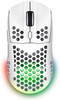
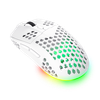
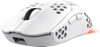
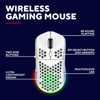
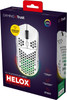
The Trust Gaming GXT 929W Helox Wireless Gaming Mouse (25390) is an ultra-lightweight white gaming mouse designed for PC and laptop gamers who want responsive wireless control, adjustable sensitivity and comfortable movement. Weighing approximately 75g, it features a distinctive honeycomb shell, 2.4GHz wireless connectivity, an optical sensor with up to 4800 DPI, six buttons and multicolour LED lighting.
Designed for gaming without a permanently attached mouse cable, the GXT 929W Helox connects through an included USB-A wireless micro receiver. Its low-latency 2.4GHz connection is intended to deliver responsive cursor movement and control during supported PC games, while the lightweight housing makes it easier to reposition the mouse during repeated movements.
The integrated rechargeable battery provides a manufacturer-advertised runtime of up to 80 hours per charge, depending on usage and operating conditions. When charging is required, the included 1-metre USB-A to USB-C cable allows users to recharge the mouse and continue using it during charging.
The mouse's adjustable optical sensor offers four sensitivity settings of 800, 1600, 3200 and 4800 DPI. A dedicated DPI button allows users to switch between these settings without needing to install dedicated configuration software.
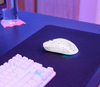
Its white finish, illuminated honeycomb design and right-handed shape make it a practical choice for gamers building a white gaming setup or looking for a compact, rechargeable alternative to a traditional wired gaming mouse.
Quick answer: The Trust GXT 929W Helox is a white, approximately 75g wireless gaming mouse with a 2.4GHz USB-A receiver, 800–4800 DPI optical sensor, six buttons, RGB-style lighting, rechargeable battery life of up to 80 hours and USB-C charging. It is designed for right-handed use with compatible Windows 10 or Windows 11 computers. It is not a Bluetooth mouse, and the USB receiver is included.
Key Features of the Trust GXT 929W Helox Gaming Mouse
- Ultra-lightweight 75g design: Built for quick and comfortable mouse movement during gaming.
- White honeycomb shell: Distinctive open-pattern housing with a modern gaming appearance.
- 2.4GHz wireless connection: Uses an included USB-A micro receiver for responsive wireless operation.
- Optical gaming sensor: Adjustable sensitivity for different games and desktop applications.
- Four DPI settings: Switch between 800, 1600, 3200 and 4800 DPI.
- Six mouse buttons: Includes left, right, forward, back, scroll-wheel click and DPI adjustment.
- Up to 80 hours battery life: Rechargeable battery designed for extended use under suitable conditions.
- USB-C charging: Recharge using the supplied USB-A to USB-C cable.
- Use while charging: Continue using the mouse while its battery recharges.
- Multicolour LED lighting: Decorative breathing lighting effects visible through the shell.
- Three lighting colour options: Manufacturer-listed illumination options for gaming setups.
- Right-handed design: Shape intended for right-handed gaming and everyday computer use.
- UPE gliding pads: Manufacturer-listed mouse feet for movement across suitable surfaces.
- Compact USB receiver: Small wireless dongle connects to a compatible USB-A port.
- Windows compatibility: Officially specified for Windows 10 and Windows 11.
- White gaming aesthetic: Suitable for coordinating with white gaming keyboards and accessories.
- Manufacturer article number: 25390.
- EAN / GTIN: 8713439253900.
Ultra-Lightweight 75g Gaming Mouse for Fast Movement
The Trust GXT 929W Helox is designed to reduce the weight associated with moving a mouse repeatedly during gaming.
Its advertised weight of approximately 75g makes it a lightweight option for gamers who prefer a mouse that can be repositioned with relatively little effort.
Why Choose a Lightweight Gaming Mouse?
During games that require frequent aiming adjustments, camera movement or rapid cursor repositioning, some players prefer lighter mice because they require less force to move across a mouse pad.
A lighter mouse can also be convenient for extended desktop sessions involving repeated hand movements.
Individual comfort depends on hand size, grip style, mouse shape, sensitivity settings and personal preference.
Honeycomb Housing for Reduced Weight
The GXT 929W features a distinctive honeycomb shell with openings in the upper housing.
This design helps create a lightweight construction while giving the mouse its recognisable gaming appearance.
The patterned shell also allows the internal multicolour lighting to be seen during use.
Is the Mouse Exactly 75g?
Trust markets the Helox Wireless as a 75g gaming mouse. Its technical documentation separately lists approximately 73g for the main unit.
The advertised 75g figure is therefore appropriate for identifying the product, although small differences in specified weight should not be interpreted as a performance guarantee.
Responsive 2.4GHz Wireless Gaming Connection
The Trust GXT 929W Helox uses a dedicated 2.4GHz radio-frequency wireless connection through the included USB-A micro receiver.
This allows the mouse to communicate with a compatible computer without needing a permanently connected cable during normal wireless use.
Low-Latency Wireless Control
Trust describes the Helox Wireless as providing an ultra-low-latency connection intended for responsive gaming.
This can be useful in games where the timing of mouse movements and button inputs matters.
Actual response performance depends on the computer, wireless environment, USB connection, system load and game settings.
The manufacturer does not provide a confirmed numerical latency measurement or polling-rate specification in the checked product datasheet.
Does the Trust GXT 929W Use Bluetooth?
No. The GXT 929W uses a dedicated 2.4GHz USB wireless receiver rather than a standard Bluetooth connection.
The supplied micro receiver must be connected to a compatible USB-A port for normal wireless operation.
A computer's built-in Bluetooth capability does not replace the included receiver.
Does the Wireless Receiver Come Included?
Yes. Trust lists one USB micro receiver in the standard package contents.
The receiver connects through USB-A, so computers with only USB-C ports may require a compatible USB-C-to-USB-A adapter or hub.
How Can I Maintain a Stable Wireless Connection?
For consistent operation, connect the receiver securely to a suitable USB port and avoid unnecessary obstruction between the mouse and receiver.
Wireless performance can be affected by distance, interference from nearby equipment and the surrounding environment.
If movement becomes inconsistent, check the battery charge, receiver connection and available USB ports.
Adjustable Optical Sensor with 800–4800 DPI
The Trust GXT 929W Helox includes an optical mouse sensor with selectable sensitivity settings.
Users can switch between 800, 1600, 3200 and 4800 DPI using the dedicated DPI adjustment button.
What Does DPI Mean on a Gaming Mouse?
DPI stands for dots per inch and describes a commonly used measurement of mouse sensor sensitivity.
Higher DPI settings generally allow the pointer to travel further across the screen for a given physical mouse movement, while lower settings produce less pointer movement.
The most suitable setting depends on the game, monitor resolution, operating system sensitivity and personal preference.
800 DPI for Controlled Movement
The 800 DPI setting provides relatively low sensor sensitivity.
Some gamers prefer lower DPI settings when using larger mouse pads and making deliberate hand movements for aiming.
1600 DPI for Balanced Everyday Use
The 1600 DPI setting offers a middle-ground sensitivity that may suit general desktop tasks and many gaming situations.
It can be useful for navigating applications, browsing websites and switching between games and everyday computing.
3200 DPI for Faster Cursor Movement
The 3200 DPI setting provides greater pointer movement for a given mouse movement.
This may appeal to users who prefer quicker cursor navigation or have particular sensitivity preferences.
4800 DPI Maximum Sensitivity
The highest confirmed setting is 4800 DPI, providing the mouse's maximum published sensor sensitivity.
Higher DPI does not automatically improve aiming accuracy. Effective control depends on the combination of hardware, game settings and the player's preferred sensitivity.
Can I Change DPI During a Game?
Yes. The mouse includes a dedicated DPI button for switching between its available sensitivity settings.
This allows users to change the pointer response without opening a separate configuration application.
DPI specification note: Trust's model-specific technical sheet identifies 4800 DPI as the maximum setting. This is the specification used for this product description.
Six Buttons for Gaming and Everyday Computer Control
The GXT 929W Helox includes six buttons arranged for gaming and general computer operation.
Its button layout provides essential mouse controls alongside additional navigation and sensitivity functions.
Left and Right Mouse Buttons
The primary left and right buttons provide standard click controls for Windows applications and compatible computer games.
Forward and Back Buttons
Two additional side buttons provide forward and back navigation functions.
These can be useful for supported browser navigation and game actions where the application recognises these inputs.
Scroll Wheel and Middle Click
The scroll wheel allows movement through webpages, documents and other supported content.
Pressing the wheel provides a middle-click input where supported by the application.
Dedicated DPI Adjustment Button
The DPI button changes the mouse's sensitivity between its preset levels.
This provides a convenient way to adjust the mouse without changing physical hardware.
Can You Program Macros on the GXT 929W?
Trust's product datasheet does not list dedicated mouse configuration software for this model.
It should therefore not be purchased on the assumption that it includes manufacturer-supported macro programming, custom button remapping or advanced profile management.
Application-specific mouse controls may still depend on the features available within an individual game or operating system.
Rechargeable Battery with Up to 80 Hours of Use
The Trust GXT 929W Helox uses a built-in rechargeable battery, eliminating the need to replace disposable AA or AAA batteries during normal use.
Trust advertises up to 80 hours of continuous use from a single charge under its stated average-use conditions.
How Long Does the Battery Last?
The manufacturer specifies a maximum advertised runtime of up to 80 hours.
Actual battery life can vary depending on how frequently the mouse is used, lighting behaviour, battery condition and other operating conditions.
The 80-hour figure should not be treated as a guaranteed runtime for every gaming session.
USB-C Charging for Convenient Power
The mouse includes a USB-C charging connection and comes with a 1-metre USB-A to USB-C cable.
This cable can be connected to a suitable powered USB-A port to recharge the internal battery.
Can You Use the Mouse While Charging?
Yes. Trust confirms that the GXT 929W can continue to be used while charging through the included cable.
This helps reduce interruptions when the battery needs recharging during a long gaming or computer session.
The presence of a charging cable should not be confused with a confirmed alternative USB wired-data mode; the mouse's advertised computer connection is 2.4GHz wireless through its USB receiver.
Does the Mouse Need Disposable Batteries?
No. A rechargeable battery is built into the mouse.
Customers do not need to purchase separate AA or AAA batteries for normal operation.
Battery note: Rechargeable batteries gradually lose capacity with age and use. Actual battery runtime and charging behaviour will change over the product's lifetime.
RGB-Style Lighting with a White Honeycomb Design
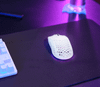
The Trust GXT 929W Helox features decorative multicolour LED lighting that is visible through the openings in its honeycomb shell.
The manufacturer describes the lighting as a breathing rainbow-style effect and lists three colour options.
Illuminated Gaming Appearance
The lighting provides a colourful contrast against the white mouse housing.
This makes the Helox Wireless suitable for customers who want their mouse to coordinate with illuminated gaming keyboards, PC cases and other accessories.
Three Colour Options
Trust lists three lighting colour options for the GXT 929W Helox.
The available effects and controls are determined by the mouse's built-in lighting functions.
Does It Support Advanced RGB Software?
Trust does not list a dedicated software application for this model in its checked technical datasheet.
Customers should not assume that the mouse supports individually addressable lighting zones, third-party RGB synchronisation software or custom lighting profiles.
Right-Handed Design and Comfortable Mouse Movement
The Trust GXT 929W is listed as a right-handed gaming mouse.
Its design combines a standard mouse shape with a lightweight honeycomb housing and accessible side buttons.
Suitable for Different Gaming Grip Preferences
Players may use palm, claw or fingertip-inspired grip styles depending on their hand size and preferred positioning.
However, a mouse's suitability for a specific grip style depends on individual comfort and cannot be guaranteed from its dimensions alone.
UPE Gliding Pads
Trust lists UPE gliding pads for the underside of the GXT 929W Helox.
These provide contact points between the mouse and the surface beneath it, allowing movement across suitable mouse pads and desk surfaces.
A compatible gaming mouse pad may help provide a more consistent surface for optical tracking and mouse movement.
Dimensions for Desk and Gaming Setups
The mouse measures approximately:
- Length: 125mm.
- Width: 64mm.
- Height: 38mm.
- Advertised weight: Approximately 75g.
These dimensions may help customers compare the Helox with their current mouse before purchasing.
Windows PC and Laptop Compatibility
Trust officially lists Windows 10 and Windows 11 as the supported operating systems for the GXT 929W Helox.
The computer also needs a suitable USB port for the included wireless receiver.
Windows 11 Gaming PCs
The mouse is suitable for compatible Windows 11 desktop computers equipped with a working USB-A connection.
It can be used for supported PC games, desktop navigation and general computing applications.
Windows 10 Computers
Trust also lists Windows 10 support.
However, Windows 10's standard consumer support ended in October 2025. Customers should consider the operating system's current security support status independently of hardware compatibility.
Gaming Laptops
The GXT 929W can be used with compatible Windows gaming laptops through its supplied USB receiver.
For laptops with USB-C ports only, a suitable USB-C-to-USB-A adapter may be required.
Mac, Linux and Chromebook Compatibility
Trust's model-specific datasheet lists Windows as the officially supported software platform.
Some other operating systems may recognise standard USB mouse input devices, but full compatibility and every feature are not guaranteed for this model.
Xbox and PlayStation Compatibility
The manufacturer's technical documentation does not confirm the GXT 929W as a supported gaming mouse for Xbox or PlayStation consoles.
Console compatibility should not be assumed simply because the mouse uses a USB wireless receiver.
System compatibility note: For the most reliable experience, use the mouse with a compatible Windows 10 or Windows 11 PC equipped with a USB-A port.
Trust GXT 929W Wireless vs Wired Gaming Mice
Wireless and wired gaming mice offer different advantages, depending on the user's gaming setup and preferences.
Advantages of the GXT 929W Wireless Design
The Helox Wireless uses its included 2.4GHz receiver instead of requiring a cable between the mouse and computer during normal wireless use.
This helps reduce cable movement across the mouse pad and can contribute to a tidier gaming desk.
The built-in battery also removes the need for disposable batteries.
What Should You Consider Before Choosing Wireless?
A rechargeable wireless mouse requires occasional charging.
It also depends on a functioning receiver and suitable wireless conditions.
Users who prefer never having to recharge a mouse may favour a conventional wired model.
Is the GXT 929W Better Than the Wired Helox?
The best choice depends on whether cable-free movement or a permanent wired connection matters more to the customer.
The GXT 929W offers wireless operation and rechargeable convenience, while wired models avoid the need for a wireless receiver and battery charging.
Sensor performance, weight and button features should be compared using the exact model numbers rather than assuming every Helox variant has the same specification.
Who Is the Trust GXT 929W Helox Best For?
- PC gamers: Users wanting a lightweight wireless mouse for compatible Windows games.
- FPS gaming enthusiasts: Players who prefer lower-weight mouse movement and adjustable sensitivity.
- Casual gamers: Customers looking for a rechargeable gaming mouse with RGB-style lighting.
- White gaming setup builders: Users matching white keyboards, PC cases and gaming accessories.
- Gaming laptop owners: People needing a compact USB-receiver mouse for compatible Windows laptops.
- Students: Users wanting a single mouse for supported gaming, study and general computer work.
- Home desktop users: Customers seeking a lightweight rechargeable alternative to a standard mouse.
- Users avoiding disposable batteries: People who prefer integrated USB charging.
- Right-handed users: Customers wanting a mouse with right-handed positioning and side navigation buttons.
- Budget-conscious gaming peripheral buyers: Users prioritising the main features of a wireless gaming mouse without requiring advanced configuration software.
Who Should Consider a Different Gaming Mouse?
- Customers requiring Bluetooth: The GXT 929W connects through a 2.4GHz USB receiver rather than Bluetooth.
- Left-handed gamers: The model is specified for right-handed use.
- Users requiring DPI above 4800: The exact manufacturer's technical sheet specifies 4800 DPI maximum.
- Competitive players requiring a published polling rate: Trust does not provide a confirmed polling-rate specification in the checked datasheet.
- Customers needing programmable macro software: No dedicated manufacturer configuration software is listed.
- Users requiring more than six buttons: The Helox Wireless has six buttons.
- Mac or Linux buyers requiring guaranteed compatibility: Windows is the officially listed platform.
- Customers with USB-C-only devices: The supplied wireless receiver is USB-A, so an adapter may be needed.
- Users preferring disposable-battery models: The GXT 929W has a built-in rechargeable battery.
- Customers needing a guaranteed console gaming mouse: Console compatibility is not confirmed in the manufacturer specification.
Trust GXT 929W Helox – Technical Specifications Overview
- Brand: Trust Gaming
- Product Series: GXT Helox
- Model: GXT 929W Helox
- Manufacturer Article Number: 25390
- EAN: 8713439253900
- GTIN-14: 08713439253900
- Product Type: Wireless gaming mouse
- Colour: White
- Mouse Design: Ultra-lightweight honeycomb housing
- Hand Orientation: Right-handed
- Advertised Weight: 75g
- Manufacturer-Listed Main Unit Weight: 73g
- Dimensions: 125 x 64 x 38mm
- Connection: 2.4GHz RF wireless
- Receiver: USB-A micro receiver, included
- Bluetooth: Not supported
- Sensor Technology: Optical
- DPI Settings: 800, 1600, 3200, 4800
- Maximum Published DPI: 4800
- Total Buttons: 6
- Button Functions: Left, right, forward, back, scroll-wheel click, DPI adjustment
- Lighting: Multicolour LED / breathing RGB-style lighting
- Manufacturer-Listed Colour Options: 3
- Mouse Feet: UPE gliding pads
- Power Source: Built-in rechargeable battery
- Advertised Battery Runtime: Up to 80 hours
- Charging Connector: USB-C
- Included Charging Cable: USB-A to USB-C
- Charging Cable Length: 1m
- Use While Charging: Supported
- Dedicated Manufacturer Configuration Software: Not listed
- Supported Operating Systems: Windows 10 and Windows 11
- Compatible Computer Types: Windows desktop PCs and laptops with a suitable USB connection
- Mouse Quantity: 1
Package Contents – What's Included?
The manufacturer lists the following items in the Trust GXT 929W Helox package:
- 1 x Trust GXT 929W Helox Wireless Gaming Mouse in white.
- 1 x USB-A wireless micro receiver for the 2.4GHz connection.
- 1 x 1-metre USB-A to USB-C charging cable.
- 1 x User guide.
The rechargeable battery is built into the mouse.
Not included: Gaming PC, laptop, keyboard, mouse pad, USB-C adapter or external USB charging power supply.
How to Set Up the Trust GXT 929W Helox Wireless Mouse
- Check the package: Confirm that the mouse, USB receiver, charging cable and user guide are present.
- Prepare the computer: Start a compatible Windows 10 or Windows 11 PC or laptop.
- Connect the receiver: Insert the supplied USB-A micro receiver into a suitable USB port.
- Switch on the mouse: Use the mouse's power control as described in the user guide.
- Allow device recognition: Give Windows time to recognise the wireless input device.
- Test mouse movement: Move the mouse on a suitable surface and check that the cursor responds.
- Adjust DPI: Use the DPI button to choose a preferred sensitivity setting.
- Test navigation buttons: Confirm that left, right, scroll, forward and back functions operate where supported.
- Check wireless performance: If movement is inconsistent, check the receiver connection, battery charge and possible interference.
- Charge when needed: Connect the supplied USB-A to USB-C cable to a suitable USB power source.
- Continue using the mouse: The manufacturer states that use is possible while the battery is charging.
- Refer to the user guide: Follow Trust's instructions for any additional lighting or operating controls.
Important Compatibility and Performance Notes
2.4GHz Wireless Is Not Bluetooth
The GXT 929W requires its included USB wireless receiver for the advertised computer connection. Built-in Bluetooth alone is not sufficient.
75g Is the Advertised Lightweight Specification
Trust describes the mouse as weighing 75g, while the technical specifications separately list a 73g main-unit weight.
The Confirmed Maximum Sensor Setting Is 4800 DPI
The manufacturer's exact product datasheet specifies 800, 1600, 3200 and 4800 DPI. Higher values appearing in some promotional text should not be assumed to apply to this specific article number.
80 Hours Is a Maximum Advertised Battery Figure
Actual runtime depends on use, lighting behaviour, battery condition and other operating factors.
The Included Charging Cable Is 1 Metre Long
The mouse can be used while charging. Its published wireless connection uses the USB receiver, and a separate wired-data operating mode is not confirmed by Trust's checked specification.
No Dedicated Configuration Software Is Listed
The manufacturer datasheet does not specify an accompanying mouse configuration program. Do not assume programmable macros or advanced RGB software synchronisation are included.
Check Your Computer's USB Connection
The included receiver uses USB-A. Computers with USB-C-only connections may need an appropriate adapter or hub.
Windows Is the Officially Supported Platform
Trust lists Windows 10 and Windows 11. Operation on other systems or gaming consoles is not guaranteed.
Why Choose the Trust GXT 929W Helox Wireless Gaming Mouse?
The Trust GXT 929W Helox Wireless Gaming Mouse combines a lightweight honeycomb design, responsive 2.4GHz wireless connectivity and adjustable optical sensitivity in an attractive white housing.
Its approximately 75g design is particularly appealing to gamers who prefer quick mouse movement, while the six-button layout provides essential gaming and desktop controls.
The integrated rechargeable battery, advertised runtime of up to 80 hours, USB-C charging and the ability to continue using the mouse while charging offer practical flexibility for regular gaming sessions.
With multicolour lighting, a white finish and four selectable DPI settings up to 4800, the Helox Wireless is a suitable choice for many Windows PC gamers wanting an accessible, lightweight gaming mouse without a permanently attached cable.
Choose the Trust GXT 929W Helox (25390) if you want a white, right-handed, rechargeable gaming mouse with 2.4GHz wireless connectivity, honeycomb styling, six buttons, adjustable DPI and decorative RGB-style lighting.
Explore more gaming and computer mice at Memox to compare alternative wired and wireless models.
Official Manufacturer Product Page: Trust GXT 929W Helox Wireless Gaming Mouse.
Manufacturer Technical Datasheet: Trust GXT 929W Helox Official Specifications (PDF).
Manufacturer Support: Trust GXT 929W Helox Support and User Manual.
Specifications apply to the white Trust Gaming GXT 929W Helox, manufacturer article number 25390. Battery life, wireless performance and user experience depend on operating conditions and compatible hardware. The manufacturer advertises a 75g lightweight design and lists 4800 DPI maximum in its exact-part-number technical specifications. Product details may change with manufacturer revisions.
Specification
Trust GXT 929W Helox Wireless Gaming Mouse – Technical Specifications
The Trust Gaming GXT 929W Helox (25390) is an ultra-lightweight white wireless gaming mouse featuring a 75g advertised design, 2.4GHz USB wireless connectivity, adjustable optical sensor up to 4800 DPI, six buttons, multicolour LED lighting and a built-in rechargeable battery. Designed for compatible Windows gaming PCs and laptops, the mouse includes a USB-A micro receiver and a 1-metre USB-A to USB-C charging cable, with an advertised battery life of up to 80 hours.
General Information
| Brand | Trust Gaming |
|---|---|
| Manufacturer | Trust International B.V. |
| Product Family | GXT Helox |
| Model | GXT 929W Helox |
| Product Name | Trust GXT 929W Helox Ultra-Lightweight Wireless Gaming Mouse – White |
| Manufacturer Article Number / MPN | 25390 |
| EAN / Barcode | 8713439253900 |
| GTIN-14 | 08713439253900 |
| Product Type | Wireless gaming mouse |
| Primary Application | PC gaming and general computer use |
| Product Colour | White |
| Design | Ultra-lightweight honeycomb shell |
| Hand Orientation | Right-handed |
| Connection Type | 2.4GHz RF wireless |
| Sensor Technology | Optical |
| Maximum Technical-Sheet DPI | 4800 DPI |
| Number of Buttons | 6 |
| Lighting | Multicolour LED / breathing RGB-style effects |
| Battery Type | Built-in rechargeable battery |
| Maximum Advertised Battery Life | Up to 80 hours |
Optical Sensor and DPI Specifications
| Tracking Technology | Optical sensor |
|---|---|
| Adjustable Sensitivity | Yes |
| Minimum DPI Setting | 800 DPI |
| DPI Setting 1 | 800 DPI |
| DPI Setting 2 | 1600 DPI |
| DPI Setting 3 | 3200 DPI |
| DPI Setting 4 | 4800 DPI |
| Confirmed DPI Range | 800–4800 DPI |
| Maximum DPI in Manufacturer Technical Table | 4800 DPI |
| DPI Adjustment Button | Yes |
| Dedicated Sensor Model | Not specified by Trust |
| Polling Rate | Not specified in the checked manufacturer datasheet |
| Maximum Tracking Speed (IPS) | Not specified |
| Maximum Acceleration | Not specified |
Important DPI Note: Trust's technical specification table for article 25390 confirms four DPI settings: 800, 1600, 3200 and 4800 DPI.
Although some Trust promotional text mentions 6400 DPI, the manufacturer's detailed technical specifications identify 4800 DPI as the maximum. The confirmed 4800 DPI value is therefore used in this Specification tab.
Actual cursor movement also depends on operating system sensitivity, game settings and the surface used.
Wireless Connectivity Specifications
| Connection Technology | Wireless radio frequency (RF) |
|---|---|
| Wireless Frequency Band | 2.4GHz |
| Wireless Receiver Type | USB micro receiver |
| Receiver Interface | USB Type-A |
| USB Receiver Included | Yes |
| Bluetooth Connectivity | Not supported as an advertised connection mode |
| USB Receiver Required for Wireless Operation | Yes |
| Manufacturer-Advertised Low-Latency Wireless | Yes |
| Numerical Wireless Latency | Not specified |
| Maximum Wireless Operating Range | Not confirmed in the checked manufacturer datasheet |
| USB-C-Only Computer Compatibility | Requires a suitable adapter or hub for the USB-A receiver |
| Wireless Gaming Use | Supported on compatible computers |
Important Wireless Note: The GXT 929W connects through a dedicated 2.4GHz wireless USB receiver. It is not advertised as a Bluetooth mouse.
The included micro receiver uses a USB-A connection. For computers without a USB-A port, a suitable USB-C-to-USB-A adapter or hub may be required.
The manufacturer's low-latency claim does not specify a guaranteed numerical response time or polling rate.
Mouse Buttons and Controls
| Total Number of Buttons | 6 |
|---|---|
| Primary Left Button | Yes |
| Primary Right Button | Yes |
| Forward Navigation Button | Yes |
| Back Navigation Button | Yes |
| Scroll Wheel | Yes |
| Scroll Wheel Click | Included in the six-button control layout |
| DPI Adjustment Button | Yes |
| DPI Switching | Supported |
| Buttons Designed for Gaming | Yes |
| Dedicated Manufacturer Configuration Software | No, according to Trust's datasheet |
| Manufacturer-Advertised Macro Programming | Not specified |
| Manufacturer-Advertised Button Remapping | Not specified |
| Button Switch Model | Not specified |
| Rated Button Click Lifespan | Not specified |
Button Configuration Note: Trust lists six controls: left click, right click, forward, back, scroll-wheel control and DPI adjustment.
The manufacturer does not list dedicated configuration software for this model. Advanced macro programming and custom button remapping should not be assumed to be supported.
Rechargeable Battery and Power Specifications
| Power Source | Built-in rechargeable battery |
|---|---|
| Rechargeable | Yes |
| Maximum Advertised Battery Runtime | Up to 80 hours |
| Battery Life Measurement | Based on average use; varies with operating conditions |
| Battery Capacity (mAh) | Not confirmed in Trust's technical datasheet |
| Battery Chemistry | Not specified in the checked product datasheet |
| USB Charging | Supported |
| Charging Port on Mouse | USB Type-C |
| Included Charging Cable | USB-A to USB-C |
| Charging Cable Length | 1 metre |
| Use While Charging | Supported |
| Battery Charging Time | Not confirmed in the checked manufacturer specification |
| Replaceable AA Batteries Required | No |
| Replaceable AAA Batteries Required | No |
| Battery Included | Yes, integrated into the mouse |
| AC Wall Charger Included | No dedicated wall charger listed |
Battery Life Note: Trust advertises up to 80 hours of use per charge. Actual runtime depends on operating conditions, usage patterns, lighting behaviour and battery condition.
Charging Note: The included 1-metre USB-A to USB-C cable can be used to recharge the mouse. Trust confirms that the mouse may continue to be used while charging.
The advertised wireless computer connection remains the USB receiver. The manufacturer has not separately specified a USB wired-data connection mode.
RGB Lighting Specifications
| Illumination | Yes |
|---|---|
| Lighting Type | Multicolour LED |
| Lighting Description | Breathing RGB rainbow-style lighting |
| Manufacturer-Listed Colour Options | 3 |
| Illuminated Housing | Honeycomb shell |
| Lighting Visible Through Housing | Yes |
| Lighting Configuration Software | Not provided as a dedicated software application |
| Advanced Per-Zone ARGB Configuration | Not specified |
| Third-Party RGB Synchronisation | Not confirmed |
Lighting Note: The GXT 929W includes multicolour LED lighting with a breathing rainbow-style effect. Trust lists three colour options.
Advanced lighting synchronisation, individually addressable zones and software-controlled RGB profiles are not confirmed in the manufacturer's checked specifications.
Physical Design and Materials
| Mouse Form Factor | Standard mouse format |
|---|---|
| Gaming Design | Ultra-lightweight |
| Housing Style | Honeycomb shell |
| Product Colour | White |
| Hand Orientation | Right-handed |
| Ambidextrous Design | Not advertised as ambidextrous |
| Gliding Pad Material | UPE |
| Gliding Pads | Included on the underside |
| Illuminated Body | Yes |
| Detachable Honeycomb Cover | Not specified |
Design Note: The lightweight housing and right-handed button arrangement are intended for gaming and everyday PC use.
The mouse uses UPE gliding pads according to Trust's technical specifications. Movement characteristics depend on the desk or mouse pad surface and its condition.
Dimensions and Weight
| Mouse Length / Depth | 125mm |
|---|---|
| Mouse Width | 64mm |
| Mouse Height | 38mm |
| Dimensions (L x W x H) | 125 x 64 x 38mm |
| Dimensions in Centimetres | 12.5 x 6.4 x 3.8cm |
| Advertised Total Weight | 75g |
| Manufacturer-Listed Main Unit Weight | 73g |
| Manufacturer Weight Category | Ultra-lightweight |
| Charging Cable Length | 1m |
Weight Clarification: Trust advertises the mouse as weighing 75g, while its detailed technical table separately specifies 73g for the main unit.
Both figures are taken from the manufacturer and should not be confused with shipping or packaging weight.
Computer and Operating System Compatibility
| Supported Computer Types | Compatible desktop PCs and laptops |
|---|---|
| Official Software Platform | Windows |
| Windows 11 | Supported |
| Windows 10 | Supported according to the manufacturer's datasheet |
| Required Connection | USB-A port for wireless receiver |
| Mac Compatibility | Not officially specified for this model |
| Linux Compatibility | Not officially specified for this model |
| ChromeOS Compatibility | Not officially specified for this model |
| PlayStation Compatibility | Not confirmed by the manufacturer |
| Xbox Compatibility | Not confirmed by the manufacturer |
| Bluetooth-Only Device Compatibility | Not suitable without a compatible USB-A receiver connection |
| Dedicated Gaming Software Required | No |
Compatibility Note: Trust officially lists Windows 10 and Windows 11 PCs and laptops with a compatible USB-A port.
Operation on other operating systems or gaming consoles is not guaranteed. Windows 10 hardware compatibility should also not be confused with the operating system's current security support status.
Included Package Contents
| Wireless Gaming Mouse | 1 x Trust GXT 929W Helox, white |
|---|---|
| Manufacturer Article Number | 25390 |
| USB Wireless Micro Receiver | Included |
| USB Receiver Connection | USB-A |
| Charging Cable | 1 x USB-A to USB-C cable |
| Charging Cable Length | 1m |
| User Guide | Included |
| Rechargeable Battery | Built into the mouse |
| Quantity per Package | 1 mouse |
| Mouse Pad | Not included |
| Keyboard | Not included |
| USB-C to USB-A Adapter | Not listed as included |
| External USB Wall Charger | Not listed as included |
Package Contents Note: Trust lists the wireless gaming mouse, a 1-metre USB-A to USB-C charging cable, the USB micro receiver and a user guide in the package.
The rechargeable battery is integrated into the mouse. Additional gaming accessories must be purchased separately.
Important DPI Specification Note
The GXT 929W Helox white model, article 25390, has a manufacturer-specified optical DPI range of 800 to 4800 DPI.
The selectable DPI settings are 800, 1600, 3200 and 4800. Trust's promotional text elsewhere refers to 6400 DPI, but the article-specific technical table states 4800 DPI maximum.
This specification follows the detailed technical table rather than the conflicting promotional figure.
Important Wireless Connectivity Note
The mouse connects through a 2.4GHz RF USB-A micro receiver. It is not a Bluetooth gaming mouse.
Computers without a USB-A port may require a suitable adapter or hub.
Important Battery Life Note
The advertised battery life is up to 80 hours. Actual runtime depends on usage, LED lighting, environmental factors and battery condition.
The included USB-A to USB-C cable supports recharging, and Trust confirms that the mouse can continue to be used while charging.
Important Software and Button Note
Trust lists six buttons and a dedicated DPI adjustment control. It does not list dedicated mouse configuration software for this model.
Advanced programmable macros, custom polling-rate adjustment and software-controlled lighting profiles are not specified as supported features.
Important Operating System Note
Trust officially specifies compatibility with Windows 10 and Windows 11.
Compatibility with macOS, Linux, ChromeOS or gaming consoles is not guaranteed by the checked manufacturer datasheet.
Important Weight Note
The manufacturer's marketing specification describes a 75g ultra-lightweight gaming mouse. Its detailed specification separately lists the main unit weight as 73g.
Manufacturer Warranty and Support
Warranty coverage is subject to the applicable Trust Gaming warranty terms and UK retailer arrangements. UK distributors commonly list a two-year warranty for article 25390, but the duration should be confirmed against the supplying distributor before being added as a guaranteed Memox warranty period.
Trust's additional five-year extended warranty programme excludes GXTrust gaming products. The manufacturer's extended warranty should not be advertised as applicable to the GXT 929W Helox.
Any applicable manufacturer warranty is additional to customers' statutory rights under UK law.
Official Trust Product Information
Manufacturer Product Page: Trust GXT 929W Helox Wireless Gaming Mouse
Official Technical Datasheet: Trust GXT 929W Helox 25390 Specifications (PDF)
Product Support and Downloads: Trust GXT 929W Helox Support
Warranty Conditions: Trust Manufacturer Warranty Conditions
These specifications apply to the white Trust Gaming GXT 929W Helox, manufacturer article number 25390. The product is advertised as 75g, with a 73g main-unit weight in the manufacturer's technical table. The confirmed maximum DPI in that table is 4800 DPI. Battery runtime is an advertised maximum rather than a guaranteed duration. Specifications may change with manufacturer revisions.
Return
FAQ: Frequenlty Asked Questions
Trust GXT 929W Helox Wireless Gaming Mouse FAQ
The Trust GXT 929W Helox (white, MPN 25390) is a 75g lightweight 2.4GHz wireless gaming mouse with a rechargeable battery, six buttons, four adjustable DPI presets and multicolour lighting. These frequently asked questions cover the features buyers compare, Windows compatibility, charging, gameplay, wireless troubleshooting and everyday care.
Product Overview and Specifications
1. What is the Trust GXT 929W Helox wireless gaming mouse?
The Trust GXT 929W Helox is a lightweight white gaming mouse with a honeycomb shell, 2.4GHz wireless USB receiver, six buttons, adjustable optical sensitivity and multicolour lighting. It is aimed at gamers who want wireless control without an expensive premium mouse.
2. What is the manufacturer part number for the white GXT 929W Helox?
The white GXT 929W Helox is Trust article number 25390, with barcode 8713439253900. Check this number when comparing listings because other Helox colours and models have different part numbers.
3. How much does the Trust GXT 929W Helox weigh?
Trust advertises a total weight of 75g; its technical datasheet lists 73g for the main unit. Both figures refer to this lightweight mouse, not to the shipping package.
4. Is the GXT 929W Helox a wireless or wired mouse?
It is primarily a 2.4GHz wireless mouse that communicates through its supplied USB receiver. It also comes with a USB-C charging cable, which lets you continue using the mouse while it charges.
5. What is the maximum DPI of the Trust GXT 929W Helox?
The detailed Trust technical specification for article 25390 lists a maximum of 4800 DPI, with presets at 800, 1600, 3200 and 4800 DPI. Some promotional wording says 6400 DPI, but the model-specific technical table specifies 4800.
6. How many buttons does the Trust Helox 929W have?
The GXT 929W has six controls: left click, right click, the scroll-wheel control, forward, back and a DPI-change button. This covers common navigation and gaming actions.
7. Does the Trust GXT 929W have RGB lighting?
Yes. Trust describes multicolour LED lighting with a breathing-style effect that shines through the honeycomb shell. It is not the same as fully addressable RGB lighting with individually programmable zones.
8. What are the dimensions of the GXT 929W Helox mouse?
Trust lists approximately 125mm in length, 64mm in width and 38mm in height. Compare these dimensions with your current mouse, especially if you have small hands or prefer a compact shape.
9. Is the Trust GXT 929W Helox right-handed or ambidextrous?
Trust specifies a right-handed design, with navigation buttons positioned for typical right-hand thumb use. Left-handed users should check whether the shape and button placement will be comfortable.
10. What comes in the box with the Trust GXT 929W Helox?
The manufacturer lists the white wireless gaming mouse, a USB micro receiver, a 1-metre USB-A to USB-C charging cable and a user guide. A separate charging wall adapter is not listed.
Wireless Connectivity and Device Compatibility
11. How does the Trust GXT 929W connect to a PC?
Take the small USB-A receiver from its storage position underneath the mouse, plug it into the computer and switch the mouse on. It communicates through a dedicated 2.4GHz wireless connection.
12. Does the Trust GXT 929W Helox use Bluetooth?
No. Trust describes a dedicated 2.4GHz USB-receiver connection, not Bluetooth pairing. A computer with Bluetooth but no suitable USB connection still needs an adapter for the supplied receiver.
13. Does the GXT 929W work with Windows 11?
Yes. Trust lists Windows 11 among its supported platforms. Plug the receiver into a working USB-A port and follow the included quick-start instructions.
14. Is the Trust GXT 929W compatible with Windows 10?
Yes. Windows 10 is listed in Trust’s system requirements. The basic mouse functions are intended to work without additional manufacturer configuration software.
15. Can I use the Trust GXT 929W with a gaming laptop?
Yes, provided the laptop supports the mouse and has an available USB-A connection for the receiver. Its 75g design and built-in rechargeable battery can make it a practical travelling gaming mouse.
16. Does the GXT 929W work with a USB-C-only laptop?
The supplied wireless dongle is USB-A. A compatible USB-C to USB-A adapter or hub may allow connection, but the adapter is not included and host compatibility should be checked.
17. Is the GXT 929W Helox compatible with a Mac or MacBook?
Trust officially lists Windows as its compatible software platform. Basic pointer operation on some other systems may be possible, but macOS support is not guaranteed by the checked product specification.
18. Can I connect the Trust GXT 929W to a PS5 or Xbox?
The official requirements specify Windows computers, not console compatibility. Console mouse support also depends on individual games, so do not assume that all PS5 or Xbox menus and games will work.
19. Will the Trust GXT 929W connect to an iPad or Android tablet?
There is no advertised Bluetooth mode. You would need a compatible host device and a USB adapter for the receiver, and Trust does not list tablet compatibility for this model.
20. Does the Trust GXT 929W require Wi-Fi or an internet connection?
No internet connection is needed for basic pointer input. The mouse uses its own short-range 2.4GHz link to the USB receiver, rather than joining your home Wi-Fi network.
First-Time Setup, Charging and Receiver
21. How do I set up the Trust GXT 929W Helox for the first time?
Charge the mouse if necessary, remove the receiver from the underside, plug it into a USB-A port and switch the mouse on. Then test cursor movement and the DPI button in Windows.
22. Where is the USB receiver stored on the Trust GXT 929W?
The manufacturer’s user guide illustrates the tiny USB receiver in a storage recess on the underside of the mouse. Check there before assuming that the receiver is missing from the box.
23. How do I charge the Trust GXT 929W Helox?
Connect the USB-C end of the supplied cable to the mouse and its USB-A end to a suitable powered USB port. The cable is intended for recharging the built-in battery.
24. How long does the Trust GXT 929W take to charge?
The Trust quick-start charging diagram shows approximately 1.5 hours. Actual charge time can vary with the power source and the battery’s remaining level.
25. Can I use the Trust GXT 929W while charging?
Yes. Trust explicitly advertises continued use while the charging cable is connected. Retain the USB receiver for normal wireless communication unless you have separately confirmed another connection mode.
26. Does the GXT 929W use USB-C for charging?
Yes. The included cable has USB-C at the mouse end and USB-A at the computer or power-source end. USB-C here refers to charging, not to the connector on the wireless receiver.
27. Is a charging cable included with the GXT 929W?
Yes. Trust lists a 1-metre USB-A to USB-C charging cable in the package contents. A separate mains plug or fast-charging adapter is not specified.
28. Does the Trust GXT 929W need AA or AAA batteries?
No. It has a built-in rechargeable battery, so you do not need disposable AA or AAA cells for normal use.
29. Do I need to install a driver for the Trust GXT 929W?
Trust lists no dedicated configuration software for this model. Normal mouse input should use the operating system’s standard support; if Windows fails to recognise it, try another USB port and check Device Manager.
30. Can I use a USB hub with the GXT 929W receiver?
A compatible USB hub may work, but direct connection is the best first test if you experience dropouts. Some hubs, adapters and nearby USB 3 devices can interfere with 2.4GHz receivers.
Battery Life and LED Lighting
31. How long does the Trust GXT 929W battery last?
Trust advertises up to 80 hours of use from the built-in rechargeable battery. This is a maximum marketing figure, not a guaranteed runtime for every lighting setting or usage pattern.
32. Will RGB lighting reduce the GXT 929W battery life?
Lighting consumes power, so real runtime can differ depending on illumination and use. Trust does not provide a verified hours-by-lighting-mode table for this model.
33. Can I turn off the lighting on the Trust GXT 929W?
The manufacturer’s user guide illustrates a lighting-control action. Available lighting behaviour can depend on the built-in controls; do not assume there is a separate software application for custom RGB settings.
34. Can I change the LED colours on the GXT 929W?
Trust advertises multicolour lighting with three colour options and a breathing effect. The exact combinations are limited to the mouse’s built-in controls; unlimited per-colour RGB programming is not advertised.
35. Does the Trust Helox 929W have a rainbow lighting effect?
Yes. Trust markets a breathing rainbow-style lighting effect visible through the white honeycomb casing. Colour appearance can vary with the selected mode and ambient light.
36. How do I know whether the GXT 929W is charging?
Connect the USB-C cable securely and use the indications shown in the Trust user guide. If you are unsure whether charging has started, try a different powered USB port and check that the cable is seated correctly.
37. Why is my Trust GXT 929W running out of battery quickly?
Start by charging it fully and reviewing lighting use, idle time and how often it is used. Battery age, usage conditions and charging problems may also affect runtime; the advertised 80 hours is an upper limit.
38. Will the mouse work if its battery is completely flat?
Connect the supplied charging cable and allow a little time for the battery to recover before testing it. Trust advertises use during charging, but a deeply discharged battery may not respond immediately.
39. Can I leave the Trust GXT 929W connected to charge overnight?
Use an appropriate USB power source and follow the manufacturer’s instructions. As a sensible general precaution, avoid charging damaged equipment or leaving a battery device near heat or combustible materials.
40. Can the built-in battery be replaced by the user?
Trust does not describe a user-replaceable battery in the checked product datasheet. Do not open the mouse or attempt battery repairs without appropriate technical guidance.
DPI, Sensor and Gaming Performance
41. What DPI settings are available on the Trust GXT 929W?
The detailed Trust datasheet lists four DPI choices: 800, 1600, 3200 and 4800. Use the dedicated DPI button to move between available sensitivity presets.
42. How do I change DPI on the Trust GXT 929W?
Press the DPI button on the mouse to cycle through its preset sensitivity levels. There is no need to install separate software for basic DPI switching.
43. What DPI is best for FPS games on the GXT 929W?
There is no universal best value. Many players start with 800 or 1600 DPI and adjust in-game sensitivity until their aim and turning speed feel controlled.
44. Is 4800 DPI enough for gaming?
Yes for many everyday and gaming uses. Higher maximum DPI does not automatically improve accuracy; comfort, tracking consistency, game sensitivity and mouse-pad space also matter.
45. Is the Trust GXT 929W good for Fortnite, Valorant or CS2?
It can be used for these PC games on a compatible Windows system, and the adjustable DPI may help you find a comfortable setting. Competitive players seeking published high-end sensor or polling specifications should note that Trust does not list them for this model.
46. Is the Trust GXT 929W suitable for Minecraft and Roblox?
Yes, for Windows versions that accept standard mouse input. Its left/right buttons, scroll wheel and side buttons can support normal gameplay, with behaviour depending on each game’s controls.
47. Is 2.4GHz wireless suitable for gaming mice?
A dedicated 2.4GHz receiver is a common approach for gaming mice and Trust markets the Helox as low latency. Real responsiveness still depends on signal conditions and the computer.
48. What is the polling rate of the Trust GXT 929W Helox?
Trust does not state a confirmed polling-rate figure in the technical datasheet checked for article 25390. Do not assume a specific 1000Hz or higher rating from the wireless branding alone.
49. Which optical sensor does the Trust GXT 929W use?
Trust confirms optical tracking but does not identify the sensor chip model in its checked public specifications. The verified specification is adjustable sensitivity up to 4800 DPI.
50. Is the Trust GXT 929W suitable for professional esports?
It may suit casual and budget-conscious competitive play, but specialised esports buyers often prioritise independently tested sensor tracking, polling rate, shape and latency. Those performance measurements are not supplied in the checked Trust datasheet.
Buttons, Comfort and Cleaning
51. Are the Trust GXT 929W side buttons useful for gaming?
Yes. The forward and back thumb buttons can provide convenient extra inputs in games or navigation in web browsers where supported. The game or application determines how it responds to them.
52. Can I programme macros on the Trust GXT 929W?
Trust lists no dedicated configuration software and does not advertise a macro-programming feature for article 25390. Avoid buying it specifically for advanced macros or profiles unless the required function is verified.
53. Are the GXT 929W mouse buttons silent?
No silent-click feature is advertised; Trust’s detailed specification explicitly says silent click: no. Buyers needing a quiet office mouse should consider a model sold with silent switches.
54. Can the GXT 929W scroll wheel be clicked?
Yes. The scroll-wheel control is included among the six listed mouse functions. Its action depends on the application, such as opening links or using a game control.
55. Is the Trust GXT 929W comfortable for small hands?
Its dimensions are around 125 x 64 x 38mm, so comfort will depend on hand size and grip style. Compare the dimensions with a mouse you already find comfortable.
56. Is the GXT 929W suitable for large hands?
Some users may find the 125mm-long shape comfortable, but this depends on grip type and hand proportions. If you need a particularly tall or wide palm support, compare physical dimensions before buying.
57. Does the lightweight honeycomb design help with gaming?
The perforated shell reduces mass, which may make repeated hand movements feel easier than with a heavier mouse. Comfort and aiming performance are personal, and some users prefer a solid shell.
58. Does a honeycomb-shell mouse collect dust?
Openings can let dust and crumbs collect more easily than on a fully enclosed shell. Keep the desk clean and use a soft, dry brush carefully around the holes without pushing debris into the electronics.
59. How should I clean the white Trust GXT 929W Helox?
Switch it off and disconnect charging. Gently wipe the exterior with a lightly dampened lint-free cloth and clean the sensor area carefully; do not pour liquids into the honeycomb openings.
60. Will the Trust GXT 929W work on a glass desk?
Optical tracking can be unreliable on transparent or highly reflective surfaces. Use a suitable mouse pad for more consistent cursor movement and to protect the gliding feet.
Connection, Charging and Troubleshooting
61. Why is my Trust GXT 929W mouse not moving the cursor?
Check that the underside power switch is on, the battery has charge and the USB receiver is plugged in. Test another USB-A port, restart the PC and try the mouse on a second compatible Windows computer.
62. Why does my GXT 929W keep disconnecting or stuttering?
Wireless interference, receiver placement, a low battery or USB-port problems can cause symptoms like this. Charge the mouse, move the receiver closer, avoid crowded hubs and try a different USB port.
63. Can USB 3.0 devices interfere with the Trust GXT 929W?
Some USB 3 devices can create interference near 2.4GHz wireless receivers, a problem discussed in general PC communities. If you notice lag, move the receiver away from nearby high-speed USB storage and test another port.
64. Why is my Trust GXT 929W not charging?
Confirm that the USB-C connector fits securely, try a working USB-A power source and inspect the cable for damage. If another appropriate cable does not help, contact the retailer or Trust support rather than opening the battery.
65. What should I do if I lose the GXT 929W USB dongle?
The mouse relies on its dedicated 2.4GHz receiver for advertised wireless operation. A random Bluetooth adapter or unrelated mouse receiver is not a guaranteed replacement; ask Trust support whether a compatible replacement can be supplied.
66. Will any 2.4GHz wireless mouse receiver work with the Helox 929W?
No. Many mouse receivers use device-specific pairing, so a generic or different-brand dongle should not be assumed to work. Check the model number 25390 when requesting support.
67. Why are the side buttons not working in my game?
Confirm that the game accepts mouse forward/back inputs and check its control bindings. Test the buttons in a browser first to distinguish an application setting from a mouse problem.
68. Why is the GXT 929W cursor jumping or skipping?
Clean the optical sensor gently, use a proper mouse pad, charge the battery and move the receiver closer. If the problem persists on another surface and PC, contact support.
69. Why does the DPI button seem to do nothing?
The change may be subtle depending on Windows pointer speed and your game settings. Test distinct movements at each DPI setting on the desktop; if no change is detectable, review the user guide and test another computer.
70. What can I do if the mouse light works but clicking does not?
Lighting alone does not confirm a healthy USB connection. Check the receiver, battery and power switch, then test with another USB port or PC; persistent failure may require warranty assistance.
Comparisons and Buying Decisions
71. Trust GXT 929W Helox vs GXT 929 Helox: what is different?
The GXT 929W with article number 25390 is the white version; the GXT 929 with article number 25307 is the black version. Both are advertised as lightweight wireless Helox mice, so confirm the colour and part number rather than assuming the W means a different wireless technology.
72. Trust GXT 929W vs GXT 928W Helox: which should I choose?
Check the precise manufacturer part numbers and connection types before choosing. The GXT 929W (25390) is a wireless rechargeable model with a USB receiver; Trust’s GXT 928W listing belongs to a different Helox product line.
73. Trust GXT 929W vs Logitech G305/G304: which is better?
The Trust emphasises a rechargeable 75g honeycomb design and multicolour lighting. The Logitech G305/G304 uses a different shape and power arrangement; compare grip comfort, battery preference, sensor testing and price rather than relying on one specification.
74. Is the Trust GXT 929W better than a wired gaming mouse?
It removes the movement restriction of a trailing mouse cable during normal use. A wired mouse avoids wireless interference and battery charging, so the better choice depends on your desk, budget and gaming preferences.
75. Is the Trust GXT 929W good for someone buying a first gaming mouse?
It offers wireless connectivity, adjustable sensitivity and extra navigation buttons without needing separate batteries. It is a reasonable feature set to consider for a first Windows gaming setup.
76. Is the Trust GXT 929W suitable for school or office use?
Yes, it can perform normal Windows mouse tasks as well as gaming. However, it has visible lighting and non-silent clicks, which may be undesirable in quiet shared spaces.
77. Is the Trust GXT 929W worth buying for an RGB gaming setup?
It offers white styling and built-in multicolour effects that may match a gaming desk. Buyers needing software-synchronised motherboard or peripheral lighting should not assume this mouse offers that integration.
78. Who should NOT buy the Trust GXT 929W Helox?
It is not an ideal choice for people requiring Bluetooth, guaranteed macOS or console support, left-handed ergonomics, silent clicks, advanced macro software or published tournament-grade polling metrics. Choose a model that explicitly supports those requirements.
79. Is the Trust GXT 929W a good budget wireless gaming mouse?
It combines a 75g design, rechargeable battery, four sensitivity presets and a supplied receiver. Whether it is good value depends on the current price and whether you need features such as Bluetooth or advanced software.
80. What should I check before ordering the Trust GXT 929W?
Confirm that you want the white 25390 model, have a suitable USB-A connection, are happy with right-handed controls and do not need Bluetooth. Compare the 125 x 64 x 38mm dimensions with your preferred mouse shape.
Ownership, Support and Practical Questions
81. What is the warranty on the Trust GXT 929W sold by Memox?
The Memox product page currently lists a two-year warranty. Keep your proof of purchase and refer to the retailer’s warranty process for eligibility and any exclusions.
82. Can I use the Trust GXT 929W for both work and gaming?
Yes. Standard clicking, scrolling and browser navigation work alongside adjustable DPI for games on compatible Windows computers. This makes it useful for a mixed-purpose desk.
83. Does the Trust GXT 929W come with a mouse pad?
Trust’s package list includes the mouse, receiver, 1m charging cable and user guide; it does not list a mouse pad. A suitable pad can be purchased separately if needed.
84. Does the GXT 929W have onboard profiles or programmable software?
Trust’s technical sheet specifies no dedicated software, and it does not advertise onboard custom profiles. Its built-in DPI and lighting controls are the safer features to rely upon.
85. Can I adjust the GXT 929W in Windows mouse settings?
Yes. Windows can adjust standard pointer speed, primary-button preference and scrolling settings. These operating-system controls are separate from the hardware DPI presets.
86. Can I use more than one Trust GXT 929W on nearby computers?
Each mouse should use its own supplied receiver. Multiple 2.4GHz devices may operate in one room, but interference is possible and the receivers should not be mixed up.
87. Will the white GXT 929W yellow or become stained over time?
White plastic can show dust and dirt more readily than dark finishes. Gentle regular cleaning and avoiding strong cleaners or prolonged excessive heat can help maintain its appearance; exact ageing cannot be guaranteed.
88. Can I travel with the Trust GXT 929W Helox?
Yes. It is compact and rechargeable, and the receiver can be stored underneath the mouse. Protect it from impacts and switch it off when packing it away.
89. Is the Trust GXT 929W water-resistant?
Trust does not list a water-resistance or IP rating for this model. Keep drinks and liquids away from the honeycomb openings and charging port.
90. Where can I find the official GXT 929W Helox user guide and support?
Trust provides a product support page for article 25390 with a downloadable user guide and datasheet. Search Trust’s customer-support website for GXT 929W Helox 25390 to obtain the correct documentation.
Related Products
Related Products

Asus ROG Keris II Ace Wireless Lightweight Gaming Mouse, Wired/Wireless/Btooth, AimPoint Pro Sensor, Polling Rate Booster, 42000 DPI, RGB, Black
ASUS