
TP-LINK
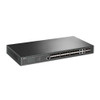
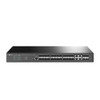
TP-LINK (TL-SG3428XF) JetStream 24-Port SFP L2+ Managed Switch w/ 4 10GE SFP+ Slots, Dual Redundant PSUs, Rackmountable
- SKU:
- SG3428XF
- UPC:
- 4897098688229
- MPN:
- SG3428XF
- Availability:
- Free Click & Collect in Peterborough. UK delivery also available.


Description
TP-Link TL-SG3428XF JetStream 24-Port SFP L2+ Managed Switch with 4 × 10G SFP+ Slots
The TP-Link TL-SG3428XF is a high-performance JetStream 24-Port SFP L2+ managed switch designed for business networks, aggregation layers, fibre-based infrastructure, campus networks, office networks, ISPs and enterprise environments that require reliable fibre connectivity with high-speed 10G uplinks. With 20 × Gigabit SFP ports, 4 × Gigabit SFP/RJ45 combo ports, 4 × 10Gbps SFP+ slots, 128Gbps switching capacity and dual redundant power supplies, it is built for scalable and resilient wired network deployments.
This TP-Link TL-SG3428XF managed switch is ideal for customers searching for a 24-port SFP managed switch, JetStream fibre switch, 10G SFP+ uplink switch, Omada SDN managed switch, L2+ rackmount switch, aggregation switch, business fibre switch, or a reliable managed network switch for high-speed fibre and mixed SFP/RJ45 installations.
Key Features of the TP-Link TL-SG3428XF
- 20 × Gigabit SFP ports for fibre network connections
- 4 × Gigabit SFP/RJ45 combo ports for flexible fibre or copper Gigabit connectivity
- 4 × 10Gbps SFP+ slots for high-speed uplinks, aggregation and server connections
- 128Gbps switching capacity for high-throughput network performance
- 95.23Mpps packet forwarding rate for efficient data handling
- Dual redundant power supplies for improved network reliability
- Integrated into Omada SDN for centralised cloud or on-premises management
- Static routing to help route internal traffic efficiently
- Advanced L2+ features including VLAN, LACP, STP/RSTP/MSTP and IGMP Snooping
- Robust security features including ACL, 802.1X, DHCP Snooping, Port Security and DoS Defend
- L2/L3/L4 QoS for prioritising voice, video and important business traffic
- Standalone management through Web, CLI, console, Telnet, SSH, SNMP and RMON
- Rackmountable 1U design for server rooms, network cabinets and comms racks
Full Fibre Managed Switch with 10G Uplinks
The TL-SG3428XF is designed for fibre-heavy network environments where multiple Gigabit SFP connections need to be aggregated into faster uplinks. Its combination of 20 Gigabit SFP ports, 4 Gigabit SFP/RJ45 combo ports and 4 10G SFP+ slots makes it suitable for network aggregation, core uplinks, switch-to-switch links, server links, NAS connectivity and fibre distribution.
4 × 10Gbps SFP+ Slots for High-Bandwidth Uplinks
The 4 × 10Gbps SFP+ slots provide high-speed uplink capacity for connecting to core switches, routers, servers or storage devices. This helps reduce bottlenecks when multiple Gigabit fibre connections are active at the same time.
Flexible SFP and RJ45 Combo Connectivity
The switch includes 4 Gigabit SFP/RJ45 combo ports, giving installers flexibility to use either fibre SFP modules or standard RJ45 Ethernet copper connections on those combo interfaces. This is useful for mixed networks where some devices use fibre while others still require copper Ethernet.
Important Combo Port Note
Combo ports share the same interface position, meaning the SFP and RJ45 side of a combo port are alternatives rather than separate simultaneous ports. Check the switch configuration and installation plan before assigning uplinks or access connections.
Omada SDN Centralised Management
The TL-SG3428XF integrates with TP-Link Omada SDN, allowing centralised management together with compatible Omada access points, routers and switches. This is useful for businesses, hospitality, education, retail, offices and multi-site environments that need unified monitoring and configuration.
Cloud or On-Premises Control
Omada SDN allows the switch to be managed through compatible Omada controllers, with options for cloud access, intelligent monitoring, batch configuration, firmware management and centralised network visibility, depending on the chosen Omada controller setup.
Advanced L2+ and L3 Network Features
The TP-Link TL-SG3428XF includes a wide range of managed network features for more advanced deployments. It supports static routing, IPv4/IPv6 interfaces, DHCP Server, DHCP Relay, VLAN, link aggregation, spanning tree, loopback detection, QoS and multicast management.
VLAN, LACP and Spanning Tree Support
For managed networks, the switch supports features such as 802.1Q VLAN, MAC VLAN, Protocol VLAN, Private VLAN, QinQ, static link aggregation, 802.3ad LACP, STP, RSTP and MSTP. These features help segment traffic, improve resilience and optimise network design.
Business-Grade Security Features
The TL-SG3428XF includes advanced security controls to help protect business networks from common threats and unauthorised access. TP-Link lists features including IP-MAC-Port Binding, ACL, Port Security, DoS Defend, Storm Control, DHCP Snooping, 802.1X and RADIUS authentication.
Access Control and Authentication
With ACL and 802.1X authentication, network administrators can control access based on users, ports, VLANs, IP addresses and traffic rules. This makes the switch suitable for offices, schools, hospitality networks and business environments where network segmentation and access control are important.
QoS for Voice, Video and Business Traffic
The switch supports L2/L3/L4 Quality of Service, allowing important traffic such as VoIP, video conferencing, IPTV, business systems and critical data flows to be prioritised. This helps keep key services running smoothly even when the network is busy.
IGMP Snooping for Multicast Traffic
IGMP Snooping helps the switch forward multicast traffic only where it is needed, reducing unnecessary network load. This is useful for IPTV, video distribution and multicast-heavy business networks.
Dual Redundant Power Supplies for Reliability
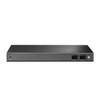
One of the major advantages of the TL-SG3428XF is its dual redundant power supply design. The two power supplies can back each other up, making the switch suitable for network environments where uptime and reliability are important.
Rackmount Design for Professional Installations
The switch uses a rackmountable chassis measuring 440 × 220 × 44mm, making it suitable for 19-inch network cabinets, server rooms, comms rooms and professional rack installations.
Who Is the TP-Link TL-SG3428XF Best For?
- Businesses needing a managed fibre aggregation switch
- Networks using multiple Gigabit SFP fibre links
- Installers needing 10G SFP+ uplinks
- Offices, schools, hospitality, retail and campus networks
- ISPs and service providers needing managed fibre switching features
- Server rooms and comms cabinets requiring rackmount installation
- Omada SDN users wanting centralised switch management
- Networks needing VLAN, QoS, ACL, LACP and static routing features
TP-Link TL-SG3428XF Specifications
- Brand: TP-Link
- Model: TL-SG3428XF
- Series: JetStream
- Product Type: 24-Port SFP L2+ Managed Switch with 4 × 10G SFP+ Slots
- Main Ports: 20 × Gigabit SFP ports
- Combo Ports: 4 × Gigabit SFP/RJ45 combo ports
- Uplink Ports: 4 × 10Gbps SFP+ slots
- Console Ports: 1 × RJ45 console port and 1 × Micro-USB console port
- Switching Capacity: 128Gbps
- Packet Forwarding Rate: 95.23Mpps
- MAC Address Table: 16K
- Packet Buffer Memory: 12Mbit
- Jumbo Frame: 9KB
- Fan Quantity: 1 fan
- Power Supply: Dual redundant power supplies, 100–240V AC, 50/60Hz
- Maximum Power Consumption: 35.7W at 110V / 60Hz
- Maximum Heat Dissipation: 121.81BTU/hr at 110V / 60Hz
- Mounting: Rackmountable
- Dimensions: 440 × 220 × 44mm
- Management: Omada SDN, Web, CLI, Console, Telnet, SSH, SNMP and RMON
- L2/L2+ Features: VLAN, Link Aggregation, STP/RSTP/MSTP, Loopback Detection, Flow Control, Port Mirroring and IGMP Snooping
- L3 Features: Static Routing, IPv4/IPv6 Interfaces, DHCP Server and DHCP Relay
- Security Features: ACL, 802.1X, IP-MAC-Port Binding, Port Security, DHCP Snooping, DoS Defend and Storm Control
- QoS: L2/L3/L4 QoS with 8 priority queues
Buying Advice
Before ordering, please note that the TP-Link TL-SG3428XF is designed mainly for SFP and SFP+ fibre networking. It is not a standard 24-port RJ45 copper switch. The 4 Gigabit SFP/RJ45 combo ports give limited copper flexibility, but most connections require compatible SFP or SFP+ modules and suitable fibre cabling. Please check transceiver compatibility, fibre type, cable length, rack depth, airflow and management requirements before installation.
Why Buy the TP-Link TL-SG3428XF?
The TP-Link TL-SG3428XF JetStream 24-Port SFP L2+ Managed Switch is a strong choice for businesses and installers building a fibre-based managed network. With 20 Gigabit SFP ports, 4 Gigabit SFP/RJ45 combo ports, 4 10G SFP+ slots, Omada SDN integration, dual redundant power supplies, 128Gbps switching capacity, advanced VLAN/QoS/security features and rackmount design, it is ideal for aggregation, enterprise access, ISP, campus and high-speed business network deployments.
Specification
TP-Link TL-SG3428XF JetStream 24-Port SFP L2+ Managed Switch Specifications
| Product Type | JetStream 24-Port SFP L2+ Managed Switch with 4 × 10G SFP+ Slots |
| Brand | TP-Link |
| Model | TL-SG3428XF |
| Series | JetStream / Omada Managed Switch |
| Switch Type | L2+ Managed Fibre Switch |
| Main Fibre Ports | 20 × Gigabit SFP Ports |
| Combo Ports | 4 × Gigabit SFP/RJ45 Combo Ports |
| 10G Uplink Ports | 4 × 10G SFP+ Slots |
| Console Ports | 1 × RJ45 Console Port and 1 × Micro-USB Console Port |
| Switching Capacity | 128Gbps |
| Packet Forwarding Rate | 95.23Mpps |
| MAC Address Table | 16K |
| Packet Buffer Memory | 12Mbit |
| Jumbo Frame | 9KB |
| Fan Quantity | 1 Fan |
| Power Supply | Dual Redundant Power Supplies, 100–240V AC, 50/60Hz |
| Maximum Power Consumption | 35.7W at 110V / 60Hz |
| Maximum Heat Dissipation | 121.81BTU/hr at 110V / 60Hz |
| Mounting | Rackmountable |
| Dimensions | 440 × 220 × 44mm |
| Omada SDN Support | Supported with Omada Controller / Omada SDN Platform |
| Standalone Management | Web GUI, CLI, Console Port, Telnet, SSH, SNMP and RMON |
| L2 / L2+ Features | 802.1Q VLAN, MAC VLAN, Protocol VLAN, Private VLAN, QinQ, LACP, Static Link Aggregation, STP, RSTP, MSTP, Loopback Detection, Flow Control, Port Mirroring and IGMP Snooping |
| L3 Features | Static Routing, IPv4 / IPv6 Interfaces, DHCP Server and DHCP Relay |
| Security Features | ACL, 802.1X, IP-MAC-Port Binding, Port Security, DHCP Snooping, DoS Defend, Storm Control and RADIUS Authentication |
| QoS | L2 / L3 / L4 QoS with 8 Priority Queues |
| Recommended Use | Business Fibre Networks, Aggregation Layers, ISP Networks, Campus Networks, Server Rooms and Managed Network Deployments |
Fibre Port Notice
This model is mainly a fibre SFP managed switch. It has 20 × Gigabit SFP ports, 4 × Gigabit SFP/RJ45 combo ports and 4 × 10G SFP+ slots. It is not a standard 24-port RJ45 copper switch.
Combo Port Notice
The 4 × Gigabit SFP/RJ45 combo ports provide either SFP fibre or RJ45 copper connectivity on each combo interface. The SFP and RJ45 side of a combo port are alternatives, not separate simultaneous ports.
PoE Notice
This switch is not a PoE switch. It does not supply power to PoE access points, IP cameras, VoIP phones or other PoE-powered devices.
SFP Module Notice
SFP and SFP+ transceivers are normally sold separately unless clearly stated in the package contents. Please check module compatibility, fibre type, cable distance and connector type before installation.
Management Notice
This is a managed L2+ switch and can be used with the Omada SDN platform or standalone management methods such as Web GUI, CLI, console, SSH, SNMP and RMON. Some features may require controller adoption, firmware support or network configuration.
Rackmount Notice
The switch is rackmountable and measures 440 × 220 × 44mm. Check rack depth, airflow, cabling space, power redundancy requirements and ambient temperature before installation.
Return
FAQ: Frequently Asked Questions
TP-Link TL-SG3428XF JetStream 24-Port SFP L2+ Managed Switch FAQ
The TP-Link TL-SG3428XF JetStream 24-Port SFP L2+ Managed Switch is a rackmountable fibre aggregation switch designed for business networks, CCTV networks, server rooms, fibre uplinks, Omada SDN deployments and managed VLAN environments. It features 20× Gigabit SFP ports, 4× Gigabit SFP/RJ45 combo ports, 4× 10Gbps SFP+ slots, dual redundant power supplies, 128Gbps switching capacity, 95.23Mpps packet forwarding, advanced L2/L2+ features, static routing, VLANs, ACLs, QoS, IGMP snooping, link aggregation and Omada centralized management. Below are the most common questions buyers ask before choosing the TP-Link TL-SG3428XF 24-Port SFP L2+ Managed Switch with 4 10GE SFP+ slots, including SFP module compatibility, 10G uplinks, Omada Controller use, VLAN setup, inter-VLAN routing, PoE support, rackmount installation, fibre vs copper connections, DAC cables, fan noise, dual PSU redundancy and who this managed switch is best suited for.
1. What is the TP-Link TL-SG3428XF?
The TP-Link TL-SG3428XF is a JetStream L2+ managed switch designed mainly for fibre-based business networks. It provides 20 Gigabit SFP ports, 4 Gigabit SFP/RJ45 combo ports and 4 10Gbps SFP+ slots for high-speed uplinks or aggregation.
2. What is the TP-Link TL-SG3428XF best used for?
This switch is best used for fibre aggregation, business networks, server rooms, CCTV infrastructure, VLAN-based networks, Omada SDN deployments, linking multiple switches, and connecting devices through SFP fibre modules or compatible copper transceivers.
3. How many ports does the TL-SG3428XF have?
The TL-SG3428XF has 20 Gigabit SFP ports, 4 Gigabit SFP/RJ45 combo ports and 4 10Gbps SFP+ slots. It also includes RJ45 and micro-USB console ports for management.
4. Are all 24 main ports fibre SFP ports?
The switch has 20 dedicated Gigabit SFP ports plus 4 Gigabit SFP/RJ45 combo ports. The combo ports can be used as either SFP or RJ45, but not both at the same time for the same combo port number.
5. What are combo ports on the TL-SG3428XF?
Combo ports give you a choice between using the SFP fibre slot or the RJ45 copper port for that port number. They are useful when you need a mix of fibre and standard Ethernet connections.
6. Does the TP-Link TL-SG3428XF have 10G ports?
Yes. The switch includes 4 10Gbps SFP+ slots. These are useful for high-speed uplinks to servers, NAS devices, core switches, aggregation switches or other network infrastructure.
7. Are the 10G ports RJ45 or SFP+?
The 10G ports are SFP+ slots, not built-in RJ45 10GBase-T ports. To connect copper 10G Ethernet, you would need compatible 10G RJ45 SFP+ transceiver modules, subject to heat, power and compatibility limits.
8. Does the TL-SG3428XF include SFP modules?
SFP and SFP+ transceiver modules are normally purchased separately. You need to choose compatible fibre modules, DAC cables or copper SFP+ modules depending on the cable type, distance and network equipment you are connecting.
9. Can I use TP-Link SFP modules with this switch?
Yes. TP-Link SFP and SFP+ modules are the safest option for compatibility. Third-party modules may also work in some cases, but compatibility is not guaranteed and should be checked before deployment.
10. Can I use 10G DAC cables with the TL-SG3428XF?
Yes, compatible SFP+ DAC cables can be used for short-distance 10G connections between switches, servers, routers or NAS devices. Always check compatibility with both devices before buying DAC cables.
11. Can I use RJ45 copper SFP+ modules in the 10G slots?
Yes, compatible RJ45 10G SFP+ modules may be used, but they can run hotter and consume more power than fibre or DAC options. For multiple copper SFP+ modules, check compatibility and allow good airflow.
12. Can I use the 10G SFP+ slots at 1Gbps?
In many cases, SFP+ slots can work with compatible 1G SFP modules or 1G links, but manual speed configuration may be needed depending on the module and connected device.
13. Why is my 10G SFP+ connection only showing 1G?
This can happen because of module compatibility, cable type, auto-negotiation behaviour, port speed settings, firmware, or the connected device only supporting 1G. Check both devices, update firmware and manually set the port speed if needed.
14. Is the TL-SG3428XF a managed switch?
Yes. It is an L2+ managed switch with advanced configuration options including VLANs, link aggregation, QoS, ACLs, IGMP snooping, static routing, DHCP relay, port mirroring, storm control and centralized Omada management.
15. What does L2+ managed switch mean?
L2+ means the switch provides advanced Layer 2 switching features plus selected Layer 3 features such as static routing. It is more capable than an unmanaged switch but is not the same as a full enterprise Layer 3 router or firewall.
16. Does the TL-SG3428XF support VLANs?
Yes. It supports 802.1Q VLANs and multiple VLAN features, making it suitable for separating networks such as staff, guest, CCTV, VoIP, management and server traffic.
17. Can the TL-SG3428XF do inter-VLAN routing?
Yes, it supports static routing and can route traffic between VLANs in suitable network designs. However, for firewall-style security between VLANs, a proper router or firewall gateway is usually still recommended.
18. Is the TL-SG3428XF a firewall?
No. It has ACL and security features, but it is not a stateful firewall. If you need advanced security policies, NAT, VPN, WAN routing or stateful inter-VLAN firewall rules, use an Omada gateway, pfSense, OPNsense or another firewall/router.
19. Does the TL-SG3428XF work with TP-Link Omada Controller?
Yes. The switch integrates with Omada SDN for centralized management, monitoring, batch configuration and cloud-managed network control when used with a compatible Omada Controller setup.
20. Do I need an Omada Controller to use this switch?
No. The switch can also be managed in standalone mode using web management, CLI, SNMP and other management methods. Omada Controller is useful if you want centralized management across multiple Omada devices.
21. Can I manage the TL-SG3428XF from the cloud?
Yes. When integrated with Omada SDN and a suitable controller, the switch can be centrally managed and monitored with cloud access, depending on your Omada setup.
22. Does the TL-SG3428XF support standalone web management?
Yes. It supports standalone management through a web interface. It also supports CLI access through console, Telnet or SSH, plus SNMP and RMON for monitoring.
23. Does this switch support link aggregation?
Yes. The TL-SG3428XF supports static link aggregation and 802.3ad LACP. Link aggregation can combine multiple ports for higher total bandwidth or redundancy when connected to compatible devices.
24. Does the TL-SG3428XF support Spanning Tree Protocol?
Yes. It supports STP, RSTP and MSTP, helping prevent network loops and improve redundancy in more advanced switching environments.
25. Does this switch support loop detection?
Yes. The TL-SG3428XF supports loopback detection and related loop protection features. This is useful in business networks where accidental loops can cause major disruption.
26. Does the TL-SG3428XF support QoS?
Yes. It supports QoS features including priority queues and traffic prioritisation. QoS is useful for voice, video, CCTV, business applications and latency-sensitive traffic.
27. Does the TL-SG3428XF support IGMP snooping?
Yes. It supports IGMP snooping, which helps manage multicast traffic more efficiently. This is useful for IPTV, multicast video, surveillance and some business network applications.
28. Does the TL-SG3428XF support access control lists?
Yes. The switch includes ACL features that can help control traffic based on defined rules. For complex security between VLANs, it is still best to use a proper router or firewall gateway.
29. Does the TL-SG3428XF support DHCP relay?
Yes. It supports DHCP relay features, which can help clients in different VLANs or subnets reach a central DHCP server in a managed network design.
30. Does the TL-SG3428XF support jumbo frames?
Yes. It supports jumbo frames up to 9KB. Jumbo frames can be useful for certain storage, backup and server workloads when all connected devices are configured correctly.
31. What is the switching capacity of the TL-SG3428XF?
The TL-SG3428XF has a switching capacity of 128Gbps. This helps support high-throughput traffic across its Gigabit SFP and 10G SFP+ ports.
32. What is the packet forwarding rate of the TL-SG3428XF?
TP-Link lists the packet forwarding rate as 95.23Mpps. This is important for high-traffic business networks and aggregation environments.
33. Does the TL-SG3428XF support PoE?
No. The TL-SG3428XF is not a PoE switch. It does not provide Power over Ethernet to access points, IP cameras or VoIP phones. If you need PoE, choose a TP-Link Omada PoE switch instead.
34. Can I use this switch for Wi-Fi access points?
Yes, it can carry network traffic for access points, but it does not power them. If your access points require PoE, they need separate PoE injectors or a PoE switch.
35. Can I use the TL-SG3428XF for CCTV cameras?
Yes, it can be used in CCTV networks, especially where fibre uplinks or VLAN separation are needed. However, it does not provide PoE power to cameras, so PoE cameras need a separate PoE switch or injectors.
36. Is the TL-SG3428XF suitable for NAS and server connections?
Yes. The 10G SFP+ slots make it suitable for connecting NAS devices, servers or other switches at high speed, provided the correct SFP+ modules, DAC cables or network cards are used.
37. Can I use this switch as a core switch?
It can be used as a core or aggregation switch in smaller business networks, especially where fibre and 10G uplinks are required. Larger enterprise environments may need higher-end Layer 3 switches depending on design requirements.
38. Can I use this switch at home?
Yes, advanced home lab users can use it, especially for fibre, VLANs and 10G uplinks. However, it is more business-focused than a typical home switch, and its fan may not be ideal for quiet rooms.
39. Does the TL-SG3428XF have a fan?
Yes. TP-Link lists this model with one fan. Because it is an enterprise-style managed switch, it may be more suitable for a rack, network cabinet, comms room or server room than a bedroom or quiet office.
40. Is the TL-SG3428XF silent?
No. It is not a fanless switch. Noise level can vary by environment and workload, but buyers wanting silent operation should consider whether a fanless switch would be more suitable.
41. Can I replace or remove the fan?
Fan modification is not recommended. Removing or changing the fan can cause overheating, errors, reliability issues and may affect warranty. Use the switch in a suitable ventilated rack or cabinet instead.
42. What power supply does the TL-SG3428XF use?
The TL-SG3428XF uses dual redundant internal power supplies with 100-240V AC input. Redundant power helps improve reliability in business and rack environments.
43. What does dual redundant PSU mean?
Dual redundant PSU means the switch includes two power supply units so the switch can continue operating if one power source or PSU fails, depending on how the power feeds are connected.
44. Is the TL-SG3428XF rackmountable?
Yes. The TL-SG3428XF is rackmountable and is designed for installation in a standard network rack or cabinet.
45. What size is the TL-SG3428XF?
TP-Link lists the dimensions as 440 x 220 x 44mm. This is a standard 1U rack-style switch size suitable for rackmount installation.
46. What is the maximum power consumption?
TP-Link lists maximum power consumption as 35.7W at 110V/60Hz. Actual power use depends on installed modules, workload and operating conditions.
47. Is the TL-SG3428XF suitable for fibre-to-desk networks?
Yes. With many Gigabit SFP ports, the switch can be used in fibre-to-desk or fibre aggregation designs where clients, switches or media converters connect using fibre modules.
48. What should I check before buying the TP-Link TL-SG3428XF?
Check whether you need SFP fibre ports rather than RJ45 copper ports, whether you need PoE, which SFP/SFP+ modules or DAC cables you require, your VLAN and routing needs, rack space, fan noise tolerance and Omada Controller compatibility.
49. Who should NOT buy the TP-Link TL-SG3428XF?
This switch is not ideal for users who only need simple plug-and-play Ethernet, silent fanless operation, built-in PoE, mostly RJ45 copper ports, Wi-Fi router features, or a full stateful firewall. It is best for business users, IT installers and advanced networks needing managed fibre SFP aggregation with 10G SFP+ uplinks.
50. Why buy the TP-Link TL-SG3428XF from Memox?
Buying the TP-Link TL-SG3428XF JetStream 24-Port SFP L2+ Managed Switch from Memox is a practical choice if you need a managed fibre aggregation switch for business networks, rack installations, VLANs, Omada SDN and 10G uplinks. Memox offers managed switches, networking equipment, fibre accessories, Ethernet products, storage, RAM, PC components and computer accessories for UK customers.