
TP-LINK
TP-Link TL-SG105PE 5-Port Gigabit PoE+ Easy Smart Switch – 65W PoE Budget
- SKU:
- NPTPL-TLSG105PE
- UPC:
- 6935364052751
- MPN:
- TL-SG105PE
- Availability:
- Free Click & Collect in Peterborough. UK delivery also available.




Description
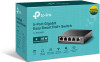
TP-Link TL-SG105PE 5-Port Gigabit Easy Smart PoE+ Switch – 4 PoE+ Ports, 65W PoE Budget, Fanless Desktop Switch
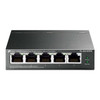
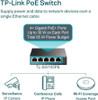
The TP-Link TL-SG105PE is a compact 5-port Gigabit Easy Smart PoE+ switch designed for small business networks, home offices, CCTV installations, access points, VoIP phones and other wired network devices. With 5× 10/100/1000Mbps RJ45 ports, 4× 802.3af/at PoE+ ports, up to 30W per PoE port and a total 65W PoE power budget, it allows both power and data to be delivered over one Ethernet cable to compatible PoE-powered devices.
This TP-Link TL-SG105PE PoE switch is ideal for customers searching for a 5-port Gigabit PoE switch, 4-port PoE+ switch, 65W PoE budget switch, Easy Smart managed switch, PoE switch for IP cameras, PoE switch for wireless access points, PoE switch for VoIP phones, or a compact fanless desktop switch with VLAN, QoS and simple network management features.
Key Features of the TP-Link TL-SG105PE
- 5× Gigabit RJ45 ports supporting 10/100/1000Mbps connections
- 4× PoE+ ports supporting IEEE 802.3af/at powered devices
- Up to 30W per PoE port for compatible access points, IP cameras and VoIP phones
- 65W total PoE power budget across all PoE ports
- Easy Smart management with web-based GUI and TP-Link Easy Smart Configuration Utility
- VLAN support for basic network segmentation and traffic separation
- QoS traffic prioritisation for voice, video and important network traffic
- IGMP Snooping for more efficient multicast traffic handling
- PoE Auto Recovery to help recover connected PoE devices if they stop responding
- Port Mirroring and Cable Diagnostics for easier troubleshooting
- Fanless design for quiet operation in offices, reception areas and home networks
- Compact desktop size with rubber feet included
- External power adapter included for PoE and switch power
Compact Gigabit PoE+ Switch for Small Networks
The TP-Link TL-SG105PE is designed for users who need a small switch that can power PoE devices without adding separate power adapters at every device location. It is especially useful for small offices, home offices, shops, reception areas, CCTV camera points, wireless access point installations and VoIP phone setups.
Power and Data Over One Ethernet Cable
The 4 PoE+ ports can transmit both network data and electrical power through a single Ethernet cable to compatible PoE-powered devices. This helps reduce cable clutter and makes installation easier in locations where a mains socket is not close to the device.
4 PoE+ Ports with 65W Power Budget
The TL-SG105PE provides 4× 802.3af/at PoE+ ports with up to 30W per port. The total PoE budget is 65W, which means the combined power used by all connected PoE devices must stay within the 65W limit.
Ideal for IP Cameras, Access Points and VoIP Phones
This switch is suitable for powering common PoE devices such as wireless access points, IP security cameras, VoIP phones and other compatible 802.3af/at devices. Always check each device’s PoE standard and wattage requirement before installation.
Easy Smart Management for Better Network Control
Unlike a basic unmanaged switch, the TP-Link TL-SG105PE includes Easy Smart management features. These allow basic network monitoring, traffic control and configuration without the complexity of a full enterprise managed switch.
Web GUI and Easy Smart Configuration Utility
The switch can be managed through a web-based interface, and TP-Link also provides an Easy Smart Configuration Utility for supported Windows systems. This makes it easier to configure VLANs, QoS, port settings and monitoring functions.
VLAN Support for Network Segmentation
The TL-SG105PE supports up to 32 VLANs simultaneously from 4K VLAN IDs, with MTU, port-based and tag-based VLAN options. VLANs can help separate traffic between devices, improve organisation and add basic network segmentation for small business environments.
Useful for Guest, CCTV and Office Traffic
VLAN support can be useful when separating different types of devices, such as CCTV cameras, office computers, guest access points and VoIP phones, depending on your router and network configuration.
QoS for Voice, Video and Important Traffic
The switch includes Quality of Service features with port-based, 802.1p and DSCP priority support, along with four priority queues. This helps prioritise important traffic such as voice calls, video streams, access point traffic and business-critical network activity.
Better Traffic Prioritisation for Busy Networks
QoS is useful when multiple devices are active at the same time and some traffic needs to be prioritised over standard file transfers or background network activity.
PoE Auto Recovery for Device Reliability
The TL-SG105PE includes PoE Auto Recovery, a feature designed to help maintain connected PoE devices. If a connected PoE device becomes unresponsive, the switch can help recover the device by managing the PoE connection, depending on configuration and device behaviour.
Helpful for Cameras and Access Points
This feature is useful for installations where PoE devices such as IP cameras or wireless access points are mounted in places that are not easy to access manually.
Fanless, Compact and Quiet Design
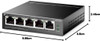
The TL-SG105PE uses a fanless design, making it quiet enough for desks, small offices, home offices, reception counters and retail environments. Its compact size of 99.8 × 98 × 25mm makes it easy to place on a desk, shelf or network cabinet surface.
Durable Metal Housing
The switch uses a compact metal housing designed for dependable everyday operation. It is suitable for desktop use and small network setups where a quiet, tidy and reliable switch is required.
Gigabit Performance for Wired Devices
All five RJ45 ports support Gigabit Ethernet, helping provide stable wired network performance for computers, printers, access points, cameras, network video recorders, routers and other wired devices.
10Gbps Switching Capacity
The switch has a 10Gbps switching capacity and 7.44Mpps packet forwarding rate, giving it enough switching performance for all five Gigabit ports in typical small network deployments.
Who Is the TP-Link TL-SG105PE Best For?
- Small businesses needing a compact PoE+ switch
- Home offices using access points, cameras or VoIP phones
- CCTV installations with up to four PoE cameras
- Retail shops, reception areas and small offices
- Users needing simple VLAN and QoS features
- Installers wanting a small fanless PoE switch
- Networks needing 4 PoE+ ports and one additional Gigabit uplink/device port
TP-Link TL-SG105PE Specifications
- Brand: TP-Link
- Model: TL-SG105PE
- Product Type: 5-Port Gigabit Easy Smart PoE+ Switch
- Total RJ45 Ports: 5× 10/100/1000Mbps RJ45 ports
- PoE Ports: 4× PoE+ ports, ports 1–4
- PoE Standard: IEEE 802.3af / IEEE 802.3at compliant
- Maximum PoE Power Per Port: Up to 30W per PoE port
- Total PoE Budget: 65W
- Switching Capacity: 10Gbps
- Packet Forwarding Rate: 7.44Mpps
- MAC Address Table: 2K
- Packet Buffer Memory: 1.5Mb
- Jumbo Frame: 16KB
- Transmission Method: Store-and-forward
- Fan Quantity: Fanless
- Power Supply: External power adapter, output 53.5V DC / 1.31A
- Management: Web-based GUI and Easy Smart Configuration Utility
- VLAN: Up to 32 VLANs simultaneously, MTU / port / tag VLAN
- QoS: Port-based, 802.1p and DSCP priority with 4 priority queues
- L2 Features: IGMP Snooping V1/V2/V3, Static Link Aggregation, Port Mirroring, Cable Diagnostics, Loop Prevention, PoE Auto Recovery and Extend Mode
- Standards: IEEE 802.3i, 802.3u, 802.3ab, 802.3af, 802.3at, 802.3x, 802.1q and 802.1p
- Dimensions: 99.8 × 98 × 25mm
- Operating Temperature: 0°C to 40°C
- Storage Temperature: -40°C to 70°C
- Operating Humidity: 10% to 90% RH, non-condensing
- Storage Humidity: 5% to 95% RH, non-condensing
- Certifications: FCC, CE and RoHS
- Package Contents: TL-SG105PE, power adapter, installation guide and rubber feet
Buying Advice
Before ordering, check the power requirements of your PoE devices. Each PoE+ port can supply up to 30W, but the total PoE budget for all PoE ports is 65W. This switch is suitable for compatible PoE cameras, access points and VoIP phones, but it is not designed for high-power PoE++ devices that require IEEE 802.3bt power levels.
Why Buy the TP-Link TL-SG105PE?
The TP-Link TL-SG105PE 5-Port Gigabit Easy Smart PoE+ Switch is a practical choice for small networks that need PoE power, Gigabit speed and simple management features in one compact unit. With 4 PoE+ ports, a 65W PoE budget, fanless operation, VLAN, QoS, IGMP Snooping, PoE Auto Recovery, web-based management and a compact metal design, it is ideal for IP cameras, access points, VoIP phones, home offices, small businesses and tidy wired network upgrades.
Specification
TP-Link TL-SG105PE 5-Port Gigabit Easy Smart PoE+ Switch Specifications
| Product Type | 5-Port Gigabit Easy Smart PoE+ Switch |
| Brand | TP-Link |
| Model | TL-SG105PE |
| Switch Type | Easy Smart / Web Managed Desktop PoE+ Switch |
| Total RJ45 Ports | 5 × 10/100/1000Mbps RJ45 Ports |
| PoE Ports | 4 × PoE+ Ports, Ports 1–4 |
| PoE Standard | IEEE 802.3af / IEEE 802.3at Compliant |
| Maximum PoE Power Per Port | Up to 30W per PoE Port |
| Total PoE Power Budget | 65W Across All PoE Ports |
| Switching Capacity | 10Gbps |
| Packet Forwarding Rate | 7.44Mpps |
| MAC Address Table | 2K |
| Packet Buffer Memory | 1.5Mb |
| Jumbo Frame | 16KB |
| Transmission Method | Store-and-Forward |
| Network Media | 10BASE-T Cat3/4/5 up to 100m; 100BASE-TX Cat5/5e up to 100m; 1000BASE-T Cat5/5e/6 or above up to 100m |
| Auto Negotiation / Auto MDI/MDIX | Supported on RJ45 Ports |
| Fan Quantity | Fanless |
| Power Supply | External Power Adapter |
| Power Adapter Output | 53.5V DC / 1.31A |
| Maximum Power Consumption | 4.52W with no powered device connected / 75.16W with 65W powered device load, measured at 220V / 50Hz |
| Maximum Heat Dissipation | 15.41BTU/h with no powered device connected / 256.30BTU/h with 65W powered device load |
| QoS Features | Port-Based, 802.1p and DSCP Priority, 4 Priority Queues, Rate Limit and Storm Control |
| VLAN Support | Up to 32 VLANs Simultaneously from 4K VLAN IDs; MTU / Port / Tag VLAN |
| L2 Features | IGMP Snooping V1/V2/V3, Static Link Aggregation, Port Mirroring, Cable Diagnostics, Loop Prevention, PoE Auto Recovery and Extend Mode |
| Management | Web-Based GUI and TP-Link Easy Smart Configuration Utility |
| Standards and Protocols | IEEE 802.3i, 802.3u, 802.3ab, 802.3af, 802.3at, 802.3x, 802.1q and 802.1p |
| System Requirement for Utility | Microsoft Windows for Easy Smart Configuration Utility |
| Dimensions | 99.8 × 98 × 25mm |
| Operating Temperature | 0°C to 40°C |
| Storage Temperature | -40°C to 70°C |
| Operating Humidity | 10% to 90% RH, Non-Condensing |
| Storage Humidity | 5% to 95% RH, Non-Condensing |
| Certifications | FCC, CE and RoHS |
| Package Contents | TL-SG105PE Switch, Power Adapter, Installation Guide and Rubber Feet |
| Recommended Use | IP Cameras, Wireless Access Points, VoIP Phones, Small Offices, Home Offices, CCTV Networks and Compact PoE Installations |
PoE Budget Notice
The TP-Link TL-SG105PE has a total 65W PoE budget across ports 1–4. Each PoE+ port can provide up to 30W, but the combined power draw of all connected PoE devices must stay within the total 65W budget.
PoE Standard Notice
This switch supports IEEE 802.3af and IEEE 802.3at PoE+ devices. It is not a PoE++ / IEEE 802.3bt switch, so it is not suitable for devices that require higher PoE++ power levels.
Port Layout Notice
All five ports are Gigabit RJ45 ports. Ports 1–4 support PoE+ power and data, while the remaining Gigabit port is used for standard Ethernet uplink or a non-PoE wired device.
Management Notice
This is an Easy Smart switch, not a fully managed enterprise switch. It supports useful web-based features such as VLAN, QoS, IGMP Snooping, Port Mirroring, Cable Diagnostics and PoE Auto Recovery.
Fanless Desktop Notice
The TL-SG105PE uses a fanless design for quiet operation. Keep the switch in a ventilated location and avoid covering the unit, especially when powering multiple PoE devices.
Package Notice
The package includes the TL-SG105PE switch, power adapter, installation guide and rubber feet. Ethernet cables and PoE devices are not listed as included.
Return
FAQ: Frequenlty Asked Questions
TP-Link TL-SG105PE 5-Port Gigabit PoE+ Easy Smart Switch FAQ
The TP-Link TL-SG105PE 5-Port Gigabit PoE+ Easy Smart Switch is a compact business and home-networking switch designed for powering and connecting compatible PoE devices such as IP cameras, wireless access points, VoIP phones and small network devices. It features 5 Gigabit RJ45 ports, including 4 PoE+ ports, a total 65W PoE budget, up to 30W per PoE port, fanless operation, VLAN support, QoS, IGMP snooping, port mirroring, cable diagnostics, loop prevention, PoE Auto Recovery and a simple web-based management interface. Below are the most common questions buyers ask before choosing the TP-Link TL-SG105PE 5-Port Gigabit PoE+ Easy Smart Switch with 65W PoE budget, including PoE compatibility, CCTV camera use, access point support, VLANs, Omada, Extend Mode, fan noise, power limits, port setup and who this switch is best suited for.
1. What is the TP-Link TL-SG105PE?
The TP-Link TL-SG105PE is a 5-port Gigabit Easy Smart PoE+ switch. It provides five Gigabit Ethernet ports, with four ports able to deliver PoE+ power and data to compatible devices such as IP cameras, wireless access points and VoIP phones.
2. What is the TP-Link TL-SG105PE best used for?
The TL-SG105PE is best used for small business networks, home offices, CCTV camera setups, Wi-Fi access point installations, VoIP phones, smart home networks and small managed network setups that need Gigabit Ethernet plus PoE+ power.
3. How many ports does the TL-SG105PE have?
The TL-SG105PE has five 10/100/1000Mbps RJ45 Gigabit Ethernet ports. Ports 1 to 4 support PoE+ power output, while port 5 is normally used as a standard uplink or network device port.
4. How many PoE ports does the TL-SG105PE have?
The switch has four PoE+ ports. These are ports 1 to 4 and can provide both network data and power over a single Ethernet cable to compatible PoE devices.
5. Is port 5 a PoE port?
No. Port 5 is a standard Gigabit Ethernet port and does not provide PoE power. It is commonly used to connect the switch to a router, firewall, main switch or other network device.
6. What is the PoE budget of the TL-SG105PE?
The TP-Link TL-SG105PE has a total PoE power budget of 65W across all four PoE ports. This means all connected PoE devices together should stay within the 65W total budget.
7. What is the maximum PoE power per port?
Each PoE+ port can provide up to 30W to a compatible 802.3af/at device. However, the total power used by all PoE devices must not exceed the switch’s 65W PoE budget.
8. Does the TL-SG105PE support PoE+?
Yes. The TL-SG105PE supports 802.3af and 802.3at PoE/PoE+ standards. It can power compatible PoE and PoE+ devices that follow these standards.
9. Does the TL-SG105PE support PoE++?
No. The TL-SG105PE supports 802.3af/at PoE and PoE+, not 802.3bt PoE++. Devices requiring PoE++ or more than 30W per port need a different switch.
10. Does this switch support passive PoE?
No. This switch is designed for standard 802.3af/at PoE devices. It is not intended for older passive PoE devices that require non-standard voltages such as 24V passive PoE.
11. Can I connect non-PoE devices to the PoE ports?
Yes. Standard non-PoE devices such as PCs, printers, routers or smart TVs can be connected to PoE ports. The switch should only supply power when it detects a compatible PoE device.
12. Can the TL-SG105PE power IP cameras?
Yes. It is suitable for compatible PoE IP cameras that use 802.3af or 802.3at and stay within the switch’s 65W total PoE budget. Always check the camera’s wattage requirement before installation.
13. How many CCTV cameras can this switch power?
It can power up to four compatible PoE cameras, provided the total power draw stays within 65W. For example, four low-power cameras may work, but four high-power PTZ cameras may exceed the budget.
14. Can the TL-SG105PE power wireless access points?
Yes. It can power compatible PoE or PoE+ wireless access points, including many ceiling-mounted and wall-mounted business access points. Check the access point’s PoE standard and wattage requirement first.
15. Can the TL-SG105PE power TP-Link Omada access points?
Yes, it can power compatible TP-Link Omada access points that support standard 802.3af or 802.3at PoE and stay within the switch’s PoE budget. The switch itself is Easy Smart, not a full Omada SDN-managed switch.
16. Can the TL-SG105PE power UniFi access points?
It can power UniFi access points that support standard 802.3af or 802.3at PoE. Some older UniFi devices used passive PoE, so check the exact access point model before connecting it.
17. Can this switch power VoIP phones?
Yes. The TL-SG105PE can power compatible PoE VoIP phones that use standard 802.3af or 802.3at PoE, making it useful for small office phone installations.
18. Can this switch power PoE doorbells?
It may power PoE doorbells that support standard 802.3af or 802.3at. It will not power low-voltage doorbells that require a transformer or non-Ethernet power connection.
19. Why is my PoE device not powering on?
Common causes include using a passive PoE device, exceeding the 65W total budget, using a device that needs PoE++, using a faulty cable, connecting to port 5 by mistake, or using a cable run that is too long or poor quality.
20. What happens if the PoE budget is exceeded?
If connected devices need more than the available 65W budget, some PoE devices may not power on, may reboot, or may become unstable. Choose a higher-budget PoE switch if your devices need more power.
21. Does the TL-SG105PE show PoE power usage per port?
The switch provides Easy Smart management features, but detailed PoE monitoring can vary by hardware and firmware version. Buyers needing advanced per-port PoE power reporting should check the management interface or choose a higher-end managed PoE switch.
22. Can I turn PoE on or off per port?
PoE configuration options can vary by version and firmware. Some TP-Link community discussions note that TL-SG105PE may focus on PoE Auto Recovery rather than full per-port PoE power control, so check the exact hardware version and firmware if this feature is important.
23. What is PoE Auto Recovery?
PoE Auto Recovery helps monitor connected PoE devices and can automatically reboot a dropped or unresponsive PoE device by cycling its power, helping reduce manual maintenance for cameras and access points.
24. Is the TL-SG105PE a managed switch?
It is an Easy Smart switch, not a full enterprise managed switch. It offers useful smart features such as VLANs, QoS, IGMP snooping, port mirroring, cable diagnostics, loop prevention and web management, but it is simpler than a full managed L2/L3 switch.
25. Does the TL-SG105PE support VLANs?
Yes. The switch supports VLAN features including MTU VLAN, port-based VLAN and 802.1Q tag VLAN. This can help separate devices such as cameras, guest Wi-Fi, office devices and IoT equipment.
26. How many VLANs does the TL-SG105PE support?
TP-Link lists support for up to 32 VLANs simultaneously out of 4K VLAN IDs. This is enough for many small office, CCTV, guest Wi-Fi and home lab setups.
27. Can the TL-SG105PE route between VLANs?
No. The TL-SG105PE is not a router and does not provide inter-VLAN routing or firewall rules. For routing between VLANs, you need a compatible router, firewall or Layer 3 switch.
28. Does this switch work with VLAN trunks?
Yes, it can be used with 802.1Q tagged VLANs, which allows tagged VLAN traffic to pass between a router, firewall, access point or another managed switch. Correct PVID and tagged/untagged settings are important.
29. Is this switch good for guest Wi-Fi VLANs?
Yes, if your router and access point also support VLANs. The switch can help carry tagged VLAN traffic to an access point, but the router/firewall must handle DHCP, routing and security rules.
30. Is the TL-SG105PE an Omada switch?
No. The TL-SG105PE is an Easy Smart switch and is not the same as a full Omada SDN-managed switch. It can still be used in a network with Omada access points or routers, but it will not offer the same centralized Omada switch management as Omada switch models.
31. Can I manage the TL-SG105PE from a web browser?
Yes. The switch supports web-based management, allowing configuration of smart features such as VLANs, QoS, monitoring and other settings through a browser interface.
32. Does the TL-SG105PE support the Easy Smart Configuration Utility?
Yes. TP-Link lists support for the Easy Smart Configuration Utility, which can help find and configure compatible TP-Link Easy Smart switches on a Windows PC.
33. Does the TL-SG105PE support QoS?
Yes. It supports QoS features including port-based, 802.1p and DSCP priority. QoS can help prioritise traffic such as VoIP, video, CCTV or business applications.
34. Does the TL-SG105PE support IGMP snooping?
Yes. The switch supports IGMP snooping V1, V2 and V3. This is useful for managing multicast traffic such as IPTV, video streaming or multicast network services.
35. Does this switch support link aggregation?
Yes. TP-Link lists static link aggregation support. This can be useful in selected network setups, but both connected devices must support compatible link aggregation configuration.
36. Does the TL-SG105PE support loop prevention?
Yes. The switch includes loop prevention, which helps reduce the risk of network disruption if a cable is accidentally connected in a way that creates a loop.
37. Does this switch support cable diagnostics?
Yes. The TL-SG105PE includes cable diagnostics, which can help identify some Ethernet cable problems during troubleshooting.
38. Does the TL-SG105PE support port mirroring?
Yes. Port mirroring is supported and can be useful for network monitoring, packet capture or troubleshooting traffic from a selected port.
39. What is Extend Mode on this switch?
Extend Mode is designed to allow longer PoE cable runs on supported ports. When enabled, the connection speed is reduced, typically to 10Mbps, so it is best for low-bandwidth devices such as some IP cameras rather than high-speed access points.
40. How far can Ethernet cable run with this switch?
Standard Ethernet runs are normally up to 100 metres with suitable cable. Extend Mode may allow longer PoE runs for supported devices, but at reduced speed and depending on cable quality, power draw and environment.
41. What Ethernet cable should I use with the TL-SG105PE?
Use good-quality Cat5e, Cat6 or better Ethernet cable for Gigabit connections. For PoE devices, avoid poor-quality or damaged cables, as cable quality affects both network stability and power delivery.
42. Is the TL-SG105PE fanless?
Yes. TP-Link lists the TL-SG105PE as fanless. This makes it suitable for desks, small offices, home offices and quiet spaces where fan noise would be a problem.
43. Is the TL-SG105PE silent?
Yes, it is designed for silent operation because it does not have a cooling fan. Some electrical noise can still vary by environment, adapter and connected devices, but there is no fan noise.
44. Does the TL-SG105PE get hot?
It can become warm during use, especially when powering PoE devices close to the 65W budget. This is normal, but the switch should be used in a ventilated area and not covered.
45. Can the TL-SG105PE be wall mounted?
It is a compact desktop-style switch and can be used on a desk or shelf. Check the included mounting options and installation guide if you plan to mount it on a wall or inside a cabinet.
46. What are the dimensions of the TL-SG105PE?
TP-Link lists the dimensions as approximately 99.8 x 98 x 25mm. This makes it compact enough for desks, shelves, cabinets and small network installations.
47. What is included in the box?
TP-Link lists the package contents as the TL-SG105PE switch, power adapter, installation guide and rubber feet. Package contents can vary by region or version, so check the listing if accessories are important.
48. What should I check before buying the TP-Link TL-SG105PE?
Check that your devices use standard 802.3af/at PoE, that four PoE ports are enough, that the 65W total PoE budget is sufficient, that you do not need PoE++, that you do not need full Omada SDN switch management, and that Easy Smart VLAN features are enough for your network.
49. Who should NOT buy the TP-Link TL-SG105PE?
The TL-SG105PE is not ideal for users who need more than four PoE ports, more than 65W PoE budget, PoE++ support, 2.5GbE or 10GbE ports, rackmount size, full Layer 3 routing, advanced firewall features or full Omada SDN switch management. It is best for small networks needing a compact fanless Gigabit Easy Smart PoE+ switch.
50. Why buy the TP-Link TL-SG105PE from Memox?
Buying the TP-Link TL-SG105PE 5-Port Gigabit PoE+ Easy Smart Switch from Memox is a practical choice if you need a compact PoE switch for cameras, access points, VoIP phones or a small managed network setup. Memox offers switches, routers, access points, PoE injectors, Ethernet cables, networking accessories, PC components, SSDs, RAM and computer accessories for UK customers.

